[Fixed driver available] Game ended with bad state (exit code -1073740791) - Faulty nVidia driver 378.49
- Download the latest driver version 378.66 (or later) from http://www.geforce.com/drivers
- From the driver's changelog:
[Minecraft]: Java SE Binary crashes pointing to nvinitx.dll. [200274582]
- If you do not have an Nvidia card: This issue can also be caused by Razer Synapse.
Symptoms: Game crashes without showing a crashlog, launcher shows "Game ended with bad state (exit code -1073740791)"
Cause: The newest nvidia driver is faulty, causing Minecraft to crash. The driver in question has version 378.49 and was released on 2017-01-24.
Solution: Install the aforementioned updated driver
If you need further support, please do not reply here. Instead, go here: Community Support
To iterate, this is not caused by Minecraft.
https://twitter.com/Minecraft/status/824548998581288962
Hey! We're hearing Nvidia driver 378.49 has a few issues. Nvidia are working hard on a fix, but for now, we suggest you avoid the update.
Already tried:
Reinstalled Graphics driver
Reinstalled Java
Reinstalled Minecraft
The launcher starts but when I click on Play the game doesn't start and I get the attached log. There is no game output and no other log.
Environment
Windows 10 64-bit
NVIDIA GeForce GT 540M Treiberversion 378.49
Java 1.8.0_121
Minecraft Launcher 1.6.70
Linked Issues
is duplicated by477
 MC-112782Minecraft CrashDuplicateMC-112785Crash at start DuplicateMC-112786Completely ignored arguments: [--nativeLauncherVersion, 307]DuplicateMC-112789Exit Code -1073740791DuplicateMC-112790EXIT CODE -1073740791DuplicateMC-112792Game will not loadDuplicateMC-112794I updated my Nvidia graphics driver and java after playing minecraft, and after updating my game would not lauch when I pressed play game. DuplicateMC-112797Minecraft All Versions Dont work DuplicateMC-112802Minecraft Crashing at launchDuplicateMC-112803My Minecraft launcher works but the game doesntDuplicateMC-112805I CAN'T USE ON MCDuplicateMC-112806he don't start minecraftDuplicateMC-112809Game ended with bad state (exit code -1073740791)DuplicateMC-112810Game ended with bad state: exit code -1073740791DuplicateMC-112811crash when game launchDuplicateMC-112813MInecraft errorDuplicateMC-112815Cannot launch MinecraftDuplicateMC-112816Completely Ignored ArgumentsDuplicateMC-112818Minecraft will just go back to launcher when trying to play the game.DuplicateMC-112820Minecraft bug DuplicateMC-112824Latest Geforce drivers (378.49) prevents Minecraft from launchingDuplicateMC-112825[01:17:04 ERROR]: Game ended with bad state (exit code -1073740791)DuplicateMC-112828Launcher will not load minecraft - Game ended with bad state (exit code -1073740791)DuplicateMC-112848When I click play with 1.11.2 or 1.11.2 Optifine, Minecraft doesn't show up it just loads the launcher againDuplicateMC-112853Cant run minecraftDuplicateMC-112857Hitting Play in the Launcher only causes it to reappear with this message in the launcher logDuplicateMC-112858not open game DuplicateMC-112860Dont open GameDuplicateMC-112864I cant open minecraftDuplicateMC-112871Game crashes with message Game ended with bad state (exit code -1073740791)DuplicateMC-112872Unable to start any Minecraft Version, old or recent.DuplicateMC-112874Minecraft won't loadDuplicateMC-112876Minecraft Launcher Opens but the Game itself doesn't.DuplicateMC-112877Can't open minecraft [After clicking on Play]DuplicateMC-112880 Game ended with bad state (exit code -1073740791) the game crash when i click on the play buttonDuplicateMC-112881Minecraft Bug Or CrashDuplicateMC-112889Game ended with bad state (exit code -1073740791)DuplicateMC-112892crash on launch exit code -1073740791DuplicateMC-112898Java Platform SE Binary has stopped workingDuplicateMC-112900me problems with minecraft -acidrebelDuplicateMC-112904launcher can't launch my gameDuplicateMC-112906Game ended with bad state (exit code -1073740791)DuplicateMC-112908exit code -1073740791DuplicateMC-112909Minecraft error while launching : exit code -1073740791DuplicateMC-112915Game Crash During Launch (Exit Code -1073740791)DuplicateMC-112918Every time I want to start up the launcher and press play. It starts to load then crashes.DuplicateMC-112920Minecraft doesn't openDuplicateMC-112931Minecraft LaunchDuplicateMC-112937Launcher crashesDuplicateMC-112938When I click play on any minecraft version Modded or unmodded It Crashes back to LauncherDuplicateMC-112940Game ended with bad state (exit code -1073740791)DuplicateMC-112943Launcher don't want to start MinecraftDuplicateMC-112944Game won't startDuplicateMC-112950Game ended with bad state (exit code -1073740791)DuplicateMC-112952Game ended with bad state (exit code -1073740791) DuplicateMC-112955Minecraft Crashes on "Play!" from LauncherDuplicateMC-112956My game will not start!!!!! PLZ HELPDuplicateMC-112966Game ended with bad state (exit code -1073740791)DuplicateMC-112967Bad state: Exit code -1073740791DuplicateMC-112969Minecraft not launchDuplicateMC-112970my game crashes in all versionsDuplicateMC-112972My minecraft just refreshed after I pressed play, can anyone help me?DuplicateMC-112976I can't open minecraftDuplicateMC-112982[20:07:08 ERROR]: Game ended with bad state (exit code -1073740791)DuplicateMC-112993Game ended with bad state (exit code -1073740791)DuplicateMC-113016Suddenaly I cannot start Minecraft but it used to workDuplicateMC-113023Game ended with bad state (exit code -1073740791)DuplicateMC-113024Minecraft crashes when i launch itDuplicateMC-113026Game ended with bad state (exit code -1073740791)DuplicateMC-113033Launcher won't startDuplicateMC-113035Game ended with bad state (exit code -1073740791)DuplicateMC-113038Game ended with bad state (exit code -1073740791)DuplicateMC-1130391286: Invalid framebuffer operationDuplicateMC-113041Game ended with bad state (exit code -1073740791)DuplicateMC-113043Game ended with bad state (exit code -1073740791)DuplicateMC-113048Game ended with bad state exit code -1073740791DuplicateMC-113055Game ended with bad state (exit code -1073740791)DuplicateMC-113060Game ended with bad state (exit code -1073740791)DuplicateMC-113062Failure to startup from launcher: Game ended with bad state (exit code -1073740791)DuplicateMC-113066Crash on startup - exit code -1073740791 - on Laptop with Integrated Intel GPU and Discrete NVIDIA GPUDuplicateMC-113079(exit code -1073740791)DuplicateMC-113082I cant start minecraftDuplicateMC-113087Game ended with bad state (exit code -1073740791)DuplicateMC-113096Game ended with bad state (exit code -1073740791)DuplicateMC-113101Couldn't delete Native FilesDuplicateMC-113109Game keeps on crashingDuplicateMC-113111MINECRAFT BUGDuplicateMC-113113Can't launch minecraftDuplicateMC-113117Game ended with bad state (exit code -1073740791)DuplicateMC-113128Keep getting error trying to launch minecraftDuplicateMC-113142Game ended with bad state (exit code -1073740791)DuplicateMC-113143Game ended with bad state (exit code -1073740791) DuplicateMC-113145Exit Code -1073740791DuplicateMC-113147Minecraft closes and doest launch the gameDuplicateMC-113150 Game ended with bad state (exit code -1073740791)DuplicateMC-113155Minecraft Launcher starts- but not the game MinecraftDuplicateMC-113157Wont let me play. Message pops up every time(in attachment)DuplicateMC-113160crash at startDuplicateMC-113164Minecraft immediately crashes since the latest updateDuplicateMC-113166The game won't runDuplicateMC-113169Minecraft Won't LoadDuplicateMC-113184Minecraft Crashes after launchingDuplicateMC-113186exit code -1073740791DuplicateMC-113192When I press play I see the thing that I attached in file attachment .DuplicateMC-113195Can not launch minecraft after launcher updateDuplicateMC-113197Game crash while starting upDuplicateMC-113206Game ended with bad state (exit code -1073740791)DuplicateMC-113212Exit code -1073740791DuplicateMC-113216Minecraft Not LaunchingDuplicateMC-113221Minecraft crashes right after launchingDuplicateMC-113246I get this weird mesage when i try to launch minecraft 1.11.2DuplicateMC-113258Unable to start Minecraft; cannot delete some fileDuplicateMC-113263Game ended with bad stateDuplicateMC-113271My minecraftDuplicateMC-113276New Minecraft Launcher 2017 BUGDuplicateMC-113277Game ended with bad state (exit code -1073740791)DuplicateMC-113278Java crashing when minimizing into google/running googleDuplicateMC-113283Minecraft crashes when an automatic launcher updated DuplicateMC-113289Game ended with bad state (exit code -1073740791)DuplicateMC-113291Minecraft Keeps CrashingDuplicateMC-113293Black Screen - No LoadingDuplicateMC-113300Game Crash at LaunchDuplicateMC-113305Minecraft launch "unexpected error/launch fail"DuplicateMC-113306Game ended with bad state (exit code -1073740791)DuplicateMC-113307Game does not start, returns to launcher Exit code -1073740791DuplicateMC-113308my game keeps crashing when i open it and i got all the latest versionsDuplicateMC-113312launcher crashDuplicateMC-113313Game ended with bad state (exit code -1073740791)DuplicateMC-113316Game CrashDuplicateMC-113321Crash on startupDuplicateMC-113323Launcher crashDuplicateMC-113326Game ended with bad state (exit code -1073740791)DuplicateMC-113339Second or so after launch it takes me back to launcherDuplicateMC-113362Minecraft not starting helpDuplicateMC-113382The game won't start since the new launcher.DuplicateMC-113398Minecraft doesn´t startedDuplicateMC-113422game ended with bad state (exit code -1073740791)DuplicateMC-113439Launching ErrorDuplicateMC-113450Minecraft crashes before even starting properlyDuplicateMC-113453Minecraft error - Game ended with bad state (exit code -1073740791)DuplicateMC-113457 Skipping bad option: lastServer:DuplicateMC-113458CrashDuplicateMC-113462 Abnormal shutdown of the gameDuplicateMC-113479Minecraft returns to Launcher after pressing PlayDuplicateMC-113498Exit code -1073740791DuplicateMC-113499Game crashes on starupDuplicateMC-113502can't launch minecraftDuplicateMC-113506launcher crashDuplicateMC-113528Minecraft 1.11.2 client crashes with exit code -1073740791DuplicateMC-113529cant work DuplicateMC-113538Game ended with bad state (exit code -1073740791)DuplicateMC-113540[solved] game crashes at startup independent of versionDuplicateMC-113543Game ended with bad state (exit code -1073740791)DuplicateMC-113544Process closed with exit code -1073740791DuplicateMC-113547Process closed with exit code -1073740791DuplicateMC-113555Screen is black/blankDuplicateMC-113580exit code -1073740791DuplicateMC-113592dosent show much help plezz help meDuplicateMC-113634Minecraft won't startDuplicateMC-113650Crashes after clicking 'play' buttonDuplicateMC-113657Instant crash after pressing playDuplicateMC-113667GAME CRASH Dont know how to fixDuplicateMC-113668I had get the crash of minecraft at all version when i start to record this with bandicam/xsplit DuplicateMC-113688Launcher won't launch gameDuplicateMC-113697Game crash on startup (Windows 10)DuplicateMC-113703game crashDuplicateMC-113710Crash on Startup with No Info from LogsDuplicateMC-113716Minecraft failing to launchDuplicateMC-113726Game keeps crashing on launcherDuplicateMC-113737ERROR AT STARTING THE GAMEDuplicateMC-113740Minecraft crashes no matter what i do...DuplicateMC-113741just got game all it does is crashDuplicateMC-113758Launcher CrashDuplicateMC-113759Minecraft Fails at LaunchDuplicateMC-113805launcher crashDuplicateMC-113806Game closes with exit code -1073740791 immediatelyDuplicateMC-113807"Java Stopped Working" on any version except for the latest one (Tested on two separate computers)DuplicateMC-113811The game crashes when I press PLAYDuplicateMC-113813Minecraft doesnt startDuplicateMC-113814launcher Process closed with exit code -1073740791DuplicateMC-113815 exit code -1073740791DuplicateMC-113819Minecraft launcher crashed after the updateDuplicateMC-113829Exit Code -1073740791 for all versionsDuplicateMC-113841Minecraft launcher is crashing.DuplicateMC-113852Exit Code -1073740791: Game does not launchDuplicateMC-113855Minecraft bug unexpectedly crashs affects all versionsDuplicateMC-113861Minecraft crashes from the launcher with bad state exit code -1073740940DuplicateMC-113862Game ended with bad state (exit code -1073740791)DuplicateMC-113883Minecraft won't launch when press playDuplicateMC-113985Minecraft will not run, crashes each time I press "Play"DuplicateMC-113990Minecraft crashes before it can even launchDuplicateMC-113999Process closed with exit code -1073740791DuplicateMC-114012Game Crash - minecraft launcher - try to play 1.11.2DuplicateMC-114133Minecraft does not start.DuplicateMC-114136Game crashes and restarts the launcher.DuplicateMC-114158MinecraftDuplicateMC-114230Minecraft crashes on installDuplicateMC-114234Game CrashDuplicateMC-114252game crash at launchDuplicateMC-114423minecraft crashing on startupDuplicateMC-114541Minecraft doesn't lunch after launcherDuplicateMC-114600Minecraft wont launch 1.11.2DuplicateMC-114609Process closed with exit code -1073740791DuplicateMC-114611Game crashes upon attempting to launch (exit code -1073740791)DuplicateMC-114642Minecraft crashes when I Hit Play From The LauncherDuplicateMC-114821Process closed with exit code -1073740791DuplicateMC-114822Process closed with exit code -1073740791DuplicateMC-114827Cant get past LauncherDuplicateMC-114835exit code -1073740791DuplicateMC-115087launch crashDuplicateMC-115254Problem with Launch Game DuplicateMC-115387exit code -1073740791DuplicateMC-115737Process closed with exit code -1073740791DuplicateMC-119092Crashes after few seconds of world loadedDuplicateMC-119500Java(TM) Platform SE binary has stopped workingDuplicateMC-120063My game won't launch after I click on the launching buttonDuplicateMC-120147Minecraft crashing immediatelyDuplicateMC-120339Startup crashDuplicateMC-120559Game ended with bad state (exit code -1073740791)DuplicateMC-121192Crash on startupDuplicateMC-122423Cant run Minecraft DuplicateMC-126638Crashes on reloading ResourceManagerDuplicateMC-134247Crash Minecraft with exit code: -1073740940DuplicateMC-134759Game CrashDuplicateMC-135629Game can't launch - exit code 1073740791DuplicateMC-136953Game ended with bad state (exit code -1073740791)DuplicateMC-141506Crash when I run the gameDuplicateMC-144047Game crashs on launch exit code -1073740791DuplicateMC-145047Minecraft CrashingDuplicateMC-147753game ended with exit code -1073740791DuplicateMC-148707Crash on StartupDuplicateMC-151026Minecraft keeps crashing repeatedly.DuplicateMC-151835 exit code -1073740791DuplicateMC-153159Process crashed with exit code -1073740791DuplicateMC-153247Unknown crash for 1.14.2, latest launcherDuplicateMC-154274Game crashes immediately after pressing "Play" DuplicateMC-156960Minecraft closed with exit code: -1073741571DuplicateMC-160401Minecraft crashing/not starting (exit code -1073740791)DuplicateMC-160606Random crashes while playing on serversDuplicateMC-160733Getting exit code "-1073740791" even though my Nvidia drivers are up to date.DuplicateMC-161231An unexpected issue occurred and the game has crashed. We're sorry for the inconvenience.DuplicateMC-162867Exit Code -1073740791DuplicateMC-175987Process crashed with exit code -1073740791DuplicateMC-176232Process crashed with exit code -1073740791DuplicateMC-177095Process crashed with exit code -1073740791DuplicateMC-177374launch errorDuplicateMC-1780721073740791DuplicateMC-183937I have problem with gameDuplicateMC-184246Game crash (exit code : -1073740791)DuplicateMC-190456Process crashed with exit code -1073740791DuplicateMC-190623Crashes after spotty screen on javaDuplicateMC-196118Minecraft keeps crashing kind of regularly (once or twice an hour average) [Process crashed with exit code -1073740791]DuplicateMC-213028Process crashed with exit code -1073740940DuplicateMC-222094Minecraft closed with exit code: -1073740791DuplicateMC-222790Cannot launch minecraft error code: -1073740791DuplicateMC-227650Game crashes when tabbed back in after a couple of minutesDuplicateMC-254946Game crashing after upgrading PCDuplicateMC-264508Exit code:-1073740771DuplicateMC-271862-1073740791DuplicateMC-274856Java edition crashes within 5 mins everytimeDuplicate
 MCL-4982Nothing happening after LWJGL Version: 2.9.4DuplicateMCL-5236exit code -1073740791DuplicateMCL-5237Cant get into minecraft DuplicateMCL-5238game dosent startDuplicateMCL-5239IssueDuplicateMCL-5241Won't Launch ,Say's This (Look At Picture)DuplicateMCL-5242can't playDuplicateMCL-5243I can't launch my minecraft :/ (exit code -1073740791)DuplicateMCL-5244cant start minecraftDuplicateMCL-5246when i start the game itDuplicateMCL-5247Error Session ID is <censored>DuplicateMCL-5248Game crashes upon trying to launch any version with exit code -1073740791DuplicateMCL-5250When the game tries to start it diesDuplicateMCL-5251Minecraft Fails to LaunchDuplicateMCL-5260game not launchingDuplicateMCL-5261I can't launch minecraft DuplicateMCL-5262Game ended with bad state (exit code -1073740791)DuplicateMCL-5263Ignored ArgumentsDuplicateMCL-5264Vanila launcher issueDuplicateMCL-5265Game ended with bad state (exit code -1073740791)DuplicateMCL-5267Launcher says to report thisDuplicateMCL-5268After update to Minecraft Launcher 1.6.73 the game doesn't launch.DuplicateMCL-5270Unable to start, game exit code -1073740791DuplicateMCL-5274Minecraft exit code -1073740791 (Can't launch Minecraft)DuplicateMCL-5276Lancher Crash for no reasonDuplicateMCL-5278Minecraft Doesn't start up + Blank game outputDuplicateMCL-5280Game ended with bad state (exit code -1073740791)DuplicateMCL-5281Minecraft don't start DuplicateMCL-5282Fatal ErrorDuplicateMCL-5283I cant play mc anymoreDuplicateMCL-5284I can't launch the gameDuplicateMCL-5286only opens game output and wont launch gameDuplicateMCL-5287Game not startingDuplicateMCL-5289Game ended with bad stateDuplicateMCL-5292MineCraft Crashes On loadDuplicateMCL-5295Launcher crashDuplicateMCL-5298Game does not startDuplicateMCL-5309Minecraft won't loadDuplicateMCL-5318Launcher crashDuplicateMCL-5320The launcher crash with an errorDuplicateMCL-5330Launcher won't launchDuplicateMCL-5331Minecraft doesnt startDuplicateMCL-5333Launcher bugDuplicateMCL-5335When I try to start my minecraft it's just can't start due to a missing file called legacy.jsonDuplicateMCL-5339Game ended with bad state (exit code -1073740791)DuplicateMCL-5347Clicking "Play", downloading then crash with error "Game ended with bad state (exit code -1073740791)" in Laucher LogsDuplicateMCL-5348Completely Ignores Arguments DuplicateMCL-5352Minecraft won't startDuplicateMCL-5353click play, nothing happen and launcher comes back -exit code 1073740791DuplicateMCL-5356Minecraft crashes with exit code -1073740791DuplicateMCL-5357exit code -1073740791DuplicateMCL-5360Launcher Crash DuplicateMCL-5362GAME CRASH: An unexpected issue occurred and the game has crashed. We're sorry for the inconvenienceDuplicateMCL-5363Minecraft freezes after trying to startupDuplicateMCL-5365Everytime when i start the launcher and i press the play buttom, the launcher disappears and after 10 sec the launcher appears again and in the log files i see this error: (exit code -1073740791).DuplicateMCL-5366After clicking play in the launcher, the game fails to launch.DuplicateMCL-5371Game Will Not LauchDuplicateMCL-5373crashes before instance of minecraft can openDuplicateMCL-5374I tried to play the game, and launch it fresh installed with nothing tampering with it. I keep on getting error code -1073740791 and the game returns to the launcherDuplicateMCL-5375I can't play anymore.DuplicateMCL-5378Minecraft crashed when it goes to the MOJANG screenDuplicateMCL-5379Minecraft Don't runDuplicateMCL-5380Exit error code -1073740791DuplicateMCL-5381Game ended with bad state (exit code -1073740791)DuplicateMCL-5382I can´t enter to minecraft after play the button start, then theres a problem withGame out putDuplicateMCL-5395Game crashes to launcher on launchDuplicateMCL-5400Doesn't launch minecraftDuplicateMCL-5402bugDuplicateMCL-5403Problem with minecraft start gameDuplicateMCL-5404Minecraft won't open from new launcherDuplicateMCL-5409Not Launching for no reason DuplicateMCL-5431New Minecraft Launcher, Launch BugDuplicateMCL-5457Game isn't starting; errorDuplicateMCL-5458Minecraft crashes upon launchDuplicateMCL-5460game outputDuplicateMCL-5464Can't Start GameDuplicateMCL-5466After hitting play, launcher opens "Game Output" and does nothing else.DuplicateMCL-5470Game ended with bad state (exit code -1073740791)DuplicateMCL-5478Session ID is censoredDuplicateMCL-5481Crash on loadDuplicateMCL-5485Game ended with bad state (exit code -1073740791)DuplicateMCL-5490Game end with a bad stateDuplicateMCL-5504my game keeps crashing when i press playDuplicateMCL-5512Newest Launcher wont launch gameDuplicateMCL-5514The Launcher don't start game in all versionDuplicateMCL-5519Minecraft crashes with an blank gameoutput after pressing the "Play" button DuplicateMCL-5526Version 2.0.760 Cannot Launch GameDuplicateMCL-5533Error launcher 2.0.760DuplicateMCL-5535After pressing the green button "Play" a "Game Crash" message comes upDuplicateMCL-5537When i hit the green "play" button i get a "Game Crash"DuplicateMCL-5572Can't log into Minecraft, crashes before main screen is displayedDuplicateMCL-5578GAME CRASHDuplicateMCL-5585I updated my Launcher yesterday and my minecraft does not open anymore it always gets this error http://imgur.com/fpQcpoMDuplicateMCL-5589Can't launch game, crashes!DuplicateMCL-5593Keeps crashing?DuplicateMCL-5605Unable to launch the game.DuplicateMCL-5609Game ended with bad state (exit code -1073740791)DuplicateMCL-5615When I hit the PLAY button, nothing happensDuplicateMCL-5617Process closed with exit code -1073740791DuplicateMCL-5694[ERROR]: Game ended with bad state (exit code -1073740791) CRASHDuplicateMCL-5697Game CrashDuplicateMCL-5726Can't start the gameDuplicateMCL-5744Game CrashesDuplicateMCL-5749Game crashes shortly after clicking playDuplicateMCL-5760Launcher keeps crashing my gameDuplicateMCL-5776The game crash when i try to launch it i tried with any versions... DuplicateMCL-5780Minecraft Won't StartDuplicateMCL-5804Errors while launching the gameDuplicateMCL-5813Process closed with exit code -1073740791 Crash on StartupDuplicateMCL-5814When I press "Play" in my launcher it just start minecraft and I have a game outputDuplicateMCL-5820Game crash - unspected problemDuplicateMCL-5828the game not starts, reinstall or repair not workingDuplicateMCL-5848launcher can't launch the gameDuplicateMCL-5858Process closed with exit code -1073740791DuplicateMCL-5870Minecraft won't workDuplicateMCL-5875Crash - Cannot start gameDuplicateMCL-5886game crashesDuplicateMCL-5887Minecraft does not start.DuplicateMCL-5895New launcher will not run gameDuplicateMCL-5898Game wont startDuplicateMCL-5902CrashingDuplicateMCL-5906Launcher doen's run MinecraftDuplicateMCL-5909Can't enter to the gameDuplicateMCL-5910My game won't run!DuplicateMCL-5937Start Minecraft failed!DuplicateMCL-5940Start minecraft bug help plsDuplicateMCL-5945launcher crashDuplicateMCL-5949minecraft 1.11.2 doesnt playDuplicateMCL-5976Crash while launching gameDuplicateMCL-5978Unexpected error occured and game crashed. Our applogies for the inconvience.DuplicateMCL-5994GAME CRASH: an unexpected issue occurred and the game has crashed. We're sorry for the inconvenience.DuplicateMCL-5999Game launcher Game CrashDuplicateMCL-6004the game crash when i beginning play minecraftDuplicateMCL-6005Super Annoying Bug!!DuplicateMCL-6016my launcher doesnt workDuplicateMCL-6027Game CrashDuplicateMCL-6030Game always crashes and fail to start when starting through new launcherDuplicateMCL-6036Launcher crashes every time PLAY is pressed with 2 rows of crash reportDuplicateMCL-6038Launcher dont starts the gameDuplicateMCL-6059Minecraft No Open ---- Minecraft não abreDuplicateMCL-6064exit clode 1073740791DuplicateMCL-6072exit code -1073740791DuplicateMCL-6088Process closed with exit code -1073740791DuplicateMCL-6092Cant start minecraftDuplicateMCL-6097Game Won't Launch - Game ended with bad state (exit code -1073740791)DuplicateMCL-6101When I click "play", I get a BEX64 error.DuplicateMCL-6125Launcher crashesDuplicateMCL-6127Log file was not compatible with the new and old launcher + ScreenDuplicateMCL-6131Crashes Trying to Make VideosDuplicateMCL-6133Minecraft not startingDuplicateMCL-6147the minecraft crashed when I run itDuplicateMCL-6150Game CrashDuplicateMCL-6154All I get is "Game Crash" and a vague message when I try to playDuplicateMCL-6165main client opens but games wontDuplicateMCL-6166New Launcher Cannot Open GameDuplicateMCL-6171Wont open!DuplicateMCL-6176new installation, new launcher, crashing crashing...DuplicateMCL-6199It keeps crashingDuplicateMCL-6202crashes when click play buttonDuplicateMCL-6212Cannot Launch MinecraftDuplicateMCL-6215I can not play server PoudlardRP / Je ne peux plus jouer au serveur PoudlardRPDuplicateMCL-6217it stop working every time i click "play"DuplicateMCL-6246Failed to launch the gameDuplicateMCL-6266Minecraft Crash after clicking "PLAY" DuplicateMCL-6323Game crashes when I try to start itDuplicateMCL-6324Crash on startupDuplicateMCL-6350Exit code -1073740791DuplicateMCL-6351Process closed with exit code -1073740791DuplicateMCL-6375can some one figure this outDuplicateMCL-6397Process closed with exit code -1073740791DuplicateMCL-6410minecraft launcher doesn't start the gameDuplicateMCL-6414my game does not want to startDuplicateMCL-6419game ended with bad state (exit code -1073740791)DuplicateMCL-6468exit code -1073740791DuplicateMCL-6477Old Minecraft versions unable to run on new launcher.DuplicateMCL-6481game crashDuplicateMCL-6554launcher Process closed with exit code -1073740791DuplicateMCL-6556Game keep crashingDuplicateMCL-6564Versions 1.6 and below do not launch (exit code -1073740791)DuplicateMCL-6582Crash Exit Code -1073740791DuplicateMCL-6601game crash exit (code -1073740791)DuplicateMCL-6632Process closed with exit code -1073740791DuplicateMCL-6687Game crashDuplicateMCL-6691Crashes on launchDuplicateMCL-6695Java crash on Game Launch - Since new LauncherDuplicateMCL-6709Minecraft crash when attempting to launch DuplicateMCL-6772launch crash issueDuplicateMCL-6793Launcher crashesDuplicateMCL-6818Process closed with exit code -1073740791DuplicateMCL-6855launcher Process closed with exit code -1073740791DuplicateMCL-6860I cant open minecraft (exit code -1073740791)DuplicateMCL-6862Minecraft Unexpectedly Crashing Upon LaunchDuplicateMCL-6883Process closed with exit code -1073740791DuplicateMCL-6907Game crashes after clicking playDuplicateMCL-6956I click Play on the launcher and it gives me "An unexpected issue occured and the game has crashed. We're sorry for the inconvenience.DuplicateMCL-6968i dint know whats wrongDuplicateMCL-7100"An unexpected issue occurred" Help please DuplicateMCL-7142Game wont startDuplicateMCL-7283minecraft won't lauchDuplicateMCL-7297con't open vanilla minecraft 1.11.2DuplicateMCL-7307Minecrafl launcher failed to launch the gameDuplicateMCL-7663An unexpected error occurred when i tried to launch minecraft from my launcherDuplicateMCL-7766Game crashing at openingDuplicateMCL-7820Game ended with bad state (exit code -1073740791)DuplicateMCL-7892Crash When Trying To LaunchDuplicateMCL-8017Game crashes while launching, DuplicateMCL-8116Can't start Minecraft....It's crashing.DuplicateMCL-8321New Launcher will not work on Windows 10 laptopDuplicateMCL-8948Game ended with bad state (exit code -1073740791)DuplicateMCL-9032Game Crashes Every time I Press Play DuplicateMCL-9103After first Installation the java lancher crachs every startup DuplicateMCL-9928minecraft launcher crash with exit code -1073740791DuplicateMCL-10227Process crashed with exit code -1073740791DuplicateMCL-10247"Process crashed with exit code -1073740791"DuplicateMCL-10691I have an error launchingDuplicateMCL-10925whenever I try to play minecraft the launcher closes then reopens with a message saying that the game has unexpectedly crashed. The error code is 1073740791DuplicateMCL-13957Process crashed with exit code -1073740791Duplicate





Created Issue:
Game ended with bad state (exit code -1073740791) on launch
Already tried:
Reinstalled Graphics driver
Reinstalled Java
Reinstalled MinecraftThe launcher starts but when I click on Play the game doesn't start and I get the attached log. There is no game output and no other log.
Environment
Windows 10 64-bit
NVIDIA GeForce GT 540M Treiberversion 378.49
Java 1.8.0_121
Minecraft Launcher 1.6.70
Linked Issues
is duplicated by4
Attachments1
![[Bot] Arisa](../../../data/assets/gravatar/mustek2.png)
![[Mod] Neko](../../../data/avatars/users/92901.png)

Game ended with bad state (exit code -1073740791)on launchGame ended with bad state (exit code -1073740791) - Faulty nVidia driver
Mod NoticeSymptoms: Game crashes without showing a crashlog, launcher shows "Game ended with bad state (exit code -1073740791)"
Cause: The newest nvidia driver is faulty, causing Minecraft to crash. The driver in question has version 378.49 and was released on 2017-01-24.
Solution: Uninstall your current nvidia driver and download an older driver from here: http://www.nvidia.com/Download/Find.aspx?lang=en-usIf you need further support, please do not reply here. Instead, go here: Community Support
To iterate, this is not caused by Minecraft.
Already tried:
Reinstalled Graphics driver
Reinstalled Java
Reinstalled MinecraftThe launcher starts but when I click on Play the game doesn't start and I get the attached log. There is no game output and no other log.
is duplicated by
is duplicated by
is duplicated by
is duplicated by
is duplicated by
is duplicated by
is duplicated by

is duplicated by
is duplicated by
Mod NoticeSymptoms: Game crashes without showing a crashlog, launcher shows "Game ended with bad state (exit code -1073740791)"
Cause: The newest nvidia driver is faulty, causing Minecraft to crash. The driver in question has version 378.49 and was released on 2017-01-24.
Solution: Uninstall your current nvidia driver and download an older driver from here: http://www.nvidia.com/Download/Find.aspx?lang=en-usIf you need further support, please do not reply here. Instead, go here: Community Support
To iterate, this is not caused by Minecraft.
Already tried:
Reinstalled Graphics driver
Reinstalled Java
Reinstalled MinecraftThe launcher starts but when I click on Play the game doesn't start and I get the attached log. There is no game output and no other log.
Mod NoticeSymptoms: Game crashes without showing a crashlog, launcher shows "Game ended with bad state (exit code -1073740791)"
Cause: The 3Dvision software bundled with the newest nvidia driver is faulty, causing Minecraft to crash. The driver in question has version 378.49 and was released on 2017-01-24.Solution 1: Uninstall the drivers and reinstall without installing the 3Dvision drivers
Solution 2: Uninstall your current nvidia driver and download an older driver from here: http://www.nvidia.com/Download/Find.aspx?lang=en-usIf you need further support, please do not reply here. Instead, go here: Community Support
To iterate, this is not caused by Minecraft.
Already tried:
Reinstalled Graphics driver
Reinstalled Java
Reinstalled MinecraftThe launcher starts but when I click on Play the game doesn't start and I get the attached log. There is no game output and no other log.
is duplicated by
is duplicated by
MC-112847
is duplicated by
is duplicated by
is duplicated by
is duplicated by
is duplicated by
Mod NoticeSymptoms: Game crashes without showing a crashlog, launcher shows "Game ended with bad state (exit code -1073740791)"
Cause: The 3Dvision software bundled with the newest nvidia driver is faulty, causing Minecraft to crash. The driver in question has version 378.49 and was released on 2017-01-24.Solution 1: Uninstall the drivers and reinstall without installing the 3Dvision drivers
Solution 2: Uninstall your current nvidia driver and download an older driver from here: http://www.nvidia.com/Download/Find.aspx?lang=en-usIf you need further support, please do not reply here. Instead, go here: Community Support
To iterate, this is not caused by Minecraft.
https://twitter.com/Minecraft/status/824548998581288962
Hey! We're hearing Nvidia driver 378.49 has a few issues. Nvidia are working hard on a fix, but for now, we suggest you avoid the update.
Already tried:
Reinstalled Graphics driver
Reinstalled Java
Reinstalled MinecraftThe launcher starts but when I click on Play the game doesn't start and I get the attached log. There is no game output and no other log.
is duplicated by
is duplicated by
is duplicated by
is duplicated by
is duplicated by
is duplicated by
is duplicated by
is duplicated by
is duplicated by
is duplicated by
is duplicated by
is duplicated by
is duplicated by
is duplicated by
is duplicated by
is duplicated by
is duplicated by
is duplicated by
is duplicated by
is duplicated by
is duplicated by
is duplicated by
is duplicated by
is duplicated by
is duplicated by
![[Mod] CubeTheThird](../../../data/assets/gravatar/cubethethird.jpeg)
is duplicated by
is duplicated by
is duplicated by
is duplicated by
is duplicated by
is duplicated by
is duplicated by
is duplicated by
is duplicated by
is duplicated by
is duplicated by
is duplicated by
is duplicated by
is duplicated by
is duplicated by
is duplicated by
is duplicated by

is duplicated by
is duplicated by
is duplicated by
is duplicated by
is duplicated by
is duplicated by
is duplicated by
is duplicated by
is duplicated by
is duplicated by
is duplicated by
is duplicated by
is duplicated by
is duplicated by
Hot Fix availableMod NoticeSymptoms: Game crashes without showing a crashlog, launcher shows "Game ended with bad state (exit code -1073740791)"
Cause: The 3Dvision software bundled with the newest nvidia driver is faulty, causing Minecraft to crash. The driver in question has version 378.49 and was released on 2017-01-24.Solution 1: Uninstall the drivers and reinstall without installing the 3Dvision drivers
Solution 2: Uninstall your current nvidia driver and download an older driver from here: http://www.nvidia.com/Download/Find.aspx?lang=en-usIf you need further support, please do not reply here. Instead, go here: Community Support
To iterate, this is not caused by Minecraft.
https://twitter.com/Minecraft/status/824548998581288962
Hey! We're hearing Nvidia driver 378.49 has a few issues. Nvidia are working hard on a fix, but for now, we suggest you avoid the update.
Already tried:
Reinstalled Graphics driver
Reinstalled Java
Reinstalled MinecraftThe launcher starts but when I click on Play the game doesn't start and I get the attached log. There is no game output and no other log.
[Hot Fix] Game ended with bad state (exit code -1073740791) - Faulty nVidia driver
[Hot Fix] Game ended with bad state (exit code -1073740791) - Faulty nVidia driver 378.49
is duplicated by
is duplicated by
is duplicated by
is duplicated by
is duplicated by
is duplicated by
is duplicated by
is duplicated by
is duplicated by
is duplicated by
is duplicated by
is duplicated by
is duplicated by
is duplicated by
is duplicated by
is duplicated by
is duplicated by
is duplicated by
is duplicated by
is duplicated by
is duplicated by
is duplicated by
is duplicated by
is duplicated by
is duplicated by
is duplicated by
is duplicated by
is duplicated by
is duplicated by
is duplicated by

is duplicated by
is duplicated by
is duplicated by
is duplicated by
is duplicated by
is duplicated by
is duplicated by
is duplicated by
is duplicated by
is duplicated by
is duplicated by
is duplicated by
is duplicated by
is duplicated by
is duplicated by
is duplicated by
Hot Fix availableMod NoticeSymptoms: Game crashes without showing a crashlog, launcher shows "Game ended with bad state (exit code -1073740791)"
Cause: The 3Dvision software bundled with the newest nvidia driver is faulty, causing Minecraft to crash. The driver in question has version 378.49 and was released on 2017-01-24.Solution 1:
Uninstall thedrivers and reinstall without installing the 3Dvision drivers
Solution 2: Uninstallyour current nvidiadriver anddownload an older driver from here:http://www.nvidia.com/Download/Find.aspx?lang=en-usIf you need further support, please do not reply here. Instead, go here: Community Support
To iterate, this is not caused by Minecraft.
https://twitter.com/Minecraft/status/824548998581288962
Hey! We're hearing Nvidia driver 378.49 has a few issues. Nvidia are working hard on a fix, but for now, we suggest you avoid the update.
Already tried:
Reinstalled Graphics driver
Reinstalled Java
Reinstalled MinecraftThe launcher starts but when I click on Play the game doesn't start and I get the attached log. There is no game output and no other log.
Hot Fix availableMod NoticeSymptoms: Game crashes without showing a crashlog, launcher shows "Game ended with bad state (exit code -1073740791)"
Cause: The 3Dvision software bundled with the newest nvidia driver is faulty, causing Minecraft to crash. The driver in question has version 378.49 and was released on 2017-01-24.Solution 1: Install the aforementioned hotfix
Solution 2: Uninstall the drivers and reinstall without installing the 3Dvision drivers
Solution 3: Uninstall your current nvidia driver and download an older driver from here: http://www.nvidia.com/Download/Find.aspx?lang=en-usIf you need further support, please do not reply here. Instead, go here: Community Support
To iterate, this is not caused by Minecraft.
https://twitter.com/Minecraft/status/824548998581288962
Hey! We're hearing Nvidia driver 378.49 has a few issues. Nvidia are working hard on a fix, but for now, we suggest you avoid the update.
Already tried:
Reinstalled Graphics driver
Reinstalled Java
Reinstalled MinecraftThe launcher starts but when I click on Play the game doesn't start and I get the attached log. There is no game output and no other log.
is duplicated by
is duplicated by
is duplicated by
is duplicated by
is duplicated by
is duplicated by
is duplicated by
is duplicated by
is duplicated by
is duplicated by
is duplicated by
is duplicated by
is duplicated by
is duplicated by
is duplicated by
is duplicated by
is duplicated by
is duplicated by
is duplicated by
is duplicated by
is duplicated by
is duplicated by
is duplicated by
is duplicated by
is duplicated by
is duplicated by
is duplicated by
is duplicated by
is duplicated by
is duplicated by
is duplicated by
is duplicated by
is duplicated by
is duplicated by
is duplicated by
is duplicated by
is duplicated by
is duplicated by
is duplicated by
is duplicated by
is duplicated by
is duplicated by
is duplicated by
is duplicated by
is duplicated by
is duplicated by
is duplicated by
is duplicated by
is duplicated by
is duplicated by
![[Mod] Urielsalis](../../../data/assets/gravatar/urielsalis.jpeg)
Duplicate of MC-112780
You have a nvidia GPU? If so, its caused by MC-112780
![[Mod] violine1101](../../../data/avatars/users/92858.png)
You're using an old version of Minecraft. We're currently accepting reports for the latest release 1.11.2 only.
Also, there's a solution to your problem here: MC-112780.
You're using an old version of Minecraft. We're currently accepting reports for the latest release 1.11.2 only.
Also, a solution to your problem is here: MC-112780
Mods, please close this report as a duplicate of MC-112780.
Duplicate of MC-112780. If you have not, please use the search function in the future to check whether your bug already has been reported. More than 50% of all bugs ever reported had to be closed as duplicate.
Duplicate of MC-112780. If you have not, please use the search function in the future to check whether your bug already has been reported. More than 50% of all bugs ever reported had to be closed as duplicate.
Yes, it's caused by the latest NVIDIA driver update, see MC-112780.
Nvidia GPU and it started happening yesterday? if so, duplicate of MC-112780
![[Mod] Michael Wobst](../../../data/avatars/users/37868.png)
Duplicate of MC-112780
Duplicate of MC-112780
Duplicate of MC-112780
Duplicate of MC-112780
Are you using an NVIDIA graphics card? If you are, go here: MC-112780, that's very likely your issue.
Duplicate of MC-112780
Duplicate of MC-112780
See the mod note in MC-112780.
Duplicate of MC-112780. If you have not, please use the search function in the future to check whether your bug already has been reported. More than 50% of all bugs ever reported had to be closed as duplicate.
Duplicate of MC-112780. If you have not, please use the search function in the future to check whether your bug already has been reported. More than 50% of all bugs ever reported had to be closed as duplicate.
Duplicate of MC-112780. If you have not, please use the search function in the future to check whether your bug already has been reported. More than 50% of all bugs ever reported had to be closed as duplicate.
This is very likely a duplicate of MC-112780. If you have not, please use the search function in the future to check whether your bug already has been reported. More than 50% of all bugs ever reported had to be closed as duplicate.
Duplicate of MC-112780
Duplicate of MC-112780
Duplicated of MC-112780
Then its a duplicate of MC-112780
Duplicate of MC-112780
Did you recently update your NVIDIA graphics drivers ? If so, then it's a duplicate of MC-112780.
Did you recently update your NVIDIA graphics drivers ? If so, then it's a duplicate of MC-112780.
Did you recently update your NVIDIA graphics drivers ? If so, then it's a duplicate of MC-112780.
You're using a modded version of Minecraft, which invalidates this ticket. Mods aren't and will never be supported by Mojang.
Solution to your problem: MC-112780.
Duplicate of MC-112780
Updating your graphics drivers right now is the worst you could've done. See MC-112780 for solutions.
Duplicate of MC-112780
Duplicate of MC-112780
Duplicate of MC-112780. Information on how to solve this problem can be found there. Please use the search function in the top right before creating a new report.
Duplicate of MC-112780. If you have not, please use the search function in the future to check whether your bug already has been reported. More than 50% of all bugs ever reported had to be closed as duplicate.
Duplicate of MC-112780
Did you recently update your NVIDIA graphics drivers? If so, see MC-112780.
Duplicate of MC-112780
Duplicate of MC-112780. Caused by faulty nvidia drivers. See that report for details.
Duplicate of MC-112780. Caused by faulty Nvidia drivers. See that report for details.
Duplicate of MC-112780. If you have not, please use the search function in the future to check whether your bug already has been reported. More than 50% of all bugs ever reported had to be closed as duplicate.
The current NVIDIA graphics driver 378.49 must be reverted to a former version. It is faulty and causes Minecraft to crash.
Duplicate of MC-112780. If you have not, please use the search function in the future to check whether your bug already has been reported. More than 50% of all bugs ever reported had to be closed as duplicate.
Duplicate of MC-112780. If you have not, please use the search function in the future to check whether your bug already has been reported. More than 50% of all bugs ever reported had to be closed as duplicate.
This is very likely a duplicate of MC-112780. If you have not, please use the search function in the future to check whether your bug already has been reported. More than 50% of all bugs ever reported had to be closed as duplicate.
Please attach the launcher log to prove me wrong.
Duplicate of MC-112780. If you have not, please use the search function in the future to check whether your bug already has been reported. More than 50% of all bugs ever reported had to be closed as duplicate.
Duplicate of MC-112780. If you have not, please use the search function in the future to check whether your bug already has been reported. More than 50% of all bugs ever reported had to be closed as duplicate.
Duplicate of MC-112780
Did you update your AMD NVIDIA graphics driver recently ? If so, then please see MC-112780.
Else, please attach the crash report.
Did you update your NVIDIA graphics drivers recently ? If so, please see MC-112780
Duplicate of MC-112780
Duplicate of MC-112780
You are running the newest nvidia drivers and I seen it freeze and give java is not responding issues, so maybe its related? Try the fix in MC-112780
That error is caused by your graphics card drivers, first of all, lets discard it being the bugged version of the drivers and follow the fix in MC-112780
If you still have the issue after that, you might want to post a dxdiag in any of the community resources https://help.mojang.com/customer/en/portal/articles/1175661-minecraft-support-resources

Cause: The 3Dvision software bundled with the newest nvidia driver is faulty, causing Minecraft to crash.
Use any of the solutions from MC-112780 to fix the issue.
[Helper] Urielsalis added a comment - Today 5:49 AM
Duplicate ofMC-112780
Yeah, I know this is "duplicate", but I said that not work to me.
You need to downgrade your nvidia drivers by uninstalling and then reinstalling an older version, as said on MC-112780
This is very likely a duplicate of MC-112780. If you have not, please use the search function in the future to check whether your bug already has been reported. More than 50% of all bugs ever reported had to be closed as duplicate.
This is very likely a duplicate of MC-112780. If you have not, please use the search function in the future to check whether your bug already has been reported. More than 50% of all bugs ever reported had to be closed as duplicate.
Duplicate of MC-112780
Przemek Toma and Lochlan Jenkinson, you can find information on how to fix this problem at MC-112780 in the moderator note. That this ticket is marked as duplicate only means it has been reported before. This problem has nothing to do with Minecraft, so you should be happy that the moderators have provided a way to work around this nvidia driver problem.
I have Tried re-installing all drivers for my GPU,
That's the problem - sadly. NVIDIA's drivers are borked, see MC-112780
Duplicate of MC-112780. Please install latest hotfix driver http://nvidia.custhelp.com/app/answers/detail/a_id/4378/
Solution: Update your graphics driver.
Duplicate of MC-112780. If you have not, please use the search function in the future to check whether your bug already has been reported. More than 50% of all bugs ever reported had to be closed as duplicate.
Solution: Update your graphics driver.
Duplicate of MC-112780. If you have not, please use the search function in the future to check whether your bug already has been reported. More than 50% of all bugs ever reported had to be closed as duplicate.
Duplicate of MC-112780
Hotfix for nvidia http://nvidia.custhelp.com/app/answers/detail/a_id/4378/
Duplicate of MC-112780
Nvidia hotfix: http://nvidia.custhelp.com/app/answers/detail/a_id/4378/
Peter Billeci are you experiencing
Game ended with bad state (exit code -805306369)
then the solution is in MC-23484 or do you have
Game ended with bad state (exit code -1073740791)
then see MC-112780
See MC-112780.
See MC-112780.
Duplciate of MC-112780
Duplciate of MC-112780
Duplicate of MC-112780. Go there to find a fix. If you have not, please use the search function in the future to check whether your bug already has been reported. More than 50% of all bugs ever reported had to be closed as duplicate.
Duplicate of MC-112780
You have a nvidia GPU? if so its a duplicate of MC-112780
Duplciate of MC-112780
Incomplete without a proper crash report, also check if MC-112780 matches your problem.
Duplicate of MC-112780
Duplicate of MC-112780
Duplicate of MC-112780
Hotfix by nvidia: http://nvidia.custhelp.com/app/answers/detail/a_id/4378/
See MC-112780.
See MC-112780.
Try MC-112780.
See MC-112780.
See MC-112780.
Try MC-112780.
Today I updated Minecraft, to the newest version. My little sister wanted to play, but the game crashes all the time, after pressing big "PLAY" button. Then I get notification from windows, that I can close the program, or search for help online, which gives nothing. I tried to repair program few times, by clicking repair option in Minecraft wizard installer. I also downloaded MC-112780 nvidia game driver hotfix, but it didn't help either. For 100+ attempts, I have been able to run the game properly two times.

Might be MC-112780. Do you have a nVidia graphics card and the driver version 378.49?
See MC-112780.
Duplicate of MC-112780
Duplicate of MC-112780
Not an issue of Mojang Web Services, but rather of Minecraft.
Nevertheless, see MC-112780 for a hotfix.
Duplciate of MC-112780
If you're using a NVIDIA graphics card, this might help you: MC-112780
If you use a NVIDIA graphics card, this might help you: MC-112780
Thank you for your report!
However, this issue has been closed as a Duplicate of MC-112780.
It has been linked to this report. If you have additional information, please add it to that report.
Please search before reporting, as it's likely that one exists already.
Quick Links:
📓 Issue Guidelines – 💬 Community Support – 📧 Customer Support – 📖 Game Wiki
Try MC-112780.
Your issue is a duplicate of MC-112780. Please check that issue for solutions to your problem.
May be MC-112780.
This is a technical support issue; this site is for bug reports only. For technical support please use the Mojang Support Center.
Duplicates MC-112780. Please try the steps provided at that report to fix this issue for you.
See MC-112780.
See MC-112780.
Incomplete without crash-report, but your issue may be MC-112780.
If you use a NVIDIA graphics card, this might help you: MC-112780
Try MC-112780.
the error
> : Game ended with bad state (exit code -1073740791)
is caused by MC-112780 , see there for a hotfix.
Duplicate of MC-112780. If you have not, please use the search function in the future to check whether your bug already has been reported. More than 50% of all bugs ever reported had to be closed as duplicate.
Duplicate of MC-112780. If you have not, please use the search function in the future to check whether your bug already has been reported. More than 50% of all bugs ever reported had to be closed as duplicate.
If you use a NVIDIA graphics card, this might help you: MC-112780
If you use a NVIDIA graphics card, this might help you: MC-112780
Duplicate of MC-112780
Please do not mark unreleased versions as affected.
You don't have access to them yet.
I do experience the exact same issue.
Please attach the crash report (minecraft/crash-reports/crash-<DATE>-client.txt), otherwise we can not diagnose this issue.
Like I said before there is no other log. So no crash report.
The exit code should tell where the program exits. More information I can't deliver.
I searched my whole disk for a crash-reports folder but nothing found.
Is Minecraft or Java creating the crash-reports?
Minecraft, I told you above where exactly to find them (minecraft/crash-reports/crash-<DATE>-client.txt). Also, you're the first one to report a crash with exit code -1073740791 without the report being invalid (unmodded and current version of Minecraft).
Found the issue, Nvidia's newest GPU driver causes this crash. The solution is to revert back to the previous version.
Drivers can be found here: http://www.nvidia.com/Download/Find.aspx?lang=en-us
Seems to also trigger "Java has stopped responding" issues
Any idea on when the new patch will include Nvidia's new GPU driver update?
Thanks to this I can now play Minecraft. I wasted 5 hours researching and waiting to play Minecraft lol thanks to whoever made this ;p
Hopefully they will patch the launchers/all versions to fix this issue.
i am having this problem too what do you mean by previous version? i do not know what version to go back to
If you need further support, please do not write here. Instead, go here: Community Support
When will it be corrected?
Don't ask us. Ask NVIDIA. In the meantime, you can always downgrade your graphics driver as told in the yellow mod notice above.
I have this problem and downgrade fix it. BUT weird things is "the problem is only in official launcher itself.", because any another launcher (like FTB, MultiMC etc..) start Minecraft working properly even with new driver.
Likewise - MultiMC works fine with the latest NVIDIA driver, Mojang launcher does not.
Maybe the launcher is asking the driver to do something it can't do and getting an error as a result.
In that case the driver would be correct in returning an error. The driver should not always be blamed without investigation.
Likewise, Mojang should not be blamed without investigation. I know that it depends on the launcher whether the game crashes or not (I also have heard that third-party launchers crash the game, while Mojang's does work), but Minecraft is not the only game affected. It's definitely a bug in NVIDIA's driver.
If you need further support, please do not write here. Instead, go here: Community Support
Hello,
I'm the dev of StarMade and we were recently affected by the crashes the new NVIDIA driver, particularly 3dVision is causing with java and LWJGL.
I tried everything and I finally found out how to completely solve the issue, so I wanted to share my findings.
The bug comes in two stages. One is caused by the driver itself and one by 3dVision. The driver itself stops on using OpenGL initialization functions resulting in "Pixelformat not accelerated", 3dVision might even crash on non LWJGL functions such as GraphicsEnvironment.getLocalGraphicsEnvironment().getDefaultScreenDevice().
As strange as it sounds, the solution is to strictly use javaw.exe instead of java.exe for windows. I know that the only difference is that javaw targets the WINDOW subsystem, while java targets the CONSOLE subsystem https://msdn.microsoft.com/en-us/library/fcc1zstk.aspx?f=255&MSPPError=-2147217396 but for some reason, it solves the crash.
Here is the catch though. Using just "javaw" will not solve the problem. The executable has to be called directly. The problem with just calling "javaw" on a system with java installed is that it will call a dummy javaw.exe either located in system32 or in C:\ProgramData. This dummy file will delegate the command to the latest installation of java. If this happens, the crash will occur.
If you have a crashing test program you can try executing it with "javaw -jar test.jar" and "C:\PathToJavaHome\bin\javaw.exe -jar test.jar". The first one will crash, the second one will work.
Since minecraft (like starmade) is now deployed with java, it shouldn't be a problem anyways since the executable is called directly.
So its only a problem when users have their own install of java, and it calls that?
Hotfix by Nvidia, available here: http://nvidia.custhelp.com/app/answers/detail/a_id/4378/
Thanks
thanks very much <3
I just updated the Game Ready driver to v. 378.66 and the problem persists. Every time I try to launch Minecraft it gives me the abovementioned 'Game crash' error message.
Updated from 378.49 to 378.66.
The game now launches. Thanks
Hi that of not working with the program from NVIDIA always remains still at the same place I hang out what do I do
still doesn't work, even though i was told to come here. It didn't help
Hello!
In my case, rather installing the drivers I just rolled back the version.
Open the device administrator, go to screen adaptadors > nvidia GeForce > controller, and choose roll back (third button)
Hope that works!
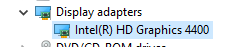
This resolution doesn't apply to me either as I don't have the NVidia display chipset. I have the attached:
I am having this exact issue, however I am on a iMac. Please let me know if there are any fixes because I am unable to open the game.
Luke, please create a new report and include the launcher log.
Same issue im using a Dell inspiron 1525 Help
i know its an old pc but i should work still
can't download nvidia....keeps saying my computer in incompatible
this is what i have for a driver. Minecraft worked just fine until last Friday 10/20
I am using integrated intel graphics and this happens
i downloaded version 378.66 but my mc keeps crashing can anyone help?
im getting this issue on 1.17? and everything is up to date?
Having this issue in 2022. New pc, latest Nvidia driver, happens for all versions of Minecraft I try to launch from including vanilla latest release. (Also tried the previous few Nvidia drivers in case the latest one was bugged, that also didn’t work)
Same here, having the issue in 2022 with Nvidia RTX 3060, driver installed is 512.59 but it seems like it doesn't matter what driver I have, this error always comes up.
I'm using 1.18.2, but it crashed also in 1.18.1, with or without mods / optifine, doesn't mattar, still crashes.
Put my pc in repair shop, they found out the RAM was not working correctly, so they installed a new RAM for me, game still crashes with this error code.
I've tried everything I can think of: re-installing launcher, only using one monitor, only have Minecraft playing, re-installed Windows 11.
Hope someone will catch this old ticket and help us, because this is so annoying.
this needs a new bug report and helpers with working eyes who won't merge it into this report
no one is using nvidia driver older than 378.66 any more
i have been experiencing this same issue for a few weeks now and it is really bugging me. i hope we can get someone at mojang to notice and to try to fix it
This is a problem with all OpenGL applications, (blender, geometry dash etc.) not just Minecraft so I doubt they will fix it. Whilst I have had no luck, another person I found with this issue, solved it by updating his bios. Didn't work for me though.
If someone experiences the problem described in this bug report they should really update their system. The bug report is related to an old driver and was fixed in newer driver. If you encounter the same error message on a newer driver version you need to create a new bug report as the cause could be something different.
Don't comment on this old bug report as it is already solved years ago.
Whenever anyone creates a new bug report it always gets removed as a duplicate of this one.
Well, then someone maybe should open a ticket at nvidia support. This bug report states that it's not an error with minecraft. It helps nobody if more people comment here.
That's what I've been doing for the past month and they're not very helpful.
Does nvidia has an open tracking system? So sharing a tracking number would be useful.
Tracking number for what. Bugs?
They did have a bug tracker of some sort but I couldn't find this one anywhere in there.
Not sure if I found the right tool from nvidia but it is something like a forum? If you haven't found a thread about the error, you created a topic yourself? Maybe you can share the URL so others can find it easier?
i don't think its right to put the burden of getting this issue fixed on the person. this should be reported to nvidia by the mojang developers?
what is nvidia does something and makes the issue worse? we cant be expected to be an escrow of information between nvidia devs and mojang devs
I looked up some other reports with this error code. The answer is always the same. They can't provide technical support and so you should go for community support.
This bug report here indicates the error is caused by a faulty driver by NVIDIA. Minecraft is not the cause of this error, and so Mojang can't resolve the problem.
In fact TNT9182 already mentioned this is a problem with all OpenGL applications. So do they contact each software developer for support? Would be a lot easier to contact NVIDIA directly. And if needed, NVIDIA can get in contact with the software developers.
Also, it seems this time it doesn't affect that many people. Saying that, I don't think it is directly caused by a faulty driver. Maybe a special combination of hardware or software used. In fact, some people mentioned they switched to an older version of the NVIDIA driver and still experienced the problem. So they first need to identify the root cause of the problem, which is general technical support. You can't blame Mojang if your system doesn't work accordingly. It's like you try to get support from a supermarket because you can't transfer your shopping bags with your bicycle home.
Also, 5 years back the problem was found by another user and afterwards Mojang already noticed further support can only be get by community support. I was the first one reporting a crash with this exit code, which means it's an unexpected exit code for Mojang. So if you can't provide at least a crash log, they can't help you further. If you have a crash log with additional info, create a new bug report. Well, properly it won't be a bug at all and keeps being a technical support case.
Imho this bug report should be closed for new comments.
I can confirm that the latest Nvidia driver (DriverVersion=32.0.15.6614) causes the game to crash with the same error code. Nvidia applies a lot of broken optimizations to the game process (you may remember the "threaded optimization" case), and I believe, Mojang should directly ask them to stop doing this, as their dirty hacks break both vanilla and modded game.