 MCPE-188998
Custom skins are not shown in the Eerie Mojang Office Party server
Everytime I enter the Minecraft live event my skin not showing up.
Steps to Reproduce:
- Import a custom skin
- Join the Eerie Mojang Office Party server
Observed Results:
Your custom skin appears as one of the default skins.
Expected Results:
Your custom skin should be shown.




Created Issue:
Skin not showing in multiplayer bedrock
everytime i enter the minecraft live event my skin not showing up
Attachments2
- Unresolved
- Open
- Unconfirmed
- Windows
- windows 11
- 1.21.50
![[Mod] OcelotOnesie](../../../data/avatars/users/43220.png)
Changed Summary:
Skin not showing inmultiplayer bedrockSkin not showing in Eerie Mojang Office Party server
Added Attachments:
Deleted Comment:
By me it is the same thing. And it keeps changing, to a default skin, everytime i teleport or use one of the tubes
Added Attachments:
Changed Description:
everytimeienter theminecraft live event my skin not showing upEverytime I enter the Minecraft live event my skin not showing up.
Steps to Reproduce:
- Import a custom skin
- Join the Eerie Mojang Office Party server
Observed Results:
Your custom skin appears as one of the default skins.Expected Results:
Your custom skin should be shown.
Changed Summary:
Skinnot showing inEerie Mojang Office Party serverCustom skins are not shown in the Eerie Mojang Office Party server
![[MCQA] jakublu](../../../data/avatars/users/94174.png)
Added ADO: 1344815
![[Mod] turbo](../../../data/avatars/users/92867.png)
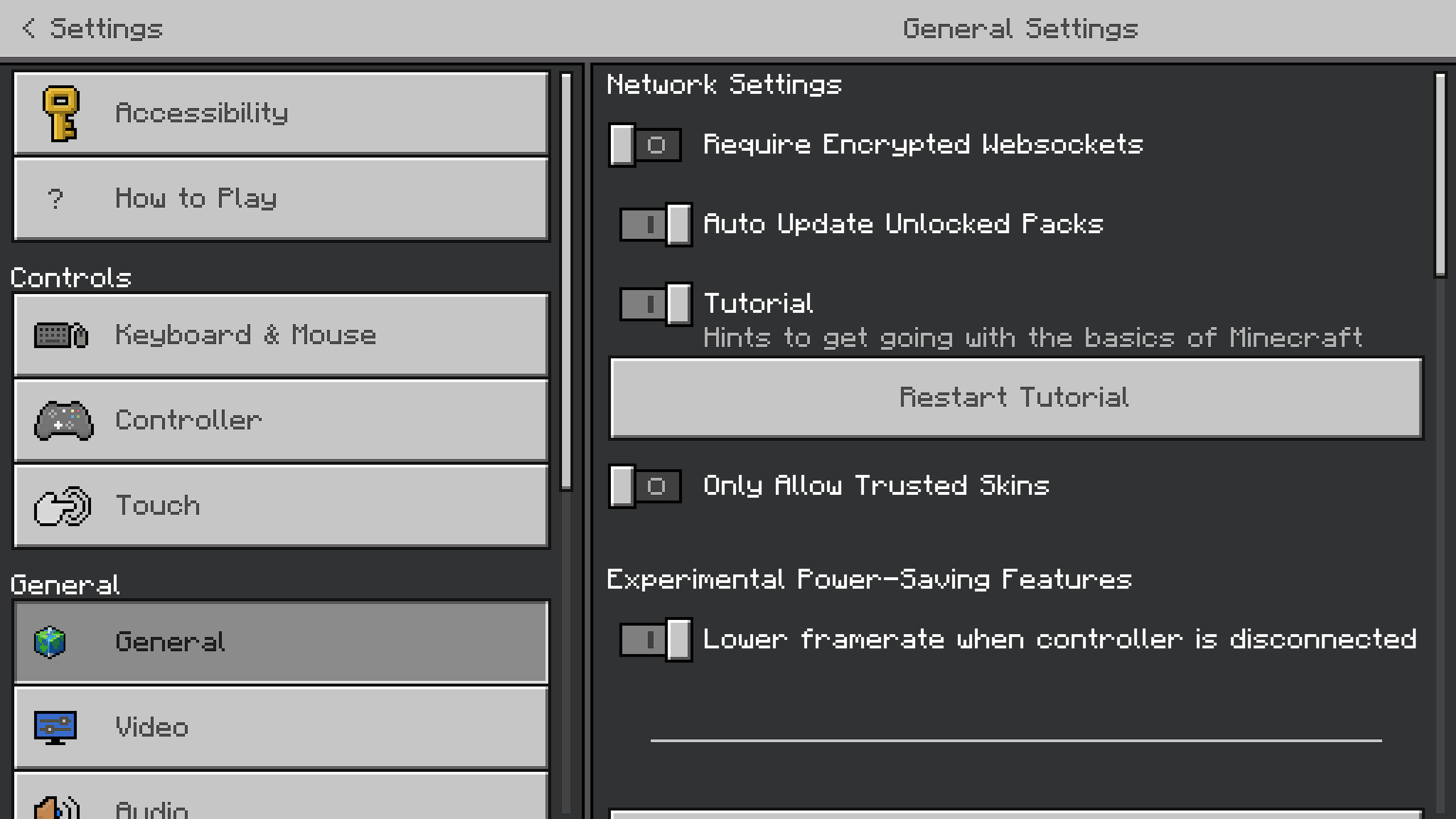
They disabled custom skins and 3rd party skinpacks on event server since Mob Vote 2022 due to some exploit used by some player to obstruct other player vision by using larger player geometries or something like that (even though it does not really resolve the issue if you have trusted skin turn off), that's why your skin is not showing up and revert to default character creator skin.
I can confirm in Android with "Only Allow Trusted skins" Enabled, This can no longer applies Classic skins this server but Character creator skins works fine.

The Eerie Mojang Office Party event has ended and this issue is obsolete or no longer reproducible. Closing as Cannot Reproduce.