 MCPE-41552
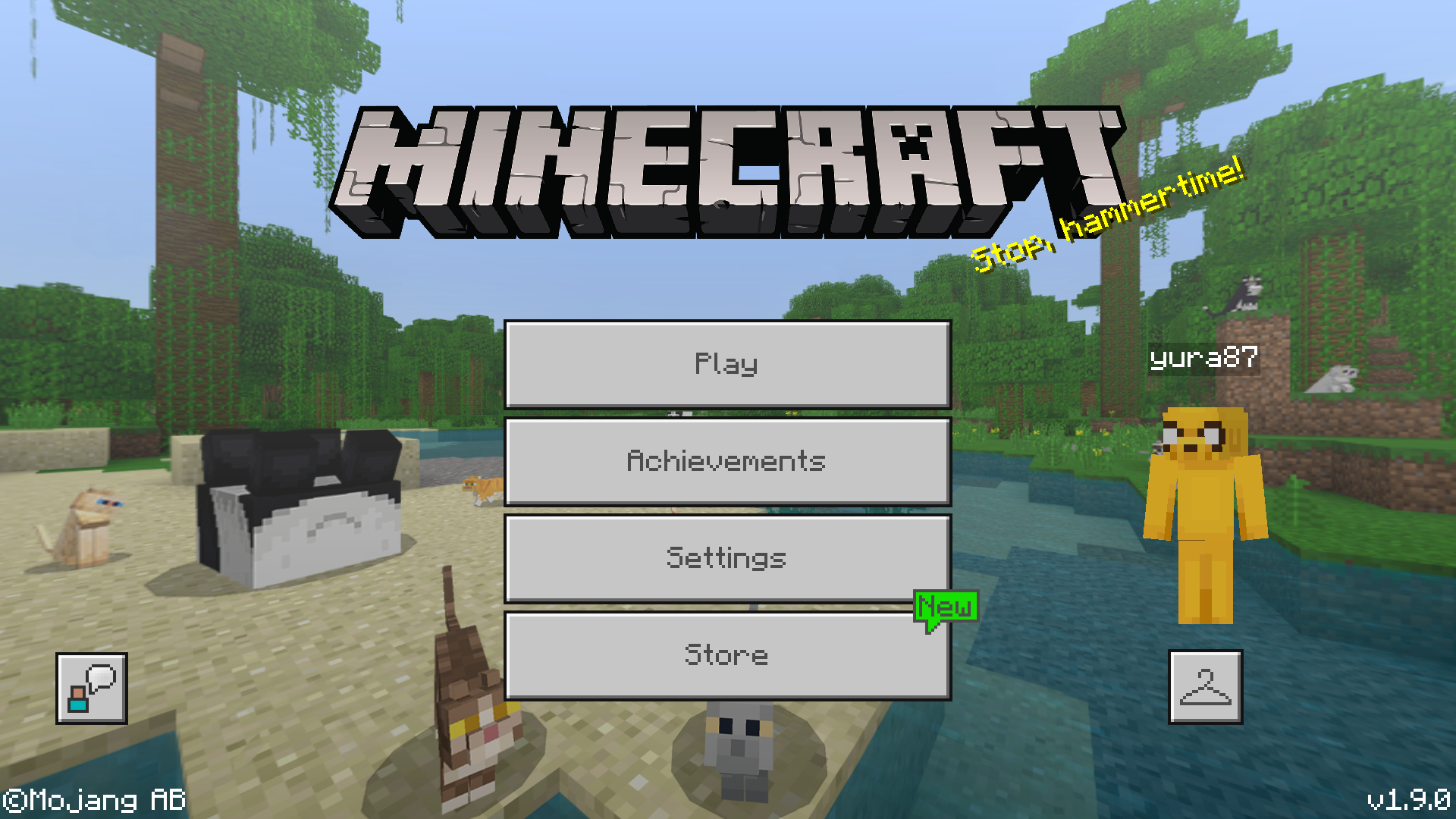
MC retail - not logged in automatically at startup
in mid-December 2018, I bought Minecraft Bedrock Edition retail cart for Switch.
I can't use Microsoft linked resource packs as globals, because I'm not logged in at MC's startup.
When I click "login", I do NOT have to repeat the DeviceConnect routine - it logs me in instantly.
This Unable to render embedded object: File (might) not found. affect 1.9.0, couldn't check as bro took the Switch, which is nominally his
This would have been a non-issue if it didn't affect applying MS-linked respacks as globals (including Plastic and PureBDcraft - which I combine to use BD's world textures with Plastic's GUI theme.
To compare, this works fine on Windows 10 edition (where I can also apply MCPEDL respacks as globals)


Created Issue:
MC retail - not logged in automatically at startup
in mid-December 2018, I bought Minecraft Bedrock Edition retail cart for Switch.
I can't use Microsoft linked resource packs as globals, because I'm not logged in at MC's startup.
When I click "login", I do NOT have to repeat the DeviceConnect routine - it logs me in instantly.
This Unable to render embedded object: File (might) not found. affect 1.9.0, couldn't check as bro took the Switch, which is nominally his
This would have been a non-issue if it didn't affect applying MS-linked respacks as globals (including Plastic and PureBDcraft - which I combine to use BD's world textures with Plastic's GUI theme.
To compare, this works fine on Windows 10 edition (where I can also apply MCPEDL respacks as globals)
![[Mojang] Mega_Spud (Jay Wells)](../../../data/avatars/users/92696.png)
the blue buttoned main menu is the "expected result" at startup. (used Win10 to show because, as explained in OP, bro took the NS)
On Windows 10 PCs with unlinked Microsoft account (but logged-in Store), the bug seems to also affect MS purchases, so at startup you only get Globals that are part of your Collection. So, this bug affects Windows 10 unlinked users AND Nintendo Switch retail users.
Windows 10 fully-linked users and Nintendo Switch digital users seem unaffected by this bug. Shot on the right is original MC, for comparison of "expected vs got".
Using digital version on Switch and it doesn't always log into Microsoft at startup. The Log in to Micrsoft Account button is displayed so I can log in manually without issues
Cleaning up old tickets: This ticket has not been updated recently so is being closed as Cannot Reproduce. If you feel this is still a valid issue then please comment, or create a new ticket following the Issue Guidelines.
Also, we'd recommend making use of the search feature before writing a new bug report, as it's very likely that the issue has been mentioned already, and you can add a vote and any new information to the main ticket.
For any queries with your account or billing, you will need to contact Mojang Customer Support directly.
For feature requests or feedback, please head over to the Minecraft Feedback Site where you can search and vote for existing topics, or add a new thread if necessary.
Quick Links:
📓 Issue Guidelines – 💬 Mojang Support – 📧 Suggestions – 📖 Minecraft Wiki