HUD disappears after changing difficulty in Realms
Edited: Description changed to match a Proper Bug Report.
No Addons Used
HUD completely disappears when changing difficultly in the options menu while in-game
Notes:
- Bug may appear at random intervals while playing.
- Unknown if Bug happens on Offline Worlds.
Steps:
1. Enter Options Menu while playing on Realms
2. Scroll to 'Game' tab, change difficultly from 'Peaceful' to 'Easy/Normal/Hard'
Observed Results:
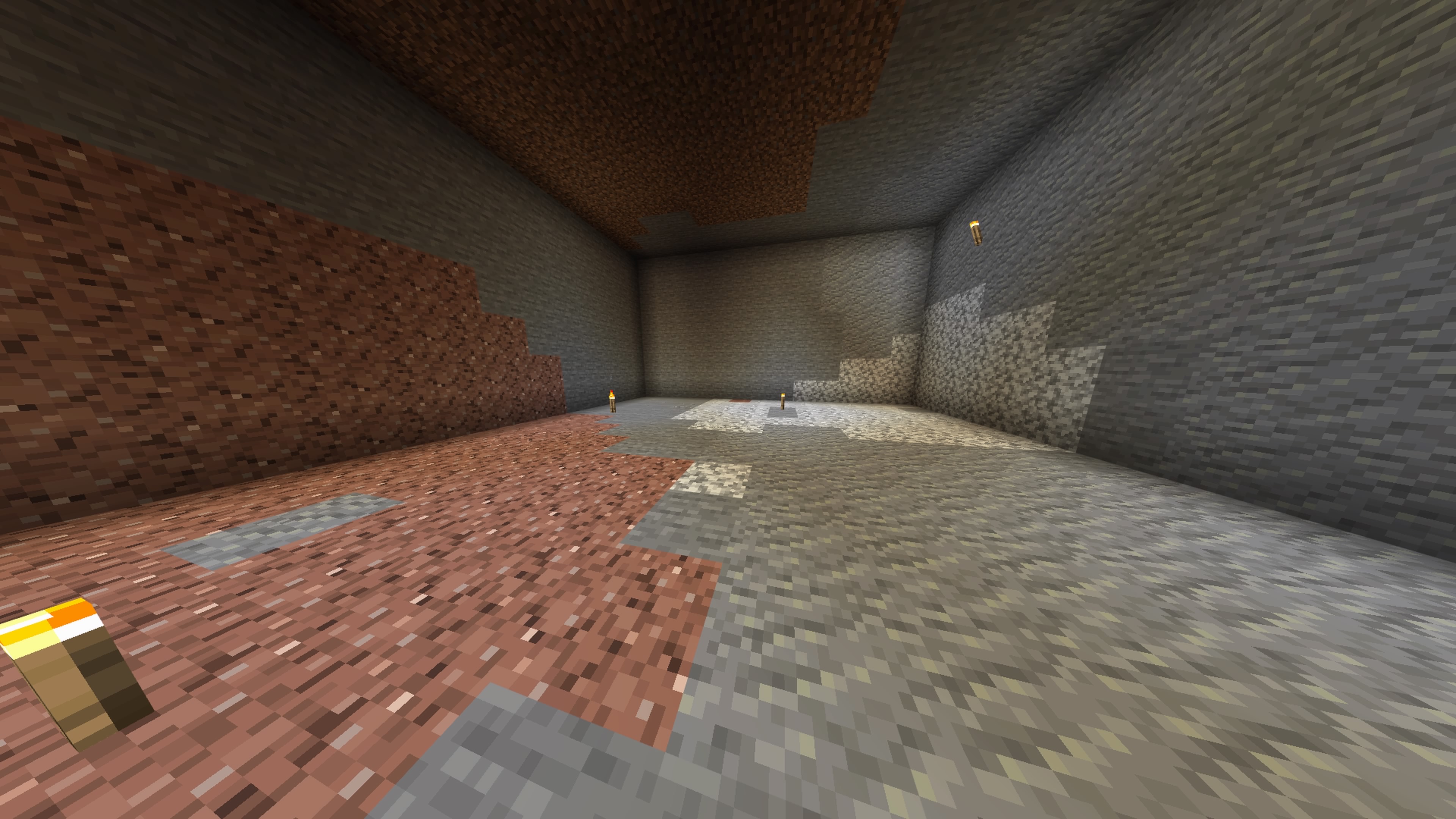
HUD has disappeared (Armor, Health, Hotbar and Hunger Bars (See Image))
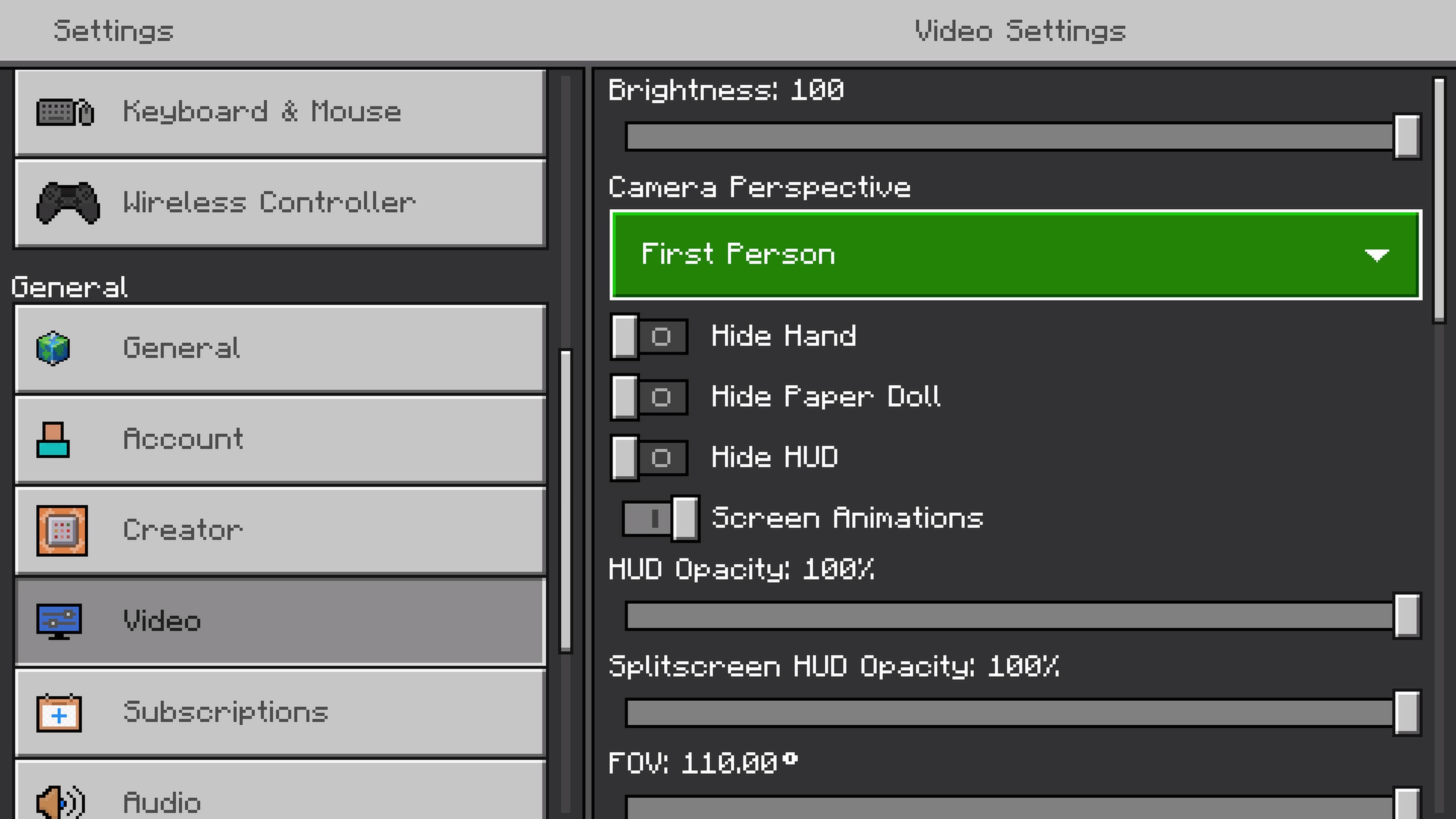
Entered Options/Video, all option are switched on (See Image)
Expected Results:
HUD should remain on-screen when difficulty has changed.
Attached 2 Screenshots.
Environment
PlayStation
Linked Issues

Created Issue:
HUD disappears after changing difficulty in Realms
Sometimes after changing difficulty in PS4 Minecraft Realms from 'Peaceful' to either 'Easy/Normal/Hard', the UI/Hand/Paper Doll disappears.
Current fix is leaving/rejoining Realm.
Will upload video if issue is encountered again.
 MCPE-172252 →
  REALMS-11388
PlayStation
Sometimes after changing difficulty in PS4 Minecraft Realms from 'Peaceful' to either 'Easy/Normal/Hard', the UI/Hand/Paper Doll disappears.Current fix is leaving/rejoining Realm.
Will upload video if issue is encountered again.Edited: Description changed to match a Proper Bug Report.
HUD completely disappears when changing difficultly in the options menu while in-game
Notes:
- Bug may appear at random intervals while playing.
- Unknown if Bug happens on Offline Worlds.
Steps:
1. Enter Options Menu while playing on Realms
2. Scroll to 'Game' tab, change difficultly from 'Peaceful' to 'Easy/Normal/Hard'Observed Results:
HUD has disappeared (Armor, Health, Hotbar and Hunger Bars (See Image))
Entered Options/Video, all option are switched on (See Image)Expected Results:
HUD should remain on-screen when difficulty has changed.Attached 2 Screenshots.
![[Bot] Arisa](../../../data/avatars/users/43007.png)
Edited: Description changed to match a Proper Bug Report.
HUD completely disappears when changing difficultly in the options menu while in-game
Notes:
- Bug may appear at random intervals while playing.
- Unknown if Bug happens on Offline Worlds.
Steps:
1. Enter Options Menu while playing on Realms
2. Scroll to 'Game' tab, change difficultly from 'Peaceful' to 'Easy/Normal/Hard'Observed Results:
HUD has disappeared (Armor, Health, Hotbar and Hunger Bars (See Image))
Entered Options/Video, all option are switched on (See Image)Expected Results:
HUD should remain on-screen when difficulty has changed.Attached 2 Screenshots.
Edited: Description changed to match a Proper Bug Report.
No Addons UsedHUD completely disappears when changing difficultly in the options menu while in-game
Notes:
- Bug may appear at random intervals while playing.
- Unknown if Bug happens on Offline Worlds.
Steps:
1. Enter Options Menu while playing on Realms
2. Scroll to 'Game' tab, change difficultly from 'Peaceful' to 'Easy/Normal/Hard'Observed Results:
HUD has disappeared (Armor, Health, Hotbar and Hunger Bars (See Image))
Entered Options/Video, all option are switched on (See Image)Expected Results:
HUD should remain on-screen when difficulty has changed.Attached 2 Screenshots.
is duplicated by
![[Mod] OcelotOnesie](../../../data/avatars/users/43220.png)
Thank you for your report!
We're tracking this issue in REALMS-11388, so this ticket is being resolved and linked as a duplicate.
If you would like to add a vote and any extra information to the main ticket it would be appreciated.
If you haven't already, you might like to make use of the search feature to see if the issue has already been mentioned.
Quick Links:
📓 Bug Tracker Guidelines – 💬 Community Support – 📧 Mojang Support
📓 Project Summary – ✍️ Feedback and Suggestions – 📖 Game Wiki – 📖 FAQs
– I am a bot. This action was performed automatically! The ticket was resolved by one of our moderators, and I left this message to give more information to you.
Are you using any add-ons, and if so, which ones (name and creator). Does the issue still occur if the add-ons are deactivated?
Please also edit the Description to include a list of steps along with the Observed and Expected results, as shown here:
Add screenshots or video to help explain (but not replace) the above information
This report has been temporarily resolved as Awaiting Response. It will automatically reopen when you add information. Please follow the format shown and include all sections (steps, observed, expected). Reports that do not contain all of the requested information and complete steps to reproduce the issue may be closed as Incomplete. For more information please read the Bug Tracker Guidelines.
You may find this Report Creation Form helpful for any future reports you create.
Updated Description.
Added New Video (see Attached)
Changing Difficulty gave me a black screen followed by Loading Screen.
(In my opinion...a potential Game-Breaker)
Hi
What happens when you exit and reenter your Realm? Is HUD back or it is still missing? Have you tried reinstalling Minecraft?
This ticket will automatically reopen when you reply.
The HUD reappears when re-entering the Realm.