 Dom Nathaniel
- #1_Minecraft_Lovah
- #1_minecraft_lovah
- Europe/Stockholm
- Yes
- No
 MCPE-25542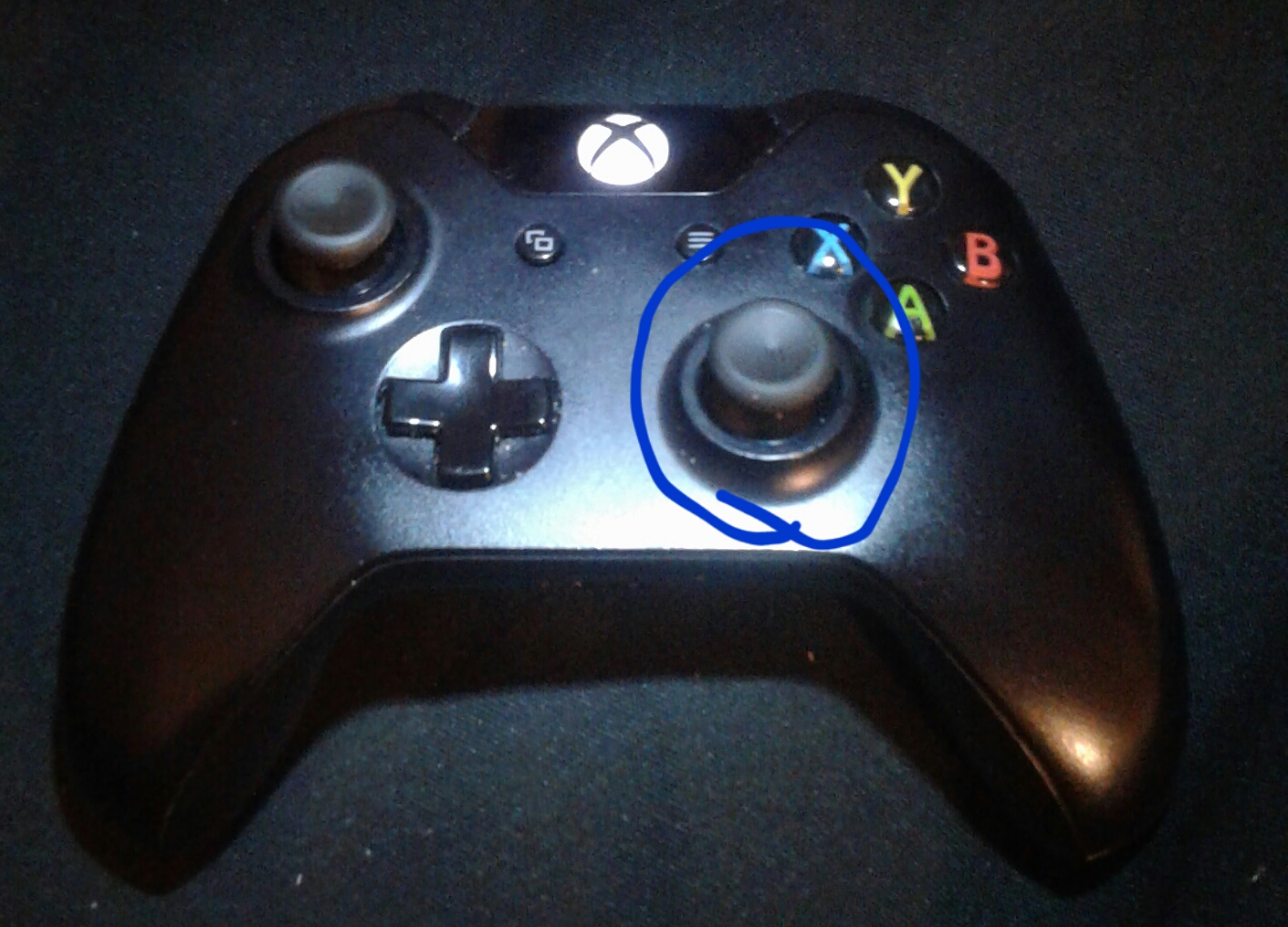



I converted my world to Xbox one beta and guardian farm isn't working guardians aren't spawning, it's in ocean temple location.
Affected version is truthfully 1.2.0.20 but it's not up there.
I converted my world to Xbox one beta and guardian farm isn't working guardians aren't spawning, it's in ocean temple location.
Affected version is truthfully 1.2.0.20 but it's not up there.
I converted my world to Xbox one beta and my guardian farm isn't working guardians aren't spawning, it's in ocean temple location.
Affected version is truthfully 1.2.0.20 but it's not up there.
20170827_201506.jpg
I converted my world to Xbox one beta and my guardian farm isn't working guardians aren't spawning, it's in ocean temple location.
Affected version is truthfully 1.2.0.20 but it's not up there
.
I converted my world to Xbox one beta and my guardian farm isn't working guardians aren't spawning, it's in ocean temple location.
Affected version is truthfully 1.2.0.20 but it's not up there.
I converted my world to Xbox one beta and my guardian farm isn't working guardians aren't spawning, it's in ocean temple location.
Affected version is truthfully 1.2.0.20 but it's not up there
.
I converted my world to Xbox one beta and my guardian farm isn't working guardians aren't spawning, it's in ocean temple location.
Affected version is truthfully 1.2.0.20 but it's not up there.
I converted my world to Xbox one beta and my guardian farm isn't working guardians aren't spawning, it's in ocean temple location.
Affected version is truthfully 1.2.0.20 but it's not up there.
I converted my world to Xbox one beta and my guardian farm isn't working guardians aren't spawning, it's in ocean temple location.
I converted my world to Xbox one beta and my guardian farm isn't working guardians aren't spawning, it's in ocean temple location.
In 1.2.3 it has fixed this problem in previous converted worlds. But game is still not recognizing the Temple in newly converted worlds after 1.2.3 . What I mean by that is if a player converts a world after 1.2.3 any temples that been generated before conversation won't spawn Guardians. But worlds that was in 1.2.2 been fixed.It's like the game just doesn't recognize the structures after conversation.
I converted my world to Xbox one beta and my guardian farm isn't working guardians aren't spawning, it's in ocean temple location.
In 1.2.3 it has fixed this problem in previous converted worlds. But game is still not recognizing the Temple in newly converted worlds after 1.2.3 . What I mean by that is if a player converts a world after 1.2.3 any temples that been generated before conversation won't spawn Guardians. But worlds that was in 1.2.2 been fixed.It's like the game just doesn't recognize the structures after conversation. And it would be annoying to have an update every time a player converts a world to fix this problem. 😲
I converted my world to Xbox one beta and my guardian farm isn't working guardians aren't spawning, it's in ocean temple location.
In 1.2.3 it has fixed this problem in previous converted worlds. But the game is still not recognizing the Temple in newly converted worlds after 1.2.3 . What I mean by that is if a player converts a world after 1.2.3 any temples that been generated before conversation won't spawn Guardians. But worlds that was in 1.2.2 been fixed.It's like the game just doesn't recognize the structures after conversation. And it would be annoying to have an update every time a player converts a world to fix this problem. 😲
I converted my world to Xbox one beta and my guardian farm isn't working guardians aren't spawning, it's in ocean temple location.
In 1.2.3 it has fixed this problem in previous converted worlds. But the game is still not recognizing the Temple in newly converted worlds after 1.2.3 . What I mean by that is if a player converts a world after 1.2.3 any temples that been generated before conversation won't spawn Guardians. But worlds that was in 1.2.2 been fixed.It's like the game just doesn't recognize the structures after conversation. And it would be annoying to have an update every time a player converts a world to fix this problem. 😲☹😵😦
I converted my world to Xbox one beta and my guardian farm isn't working guardians aren't spawning, it's in ocean temple location.
In 1.2.3 it has fixed this problem in previous converted worlds. But the game is still not recognizing the Temple in newly converted worlds after 1.2.3 . What I mean by that is if a player converts a world after 1.2.3 any temples that been generated before conversation won't spawn Guardians. But worlds that was in 1.2.2 been fixed.It's like the game just doesn't recognize the structures after conversation. And it would be annoying to have an update every time a player converts a world to fix this problem. 😲☹😵😦.
I was looking for end rods and they were missing same with chorus fruit, shulker boxes from the recipe book. I know there coded in the game because I have them in my survival would that I converted and they work just fine and I can craft them with what I have in my chests.
I don't know how to explain this but here's a quick video. How this happens is you got to fly around for a bit. Don't walk into it you will eventually get st
I don't know how to explain this but here's a quick video. How this happens is you got to fly around for a bit. Don't walk into it you will eventually get stuck if you get stuck all you have to do is TP your self out.
I think this is a easy one to fix😉.I wanted to scroll to see my rewards in the chat box in Mineplex but I couldn't. This is also a problem in regular gameplay.I think this can be fixed by using the right stick on the controller☺.I know the left stick is used for selecting through typing bar, command button and keyboard button
I think this is a easy one to fix😉.I wanted to scroll to see my rewards in the chat box in Mineplex but I couldn't. This is also a problem in regular gameplay.I think this can be fixed by using the right stick on the controller☺.I know the left stick is used for selecting through typing bar, command button and keyboard button same with the D pad. But the right stick dose nothing so☺
I think this is a easy one to fix😉.I wanted to scroll to see my rewards in the chat box in Mineplex but I couldn't. This is also a problem in regular gameplay.I think this can be fixed by using the right stick on the controller☺.I know the left stick is used for selecting through typing bar, command button and keyboard button same with the D pad. But the right stick dose nothing so☺ I say it should be used for scrolling in the chat.
I think this is a easy one to fix😉.I wanted to scroll to see my rewards in the chat box in Mineplex but I couldn't. This is also a problem in regular gameplay.I think this can be fixed by using the right stick on the controller☺.I know the left stick is used for selecting through typing bar, command button and keyboard button same with the D pad. But the right stick dose nothing so☺ I say it should be used for scrolling in the chat
.
I think this is a easy one to fix
😉.I wanted to scroll to see my rewards in the chat box in Mineplex but I couldn't. This is also a problem in regular gameplay.I think this can be fixed by using the right stick on the controller☺.I know the left stick is used for selecting through typing bar, command button and keyboard button same with the D pad. But the right stick dose nothingso☺I say it should be used for scrolling in the chatI think this is a easy one to fix👍.I wanted to scroll to see my rewards in the chat box in Mineplex but I couldn't. This is also a problem in regular gameplay.I think this can be fixed by using the right stick on the controller☺.I know the left stick is used for selecting through typing bar, command button and keyboard button same with the D pad. But the right stick dose nothing. ☺So I say it should be used for scrolling in the chat👍.
I think this is a easy one to fix
👍.I wanted to scroll to see my rewards in the chat box in Mineplex but I couldn't. This is also a problem in regular gameplay.I think this can be fixed by using the right stick on the controller☺.I know the left stick is used for selecting through typing bar, command button and keyboard button same with the D pad. But the right stick dose nothing. ☺So I say it should be used for scrolling in the chat👍.I think this is a easy one to fix☺.I wanted to scroll to see my rewards in the chat box in Mineplex but I couldn't. This is also a problem in regular gameplay.I think this can be fixed by using the right stick on the controller☺.I know the left stick is used for selecting through typing bar, command button and keyboard button same with the D pad. But the right stick dose nothing. ☺So I say it should be used for scrolling in the chat👍.
I think this is a easy one to fix☺.I wanted to scroll to see my rewards in the chat box in Mineplex but I couldn't. This is also a problem in regular gameplay.I think this can be fixed by using the right stick on the controller☺.I know the left stick is used for selecting through typing bar, command button and keyboard button same with the D pad. But the right stick dose nothing. ☺So I say it should be used for scrolling in the chat
👍.I think this is a easy one to fix☺.I wanted to scroll to see my rewards in the chat box in Mineplex but I couldn't. This is also a problem in regular gameplay.I think this can be fixed by using the right stick on the controller☺.I know the left stick is used for selecting through typing bar, command button and keyboard button same with the D pad. But the right stick dose nothing. ☺So I say it should be used for scrolling in the chat☺.
I think this is a easy one to fix☺.I wanted to scroll to see my rewards in the chat box in Mineplex but I couldn't. This is also a problem in regular gameplay.I think this can be fixed by using the right stick on the controller☺.I know the left stick is used for selecting through typing bar, command button and keyboard button same with the D pad. But the right stick dose nothing. ☺So I say it should be used for scrolling in the chat☺
.
I think this is a easy one to fix☺.I wanted to scroll to see my rewards in the chat box in Mineplex but I couldn't. This is also a problem in regular gameplay.I think this can be fixed by using the right stick on the controller☺.I know the left stick is used for selecting through typing bar, command button and keyboard button same with the D pad. But the right stick dose nothing. ☺So I say it should be used for scrolling in the chat☺.
I think this is a easy one to fix☺.I wanted to scroll to see my rewards in the chat box in Mineplex but I couldn't. This is also a problem in regular gameplay.I think this can be fixed by using the right stick on the controller☺.I know the left stick is used for selecting through typing bar, command button and keyboard button same with the D pad. But the right stick dose nothing. ☺So I say it should be used for scrolling in the chat☺
.
I think this is a easy one to fix☺.I wanted to scroll to see my rewards in the chat box in Mineplex but I couldn't. This is also a problem in regular gameplay.I think this can be fixed by using the right stick on the controller☺.I know the left stick is used for selecting through typing bar, command button and keyboard button same with the D pad. But the right stick dose nothing. ☺So I say it should be used for scrolling in the chat☺.
I think this is a easy one to fix☺.I wanted to scroll to see my rewards in the chat box in Mineplex but I couldn't. This is also a problem in regular gameplay.I think this can be fixed by using the right stick on the controller☺.I know the left stick is used for selecting through typing bar, command button and keyboard button same with the D pad. But the right stick dose nothing. ☺So I say it should be used for scrolling in the chat☺
.
I think this is a easy one to fix☺.I wanted to scroll to see my rewards in the chat box in Mineplex but I couldn't. This is also a problem in regular gameplay.I think this can be fixed by using the right stick on the controller☺.I know the left stick is used for selecting through typing bar, command button and keyboard button same with the D pad. But the right stick dose nothing. ☺So I say it should be used for scrolling in the chat☺.
I think this is a easy one to fix☺.I wanted to scroll to see my rewards in the chat box in Mineplex but I couldn't. This is also a problem in regular gameplay.I think this can be fixed by using the right stick on the controller☺.I know the left stick is used for selecting through typing bar, command button and keyboard button same with the D pad. But the right stick dose nothing. ☺So I say it should be used for scrolling in the chat☺
.
I think this is a easy one to fix☺.I wanted to scroll to see my rewards in the chat box in Mineplex but I couldn't. This is also a problem in regular gameplay.I think this can be fixed by using the right stick on the controller☺.I know the left stick is used for selecting through typing bar, command button and keyboard button same with the D pad. But the right stick dose nothing. ☺So I say it should be used for scrolling in the chat☺.
I think this is a easy one to fix☺.I wanted to scroll to see my rewards in the chat box in Mineplex but I couldn't. This is also a problem in regular gameplay.I think this can be fixed by using the right stick on the controller☺.I know the left stick is used for selecting through typing bar, command button and keyboard button same with the D pad. But the right stick dose nothing. ☺So I say it should be used for scrolling in the chat☺.
I think this is a easy one to fix☺.I wanted to scroll to see my rewards in the chat box in Mineplex but I couldn't. This is also a problem in regular gameplay.I think this can be fixed by using the right stick on the controller☺.I know the left stick is used for selecting through typing bar, command button and keyboard button same with the D pad. But the right stick dose nothing. ☺So I say it
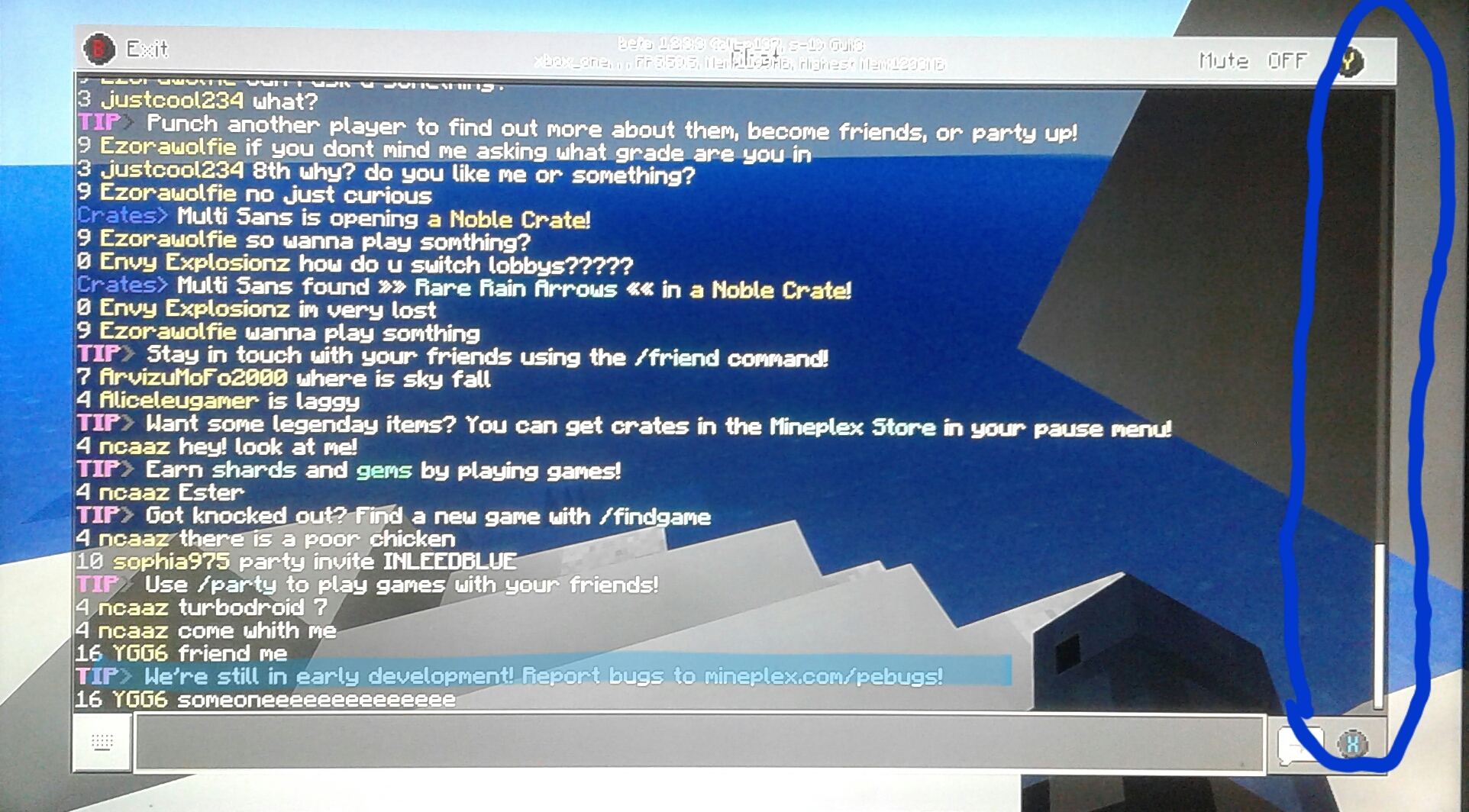
should be used for scrolling in the chat☺.For support for bugs in mineplex look in the picture below in the blue highlight for their website.
it showed up when I screenshotted it.
I think this is a easy one to fix☺.I wanted to scroll to see my rewards in the chat box in Mineplex but I couldn't. This is also a problem in regular gameplay.I think this can be fixed by using the right stick on the controller☺.I know the left stick is used for selecting through typing bar, command button and keyboard button same with the D pad. But the right stick dose nothing. ☺So I say it
should be used for scrolling in the chat☺.For support for bugs in mineplex look in the picture below in the blue highlight for their website.
it showed up when I screenshotted it.I think this is a easy one to fix☺.I wanted to scroll to see my rewards in the chat box in Mineplex but I couldn't. This is also a problem in regular gameplay.I think this can be fixed by using the right stick on the controller☺.I know the left stick is used for selecting through typing bar, command button and keyboard button same with the D pad. But the right stick dose nothing. ☺So I say it
should be used for scrolling in the chat☺.For support for bugs in mineplex look in the picture below in the blue highlight for their website.
it showed up when I made the screenshot.
I think this is a easy one to fix☺.I wanted to scroll to see my rewards in the chat box in Mineplex but I couldn't. This is also a problem in regular gameplay.I think this can be fixed by using the right stick on the controller☺.I know the left stick is used for selecting through typing bar, command button and keyboard button same with the D pad. But the right stick dose nothing. ☺So I say it
should be used for scrolling in the chat☺.For support for bugs in mineplex look in the picture below in the blue highlight for their website.
it showed up when I made the screenshot.
I think this is a easy one to fix☺.I wanted to scroll to see my rewards in the chat box in Mineplex but I couldn't. This is also a problem in regular gameplay.I think this can be fixed by using the right stick on the controller☺.I know the left stick is used for selecting through typing bar, command button and keyboard button same with the D pad. But the right stick dose nothing. ☺So I say it
should be used for scrolling in the chat☺.For support for bugs in mineplex look in the picture below in the blue highlight for their website.
it showed up when I made the screenshot.
I think this is a easy one to fix☺.I wanted to scroll to see my rewards in the chat box in Mineplex but I couldn't. This is also a problem in regular gameplay.I think this can be fixed by using the right stick on the controller☺.I know the left stick is used for selecting through typing bar, command button and keyboard button same with the D pad. But the right stick dose nothing. ☺So I say it
should be used for scrolling in the chat☺.For support for bugs in mineplex look in the picture below in the blue highlight for their website.
it showed up when I made the screenshot.
I think this is a easy one to fix☺.I wanted to scroll to see my rewards in the chat box in Mineplex but I couldn't. This is also a problem in regular gameplay.I think this can be fixed by using the right stick on the controller☺.I know the left stick is used for selecting through typing bar, command button and keyboard button same with the D pad. But the right stick dose nothing. ☺So I say it
should be used for scrollingin thechat☺.For support for bugs in mineplex look in the picture below in the blue highlight for their website.
it showed up when I made the screenshotI think this is a easy one to fix☺.I wanted to scroll to see my rewards in the chat box in Mineplex but I couldn't. This is also a problem in regular gameplay.I think this can be fixed by using the right stick on the controller☺.I know the left stick is used for selecting through typing bar, command button and keyboard button same with the D pad. But the right stick dose nothing. ☺So I say it
should be used for scrolling through chat.Here's some help for reporting bugs in mineplex look in the picture below in the blue highlight.
I think this is a easy one to fix☺.I wanted to scroll to see my rewards in the chat box in Mineplex but I couldn't. This is also a problem in regular gameplay.I think this can be fixed by using the right stick on the controller☺.I know the left stick is used for selecting through typing bar, command button and keyboard button same with the D pad. But the right stick dose nothing. ☺So I say it
should be used for scrolling through chat.Here's some help for reporting bugs in mineplex look in the picture below in the blue highlight. For their website.
I think this is a easy one to fix☺.I wanted to scroll to see my rewards in the chat box in Mineplex but I couldn't. This is also a problem in regular gameplay.I think this can be fixed by using the right stick on the controller☺.I know the left stick is used for selecting through typing bar, command button and keyboard button same with the D pad. But the right stick dose nothing. ☺So I say it
should be used for scrolling through chat.Here's some help for reporting bugs in mineplex look in the picture below in the blue highlight. For their website.
When a mob is tracking a player the FPS drops for an example a creeper chasing a player and so on. When a player kills that mob or the mob loses track of the player the FPS goes back to normal
.
When a mob is tracking a player the FPS drops for an example a creeper chasing a player
and so on. When a player kills that mob or the mob loses track of the player the FPS goes back to normalWhen a mob is tracking a player the FPS drops for an example a creeper chasing a player or players holding wheat or carrots with animals following. When a player kills that mob or the mobs loses track of the player the FPS goes back to normal
When a mob is tracking a player the FPS drops for an example a creeper chasing a player or players holding wheat or carrots with animals following. When a player kills that mob or the mobs loses track of the player the FPS goes back to normal
When a mob is tracking a player the FPS drops for an example a creeper chasing a player or players holding wheat or carrots with animals following. When a player kills that mob or the mobs loses track of the player the FPS goes back to normal.
When a mob is tracking a player the FPS drops for an example a creeper chasing a player or players holding wheat or carrots with animals following. When a player kills that mob or the mobs loses track of the player the FPS goes back to normal.
I have to set the game to peaceful just to be able to play because the FPS is terrible with the monsters tracking me. I hope this gets fix soon.
I was checking out the aquatic update features and all of the sudden this monstrosity popped in my face it looks like lava sometimes water I don't know how to reproduce it but I'll put a small video of it , seed and coordinate as well. Seed 306959825 ,coordinate -71, 104, 4870.
I'm trying to learn how to do commands using the chat box ,but when I Auto refill the same command repeatedly all menus gets messed up the only way I can fix it is to close game and restart it. I hope this can get fixed. Because I hardly have any control in the menus when this happens
.
I'm trying to learn how to do commands using the chat box ,but when I Auto refill the same command repeatedly all menus gets messed up the only way I can fix it is to close game and restart it. I hope this can get fixed. Because I hardly have any control in the menus when this happens.
Lagwhendue to inventory.
I was putting text on signs. But when I was typing in the code for bold and color text with the Section Symbol, the text after that disappeared. Update on description It's happening with signs, renaming items, Book and quill and commands.
I tried quick moving it, I tried spa
nningabutton, I tried restarting the game. It just won't get out of the Ender chess. I hope it can be fixed.I tried quick moving it, I tried spamming the (A)button, I tried restarting the game. It just won't get out of the Ender chess. I hope it can be fixed.
When riding a minecart in the nether for a good distance you and the mobs around you eventually start to freeze and move repeatedly but particles and chunks seem to be acting normal when you and the minecart freeze.
Too reproduce make a long track powered at least 300 blocks long make sure mob spawning is on difficulty easy or hard then send a minecart down the track you don't even have to ride it should be able to see mobs and the minecart start to freeze
When riding a minecart in the nether for a good distance you and the mobs around you eventually start to freeze and move repeatedly but particles and chunks seem to be acting normal when you and the minecart freeze.
Too reproduce make a long track powered at least 300 blocks long in the nether make sure mob spawning is on difficulty easy or hard then send a minecart down the track you don't even have to ride it should be able to see mobs and the minecart start to freeze
When riding a minecart in the nether for a good distance you and the mobs around you eventually start to freeze and move repeatedly
but particles and chunks seem to be acting normalwhenyouandtheminecart freeze.Too reproduce make a long track powered at least 300 blocks long in the nether make sure mob spawning is on difficulty easy or hard then send a minecart down the track you don't even have to ride it should be able to see mobs and the minecart start to freeze
When riding a minecart in the nether for a good distance you and the mobs around you eventually start to freeze and move repeatedly I think it's something with chunk rendering. Chunk borders are visible in the distance when mobs and minecart freeze.
Too reproduce make a long track powered at least 300 blocks long in the nether make sure mob spawning is on difficulty easy or hard then send a minecart down the track you don't even have to ride it should be able to see mobs and the minecart start to freeze
When riding a minecart in the nether for a good distance you and the mobs around you eventually start to freeze and move repeatedly I think it's something with chunk rendering. Chunk borders are visible in the distance when mobs and minecart freeze.
Too reproduce make a long track powered at least 300 blocks long in the nether make sure mob spawning is on difficulty easy or hard then send a minecart down the track you don't even have to ride it should be able to see mobs and the minecart start to freeze
When riding a minecart in the nether for a good distance you and the mobs around you eventually start to freeze and move repeatedly I think it's something with chunk rendering. Chunk borders are visible in the distance when mobs and minecart freeze.
Too reproduce make a long track powered at least 300 blocks long in the nether make sure mob spawning is on difficulty easy or hard then send a minecart down the track you don't even have to ride it should be able to see mobs and the minecart start to freeze.
When riding a minecart in the nether for a good distance you and the mobs around you eventually start to freeze and move repeatedly I think it's something with chunk rendering. Chunk borders are visible in the distance when mobs and minecart freeze.
Too reproduce make a long track powered at least 300 blocks long in the nether make sure mob spawning is on difficulty easy or hard then send a minecart down the track you don't even have to ride it should be able to see mobs and the minecart start to freeze .
When riding a minecart in the nether for a good distance you and the mobs around you eventually start to freeze and move repeatedly I think it's something with chunk rendering. Chunk borders are visible in the distance when mobs and minecart freeze.
Too reproduce make a long track powered at least 300 blocks long in the nether make sure mob spawning is on difficulty easy or hard then send a minecart down the track you don't even have to ride it should be able to see mobs and the minecart start to freeze
.
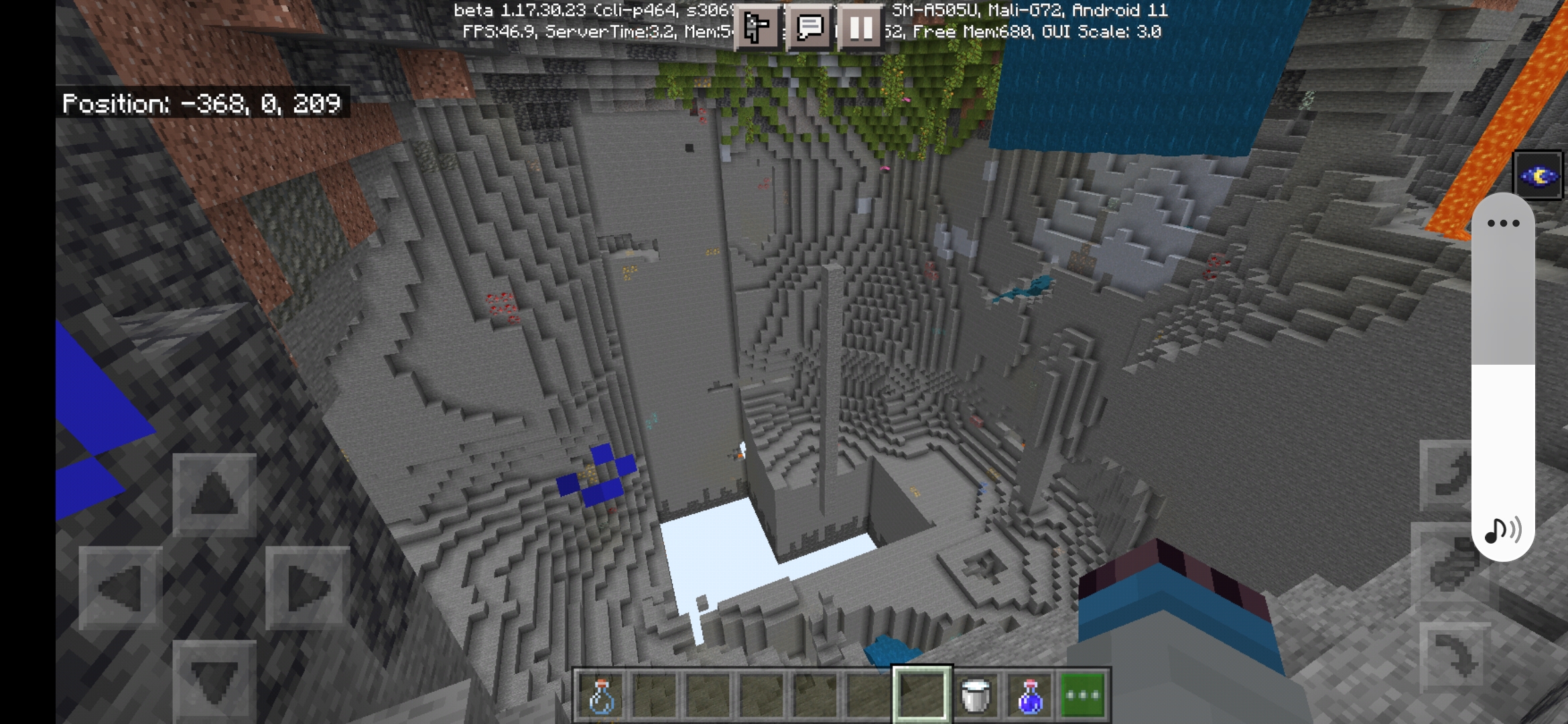
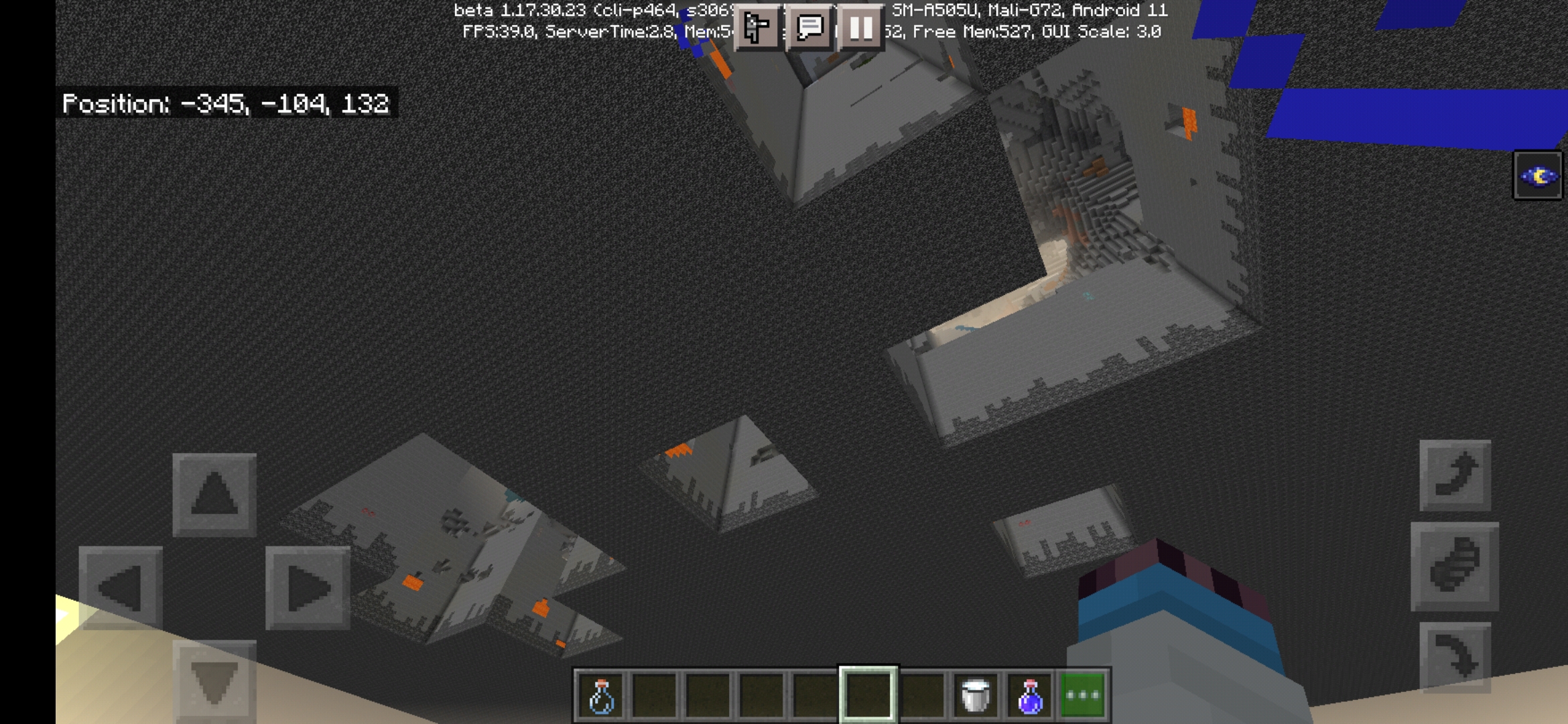
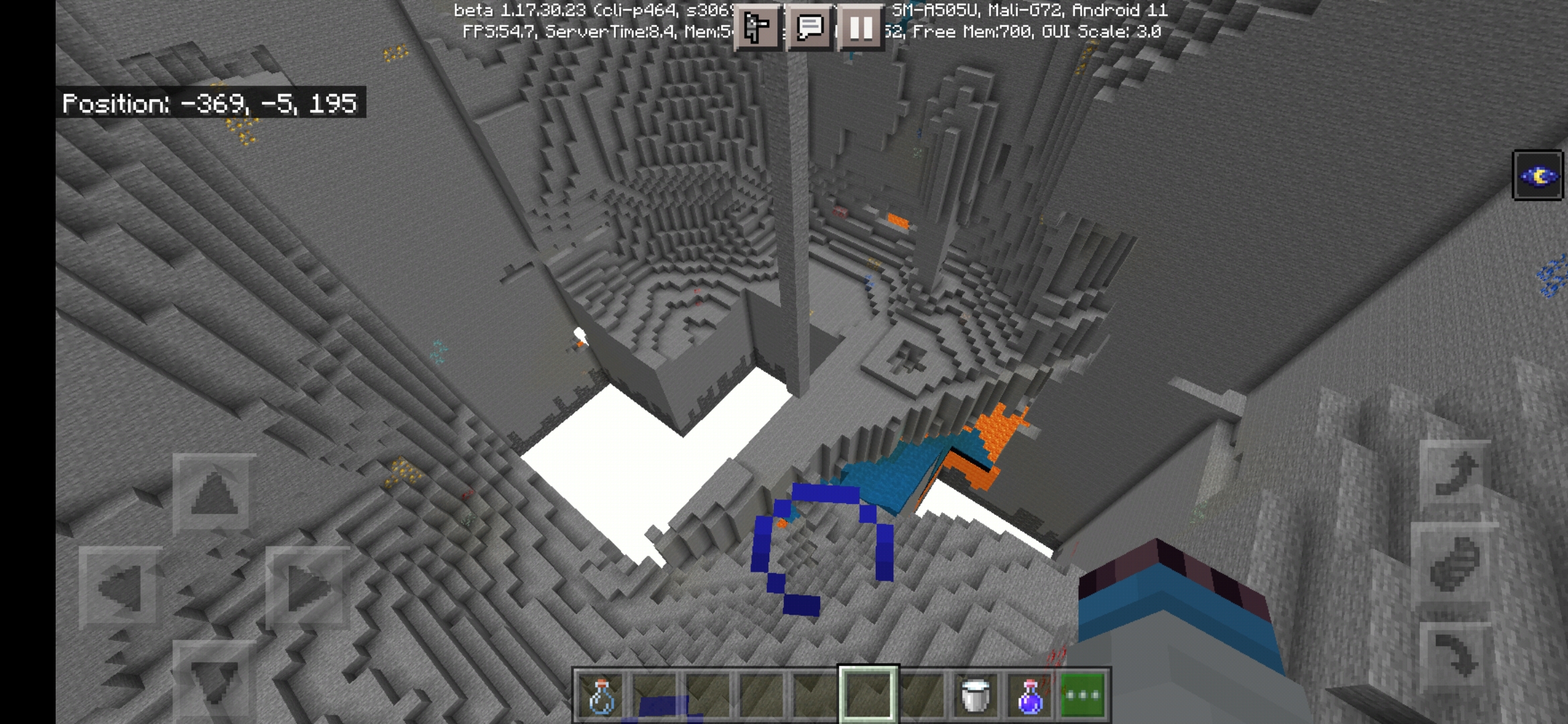
I was building in the cave while using the scaffolding. But when I went to break the scaffolding they didn't fully fall. The issue happens when the scaffolding passes y0 from y-#.
In the video below shows what's happening Deepslate= below 0 stone= above 0.
I was building in the cave while using the scaffolding. But when I went to break the scaffolding they didn't fully fall. The issue happens when the scaffolding passes y0 from y-#.
In the video below shows what's happening Deepslate= below 0 stone= above 0.
Seed -653146126. Location x380, y-24, z1200 if needed.
Same I killed all hostile mobs around my house then I went in my house for a few seconds walked out and it was all ready packed with mobs.
Same here i can't even play as soon as I load a world or join a server I'm only getting 5,15 FPS NOT GOOD AT ALL.
It's happening on Xboxone too.
In the recipe book those items are missing in creative and survival and it occurs in both converted and newly created worlds
It seems to be fixed but it's not fixed for worlds that been converted after the update.
I play on the Xbox platform and it seems to fixed the 1.2.2 and below worlds in 1.2.3 but I guess it didn't in Android and Windows 10. It still doesn't fix worlds converted after 1.2.3.
Same issue goes for monsters when there's numbers of then tracking the player at the same time. The FPS just drops. I have to play in peaceful because of the monsters lagging me when they see me.
I hope I didn't do something wrong for giving help support for bugs in mineplex in my bug report? Just being helpful.
that's exactly what I'm experiencing with the cows to.
Ok I'll make a post there. I wrote that about Mineplex because the message popped up in chat at the right moment.
I tried that and it still occurs. I have 3 controllers, I tried playing with them and it still occurs when I reproduce the description above.
I don't think it's that because I can control the character just fine it's the menus that gets messed up, but thank you for the suggestion.
If you need to know how too reproduce it. You need too create a command in chat then press X too activate it then repeat the same action by Auto refilling and activating the same command you just done repeatedly, eventually the bug should appear
That's what I'm experiencing. But something with the chat box is making it occur to. It's when you repeatedly enter and activate a command.
The lag is worse when you have a full shocker box in your inventory upon opening your inventory.
You can't even have a full shocker box in your inventory with out having the game freeze for 3 - 5 seconds max upon opening your inventory.
It's back, this time it is on PlayStation 4. I was trying to type colored and bold text on a sign using the section symbol.
I'm having The same problem too with maps in item frames. The frames would just drop when I'm near them Even in this current version 1.14.30.
There is a way to see the recipe for xbox you have to click X over to item for playstation I had to click square
I never had this problem before 1.16.0 and 1.16.1 because I have a 16 Destination Selection minecart subway station And I use it a lot but now it's annoying to ride with the freezing. So I hope this can be fix. I know you can do it Mojang 😉
An update on the bug if you're moving around a lot in the nether you see the mobs freeze repeatedly you can see it better in the gasts but it's much worse when there's minecart moving.
One other thing when you turn off mob spawning and or peaceful the freezing isn't as bad but were is the fun in the nether update in that lol.
I'm not sure this helps any but I'm near old and new nether chunks
It's only happening near old and new Terrain borders
When you past those borders it seems to be fine but still annoying.
Now I know what type of lag this is it's acting like server lag When there's really nothing going on But only near new and old Terrain borders.
The lag is acting like server lag
Wrong platform my bad.
My ticket might be a Duplicate of 139754 sorry.
If Anyone's wondering I have the faithful texture pack activated