 AblazeVase69188
- AblazeVase69
- JIRAUSER477907
- Asia/Shanghai
- Yes
- No
 MCPE-137962MCPE-138554MCPE-158934MCPE-170377
 MC-268107


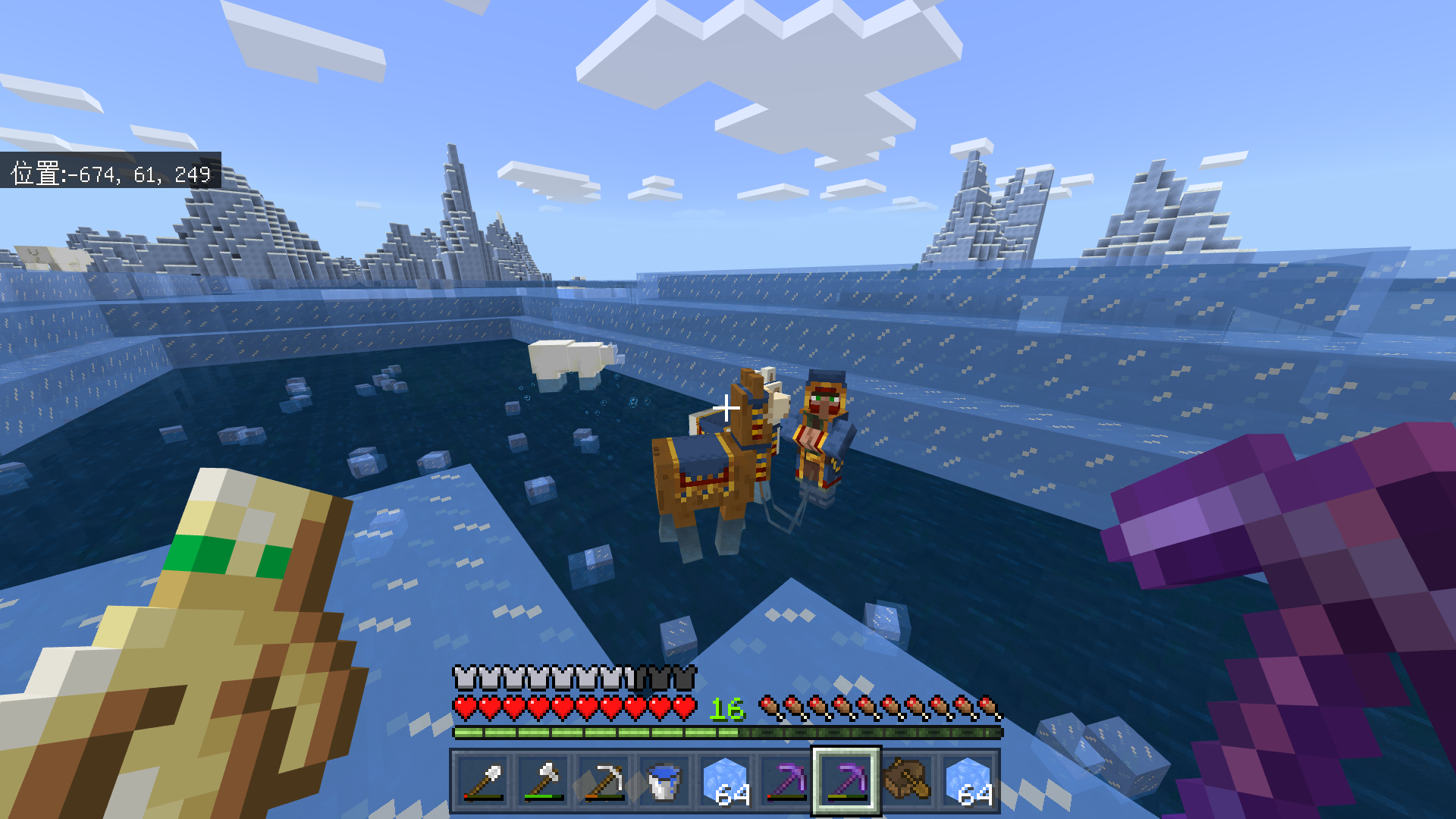








The bug can just appear in multiplayer.
First, when a player use the spyglass, the position of the spyglass is wrong.
Second, when the player stops using the spyglass, the spyglass will "Move around the player down" until it disappears. At the same time, a error message of the Molang document appears.
But the bug does not appear sometimes.
An online video link: https://www.bilibili.com/video/BV1qM4y157Hx/
The bug can just appear in multiplayer.
First, when a player use the spyglass, the position of the spyglass is wrong.
Second, when the player stops using the spyglass, the spyglass will "Move around the player down" until it disappears. At the same time, a error message of the Molang document appears.
But the bug does not appear sometimes.
An online video link: https://www.bilibili.com/video/BV1qM4y157Hx/
Summary
In the specific world that I have uploaded, I cannot move through pressing "W", "A", "S" or "D" on my keyboard when I am flying.
Steps to Reproduce
1.Download, import and open the world "Superflat1.mcworld" that I have uploaded.
2.Press "Space" on keyboard twice to "be in" flying.
3.Press "W", "A", "S" or "D".
Observed Results
You can move by pressing "W", "A", "S" or "D".
Expected Results
You get stuck and cannot move.
Notes
1.I can still move up and down by pressing "Space" or "Shift" when flying, in the specific world.
2.I have tried creating another new superflat world, but in that world I couldn't reproduce the bug. And after I restart the game and reload the world "Superflat1", the bug can still be reproduced.
3.In the video, you can look at the virtual cat at bottom right to know which key I was pressing.
4.My English is not so great and I hope you can understand this report.
Summary
In the specific world that I have uploaded, I cannot move through pressing "W", "A", "S" or "D" on my keyboard when I am flying.
Steps to Reproduce
1.Download, import and open the world "Superflat1.mcworld" that I have uploaded.
2.Press "Space" on keyboard twice to "be in" flying.
3.Press "W", "A", "S" or "D".
Observed Results
You get stuck and cannot move.
Expected Results
You can move by pressing "W", "A", "S" or "D".
Notes
1.I can still move up and down by pressing "Space" or "Shift" when flying, in the specific world.
2.I have tried creating another new superflat world, but in that world I couldn't reproduce the bug. And after I restart the game and reload the world "Superflat1", the bug can still be reproduced.
3.In the video, you can look at the virtual cat at bottom right to know which key I was pressing.
4.My English is not so great and I hope you can understand this report.

Summary
In the specific world that I have uploaded, I cannot move through pressing "W", "A", "S" or "D" on my keyboard when I am flying.
Steps to Reproduce
1.Download, import and open the world "Superflat1.mcworld" that I have uploaded.
2.Press "Space" on keyboard twice to "be in" flying.
3.Press "W", "A", "S" or "D".
Observed Results
You get stuck and cannot move.
Expected Results
You can move by pressing "W", "A", "S" or "D".
Notes
1.I can still move up and down by pressing "Space" or "Shift" when flying, in the specific world.
2.I have tried creating another new superflat world, but in that world I couldn't reproduce the bug. And after I restart the game and reload the world "Superflat1", the bug can still be reproduced.
3.In the video, you can look at the virtual cat at bottom right to know which key I was pressing.
4.My English is not so great and I hope you can understand this report.
Summary
In the specific world that I have uploaded, I cannot move through pressing "W", "A", "S" or "D" on my keyboard when I am flying.
Steps to Reproduce
1.Download, import and open the world "Superflat1.mcworld" that I have uploaded.
2.Press "Space" on keyboard twice to "be in" flying.
3.Press "W", "A", "S" or "D".
Observed Results
You get stuck and cannot move.
Expected Results
You can move by pressing "W", "A", "S" or "D".
Notes
1.I can still move up and down by pressing "Space" or "Shift" when flying, in the specific world.
2.I have tried creating another new superflat world, but in that world I couldn't reproduce the bug. And after I restart the game and reload the world "Superflat1", the bug can still be reproduced.
3.In the video, you can look at the virtual cat at bottom right to know which key I was pressing.
4.The world "Superflat1" is created in 2020, which is in an older version.
5.My English is not so great and I hope you can understand this report.
Summary
In the specific world that I have uploaded, I cannot move through pressing "W", "A", "S" or "D" on my keyboard when I am flying.
Steps to Reproduce
1.Download, import and open the world "Superflat1.mcworld" that I have uploaded.
2.Press "Space" on keyboard twice to "be in" flying.
3.Press "W", "A", "S" or "D".
Observed Results
You get stuck and cannot move.
Expected Results
You can move by pressing "W", "A", "S" or "D".
Notes
1.For the world "Superflat1", I can still move up and down by pressing "Space" or "Shift" when flying, in the specific world.
2.I have tried creating another new superflat world, but in that world I couldn't reproduce the bug. And after I restart the game and reload the world "Superflat1", the bug can still be reproduced.
3.In the video, you can look at the virtual cat at bottom right to know which key I was pressing.
4.The world "Superflat1" is created in 2020, which is in an older version.
5.My English is not so great and I hope you can understand this report.
Summary
In the specific world that I have uploaded, I cannot move through pressing "W", "A", "S" or "D" on my keyboard when I am flying.
Steps to Reproduce
1.Download, import and open the world "Superflat1.mcworld" that I have uploaded.
2.Press "Space" on keyboard twice to "be in" flying.
3.Press "W", "A", "S" or "D".
Observed Results
You get stuck and cannot move.
Expected Results
You can move by pressing "W", "A", "S" or "D".
Notes
1.For the world "Superflat1", I can still move up and down by pressing "Space" or "Shift" when flying
, in the specific world.2.I have tried creating another new superflat world, but in that world I couldn't reproduce the bug. And after I restart the game and reload the world "Superflat1", the bug can still be reproduced.
3.In the video, you can look at the virtual cat at bottom right to know which key I was pressing.
4.The world "Superflat1" is created in 2020, which isin an older version.5.My English is not so great and I hope you can understand this report.
Summary
In the specific world that I have uploaded, I cannot move through pressing "W", "A", "S" or "D" on my keyboard when I am flying.
Steps to Reproduce
1.Download, import and open the world "Superflat1.mcworld" that I have uploaded.
2.Press "Space" on keyboard twice to "be in" flying.
3.Press "W", "A", "S" or "D".
Observed Results
You get stuck and cannot move.
Expected Results
You can move by pressing "W", "A", "S" or "D".
Notes
1.For the world "Superflat1", it was created in 2020, which was in an older version. In addition, I can still move up and down by pressing "Space" or "Shift" when flying.
2.I have tried creating another new superflat world, but in that world I couldn't reproduce the bug. And after I restart the game and reload the world "Superflat1", the bug can still be reproduced.
3.In the video, you can look at the virtual cat at bottom right to know which key I was pressing.
5.My English is not so great and I hope you can understand this report.
Summary
In the specific world that I have uploaded, I cannot move through pressing "W", "A", "S" or "D" on my keyboard when I am flying.
Steps to Reproduce
1.Download, import and open the world "Superflat1.mcworld" that I have uploaded.
2.Press "Space" on keyboard twice to "be in" flying.
3.Press "W", "A", "S" or "D".
Observed Results
You get stuck and cannot move.
Expected Results
You can move by pressing "W", "A", "S" or "D".
Notes
1.For the world "Superflat1", it was created in 2020,
which was in an olderversion. In addition, I can still move up and down by pressing "Space" or "Shift" when flying.2.I have tried creating another new superflat world, but in that world I couldn't reproduce the bug.
And after I restart the game and reload the world "Superflat1", the bug canstill be reproduced.
3.In the video, you can look at the virtual cat at bottom right to know which key I was pressing.5.My English is not so great and I hope you can understand this report.
Summary
In the specific world that I have uploaded, I cannot move through pressing "W", "A", "S" or "D" on my keyboard when I am flying.
Steps to Reproduce
1.Download, import and open the world "Superflat1.mcworld" that I have uploaded.
2.Press "Space" on keyboard twice to "be in" flying.
3.Press "W", "A", "S" or "D".
Observed Results
You get stuck and cannot move.
Expected Results
You can move by pressing "W", "A", "S" or "D".
Notes
1.For the world "Superflat1", it was created in 2020, in other words, it was not created in the version 1.19.10.
2.I could still move up and down by pressing "Space" or "Shift" when flying.
3.I have tried creating another new superflat world, but in that world I couldn't reproduce the bug. And after I restarted the game and reloaded the world "Superflat1", the bug could still be reproduced.
4.In the video, you can look at the virtual cat at bottom right to know which key I was pressing.
5.My English is not so great and I hope you can understand this report.
Summary
In the specific world that I have uploaded, I cannot move through pressing "W", "A", "S" or "D" on my keyboard when I am flying.
Steps to Reproduce
1.Download, import and open the world "Superflat1.mcworld" that I have uploaded.
2.Press "Space" on keyboard twice to "be in" flying.
3.Press "W", "A", "S" or "D".
Observed Results
You get stuck and cannot move.
Expected Results
You can move by pressing "W", "A", "S" or "D".
Notes
1.For the world "Superflat1", it was created in 2020, in other words, it was not created in the version 1.19.10.
2.I could still move up and down by pressing "Space" or "Shift" when flying.
3.I have tried creating another new superflat world, but in that world I couldn't reproduce the bug. And after I restarted the game and reloaded the world "Superflat1", the bug could still be reproduced.
4.In the video, you can look at the virtual cat at bottom right to know which key I was pressing.
5.My English is not so great and I hope you can understand this report.
Summary
In the specific world that I have uploaded, I cannot move through pressing "W", "A", "S" or "D" on my keyboard when I am flying.
Steps to Reproduce
1.Download, import and open the world "Superflat1.mcworld" that I have uploaded.
2.Press "Space" on keyboard twice to "be in" flying.
3.Press "W", "A", "S" or "D".
Observed Results
You get stuck and cannot move.
Expected Results
You can move by pressing "W", "A", "S" or "D".
Notes
1.For the world "Superflat1", it was created in 2020, in other words, it was not created in the version 1.19.10. I created its copy in the version 1.18.0, when the program told me that it would help me to make the world deeper and higher. Using the copy to load, the bug can be reproduced.
2.I could still move up and down by pressing "Space" or "Shift" when flying.
3.I have tried creating another new superflat world, but in that world I couldn't reproduce the bug. And after I restarted the game and reloaded the world "Superflat1", the bug could still be reproduced.
4.In the video, you can look at the virtual cat at bottom right to know which key I was pressing.
5.My English is not so great and I hope you can understand this report.
Summary
In the specific world that I have uploaded, I cannot move through pressing "W", "A", "S" or "D" on my keyboard when I am flying.
Steps to Reproduce
1.Download, import and open the world "Superflat1.mcworld" that I have uploaded.
2.Press "Space" on keyboard twice to "be in" flying.
3.Press "W", "A", "S" or "D".
Observed Results
You get stuck and cannot move.
Expected Results
You can move by pressing "W", "A", "S" or "D".
Notes
1.For the world "Superflat1", it was created in 2020, in other words, it was not created in the version 1.19.10. I created its copy in the version 1.18.0, when the program told me that it would help me to make the world deeper and higher. Using the copy to load, the bug can be reproduced.
2.I could still move up and down by pressing "Space" or "Shift" when flying.
3.I have tried creating another new superflat world, but in that world I couldn't reproduce the bug.
And after I restarted the game and reloaded the world "Superflat1", the bug could stillbe reproduced.
4.In the video, you can look at the virtual cat at bottom right to know which key I was pressing.
5.My English is not so great and I hope you can understand this report.Summary
In the specific world that I have uploaded, I cannot move through pressing "W", "A", "S" or "D" on my keyboard when I am flying.
Steps to Reproduce
1.Download, import and open the world "Superflat1.mcworld" that I have uploaded.
2.Press "Space" on keyboard twice to "be in" flying.
3.Press "W", "A", "S" or "D".
Observed Results
You get stuck and cannot move.
Expected Results
You can move by pressing "W", "A", "S" or "D".
Notes
1.For the world "Superflat1", it was created in 2020, in other words, it was not created in the version 1.19.10. I created its copy in the version 1.18.0, when the program told me that it would help me to make the world deeper and higher. Using the copy to load, the bug can be reproduced.
2.The bug can be reproduced on the platform of Windows and Android.
3.I could still move up and down by pressing "Space" or "Shift" when flying.
4.I have tried creating another new superflat world, but in that world I couldn't reproduce the bug. And after I restarted the game and reloaded the world "Superflat1", the bug could still be reproduced.
5.I can only use the world "Superflat1" to reproduce the bug. In any other world created in the older versions, the bug can't be reproduced.
6.In the video, you can look at the virtual cat at bottom right to know which key I was pressing.
7.My English is not so great and I hope you can understand this report.
Summary
In the specific world that I have uploaded, I cannot move through pressing "W", "A", "S" or "D" on my keyboard when I am flying.
Steps to Reproduce
1.Download, import and open the world "Superflat1.mcworld" that I have uploaded.
2.Press "Space" on keyboard twice to "be in" flying.
3.Press "W", "A", "S" or "D".
Observed Results
You get stuck and cannot move.
Expected Results
You can move by pressing "W", "A", "S" or "D".
Notes
1.For the world "Superflat1", it was created in 2020, in other words, it was not created in the version 1.19.10. I created its copy in the version 1.18.0, when the program told me that it would help me to make the world deeper and higher. Using the copy to load, the bug can be reproduced.
2.The bug can be reproduced on the platform of Windows and Android.
3.I could still move up and down by pressing "Space" or "Shift" when flying.
4.I have tried creating another new superflat world, but in that world I couldn't reproduce the bug.
And after I restarted the game and reloaded the world "Superflat1", the bug could still bereproduced.
5.I can only use the world "Superflat1" to reproduce the bug. In any other world created in the older versions, the bug can't be reproduced.6.In the video, you can look at the virtual cat at bottom right to know which key I was pressing.
7.My English is not so great and I hope you can understand this report.Summary
In the specific world that I have uploaded, I cannot move through pressing "W", "A", "S" or "D" on my keyboard when I am flying.
Steps to Reproduce
1.Download, import and open the world "Superflat1.mcworld" that I have uploaded.
2.Press "Space" on keyboard twice to "be in" flying.
3.Press "W", "A", "S" or "D".
Observed Results
You get stuck and cannot move.
Expected Results
You can move by pressing "W", "A", "S" or "D".
Notes
1.For the world "Superflat1", it was created in 2020, in other words, it was not created in the version 1.19.10. I created its copy in the version 1.18.0, when the program told me that it would help me to make the world deeper and higher. Using the copy to load, the bug can be reproduced.
2.The bug can be reproduced on the platform of Windows and Android.
3.I could still move up and down by pressing "Space" or "Shift" when flying.
4.When pressing "W", "A", "S" or "D" can no longer make player move, for example to press Space twice to "be in" flying, the player will slow down to standstill, instead of stopping immediately.
5.I have tried creating another new superflat world, but in that world I couldn't reproduce the bug. And after I restarted the game and reloaded the world "Superflat1", the bug could still be reproduced.
6.I can only use the world "Superflat1" to reproduce the bug. In any other world created in the older versions, the bug can't be reproduced.
7.In the videos, you can look at the virtual cat at bottom right to know which key I was pressing (except the "Shift", because I don't know how to add it to the virtual cat. But you can still look at the Paper Doll at top left to know whether I was pressing "Shift").
8.When flying, you can move around by pressing "W", "A", "S" or "D" if you press "Shift" to keep yourself on the ground. In this situation, you can no longer move around by pressing "W", "A", "S" or "D" if you press Space to leave the ground. When keeping yourself on the ground, releasing the Shift you can still move around by pressing "W", "A", "S" or "D", but after about two seconds, you will start to slow down. These phenomenations can be found in the video "2022-07-19 13-27-19.mp4".
9.My English is not so great and I hope you can understand this report.
Summary
In the specific world that I have uploaded, I cannot move through pressing "W", "A", "S" or "D" on my keyboard when I am flying.
Steps to Reproduce
1.Download, import and open the world "Superflat1.mcworld" that I have uploaded.
2.Press "Space" on keyboard twice to "be in" flying.
3.Press "W", "A", "S" or "D".
Observed Results
You get stuck and cannot move.
Expected Results
You can move by pressing "W", "A", "S" or "D".
Notes
1.For the world "Superflat1", it was created in 2020, in other words, it was not created in the version 1.19.10. I created its copy in the version 1.18.0, when the program told me that it would help me to make the world deeper and higher. Using the copy to load, the bug can be reproduced.
2.The bug can be reproduced on the platform of Windows and Android.
3.I could still move up and down by pressing "Space" or "Shift" when flying.
4.When pressing "W", "A", "S" or "D" can no longer make player move, for example to press Space twice to "be in" flying, the player will slow down to standstill, instead of stopping immediately.
5.I have tried creating another new superflat world, but in that world I couldn't reproduce the bug. And after I restarted the game and reloaded the world "Superflat1", the bug could still be reproduced.
6.I can only use the world "Superflat1" to reproduce the bug. In any other world created in the older versions, the bug can't be reproduced.
7.In the videos, you can look at the virtual cat at bottom right to know which key I was pressing (except the "Shift", because I don't know how to add it to the virtual cat. But you can still look at the Paper Doll at top left to know whether I was pressing "Shift").
8.When flying, you can move around by pressing "W", "A", "S" or "D" if you press "Shift" to keep yourself on the ground. In this situation, you can no longer move around by pressing "W", "A", "S" or "D" if you press Space to leave the ground. When keeping yourself on the ground, releasing the Shift you can still move around by pressing "W", "A", "S" or "D", but after about two seconds, you will start to slow down. These phenomenations can be found in the video "2022-07-19 13-27-19.mp4".
9.My English is not so great and I hope you can understand this report.
Summary
In the specific world that I have uploaded, I cannot move through pressing "W", "A", "S" or "D" on my keyboard when I am flying.
Steps to Reproduce
1.Download, import and open the world "Superflat1.mcworld" that I have uploaded.
2.Press "Space" on keyboard twice to "be in" flying.
3.Press "W", "A", "S" or "D".
Observed Results
You get stuck and cannot move.
Expected Results
You can move by pressing "W", "A", "S" or "D".
Notes
1.For the world "Superflat1", it was created in 2020, in other words, it was not created in the version 1.19.10. I created its copy in the version 1.18.0, when the program told me that it would help me to make the world deeper and higher. Using the copy to load, the bug can be reproduced.
2.The bug can be reproduced on the platform of Windows and Android.
3.I could still move up and down by pressing "Space" or "Shift" when flying.
4.When pressing "W", "A", "S" or "D" can no longer make player move, for example to press Space twice to "be in" flying, the player will slow down to standstill, instead of stopping immediately.
5.I have tried creating another new superflat world, but in that world I couldn't reproduce the bug. And after I restarted the game and reloaded the world "Superflat1", the bug could still be reproduced.
6.In the world "Superflat1", players in spectator mode cannot press "W", "A", "S" or "D" to move, but can still move up and down by pressing "Space" or "Shift".
7.I can only use the world "Superflat1" to reproduce the bug. In any other world created in the older versions, the bug can't be reproduced.
8.In the videos, you can look at the virtual cat at bottom right to know which key I was pressing (except the "Shift", because I don't know how to add it to the virtual cat. But you can still look at the Paper Doll at top left to know whether I was pressing "Shift").
9.When flying, you can move around by pressing "W", "A", "S" or "D" if you press "Shift" to keep yourself on the ground. In this situation, you can no longer move around by pressing "W", "A", "S" or "D" if you press Space to leave the ground. When keeping yourself on the ground, releasing the Shift you can still move around by pressing "W", "A", "S" or "D", but after about two seconds, you will start to slow down. These phenomenations can be found in the video "2022-07-19 13-27-19.mp4".
10.My English is not so great and I hope you can understand this report.
Summary
In the specific world that I have uploaded, I cannot move through pressing "W", "A", "S" or "D" on my keyboard when I am flying.
Steps to Reproduce
1.Download, import and open the world "Superflat1.mcworld" that I have uploaded.
2.Press "Space" on keyboard twice to "be in" flying.
3.Press "W", "A", "S" or "D".
Observed Results
You get stuck and cannot move.
Expected Results
You can move by pressing "W", "A", "S" or "D".
Notes
1.For the world "Superflat1", it was created in 2020, in other words, it was not created in the version 1.19.10. I created its copy in the version 1.18.0, when the program told me that it would help me to make the world deeper and higher. Using the copy to load, the bug can be reproduced.
2.The bug can be reproduced on the platform of Windows and Android.
3.I could still move up and down by pressing "Space" or "Shift" when flying.
4.When pressing "W", "A", "S" or "D" can no longer make player move, for example to press Space twice to "be in" flying, the player will slow down to standstill, instead of stopping immediately.
5.I have tried creating another new superflat world, but in that world I couldn't reproduce the bug.And after I restarted the game and reloaded the world "Superflat1", the bug could still be reproduced.
6.In the world "Superflat1", players in spectator mode cannot press "W", "A", "S" or "D" to move, but can still move up and down by pressing "Space" or "Shift".
7.I can only use the world "Superflat1" to reproduce the bug. In any other world created in the older versions, the bug can't be reproduced.
8.In the videos, you can look at the virtual cat at bottom right to know which key I was pressing (except the "Shift", because I don't know how to add it to the virtual cat. But you can still look at the Paper Doll at top left to know whether I was pressing "Shift").
9.When flying, you can move around by pressing "W", "A", "S" or "D" if you press "Shift" to keep yourself on the ground. In this situation, you can no longer move around by pressing "W", "A", "S" or "D" if you press Space to leave the ground. When keeping yourself on the ground, releasing the Shift you can still move around by pressing "W", "A", "S" or "D", but after about two seconds, you will start to slow down. These phenomenations can be found in the video "2022-07-19 13-27-19.mp4".10.My English is not so great and I hope you can understand this report.
Summary
In the specific world that I have uploaded, I cannot move through pressing "W", "A", "S" or "D" on my keyboard when I am flying.
Steps to Reproduce
1.Download, import and open the world "Superflat1.mcworld" that I have uploaded.
2.Press "Space" on keyboard twice to "be in" flying.
3.Press "W", "A", "S" or "D".
Observed Results
You get stuck and cannot move.
Expected Results
You can move by pressing "W", "A", "S" or "D".
Notes
1.For the world "Superflat1", it was created in the end of 2019, in other words, it was not created in the version 1.19.10. I created its copy in the version 1.18.0, when the program told me that it would help me to make the world deeper and higher. Using the copy to load, the bug can be reproduced.
2.The bug can be reproduced on the platform of Windows and Android.
3.I could still move up and down by pressing "Space" or "Shift" when flying.
4.Players who join in the world "Superflat1" by the time in newer versions can flying normally.
5.When pressing "W", "A", "S" or "D" can no longer make player move, for example to press Space twice to "be in" flying, the player will slow down to standstill, instead of stopping immediately.
6.I have tried creating another new superflat world, but in that world I couldn't reproduce the bug.
7.In the world "Superflat1", players in spectator mode cannot press "W", "A", "S" or "D" to move, but can still move up and down by pressing "Space" or "Shift".
8.I can only use the world "Superflat1" to reproduce the bug. In any other world created in the older versions, the bug can't be reproduced.
9.In the videos, you can look at the virtual cat at bottom right to know which key I was pressing (except the "Shift", because I don't know how to add it to the virtual cat. But you can still look at the Paper Doll at top left to know whether I was pressing "Shift").
10.When flying, you can move around by pressing "W", "A", "S" or "D" if you press "Shift" to keep yourself on the ground. In this situation, you can no longer move around by pressing "W", "A", "S" or "D" if you press Space to leave the ground. When keeping yourself on the ground, releasing the Shift you can still move around by pressing "W", "A", "S" or "D", but after about two seconds, you will start to slow down. These phenomenations can be found in the video "2022-07-19 13-27-19.mp4".
11.My English is not so great and I hope you can understand this report.
Summary
In the specific world that I have uploaded, I cannot move through pressing "W", "A", "S" or "D" on my keyboard when I am flying.
Steps to Reproduce
1.Download, import and open the world "Superflat1.mcworld" that I have uploaded.
2.Press "Space" on keyboard twice to "be in" flying.
3.Press "W", "A", "S" or "D".
Observed Results
You get stuck and cannot move.
Expected Results
You can move by pressing "W", "A", "S" or "D".
Notes
1.For the world "Superflat1", it was created in the end of 2019, in other words, it was not created in the version 1.19.10. I created its copy in the version 1.18.0, when the program told me that it would help me to make the world deeper and higher. Using the copy to load, the bug can be reproduced.
2.The bug can be reproduced on the platform of Windows and Android.
3.I could still move up and down by pressing "Space" or "Shift" when flying.
4.Players who join in the world "Superflat1" by the time in newer versions can flying normally.
5.When pressing "W", "A", "S" or "D" can no longer make player move, for example to press Space twice to "be in" flying, the player will slow down to standstill, instead of stopping immediately.
6.I have tried creating another new superflat world, but in that world I couldn't reproduce the bug.
7.In the world "Superflat1", players in spectator mode cannot press "W", "A", "S" or "D" to move, but can still move up and down by pressing "Space" or "Shift".
8.I can only use the world "Superflat1" to reproduce the bug. In any other world created in the older versions, the bug can't be reproduced.
9.In the videos, you can look at the virtual cat at bottom right to know which key I was pressing (except the "Shift", because I don't know how to add it to the virtual cat. But you can still look at the Paper Doll at top left to know whether I was pressing "Shift").
10.When flying, you can move around by pressing "W", "A", "S" or "D" if you press "Shift" to keep yourself on the ground. In this situation, you can no longer move around by pressing "W", "A", "S" or "D" if you press Space to leave the ground. When keeping yourself on the ground, releasing the Shift you can still move around by pressing "W", "A", "S" or "D", but after about two seconds, you will start to slow down. These phenomenations can be found in the video "2022-07-19 13-27-19.mp4".
11.My English is not so great and I hope you can understand this report.
Summary
In the specific world that I have uploaded, I cannot move through pressing "W", "A", "S" or "D" on my keyboard when I am flying.
Steps to Reproduce
1.Download, import and open the world "Superflat1.mcworld" that I have uploaded.
2.Press "Space" on keyboard twice to "be in" flying.
3.Press "W", "A", "S" or "D".
Observed Results
You get stuck and cannot move.
Expected Results
You can move by pressing "W", "A", "S" or "D".
Notes
1.For the world "Superflat1", it was created in the end of 2019, in other words, it was not created in the version 1.19.10. I created its copy in the version 1.18.0, when the program told me that it would help me to make the world deeper and higher. Using the copy to load, the bug can be reproduced.
2.The bug can be reproduced on the platform of Windows and Android.
3.I could still move up and down by pressing "Space" or "Shift" when flying.
4.Players who join in the world "Superflat1" by the time in newer versions can flying normally. For example, if the player use 1.19.10 or 1.19.40 to join in the world, he/she can flying normally.
5.When pressing "W", "A", "S" or "D" can no longer make player move, for example to press Space twice to "be in" flying, the player will slow down to standstill, instead of stopping immediately.
6.I have tried creating another new superflat world, but in that world I couldn't reproduce the bug.
7.In the world "Superflat1", players in spectator mode cannot press "W", "A", "S" or "D" to move, but can still move up and down by pressing "Space" or "Shift".
8.I can only use the world "Superflat1" to reproduce the bug. In any other world created in the older versions, the bug can't be reproduced.
9.In the videos, you can look at the virtual cat at bottom right to know which key I was pressing (except the "Shift", because I don't know how to add it to the virtual cat. But you can still look at the Paper Doll at top left to know whether I was pressing "Shift").
10.When flying, you can move around by pressing "W", "A", "S" or "D" if you press "Shift" to keep yourself on the ground. In this situation, you can no longer move around by pressing "W", "A", "S" or "D" if you press Space to leave the ground. When keeping yourself on the ground, releasing the Shift you can still move around by pressing "W", "A", "S" or "D", but after about two seconds, you will start to slow down. These phenomenations can be found in the video "2022-07-19 13-27-19.mp4".
11.My English is not so great and I hope you can understand this report.
Cannot use "W""A""S""D" to move when flying in the specific world created in older version
Cannot use "W""A""S""D" to move when flying in the specific world created in older versions
Superflat1.mcworld
Summary
In the specific world that I have uploaded, I cannot move through pressing "W", "A", "S" or "D" on my keyboard when I am flying.
Steps to Reproduce
1.Download, import and open the world "Superflat1.mcworld" that I have uploaded.
2.Press "Space" on keyboard twice to "be in" flying.
3.Press "W", "A", "S" or "D".
Observed Results
You get stuck and cannot move.
Expected Results
You can move by pressing "W", "A", "S" or "D".
Notes
1.For the world "Superflat1", it was created in the end of 2019, in other words, it was not created in the version 1.19.10. I created its copy in the version 1.18.0, when the program told me that it would help me to make the world deeper and higher. Using the copy to load, the bug can be reproduced.
2.The bug
canbe reproduced on the platform of Windows and Android.3.I could still move up and down by pressing "Space" or "Shift" when flying.
4.Players who join in the world "Superflat1" by the time in newer versions can flying normally. For example, if the player use 1.19.10 or 1.19.40 to join in the world, he/she can flying normally.
5.When pressing "W", "A", "S" or "D" can no longer make player move, for example to press Space twice to "be in" flying, the player will slow down to standstill, instead of stopping immediately.
6.I
have tried creating another newsuperflat world, but in that world I couldn't reproduce the bug.7.
In the world "Superflat1", players in spectator mode cannot press "W", "A", "S" or "D" to move,butcanstill move up and down by pressing "Space" or "Shift".8.I
can only use the world "Superflat1"to reproduce the bug. In any other world created in the older versions, the bug can't be reproduced.9.
In the videos, you can look at the virtual cat at bottom right to know which key I was pressing (except the "Shift", because I don't know how to add it to the virtual cat. But you can still look at the Paper Doll at top left to know whether I was pressing "Shift").10.When flying, you can move around by pressing "W", "A", "S" or "D" if you press "Shift" to keep yourself on the ground. In this situation, you can no longer move around by pressing "W", "A", "S" or "D" if you press Space to leave the ground. When keeping yourself on the ground, releasing the Shift you can still move around by pressing "W", "A", "S" or "D", but after about two seconds, you will start to slow down. These phenomenations can be found in the video "2022-07-19 13-27-19.mp4".
1
1.My English is not so great and I hope you can understand this report.Summary
In the specific world that I have uploaded, I cannot move through pressing "W", "A", "S" or "D" on my keyboard when I am flying.
Steps to Reproduce
1.Download, import and open the world "Superflat1.mcworld" that I have uploaded.
2.Press "Space" on keyboard twice to "be in" flying.
3.Press "W", "A", "S" or "D".
Observed Results
You get stuck and cannot move.
Expected Results
You can move by pressing "W", "A", "S" or "D".
Notes
1.For the world "Superflat1", it was created in the end of 2019, in other words, it was not created in the version 1.19.10. I created its copy in the version 1.18.0, when the program told me that it would help me to make the world deeper and higher. Using the copy to load, the bug can be reproduced.
2.The bug had been reproduced on the platform of Windows and Android by me.
3.I could still move up and down by pressing "Space" or "Shift" when flying.
4.Players who join in the world "Superflat1" by the time in newer versions can flying normally. For example, if the player use 1.19.10 or 1.19.40 to join in the world, he/she can flying normally.
5.When pressing "W", "A", "S" or "D" can no longer make player move, for example to press Space twice to "be in" flying, the player will slow down to standstill, instead of stopping immediately.
6.In the world "Superflat1", players in spectator mode cannot press "W", "A", "S" or "D" to move, but can still move up and down by pressing "Space" or "Shift".
7.Around the worlds that I have, I can only use the world "Superflat1" to reproduce the bug. In any other world created in the older versions, the bug can't be reproduced. If you can reproduce the bug in other worlds, I think it's a good idea to upload your world(s).
8.In the videos, you can look at the virtual cat at bottom right to know which key I was pressing (except the "Shift", because I don't know how to add it to the virtual cat. But you can still look at the Paper Doll at top left to know whether I was pressing "Shift").
9.When flying, you can move around by pressing "W", "A", "S" or "D" if you press "Shift" to keep yourself on the ground. In this situation, you can no longer move around by pressing "W", "A", "S" or "D" if you press Space to leave the ground. When keeping yourself on the ground, releasing the Shift you can still move around by pressing "W", "A", "S" or "D", but after about two seconds, you will start to slow down. These phenomenations can be found in the video "2022-07-19 13-27-19.mp4".
10.My English is not so great and I hope you can understand this report.
Summary
In the specific world that I have uploaded, I cannot move through pressing "W", "A", "S" or "D" on my keyboard when I am flying.
Steps to Reproduce
1.Download, import and open the world "Superflat1.mcworld" that I have uploaded.
2.Press "Space" on keyboard twice to "be in" flying.
3.Press "W", "A", "S" or "D".
Observed Results
You get stuck and cannot move.
Expected Results
You can move by pressing "W", "A", "S" or "D".
Notes
1.For the world "Superflat1", it was created in the end of 2019, in other words, it was not created in the version 1.19.10. I created its copy in the version 1.18.0, when the program told me that it would help me to make the world deeper and higher. Using the copy to load, the bug can be reproduced.
2.The bug had been reproduced on the platform of Windows and Android by me.
3.I could still move up and down by pressing "Space" or "Shift" when flying.
4.Players who join in the world "Superflat1" by the time in newer versions can flying normally. For example, if the player use 1.19.10 or 1.19.40 to join in the world, he/she can flying normally.
5.When pressing "W", "A", "S" or "D" can no longer make player move, for example to press Space twice to "be in" flying, the player will slow down to standstill, instead of stopping immediately.
6.In the world "Superflat1", players in spectator mode cannot press "W", "A", "S" or "D" to move, but can still move up and down by pressing "Space" or "Shift".
7.Around the worlds that I have, I can only use the world "Superflat1" to reproduce the bug. In any other world created in the older versions, the bug can't be reproduced. If you can reproduce the bug in other worlds, I think it's a good idea to upload your world(s).
8.In the videos, you can look at the virtual cat at bottom right to know which key I was pressing (except the "Shift", because I don't know how to add it to the virtual cat. But you can still look at the Paper Doll at top left to know whether I was pressing "Shift").
9.When flying, you can move around by pressing "W", "A", "S" or "D" if you press "Shift" to keep yourself on the ground. In this situation, you can no longer move around by pressing "W", "A", "S" or "D" if you press Space to leave the ground. When keeping yourself on the ground, releasing the Shift you can still move around by pressing "W", "A", "S" or "D", but after about two seconds, you will start to slow down. These phenomenations can be found in the video "2022-07-19 13-27-19.mp4".
1
0.My English is not so great and I hope you can understand this report.Summary
In the specific world that I have uploaded, I cannot move through pressing "W", "A", "S" or "D" on my keyboard when I am flying.
Steps to Reproduce
1.Download, import and open the world "Superflat1.mcworld" that I have uploaded.
2.Press "Space" on keyboard twice to "be in" flying.
3.Press "W", "A", "S" or "D".
Observed Results
You get stuck and cannot move.
Expected Results
You can move by pressing "W", "A", "S" or "D".
Notes
1.For the world "Superflat1", it was created in the end of 2019, in other words, it was not created in the version 1.19.10. I created its copy in the version 1.18.0, when the program told me that it would help me to make the world deeper and higher. Using the copy to load, the bug can be reproduced.
2.The bug had been reproduced on the platform of Windows and Android by me.
3.I could still move up and down by pressing "Space" or "Shift" when flying.
4.Players who join in the world "Superflat1" by the time in newer versions can flying normally. For example, if the player use 1.19.10 or 1.19.40 to join in the world, he/she can flying normally.
5.When pressing "W", "A", "S" or "D" can no longer make player move, for example to press Space twice to "be in" flying, the player will slow down to standstill, instead of stopping immediately.
6.In the world "Superflat1", players in spectator mode cannot press "W", "A", "S" or "D" to move, but can still move up and down by pressing "Space" or "Shift".
7.Around the worlds that I have, I can only use the world "Superflat1" to reproduce the bug. In any other world created in the older versions, the bug can't be reproduced. If you can reproduce the bug in other worlds, I think it's a good idea to upload your world(s).
8.In the videos, you can look at the virtual cat at bottom right to know which key I was pressing (except the "Shift", because I don't know how to add it to the virtual cat. But you can still look at the Paper Doll at top left to know whether I was pressing "Shift").
9.When flying, you can move around by pressing "W", "A", "S" or "D" if you press "Shift" to keep yourself on the ground. In this situation, you can no longer move around by pressing "W", "A", "S" or "D" if you press Space to leave the ground. When keeping yourself on the ground, releasing the Shift you can still move around by pressing "W", "A", "S" or "D", but after about two seconds, you will start to slow down. These phenomenations can be found in the video "2022-07-19 13-27-19.mp4".
10.This bug had been fixed for a short time in 1.19.62. For further imformation, please read my comment posted on Feb. 22nd, 2023.
11.My English is not so great and I hope you can understand this report.
Summary
In the specific world that I have uploaded, I cannot move through pressing "W", "A", "S" or "D" on my keyboard when I am flying.
Steps to Reproduce
1.Download, import and open the world "Superflat1.mcworld" that I have uploaded.
2.Press "Space" on keyboard twice to "be in" flying.
3.Press "W", "A", "S" or "D".
Observed Results
You get stuck and cannot move.
Expected Results
You can move by pressing "W", "A", "S" or "D".
Notes
1.For the world "Superflat1", it was created in the end of 2019, in other words, it was not created in the version 1.19.10. I created its copy in the version 1.18.0, when the program told me that it would help me to make the world deeper and higher. Using the copy to load, the bug can be reproduced.
2.The bug had been reproduced on the platform of Windows and Android by me.
3.I could still move up and down by pressing "Space" or "Shift" when flying.
4.Players who join in the world "Superflat1" by the time in newer versions can flying normally. For example, if the player use 1.19.10 or 1.19.40 to join in the world, he/she can flying normally.
5.When pressing "W", "A", "S" or "D" can no longer make player move, for example to press Space twice to "be in" flying, the player will slow down to standstill, instead of stopping immediately.
6.In the world "Superflat1", players in spectator mode cannot press "W", "A", "S" or "D" to move, but can still move up and down by pressing "Space" or "Shift".
7.Around the worlds that I have, I can only use the world "Superflat1" to reproduce the bug. In any other world created in the older versions, the bug can't be reproduced. If you can reproduce the bug in other worlds, I think it's a good idea to upload your world(s).
8.In the videos, you can look at the virtual cat at bottom right to know which key I was pressing (except the "Shift", because I don't know how to add it to the virtual cat. But you can still look at the Paper Doll at top left to know whether I was pressing "Shift").
9.When flying, you can move around by pressing "W", "A", "S" or "D" if you press "Shift" to keep yourself on the ground. In this situation, you can no longer move around by pressing "W", "A", "S" or "D" if you press Space to leave the ground. When keeping yourself on the ground, releasing the Shift you can still move around by pressing "W", "A", "S" or "D", but after about two seconds, you will start to slow down. These phenomenations can be found in the video "2022-07-19 13-27-19.mp4".
10.This bug had been fixed for a short time in 1.19.62. For further imformation, please read my comment posted on Feb. 22nd, 2023.
1
1.My English is not so great and I hope you can understand this report.Summary
In the specific world that I have uploaded, I cannot move through pressing "W", "A", "S" or "D" on my keyboard when I am flying.
Steps to Reproduce
1.Download, import and open the world "Superflat1.mcworld" that I have uploaded.
2.Press "Space" on keyboard twice to "be in" flying.
3.Press "W", "A", "S" or "D".
Observed Results
You get stuck and cannot move.
Expected Results
You can move by pressing "W", "A", "S" or "D".
Notes
1.For the world "Superflat1", it was created in the end of 2019, in other words, it was not created in the version 1.19.10. I created its copy in the version 1.18.0, when the program told me that it would help me to make the world deeper and higher. Using the copy to load, the bug can be reproduced.
2.The bug had been reproduced on the platform of Windows and Android by me.
3.I could still move up and down by pressing "Space" or "Shift" when flying.
4.Players who join in the world "Superflat1" by the time in newer versions can flying normally. For example, if the player use 1.19.10 or 1.19.40 to join in the world, he/she can flying normally.
5.When pressing "W", "A", "S" or "D" can no longer make player move, for example to press Space twice to "be in" flying, the player will slow down to standstill, instead of stopping immediately.
6.In the world "Superflat1", players in spectator mode cannot press "W", "A", "S" or "D" to move, but can still move up and down by pressing "Space" or "Shift".
7.Around the worlds that I have, I can only use the world "Superflat1" to reproduce the bug. In any other world created in the older versions, the bug can't be reproduced. If you can reproduce the bug in other worlds, I think it's a good idea to upload your world(s).
8.In the videos, you can look at the virtual cat at bottom right to know which key I was pressing (except the "Shift", because I don't know how to add it to the virtual cat. But you can still look at the Paper Doll at top left to know whether I was pressing "Shift").
9.When flying, you can move around by pressing "W", "A", "S" or "D" if you press "Shift" to keep yourself on the ground. In this situation, you can no longer move around by pressing "W", "A", "S" or "D" if you press Space to leave the ground. When keeping yourself on the ground, releasing the Shift you can still move around by pressing "W", "A", "S" or "D", but after about two seconds, you will start to slow down. These phenomenations can be found in the video "2022-07-19 13-27-19.mp4".
10.My English is not so great and I hope you can understand this report.
Summary
In the specific world that I have uploaded, I cannot move through pressing "W", "A", "S" or "D" on my keyboard when I am flying.
Steps to Reproduce
1.Download, import and open the world "Superflat1.mcworld" that I have uploaded.
2.Press "Space" on keyboard twice to "be in" flying.
3.Press "W", "A", "S" or "D".
Observed Results
You get stuck and cannot move.
Expected Results
You can move by pressing "W", "A", "S" or "D".
Notes
1.For the world "Superflat1", it was created in the end of 2019, in other words, it was not created in the version 1.19.10. I created its copy in the version 1.18.0, when the program told me that it would help me to make the world deeper and higher. Using the copy to load, the bug can be reproduced.
2.The bug had been reproduced on the platform of Windows and Android by me.
3.I could still move up and down by pressing "Space" or "Shift" when flying.
4.Players who join in the world "Superflat1" by the time in newer versions can flying normally. For example, if the player use 1.19.10 or 1.19.40 to join in the world, he/she can flying normally.
5.When pressing "W", "A", "S" or "D" can no longer make player move, for example to press Space twice to "be in" flying, the player will slow down to standstill, instead of stopping immediately.
6.In the world "Superflat1", players in spectator mode cannot press "W", "A", "S" or "D" to move, but can still move up and down by pressing "Space" or "Shift".
7.Around the worlds that I have, I can only use the world "Superflat1" to reproduce the bug. In any other world created in the older versions, the bug can't be reproduced. If you can reproduce the bug in other worlds, I think it's a good idea to upload your world(s).
8.In the videos, you can look at the virtual cat at bottom right to know which key I was pressing (except the "Shift", because I don't know how to add it to the virtual cat. But you can still look at the Paper Doll at top left to know whether I was pressing "Shift").
9.When flying, you can move around by pressing "W", "A", "S" or "D" if you press "Shift" to keep yourself on the ground. In this situation, you can no longer move around by pressing "W", "A", "S" or "D" if you press Space to leave the ground. When keeping yourself on the ground, releasing the Shift you can still move around by pressing "W", "A", "S" or "D", but after about two seconds, you will start to slow down. These phenomenations can be found in the video "2022-07-19 13-27-19.mp4".
10.My English is not so great and I hope you can understand this report and my comments below.
Summary
In the specific world that I have uploaded, I cannot move through pressing "W", "A", "S" or "D" on my keyboard when I am flying.
Steps to Reproduce
1.Download, import and open the world "Superflat1.mcworld" that I have uploaded.
2.Press "Space" on keyboard twice to "be in" flying.
3.Press "W", "A", "S" or "D".
Observed Results
You get stuck and cannot move.
Expected Results
You can move by pressing "W", "A", "S" or "D".
Notes
1.For the world "Superflat1", it was created in the end of 2019, in other words, it was not created in the version 1.19.10. I created its copy in the version 1.18.0, when the program told me that it would help me to make the world deeper and higher. Using the copy "before1.18.0-superflat1.mcworld" to load, the bug can be reproduced.
2.The bug had been reproduced on the platform of Windows and Android by me.
3.I could still move up and down by pressing "Space" or "Shift" when flying.
4.Players who join in the world "Superflat1" by the time in newer versions can flying normally. For example, if the player use 1.19.10 or 1.19.40 to join in the world, he/she can flying normally.
5.When pressing "W", "A", "S" or "D" can no longer make player move, for example to press Space twice to "be in" flying, the player will slow down to standstill, instead of stopping immediately.
6.In the world "Superflat1", players in spectator mode cannot press "W", "A", "S" or "D" to move, but can still move up and down by pressing "Space" or "Shift".
7.Around the worlds that I have, I can only use the world "Superflat1" to reproduce the bug. In any other world created in the older versions, the bug can't be reproduced. If you can reproduce the bug in other worlds, I think it's a good idea to upload your world(s).
8.In the videos, you can look at the virtual cat at bottom right to know which key I was pressing (except the "Shift", because I don't know how to add it to the virtual cat. But you can still look at the Paper Doll at top left to know whether I was pressing "Shift").
9.When flying, you can move around by pressing "W", "A", "S" or "D" if you press "Shift" to keep yourself on the ground. In this situation, you can no longer move around by pressing "W", "A", "S" or "D" if you press Space to leave the ground. When keeping yourself on the ground, releasing the Shift you can still move around by pressing "W", "A", "S" or "D", but after about two seconds, you will start to slow down. These phenomenations can be found in the video "2022-07-19 13-27-19.mp4".
10.My English is not so great and I hope you can understand this report and my comments below.
Summary
In the specific world that I have uploaded, I cannot move through pressing "W", "A", "S" or "D" on my keyboard when I am flying.
Steps to Reproduce
1.Download, import and open the world "Superflat1.mcworld" that I have uploaded.
2.Press "Space" on keyboard twice to "be in" flying.
3.Press "W", "A", "S" or "D".
Observed Results
You get stuck and cannot move.
Expected Results
You can move by pressing "W", "A", "S" or "D".
Notes
1.For the world "Superflat1", it was created in the end of 2019, in other words, it was not created in the version 1.19.10. I created its copy in the version 1.18.0, when the program told me that it would help me to make the world deeper and higher. Using the copy "before1.18.0-superflat1.mcworld" to load, the bug can be reproduced.
2.The bug had been reproduced on the platform of Windows and Android by me.
3.I could still move up and down by pressing "Space" or "Shift" when flying.
4.Players who join in the world "Superflat1" by the time in newer versions can flying normally. For example, if
theplayer use 1.19.10 or 1.19.40 to join in the world,he/she can flying normally.5.
When pressing "W", "A", "S" or "D" can no longer make player move, for example to press Space twice to "be in" flying, the playerwill slow down to standstill, instead of stopping immediately.6.
In the world "Superflat1", players in spectator mode cannot press "W", "A", "S" or "D" to move,butcanstill move up and down by pressing "Space" or "Shift".7.
Around the worlds that I have, I can only use the world "Superflat1" to reproduce the bug. In any other world created in the older versions, the bug can't be reproduced. If you can reproduce the bug in other worlds, I think it's a good idea to upload your world(s).8.In the videos, you can look at the virtual cat at bottom right to know which key I was pressing (except the "Shift", because I don't know how to add it to the virtual cat. But you can still look at the Paper Doll at top left to know whether I was pressing "Shift").
9.When flying, you can move around by pressing "W", "A", "S" or "D" if you press "Shift" to keep yourself on the ground. In this situation, you can no longer move around by pressing "W", "A", "S" or "D" if you press Space to leave the ground. When keeping yourself on the ground, releasing the Shift you can still move around by pressing "W", "A", "S" or "D", but after about two seconds, you will start to slow down. These phenomenations can be found in the video "2022-07-19 13-27-19.mp4".
10.My English is not so great and I hope you can understand this report and my comments below.Summary
In the specific world that I have uploaded, I cannot move through pressing "W", "A", "S" or "D" on my keyboard when I am flying.
Steps to Reproduce
1. Download, import and open the world "Superflat1.mcworld" that I have uploaded.
2. Press "Space" on keyboard twice to "be in" flying.
3. Press "W", "A", "S" or "D".
Observed Results
You get stuck and cannot move.
Expected Results
You can move by pressing "W", "A", "S" or "D".
Notes
1. For the world "Superflat1", it was created in the end of 2019, in other words, it was not created in the version 1.19.10. I created its copy in the version 1.18.0, when the program told me that it would help me to make the world deeper and higher. Using the copy "before1.18.0-superflat1.mcworld" to load, the bug can be reproduced.
2. The bug had been reproduced on the platform of Windows and Android by me.
3. I could still move up and down by pressing "Space" or "Shift" when flying.
4. Players who join in the world "Superflat1" by the time in newer versions can flying normally. For example, if a player use 1.19.10 or 1.19.40 to join in the world, they can flying normally.
5. If you "be in" flying when you are moving, you will slow down to standstill, instead of stopping immediately.
6. Around the worlds that on my devices, I can only use the world "Superflat1" to reproduce the bug. In any other world created in the older versions, the bug can't be reproduced. If you can reproduce the bug in other worlds, I think it's a good idea to upload your world(s).
7. In the videos, you can look at the virtual cat at bottom right to know which key I was pressing (except the "Shift", because I don't know how to add it to the virtual cat. But you can still look at the Paper Doll at top left to know whether I was pressing "Shift").
8. My English is not so great and I hope you can understand this report and my comments below.
Summary
Buttons can be accidentally clicked, when switching by clicking in the game window.
Steps to Reproduce
1.
Switch to a window that is not the Minecraft.2.
Click the inside of the Minecraft window to switch to the window (don'tclickanybuttons).Observed Results
A button will be accidentally clicked (the button corresponding to the horizontal direction of the click direction will have a more possibility to be clicked).
Expected Results
No button will be clicked.
Summary
Buttons can be accidentally clicked, when switching by clicking in the game window.
Steps to Reproduce
1.Open Minecraft without a full-screen.
2.Open a screen with clickable buttons.
3.Switch to a window that is not the game.
4.Click the inside of the game window to switch to the window (don't click any buttons).
Observed Results
A button will be accidentally clicked (the button corresponding to the horizontal direction of the click direction will have a more possibility to be clicked).
Expected Results
No button will be clicked.
Buttons can be accidentally clicked, whenswitching by clickingin thegame windowButtons can be accidentally clicked, when clicking out of window and into the background of game
Summary
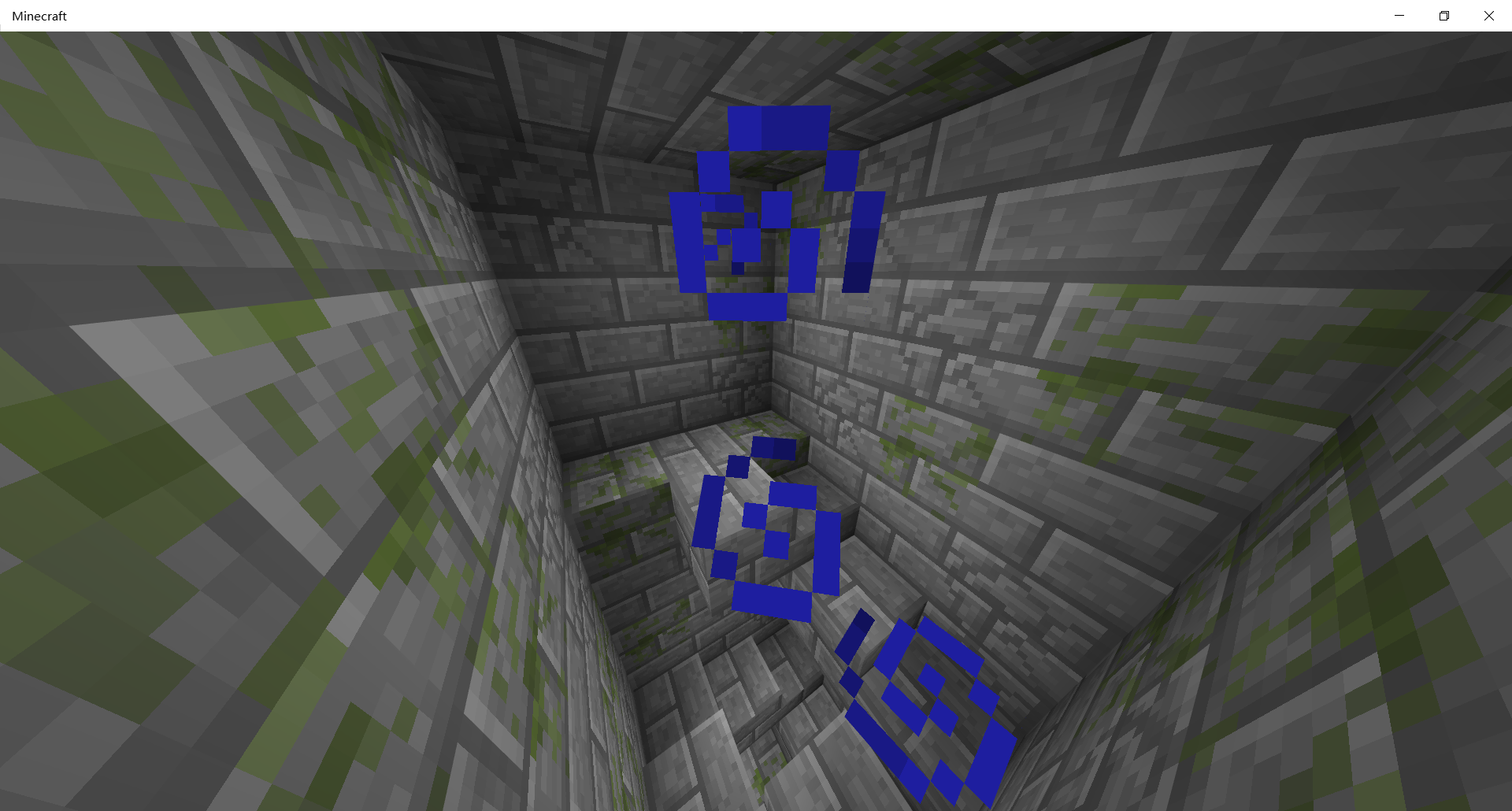
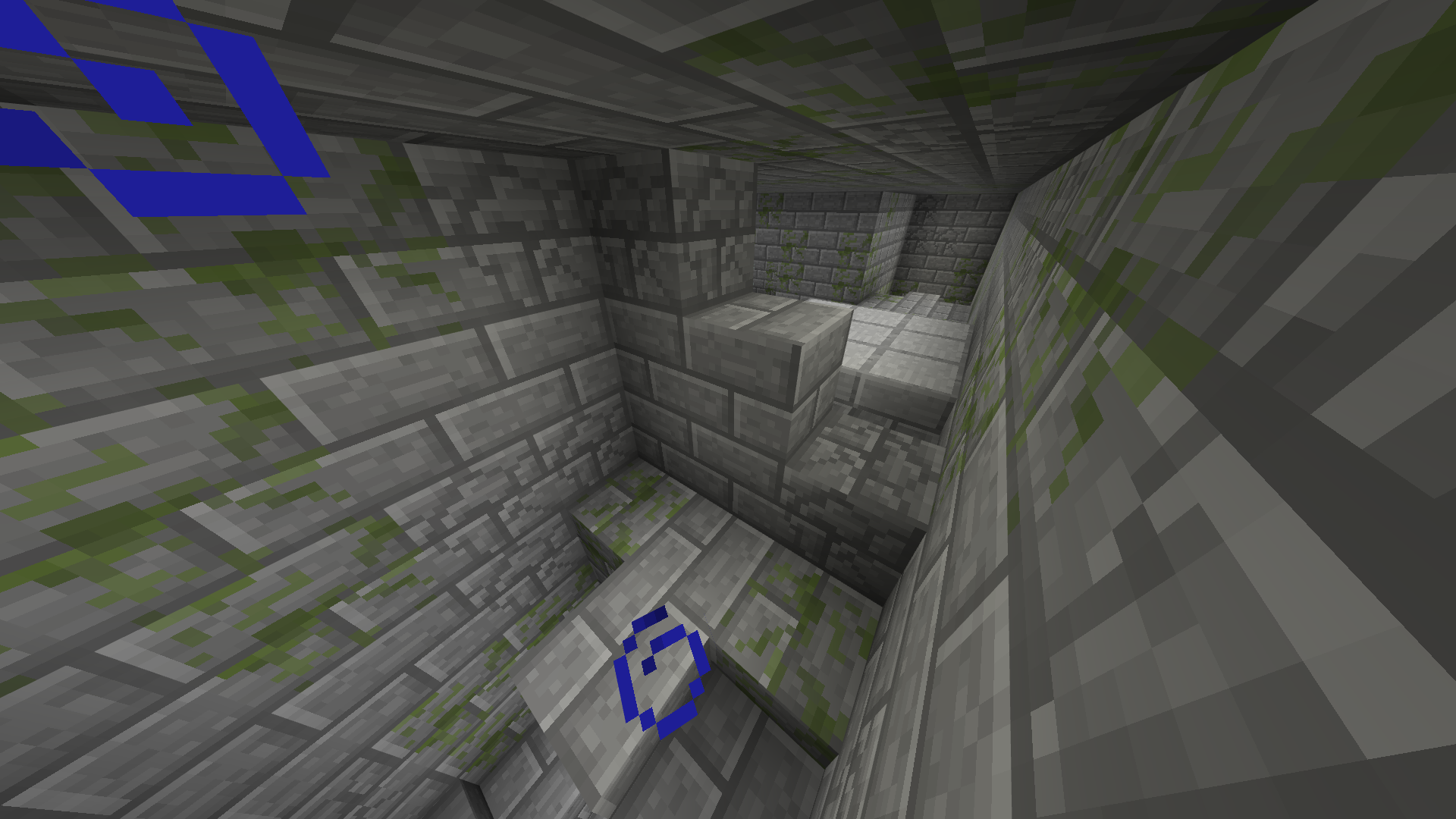
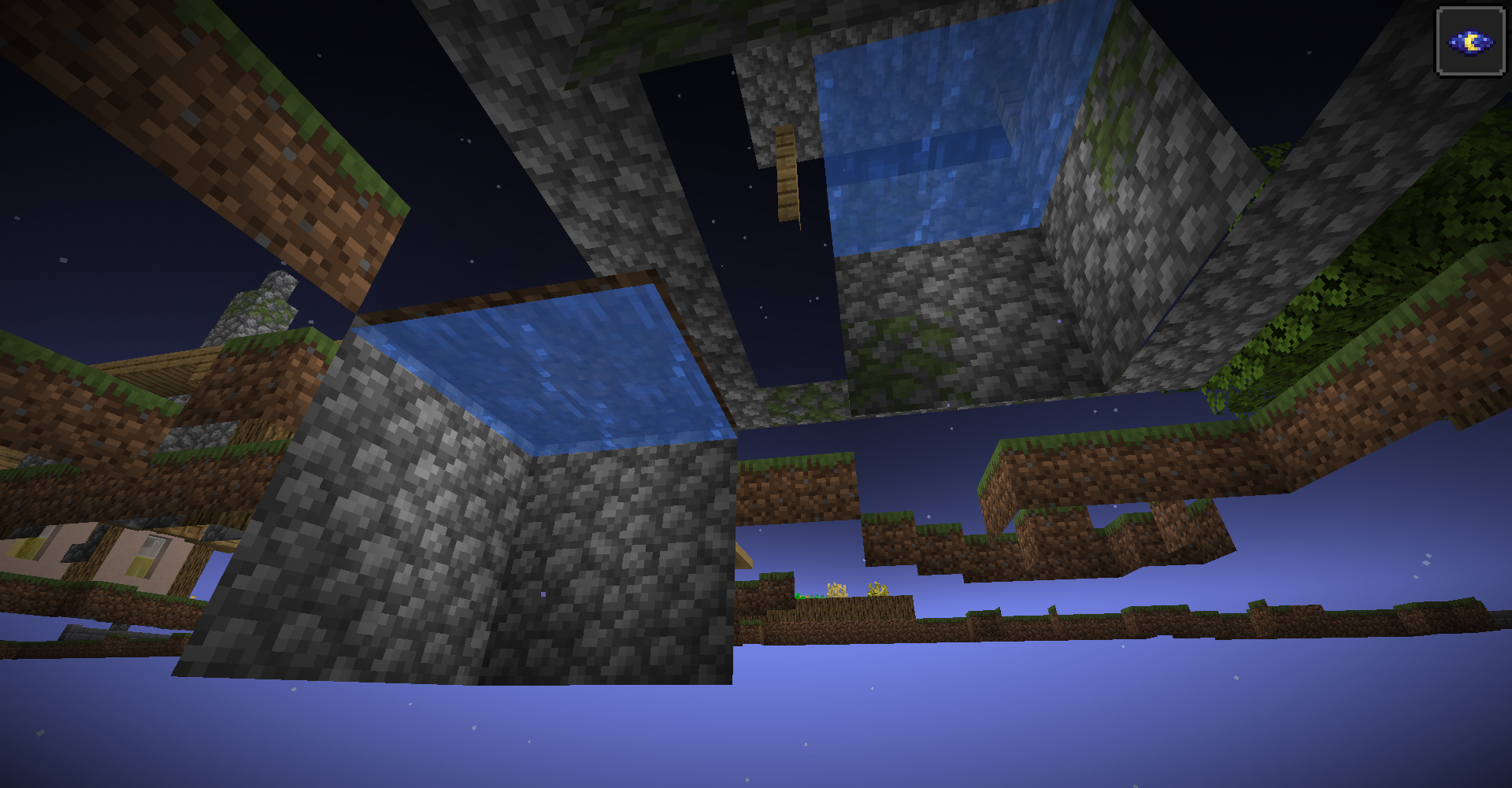
Some villages in superflat worlds generate a "meeting point 1" structure with an extra pool.
Steps to Reproduce
- Create a superflat world.
- Use
/locate structure village_plainsto find the nearest village.
- Teleport to the village.
- Check if the meeting point is the "meeting point 1" (which has a 2*2*2 well made of cobblestone)
- If it is, set your gamemode as spectator, and go to the underground to find if there is a 2*2*2 pool separate from the well of the meeting point.
- If it isn't, please look for another village.
Observed Results
If the village generates a "meeting point 1" as its meeting point, there may be a 2*2*2 pool beside the meeting point.
Expected Results
The 2*2*2 pool shouldn't exist.
Notes
Maybe not all "meeting point 1" structures in the superflat generate an extra pool. If you couldn't find the extra pool, you could create a new superflat world.
Summary
Some villages in superflat worlds generate a "meeting point 1" structure with an extra pool.
Steps to Reproduce
- Create a superflat world.
- Use
/locate structure village_plainsto find the nearest village.
- Teleport to the village.
- Check if the meeting point is the "meeting point 1" (which has a 2*2*2 well made of cobblestone).
- If it is, set your gamemode as spectator, and go to the underground to find if there is a 2*2*2 pool separate from the well of the meeting point.
- If it isn't, please look for another village, or create a new superflat world.
Observed Results
If the village generates a "meeting point 1" as its meeting point, there may be a 2*2*2 pool beside the meeting point. The wall of the extra 2*2*2 pool is made by cobblestone, the same as the structure of "meeting point 1".
Expected Results
The 2*2*2 pool shouldn't exist.
Some "meeting point 1" structures generate an extra poolin superflat worldsSome "meeting point 1" structures in superflat worlds generate an extra pool
In the version 1.16.201, this question isn't solved.
Although the wandering trader often spawns in some unbelievable places, and the Wiki also says like that, Mojang have never express that they designed it like this deliberately. So I think we can think of this as a bug.
(Although I Received an email said that"Unfortunately we are only able to accept bug reports in Finnish since it is the common language used on this tracker", I don't know if I should report this bug in Finnish again)
To notshige: I think you can upload your world too, because I couldn't reproduce the bug in other worlds that was created in old versions.
I imported a resource pack I made with the version 1.19.62 on Feb. 18th, 2023, and loaded the world "superflat1" to test the effect of the pack. And I found that my inventory was empty, and I could flying again. Then I posted the below old comment.
And four days later (on Feb. 22nd, 2023), I imported another resource pack I made (with the version 1.19.62), and loaded the world "superflat1" to test the effect of the new pack. Then I found my inventory went back with this bug - I couldn't flying again. It makes me very confused - The two packs just change textures, how they can effect my inventory and this bug? All in all, this bug had been fixed for a short time, and now it has gone back.
Old comment (11:43 Feb. 18th, 2023): In the world that I had uploaded, the bug is fixed. When I used the version 1.19.62 to load the world, I found that my inventory was empty, and I can flying again. If you can reproduce this bug in the version 1.19.62, please upload your world(s).
To the comment posted by me on Feb. 18th, 2023, edited on Feb. 22nd, 2023, one of my friends said that's because of an unknown reason, when I loaded the world "superflat1" after I had imported the resource pack, the client created a new player, and because of "players who join in the world "Superflat1" by the time in newer versions can flying normally", the new player could flying. After I imported the new resource pack and loaded the world "superflat1" again, the game used the "~local player" to get in the world, and I cannot to be flying again.
So this bug had not been fixed, when I saw the situations which proved the bug had been fixed, these situations were all caused by a unknown reason, the unknown reason made the client created a new player.
I uploaded the file "before1.18.0-superflat1.mcworld" on May 12nd, so this bug report isn't an "Awaiting Response" issue. I think it should be turned back to "Unresolved", thank you.
The bug cannot be reproduced in 1.20.0.
It seems that this bug always happen to the first Gateway Portal, and this bug usually happen after the first Gateway Portal was used for several times. The location that the portal will teleport player to may be a solid block or the void, which can easily put player to death.
I was playing in a 1.19 server, and when I tried getting to the outer islands, I found that the Portal teleported me to (2,63,10), where was a block and it made me suffocate. Then I had to kill another ender dragon and use the new Portal.
Now I am playing in a 1.20 server, and the server has finished killing the first ender dragon. At first, the first Gateway Portal could teleport me to the outer islands. When I finished my lunch and went back to the server, I found that the Portal was broken again. This time it will teleport player to (0,0,0), and the player will fall into the void. Now we have to kill another ender dragon again.
The bug can be reproduced in 1.20.12. Because I updated the game from 1.20.0 to 1.20.12, I don't know whether the bug can be reproduced in 1.20.10.
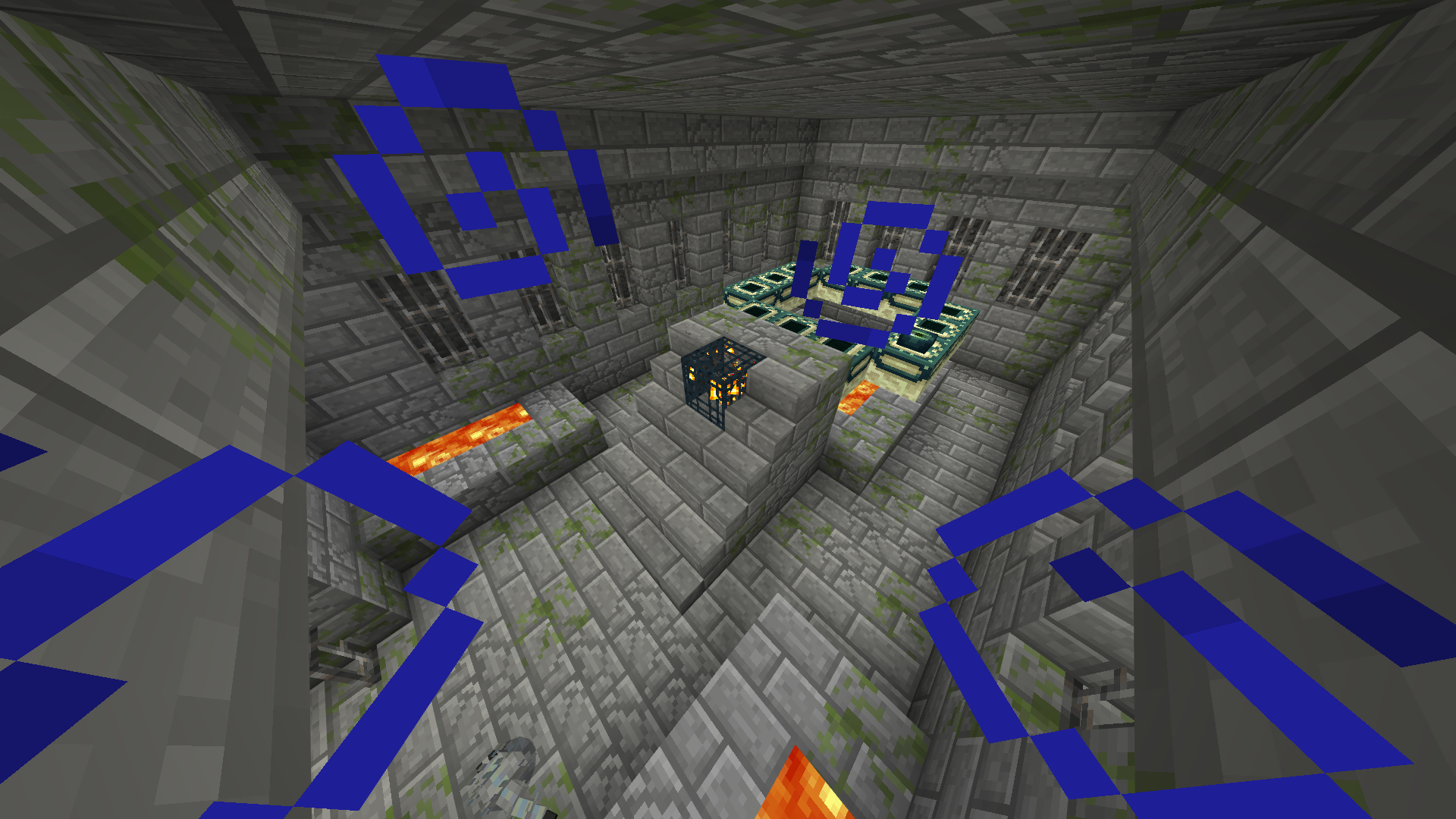
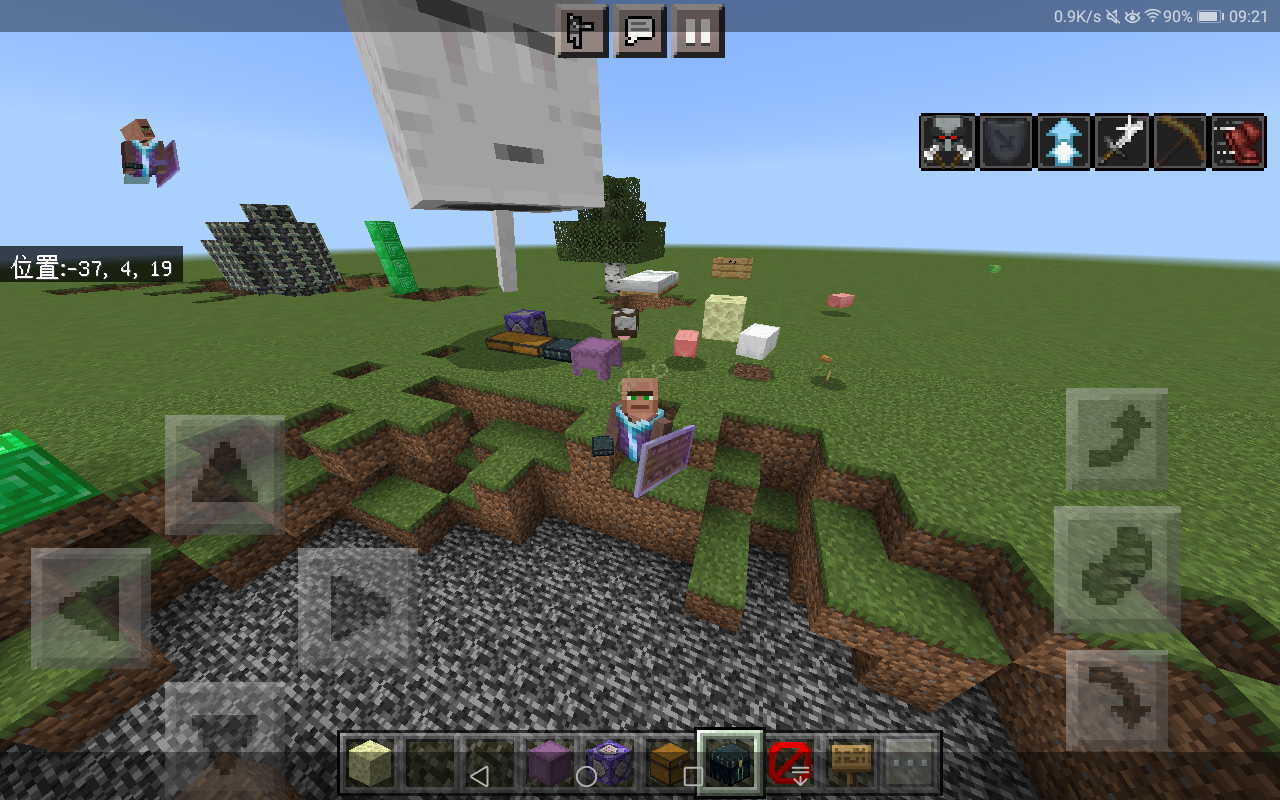
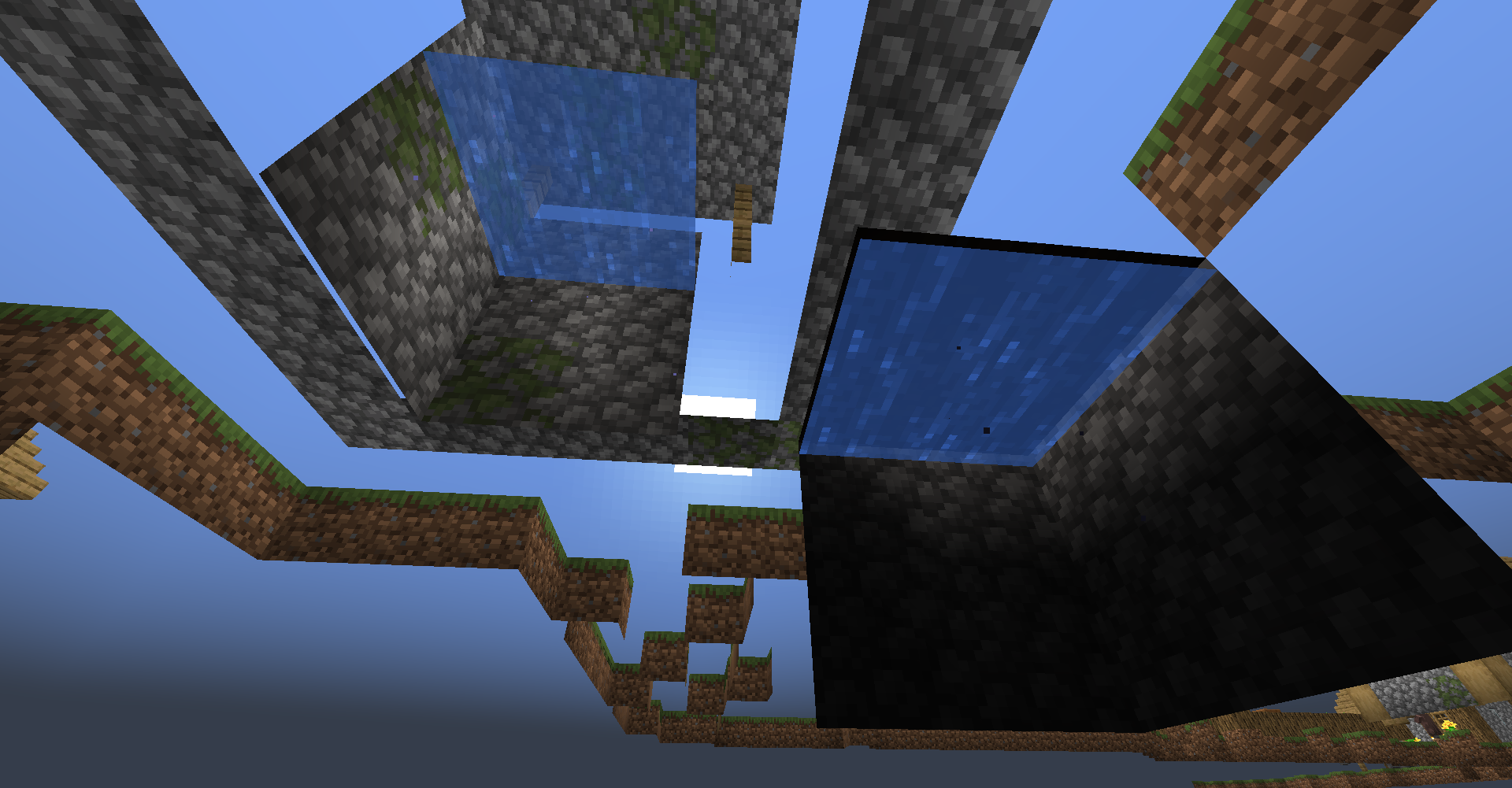
Many blocks and almost all mobs are affected. The ghast just renders one leg, and the "leg" of sign can't be rendered. These may be a problem of the render system.
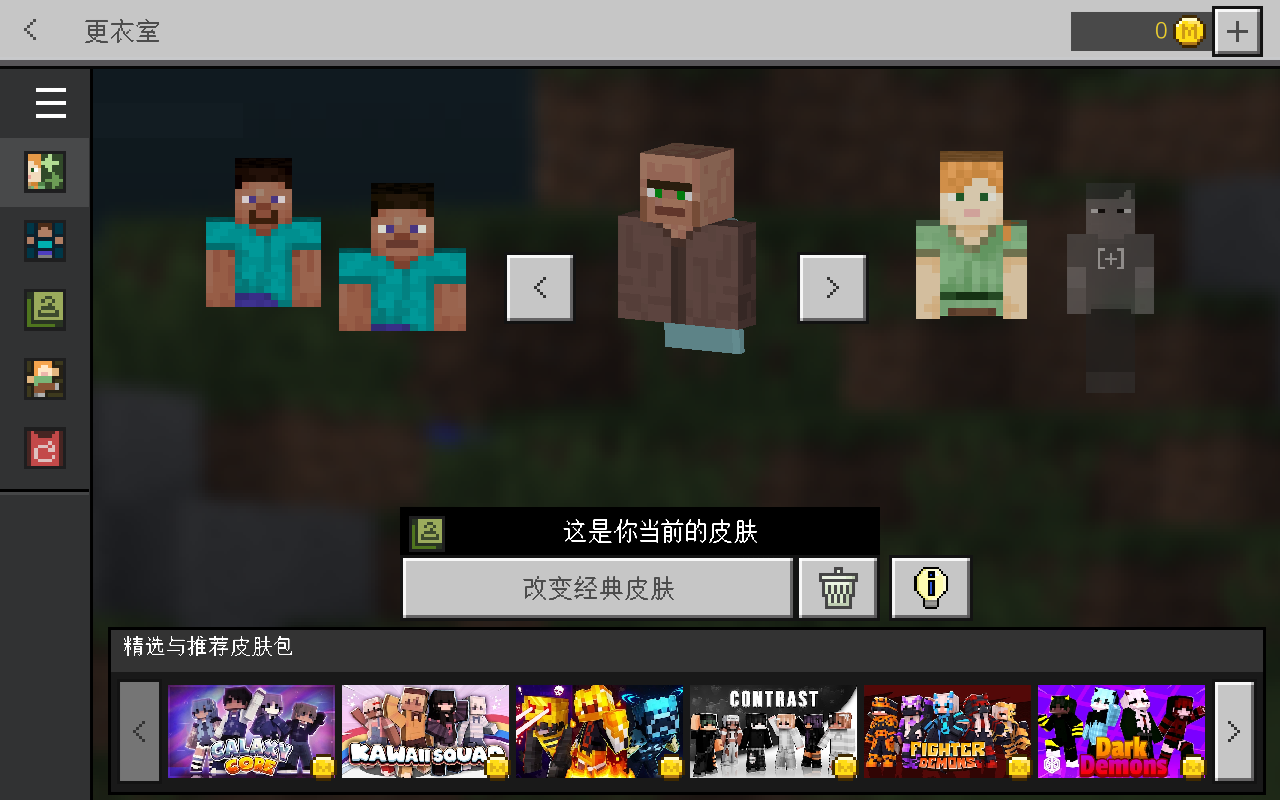
Also affects the skins in Marketplace and Character Creator.
@growlingbrain: This bug doesn't only happen when going from the Overworld to the Nether; It can also happen when going from the Nether to the Overworld.
I was playing in a server and I built a portal in the Nether to go to a Trail Ruin (whose portal coordinate is 824,72,-1448 in the Overworld and 103,120,-181 in the Nether). After I went into the portal, the game froze at the "Building Terrain" screen. I waited for almost 5 minutes and had to close the game. When I joined in the server again, I found I had fallen into an ocean (at 103,40,-181), and was killed by a Drowned with its trident.
I can reproduce the bug and my device is also a product of Huawei. Now I doubt that this bug only happens to certain devices including products of Huawei. If it is, the bug will be difficult to be fixed.
My device can reproduce this bug. It is Huawei MediaPad T3 10 (Model number: AGS-W09; Android Version: 7.0).
If you could reproduce the bug using your own worlds, you could choose uploading your worlds, because the bug seems to happen to specific worlds.
The translation("梅森") in 1.21.30.24 of "mason" is very absurd, which even directly transliterates the profession name of villagers.
In 1.21.51.01 for Android ARMv8 devices, the Render Dragon was disabled (probably accidently), while the old HAL was enabled. Many players found that the game performance was increased. This is a bit telling.
A seed can reproduce the bug: -1674197430, in 1.21.51.
However, the spawn point can be different every time you create the world, so you may need to try many times to reproduce the bug.