Beds that span a chunk border can partially break or become invisible during chunk loading
Updated description by [Mod] GoldenHelmet April 20, 2020
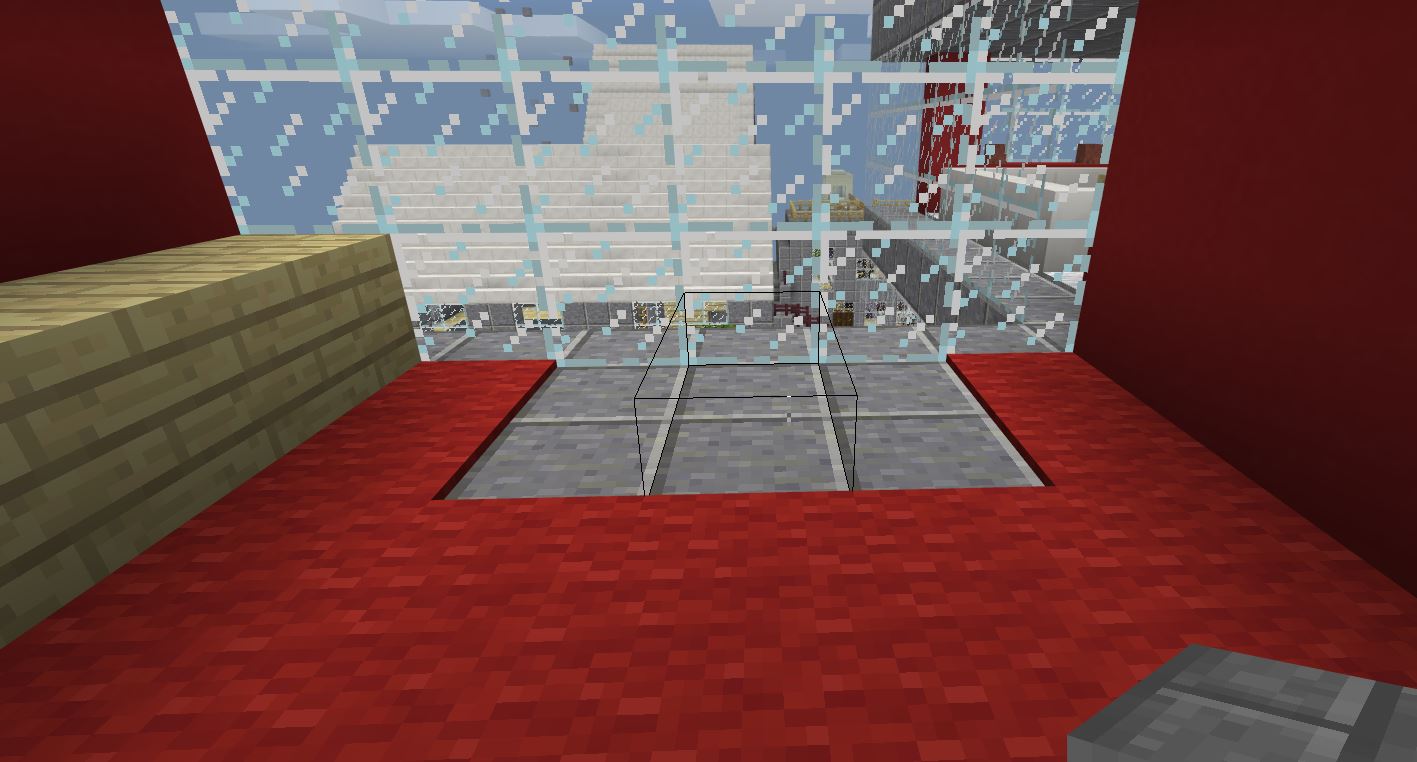
Beds that span a chunk border can partially break during chunk loading, leaving behind an invisible bed block. When this occurs, the bed head simply gets deleted, and the bed foot becomes invisible. The invisible bed block is bouncy like a bed, but it is non-functional: it cannot be slept in, used to set a respawn point, or claimed by villagers. When broken by mining or with a piston, the invisible bed block drops a bed item of the same color as the bed that disappeared. Comments below attest that prior to the 1.5 update trying to mine the invisible bed block would crash the game, and the hitbox outline might be elongated (MCPE-30712).
Steps to reproduce:
- Place a bed across a chunk border.
- Optional (may help trigger the bug): place powered redstone dust or a sign next to the bed head.
- Optional (may help trigger the bug): increase randomtickspeed, render distance, or sim distance, or summon lots of entities in the chunk with the bed head.
- Move to a position in which you are closer to the bed head than the bed foot.
- Relog and inspect the bed location.
Expected result: The bed would still be intact and functional.
Actual result: Sometimes you will find an invisible bed block.
Test world: Load test.mcworld reproduces this bug fairly consistently if you set the random tick speed very high before loading (or otherwise generate loading delay). The world contains rows of beds and a system of command block minecarts to automate step 1 en masse for repeated trials. (There are cocoa pods and jungle logs above the beds that demonstrate
 MCPE-67479, which occurs in the same way as this bug. The world also contains some other structures.)
- To use the world once, load the world and quickly fly up and turn around, like this: Invisibed test world demo.mp4
- To reset the beds, press the appropriate button (marked with signs) west of the relog area.
- Relog north of the smooth stone wall facing the flowing water.
*Note: I have found that the bug is more likely to occur when other worlds are loaded or Minecraft is closed in-between trials. I assume this is becaues doing so clears any memory cache that might otherwise accelerate chunk loading.
Original Description
This bug happens often but I don't know why this is happening. When this bug appears I have to take the bed down and then replace it. This bug is really annoying but I do hope you can fix it. 
Linked Issues
is duplicated by77
 BDS-11333Bed is invisible and unusable when load into worldDuplicateBDS-13160Bed Invisible, Sent Back to Spawn When DeadDuplicateBDS-14822Beds going invisible and becoming unable to use while invisible when the game is closed Duplicate
 MCPE-16186Bed Invisible After DeathCannot ReproduceMCPE-26011Bed becomes invisible after game reloadCannot ReproduceMCPE-31413beds disappear when restarting the gameDuplicateMCPE-33760Existing beds in world turned invisible and cause crash when clicked onDuplicateMCPE-33994Invisible can’t mine bedDuplicateMCPE-34086Invisible Bed+CrashingDuplicateMCPE-34642Bed crashes game on transferred world from Minecraft: Nintendo Switch Edition.DuplicateMCPE-34724invisble bedCannot ReproduceMCPE-35210Smelt sea pickle crashes and bugsDuplicateMCPE-43859invisible bedsCannot ReproduceMCPE-49288Invsibility litsDuplicateMCPE-49289Invisibilty LitsDuplicateMCPE-50417Invisible bedsCannot ReproduceMCPE-52839Everytime I log onto my Realm ok Bedrock edition my bed is transparent and unusable. Once I break the bed and replace it it functions normally.DuplicateMCPE-52989Beds InvisibleDuplicateMCPE-57258Dissapearing bedsDuplicateMCPE-60521Beds become invisible and NOT functionDuplicateMCPE-63605the bed is invisible and you cannot sleep on itDuplicateMCPE-69283Invisible bedsDuplicateMCPE-73576Some beds will turn invisible and unusableDuplicateMCPE-73809Beds don't workDuplicateMCPE-80972Beds causes the game to crashDuplicateMCPE-92381Invisible beds, Single player, WatterloggedDuplicateMCPE-92784Buggy BedsDuplicateMCPE-92979blue bed disappearedDuplicateMCPE-95456Beds sometimes get invisible DuplicateMCPE-96557beds keep disappearing in survivalDuplicateMCPE-100097Beds appear invisible and unusable after loading in worldDuplicateMCPE-102740Bed DisappearsDuplicateMCPE-106952beds are invisibleDuplicateMCPE-108030beds are disappearingDuplicateMCPE-108791Getting insomnia on creative mode.DuplicateMCPE-109976beds and doors keep disappearingDuplicateMCPE-110900Bed BugDuplicateMCPE-111525Beds keep disappearing DuplicateMCPE-115211BedsDuplicateMCPE-116085Beds Disappear Randomly On RealmsDuplicateMCPE-117165The InvisibedDuplicateMCPE-121622Beds appearing invisible on Realms after latest updateDuplicateMCPE-126913Bed glitchDuplicateMCPE-128139Weird invisible bedDuplicateMCPE-130088Beds go invisible after leaving a survival world.DuplicateMCPE-133550Beds disappear after closing the gameDuplicateMCPE-135508Invisible BedDuplicateMCPE-136488Bed transparent glitchDuplicateMCPE-136761Bed disappearing but leaving hit boxes on 1.17 bedrock experementialDuplicateMCPE-137063When I left my house there was 2 beds when I came back to my house both beds were invisible I know this because I could still jump on them DuplicateMCPE-137605Bed bugDuplicateMCPE-139407There are times when I go to sleep in my bed and it's invisible.DuplicateMCPE-143495The invisible bedsDuplicateMCPE-145650Invisible BedsDuplicateMCPE-146237Beds Disappear After Loading into World DuplicateMCPE-148455Invisible bedsDuplicateMCPE-150853My bed was invisible when I loaded my worldDuplicateMCPE-153298Bed Block(s) Disappear on Temporare Closure of MinecraftDuplicateMCPE-153826when you put a bed and exit and save and re-enter the world the beds become invisible and one blockDuplicateMCPE-155547Bed disappearsDuplicateMCPE-156442invisible beds from a blockDuplicateMCPE-162666Invisible Bed Upon Load InDuplicateMCPE-164132Bed disappear/invisible when log in to worldDuplicateMCPE-165910Beds invisible, useles and can mine. Cant set bed inside. Drops bed.DuplicateMCPE-166043The Invisible bed bugDuplicateMCPE-166192Invincible BedDuplicateMCPE-166454Bed Disappear DuplicateMCPE-171070Beds disappear randomly when signs are placed on the sidesDuplicateMCPE-175660Beds turn invisible upon reloading world. DuplicateMCPE-176609Beds disappear upon entering a world.DuplicateMCPE-177487Visual bug with beds and teleportation bug with horsesDuplicateMCPE-178381Invisible BedDuplicate
 REALMS-1945Invisible beds making me respawn at world spawnDuplicateREALMS-2580Beds disappear and become unusable when entering the NetherDuplicateREALMS-2882invisible bed DuplicateREALMS-4720Beds disappearingDuplicateREALMS-6498Bed blocks dont spawn.Duplicate
relates to9
MCPE-29548Relogging can cause observers to emit pulsesConfirmedMCPE-14758After an extended period of time, some blocks or items will become invisible.Cannot ReproduceMCPE-32264Xbox One Breaking Invisible White Bed Crashes GameCannot ReproduceMCPE-34712Minecraft switch crashed when I made a festive mashup world and broke a bedInvalidMCPE-74333Portals crossing chunk border only partially litFixedMCPE-42913Beds in villages spontaneously break leaving invisible partial bedCannot ReproduceMCPE-67479Cocoa pods on chunk borders can break when loadingFixedMCPE-86396GrindStones attached to a block on chunk borders break when reloadingIncompleteMCPE-106030Double chest shows half invisible and may crash when opened or brokenFixedAttachments16


![[Mod] GoldenHelmet](../../../data/avatars/users/18951.svg)



- Fixed
 Joseph Welhelm Murdoch
- 77
- 32
- Confirmed
- 1177198
- Multiple
- Windows 10 64 pro
- bed chunk-loading disappear
1.19.0.30 Beta - 1.20.51 Hotfix
1.19.0.30 Beta 1.19.0.21 Preview 1.17.11 Hotfix 1.17.10 1.17.0.56 Beta 1.16.0.68 Beta 1.16.0.67 Beta 1.16.0.57 Beta 1.16.0.58 Beta 1.13.2 1.4.1 (Nintendo Switch) 1.2.10.2 1.2.11.4 1.2.13.60 1.4.2.0 1.12.1 1.14.60 Hotfix 1.16.1 1.16.10 1.16.20 1.16.40 Hotfix 1.16.100 1.16.200 1.16.201 Hotfix 1.16.210 1.16.221 Hotfix 1.17.2 Hotfix 1.17.32 1.17.40 1.17.41 Hotfix 1.18.2 Hotfix 1.18.12 Hotfix 1.18.31 1.19.30 1.19.40 1.19.51 1.19.83 Hotfix 1.20.30 1.20.31 Hotfix 1.20.50 1.20.51 Hotfix- 1.20.80.22 Preview 1.20.80
Created Issue:
Invisible bed glitch.
This bug happens often but I don't know why this is happening. When this bug appears I have to take the bed down and then replace it. This bug is really annoying but I do hope you can fix it.
Attachments2
Minecraft 3_7_2018 4_22_05 PM.png
- Unresolved
- Open
- Unconfirmed
- Windows
- Windows 10 64 pro
- 1.2.10.2
![[Mojang] Mega_Spud (Jay Wells)](../../../data/avatars/users/92696.png)
is duplicated by
relates to
is duplicated by

is duplicated by
is duplicated by
Invisible bed glitch.Invisible bed glitch - causes crash
is duplicated by
relates to
relates to
This bug happens often but I don't know why this is happening. When this bug appears I have to take the bed down and then replace it. This bug is really annoying but I do hope you can fix it.
It seems that beds will sometimes become invisible if they are crossing a chunk border.
Temporary Workaround: Push the bed with a piston. In most cases this will cause the invisible bed to drop without crashing the game.
is duplicated by
relates to
relates to
This bug happens often but I don't know why this is happening. When this bug appears I have to take the bed down and then replace it. This bug is really annoying but I do hope you can fix it.
It seems that beds will sometimes become invisible if they are crossing a chunk border.
Temporary Workaround: Push the bed with a piston.
In most cases this will cause the invisible bed to drop without crashing the game.Updated description by GoldenHelmet April 20, 2020
Beds that span a chunk border can partially break during chunk loading, leaving behind an invisible bed block. When this occurs, the bed head simply gets deleted, and the bed foot becomes invisible. The invisible bed block is bouncy like a bed, but it is non-functional: it cannot be slept in, used to set a respawn point, or claimed by villagers. When broken by mining or with a piston, the invisible bed block drops a bed item of the same color as the bed that disappeared. (Some reports state that breaking the invisible bed block causes a crash, but I am unable to reproduce a crash in the latest version.)
Steps to reproduce:
- Place a bed across a chunk border.
- Move to a position in which (a) you are closer to the bed head than the bed foot, and (b) the chunk with the bed foot is not in your field of view.
- Relog and inspect the bed location.
Expected result: The bed would still be intact and functional.
Actual result: Sometimes you will find an invisible bed block.
Test world: Load test.mcworld
MCPE-67479, which occurs in the same way as this bug. The world also contains some other structures.)
- To use the world once, load the world and quickly fly up and turn around, like this: Invisibed test world demo.mp4
- To reset the beds, press the appropriate button (marked with signs) west of the relog area.
- Relog north of the smooth stone wall facing the flowing water. *Note: I have found that the bug is more likely to occur when other worlds are loaded or Minecraft is closed in-between trials. I assume this is becaues doing so clears any memory cache that might otherwise accelerate chunk loading.
Original Description
This bug happens often but I don't know why this is happening. When this bug appears I have to take the bed down and then replace it. This bug is really annoying but I do hope you can fix it.Update on this issue by[Mojang] Mega_Spud (Jay Wells)
It seems that beds will sometimes become invisible if they are crossing a chunk border.Temporary Workaround: Push the bed with a piston. In most cases this will cause the invisible bed to drop without crashing the game.
Invisible bed glitch- causes crash
![[Mod] Urielsalis](../../../data/assets/gravatar/urielsalis.jpeg)
is duplicated by
![[Mod] OcelotOnesie](../../../data/avatars/users/43220.png)
relates to
![[MCPE Mod] Celesian](../../../data/avatars/users/81635.png)
relates to
Updated description by GoldenHelmet April 20, 2020
Beds that span a chunk border can partially break during chunk loading, leaving behind an invisible bed block. When this occurs, the bed head simply gets deleted, and the bed foot becomes invisible. The invisible bed block is bouncy like a bed, but it is non-functional: it cannot be slept in, used to set a respawn point, or claimed by villagers. When broken by mining or with a piston, the invisible bed block drops a bed item of the same color as the bed that disappeared. (Some reports state that breaking the invisible bed block causes a crash, but I am unable to reproduce a crash in the latest version.)
Steps to reproduce:
- Place a bed across a chunk border.
- Move to a position in which (a) you are closer to the bed head than the bed foot, and (b) the chunk with the bed foot is not in your field of view.
- Relog and inspect the bed location.
Expected result: The bed would still be intact and functional.
Actual result: Sometimes you will find an invisible bed block.
Test world: Load test.mcworld
MCPE-67479, which occurs in the same way as this bug. The world also contains some other structures.)
- To use the world once, load the world and quickly fly up and turn around, like this: Invisibed test world demo.mp4
- To reset the beds, press the appropriate button (marked with signs) west of the relog area.
- Relog north of the smooth stone wall facing the flowing water. *Note: I have found that the bug is more likely to occur when other worlds are loaded or Minecraft is closed in-between trials. I assume this is becaues doing so clears any memory cache that might otherwise accelerate chunk loading.
Original Description
This bug happens often but I don't know why this is happening. When this bug appears I have to take the bed down and then replace it. This bug is really annoying but I do hope you can fix it.Update on this issue by[Mojang] Mega_Spud (Jay Wells)
It seems that beds will sometimes become invisible if they are crossing a chunk border.Temporary Workaround: Push the bed with a piston. In most cases this will cause the invisible bed to drop without crashing the game.
is duplicated by
is duplicated by
is duplicated by
![[Bot] Arisa](../../../data/avatars/users/43007.png)
is duplicated by

is duplicated by
relates to
is duplicated by
is duplicated by
Updated description by [Mod] GoldenHelmet April 20, 2020
Beds that span a chunk border can partially break during chunk loading, leaving behind an invisible bed block. When this occurs, the bed head simply gets deleted, and the bed foot becomes invisible. The invisible bed block is bouncy like a bed, but it is non-functional: it cannot be slept in, used to set a respawn point, or claimed by villagers. When broken by mining or with a piston, the invisible bed block drops a bed item of the same color as the bed that disappeared. (Some reports state that breaking the invisible bed block causes a crash, but I am unable to reproduce a crash in the latest version.)
Steps to reproduce:
- Place a bed across a chunk border.
- Move to a position in which (a) you are closer to the bed head than the bed foot, and (b) the chunk with the bed foot is not in your field of view.
- Relog and inspect the bed location.
Expected result: The bed would still be intact and functional.
Actual result: Sometimes you will find an invisible bed block.
Test world: Load test.mcworld
MCPE-67479, which occurs in the same way as this bug. The world also contains some other structures.)
- To use the world once, load the world and quickly fly up and turn around, like this: Invisibed test world demo.mp4
- To reset the beds, press the appropriate button (marked with signs) west of the relog area.
- Relog north of the smooth stone wall facing the flowing water. *Note: I have found that the bug is more likely to occur when other worlds are loaded or Minecraft is closed in-between trials. I assume this is becaues doing so clears any memory cache that might otherwise accelerate chunk loading.
Original Description
This bug happens often but I don't know why this is happening. When this bug appears I have to take the bed down and then replace it. This bug is really annoying but I do hope you can fix it.Update on this issue by[Mojang] Mega_Spud (Jay Wells)
It seems that beds will sometimes become invisible if they are crossing a chunk border.Temporary Workaround: Push the bed with a piston. In most cases this will cause the invisible bed to drop without crashing the game.
is duplicated by
is duplicated by
is duplicated by
is duplicated by
is duplicated by
is duplicated by
is duplicated by
relates to
is duplicated by
is duplicated by
relates to
is duplicated by
is duplicated by
is duplicated by
is duplicated by
is duplicated by
is duplicated by
is duplicated by
is duplicated by
is duplicated by
![[Helper] osfanbuff63](../../../data/avatars/users/94394.png)
is duplicated by
is duplicated by
is duplicated by
is duplicated by
is duplicated by

Updated description by [Mod] GoldenHelmet April 20, 2020
Beds that span a chunk border can partially break during chunk loading, leaving behind an invisible bed block. When this occurs, the bed head simply gets deleted, and the bed foot becomes invisible. The invisible bed block is bouncy like a bed, but it is non-functional: it cannot be slept in, used to set a respawn point, or claimed by villagers. When broken by mining or with a piston, the invisible bed block drops a bed item of the same color as the bed that disappeared.
(Some reports state that breaking the invisible bed block causes a crash, but I am unable to reproduce a crash in the latest version.)Steps to reproduce:
- Place a bed across a chunk border.
Move to a position in which (a) you are closertothe bed head than the bed foot, and (b) the chunk with the bed foot is not in your field of view.Relog and inspect the bed location.Expected result: The bed would still be intact and functional.
Actual result: Sometimes you will find an invisible bed block.
Test world: Load test.mcworld
MCPE-67479, which occurs in the same way as this bug. The world also contains some other structures.)
- To use the world once, load the world and quickly fly up and turn around, like this: Invisibed test world demo.mp4
- To reset the beds, press the appropriate button (marked with signs) west of the relog area.
- Relog north of the smooth stone wall facing the flowing water.
*Note: I have found that the bug is more likely to occur when other worlds are loaded or Minecraft is closed in-between trials. I assume this is becaues doing so clears any memory cache that might otherwise accelerate chunk loading.
Original Description
This bug happens often but I don't know why this is happening. When this bug appears I have to take the bed down and then replace it. This bug is really annoying but I do hope you can fix it.Update on this issue by[Mojang] Mega_Spud (Jay Wells)
It seems that beds will sometimes become invisible if they are crossing a chunk border.Temporary Workaround: Push the bed with a piston. In most cases this will cause the invisible bed to drop without crashing the game.
Updated description by [Mod] GoldenHelmet April 20, 2020
Beds that span a chunk border can partially break during chunk loading, leaving behind an invisible bed block. When this occurs, the bed head simply gets deleted, and the bed foot becomes invisible. The invisible bed block is bouncy like a bed, but it is non-functional: it cannot be slept in, used to set a respawn point, or claimed by villagers. When broken by mining or with a piston, the invisible bed block drops a bed item of the same color as the bed that disappeared. Comments below attest that prior to the 1.5 update trying to mine the invisible bed block would crash the game, and that hitbox outline might be elongated.
Steps to reproduce:
- Place a bed across a chunk border.
- Optional (may help trigger the bug): place powered redstone dust or a sign next to the bed head.
- Optional (may help trigger the bug): increase randomtickspeed, render distance, or sim distance, or summon lots of entities in the chunk with the bed head.
- Move to a position in which you are closer to the bed head than the bed foot.
- Relog and inspect the bed location.
Expected result: The bed would still be intact and functional.
Actual result: Sometimes you will find an invisible bed block.
Test world: Load test.mcworld
MCPE-67479, which occurs in the same way as this bug. The world also contains some other structures.)
- To use the world once, load the world and quickly fly up and turn around, like this: Invisibed test world demo.mp4
- To reset the beds, press the appropriate button (marked with signs) west of the relog area.
- Relog north of the smooth stone wall facing the flowing water.
*Note: I have found that the bug is more likely to occur when other worlds are loaded or Minecraft is closed in-between trials. I assume this is becaues doing so clears any memory cache that might otherwise accelerate chunk loading.
Original Description
This bug happens often but I don't know why this is happening. When this bug appears I have to take the bed down and then replace it. This bug is really annoying but I do hope you can fix it.Update on this issue by[Mojang] Mega_Spud (Jay Wells)
It seems that beds will sometimes become invisible if they are crossing a chunk border.Temporary Workaround: Push the bed with a piston. In most cases this will cause the invisible bed to drop without crashing the game.
Updated description by [Mod] GoldenHelmet April 20, 2020
Beds that span a chunk border can partially break during chunk loading, leaving behind an invisible bed block. When this occurs, the bed head simply gets deleted, and the bed foot becomes invisible. The invisible bed block is bouncy like a bed, but it is non-functional: it cannot be slept in, used to set a respawn point, or claimed by villagers. When broken by mining or with a piston, the invisible bed block drops a bed item of the same color as the bed that disappeared. Comments below attest that
prior to the 1.5 update trying to mine the invisible bed block would crash the game, and that hitbox outline might be elongated.Steps to reproduce:
- Place a bed across a chunk border.
- Optional (may help trigger the bug): place powered redstone dust or a sign next to the bed head.
- Optional (may help trigger the bug): increase randomtickspeed, render distance, or sim distance, or summon lots of entities in the chunk with the bed head.
- Move to a position in which you are closer to the bed head than the bed foot.
- Relog and inspect the bed location.
Expected result: The bed would still be intact and functional.
Actual result: Sometimes you will find an invisible bed block.
Test world: Load test.mcworld
MCPE-67479, which occurs in the same way as this bug. The world also contains some other structures.)
- To use the world once, load the world and quickly fly up and turn around, like this: Invisibed test world demo.mp4
- To reset the beds, press the appropriate button (marked with signs) west of the relog area.
- Relog north of the smooth stone wall facing the flowing water.
*Note: I have found that the bug is more likely to occur when other worlds are loaded or Minecraft is closed in-between trials. I assume this is becaues doing so clears any memory cache that might otherwise accelerate chunk loading.
Original Description
This bug happens often but I don't know why this is happening. When this bug appears I have to take the bed down and then replace it. This bug is really annoying but I do hope you can fix it.[Mojang] Mega_Spud (Jay Wells)
It seems that beds will sometimes become invisible if they are crossing a chunk border.Temporary Workaround: Push the bed with a piston. In most cases this will cause the invisible bed to drop without crashing the game.
Updated description by [Mod] GoldenHelmet April 20, 2020
Beds that span a chunk border can partially break during chunk loading, leaving behind an invisible bed block. When this occurs, the bed head simply gets deleted, and the bed foot becomes invisible. The invisible bed block is bouncy like a bed, but it is non-functional: it cannot be slept in, used to set a respawn point, or claimed by villagers. When broken by mining or with a piston, the invisible bed block drops a bed item of the same color as the bed that disappeared. Comments below attest that prior to the 1.5 update trying to mine the invisible bed block would crash the game, and the hitbox outline might be elongated (
MCPE-30712).Steps to reproduce:
- Place a bed across a chunk border.
- Optional (may help trigger the bug): place powered redstone dust or a sign next to the bed head.
- Optional (may help trigger the bug): increase randomtickspeed, render distance, or sim distance, or summon lots of entities in the chunk with the bed head.
- Move to a position in which you are closer to the bed head than the bed foot.
- Relog and inspect the bed location.
Expected result: The bed would still be intact and functional.
Actual result: Sometimes you will find an invisible bed block.
Test world: Load test.mcworld
MCPE-67479, which occurs in the same way as this bug. The world also contains some other structures.)
- To use the world once, load the world and quickly fly up and turn around, like this: Invisibed test world demo.mp4
- To reset the beds, press the appropriate button (marked with signs) west of the relog area.
- Relog north of the smooth stone wall facing the flowing water.
*Note: I have found that the bug is more likely to occur when other worlds are loaded or Minecraft is closed in-between trials. I assume this is becaues doing so clears any memory cache that might otherwise accelerate chunk loading.
Original Description
This bug happens often but I don't know why this is happening. When this bug appears I have to take the bed down and then replace it. This bug is really annoying but I do hope you can fix it.
is duplicated by
is duplicated by
is duplicated by
is duplicated by
is duplicated by
is duplicated by
is duplicated by
is duplicated by
is duplicated by
is duplicated by
is duplicated by
is duplicated by
is duplicated by
Invisible bed glitchBeds that span a chunk border can partially break or become invisible during chunk loading
is duplicated by
is duplicated by
is duplicated by
is duplicated by
is duplicated by
is duplicated by
is duplicated by
is duplicated by
is duplicated by
is duplicated by
is duplicated by
is duplicated by
is duplicated by
is duplicated by
![[MCQA] Bartłomiej Słodkowski](../../../data/avatars/users/18941.svg)
relates to
![[Mod] Greymagic27](../../../data/avatars/users/92875.png)
Thank you for your report!
However, this issue has been closed as a Duplicate of MCPE-31389.
Your additional information and observations are very useful, so if you can add them to the comments section of the parent issue it would be appreciated.
If you have not, you might like to make use of the search feature before making a new ticket, as it's likely that the issue has been reported already.
Quick Links:
📓 Issue Guidelines – 💬 Community Support – 📧 Feedback – 📖 Game Wiki
Thank you for your report!
However, this issue has been closed as a Duplicate of MCPE-31389.
Please add a vote and any new information to the main ticket, which will be updated accordingly.
Quick Links:
📓 Issue Guidelines – 💬 Community Support – 📧 Feedback – 📖 Game Wiki
Thank you for your report!
However, this issue is a Duplicate of MCPE-31389.
If you have additional information, please add it to that report.
Please search before reporting, as it's likely that one exists already.
Quick Links:
📓 Issue Guidelines – 💬 Community Support – 📧 Customer Support – 📖 Game Wiki
Thank you for your report!
However, this issue is a Duplicate of MCPE-31389.
As a temporary workaround. You might want to try and break the invisible bed by pushing it with a piston, as mentioned on the parent ticket.
If you have additional information, please add it to that report.
Please search before reporting, as it's likely that one exists already.
Quick Links:
📓 Issue Guidelines – 💬 Community Support – 📧 Customer Support – 📖 Game Wiki
Thank you for your report!
However, this issue has been closed as a Duplicate of MCPE-31389.
This is a known bug and affects beds that are placed across chunk borders. (One workaround is to break the bed by pushing it with a piston.)
Please add a vote and any new information to the main ticket, which will be updated accordingly.
Quick Links:
📓 Issue Guidelines – 💬 Community Support – 📧 Feedback – 📖 Game Wiki
Thank you for your report!
However, this issue has been closed as a Duplicate of MCPE-31389.
Please add a vote and any new information to the main ticket, which will be updated accordingly.
Quick Links:
?☃DCD3 Issue Guidelines – 💬 Community Support – 📧 Feedback – 📖 Game Wiki

I do not think this is a duplicate of MCPE-31389, though it may be related. When I started my game the other night I was in my base right where I had saved the day before, however my bed was gone. It was not invisible, as far as I could tell, because the blocks beneath it and next to it could be mined freely (mined through the space where the bed previously was). I was also able to place another bed right on top of where the old one would have been.
The game did not crash and I was able to sleep in the new bed. Since the bed was gone immediately on game start, I dunno if there's really any way I can test for repeatability.
The bed in the test world is crossing a chunk border, so I wonder if it is related to MCPE-31389, but that the bed is no longer causing a crash when broken.
Or not causing a crash as often...I did have a random crash just before the first time I discovered this. It hasn't crashed since though.
Edit: This only came to light since villagers gained the ability to sleep in beds, because I'm using a repeating command block to change the block beneath them. The reports in MCPE-31389 might have resulted from players manually replacing the block under the head (in the original test world, the bed was on the second floor so the block below it was the ceiling of the first floor).
I have had this ticked resolved a a duplicate of MCPE-31389. Please see MCPE-31389 for further information, give it a vote, and follow it if you would like to be notified of updates.
This ticket has been linked as a duplicate of MCPE-31389 based on the picture provided.
Linked as a duplicate of MCPE-31389 based on description here matching new reproduction details added to MCPE-31389.
I believe this bug describes the same or a similar issue to MCPE-31389, except that in more recent versions of the game the foot of the bed becomes invisible rather than showing as half of a bed.
Resolved as a duplicate of MCPE-31389 based on description and picture.
Thank you for your report!
We're tracking this issue under MCPE-31389 so I've requested this report be resolved and linked as a duplicate.
If you would like to add a vote and any extra information to the main ticket it would be appreciated.
Please don't forget to use the search feature before submitting a bug to see if it has already been reported. The less time we spend linking duplicates means more time testing and confirming the bugs.
Quick Links:
📓 Issue Guidelines – 💬 Community Support Discord – 📧 Mojang Customer Support – 📖 Game Wiki
Thank you for your report!
We're tracking this issue under MCPE-31389 so I've requested this report be resolved and linked as a duplicate.
If you would like to add a vote and any extra information to the main ticket it would be appreciated.
Please don't forget to use the search feature before submitting a bug to see if it has already been reported. The less time we spend linking duplicates means more time testing and confirming the bugs.
Quick Links:
📓 Issue Guidelines – 💬 Community Support Discord – 📧 Mojang Customer Support – 📖 Game Wiki
Thank you for your report!
We're actually already tracking this issue at MCPE-31389, so I will resolve and link this ticket as a duplicate.
If you would like to add a vote and any extra information to the main ticket it would be appreciated.
If you haven't already, you might like to make use of the search feature to see if the issue has already been mentioned.
Quick Links:
📓 Issue Guidelines – 💬 Community Support – 📧 Customer Support – ✍️ Feedback and Suggestions – 📖 Game Wiki
Thank you for your report!
We're actually already tracking this issue at MCPE-31389, so I will resolve and link this ticket as a duplicate.
If you would like to add a vote and any extra information to the main ticket it would be appreciated.
If you haven't already, you might like to make use of the search feature to see if the issue has already been mentioned.
Quick Links:
📓 Issue Guidelines – 💬 Community Support – 📧 Customer Support – ✍️ Feedback and Suggestions – 📖 Game Wiki
The issues you are reporting are being tracked at
MCPE-16863 (minecarts disappear)
MCPE-24859 (minecarts stop moving)
MCPE-31389 (invsible beds)
Thank you for your report!
We're tracking this issue as MCPE-31389, so this ticket is being resolved and linked as a duplicate.
If you would like to add a vote and any extra information to the main ticket it would be appreciated.
If you haven't already, you might like to make use of the search feature to see if the issue has already been reported.
Quick Links:
📓 Issue Guidelines – 💬 Community Support – 📧 Customer Support – ✍️ Feedback and Suggestions – 📖 Game Wiki
Your screenshot shows a very old BETA version.
Please update your game and check if the issue persists. If it does please upload video of the issue.
Its possible you are being affected by MCPE-65487 and MCPE-31389, if this is the case please head there and upvote it. Please also only put one bug in each report in the future.
It appears the same thing is happening here as can happen with beds that cross chunk borders. (MCPE-31389) Where there is loading delay/lag, a chunk with half the portal loads first, does not detect portal tiles in the neighboring unloaded chunk, and then breaks. Just like with beds the bed head needs to be able to detect a bed foot or it will break, so with portals, portal tiles need to detect a connection to a portal tile at the saved location of the portal, which is its bottom north or west coordinate.
TNC Cuban I appreciate your interest in the despawning issue, so hear me out. I can assure you that I've read all of the comments on MCPE-21416 multiple times, and chunk borders can't be the only factor. There are both strong arguments against it (such as this comment), and there is evidence against it (such as this comment and mine describing tests). Does that mean MCPE-21416 covers two different issues? Maybe, but unfortunately, since no one can give reliable steps to reproduce or a world save that reliably reproduces, we just don't know. So, as it stands, all reports of random unexpected despawns get resolved as duplicates of MCPE-21416. The explanation you've suggested to be well-known
the game dosent know which chunk to save the information in and just deletes the mob, and the Dev's dont know of a way to fix it
is still just speculation at this point.
If you'd like an example of what would need to be done with the chunk border theory to separate it out from other random despawns, take a look at what I did with ridden entities in MCPE-51837. If a reproducible test like that could be made for chunk border despawning, then we could separate that as a specific issue. It can be said for sure that chunk borders are a factor in some other bugs, such as MCPE-31389, MCPE-47212, MCPE-48054, MCPE-67479, and MCPE-74333. But we haven't nailed it down for the random despawns yet.
I'd actually be interested to get the coordinates of the chunk where your villagers disappeared. My present hypothesis on random despawns is that it could have something to do with the actual coordinates or chunk that the entity is in. I recently determined that the "stuck at loading screen" issue (MCPE-44815) is triggered by specific coordinates regardless of what else is around the area. I'd like to explore if this could be the case for entities getting accidently deleted.
Thank you for your report!
We're actually already tracking this issue at MCPE-31389, so I will resolve and link this ticket as a duplicate.
If you would like to add a vote and any extra information to the main ticket it would be appreciated.
If you haven't already, you might like to make use of the search feature to see if the issue has already been mentioned.
Quick Links:
📓 Issue Guidelines – 💬 Community Support – 📧 Customer Support – ✍️ Feedback and Suggestions – 📖 Game Wiki
Thank you for your report!
We're tracking this issue in MCPE-31389, so this ticket is being resolved and linked as a duplicate.
If you would like to add a vote and any extra information to the main ticket it would be appreciated.
If you haven't already, you might like to make use of the search feature to see if the issue has already been mentioned.
Quick Links:
📓 Issue Guidelines – 💬 Community Support – 📧 Customer Support – ✍️ Feedback and Suggestions – 📖 Game Wiki
Thank you for your report!
We're actually already tracking this issue at MCPE-31389, so I will resolve and link this ticket as a duplicate.
If you would like to add a vote and any extra information to the main ticket it would be appreciated.
If you haven't already, you might like to make use of the search feature to see if the issue has already been mentioned.
Quick Links:
📓 Issue Guidelines – 💬 Community Support – 📧 Customer Support – ✍️ Feedback and Suggestions – 📖 Game Wiki
@[Mojang] Mega_Spud (Jay Wells) it's a complete break. This is the exact same chunk-border chunk-loading related breaking that occurs with invisible beds (MCPE-31389) and cocoa pods (MCPE-67479). See my ealier comment above.
Thank you for your report!
We're tracking this issue in MCPE-31389, so this ticket is being resolved and linked as a duplicate.
If you would like to add a vote and any extra information to the main ticket it would be appreciated.
If you haven't already, you might like to make use of the search feature to see if the issue has already been mentioned.
Quick Links:
📓 Issue Guidelines – 💬 Community Support – 📧 Customer Support – ✍️ Feedback and Suggestions – 📖 Game Wiki
Thank you for your report!
We're actually already tracking this issue at MCPE-31389, so I will resolve and link this ticket as a duplicate.
If you would like to add a vote and any extra information to the main ticket it would be appreciated.
If you haven't already, you might like to make use of the search feature to see if the issue has already been mentioned.
Quick Links:
📓 Issue Guidelines – 💬 Community Support – 📧 Customer Support – ✍️ Feedback and Suggestions – 📖 Game Wiki
Thank you for your report!
We're actually already tracking this issue at MCPE-31389, so I will resolve and link this ticket as a duplicate.
If you would like to add a vote and any extra information to the main ticket it would be appreciated.
If you haven't already, you might like to make use of the search feature to see if the issue has already been mentioned.
Quick Links:
📓 Issue Guidelines – 💬 Community Support – 📧 Customer Support – ✍️ Feedback and Suggestions – 📖 Game Wiki
Thank you for your report!
We're actually already tracking this issue at MCPE-31389, so I will resolve and link this ticket as a duplicate.
If you would like to add a vote and any extra information to the main ticket it would be appreciated.
If you haven't already, you might like to make use of the search feature to see if the issue has already been mentioned.
Quick Links:
📓 Issue Guidelines – 💬 Community Support – 📧 Customer Support – ✍️ Feedback and Suggestions – 📖 Game Wiki
Thank you for your report!
However, this issue is Invalid.
Please put only one bug report in each ticket. It is very difficult to keep track of bugs when they are not in their own tickets, and it is easier for you to make multiple tickets than for the mods to separate them. Be sure to search before creating each new ticket. The issue with beds becoming invisible is being tracked as MCPE-31389 and mobs randomly despawning is MCPE-21416. There are also open tickets for chests and other entities becoming invisible.
Quick Links:
📓 Issue Guidelines – 💬 Community Support – 📧 Customer Support – ✍️ Feedback and Suggestions – 📖 Game Wiki
Thank you for your report!
We're actually already tracking this issue at MCPE-31389, so I will resolve and link this ticket as a duplicate.
If you would like to add a vote and any extra information to the main ticket it would be appreciated.
If you haven't already, you might like to make use of the search feature to see if the issue has already been mentioned.
Quick Links:
📓 Issue Guidelines – 💬 Community Support – 📧 Customer Support – ✍️ Feedback and Suggestions – 📖 Game Wiki
Thank you for your report!
However, this issue is Invalid.
Please put only one bug report in each ticket. It is very difficult to keep track of bugs when they are not in their own tickets, and it is easier for you to make multiple tickets than for the mods to separate them.
Please also search (in the MCPE project) before reporting. Both of these issues have been previously reported as MCPE-31389 and MCPE-21416
Quick Links:
📓 Issue Guidelines – 💬 Community Support – 📧 Mojang Support – ✍️ Feedback and Suggestions – 📖 Game Wiki – 📖 FAQs
@Rogue Cheddar How did I calculate the numbers? Just by counting blocks from the torches on the wall. How did I put them in the picture? I opened the picture in MSPaint, cropped it, typed the numbers on it, and saved.
As far as your platform, I think the device would only make a difference insofar as different devices have different processing power and save/load times, and that could impact how reliable the saving and loading is. There are several bugs that depend on slow loading (MCPE-31389, MCPE-74333, etc.) that I can reproduce by bogging down my PC.
However, the fact that you had a lot of despawn problems on your realm and none while playing locally may point to another issue. A lot of the comments on this ticket relate to realms worlds. According to MCPE-92017, realms actually continue running while no one is logged in. It seems to me that could be a huge source of the random despawns. If the "save and quit" process does not work the same on realms as it does on local worlds, perhaps it is more like crashing?
Thank you for your report!
We're tracking this issue in MCPE-31389, so this ticket is being resolved and linked as a duplicate.
If you would like to add a vote and any extra information to the main ticket it would be appreciated.
If you haven't already, you might like to make use of the search feature to see if the issue has already been mentioned.
Quick Links:
📓 Issue Guidelines – 💬 Community Support – 📧 Mojang Support – ✍️ Feedback and Suggestions – 📖 Game Wiki
Thank you for your report!
We're actually already tracking this issue at MCPE-31389, so I will resolve and link this ticket as a duplicate.
If you would like to add a vote and any extra information to the main ticket it would be appreciated.
If you haven't already, you might like to make use of the search feature to see if the issue has already been mentioned.
Quick Links:
📓 Issue Guidelines – 💬 Community Support – 📧 Customer Support – ✍️ Feedback and Suggestions – 📖 Game Wiki
Thank you for your report!
We're actually already tracking this issue at MCPE-31389, so I will resolve and link this ticket as a duplicate.
If you would like to add a vote and any extra information to the main ticket it would be appreciated.
If you haven't already, you might like to make use of the search feature to see if the issue has already been mentioned.
Quick Links:
📓 Bug Tracker Guidelines – 💬 Community Support – 📧 Mojang Support
📓 Project Summary – ✍️ Feedback and Suggestions – 📖 Game Wiki
Thank you for your report!
However, this issue is Invalid.
Please put only one bug report in each ticket. It is very difficult to keep track of bugs when they are not in their own tickets.
However, please review the Bug Tracker Guidelines before creating new reports. Be sure to search for an existing issue as it is likely to have already been reported. The issue with invisible beds is being tracked as MCPE-31389 and invisible mobs has been reported as MCPE-71243.
Quick Links:
📓 Bug Tracker Guidelines – 💬 Community Support – 📧 Mojang Support
📓 Project Summary – ✍️ Feedback and Suggestions – 📖 Game Wiki
Thank you for your report!
We're actually already tracking this issue at MCPE-31389, so I will resolve and link this ticket as a duplicate.
If you would like to add a vote and any extra information to the main ticket it would be appreciated.
If you haven't already, you might like to make use of the search feature to see if the issue has already been mentioned.
Quick Links:
📓 Bug Tracker Guidelines – 💬 Community Support – 📧 Mojang Support
📓 Project Summary – ✍️ Feedback and Suggestions – 📖 Game Wiki
Thank you for your report!
We're actually already tracking this issue at MCPE-31389, so I will resolve and link this ticket as a duplicate.
If you would like to add a vote and any extra information to the main ticket it would be appreciated.
If you haven't already, you might like to make use of the search feature to see if the issue has already been mentioned.
Quick Links:
📓 Bug Tracker Guidelines – 💬 Community Support – 📧 Mojang Support
📓 Project Summary – ✍️ Feedback and Suggestions – 📖 Game Wiki
Thank you for your report!
We're actually already tracking this issue at MCPE-31389, so I will resolve and link this ticket as a duplicate.
If you would like to add a vote and any extra information to the main ticket it would be appreciated.
If you haven't already, you might like to make use of the search feature to see if the issue has already been mentioned.
Quick Links:
📓 Bug Tracker Guidelines – 💬 Community Support – 📧 Mojang Support
📓 Project Summary – ✍️ Feedback and Suggestions – 📖 Game Wiki
Thank you for your report!
We're tracking this issue in MCPE-31389 and MCPE-95162, so this ticket is being resolved and linked as a duplicate.
If you would like to add a vote and any extra information to the main ticket it would be appreciated.
If you haven't already, you might like to make use of the search feature to see if the issue has already been mentioned.
Quick Links:
📓 Bug Tracker Guidelines – 💬 Community Support – 📧 Mojang Support
📓 Project Summary – ✍️ Feedback and Suggestions – 📖 Game Wiki
– I am a bot. This action was performed automatically! Please report any issues on Discord or Reddit
Thank you for your report!
We're actually already tracking this issue at MCPE-31389, so I will resolve and link this ticket as a duplicate.
If you would like to add a vote and any extra information to the main ticket it would be appreciated.
If you haven't already, you might like to make use of the search feature to see if the issue has already been mentioned.
Quick Links:
📓 Bug Tracker Guidelines – 💬 Community Support – 📧 Mojang Support
📓 Project Summary – ✍️ Feedback and Suggestions – 📖 Game Wiki
Thank you for your report!
We're tracking this issue in MCPE-31389, so this ticket is being resolved and linked as a duplicate.
If you would like to add a vote and any extra information to the main ticket it would be appreciated.
If you haven't already, you might like to make use of the search feature to see if the issue has already been mentioned.
Quick Links:
📓 Bug Tracker Guidelines – 💬 Community Support – 📧 Mojang Support
📓 Project Summary – ✍️ Feedback and Suggestions – 📖 Game Wiki
– I am a bot. This action was performed automatically! Please report any issues on Discord or Reddit
Thank you for your report!
We're tracking this issue in MCPE-31389, so this ticket is being resolved and linked as a duplicate.
If you would like to add a vote and any extra information to the main ticket it would be appreciated.
If you haven't already, you might like to make use of the search feature to see if the issue has already been mentioned.
Quick Links:
📓 Bug Tracker Guidelines – 💬 Community Support – 📧 Mojang Support
📓 Project Summary – ✍️ Feedback and Suggestions – 📖 Game Wiki – 📖 FAQs
– I am a bot. This action was performed automatically! Please report any issues on Discord or Reddit
Thank you for your report!
We're tracking this issue in MCPE-31389, so this ticket is being resolved and linked as a duplicate.
If you would like to add a vote and any extra information to the main ticket it would be appreciated.
If you haven't already, you might like to make use of the search feature to see if the issue has already been mentioned.
Quick Links:
📓 Bug Tracker Guidelines – 💬 Community Support – 📧 Mojang Support
📓 Project Summary – ✍️ Feedback and Suggestions – 📖 Game Wiki
– I am a bot. This action was performed automatically! Please report any issues on Discord or Reddit
Thank you for your report!
We're actually already tracking this issue at MCPE-31389, so I will resolve and link this ticket as a duplicate.
If you would like to add a vote and any extra information to the main ticket it would be appreciated.
If you haven't already, you might like to make use of the search feature to see if the issue has already been mentioned.
Quick Links:
📓 Bug Tracker Guidelines – 💬 Community Support – 📧 Mojang Support
📓 Project Summary – ✍️ Feedback and Suggestions – 📖 Game Wiki
Thank you for your report!
We're tracking this issue in MCPE-31389, so this ticket is being resolved and linked as a duplicate.
If you would like to add a vote and any extra information to the main ticket it would be appreciated.
If you haven't already, you might like to make use of the search feature to see if the issue has already been mentioned.
Quick Links:
📓 Bug Tracker Guidelines – 💬 Community Support – 📧 Mojang Support
📓 Project Summary – ✍️ Feedback and Suggestions – 📖 Game Wiki
– I am a bot. This action was performed automatically! Please report any issues on Discord or Reddit
Thank you for your report!
We're tracking this issue in MCPE-31389, so this ticket is being resolved and linked as a duplicate.
If you would like to add a vote and any extra information to the main ticket it would be appreciated.
If you haven't already, you might like to make use of the search feature to see if the issue has already been mentioned.
Quick Links:
📓 Bug Tracker Guidelines – 💬 Community Support – 📧 Mojang Support
📓 Project Summary – ✍️ Feedback and Suggestions – 📖 Game Wiki
– I am a bot. This action was performed automatically! Please report any issues on Discord or Reddit
Does MCPE-31389 describe your issue? If not, does it happen at multiple locations? Are you using any texture packs and does the issue still happen if those are removed?
Please clarify the Description section above using this format:
Steps to Reproduce:
1. (be complete and precise so someone else can repeat your exact steps)
2.
3.
Observed Results:
(briefly describe what actually happens, including exact message(s) shown)
Expected Results:
(briefly describe what should happen)
(attach screenshot to help explain the issue)
This ticket has been temporarily closed as Awaiting Response. It will automatically reopen when you add information. Please follow the format shown and include all sections (steps, observed, expected). Tickets that do not contain all of the requested information may be closed as Incomplete.
Thank you for your report!
We're tracking this issue in MCPE-31389, so this ticket is being resolved and linked as a duplicate.
If you would like to add a vote and any extra information to the main ticket it would be appreciated.
If you haven't already, you might like to make use of the search feature to see if the issue has already been mentioned.
Quick Links:
📓 Bug Tracker Guidelines – 💬 Community Support – 📧 Mojang Support
📓 Project Summary – ✍️ Feedback and Suggestions – 📖 Game Wiki
Thank you for your report!
We're tracking this issue in MCPE-31389, so this ticket is being resolved and linked as a duplicate.
If you would like to add a vote and any extra information to the main ticket it would be appreciated.
If you haven't already, you might like to make use of the search feature to see if the issue has already been mentioned.
Quick Links:
📓 Bug Tracker Guidelines – 💬 Community Support – 📧 Mojang Support
📓 Project Summary – ✍️ Feedback and Suggestions – 📖 Game Wiki
– I am a bot. This action was performed automatically! Please report any issues on Discord or Reddit
Thank you for your report!
We're tracking this issue in MCPE-31389, so this ticket is being resolved and linked as a duplicate.
If you would like to add a vote and any extra information to the main ticket it would be appreciated.
If you haven't already, you might like to make use of the search feature to see if the issue has already been mentioned.
Quick Links:
📓 Bug Tracker Guidelines – 💬 Community Support – 📧 Mojang Support
📓 Project Summary – ✍️ Feedback and Suggestions – 📖 BDS Wiki – 📖 FAQs
Thank you for your report!
We're tracking this issue in MCPE-31389, so this ticket is being resolved and linked as a duplicate.
If you would like to add a vote and any extra information to the main ticket it would be appreciated.
If you haven't already, you might like to make use of the search feature to see if the issue has already been mentioned.
Quick Links:
📓 Bug Tracker Guidelines – 💬 Community Support – 📧 Mojang Support
📓 Project Summary – ✍️ Feedback and Suggestions – 📖 Game Wiki
Thank you for your report!
We're tracking this issue in MCPE-31389, so this ticket is being resolved and linked as a duplicate.
If you would like to add a vote and any extra information to the main ticket it would be appreciated.
If you haven't already, you might like to make use of the search feature to see if the issue has already been mentioned.
Quick Links:
📓 Bug Tracker Guidelines – 💬 Community Support – 📧 Mojang Support
📓 Project Summary – ✍️ Feedback and Suggestions – 📖 Game Wiki
Thank you for your report!
We're tracking this issue in MCPE-31389, so this ticket is being resolved and linked as a duplicate.
If you would like to add a vote and any extra information to the main ticket it would be appreciated.
If you haven't already, you might like to make use of the search feature to see if the issue has already been mentioned.
Quick Links:
📓 Bug Tracker Guidelines – 💬 Community Support – 📧 Mojang Support
📓 Project Summary – ✍️ Feedback and Suggestions – 📖 Game Wiki
Thank you for your report!
We're tracking this issue in MCPE-31389, so this ticket is being resolved and linked as a duplicate.
If you would like to add a vote and any extra information to the main ticket it would be appreciated.
If you haven't already, you might like to make use of the search feature to see if the issue has already been mentioned.
Quick Links:
📓 Bug Tracker Guidelines – 💬 Community Support – 📧 Mojang Support
📓 Project Summary – ✍️ Feedback and Suggestions – 📖 Game Wiki
Thank you for your report!
We're tracking this issue in MCPE-31389, so this ticket is being resolved and linked as a duplicate.
If you would like to add a vote and any extra information to the main ticket it would be appreciated.
If you haven't already, you might like to make use of the search feature to see if the issue has already been mentioned.
Quick Links:
📓 Bug Tracker Guidelines – 💬 Community Support – 📧 Mojang Support
📓 Project Summary – ✍️ Feedback and Suggestions – 📖 Game Wiki
Thank you for your report!
We're tracking this issue in MCPE-31389, so this ticket is being resolved and linked as a duplicate.
If you would like to add a vote and any extra information to the main ticket it would be appreciated.
If you haven't already, you might like to make use of the search feature to see if the issue has already been mentioned.
Quick Links:
📓 Bug Tracker Guidelines – 💬 Community Support – 📧 Mojang Support
📓 Project Summary – ✍️ Feedback and Suggestions – 📖 Game Wiki
– I am a bot. This action was performed automatically! The ticket was resolved by one of our moderators, and I left this message to give more information to you.
Thank you for your report!
We're tracking this issue in MCPE-31389, so this ticket is being resolved and linked as a duplicate.
If you would like to add a vote and any extra information to the main ticket it would be appreciated.
If you haven't already, you might like to make use of the search feature to see if the issue has already been mentioned.
Quick Links:
📓 Bug Tracker Guidelines – 💬 Community Support – 📧 Mojang Support
📓 Project Summary – ✍️ Feedback and Suggestions – 📖 Game Wiki
– I am a bot. This action was performed automatically! The ticket was resolved by one of our moderators, and I left this message to give more information to you.
Thank you for your report!
We're tracking this issue in MCPE-31389, so this ticket is being resolved and linked as a duplicate.
If you would like to add a vote and any extra information to the main ticket it would be appreciated.
If you haven't already, you might like to make use of the search feature to see if the issue has already been mentioned.
Quick Links:
📓 Bug Tracker Guidelines – 💬 Community Support – 📧 Mojang Support
📓 Project Summary – ✍️ Feedback and Suggestions – 📖 Game Wiki
Thank you for your report!
We're tracking this issue in MCPE-31389, so this ticket is being resolved and linked as a duplicate.
If you would like to add a vote and any extra information to the main ticket it would be appreciated.
If you haven't already, you might like to make use of the search feature to see if the issue has already been mentioned.
Quick Links:
📓 Bug Tracker Guidelines – 💬 Community Support – 📧 Mojang Support
📓 Project Summary – ✍️ Feedback and Suggestions – 📖 BDS Wiki – 📖 FAQs
Thank you for your report!
We're tracking this issue in MCPE-31389, so this ticket is being resolved and linked as a duplicate.
If you would like to add a vote and any extra information to the main ticket it would be appreciated.
If you haven't already, you might like to make use of the search feature to see if the issue has already been mentioned.
Quick Links:
📓 Bug Tracker Guidelines – 💬 Community Support – 📧 Mojang Support
📓 Project Summary – ✍️ Feedback and Suggestions – 📖 Game Wiki
Thank you for your report!
We're tracking this issue in MCPE-31389, so this ticket is being resolved and linked as a duplicate.
If you would like to add a vote and any extra information to the main ticket it would be appreciated.
If you haven't already, you might like to make use of the search feature to see if the issue has already been mentioned.
Quick Links:
📓 Bug Tracker Guidelines – 💬 Community Support – 📧 Mojang Support
📓 Project Summary – ✍️ Feedback and Suggestions – 📖 Game Wiki
Did the beds actually disappear or are they just invisible? If they're invisible, that issue is being tracked at MCPE-31389.
If they did actually disappear, please create a new report for that. Please make sure to read the Bug Tracker Guidelines before creating a new report.
Thank you for your report!
We're tracking this issue in MCPE-31389, so this ticket is being resolved and linked as a duplicate.
If you would like to add a vote and any extra information to the main ticket it would be appreciated.
If you haven't already, you might like to make use of the search feature to see if the issue has already been mentioned.
Quick Links:
📓 Bug Tracker Guidelines – 💬 Community Support – 📧 Mojang Support
📓 Project Summary – ✍️ Feedback and Suggestions – 📖 Game Wiki
– I am a bot. This action was performed automatically! The ticket was resolved by one of our moderators, and I left this message to give more information to you.
Thank you for your report!
We're tracking this issue in MCPE-31389, so this ticket is being resolved and linked as a duplicate.
If you would like to add a vote and any extra information to the main ticket it would be appreciated.
If you haven't already, you might like to make use of the search feature to see if the issue has already been mentioned.
Quick Links:
📓 Bug Tracker Guidelines – 💬 Community Support – 📧 Mojang Support
📓 Project Summary – ✍️ Feedback and Suggestions – 📖 Game Wiki
Thank you for your report!
We're tracking this issue in MCPE-31389, so this ticket is being resolved and linked as a duplicate.
If you would like to add a vote and any extra information to the main ticket it would be appreciated.
If you haven't already, you might like to make use of the search feature to see if the issue has already been mentioned.
Quick Links:
📓 Bug Tracker Guidelines – 💬 Community Support – 📧 Mojang Support
📓 Project Summary – ✍️ Feedback and Suggestions – 📖 Game Wiki
Thank you for your report!
We're tracking this issue in MCPE-31389, so this ticket is being resolved and linked as a duplicate.
If you would like to add a vote and any extra information to the main ticket it would be appreciated.
If you haven't already, you might like to make use of the search feature to see if the issue has already been mentioned.
Quick Links:
📓 Bug Tracker Guidelines – 💬 Community Support – 📧 Mojang Support
📓 Project Summary – ✍️ Feedback and Suggestions – 📖 Game Wiki
Thank you for your report!
We're tracking this issue in MCPE-31389, so this ticket is being resolved and linked as a duplicate.
If you would like to add a vote and any extra information to the main ticket it would be appreciated.
If you haven't already, you might like to make use of the search feature to see if the issue has already been mentioned.
Quick Links:
📓 Bug Tracker Guidelines – 💬 Community Support – 📧 Mojang Support
📓 Project Summary – ✍️ Feedback and Suggestions – 📖 Game Wiki
– I am a bot. This action was performed automatically! The ticket was resolved by one of our moderators, and I left this message to give more information to you.
Thank you for your report!
We're tracking this issue in MCPE-31389, so this ticket is being resolved and linked as a duplicate.
If you would like to add a vote and any extra information to the main ticket it would be appreciated.
If you haven't already, you might like to make use of the search feature to see if the issue has already been mentioned.
Quick Links:
📓 Bug Tracker Guidelines – 💬 Community Support – 📧 Mojang Support
📓 Project Summary – ✍️ Feedback and Suggestions – 📖 Game Wiki
– I am a bot. This action was performed automatically! The ticket was resolved by one of our moderators, and I left this message to give more information to you.
Thank you for your report!
We're tracking this issue in MCPE-31389, so this ticket is being resolved and linked as a duplicate.
If you would like to add a vote and any extra information to the main ticket it would be appreciated.
If you haven't already, you might like to make use of the search feature to see if the issue has already been mentioned.
Quick Links:
📓 Bug Tracker Guidelines – 💬 Community Support – 📧 Mojang Support
📓 Project Summary – ✍️ Feedback and Suggestions – 📖 Game Wiki
– I am a bot. This action was performed automatically! The ticket was resolved by one of our moderators, and I left this message to give more information to you.
Thank you for your report!
We're tracking this issue in MCPE-31389, so this ticket is being resolved and linked as a duplicate.
If you would like to add a vote and any extra information to the main ticket it would be appreciated.
If you haven't already, you might like to make use of the search feature to see if the issue has already been mentioned.
Quick Links:
📓 Bug Tracker Guidelines – 💬 Community Support – 📧 Mojang Support
📓 Project Summary – ✍️ Feedback and Suggestions – 📖 Game Wiki
Thank you for your report!
We're tracking this issue in MCPE-31389, so this ticket is being resolved and linked as a duplicate.
If you would like to add a vote and any extra information to the main ticket it would be appreciated.
If you haven't already, you might like to make use of the search feature to see if the issue has already been mentioned.
Quick Links:
📓 Bug Tracker Guidelines – 💬 Community Support – 📧 Mojang Support
📓 Project Summary – ✍️ Feedback and Suggestions – 📖 Game Wiki
Thank you for your report!
We're tracking this issue in MCPE-31389, so this ticket is being resolved and linked as a duplicate.
If you would like to add a vote and any extra information to the main ticket it would be appreciated.
If you haven't already, you might like to make use of the search feature to see if the issue has already been mentioned.
Quick Links:
📓 Bug Tracker Guidelines – 💬 Community Support – 📧 Mojang Support
📓 Project Summary – ✍️ Feedback and Suggestions – 📖 Game Wiki
Thank you for your report!
We're tracking this issue in MCPE-31389, so this ticket is being resolved and linked as a duplicate.
If you would like to add a vote and any extra information to the main ticket it would be appreciated.
If you haven't already, you might like to make use of the search feature to see if the issue has already been mentioned.
Quick Links:
📓 Bug Tracker Guidelines – 💬 Community Support – 📧 Mojang Support
📓 Project Summary – ✍️ Feedback and Suggestions – 📖 Game Wiki
– I am a bot. This action was performed automatically! The ticket was resolved by one of our moderators, and I left this message to give more information to you.
Thank you for your report!
We're tracking this issue in MCPE-31389, so this ticket is being resolved and linked as a duplicate.
If you would like to add a vote and any extra information to the main ticket it would be appreciated.
If you haven't already, you might like to make use of the search feature to see if the issue has already been mentioned.
Quick Links:
📓 Bug Tracker Guidelines – 💬 Community Support – 📧 Mojang Support
📓 Project Summary – ✍️ Feedback and Suggestions – 📖 Game Wiki
– I am a bot. This action was performed automatically! The ticket was resolved by one of our moderators, and I left this message to give more information to you.
Thank you for your report!
We're tracking this issue in MCPE-31389, so this ticket is being resolved and linked as a duplicate.
If you would like to add a vote and any extra information to the main ticket it would be appreciated.
If you haven't already, you might like to make use of the search feature to see if the issue has already been mentioned.
Quick Links:
📓 Bug Tracker Guidelines – 💬 Community Support – 📧 Mojang Support
📓 Project Summary – ✍️ Feedback and Suggestions – 📖 Game Wiki
Thank you for your report!
We're tracking this issue in MCPE-31389, so this ticket is being resolved and linked as a duplicate.
If you would like to add a vote and any extra information to the main ticket it would be appreciated.
If you haven't already, you might like to make use of the search feature to see if the issue has already been mentioned.
Quick Links:
📓 Bug Tracker Guidelines – 💬 Community Support – 📧 Mojang Support
📓 Project Summary – ✍️ Feedback and Suggestions – 📖 Game Wiki
Thank you for your report!
We're tracking this issue in MCPE-31389, so this ticket is being resolved and linked as a duplicate.
If you would like to add a vote and any extra information to the main ticket it would be appreciated.
If you haven't already, you might like to make use of the search feature to see if the issue has already been mentioned.
Quick Links:
📓 Bug Tracker Guidelines – 💬 Community Support – 📧 Mojang Support
📓 Project Summary – ✍️ Feedback and Suggestions – 📖 Game Wiki
– I am a bot. This action was performed automatically! The ticket was resolved by one of our moderators, and I left this message to give more information to you.
Thank you for your report!
We're tracking this issue in MCPE-31389, so this ticket is being resolved and linked as a duplicate.
If you would like to add a vote and any extra information to the main ticket it would be appreciated.
If you haven't already, you might like to make use of the search feature to see if the issue has already been mentioned.
Quick Links:
📓 Bug Tracker Guidelines – 💬 Community Support – 📧 Mojang Support
📓 Project Summary – ✍️ Feedback and Suggestions – 📖 Game Wiki
– I am a bot. This action was performed automatically! The ticket was resolved by one of our moderators, and I left this message to give more information to you.
These issues are being tracked at MCPE-176316 and MCPE-31389, so I will resolve and link this ticket as a duplicate. In the future, please put only one bug in each ticket. For more information, see the bug tracker guidelines.
Thank you for your report!
We're tracking this issue in MCPE-31389, so this ticket is being resolved and linked as a duplicate.
If you would like to add a vote and any extra information to the main ticket it would be appreciated.
If you haven't already, you might like to make use of the search feature to see if the issue has already been mentioned.
Quick Links:
📓 Bug Tracker Guidelines – 💬 Community Support – 📧 Mojang Support (Technical Issues) – 📧 Microsoft Support (Account Issues)
📓 Project Summary – ✍️ Feedback and Suggestions – 📖 Game Wiki
– I am a bot. This action was performed automatically! The ticket was resolved by one of our moderators, and I left this message to give more information to you.

(Not all) beds are invisible. They are visible again when broken and placed again.
There has been similar bug in the Bedrock edition (MCPE-31389).
I was not able to reproduce this problem even after building the exact configuration of blocks surrounding the bed shown in your screenshot. (Those are upside-down stairs at the bottom of the wall, correct?) I tried saving and reloading the world, and also tried flying 500 blocks away (enough for the bed to leave my ticking area). The bed was there each time I returned.
Does the bed disappear at completely random interval, after a short time, only after a long time? Does it come back when you save and reload the world? After it disappears, is it merely invisible (you can still break it) or is it just gone (you can place a new bed there)?
I notice in the first screenshot that the selection outline appears on one side of where the bed was, but I can't find any sign of it on the other side. It's as if the bed's model were zero-width. Are you using any texture packs? If so, can you reproduce the problem without them?
Yes, those are upside-down stairs. Yes, the bed does disappear randomly but after a long or minimal time, I leave it. I don't know if the bed comes back after I reload the world because I have never tried that tactic. I can not see the bed but its outlines, and I can still destroy the bed where it is to turn it into an item, then I can replace it back down. And no I do not like to use any mods nor texture packs. I just use the normal awesome Minecraft textures. Also today my game updated when I was writing this so good work!
Thank you for the very good information. If you see it again under 1.2.11, please update the Affects Versions above, and if you wouldn't mind also see if saving and reloading (without exiting Minecraft) brings it back.
Ok, I will keep it in mind. And you are very welcome.
It doesnt matter which blocks, i affects the bed if you re-log or restart the game on w10! Please fix! i cannot interact with it as well! Affects 1.2.11
@BlazingBeam: You say you "cannot interact with it", but @Joseph Welhelm Murdoch said "I can still destroy the bed". That sounds like a contradiction. Can you explain?
Hey, Auldrick It happened again. But here are some new pictures of the bug.
Thanks for the update. Was this on 1.2.11?
Yes it is, I do hope this intel helps
I rebuilt the entire room as accurately as I could in a new world. Then I tried everything I could think of, including changing my respawn point to a different bed, causing updates to the map on the wall, teleporting away and back, and spending time exploring a cave, but I still cannot reproduce this bug.
Would it be possible for you to upload your world?
By the way, I have some concerns about this bed placement. The map above the head of the bed might be considered an obstruction to respawning there. That's why I thought causing the map to update might somehow invalidate the bed. Some of your screenshots suggest to me that the block data for one side of the bed might be getting corrupted.
Ok, I think I might be able to upload the word to you. I will also try moving the bed in a different place and if that does not work I will remove the map when I replace the bed back in the place where it is in the pictures.
Ok, my word exceeds maximum file size. I will email it to you. I just need your Gmail.
We do not allow personal information such as email account names to be published here. A technique I've used is to create a publicly shared (read-only) folder on OneDrive and copy the file to it. OneDrive will give you an anonymous link which you can publish to let anyone download it. I believe other cloud storage services such as Dropbox offer a similar feature.
Ok, I am sorry.
Here is the link
To one drive
https://1drv.ms/u/s!AqcqtWOI3XCAg2qV1FPFnO5M27z_
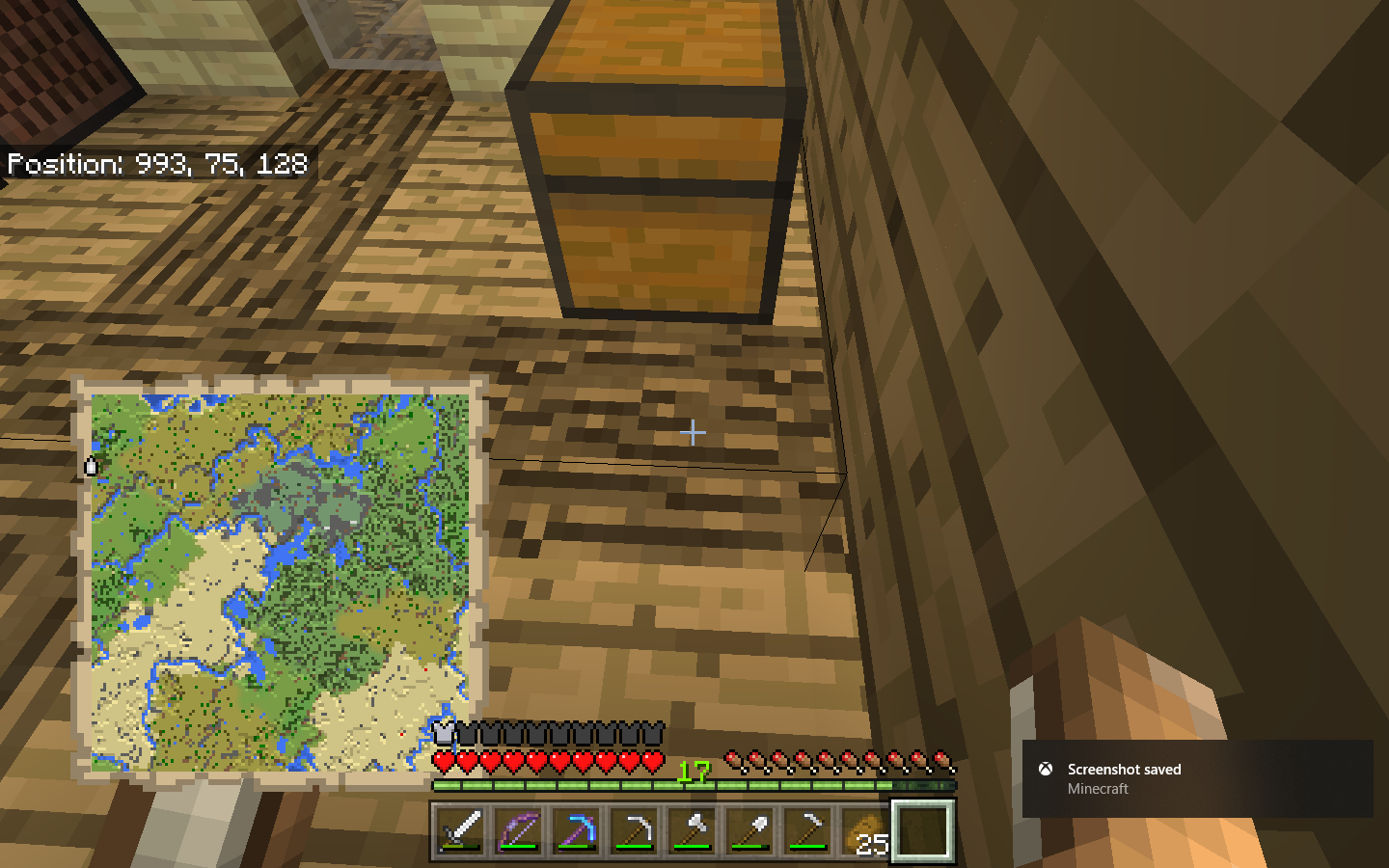
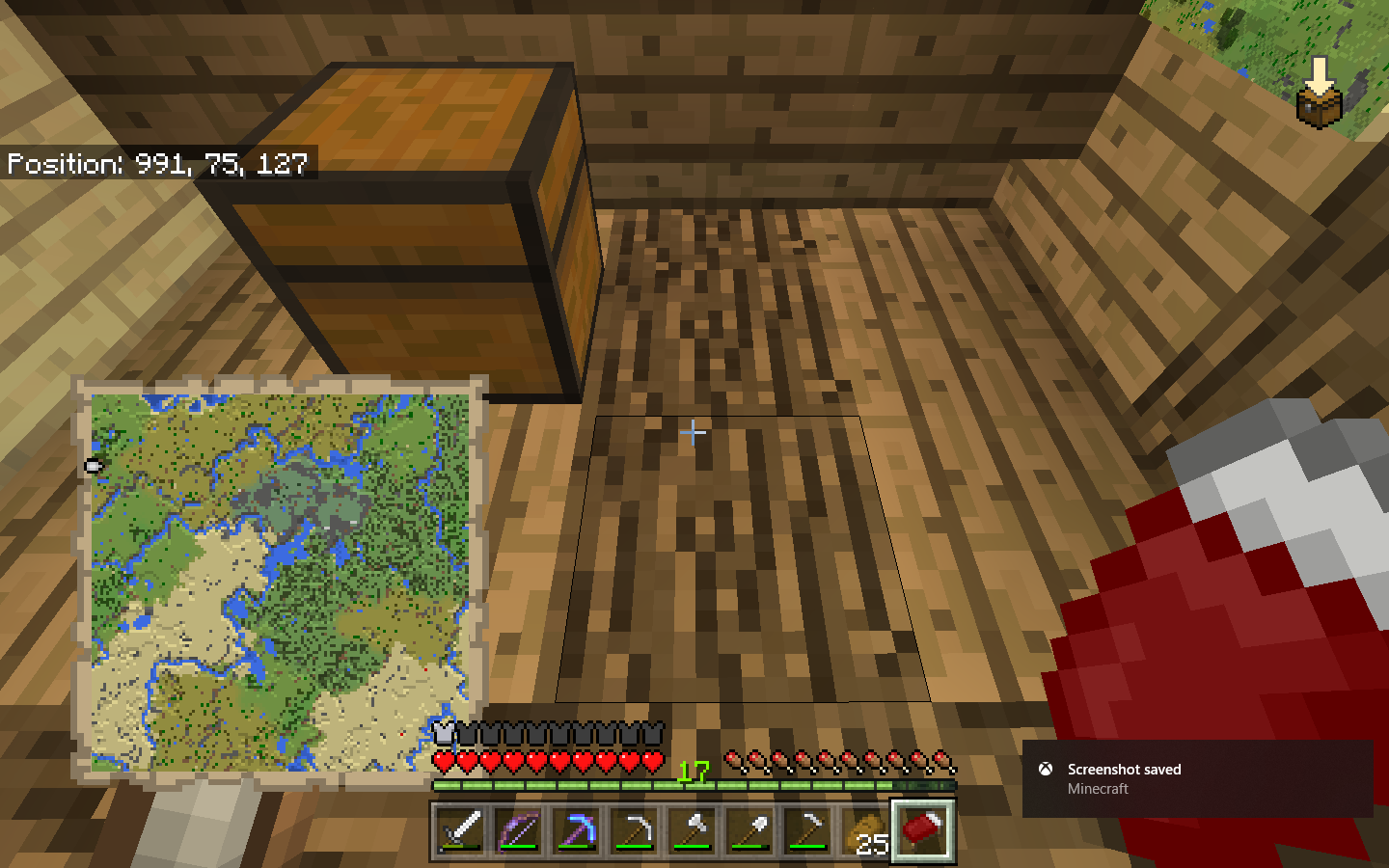
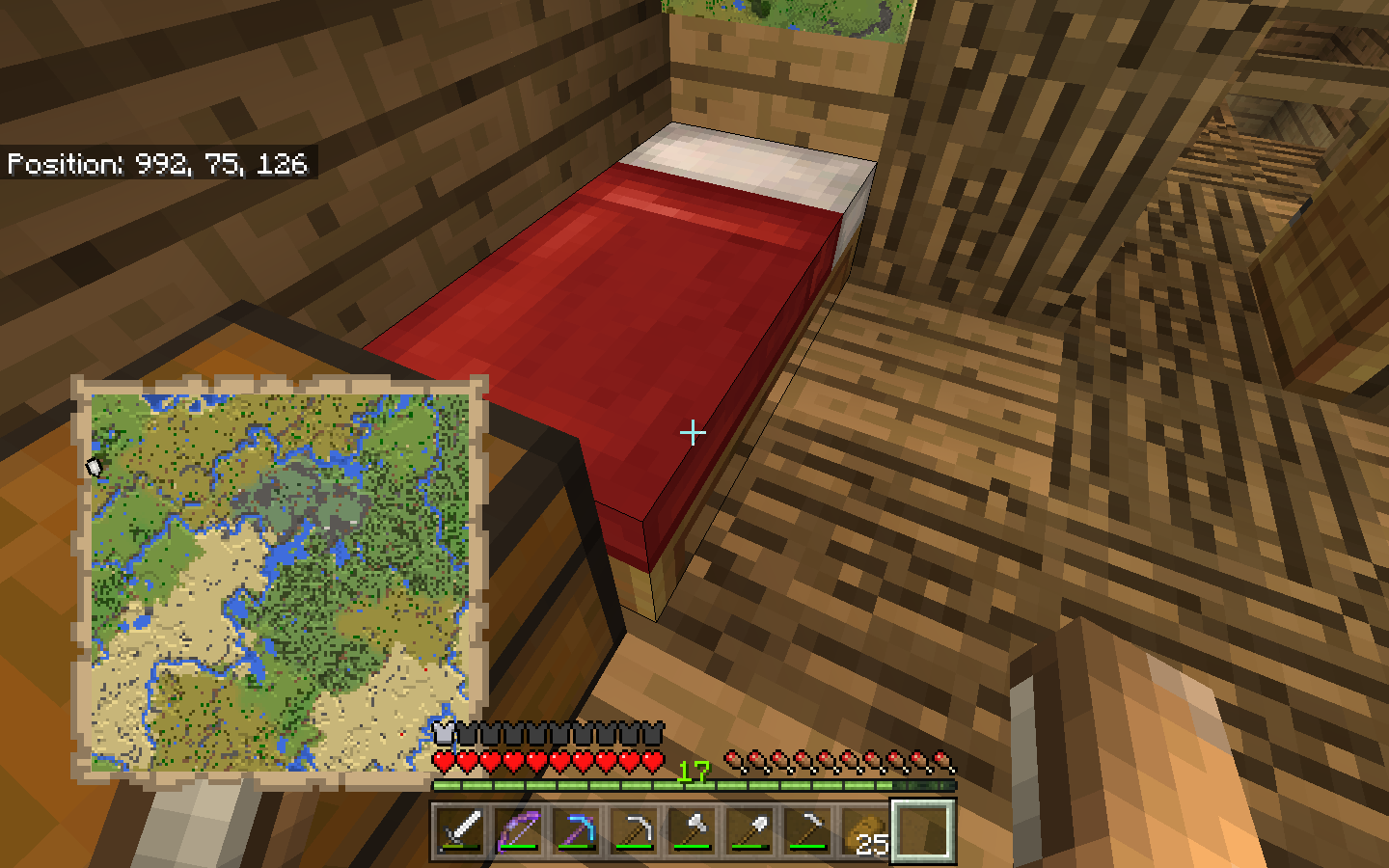
One odd thing i noticed in the screen shots. Is that the hitbox outline is extended like in
MCPE-30712(and probably extends to 0 0 0).Edit: Also the bed (in this case) crosses a chunk boundary. Placed at 993 75 127 to 993 75 128.
Cool, we could use your help in this bug.
I finally had this happen to me in a copy of Joseph's world, using 1.2.13.60. I had previously opened the world many times in 1.2.13.54 and earlier without experiencing it. I don't remember if I had previously opened it in 1.2.13.60.
The bug presents as a ghost block at 993,75,127, formerly the foot of the bed. The selection outline shows the ghost block having the height of the bed, not a full block. The block at 993,75,128, formerly the head of the bed, is now empty (it has no collision box). The problem persists after saving and reloading the world several times. Attempts to break the ghost block with an axe crash the game.
One observation that's different in my case is that the selection outline is limited to the single block; it does not appear to extend toward X:0,Z:0 as in the screenshots. I believe this is due either to using the newer release or to details of how the NBT data gets corrupted.[Edit: Joseph's latest screenshot shows that the selection outline phenomenon is unrelated.]I downloaded a second copy of Joseph's world.to compare the NBT data. (The original download world did not exhibit the bug initially.) I discovered that there is a second (downstairs) bed in the same chunk and subchunk that contain the head of the problem (upstairs) bed. Unlike the upstairs bed, the downstairs bed is entirely within that chunk (Chunk 62,8). Therefore,
On comparing the NBT data, I discovered a difference in the Tile Entities list for Chunk 62,8. In the undamaged world, there were 3 tile entities with id:Bed with the coordinates shown above, but in the corrupted world there were only 2 tile entities; the entry for the head of the upstairs bed was missing. This is consistent with how the bug presents. I also checked the Tile Entities list for Chunk 62,7. Both worlds had a tile entity for the foot of the upstairs bed.
I've been able to reproduce this bug sometimes using the following procedure, but haven't been able to do so reliably.
tile entityblock in Chunk 62,8. In my case, I placed a stone button next to the door in the pen where the horses are. (Edit: Realized a stone button is not a tile entity.)I've also been trying to create a minimal world that reproduces the problem, but no luck so far. It may be that a large, complex world is required to set up the necessary conditions.
Thanks! I also have a new picture!
Joseph Welhelm Murdoch: Have you ever figured out a set of steps that can make this bug happen every time? We need such a procedure to help us find and fix the bug.
As pointed out in a comment to
MCPE-32264, using a piston to move the ghost block breaks it and drops a bed instead of crashing the game. This might actually be the same bug.I have no idea how to fix it. I will try the position, thank you
Ok, the bed just disappeared from the thick air! !
! 
Hey, Auldrich would you like me to update that oneDrive mcpe world file? Because I have done lots of progress that may help you. Or would you like me to keep the OneDrive world constant?
Joseph Welhelm Murdoch Sorry, I didn't see your comments until now. I'm not sure what your "lots of progress" is about, but the analysis I wrote about above should be enough for the developers to get a handle on the problem, I think. Please leave the OneDrive world unchanged, so they can download it.
However, if you have a world with the bed in it and a procedure for making it disappear whenever you want to from a freshly imported copy, that would be very helpful. Perhaps you could share the second world separately on OneDrive? Or if the procedure works with the current OneDrive world, just tell us what the procedure is.
Thank you for all your help!
Hi Everyone! Today I came across the invisible bed glitch in MCPE on 1 June 2018, I tried breaking the bed but the game crashed when I did so. I found the possible solution to break it!
Place sand/gravel 2 blocks above bed block, the falling blocks should break the invisible bed! If this works please tell me!
Another option is tnt, but if your bed is in a house, common sense says don't blow up your house.
Another workaround is to push the invisible bed with a piston, it will drop as an item then. (Safer than TNT!)
I am having the same issue recently. I noticed that it's only half a bed when it disappears as well. If you break it, it crashes the game. If you put a block where the bed used to be on the side which seems to be gone all together it will make a breaking sound and be gone. Looses the bed, but doesn't crash the game.
If you want to keep the bed item, pushing the “existing” side of it with a piston as Mega_Spud suggested did work for me (Windows 10 edition) and dropped the bed.
This bug has just recently come to my (bedrock) realm as well. Bed becomes invisible after all players log out of realm for a short time. You can still jump on the bed while it is invisible, but trying to break the bed manually results in all connected players getting disconnected. Breaking the bed with a piston allows us to pick up and replace the bed, but it is a temporary “Fix” at best.
Dying the bed yields no change.
Crafting a new bed from freshly sheared wool yields no change.
Also of note, I play on an iPad with touch screen controls and there is no longer a button to sleep. Long pressing (at night) will have me climb into the bed as always, but the Sleep button is gone. Not sure if this is related.
Hey this is still a bug im experiencing on ios, bed will go invisible after a couple nights and if you go near the invisible bed it crashes!
Having This problem on Switch, attempting to click the box the invisible bed is in will crash the game.
*EDIT* 7/4- I found that the trick posted by a previous commenter of putting a block next to the outlined invisible bed block will "knock" the bed off the wall, it will disappear, and another bed can be put in it's place, however the same thing will happen to that bed after a day cycle, so I just avoid the spot.
I have the same issue on my Bedrock edition server. The existing beds have gone invisable and trying to break them crashes the client. I can still sleep in them and newly placed beds do not have this issue

Having same issue, I am quite early into my world so I cant just use a piston as I dont have redstone yet
EDIT: Just noticed that one side of the wall of my house (wall was 10 blocks away from bed) has completely dissapeared. I can still sleep in the bed though
Ok now I am super miffed off. I just realised that my chest is now invisible too and I cant even open them! So there go all my items I didnt already have on me. Great. And My furnace is broken too, Its still visible but just wont open.
Going to see what happens if I mine these now
EDIT1: Ok the Furnace can be mined
EDIT2: Chest can also be mined but wont drop any items it contained. Just perfect. Just perfect!
EDIT3: Basically lost my survival world to this because its just not reliable
Do you have a copy of the world available so we can see what has happened to the chest? It might be a separate issue.
I mined it before
Im gonna try to replicate it
Ok it seems I am having this very same issue
It happens to white beds it seems more often than others
hey! so i found this post while searching for a solution for my own disappearing bed glitch mishap–invisible bed, mining would cause the game to crash--and i ended up fixing the problem! i removed everything from my room (luckily it's just a simple 3x3x3 room) and set the whole floor around the bed on fire. that did the trick, and now i'm giving my new bed a little time to test it out before i put all my stuff back in the room ^^ hoping y'all can either do that successfully or find your own solutions soon
Is anyone in 1.5.0 still getting a crash if they attempt to break an invisible bed?
Also, are beds still becoming invisible in 1.5.0?
I tested the original poster's world in 1.5.0. Breaking the invisible half-bed did not crash the game. I placed the bed again and it didn't disappear, but that's not surprising since the disappearance seemed to happen at random. I'll report back if I observe it to disappear again.
I'm seeing this bug in the latest bedrock release in my realm.
Updated description, affected versions, and labels based on extensive testing. This bug occurs when the chunk with the bed head loads just before the chunk with the bed foot. Anything that might cause loading lag increases the chance of this bug manifesting–examples include lots of mobs or updating blocks in the vicinity of the bed.
You do not have to be facing away from a chunk to get beds to break and go invisible. In this video I relogged looking at my test setup from the side. Just being a few chunks away from the beds & cocoa pods allows the bug to manifest. I made a slow-motion edit of the chunk rendering in this instance. It appears that the cocoa and beds break before rendering even begins.
Beds & Cocoa break in front of you.mp4
Beds & Cocoa break in front of you_Slomo.mp4
This happens when the bed recieves a block update and half of it is in unloaded chunks. The game can't find the other half bed and the bed breaks. You can give it a block update when it's loaded by placing powered redstone dust next to it.
It should also be noted that you can't see it breaking because chunks near fully unloaded chunks aren't rendered.
The same thing can happen to nether portals.
it's weird for me because my bed doesn't move (which is why the bug happens) and still goes invisible and when it's invisible i can see the hitbox also it doesn't crash it just goes invisible
This bug doesn't only happen at chunk borders.
Can confirm in 1.16.201 hotfix on Android! I have also attached a screenshot that shows that the hit box of the bed shows as the hit box of a slab... that could be a separate issue though
I can also break the bed without crashing the game.
I have removed several image attachments that did not add any unique information to the report. It is not necessary or helpful to attach images for new versions that show the same things already shown in previously attached images or video.
Marcus Jones: if you can reproduce this bug not on chunk borders, please provide steps.
[Helper] osfanjoshua: the invisible slab-size hitbox is the correct shape for a bed block. A normal bed consists of two of these blocks plus a tile entity located at the bed head (pillow). The visible bed texture renders over the invisible bed blocks based on the tile entity data.
I believe I’ve just triggered this bug in my realm on 1.18.31. The bed was in situ across a chunk boundary since around 1.16. I just placed signs by the bed head (and foot) and next time I looked at the bed it was invisible. I can still bounce on it.
My bed is on a shunk border. It's placed norh/south direction with pillow to the south.
Can not be right-clicked but can be punched and then replaced.
I don't know if my double bed is placed on a border between chunks, but otherwise I have the same problem: each time I reopen the world, my specifically those two beds are invisible, and we got another bed like 3 blocks away but that might indicate the theory of beds on chunk-borders is true.
I am also able to simply break the bed and replace it again, without the game crashing.
I’m experiencing the same as Adam Forsell. It happens in a realm world on PS5 and iOS. Not sure where the chunk border is. I have two bedrooms side by side on multiple floors. Three double beds, two singles same color placed next to each other, in the same orientation in both bedrooms. There is a space on either side of each double bed. One bedroom, identical on each floor is never affected by this issue. The beds in other bedroom, also identical on each floor seem to become invisible each time I log in to the realm.
This bug happens after playing for a while, maybe a garbage memory collection leak when going down a ladder to my unground base to sleep Suddenly all blocks go transparent for a little bit, and then back to normal I come down and to where my bed is supposed to be and I have placed down other bed and they too are transparent, I can highlight the bed and see the wireframe but I cannot see the bed. I sleep in bed and then the bed is still invisible, and the game is very sluggish. I can save and quit and then come back and everything is fine. Seems to happen after I have been running my game for a while.
This happened to me even before I got my wings but now I fly from one base to another I am in a desert biome so I cannot create a Snow golem because he will melt So I have to fly to another base where I can setup a Creeper Farm to harvest Gunpowder for my wings. My wings have to mending on them and unbreaking 3. I got mending from fishing and from the villagers in the desert biome
I dont know a simple way to duplicate the bug but I have seen it many times Using Bedrock 1.20.51 on a PC Laptop
Intel Core i7 with a Nvidia Geforce GTX Video card
I was building my iron farm the pressed quit & save and then loaded in and then the beds to my iron farm disappeared.
This issue has been temporarily closed as Awaiting Response.
Are there any recent worlds in which this issue is still possible to reproduce? If yes, could you please attach it?
This ticket will automatically reopen when you reply.
Bed break.mcworld can be used to reproduce this issue in 1.20.51. It uses signs to trigger a block update on the bed head during loading. sign repro.mp4


The same blocks that trigger MCPE-29548 also trigger this bug, for the same reason:
powered dust repro.mp4
mob head repro.mp4
campfire repro.mp4
I was not able to trigger the bug through normal loading or with the test world from years ago, but that may because I am now using a PC with a modern SSD hard drive. It may still reproduce randomly on weaker devices.
Steps: