 Don Nichols
- AgentCPU0
- agentcpu0
- Europe/Stockholm
- Yes
- No
 MC-67576
 MCPE-11334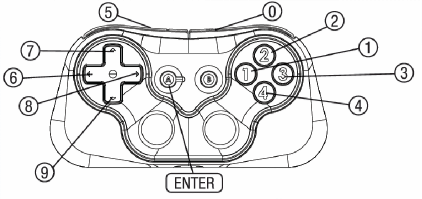









 REALMS-2586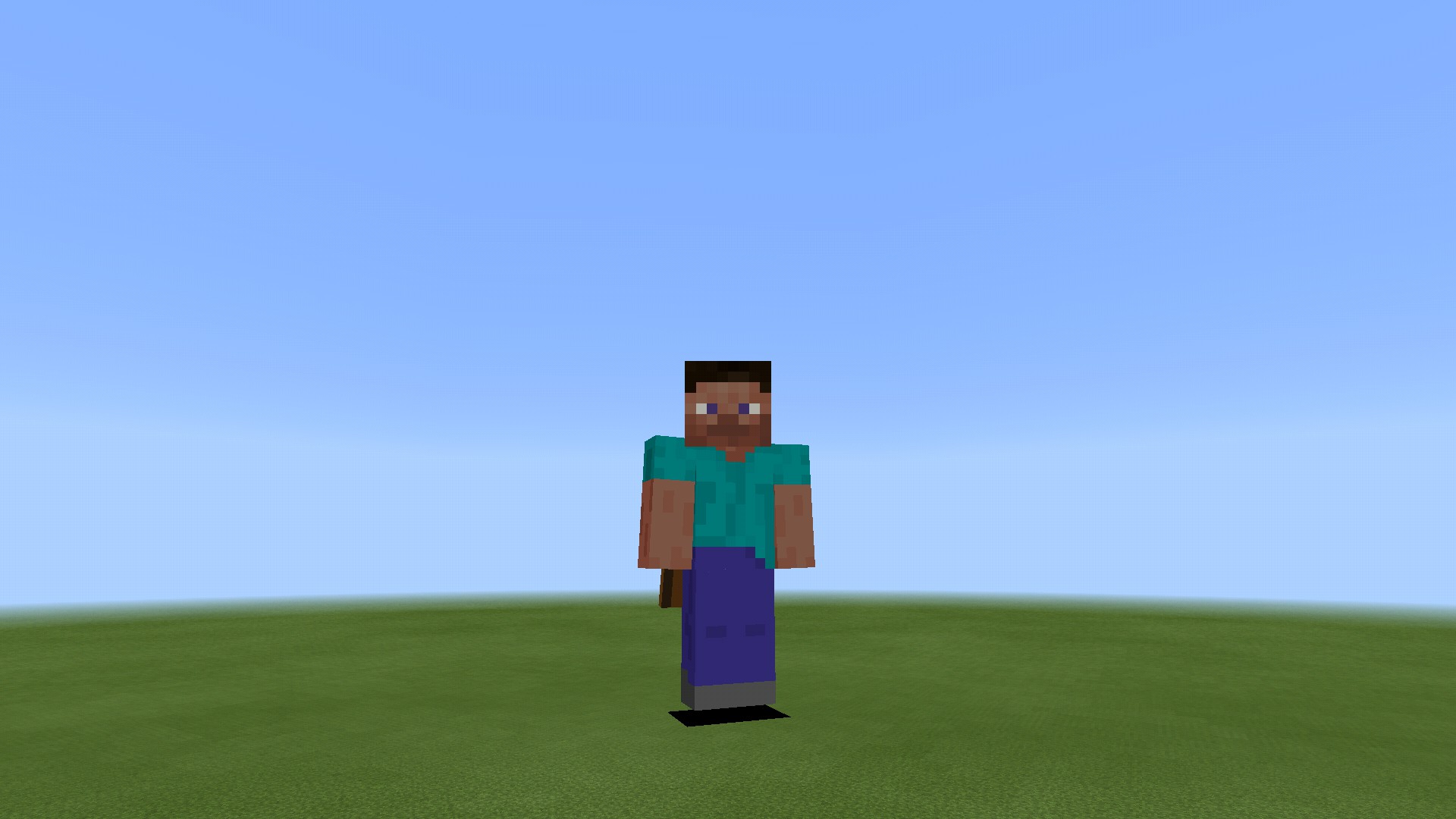
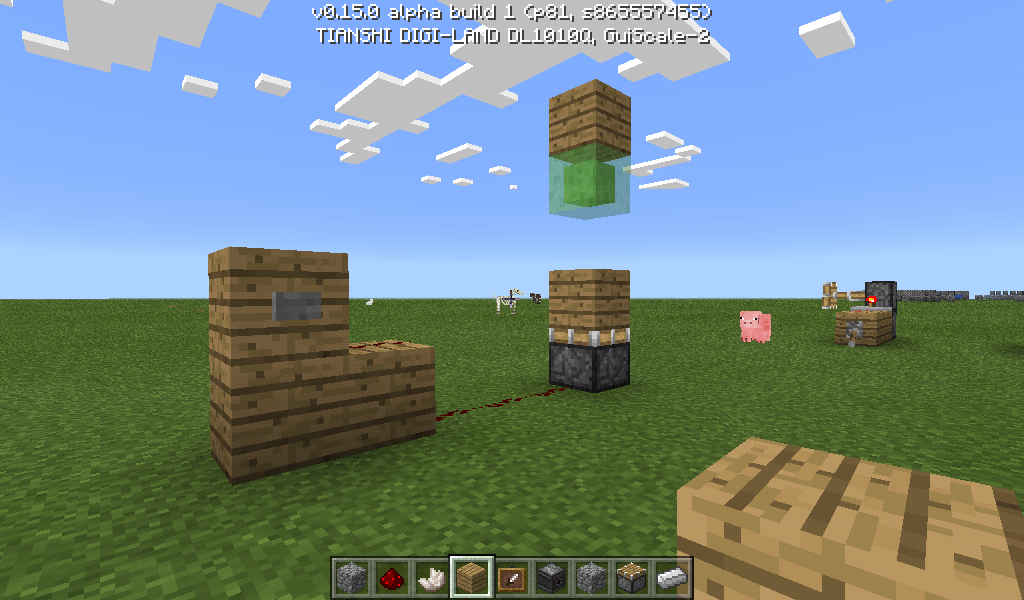
I'm pretty sure this slime block was supposed to be pulled back.
Screenshot_2016-06-05-07-56-58.png
Dropping hotbaritems(inmycase, tapping the Drop Item button on my gamepad) into a hopper crashes the game.(EDITED) Anything hopper related crashes the game. Throwing items into it crashes. Putting items in it via hopper inventory GUI crashes (not 100%, but more often than not). Attempting to push/pull it via pistons crashes. In a few cases, the item a hopper recieves will completely disappear.
Throwing Items intoHoppersCrash
If using the Faithful texture pack from the Minecraft Store, banner previews in the loom appear black. This applies
onlyto banners without patterns, and to all banner colors. It does show the proper color of pattern you're putting on it, but only the current later you're adding. It does not apply to the output slot, only the banner previewIf using the Faithful texture pack from the Minecraft Store, banner previews in the loom appear black. This applies to banners both with and without patterns, and to all banner colors. It does show the proper color of pattern you're putting on it, but only the current layer you're adding. It does not apply to the output slot, only the banner preview

Don Nichols what version of MCPE are you running? Please updated the affected version accordingly if this still affects 0.15.6.
Oh, and if it makes any difference, I should probably mention what I'm using is actually a Zeemote model.
Sounds like my problem might've been mining. I don't deal with snow piles often.
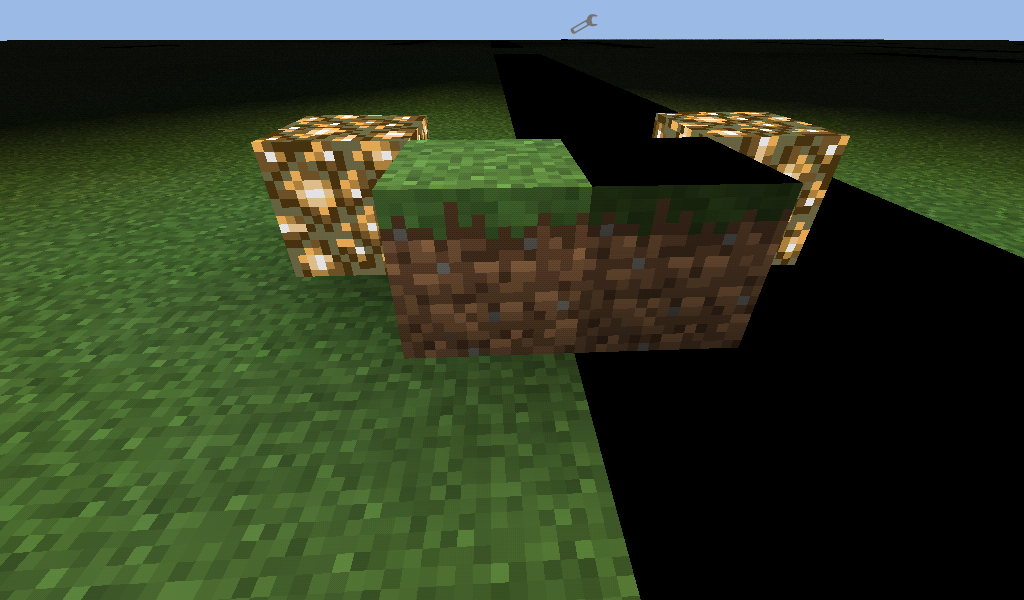
I used PocketINV Editor to clear out a ton of space and put in some superflat terrain. Came back to those black spaces. I tested it with other blocks, grass is the only block that has it, and does it at any given height.I honestly don't know if it's an error in MCPE or an error in P-INV, or a combo of the two.
My tablet says it's supposed to have 1GB of RAM. How much RAM it thinks it has is another question.........
Version 0.14.2 does still encounter this issue.
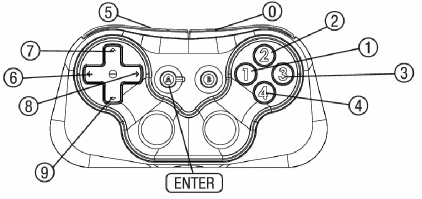
I understand the confusion. When I said gamepad, I meant a Bluetooth game controller for MCPE, and not a Wii U gamepad. And as far as 0.14.3 is concerned, this issue still exists.
0.14.3 added button B, and I've linked it to Pause. However, pressing it will sometimes flash the pause menu for half a second and bring me back to the game. Button A still does not work.
Still an issue in 0.14.3.
I tested a manual disconnect, and it didn't crash. But the initial problem was a disconnect due to the Bluetooth device timing out and going to sleep, which I haven't found out yet.
Got the results for a time out disconnect. No crash.
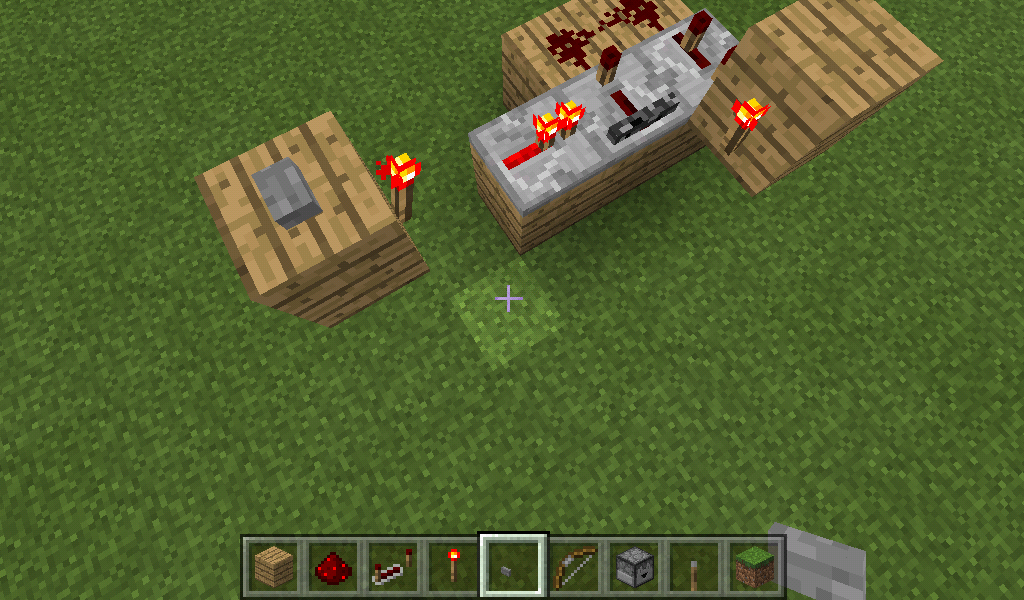
I'll try to explain what each circuit is, but I still recommend searching YouTube, as there's more than 1 way to build each type of each circuit. I'll provide links to tutorials of each circuit type.
A Redstone Torch Key lets you place either a redstone torch or redstone dust on a block to activate a circuit. When activated, the key will be destroyed by means of a piston, while also activating a separate circuit. https://youtu.be/zhg67kberPw
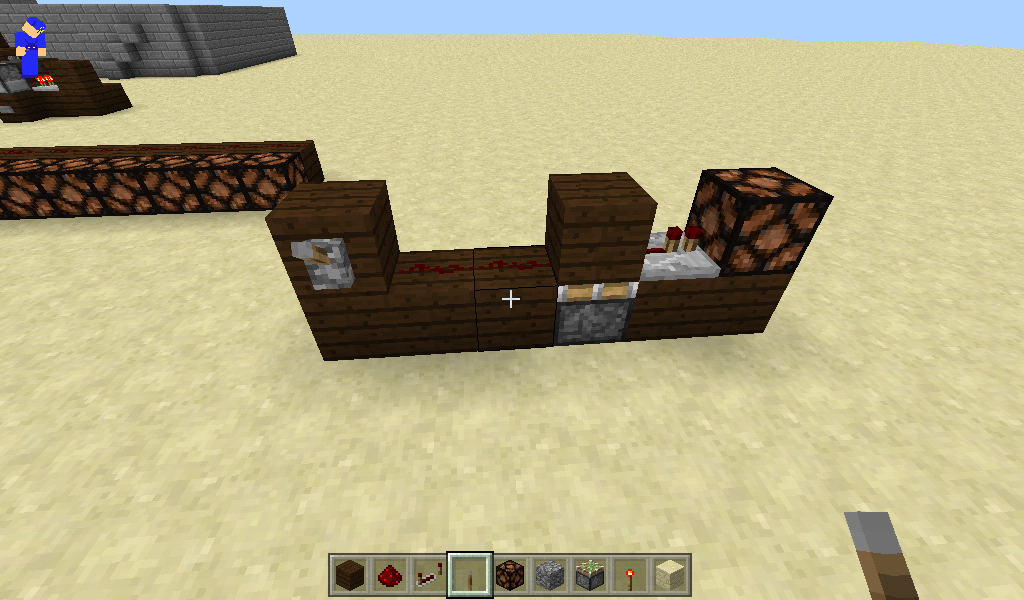
Double Piston Extenders are pretty much self explanitory. It fires 2 sticky pistons to push a block 2 blocks forward when powered. When turned off, it retracts both pistons as well as the attached block. The issue here is that the redstone fires too quickly to properly retract both pistons and the block back to their original positions. https://youtu.be/R30ACyF8NHM
A T-Flip Flop turns almost any circuit into a lever. In a piston-powered T-Flip Flop, a sticky piston is given a 1 tick pulse. It pushes and retracts so fast that it does not pull the block back with it. But when powered again, it does pull said block back. A piston T-Flip Flop is commonly used alongside a Torch Key, as that circuit actually does give off a 1 tick pulse. https://youtu.be/9nEWPCSRxOI
The last YouTube link features 2 circuit types: the Monostable Circuit, and the T-Flip Flop. The Monostable is covered in the first half of the video, and does work as it should. But the piston T-Flip Flop covered is only 1 of many versions of that particular circuit.
You didn't mention the Torch Keys. Is there a problem there?
We just started beta. Can that be tweaked? There's gonna be more redstone engineers like myself who'll be upset we don't have it. If not, maybe 0.16?
I'm pretty sure this slime block was supposed to be pulled back.
Yes, that is in fact what I mean. BTW, I don't know what WAI stands for.
The issue is still there. Button A still cannot be assigned to an action.
EDIT: I do want to point out that Button A is technically also the power button, and toggles it on and off by holding it for 3 secs. I have some emulators installed on my system, and they're able to register a simple tap from it. But a gamepad tester I once downloaded couldn't register it, just as MCPE doesn't. So it is possible MCPE may never be able to see it. I might as well say continuing to work on the problem probably isn't worth it.
0.15.4 still is having the same Enter button issue.
I still am not able to change the Always Day option with my gamepad. However, with a number of different brands and models of gamepads, it is possible some may not have this issue.
Resolved.
I am still encountering this issue, but my gamepad has been glitching out for a couple months now. I'm havng issues with it that aren''t limited to just MCPE. It is very possible it's an issue on my end and not yours. For this reason alone, I will no longer give feedback on this thread. But I would recommend leaving this thread open, in case others are having this issue as well. But I will also say the issue existed before the glitching even started.
Every so often, it does place/destroy 3-4 blocks, sometimes 5. It's not continuous like you said. But again, my gamepad is currently problematic.
My Break and Place Block buttons are my L and R triggers, which I only have 1 set of, and not 2 like other gamepads. I'm don't seem to be experiencing the same thing on my other games. So it appears it's the only issue I have that's game-specific.
Currently running 0.15.6. Issue is still unresolved. Unless you require another minor update, though, I'm willing to wait until 0.16 for this issue. And I am still signed up to beta test.
I need to invalidate this case. I recently discovered that the cause isn't actually MCPE. It's an issue with my device itself. I won't go into detail, but the reason I thought it was MCPE is because that's what was running when the issue started. You are more than welcome to remove this thread, as there's nothing you can do on your end to fix this. Apologies if I created any confusion.
I don't understand. Why did you mark this as resolved when nothing's been done to fix it?
Case no longer valid. I no longer have said controller. I sent it in for a warranty claim, and now have a different model. I would've mentioned this earlier, but was unable to find this case.
Please keep me updated on this. I have maps using them that are now effectively broken.
I'm running 0.17, and it still occurs. But it doesn't occur as often as it used to.
It has been fixed, but I'm running 0.17. Please keep this up in case a future build somehow breaks it again. Builds are known to contain bugs.
Still exists as of 0.17.0.2.
Any chance this could be brought back as an actual feature? It was extremely useful, especially on multiplayer servers.
The controller is a SteelSeries Stratus XL, which is an easy controller to get. The device is a DigiLand DL1010Q, which is a discontinued model, and runs 4.4.2.
If you are unable to reproduce the bug, I suppose it's actually possible I have the command string wrong. If you can give me a few strings that worked for you, I can test them and see if the issue persists. And I'm not the only one who has issues with the command, and so I'm trying to help others with it in the process.
I actually managed to figure out what I was doing wrong after a bit of research. You can delete this thread at this point. Sorry!
Minecraft does in fact run on the exact same system as before. It lags a little bit, but not a lot.
"Disabled by default", meaning it can be changed. Where in XBox setting can that be changed, if at all?
I know this is for bug reports and not suggestions, but perhaps this can be changed in the future? PC runs /say offline, no problem.
Command blocks are only obtainable through commands. They've always been that way on PC as well. I see no reason they need to be in the creative inventory.
This only seems to be an issue with worlds created prior to the beta. Newly generated worlds allow command block access.
I left the beta a few days ago, so I can't check. Sorry.
Is it possible redstone timings could be sped up? And I'm talking just the redstone, not the pistons. I'm actually kinda glad to hear pistons are now faster. But now, it seems they're a bit too fast.
There's been two minor bug fix updates since I submitted this, and it still hasn't been taken care of? How long is it gonna take to get this worked on?
Fixed as of 1.2.2.
Still occurring as of 1.2.2. Is Mojang even doing something about this? It seems that this particular one is being pushed aside and ignored. Someone PLEASE let us know if it's actively being worked on.
Doesn't appear to be just diamond ore. I'm getting low levels of coal from it as well. So I think it's the enchantment in general. I haven't tested it with emeralds, though. I can only assume the exact same thing will happen.
Would you PLEASE do something about this?!? It's been well over 2 months since I reported this, and I feel like it's being ignored.
I know this may be a problem for you, but it's a bug fix for others. Depending on the device, there was some input lag where a single tap would place more than one block, which was undesired. It is my assumption that this was implemented to help with this problem. Again, this was dependent on the device whether or not the bug occurred. I know you want this feature back, but for some of us, it's a change for the better.
Elytra wings? No, I haven't gone to the end yet.
Fixed as of 1.2.5
I don't care if Mojang is working on other things right now, this needs to be addressed ASAP. This literally has broken the game, and in certain respects, makes it unplayable. Even something as simple as harvesting a big tree as been made 10x harder. Please make a fully released 1.2.6 bug fix update soon, even if it means only fixing this one bug.
As I've just discovered, this seems to only affect BT game controllers. I tested this with touch, and it doesn't happen there. And it also doesn't seem to occur on Win 10 with keyboard and mouse, either.
There's a reason you can't reproduce it. It's been fixed since it was posted. But there's a catch to it. Since it was fixed, drop rates seem to have been decreased. So the problem's been solved, even if not to 100%.
This was fixed a long time ago.
This is occurring for me and the players on my Realm, and cheats are NOT enabled. We're all currently running 1.2.10
To avoid confusion, rx and rxm is looking between straight up and down, and its range is -90 - 90. ry and rym is looking N, E, S, and W and is suppsoed to to go from either -180 - 180 or 0 - 360. As I mentioned, ry is what's not working right.
I'm using an execute command in detect mode in a repeating command block. I have it set to detect a certain block 1 block below the players position to use /kill. I'm not respawning on the kill block, which is why I'm confused why I'm being killed twice every so often.
I don't own the beta, but I have seen video footage of this happening. Dolphins require air to live, meaning they have to surface every once in a while. From what I've seen, their AI bugs out and causes them to not surface when needed. As a result, they drown. Obviously, that doesn't fix the problem, but I hope that answers your question as to why.
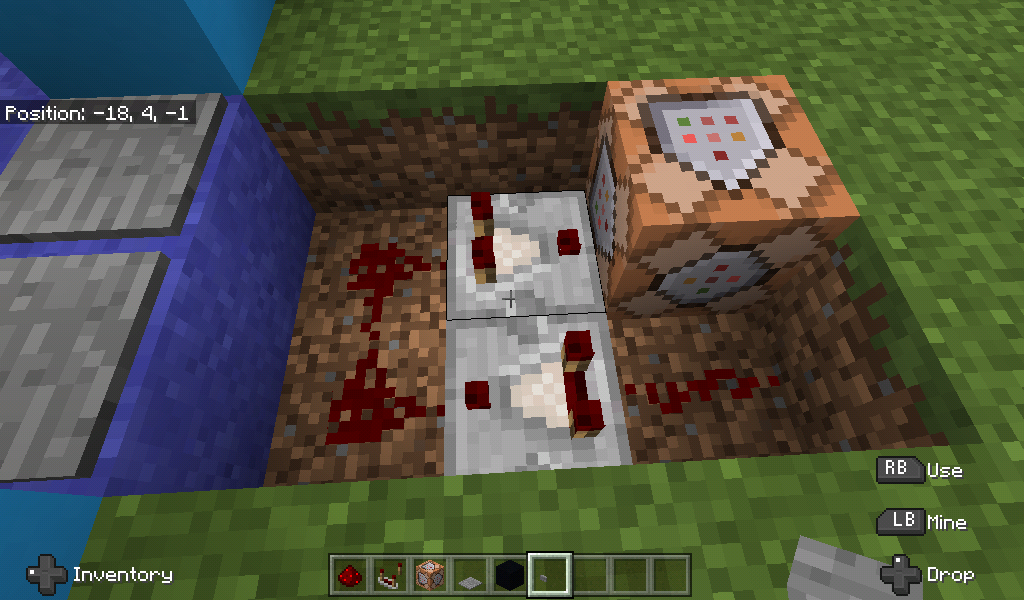
If it only stayed active for only two ticks for you, then you pretty much did replicate it. And it didn't matter what command I was using. Rebuild the circuit and replace the command block with a different solid block. You should see what the comparators are supposed to do. Also, it doesn't have to be a pressure plate. Any redstone power source will work.
Seems to have been fixed as of 1,4.
I'm not trying to join a multiplayer world. I'm trying to open a single player world. Minecraft for some reason won't load the files, even though they're in the World Saves folder.
Some of them are renamed, but only one of them has a period in its title. But it's not at the end ,if that makes a difference.
Upon further investigation, it doesn't seem to be repeating command blocks, but just command blocks in general. And it doesn't matter what type of command block it is, either. If there's several of them in a small space, blocks don't update when they're supposed to.
Found out the hard way there wasn't much of a problem at all. One of the worlds wasn't what I thought it was, the other would technically fall under the other issue.
I need to go back to what I originally said. The problem is in fact repeating command blocks, and the problem occurs when importing worlds from 1.2. I did manage to find a workaround for it. I destroyed the repeating commands blocks, put them back down, and refilled the command lines. That seemed to allow blocks to update again. So, something must be happening during import that updating the problematic blocks seems to "fix".
As of right now, the book and quill has been fixed. My controller can select Sign and Close. The skins page, however, has not been fixed yet. The issue is still there.
I attached a picture of this happening. I looked into it, it seems to occur due to a conflict with a resource pack that's only supposed to change the sky. None of my other resource packs are causing any issues.
It only happens with the one resource pack.
Just to be clear, I did see and read issue 36008. It looks somewhat related. The only difference is that I am actually able to play. 36008 says that isn't the case.
For context, I'm putting in testfor @p[x=a,y=b,z=c,r=d]. a, b, and c are the coord values that it's testing for, and d is the radius away from the specified coord. This has worked in previous versions of the game, so this is definitely not working as intended.
I've attached a picture of the issue. I put in the coords I'm standing on, and the comparator not lighting up. I will also mention this world was imported from 1.4, so it's possible it has something to do with that.
I realize you marked this as Working As Intended, but I disagree. For the project I'm working on, I need r=0 so that it detects the player standing directly on the specified coordinate. Unless you have another option, this needs to be changed.
That does work. But it worked just fine before when I could set it to r=0. Why should this have been changed? It was already useful the way it originally was.
Instead of removing it due to being a bug, why not add it back in as a feature? It was useful. And it's not like it was really breaking anything. It's more like things ended up breaking due to it being removed.
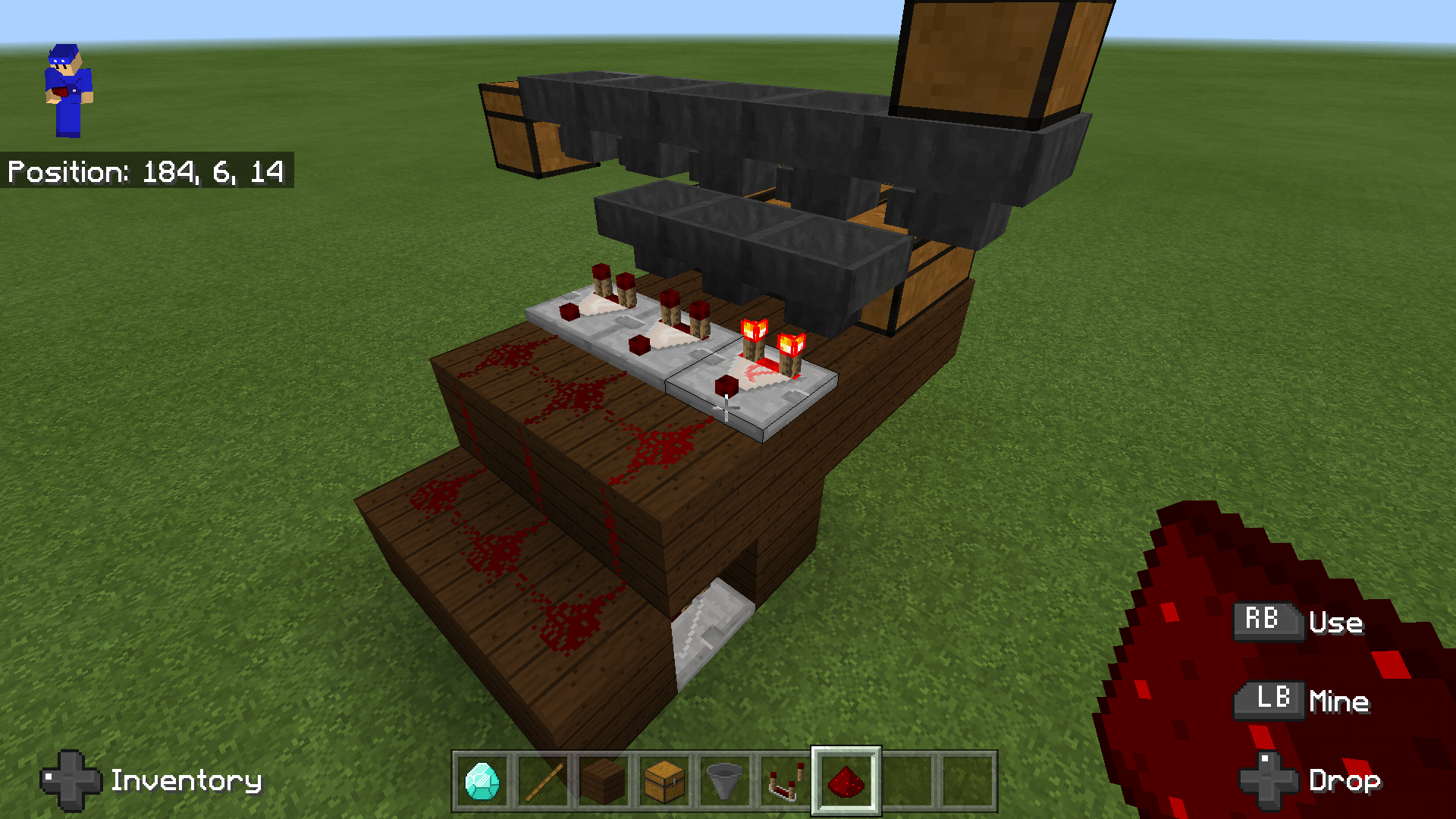
I added a picture of an auto sorting system that uses this mechanic. It isn't filtering the items like it's supposed to. The hoppers aren't pulling items down to sort like they're supposed to. If a hopper below is able to take an item, it's supposed to pull that item down before the top hopper pushes it, even if said hopper is powered. It's only supposed to lock from pushing, not pulling. At least, that's what I had assumed. Did this sorting system originally work due to a bug?
Definitely occurs with 32x resource packs. Please fix this, Mojang, this is a big problem (no pun intended).
I will go ahead and confirm that. It just took way too long, and I posted this well before I got one, and well into my fishing session. Apologies for my premature report.
Still seems to be an issue. Not even sure if Mojang is even working to fix it at this point.
This happens to me when I'm the only one in the world, including when I'm the host.
Still an issue, not sure why this hasn't been looked at. Allowing the command to work up to 360 allows specific ry ranges to work. There's no way this is working as intended, as this is how it worked when it was first implemented. If it is, please change it back.
Except I'm using /clear to prevent duplicate items. Also, as I said, this method is to try and replicate Curse of Binding, since MCBE doesn't have it yet. Not only can you not remove it, it gets cleared from your inv (or cursor, if you're using a mouse/controller) when you try to do so.
Helpful to know, if I knew where in the edit section to change it
The trapdoor thing is normal. They changed the creeper's hitbox to 1.8 blocks so it can spawn in that space to catch up with Java. Except they messed up and made the same change to all 2 block tall mobs. So, on one hand, yes, this is a bug. On the other hand, it's a result of adding an intended feature
If this is working as intended, please explain why it's necessary for leather boots to do this and no other armor type, as it makes no sense
Seems to have returned as of 1.12
Apparently, this isn't fully true. If I just remove the bottom texture, for some reason, it reappears. It only seems to turn black if I remove other parts of the boot texture, neither of which makes any sense
How has this not been fixed yet? Map makers could definitely make great use of this. Please move this up in priority
Can confirm as of official 1.13 release
I'm having a fairly similar issue. It only seems to remember custom skins for me. Any custom character or skin pack skin always gets reset
On top of that, all 5 skin slots are reset as well. The 2 on the far ends always delete themselves, and the remaining 3 always reset to either Steve or Alex at random, with at least 1 of each every time
Also worth noting, the skin bug from 1.12 actually remembered your skin on occasion, maybe a 60% chance to reset, if I had to estimate. In 1.13, however, any skin pack skin or custom character, for me at least, has been reset 100% of the time. So if anything, this bug was worsened, not fixed
Still seems to happen in 1.13
I'd like to confirm that the particle command does in fact work. What's listed online doesn't work, so don't rely on that. Mega_Spud stated in a previous comment that you'll need to download the default resource and look in the Particles folder, and they are right. In that folder are a bunch of json files. You'll need to open them as text files. In one of the top lines will be something like "minecraft:particle", for example, "minecraft:arrow_spell_emitter". This is what's needed to run the command
Experiencing the same issue. Yet the cape button was available yesterday. Weird...
Added a screenshot of the issue. Still unsure why this happens. And my manifest.json file is in the proper format, so idk what's wrong
Issue has been fixed by the pack creator
I'm not exactly sure what the best way is to explain how to reproduce, but I can give a personal example. I built a roller coaster loop and a corkscrew as accurately as I could using minecart physics. They both require slime blocks to launch the carts, first vertically followed by horizontally. Previously, they worked flawlessly. Now, without even adjusting any repeaters, it's a complete gamble whether or not you'll get launched properly. It's possible it has to do with pistons rather than repeaters, but even still, the timings are still off without me doing anything
How has this not been addressed yet? We're now in 1.14, with 1.15 currently in beta. If Mojang has no intention on either fixing this or making it fully functional, then why did they re-implement the structure block in the first place? It makes no sense