 AnrDaemon
- AnrDaemon
- anrdaemon
- Asia/Baghdad
- Yes
- No
 MC-81208
 MCL-9119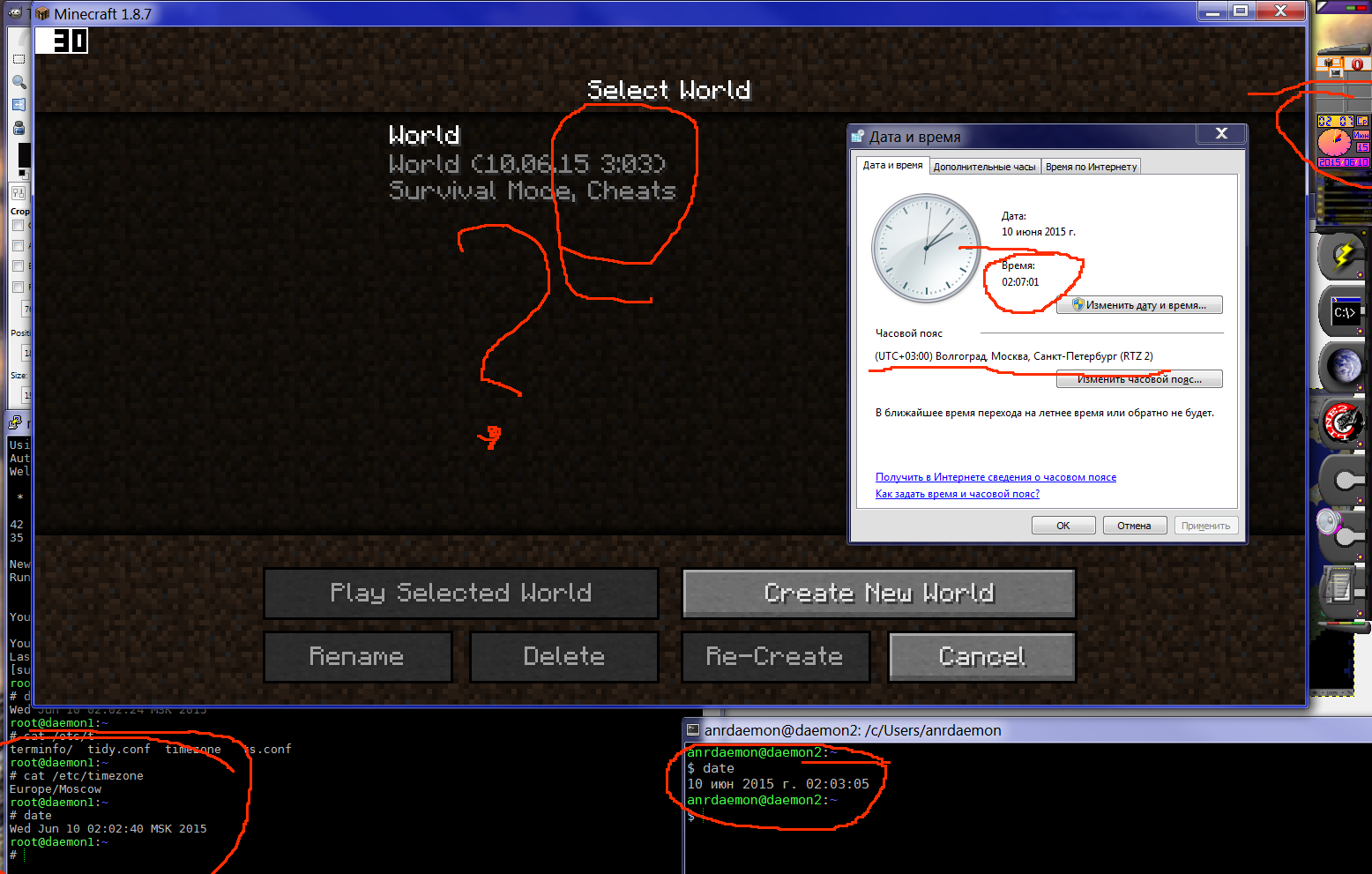

Accidentally started the launcher through shortcut in the main menu.
It went on update rage and present me with an unsorted list of my profiles with a flashing, like an exalted idiot, advert.
Well, advert wasn't quite the biggest problem. The biggest problem was that it thoroughly destroyed every profile I had saved. Every attempt to start the game ended up with failure and investigation had shown that each profile I've tried to start had its custom profile folder set to empty string.
Every attempt to correct this misbehavior ended in the same result - empty string set as custom profile directory, no matter how exactly I choose it - copy-paste the full path or use dialog to select it.Note that parent of MC profiles' base directory is a volume mount point.
If you are attempting to resolve it by hands instead of using OS API functions, you will end in the void between disks.
I have a profile that is set to start from "C:\Games\Minecraft\Forge-1.9.4" directory.
But when I start the game, supplementary files (f.e. logs) are created in the "C:\Games\Minecraft" (yes, parent directory, where the launcher is installed).
When the launcher starts actual client, the working directory
ifstarted client is not thelaunchedclient's profile directory, but the directory of the launcher.This messing up all logs, settings and saves.
See https://bugs.mojang.com/browse/MCL-11268 for more details.
When the launcher starts actual client, the working directory of launched client is not the client's profile directory, but the directory of the launcher.
This messing up all logs, settings and saves.
See https://bugs.mojang.com/browse/MCL-11268 for more details.
> Cannot confirm.
Try harder?
$ cat GetCurrentDateTime.java ; date "+%F %H:%M:%S"; java GetCurrentDateTime
import java.util.Date;
import java.text.DateFormat;
import java.text.SimpleDateFormat;
import java.util.Calendar;
public class GetCurrentDateTime {
{ DateFormat dateFormat = new SimpleDateFormat("yyyy-MM-dd HH:mm:ss"); //get current date time with Date() Date date = new Date(); System.out.println(dateFormat.format(date)); //get current date time with Calendar() Calendar cal = Calendar.getInstance(); System.out.println(dateFormat.format(cal.getTime())); }public static void main(String[] args)
}
2015-06-10 12:19:10
2015-06-10 12:19:11
2015-06-10 12:19:11
Pediwikia is never an argument for me.
Even better,
The problem was broken Java version used by MC.
It is not a concern. It is an issue.
Nothing has changed.
Still same problem.
Your search-foo was better than mine. I've tried to search before reporting, but found nothing.
Can someone please at last spend an hour coding a conformant server selection?
It's not like you need to invent wheels, the process is well documented.
Can you be more specific?
Is this reproducible with any server/DNS setup? With specific server/setup?
The apparent problem is that it missing a lot of code.
See https://tools.ietf.org/html/rfc2782 section "Usage rules".
Any news? I'd like to play the game I purchased.
What do you mean by "legacy"? Did you release a third version of your launcher already?
You misunderstood a clearly mentioned launcher version?

I accidentally let the 1.6 launcher upgrade. Which led to a loss of paths in all profile configurations and inability to set paths back to their location. Every time I try to fix the profile to point to its directory, clicking "Ok" saves empty path. Each time.
Had to restore 1.6 launcher from backup to actually be able to run the game.
You're kidding?
It's not the application role to determine the underlying hardware structure of a given path. Unless you are writing a file manager, use given path literal.
The path to all profiles is C:\Games\Minecraft\<profileName> C:\Games is a reparse point \\?\Volume{6833c424-2223-11e4-b07d-806e6f6e6963}\Games mountvol \\?\Volume{6833c423-2223-11e4-b07d-806e6f6e6963}\ C:\dev\sdc1 \\?\Volume{80006d80-c2bb-4297-93c1-2f6d1a2a8acb}\ C:\ C:\dev\sda1\ \\?\Volume{6833c424-2223-11e4-b07d-806e6f6e6963}\ C:\dev\sdd1 \\?\Volume{9d412aba-0e54-4628-9c6b-b84fb18d062a}\ C:\dev\sdb1 \\?\Volume{51810762-adac-11e4-9801-902b3437d8e4}\ W:\ \\?\Volume{152b5e11-3180-11e4-9bb8-806e6f6e6963}\ R:\ P.S. I would really appreciate, if your bug tracker would stop mangling the messages.Were anything changed in the relevant code? No? Then of course this is still an issue.
It is deleted even if there was no crash. Just from launching the game.
v. 2.1.5387
For migrated profiles, profile name is stored in two places: the "profiles" object's profile's property name and the value of profile's "name" property.
I.e.
Launching the game will set "name" property to an empty string. Immediately.
As I said, logs directory created in the parent directory.
For modded Minecraft, some more directories are created with mod settings.
This was never the case for Java launcher.
Anybody? What's the status? The launcher is unusable as it is.
Not fixed. Working directory still set to the directory of the launcher rather than the game profile directory.
Helloo? Can I have a Christmas gift in the form of a working Minecraft at last, please?
I can't find the downloads for that version anywhere.
Mind explain the "upgrading" moment?
Did that, but nothing changed.
Files still created in the launcher directory.
On top of that, launcher is unable to find the bundled Java runtime.
While
C:\Games\Minecraft> type runtime\jre-x64\.version
1.8.0_51
Launcher version 2.1.10837
Tried it on a different machine and it worked there. The only difference with my system is that C:\Games is a volume mount point. The question is, what are you doing that break over volume borders?
If you need help reproducing or testing the issue, please tell me.
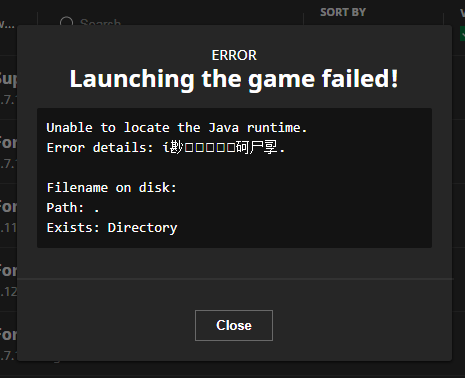
I'm using UNICODE font containing these characters. Thank you. This is why I wrote the report like that.
The renderer should at least render "UNKNOWN CHARACTER" glyph in place.
MCL-1443seems related.Given the ongoing migration to Microsoft account, the problem become more important.
Legacy launcher won't work with M$ account.
Still not fixed, and perhaps made worse. See
MC-222198All your "community support" can help with is to find a "reboot" button in Start menu and suggest to check again after that. Trust me I can do that without external guidance.
Given the obvious crash and the qualified diagnostics I performed (given my 20+ years experience in IT support and 15+ years in programming I can say it was qualified), I can surely call it a bug in the code. I can even tell you why it is crashing. But you are not a programmer and won't understand the explanation.
The problem is easily reproducible, if Minecraft data directory is a junction/reparse point from partition without assigned drive letter.
1. Get a Windows system with two data partitions (usually, `C:` and `D:`). Assuming the directory where you want your MC profiles is `D:\Games` (create it).
{6833c423-2223-11e4-b07d-806e6f6e6963}\`)2. Run `mountvol` to identify the UNC path of the `D:` drive. (Let's pretend it's `\\?\Volume
3. Run 'mklink /J C:\Games \\?\Volume{6833c423-2223-11e4-b07d-806e6f6e6963}
\Games`.
4. Go to disk manager and remove the letter from drive `D:`. Reboot the system if prompted.
5. Test that the `C:\Games` directory is available and listing contents of your former `D:\Games` directory.
6. Install Minecraft launcher into C:\Games\Minecraft.
7. Create new game profile pointing to C:\Games\Minecraft\Profile.
8. Launch it. Oopss, the logs and saves are dumped into C:\Games\Minecraft intead of the profile directory.
Even more laughable, the first error you would get is 'Unable to locate the Java runtime.'
Which is located exactly where it should. But you'll have to manually install runtime somewhere else to let the game run.
1.7.10 is also affected.
I'm NOT going to run bundled mammoth's dump old versions of Java on my system.
Test it yourself. Use a Windows VM, follow the steps outlined. You don't need to start the game proper, a crash would be indicative enough, since logs and game directories would be created already.
The problem is that my setup do not use any drive letter at all for the partition in question.
This is done specifically for a better portability of the setup - I could move my Games directory and its sub-directories anywhere at will (f.e. where I have more free space) and still keep everything running from the same central point without an issue. As long as that "everything" is not trying to "play smart" and pretend it "knows better" how the things should be done at the filesystem level.
Also a lot of drive letters flashing in file manager (I have 4 only physical disks installed, plus what-do-I-know about cardreaders and rogue removables) by itself is not healthy in my opinion.