Newer versions of Java are blocked
In previous versions of the Launcher, it let you use a newer version of Java then the minimum requirement. Now, you get Java Runtime version error when using a Java version newer than the minimum requirement.
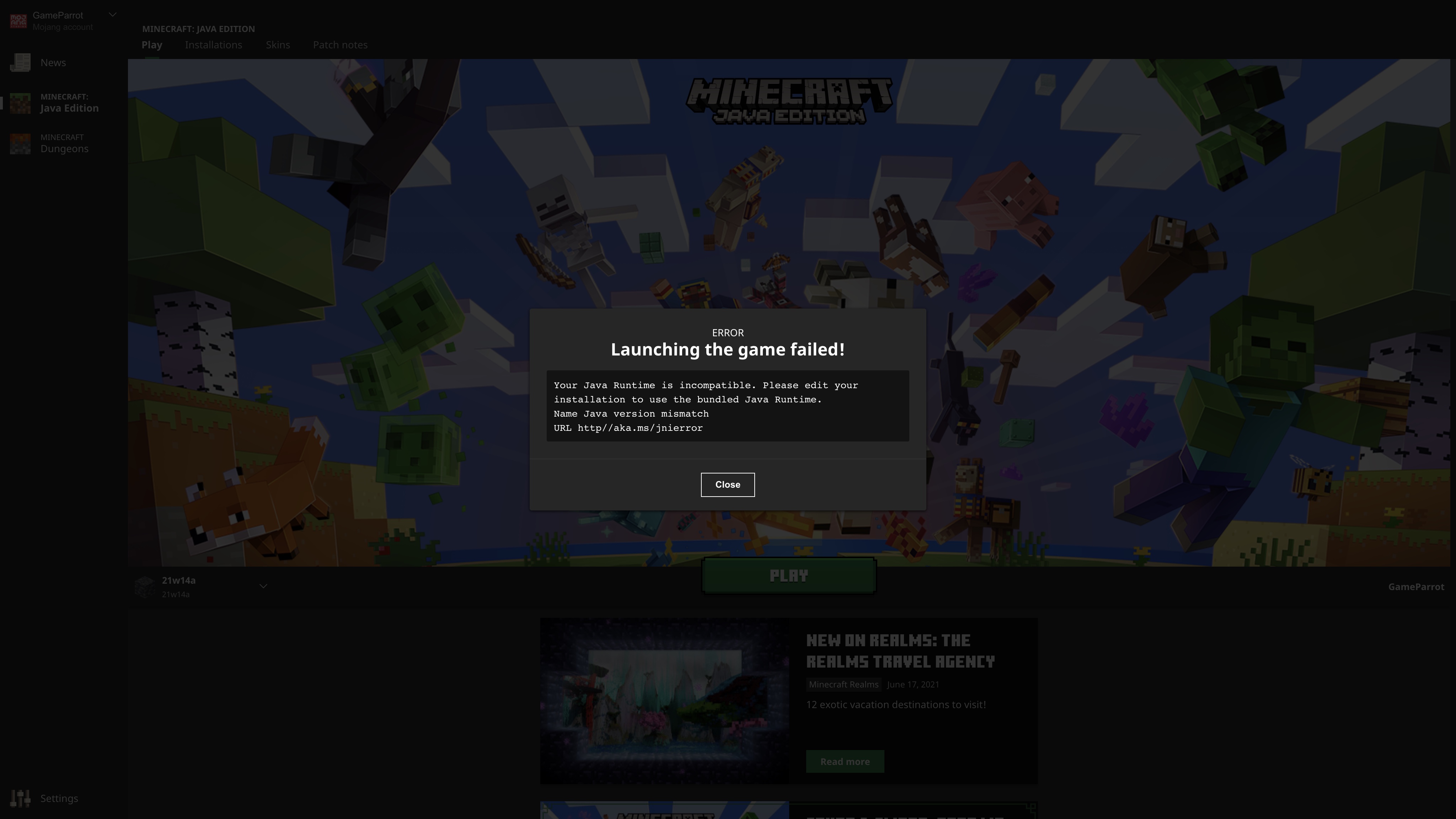
Your Java Runtime is incompatible. Please edit your installation to use the bundled Java Runtime.
Name Java version mismatch
URL http://aka.ms/jnierror.
It happens with Java 18 EA on 1.18. It also happens with Java 18 EA and Java 17 on 1.17. It also happens with Java 17, Java 16 and Java 11 on versions older than 1.17. It should only block older Java versions, not newer ones. It does not happen when using Java 8 to launch a version that is compatible with Java 7.
Workaround: Delete the JavaCheck.jar file from the game folder. On macOS, it can be found in ~/Library/Application Support/minecraft/launcher/launcher.bundle/Contents/Resources. On Linux, it is in ~/.minecraft/launcher.
Linked Issues
is duplicated by8
 MC-230110Incompatible with Java 17.DuplicateMC-230729Launcher refuses to start with newer Java for older minecraft versionsDuplicate
 MCL-18411Can't Launch Minecraft 1.17 in Java 17.DuplicateMCL-18710copmplains about Java Runtime versionDuplicateMCL-18740Unable to launch Minecraft versions before 1.17 with Java 16DuplicateMCL-18845[DUPLICATE] Java Runtime Incompatible Error when launching 1.16.5 with Java 11DuplicateMCL-19325OpenJDK 18 incompatibleDuplicateMCL-21402Unable to use updated Java versionDuplicate


![[Mod] Les3awe](../../../data/avatars/users/79847.png)
- Fixed
 GameParrot
- 73
- 50
- Confirmed
- 553113
- Java Edition Versions
- Java-version java-error java17 java18 java19 java20
2.2.3124 (Mac) - 2.4.104 (Win 10/11 App)
2.2.3124 (Mac) 2.2.3201 (Windows) 2.2.3202 (Mac) 2.2.3200 (Linux) 2.2.3555 (Windows) 2.2.3557 (Mac) 2.2.3964 (Mac) 2.2.3963 (Linux) 2.2.5519 (Windows) 2.2.5518 (Mac) 2.2.5516 (Linux) 2.2.7265 (Windows) 2.2.7268 (Mac) 2.2.7447 (Windows) 2.2.7448 (Linux) 2.2.7449 (Mac) 2.3.136 (Windows) 2.4.79 (Win 10/11 App) 2.4.104 (Win 10/11 App)- 2.8.2 (Win 10/11) 2.8.2 (Linux) 2.8.2 (Mac) 2.8.2 (Legacy Windows)
Created Issue:
Cannot use Java 17 anymore
In previous versions of the Launcher, it let you use Java 17 Early Access to play Minecraft 1.17. Now, when i try to use Java 17, I get an error saying
Your Java Runtime is incompatible. Please edit your installation to use the bundled Java Runtime.
Name: Java version mismatch
URL http://aka.ms/jnierror.
In previous versions of the Launcher, it let you use Java 17 Early Access to play Minecraft 1.17. Now, when i try to use Java 17, I get an error saying
Your Java Runtime is incompatible. Please edit your installation to use the bundled Java Runtime.
Name: Java version mismatch
URL http://aka.ms/jnierror.
In previous versions of the Launcher, it let you use Java 17 Early Access to play Minecraft 1.17. Now, when i try to use Java 17, I get an error saying
Your Java Runtime is incompatible. Please edit your installation to use the bundled Java Runtime.
Name: Java version mismatch
URL http://aka.ms/jnierror.it also happens with Java 18.
In previous versions of the Launcher, it let you use Java 17 Early Access to play Minecraft 1.17. Now, when i try to use Java 17, I get an error saying
Your Java Runtime is incompatible. Please edit your installation to use the bundled Java Runtime.
Name: Java version mismatch
URL http://aka.ms/jnierror.it also happens with Java 18.
In previous versions of the Launcher, it let you use Java 17 Early Access to play Minecraft 1.17. Now, when i try to use Java 17, I get an error saying
Your Java Runtime is incompatible. Please edit your installation to use the bundled Java Runtime.
Name: Java version mismatch
URL http://aka.ms/jnierror.it also happens with Java 18. If you launch 1.17 using Terminal instead of the Launcher, it will let you use Java 17 or 18 and work.
In previous versions of the Launcher, it let you use Java 17 Early Access to play Minecraft 1.17. Now, when i try to use Java 17, I get an error saying
Your Java Runtime is incompatible. Please edit your installation to use the bundled Java Runtime.
Name: Java version mismatch
URL http://aka.ms/jnierror.
it also happens with Java 18. If you launch 1.17 using Terminal instead of the Launcher, it will let you use Java 17 or 18 and work.In previous versions of the Launcher, it let you use Java 17 Early Access to play Minecraft 1.17. Now, when i try to use Java 17, I get an error saying
Your Java Runtime is incompatible. Please edit your installation to use the bundled Java Runtime.
Name: Java version mismatch
URL http://aka.ms/jnierror.It also happens with Java 18. If you launch 1.17 using Terminal instead of the Launcher, it will let you use Java 17 or 18 and work.
In previous versions of the Launcher, it let you use Java 17 Early Access to play Minecraft 1.17. Now, when
itry to use Java 17, I get an error sayingYour Java Runtime is incompatible. Please edit your installation to use the bundled Java Runtime.
Name: Java version mismatch
URL http://aka.ms/jnierror.It also happens with Java 18. If you launch 1.17 using Terminal instead of the Launcher, it will let you use Java 17 or 18 and work.
In previous versions of the Launcher, it let you use Java 17 Early Access to play Minecraft 1.17. Now, when I try to use Java 17, I get an error saying
Your Java Runtime is incompatible. Please edit your installation to use the bundled Java Runtime.
Name: Java version mismatch
URL http://aka.ms/jnierror.It also happens with Java 18. If you launch 1.17 using Terminal instead of the Launcher, it will let you use Java 17 or 18 and work.
In previous versions of the Launcher, it let you use Java 17 Early Access to play Minecraft 1.17. Now, when I try to use Java 17, I get an error saying
Your Java Runtime is incompatible. Please edit your installation to use the bundled Java Runtime.
Name: Java version mismatch
URL http://aka.ms/jnierror.It also happens with Java 18. If you launch 1.17 using Terminal instead of the Launcher, it will let you use Java 17 or 18 and work. It also happens when using java 16 to run an older version.
In previous versions of the Launcher, it let you use Java 17 Early Access to play Minecraft 1.17. Now, when I try to use Java 17, I get an error saying
Your Java Runtime is incompatible. Please edit your installation to use the bundled Java Runtime.
Name:Java version mismatch
URL http://aka.ms/jnierror.It also happens with Java 18. If you launch 1.17 using Terminal instead of the Launcher, it will let you use Java 17 or 18 and work. It also happens when using java 16 to run an older version.
![[Mod] Greymagic27](../../../data/avatars/users/92875.png)
is duplicated by
![[Bot] Arisa](../../../data/avatars/users/43007.png)
In previous versions of the Launcher, it let you use Java 17 Early Access to play Minecraft 1.17. Now, when I try to use Java 17, I get an error saying
Your Java Runtime is incompatible. Please edit your installation to use the bundled Java Runtime.
Name Java version mismatch
URL http://aka.ms/jnierror.It also happens with Java 18. If you launch 1.17 using Terminal instead of the Launcher, it will let you use Java 17 or 18 and work. It also happens when using java 16 to run an older version.
Workaround: Delete the JavaCheck.jar file from the game folder. On macOS, it can be found in ~/Library/Application Support/minecraft/launcher/launcher.bundle/Contents/Resources.
is duplicated by
is duplicated by

Screen Shot 2021-07-01 at 4.33.17 PM.png
In previous versions of the Launcher, it let you use Java 17 Early Access to play Minecraft 1.17. Now, when I try to use Java 17, I get an error saying
Your Java Runtime is incompatible. Please edit your installation to use the bundled Java Runtime.
Name Java version mismatch
URL http://aka.ms/jnierror.It also happens with Java 18. If you launch 1.17 using Terminal instead of the Launcher, it will let you use Java 17 or 18 and work. It also happens when using java 16 to run an older version.
Workaround: Delete the JavaCheck.jar file from the game folder. On macOS, it can be found in ~/Library/Application Support/minecraft/launcher/launcher.bundle/Contents/Resources. On Linux, it is in ~/.minecraft/launcher.JavaCheck.jar.
In previous versions of the Launcher, it let you use Java 17 Early Access to play Minecraft 1.17. Now, when I try to use Java 17, I get an error saying
Your Java Runtime is incompatible. Please edit your installation to use the bundled Java Runtime.
Name Java version mismatch
URL http://aka.ms/jnierror.It also happens with Java 18. If you launch 1.17 using Terminal instead of the Launcher, it will let you use Java 17 or 18 and work. It also happens when using java 16 to run an older version.
Workaround: Delete the JavaCheck.jar file from the game folder. On macOS, it can be found in ~/Library/Application Support/minecraft/launcher/launcher.bundle/Contents/Resources. On Linux, it is in ~/.minecraft/launcher
.JavaCheck.jar.In previous versions of the Launcher, it let you use Java 17 Early Access to play Minecraft 1.17. Now, when I try to use Java 17, I get an error saying
Your Java Runtime is incompatible. Please edit your installation to use the bundled Java Runtime.
Name Java version mismatch
URL http://aka.ms/jnierror.It also happens with Java 18. If you launch 1.17 using Terminal instead of the Launcher, it will let you use Java 17 or 18 and work. It also happens when using java 16 to run an older version.
Workaround: Delete the JavaCheck.jar file from the game folder. On macOS, it can be found in ~/Library/Application Support/minecraft/launcher/launcher.bundle/Contents/Resources. On Linux, it is in ~/.minecraft/launcher/JavaCheck.jar.
In previous versions of the Launcher, it let you use Java 17 Early Access to play Minecraft 1.17. Now, when I try to use Java 17, I get an error saying
Your Java Runtime is incompatible. Please edit your installation to use the bundled Java Runtime.
Name Java version mismatch
URL http://aka.ms/jnierror.It also happens with Java 18. If you launch 1.17 using Terminal instead of the Launcher, it will let you use Java 17 or 18 and work. It also happens when using java 16 to run an older version.
Workaround: Delete the JavaCheck.jar file from the game folder. On macOS, it can be found in ~/Library/Application Support/minecraft/launcher/launcher.bundle/Contents/Resources. On Linux, it is in ~/.minecraft/launcher
/JavaCheck.jar.
is duplicated by
I solved the issue by replacing the JavaCheck,jar with the minecraft 1.0 jar for fun. And this dose not give me any issues any more since minecraft's jars wont start with out the proper JVM Arguments.
Cannot use Java 17 anymoreNewer versions of Java are blocked
In previous versions of the Launcher, it let you use
Java 17 Early Access to play Minecraft 1.17. Now, when I try to use Java 17, I get an error sayingYour Java Runtime is incompatible. Please edit your installation to use the bundled Java Runtime.
Name Java version mismatch
URL http://aka.ms/jnierror.It
alsohappens with Java 18. If you launch 1.17 using Terminal instead of the Launcher, it will let you use Java 17 or 18 and work. It also happens when using java 16 to run an older version.
Workaround: Delete the JavaCheck.jar file from the game folder. On macOS, it can be found in ~/Library/Application Support/minecraft/launcher/launcher.bundle/Contents/Resources. On Linux, it is in ~/.minecraft/launcher.
In previous versions of the Launcher, it let you use a newer version of Java then the minimum requirement.
Your Java Runtime is incompatible. Please edit your installation to use the bundled Java Runtime.
Name Java version mismatch
URL http://aka.ms/jnierror.It happens with Java 18, Java 17, and Java 16 and 11 on versions older than 1.17. it should only block older java versions, not newer ones.
Workaround: Delete the JavaCheck.jar file from the game folder. On macOS, it can be found in ~/Library/Application Support/minecraft/launcher/launcher.bundle/Contents/Resources. On Linux, it is in ~/.minecraft/launcher.
In previous versions of the Launcher, it let you use a newer version of Java then the minimum requirement.
Your Java Runtime is incompatible. Please edit your installation to use the bundled Java Runtime.
Name Java version mismatch
URL http://aka.ms/jnierror.It happens with Java 18, Java 17, and Java 16 and 11 on versions older than 1.17.
it should only block olderjava versions, not newer ones.
Workaround: Delete the JavaCheck.jar file from the game folder. On macOS, it can be found in ~/Library/Application Support/minecraft/launcher/launcher.bundle/Contents/Resources. On Linux, it is in ~/.minecraft/launcher.
In previous versions of the Launcher, it let you use a newer version of Java then the minimum requirement.
Your Java Runtime is incompatible. Please edit your installation to use the bundled Java Runtime.
Name Java version mismatch
URL http://aka.ms/jnierror.It happens with Java 18, Java 17, and Java 16 and 11 on versions older than 1.17. It should only block older Java versions, not newer ones.
Workaround: Delete the JavaCheck.jar file from the game folder. On macOS, it can be found in ~/Library/Application Support/minecraft/launcher/launcher.bundle/Contents/Resources. On Linux, it is in ~/.minecraft/launcher.
In previous versions of the Launcher, it let you use a newer version of Java then the minimum requirement. Now, you get Java Runtime version error when using a Java version newer than the minimum requirement.
Your Java Runtime is incompatible. Please edit your installation to use the bundled Java Runtime.
Name Java version mismatch
URL http://aka.ms/jnierror.It happens with Java 18, Java 17, and Java 16 and 11 on versions older than 1.17. It should only block older Java versions, not newer ones. It does not happen when using Java 8 to launch a version that is compatible with Java 7.
Workaround: Delete the JavaCheck.jar file from the game folder. On macOS, it can be found in ~/Library/Application Support/minecraft/launcher/launcher.bundle/Contents/Resources. On Linux, it is in ~/.minecraft/launcher.
In previous versions of the Launcher, it let you use a newer version of Java then the minimum requirement. Now, you get Java Runtime version error when using a Java version newer than the minimum requirement.
Your Java Runtime is incompatible. Please edit your installation to use the bundled Java Runtime.
Name Java version mismatch
URL http://aka.ms/jnierror.It happens with Java 18, Java 17
, andJava 16 and 11 on versions older than 1.17. It should only block older Java versions, not newer ones. It does not happen when using Java 8 to launch a version that is compatible with Java 7.
Workaround: Delete the JavaCheck.jar file from the game folder. On macOS, it can be found in ~/Library/Application Support/minecraft/launcher/launcher.bundle/Contents/Resources. On Linux, it is in ~/.minecraft/launcher.
In previous versions of the Launcher, it let you use a newer version of Java then the minimum requirement. Now, you get Java Runtime version error when using a Java version newer than the minimum requirement.
Your Java Runtime is incompatible. Please edit your installation to use the bundled Java Runtime.
Name Java version mismatch
URL http://aka.ms/jnierror.It happens with Java 18, Java 17 on 1.17. It happens with Java 16 and 11 on versions older than 1.17. It should only block older Java versions, not newer ones. It does not happen when using Java 8 to launch a version that is compatible with Java 7.
Workaround: Delete the JavaCheck.jar file from the game folder. On macOS, it can be found in ~/Library/Application Support/minecraft/launcher/launcher.bundle/Contents/Resources. On Linux, it is in ~/.minecraft/launcher.
In previous versions of the Launcher, it let you use a newer version of Java then the minimum requirement. Now, you get Java Runtime version error when using a Java version newer than the minimum requirement.
Your Java Runtime is incompatible. Please edit your installation to use the bundled Java Runtime.
Name Java version mismatch
URL http://aka.ms/jnierror.It happens with Java 18
,Java 17 on 1.17. It happens with Java 16 and 11 on versions older than 1.17. It should only block older Java versions, not newer ones. It does not happen when using Java 8 to launch a version that is compatible with Java 7.
Workaround: Delete the JavaCheck.jar file from the game folder. On macOS, it can be found in ~/Library/Application Support/minecraft/launcher/launcher.bundle/Contents/Resources. On Linux, it is in ~/.minecraft/launcher.
In previous versions of the Launcher, it let you use a newer version of Java then the minimum requirement. Now, you get Java Runtime version error when using a Java version newer than the minimum requirement.
Your Java Runtime is incompatible. Please edit your installation to use the bundled Java Runtime.
Name Java version mismatch
URL http://aka.ms/jnierror.It happens with Java 18 EA and Java 17 EA on 1.17. It happens with Java 16 and 11 on versions older than 1.17. It should only block older Java versions, not newer ones. It does not happen when using Java 8 to launch a version that is compatible with Java 7.
Workaround: Delete the JavaCheck.jar file from the game folder. On macOS, it can be found in ~/Library/Application Support/minecraft/launcher/launcher.bundle/Contents/Resources. On Linux, it is in ~/.minecraft/launcher.
In previous versions of the Launcher, it let you use a newer version of Java then the minimum requirement. Now, you get Java Runtime version error when using a Java version newer than the minimum requirement.
Your Java Runtime is incompatible. Please edit your installation to use the bundled Java Runtime.
Name Java version mismatch
URL http://aka.ms/jnierror.It happens with Java 18 EA and Java 17 EA on 1.17. It also happens with Java 16 and 11 on versions older than 1.17. It should only block older Java versions, not newer ones. It does not happen when using Java 8 to launch a version that is compatible with Java 7.
Workaround: Delete the JavaCheck.jar file from the game folder. On macOS, it can be found in ~/Library/Application Support/minecraft/launcher/launcher.bundle/Contents/Resources. On Linux, it is in ~/.minecraft/launcher.
In previous versions of the Launcher, it let you use a newer version of Java then the minimum requirement. Now, you get Java Runtime version error when using a Java version newer than the minimum requirement.
Your Java Runtime is incompatible. Please edit your installation to use the bundled Java Runtime.
Name Java version mismatch
URL http://aka.ms/jnierror.It happens with Java 18 EA and Java 17 EA on 1.17. It also happens with Java 16 and Java 11 on versions older than 1.17. It should only block older Java versions, not newer ones. It does not happen when using Java 8 to launch a version that is compatible with Java 7.
Workaround: Delete the JavaCheck.jar file from the game folder. On macOS, it can be found in ~/Library/Application Support/minecraft/launcher/launcher.bundle/Contents/Resources. On Linux, it is in ~/.minecraft/launcher.
is duplicated by
In previous versions of the Launcher, it let you use a newer version of Java then the minimum requirement. Now, you get Java Runtime version error when using a Java version newer than the minimum requirement.
Your Java Runtime is incompatible. Please edit your installation to use the bundled Java Runtime.
Name Java version mismatch
URL http://aka.ms/jnierror.It happens with Java 18 EA and Java 17
EAon 1.17. It also happens with Java 16 and Java 11 on versions older than 1.17. It should only block older Java versions, not newer ones. It does not happen when using Java 8 to launch a version that is compatible with Java 7.
Workaround: Delete the JavaCheck.jar file from the game folder. On macOS, it can be found in ~/Library/Application Support/minecraft/launcher/launcher.bundle/Contents/Resources. On Linux, it is in ~/.minecraft/launcher.
In previous versions of the Launcher, it let you use a newer version of Java then the minimum requirement. Now, you get Java Runtime version error when using a Java version newer than the minimum requirement.
Your Java Runtime is incompatible. Please edit your installation to use the bundled Java Runtime.
Name Java version mismatch
URL http://aka.ms/jnierror.It happens with Java 18 EA and Java 17 on 1.17. It also happens with Java 17, Java 16 and Java 11 on versions older than 1.17. It should only block older Java versions, not newer ones. It does not happen when using Java 8 to launch a version that is compatible with Java 7.
Workaround: Delete the JavaCheck.jar file from the game folder. On macOS, it can be found in ~/Library/Application Support/minecraft/launcher/launcher.bundle/Contents/Resources. On Linux, it is in ~/.minecraft/launcher.
is duplicated by
is duplicated by

relates to
In previous versions of the Launcher, it let you use a newer version of Java then the minimum requirement. Now, you get Java Runtime version error when using a Java version newer than the minimum requirement.
Your Java Runtime is incompatible. Please edit your installation to use the bundled Java Runtime.
Name Java version mismatch
URL http://aka.ms/jnierror.It happens with Java 18 EA and Java 17 on 1.17. It also happens with Java 17, Java 16 and Java 11 on versions older than 1.17. It should only block older Java versions, not newer ones. It does not happen when using Java 8 to launch a version that is compatible with Java 7.
Workaround: Delete the JavaCheck.jar file from the game folder. On macOS, it can be found in ~/Library/Application Support/minecraft/launcher/launcher.bundle/Contents/Resources. On Linux, it is in ~/.minecraft/launcher.
In previous versions of the Launcher, it let you use a newer version of Java then the minimum requirement. Now, you get Java Runtime version error when using a Java version newer than the minimum requirement.
Your Java Runtime is incompatible. Please edit your installation to use the bundled Java Runtime.
Name Java version mismatch
URL http://aka.ms/jnierror.It happens with Java 18 EA on 1.18. It also happens with Java 18 EA and Java 17 on 1.17. It also happens with Java 17, Java 16 and Java 11 on versions older than 1.17. It should only block older Java versions, not newer ones. It does not happen when using Java 8 to launch a version that is compatible with Java 7.
Workaround: Delete the JavaCheck.jar file from the game folder. On macOS, it can be found in ~/Library/Application Support/minecraft/launcher/launcher.bundle/Contents/Resources. On Linux, it is in ~/.minecraft/launcher.

is duplicated by
relates to
![[Mod] turbo](../../../data/avatars/users/92867.png)
Duplicate of MCL-18306
Duplicate of MCL-18306. 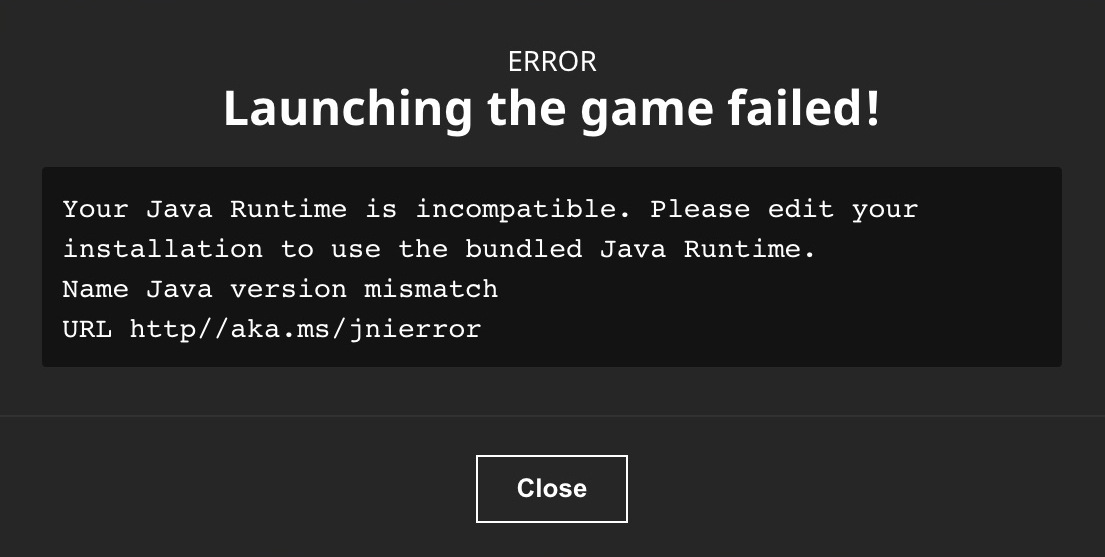
Duplicate of MCL-18306
Duplicate of MCL-18306

Check MCL-18306
Thank you for your report!
We're tracking this issue in MCL-18306, so this ticket is being resolved and linked as a duplicate.
If you would like to add a vote and any extra information to the main ticket it would be appreciated.
If you haven't already, you might like to make use of the search feature to see if the issue has already been mentioned.
Quick Links:
📓 Bug Tracker Guidelines – 💬 Community Support – 📧 Mojang Support
📓 Project Summary – ✍️ Feedback and Suggestions – 📖 Game Wiki
– I am a bot. This action was performed automatically! The ticket was resolved by one of our moderators, and I left this message to give more information to you.
Thank you for your report!
We're tracking this issue in MCL-18306, so this ticket is being resolved and linked as a duplicate.
If you would like to add a vote and any extra information to the main ticket it would be appreciated.
If you haven't already, you might like to make use of the search feature to see if the issue has already been mentioned.
Quick Links:
📓 Bug Tracker Guidelines – 💬 Community Support – 📧 Mojang Support
📓 Project Summary – ✍️ Feedback and Suggestions – 📖 Game Wiki
– I am a bot. This action was performed automatically! The ticket was resolved by one of our moderators, and I left this message to give more information to you.
The bug
When launching the game with an incompatible Java Runtime (see also MCL-18306), the error message uses an HTTP instead of HTTPS link for http://aka.ms/jnierror.
Side note: It happened a few times now already that aka.ms links use HTTP (mostly seen in blog posts), so please fix the tool generating the aka.ms links to use HTTPS.
this could be because of MCL-18306

@Dylan Bannerman I checked
MCL-18306but my launcher doesn't open in the first place
Thank you for your report!
We're tracking this issue in MCL-18306, so this ticket is being resolved and linked as a duplicate.
If you would like to add a vote and any extra information to the main ticket it would be appreciated.
If you haven't already, you might like to make use of the search feature to see if the issue has already been mentioned.
Quick Links:
📓 Bug Tracker Guidelines – 💬 Community Support – 📧 Mojang Support
📓 Project Summary – ✍️ Feedback and Suggestions – 📖 Game Wiki
– I am a bot. This action was performed automatically! The ticket was resolved by one of our moderators, and I left this message to give more information to you.
@Zgajak
Hi!
Java was already updated to the latest available version, but I uninstalled and reinstalled it to be safe and there was no change to my issue since it had to do with the included JRE.
I pointed Minecraft to run from my system's java executable and encountered MCL-18306 which required me to delete the JavaCheck.jar file in the game directory for the Minecraft Launcher installation. Post-JavaCheck.jar deletion, the game booted.
This does not solve the initial cause of MCL-21565 which seems to stem from a failed file download. The file JabSwitch.exe does exist in the filesystem under ..\runtime\java-runtime-gamma\windows-x64\java-runtime-gamma\bin, but registers as an empty file with a size of 0B, consistent with @TouchierDwarf125 having a copy of "splashcreen.dll" that is 0B in size.
Relavant Warnings
// [Info: 2022-08-08 19:15:05.2248170: NetQueue.cpp(664)] NetQueue: Starting net action https://piston-data.mojang.com/v1/objects/40b059dfddf5e74e248db4aff2f05dd25e33368e/jabswitch.exe
[Info: 2022-08-08 19:15:05.3194473: LauncherAppRenderer.cpp(289)] MCLauncher.triggerUpdateEvent("coreEvent.downloads");
[Info: 2022-08-08 19:15:34.6209802: NetQueue.cpp(664)] NetQueue: Starting net action https://launchercontent.mojang.com/
[Info: 2022-08-08 19:15:34.7959324: NetQueue.cpp(484)] NetQueue: Primary ip: 2620:1ec:27::cafe:1867, Host: launchercontent.mojang.com
[Info: 2022-08-08 19:15:34.7959932: NetQueue.cpp(573)] NetQueue: Action finished: https://launchercontent.mojang.com/
[Warning: 2022-08-08 19:15:34.7960425: NetQueue.cpp(602)] Action https://launchercontent.mojang.com/ failed in response handler. response code: 404 - error string: '
See also
// [Warning: 2022-08-08 19:20:09.3525045: PistonInstaller.cpp(438)] Download operation for file "'<APPDIR>\Minecraft Launcher\runtime\java-runtime-gamma\windows-x64_staging\869fc0b687986ea26b8ff63c137e03c92234a5c8'" failed with error: FAILED_TO_DOWNLOAD - Operation too slow. Less than 30 bytes/sec transferred the last 60 seconds
[Info: 2022-08-08 19:20:09.3525886: NetQueue.cpp(484)] NetQueue: Primary ip: 2606:2800:11f:1cb7:261b:1f9c:2074:3c, Host: piston-data.mojang.com
[Info: 2022-08-08 19:20:09.3526162: NetQueue.cpp(503)] NetQueue: Action timed out: https://launcher.mojang.com/v1/objects/40b059dfddf5e74e248db4aff2f05dd25e33368e/jabswitch.exe
Please Advise.
Edit: I have reason to believe that the issue is directly correlated to IPV6 issues. After disabling IPV6 on my router, I was able to successfully download the missing file nearly instantaneously, and boot into Minecraft as normal.
Cursory research leads me to believe this may either be a general IPV6 issue, an issue with intel NICs, or a combination of both. Further testing required
Hi again, your error message looks like MCL-18306. Does this bug describe your issue?
Can reproduce with non-Oracle versions of Java - running Minecraft with AdoptOpenJDK or Liberica JDK/JRE results in the same error. Minecraft worked perfectly fine with these versions until the launcher update.
I'm having A similar issue. I set the Java exetubable path to /usr/lib/jvm/java-16-openjdk-amd64/bin/java (that's Linux, sorry if you're unfamiliar with that) for 1.16.5 and it worked flawlessly before the launcher update.
This also impacts using AdoptOpenJDK 16 to launch a modded 1.16.5 game. Worked just fine yesterday. Deleting "C:\Program Files (x86)\Minecraft Launcher\game\JavaCheck.jar" did allow me to launch the game.
Confirmed on a Windows Server 2019 machine, The minecraft launcher has a broken java checker where it cannot detect newer java versions properly without thinking it's outdated in one way or another. + Any other version that however meets the JDK 16 context also fails to launch and thous requires the java-checker to be removed in order to run.
EDIT: Older versions of Minecraft such as 1.16.5 can also no longer run newer java versions as javacheck.jar also now blocks them entirely aswell.
Can confirm this bug also
Can confirm on 2.2.3201 on Windows 10. Very annoying as I can't even use ZGE anymore with Mojang's java 16 version
I can also confirm for 2.2.3201 on Windows 10, trying to use Java JDK 16.0.1 to play Optifine 1.16.5, which I had been doing successfully since the Java 16 requirement for 1.17 was announced. I signed up for an account here to report this, but will instead throw in with this issue report.
EDIT to add: I applied the workaround by renaming JavaCheck.jar to JavaCheck.jar.disabled, and that's got it working again.
I then wondered if creating an empty folder named JavaCheck.jar would block updates from re-breaking it, or if that would cause errors, so I tried it. I got an "Unable to access jarfile" error complaining about it when I click Play, but the game launched fine otherwise. I decided it was too annoying so I deleted the empty folder. No idea if it would have blocked updates of the jar file. I'm just going to hope this issue is fixed by the next Launcher update.
Confirmed on 2.2.3201 windows 10 with Fabric 1.16.1 installed with Oracle Java 16 JDK. Removing JavaCheck.jar seems to solve this issue
Given that JavaCheck.jar basically just outputs java.version as a string, it looks like something in the launcher changed how it's handling those version strings.
The following is output from my system's embedded and AdoptOpenJdk JREs java.version strings.
My best guess is that it's a 1.15 vs 15 issue, but without writing some further code I can't confirm that yet.
I have similar problem with older versions of MC and different java version than bundled 1.8, reported as
MCL-18710:the installed java version (1.11) is marked as incompatible with versions 1.7-1.16, while they all were playable with java 1.11.
Edit: removing JavaCheck.jar helped me too.
Launcher version 2.2.3555 just got pushed to me on Windows 10, and reverted the work-around (as expected). Re-applying the work-around worked.
Using launcher 2.2.3555 and see this issue too.
It seems the version check is now for a specific java version, where I suspect it used to be an 'at least or greater' version. I see this in the launcher log where this previously worked fine with JDK11, JDK14, etc:
Java 17 was released today, so this should be fixed because Java 17 does not work.
The Java Minecraft Launcher updated (at least on Windows 10) today ((says September 19th for Launcher 2.2.5519, Bootstrap 1037 on September 15, and UI 7764 on September 19), but I was running it over the weekend (September 25-26) with the work-around and no update was applied) and undid the work-around (removing/renaming JavaCheck.jar).
I can confirm that I am also having this issue today, Sat Oct 9th, 2021. When trying to launch Minecraft when using the java-17-openjdk-amd64 on Ubuntu it fails to start giving the following error.
Reverting to java-16-openjdk-amd64 via the update-alternatives command fixes the issue. However this is only a workaround. Newer versions of Java should ALWAYS be supported. Especially in this case since Java 17 is a Long Term Support release.
I do this and I receive the GLFW error 65542 OpenGL error. Is there a way to fix this?
I can't reproduce it in 2.2.7207(Windows), can someone confirm it?Still present for me on 2.2.7205 macOS, which seems to be the latest version I can get even with beta versions turned on.
I just checked it with the latest launcher on Linux and Java 17. This issues still exists. Please reopen.
Can confirm issue still present after updating to 2.2.7206 (Windows). That seems to be the latest for me, released only early this morning (Nov 2).
Issue present in...
Windows 10.0 2.2.7265
Tuesday, November 2, 2021, 2:47:51 PM
Windows Version 6.3 2.2.7265 (2021-11-03) is affected too.
But this time I didn't just delete JavaCheck.jar but created an empty file with the same name instead and set its read only attribute.
Minecraft starts without issues this way (no error message or anything).
Hopefully this will keep future launcher updates from re-inserting JavaCheck.jar (next step would be to remove read-only attribute and reduce access rights with eg. NTFS user rights).Creating an empty read-only JavaCheck.jar keeps the MC launcher from updating itself and thus from launching altogether until the offending file is removed (or made writable again)
Also affected version 10.0 2.2.7447 just now. Work-around still working.
Confirm, still happening. "
Ubuntu 20.04.3 LTS x86_64
Workaround is working.
As of today, 12/15/2021 with the latest launcher, this bug is still in effect. Whenever the launcher updates, I have to re-delete JavaCheck in order to use my own JRE without the game immediately crashing.
Beware: In Windows 10 Home edition, the current Minecraft Launcher that has no visible EXE in the file system, and launches the newest Minecraft Java Edition which is currently 1.8.1, seems to have no JavaCheck.jar to be deleted, according to Windows Search on "This PC" (because I believe I deleted it along with the rest of the old exe-based version of the Launcher), and yet I'm getting the very similar "jni error has occurred" error message, which took the place of the error message in this ticket, after I updated to newest jdk and jre – at present jdk-17.0.1 and jre1.8.0_311. Even so, I can launch Minecraft 1.6.2 fine when selecting that in the Launcher's dropdown.
In other words, beware that there is something in the details of (how this workaround is done, or the newest Minecraft Launcher, or related to how PATH is set up, or related to updating jdk and jre separately, I don't know yet) that seemed to cause the workaround to create another (very similar) jni-related crash problem, when launching Minecraft 1.8.1.
I figure this can be solved by uninstalling the newer jdk and/or jre and installing the exact version(s) that Minecraft 1.8.1 expects, whatever that might be.
Nathan Peirce The JavaCheck.jar for the new launcher is located at "%userprofile%\AppData\Local\Packages\Microsoft.4297127D64EC6_8wekyb3d8bbwe\LocalCache\Local\game"
I'm on Mac, it STILL doesn't work, the error still pops up, is there anything else I can do?
This has recently started happening to me on 1.8.9. I'm using the latest version of java 8 (jre 1.8.0_351).
1.7.10 is also affected.
I'm NOT going to run bundled mammoth's dump old versions of Java on my system.
Does anyone know of a "permanent" workaround of this issue? I can't play the game if JavaCheck.jar isn't deleted (Using Java 17 on version 1.16.1). But I have to delete this file every time the launcher updates and redownloads the file. Just want to stop playing whack-a-mole with JavaCheck.jar...
I have another variation on this bug:
Even if the runtime version is correct it seems it can be parsed incorrectly - if I change majorVersion in the version json file to 1 it launches.
This bug has been around for 2 years, and yet nothing has been done to fix it? If I'm not missing anything, has anything ever been done to look at this simple bug, like I feel like modifying the JavaCheck to include newer versions of either the JRE or JDK, it would be fixed by now. Especially considering, the version that is supported by the JavaCheck is before a major security update, leaving this game wide open to a major security flaw...
It is still happening with me.
(Version of MC 1.20.1)
For anyone running into this: we need some system info from you; please contact support as a next step: https://aka.ms/MCLauncherSupport
Confirmed for 2.4.104.


System Info
OS: Windows 11 Pro 64-bit version 22H2 build 22621.1848
Java Version: 20.0.1 64-Bit
RAM: 64GB
CPU: Intel® Core™ i9-9900K
GPU: NVIDIA GeForce RTX 3080
GL Version: 3.27.0.112 NVIDIA 536.23
New option "Skip Java runtime version check" has been added to new installation window.
Closing as fixed.