![[Noxcrew] Arsenic](../../../data/avatars/users/22742.png) [Noxcrew] Arsenic
[Noxcrew] Arsenic
 MC-63058
![[Mojang] Grum (Erik Broes)](../../../data/assets/gravatar/grum.png)
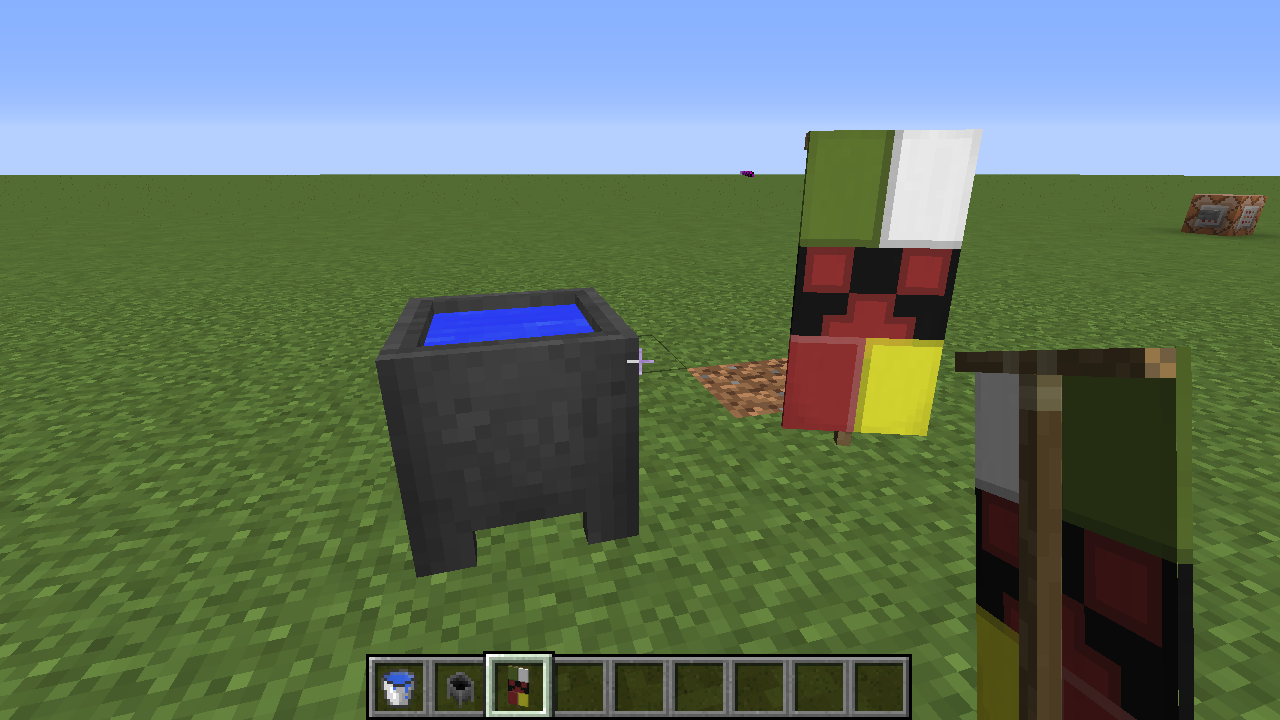
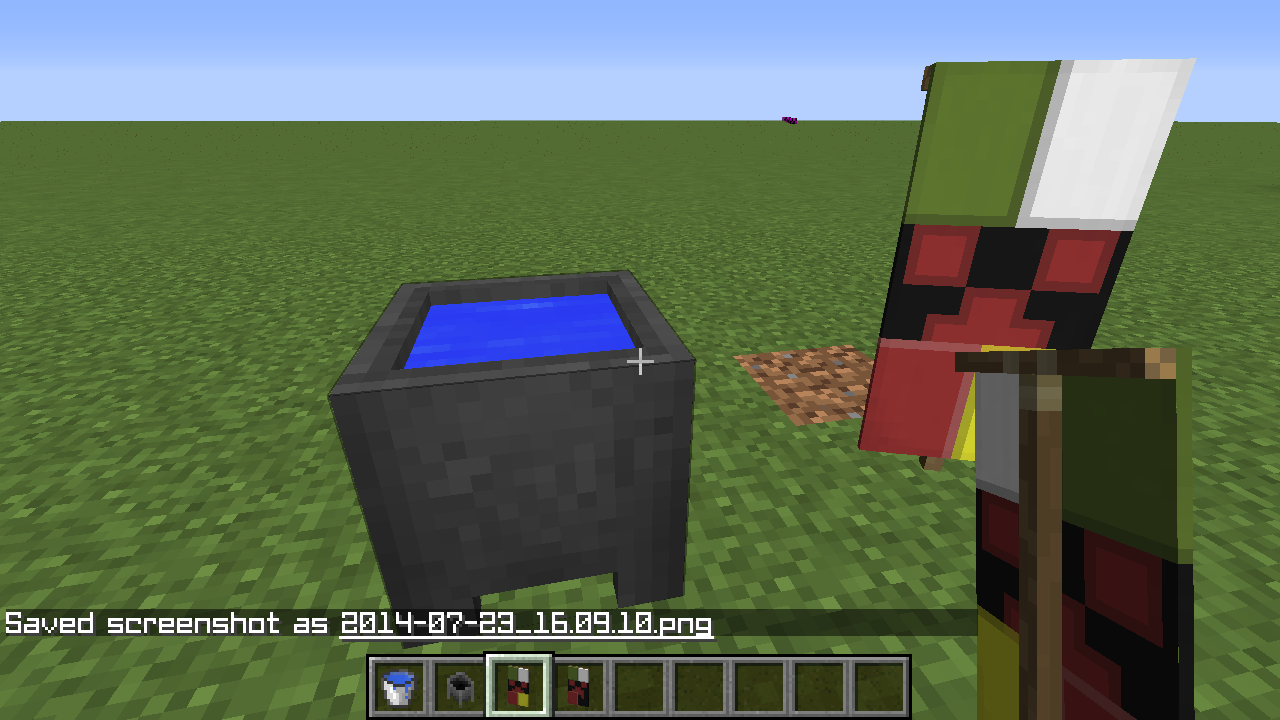
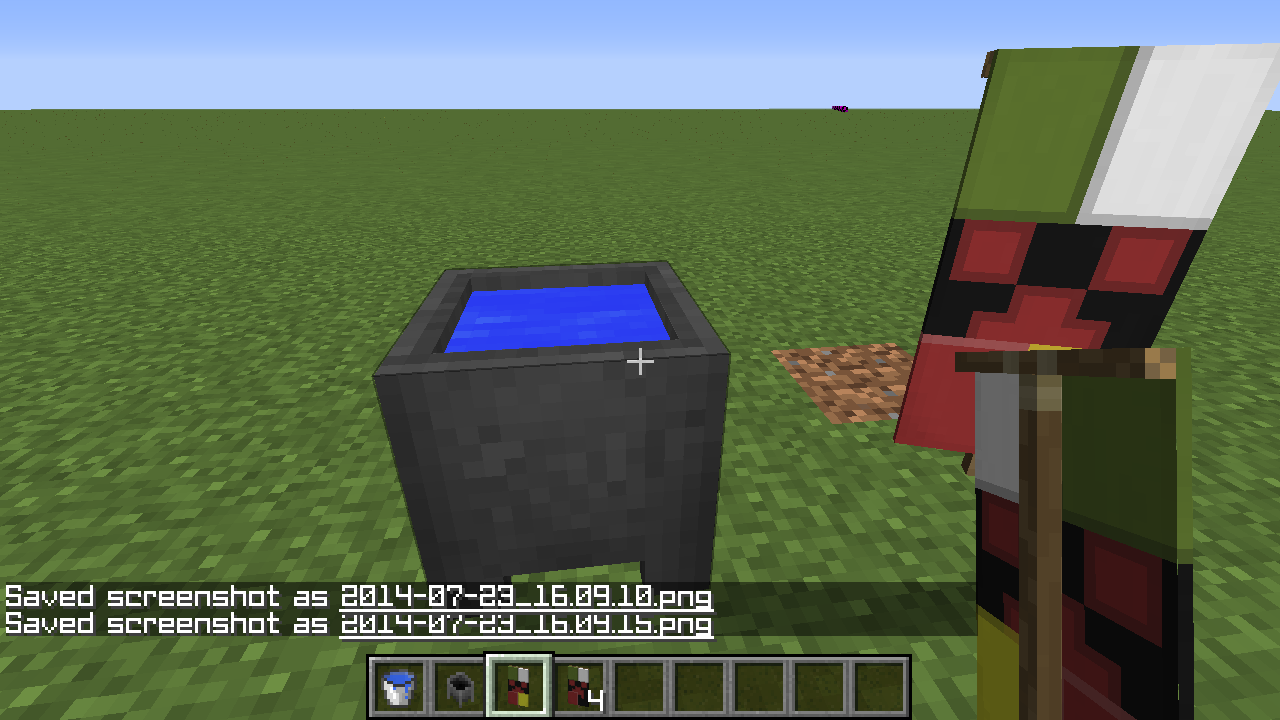
When right clicking a cauldron with a died Banner to wash it.
It cleans the last dyed section but does not remove the original. This allows you to duplicate the Banner.Fix would be to "remove" the original when giving a cleaned version of the banner
What I expected to happen was...:
Clears the latest added Dyed partWhat actually happened was...:
Cleared the latest part but I kept the part I already have, meaning I now have two bannersSteps to Reproduce:
1. Dye a Banner
2. Right clicking a cauldron (filled with water) with a dyed Banner to wash it.
3. You get given a cleaned banner, but the unwashed banner is still in your inventoryFix would be to "remove" the original when giving a cleaned version of the banner
– System Details –
Details:
Minecraft Version: 1.7.4
Operating System: Windows 7 (x86) version 6.1
Java Version: 1.7.0_45, Oracle Corporation
Java VM Version: Java HotSpot(TM) Client VM (mixed mode, sharing), Oracle Corporation
Memory: 39593144 bytes (37 MB) / 178597888 bytes (170 MB) up to 518979584 bytes (494 MB)
JVM Flags: 2 total; -XX:HeapDumpPath=MojangTricksIntelDriversForPerformance_javaw.exe_minecraft.exe.heapdump -Xmx512M
AABB Pool Size: 39264 (2198784 bytes; 2 MB) allocated, 5 (280 bytes; 0 MB) used
IntCache: cache: 0, tcache: 0, allocated: 13, tallocated: 95
Launched Version: 1.7.4
LWJGL: 2.9.1
OpenGL: ATI Mobility Radeon HD 4300 Series GL version 3.3.11653 Compatibility Profile Context, ATI Technologies Inc.
GL Caps: Using GL 1.3 multitexturing.
Using framebuffer objects because OpenGL 3.0 is supported and separate blending is supported.
Anisotropic filtering is supported and maximum anisotropy is 16.
Shaders are available because OpenGL 2.1 is supported.Is Modded: Probably not. Jar signature remains and client brand is untouched.
Type: Client (map_client.txt)
Resource Packs: []
Current Language: English (US)
Profiler Position: N/A (disabled)
Vec3 Pool Size: 125 (7000 bytes; 0 MB) allocated, 19 (1064 bytes; 0 MB) used
Anisotropic Filtering: Off (1)
MC-83883I believe this to be the same bug and now fixed.
Comment refers to the lastest images uploaded. Without seeing the pack I cannot confirm this but what I believe it to be is that you are displacing both faces at the same place causing z-fighting. To solve this you'd have to remove on of the faces, I will give an example;
{"elements":[{
{ "uv": [ 0, 0, 16, 16 ], "texture": "#texture" }"from": [ 0, 0, 0 ],"to": [ 0.0005, 16, 16 ],
"faces": {"west":
,"east":
{ "uv": [ 0, 0, 16, 16 ], "texture": "#texture" }}}]}
and change it to
{"elements":[{
{ "uv": [ 0, 0, 16, 16 ], "texture": "#texture" }"from": [ 0, 0, 0 ],"to": [ 0.0005, 16, 16 ],
"faces": {"west":
}}]}
That would solve it, if it is what I believe it to be.
The solution is easy,
on the model change one of the "9.6" to "9.6005" or something similar to that and it will bring the two faces slightly apart from each other.
I cannot get it to replicate in game on vanilla items so I believe this is an error on your behalf, following my instructions should help.