 AwesomeNinja886
- awesomeninja886
- awesomeninja886
- America/Kentucky/Louisville
- Yes
- No
 MCPE-34049
 MC-137549
 MCD-4099
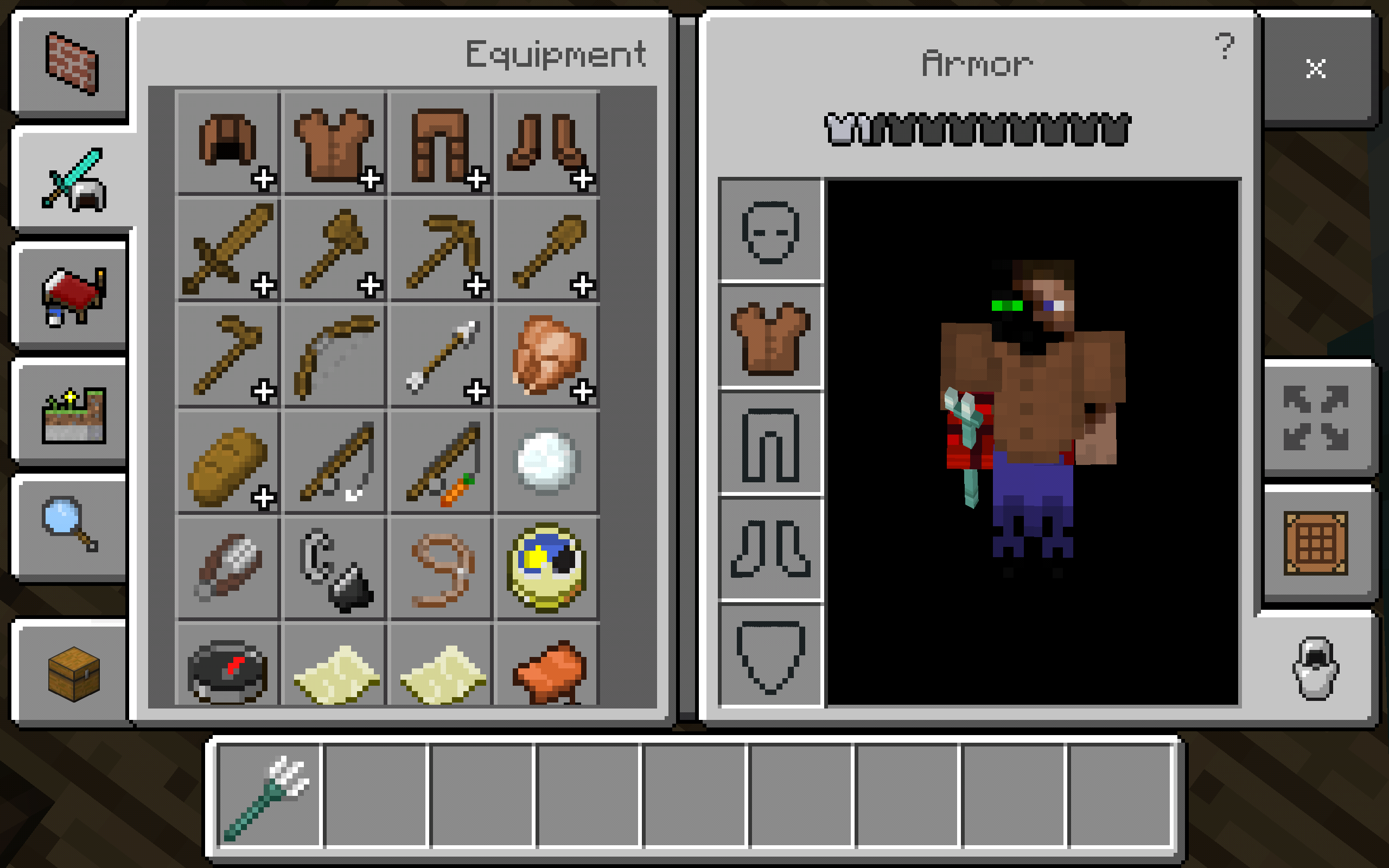


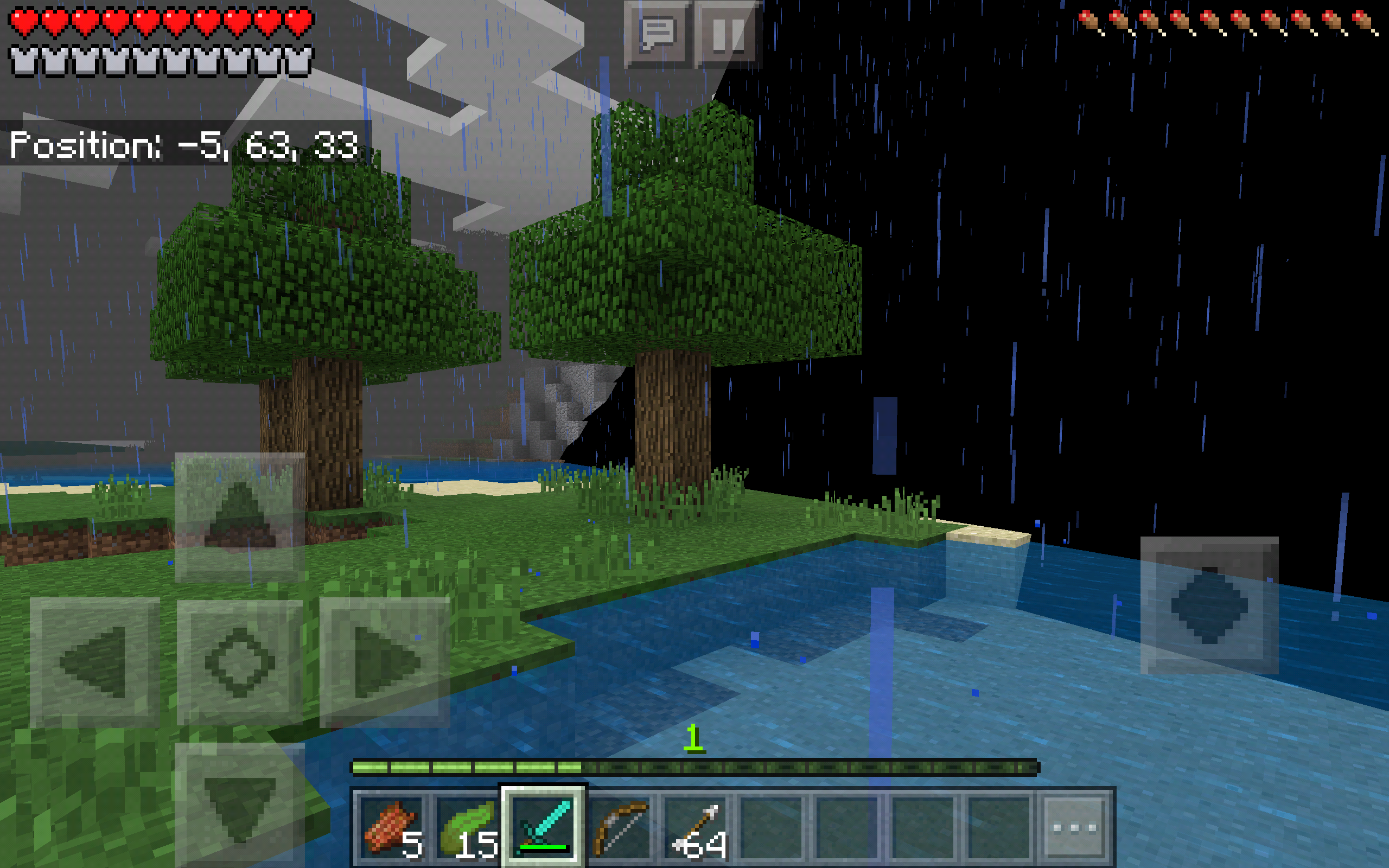


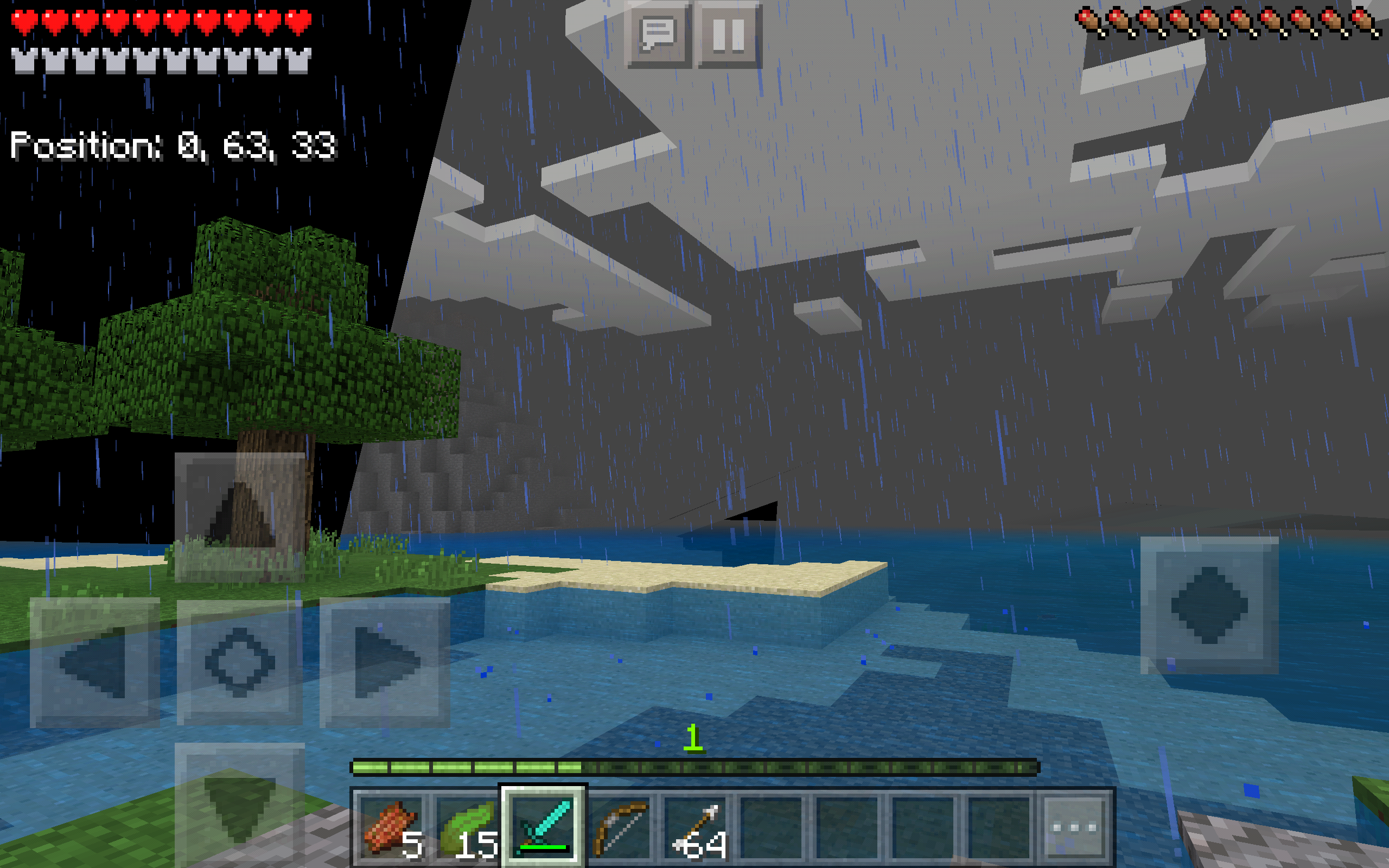
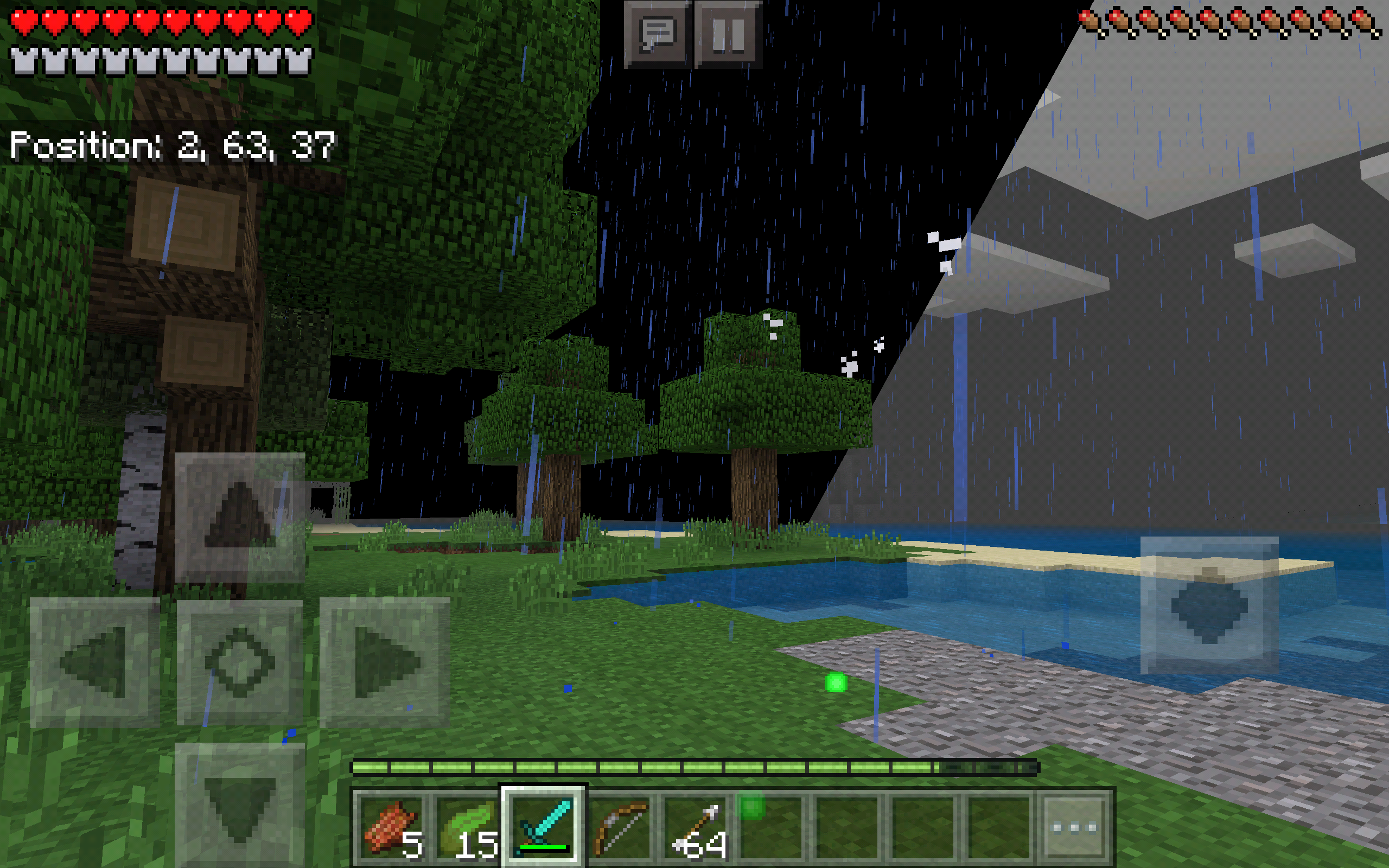

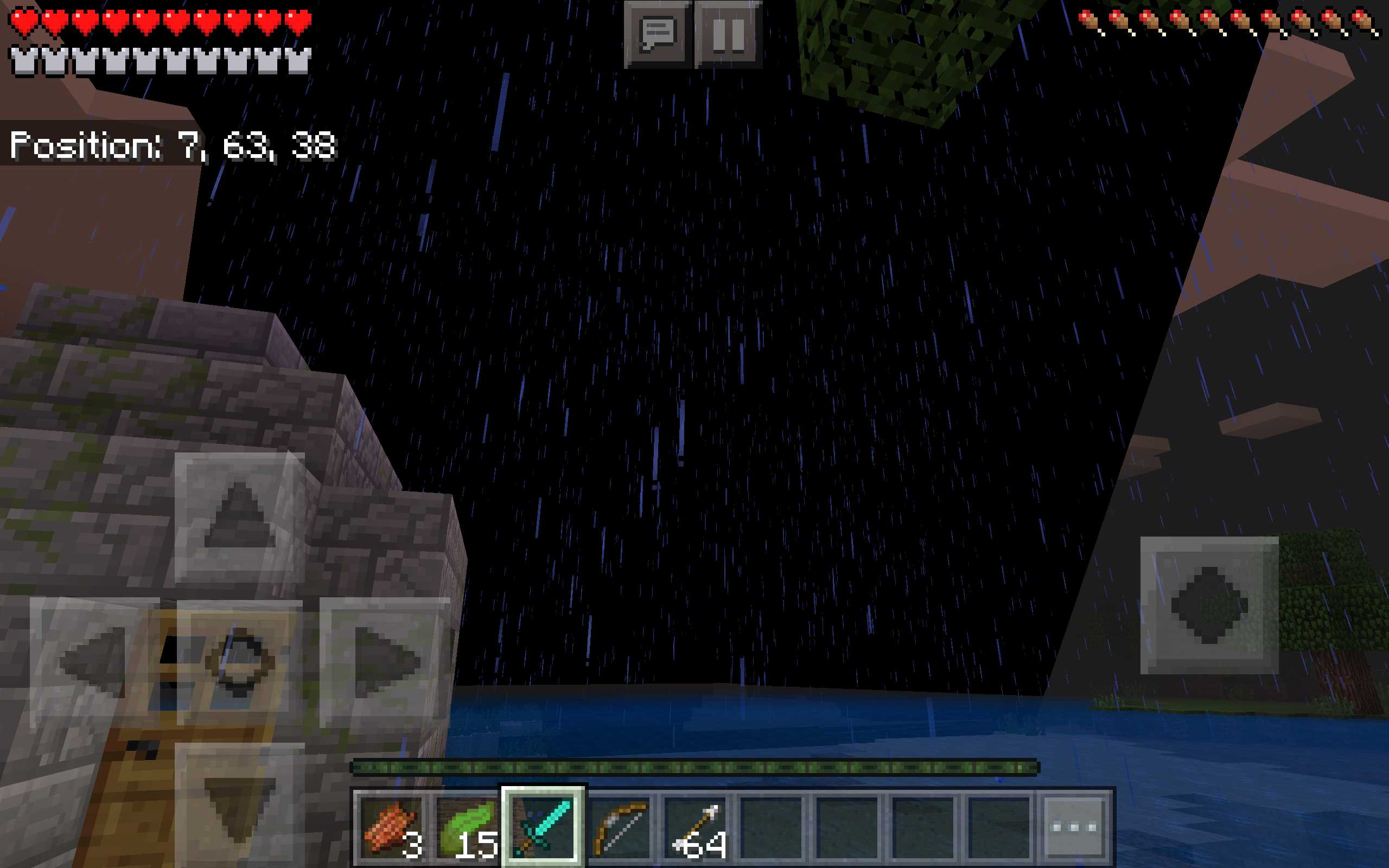

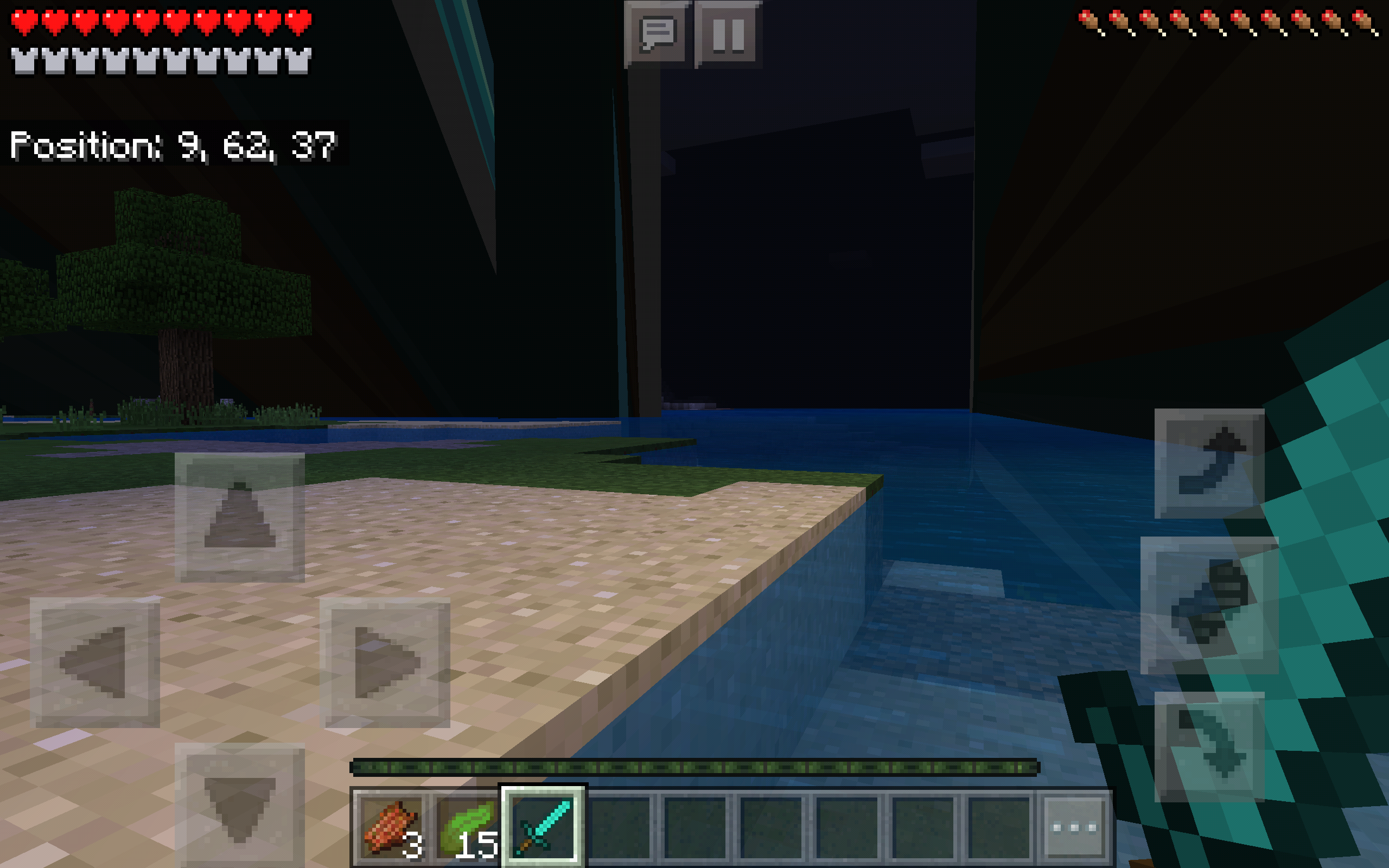

Back when I first played Pocket Edition, 3 or 4 years ago, there was a dark wall that would sometimes appear. It could push me around and was at least 50 blocks tall. It stopped appearing after a while. Now it has returned, using some Drowned as hosts. The downside to that is it cannot push me without it's Drowned host. The overlay on the arms and legs is gone and it does not have armor or weapons. The Dark Wall is powerful, but weakened. I should have taken it as a warning when, a few days earlier, it used an Enderman as a host for a few seconds, likely to build up it's strength. I killed some of it's hosts, but it is sure to find others.
I need your help in stopping this threat to Minecraft itself.
Back when I first played Pocket Edition, 3 or 4 years ago, there was a dark wall that would sometimes appear. It could push me around and was at least 50 blocks tall. It stopped appearing after a while. Now it has returned, using some Drowned as hosts. The downside to that is it cannot push me without it's Drowned host. The overlay on the arms and legs is gone and it does not have armor or weapons.
The Dark Wall is powerful, but weakened.I should have taken it as a warning when, a few days earlier, it used an Enderman as a host for a few seconds, likely to build up it's strength. I killed some of it's hosts, but it is sure to find others.Back when I first played Pocket Edition, 3 or 4 years ago, there was a dark wall that would sometimes appear. It could push me around and was at least 50 blocks tall. It stopped appearing after a while. Now it has returned, using some Drowned as 'hosts'. The downside to that is it cannot push me without it's Drowned host. The overlay on the arms and legs is gone and it does not have armor or weapons. I should have taken it as a warning when, a few days earlier, it used an Enderman as a host for a few seconds. I killed some of it's hosts, but it is sure to find others (AKA the glitch is likely to happen again).
Back when I first played Pocket Edition, 3 or 4 years ago, there was a dark wall that would sometimes appear. It could push me around and was at least 50 blocks tall. It stopped appearing after a while. Now it has returned, using some Drowned as 'hosts'. I left it charging for a few minutes when I saw it. The downside to that is it cannot push me without it's Drowned host. The overlay on the arms and legs is gone and it does not have armor or weapons. I should have taken it as a warning when, a few days earlier, it used an Enderman as a host for a few seconds. I killed some of it's hosts, but it is sure to find others (AKA the glitch is likely to happen again).
Back when I first played Pocket Edition, 3 or 4 years ago, there was a dark wall that would sometimes appear. It could push me around and was at least 50 blocks tall. It stopped appearing after a while. Now it has returned, using some Drowned as 'hosts'. I left it charging for a few minutes when I saw it. The downside to that is it cannot push me without it's Drowned host. The overlay on the arms and legs is gone and it does not have armor or weapons. I should have taken it as a warning when, a few days earlier, it used an Enderman as a host for a few seconds (not as tall though). I killed some of it's hosts, but it is sure to find others (AKA the glitch is likely to happen again).
Back when I first played Pocket Edition, 3 or 4 years ago, there was
adark wall that would sometimes appear. It could push me around and was at least 50 blocks tall. It stopped appearing after a while. Now it has returned, using some Drowned as 'hosts'. I left it charging for a few minutes when I saw it. The downside to that is it cannot push me without it's Drowned host. The overlay on the arms and legs is gone and it does not have armor or weapons. I should have taken it as a warning when, a few days earlier, it used an Enderman as a host for a few seconds (not as tall though). I killed some of it's hosts, but it is sure to find others (AKA the glitch is likely to happen again).Back when I first played Pocket Edition, 3 or 4 years ago, there was this dark wall that would sometimes appear. It could push me around and was at least 50 blocks tall. It stopped appearing after a while. Now it has returned, using some Drowned as 'hosts'. I left it charging for a few minutes when I saw it. The downside to that is it cannot push me without it's Drowned host. The overlay on the arms and legs is gone and it does not have armor or weapons. I should have taken it as a warning when, a few days earlier, it used an Enderman as a host for a few seconds (not as tall though). I killed some of it's hosts, but it is sure to find others (AKA the glitch is likely to happen again).
Back when I first played Pocket Edition, 3 or 4 years ago, there was this dark wall that would sometimes appear. It could push me around and was at least 50 blocks tall (no joke, though I was in survival and could not accurately measure how tall it was). It stopped appearing after a while. Now it has returned, using some Drowned as 'hosts'. I left it charging for a few minutes when I saw it. The downside to that is it cannot push me without it's Drowned host. The overlay on the arms and legs is gone and it does not have armor or weapons. I should have taken it as a warning when, a few days earlier, it used an Enderman as a host for a few seconds (not as tall though). I killed some of it's hosts, but it is sure to find others (AKA the glitch is likely to happen again).
Back when I first played Pocket Edition, 3 or 4 years ago, there was this dark wall that would sometimes appear. It could push me around and was at least 50 blocks tall (no joke, though I was in survival and could not accurately measure how tall it was). It stopped appearing after a while. Now it has returned, using some Drowned as 'hosts'n. I left it charging for a few minutes when I saw it. The downside to that is it cannot push me without it's Drowned host. The overlay on the arms and legs is gone and it does not have armor or weapons. I should have taken it as a warning when, a few days earlier, it used an Enderman as a host for a few seconds (not as tall though). I killed some of it's hosts, but it is sure to find others (AKA the glitch is likely to happen again).
Back when I first played Pocket Edition, 3 or 4 years ago, there was this dark wall that would sometimes appear. It could push me around and was at least 50 blocks tall (no joke, though I was in survival and could not accurately measure how tall it was). It stopped appearing after a while. Now it has returned, using some Drowned as 'hosts'
n.I left it charging for a few minutes when I saw it. The downside to that is it cannot push me without it's Drowned host. The overlay on the arms and legs is gone and it does not have armor or weapons. I should have taken it as a warning when, a few days earlier, it used an Enderman as a host for a few seconds (not as tall though). I killed some of it's hosts, but it is sure to find others (AKA the glitch is likely to happen again).Back when I first played Pocket Edition, 3 or 4 years ago, there was this dark wall that would sometimes appear. It could push me around and was at least 50 blocks tall (no joke, though I was in survival and could not accurately measure how tall it was). It stopped appearing after a while. Now it has returned, using some Drowned as 'hosts' (also in survival). I left it charging for a few minutes when I saw it. The downside to that is it cannot push me without it's Drowned host. The overlay on the arms and legs is gone and it does not have armor or weapons. I should have taken it as a warning when, a few days earlier, it used an Enderman as a host for a few seconds (not as tall though). I killed some of it's hosts, but it is sure to find others (AKA the glitch is likely to happen again).
Back when I first played Pocket Edition, 3 or 4 years ago, there was this dark wall that would sometimes appear. It could push me around and was at least 50 blocks tall (no joke, though I was in survival and could not accurately measure how tall it was). It stopped appearing after a while. Now it has returned, using some Drowned as 'hosts' (also in survival). I left it charging for a few minutes when I saw it. The d
ownside to that isit cannot push me without it's Drowned host. The overlay on the arms and legs is gone and it does not have armor or weapons. I should have taken it as a warning when, a few days earlier, it used an Enderman as a host for a few seconds (not as tall though). I killed some of it's hosts, but it is sure to find others (AKA the glitch is likely to happen again).Back when I first played Pocket Edition, 3 or 4 years ago, there was this dark wall that would sometimes appear. It could push me around and was at least 50 blocks tall (no joke, though I was in survival and could not accurately measure how tall it was). It stopped appearing after a while. Now it has returned, using some Drowned as 'hosts' (also in survival). I left it charging for a few minutes when I saw it. The difference between this and the one I saw 3 or 4 years ago is this it shows some of the Drowned arm textures very long, and it cannot push me without it's Drowned host. The overlay on the arms and legs is gone and it does not have armor or weapons. I should have taken it as a warning when, a few days earlier, it used an Enderman as a host for a few seconds (not as tall though). I killed some of it's hosts, but it is sure to find others (AKA the glitch is likely to happen again).
Textures stretch / glitch on drowned (or enderman) (50-block tall Dark Wall)
Textures stretch / glitch on drowned(or enderman)(50-block tall Dark Wall)Textures stretch / glitch on drowned (50-block tall Dark Wall) or enderman (shorter wall)
Textures stretch/glitch on drowned (50-block tall Dark Wall) or enderman (shorter wall)
My sister found this bug several months ago. This is what she said about it:
"When I look up, it looks down, and vice versa. I tried deleting the app and re-installing it, but the glitch continues to happen."
I think the reason it is not happening to me is because I think mine is a 4th generation and hers is a 3rd generation. I can confirm this is happening because I have seen it at least once. I cannot give you screenshots because it is not my device. My sister is very annoyed by this and doesn't play MCPE often for that reason. I have not experienced this glitch but I con 100% confirm this happens.
My sister found this bug several months ago. This is what she said about it:
"When I look up, it looks down, and vice versa. I tried deleting the app and re-installing it, but the glitch continues to happen."
I think the reason it is not happening to me is because I think mine is a 4th generation and hers is a 3rd generation. I can confirm this is happening because I have seen it at least once. I cannot give you screenshots because it is not my device. My sister is very annoyed by this and doesn't play MCPE often for that reason. I have not experienced this glitch but I c
on 100% confirm this happens.My sister found this bug several months ago. This is what she said about it:
"When I look up, it looks down, and vice versa. I tried deleting the app and re-installing it, but the glitch continues to happen."
I think the reason it is not happening to me is because I think mine is a 4th generation and hers is a 3rd generation. I can confirm this is happening because I have seen it at least once. I cannot give you screenshots because it is not my device. My sister is very annoyed by this and doesn't play MCPE often for that reason. I have not experienced this glitch but I can 100% confirm this happens.
I want to make an aquarium with kelp/seagrass. But when I try to place it in manually-placed water, the kelp/seagrass isn't waterlogged, breaking the kelp/seagrass. Oddly enough, you can only place ONE kelp with commands in this situation. If you try to place another directly on top, it will break both. I can't provide any visual evidence because I have no screen recorder. This does not affect Sea Pickles nor does it happen in naturally generated water..
I want to make an aquarium with kelp/seagrass. But when I try to place it in manually-placed water, the kelp/seagrass isn't waterlogged, breaking the kelp/seagrass. Oddly enough, you can only place ONE kelp with commands in this situation. If you try to place another directly on top, it will break both. I can't provide any visual evidence because I have no screen recorder. This does not affect Sea Pickles nor does it happen in naturally generated water.
.
The Problem:
I found a New_Village with /locate. I clicked the destination to /tp to the area. It filled in the command for me. I pressed ENTER and it just showed the void. Then my game crashed. I ignored it, re-opened the game, and played the same world. It crashed again. I looked at the crash report, which was like 3 lines. I copied it, but I had to copy something else* and could not commit it to memory.
*=the first two sentences of the text you're reading now, if you want to know. I accidentally put it under Environment
The Problem:
I found a New_Village with /locate. I clicked the destination to /tp to the area. It filled in the command for me. I pressed ENTER and it just showed the void. Then my game crashed. I ignored it, re-opened the game, and played the same world. It crashed again. I looked at the crash report, which was like 3 lines. I copied it, but I had to copy something else* and could not commit it to memory.
{{}}
*=the first two sentences of the text you're reading now, if you want to know. I accidentally put it under Environment
The Problem:
I found a New_Village with /locate. I clicked the destination to /tp to the area. It filled in the command for me. I pressed ENTER and it just showed the void. Then my game crashed. I ignored it, re-opened the game, and played the same world. It crashed again. I looked at the crash report, which was like 3 lines. I copied it, but I had to copy something else* and could not commit it to memory.
{{}}
*=the first two sentences of the text you're reading now, if you want to know. I accidentally put it under Environment
The Problem:
I found a New_Village with /locate. I clicked the destination to /tp to the area. It filled in the command for me. I pressed ENTER and it just showed the void. Then my game crashed. I ignored it, re-opened the game, and played the same world. It crashed again. I looked at the crash report, which was like 3 lines. I copied it, but I had to copy something else* and could not commit it to memory.EDIT: I tried this again, and the report was this:
The game crashed whilst ticking memory connection
Error: java.lang.AbstractMethodError: bxx$$Lambda$1057/1198265211.a(Lcom/mojang/datafixers/Dynamic;)Ljava/lang/Object;*=the first two sentences of the text you're reading now, if you want to know. I accidentally put it under Environment
My issue similar to this on the Giant was resolved because Giants are not supported and I didn't know that at the time. Since Giants now use Zombie AI, I checked to see if it worked on zombies, and it did.
How to reproduce:
- Use /fill to create a 1-block thick platform of stone (I used 35x35)
- /summon a Zombie (or Giant)
- Watch as it falls THROUGH the platform into the void
Expected Result:
- The zombie (or Giant) would LAND ON the stone platform and walk around
Actual Result:
- The Zombie (or Giant) PHASED THROUGH the stone platform, took damage as if it was stuck in gravel or sand, and fell through into the void.
I'm pretty sure it's not supposed to do that.
My issue similar to this on the Giant was resolved because Giants are not supported and I didn't know that at the time. Since Giants now use Zombie AI, I checked to see if Zombies also phased through the platform, and it did. I repeated the process with both Giants AND Zombies (which both fell through every time), summoned a Drowned and a Husk (neither of which fell through), and even landed on the platform myself (and I didn't fall through).
How to reproduce:
- Use /fill to create a 1-block thick platform of stone (I used 35x35)
- /summon a Zombie (or Giant)
- Watch as it falls THROUGH the platform into the void
Expected Result:
- The zombie (or Giant) would LAND ON the stone platform and walk around
Actual Result:
- The Zombie (or Giant) PHASED THROUGH the stone platform, took damage as if it was stuck in gravel or sand, and fell through into the void.
I'm pretty sure it's not supposed to do that.
My issue similar to this on the Giant was resolved because Giants are not supported and I didn't know that at the time. Since Giants now use Zombie AI, I checked to see if Zombies also phased through the platform, and it did. I repeated the process with both Giants AND Zombies (which both fell through every time), summoned a Drowned and a Husk (neither of which fell through), and even landed on the platform myself (and I didn't fall through).
How to reproduce:
- Use /fill to create a 1-block thick platform of stone (I used 35x35)
- /summon a Zombie (or Giant)
- Watch as it falls THROUGH the platform into the void
Expected Result:
- The zombie (or Giant) would LAND ON the stone platform and walk around
Actual Result:
- The Zombie (or Giant) PHASED THROUGH the stone platform, took damage as if it was stuck in gravel or sand, and fell through into the void.
I'm pretty sure it's not supposed to do that.
UPDATE: After about 200 Zombies and Giants falling into the void, all of a sudden it stopped happening. I don't know why.
I just bought the LEGO set and entered the code, but I can't find the skin. I entered the code on my Mac with the same Xbox Live account, but it doesn't work. Maybe it only installed on my virus-ridden Kindle Fire that lags too much to use (the resource packs I bought didn't transfer from Kindle to Xbox, but that
may bea different issue...)? The skin is nowhere to be seen.I just bought the LEGO set and entered the code, but I can't find the skin. I entered the code on my Mac with the same Xbox Live account, but it doesn't work. Maybe it only installed on my virus-ridden Kindle Fire that lags too much to use (the resource packs I bought didn't transfer from Kindle to Xbox, but that's probably a different issue...)? The skin is nowhere to be seen.
I just bought the LEGO set and entered the code, but I can't find the skin. I entered the code on my Mac with the same Xbox Live account, but it doesn't work. Maybe it only installed on my virus-ridden Kindle Fire that lags too much to use (the resource packs I bought didn't transfer from Kindle to Xbox, but that's probably a different issue...)? The skin is nowhere to be seen.
UPDATE: The skin actually was there, it just took 6,000 tries of opening and closing the store and skin selection to find it. It should have been there already...
LEGO Minecraft "Dragon Slayer" Skin(unlocked by code) is nowhere to be seenLEGO Minecraft "Dragon Slayer" Skin only shows up many minutes later
I just bought the LEGO set and entered the code, but I can't find the skin. I entered the code on my Mac with the same Xbox Live account, but it doesn't work. Maybe it only installed on my virus-ridden Kindle Fire that lags too much to use (the resource packs I bought didn't transfer from Kindle to Xbox, but that's probably a different issue...)? The skin is nowhere to be seen.
UPDATE: The skin actually was there, it just took 6,000 tries of opening and closing the store and skin selection to find it. It should have been there already...
I just bought the LEGO set and entered the code, but I can't find the skin.(UPDATE: it showed up much, much later) I entered the code on my Mac with the same Xbox Live account, but it doesn't work. Maybe it only installed on my virus-ridden Kindle Fire that lags too much to use (the resource packs I bought didn't transfer from Kindle to Xbox, but that's probably a different issue...)? The skin is nowhere to be seen.
UPDATE: The skin actually was there, it just took 6,000 tries of opening and closing the store and skin selection to find it. It should have been there already...
When Jappa updated the texture for zombies, he forgot one thing: the zombie's
shirt issupposed to match Steve's. Nowit doesn't. This bugs me a lot for some reason. Please update Steve.When Jappa updated the texture for zombies, he forgot one thing: the zombie's clothes are supposed to match Steve's. Now they don't. This bugs me a lot for some reason. Please update Steve (at least his clothes) to match the zombie.
Zombie'sShirtNo Longer Matches SteveZombie's Clothes No Longer Matches Steve
When Jappa updated the texture for zombies, he forgot one thing: the zombie's clothes are supposed to match Steve's. Now they don't. This bugs me a lot for some reason. Please update Steve (at least his clothes) to match the zombie.
UPDATE: I have provided a possible retexture. This does not have to be used, it's just my retexture that I think is cool and you may want to consider using. I copied the zombies' shirt texture to make it.
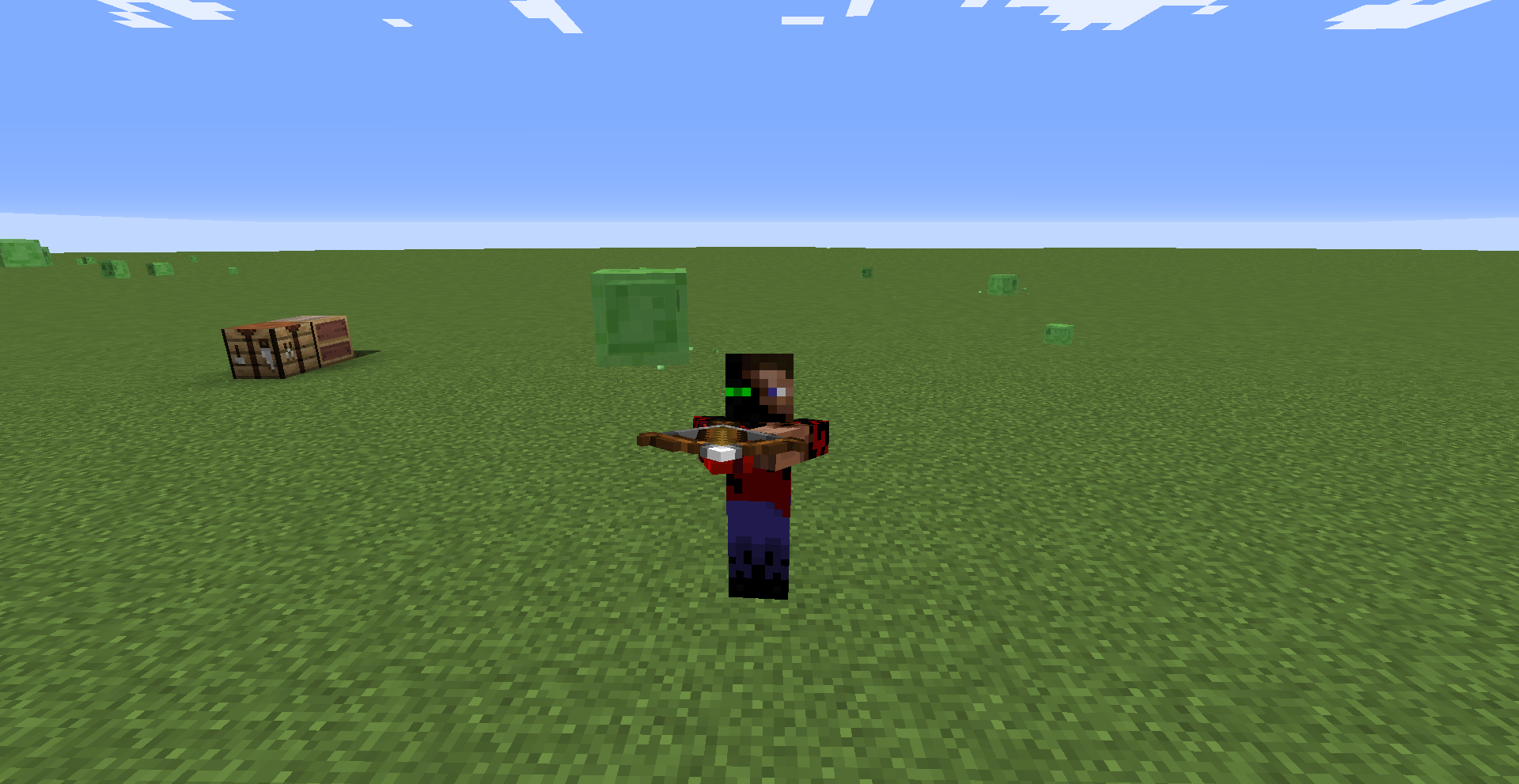
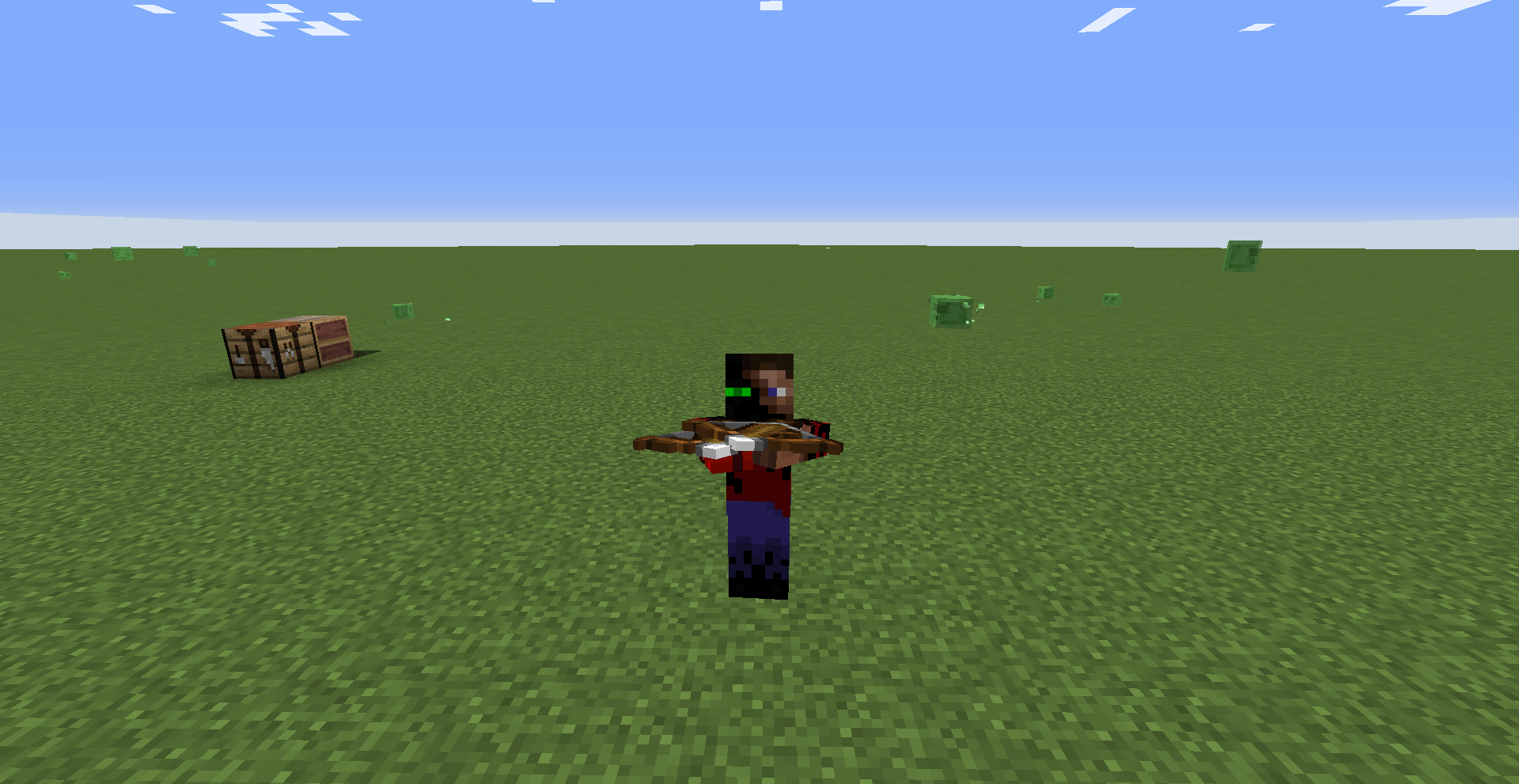
So, I was playing Minecraft on my Xbox with two controllers (I was switching back and forth to do things like test out enchanted weapons, you may need to know this because it might only apply to creative mode and multiplayer). Well, I had bought the Star Wars Classic skin pack a while ago. Now, I had played AstroLink Survival as Fett and did not experience glitches (well, yeah, his jetpack disappears when you wear Elytra, but that's not the bug I am reporting). I even played multiplayer without a problem (that time a friend was playing with me using the same secondary account). I created a superflat world later on which is what I was playing with two controllers. What happened was this: when I tried to switch inventory slots, the game would rapidly switch my hand item back and forth until I pressed the button again, in which case it would either skip the item I wanted, select an item on the other side of the hotb
ed, or rarely (slightly more commonly after several tries) actually land on the item I wanted. I tried to enchant a bow with an anvil and it DELETED THE BOW AS SOON AS I PUT IT IN THE SLOT. AND THE ENCHANTED BOOK. I had to use the secondary account, who was using the "Luke Skywalker, Bespin" skin, to enchant the bow. Everything was fine when I switched to the Yoda skin (SEAGULLS!!) later on. The glitches came back when I changed back to Boba Fett. Please fix this issue.So, I was playing Minecraft on my Xbox with two controllers (I was switching back and forth to do things like test out enchanted weapons, you may need to know this because it might only apply to creative mode and multiplayer). Well, I had bought the Star Wars Classic skin pack a while ago. Now, I had played AstroLink Survival as Fett and did not experience glitches (well, yeah, his jetpack disappears when you wear Elytra, but that's not the bug I am reporting). I even played multiplayer without a problem (that time a friend was playing with me using the same secondary account). I created a superflat world later on which is what I was playing with two controllers. What happened was this: when I tried to switch inventory slots, the game would rapidly switch my hand item back and forth until I pressed the button again, in which case it would either skip the item I wanted, select an item on the other side of the hotbar, or rarely (slightly more commonly after several tries) actually land on the item I wanted. I tried to enchant a bow with an anvil and it DELETED THE BOW AS SOON AS I PUT IT IN THE SLOT. AND THE ENCHANTED BOOK. I had to use the secondary account, who was using the "Luke Skywalker, Bespin" skin, to enchant the bow. Everything was fine when I switched to the Yoda skin (SEAGULLS!!) later on. The glitches came back when I changed back to Boba Fett. Please fix this issue.
So, I was playing Minecraft on my Xbox with two controllers (I was switching back and forth to do things like test out enchanted weapons, you may need to know this because it might only apply to creative mode and multiplayer). Well, I had bought the Star Wars Classic skin pack a while ago. Now, I had played AstroLink Survival as Fett and did not experience glitches (well, yeah, his jetpack disappears when you wear Elytra, but that's not the bug I am reporting). I even played multiplayer without a problem (that time a friend was playing with me using the same secondary account). I created a superflat world later on which is what I was playing with two controllers. What happened was this: when I tried to switch inventory slots, the game would rapidly switch my hand item back and forth until I pressed the button again, in which case it would either skip the item I wanted, select an item on the other side of the hotbar, or rarely (slightly more commonly after several tries) actually land on the item I wanted. I tried to enchant a bow with an anvil and it DELETED THE BOW AS SOON AS I PUT IT IN THE SLOT. AND THE ENCHANTED BOOK. I had to use the secondary account, who was using the "Luke Skywalker, Bespin" skin, to enchant the bow. Everything was fine when I switched to the Yoda skin (SEAGULLS!!) later on. The glitches came back when I changed back to Boba Fett. Please fix this issue.
So, I was playing Minecraft on my Xbox with two controllers (I was switching back and forth to do things like test out enchanted weapons, you may need to know this because it might only apply to creative mode and multiplayer). Well, I had bought the Star Wars Classic skin pack a while ago. Now, I had played AstroLink Survival as Fett and did not experience glitches (well, yeah, his jetpack disappears when you wear Elytra, but that's not the bug I am reporting). I even played multiplayer without a problem (that time a friend was playing with me using the same secondary account). I created a superflat world later on which is what I was playing with two controllers. What happened was this: when I tried to switch inventory slots, the game would rapidly switch my hand item back and forth until I pressed the button again, in which case it would either skip the item I wanted, select an item on the other side of the hotbar, or rarely (slightly more commonly after several tries) actually land on the item I wanted. I tried to enchant a bow with an anvil and it DELETED THE BOW AS SOON AS I PUT IT IN THE SLOT. AND THE ENCHANTED BOOK. I had to use the secondary account, who was using the "Luke Skywalker, Bespin" skin, to enchant the bow. Everything was fine when I switched to the Yoda skin (SEAGULLS!!) later on. The glitches came back when I changed back to Boba Fett. Please fix this issue. Boba Fest is my favorite Star Wars character and I don't want to have to choose between a reasonable game experience and playing as the character.
UPDATE: I got rid of the extra player and the glitches continued.
UPDATE 2: I also experienced a more minor version of this glitch with the Jawa skin.
So, I was playing Minecraft on my Xbox with two controllers (I was switching back and forth to do things like test out enchanted weapons, you may need to know this because it might only apply to creative mode and multiplayer). Well, I had bought the Star Wars Classic skin pack a while ago. Now, I had played AstroLink Survival as Fett and did not experience glitches (well, yeah, his jetpack disappears when you wear Elytra, but that's not the bug I am reporting). I even played multiplayer without a problem (that time a friend was playing with me using the same secondary account). I created a superflat world later on which is what I was playing with two controllers. What happened was this: when I tried to switch inventory slots, the game would rapidly switch my hand item back and forth until I pressed the button again, in which case it would either skip the item I wanted, select an item on the other side of the hotbar, or rarely (slightly more commonly after several tries) actually land on the item I wanted. I tried to enchant a bow with an anvil and it DELETED THE BOW AS SOON AS I PUT IT IN THE SLOT. AND THE ENCHANTED BOOK. I had to use the secondary account, who was using the "Luke Skywalker, Bespin" skin, to enchant the bow. Everything was fine when I switched to the Yoda skin (SEAGULLS!!) later on. The glitches came back when I changed back to Boba Fett. Please fix this issue. Boba Fest is my favorite Star Wars character and I don't want to have to choose between a reasonable game experience and playing as the character.
UPDATE: I got rid of the extra player and the glitches continued.
UPDATE 2: I also experienced a more minor version of this glitch with the Jawa skin.
So, I was playing Minecraft on my Xbox with two controllers (I was switching back and forth to do things like test out enchanted weapons, you may need to know this because it might only apply to creative mode
and multiplayer). Well, I had bought the Star Wars Classic skin pack a while ago. Now, I had played AstroLink Survival as Fett and did not experience glitches (well, yeah, his jetpack disappears when you wear Elytra, but that's not the bug I am reporting). I even played multiplayer without a problem (that time a friend was playing with me using the same secondary account). I created a superflat world later on which is what I was playing with two controllers. What happened was this: when I tried to switch inventory slots, the game would rapidly switch my hand item back and forth until I pressed the button again, in which case it would either skip the item I wanted, select an item on the other side of the hotbar, or rarely (slightly more commonly after several tries) actually land on the item I wanted. I tried to enchant a bow with an anvil and it DELETED THE BOW AS SOON AS I PUT IT IN THE SLOT. AND THE ENCHANTED BOOK. I had to use the secondary account, who was using the "Luke Skywalker, Bespin" skin, to enchant the bow. Everything was fine when I switched to the Yoda skin (SEAGULLS!!) later on. The glitches came back when I changed back to Boba Fett. Please fix this issue. Boba Fest is my favorite Star Wars character and I don't want to have to choose between a reasonable game experience and playing as the character.
UPDATE: I got rid of the extra player and the glitches continued.
UPDATE 2: I also experienced a more minor version of this glitch with the Jawa skin.
Item glitches while usingthe Boba FettskinItem glitches while using certain Classic Star Wars skins
The villager_v2 mob cannot spawn in template worlds. This was in the 1.11.1 changelog. I was trying to redesign the Mineville Highschool Role-play map, and I wanted to add a villager_v2 in the library. But nooooo, 1.11.1 just HAD to make the villager V1 spawn instead, villager_v2 completely nonexistent. I even tried /summon.I know that you made it where villagers won't change to villager_v2s on template worlds for a reason (not to mess up add-ons). But please, AT LEAST let me /summon a villager_v2 on my own world.
The villager_v2 mob cannot spawn in template worlds. <big>This was in the 1.11.1 changelog</big>. I was trying to redesign the Mineville Highschool Role-play map, and I wanted to add a villager_v2 in the library. But nooooo, 1.11.1 just HAD to make the villager V1 spawn instead, villager_v2 completely nonexistent. I even tried /summon.
I know that you made it where villagers won't change to villager_v2s on template worlds for a reason (not to mess up add-ons). But please, AT LEAST let me /summon a villager_v2 on my own world.
The villager_v2 mob cannot spawn in template worlds. <big>This was in the 1.11.1 changelog</big>. I was trying to redesign the Mineville Highschool Role-play map, and I wanted to add a villager_v2 in the library. But nooooo, 1.11.1 just HAD to make the villager V1 spawn instead, villager_v2 completely nonexistent. I even tried /summon.
I know that you made it where villagers won't change to villager_v2s on template worlds for a reason (not to mess up add-ons). But please, AT LEAST let me /summon a villager_v2 on my own world.
The villager_v2 mob cannot spawn in template worlds. <big>This was in the 1.11.1 changelog</big>. I was trying to redesign the Mineville Highschool Role-play map, and I wanted to add a villager_v2 in the library. But nooooo, 1.11.1 just HAD to make the villager V1 spawn instead, villager_v2 completely nonexistent. I even tried /summon.
I know that you made it where villagers won't change to villager_v2s on template worlds for a reason (not to mess up add-ons). But please, AT LEAST let me /summon a villager_v2 on my own world.
The villager_v2 mob cannot spawn in template worlds.
<big>This was in the 1.11.1 changelog</big>. I was trying to redesign the Mineville Highschool Role-play map, and I wanted to add a villager_v2 in the library. But nooooo, 1.11.1 just HAD to make the villager V1 spawn instead, villager_v2 completely nonexistent. I even tried /summon.I know that you made it where villagers won't change to villager_v2s on template worlds for a reason (not to mess up add-ons). But please, AT LEAST let me /summon a villager_v2 on my own world.
The villager_v2 mob cannot spawn in template worlds. This was in the 1.11.1 changelog. I was trying to redesign the Mineville Highschool Role-play map, and I wanted to add a villager_v2 in the library. But nooooo, 1.11.1 just HAD to make the villager V1 spawn instead, villager_v2 completely nonexistent. I even tried /summon.
I know that you made it where villagers won't change to villager_v2s on template worlds for a reason (not to mess up add-ons). But please, AT LEAST let me /summon a villager_v2 on my own world.
UPDATE: Dear Mojang, thanks a lot for listening. Not only can you now spawn villager_v2 on the Mineville Highschool Role-play map, but there is a new updated taiga village near the school!
The Leapleaf, from the Jungle Awakens DLC, has broken animations. This is a result of it being slightly too fast and being able to move while attacking. It's walking animations don't accurately represent its speed in some cases and it will continue to move around during its attack pattern. This bug is present in the Dingy Jungle, and I don't know if it applies elsewhere.
If you look at the video, in some cases it appears to be sliding across the jungle floor, which is not intended behavior.
In the current Beta, all of my skins have disappeared and appear indefinitely loading, Marketplace content cannot be accessed by any means, and trying to change skins during play effectively softlocks the game (saying it is a multiplayer restricted skin pack, yet not allowing me to change it).
I apologize if this has been reportedbefore or if I am doing something wrong, but after searching for a while I still haven't found an answer.In the current Beta, all of my skins have disappeared and appear indefinitely loading, Marketplace content cannot be accessed by any means, and trying to change skins during play effectively softlocks the game (saying it is a multiplayer restricted skin pack, yet not allowing me to change it).
Additionally, this issue has persisted for several Betas, so it has nothing to do with not being up-to-date.
I apologize if this has been reported before or if I am doing something wrong, but after searching for a while I still haven't found an answer.
Cannot Change Skin or Access Purchased Content in Beta
In the current Beta, all of my skins have disappeared and appear indefinitely loading, Marketplace content cannot be accessed by any means, and trying to change skins during play effectively softlocks the game (saying it is a multiplayer restricted skin pack, yet not allowing me to change it or exit the menu).
Additionally, this issue has persisted for several Betas, so it has nothing to do with not being up-to-date.
I apologize if this has been reported before or if I am doing something wrong, but after searching for a while I still haven't found an answer.
I am on a Kindle Fire, not Windows 10. I pressed the button with three dots.
Yeah, the problem is bad. I wanted to play with one of my friends and it pulls up that message. I go to Xbox.com and change the settings, open the Xbox app, Power-off my Kindle, everything. No result. Even in the best Wi-fi spot in the house. Some say "Oh, oh, get in a spot with good Wi-fi, oh, oh, it'll work" YEAH WELL I'M IN THE BEST WI-FI SPOT IN THE HOUSE AND IT DOESN'T WORK. And they also say "Oh, oh, just turn on Multiplayer on Xbox.com, oh, oh, it'll work" YEAH WELL THERE'S NO SUCH SETTING. So please help me, someone.
Oh yeah. I am using Kindle Fire HD 4.5.5.3
Thank you. The image of the control settings is helpful.
That link is to download the most recent version of one of my projects, Wither Villagers, a texture pack.
Force quitting helps, but is REALLY annoying (that I have to force quit every time I want to try and play multiplayer).
Why would I report it if it was fake? I actually saw this.
I changed some things to make it more comprehendible.
On a Kindle Fire HD, you cannot have more than one app open at a time like an iOS device so it is hard to tell when an app closes or opens, but I was still on Minecraft. Also, I had it off to let it charge.
I found this too on my Kindle Fire HD...
With all due respect, my issue is NOT a duplicate of
MCPE-32920, and I can prove it.MCPE-32920affects Sea Pickles, for one, and my issue doesn't. Second of all, the reporter ofMCPE-32920is saying it won't place in flowing water. I am saying it will only place in natural water. Therefore the issues are not the same and mine should not be considered a duplicate.OK, this issue has a seriously misleading name. My issue was resolved and I was confused because of the name. Anyway, DON'T TRY TO RE-OPEN THE CRASHED WORLD. I did this and it crashed again. However, it gave me details, listed below:
The game crashed whilst ticking memory connection
Error: java.lang.AbstractMethodError: bxx$$Lambda$1057/1198265211.a(Lcom/mojang/datafixers/Dynamic;)Ljava/lang/Object;
I obviously cannot interpret what this means, but please include the fact that I found this when and how I did. Oh, and please change the name to something probably along the lines of 'Generating Chunks Too Quickly, Especially Teleporting to New Villages, Results in an Unopenable World And Crashing.
OK, but I recently figured out that in this snapshot Giants now use Zombie AI. And I just tested that Zombies ALSO phase through blocks now. Would I need to create a new issue for the Zombie bug, or just modify this one?
[Mod] Urielsalis Look at the texture from their addition through 1.13.2, and look at the Steve from that time. Their clothes match. Every pixel. In fact, I think Notch may have just copied the Steve and recolored him to make the zombie texture.
Oh, I guess you should be limited on your freedom to build or anything on your own worlds. I wonder if they will decide to remove skins outside the default skin pack as well.
The reason the video is in MOV format is because the original MP4 was too large to upload. If you can't play it for some reason I can provide the MP4.
A lot of things in this game have over 100% chances. I think 101% in this context means it has a 100% chance to spawn a bee and then a 1% chance to spawn another one.
I think this is a duplicate of
MCD-4380. Everything matches up including the platform.