![[Mod] Urielsalis](../../../data/assets/gravatar/urielsalis.jpeg) [Mod] Urielsalis
[Mod] Urielsalis
- urielsalis
- urielsalis
- Europe/Madrid
- Yes
- No
 MCL-4563
![[Mojang] Grum (Erik Broes)](../../../data/assets/gravatar/grum.png)
 WEB-1100
![[Mojang] Agnes Larsson](../../../data/avatars/users/10122.svg)
 MCD-34
 MC-196564
 Normal







When _JAVA_OPTIONS is set to anything in Enviroment Variables, it makes the launcher says the launcher is corrupted and that should reinstall:
Values tried:
Xmx1024M
-Xmx1024M
test
<empty>Removing it fixes it, but you have to open it one time, close it and then open it again
When _JAVA_OPTIONS is set to anything in Enviroment Variables, it makes the launcher says the launcher is corrupted and that should reinstall:
Values tried:
Xmx512M
-Xmx512M
testRemoving it fixes it, but you have to open it one time, close it and then open it again
When _JAVA_OPTIONS is set to anything in Enviroment Variables, it makes the launcher says the launcher is corrupted and that should reinstall:
Values tried:
Xmx512M
-Xmx512M
testRemoving it fixes it, but you have to open it one time, close it and then open it again
Update 16/05/2016:
Another user with same error(Windows 10 x64), the default contents where "-Xmx1g - Xms1g". User said it came back when reinstalling Java 8 Update 91(Browser installer). Fix was to delete the variable and download the Windows Offline installer
Go to any of the community support resources for help https://help.mojang.com/customer/en/portal/articles/1175661-minecraft-support-resources
Steps to reproduce:
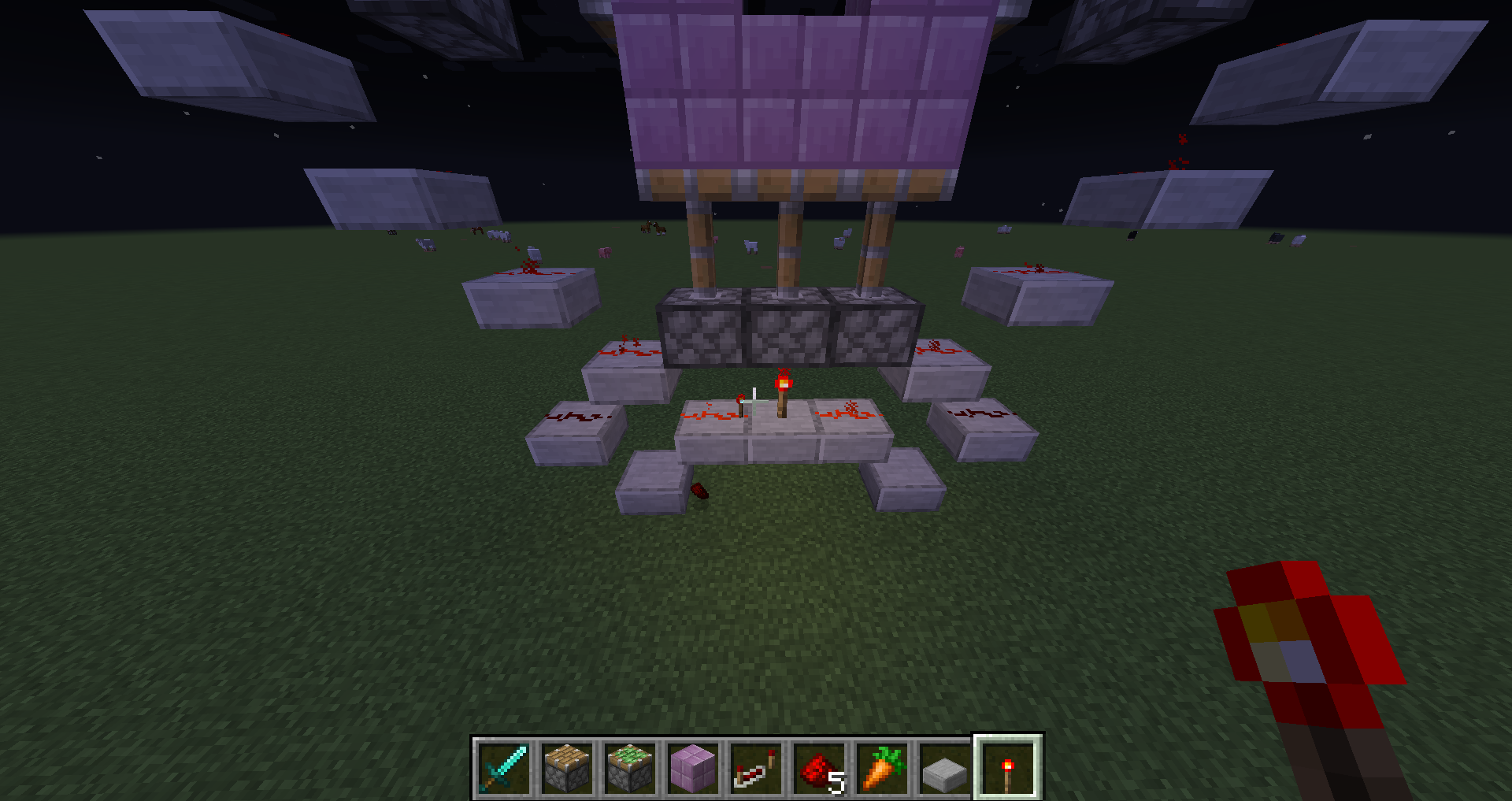
1- Place redstone dust on top of a piston
2- Activate that piston
3- Redstone gets destroyed, possibly the piston block is getting removed and replaced when activated?EDIT: Duplicates
MC-93631, thanks to cubethethird for pointing it out(couldnt find it with a quick search)
I can confirm. They stay in the state they were placed on
Duplicate of
MC-112785
Can confirm in 1.11.2 singleplayer. Used a haste beacon and a efficiency 5 shovel and had to relog to the game so they appear
Example of issue http://paste.ubuntu.com/23950125/
HJT reports: http://paste.ubuntu.com/23950156/ http://paste.ubuntu.com/23950162/
Seems like each player is getting a different message, got 8 people right now with the same oneRestarting the launcher sometimes gives a different file
Seems to be caused by ByteFence
Example of issue http://paste.ubuntu.com/23950125/
xml seems to be client-1.7.xmlHJT reports: http://paste.ubuntu.com/23950156/ http://paste.ubuntu.com/23950162/
Seems like each player is getting a different message, got 8 people right now with the same oneRestarting the launcher sometimes gives a different file
Seems to be caused by ByteFence
Example of issue http://paste.ubuntu.com/23950125/
xml seems to be client-1.7.xmlHJT reports: http://paste.ubuntu.com/23950156/ http://paste.ubuntu.com/23950162/
Seems like each player is getting a different message, got 8 people right now with the same oneRestarting the launcher sometimes gives a different file
Seems to be caused by ByteFence, removing it fixes it
Example of issue http://paste.ubuntu.com/23950125/
xml seems to be client-1.7.xmlHJT reports: http://paste.ubuntu.com/23950156/ http://paste.ubuntu.com/23950162/
Seems like each player is getting a different message, got 8 people right now with the same one in IRCRestarting the launcher sometimes gives a different file
Seems to be caused by ByteFence, removing it fixes it
Mod NoticeSeems to be caused by ByteFence, removing it fixes it.
For Windows 10:
1. Open or Click Start Menu.
2. Choose the Settings menu to display all contents.
3. Select and click on System.
4. UnderSystemmenu, please click on Apps and features.
5. Select ByteFence from the list.
7. Click on Uninstall button to remove ByteFence.For Windows 8 Users
1. Click on bottom left corner of the screen.
2. Click on Control Panel..
3. Click Uninstall a Program.
4. Select ByteFence from the list and click Uninstall button.For Windows 7, Windows Vista or Windows XP
1. Click on Start menu, then Control Panel.
2. Double-click Add or Remove Programs.
3. In the ‘Currently Installed Programs’ window, select ByteFence and then click Change/Remove.Example of issue http://paste.ubuntu.com/23950125/
xml seems to be client-1.7.xmlHJT reports: http://paste.ubuntu.com/23950156/ http://paste.ubuntu.com/23950162/
Seems like each player is getting a different message, got 8 people right now with the same one in IRCRestarting the launcher sometimes gives a different file
Mod NoticeSeems to be caused by ByteFence, removing it fixes it.
For Windows 10:
1. Open or Click Start Menu.
2. Choose the Settings menu to display all contents.
3. Select and click on System.
4. Under Windows menu, please click on Apps and features.
5. Select ByteFence from the list.
7. Click on Uninstall button to remove ByteFence.For Windows 8 Users
1. Click on bottom left corner of the screen.
2. Click on Control Panel..
3. Click Uninstall a Program.
4. Select ByteFence from the list and click Uninstall button.For Windows 7, Windows Vista or Windows XP
1. Click on Start menu, then Control Panel.
2. Double-click Add or Remove Programs.
3. In the ‘Currently Installed Programs’ window, select ByteFence and then click Change/Remove.Example of issue http://paste.ubuntu.com/23950125/
xml seems to be client-1.7.xmlHJT reports: http://paste.ubuntu.com/23950156/ http://paste.ubuntu.com/23950162/
Seems like each player is getting a different message, got 8 people right now with the same one in IRCRestarting the launcher sometimes gives a different file
Unable to save download <lang file> or <.xml file?(caused by ByteFence)Unable to save download <lang file> or <.xml file> or <.json file> or <.ogg file> (caused by ByteFence)
Mod NoticeSeems to be caused by ByteFence, removing it fixes it.
For Windows 10:
1. Open or ClickStartMenu.
2. Choose the Settings menu to display all contents.
3. Select and click on System.
4. Under Windows menu, please click on Apps and features.
5. Select ByteFence from the list.
7. Click on Uninstall button to remove ByteFence.For Windows 8 Users
1. Click on bottom left corner of the screen.
2. Click on Control Panel..
3. Click Uninstall a Program.
4. Select ByteFence from the list and click Uninstall button.For Windows 7, Windows Vista or Windows XP
1. Click on Start menu, then Control Panel.
2. Double-click Add or Remove Programs.
3. In the ‘Currently Installed Programs’ window, select ByteFence and then click Change/Remove.Example of issue http://paste.ubuntu.com/23950125/
xml seems to be client-1.7.xmlHJT reports: http://paste.ubuntu.com/23950156/ http://paste.ubuntu.com/23950162/
Seems like each player is getting a different message, got 8 people right now with the same one in IRCRestarting the launcher sometimes gives a different file
Mod NoticeSeems to be caused by ByteFence, removing it fixes it.
For Windows 10:
1. Open or Click Windows Menu.
2. Choose the Settings menu to display all contents.
3. Select and click on System.
4. Under Windows menu, please click on Apps and features.
5. Select ByteFence from the list.
7. Click on Uninstall button to remove ByteFence.For Windows 8 Users
1. Click on bottom left corner of the screen.
2. Click on Control Panel..
3. Click Uninstall a Program.
4. Select ByteFence from the list and click Uninstall button.For Windows 7, Windows Vista or Windows XP
1. Click on Start menu, then Control Panel.
2. Double-click Add or Remove Programs.
3. In the ‘Currently Installed Programs’ window, select ByteFence and then click Change/Remove.Example of issue http://paste.ubuntu.com/23950125/
xml seems to be client-1.7.xmlHJT reports: http://paste.ubuntu.com/23950156/ http://paste.ubuntu.com/23950162/
Seems like each player is getting a different message, got 8 people right now with the same one in IRCRestarting the launcher sometimes gives a different file
Mod NoticeSeems to be caused by ByteFence, removing it fixes it.
For Windows 10:
1. Open or Click Windows Menu.
2. Choose the Settings menu to display all contents.
3. Select and click on System.
4. Under Windows menu, please click on Apps and features.
5. Select ByteFence from the list.
7. Click on Uninstall button to remove ByteFence.For Windows 8 and 8.1 Users
1. Click on bottom left corner of the screen.
2. Click on Control Panel..
3. Click Uninstall a Program.
4. Select ByteFence from the list and click Uninstall button.For Windows 7, Windows Vista or Windows XP
1. Click on Start menu, then Control Panel.
2. Double-click Add or Remove Programs.
3. In the ‘Currently Installed Programs’ window, select ByteFence and then click Change/Remove.After the uninstall restart your PC for the changes to apply
Example of issue http://paste.ubuntu.com/23950125/
xml seems to be client-1.7.xmlHJT reports: http://paste.ubuntu.com/23950156/ http://paste.ubuntu.com/23950162/
Seems like each player is getting a different message, got 8 people right now with the same one in IRCRestarting the launcher sometimes gives a different file
is duplicated by
is duplicated by
Mod NoticeCaused by AV, mcafee, Avast, Norton,
and one with kaspersky.Name: 1.8.json URL: https://launchermeta.mojang.com/mc/assets/1.8/e264980ad255aad2174cbe4d674c102474ae5202/1.8.json Error details: Attempting to move successful download to C:/Users******\AppData\Roaming\.minecraft\assets\indexes/1.8.json The process cannot access the file because it is being used by another process Filename on disk: 0593-b5de-8c1b-c810 Path: C:\Users******\AppData\Local\Temp\0593-b5de-8c1b-c810 Exists: fileWhenever I run any version of Minecraft in the New Minecraft Launcher Version (2.0.729) It says "Unable to save download" I've tried everything Re-Installing Minecraft Repairing It but nothing works
Mod NoticeCaused by AV, mcafee, Avast, Norton, Kaspersky and Norton
Name: 1.8.json URL: https://launchermeta.mojang.com/mc/assets/1.8/e264980ad255aad2174cbe4d674c102474ae5202/1.8.json Error details: Attempting to move successful download to C:/Users******\AppData\Roaming\.minecraft\assets\indexes/1.8.json The process cannot access the file because it is being used by another process Filename on disk: 0593-b5de-8c1b-c810 Path: C:\Users******\AppData\Local\Temp\0593-b5de-8c1b-c810 Exists: fileWhenever I run any version of Minecraft in the New Minecraft Launcher Version (2.0.729) It says "Unable to save download" I've tried everything Re-Installing Minecraft Repairing It but nothing works
Major Lag with new launcher*confirmed
This bug is super annoying!! Every time i try to run, i get the same error message. I tried to put up a console log, and here is the output.:
19:23:17 launcher Preparing to launch minecraft client for 1.8
19:23:17 launcher Checking installations.
19:23:17 launcher Minecraft client 1.8 is ready to start.
19:23:17 launcher Starting!
19:23:18 launcher Version does not support log configuration, will assume one plaintext entry per line
14:23:19 game [19:23:19] [Client thread/INFO]: Setting user: GreenRox123
14:23:19 game [19:23:19] [Client thread/INFO]: (Session ID is token:b96de950424e479e89e9bd83b6ceec7c:003242a2773b43a98bf2434f39ca1d37)
14:23:20 game [19:23:20] [Client thread/INFO]: LWJGL Version: 2.9.1
19:23:21 launcher Process closed with exit code -1073740791
-1073750791. Thats the error code. I tried to look it up, and other people are having the same problem like me!
My Os is Windows 10, my Java is build 1.3.0_121-b13 (version 8, update 121) and I am trying to run 1.8. Please help!This bug is super annoying!! Every time i try to run, i get the same error message. I tried to put up a console log, and here is the output.:
19:23:17 launcher Preparing to launch minecraft client for 1.8
19:23:17 launcher Checking installations.
19:23:17 launcher Minecraft client 1.8 is ready to start.
19:23:17 launcher Starting!
19:23:18 launcher Version does not support log configuration, will assume one plaintext entry per line
14:23:19 game [19:23:19] [Client thread/INFO]: Setting user: GreenRox123
14:23:19 game [19:23:19] [Client thread/INFO]: (Session ID is token:<censored>)
14:23:20 game [19:23:20] [Client thread/INFO]: LWJGL Version: 2.9.1
19:23:21 launcher Process closed with exit code -1073740791
-1073750791. Thats the error code. I tried to look it up, and other people are having the same problem like me!
My Os is Windows 10, my Java is build 1.3.0_121-b13 (version 8, update 121) and I am trying to run 1.8. Please help!
Helper noticePosible fix: Right click shortcut, go to compatibility tab and make sure Windows XP is not set
When I started the launcher orignally it looked like it was going to update but as it finished, it gave me a white box. Minecraft worked yesterday and I changed nothing. What should I do?
Windows 10
Newest Java Version
Newest NVIDIA Hotfix
Etc
- Windows 10
- Newest Java Version
- Windows 10
- Newest Java Version
Windows 10
Newest Java Version
Helper notice
Posible fix: Right click shortcut, go to compatibility tab and make sure Windows XP is not setWhen I started the launcher orignally it looked like it was going to update but as it finished, it gave me a white box. Minecraft worked yesterday and I changed nothing. What should I do?
Helper noticeFix: Right click shortcut or MinecraftLauncher.exe, go to compatibility tab and make sure Windows XP is not set
When I started the launcher orignally it looked like it was going to update but as it finished, it gave me a white box. Minecraft worked yesterday and I changed nothing. What should I do?
Helper notice
Fix:Right click shortcut or MinecraftLauncher.exe, go to compatibility tab and make sure Windows XP is not setWhen I started the launcher orignally it looked like it was going to update but as it finished, it gave me a white box. Minecraft worked yesterday and I changed nothing. What should I do?
FixRight click shortcut or MinecraftLauncher.exe, go to compatibility tab and make sure Windows XP is not set
When I started the launcher orignally it looked like it was going to update but as it finished, it gave me a white box. Minecraft worked yesterday and I changed nothing. What should I do?
is duplicated by
Possible fixClick your name in the launcher, press Log out, then log back in
Launcher - version 1.11.2 - multiplayer - join server - error message (see above)
Linux athena.barrera.io 3.14.5-1-ARCH #1 SMP PREEMPT Sun Jun 1 07:36:23 CEST 2014 x86_64 GNU/Linux
Hot Fix availableMod NoticeSymptoms: Game crashes without showing a crashlog, launcher shows "Game ended with bad state (exit code -1073740791)"
Cause: The 3Dvision software bundled with the newest nvidia driver is faulty, causing Minecraft to crash. The driver in question has version 378.49 and was released on 2017-01-24.Solution 1: Install the aforementioned hotfix
Solution 2: Uninstall the drivers and reinstall without installing the 3Dvision drivers
Solution 3: Uninstall your current nvidia driver and download an older driver from here: http://www.nvidia.com/Download/Find.aspx?lang=en-usIf you need further support, please do not reply here. Instead, go here: Community Support
To iterate, this is not caused by Minecraft.
https://twitter.com/Minecraft/status/824548998581288962
Hey! We're hearing Nvidia driver 378.49 has a few issues. Nvidia are working hard on a fix, but for now, we suggest you avoid the update.
Already tried:
Reinstalled Graphics driver
Reinstalled Java
Reinstalled MinecraftThe launcher starts but when I click on Play the game doesn't start and I get the attached log. There is no game output and no other log.
New driver availableDownload the latest driver from http://www.nvidia.com/Download/index.aspx?lang=en-us
Hot Fix availableMod NoticeSymptoms: Game crashes without showing a crashlog, launcher shows "Game ended with bad state (exit code -1073740791)"
Cause: The 3Dvision software bundled with the newest nvidia driver is faulty, causing Minecraft to crash. The driver in question has version 378.49 and was released on 2017-01-24.Solution 1: Install the aforementioned hotfix
Solution 2: Uninstall the drivers and reinstall without installing the 3Dvision drivers
Solution 3: Uninstall your current nvidia driver and download an older driver from here: http://www.nvidia.com/Download/Find.aspx?lang=en-usIf you need further support, please do not reply here. Instead, go here: Community Support
To iterate, this is not caused by Minecraft.
https://twitter.com/Minecraft/status/824548998581288962
Hey! We're hearing Nvidia driver 378.49 has a few issues. Nvidia are working hard on a fix, but for now, we suggest you avoid the update.
Already tried:
Reinstalled Graphics driver
Reinstalled Java
Reinstalled MinecraftThe launcher starts but when I click on Play the game doesn't start and I get the attached log. There is no game output and no other log.
New driver availableDownload the latest driver from http://www.nvidia.com/Download/index.aspx?lang=en-us
Hot Fix availableMod NoticeSymptoms: Game crashes without showing a crashlog, launcher shows "Game ended with bad state (exit code -1073740791)"
Cause: The 3Dvision software bundled with the newest nvidia driver is faulty, causing Minecraft to crash. The driver in question has version 378.49 and was released on 2017-01-24.Solution 1: Install the aforementioned hotfix
Solution 2: Uninstall the drivers and reinstall without installing the 3Dvision drivers
Solution 3: Uninstall your current nvidia driver and download an older driver from here: http://www.nvidia.com/Download/Find.aspx?lang=en-usIf you need further support, please do not reply here. Instead, go here: Community Support
To iterate, this is not caused by Minecraft.
https://twitter.com/Minecraft/status/824548998581288962
Hey! We're hearing Nvidia driver 378.49 has a few issues. Nvidia are working hard on a fix, but for now, we suggest you avoid the update.
Already tried:
Reinstalled Graphics driver
Reinstalled Java
Reinstalled MinecraftThe launcher starts but when I click on Play the game doesn't start and I get the attached log. There is no game output and no other log.
FixDownload the latest driver from http://www.nvidia.com/Download/index.aspx?lang=en-us
Hot Fix availableMod NoticeSymptoms: Game crashes without showing a crashlog, launcher shows "Game ended with bad state (exit code -1073740791)"
Cause: The 3Dvision software bundled with the newest nvidia driver is faulty, causing Minecraft to crash. The driver in question has version 378.49 and was released on 2017-01-24.Solution 1: Install the aforementioned hotfix
Solution 2: Uninstall the drivers and reinstall without installing the 3Dvision drivers
Solution 3: Uninstall your current nvidia driver and download an older driver from here: http://www.nvidia.com/Download/Find.aspx?lang=en-usIf you need further support, please do not reply here. Instead, go here: Community Support
To iterate, this is not caused by Minecraft.
https://twitter.com/Minecraft/status/824548998581288962
Hey! We're hearing Nvidia driver 378.49 has a few issues. Nvidia are working hard on a fix, but for now, we suggest you avoid the update.
Already tried:
Reinstalled Graphics driver
Reinstalled Java
Reinstalled MinecraftThe launcher starts but when I click on Play the game doesn't start and I get the attached log. There is no game output and no other log.
Moderator NoteThis issue is caused either by Environment Variables (system or user), or is caused by 3rd party software. Currently it is known that Razer Synapse causes this issue.
To fix, uninstall Razer Synapse, delete the variable and restart.
-Open a admin command prompt
Windows 7:
To start a command prompt as an administrator
Click Start, click All Programs, and then click Accessories.
Right-click Command prompt, and then click Run as administrator.
Windows 10:
Press Win+X, select Command Prompt(Admin)
-type rundll32 sysdm.cpl,EditEnvironmentVariables
Find _JAVA_OPTIONS and remove itI noticed yesterday when playing with a bunch of mods, Minecraft is being launched with forced java options. The environment variable _JAVA_OPTIONS is being set for the process only with a value of -Xmx512M. Limiting java's ram to half a gigabyte. All the user specified fields of the amount of ram to allocate is being overwritten by the -Xmx512M flag being appended to the JVM args string. At first, I thought this was only local and some issue with my instance of Minecraft, but it isn't. Today, in #minecrafthelp on esper, one user was complaining that their Minecraft was running slow. Upon closer inspection, he too was also running with 512M of ram even though more has been specified.
However, when running minecraft from the command line by executing "java -jar Minecraft.exe", the _JAVA_OPTIONS environment variable is not set.
Here is a (forced) crash report of my instance of minecraft with the issue: http://pastebin.com/NmnKLA39
Here is a (forced) crash report of the esper's minecraft instance: http://pastebin.com/ACpFTTMn
If it matters, here are my environment variables currently set on my system: http://pastebin.com/jQzqAFZq
Screenshot of minecraft log showing _JAVA_OPTIONS being picked up: http://puu.sh/cWHVD/c6d7e79dd3.png
is duplicated by
i want old launcher look back what do i do?
What I expected to happen was that i would get the normal launcher
What actually happened was:
i opened it then it started to update and i got ashittylooking laucher that i never have seen beforeSteps to Reproduce:
1 update your launcher
2 start it up
3 look how bad it looksi want old launcher look back what do i do?
What I expected to happen was that i would get the normal launcher
What actually happened was:
i opened it then it started to update and i got a bad looking laucher that i never have seen beforeSteps to Reproduce:
1 update your launcher
2 start it up
3 look how bad it looks
is duplicated by
"http://paste.ubuntu.com/24092709/ tried with new profile and no _JAVA_OPTIONS is set"
http://paste.ubuntu.com/24092709/ tried with new profile and no _JAVA_OPTIONS is set
Helper edit: It freezes in the Mojang logo before crashing
http://paste.ubuntu.com/24092709/ tried with new profile and no _JAVA_OPTIONS is set
Helper edit: It freezes in the Mojang logo before crashing, logs and info from IRC
http://paste.ubuntu.com/24092709/ tried with new profile and no _JAVA_OPTIONS is set
Helper edit: It freezes in the Mojang logo before crashing, logs and info from IRC
22:03:44 launcher Preparing to launch minecraft client for 1.11.2 22:03:45 launcher Checking installations. 22:03:45 launcher Minecraft client 1.11.2 is ready to start. 22:03:45 launcher Starting! 22:03:45 launcher Using default game log configuration client-1.7.xml (outputs XML) 22:03:46 bes Setting user: Apple_Tech 22:03:48 bes LWJGL Version: 2.9.4 22:03:49 cae Reloading ResourceManager: Default 22:03:50 ccq Starting up SoundSystem... 22:03:50 ccq Initializing LWJGL OpenAL 22:03:50 ccq (The LWJGL binding of OpenAL. For more information, see http://www.lwjgl.org) 22:03:50 ccq OpenAL initialized. 22:03:50 ccq Sound engine started 22:04:26 launcher Process closed with exit code -805306369 22:04:26 launcher
http://paste.ubuntu.com/24092709/ tried with new profile and no _JAVA_OPTIONS is set
Helper edit: It freezes in the Mojang logo before crashing, logs and info from IRC
22:03:44 launcher Preparing to launch minecraft client for 1.11.2 22:03:45 launcher Checking installations. 22:03:45 launcher Minecraft client 1.11.2 is ready to start. 22:03:45 launcher Starting! 22:03:45 launcher Using default game log configuration client-1.7.xml (outputs XML) 22:03:46 bes Setting user: Apple_Tech 22:03:48 bes LWJGL Version: 2.9.4 22:03:49 cae Reloading ResourceManager: Default 22:03:50 ccq Starting up SoundSystem... 22:03:50 ccq Initializing LWJGL OpenAL 22:03:50 ccq (The LWJGL binding of OpenAL. For more information, see http://www.lwjgl.org) 22:03:50 ccq OpenAL initialized. 22:03:50 ccq Sound engine started 22:04:26 launcher Process closed with exit code -805306369 22:04:26 launcherPotential fixhttp://paste.ubuntu.com/24092709/ tried with new profile and no _JAVA_OPTIONS is set
Helper edit: It freezes in the Mojang logo before crashing, logs and info from IRC
22:03:44 launcher Preparing to launch minecraft client for 1.11.2 22:03:45 launcher Checking installations. 22:03:45 launcher Minecraft client 1.11.2 is ready to start. 22:03:45 launcher Starting! 22:03:45 launcher Using default game log configuration client-1.7.xml (outputs XML) 22:03:46 bes Setting user: Apple_Tech 22:03:48 bes LWJGL Version: 2.9.4 22:03:49 cae Reloading ResourceManager: Default 22:03:50 ccq Starting up SoundSystem... 22:03:50 ccq Initializing LWJGL OpenAL 22:03:50 ccq (The LWJGL binding of OpenAL. For more information, see http://www.lwjgl.org) 22:03:50 ccq OpenAL initialized. 22:03:50 ccq Sound engine started 22:04:26 launcher Process closed with exit code -805306369 22:04:26 launcher
Potential fixTry fix in
MC-74465. If that doesnt work, use the alternate launcherhttp://paste.ubuntu.com/24092709/ tried with new profile and no _JAVA_OPTIONS is set
Helper edit: It freezes in the Mojang logo before crashing, logs and info from IRC
22:03:44 launcher Preparing to launch minecraft client for 1.11.2 22:03:45 launcher Checking installations. 22:03:45 launcher Minecraft client 1.11.2 is ready to start. 22:03:45 launcher Starting! 22:03:45 launcher Using default game log configuration client-1.7.xml (outputs XML) 22:03:46 bes Setting user: Apple_Tech 22:03:48 bes LWJGL Version: 2.9.4 22:03:49 cae Reloading ResourceManager: Default 22:03:50 ccq Starting up SoundSystem... 22:03:50 ccq Initializing LWJGL OpenAL 22:03:50 ccq (The LWJGL binding of OpenAL. For more information, see http://www.lwjgl.org) 22:03:50 ccq OpenAL initialized. 22:03:50 ccq Sound engine started 22:04:26 launcher Process closed with exit code -805306369 22:04:26 launcher
Potential fixTry fix in
MC-74465. If that doesnt work, use the alternate launcherMore informationAs per hopper:
Exit Code: -805306369
This exit code is caused when the client runs out of memory.
This can be caused by the JVM not being allocated enough memory, a bug in the game, using client modifications or a dependency of the game that has unexpectedly terminated.
How to fix this
- See this article on instructions to allocate more memory.
- Reinstall minecraft to ensure you have no client mods.
- Check your System Event Log for issues.
If you need additional help, please contact 💬 Community Support.
http://paste.ubuntu.com/24092709/ tried with new profile and no _JAVA_OPTIONS is set
Helper edit: It freezes in the Mojang logo before crashing, logs and info from IRC
22:03:44 launcher Preparing to launch minecraft client for 1.11.2 22:03:45 launcher Checking installations. 22:03:45 launcher Minecraft client 1.11.2 is ready to start. 22:03:45 launcher Starting! 22:03:45 launcher Using default game log configuration client-1.7.xml (outputs XML) 22:03:46 bes Setting user: Apple_Tech 22:03:48 bes LWJGL Version: 2.9.4 22:03:49 cae Reloading ResourceManager: Default 22:03:50 ccq Starting up SoundSystem... 22:03:50 ccq Initializing LWJGL OpenAL 22:03:50 ccq (The LWJGL binding of OpenAL. For more information, see http://www.lwjgl.org) 22:03:50 ccq OpenAL initialized. 22:03:50 ccq Sound engine started 22:04:26 launcher Process closed with exit code -805306369 22:04:26 launcherPotential fixTry fix in
MC-74465(Removing _JAVA_OPTIONS that is set by some tuner programs and keyboards). If that doesnt work, use the alternate launcherMore informationExit Code: -805306369
How to fix this
- Reinstall minecraft to ensure you have no client mods.
- Check your System Event Log for issues.
If you need additional help, please contact 💬 Community Support.
http://paste.ubuntu.com/24092709/ tried with new profile and no _JAVA_OPTIONS is set
Helper edit: It freezes in the Mojang logo before crashing, logs and info from IRC
22:03:44 launcher Preparing to launch minecraft client for 1.11.2 22:03:45 launcher Checking installations. 22:03:45 launcher Minecraft client 1.11.2 is ready to start. 22:03:45 launcher Starting! 22:03:45 launcher Using default game log configuration client-1.7.xml (outputs XML) 22:03:46 bes Setting user: Apple_Tech 22:03:48 bes LWJGL Version: 2.9.4 22:03:49 cae Reloading ResourceManager: Default 22:03:50 ccq Starting up SoundSystem... 22:03:50 ccq Initializing LWJGL OpenAL 22:03:50 ccq (The LWJGL binding of OpenAL. For more information, see http://www.lwjgl.org) 22:03:50 ccq OpenAL initialized. 22:03:50 ccq Sound engine started 22:04:26 launcher Process closed with exit code -805306369 22:04:26 launcher
Potential fixTry fix in
MC-74465(Removing _JAVA_OPTIONS that is set by some tuner programs and keyboards).If that doesnt work, use the alternate launcherMore informationExit Code: -805306369
How to fix this
- Reinstall minecraft to ensure you have no client mods.
- Check your System Event Log for issues.
If you need additional help, please contact 💬 Community Support.
http://paste.ubuntu.com/24092709/ tried with new profile and no _JAVA_OPTIONS is set
Helper edit: It freezes in the Mojang logo before crashing, logs and info from IRC
22:03:44 launcher Preparing to launch minecraft client for 1.11.2 22:03:45 launcher Checking installations. 22:03:45 launcher Minecraft client 1.11.2 is ready to start. 22:03:45 launcher Starting! 22:03:45 launcher Using default game log configuration client-1.7.xml (outputs XML) 22:03:46 bes Setting user: Apple_Tech 22:03:48 bes LWJGL Version: 2.9.4 22:03:49 cae Reloading ResourceManager: Default 22:03:50 ccq Starting up SoundSystem... 22:03:50 ccq Initializing LWJGL OpenAL 22:03:50 ccq (The LWJGL binding of OpenAL. For more information, see http://www.lwjgl.org) 22:03:50 ccq OpenAL initialized. 22:03:50 ccq Sound engine started 22:04:26 launcher Process closed with exit code -805306369 22:04:26 launcherPotential fixTry fix in
MC-74465(Removing _JAVA_OPTIONS that is set by some tuner programs and keyboards).If you use Discord, disable its overlay feature, or close Discord entirely.
More informationExit Code: -805306369
How to fix this
- Reinstall minecraft to ensure you have no client mods.
- Check your System Event Log for issues.
If you need additional help, please contact 💬 Community Support.
http://paste.ubuntu.com/24092709/ tried with new profile and no _JAVA_OPTIONS is set
Helper edit: It freezes in the Mojang logo before crashing, logs and info from IRC
22:03:44 launcher Preparing to launch minecraft client for 1.11.2 22:03:45 launcher Checking installations. 22:03:45 launcher Minecraft client 1.11.2 is ready to start. 22:03:45 launcher Starting! 22:03:45 launcher Using default game log configuration client-1.7.xml (outputs XML) 22:03:46 bes Setting user: Apple_Tech 22:03:48 bes LWJGL Version: 2.9.4 22:03:49 cae Reloading ResourceManager: Default 22:03:50 ccq Starting up SoundSystem... 22:03:50 ccq Initializing LWJGL OpenAL 22:03:50 ccq (The LWJGL binding of OpenAL. For more information, see http://www.lwjgl.org) 22:03:50 ccq OpenAL initialized. 22:03:50 ccq Sound engine started 22:04:26 launcher Process closed with exit code -805306369 22:04:26 launcher
Potential fixMore informationExit Code: -805306369
How to fix this
- Reinstall minecraft to ensure you have no client mods.
- Check your System Event Log for issues.
If you need additional help, please contact 💬 Community Support.
http://paste.ubuntu.com/24092709/ tried with new profile and no _JAVA_OPTIONS is set
Helper edit: It freezes in the Mojang logo before crashing, logs and info from IRC
22:03:44 launcher Preparing to launch minecraft client for 1.11.2 22:03:45 launcher Checking installations. 22:03:45 launcher Minecraft client 1.11.2 is ready to start. 22:03:45 launcher Starting! 22:03:45 launcher Using default game log configuration client-1.7.xml (outputs XML) 22:03:46 bes Setting user: Apple_Tech 22:03:48 bes LWJGL Version: 2.9.4 22:03:49 cae Reloading ResourceManager: Default 22:03:50 ccq Starting up SoundSystem... 22:03:50 ccq Initializing LWJGL OpenAL 22:03:50 ccq (The LWJGL binding of OpenAL. For more information, see http://www.lwjgl.org) 22:03:50 ccq OpenAL initialized. 22:03:50 ccq Sound engine started 22:04:26 launcher Process closed with exit code -805306369 22:04:26 launcherPotential fixMore informationExit Code: -805306369
How to fix this
- Reinstall minecraft to ensure you have no client mods.
- Check your System Event Log for issues.
If you need additional help, please contact 💬 Community Support.
http://paste.ubuntu.com/24092709/ tried with new profile and no _JAVA_OPTIONS is set
Helper edit: It freezes in the Mojang logo before crashing, logs and info from IRC
22:03:44 launcher Preparing to launch minecraft client for 1.11.2 22:03:45 launcher Checking installations. 22:03:45 launcher Minecraft client 1.11.2 is ready to start. 22:03:45 launcher Starting! 22:03:45 launcher Using default game log configuration client-1.7.xml (outputs XML) 22:03:46 bes Setting user: Apple_Tech 22:03:48 bes LWJGL Version: 2.9.4 22:03:49 cae Reloading ResourceManager: Default 22:03:50 ccq Starting up SoundSystem... 22:03:50 ccq Initializing LWJGL OpenAL 22:03:50 ccq (The LWJGL binding of OpenAL. For more information, see http://www.lwjgl.org) 22:03:50 ccq OpenAL initialized. 22:03:50 ccq Sound engine started 22:04:26 launcher Process closed with exit code -805306369 22:04:26 launcher
Potential fixMore informationExit Code: -805306369
How to fix this
- Reinstall minecraft to ensure you have no client mods.
- Check your System Event Log for issues.
If you need additional help, please contact 💬 Community Support.
http://paste.ubuntu.com/24092709/ tried with new profile and no _JAVA_OPTIONS is set
Helper edit: It freezes in the Mojang logo before crashing, logs and info from IRC
22:03:44 launcher Preparing to launch minecraft client for 1.11.2 22:03:45 launcher Checking installations. 22:03:45 launcher Minecraft client 1.11.2 is ready to start. 22:03:45 launcher Starting! 22:03:45 launcher Using default game log configuration client-1.7.xml (outputs XML) 22:03:46 bes Setting user: Apple_Tech 22:03:48 bes LWJGL Version: 2.9.4 22:03:49 cae Reloading ResourceManager: Default 22:03:50 ccq Starting up SoundSystem... 22:03:50 ccq Initializing LWJGL OpenAL 22:03:50 ccq (The LWJGL binding of OpenAL. For more information, see http://www.lwjgl.org) 22:03:50 ccq OpenAL initialized. 22:03:50 ccq Sound engine started 22:04:26 launcher Process closed with exit code -805306369 22:04:26 launcherPotential fixTry fix in
MC-74465(Removing _JAVA_OPTIONS that is set by some tuner programs and keyboards) and the one inMCL-6022.If you use Discord, disable its overlay feature, or close Discord entirely, see also
MC-124460If none of that fixes the issue, download AdwCleaner https://toolslib.net/downloads/finish/1/ run it, do a scan then clean and repair option. Restart when it tells you to. Then try running the game again after the restart.
If you need additional help, please contact 💬 Community Support.
More informationhttp://paste.ubuntu.com/24092709/ tried with new profile and no _JAVA_OPTIONS is set
Helper edit: It freezes in the Mojang logo before crashing, logs and info from IRC
22:03:44 launcher Preparing to launch minecraft client for 1.11.2 22:03:45 launcher Checking installations. 22:03:45 launcher Minecraft client 1.11.2 is ready to start. 22:03:45 launcher Starting! 22:03:45 launcher Using default game log configuration client-1.7.xml (outputs XML) 22:03:46 bes Setting user: Apple_Tech 22:03:48 bes LWJGL Version: 2.9.4 22:03:49 cae Reloading ResourceManager: Default 22:03:50 ccq Starting up SoundSystem... 22:03:50 ccq Initializing LWJGL OpenAL 22:03:50 ccq (The LWJGL binding of OpenAL. For more information, see http://www.lwjgl.org) 22:03:50 ccq OpenAL initialized. 22:03:50 ccq Sound engine started 22:04:26 launcher Process closed with exit code -805306369 22:04:26 launcher
Potential fixTry fix in
MC-74465(Removing _JAVA_OPTIONS that is set by some tuner programs and keyboards) and the one inMCL-6022.If you use Discord, disable its overlay feature, or close Discord entirely, see also
MC-124460
If none of that fixes the issue, download AdwCleanerhttps://toolslib.net/downloads/finish/1/run it, do a scan then clean and repair option. Restart when it tells you to. Then try running the game again after the restart.If you need additional help, please contact 💬 Community Support.
More informationhttp://paste.ubuntu.com/24092709/ tried with new profile and no _JAVA_OPTIONS is set
Helper edit: It freezes in the Mojang logo before crashing, logs and info from IRC
22:03:44 launcher Preparing to launch minecraft client for 1.11.2 22:03:45 launcher Checking installations. 22:03:45 launcher Minecraft client 1.11.2 is ready to start. 22:03:45 launcher Starting! 22:03:45 launcher Using default game log configuration client-1.7.xml (outputs XML) 22:03:46 bes Setting user: Apple_Tech 22:03:48 bes LWJGL Version: 2.9.4 22:03:49 cae Reloading ResourceManager: Default 22:03:50 ccq Starting up SoundSystem... 22:03:50 ccq Initializing LWJGL OpenAL 22:03:50 ccq (The LWJGL binding of OpenAL. For more information, see http://www.lwjgl.org) 22:03:50 ccq OpenAL initialized. 22:03:50 ccq Sound engine started 22:04:26 launcher Process closed with exit code -805306369 22:04:26 launcherPotential fixTry fix in
MC-74465(Removing _JAVA_OPTIONS that is set by some tuner programs and keyboards) and the one inMCL-6022.If you use Discord, disable its overlay feature, or close Discord entirely, see also
MC-124460You can also check the unofficial Minecraft IRC Known Incompatible Software List and follow the directions of the page to fix it
If none of that fixes the issue, download AdwCleaner https://toolslib.net/downloads/finish/1/ run it, do a scan then clean and repair option. Restart when it tells you to. Then try running the game again after the restart.
If you need additional help, please contact 💬 Community Support.
More informationhttp://paste.ubuntu.com/24092709/ tried with new profile and no _JAVA_OPTIONS is set
Helper edit: It freezes in the Mojang logo before crashing, logs and info from IRC
22:03:44 launcher Preparing to launch minecraft client for 1.11.2 22:03:45 launcher Checking installations. 22:03:45 launcher Minecraft client 1.11.2 is ready to start. 22:03:45 launcher Starting! 22:03:45 launcher Using default game log configuration client-1.7.xml (outputs XML) 22:03:46 bes Setting user: Apple_Tech 22:03:48 bes LWJGL Version: 2.9.4 22:03:49 cae Reloading ResourceManager: Default 22:03:50 ccq Starting up SoundSystem... 22:03:50 ccq Initializing LWJGL OpenAL 22:03:50 ccq (The LWJGL binding of OpenAL. For more information, see http://www.lwjgl.org) 22:03:50 ccq OpenAL initialized. 22:03:50 ccq Sound engine started 22:04:26 launcher Process closed with exit code -805306369 22:04:26 launcher
Potential fixTry fix in
MC-74465(Removing _JAVA_OPTIONS that is set by some tuner programs and keyboards) and the one inMCL-6022.If you use Discord, disable its overlay feature, or close Discord entirely, see also
MC-124460You can also check the unofficial Minecraft IRC Known Incompatible Software List and follow the directions of the page to fix it
If none of that fixes the issue, download AdwCleaner https://toolslib.net/downloads/finish/1/ run it, do a scan then clean and repair option. Restart when it tells you to. Then try running the game again after the restart.
If you need additional help, please contact 💬 Community Support.
More informationhttp://paste.ubuntu.com/24092709/ tried with new profile and no _JAVA_OPTIONS is set
Helper edit: It freezes in the Mojang logo before crashing, logs and info from IRC
22:03:44 launcher Preparing to launch minecraft client for 1.11.2 22:03:45 launcher Checking installations. 22:03:45 launcher Minecraft client 1.11.2 is ready to start. 22:03:45 launcher Starting! 22:03:45 launcher Using default game log configuration client-1.7.xml (outputs XML) 22:03:46 bes Setting user: Apple_Tech 22:03:48 bes LWJGL Version: 2.9.4 22:03:49 cae Reloading ResourceManager: Default 22:03:50 ccq Starting up SoundSystem... 22:03:50 ccq Initializing LWJGL OpenAL 22:03:50 ccq (The LWJGL binding of OpenAL. For more information, see http://www.lwjgl.org) 22:03:50 ccq OpenAL initialized. 22:03:50 ccq Sound engine started 22:04:26 launcher Process closed with exit code -805306369 22:04:26 launcherPotential fix
- Try fix in
MC-74465(Removing _JAVA_OPTIONS that is set by some tuner programs and keyboards) and the one inMCL-6022.
- If you use Discord, disable its overlay feature, or close Discord entirely, see also
MC-124460
- You can also check the unofficial Minecraft IRC Known Incompatible Software List and follow the directions of the page to fix it
- If none of that fixes the issue, download AdwCleaner https://toolslib.net/downloads/finish/1/ run it, do a scan then clean and repair option. Restart when it tells you to. Then try running the game again after the restart.
If you need additional help, please contact 💬 Community Support.
More informationhttp://paste.ubuntu.com/24092709/ tried with new profile and no _JAVA_OPTIONS is set
Helper edit: It freezes in the Mojang logo before crashing, logs and info from IRC
22:03:44 launcher Preparing to launch minecraft client for 1.11.2 22:03:45 launcher Checking installations. 22:03:45 launcher Minecraft client 1.11.2 is ready to start. 22:03:45 launcher Starting! 22:03:45 launcher Using default game log configuration client-1.7.xml (outputs XML) 22:03:46 bes Setting user: Apple_Tech 22:03:48 bes LWJGL Version: 2.9.4 22:03:49 cae Reloading ResourceManager: Default 22:03:50 ccq Starting up SoundSystem... 22:03:50 ccq Initializing LWJGL OpenAL 22:03:50 ccq (The LWJGL binding of OpenAL. For more information, see http://www.lwjgl.org) 22:03:50 ccq OpenAL initialized. 22:03:50 ccq Sound engine started 22:04:26 launcher Process closed with exit code -805306369 22:04:26 launcher
is duplicated by
is duplicated by
is duplicated by
is duplicated by
is duplicated by
is duplicated by
is duplicated by
is duplicated by
is duplicated by
is duplicated by
Game cant keep up, join any of the support resources for help
Quick Links:
📓 Issue Guidelines – 💬 Community Support – 📧 Customer Support – 📖 Game Wiki
Potential FixTurn VBO OFF in Options->Video Settings
Everytime I join a server or single player world in the Newest version of minecraft, the game crashes with error code 255. I have deleted and reinstalled minecraft and i have updated Java. This only occurs on the newest version while I am still able to play 1.7.10 version of the game on servers. I would enjoy any help.
Possible fixIf you have a nvidia GPU, try the fix in
New launcher will not get my Minecraft to get passed MOJANG logo after pressing PLAY. Shows me that Minecraft is Not Responding, and close it out showing an error of Java Platform SE Binary is not responding. Reinstalled newest version of Java, uninstalled and reinstalled Minecraft, upgraded my laptop from Windows 8 to Windows 10 and I still cannot get passed the MOJANG logo still. I have no idea what else to do to resolve this issue other than going out and wasting a ton of money on a new laptop. In conclusion, new launcher has caused me to no longer play Minecraft on my laptop, as the old version worked perfectly fine before the 2.0.806 launcher update.
Possible fixIf you have a nvidia GPU, try the fix in
New launcher will not get my Minecraft to get passed MOJANG logo after pressing PLAY. Shows me that Minecraft is Not Responding, and close it out showing an error of Java Platform SE Binary is not responding. Reinstalled newest version of Java, uninstalled and reinstalled Minecraft, upgraded my laptop from Windows 8 to Windows 10 and I still cannot get passed the MOJANG logo still. I have no idea what else to do to resolve this issue other than going out and wasting a ton of money on a new laptop. In conclusion, new launcher has caused me to no longer play Minecraft on my laptop, as the old version worked perfectly fine before the 2.0.806 launcher update.
Possible fixIf you have a nvidia GPU, try the fix in
MC-112780New launcher will not get my Minecraft to get passed MOJANG logo after pressing PLAY. Shows me that Minecraft is Not Responding, and close it out showing an error of Java Platform SE Binary is not responding. Reinstalled newest version of Java, uninstalled and reinstalled Minecraft, upgraded my laptop from Windows 8 to Windows 10 and I still cannot get passed the MOJANG logo still. I have no idea what else to do to resolve this issue other than going out and wasting a ton of money on a new laptop. In conclusion, new launcher has caused me to no longer play Minecraft on my laptop, as the old version worked perfectly fine before the 2.0.806 launcher update.
Possible fixIf you have a nvidia GPU, try the fix in
MC-112780If that doesnt fix it, use the old launcher:
- Go to https://minecraft.net/en-us/download/alternative
- Download the second one
New launcher will not get my Minecraft to get passed MOJANG logo after pressing PLAY. Shows me that Minecraft is Not Responding, and close it out showing an error of Java Platform SE Binary is not responding. Reinstalled newest version of Java, uninstalled and reinstalled Minecraft, upgraded my laptop from Windows 8 to Windows 10 and I still cannot get passed the MOJANG logo still. I have no idea what else to do to resolve this issue other than going out and wasting a ton of money on a new laptop. In conclusion, new launcher has caused me to no longer play Minecraft on my laptop, as the old version worked perfectly fine before the 2.0.806 launcher update.
Possible fixIf you have a nvidia GPU, try the fix in
MC-112780If that doesnt fix it, use the old launcher:
- Go to https://minecraft.net/en-us/download/alternative
- Download the second one
New launcher will not get my Minecraft to get passed MOJANG logo after pressing PLAY. Shows me that Minecraft is Not Responding, and close it out showing an error of Java Platform SE Binary is not responding. Reinstalled newest version of Java, uninstalled and reinstalled Minecraft, upgraded my laptop from Windows 8 to Windows 10 and I still cannot get passed the MOJANG logo still. I have no idea what else to do to resolve this issue other than going out and wasting a ton of money on a new laptop. In conclusion, new launcher has caused me to no longer play Minecraft on my laptop, as the old version worked perfectly fine before the 2.0.806 launcher update.
Possible fixUse the old launcher:
- Go to https://minecraft.net/en-us/download/alternative
- Download the second one
If still crashes, go to community support with the crash log
If you have a nvidia GPU, try the fix in
MC-112780New launcher will not get my Minecraft to get passed MOJANG logo after pressing PLAY. Shows me that Minecraft is Not Responding, and close it out showing an error of Java Platform SE Binary is not responding. Reinstalled newest version of Java, uninstalled and reinstalled Minecraft, upgraded my laptop from Windows 8 to Windows 10 and I still cannot get passed the MOJANG logo still. I have no idea what else to do to resolve this issue other than going out and wasting a ton of money on a new laptop. In conclusion, new launcher has caused me to no longer play Minecraft on my laptop, as the old version worked perfectly fine before the 2.0.806 launcher update.
Possible fix
Use the old launcher:
- Go to https://minecraft.net/en-us/download/alternative
- Download the second one
If still crashes, go to community support with the crash log
If you have a nvidia GPU, try the fix in
MC-112780New launcher will not get my Minecraft to get passed MOJANG logo after pressing PLAY. Shows me that Minecraft is Not Responding, and close it out showing an error of Java Platform SE Binary is not responding. Reinstalled newest version of Java, uninstalled and reinstalled Minecraft, upgraded my laptop from Windows 8 to Windows 10 and I still cannot get passed the MOJANG logo still. I have no idea what else to do to resolve this issue other than going out and wasting a ton of money on a new laptop. In conclusion, new launcher has caused me to no longer play Minecraft on my laptop, as the old version worked perfectly fine before the 2.0.806 launcher update.
Possible fixTry a malware scan:
- ADWCleaner is an utility to clean a PC which is infested with malware. Download it here: https://toolslib.net/downloads/finish/1/
- Run a Scan, Clean anything it finds, restart the computer
If that doesnt fix it, use the old launcher:
- Go to https://minecraft.net/en-us/download/alternative
- Download the second one
If still crashes, go to community support with the crash log
If you have a nvidia GPU, try the fix in
MC-112780New launcher will not get my Minecraft to get passed MOJANG logo after pressing PLAY. Shows me that Minecraft is Not Responding, and close it out showing an error of Java Platform SE Binary is not responding. Reinstalled newest version of Java, uninstalled and reinstalled Minecraft, upgraded my laptop from Windows 8 to Windows 10 and I still cannot get passed the MOJANG logo still. I have no idea what else to do to resolve this issue other than going out and wasting a ton of money on a new laptop. In conclusion, new launcher has caused me to no longer play Minecraft on my laptop, as the old version worked perfectly fine before the 2.0.806 launcher update.
Possible fixes
- Run the Launcher as Administrator (right click -> Run as administrator)
- Try a malware scan:
- ADWCleaner is an utility to clean a PC which is infested with malware. Download it here: https://toolslib.net/downloads/finish/1/
- Run a Scan, Clean anything it finds, restart the computer
- If that doesnt fix it, use the old launcher:
- Go to https://minecraft.net/en-us/download/alternative
- Download the second one
- If you have a nvidia GPU, try the fix in
MC-112780- If still crashes, go to community support with the crash log
- Close Discord, see
MC-124460- See
MC-6550for other potential fixesNew launcher will not get my Minecraft to get passed MOJANG logo after pressing PLAY. Shows me that Minecraft is Not Responding, and close it out showing an error of Java Platform SE Binary is not responding. Reinstalled newest version of Java, uninstalled and reinstalled Minecraft, upgraded my laptop from Windows 8 to Windows 10 and I still cannot get passed the MOJANG logo still. I have no idea what else to do to resolve this issue other than going out and wasting a ton of money on a new laptop. In conclusion, new launcher has caused me to no longer play Minecraft on my laptop, as the old version worked perfectly fine before the 2.0.806 launcher update.
We dont help with older versions here
Yes, they are still recognized as folders
Mac OS
Java 8Java 8
I was making a very fast piston elevator(the 4x6 piston elevator by mumbo jumbo). But it doesn't work becaus I glitch trough the pistons, but sometimes it works like there is nothing wrong.
- I was making a very fast piston elevator(the 4x6 piston elevator by mumbo jumbo). But it doesn't work becaus I glitch trough the pistons, but sometimes it works like there is nothing wrong.
We need to see your launchers output logs. Please follow the instructions on this page: https://imgur.com/a/N7sQD
Thank you for your report!
However, this issue is a Duplicate ofMCL-5511.It has been linked to this report. If you have additional information, please add it to that report.
Please search before reporting, as it's likely that one exists already.Quick Links:
📓 Issue Guidelines – 💬 Community Support – 📧 Customer Support – 📖 Game Wiki
Possible fixTry the fixes in
MCL-6022When I create a world or join one in Minecraft version 1.9 and above, to the latest update I get stuck in this screen in link below:
https://puu.sh/rJBXP/8de219a303.pngThe log shows this:
https://puu.sh/rJC0m/4407670b01.pngI'm unsure of what is the cause of this issue and have tested it on 2 PCs which have given the same issue, and am requesting help from here. Also, I have reinstalled Minecraft, reinstalled Java as well to no avail. Hope to receive a reply! Thanks.
Thank you for your report!
However, this issue is Incomplete.Your report does not contain enough information. As such, we're unable to understand or reproduce the problem.
Please review the guidelines linked below before making further reports.In case of a game crash, be sure to attach the crashlog from minecraft/crash-reports/crash-<DATE>-client.txt.
Quick Links:
📓 Issue Guidelines – 💬 Community Support – 📧 Customer Support – 📖 Game Wiki
is duplicated by
Thank you for your report!
However, this issue is Invalid.Bug reports are only accepted in English, sorry.
Feel free to create a new report if you can speak English.Quick Links:
📓 Issue Guidelines – 💬 Community Support – 📧 Customer Support – 📖 Game Wiki
![[Mod] violine1101](../../../data/avatars/users/92858.png)
[Mod] Urielsalis, it's a different person.
Please attach the launcher log (which should be located inside of your .minecraft folder) here.
![[Mod] bemoty](../../../data/avatars/users/50554.png)
Just as [Mod] Urielsalis said, the game doesn't freeze. Can confirm for MC 1.12.1.

[Mod] Urielsalis Yes as far as I know and since the game does not show it as incompatible as it does with packs for older versions.

Confirmed for 18w30a.
[Mod] Urielsalis , yes, it does.
[Mod] Urielsalis, isn't this a duplicate of MCL-6022 too?
Unfortunately I don't know what could be causing it. It is possible that you are getting these errors from trying to load the game and are mistakenly referring to them as crash reports.
[Mod] Urielsalis was asking earlier whether you could attach your world, and if you could that would be helpful to us. The world save file should be located in .minecraft/saves.

[Mod] Urielsalis That would be very great news!
However, an official statement by someone like e.g. Mr. Bergensten may be imo needed to be very sure about it, unless the person in the stream said this statement came straight of someone making final decisions for Java MC.
Maybe the Mojira mods could ask the Java Devs to resolve this bugpost here by linking to the Livestream video, or the Devs could ask this question in one of their internal meetings.
Looks like your driver is somewhat outdated. Maybe updating your driver will solve the issue?
Forwarding from [Mod] Urielsalis (he can no longer access this ticket since you set it to private):
He needs to download and install the Windows 10 64 bits from https://www.amd.com/en/support/graphics/radeon-500-series/radeon-rx-500-series/radeon-rx-580
Note that you might see screen flashes while the driver is installing, this is normal
After the install is done, restart your PC and try to recreate the issueIf that doesnt work, a HJT report is useful
Download: https://sourceforge.net/projects/hjt/files/2.0.5%20beta/HijackThis.exe/download
Run HijackThis as Administrator, choose "I accept", then "Do a system scan and save a log file". After a while a text file will open. Copy everything, put the log on https://paste.ubuntu.com and give us the link.
that should list overlays and antivirus that might be messing things up

[Mod] Urielsalis Look at the texture from their addition through 1.13.2, and look at the Steve from that time. Their clothes match. Every pixel. In fact, I think Notch may have just copied the Steve and recolored him to make the zombie texture.

Confirmed for 20w06a. Mind giving me ownership of this ticket, [Mod] Urielsalis?
A Redditpost for this bugpost has been added, could any of you link it directly in the bugpost above where the Mojira Subreddit is mentioned, and maybe also [Mod] Urielsalis' comment?
https://www.reddit.com/r/Mojira/comments/fa6ngm/mc171079_why_it_shouldnt_be_fixed
I searched "Repeaters renders wrong delay"
I Confirm it, screenshot
Couldn't reproduce in 1.8.6
Minecart only makes sound when moving, not just standing
I can confirm in 1.8.6 while on 3rd person reversed, not normal 3rd person (when you press F5 twice)
I can confirm in 1.8.6
Can you give us your crash report?
Cant reproduce in minecraft 1.8.6 or 1.8.3. Had to use a command block as the command is too large for chat, and the sintax was wrong. Please provide the exact command you used
Can you try to go to .minecraft and deleting everything except "saves", then running the launcher again?
Please include what servers you tested with
Also, try with mctest.ae97.net
Just scroll down
Is there a reason for the "wont fix"? It was really useful for people that forgot their username or email, so instead of saying "contact Mojang" directly or for them to look in all ther emails for a email from Mojang(if they didnt deleted), they could just test for it.
Also is useful for when we dont know if the user is just throttled or someone changed the email, we could ask them to try and see if they receive something(so just throttled) now we just have to say "Wait 3 hours, if it still doesnt work, email Mojang" And that puts a unnecesarry burden on Mojang support team
Ubuntu 16.04. Can confirm it works West-East but not North-South(torch burns out). Also can confirm that it moves 15, 11, 7, 3, 0, 13, 9, 5, 1
Is the 1 tick delay in comparators intended?
http://imgur.com/a/9HM36
It fixes itself after some seconds or after updating a block
Can confirm in 1.10.2
Also, the correct command is /summon SmallFireball ~ ~ ~
{direction:[0.0,0.0,0.0]}First line in the link: "When I hit the Wither I hear the Player Hit sound but on"
Is duplicated
According to the wiki http://minecraft.gamepedia.com/Spawn#Spawn_cycle spawning occurs in cycles, every 20 seconds for passive mobs, where packs of mobs spawn in elegible chunks. Works as intended
Cant recreate in 16w36a
You have a ipad mini first gen or ipad 2 or ipod 5 gen? You are running iOS 9.3.5 or lower? In that case it might be related to MCPE-17695
You have a ipad mini first gen or ipad 2 or ipod 5 gen or are running iOS 9.3.5? In that case it might be related to MCPE-17695
Related to MCPE-17695
Go to any of the community resources for help http://hopper.minecraft.net/help/technical-support-resources/
How does it affect 1.0.0 if the last version of Minecraft PE is 0.16.2?
Are you sure you are loading them and setting the lang to the one you modified in the game? Also make sure they are in the correct directory inside the resource pack, and that the file name is the same
Jopin any of the community resources https://help.mojang.com/customer/en/portal/articles/1175661-minecraft-support-resources with a dxdiag report
Can you check in 1.11.1?
Seems to be happening for 2 other people in #minecrafthelp https://paste.ubuntu.com/23660818/ https://paste.ubuntu.com/23661231/
Can recreate in both Linux and Windows 7
First crash for the second log was https://paste.ubuntu.com/23661100/ not sure if its related
Uploading a test world right now
Also the crash log you provided is for a manually triggered crash
We need more data than that, screenshots for example?
Test world(333mb) https://drive.google.com/open?id=0B3N9LSyCbgU9OGhZcEt2SGRaOVE
Cant reproduce in 1.11.1, Tried using different F5 modes and with a tamed horse
Duplicated https://bugs.mojang.com/browse/MC-111650
Drew, try in 1.11?
Visit any of the community support resources for help https://help.mojang.com/customer/en/portal/articles/1175661-minecraft-support-resources
Cant duplicate on Windows 10
Join any of the community support resources for help http://hopper.minecraft.net/help/technical-support-resources/
Drew(will probably be solved in 1.11.2) but yes
You need to actually say why its not acting like normal
Read the duplicate, fixed for 1.11.2
Duplicate of
MC-111645Does it still happen on 1.11.1? Are you sure you looked in all the mineshaft for the chest?
Go to any of the community support resources for help with the game https://help.mojang.com/customer/en/portal/articles/1175661-minecraft-support-resources
And realms might not have been updated yet
Duplicated by
MC-111645I can confirm it too, looks like you have to look in a specific position on the entity and it just passes through it
If the brewing stand is full, it will not accept more bottles, the number it fits its 3, just like the number you said it blocks.
The hopper is being blocked by a redstone signal, cant recreate it if the hopper is not powered
Nope, no luck
I cant recreate it with your world
Can confirm on 1.11.2
Go to any of the community support resources https://help.mojang.com/customer/en/portal/articles/1175661-minecraft-support-resources
Its intended, items despawn after some time
I think 5 minutes is only for when you die, dropped items have a lower despawn time IIRC
I just dropped items in both survival and creative and they are not despawing in one minute, 1.11.2. Creative despawned in 5 minutes, survival despawned in 5 minutes. Tried single item and stack
Seems to also trigger "Java has stopped responding" issues
Duplicate of
MC-112780Can confirm. They stay in the state they were placed on, added screenshot
You have a nvidia GPU? If so, its caused by
MC-112780np
Nvidia GPU and it started happening yesterday? if so, duplicate of
MC-112780Thats because of a different bug(that was marked as WAI)
I can confirm that using https://es.namemc.com/name/Yellowman3102 or any other number looks taken
You have a nvidia GPU? if so duplicate of
MC-112804-1073740791?
Duplicate of
MC-112780Duplicate of
MC-112780Duplicate of
MC-112780Go to any of the support resources https://help.mojang.com/customer/en/portal/articles/1175661-minecraft-support-resources
Duplicate of
MC-112780Duplicate of
MC-112780Duplicated of
MC-112780You can go to any of the community resources https://help.mojang.com/customer/en/portal/articles/1175661-minecraft-support-resources
Confirmed on Windows 10, GTX 1060, Minecraft 1.11 and 1.11.2
Then its a duplicate of
MC-112780Duplicate of
MC-112780Click Switch profile and log out, then log back in
That log is modded and in 1.7.10, not 1.11.2, we dont help with modded here
So its only a problem when users have their own install of java, and it calls that?
WAI, Item Frames are entites and they might hold other entites
Duplicate of
MC-112780Duplicate of
MC-112780What do you mean with reduce?
This is the PC bugtracker, report it in the console version
Can you try recreating it setting the sheep to NoAI=true and tping to half a block?
Can you post a screenshot or something?
Duplicate of
MC-112780Duplicate of
MC-112780That issue is usually caused by AVs(specially norton and mcafee)
You are running the newest nvidia drivers and I seen it freeze and give java is not responding issues, so maybe its related? Try the fix in
MC-112780That error is caused by your graphics card drivers, first of all, lets discard it being the bugged version of the drivers and follow the fix in
MC-112780If you still have the issue after that, you might want to post a dxdiag in any of the community resources https://help.mojang.com/customer/en/portal/articles/1175661-minecraft-support-resources
Do you get "Function associated with Amazon CloudFront distribution is currently experiencing problems." when trying to download the game again?
You are in Asia?
Trying to connect to the affected IP manually still gives the issue, it was redirected to another server?
Cannot reproduce in 1.11.2 either with Tails instructions
And what was the issue?
Can confirm: http://imgur.com/a/LU0KC
Edit: happens with any block, just need bedrock on top and all sides covered http://imgur.com/a/fNRtq
Post the crash report
Duplicate of
MC-112780searched the things in the qoutes and got 1.075 results
Same as google
Try with a vanilla profile, we dont help with modded here
What do you mean with Enchanted chests? Are those from a mod? (couldnt find it on google either)
As for the glowing effect, I think you cant animate things in your inventory(and glowing would look quite bad on it too)
We dont help with mods here, curse are working for a fix that is going to land in their Alpha soon
Duplicate of
MC-112780Hotfix for nvidia http://nvidia.custhelp.com/app/answers/detail/a_id/4378/
Duplicate of
MC-112780Nvidia hotfix: http://nvidia.custhelp.com/app/answers/detail/a_id/4378/
Its not forced, its currently in a 6% rollout and you can get the old launcher
Duplciate of
MC-112780Duplciate of
MC-112780Duplicate of
MCL-5291Its set to invalid, as you are modded
1) You posted this in the Minecraft bugtracker, not in the launcher one. (https://bugs.mojang.com/browse/MCL)
2) A lot of us are volunteers so please lower your tone
3) https://s3.amazonaws.com/Minecraft.Download/launcher/Minecraft.exe
Cannot reproduce(Thanks to techno156 for testing!)
Duplicate of
MC-112780Placing the observer side in a face without redstone doesnt cause the effect, the oscillation seems to be because of the observer detecting a change in the redstone, then reacting to that by producing another change and that in a loop
You have a nvidia GPU? if so its a duplicate of
MC-112780Duplciate of
MC-112780Its saying you timing out
Curse is broken with the new launcher, they are working on fixing it. And we dont help with modded here.
You can use the standalone launcher for now(minecraft.net/download)
Duplicate of
MC-52974I also get in the log
02:03:47 net.minecraft.server.MinecraftServer [urielsalis: Block data updated to: {x:-966,Text4:"{\"text\":\"\"}",y:56,Text3:"{\"score\":{\"objective\":\"a\",\"name\":\"@e[name=Error]\"}}",z:-425,Text2:"{\"text\":\"\"}",id:"minecraft:sign",Text1:"{\"text\":\"asdasd\"}"}] 02:03:47 bfn [CHAT] Block data updated to: {x:-966,Text4:"{\"text\":\"\"}",y:56,Text3:"{\"score\":{\"objective\":\"a\",\"name\":\"@e[name=Error]\"}}",z:-425,Text2:"{\"text\":\"\"}",id:"minecraft:sign",Text1:"{\"text\":\"asdasd\"}"} 02:03:47 bes Error executing taskwhen executing the command
Duplicate of
MC-112780Duplicate of https://bugs.mojang.com/browse/MC-112780
Duplicate of
MC-112780Duplicate of
MC-112780Duplicate of
MC-112780Post a HJT report?
Trend Micro HijackThis is a utility that is used to collect diagnostic reports of your computer to help narrow down an issue you may be having. Download: https://sourceforge.net/projects/hjt/files/2.0.5%20beta/HijackThis.exe/download
Run the program, choose "I accept", then "Do a scan and save a log file". After a while a text file will open. Copy everything, put the log on http://paste.ubuntu.com and give us the link.
Cant reproduce on 1.11.2, button is grayed out and doesnt make a sound when clicked
Edit: When you click Customize then go back its normal and makes clicking sound, but doesnt change state, so confirmed
Switched to gamemode 1 after dying and I can see myself, same as survival. Cant reproduce
Seems to be happening reliably for me
Duplciate of
MC-112780Have you tried making a new profile?
What antivirus you have? Can you post a HJT reporT?
Trend Micro HijackThis is a utility that is used to collect diagnostic reports of your computer to help narrow down an issue you may be having. Download: https://sourceforge.net/projects/hjt/files/2.0.5%20beta/HijackThis.exe/download
Run the program, choose "I accept", then "Do a scan and save a log file". After a while a text file will open. Copy everything, put the log on http://paste.ubuntu.com and give us the link.
Duplicate of
MC-112780Duplicate of
MCL-5523Uninstall ByteFence(
MCL-5546)Caused by AV, mcafee, or Avast + something else, and one with kaspersky from what we seen.
You have OSX or Windows? Or you tried it on both?
What antivirus you have? Because those are known to interfere with minecraft, blame the AV manufacturers
Norton is new, try making a exception on it(google how)
Duplicate of
MCL-5367What is the full error?
exact same or a different filename?
ByteFence causes a different issue(a lang file or xml instead of a .jar),
MCL-5546. If thats your case, follow the steps to uninstall ByteFence thereGo to https://minecraft.net/en/download/alternative, and download the Second Minecraft.exe available on that page.
Please follow the instructions on this page: https://imgur.com/a/N7sQD
That way you can get us a log of the issue
Seems to be related to a invalid session ID that only happens on the new launcher, hmm
Turn Mipmap off(0) in video settings
Can you post a hjt report?
Trend Micro HijackThis is a utility that is used to collect diagnostic reports of your computer to help narrow down an issue you may be having. Download: https://sourceforge.net/projects/hjt/files/2.0.5%20beta/HijackThis.exe/download
Run the program, choose "I accept", then "Do a scan and save a log file". After a while a text file will open. Copy everything, put the log on http://paste.ubuntu.com and give us the link.
I dont see anything that might be interfering, does the launcher open at all?
any starting with hs in the same directory?
They were removed because it didnt work that well, use something like OBS
Please follow the instructions on this page to get us a log: https://imgur.com/a/N7sQD
You need to have the inventory closed, also, try restarting the game
You can use the search bar
You cant confirm your own issues , you have a nvidia gpu?
Its the path to the file you have to attach, %appdata%/.minecraft/crash-reports/crash-<DATE>-client.txt
<DATE> being the date
No need to repeat it. You can find information on https://www.reddit.com/r/Minecraft/comments/5sspmk/minecraft_snapshot_17w06a
Also, that doesnt really belong here
Can you try again? if it doesnt work, its something blocking your connection. You can visit the support resources for help with that
https://help.mojang.com/customer/en/portal/articles/1175661-minecraft-support-resources
Normally caused by AV, what antivirus you have?
Please follow the instructions on this page to get us a log: https://imgur.com/a/N7sQD
Log out and log back in in the launcher?
I have to force it to orient that way placing another rail before, and it doesnt return to original state when retracted
Cant reproduce, it might be your skin?
Disable Geforce Experience
Duplicate of
MCL-5414Entty shadows on allows me to replicate the Spider one, have to turn it off for the creeper(and makes this weird thing http://imgur.com/a/yFfb3)
Still a issue in 1.11.2/17W06A?
You still have the issue in 17W06A?
Post the crash report in paste.ee and give us the link
Duplicate of
MCL-5646Try clearing the .minecraft folder and run it from the normal user account from the beggining? Launcher might not have access to replace those files you created/modified as admin
NullPointerException? Try to log out and back in in the launcher
We dont help with mods here, and forge doesnt support the new launcher yet
Duplicate of
MCL-5367Post the launcher log please
Duplicate of
MCL-5546We dont help with mods here
Try the downgrade fix on https://bugs.mojang.com/browse/MC-112780
Dont put confirmed in the title if nobody else confirmed it
The message says the new launcher will improve performance, not make it worse.
Also, cant recreate
Can you post a screenshot of FPS with new launcher and old launcher? They are in the same directory?
Duplicate of
MCL-5367Post the full error
Duplicate of
MC-113576according to your comment thereStuck on preparing? any mods?
Duplicate of
MC-297Duplicate of
MC-297and your ownMCL-5982Follow the fixes there, dont create multiple reports
Right click the shortcut, go to the compatibility tab and make sure its not set to Windows XP
We need to see your launchers output logs. Please follow the instructions on this page: https://imgur.com/a/N7sQD
you can use --workdir
We need to see your launchers output logs. Please follow the instructions on this page: https://imgur.com/a/N7sQD
Duplicate of
MC-112780Try without the resource pack then
Duplicate of
MC-112780You have to put your email there too, like the error message says
Can you try in 1.10.3?
Duplicate of
MC-112780Can confirm it happens with it set to Windows XP SP3 or down, question now is why is being set to that
We need to see your launchers output logs. Please follow the instructions on this page: https://imgur.com/a/N7sQD
We need to see your launchers output logs. Please follow the instructions on this page: https://imgur.com/a/N7sQD
Thats because that url only works in 1.2.5 and up servers, there was a different one before that
I dont see any lag in your video
Trend Micro HijackThis is a utility that is used to collect diagnostic reports of your computer to help narrow down an issue you may be having. Download: https://sourceforge.net/projects/hjt/files/2.0.5%20beta/HijackThis.exe/download
Run the program, choose "I accept", then "Do a scan and save a log file". After a while a text file will open. Copy everything, put the log on http://paste.ubuntu.com and give us the link.
Looks like you are modded, we dont help with that here.
Try a reinstall first to discard that causing issues http://hopper.minecraft.net/help/guides/reinstalling-minecraft/
In 1.11.2? Also, it might be caused by Geforce Experience, try disabling it
Trend Micro HijackThis is a utility that is used to collect diagnostic reports of your computer to help narrow down an issue you may be having. Download: https://sourceforge.net/projects/hjt/files/2.0.5%20beta/HijackThis.exe/download
Run the program, choose "I accept", then "Do a scan and save a log file". After a while a text file will open. Copy everything, put the log on http://paste.ubuntu.com and give us the link.