 Norbert ofcNOT
- babbajagga
- babbajagga
- Europe/Stockholm
- Yes
- No
 MC-11600


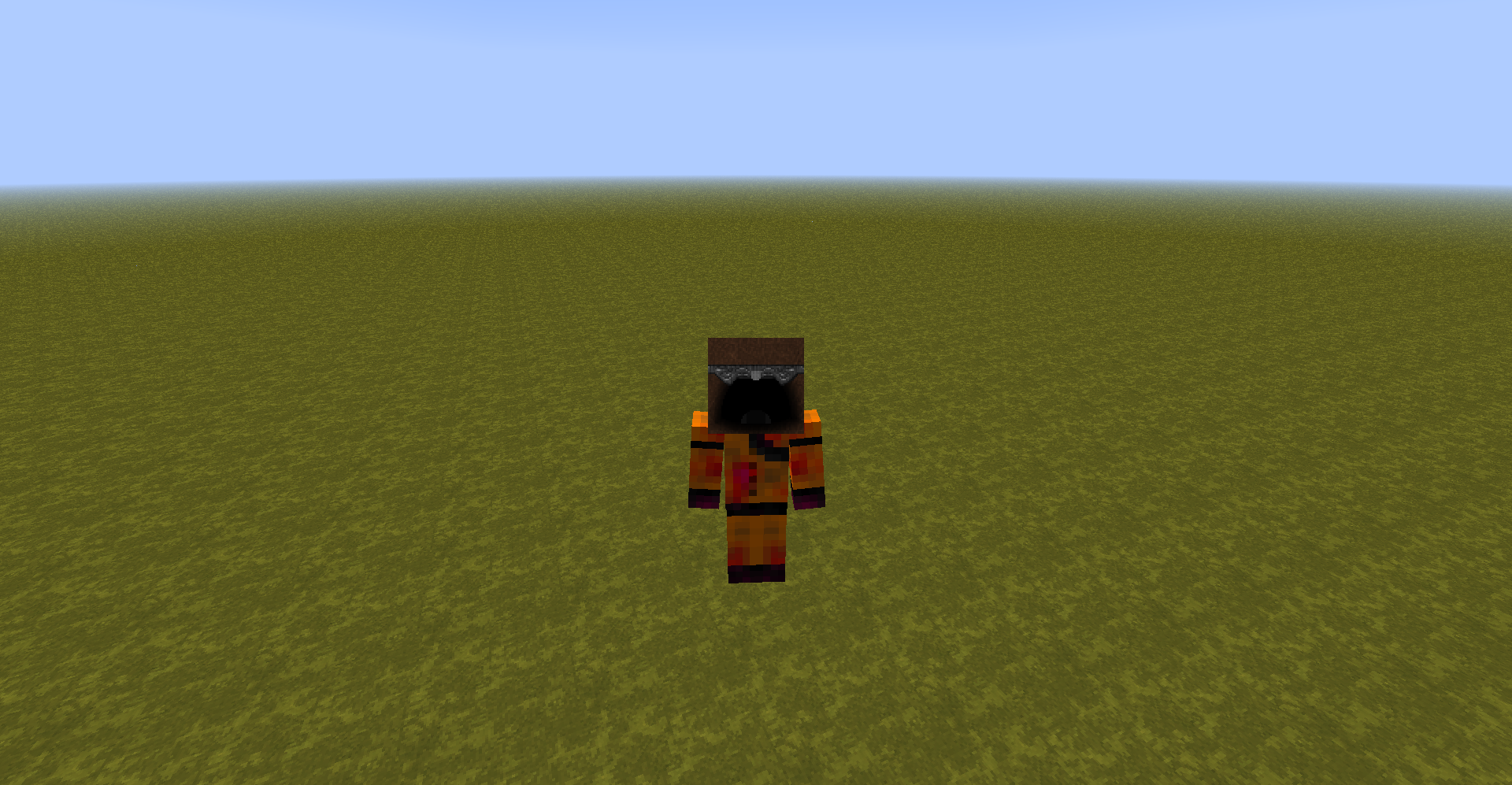
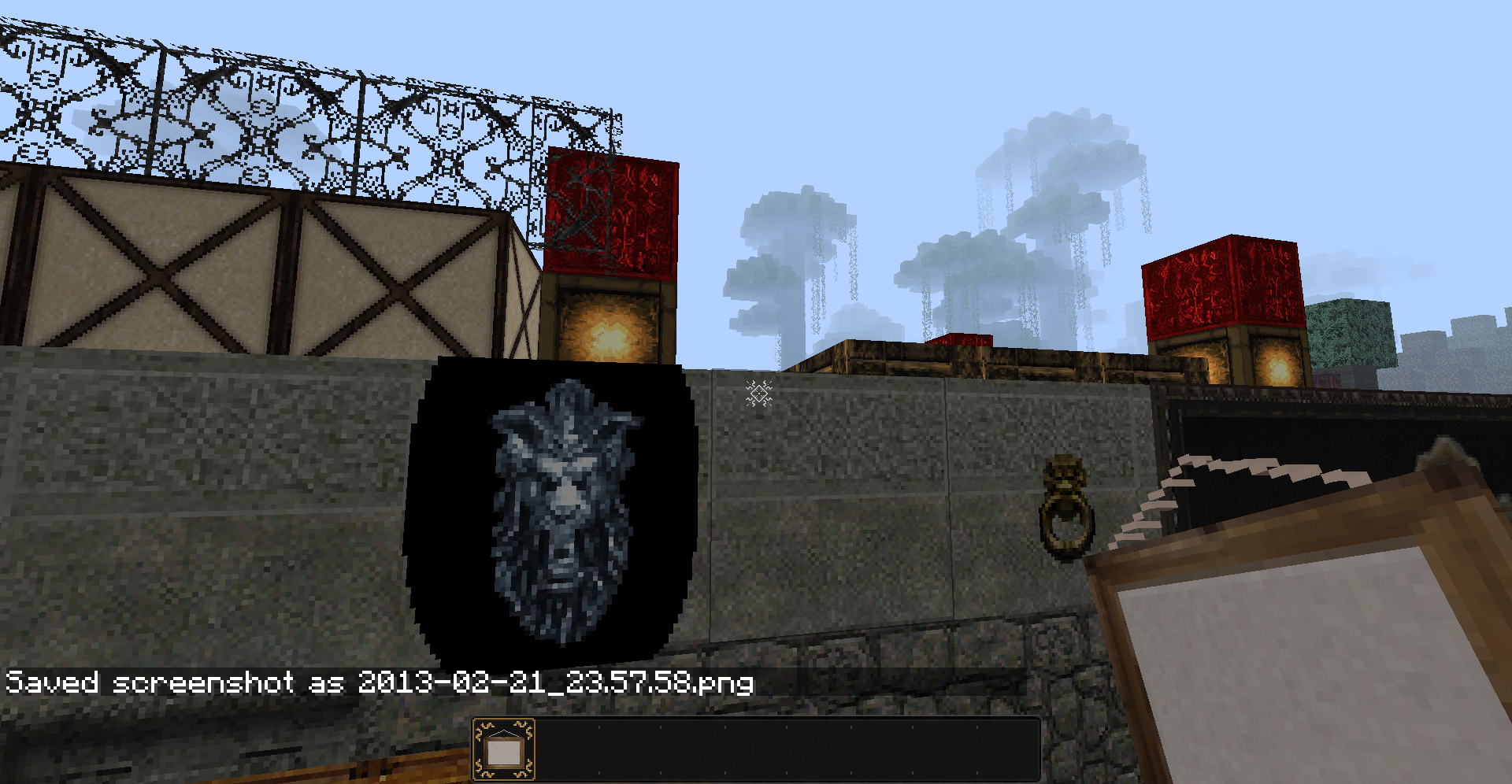
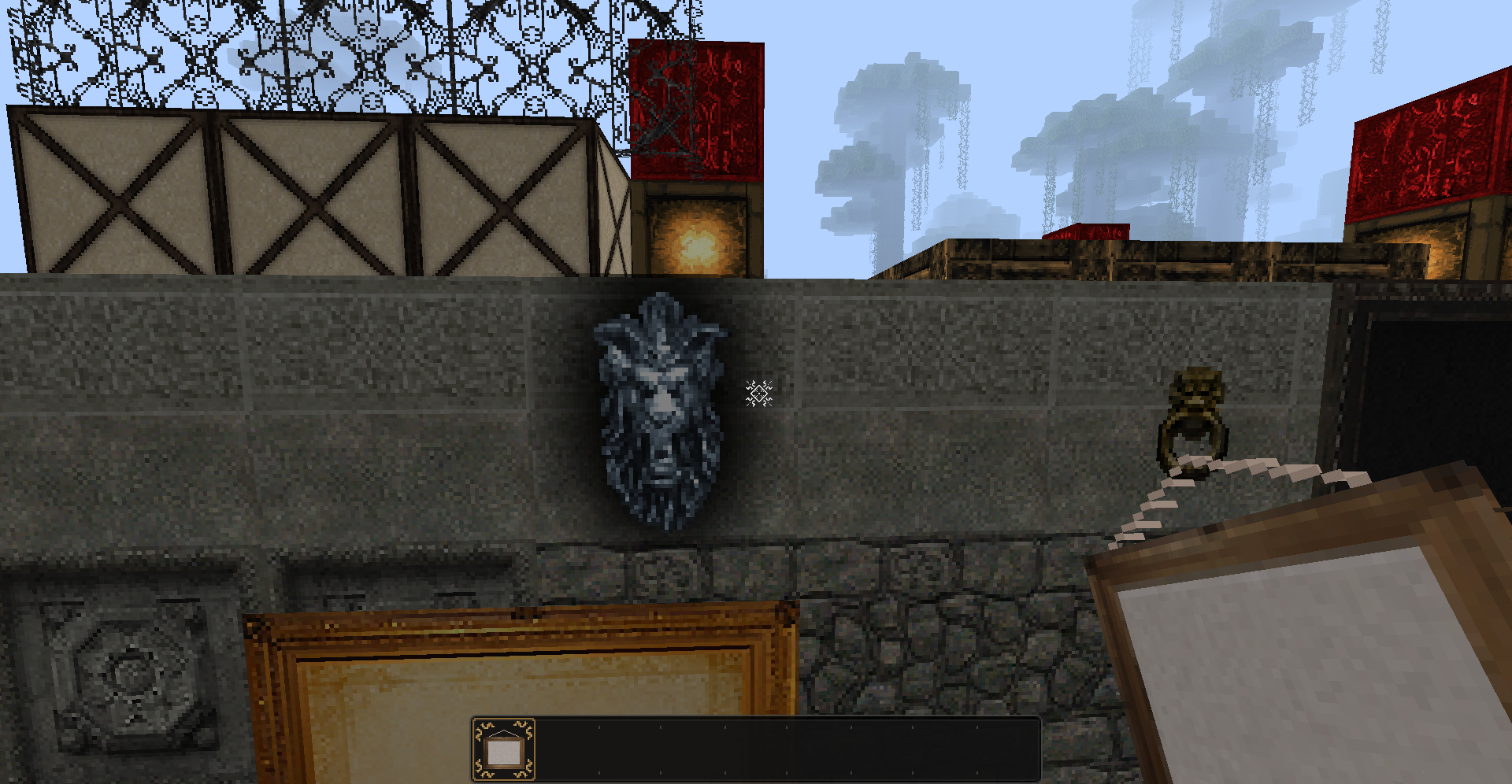

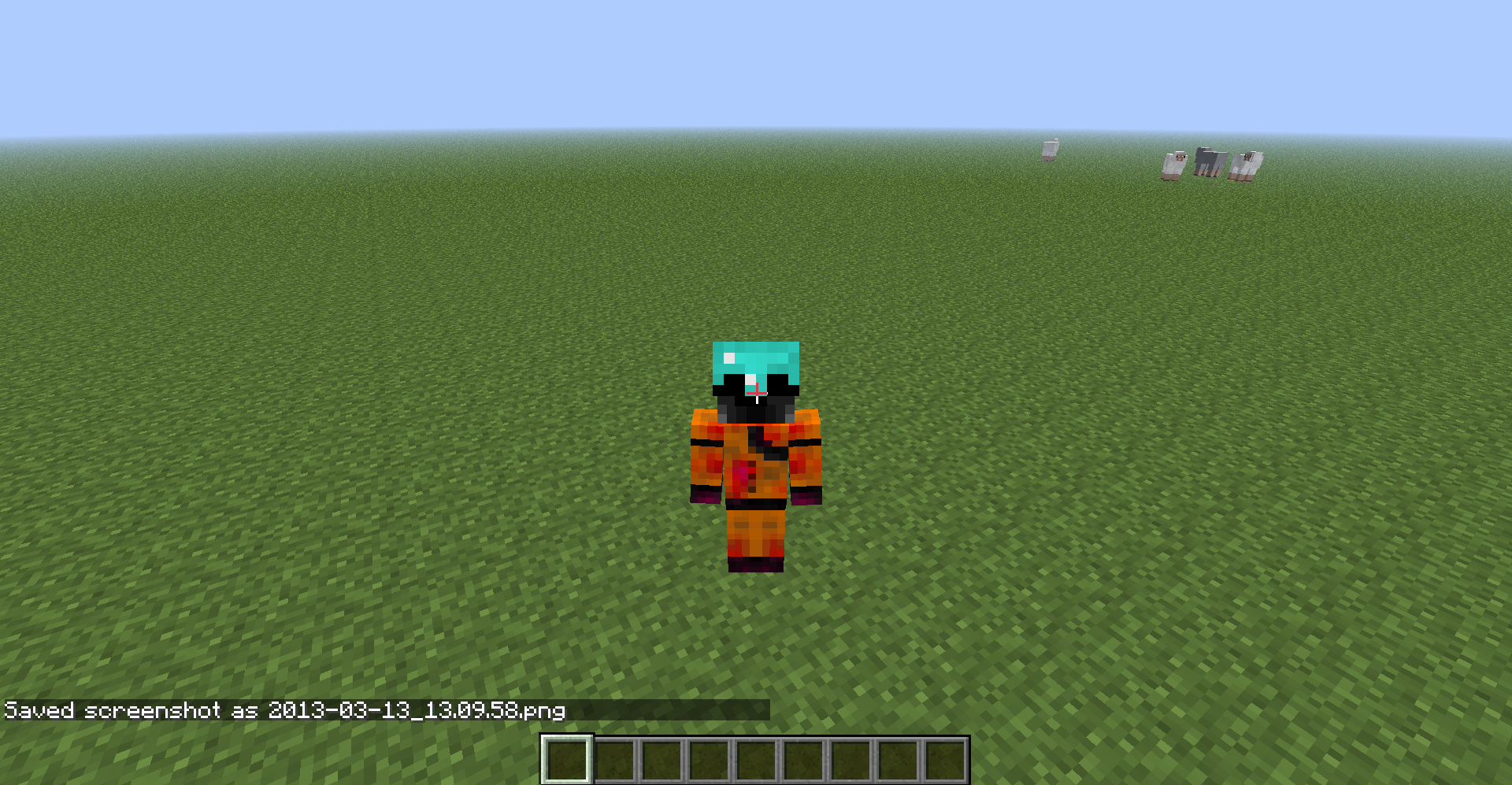
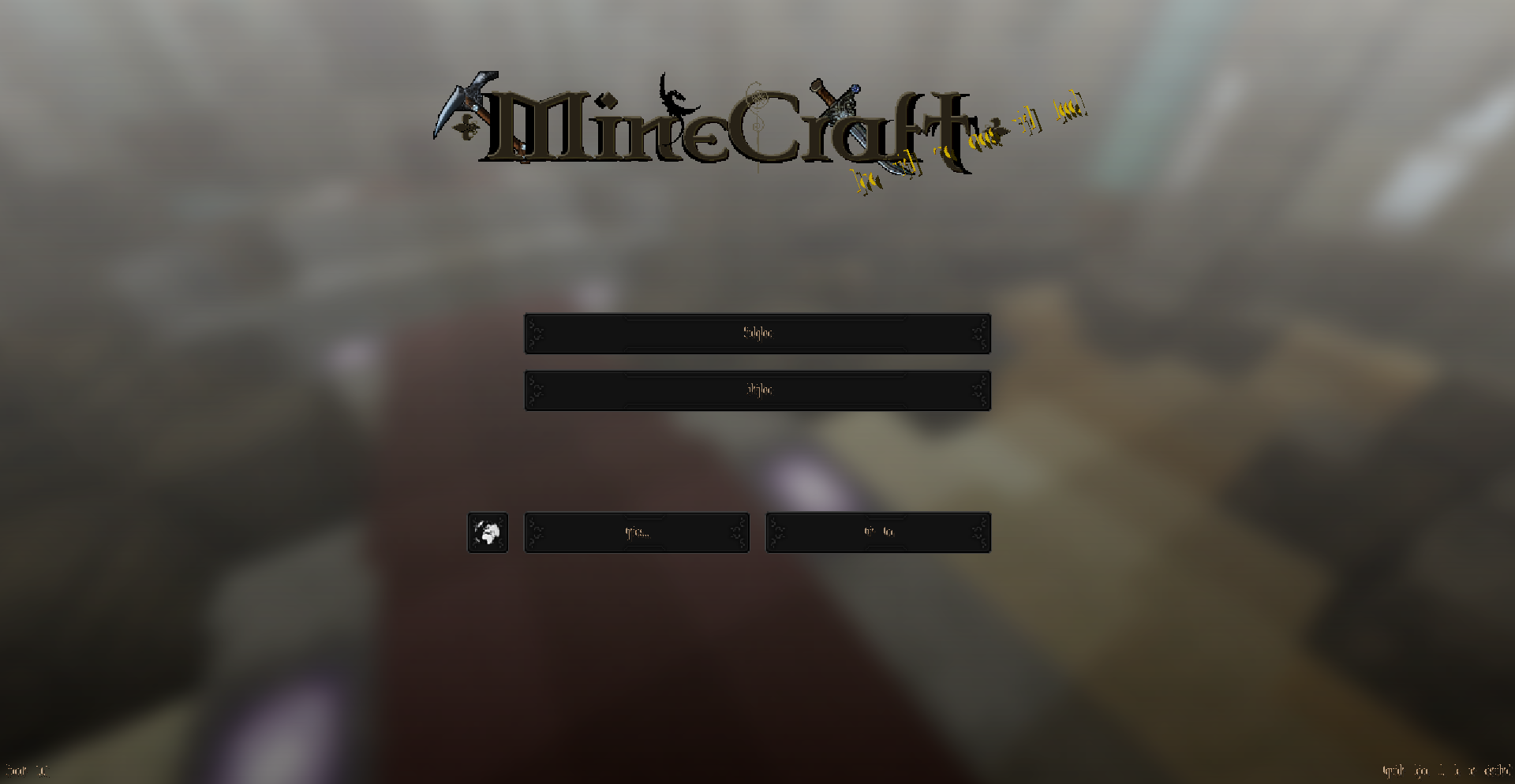
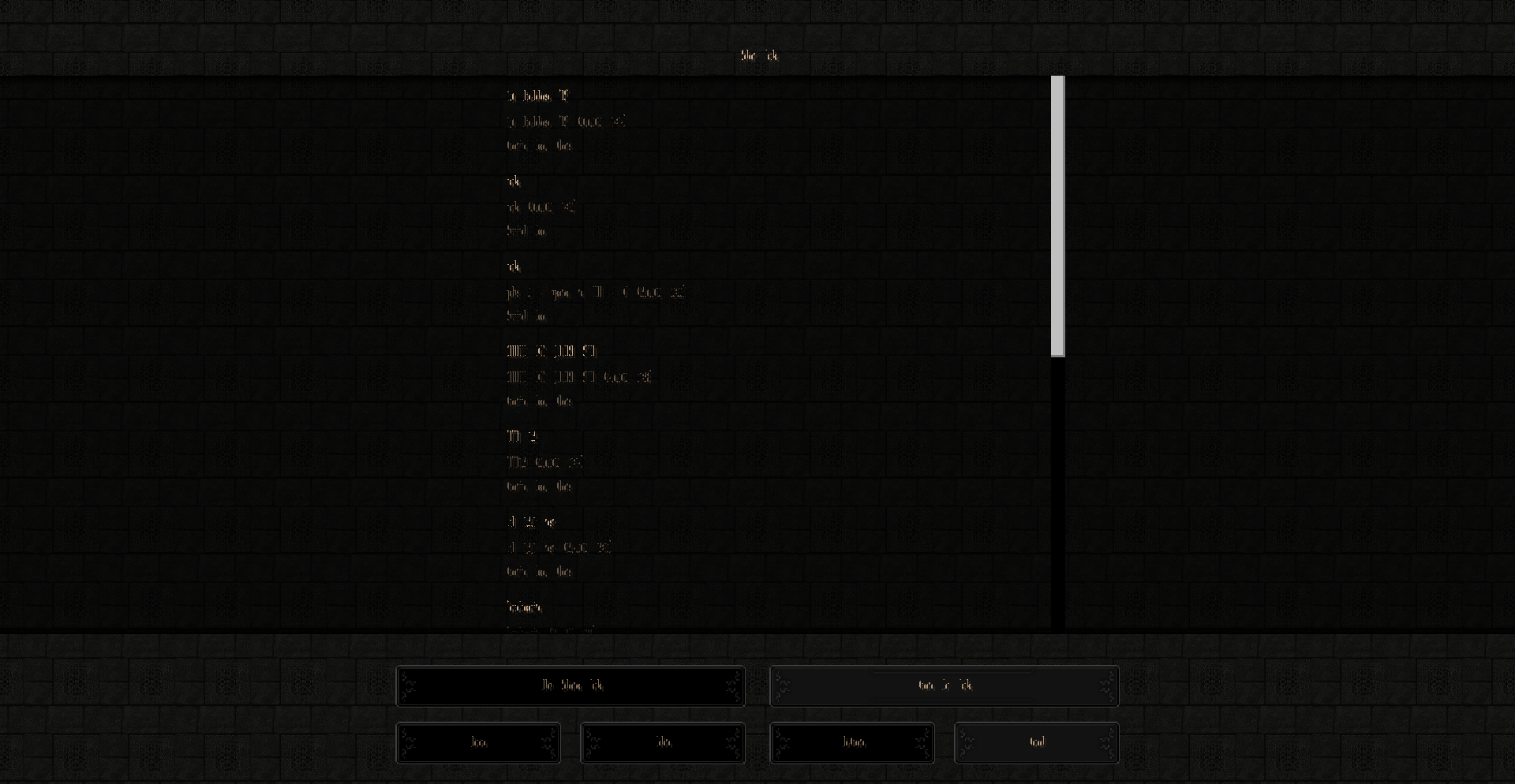
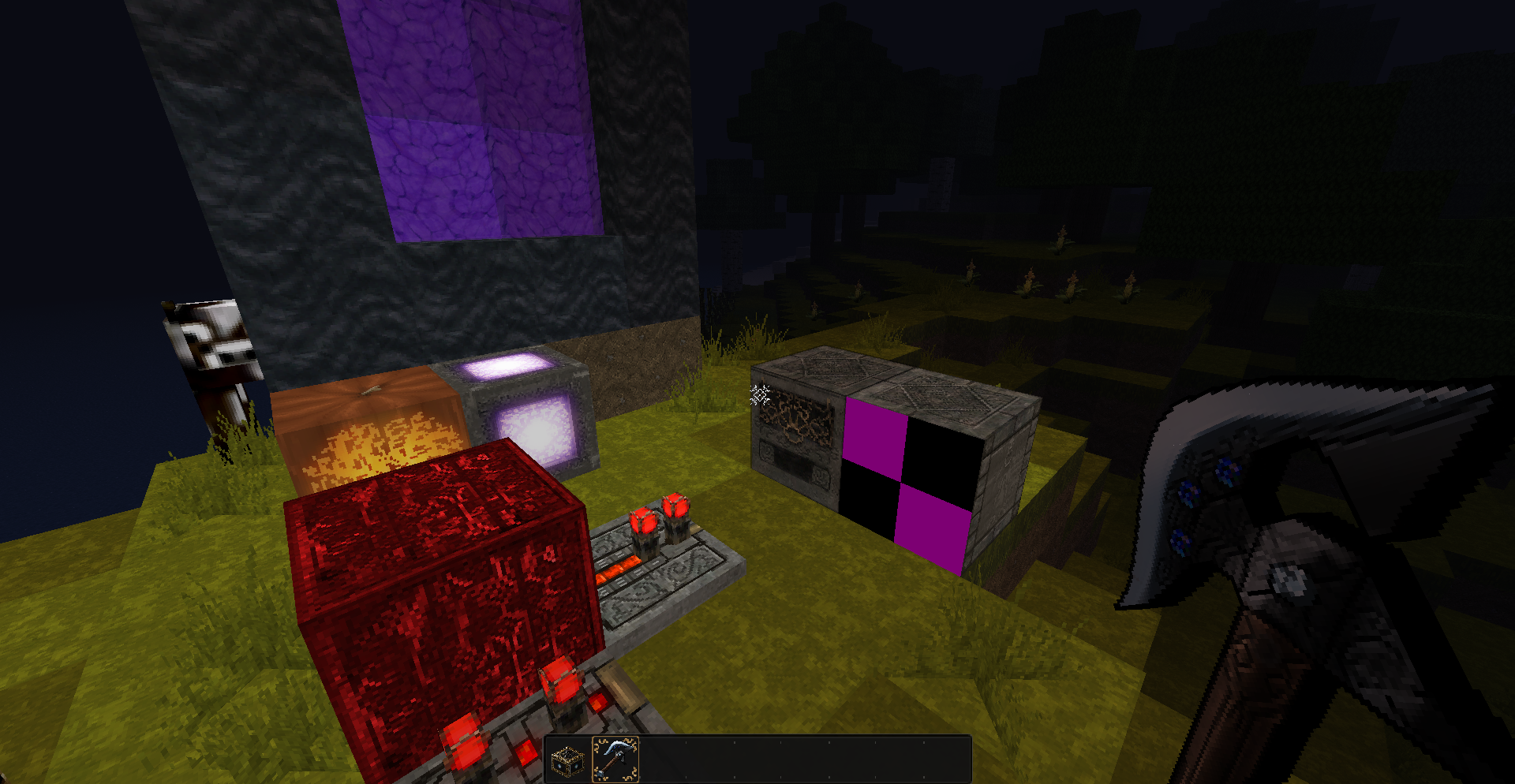
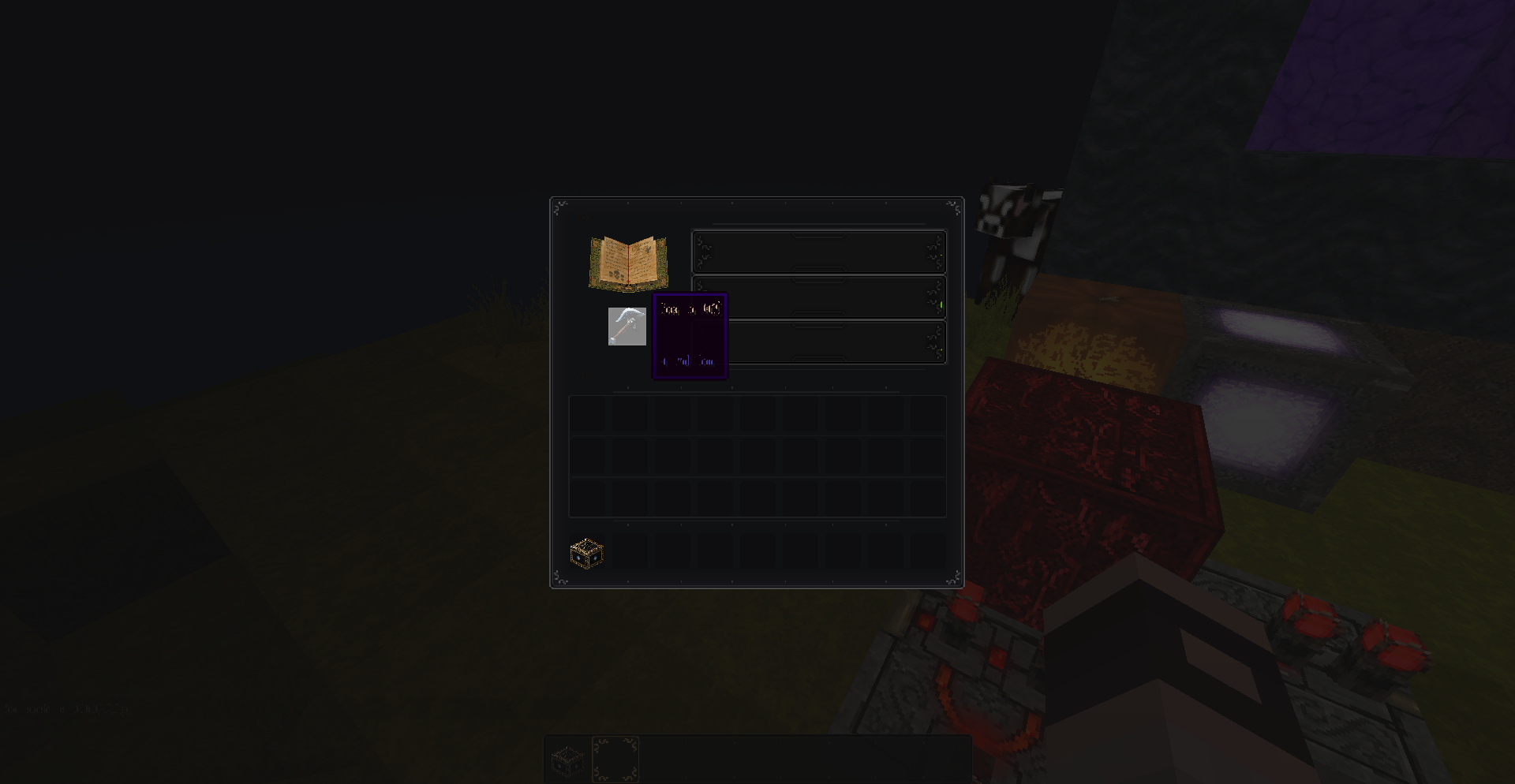


messed up fonts, missing alternative font in enchanting table slots, faulty animation for furnace
Hi,...
... so... I downloaded the new 1.6 PR... as well as the Tool for converting older TPs to the new Resource pack format...
all went good... I ran the game after converting my TP into a resource pack, selected it in the game... loaded... nice and fine. logged into the game... all worked... except the furnace animation... it loaded with purple/black squares...
I quit the game, checked the animation properties files... it was present... I compared it to the other ones I have... all seemed same and fine...
... I logged back to the game...[i]And at once the font was completely messed up, unreadable, totaly faulty loaded or what...[/i]
the animations are not working properly... I have all the properties files set up correctly? (as they worked in 1.5.2) - if not... feel free to link me to a place where this mess is clearly explained as I am getting already ed on from changing it every release nearly...
[u][b]what is the issue?[/b][/u][u][i]ANIMATIONS[/i][/u]
- ie. fire, flowing water, custom animated rs lamp in on state, all work fine but... the portal animation works as if slowed/laggy... and directly opposite to this the ie. Furnace in on state works far too quickly...
- I have setup the framerate to 2, but still it runs at full speed ignoring it or I dunno... but the furnace animation flickers simply too fast...
[u][i]FONT[/i][/u]
- the font is totaly messed up and unreadable...
- when I switch the language the default font loads which seems fine... when I switch back to my HD font, it is again unreadable...
[i][u][b]SCREENSHOTS[/b][/u][/i]
[spoiler]missing text from enchanting table + unreadable fonts/tooltips...
[img]http://i40.tinypic.com/2isjr5x.jpg[/img]
[img]http://i40.tinypic.com/33z89xh.jpg[/img]
[img]http://i43.tinypic.com/sgpdu0.jpg[/img]Furnace on right is animated... should be...
[img]http://i40.tinypic.com/nd4x2c.jpg[/img][/spoiler]
[i][u][b]VIDEO[/b][/u][/i]
[spoiler]
[media]http://www.youtube.com/watch?v=BY4qxEYkYt0[/media]
[/spoiler]Exactly same happened today... when I made this screenshots and video about this...
I ran the new launcher... I noticed there is a newer version available 1.6.1 ... logged in... and voi la all Fonts worked as they should... full HD, nothing messed up... logged into the game... everything was alright. (except the furnace, which was flickering faster as it should - but it was due to the fact the properties file had not specified the framerate - as when I do... it loads the texture with purple/black square) O_oSo I already wanted to abandon this report I am writing now... but then... I quit the game and went over to the resource pack to add the framerate for the furnace animation to work corretly...
I logged back into the game and BAM! ... All fonts have been messed up again...So I have really no idea WTH is wrong... but it loads always fine for the first time and after that it loads messed up everytime... no matter if I change the Resource pack, no matter if I recreate the resource pack...
Hi,...
... so... I downloaded the new 1.6 PR... as well as the Tool for converting older TPs to the new Resource pack format...
all went good... I ran the game after converting my TP into a resource pack, selected it in the game... loaded... nice and fine. logged into the game... all worked... except the furnace animation... it loaded with purple/black squares...
I quit the game, checked the animation properties files... it was present... I compared it to the other ones I have... all seemed same and fine...
... I logged back to the game...And at once the font was completely messed up, unreadable, totaly faulty loaded or what...
the animations are not working properly... I have all the properties files set up correctly? (as they worked in 1.5.2) - if not... feel free to link me to a place where this mess is clearly explained as I am getting already ed on from changing it every release nearly...
what is the issue?
ANIMATIONS
- ie. fire, flowing water, custom animated rs lamp in on state, all work fine but... the portal animation works as if slowed/laggy... and directly opposite to this the ie. Furnace in on state works far too quickly...
- I have setup the framerate to 2, but still it runs at full speed ignoring it or I dunno... but the furnace animation flickers simply too fast...
FONT
- the font is totaly messed up and unreadable...
- when I switch the language the default font loads which seems fine... when I switch back to my HD font, it is again unreadable...
SCREENSHOTS
missing text from enchanting table + unreadable fonts/tooltips...
http://i40.tinypic.com/2isjr5x.jpg
http://i40.tinypic.com/33z89xh.jpg
http://i43.tinypic.com/sgpdu0.jpgFurnace on right is animated... should be...
http://i40.tinypic.com/nd4x2c.jpgVIDEO
http://www.youtube.com/watch?v=BY4qxEYkYt0Exactly same happened today... when I made this screenshots and video about this...
I ran the new launcher... I noticed there is a newer version available 1.6.1 ... logged in... and voi la all Fonts worked as they should... full HD, nothing messed up... logged into the game... everything was alright. (except the furnace, which was flickering faster as it should - but it was due to the fact the properties file had not specified the framerate - as when I do... it loads the texture with purple/black square) O_oSo I already wanted to abandon this report I am writing now... but then... I quit the game and went over to the resource pack to add the framerate for the furnace animation to work corretly...
I logged back into the game and BAM! ... All fonts have been messed up again...So I have really no idea WTH is wrong... but it loads always fine for the first time and after that it loads messed up everytime... no matter if I change the Resource pack, no matter if I recreate the resource pack...
Hi,...
... so... I downloaded the new 1.6 PR... as well as the Tool for converting older TPs to the new Resource pack format...
all went good... I ran the game after converting my TP into a resource pack, selected it in the game... loaded... nice and fine. logged into the game... all worked... except the furnace animation... it loaded with purple/black squares...
I quit the game, checked the animation properties files... it was present... I compared it to the other ones I have... all seemed same and fine...
... I logged back to the game...And at once the font was completely messed up, unreadable, totaly faulty loaded or what...
the animations are not working properly... I have all the properties files set up correctly? (as they worked in 1.5.2) - if not... feel free to link me to a place where this mess is clearly explained as I am getting already ed on from changing it every release nearly...
what is the issue?
ANIMATIONS
- ie. fire, flowing water, custom animated rs lamp in on state, all work fine but... the portal animation works as if slowed/laggy... and directly opposite to this the ie. Furnace in on state works far too quickly...
- I have setup the framerate to 2, but still it runs at full speed ignoring it or I dunno... but the furnace animation flickers simply too fast...
FONT
- the font is totaly messed up and unreadable...
- when I switch the language the default font loads which seems fine... when I switch back to my HD font, it is again unreadable...
SCREENSHOTS
missing text from enchanting table + unreadable fonts/tooltips...
http://i40.tinypic.com/2isjr5x.jpg
http://i40.tinypic.com/33z89xh.jpg
http://i43.tinypic.com/sgpdu0.jpgFurnace on right is animated... should be...
http://i40.tinypic.com/nd4x2c.jpgVIDEO
http://www.youtube.com/watch?v=BY4qxEYkYt0Exactly same happened today... when I made this screenshots and video about this...
I ran the new launcher... I noticed there is a newer version available 1.6.1 ... logged in... and voi la all Fonts worked as they should... full HD, nothing messed up... logged into the game... everything was alright. (except the furnace, which was flickering faster as it should - but it was due to the fact the properties file had not specified the framerate - as when I do... it loads the texture with purple/black square) O_oSo I already wanted to abandon this report I am writing now... but then... I quit the game and went over to the resource pack to add the framerate for the furnace animation to work corretly...
I logged back into the game and BAM! ... All fonts have been messed up again...So I have really no idea WTH is wrong... but it loads always fine for the first time and after that it loads messed up everytime... no matter if I change the Resource pack, no matter if I recreate the resource pack...
**EDIT**
ok... I just noticed the messed up font is even in the DEFAULT resource pack ( I switched from my "TP" to the default to see if the issue will persist... and yes... it did... thus it is not just about HD fonts... but fonts generaly)
- @Furnace
I think I was able to make the furnace work as intended... by adding to the properties file number of frames as well, and not just framerate multiplier.So the font remains the only issue...
some animations broken+ HD font messed upFont messed up + some animations broken
I have been playing in a flat map, created in mc 1.8PR for several weeks, today when I was placing/destroying wooden slabs in Creative mode the game freezed up and after some time came up with that error...
since then I am not able to play the map as I get a crash with that error everytime I load into the map...---- Minecraft Crash Report ----
// Surprise! Haha. Well, this is awkward.Time: 16.11.2014 15:01
Description: Tesselating block modeljava.lang.ArrayIndexOutOfBoundsException: 36
at com.prupe.mcpatcher.ctm.TileOverrideImpl$CTM.getTileWorld_Impl(TileOverrideImpl.java:66)
at com.prupe.mcpatcher.ctm.TileOverride.getTileWorld(TileOverride.java:433)
at com.prupe.mcpatcher.ctm.TileOverrideIterator$IJK.getTile(TileOverrideIterator.java:146)
at com.prupe.mcpatcher.ctm.TileOverrideIterator.go(TileOverrideIterator.java:119)
at com.prupe.mcpatcher.ctm.CTMUtils18.getModelFace(CTMUtils18.java:202)
at cln.a(SourceFile:134)
at cln.a(SourceFile:74)
at cln.a(SourceFile:43)
at cln.a(SourceFile:35)
at cll.a(SourceFile:62)
at cop.b(SourceFile:154)
at coh.a(SourceFile:78)
at coh.run(SourceFile:38)
at java.lang.Thread.run(Thread.java:744)A detailed walkthrough of the error, its code path and all known details is as follows:
---------------------------------------------------------------------------------------– Head –
Stacktrace:
at com.prupe.mcpatcher.ctm.TileOverrideImpl$CTM.getTileWorld_Impl(TileOverrideImpl.java:66)
at com.prupe.mcpatcher.ctm.TileOverride.getTileWorld(TileOverride.java:433)
at com.prupe.mcpatcher.ctm.TileOverrideIterator$IJK.getTile(TileOverrideIterator.java:146)
at com.prupe.mcpatcher.ctm.TileOverrideIterator.go(TileOverrideIterator.java:119)
at com.prupe.mcpatcher.ctm.CTMUtils18.getModelFace(CTMUtils18.java:202)
at cln.a(SourceFile:134)
at cln.a(SourceFile:74)– Block model being tesselated –
Details:
Block: minecraft:double_wooden_slab[variant=birch]
Block location: World: (633,56,-321), Chunk: (at 9,3,15 in 39,-21; contains blocks 624,0,-336 to 639,255,-321), Region: (1,-1; contains chunks 32,-32 to 63,-1, blocks 512,0,-512 to 1023,255,-1)
Using AO: true
Stacktrace:
at cln.a(SourceFile:43)
at cln.a(SourceFile:35)– Block being tesselated –
Details:
Block type: ID #125 (tile.woodSlab // awi)
Block data value: 2 / 0x2 / 0b0010
Block location: World: (633,56,-321), Chunk: (at 9,3,15 in 39,-21; contains blocks 624,0,-336 to 639,255,-321), Region: (1,-1; contains chunks 32,-32 to 63,-1, blocks 512,0,-512 to 1023,255,-1)
Stacktrace:
at cll.a(SourceFile:62)– Affected level –
Details:
Level name: MpServer
All players: 1 total; [cio['babbajagga'/17748, l='MpServer', x=635,20, y=58,12, z=-322,03]]
Chunk stats: MultiplayerChunkCache: 49, 49
Level seed: 0
Level generator: ID 01 - flat, ver 0. Features enabled: false
Level generator options:
Level spawn location: 601,00,4,00,-240,00 - World: (601,4,-240), Chunk: (at 9,0,0 in 37,-15; contains blocks 592,0,-240 to 607,255,-225), Region: (1,-1; contains chunks 32,-32 to 63,-1, blocks 512,0,-512 to 1023,255,-1)
Level time: 653485 game time, 6598 day time
Level dimension: 0
Level storage version: 0x00000 - Unknown?
Level weather: Rain time: 0 (now: false), thunder time: 0 (now: false)
Level game mode: Game mode: creative (ID 1). Hardcore: false. Cheats: false
Forced entities: 1 total; [cio['babbajagga'/17748, l='MpServer', x=635,20, y=58,12, z=-322,03]]
Retry entities: 0 total; []
Server brand: vanilla
Server type: Integrated singleplayer server
Stacktrace:
at cen.a(SourceFile:308)
at bsu.b(SourceFile:2252)
at coh.run(SourceFile:44)
at java.lang.Thread.run(Thread.java:744)– System Details –
Details:
Minecraft Version: 1.8
Operating System: Windows XP (x86) version 5.1
Java Version: 1.7.0_51, Oracle Corporation
Java VM Version: Java HotSpot(TM) Client VM (mixed mode), Oracle Corporation
Memory: 376662808 bytes (359 MB) / 607727616 bytes (579 MB) up to 1060372480 bytes (1011 MB)
JVM Flags: 6 total; -XX:HeapDumpPath=MojangTricksIntelDriversForPerformance_javaw.exe_minecraft.exe.heapdump -Xmx1G -XX:+UseConcMarkSweepGC -XX:+CMSIncrementalMode -XX:-UseAdaptiveSizePolicy -Xmn128M
IntCache: cache: 0, tcache: 0, allocated: 0, tallocated: 0
Launched Version: 1.8-mcpatcher
LWJGL: 2.9.1
OpenGL: ~ERROR~ RuntimeException: No OpenGL context found in the current thread.
GL Caps: Using GL 1.3 multitexturing.
Using GL 1.3 texture combiners.
Using framebuffer objects because OpenGL 3.0 is supported and separate blending is supported.
Shaders are available because OpenGL 2.1 is supported.
VBOs are available because OpenGL 1.5 is supported.Using VBOs: No
Is Modded: Very likely; Jar signature invalidated
Type: Client (map_client.txt)
Resource Packs: [W.I.P. Ornate 5 RR [mc1.8+]]
Current Language: English (US)
Profiler Position: N/A (disabled)
[Solved] MC crash after placing slabs, unable to load world now
the issue I have is described over here in details with pics.
http://www.minecraftforum.net/forums/mapping-and-modding/resource-packs/resource-pack-discussion/1256366-the-all-inclusive-updated-guide-to-texturing?comment=177too tired for rewritting it all from scratch, especially when I don't believe in Mojang caring about resource pack authors...
but maybe you gonna prove me wrong...
the issue I have is described over here in details with pics.
http://www.minecraftforum.net/forums/mapping-and-modding/resource-packs/resource-pack-discussion/1256366-the-all-inclusive-updated-guide-to-texturing?comment=176too tired for rewritting it all from scratch, especially when I don't believe in Mojang caring about resource pack authors...
but maybe you gonna prove me wrong...
I have still the issue with clock...
@snapshot 13w09c
unziped folder with 64-128px tp
I have made empty clock.txt file
works w/o problems in 13w03a
flowing lava and water have worked weird/broken/incorrect when I had their txt files filled with numbers
the blocks animated, but at some point they stopped, seemed as lag, but it was just the animation frozen, after some time it started over again from 1st animation frame.
(ie. I have animations with 128 frames, but despite that I had written 0-127 frames in txt, it only animated like 30, then it "stopped" until it reached the last 127th and after it the animation repeated from start)
the txt file looked like this:
0
1
2
...
127/255
when I deleted the whole "text" - numbers within the txt the animations started to work properly and all 128, resp. 256 frames got animated.
I can provide the txt and clock png if needed.
interesting information about how mojang does not support higher res textures, because the game at current point supports/is able to handle by default textures with higher resolution as 16px without any need of 3rd party addons/mods/patchers...
but well... I rather stop here
thx for pointing me at it.
I can confirm this issue...
having an unziped tp with 64px lava/water animations of 128 or 256 frames
using snapshot 13w09c
flowing lava and water have worked weird/broken/incorrect when I had their txt files filled with numbers
the blocks animated, but at some point they stopped, seemed as lag, but it was just the animation frozen, after some time it started over again from 1st animation frame.
(ie. I have animations with 128 frames, but despite that I had written 0-127 frames in txt, it only animated like 30, then it "stopped" until it reached the last 127th and after it the animation repeated from start)
the txt file looked like this:
0
1
2
...
up to 127, resp. 255
when I deleted the whole "text" - numbers within the txt the animations started to work properly and all 128, resp. 256 frames got animated.
I can provide the txt and clock png if needed.
here is the whole TP (W.I.P.)
http://www.sendspace.com/file/bf39mb
Includes the working txt files as well as the ones which do not work properly (set as default)
attached a crash report as requested
Woaw! This... is really.... hillarious! ... "support"...
1st... I very well know for what are F1 and F2, F3, F5, F8 buttons...
2nd... it is not a pressure plate... it is an Armor Stand from a mod
3rd... it is not caused by modded client... that shit happens with or without the Armor stand instaled
the same shadow transparency issue happens with Paintings if placed on wall (=opaque backgroud)...
Dear Anon Ymus, maybe you should re-read the reported issue so you can actually say something usefull to the theme, but maybe you just missed the topic, as what you "answered" has no sentence with the ticket... GJ
updated
so it gets even more interesting...
I repeated the proces in UNMODED mc as you requested, ... the armor helm was rendered with opaque textures, no matter the F1 mode on/off.
So I would rather ask, if the game actually supports partial transparency at all in Armor files?
But then I have no idea why before if worked as seen on the screenshot... well... idc
I also add the Paintings screenshot with even more weird behavior by partial transparent textures (they get opaque by change of the view angle, etc. but if you look at a specific angle at the painting with a partial transparent shadow around it, the shadow is rendered correctly partialy transparent).
orly? so you maybe can visit over by me,... and see if I DO CHEAT!
WTF is this site for? pissing on players or to solve problems?!
This is really unbelievable... so you dare to tag me a cheater now?
SPEECHLESS!
SHOULD I PROVIDE A VIDEO SO YOU CAN BELIEVE ME?
WHAT ABOUT TRYING IT FOR YOUR SELF SIR?! BEFORE YOU SPIT AROUND ON OTHERS!
I added additional screenshots, taken few minutes ago,... from a U N M O D E D minecraft ... runing from minecraft.exe
do you see on the other screenshots any mods? I DO NOT...
again...
I... opened the /.minecraft folder
run the minecraft.exe file
login...
choose my TP...
open single player
create a new map in 1.5 pre-release
enter the map
equip the armor (creative mode)
I press the F2
I press F1... then F2
hit ESC
Save and Quit
Quit Game
upload the files here
I did not used MC Patcher, Optifine, Magic Launcher, or anything else... (applies for 100% to the armor screenshots with grass around)
(the paintings have been screenshoted by me already a while ago, so I do not remember if at that time I had OptiFine runing, thus I don't talk about those)
but the armor textures with grass around are taken in vanilla mc w/o any additional programs/mods or whatever
I asked a question... dunno if you ignore it or just overlook it...
Maybe if the answer is NO to that question this whole ticket is pointless...
so I ask once again... does the game actually supports partial transparency in armor files? or in paintings?
I made as you requested... sir...
despite the fact that it is not my job, but nvm...
I edited the DEFAULT armor helm in MINECRAFT.JAR, the face should be visible partialy darkened by black "shadow"... but as you can see it is not transparent just fully opaque.
Excuse my stupid question, but how is it supposed to be fixed? As I have still invisible water in cauldron ... in mc v.1.7.2 release...
Do I have to fix it myself in my pack?
I have attached the water files - transparent water in cauldron
well... that screenshot at least shows some water... but for me I see no water at all... just 1-3 pixels... (only in cauldron... the water is otherwise rendered correctly) O_o
attached a screenshot of my own rp.
to left empty cauldron
to right ... filled cauldron with water (notice the few dots of pixels = that´s all I see from my water in a cauldron...)
I has MCPatcher applied.
I will post into MCPatcher thread just in case it was caused by that, just in case...
Confirmed, it is related to MCPatcher.
I have loaded the map w/o problems when using only plain vanilla mc w/o mcpatcher.
just as I said, thanks for proving me I was right
but it was worth at least a try, right?
/shamefull
It doesn't works for me at all... no matter the banner file sizes be exactly same or not. And yes, I have edited even the banner_base.png.
but why do I complain at all... when Mojang gives a !@#$
Whenever they are lazy to make something properly, they just use the phrase: "We do not support..."
Still the best parts is: "We do NOT support HD for entities" ORLY?
ORLY?  Then allow us, dear GRUM to inform you about game you are developing, that it supports HD entities for already several YEARS.
/facepalm
LOSERS.
Sorry Techy4198... I have far different experience. and not just me ^^


Although my bug report I posted to this site was tagged as duplicate of this one... despite that it has nearly nothing to do with this posted here, but OK... I did not awaited any other move, not yet making them the effort to read it at all, so nvm
it is not about java, nor 32bit colro depth, nor resolution. but ok... mine is duplicate so issue solved
oh... and minecraft has no support for HD entities anyways
maybe GRUM works on some another minecraft we do not know...
the bug is still present.
I just noticed that the textures work with 128x128 px size.
they are not working with 256x256px - on that resolution the banners use the banner_base.png but ignore the colours.
I have tried this in mc v 1.11.2 @8. january 2017
I have used the * * * default MC banner_base.png * * * and resized it from default 64px to 128px... worked well in game.
When I resized it to 256px it broke like described above.
When I downsized it again to 128px it was working again pretty well.
So Techy4198 and all those that keep arguing with that bs that one need to use same size and colour depth... THAT'S NOT FIXING IT.
Maybe if you don't tag it as RESOLVED with invalid argument your request would be in place.
So we should not create bug reports, about bugs, that Mojang employees tag it as resolved, despite their are not resolved?
If resolved stands for Ignored, that gives sense...
yeap... that's all what you can do... delete my posts...
how low.