 Caleb J
- blocksmithed
- blocksmithed
- Europe/Stockholm
- Yes
- No
 MC-17757
![[Mojang] Grum (Erik Broes)](../../../data/assets/gravatar/grum.png)
![[Mojang] Nathan Adams](../../../data/assets/gravatar/dinnerbone.png)
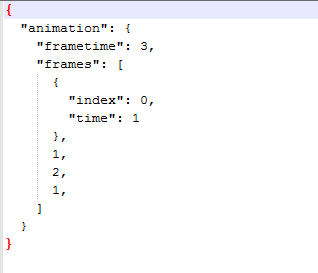

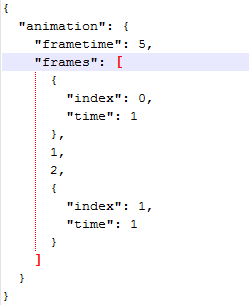

When "frametime" is used for an animation in a resource pack, it will be ignored if the argument (or whatever you call it) "time" is set to 1. For example: I set "frametime" to 3, but I have a couple frames that I want to be 1 tick long. So I add "time": 1.
What I expected to happen: all frames except the ones I set to 1 tick long would be 3 ticks long.
What actually happened: All frames were the default 1 tick instead of the correct 3 ticks.
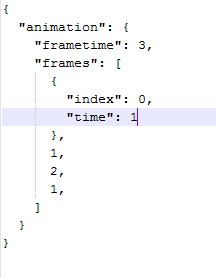
I will include a screenshot of my mcmeta. If you use it (with a 3 frame animation), all frames will be 1 tick long.
I'm not %100 sure if my explanation (as stated in the title) is correct, but it was the only way that I could explain it.
Edit: Added an example resource pack and updated the screenshot in the attachments.
When "frametime" is used for an animation in a resource pack, it will be ignored if the argument (or whatever you call it) "time" is set to 1. For example: I set "frametime" to 3, but I have a
coupleframesthat I want to be 1 tick long. So I add "time": 1.What I expected to happen: all frames except the one
sI set to 1 tick long would be 3 ticks long.What actually happened: All frames were the default 1 tick instead of the correct 3 ticks.
I will include a screenshot of my mcmeta. If you use it (with a 3 frame animation), all frames will be 1 tick long.
I'm not %100 sure if my explanation (as stated in the title) is correct, but it was the only way that I could explain it.
Edit: Added an example resource pack and updated the screenshot in the attachments.
When "frametime" is used for an animation in a resource pack, it will be ignored if the argument (or whatever you call it) "time" is set to 1. For example: I set "frametime" to 3, but I have a frame that I want to be 1 tick long. So I add "time": 1.
What I expected to happen: all frames except the one I set to 1 tick long would be 3 ticks long.
What actually happened: All frames were the default 1 tick instead of the correct 3 ticks.
I will include a screenshot of my mcmeta. If you use it (with a 3 frame animation), all frames will be 1 tick long.
I'm not %100 sure if my explanation (as stated in the title) is correct, but it was the only way that I could explain it.
Edit: Added an example resource pack and updated the screenshot in the attachments.
When "frametime" is used for an animation in a resource pack, it will be ignored if the argument (or whatever you call it) "time" is set to 1. For example: I set "frametime" to 3, but I have a frame that I want to be 1 tick long. So I add "time": 1.
What I expected to happen: all frames except the one I set to 1 tick long would be 3 ticks long.
What actually happened: All frames were the default 1 tick instead of the correct 3 ticks.
I will include a screenshot of my mcmeta. If you use it (with a 3 frame animation), all frames will be 1 tick long.
I'm not %100 sure if my explanation (as stated in the title) is correct, but it was the only way that I could explain it.
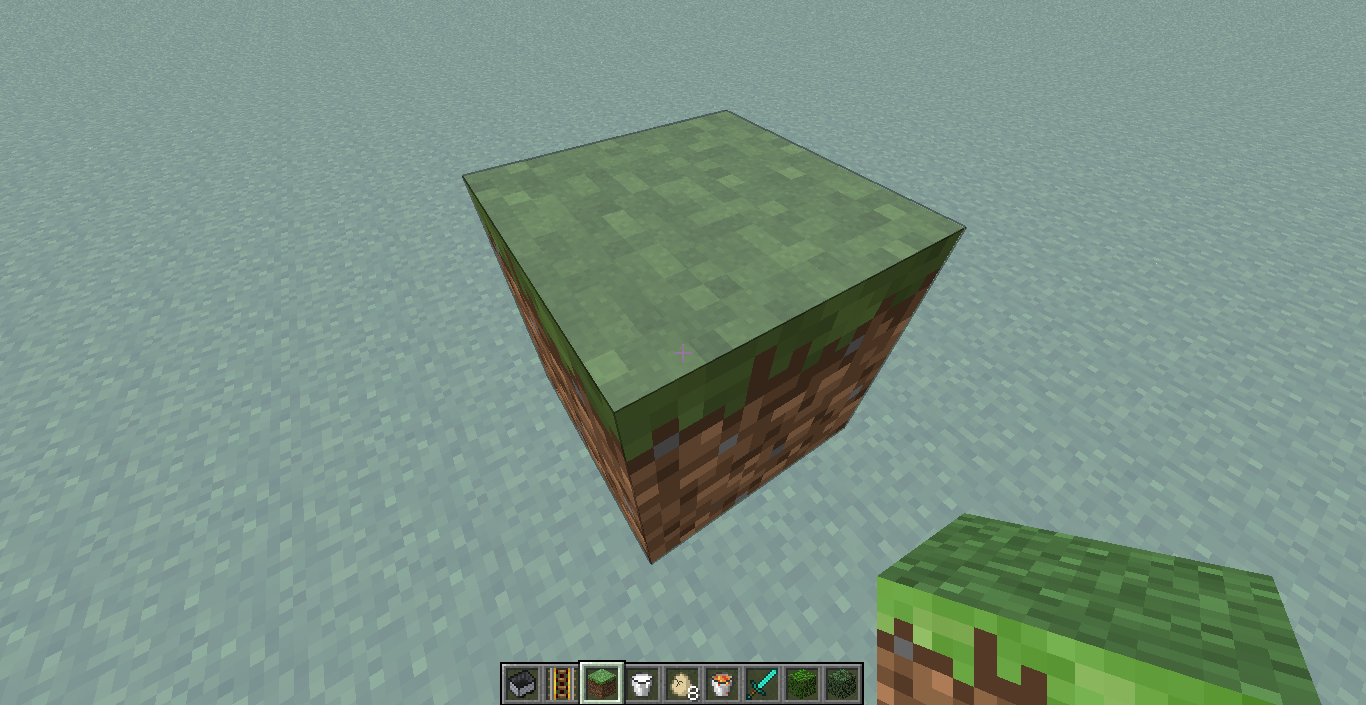
Edit: Added an example resource pack and updated the screenshot in the attachments. Place a piece if dirt and watch how all the frames are 1 tick long. WARNING: may be seizure inducing

shears.png
When "frametime" is used for an animation in a resource pack, it will be ignored if the argument (or whatever you call it) "time" is set to 1. For example: I set "frametime" to 3, but I have a frame that I want to be 1 tick long. So I add "time": 1.
What I expected to happen: all frames except the one I set to 1 tick long would be 3 ticks long.
What actually happened: All frames were the default 1 tick instead of the correct 3 ticks.
I will include a screenshot of my mcmeta. If you use it (with a 3 frame animation), all frames will be 1 tick long.
I'm not %100 sure if my explanation (as stated in the title) is correct, but it was the only way that I could explain it.
Edit: Added an example resource pack and updated the screenshot in the attachments. Place a piece if dirt and watch how all the frames are 1 tick long. WARNING: may be seizure inducing
Edit 2: Still a bug in 13w24b. Although the attached dirt example is also being affected by a second bug...
When "frametime" is used for an animation in a resource pack, it will be ignored if the argument (or whatever you call it) "time" is set to 1. For example: I set "frametime" to 3, but I have a frame that I want to be 1 tick long. So I add "time": 1.
What I expected to happen: all frames except the one I set to 1 tick long would be 3 ticks long.
What actually happened: All frames were the default 1 tick instead of the correct 3 ticks.
I will include a screenshot of my mcmeta. If you use it (with a 3 frame animation), all frames will be 1 tick long.
I'm not %100 sure if my explanation (as stated in the title) is correct, but it was the only way that I could explain it.
Edit: Added an example resource pack and updated the screenshot in the attachments. Place a piece if dirt and watch how all the frames are 1 tick long. WARNING: may be seizure inducing
Edit 2:
Still a bug in 13w24b. Although the attached dirt example is also being affected by a second bug...When "frametime" is used for an animation in a resource pack, it will be ignored if the argument (or whatever you call it) "time" is set to 1. For example: I set "frametime" to 3, but I have a frame that I want to be 1 tick long. So I add "time": 1.
What I expected to happen: all frames except the one I set to 1 tick long would be 3 ticks long.
What actually happened: All frames were the default 1 tick instead of the correct 3 ticks.
I will include a screenshot of my mcmeta. If you use it (with a 3 frame animation), all frames will be 1 tick long.
I'm not %100 sure if my explanation (as stated in the title) is correct, but it was the only way that I could explain it.
Edit: Added an example resource pack and updated the screenshot in the attachments. Place a piece if dirt and watch how all the frames are 1 tick long. WARNING: may be seizure inducing
Edit 2: Oops turns out this has been fixed. Edited accordingly. It's the converter that is not converting timing files correctly.
TextureEnder.jar is not converting some animations .txt files correctly into mcmeta. Sorry that this isn't necessarily a bug with minecraft, but it is sort of part of the snapshot.
It seems that sometimes (notably long delays) timings are converted incorrectly. For example, this:
0*100,1*2was converted into this:
{
{ "index": 0, "time": 1 }
"animation": {
"frametime": 2,
"frames": [
,
1
]
}
}Note how "time": 1 when it should be "time": 100
This happened quite a few times with different textures and it didn't seem to be very consistent with any one thing. Although each time I used the converter, the same files would not work.
TextureEnder.jar is not converting some animations .txt files correctly into mcmeta. Sorry that this isn't necessarily a bug with minecraft, but it is sort of part of the snapshot.
It seems that sometimes (notably long delays) timings are converted incorrectly. For example, this:
0*100,1*2was converted into this:
{
{ "index": 0, "time": 1 }
"animation": {
"frametime": 2,
"frames": [
,
1
]
}
}Note how "time": 1 when it should be "time": 100
This happened quite a few times with different textures and it didn't seem to be very consistent with any one t
hing. Although each time I used the converter, the same files wouldnot work.TextureEnder.jar is not converting some animations .txt files correctly into mcmeta. Sorry that this isn't necessarily a bug with minecraft, but it is sort of part of the snapshot.
It seems that sometimes (notably long delays) timings are converted incorrectly. For example, this:
0*100,1*2was converted into this:
{
{ "index": 0, "time": 1 }
"animation": {
"frametime": 2,
"frames": [
,
1
]
}
}Note how "time": 1 when it should be "time": 100
This happened quite a few times with different textures and it didn't seem to be very consistent with any one timing in the txt file. Although each time I used the converter, the same files would be converted the same way.
TextureEnder.jar is not converting some animations .txt files correctly into mcmeta.
Sorry that this isn't necessarily a bug with minecraft, but it issort ofpart of the snapshot.It seems that sometimes (notably long delays) timings are converted incorrectly. For example, this:
0*100,1*2was converted into this:
{ "animation": { "frametime": 2, "frames": [ { "index": 0, "time": 1 }, 1 ] } }Note how "time": 1 when it should be "time": 100
This happened quite a few times with different textures and it didn't seem to be very consistent with any one timing in the txt file. Although each time I used the converter, the same files would be converted the same way.
TextureEnder.jar is not converting some animations .txt files correctly into mcmeta. This isn't necessarily a bug with minecraft, but it is a big and necessary part of the 1.6 snapshots.
It seems that sometimes (notably long delays) timings are converted incorrectly. For example, this:
0*100,1*2was converted into this:
{ "animation": { "frametime": 2, "frames": [ { "index": 0, "time": 1 }, 1 ] } }Note how "time": 1 when it should be "time": 100. With this it obviously is easy for me to fix, but I have quite a few long and complex timings that get totally messed up.
This happened quite a few times with different textures and it didn't seem to be very consistent with any one timing in the txt file. Although each time I used the converter, the same files would be converted the same way.
This is still a problem in 13w24b. My example isn't showing it though because of some other bug. I'll try to get the example "working" again.
Edit: scratch that. It was fixed. Sorry Grum Converter has some big bugs...
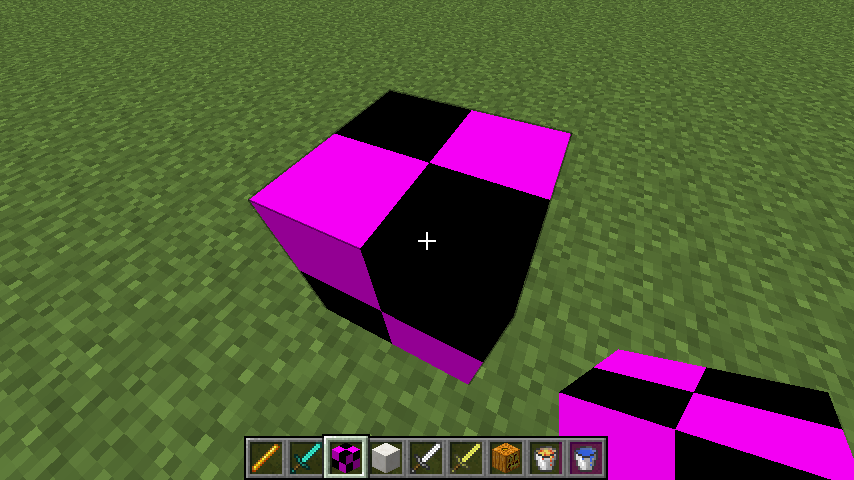
No documentation yet. I mostly figured it out by looking at what the converter spit out. I don't know why it's showing the placeholder... Some animations show the placeholder, and some work. I would report the placeholder bug, but I have no idea what is causing it...
I don't see why this isn't fixed by now. If they consider quasiconnectivity a feature, then it is a useless and VERY annoying one. There are so many ways to make bud switches besides this bug; an example is sethblings video here: http://www.youtube.com/watch?v=Qp4_oQuReuE
I don't see a difference between my working and not working examples, but ok. Just so you know, I didn't make those files. The converter did. I really wish it was more reliable and less buggy. (Edit: by "it" I mean the converter)
I don't see why you marked this as a duplicate. There is no similarity at all between the two issues. The other bug was with mcmeta and commas. This is a bug with the textureEnder converter.
What the problem is is that the converter converts the numbers wrong. I edited the report to clarify. Sorry for the confusion.
Dominic: I had the same problem, but it turned out that in my original .txt files (and converted mcmeta files) I had defined a frame that didn't exist. So say my animation is 10 frames long, the .txt/mcmeta file should have frames 0-9 in it not 0-10. This might be your problem because the resource pack I attached works now.
Dinnerbone did re-upload the converter to fix some bugs with it, but it's probably not the problem.
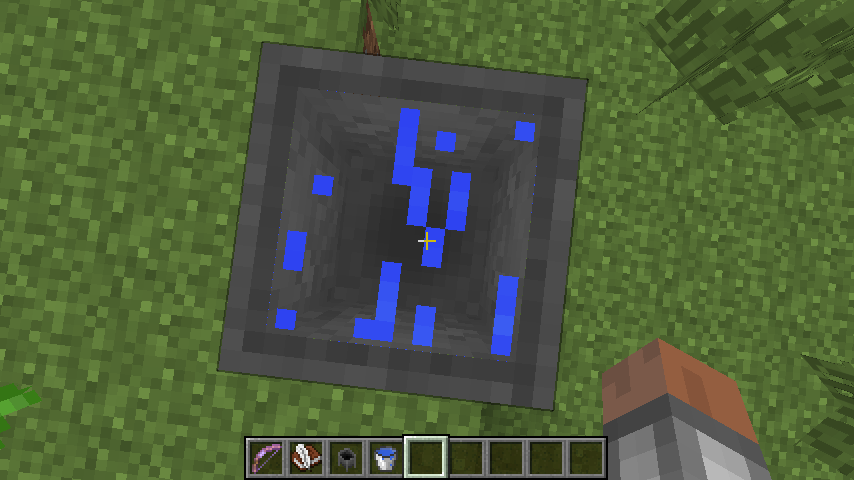
Cauldrons are still have a render bug when the water texture is too transparent in 14w02c.
I attached 2014-01-13_19.58.48.png and an edited default water_still.png