 Abner Eduardo Silveira Santos
- bner2008
- bner2008
- Europe/Stockholm
- Yes
- No
 MC-2071
![[Mojang] Nathan Adams](../../../data/assets/gravatar/dinnerbone.png)
![[Mojang] Jeb (Jens Bergensten)](../../../data/assets/gravatar/jeb.jpeg)
 MCL-163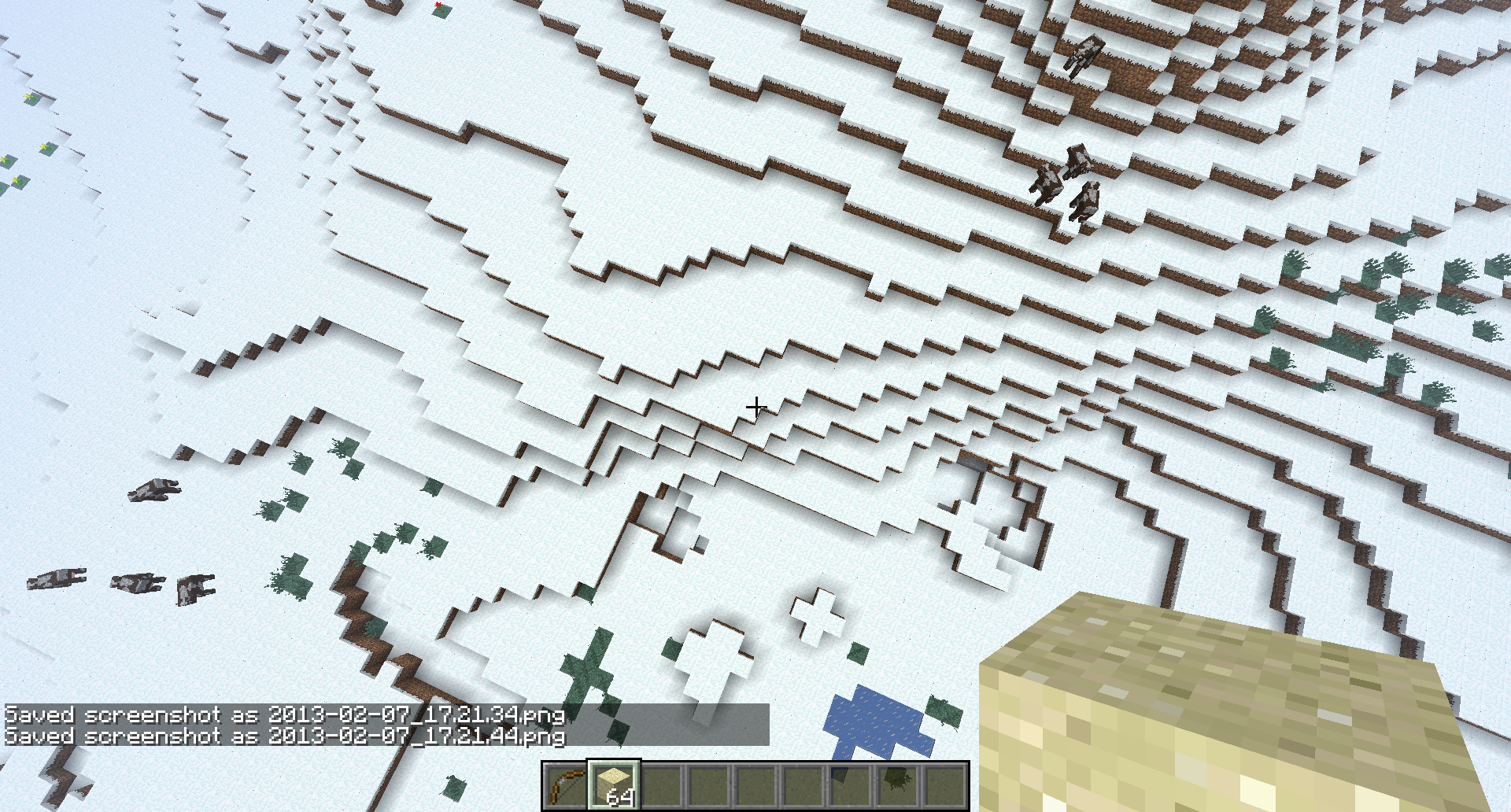

Pausing the Gamewhilein a nether portal
MacOSX, Java SE 6 32-bits 1.6.0_31-b04-415OS X, Java SE 6 32-bits 1.6.0_31-b04-415
Peaceful mobs when you hit them, they are supposed to run, but there's this bug that they won't run, just begin twisting and running in circles, and that happens to hostile mobs too, a creeper began to do the same thing when i attacked him.I also noticed that the peaceful mobs didn't jump to run, because i put a chicken on a 2 x 2 square and punched her, she began to run inside of this 2 x 2 area.
Peaceful mobs whenyou hit them, they are supposed to run, but there's this bug that they won't run,just begin twisting andrunning in circles, and that happens to hostile mobs too, a creeper began to do the same thing when i attacked him.I also noticed that thepeaceful mobsdidn't jump torun, becausei put a chicken on a 2 x 2 square and punched her, she began to run inside of this 2 x 2 area.All mobs when they are going to go down a block ( fall 1 block high to the next block ) they just begin twisting and spinning in circles.I also noticed that they didn't jump to climb blocks either, i put a chicken on a 2 x 2 square and punched her, she began to run inside of this 2 x 2 area.
All mobs when they are going to go down a block ( fall 1 block high to the next block ) they just begin twisting and spinning in circles.I also noticed that they didn't jump to climb blocks either, i put a chicken on a 2 x 2 square and punched her, she began to run inside of this 2 x 2 area. One more thing to notice is that if you save and exit of a world , and then come back, mobs will be already spinning , not being needed to climb - fall blocks, (superflat worlds can prove that) but after - before that bug, they will only spin on the previous conditions.
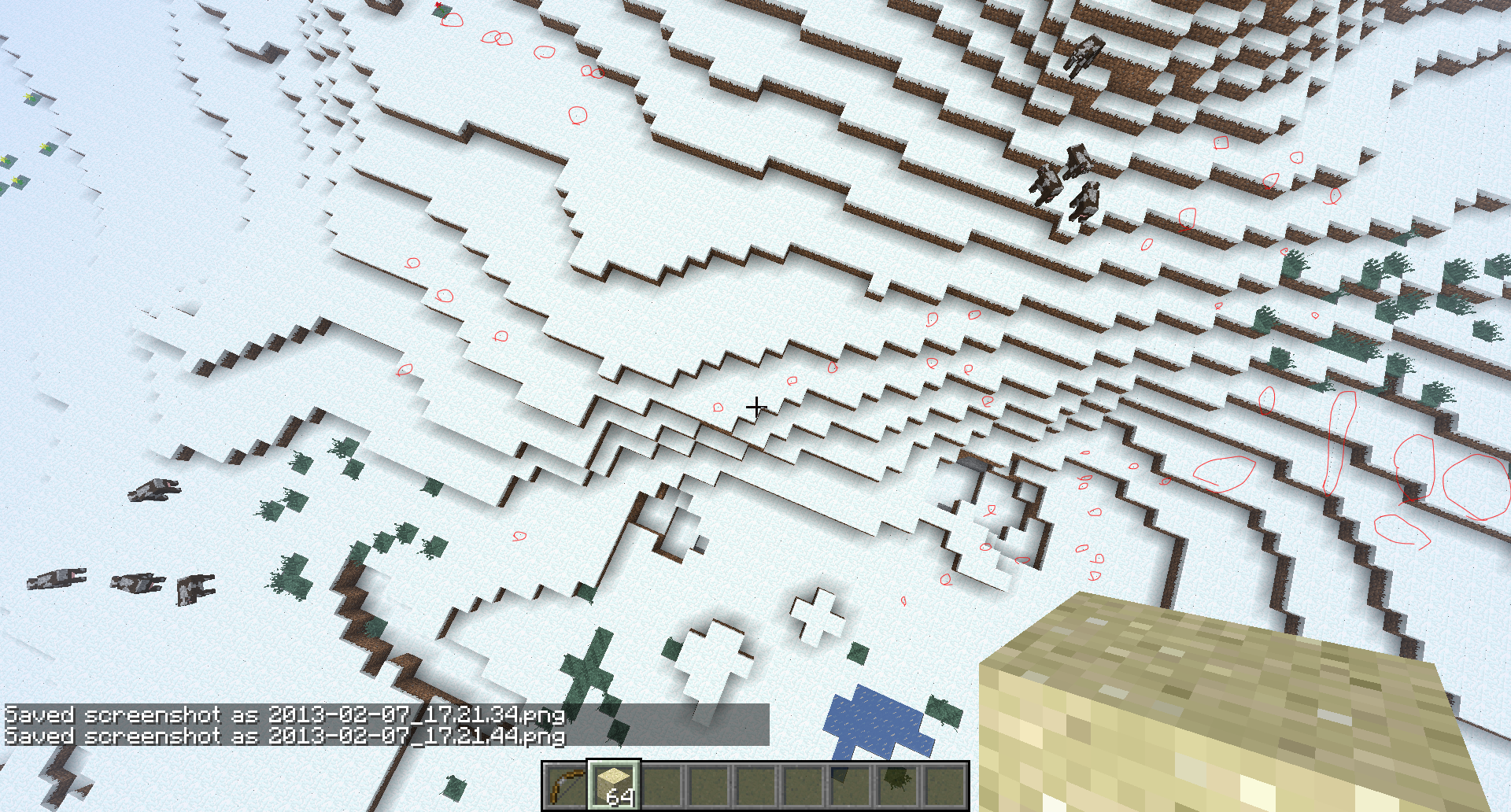
When you move your screen, walk , or something like that, if you look very closely , there are like, 1x1 pixel or 4x4 pixels ( idk ) black particles everywhere, i could only notice it on snow, idk if it only happens on snow or if it is only noticeable on snow, since it is pure white.
I posted some images... but you will have to zoom it a lot and pay attention, very closely !!!
Obs: After i zoomed it , i found out that it is really 1x1 pixels, so you must zoom it and pay attention!
edit: I recommend you to download the image to zoom it or else it is almost impossible to notice
" bows "
Well, i think you know that, you are very intelligent, or you wouldn't be working in mojang =)
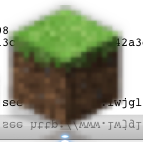
Minecraft, Since i can remember, on macs, the minimized icon has a lower resolution than the normal application icon , but it is just sightly noticeable , But now, with the new snapshot...
It's just ridiculous.
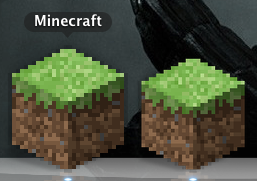
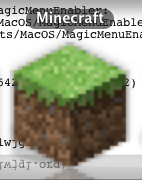
I put 3 screenshots here, the1stone are the normal old and new launcher icons ( the same )
The 2nd one is the old , from 1.5.1 to older versions minimized icon
The3rdand last one is the new snapshot minimized iconMinecraft, Since i can remember, on macs, the minimized icon has a lower resolution than the normal application icon , but it is just sightly noticeable , But now, with the new snapshot...
It's just ridiculous.
I put 3 screenshots here, the 3rd one are the normal old and new launcher icons ( the same )
The 2nd one is the old , from 1.5.1 to older versions minimized icon
The 1st and last one is the new snapshot minimized icon
Minecraft, Since i can remember, on macs, the minimized icon has a lower resolution than the normal application icon , but it is just sightly noticeable , But now, with the new snapshot...
It's just ridiculous.
I put 3 screenshots here, the 3rd one are the normal old and new launcher icons ( the same )
The 2nd one is the old , from 1.5.1 to older versions minimized icon
The 1st and last one is the new snapshot minimized iconEdit: The Snapshot one is not the minimized version , I've just noticed, It's the main icon , the application itself after the launcher opens the real game, It's the real game's icon , making it even worse, I can't believe it
You know what i give up
Thanks for the help and consideration that I didn't get...
Nobody cares about macs anyway... "Meh, Mac, less users, less money, Let's just totally ignore them, time is money , they are not worth the time"
Thank you mojang
Minecraft, Since i can remember, on macs, the minimized icon has a lower resolution than the normal application icon , but it is just sightly noticeable , But now, with the new snapshot...
It's just ridiculous.
I put 3 screenshots here, the 3rd one are the normal old and new launcher icons ( the same )
The 2nd one is the old , from 1.5.1 to older versions minimized icon
The 1st and last one is the new snapshot minimized iconEdit: The Snapshot one is not the minimized version , I've just noticed, It's the main icon , the application itself after the launcher opens the real game, It's the real game's icon , making it even worse, I can't believe it.
Minecraft, Since i can remember, on macs, the minimized icon has a lower resolution than the normal application icon , but it is just sightly noticeable , But now, with the new snapshot...
It's just ridiculous.
I put 3 screenshots here, the 3rd one are the normal old and new launcher icons ( the same )
The 2nd one is the old , from 1.5.1 to older versions minimized icon
The 1st and last one is the new snapshot minimized iconEdit: The Snapshot one is not the minimized version , I've just noticed, It's the main icon , the application itself after the launcher opens the real game, It's the real game's icon , making it even worse, I can't believe it
.
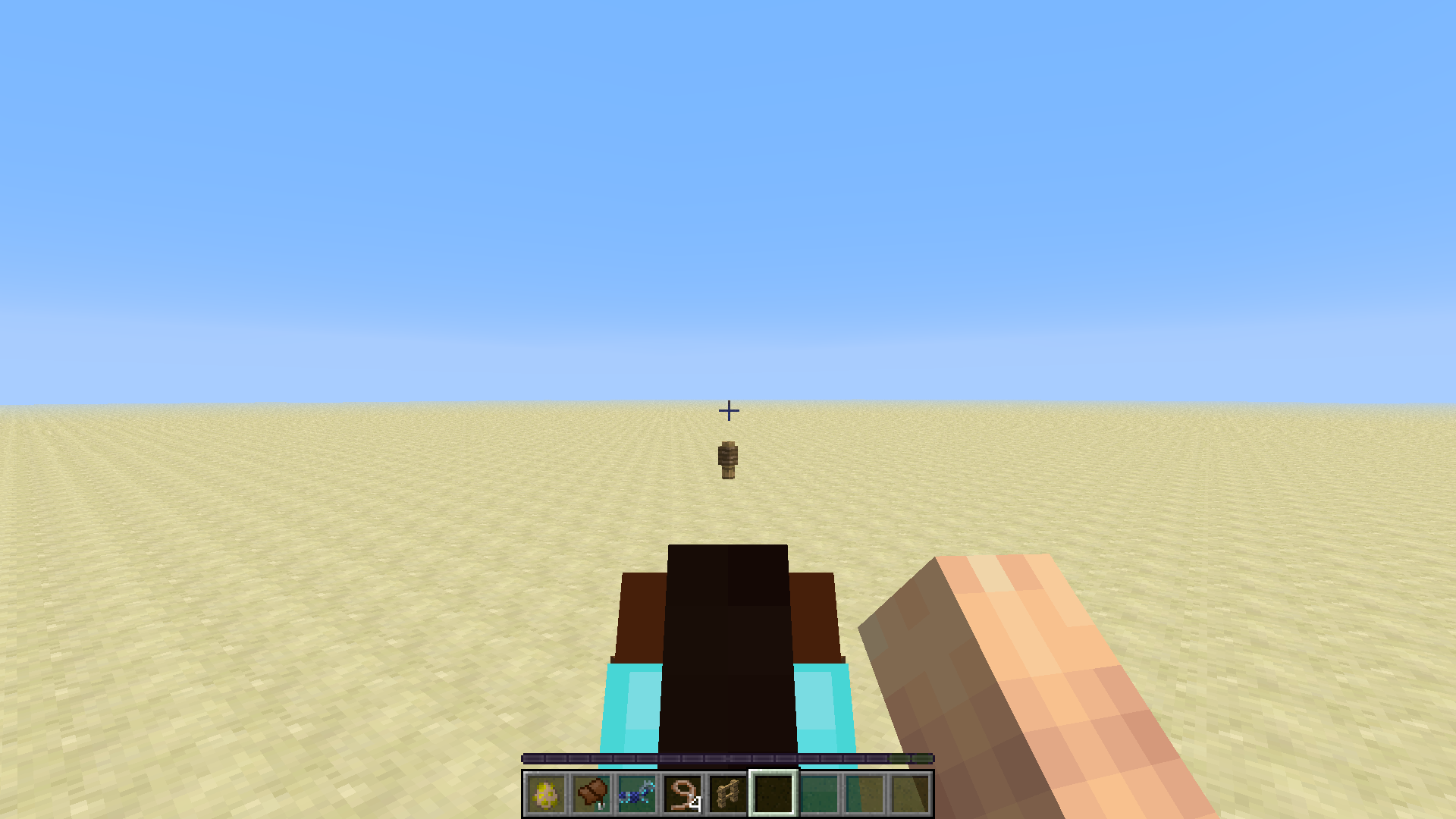
Hand Position buggedHand Position bugs when going to F5 mode while riding a horse
Various things, related to horses, A lot of things for example leaving and joining a world while mounting a horse and some other mounting horses actions causes your hand position to bug to a different place, Can't be fixed, Your hand will stay like that as long as you play that world , quitting the world and joining again does not fix it
Tame a Horse, Put a saddle on it and
Armor too, Ride It and Press F5 , Jump, Walk a while and then Exit F5 mode, Your hand position will be bugged.
Tame a Horse, Put a saddle on it and
.Tame a Horse, Put a saddle on it and
Tame a Horse, Put a saddle on it and
Why can't i pause the game??????
This is a Bug, i'm sure of it!When in 1.3.2 i could pause the game, i've just tested!
I know that bug, but it wasn't working on 1.2.5, when i tested it, neither it was working on 1.3.2
So i don't think that it was removed because of that, or am i wrong?
Duplicated, i know, just forget it, i've just found out
I think you got the point so attachments won't be necessary.
Vanilla, if it was modded i wouldn't put it here
I'll try to add more details
I've just noticed that they begin to spin when they are going to fall from a block ( going down on a mountain ) They begin to spin on the border of the block but don't go down to the next one ( that is only an only 1 block high fall ) and they don't jump either.
Your minecraft needs to be set on "Fancy" Graphics.
I can't reproduce on singleplayer, with or without armor.
I've just noticed one thing, If you exit and then enter a saved world, mobs will be spinning no matter if they are trying or not to jump or fall a block ( superflat maps prove that ) But after that entering bug, the mobs will glich only on the current situations.( already written )
Work as intended. " Remaking " Worlds just make the new world with the same seed that the last world was created, which means that it will copy the codes of the world generation, generating the new world , exactly the way it was on the generation , WITHOUT CHANGES, the blocks you place won't be saved.
Duplicated,try to search before posting.
Mojang added a feature on adventure mode that some tools can break some tipes of blocks , try to use a pickaxe on adventure mode, and you'll be able to break stone and ores, the fists have their own blocks as well, i don't think that's a bug, it's totally intended.
Although i can be wrong, I think i'm right, because i read the version updates logs and the adventure mode has it's own properties depending on the tools you use to break blocks since... 1.4.2 i think, or 1.4.4
A lot of people. People that like to search for natural seeds , that's why there are "seed showcases" on you tube , that's very useful for them.
I have a mac too, my fps fell to 7 on this new snapshot , it's not a duplicate, maybe it only happens with macs
I mean, the OS java
No, not at all
Download the pic and look closely
There are little 1x1 black points , particles on the screen
I noticed that, i made a huge 200 x 130 x 50 blocks arena, all closed , and the lighting was still affecting it when it was supposed to be pit black
Sure, hold on a sec... nothing that photoshop can't help....
I made red circles around them , there are still many more not marked, you must zoom it a lot to see, like i said.
That is not a bug..... it is supposed to be like that dude.... you need to get the fuel and right click with it in hands...
That is a feature =_=
It will be easier to look them if you have a picture editor software to zoom until you can see the pixels...
Ok, and they move randomly around only when i move the screen, i will get the crash report now
They don't stay on the blocks, only move randomly around my screen wherever i move and the background is white ( currently, snow )
For example, even when i am very close to the block, the particles are still 1x1 pixels and only appear when i am moving
( 1x1 pixel like, not talking about the minecraft pixelated blocks pixels, literally , pixels )
After i checked again, it only happens when i am far from the blocks , and the black pixels stay without moving when i am not moving either, and when i move they move randomly to another places ( i put the crash report already )
Oh... Well, it's not a surprise that the problem is with my computer... I have a really crappy computer... very old mac book pro, those that were still kind of retangular... it can't even support lion... Well, my java can't update anymore, i already tried , not a surprise, 2.16 GHz Intel Core Duo , 2 GB 667 MHz DDR2 SDRAM , well... soon i think i won't be able to play minecraft anymore...
I wonder if it is a bug or if it is just a feature, Or something that was forgotten to be coded , in my opinion , the player should teleport and the horse should stay, and all the mobs would attack the horse instead, sacrificing him , but staying alive
I don't know if that's intended , But if it is, I'd like to know why, Because no matter how much I think about it , i see no reason for that
It's the Same bug I think.... But horribly explained, can't even understand it
But not a duplicate, Because this one reports the 1.5.1 icon as well i guess
Ok then, wait
Now for some reason , the 1.5.1 world I had for redstone , the same that the hand bugged, every time i join it it crashes 5 seconds later
got it , uploading , and updating the description
Bugged Hand Position