 caucow
- caucow98
- caucow98
- America/Chicago
- Yes
- No
 MCPE-1114
 MC-109254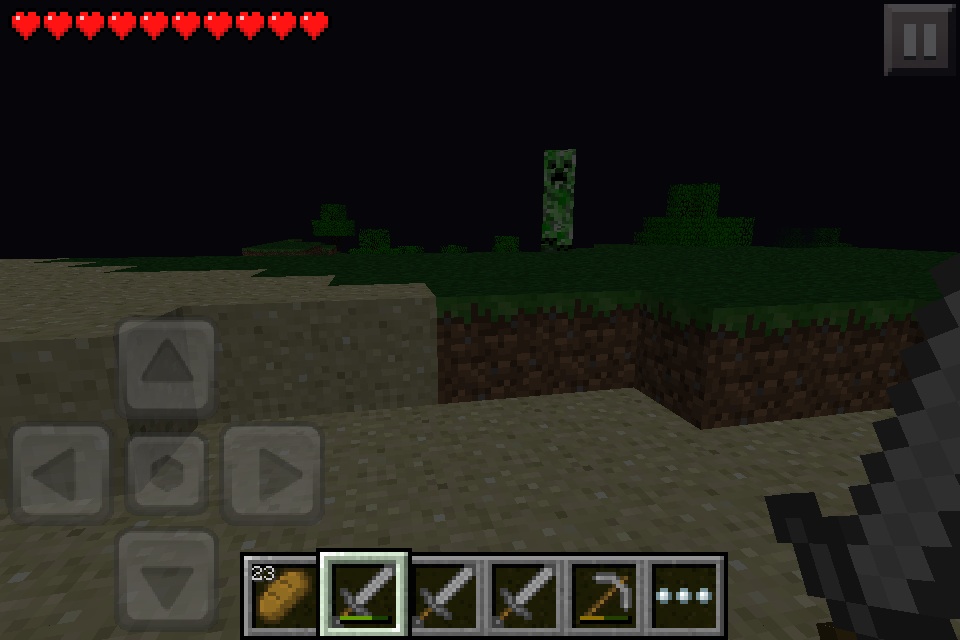




*What I expected to happen was...:
Well... I expected nothing to happen. I can not describe it better than that.*What actually happened was:
I opened the furnace gui and held down on an item at the bottom of my inventory to transfer the whole stack to the furnace. I had selected the smeltable items into my hotbar/hand before entering the gui. Since the player inventory only shows smeltable blocks, when an item from the player inventory was removed to be thrown (this relates to my next/previous bug) but was not moved to the furnace the game did not handle it and crashed.Steps to Reproduce:
1. In your normal inventory (opened with the [...] button) select some furnace-able items ( ex. sticks, planks, logs, ores, coals, now maybe lava bucket) so that they appear in you hand/hotbar.
2. Open a furnace GUI.
3. Press down on one of the hotbar slots so it throws the item. ( just guess where the slots are since you can not directly see them, this is another bug I am about to report.)
4. If the item thrown was an item visible in the furnace inventory the game will hit an error and crash. Due to the time between inventory/world saves, this could cause loss of items.*What I expected to happen was...:
Well... I expected nothing to happen. I can not describe it better than that.*What actually happened was:
I opened the furnace gui and held down on an item at the bottom of my inventory to transfer the whole stack to the furnace. I had selected the smeltable items into my hotbar/hand before entering the gui. Since the player inventory only shows smeltable blocks, when an item from the player inventory was removed to be thrown (this relates to my next/previous bug at https://mojang.atlassian.net/browse/MCPE-3989 ) but was not moved to the furnace the game did not handle it and crashed.Steps to Reproduce:
1. In your normal inventory (opened with the [...] button) select some furnace-able items ( ex. sticks, planks, logs, ores, coals, now maybe lava bucket) so that they appear in you hand/hotbar.
2. Open a furnace GUI.
3. Press down on one of the hotbar slots so it throws the item. ( just guess where the slots are since you can not directly see them, this is another bug I am about to report.)
4. If the item thrown was an item visible in the furnace inventory the game will hit an error and crash. Due to the time between inventory/world saves, this could cause loss of items.
*What I expected to happen was...:
Well... I expected nothing to happen. I can not describe it better than that.*What actually happened was:
I opened the furnace gui and held down on an item at the bottom of my inventory to transfer the whole stack to the furnace. I had selected the smeltable items into my hotbar/hand before entering the gui. Since the player inventory only shows smeltable blocks, when an item from the player inventory was removed to be thrown (this relates to my next/previous bug at https://mojang.atlassian.net/browse/MCPE-3989 ) but was not moved to the furnace the game did not handle it and crashed.Steps to Reproduce:
1. In your normal inventory (opened with the [...] button) select some furnace-able items ( ex. sticks, planks, logs, ores, coals, now maybe lava bucket) so that they appear in you hand/hotbar.
2. Open a furnace GUI.
3. Press down on one of the hotbar slots so it throws the item. ( just guess where the slots are since you can not directly see them, this is another bug I am about to report.)
4. If the item thrown was an item visible in the furnace inventory the game will hit an error and crash. Due to the time between inventory/world saves, this could cause loss of items.5 This is a video I captured of this bug. Go to its description for the furnace crash time. (4:10)
http://www.youtube.com/watch?v=kUX0Xl9WR-A
*What I expected to happen was...:
Well... I expected nothing to happen. I can not describe it better than that.*What actually happened was:
(Look at the bottom for a video of "What actually happened")
I opened the furnace gui and held down on an item at the bottom of my inventory to transfer the whole stack to the furnace. I had selected the smeltable items into my hotbar/hand before entering the gui. Since the player inventory only shows smeltable blocks, when an item from the player inventory was removed to be thrown (this relates to my next/previous bug at https://mojang.atlassian.net/browse/MCPE-3989 ) but was not moved to the furnace the game did not handle it and crashed.Steps to Reproduce:
1. In your normal inventory (opened with the [...] button) select some furnace-able items ( ex. sticks, planks, logs, ores, coals, now maybe lava bucket) so that they appear in you hand/hotbar.
2. Open a furnace GUI.
3. Press down on one of the hotbar slots so it throws the item. ( just guess where the slots are since you can not directly see them, this is another bug I am about to report.)
4. If the item thrown was an item visible in the furnace inventory the game will hit an error and crash. Due to the time between inventory/world saves, this could cause loss of items.5 This is a video I captured of this bug. Go to its description for the furnace crash time. (4:10)
http://www.youtube.com/watch?v=kUX0Xl9WR-A
*What I expected to happen was...:
Items held in your hand/hotbar at the bottom are disabled while using a gui.*What actually happened was...:
While in any gui including the pause menu, if you hold down on the screen where the hotbar would be ( ex. transferring a stack of items froma chest ) then the item in that box of the hotbar is thrown (for those that dont know this is like pressing Q on the pc version).Steps to Reproduce:
1. Pause the game and hold down on the hotbar.
2. Open a stonecutter and hold down on where the hotbar would normally be.
3. Open a crafting table and hold down where the hotbar normally is.
4. Open a furnace and hold down where the hotbar normally is.----
WARNING----
I am not responsible for items lost due to this bug. (There is a bug caused by this one that can cause potential loss of items. See https://mojang.atlassian.net/browse/MCPE-3988 )*What I expected to happen was...:
Items held in your hand/hotbar at the bottom are disabled while using a gui.*What actually happened was...:
While in any gui including the pause menu, if you hold down on the screen where the hotbar would be ( ex. transferring a stack of items from the bottom visible
a chest ) then the item in that box of the hotbar is thrown (for those that dont know this is like pressing Q on the pc version).Steps to Reproduce:
1. Pause the game and hold down on the hotbar.
2. Open a stonecutter and hold down on where the hotbar would normally be.
3. Open a crafting table and hold down where the hotbar normally is.
4. Open a furnace and hold down where the hotbar normally is.----
WARNING----
I am not responsible for items lost due to this bug. (There is a bug caused by this one that can cause potential loss of items. See https://mojang.atlassian.net/browse/MCPE-3988 )
*What I expected to happen was...:
Items held in your hand/hotbar at the bottom are disabled while using a gui.*What actually happened was...:
While in any gui including the pause menu, if you hold down on the screen where the hotbar would be ( ex. transferring a stack of items from the bottom visible
a chest ) then the item in that box of the hotbar is thrown (for those that dont know this is like pressing Q on the pc version).Steps to Reproduce:
1. Pause the game and hold down on the hotbar.
2. Open a stonecutter and hold down on where the hotbar would normally be.
3. Open a crafting table and hold down where the hotbar normally is.
4. Open a furnace and hold down where the hotbar normally is.----
WARNING----
I am not responsible for items lost due to this bug. (There is a bug caused by this one that can cause potential loss of items. See https://mojang.atlassian.net/browse/MCPE-3988 )*What I expected to happen was...:
Items held in your hand/hotbar at the bottom are disabled while using a gui.*What actually happened was...:
While in any gui including the pause menu, if you hold down on the screen where the hotbar would be ( ex. transferring a stack of items from the bottom visible rows of a chest ) then the item in that box of the hotbar is thrown (for those that dont know this is like pressing Q on the pc version).Steps to Reproduce:
1. Pause the game and hold down on the hotbar.
2. Open a stonecutter and hold down on where the hotbar would normally be.
3. Open a crafting table and hold down where the hotbar normally is.
4. Open a furnace and hold down where the hotbar normally is.----
WARNING----
I am not responsible for items lost due to this bug. (There is a bug caused by this one that can cause potential loss of items. See https://mojang.atlassian.net/browse/MCPE-3988 )
*What I expected to happen was...:
Items held in your hand/hotbar at the bottom are disabled while using a gui.*What actually happened was...:
While in any gui including the pause menu, if you hold down on the screen where the hotbar would be ( ex. transferring a stack of items from the bottom visible rows of a chest ) then the item in that box of the hotbar is thrown (for those that dont know this is like pressing Q on the pc version).This video shows this bug and another that is partially caused by it.
http://www.youtube.com/watch?v=kUX0Xl9WR-ASteps to Reproduce:
1. Pause the game and hold down on the hotbar.
2. Open a stonecutter and hold down on where the hotbar would normally be.
3. Open a crafting table and hold down where the hotbar normally is.
4. Open a furnace and hold down where the hotbar normally is.----
WARNING----
I am not responsible for items lost due to this bug. (There is a bug caused by this one that can cause potential loss of items. See https://mojang.atlassian.net/browse/MCPE-3988 )
Lately I've been noticing some odd mouse lag, where the game registers clicks where the crosshair was aimed a few frames ago. You can actually see the selection box lagging behind the crosshair by a few frames (this lag was introduced between 14w21b and 14w25b). I believe the responsiveness of the crosshair itself hasn't changed.
It's hard to account for all the different factors leading to an experience of a certain type of lag, so I devised a simple test: circle around mobs and try to hit them. If you keep the crosshair continuously centered and the game is consistent, this should always hit. In ≥14w25b you can do this for a while to no avail; you need to lead by a few frames to hit reliably. ≤14w21b is much better, perhaps off by one frame.
To reproduce most effectively, circle around tiny slimes at full speed creative flight and try to hit them. This is to reduce the temporal size of the target, making timing issues more apparent. The problem seems to be limited to mouse movements, which circling takes care of.
My videos were recorded at 60 fps in 14w33c. The fps limit was set to 120 fps. My machine actually hits 120 fps under these circumstances.
See:
Code analysis by jonathan2520
Secondary code analysis by caucow (prefer jonathan2520's, though)
Image with creeper is before, image with smoke is after.
This image shows the pathing lag and a server statement that causes me to think this bug is from internal server lag. Usually cases are not as noticeable and once again only last a fraction of a second.
First picture shows skeleton sitting still and shooting. Second and third pictures show a creeper before and after I walked into its attack radius. Fourth shows a zombie not swimming at me. The creeper pictures also show pigs that have been "stuck" for months
Im pretty sure the dev team will not debug a modded mcpe considering that is not what they designed the game for. I would send this bug to the developers of the mod apps you are using instead.
(And i do know it is modded because you can't normally use the nether reactor in creative.)
If you can produce this bug on an unmodded MCPE you would probably get better results here.
If I had the power i would confirm, I am using an iPod Touch 3rd Gen and get the same problem. It happenns because programming was added to make the player jump if there is a block, a space, then another block one level higher. In the current version this can be solved by making slab staircases use two slabs on each level.
I am using ipod touch third gen and do not have this problem in 0.5.0. Because mob spawning was slightly nerfed my a max mob count rule the suggested mobs in caves could be a problem. Also, if you are testing this in a cave, note that mobs only spawn more than 24 blocks from the player. Stay in a safe spot above ground and observe a full day night cycle. If mobs still do not spawn then this is a bug.
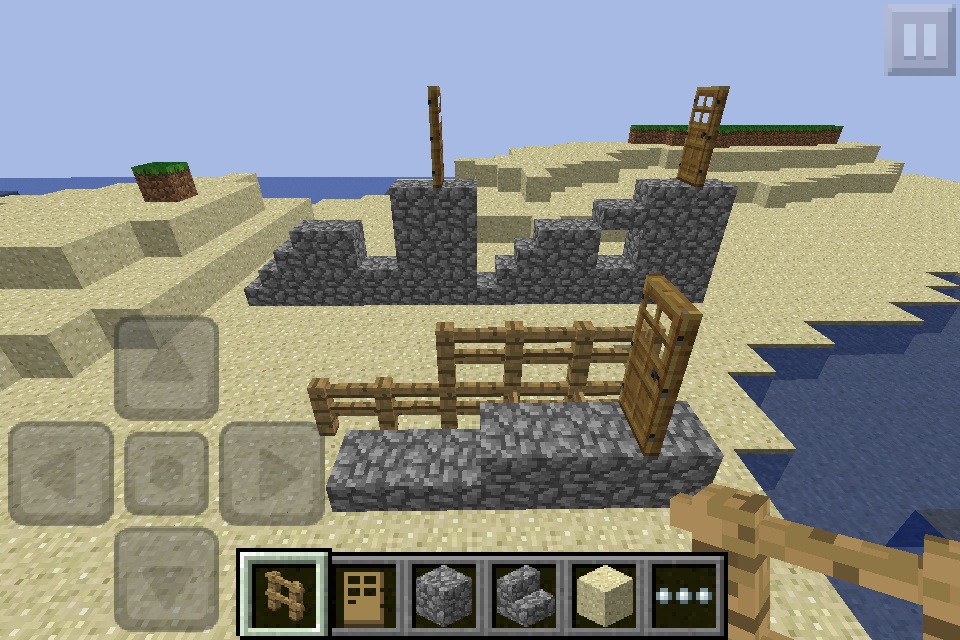
This comment explains the side-view screenshot of two similar builds causing this glitch and one solution build.
The build on the back left demonstrates why this bug happens, the picture on he back right shows what the game registers when you build your setup, the build in front shows how to fix the problem momentarily.
Noting that the bottom build works and allows the player to easily step up slabs, the game has the code, but it may just be the order it was entered into the source (it checks to see if you can jump before it checks to see if you can step up the slabs)
Never thought about that but it makes sense since water and lava are treated almost the same, besides flow speed, length, and damage...
Just downloaded new update and added 0.7.1 to version list.
Just downloaded new update and added 0.7.1 to version list.
Going to add a video later today of how to crash your MCPE. Once I have access to my laptop.
I think I've fixed the problem - see paragraph 4.I would disagree with using Cheat Engine as a viable testing tool. While its use is effective, the way speedhacking messes with the games clocking can severely bias results. For example, speedhacking to a low speed can cause the game to report extremely high frame rates, I've hit as high as 4000, but neither my CPU nor GPU are near powerful enough to get more than 200ish while on the nether roof with minimum settings and optifine, 4000 fps is out of the question under any circumstances. While the frame counting code is completely seperate from the raytrace/rotation code, I'd imagine frame counting isn't the only thing speedhacking interferes with.
As for the use of opening containers to test the bug, yes I am aware that this test includes the delay of waiting for the server to respond with an open inventory packet, BUT the client should be sending a block/inventory interact packet for the block the cursor is currently pointing at, not the block you were looking at one to two ticks in the past. While you could still move your mouse between the time you click and the time the inventory gui appears, the delay is very low when on singleplayer worlds and the bug is still present there. Same applies to attacking entities while spinning very fast. You should be able to attack the entity under your crosshair, no matter how long you've had your mouse still or how long you've been looking at the entity you are trying to attack. In close-quarters melee combat situations, where players are rapidly moving past each other, flicking sideways very quickly to hit the player moving past you will not work as the objectMouseOver will be lagging well behind where your cursor is pointing for a tick or two.
The biggest problem with testing this bug, since it occurs every frame/tick and only for a few frames/ticks, is that there will always be an element of human error. The problem is only obvious when quickly rotating, but rotating that quickly means you as a human have less time to see the effect - or lack thereof - of your actions on the world, and trying to pinpoint exactly where your cursor was at the instant the game registered your click is all the more difficult.
All this said, I think I have fixed the problem, or at the very least reduced it to being close enough to the behavior of 1.7.10 that it's almost unnoticeable.
This video shows a comparison between vanilla 1.10, vanilla 1.10 OptiFine HD Ultra C1, and modded OptiFine HD Ultra C1 (modded by me). While these do not cover all affected versions, it does demonstrate the bug, and I have tested and observed the bug in all vanilla major/minor updates from 1.8 to 1.10.2 and in snapshot 16w43a, and I am assuming that the bug has been present since the 1.8 snapshot that introduced split-threaded rendering/game ticking. The video also includes my process of ensuring the latest official versions of 1.10 and OptiFine, as well as my process for installing the modified version of OptiFine, to prove that it was not staged.
https://youtu.be/ibmXGcl8UfU
I created the mod using MCP 9.31 for Minecraft 1.10, and all code references use the de-obfuscation mappings included with MCP 9.31. I would include line number references, but seeing as I decompiled OptiFine, they would not match those present in vanilla. The modifications I made are as follows:
In net.minecraft.client.renderer.EntityRenderer
In net.minecraft.client.Minecraft
If allowed, I could upload a .zip with the modified .class files and instructions on how to install them and the version of optifine I used so others can test the fix and/or look for bugs introduced by the fix.
While the fix I mentioned eliminates most, maybe nearly all of the problem, I should clarify that it is not a 100% solution that doesn't present any bugs of its own.
When I first decompiled to try and fix the bug myself (maybe a week ago), the first thing I noticed was that while all the render code was factoring in the partialTick time to interpolate entity movement, camera rotation, and targetted block/entity between ticks, the mouse's movement was being checked and the player's camera rotation was being changed every frame, rather than every tick (this is why I assume the bug has been present since the snapshot introducing multithreading).
My first instinct was to do as was suggested in one of the duplicates of this bug report and just change getMouseOver(partialTicks) to getMouseOver(1.0F), which helped very slightly but didn't do much of anything to fix the problem. Seeing as the bug appeared to be caused by the render code expecting player rotation changes only on ticks, I undid my edit to getMouseOver and cut the block of code handling mouse movement and player rotation out of the render code and pasted it in the tick code (at the beginning of Minecraft.runTickMouse()). This fixed the problem entirely, but introduced new problems: input lag (because mouse position is checked less often) and jittery camera rotation, especially while moving.
I now saw why the mouse movement handling had been in the render code (to smooth mouse movement and decrease input lag), so I cut the code out of Minecraft.runTickMouse() and pasted it in a new public method that is called from both Minecraft.runTickMouse() and EntityRenderer.updateCameraAndRender(), once again changing getMouseOver(partialTicks) to getMouseOver(1.0F). Problem almost solved, but then I remembered the camera orientation itself relied on the player's rotation and added the lines temporarily setting partialTicks to 1.0F during the gl calls to rotate the camera. That left me with the 1.7.10-like behavior seen in the video in my previous comment.
After running those changes for a while I noticed it was causing problems with jittery camera rotation while spectating others. This is why I added the conditionals to set partialTicks to 1.0F, because while my mouse movement is updated every frame, the rotation of an entity being spectated is updated every tick, so partialTicks could not be ignored while the player was not the renderViewEntity.
After playing with these final modifications for the past day, the bug seems fixed, or at least restored to 1.7.10 behavior and the only side effect I've noticed is jumpy yaw rotation when rotating a boat with A or D while riding it (I haven't looked at the code yet, but can almost guarantee this is because the boat updates player rotation every tick, while the edits I've made expect rotation changes every frame, ignoring the need to interpolate rotation while riding a boat). While adding a check for the player riding a boat to the conditional for setting partialTicks to 1.0F might fix this problem, it could also re-introduce the bug specifically when the player is riding a boat, though I have not attempted to test this yet. As far as I know this only happens on boats, but it likely happens with anything that change's player rotation directly on a per-tick basis (and I'm not sure of anything else in the vanilla game that does this).
On an entirely separate note, as I've been thinking about how to fix the boat issue, I came up with another idea. The problem seems to stem from the mouse movement directly changing the player's rotation every frame rather than every tick, and the rest of the code only expecting rotation changes during a tick. For entities whose movements can be controlled by the mouse (afaik only EntityPlayerSP), create two new float variables - rotationPitchSinceTick and rotationYawSinceTick - and modify those every frame rather than directly altering the player's rotation. They would be factored into EntityRenderer.orientCamera(float) and EntityRenderer.getMouseOver(float) (and possibly Entity.getLook(), if a new) so that the objectMouseOver and camera rotation follow the mouse movement properly. Each tick they would be added to the player's actual rotation and reset to 0. Theoretically, this would remove the conflict between the code that changes the player's rotation every tick and the code that handles mouse movement and changes the player's rotation every frame. It would also be much less likely to break if/when the code is refactored in the future. These changes would be an alternative to the edits I suggested earlier, though It is also possible that it would require (at least in part) the some of the edits I suggested earlier (particularly the handling of mouse movement both in-tick and before rendering the next frame).
Wow I am incredibly blind. I read through most of the comments but missed both of yours.
I copied Entity.getLook(float) to EntityPlayer to override EntityLivingBase.getLook(float) and it is more consistent than my fix by far (like 1.7 as you had hinted at) what problems did you see with this/what reasons could keep this from being included in the snapshot?
Also, Marcono1234 (or any other moderator/helper), replace the "code analysis" link to my comment with jonathan2520's comment on 05/Oct/16; it does a much better job at pinpointing the issue than I have.
Difference between my original modification and the modification based on jonathan2520's analysis: https://youtu.be/_zgG9PDNfWk
AFAIK this is intended. Mobs only suffocate in solid blocks, double slabs are solid, half slabs are not even if they are arranged like this.