 co8222
- co8222
- co8222
- Europe/Stockholm
- Yes
- No
 WEB-2070
 MCPE-78500
 MCL-16681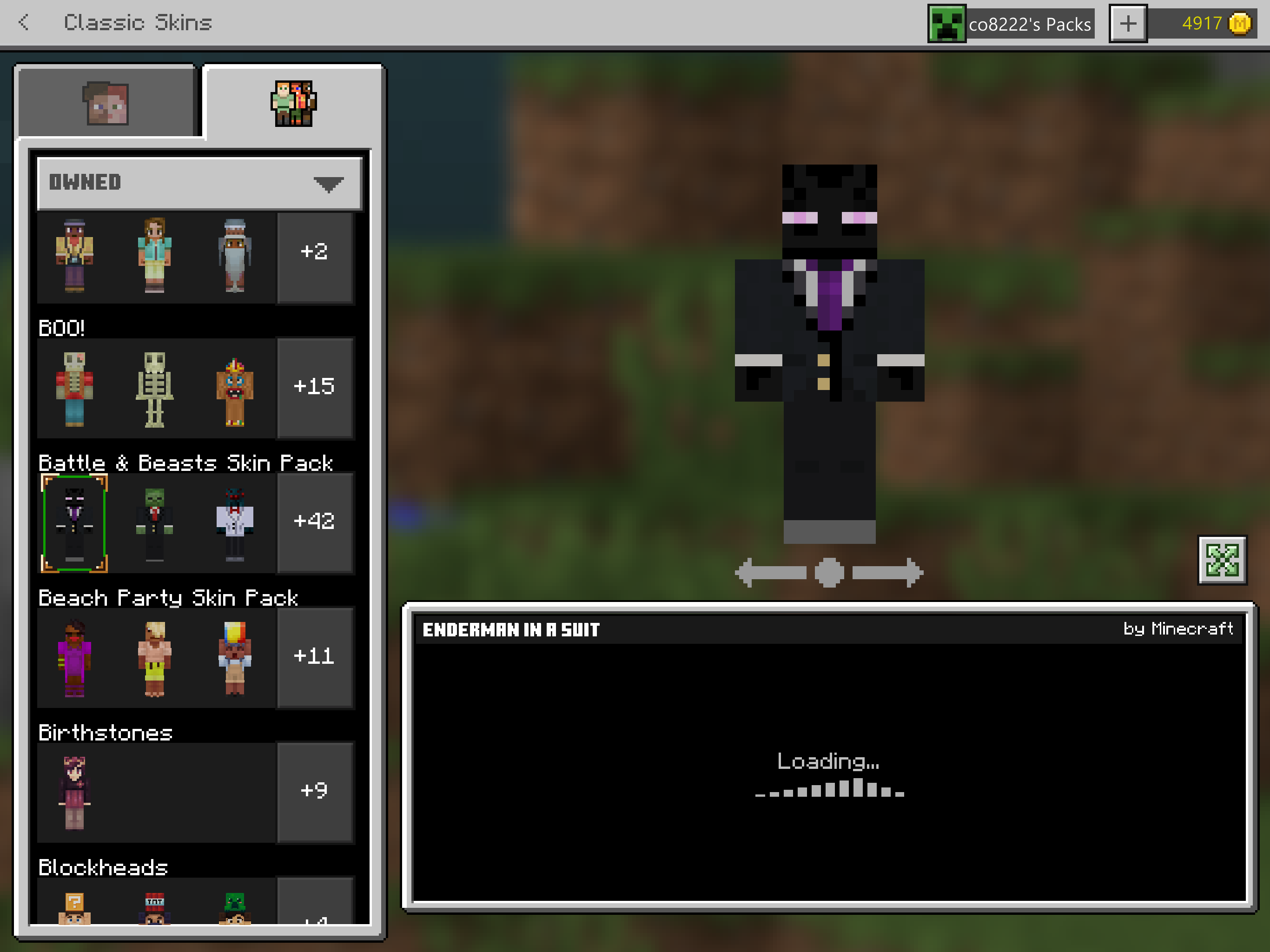

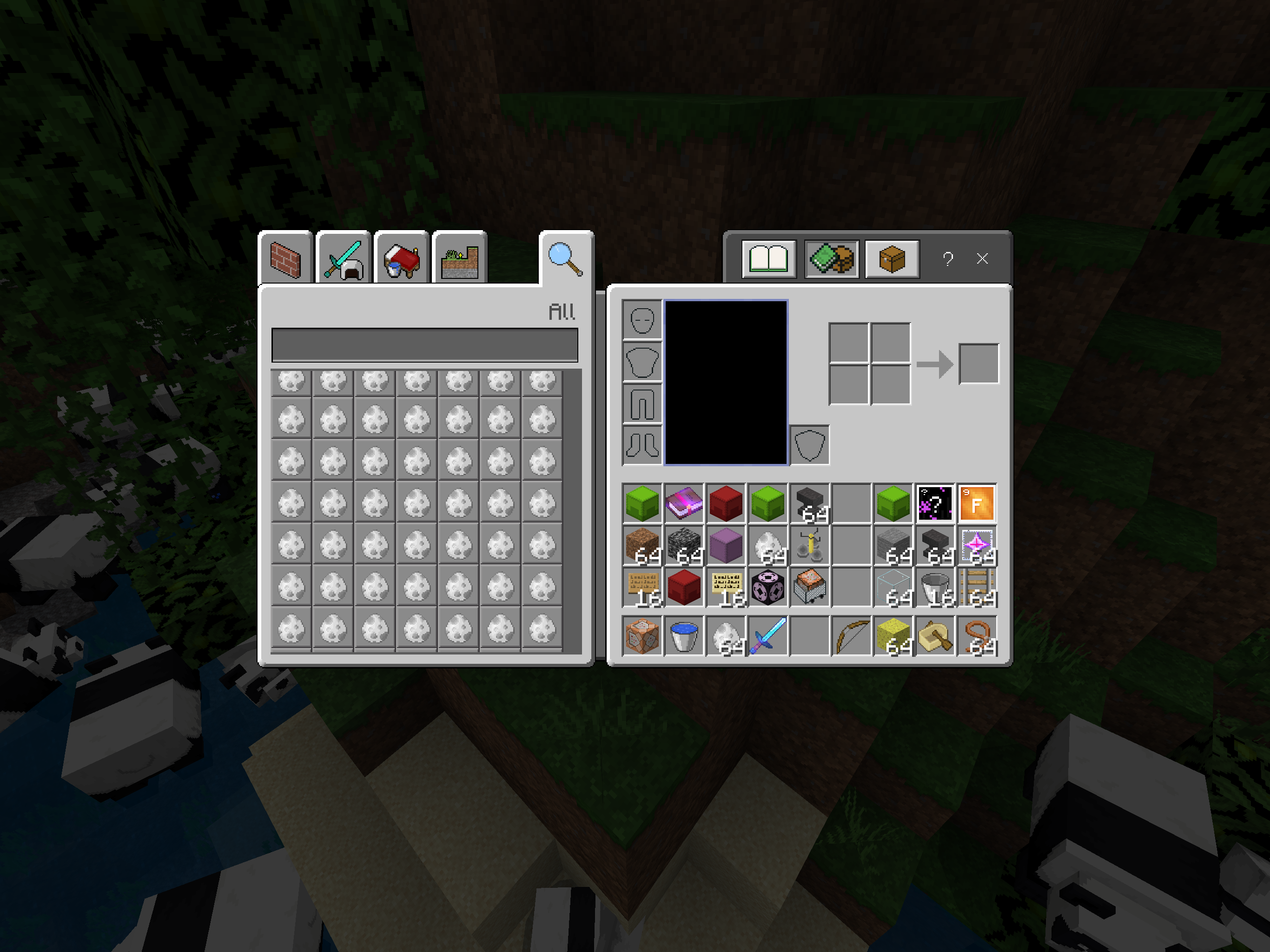
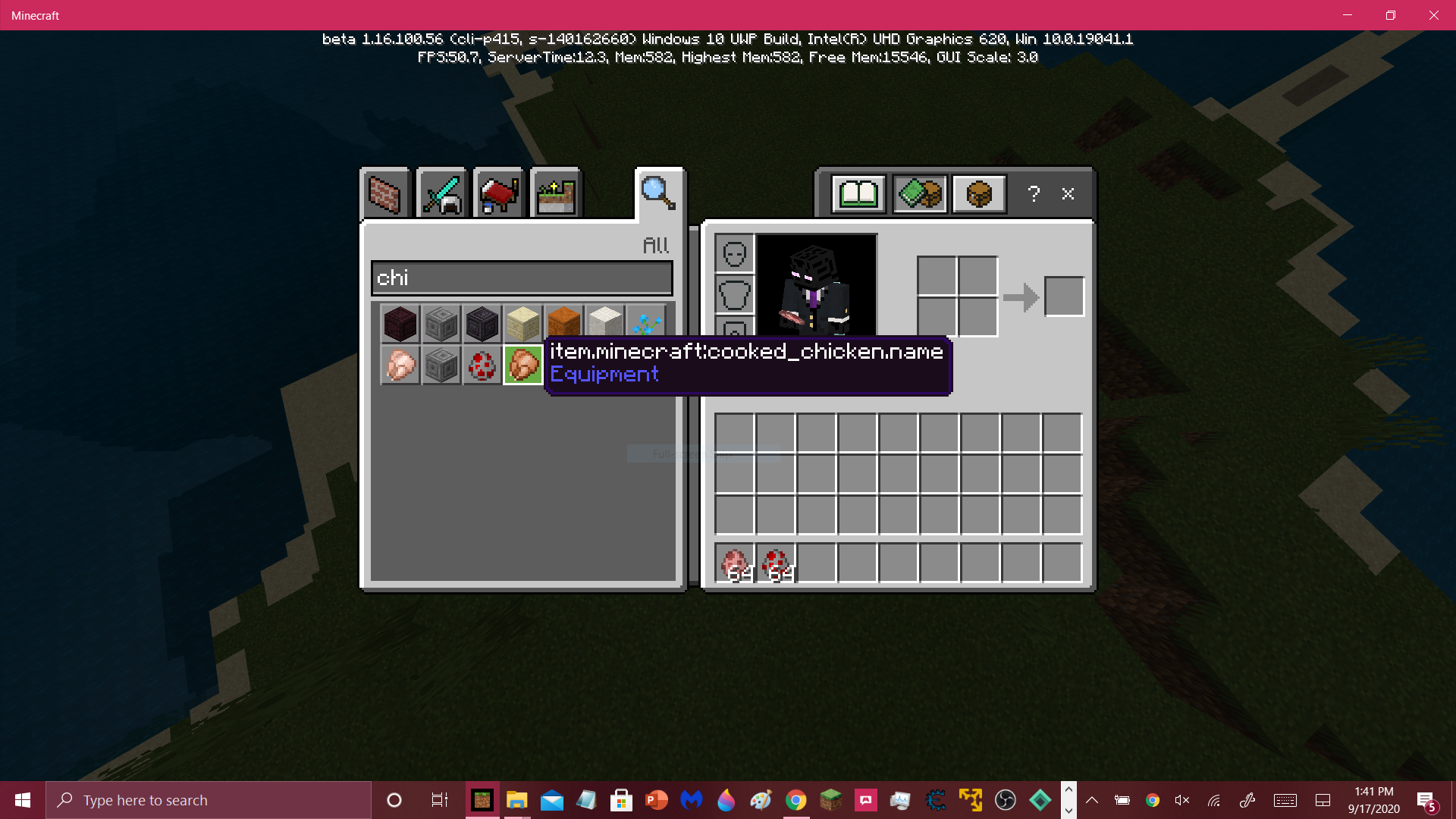

MY CAPE IS GONE. I have had the Minecon 2019 cape for a while and today it suddenly disappeared. I am really angry because that was what showed my true minecraftness. And now its gone. Completely gone. The cape menu is just gone. I tried waiting for it to load in and appear but it never did. Yes I got it on my xbox account and im signed into my xbox account and no I am not trying to use a custom skin. I am really frustrated and I hope you see this so you can FIX IT. Please and thank you. I put a screen shot of my character creator missing the cape menu that was always there before. btw my IGN is co8222
Heres how it started: Today I logged into Minecraft. But something was wrong. When it was loading, it crashed. It kept doing this. I tracked down the problem to.. Me being signed into Xbox.... What the?? The only way to get Minecraft to work was to reinstall it so it would sign me out of Xbox. If you signed back into xbox, it would freeze your game and when you tried to relog it would do the crashing thing again. Please fix this as soon as possible or else I will go insane. BTW my username is co8222
Heres how it started: Today I logged into Minecraft. But something was wrong. When it was loading, it crashed. It kept doing this. I tracked down the problem to.. Me being signed into Xbox.... What the?? The only way to get Minecraft to work was to reinstall it so it would sign me out of Xbox. If you signed back into xbox, it would freeze your game and when you tried to relog it would do the crashing thing again. Please fix this as soon as possible or else I will go insane. BTW my username is co8222. And thank you in advance.
So last time I checked this only happens in the beta.
So basically whenever you put a cape on a skin in the beta (In a world), it doesnt show up until you click profile again. Then you can go back to your game, but something strange happens. The cape.. doesnt move with you. And if you have your size smaller then it looks like the cape is impaling you. To stop this you must reload the world, and I really dont want an update where we have to reload the world whenever we put on a cape for the cape to render properly.
Thanks for your time. I will try to include a screenshot of what the "impaling" part of the glitch looks like. Also, my MC username is "co8222".
Same. Stuff like this has happened before. One time our capes vanished. We all made reports and we thought it could be YEARS before they noticed us. Sure enough, it only took about a day. And the best part is, its the weekend, and we have a 3 day weekend, so if its fixed tommorow, us kids wont have school and will get to enjoy our fixed Minecraft accounts.
The new beta is really freaking out. Take a look for yourself. (Yes I know this is a duplicate, I just wanna get it out to you guys)
sorry for short video, the max size that can be uploaded for video here is 10mb so the video had to be short but it covers all the bugs I saw anyways.
(For a longer video download the .mp4 [here|http://www.mediafire.com/file/0s8wfyzs3oh4qxz/bugextendedd.mp4/file]
The new beta is really freaking out. Take a look for yourself. (Yes I know this is a duplicate, I just wanna get it out to you guys)
sorry for short video, the max size that can be uploaded for video here is 10mb so the video had to be short but it covers all the bugs I saw anyways.
(For a longer video download the .mp4 [here|http://www.mediafire.com/file/0s8wfyzs3oh4qxz/bugextendedd.mp4/file])
The new beta is really freaking out. Take a look for yourself. (Yes I know this is a duplicate, I just wanna get it out to you guys)
sorry for short video, the max size that can be uploaded for video here is 10mb so the video had to be short but it covers all the bugs I saw anyways.
(For a longer video download the .mp4
[here|http://www.mediafire.com/file/0s8wfyzs3oh4qxz/bugextendedd.mp4/file])The new beta is really freaking out. Take a look for yourself. (Yes I know this is a duplicate, I just wanna get it out to you guys)
sorry for short video, the max size that can be uploaded for video here is 10mb so the video had to be short but it covers all the bugs I saw anyways.
(For a longer video download the .mp4 link title)
The new beta is really freaking out. Take a look for yourself. (Yes I know this is a duplicate, I just wanna get it out to you guys)
sorry for short video, the max size that can be uploaded for video here is 10mb so the video had to be short but it covers all the bugs I saw anyways.
(For a longer video download the .mp4
link title)The new beta is really freaking out. Take a look for yourself. (Yes I know this is a duplicate, I just wanna get it out to you guys)
sorry for short video, the max size that can be uploaded for video here is 10mb so the video had to be short but it covers all the bugs I saw anyways.
(For a longer video download the .mp4 [here|http://mediafire.com/file/0s8wfyzs3oh4qxz/bugextendedd.mp4/file]
The new beta is really freaking out. Take a look for yourself. (Yes I know this is a duplicate, I just wanna get it out to you guys)
sorry for short video, the max size that can be uploaded for video here is 10mb so the video had to be short but it covers all the bugs I saw anyways.
(For a longer video download the .mp4
[here|http://mediafire.com/file/0s8wfyzs3oh4qxz/bugextendedd.mp4/file]The new beta is really freaking out. Take a look for yourself. (Yes I know this is a duplicate, I just wanna get it out to you guys)
sorry for short video, the max size that can be uploaded for video here is 10mb so the video had to be short but it covers all the bugs I saw anyways.
(For a longer video download the .mp4 link title
The new beta is really freaking out. Take a look for yourself. (Yes I know this is a duplicate, I just wanna get it out to you guys)
sorry for short video, the max size that can be uploaded for video here is 10mb so the video had to be short but it covers all the bugs I saw anyways.
(For a longer video download the .mp4
link titleThe new beta is really freaking out. Take a look for yourself. (Yes I know this is a duplicate, I just wanna get it out to you guys)
sorry for short video, the max size that can be uploaded for video here is 10mb so the video had to be short but it covers all the bugs I saw anyways.
(For a longer video download the .mp4 [link title|http://www.mediafire.com/file/0s8wfyzs3oh4qxz/bugextendedd.mp4/file.com]
The new beta is really freaking out. Take a look for yourself. (Yes I know this is a duplicate, I just wanna get it out to you guys)
sorry for short video, the max size that can be uploaded for video here is 10mb so the video had to be short but it covers all the bugs I saw anyways.
(For a longer video download the .mp4 [link title|http://www.mediafire.com/file/0s8wfyzs3oh4qxz/bugextendedd.mp4/file
.com]
The new beta is really freaking out. Take a look for yourself. (Yes I know this is a duplicate, I just wanna get it out to you guys)
sorry for short video, the max size that can be uploaded for video here is 10mb so the video had to be short but it covers all the bugs I saw anyways.
(For a longer video download the .mp4 [
link title|http://www.mediafire.com/file/0s8wfyzs3oh4qxz/bugextendedd.mp4/file]The new beta is really freaking out. Take a look for yourself. (Yes I know this is a duplicate, I just wanna get it out to you guys)
sorry for short video, the max size that can be uploaded for video here is 10mb so the video had to be short but it covers all the bugs I saw anyways.
(For a longer video download the .mp4 [here|https://sites.google.com/view/download9873637283746782338273/home]
The new beta is really freaking out. Take a look for yourself. (Yes I know this is a duplicate, I just wanna get it out to you guys)
sorry for short video, the max size that can be uploaded for video here is 10mb so the video had to be short but it covers all the bugs I saw anyways.
(For a longer video download the .mp4 [
here|https://sites.google.com/view/download9873637283746782338273/home]The new beta is really freaking out. Take a look for yourself. (Yes I know this is a duplicate, I just wanna get it out to you guys)
sorry for short video, the max size that can be uploaded for video here is 10mb so the video had to be short but it covers all the bugs I saw anyways.
(For a longer video download the .mp4 [link title| https://sites.google.com/view/download9873637283746782338273/home ]
The new beta is really freaking out. Take a look for yourself. (Yes I know this is a duplicate, I just wanna get it out to you guys)
sorry for short video, the max size that can be uploaded for video here is 10mb so the video had to be short but it covers all the bugs I saw anyways.
(For a longer video download the .mp4 [link title|
https://sites.google.com/view/download9873637283746782338273/home]
The new beta is really freaking out. Take a look for yourself. (Yes I know this is a duplicate, I just wanna get it out to you guys)
sorry for short video, the max size that can be uploaded for video here is 10mb so the video had to be short but it covers all the bugs I saw anyways.
(For a longer video download the .mp4
[link title|http://sites.google.com/view/download9873637283746782338273/home]The new beta is really freaking out. Take a look for yourself. (Yes I know this is a duplicate, I just wanna get it out to you guys)
sorry for short video, the max size that can be uploaded for video here is 10mb so the video had to be short but it covers all the bugs I saw anyways.
(For a longer video download the .mp4 [here|sites.google.com/view/download9873637283746782338273/home]
The new beta is really freaking out. Take a look for yourself. (Yes I know this is a duplicate, I just wanna get it out to you guys)
sorry for short video, the max size that can be uploaded for video here is 10mb so the video had to be short but it covers all the bugs I saw anyways.
(For a longer video download the .mp4 [here|sites.google.com/view/download9873637283746782338273
/home]
The new beta is really freaking out. Take a look for yourself. (Yes I know this is a duplicate, I just wanna get it out to you guys)
sorry for short video, the max size that can be uploaded for video here is 10mb so the video had to be short but it covers all the bugs I saw anyways.
(For a longer video download the .mp4
[here|sites.google.com/view/download9873637283746782338273]The new beta is really freaking out. Take a look for yourself. (Yes I know this is a duplicate, I just wanna get it out to you guys)
sorry for short video, the max size that can be uploaded for video here is 10mb so the video had to be short but it covers all the bugs I saw anyways.
(For a longer video download the .mp4 here
The new beta is really freaking out. Take a look for yourself. (Yes I know this is a duplicate, I just wanna get it out to you guys)
sorry for short video, the max size that can be uploaded for video here is 10mb so the video had to be short but it covers all the bugs I saw anyways.
(For a longer video download the .mp4
hereThe new beta is really freaking out. Take a look for yourself. (Yes I know this is a duplicate, I just wanna get it out to you guys)
sorry for short video, the max size that can be uploaded for video here is 10mb so the video had to be short but it covers all the bugs I saw anyways.
(For a longer video download the .mp4 [here|https://sites.google.com/view/download9873637283746782338273]
The new beta is really freaking out. Take a look for yourself. (Yes I know this is a duplicate, I just wanna get it out to you guys)
sorry for short video, the max size that can be uploaded for video here is 10mb so the video had to be short but it covers all the bugs I saw anyways.
(For a longer video download the .mp4 [here|http
s://sites.google.com/view/download9873637283746782338273]
The new beta is really freaking out. Take a look for yourself. (Yes I know this is a duplicate, I just wanna get it out to you guys)
sorry for short video, the max size that can be uploaded for video here is 10mb so the video had to be short but it covers all the bugs I saw anyways.
(For a longer video download the .mp4 [here|
http://sites.google.com/view/download9873637283746782338273]
The new beta is really freaking out. Take a look for yourself. (Yes I know this is a duplicate, I just wanna get it out to you guys)
sorry for short video, the max size that can be uploaded for video here is 10mb so the video had to be short but it covers all the bugs I saw anyways.
(For a longer video download the .mp4 [here|sites.google.com/view/download9873637283746782338273/home]
The new beta is really freaking out. Take a look for yourself. (Yes I know this is a duplicate, I just wanna get it out to you guys)
sorry for short video, the max size that can be uploaded for video here is 10mb so the video had to be short but it covers all the bugs I saw anyways.
(For a longer video download the .mp4 [here|http://sites.google.com/view/download9873637283746782338273/home]
The new beta is really freaking out. Take a look for yourself. (Yes I know this is a duplicate, I just wanna get it out to you guys)
sorry for short video, the max size that can be uploaded for video here is 10mb so the video had to be short but it covers all the bugs I saw anyways.
(For a longer video download the .mp4 [here|http://sites.google.com/view/download9873637283746782338273
/home]
The new beta is really freaking out. Take a look for yourself. (Yes I know this is a duplicate, I just wanna get it out to you guys)
sorry for short video, the max size that can be uploaded for video here is 10mb so the video had to be short but it covers all the bugs I saw anyways.
(For a longer video download the .mp4 [here|https://sites.google.com/view/download9873637283746782338273]
The new beta is really freaking out. Take a look for yourself. (Yes I know this is a duplicate, I just wanna get it out to you guys)
sorry for short video, the max size that can be uploaded for video here is 10mb so the video had to be short but it covers all the bugs I saw anyways.
(For a longer video download the .mp4 [here|https://sites.google.com/view/download9873637283746782338273/home]
The new beta is really freaking out. Take a look for yourself. (Yes I know this is a duplicate, I just wanna get it out to you guys)
sorry for short video, the max size that can be uploaded for video here is 10mb so the video had to be short but it covers all the bugs I saw anyways.
(For a longer video download the .mp4 [here|https://sites.google.com/view/download9873637283746782338273
/home]The new beta is really freaking out. Take a look for yourself. (Yes I know this is a duplicate, I just wanna get it out to you guys)
sorry for short video, the max size that can be uploaded for video here is 10mb so the video had to be short but it covers all the bugs I saw anyways.
(For a longer video download the .mp4 [here|https://sites.google.com/view/download9873637283746782338273/home]
The new beta is really freaking out. Take a look for yourself. (Yes I know this is a duplicate, I just wanna get it out to you guys)
sorry for short video, the max size that can be uploaded for video here is 10mb so the video had to be short but it covers all the bugs I saw anyways.
(For a longer video download the .mp4 [here|http
s://sites.google.com/view/download9873637283746782338273/home]
The new beta is really freaking out. Take a look for yourself. (Yes I know this is a duplicate, I just wanna get it out to you guys)
sorry for short video, the max size that can be uploaded for video here is 10mb so the video had to be short but it covers all the bugs I saw anyways.
(For a longer video download the .mp4 [here|
http://sites.google.com/view/download9873637283746782338273/home]
The new beta is really freaking out. Take a look for yourself. (Yes I know this is a duplicate, I just wanna get it out to you guys)
sorry for short video, the max size that can be uploaded for video here is 10mb so the video had to be short but it covers all the bugs I saw anyways.
(For a longer video download the .mp4 [here|sites.google.com/view/download9873637283746782338273
/home]
The new beta is really freaking out. Take a look for yourself. (Yes I know this is a duplicate, I just wanna get it out to you guys)
sorry for short video, the max size that can be uploaded for video here is 10mb so the video had to be short but it covers all the bugs I saw anyways.
(For a longer video download the .mp4 [here|sites.google.com/view/download9873637283746782338273
]The new beta is really freaking out. Take a look for yourself. (Yes I know this is a duplicate, I just wanna get it out to you guys)
sorry for short video, the max size that can be uploaded for video here is 10mb so the video had to be short but it covers all the bugs I saw anyways.
(For a longer video download the .mp4 [here| sites.google.com/view/download9873637283746782338273 ]
The new beta is really freaking out. Take a look for yourself. (Yes I know this is a duplicate, I just wanna get it out to you guys)
sorry for short video, the max size that can be uploaded for video here is 10mb so the video had to be short but it covers all the bugs I saw anyways.
(For a longer video download the .mp4 [here|
sites.google.com/view/download9873637283746782338273]The new beta is really freaking out. Take a look for yourself. (Yes I know this is a duplicate, I just wanna get it out to you guys)
sorry for short video, the max size that can be uploaded for video here is 10mb so the video had to be short but it covers all the bugs I saw anyways.
(For a longer video download the .mp4 [here|sites.google.com/view/download9873637283746782338273]
The new beta is really freaking out. Take a look for yourself. (Yes I know this is a duplicate, I just wanna get it out to you guys)
sorry for short video, the max size that can be uploaded for video here is 10mb so the video had to be short but it covers all the bugs I saw anyways.
(For a longer video download the .mp4 [here|sites.google.com/view/download9873637283746782338273] r
The new beta is really freaking out. Take a look for yourself. (Yes I know this is a duplicate, I just wanna get it out to you guys)
sorry for short video, the max size that can be uploaded for video here is 10mb so the video had to be short but it covers all the bugs I saw anyways.
(For a longer video download the .mp4
[here|sites.google.com/view/download9873637283746782338273] r
The new beta is really freaking out. Take a look for yourself. (Yes I know this is a duplicate, I just wanna get it out to you guys)
sorry for short video, the max size that can be uploaded for video here is 10mb so the video had to be short but it covers all the bugs I saw anyways.
(For a longer video download the .mp4 here:sites.google.com/view/download9873637283746782338273
Skins used to save through Xbox account and now they save through device. Please fix this. And if it's not a bug make them save through Xbox again.
(Or maybe they still do and skins on Beta are glitching.. idk either way please fix it)
thanks for reading
(yes i already searched i couldn't find a dup
e)Skins used to save through Xbox account and now they save through device. Please fix this. And if it's not a bug make them save through Xbox again.
(Or maybe they still do and skins on Beta are glitching.. idk either way please fix it)
thanks for reading
(yes i already searched i couldn't find a duplicate report)
Skins used to save through Xbox account and now they save through device. Please fix this. And if it's not a bug make them save through Xbox again.
(Or maybe they still do and skins on Beta are glitching.. idk either way please fix it)
thanks for reading
(
yes i already searched i couldn't find a duplicate report)Skins used to save through Xbox account and now they save through device. Please fix this. And if it's not a bug make them save through Xbox again.
(Or maybe they still do and skins on Beta are glitching.. idk either way please fix it)
thanks for reading
(Actually I think its the capes not saving, still please fix it)
(yes i already searched i couldn't find a duplicate report)
Skins saving through device and not xbox (or something pls read)
Skins used to save through Xbox account and now they save through device. Please fix this. And if it's not a bug make them save through Xbox again.
(Or maybe they still do and skins on Beta are glitching.. idk either way please fix it)
thanks for reading
(Actually I think its the capes not saving, still please fix it)
(yes i already searched i couldn't find a duplicate report)
It's really hard to explain this bug because well.. I don't really understand what is going on either so i'm gonna try my best to tell you how I reproduced it
To reproduce (well.. i think?)
- Go onto Beta and equip Pancape (i did it on all 5 slots)
- Go onto Bedrock 1.14.30
- Skins will be buggy, cape either not comin up or only on like 1 or 2, and well.. uhh yeah? this glitch confuses me to.
Skins used to save through Xbox account and now they save through device. Please fix this. And if it's not a bug make them save through Xbox again.
(Or maybe they still do and skins on Beta are glitching.. idk either way please fix it)
thanks for reading
(Actually I think its the capes not saving, still please fix it)
(yes i already searched i couldn't find a duplicate report)
It's really hard to explain this bug because well.. I don't really understand what is going on either so i'm gonna try my best to tell you how I reproduced it
To reproduce (well.. i think?)
- Go onto Beta and equip Pancape (i did it on all 5 slots)
- Go onto Bedrock 1.14.30
- Skins will be buggy, cape either not comin up or only on like 1 or 2, and well.. uhh yeah? this glitch confuses me too.
So basically, whenever I save skins in profile on Bedrock 1.16.0.61 beta, it has a little bit of trouble saving to my Xbox account when I go onto my iPad with 1.14.30.
For example when I equip pancape in Beta and go to iPad, it really freaks out. It worked fine before.
What I Expected
The cape would show on my iPad after equipping it in Beta like it always has.
What I Observed
It’s hard to explain. Some skins had to be reloaded and the one(s) that were supposed to have Pancape equipped would not have the cape and would most likely revert back to Steve or Alex.
Steps to Reproduce
- Go on the latest Beta and equip Pancape to a skin (I did all 5 slots)
- Go onto 1.14.30 (I went onto my iPad but I think anything with 1.14.30 would work fine)
- Go into Profile
- Well uhh.. yeah, skins should freak out and the cape should be nowhere to be seen.
Please try to fix this. And if for some reason you cant, please make a thing where if you’re account has/had Beta on any device, it would unlock the cape on all devices using your account even when you aren’t playing Beta.
Wait, I’ve made a mistake. For all the parts I said "1.14.30" pretend I said "1.14.60".
So basically, whenever I save skins in profile on Bedrock 1.16.0.61 beta, it has a little bit of trouble saving to my Xbox account when I go onto my iPad with 1.14.30.
For example when I equip pancape in Beta and go to iPad, it really freaks out. It worked fine before.
What I Expected
The cape would show on my iPad after equipping it in Beta like it always has.
What I Observed
It’s hard to explain. Some skins had to be reloaded and the one(s) that were supposed to have Pancape equipped would not have the cape and would most likely revert back to Steve or Alex.
(Yes I restarted the game on iPad)
Steps to Reproduce
- Go on the latest Beta and equip Pancape to a skin (I did all 5 slots)
- Go onto 1.14.30 (I went onto my iPad but I think anything with 1.14.30 would work fine)
- Go into Profile
- Well uhh.. yeah, skins should freak out and the cape should be nowhere to be seen.
Please try to fix this. And if for some reason you cant, please make a thing where if you’re account has/had Beta on any device, it would unlock the cape on all devices using your account even when you aren’t playing Beta.
Wait, I’ve made a mistake. For all the parts I said "1.14.30" pretend I said "1.14.60".
So basically, whenever I save skins in profile on Bedrock 1.16.0.61 beta (in specific cases), it has a little bit of trouble saving to my Xbox account when I go onto my iPad with 1.14.30.
For example when I equip pancape in Beta and go to iPad, it really freaks out. It worked fine before.
What I Expected
The cape would show on my iPad after equipping it in Beta like it always has.
What I Observed
It’s hard to explain. Some skins had to be reloaded and the one(s) that were supposed to have Pancape equipped would not have the cape and would most likely revert back to Steve or Alex.
(Yes I restarted the game on iPad)
Steps to Reproduce
- Go on the latest Beta and equip Pancape to a skin (I did all 5 slots)
- Go onto 1.14.30 (I went onto my iPad but I think anything with 1.14.30 would work fine)
- Go into Profile
- Well uhh.. yeah, skins should freak out and the cape should be nowhere to be seen.
Please try to fix this. And if for some reason you cant, please make a thing where if you’re account has/had Beta on any device, it would unlock the cape on all devices using your account even when you aren’t playing Beta.
Wait, I’ve made a mistake. For all the parts I said "1.14.30" pretend I said "1.14.60".
So basically, whenever I save skins in profile on Bedrock 1.16.0.61 beta (in specific cases), it has a little bit of trouble saving to my Xbox account when I go onto my iPad with 1.14.30.
For example when I equip pancape in Beta and go to iPad, it really freaks out. It worked fine before.
What I Expected
The cape would show on my iPad after equipping it in Beta like it always has.
What I Observed
It’s hard to explain. Some skins had to be reloaded and the one(s) that were supposed to have Pancape equipped would not have the cape and would most likely revert back to Steve or Alex.
(Yes I restarted the game on iPad)
Steps to Reproduce
- Go on the latest Beta and equip Pancape to a skin (I did all 5 slots)
- Go onto 1.14.30 (I went onto my iPad but I think anything with 1.14.30 would work fine)
- Go into Profile
- Well uhh.. yeah, skins should freak out and the cape should be nowhere to be seen.
Please try to fix this. And if for some reason you cant, please make a thing where if you’re account has/had Beta on any device, it would unlock the cape on all devices using your account even when you aren’t playing Beta.
Wait, I’ve made a mistake. For all the parts I said "1.14.30" pretend I said "1.14.60".So basically, whenever I save skins in profile on Bedrock 1.16.0.61 beta (in specific cases), it has a little bit of trouble saving to my Xbox account when I go onto my iPad with 1.14.30.
For example when I equip pancape in Beta and go to iPad, it really freaks out. It worked fine before.
What I Expected
The cape would show on my iPad after equipping it in Beta like it always has.
What I Observed
It’s hard to explain. Some skins had to be reloaded and the one(s) that were supposed to have Pancape equipped would not have the cape and would most likely revert back to Steve or Alex.
(Yes I restarted the game on iPad)
Steps to Reproduce
- Go on the latest Beta and equip Pancape to a skin (I did all 5 slots)
- Go onto 1.14.30 (I went onto my iPad but I think anything with 1.14.30 would work fine)
- Go into Profile
- Well uhh.. yeah, skins should freak out and the cape should be nowhere to be seen.
Please try to fix this. And if for some reason you cant, please make a thing where if you’re account has/had Beta on any device, it would unlock the cape on all devices using your account even when you aren’t playing Beta.
Wait, I’ve made a mistake. For all the parts I said "1.14.30" pretend I said "1.14.60".
also the name of this changed i’m weirded out.. uhhhhhhhhhhhhhhh
So basically, whenever I save skins in profile on Bedrock 1.16.0.61 beta (in specific cases), it has a little bit of trouble saving to my Xbox account when I go onto my iPad with 1.14.30.
For example when I equip pancape in Beta and go to iPad, it really freaks out. It worked fine before.
What I Expected
The cape would show on my iPad after equipping it in Beta like it always has.
What I Observed
It’s hard to explain. Some skins had to be reloaded and the one(s) that were supposed to have Pancape equipped would not have the cape and would most likely revert back to Steve or Alex.
(Yes I restarted the game on iPad)
Steps to Reproduce
- Go on the latest Beta and equip Pancape to a skin (I did all 5 slots)
- Go onto 1.14.30 (I went onto my iPad but I think anything with 1.14.30 would work fine)
- Go into Profile
- Well uhh.. yeah, skins should freak out and the cape should be nowhere to be seen.
Please try to fix this. And if for some reason you cant, please make a thing where if you’re account has/had Beta on any device, it would unlock the cape on all devices using your account even when you aren’t playing Beta.
Wait, I’ve made a mistake. For all the parts I said "1.14.30" pretend I said "1.14.60".
also the name of this changed i’m weirded out.. uhhhhhhhhhhhhhhh
So basically, whenever I save skins in profile on Bedrock 1.16.0.61 beta (in specific cases), it has a little bit of trouble saving to my Xbox account when I go onto my iPad with 1.14.30.
For example when I equip pancape in Beta and go to iPad, it really freaks out. It worked fine before.
What I Expected
The cape would show on my iPad after equipping it in Beta like it always has.
What I Observed
It’s hard to explain. Some skins had to be reloaded and the one(s) that were supposed to have Pancape equipped would not have the cape and would most likely revert back to Steve or Alex.
(Yes I restarted the game on iPad)
Steps to Reproduce
- Go on the latest Beta and equip Pancape to a skin (I did all 5 slots)
- Go onto 1.14.30 (I went onto my iPad but I think anything with 1.14.30 would work fine)
- Go into Profile
- Well uhh.. yeah, skins should freak out and the cape should be nowhere to be seen.
Please try to fix this. And if for some reason you cant, please make a thing where if you’re account has/had Beta on any device, it would unlock the cape on all devices using your account even when you aren’t playing Beta.
Wait, I’ve made a mistake. For all the parts I said "1.14.30" pretend I said "1.14.60".
Characters with Pan cape wont load properly in 1.14.60.
Characters with Pancape wont load properly in 1.14.60.Characters with "Pan Cape" wont load properly in 1.14.60.
Characters with "Pan Cape"wontload properly in 1.14.60.Characters with "Pan Cape" no longer load properly in 1.14.60.
So basically, whenever I save skins in profile on Bedrock 1.16.0.61 beta (in specific cases), it has a little bit of trouble saving to my Xbox account when I go onto my iPad with 1.14.
30.For example when I equip pancape in Beta and go to iPad, it really freaks out. It worked fine before.
What I Expected
The cape would show on my iPad after equipping it in Beta like it always has.
What I Observed
It’s hard to explain. Some skins had to be reloaded and the one(s) that were supposed to have Pancape equipped would not have the cape and would most likely revert back to Steve or Alex.
(Yes I restarted the game on iPad)
Steps to Reproduce
- Go on the latest Beta and equip Pancape to a skin (I did all 5 slots)
- Go onto 1.14.
30 (I went onto my iPad but I think anything with 1.14.30 would work fine)- Go into Profile
- Well uhh.. yeah, skins should freak out and the cape should be nowhere to be seen.
Please try to fix this. And if for some reason you cant, please make a thing where if you’re account has/had Beta on any device, it would unlock the cape on all devices using your account even when you aren’t playing Beta.
Wait, I’ve made a mistake. For all the parts I said "1.14.30" pretend I said "1.14.60".
So basically, whenever I save skins in profile on Bedrock 1.16.0.61 beta (in specific cases), it has a little bit of trouble saving to my Xbox account when I go onto my iPad with 1.14.60.
For example when I equip pancape in Beta and go to iPad, it really freaks out. It worked fine before.
What I Expected
The cape would show on my iPad after equipping it in Beta like it always has.
What I Observed
It’s hard to explain. Some skins had to be reloaded and the one(s) that were supposed to have Pancape equipped would not have the cape and would most likely revert back to Steve or Alex.
(Yes I restarted the game on iPad)
Steps to Reproduce
- Go on the latest Beta and equip Pancape to a skin (I did all 5 slots)
- Go onto 1.14.60 (I went onto my iPad but I think anything with 1.14.60 would work fine)
- Go into Profile
- Well uhh.. yeah, skins should freak out and the cape should be nowhere to be seen.
Please try to fix this. And if for some reason you cant, please make a thing where if you’re account has/had Beta on any device, it would unlock the cape on all devices using your account even when you aren’t playing Beta.
I logged into my world and my spawnegg textures are all gone, except for the Bee egg which looks like a rabbit egg. It could be Faithful (i have it on) but Faithful didnt do this before so it probably has to do with my game/default resource pack. It worked fine before.
I will include some steps to reproduce but it might only be me having the problem.
I will put 2 because I dont know if its Faithful somehow or the game. It could be one way that works, both ways that work, or none.
Way 1:
- Go onto 1.14.60
- Go into a world (I had Edu and Experimental on but idk if thats the problem either)
- Go into Creative
- Search "Spawn" in inventory
- All spawnegg textures are gone except for the Bee egg which looks like a Rabbit egg. Very weird.
It also seems that when you move the Bee egg it looks yellow while its moving.
Way 2:
- Go onto 1.14.60
- Equip "Faithful" resource pack
- Go into a world (i had edu and experimental on but idk if thats the problem either)
- go into creative
- search "Spawn" in inventory
- All Spawnegg textures are gone except for the Bee egg which looks like a Rabbit egg.
I will try to fix it (eg. restarting, taking off Faithful, etc). If I do I will update this.
Edit: I restarted my game and its fixed. But it would be nice if you could try to tell me why that happened.
*FIXED* my spawn egg textures are gone/corrupt
so basically I was in a creative world relaxing. Then, out of the blue, I couldn’t open my inventory. So I relogged. When I tried to open the world again it crashed. I tried again and it crashed AGAIN. I had a backup but a lot of the stuff I did wasn't in the backup. And don’t even start with ‘Oh JuSt ReStArT yOuR gAmE’, because the crashing did that for me. I tried copying the world and entering the copy with no luck.
so basically I was in a creative world relaxing. Then, out of the blue, I couldn’t open my inventory. So I relogged. When I tried to open the world again it crashed. I tried again and it crashed AGAIN. I had a backup but a lot of the stuff I did wasn't in the backup. And don’t even start with ‘Oh JuSt ReStArT yOuR gAmE’, because the crashing did that for me. I tried copying the world and entering the copy with no luck. Here’s what happens every time I try and open the world [^IMG_5983.MOV]
so basically I was in a creative world relaxing. Then, out of the blue, I couldn’t open my inventory. So I relogged. When I tried to open the world again it crashed. I tried again and it crashed AGAIN. I had a backup but a lot of the stuff I did wasn't in the backup. And don’t even start with ‘Oh JuSt ReStArT yOuR gAmE’, because the crashing did that for me. I tried copying the world and entering the copy with no luck. Here’s what happens every time I try and open the world [^IMG_5983.MOV]
so basically I was in a creative world relaxing. Then, out of the blue, I couldn’t open my inventory. So I relogged. When I tried to open the world again it crashed. I tried again and it crashed AGAIN. I had a backup but a lot of the stuff I did wasn't in the backup. And don’t even start with ‘Oh JuSt ReStArT yOuR gAmE’, because the crashing did that for me. I tried copying the world and entering the copy with no luck.
so basically I was in a creative world relaxing. Then, out of the blue, I couldn’t open my inventory. So I relogged. When I tried to open the world again it crashed. I tried again and it crashed AGAIN. I had a backup but a lot of the stuff I did wasn't in the backup. And don’t even start with ‘Oh JuSt ReStArT yOuR gAmE’, because the crashing did that for me. I tried copying the world and entering the copy with no luck.
so basically I was in a creative world relaxing. Then, out of the blue, I couldn’t open my inventory. So I relogged. When I tried to open the world again it crashed. I tried again and it crashed AGAIN. I had a backup but a lot of the stuff I did wasn't in the backup. And don’t even start with ‘Oh JuSt ReStArT yOuR gAmE’, because the crashing did that for me. I tried copying the world and entering the copy with no luck. [^IMG_5984.MOV]
so basically I was in a creative world relaxing. Then, out of the blue, I couldn’t open my inventory. So I relogged. When I tried to open the world again it crashed. I tried again and it crashed AGAIN. I had a backup but a lot of the stuff I did wasn't in the backup. And don’t even start with ‘Oh JuSt ReStArT yOuR gAmE’, because the crashing did that for me. I tried copying the world and entering the copy with no luck. [^
IMG_5984.MOV]so basically I was in a creative world relaxing. Then, out of the blue, I couldn’t open my inventory. So I relogged. When I tried to open the world again it crashed. I tried again and it crashed AGAIN. I had a backup but a lot of the stuff I did wasn't in the backup. And don’t even start with ‘Oh JuSt ReStArT yOuR gAmE’, because the crashing did that for me. I tried copying the world and entering the copy with no luck. Here’s what happens if I try to enter the world [^FullSizeRender.mov]
so basically I was in a creative world relaxing. Then, out of the blue, I couldn’t open my inventory. So I relogged. When I tried to open the world again it crashed. I tried again and it crashed AGAIN. I had a backup but a lot of the stuff I did wasn't in the backup. And don’t even start with ‘Oh JuSt ReStArT yOuR gAmE’, because the crashing did that for me. I tried copying the world and entering the copy with no luck. Here’s what happens if I try to enter the world [^FullSizeRender.mov]
IMG_5989.MOV
so basically I was in a creative world relaxing. Then, out of the blue, I couldn’t open my inventory. So I relogged. When I tried to open the world again it crashed. I tried again and it crashed AGAIN. I had a backup but a lot of the stuff I did wasn't in the backup. And don’t even start with ‘Oh JuSt ReStArT yOuR gAmE’, because the crashing did that for me. I tried copying the world and entering the copy with no luck. Here’s what happens if I try to enter the world IMG_5989.MOV
IMG_5989.MOV
IMG_5989.MOV
BROKEN WORLDRandmoly Broken World
so basically I was in a creative world relaxing. Then, out of the blue, I couldn’t open my inventory. So I relogged. When I tried to open the world again it crashed. I tried again and it crashed AGAIN. I had a backup but a lot of the stuff I did wasn't in the backup. And don’t even start with ‘Oh JuSt ReStArT yOuR gAmE’, because the crashing did that for me. I tried copying the world and entering the copy with no luck. Here’s what happens if I try to enter the world IMG_5989.MOV
so basically I was in a creative world relaxing. Then, out of the blue, I couldn’t open my inventory. So I relogged. When I tried to open the world again it crashed. I tried again and it crashed AGAIN. I had a backup but a lot of the stuff I did wasn't in the backup. And don’t even start with ‘Oh JuSt ReStArT yOuR gAmE’, because the crashing did that for me. I tried copying the world and entering the copy with no luck. Here’s what happens if I try to enter the world IMG_5989.MOV
Here’s the download link to the world: https://www.mediafire.com/file/yzqvqigcom1wp1x/the+crashing+world.mcworld/file
so basically I was in a creative world relaxing. Then, out of the blue, I couldn’t open my inventory. So I relogged. When I tried to open the world again it crashed. I tried again and it crashed AGAIN. I had a backup but a lot of the stuff I did wasn't in the backup. And don’t even start with ‘Oh JuSt ReStArT yOuR gAmE’, because the crashing did that for me. I tried copying the world and entering the copy with no luck. Here’s what happens if I try to enter the world IMG_5989.MOV
Here’s thedownloadlink tothe world:https://www.mediafire.com/file/yzqvqigcom1wp1x/the+crashing+world.mcworld/fileso basically I was in a creative world relaxing. Then, out of the blue, I couldn’t open my inventory. So I relogged. When I tried to open the world again it crashed. I tried again and it crashed AGAIN. I had a backup but a lot of the stuff I did wasn't in the backup. And don’t even start with ‘Oh JuSt ReStArT yOuR gAmE’, because the crashing did that for me. I tried copying the world and entering the copy with no luck. Here’s what happens if I try to enter the world IMG_5989.MOV
You can download the world here
so basically I was in a creative world relaxing. Then, out of the blue, I couldn’t open my inventory. So I relogged. When I tried to open the world again it crashed. I tried again and it crashed AGAIN. I had a backup but a lot of the stuff I did wasn't in the backup. And don’t even start with ‘Oh JuSt ReStArT yOuR gAmE’, because the crashing did that for me. I tried copying the world and entering the copy with no luck. Here’s what happens if I try to enter the world IMG_5989.MOV
You can download the world here
so basically I was in a creative world relaxing. Then, out of the blue, I couldn’t open my inventory. So I relogged. When I tried to open the world again it crashed. I tried again and it crashed AGAIN. I had a backup but a lot of the stuff I did wasn't in the backup. And don’t even start with ‘Oh JuSt ReStArT yOuR gAmE’, because the crashing did that for me. I tried copying the world and entering the copy with no luck. Here’s what happens if I try to enter the world IMG_5989.MOV
You can download the world here
Steps to reproduce:
- Download the world and import it to Minecraft
- Open the world
- Game crashes
so basically I was in a creative world relaxing. Then, out of the blue, I couldn’t open my inventory. So I relogged. When I tried to open the world again it crashed. I tried again and it crashed AGAIN. I had a backup but a lot of the stuff I did wasn't in the backup. And don’t even start with ‘Oh JuSt ReStArT yOuR gAmE’, because the crashing did that for me. I tried copying the world and entering the copy with no luck. Here’s what happens if I try to enter the world IMG_5989.MOV
You can download the world here
Steps to reproduce:
- Download the world and import it to Minecraft
- Open the world
- Game crashes
What I expected to happen (after relogging):
The world would work fine (of course)
What actually happened:
It wouldn’t let me back into the world.
so basically I was in a creative world relaxing. Then, out of the blue, I couldn’t open my inventory. So I relogged. When I tried to open the world again it crashed. I tried again and it crashed AGAIN. I had a backup but a lot of the stuff I did wasn't in the backup. And don’t even start with ‘Oh JuSt ReStArT yOuR gAmE’, because the crashing did that for me. I tried copying the world and entering the copy with no luck. Here’s what happens if I try to enter the world IMG_5989.MOV
You can download the world here
Steps to reproduce:
- Download the world and import it to Minecraft
- Open the world
- Game crashes
What I expected to happen (after relogging):
The world would work fine (of course)
What
actually happened:It wouldn’t let me back into the world.
so basically I was in a creative world relaxing. Then, out of the blue, I couldn’t open my inventory. So I relogged. When I tried to open the world again it crashed. I tried again and it crashed AGAIN. I had a backup but a lot of the stuff I did wasn't in the backup. And don’t even start with ‘Oh JuSt ReStArT yOuR gAmE’, because the crashing did that for me. I tried copying the world and entering the copy with no luck. Here’s what happens if I try to enter the world IMG_5989.MOV
You can download the world here
Steps to reproduce:
- Download the world and import it to Minecraft
- Open the world
- Game crashes
What I expected to happen (after relogging):
The world would work fine (of course)
What I observed:
It wouldn’t let me back into the world.
so basically I was in a creative world relaxing. Then, out of the blue, I couldn’t open my inventory. So I relogged. When I tried to open the world again it crashed. I tried again and it crashed AGAIN. I had a backup but a lot of the stuff I did wasn't in the backup. And don’t even start with ‘Oh JuSt ReStArT yOuR gAmE’, because the crashing did that for me. I tried copying the world and entering the copy with no luck. Here’s what happens if I try to enter the world IMG_5989.MOV
You can download the world here
Steps to reproduce:
- Download the world and import it to Minecraft
- Open the world
- Game crashes
What I expected to happen (after relogging):
The world would work fine (of course)
What I observed:
It wouldn’t let me back into the world.
so basically I was in a creative world relaxing. Then, out of the blue, I couldn’t open my inventory. So I relogged. When I tried to open the world again it crashed. I tried again and it crashed AGAIN. I had a backup but a lot of the stuff I did wasn't in the backup. And don’t even start with ‘Oh JuSt ReStArT yOuR gAmE’, because the crashing did that for me. I tried copying the world and entering the copy with no luck. Here’s what happens if I try to enter the world IMG_5989.MOV
You can download the world here
Steps to reproduce:
- Download the world and import it to Minecraft
- Open the world
- Game crashes
What I expected to happen (after relogging):
The world would work fine (of course)
What I observed:
It wouldn’t let me back into the world.
so basically I was in a creative world relaxing. Then, out of the blue, I couldn’t open my inventory. So I relogged. When I tried to open the world again it crashed. I tried again and it crashed AGAIN. I had a backup but a lot of the stuff I did wasn't in the backup. And don’t even start with ‘Oh JuSt ReStArT yOuR gAmE’, because the crashing did that for me. I tried copying the world and entering the copy with no luck. Here’s what happens if I try to enter the world IMG_5989.MOV
You can download the world here
Steps to reproduce:
- Download the world and import it to Minecraft
- Open the world
- Game crashes
What I expected to happen (after relogging):
The world would work fine (of course)
What I observed:
It wouldn’t let me back into the world.
OKAY. THIS IS GETTING RIDICULOUS. ANOTHER WORLD JUST BROKE. WHYYYYYY
so basically I was in a creative world relaxing. Then, out of the blue, I couldn’t open my inventory. So I relogged. When I tried to open the world again it crashed. I tried again and it crashed AGAIN. I had a backup but a lot of the stuff I did wasn't in the backup. And don’t even start with ‘Oh JuSt ReStArT yOuR gAmE’, because the crashing did that for me. I tried copying the world and entering the copy with no luck. Here’s what happens if I try to enter the world IMG_5989.MOV
You can download the world here
Steps to reproduce:
- Download the world and import it to Minecraft
- Open the world
- Game crashes
What I expected to happen (after relogging):
The world would work fine (of course)
What I observed:
It wouldn’t let me back into the world.
OKAY. THIS IS GETTING RIDICULOUS. ANOTHER WORLD JUST BROKE. WHYYYYYY
ALSO, I HAVE 169 GB FREE OF 256 GB. THAT SHOULD BE MORE THAN ENOUGH FOR MINECRAFT.
so basically I was in a creative world relaxing. Then, out of the blue, I couldn’t open my inventory. So I relogged. When I tried to open the world again it crashed. I tried again and it crashed AGAIN. I had a backup but a lot of the stuff I did wasn't in the backup. And don’t even start with ‘Oh JuSt ReStArT yOuR gAmE’, because the crashing did that for me. I tried copying the world and entering the copy with no luck. Here’s what happens if I try to enter the world IMG_5989.MOV
You can download the world here
Steps to reproduce:
- Download the world and import it to Minecraft
- Open the world
- Game crashes
What I expected to happen (after relogging):
The world would work fine (of course)
What I observed:
It wouldn’t let me back into the world.
OKAY. THIS IS GETTING RIDICULOUS. ANOTHER WORLD JUST BROKE. WHYYYYYY
ALSO, I HAVE 169 GB FREE OF 256 GB. THAT SHOULD BE MORE THAN ENOUGH FOR MINECRAFT.
Just updated to 1.16.20, idk if itl fix it but if another world breaks il edit
so basically I was in a creative world relaxing. Then, out of the blue, I couldn’t open my inventory. So I relogged. When I tried to open the world again it crashed. I tried again and it crashed AGAIN. I had a backup but a lot of the stuff I did wasn't in the backup. And don’t even start with ‘Oh JuSt ReStArT yOuR gAmE’, because the crashing did that for me. I tried copying the world and entering the copy with no luck. Here’s what happens if I try to enter the world IMG_5989.MOV
You can download the world here
Steps to reproduce:
- Download the world and import it to Minecraft
- Open the world
- Game crashes
What I expected to happen (after relogging):
The world would work fine (of course)
What I observed:
It wouldn’t let me back into the world.
OKAY. THIS IS GETTING RIDICULOUS. ANOTHER WORLD JUST BROKE. WHYYYYYY
ALSO, I HAVE 169 GB FREE OF 256 GB. THAT SHOULD BE MORE THAN ENOUGH FOR MINECRAFT.
Just updated to 1.16.20, idk if itl fix it but if another world breaks il edit.
Also, I have abt 600 worlds, but thats not the problem, and I know that because I once had about 2000 before deleting com.mojang accidentally. And it never happened. Never once. Also it seems to have started after the 1.16.10 update which discontinues old devices. It really makes me wonder if they changed something else, too.
Experience Orbs have been getting stuck for years, where they cant be collected, burned, or voided. Well, I may have solved the mystery. The orbs are simply misplaced.
I tried tping orbs to a different location.What I expected:
The orbs would tp
What happened:
They teleported but looked like they were in the same spot. They could be picked up if you went to their real location. Relogging fixes it.
Steps to Reproduce:
- Put 2 repeat command blocks with levers and Needs redstone
- Put ‘summon xp_orb ~ ~1 ~’ in one, and ‘tp @e[type=xp_orb] ~ ~ (number)’ (with a tick delay of 5) in the other. Put a box around that location.
- Flick the summon xp one
- Flick the teleport one
- Unflick the summon on
- Try to pick up the orbs. Then, go to the location you tried to teleport them to.
Thanks for reading
Experience Orbs have been getting stuck for years, where they cant be collected, burned, or voided. Well, I may have solved the mystery. The orbs are simply misplaced.
I tried tping orbs to a different location.What I expected:
The orbs would tp
What happened:
They teleported but looked like they were in the same spot. They could be picked up if you went to their real location. Relogging fixes it.
Steps to Reproduce:
- Put 2 repeat command blocks with levers and Needs redstone
- Put ‘summon xp_orb ~ ~1 ~’ in one, and ‘tp @e[type=xp_orb] ~ ~ (number)’ (with a tick delay of 5) in the other. Put a box around that location.
- Flick the summon xp one
- Flick the teleport one
- Unflick the summon on
- Try to pick up the orbs. Then, go to the location you tried to teleport them to. Some will show there but most won’t.
Thanks for reading
Experience Orbs have been getting stuck for years, where they cant be collected, burned, or voided. Well, I may have solved the mystery. The orbs are simply misplaced.
I tried tping orbs to a different location.What I expected:
The orbs would tp
What happened:
They teleported but looked like they were in the same spot. They could be picked up if you went to their real location. Relogging fixes it.
Steps to Reproduce:
- Put 2 repeat command blocks with levers and Needs redstone
- Put ‘summon xp_orb ~ ~1 ~’ in one, and ‘tp @e[type=xp_orb] ~ ~ (number)’ (with a tick delay of 5) in the other. Put a box around that location.
- Flick the summon xp one
- Flick the teleport one
- Unflick the summon on
- Try to pick up the orbs. Then, go to the location you tried to teleport them to. Some will show there but most won’t. You can collect them ALL from there though.
Thanks for reading
I cannot play older versions. They crash on bootup. And before you say "OmG wE dOnT sUpPoRt OlDeR vErSiOnS", it happens on all older versions. They all worked before, and I have no idea what happend. I have tried reinstall
edthe launcher.
For example, here is a crash report for when I try to open 1.5.2:
---- Minecraft Crash Report -------- Minecraft Crash Report ----// My bad.
Time: 1/31/21 8:35 PMDescription: Failed to start game
java.lang.NullPointerException at java.io.Reader.<init>(Reader.java:78) at java.io.InputStreamReader.<init>(InputStreamReader.java:97) at bp.a(SourceFile:64) at bp.a(SourceFile:100) at net.minecraft.client.Minecraft.a(SourceFile:252) at avv.a(SourceFile:56) at net.minecraft.client.Minecraft.run(SourceFile:507) at java.lang.Thread.run(Thread.java:745)A detailed walkthrough of the error, its code path and all known details is as follows:---------------------------------------------------------------------------------------
– System Details --Details: Minecraft Version: 1.5.2 Operating System: Windows 10 (amd64) version 10.0 Java Version: 1.8.0_51, Oracle Corporation Java VM Version: Java HotSpot(TM) 64-Bit Server VM (mixed mode), Oracle Corporation Memory: 100343256 bytes (95 MB) / 134217728 bytes (128 MB) up to 2147483648 bytes (2048 MB) JVM Flags: 8 total; -XX:HeapDumpPath=MojangTricksIntelDriversForPerformance_javaw.exe_minecraft.exe.heapdump -Xmx2G -XX:+UnlockExperimentalVMOptions -XX:+UseG1GC -XX:G1NewSizePercent=20 -XX:G1ReservePercent=20 -XX:MaxGCPauseMillis=50 -XX:G1HeapRegionSize=32M AABB Pool Size: 0 (0 bytes; 0 MB) allocated, 0 (0 bytes; 0 MB) used Suspicious classes: No suspicious classes found. IntCache: cache: 0, tcache: 0, allocated: 0, tallocated: 0 LWJGL: 2.9.0 OpenGL: Intel(R) UHD Graphics 620 GL version 4.6.0 - Build 27.20.100.8681, Intel Is Modded: Very likely; Jar signature invalidated Type: Client (map_client.txt) Texture Pack: Default Profiler Position: N/A (disabled) Vec3 Pool Size: ~ERROR~ NullPointerException: null
Also I don't have a modded version of the game, I don't know why it thinks I do.
This pretty much happens on practically any old version. Please fix.
I cannot play older versions. They crash on bootup. And before you say "OmG wE dOnT sUpPoRt OlDeR vErSiOnS", it happens on all older versions. They all worked before, and I have no idea what happend. I have tried reinstalling the launcher.
For example, here is a crash report for when I try to open 1.5.2:
---- Minecraft Crash Report -------- Minecraft Crash Report ----// My bad.
Time: 1/31/21 8:35 PMDescription: Failed to start game
java.lang.NullPointerException at java.io.Reader.<init>(Reader.java:78) at java.io.InputStreamReader.<init>(InputStreamReader.java:97) at bp.a(SourceFile:64) at bp.a(SourceFile:100) at net.minecraft.client.Minecraft.a(SourceFile:252) at avv.a(SourceFile:56) at net.minecraft.client.Minecraft.run(SourceFile:507) at java.lang.Thread.run(Thread.java:745)A detailed walkthrough of the error, its code path and all known details is as follows:---------------------------------------------------------------------------------------
– System Details --Details: Minecraft Version: 1.5.2 Operating System: Windows 10 (amd64) version 10.0 Java Version: 1.8.0_51, Oracle Corporation Java VM Version: Java HotSpot(TM) 64-Bit Server VM (mixed mode), Oracle Corporation Memory: 100343256 bytes (95 MB) / 134217728 bytes (128 MB) up to 2147483648 bytes (2048 MB) JVM Flags: 8 total; -XX:HeapDumpPath=MojangTricksIntelDriversForPerformance_javaw.exe_minecraft.exe.heapdump -Xmx2G -XX:+UnlockExperimentalVMOptions -XX:+UseG1GC -XX:G1NewSizePercent=20 -XX:G1ReservePercent=20 -XX:MaxGCPauseMillis=50 -XX:G1HeapRegionSize=32M AABB Pool Size: 0 (0 bytes; 0 MB) allocated, 0 (0 bytes; 0 MB) used Suspicious classes: No suspicious classes found. IntCache: cache: 0, tcache: 0, allocated: 0, tallocated: 0 LWJGL: 2.9.0 OpenGL: Intel(R) UHD Graphics 620 GL version 4.6.0 - Build 27.20.100.8681, Intel Is Modded: Very likely; Jar signature invalidated Type: Client (map_client.txt) Texture Pack: Default Profiler Position: N/A (disabled) Vec3 Pool Size: ~ERROR~ NullPointerException: null
Also I don't have a modded version of the game, I don't know why it thinks I do.
This pretty much happens on practically any old version. Please fix.
I cannot play older versions. They crash on bootup. And before you say "OmG wE dOnT sUpPoRt OlDeR vErSiOnS", it happens on all older versions. They all worked before, and I have no idea what happend. I have tried reinstalling the launcher.
For example, here is a crash report for when I try to open 1.5.2:
---- Minecraft Crash Report -------- Minecraft Crash Report ----// My bad.
Time: 1/31/21 8:35 PMDescription: Failed to start game
java.lang.NullPointerException at java.io.Reader.<init>(Reader.java:78) at java.io.InputStreamReader.<init>(InputStreamReader.java:97) at bp.a(SourceFile:64) at bp.a(SourceFile:100) at net.minecraft.client.Minecraft.a(SourceFile:252) at avv.a(SourceFile:56) at net.minecraft.client.Minecraft.run(SourceFile:507) at java.lang.Thread.run(Thread.java:745)A detailed walkthrough of the error, its code path and all known details is as follows:---------------------------------------------------------------------------------------
– System Details --Details: Minecraft Version: 1.5.2 Operating System: Windows 10 (amd64) version 10.0 Java Version: 1.8.0_51, Oracle Corporation Java VM Version: Java HotSpot(TM) 64-Bit Server VM (mixed mode), Oracle Corporation Memory: 100343256 bytes (95 MB) / 134217728 bytes (128 MB) up to 2147483648 bytes (2048 MB) JVM Flags: 8 total; -XX:HeapDumpPath=MojangTricksIntelDriversForPerformance_javaw.exe_minecraft.exe.heapdump -Xmx2G -XX:+UnlockExperimentalVMOptions -XX:+UseG1GC -XX:G1NewSizePercent=20 -XX:G1ReservePercent=20 -XX:MaxGCPauseMillis=50 -XX:G1HeapRegionSize=32M AABB Pool Size: 0 (0 bytes; 0 MB) allocated, 0 (0 bytes; 0 MB) used Suspicious classes: No suspicious classes found. IntCache: cache: 0, tcache: 0, allocated: 0, tallocated: 0 LWJGL: 2.9.0 OpenGL: Intel(R) UHD Graphics 620 GL version 4.6.0 - Build 27.20.100.8681, Intel Is Modded: Very likely; Jar signature invalidated Type: Client (map_client.txt) Texture Pack: Default Profiler Position: N/A (disabled) Vec3 Pool Size: ~ERROR~ NullPointerException: null
Also I don't have a modded version of the game, I don't know why it thinks I do.
This pretty much happens on practically any old version. Please fix.
I cannot play older versions. They crash on bootup. And before you say "OmG wE dOnT sUpPoRt OlDeR vErSiOnS", it happens on all older versions. They all worked before, and I have no idea what happend. I have tried reinstalling the launcher.
For example, here is a crash report for when I try to open 1.5.2:
---- Minecraft Crash Report -------- Minecraft Crash Report ----// My bad.
Time: 1/31/21 8:35 PMDescription: Failed to start game
java.lang.NullPointerException at java.io.Reader.<init>(Reader.java:78) at java.io.InputStreamReader.<init>(InputStreamReader.java:97) at bp.a(SourceFile:64) at bp.a(SourceFile:100) at net.minecraft.client.Minecraft.a(SourceFile:252) at avv.a(SourceFile:56) at net.minecraft.client.Minecraft.run(SourceFile:507) at java.lang.Thread.run(Thread.java:745)A detailed walkthrough of the error, its code path and all known details is as follows:---------------------------------------------------------------------------------------
– System Details --Details: Minecraft Version: 1.5.2 Operating System: Windows 10 (amd64) version 10.0 Java Version: 1.8.0_51, Oracle Corporation Java VM Version: Java HotSpot(TM) 64-Bit Server VM (mixed mode), Oracle Corporation Memory: 100343256 bytes (95 MB) / 134217728 bytes (128 MB) up to 2147483648 bytes (2048 MB) JVM Flags: 8 total; -XX:HeapDumpPath=MojangTricksIntelDriversForPerformance_javaw.exe_minecraft.exe.heapdump -Xmx2G -XX:+UnlockExperimentalVMOptions -XX:+UseG1GC -XX:G1NewSizePercent=20 -XX:G1ReservePercent=20 -XX:MaxGCPauseMillis=50 -XX:G1HeapRegionSize=32M AABB Pool Size: 0 (0 bytes; 0 MB) allocated, 0 (0 bytes; 0 MB) used Suspicious classes: No suspicious classes found. IntCache: cache: 0, tcache: 0, allocated: 0, tallocated: 0 LWJGL: 2.9.0 OpenGL: Intel(R) UHD Graphics 620 GL version 4.6.0 - Build 27.20.100.8681, Intel Is Modded: Very likely; Jar signature invalidated Type: Client (map_client.txt) Texture Pack: Default Profiler Position: N/A (disabled) Vec3 Pool Size: ~ERROR~ NullPointerException: null
Also I don't have a modded version of the game, I don't know why it thinks I do.
This pretty much happens on practically any old version. Please fix.
I cannot play older versions. They crash on bootup. And before you say "OmG wE dOnT sUpPoRt OlDeR vErSiOnS", it happens on all older versions. They all worked before, and I have no idea what happend. I have tried reinstalling the launcher.
For example, here is a crash report for when I try to open 1.5.2:
---- Minecraft Crash Report -------- Minecraft Crash Report ----// My bad.
Time: 1/31/21 8:35 PMDescription: Failed to start game
java.lang.NullPointerException at java.io.Reader.<init>(Reader.java:78) at java.io.InputStreamReader.<init>(InputStreamReader.java:97) at bp.a(SourceFile:64) at bp.a(SourceFile:100) at net.minecraft.client.Minecraft.a(SourceFile:252) at avv.a(SourceFile:56) at net.minecraft.client.Minecraft.run(SourceFile:507) at java.lang.Thread.run(Thread.java:745)A detailed walkthrough of the error, its code path and all known details is as follows:---------------------------------------------------------------------------------------
– System Details --Details: Minecraft Version: 1.5.2 Operating System: Windows 10 (amd64) version 10.0 Java Version: 1.8.0_51, Oracle Corporation Java VM Version: Java HotSpot(TM) 64-Bit Server VM (mixed mode), Oracle Corporation Memory: 100343256 bytes (95 MB) / 134217728 bytes (128 MB) up to 2147483648 bytes (2048 MB) JVM Flags: 8 total; -XX:HeapDumpPath=MojangTricksIntelDriversForPerformance_javaw.exe_minecraft.exe.heapdump -Xmx2G -XX:+UnlockExperimentalVMOptions -XX:+UseG1GC -XX:G1NewSizePercent=20 -XX:G1ReservePercent=20 -XX:MaxGCPauseMillis=50 -XX:G1HeapRegionSize=32M AABB Pool Size: 0 (0 bytes; 0 MB) allocated, 0 (0 bytes; 0 MB) used Suspicious classes: No suspicious classes found. IntCache: cache: 0, tcache: 0, allocated: 0, tallocated: 0 LWJGL: 2.9.0 OpenGL: Intel(R) UHD Graphics 620 GL version 4.6.0 - Build 27.20.100.8681, Intel Is Modded: Very likely; Jar signature invalidated Type: Client (map_client.txt) Texture Pack: Default Profiler Position: N/A (disabled) Vec3 Pool Size: ~ERROR~ NullPointerException: null
Also I don't have a modded version of the game, I don't know why it thinks I do.
This pretty much happens on practically any old version. Please fix.
EDIT: When I switch between older versions, it says this in debug: "TIMER: Downloads took 0 seconds.". It's saying that it took 0 seconds to download which should be impossible.
(stopped, for now)older versions unplayable (hear me out)
I cannot play older versions. They crash on bootup. And before you say "OmG wE dOnT sUpPoRt OlDeR vErSiOnS", it happens on all older versions. They all worked before, and I have no idea what happend. I have tried reinstalling the launcher.
For example, here is a crash report for when I try to open 1.5.2:
---- Minecraft Crash Report -------- Minecraft Crash Report ----// My bad.
Time: 1/31/21 8:35 PMDescription: Failed to start game
java.lang.NullPointerException at java.io.Reader.<init>(Reader.java:78) at java.io.InputStreamReader.<init>(InputStreamReader.java:97) at bp.a(SourceFile:64) at bp.a(SourceFile:100) at net.minecraft.client.Minecraft.a(SourceFile:252) at avv.a(SourceFile:56) at net.minecraft.client.Minecraft.run(SourceFile:507) at java.lang.Thread.run(Thread.java:745)A detailed walkthrough of the error, its code path and all known details is as follows:---------------------------------------------------------------------------------------
– System Details --Details: Minecraft Version: 1.5.2 Operating System: Windows 10 (amd64) version 10.0 Java Version: 1.8.0_51, Oracle Corporation Java VM Version: Java HotSpot(TM) 64-Bit Server VM (mixed mode), Oracle Corporation Memory: 100343256 bytes (95 MB) / 134217728 bytes (128 MB) up to 2147483648 bytes (2048 MB) JVM Flags: 8 total; -XX:HeapDumpPath=MojangTricksIntelDriversForPerformance_javaw.exe_minecraft.exe.heapdump -Xmx2G -XX:+UnlockExperimentalVMOptions -XX:+UseG1GC -XX:G1NewSizePercent=20 -XX:G1ReservePercent=20 -XX:MaxGCPauseMillis=50 -XX:G1HeapRegionSize=32M AABB Pool Size: 0 (0 bytes; 0 MB) allocated, 0 (0 bytes; 0 MB) used Suspicious classes: No suspicious classes found. IntCache: cache: 0, tcache: 0, allocated: 0, tallocated: 0 LWJGL: 2.9.0 OpenGL: Intel(R) UHD Graphics 620 GL version 4.6.0 - Build 27.20.100.8681, Intel Is Modded: Very likely; Jar signature invalidated Type: Client (map_client.txt) Texture Pack: Default Profiler Position: N/A (disabled) Vec3 Pool Size: ~ERROR~ NullPointerException: null
Also I don't have a modded version of the game, I don't know why it thinks I do.
This pretty much happens on practically any old version. Please fix.
EDIT: When I switch between older versions, it says this in debug: "TIMER: Downloads took 0 seconds.". It's saying that it took 0 seconds to download which should be impossible.
It seems to be fixed now, but i will tell you if it happens again (i will remove this message)
I cannot play older versions. They crash on bootup. And before you say "OmG wE dOnT sUpPoRt OlDeR vErSiOnS", it happens on all older versions. They all worked before, and I have no idea what happend. I have tried reinstalling the launcher.
For example, here is a crash report for when I try to open 1.5.2:
---- Minecraft Crash Report -------- Minecraft Crash Report ----// My bad.
Time: 1/31/21 8:35 PMDescription: Failed to start game
java.lang.NullPointerException at java.io.Reader.<init>(Reader.java:78) at java.io.InputStreamReader.<init>(InputStreamReader.java:97) at bp.a(SourceFile:64) at bp.a(SourceFile:100) at net.minecraft.client.Minecraft.a(SourceFile:252) at avv.a(SourceFile:56) at net.minecraft.client.Minecraft.run(SourceFile:507) at java.lang.Thread.run(Thread.java:745)A detailed walkthrough of the error, its code path and all known details is as follows:---------------------------------------------------------------------------------------
– System Details --Details: Minecraft Version: 1.5.2 Operating System: Windows 10 (amd64) version 10.0 Java Version: 1.8.0_51, Oracle Corporation Java VM Version: Java HotSpot(TM) 64-Bit Server VM (mixed mode), Oracle Corporation Memory: 100343256 bytes (95 MB) / 134217728 bytes (128 MB) up to 2147483648 bytes (2048 MB) JVM Flags: 8 total; -XX:HeapDumpPath=MojangTricksIntelDriversForPerformance_javaw.exe_minecraft.exe.heapdump -Xmx2G -XX:+UnlockExperimentalVMOptions -XX:+UseG1GC -XX:G1NewSizePercent=20 -XX:G1ReservePercent=20 -XX:MaxGCPauseMillis=50 -XX:G1HeapRegionSize=32M AABB Pool Size: 0 (0 bytes; 0 MB) allocated, 0 (0 bytes; 0 MB) used Suspicious classes: No suspicious classes found. IntCache: cache: 0, tcache: 0, allocated: 0, tallocated: 0 LWJGL: 2.9.0 OpenGL: Intel(R) UHD Graphics 620 GL version 4.6.0 - Build 27.20.100.8681, Intel Is Modded: Very likely; Jar signature invalidated Type: Client (map_client.txt) Texture Pack: Default Profiler Position: N/A (disabled) Vec3 Pool Size: ~ERROR~ NullPointerException: null
Also I don't have a modded version of the game, I don't know why it thinks I do.
This pretty much happens on practically any old version. Please fix.
EDIT: When I switch between older versions, it says this in debug: "TIMER: Downloads took 0 seconds.". It's saying that it took 0 seconds to download which should be impossible.
Sometimes, when I load the launcher, everything runs smoothly. So smoothly, that I sometimes forget that I'm on a crappy integrated card. But sometimes, the launcher won't load. Sometimes, it just gets stuck on a gray or black screen. And today, this lasted for more than an HOUR. The only way to get it to work that I know of is to go into Task Manager, and go to Minecraft. End random tasks in the Minecraft "task folder" or what ever you wanna call it that have "32 bit" next to it. When there's 2 or 1 left or it stops letting you, end the whole Minecraft process and try again. If you close the launcher by pressing the X chances are it won't open again and you need to end its task. I'm not an expert, but I don't know Mojang, I have a sneaking suspicion that you secretly made the launcher depend on the GPU to work properly. If that's the case, you should really update the launcher to add support for integrated cards / bad graphics cards, or make a special launcher that would just be like the regular launcher and would get the versions at the same time, but would be designed for people who have a bad graphics card or an integrated card. The funny thing is, the GAME runs perfectly fine, in fact, it usually runs at a smooth 80-100-200 FPS non-vsync. It's the LAUNCHER that's the problem, and sometimes, it almost completely stops me from playing the game. Please Mojang, please do something about this. For solutions; I can: Download a seperate launcher from Mojang. I can't: Download a third-party launcher. Well I could, but that would be a last resort really. I don't have a photo / video of this happening because my launcher has already loaded and I don't wanna ruin it, however I may add one the next time this happens. The moral of the story is, don't switch to an integrated card. Just don't. Unless this has nothing to do with that, in which I wouldn't know because I've never owned a computer that didn't use an integrated card. I'm not kidding. I WISH I had a non-integrated card. NOTE: I don't know
Sometimes, when I load the launcher, everything runs smoothly. So smoothly, that I sometimes forget that I'm on a crappy integrated card. But sometimes, the launcher won't load. Sometimes, it just gets stuck on a gray or black screen. And today, this lasted for more than an HOUR. The only way to get it to work that I know of is to go into Task Manager, and go to Minecraft. End random tasks in the Minecraft "task folder" or what ever you wanna call it that have "32 bit" next to it. When there's 2 or 1 left or it stops letting you, end the whole Minecraft process and try again. If you close the launcher by pressing the X chances are it won't open again and you need to end its task. I'm not an expert, but I don't know Mojang, I have a sneaking suspicion that you secretly made the launcher depend on the GPU to work properly. If that's the case, you should really update the launcher to add support for integrated cards / bad graphics cards, or make a special launcher that would just be like the regular launcher and would get the versions at the same time, but would be designed for people who have a bad graphics card or an integrated card. The funny thing is, the GAME runs perfectly fine, in fact, it usually runs at a smooth 80-100-200 FPS non-vsync. It's the LAUNCHER that's the problem, and sometimes, it almost completely stops me from playing the game. Please Mojang, please do something about this. For solutions; I can: Download a seperate launcher from Mojang. I can't: Download a third-party launcher. Well I could, but that would be a last resort really. I don't have a photo / video of this happening because my launcher has already loaded and I don't wanna ruin it, however I may add one the next time this happens. The moral of the story is, don't switch to an integrated card. Just don't. Unless this has nothing to do with that, in which I wouldn't know because I've never owned a computer that didn't use an integrated card. I'm not kidding. I WISH I had a non-integrated card. NOTE:
I don't know
Sometimes, when I load the launcher, everything runs smoothly. So smoothly, that I sometimes forget that I'm on a crappy integrated card. But sometimes, the launcher won't load. Sometimes, it just gets stuck on a gray or black screen. And today, this lasted for more than an HOUR. The only way to get it to work that I know of is to go into Task Manager, and go to Minecraft. End random tasks in the Minecraft "task folder" or what ever you wanna call it that have "32 bit" next to it. When there's 2 or 1 left or it stops letting you, end the whole Minecraft process and try again. If you close the launcher by pressing the X chances are it won't open again and you need to end its task. I'm not an expert, but I don't know Mojang, I have a sneaking suspicion that you secretly made the launcher depend on the GPU to work properly. If that's the case, you should really update the launcher to add support for integrated cards / bad graphics cards, or make a special launcher that would just be like the regular launcher and would get the versions at the same time, but would be designed for people who have a bad graphics card or an integrated card. The funny thing is, the GAME runs perfectly fine, in fact, it usually runs at a smooth 80-100-200 FPS non-vsync. It's the LAUNCHER that's the problem, and sometimes, it almost completely stops me from playing the game. Please Mojang, please do something about this. For solutions; I can: Download a seperate launcher from Mojang. I can't: Download a third-party launcher. Well I could, but that would be a last resort really. I don't have a photo / video of this happening because my launcher has already loaded and I don't wanna ruin it, however I may add one the next time this happens. The moral of the story is, don't switch to an integrated card. Just don't. Unless this has nothing to do with that, in which I wouldn't know because I've never owned a computer that didn't use an integrated card. I'm not kidding. I WISH I had a non-integrated card. NOTE: I don't know if a report like this already exists, and if it does I'm sorry, but I had to get this out there quickly because well, this glitch could actually make me unable to play the game. Unable to play a game I've had for years. And NO. I am NOT switching to Bedrock Edition.
Sometimes, when I load the launcher, everything runs smoothly. So smoothly, that I sometimes forget that I'm on a crappy integrated card. But sometimes, the launcher won't load. Sometimes, it just gets stuck on a gray or black screen. And today, this lasted for more than an HOUR. The only way to get it to work that I know of is to go into Task Manager, and go to Minecraft. End random tasks in the Minecraft "task folder" or what ever you wanna call it that have "32 bit" next to it. When there's 2 or 1 left or it stops letting you, end the whole Minecraft process and try again. If you close the launcher by pressing the X chances are it won't open again and you need to end its task. I'm not an expert, but I don't know Mojang, I have a sneaking suspicion that you secretly made the launcher depend on the GPU to work properly. If that's the case, you should really update the launcher to add support for integrated cards / bad graphics cards, or make a special launcher that would just be like the regular launcher and would get the versions at the same time, but would be designed for people who have a bad graphics card or an integrated card. The funny thing is, the GAME runs perfectly fine, in fact, it usually runs at a smooth 80-100-200 FPS non-vsync. It's the LAUNCHER that's the problem, and sometimes, it almost completely stops me from playing the game. Please Mojang, please do something about this. For solutions; I can: Download a seperate launcher from Mojang. I can't: Download a third-party launcher. Well I could, but that would be a last resort really. I don't have a photo / video of this happening because my launcher has already loaded and I don't wanna ruin it, however I may add one the next time this happens. The moral of the story is, don't switch to an integrated card. Just don't. Unless this has nothing to do with that, in which I wouldn't know because I've never owned a computer that didn't use an integrated card. I'm not kidding. I WISH I had a non-integrated card. NOTE: I don't know if a report like this already exists, and if it does I'm sorry, but I had to get this out there quickly because well, this glitch could actually make me unable to play the game. Unable to play a game I've had for years. And NO. I am NOT switching to Bedrock Edition. EDIT: Okay, I actually got a screenshot.. kinda. This is only from when the launcher is ABOUT to load, where it shows the little arrow for switching accounts first.. weird loading order but okay. When it isn't about to load, just imagine that little arrow not being there. It can either be black or gray, and if it changes color for a second then that's usually a good sign too.
qqqqqqq.PNG
Capes are back bois
Ok so I made a report too. I actually tracked it down to being signed into xbox so the only thing you can do is reinstall Minecraft and avoid signing into Xbox Live until you know it is fixed. Its better then no Minecraft.
Katy Raine, its an xbox live issue, rolling back 1.13 wont do us any good
Minecraft beta players are supposed to have the cape i think
Education turns on but it just doesn't show as enabled while in a world for some reason.
I'm pretty sure one of the beta changelogs said that they made some sounds higher-pitched but I can't find it anymore.
Check if Hide Hud is on, if it is turn it off (It should be under Video)
Hope this helps
I have updated the description.
So that's what happened to my worlds!
Same. Its really annoying, I hope they fix it.
I mean kinda, my launcher turns blank but after restarting several times it will load. Haven't tried the deleting launcher files thing though, will try if it happens again