 m³
m³
- cubicmetre
- JIRAUSER469099
- Europe/Stockholm
- Yes
- No
 Low
Low![[Mojang] Panda](../../../data/avatars/users/41658.png)
 Normal
![[Mojang] Gnembon](../../../data/avatars/users/93709.png)
![[Mojang] TommyWallberg](../../../data/avatars/users/18941.svg)
 MC-272619





Weighted Pressure plate has erratic delay for detectingtheconsecutive entites
The Bug:
When placing blocks atthe maximumspeed of 1 block every gametick, the player's cursor ray doesn'tnot reset if the blocks are removed or moved somewhere else. This results in very odd behavior of the player placing blocks midair without requiring a surface to place off of.To Reproduce:
1. Setup a repeating command block to remove blocks in a line such that the player can reach across it.
2. Add a surface to place off of such that the player can fill the line with blocks where each consecutive block is placed off of the previous.
3. Line up the cursor through the middle of the region where blocks will be removed then activate the use input with a constant pulse:
-
Observe that as the player places a block every 4gt the block is removed and the cursor ray resets to the starting position.
4. Now activate an input device or mouse function bound to the use function with a refresh rate of 20Hz or more:
-
Observe that upon removal of the blocks the ray does not reset and the player continues to place a block directly in front of them despite there being no surface to place off of.
The Bug:
When placing blocks at high speeds of 1 block every gametick, the player's cursor ray does not reset if the blocks are removed or moved somewhere else. This results in very odd behavior of the player placing blocks midair without requiring a surface to place off of.To Reproduce:
1. Setup a repeating command block to remove blocks in a line such that the player can reach across it.
2. Add a surface to place off of such that the player can fill the line with blocks where each consecutive block is placed off of the previous.
3. Line up the cursor through the middle of the region where blocks will be removed then activate the use input with a constant pulse:
-
4. Now activate an input device or mouse function bound to the use function with a refresh rate of 20Hz or more:
-
Let's cut straight to the point, this issue affects a contraption known as an "update suppressor" whose purpose is to suppress updates occuring in a chain, for example in the technical community we use these machines to slice nether portals and make them into elaborate shapes. It adds a sort of depth and challenge to obtain an artifact that most would percieve as "cursed". The behaviour refered to in this bug report is that updates which propegate from a players action would be handled "gracefully" in the sense that when too many block updates are chained in the same event, the resulting stack overflow would simply not process any further updates allowing you to suppress things such as portals breaking if you remove parts of the frame. There is a problem however as if at any stage a chain of block update resulting in a stack overflow passes through a redstone component with some delay such as a repeater or piston, the game would instantly crash. This is a very interesting mechanic to play around with and I feel like to make it more friendly to those learning redstone it should also not crash the game if the stack overflow is caused by a non-player event to eliminate the risk of people being able to crash servers using an update suppressor. This is just one of those mechanics which has found a very niche and interesting use in the technical community and it would be a shame to lose it.
I have spent a lot of time working with shulker farms and observed a very strange behaviour that is very difficult to observe and reproduce. The shulker splitting mechanic is revolutionary for 1.17 however a lot of players struggle with random factors resulting in shulker farms breaking. Many of these factors are intended behaviour such as shulkers reducing their chance to split if there are other shulkers nearby.
While trying to track down all of these factors I have stumbled across a very odd behaviour where shulkers become glitched, refusing to open their shells even though they are able to shoot bullets. This can be very frustrating and tracking down the cause of this was not easy. It seems to have something to do with a shulker becoming aggitated towards a target attacking a nearby shulker.
I have mostly seen this occur from a shulker aggroing on an entity attacking a nearby shulker at the same moment that it arrives at a location it was teleporting to. However I have also seen it in shulkers being moved in minecarts around other shulkers being attacked. When the minecart drops off the shulker sometimes it will get stuck in this glitched state.
It proves to be very difficult to replicate this glitch, as I have only observed it from running actual shulker farms for many hours. It seems to be quite random and chaotic, making it a rather frustrating mechanic. The video shows a moment where I caught one in the wild. My guess is that there is an error somewhere in the shulkers AI where a combination of factors will cause it to not execute the shell opening task.
The Bug (Quoted from Avoma):
Shulkers sometimes get stuck in their opened or closed states after being aggressive towards an entity.
Steps to Reproduce:
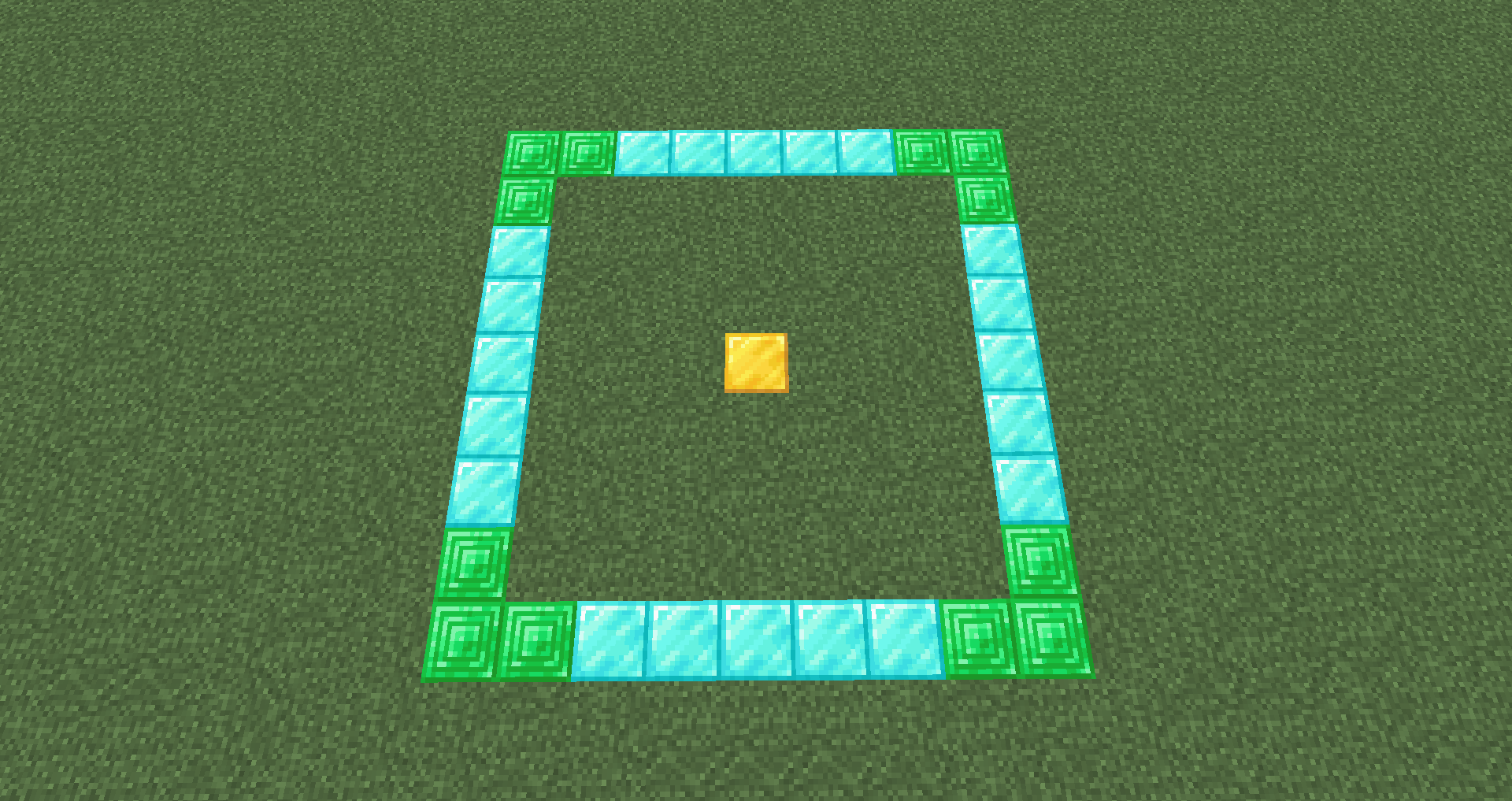
- Build the setup as shown in the attachment below. setup.png
- Using spawn eggs, spawn shulkers on top of every diamond block within the setup.
- Stand on top of the gold block and spawn an iron golem with a low amount of health.
/summon minecraft:iron_golem ~ ~ ~ {Health:1f}
- Wait for the iron golem to be killed by the shulkers.
- Observe the behavior of all the shulkers for around thirty seconds.
- Take note as to whether or not most shulkers sometimes get stuck in their opened or closed states after being aggressive towards an entity.
Observed Behavior:
Shulkers sometimes get stuck in their opened or closed states after being aggressive towards an entity.
Expected Behavior:
Shulkers would not get stuck in their opened or closed states and would naturally peek as normal.
Summary of Issue:
In Minecraft Java Edition, explosions are coded such that the chance a block drops as an item when destroyed is the inverse of the explosion power, which for larger explosions means you get less items. TnT and TnT minecarts are exempt from this however with a 100% drop chance.
In Minecraft Bedrock Edition, TnT is given only a 25% drop rate whilst all other explosions are exempt with a 100% drop rate.
Further Discussion:{}
This parity issue is really unfair to bedrock players, who recieve lower yields from using TnT in general applications for converting blocks to their items such as blast chambers, quarries and tunnel bores. Whilst in Java edition players are essentially punished for seeking out more powerful explosion sources which are generally more expensive to obtain than TnT. It would be a simple fix to just make it so that in both editions of the game all explosions drop 100% of blocks.
The bug
An entity processing its motion on the X, Y and Z axis will check for collisions with blocks within a volume enclosed by the axis of motion. This is in spite of the fact that the entity can ONLY collide with blocks within each axis of motion which are processed independently every tick.
This culminated into a devastating effect when I fired a cannon 2000 blocks, which is only a fraction of it's maximum range, and then my game froze and the world was unrecoverable. It was fortunate I had saved a schematic of the cannon otherwise I would have lost the design completely.
OptimizedFastEntityMovement fromtheCarpet Mod isalsoan ideal solution because it makes it so entities ONLY process collisions from blocks directly in the path of each XYZ axis that the motion is processed along, preserving the current entity motion behaviour, while also vastly reducing the number of computations (this issue).To reproduce
As an example here is a world download with the cannon positioned at 4K,4K in the overworld and setup to fire a payload at 0,0:
https://www.mediafire.com/file/vpf6ctq0cvfl0p7/Orbital_Strike_Crash_Test.zip/file
Instructions are as follows:
- Join the world and wait 1 minute
- Press the Button labelled "Start Cannon"
- The player will be teleported to 0,0,0 and the cannon will begin charging
You can also find the video about the cannon here:
The bug
An entity processing its motion on the X, Y and Z axis will check for collisions with blocks within a volume enclosed by the axis of motion. This is in spite of the fact that the entity can ONLY collide with blocks within each axis of motion which are processed independently every tick.This culminated into a devastating effect when I fired a cannon 2000 blocks, which is only a fraction of it's maximum range, and then my game froze and the world was unrecoverable. It was fortunate I had saved a schematic of the cannon otherwise I would have lost the design completely.
OptimizedFastEntityMovement from Carpet Mod is an ideal solution because it makes it so entities ONLY process collisions from blocks directly in the path of each XYZ axis that the motion is processed along, preserving the current entity motion behaviour, while also vastly reducing the number of computations (this issue).To reproduce
As an example here is a world download with the cannon positioned at 4K,4K in the overworld and setup to fire a payload at 0,0:
https://www.mediafire.com/file/vpf6ctq0cvfl0p7/Orbital_Strike_Crash_Test.zip/file
Instructions are as follows:
- Join the world and wait 1 minute
- Press the Button labelled "Start Cannon"
- The player will be teleported to 0,0,0 and the cannon will begin charging
You can also find the video about the cannon here:
The bug
The block collisions method for entities is incredibly inefficient and performs insanely redundant computations for no reason. Each tick when an entity calls the movement method to update it's position, it will first move in the Y axis, then move in the X or Z depending on which motion is greater then finish moving along the remaining axis for that tick. This method is well established to simulate entity motion in a way that is computationally efficient as it allows collision checks to be done independently for each face of an entities hitbox.
Unfortunately however, the collisions method is poorly designed to utilise the movement method for efficient collision calculations. As it will start by collecting block collision boxes from the volume projected by the motion axes, then iterate through this volume for each block, checking whether the hitbox of the entity intersects the block faces in each axis. Which is absurd because for fast moving entities the volume projected by the motion axes can contain millions of blocks that have nothing to do with the motion axes. This results in the block collisions method scaling extremely poorly as the velocity of collisions increases.
To get an idea of how bad the scaling is, consider that a TnT entity with Motion:[1000.0, 100.0, 1000.0] would check 100 million positions for collisions despite only realistically being able to collide with 8400 blocks in total. So that is pretty much 100 million calculations the game does for literally no reason but to waste energy.
The currently implemented method incorporates no mechanisms to discard redundant collision checks and free up computation for other more crucial tasks. Some effective measures to improve collisions would be to check the load state of chunks intersecting the motion axes in the order they are processed. So for example an entity with Motion:[800.0,100.0,900.0] would check the load state of chunks Z+900 then X+800 from the entities current position and discard collision checks for unloaded chunks. Then the method could check whether the subchunks intersecting the lines Y+100, Z+900, X+800 contain blocks other than air and skip collision checks for subchunks containing air. Then finally the method would iterate over individual block collisions along the motion axes where the entity actually moves.
If a TnT entity has -y motion, it will perform a raycast on movement which is usually utilised for entities to calculate their accumulated fall damage, however this check is not necessary for TnT which is unaffected by fall damage. This raycast produces severe performance issues in TnT projectiles travelling at high speeds as the raycast will be projected over a very long distance for each tick the TnT moves despite achieving nothing.
The relevant code can be found in Entity.java

TnT cannons are a well established feature of the game where if an entity is exposed to an explosion, the entity will be propelled away from the origin of the blast. This enables all kinds of cannons firing various projectiles to be made.
You would expect TnT minecarts to be a fairly typical payload for such cannons as they can offer a more powerful blast depending on the power of the cannon and explode immediately on impact, but at the expense of costing iron to craft, being unstackable and highly volatile to handle.
However it is currently impossible to use TnT minecarts as a payload for a cannon because their ballistics are completely broken. If you try to launch a TnT minecart its horizontal motion will max out at 0.38 blocks per tick, combined with the increased drag experienced by minecarts and this means the theoretical maximum distance a TnT minecart with a 4s fuse time can move is only 7.4745 blocks, which places the cannon within the blast radius of the payload.
To emphasize the issue I have included a test world with a setup to test the effect of 10 TnT propelling TnT compared to a TnT minecart:
- Join the world TnT Cart Test
- Press the button in the centre of the command blocks to summon 10 TnT surrounded by a single TnT one block to the left and a TnT minecart one block to the right.
The vertical motion of the cart can be explained by the knockback formula using the eye height of the entity to compute the direction of the applied knockback, however if we work through the k
onckback and drag formula for the respective positions taking into account the eye height of the minecart entity we can determine that the minecart should travel about 150 blocks to the right. However because the horizontal component is capped at 0.38 blocks per tick it instead only exhibits the vertical component of motion and settles only 2 blocks away from its starting point.TnT cannons are a well established feature of the game where if an entity is exposed to an explosion, the entity will be propelled away from the origin of the blast. This enables all kinds of cannons firing various projectiles to be made.
You would expect TnT minecarts to be a fairly typical payload for such cannons as they can offer a more powerful blast depending on the power of the cannon and explode immediately on impact, but at the expense of costing iron to craft, being unstackable and highly volatile to handle.
However it is currently impossible to use TnT minecarts as a payload for a cannon because their ballistics are completely broken. If you try to launch a TnT minecart its horizontal motion will max out at 0.38 blocks per tick, combined with the increased drag experienced by minecarts and this means the theoretical maximum distance a TnT minecart with a 4s fuse time can move is only 7.4745 blocks, which places the cannon within the blast radius of the payload.
To emphasize the issue I have included a test world with a setup to test the effect of 10 TnT propelling TnT compared to a TnT minecart:
- Join the world TnT Cart Test
- Press the button in the centre of the command blocks to summon 10 TnT surrounded by a single TnT one block to the left and a TnT minecart one block to the right.
The vertical motion of the cart can be explained by the knockback formula using the eye height of the entity to compute the direction of the applied knockback, however if we work through the knockback and drag formula for the respective positions taking into account the eye height of the minecart entity we can determine that the minecart should travel about 150 blocks to the right. However because the horizontal component is capped at 0.38 blocks per tick it instead only exhibits the vertical component of motion and settles only 2 blocks away from its starting point.
24w21b has made significant changes to portal linking logic that serves to break a lot of technical contraptions that rely on precise control of the chunkloading ticket invoked by entities passing through a nether portal.
The following code introduced in 24w21b shows logic which sends the chunkloading ticket to the position an entity arrives in the other dimension. A world download is included with a test setup to verify the behaviour and its changes:
This runs contrary to the previously established behaviour where the chunk loading ticket is sent to the position of the portal block which links to the portal in the dimension where the entity enters the portal. Meaning a change to this behaviour would break a lot of technical contraptions that rely on precise chunk loading using nether portals.
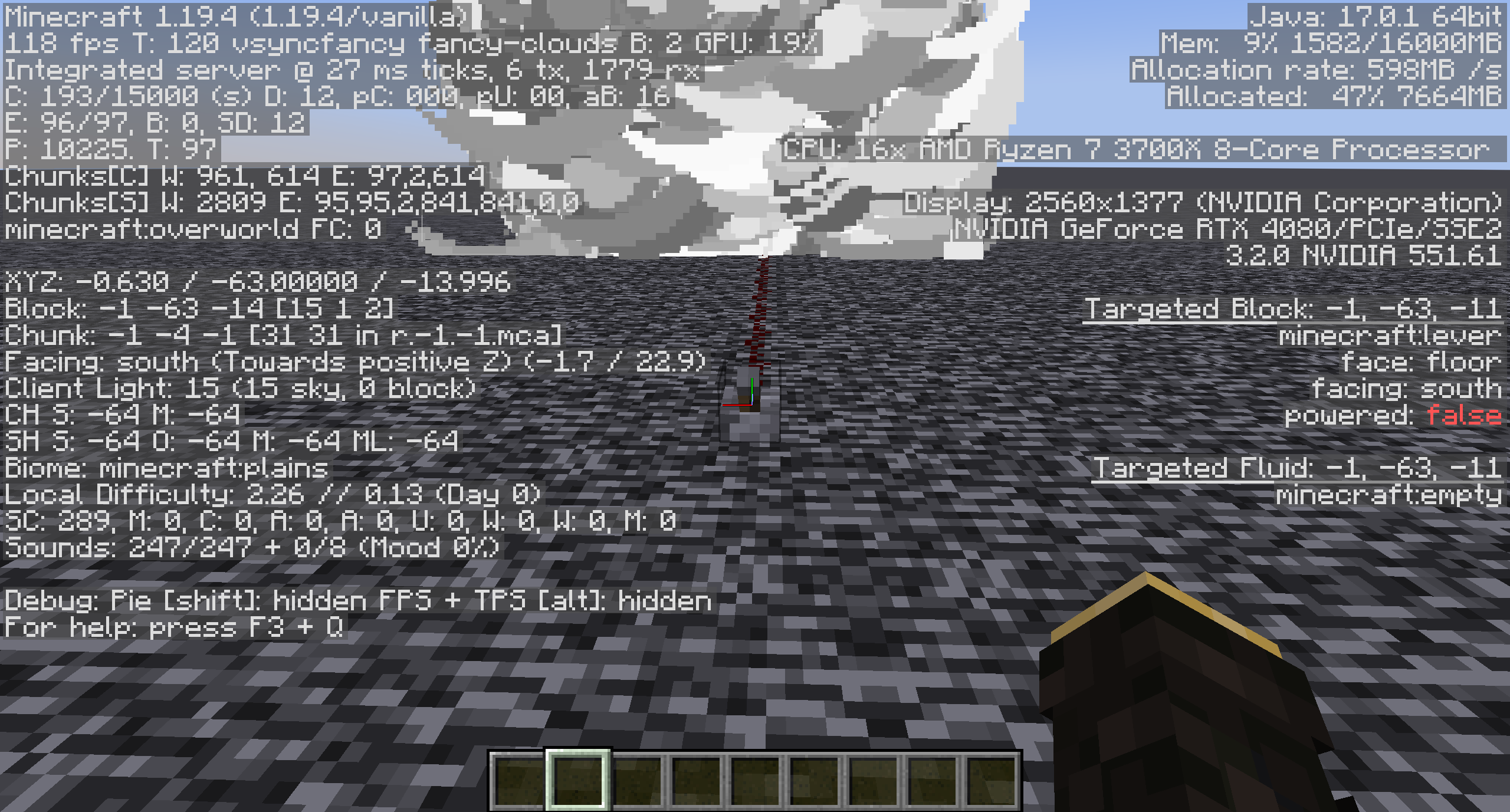
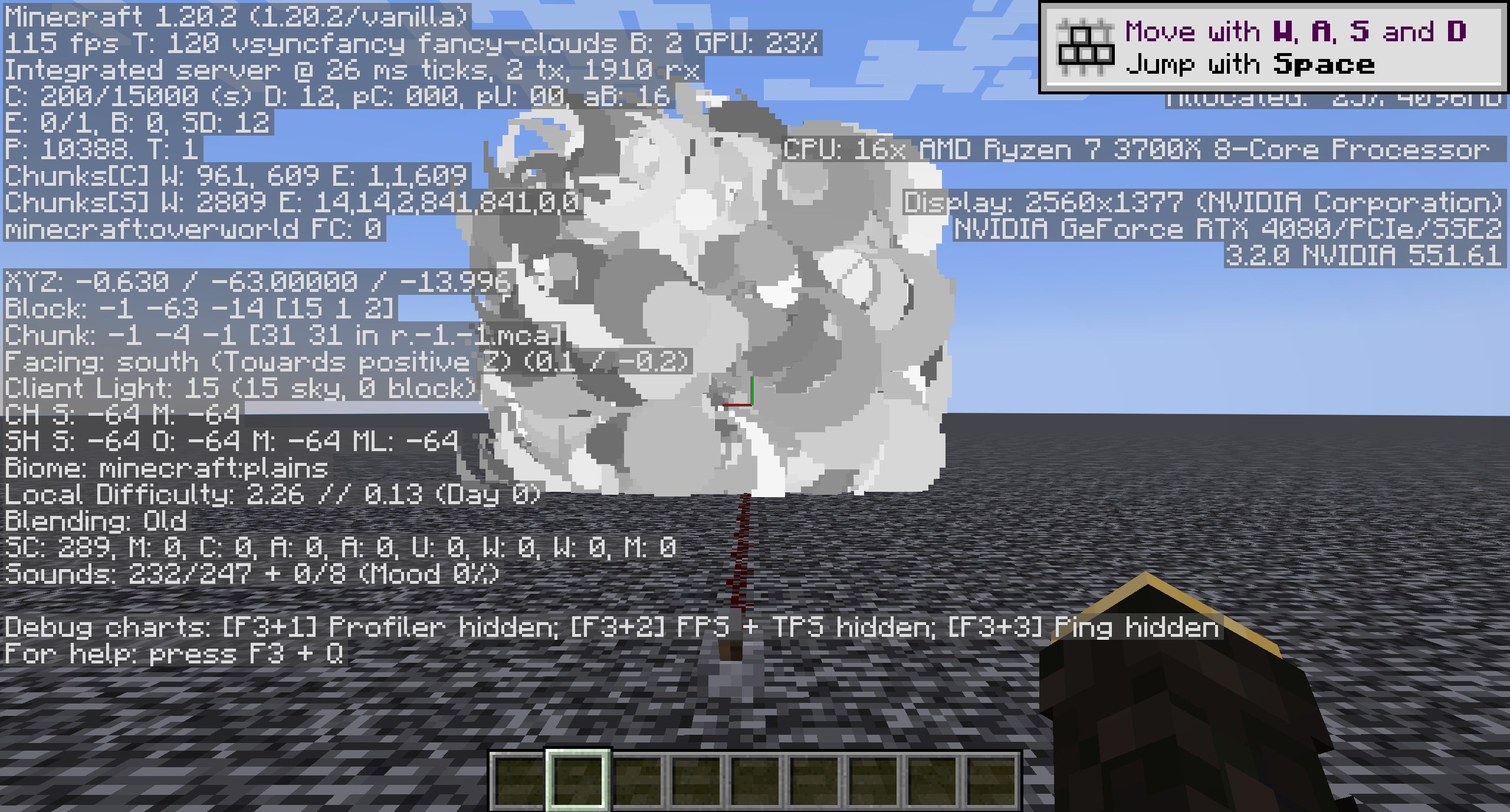
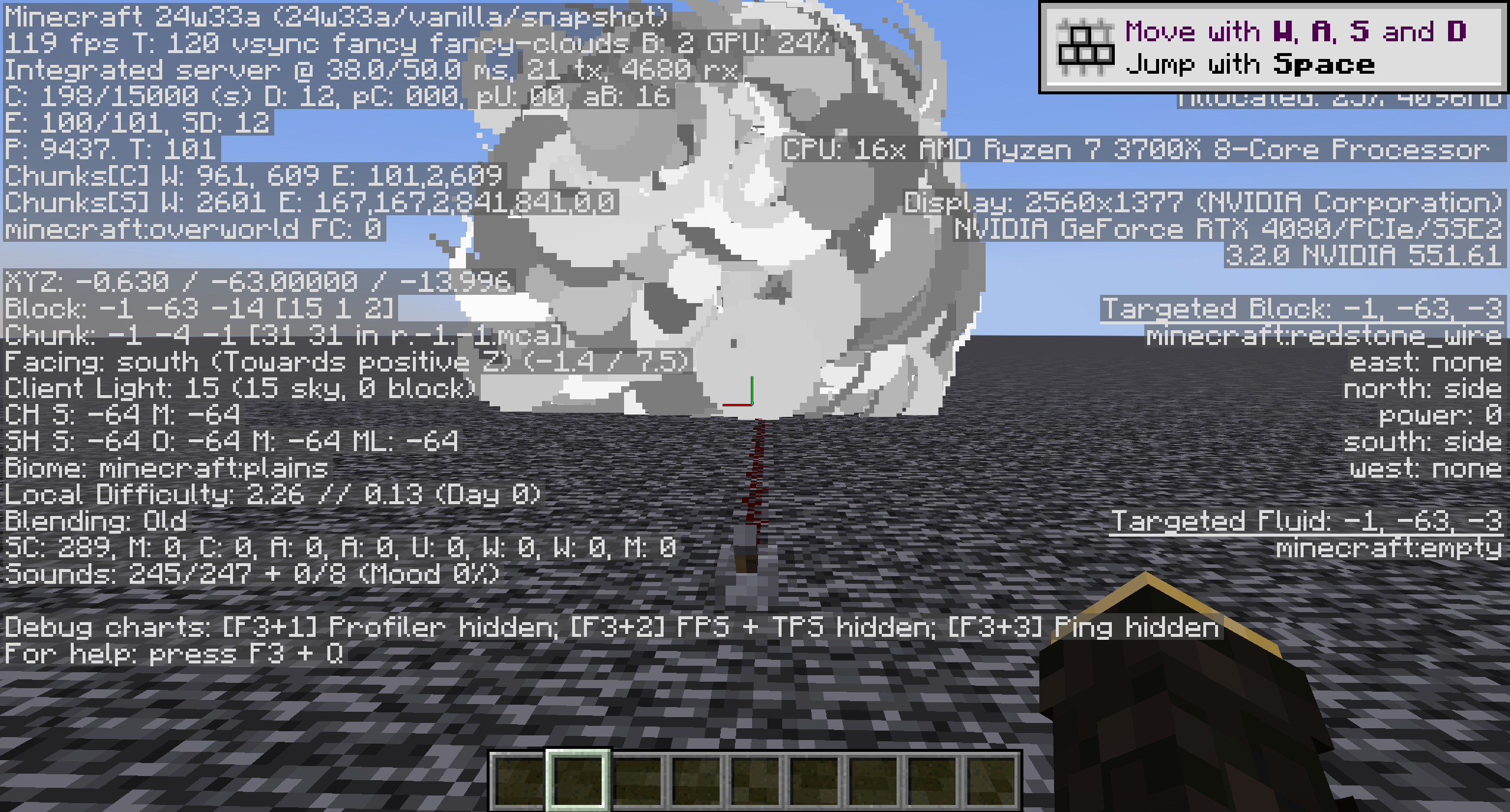
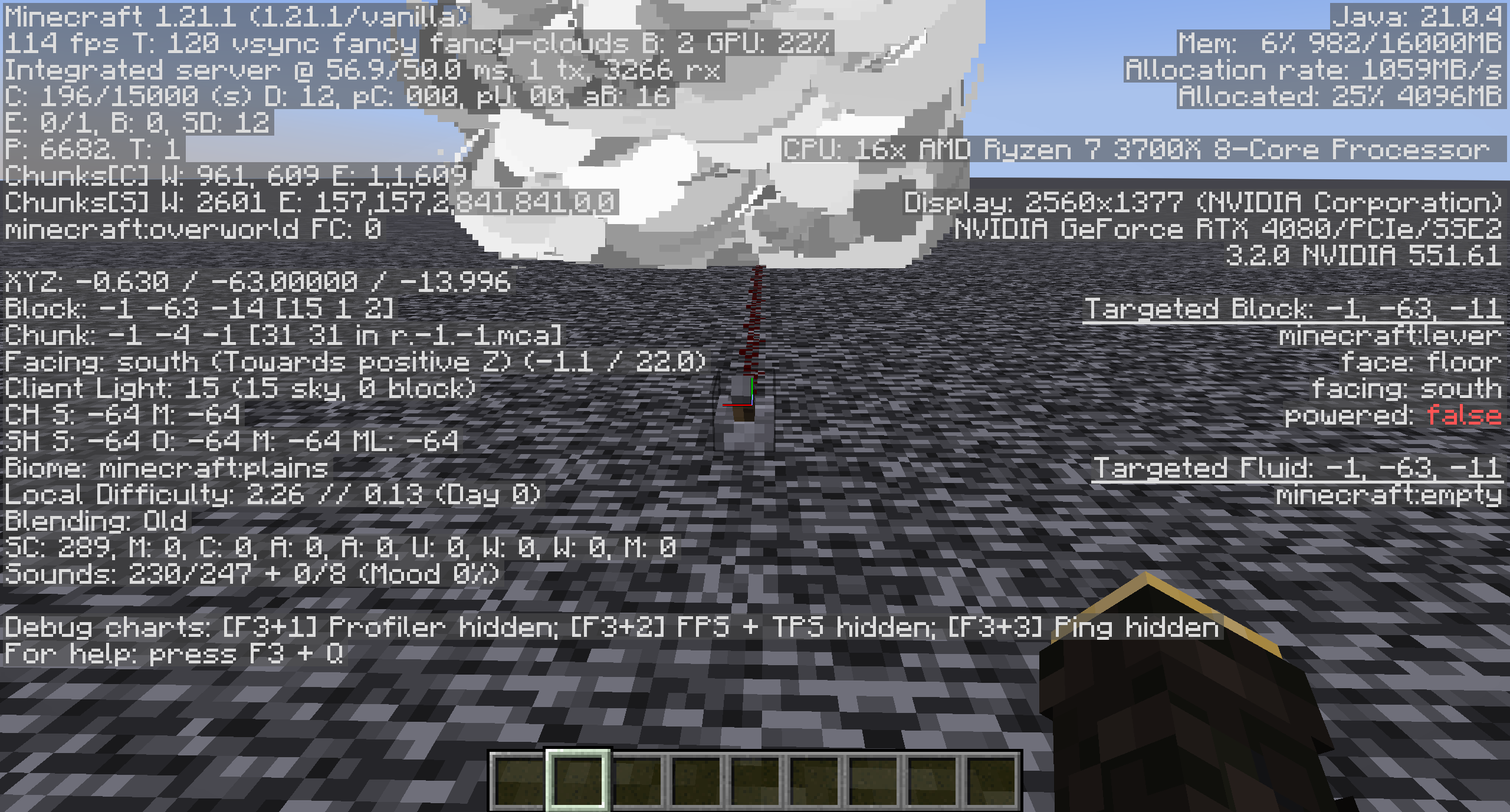
Through a meta analysis of various minecraft versions and a simple test case involving 100 TnT exploding every 4 gameticks there seems to have been a significant decline in the performance of the TnT explosion code starting in version 1.20.3 and continuing to the latest release. This can be seen in the attatched screenshots showing the milliseconds per tick (/50 ms) of the same test case in different versions
Snapshot 24w33a improved the performance slightly however it still remains at least 2x worse than in 1.20.2 which was found the be the last version where explosion code was most performant in the recent update pool.
Savva looked into the code and found 1.20.3 introduced 2 lag causes to explosion code:
- calculating the exposure twice for each entity, but it is already fixed as stated in
MC-272414and after looking at code and testing in game we can verify that this specific issue is indeed fixed.- something within the block removal logic (its interactWithBlocks method in ServerExplosion.java). We're not sure that there is only one lag causer within, but we can verify that the lag comes from somewhere there, as it is the only part of explosion code which changed significantly from 1.20.2 to 24w33a
To verify that the issue lies within the block removal, one can use the same setup as shown in the screenshots above, but with a liquid source where the explosions happen, that way each explosion will collect no block positions for blocks to be exploded, thus skipping almost the entire block removal part of the explosion but not the other parts of the explosion, and indeed from our testing there is no lag difference in between 1.20.2 and 24w34a with water present.
Yet without water the lag difference between versions is about x1.5100 TnT explosions is a relatively moderate amount in the average players gameplay environment. As shown in older versions such as 1.19.4 and 1.20.2 this amount of TnT would only consume half of the computation time for my particular machine that is possibly better than what most players could afford.
Proliferation of Minecraft's code without consideration for the impacts on performance threatens to push newer players on lower end systems out of the Minecraft community and so these optimization issues should be taken with great concern.

m³ If this is true, I recommend that you create a new report about it. If you create it, I would also recommend you notice in your report that the desired fix for this bug will be heavily-optimize block events, so that the results are better than 1.15.2
No one cares, still the same game, plus it doesn't change the fact that pistons are laggy in 1.16 so your comment is invalid and unwarranted.
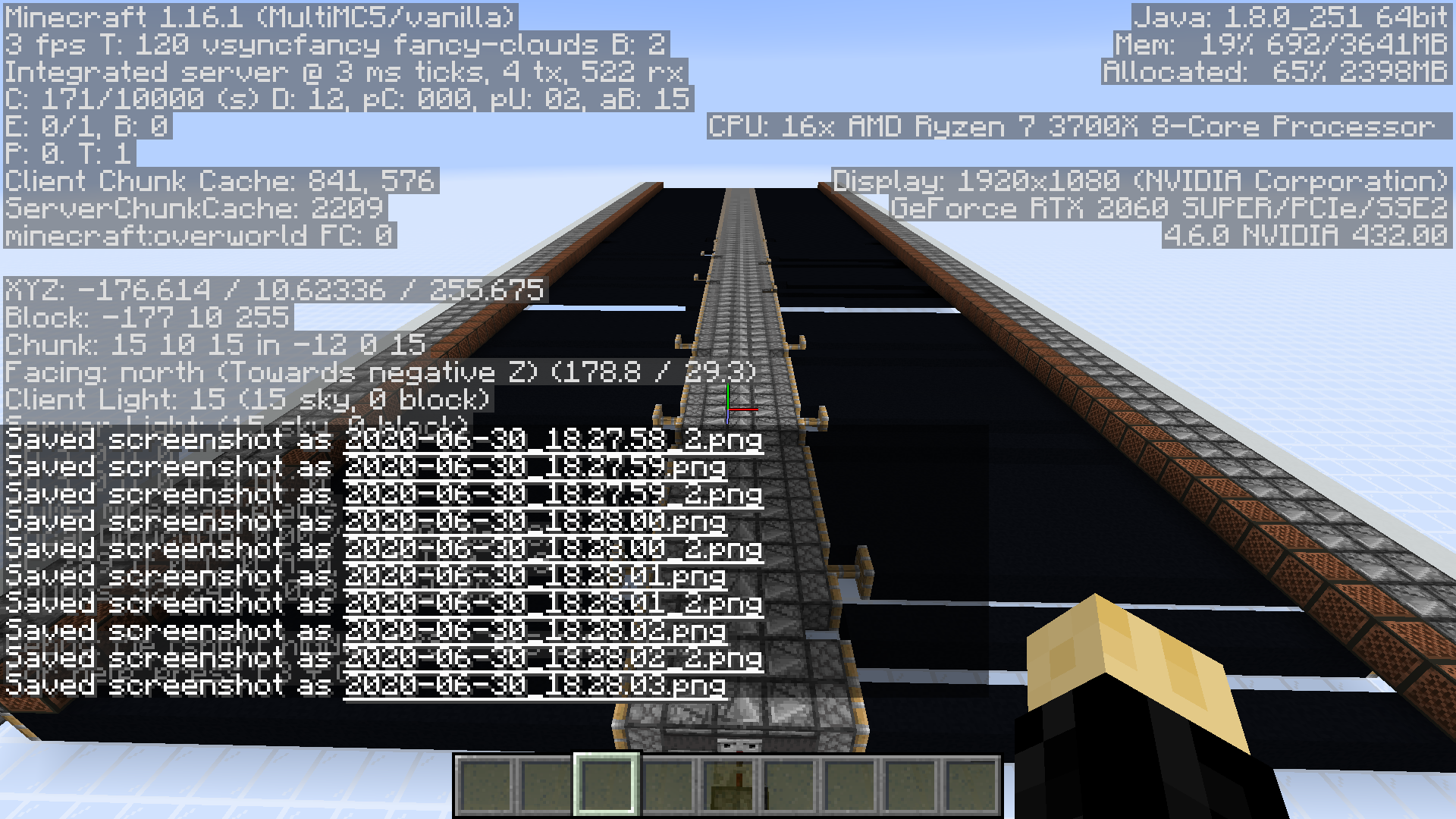
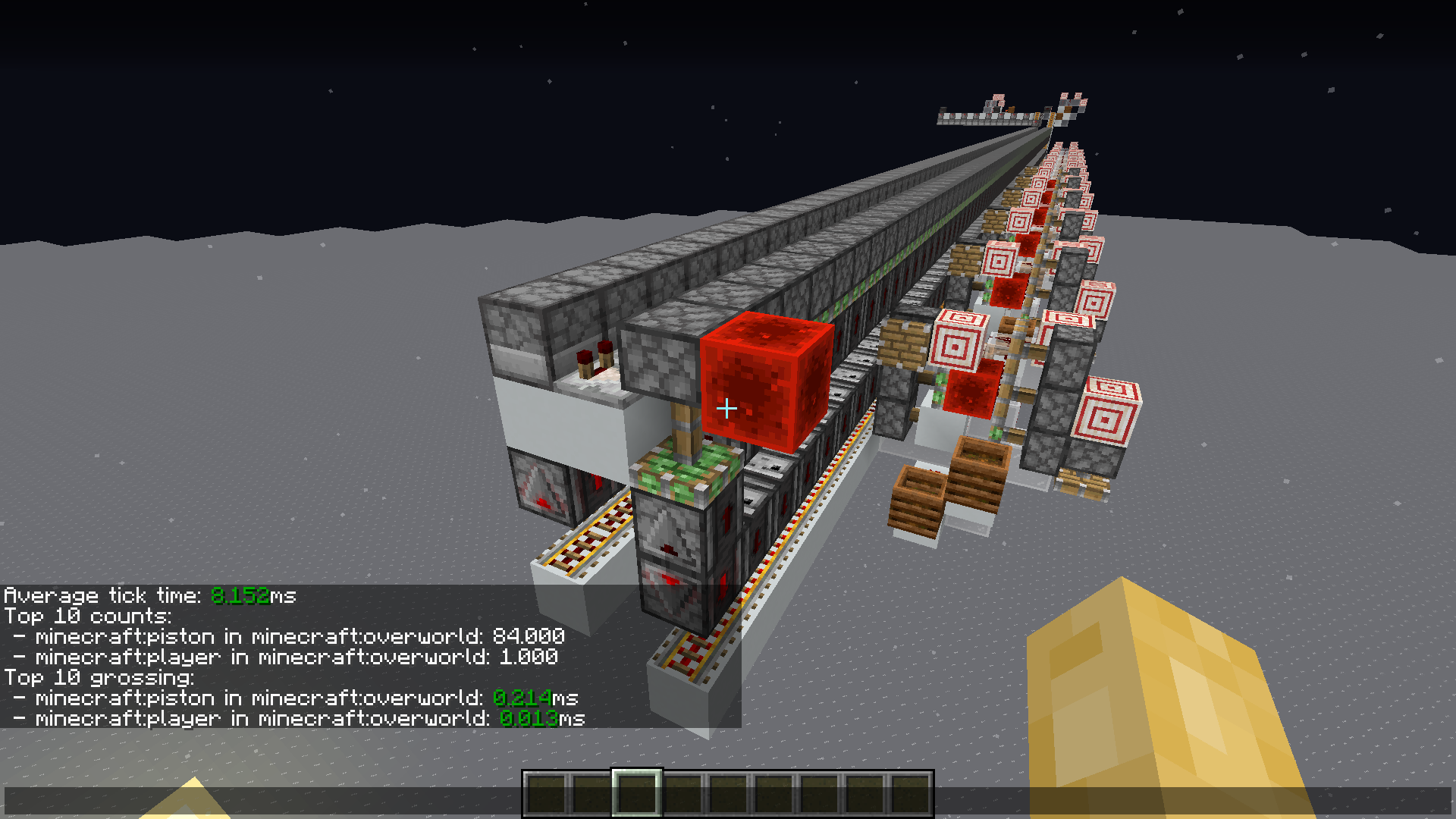
Working with various piston configurations I have noticed that the rendering of moving blocks has changed since 1.15.2, the animation of the block moving is very smooth and continuous in 1.16 even when blocks are zero ticked, the animation plays as if the block takes 2gt to move however the contraption still behaves as though the block was moved instantly in the case of a zero ticked sticky piston. My guess is that this change to a smoother animation is demanding more computational resources from the client.
Testing in the latest release, 1.16.2 pre 2, getting very mixed results, it appears to be highly dependent on the clients computer architecture. Personally I have observed better performance than 1.16.1, with my client no longer crashing sompletely using the test setup, however it is no where near the performance achieved in 1.15.2 getting 30 FPS instead of the 57 obtained in the screenshots above for 1.15.2.
Can confirm, using the same apparatus in
MC-192845I obtain 30 FPS in 1.16.2 pre3 compared to 57 FPS in 1.15.2. So the performance has just about halved. I should also note however that the rendering of moving blocks in 1.16.2 pre3 does in fact eliminate many of the visual artifacts such as a momentary flashes of transparency as the blocks are pushed which looks nicer on the surface.Observering a 50% improvement in rc2 compare to rc1, is still 20% worse than in 1.15 however given that many visual artifacts have been resolved aswell I'd maybe consider this an improvement, my computer is quite well equipped but I can't say the same for other players. For reference that is 30 FPS in 1.16.2 rc1, 45 FPS in 1.16.2 rc2 and 57 FPS in 1.15.2.
Optimisation seems to be a grey area for bug reports because at what point do we consider the issue fixed? In my opinion there needs to be a more rigorous standard for optimisation to give developers a target for ensuring that players are not encluded from features based on the limitations of their hardware.
This is not a bug but a feature which has been used for transporting shulkers for many years now.
Quasi connectivity is not intended or intuitive but has been used for many years and found many unique applications. Emergent features that weren't intended appear everywhere in this game and generally it's when a feature expands outside the current meta that real innovation can appear.
Plus if you want the dimensions to scale properly then just don't block spaces on the portal, it's easily controlalble and predictable. Why would you intentionally remove a useful feature like this?
No matter what points either side can make in this argument, nobody cares about removing some obscure mechanic which you only discovered browsing through one of ilmango's videos. The bug tracker should not be a tool for people to troll members of the technical community for finding uses for mechanics that were otherwise unknown about and the fact that nobody is voting for this issue simply demonstrates that no one cares.
If this get's patched then the real question is, what should a shulker do if it is unable to find an attatchment point as it passes through the portal? Should it:
A. Do nothing.
B. Appear in the portal in the other dimension then do nothing.
C. Appear at the same coordinates it entered the portal in the alternate dimension.
I should note, that options A and B both retract from what a player can accomplish when transporting shulkers whilst option C which is currently in the game adds an additional feature. It is still possible to get the 1/8 conversion by providing valid locations on the other side of the portal.
There are a few issues with your response, in option 2 you mentioned that block updates should intiate the search, however block updates only send updates to blocks immediately ajacent to them. Which means unless the shulker is right next to the block update there is no way to implement this than to have the shulker deliberately search for block updates within the 17x17x17 cube every gametick.
A deterministic search would mean that instead of searching 5 spaces every gametick, the shulker would eventually have to search 4913 spaces which would tank performance. The current behaviour of searching 5 random positions every gametick if the shulker is in an invalid position is quite well optimized.
Also I have observed the random behaviour when going through portals, the most optimized layout you can have has a 50% chance for the shulker to find a space each attempt. Repeating attempts 5 times in a row and the probability of a shulker not finding a space drops to about 1.2%. So out of 1000 shulkers you could expect to get 12 of them appearing at the same coordinates instead of going through the portal.
In hindsight it might be easier to manage shulkers if this behaviour was patched as portal linking would make them all appear in the same space, so for the shulker farm you wouldn't need a massive collection platform in the nether. But this mechanic is also very useful for populating mobswitches as you don't need a portal in the middle of your mobswitch that you can't get near to remove.
After reflecting on this issue I found that it would really stink to have to travel thousands of blocks in the nether to get to the nether side of one of the new shulker farms. Therefore I think this should be fixed even though it was quite useful for transporting them large distances, this is a very niche application and carries more negatives than positives.
Just tested this in 21w05a and it seems to be fixed, I obtained static MSPT's of 0.979ms and 0.964ms for the controls without and with barrels respectively. Then MSPT's of 7.075ms and 6.889ms respectively for the same setups with the pistons running.
It seems that in the new versions tile entities are collated on a per chunk basis, which is actually a pretty nice optimisation. Good job Mojang
Yeeun this is a very interesting analysis, thankyou for clarifying. I will point out that my breeding chambers never lose snow golems, I have run modules which only have a single golem and I never lose the golem however I can quite often lose the shulker due to this glitch regardless. Your point about the shulker bullets from the previous shulker remaining in the chamber and aggitating the shulker against a target that does not exist makes a lot of sense. I simply wasn't aware that shulkers would aggro on eachother this way. Also your points about the shulker becoming glitched this way due to being in a minecart or being in a space which does not allow them to open their shell is quite consistent with my observations. With my most recent shulker farm design I had issues with shulkers in minecarts getting aggro from modules as the shulker is carted through the farm to the module which needs a shulker replaced. This also seems to affect shulker reactors where shulker replacement should not be necessary in theory, however in practice the group aggro mechanic for the shulkers can cause a lot of problems.
By the sounds of things, this glitch can be mostly fixed if shulkers would not aggro on eachother, if the shulkers are to behave using a pack mentality, then it does not make sense for them to attack eachother if they accidentally catch eachother in the crossfire. A good example would be pillagers who do not turn on eachother if they accidentally hit eachother, because it rather defeats the purpose to have a pack mentality if they just attack eachother.
Oh god, no, DO NOT make this an intentional change. It will destroy so many things for us technical players. Portal based chunk loading is literally the only control we have left over chunk loading since 1.12. Please understand, we need this. A lot of contraptions rely upon different levels of chunk loading to perform specific tasks in a more lag friendly way. For example if I want to make a mobswitch, or an item sorter, or anything involving a large amount of entities. Being able to control whether the the entities are being processed or not is critical to optimise the lag efficiency of a machine. The beauty is that entities in the 5x5 redstone processing area around the portal can be interacted with by redstone components but will not contribute any lag to the game. This makes the redstone processing region a critical mechanic for lag optimisation. Removing it would cause a lot of anger and frustration in the tech community.
This bug is related to the way in which hoppers are assigned to the tile entity list when a chunk is loaded. If you place hoppers in the world in a specific order they are added to the list in that order and as such will execute their tasks of pulling and pushing items in the order governed by that list. When the chunk is unloaded the hoppers are not saved in a list which maintains their order, instead the game uses a hash set which obsfucates the order of the hoppers upon loading the chunk from memory. This hash set is slightly more efficient in terms of memory usage than an ordered set, however causes all kinds of ambiguous behaviours which vary depedent on a hoppers position in the world.
This hash set obsfucating the order of hoppers therefore results in contraptions which rely on the order in which hoppers pull and push items locational and break in ways which would be very confusing to the player. I know of a particular mechanism for detecting when a shulker box is full and replacing it with a new, empty box. This mechanism works perfectly fine in most locations and so when designing an entire storage system based upon it I simply built a single setup and stress tested it for hours finding no issues. But then when I copied and stacked the mechanism 350 times to make a storage system capable of storing items in shulker boxes. A bunch of the box loaders kept breaking and it drove me insane trying to figure out the cause. Eventually I had to do a range of testing, swapping the order of the hoppers to find that the exact reason was the locationality of hopper hashing messing with the order of items being pushed and pulled through the overflow detection of the box loader.
Random mechanics like this that are extremely technical and difficult for the basic player to understand and really depreciate the quality of the game, making the technical aspects of redstone less acessible to the general playerbase as they run into issues they don't understand. Giving the player more control over how game mechanics interact instead of introduces randomness that causes stress should be an important consideration for the development of this game.
Ok I've just done some additional testing, this bug seems to be a rendering issue in singleplayer. I loaded up a singleplayer world with an update suppressor on my modded client which has fabric loader, carpet and some other client mods. When I tested the suppressor it behaved as it does in previous versions, where a player interaction update does nothing and any other type of update causes the game to crash. I then loaded up the same world in singleplayer on a fully vanilla client and suddenly I was getting the world closing with player interaction updates. However this was not the game crashing as it would simply close the world and bring me to the main menu. Normally with an update suppressor the game would fully crash and I would have to re-launch.
I started adding mods one by one. I added the fabric loader, still closes, I added carpet, still closes. It wasn't until I finally added optifine that the game would work perfectly fine running the update suppressor with player interaction updates. Using any other type of update resulted in the usual game crash. I then moved my test setup to a server, albeit a non-vanilla server as it also had fabric. But given that I did not observe a change in behaviour until I added optifine to my client, this issue appears to be client related. Testing the update suppressor on the server and my client would not crash even if I did not have optifine installed. This issue appears to be a rendering issue that only happens in singleplayer. As optifine is a client optimisation mod for the way the game renders and resulted in an immediate change in behaviour when it was installed.
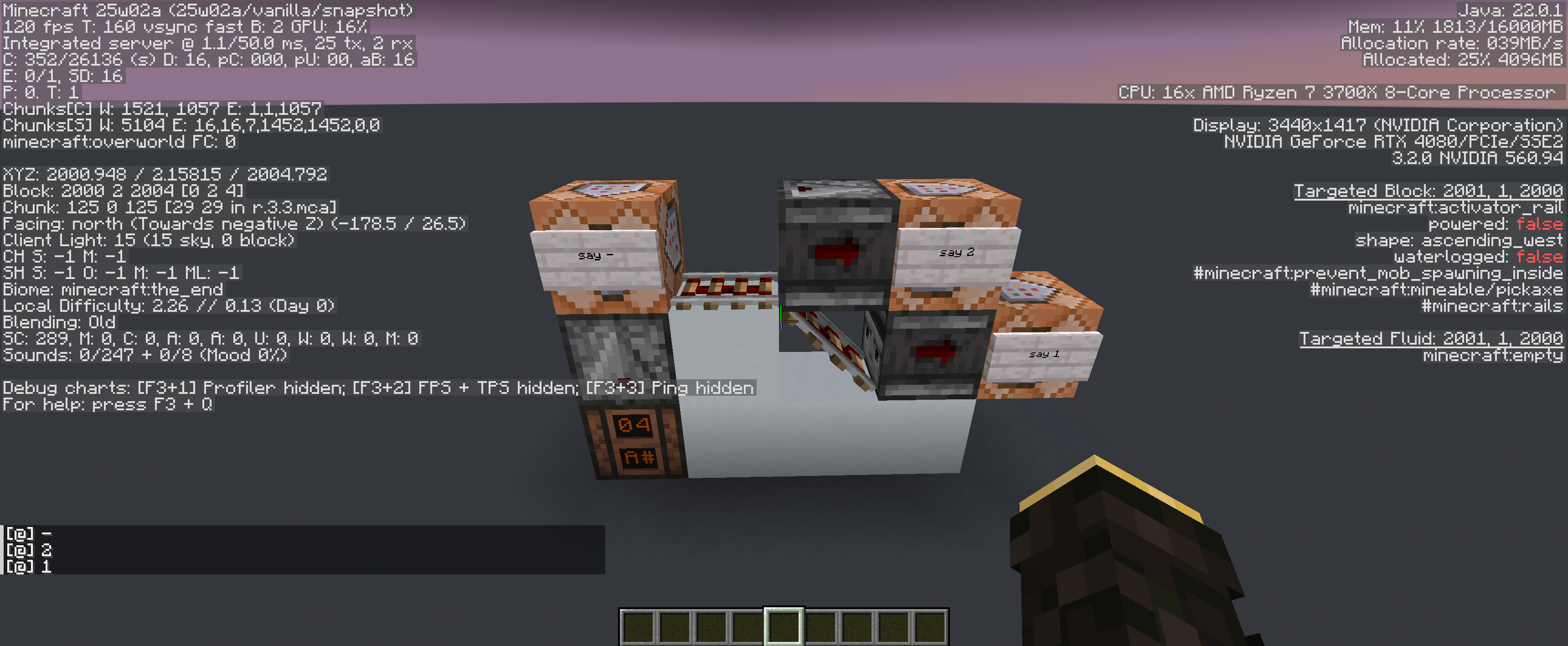
2no2name and I looked into this behaviour and it is caused by the weighted pressure plate only checking for changes in power level every 10gt after initial activation. So the random response time is actually a consequence of a random input only being interpreted by the pressure plate on a regular, albeit long, interval. So upon placing the first entity the pressure plate will have a 2gt delay in which it will then output the power level corresponding to how many entities are on it, then it will schedule itself to check again 10gt later. This might be intended behaviour for the component, to minimise the amount of checks that it does woould technically reduce the lagginess of the component. But the weighted pressure plate is very underutilised in redstone at the moment, likely because it is so limited by this long interval between checks. Sometimes if you make a components too dumb to save on the games resources that component becomes pretty useless.
The crash takes a while because of the extreme lag slowing down the charging process, it should normally take 90s but ran at around 4 TPS for me so it took about 8 minutes. This is a relatively small cannon btw, normally these types of cannon use a lot more TnT.
A report specifically about the explosion calculations would be made redundant by MC-238249 which goes into a lot more detail on that.
Why do I feel like the answer to this issue is "uh nuh duh" given NBT compression reduces the memory usage geometrically provided the same items are stored together. For example a bundle filled with 64 of the same item in every slot of a shulker box filling every slot of a double chest would consume far less memory than the same situation but with dissimilar items simply due to how NBT compression works. Then higher memory usage results in more processing needed to load/unload chunks or parse player data.
Can confirm that this has been an issue since 1.20.3. Due to experimental features in 1.19.4 many servers have not even bothered updating to 1.20 and so this seems to have gone completely unoticed by most servers. This would break shulker farms, villager trading halls, pretty much any contraption that handles mobs and animals using minecarts because if they are always dismounted on the rails they would not pathfind properly or block the rail causing carts to jam. It is imperative that this behaviour is fixed.
This isn't a duplicate,
MC-266123is about Minecarts checking for colliding blocks upon dismount and placing entities at the position of the cart if there are no valid positions found, this behaviour is expected in the context ofMC-266123.The actual issue being presented in this report is the minecart dismounting entities inside the position of the minecart regardless of whether the blocks around are valid locations. The minecart should first check for valid positions in a 3x3 radius around the cart before dismounting at the position of the cart which is not mentioned in
MC-266123.Can you at least fix the inventory management crisis so we don't have to build a new storage three times the size of the old one by the next update?
In PvP settings the players nametag showing through blocks is an easy way to be detected and killed, the ability to sneak and reduce the visibility of the name tag was an intended feature which PvP players used to, well, sneak up on people. I am hoping the applied fix does not break this feature.
Why is this even being debated? Minecarts snapping to rails has been established for over a decade now. This issue affects everyone, not just redstone players. Is changing the games mechanics really more important than giving players what they want?
Ram allocation is completely beside the point as the environment is the same for each test which shows a clear difference in the lag experienced in 1.20.2 and 1.20.3. As a matter of fact I use a mod which optimizes RAM allocation during gameplay which is not present in the tests to preseve the vanilla behaviour.
What is with Mojang constantly using hash sets for everything? This is how you get locational redstone with weird rules for what powers first.There should be a rule for devs to not use hash sets.
But the experimental minecart changes are not supported officially and break many other minecart behaviours when enabled. It's not a real fix.