![[Mojang] Panda](../../../data/avatars/users/41658.png) [Mojang] Panda
[Mojang] Panda
- panda4994
- panda4994
- Europe/Stockholm
- Yes
- No
 MC-1079
![[Mojang] Grum (Erik Broes)](../../../data/assets/gravatar/grum.png)
![[Mojang] Nathan Adams](../../../data/assets/gravatar/dinnerbone.png)

 MCL-1250
![[Mojang] Searge (Michael Stoyke)](../../../data/assets/gravatar/searge.png)


![[Mod] Avoma](../../../data/avatars/users/86198.png)
![[Mod] Jiingy](../../../data/avatars/users/91802.png)
![[Helper] clam lol](../../../data/avatars/users/92852.png)

![[Mod] Sonicwave](../../../data/avatars/users/94627.png)



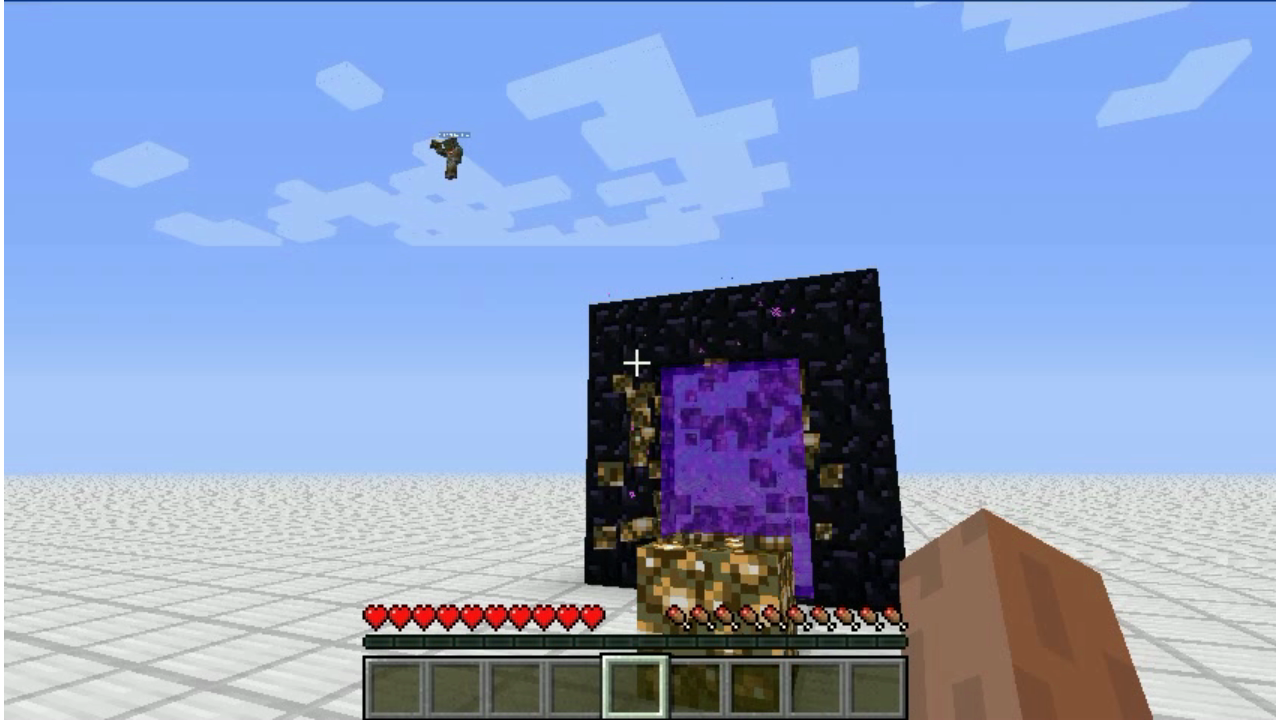




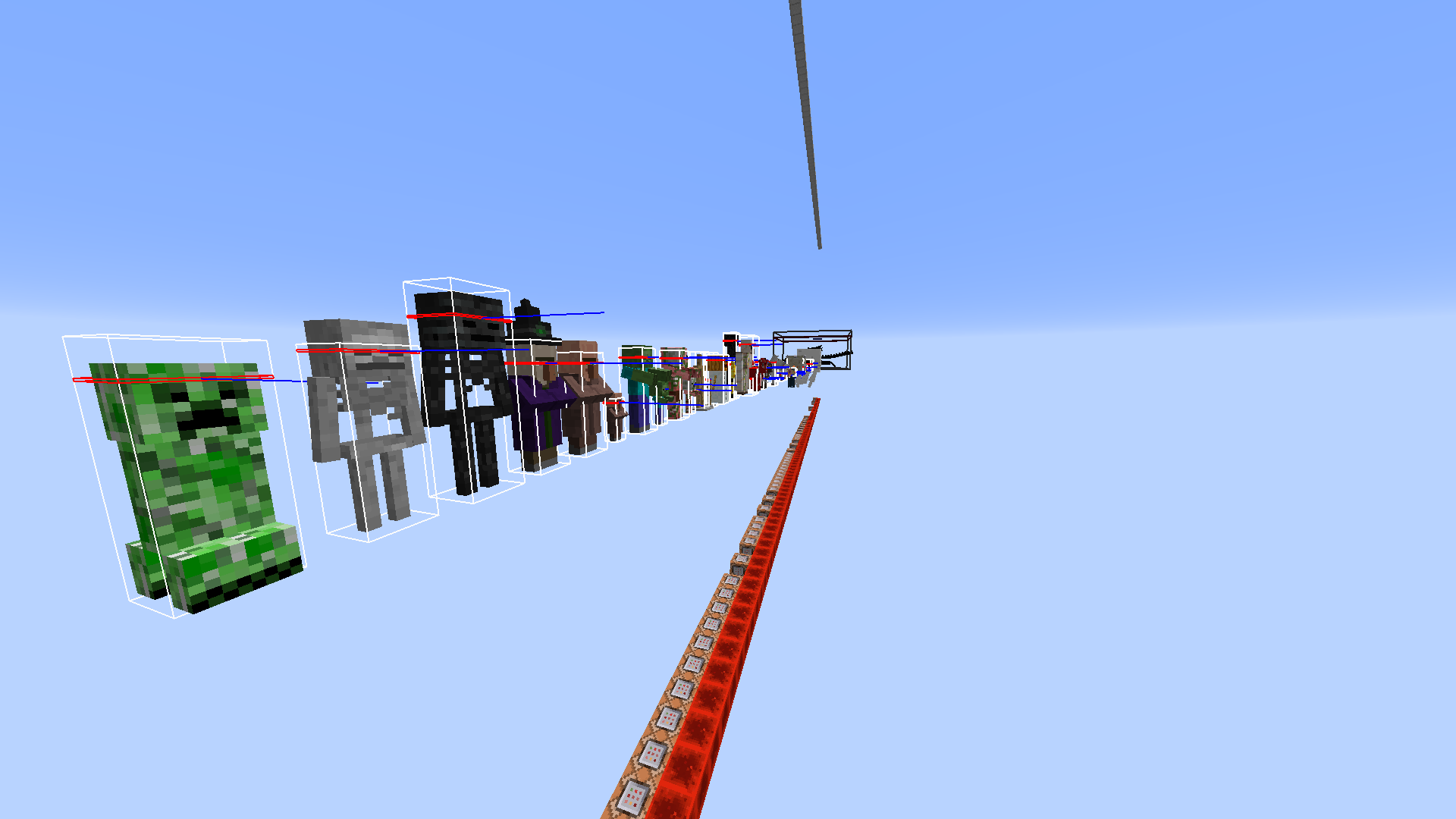


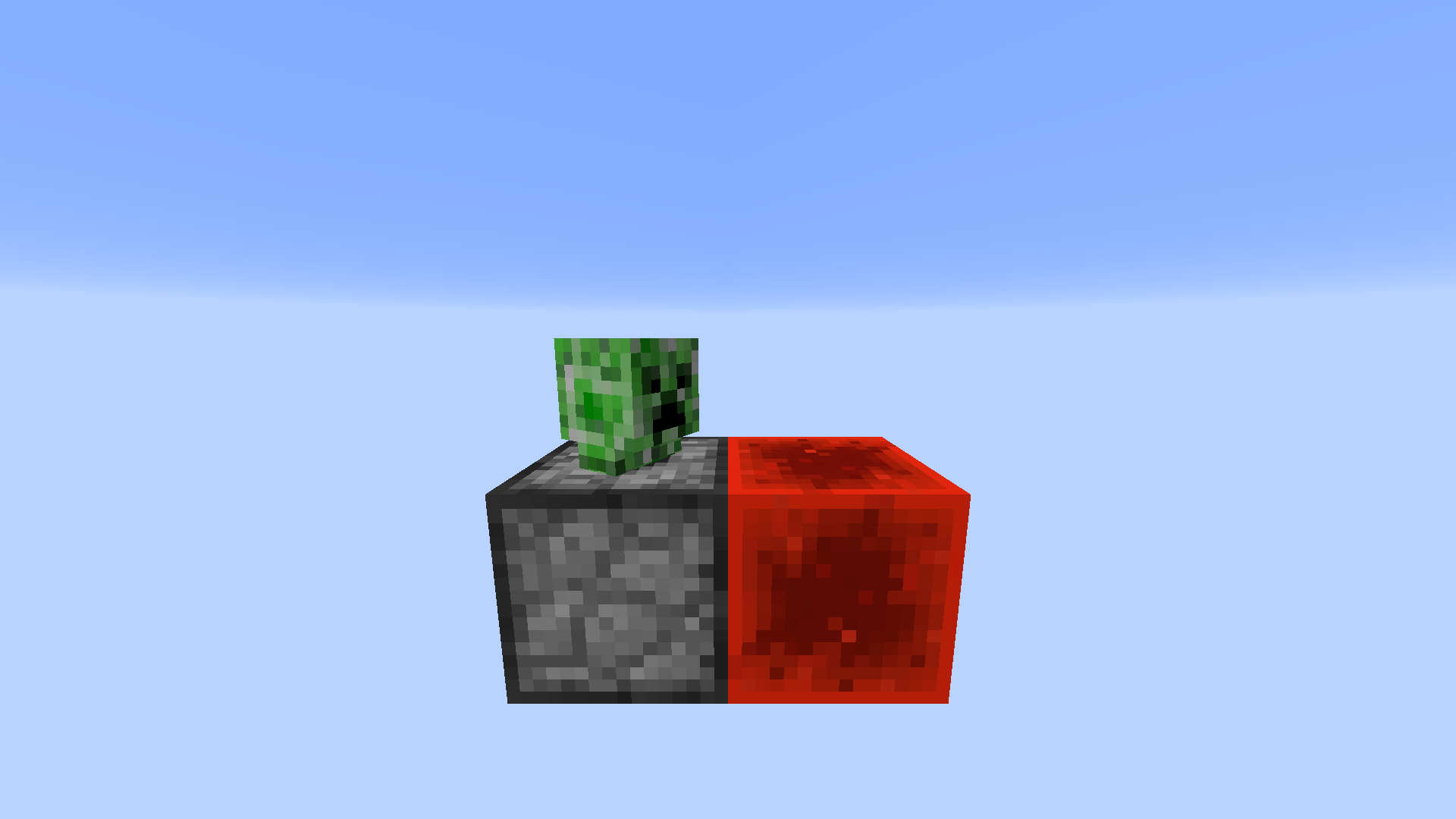


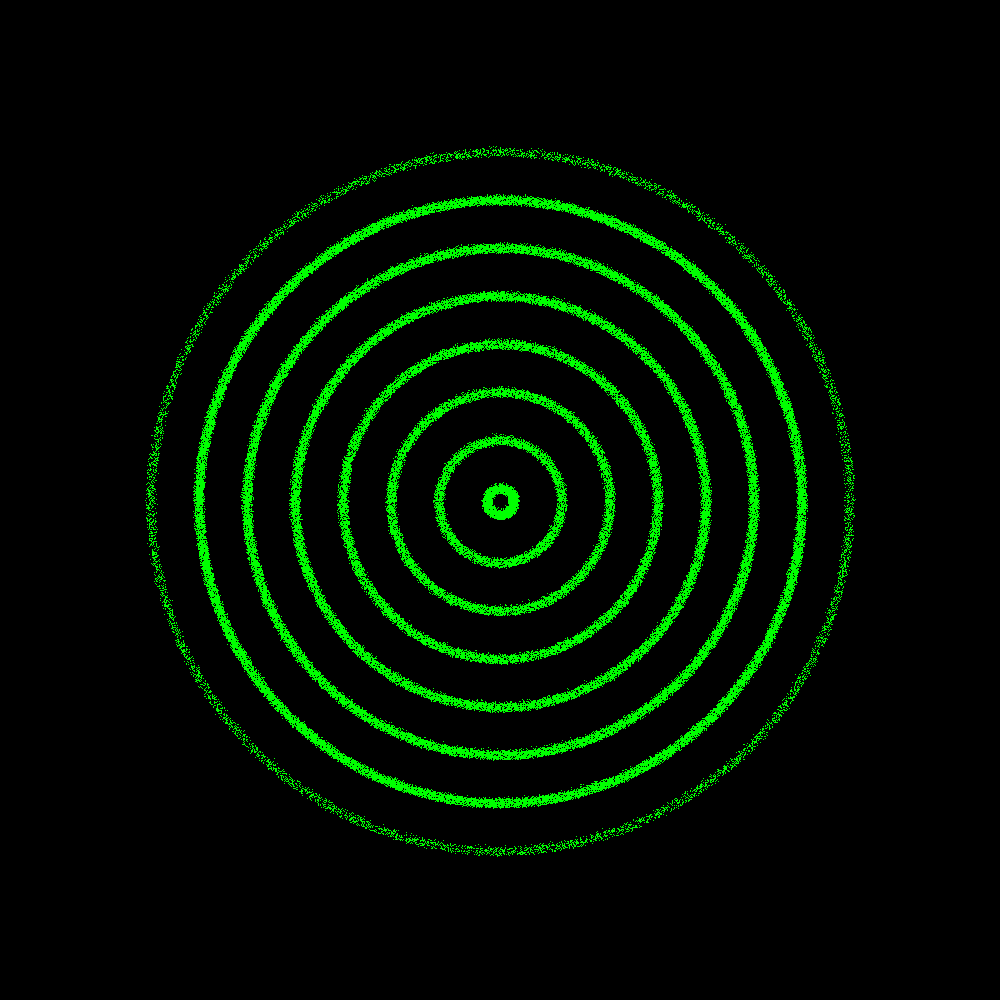

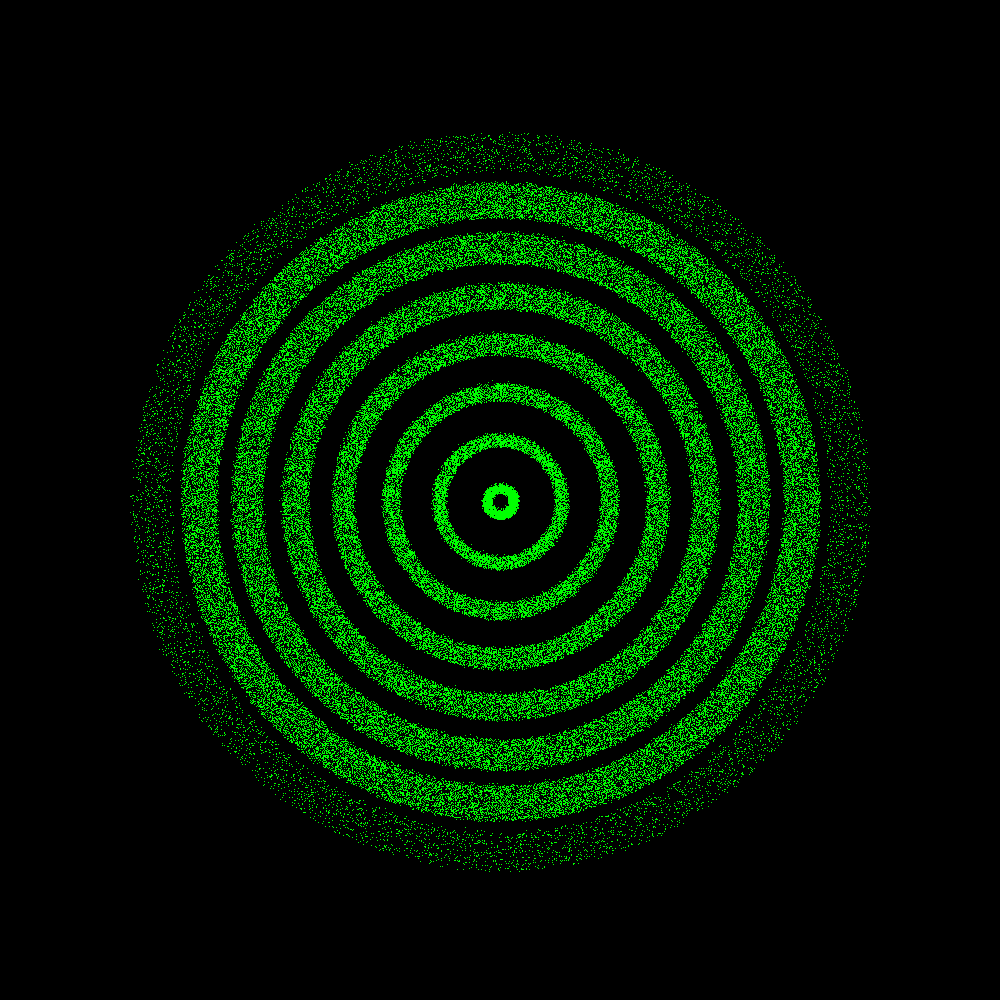

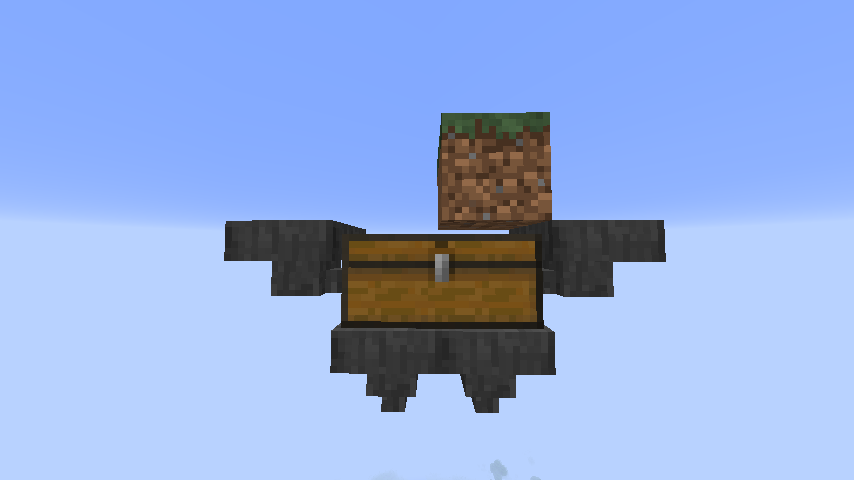

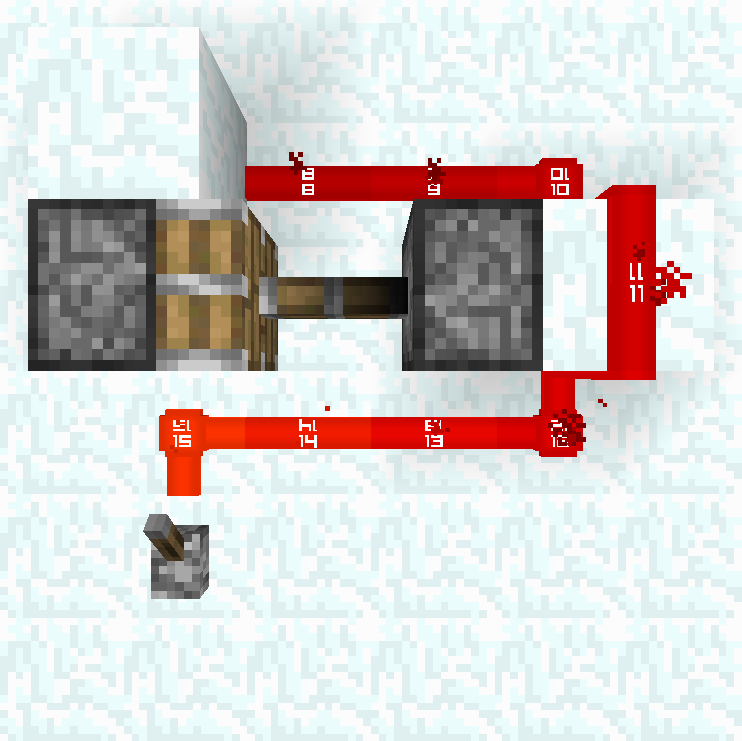


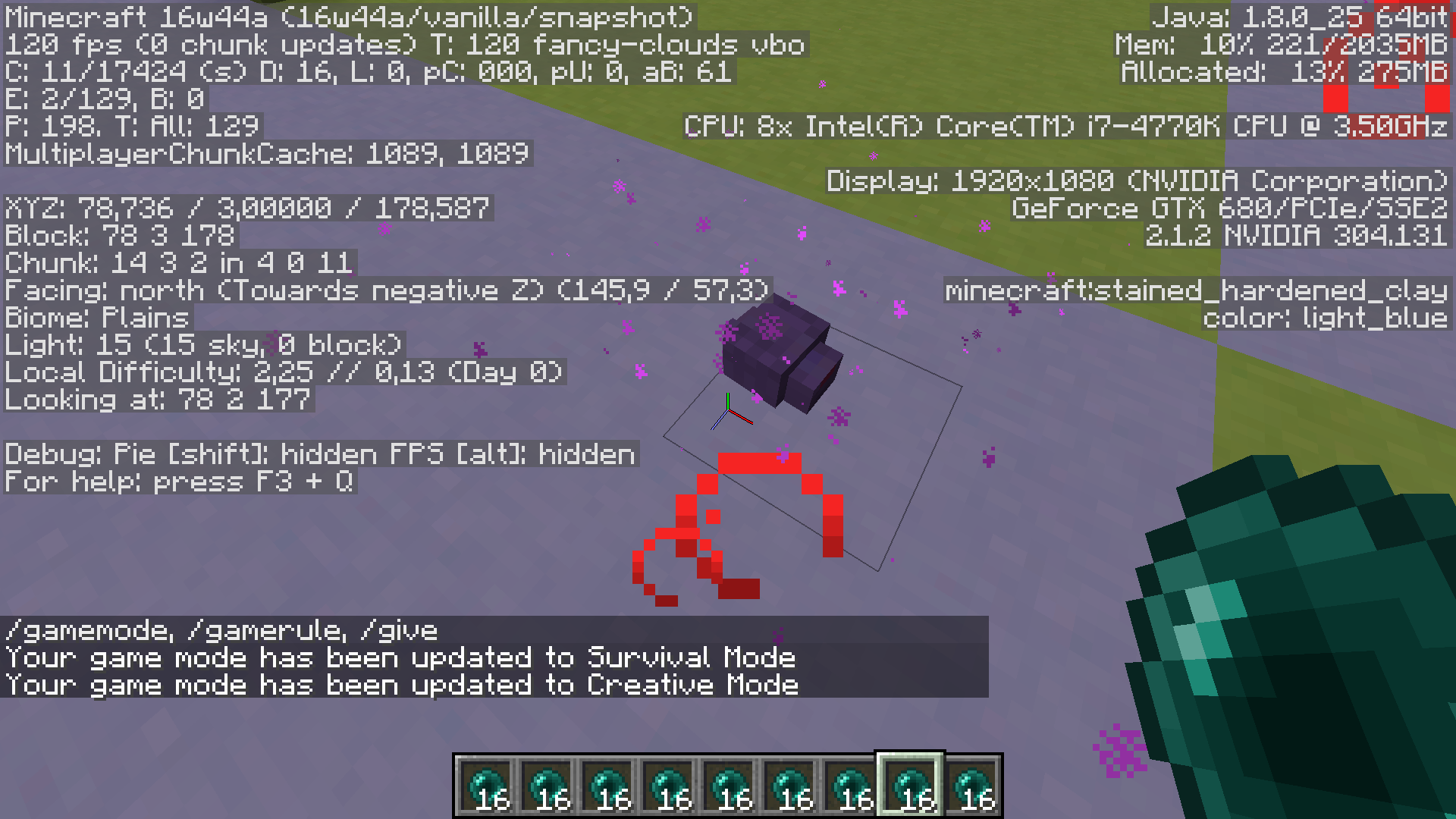

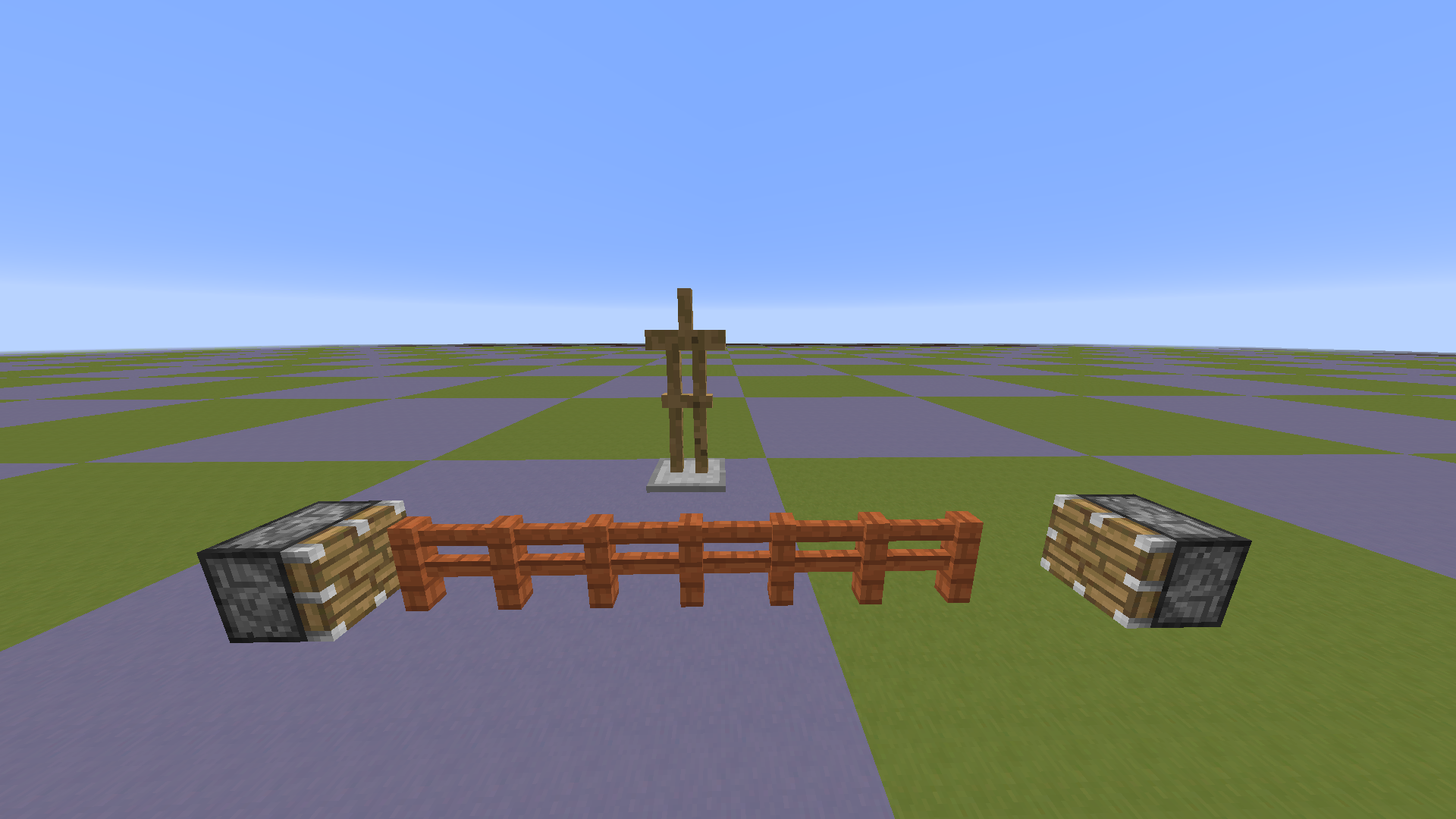


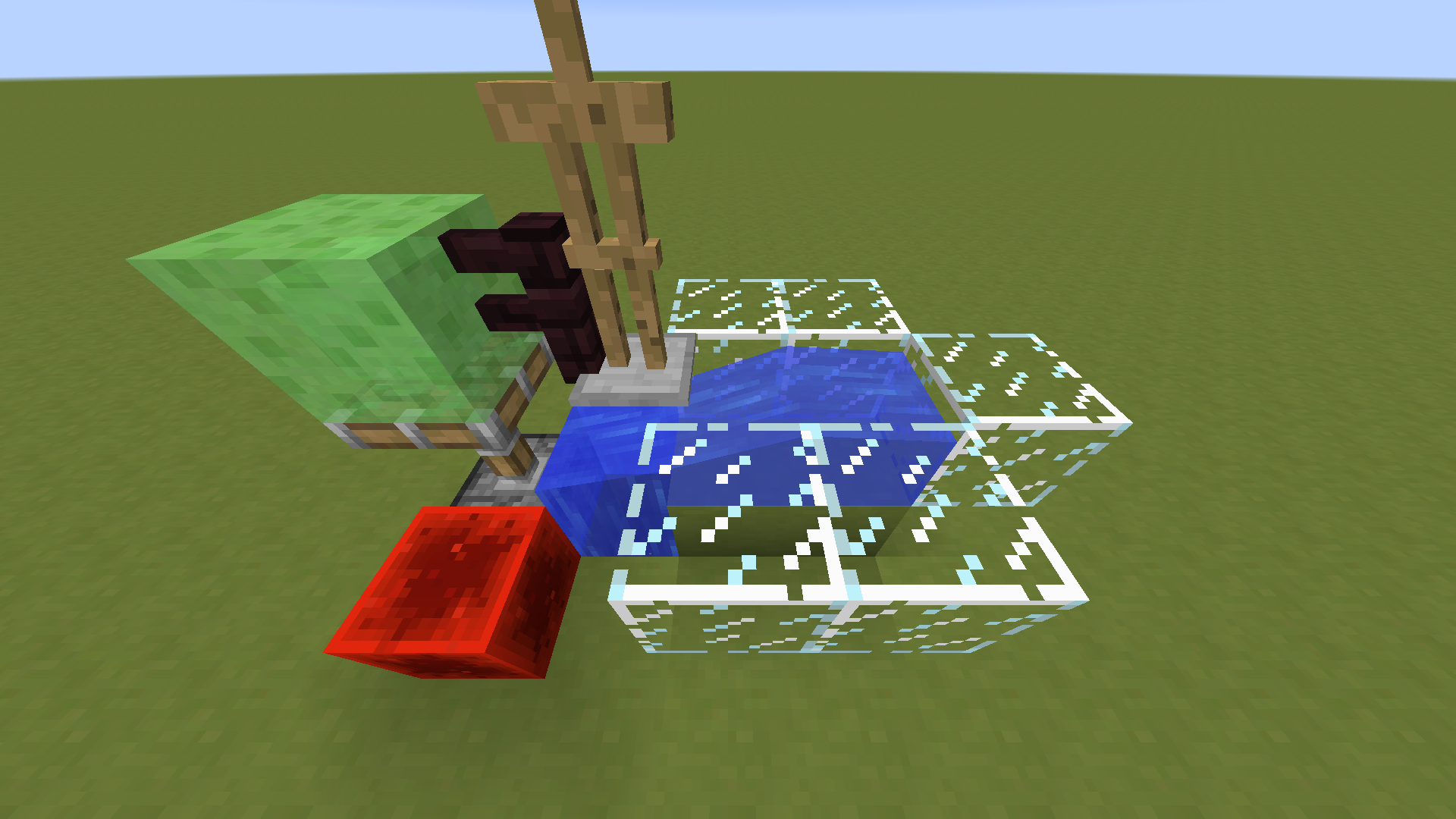



I killed a pig with a fire aspect sword.
What I expected to happen was...:
I expected it to drop cooked pork.What actually happened was...:
Instead, it droped raw pork.Steps to Reproduce:
1. Get a fire aspect sword.
2. Spawn a pig/cow/chicken.
3. Poison the animal (so you can do a one hit kill).
4. Wait till the animal has only 1/2 a heart.
5. Kill it with the sword.The problem is that the damage of the sword applies before the entity gets set on fire. By simply first setting it on fire and then calculati
on the damage (like it is with burning arrows) this problem chould be solved.I killed a pig with a fire aspect sword.
What I expected to happen was...:
I expected it to drop cooked pork.What actually happened was...:
Instead, it droped raw pork.Steps to Reproduce:
1. Get a fire aspect sword.
2. Spawn a pig/cow/chicken.
3. Poison the animal (so you can do a one hit kill).
4. Wait till the animal has only 1/2 a heart.
5. Kill it with the sword.The problem is that the damage of the sword applies before the entity gets set on fire. By simply first setting it on fire and then calculating the damage (like it is with burning arrows) this problem chould be solved.
I killed a pig with a fire aspect sword.
What I expected to happen was...:
I expected it to drop cooked pork.What actually happened was...:
Instead, it droped raw pork.Steps to Reproduce:
1. Get a fire aspect sword.
2. Spawn a pig/cow/chicken.
3. Poison the animal (so you can do a one hit kill).
4. Wait till the animal has only 1/2 a heart.
5. Kill it with the sword.The problem is that the damage of the sword applies before the entity gets set on fire. By simply first setting it on fire and then calculating the damage (like it is with burning arrows) this problem chould be solved.
I killed a pig with a fire aspect sword.
What I expected to happen was...:
I expected it to drop cooked pork.
What actually happened was...:
Instead, it droped raw pork.
Steps to Reproduce:
1. Get a fire aspect sword.
2. Spawn a pig/cow/chicken.
3. Poison the animal (so you can do a one hit kill).
4. Wait till the animal has only 1/2 a heart.
5. Kill it with the sword.The problem is that the damage of the sword applies before the entity gets set on fire. By simply first setting it on fire and then calculating the damage (like it is with burning arrows) this problem chould be solved.
I killed a pig with a fire aspect sword on the first hit.
What I expected to happen was...:
I expected it to drop cooked pork.
What actually happened was...:
Instead, it droped raw pork.
Steps to Reproduce:
1. Get a fire aspect sword.
2. Spawn a pig/cow/chicken.
3. Poison the animal (so you can do a one hit kill).
4. Wait till the animal has only 1/2 a heart.
5. Kill it with the sword.The problem is that the damage of the sword applies before the entity gets set on fire. By simply first setting it on fire and then calculating the damage (like it is with burning arrows) this problem chould be solved.
I killed a pig with a fire aspect sword on the first hit.
What I expected to happen was...:
I expected it to drop cooked pork.
What actually happened was...:
Instead, it droped raw pork.
Steps to Reproduce:
1. Get a fire aspect sword.
2. Spawn a pig/cow/chicken.
3. Poison the animal (so you can do a one hit kill).
4. Wait till the animal has only 1/2 a heart.
5. Kill it with the sword.Video: http://www.youtube.com/watch?v=cSFhVL_ES3M#t=1m39s
The problem is that the damage of the sword applies before the entity gets set on fire. By simply first setting it on fire and then calculating the damage (like it is with burning arrows) this problem chould be solved.
The lightning entity does create random fires on impact for server and the client.
By chance the client creates fires without the server knowing about them.
These fires are not affected by rain, don't spread and don't hurt enties since they don't exist for the server.The client shouldn't be allowed to create these fires on it's own. The fires created by the server get send to him anyways.
Steps to Reproduce:
1. Go into a biome other then desert, hell or sky.
2. Turn on a thunderstorm (/weather thunder)
3. Wait a few minutes and look out for fires which are not affected my the rain.This post maybe means the same bug. But since the one I posted has nothing to do with doFireTick I'm not sure about that.
https://mojang.atlassian.net/browse/MC-24
The lightning entity does create random fires on impact for server and the client.
By chance the client creates fires without the server knowing about them.
These fires are not affected by rain, don't spread and don't hurt enties since they don't exist for the server.The client shouldn't be allowed to create these fires on it's own. The fires created by the server get send to him anyways.
Steps to Reproduce:
1. Go into a biome other then desert, hell or sky.
2. Turn on a thunderstorm (/weather thunder)
3. Wait a few minutes and look out for fires which are not affected my the rain.Video of these fires: http://www.youtube.com/watch?v=cSFhVL_ES3M#t=0m47s
This post maybe means the same bug. But since the one I posted has nothing to do with doFireTick I'm not sure about that.
https://mojang.atlassian.net/browse/MC-24
It's possible to duplicate the inventory of donkeys and mules by unloading them (e.g. by sending them to the nether) while the inventory is opend.
Here's how you can reproduce it:
1. Get a donkey/mule with a filled inventory.
2. Open the inventory and leave it open.
3. Send the mob through a nether portal or unload it any other way. (Since you still have the inventory open you will need a second player ofwater stream to move it)
4. Take stuff out of it's inventory and close it.
5. Go to the nether and find the donkey/mule with a filled inventory again.To fix this the inventory should close when the donkey/mule gets unloaded.
It's possible to duplicate the inventory of donkeys and mules by unloading them (e.g. by sending them to the nether) while the inventory is opend.
Here's how you can reproduce it:
1. Get a donkey/mule with a filled inventory.
2. Open the inventory and leave it open.
3. Send the mob through a nether portal or unload it any other way. (Since you still have the inventory open you will need a second player or water stream to move it)
4. Take stuff out of it's inventory and close it.
5. Go to the nether and find the donkey/mule with a filled inventory again.To fix this the inventory should close when the donkey/mule gets unloaded.
It's possible to duplicate the inventory of donkeys and mules by unloading them (e.g. by sending them to the nether) while the inventory is opend.
Here's how you can reproduce it:
1. Get a donkey/mule with a filled inventory.
2. Open the inventory and leave it open.
3. Send the mob through a nether portal or unload it any other way. (Since you still have the inventory open you will need a second player or water stream to move it)
4. Takestuffout of it's inventory and close it.
5. Go to the nether and find the donkey/mule with a filled inventory again.To fix this the inventory should close when the donkey/mule gets unloaded.
It's possible to duplicate the inventory of donkeys and mules by unloading them (e.g. by sending them to the nether) while the inventory is opend.
Here's how you can reproduce it:
1. Get a donkey/mule with a filled inventory.
2. Open the inventory and leave it open.
3. Send the mob through a nether portal or unload it any other way. (Since you still have the inventory open you will need a second player or a water stream to move it)
4. Take items out of it's inventory and close it.
5. Go to the nether and find the donkey/mule with a filled inventory again.To fix this the inventory should close when the donkey/mule gets unloaded.
It's possible to duplicate the inventory of donkeys and mules by unloading them (e.g. by sending them to the nether) while the inventory is opened.
Here's how you can reproduce it:
1. Get a donkey/mule with a filled inventory.
2. Open the inventory and leave it open.
3. Send the mob through a nether portal or unload it any other way. (Since you still have the inventory open you will need a second player or a water stream to move it)
4. Take items out of it's inventory and close it.
5. Go to the nether and find the donkey/mule with a filled inventory again.To fix this the inventory should close when the donkey/mule gets unloaded.
The boundaries of structures like witch huts, nether fortresses, mineshafts, desert/jungle temples and strongholds don't get saved with the world file.
That's an issue because Minecraft keeps getting updates which sometimes might change the shape or the position of the structures.
When ever that happens mobs which only spawn inside the structures won't spawn there anymore.
The last time we saw that happening was the change of nether fortresses in 1.6.By adding the chests to it the the random object which is used for generation was changed which caused the fortresses to generate in a different shape.
Therefor wither skeletons and blazes don't spawn in old fortresses anymore.This post is covering this issue: https://mojang.atlassian.net/browse/MC-15547Since the structures aren't saved it's impossible to fix the nether fortress issue. Either the old or the new fortresses will be broken.
I decided to post this issue even though the nether fortress issue is related to the same cause because I want to suggest that the mistake isn't made again for neither for nether fortresses nor for other structures.
The other structures should be mentioned in this context since 1.7 is a biome update and changes to the structures are not unlikely.
The boundaries of structures like witch huts, nether fortresses, mineshafts, desert/jungle temples and strongholds don't get saved with the world file.
That's an issue because Minecraft keeps getting updates which sometimes might change the shape or the position of the structures.
When ever that happens mobs which only spawn inside the structures won't spawn there anymore.The last time we saw that happening was the change of nether fortresses in 1.6.
By adding the chests to it the the random object which is used for generation was changed which caused the fortresses to generate in a different shape.
Therefor wither skeletons and blazes don't spawn in old fortresses anymore.
This post is covering this issue: https://mojang.atlassian.net/browse/MC-15547Since the structures aren't saved it's impossible to fix the nether fortress issue. Either the old or the new fortresses will be broken.
I decided to post this issue even though the nether fortress issue is related to the same cause because I want to suggest that the mistake isn't made again for neither for nether fortresses nor for other structures.
The other structures should be mentioned in this context since 1.7 is a biome update and changes to the structures are not unlikely.
Redstone torches, wood/stone/iron/gold pressure plates, wood/stone buttons, tripwire and detector rails sometimes skip (or shorten) their delay due to random ticks.
There might even be more things affected by this bug but this is what we found so far.It's easy to show it in the snapshots since you can use the gamerule randomTickSpeed. Just to make sure: The bug also appears if the randomTickSpeed is on the default value (3). The gamerule is just to make it more likely and nicely visible.
Steps to reproduce
1. Place a chain of redstone torches.
2. Set the randomTickSpeed really high: "/gamerule randomTickSpeed 50000"
3. Power the first torch in the chain so that the others change their state, too.What I expect to happen:
The torches change their state with the normal delay.What really happened:
The torches change their state almost instantly.This video shows how to reproduce it for the other affected components: https://www.youtube.com/watch?v=JBICFHdTBNk
The timing of redstone components shouldn't rely on random ticks but be consistent so you can work with it.
Possible fix in short:
Make the affected blocks only process random ticks if there are no scheduled ticks queued up for them.Possible fix (in 5 steps):
1. Add an extra method to Block.java which should get called for random ticks instead of the normal update method.
On default this method should just call the other one. So normal behavior stays the same.Level.java[…] /** * Performs a random update tick on a block. */ public void randomTick(Level level, int x, int y, int z, Random rand) { this.updateTick(level, x, y, z, rand); } [...]2. In the "server-subclass" of Level.java (One of the main classes. It has a server and a client subclass) change the call it does on Block.java for randomTicks to the method from step one.
3. Add a method to Level.java
On default it can just return false.Level.java[...] /** * Checks if a scheduled update is waiting to get processed for a certain block. */ public boolean scheduledUpdateOnTheWay(int x, int y, int z, Block block) { return false; } [...]4. In the server subclass of Level.java we override the method to check if a block is getting ticked already. For the client subclass we just don't override it.
WorldServer.java[...] @Override public boolean scheduledUpdateOnTheWay(int x, int y, int z, Block block) { return this.pendingTickListEntriesHashSet.contains(new NextTickListEntry(x, y, z, block)); } [...]5. In the classes of blocks which are affected by the bug we override the randomTick-method to only perform an update tick if there is no scheduled tick waiting to get processed.
Block*.java[...] @Override public void randomTick(Level level, int x, int y, int z, Random rand) { if (!level.scheduledUpdateOnTheWay(x, y, z, this)) { this.updateTick(level, x, y, z, rand); } } [...]In MCP the classes I changed in this step are called:
- BlockRedstoneTorch.java
- BlockButton.java
- BlockBasePressurePlate.java
- BlockRailDetector.java
- BlockTripWire.java
- BlockTripWireHook.java (I'm not sure if it's needed here but it wouldn't hurt either)
Thanks for your time
- Panda
Redstone torches, wood/stone/iron/gold pressure plates, wood/stone buttons, tripwire and detector rails sometimes skip (or shorten) their delay due to random ticks.
There might even be more things affected by this bug but this is what we found so far.It's easy to show it in the snapshots since you can use the gamerule randomTickSpeed. Just to make sure: The bug also appears if the randomTickSpeed is on the default value (3). The gamerule is just to make it more likely and nicely visible.
Steps to reproduce
1. Place a chain of redstone torches.
2. Set the randomTickSpeed really high: "/gamerule randomTickSpeed 50000"
3. Power the first torch in the chain so that the others change their state, too.What I expect to happen:
The torches change their state with the normal delay.What really happened:
The torches change their state almost instantly.This video shows how to reproduce it for the other affected components: https://www.youtube.com/watch?v=JBICFHdTBNk&list=PLkg2LgCHsnWUtCmXSYzGwaG76J0om_T2z
The timing of redstone components shouldn't rely on random ticks but be consistent so you can work with it.
Possible fix in short:
Make the affected blocks only process random ticks if there are no scheduled ticks queued up for them.Possible fix (in 5 steps):
1. Add an extra method to Block.java which should get called for random ticks instead of the normal update method.
On default this method should just call the other one. So normal behavior stays the same.Block.java[…] /** * Performs a random update tick on a block. */ public void randomTick(Level level, int x, int y, int z, Random rand) { this.updateTick(level, x, y, z, rand); } [...]2. In the "server-subclass" of Level.java (One of the main classes. It has a server and a client subclass) change the call it does on Block.java for randomTicks to the method from step one.
3. Add a method to Level.java
On default it can just return false.Level.java[...] /** * Checks if a scheduled update is waiting to get processed for a certain block. */ public boolean scheduledUpdateOnTheWay(int x, int y, int z, Block block) { return false; } [...]4. In the server subclass of Level.java we override the method to check if a block is getting ticked already. For the client subclass we just don't override it.
WorldServer.java[...] @Override public boolean scheduledUpdateOnTheWay(int x, int y, int z, Block block) { return this.pendingTickListEntriesHashSet.contains(new NextTickListEntry(x, y, z, block)); } [...]5. In the classes of blocks which are affected by the bug we override the randomTick-method to only perform an update tick if there is no scheduled tick waiting to get processed.
Block*.java[...] @Override public void randomTick(Level level, int x, int y, int z, Random rand) { if (!level.scheduledUpdateOnTheWay(x, y, z, this)) { this.updateTick(level, x, y, z, rand); } } [...]In MCP the classes I changed in this step are called:
- BlockRedstoneTorch.java
- BlockButton.java
- BlockBasePressurePlate.java
- BlockRailDetector.java
- BlockTripWire.java
- BlockTripWireHook.java (I'm not sure if it's needed here but it wouldn't hurt either)
Thanks for your time
- Panda
This issue relates to (duplicates/adds to?): https://bugs.mojang.com/browse/MC-63802
When using /stop server executes the shutdown sequence twice (and hangs if players are online).
There is actually two (closely connected) issues here:
1. The shutdown sequence shouldn't be processed twice when the server got shut down with /stop
2. The second shutdown sequence hangs when closing the open connectionsWhen stopping a server with at least one player online the console output will look like this:
Console Output[23:10:19] [Server thread/INFO]: Panda4994 joined the game
[23:10:22] [Server thread/INFO]: [Panda4994: Stopping the server]
[23:10:22] [Server thread/INFO]: Stopping server
[23:10:22] [Server thread/INFO]: Saving players
[23:10:22] [Server thread/INFO]: Saving worlds
[23:10:22] [Server thread/INFO]: Saving chunks for level 'mcpworld'/Overworld
[23:10:22] [Server thread/INFO]: Saving chunks for level 'mcpworld'/Nether
[23:10:22] [Server thread/INFO]: Saving chunks for level 'mcpworld'/The End
[23:10:22] [Server Shutdown Thread/INFO]: Stopping server
[23:10:22] [Server Shutdown Thread/INFO]: Saving playersThe process doesn't stop after that (This might be dependent on the enviroment).
As you can see "Stopping server" appears twice.
Once executed by the "Server thread" and once by the "Server Shutdown Thread" while the second one hangs after saving the players.The first time it runs it's the normal shutdown from when the server gets stopped normally (It's MCP-Names but should be understandable what's meant).
MinecraftServer.javapublic void run() { try { ... while (this.serverRunning) { // Main loop ... } ... } catch (...) {...} finally { ... this.stopServer(); // What I call shutdown sequence. Doing these things: "Stopping server", "Saving players", "Saving worlds" this.serverStopped = true; ... this.systemExitNow(); // Just calls System.exit(0); } }The second one is a shutdown hook which gets initialized at (pretty much) the end of the main method.
MinecraftServer.javapublic static void main(String[] args) { ... Runtime.getRuntime().addShutdownHook(new Thread("Server Shutdown Thread") { public void run() { dedicatedServerInstance.stopServer(); // What I call shutdown sequence. Doing these things: "Stopping server", "Saving players", "Saving worlds" } }); ... }Fix for issue 1.
A fix for the issue that the shutdown sequence is run twice is rather simple.Just add a check to the shutdown hook that it only runs if the shutdown sequence didn't run before.
Like this:MinecraftServer.java (changed)public static void main(String[] args) { ... Runtime.getRuntime().addShutdownHook(new Thread("Server Shutdown Thread") { public void run() { if (!dedicatedServerInstance.isServerStopped()) { dedicatedServerInstance.stopServer(); } } }); ... }This also fixes the server hanging when using /stop as the shutdown hook only runs if the first shutdown failed.
The second shutdown sequence is still broken though.Fix for issue 2.
For the problem that the shutdown hook hangs I don't have a fix yet.
But I tracked down the issue a bit.
It hangs after closing the connections to the players while creating a thread.NetHandlerPlayServer.javapublic void kickPlayerFromServer(String reason) { ... // Futures.getUnchecked(...) never returns when called by the shutdown hook Futures.getUnchecked(this.serverController.addScheduledTask(new Runnable() { public void run() { NetHandlerPlayServer.this.netManager.checkDisconnected(); } })); }I assume that it hangs in a deadlock or something like that since the documentation of addShutdownHook() warns about it (http://docs.oracle.com/javase/7/docs/api/java/lang/Runtime.html#addShutdownHook%28java.lang.Thread%29).
I didn't look into Futures too much so I'm not sure where exactly it's coming from.The closest to a fix I got for that would be to remove the kicking of player in the shutdown hook as it doesn't work at the moment anyways.
But as long as /stop works fine again and doesn't mess up our scripts to start and stop server I'm fine with it
Debian 3.2.54-2 x86_64 GNU/Linux
java version "1.7.0_25"
Note: This bug is NOT related to
MC-1as far as I can tell.0When the following conditions are given entities will fall though the floor:
- The entity needs to be able to walk up a slab
- It needs to stand on the ground (NBTTag OnGround:true)
- It needs to move upwards and to the side
- It needs to hit a block which it wouldn't hit if it was only moving up or only moving to the side
How to reproduce:
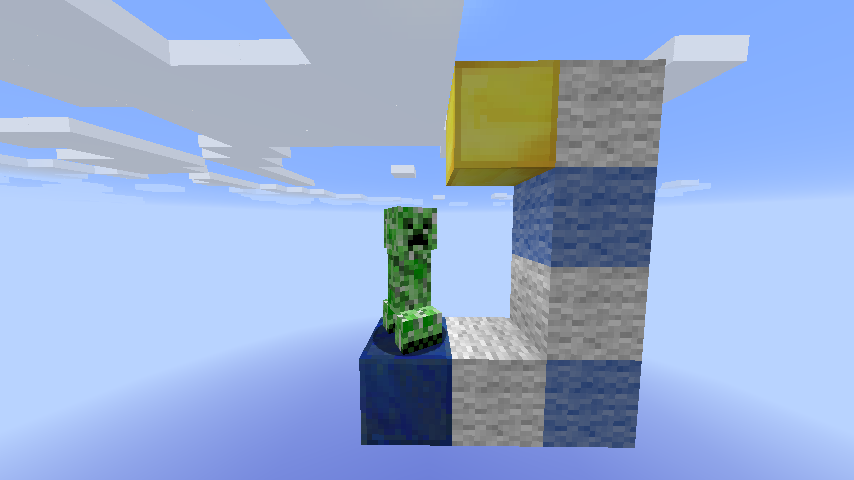
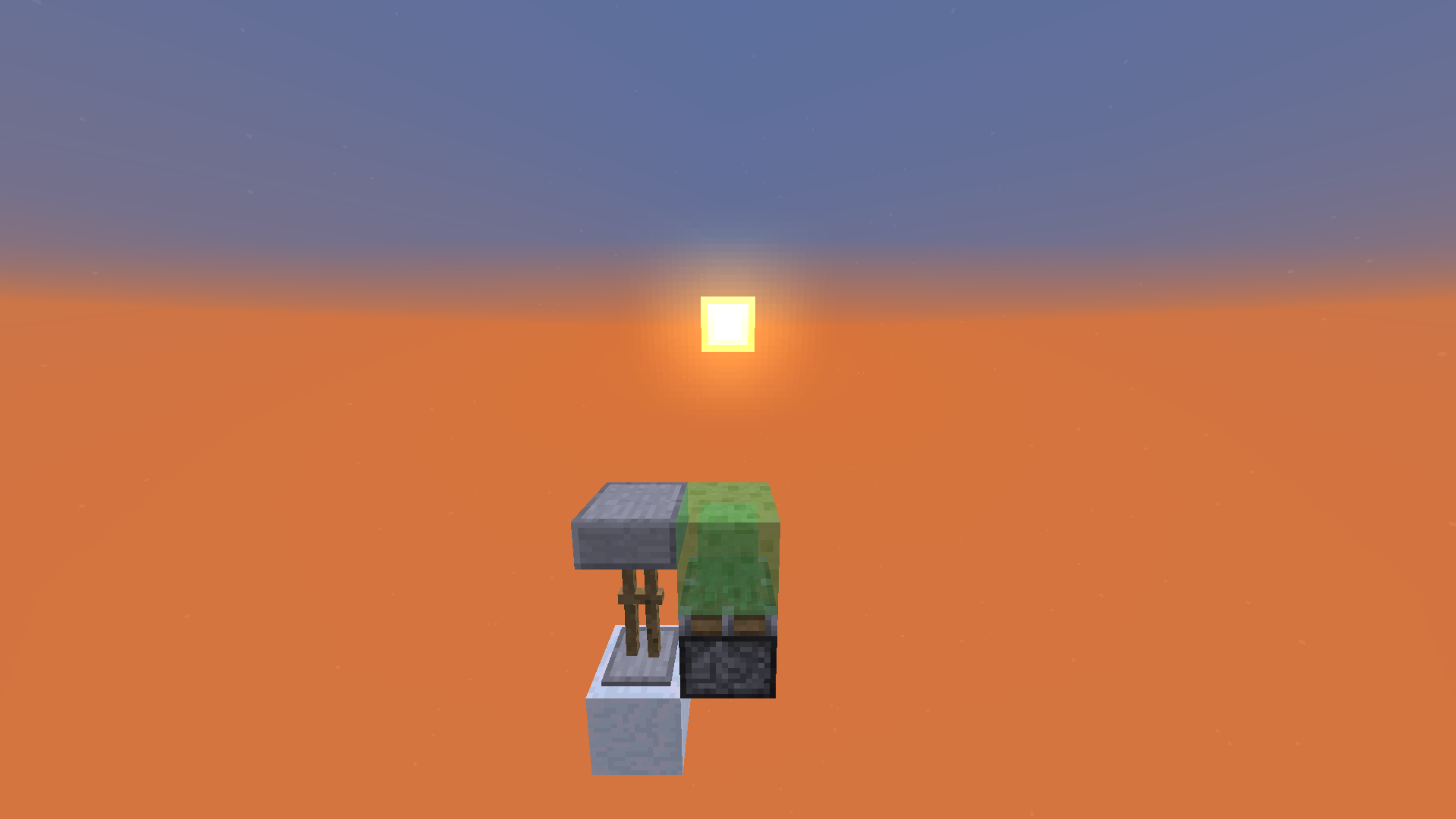
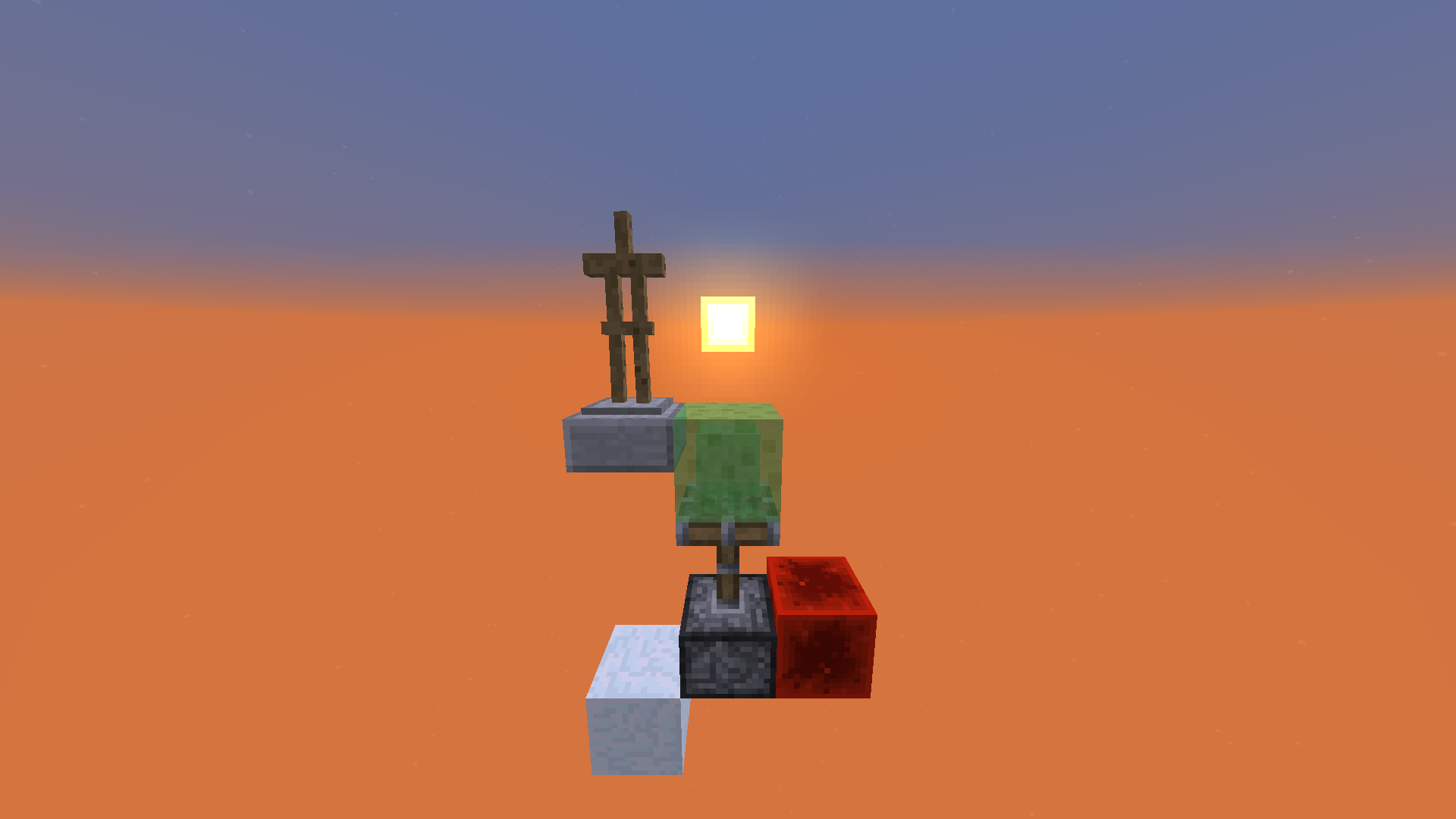
1. Put down a mob and a block on offset on top of it (Screenshot)
2. Punch the mob (easiest way to get a sideways upwards motion) against the block.
3. The mob will fall through the floor now.The source of the bug is in the method which moves an entity in Entity.java.
In MCP: public void moveEntity(double x, double y, double z). Sure you will find it
This shows what needs to be changed to fix it (with some context): https://gist.github.com/Panda4994/9d83d261f5edffc3037e/revisionsI will also describe the problem and fix here:
https://www.youtube.com/watch?v=3aUqTmhn-50And here:
So the problem is the part of the code which calculates the moving up slabs.
When a entity hits a block while moving sideways it will be called.Then the game will make a list of all bounding boxes it could collide with when moving up by the step height of the entity (0.6 for normal mobs, 1.0 for enderman and horses) and the given amount in x and z direction.
This will not get the floor below the entity.Now in this part of code a bounding box (BB from here on) will get moved to the position where it could go if no blocks were in the way.
Then the BB will get moved up till it hits something but at max the step height.
In the case described further up it will not move up the full step height.
Some other calculations follow.
Then the entity gets moved down till it hits a block but at max the step height.
It uses the list it created earlier for this check. So if the entity wasn't moved up by the step height it will get moved below the floor because the floor is not in the list.An easy fix would be to just set the maximum it would get moved down to how far it got moved up.
Note: This bug is NOT related to
MC-119as far as I can tell.When the following conditions are given entities will fall though the floor:
- The entity needs to be able to walk up a slab
- It needs to stand on the ground (NBTTag OnGround:true)
- It needs to move upwards and to the side
- It needs to hit a block which it wouldn't hit if it was only moving up or only moving to the side
How to reproduce:
1. Put down a mob and a block on offset on top of it (Screenshot)
2. Punch the mob (easiest way to get a sideways upwards motion) against the block.
3. The mob will fall through the floor now.The source of the bug is in the method which moves an entity in Entity.java.
In MCP: public void moveEntity(double x, double y, double z). Sure you will find it
This shows what needs to be changed to fix it (with some context): https://gist.github.com/Panda4994/9d83d261f5edffc3037e/revisionsI will also describe the problem and fix here:
https://www.youtube.com/watch?v=3aUqTmhn-50And here:
So the problem is the part of the code which calculates the moving up slabs.
When a entity hits a block while moving sideways it will be called.Then the game will make a list of all bounding boxes it could collide with when moving up by the step height of the entity (0.6 for normal mobs, 1.0 for enderman and horses) and the given amount in x and z direction.
This will not get the floor below the entity.Now in this part of code a bounding box (BB from here on) will get moved to the position where it could go if no blocks were in the way.
Then the BB will get moved up till it hits something but at max the step height.
In the case described further up it will not move up the full step height.
Some other calculations follow.
Then the entity gets moved down till it hits a block but at max the step height.
It uses the list it created earlier for this check. So if the entity wasn't moved up by the step height it will get moved below the floor because the floor is not in the list.An easy fix would be to just set the maximum it would get moved down to how far it got moved up.
Note: This bug is NOT related to
MC-119orMC-10as far as I can tell.When the following conditions are given entities will fall though the floor:
- The entity needs to be able to walk up a slab
- It needs to stand on the ground (NBTTag OnGround:true)
- It needs to move upwards and to the side
- It needs to hit a block which it wouldn't hit if it was only moving up or only moving to the side
How to reproduce:
1. Put down a mob and a block on offset on top of it (Screenshot)
2. Punch the mob (easiest way to get a sideways upwards motion) against the block.
3. The mob will fall through the floor now.The source of the bug is in the method which moves an entity in Entity.java.
In MCP: public void moveEntity(double x, double y, double z). Sure you will find it
This shows what needs to be changed to fix it (with some context): https://gist.github.com/Panda4994/9d83d261f5edffc3037e/revisionsI will also describe the problem and fix here:
https://www.youtube.com/watch?v=3aUqTmhn-50And here:
So the problem is the part of the code which calculates the moving up slabs.
When a entity hits a block while moving sideways it will be called.Then the game will make a list of all bounding boxes it could collide with when moving up by the step height of the entity (0.6 for normal mobs, 1.0 for enderman and horses) and the given amount in x and z direction.
This will not get the floor below the entity.Now in this part of code a bounding box (BB from here on) will get moved to the position where it could go if no blocks were in the way.
Then the BB will get moved up till it hits something but at max the step height.
In the case described further up it will not move up the full step height.
Some other calculations follow.
Then the entity gets moved down till it hits a block but at max the step height.
It uses the list it created earlier for this check. So if the entity wasn't moved up by the step height it will get moved below the floor because the floor is not in the list.An easy fix would be to just set the maximum it would get moved down to how far it got moved up.
Mobs glitch through the ground under certian conditionsMobs glitch through the ground under certain conditions
This post is about not correctly updated collision boxes of certain blocks.
It describes more than one issue but they are caused by the same problematic part of code and should be seen as one in order to decide on a good solution for them.
When it comes to explanation close to the code I will use MCP names. They should mostly speak for themselves.
As Searge just recently tweeted about it: I will try to keep the posted code to a minimum and give just the needed context for my fix (It's pretty much just the added code). I obviously don't intent to make any of the (especially with MCP) decompiled code public.I will try to have a look on here in case there are any questions.
1. Overview of bugs and exploits caused by this issue
2. Description of the cause
3. Attempt to fix it (not complete)
4. Ways to reproduce
5. Other posts on the bug tracker referring to it
6. Item elevator bug reimplementation!
7. Affected blocks
8. TLDR
1. Overview of bugs and exploits caused by this issue
It causes the following wrong behaviors:
- Entities glitching into certain blocks randomly (e.g. into slabs)
- Pistons not pushing entities correctly (e.g. in elevators)
- Rendering issues (e.g. normal slab renders as upside down for a split second)
- Items/XPOrbs jumping up when on certain blocks (e.g. cauldron, stairs)
Fixing it will probably also break the following by the community used glitches:
- The most common wireless redstone
- test137e29's simple item elevator (This thing: Item elevator)
The item elevator is a default design used a lot by the technical community so it might be worth it to make it still work by design when the fix breaks it. I'll add a section about that at the very end of the post. Please consider it.
2. Description of the cause
I will try to explain it on the example of into blocks glitching entities.
In Block.java we got 6 integer fields (minX, minY, minZ, maxX, maxY, maxZ).
The following method sets these values. It is overridden by all blocks that can have changeable collision boxes (e.g. slabs).Block.javapublic void setBlockBoundsBasedOnState(IBlockAccess access, BlockPos pos)The usual way this is use is like that (let's imagine some method in Block.java):
Block.java (random example, how a use could look)public class Block { void doSomethingWithBlocks(World worldObj, BlockPos pos) { setBlockBoundsBasedOnState(worldObj, pos); // work with minX, minY, minZ, maxX, maxY and/or maxZ if (this.minY < 10) { // do something } else { // do something else } } }Here we can already see the first risk this holds. It's not directly a bug but calls for creating bugs: What if you forget to call setBlockBoundsBasedOnState() before working with the values?
This case commonly happed. For example for chest, anvils and moving blocks. (These are just from experience, I didn't look it up. So forgive me if I'm mistaken)
See the ways to reproduce section for more detailed examples.
This is also what's used to create wireless redstone.While this is not really a bug I guess it's still not what you want. Especially when it comes to the plugin API. The system works for blocks with simple AABBs. But by now Minecraft is not limited to that.
The second issue is less visible but you might guess it when I bring up that by now in Minecraft SSP two threads run. One acting as a client and one as a local server.
Both of these threads have access to Block.java. Both work with it.A common case is that the client thread uses setBlockBoundsBasedOnState() to set the block bounds for the renderer.
An other common case is that the server thread uses it in order to calculate entity collisions.If both of these happen at the same time the values are changed by the other thread and therefor can cause entities to glitch into blocks or the renderer to show wrong things.
3. Attempt to fix it (not completely)
In the long run it should be completely gotten rid of the setBlockBoundsBasedOnState() and the 6 integer values in Block.java. This design just doesn't work well with multi threading and making all code that uses the on top described pattern synchronized is not really an option.
This needs a lot of refactoring and therefor takes a lot of time though.
I limited myself to explain my idea how to fix the collision issues with entities glitching into blocks.First up I added a few methods for convenience here and there:
Block.java (added stuff)public class Block { // BoundingBox for a full block protected static final AxisAlignedBB AABB_FULL = new AxisAlignedBB(0.0F, 0.0F, 0.0F, 1.0F, 1.0F, 1.0F); /** * Adds the bounding box (toAdd) to the list if it intersects with mask. * * @param list List it might get added to. * @param toAdd BoundingBox that should get added. null won't be added. * @param mask BoundingBox that should intersect with it * @return true if added, false else (it's not needed atm but it's always usefull to get some feedback) */ protected static boolean addAABBToList(List list, AxisAlignedBB toAdd, AxisAlignedBB mask) { if (toAdd != null && mask.intersectsWith(toAdd)) { list.add(toAdd); return true; } return false; }AxisAlignedBB.java (added stuff)public class AxisAlignedBB { /** * Returns a new AABB moved by offset * * @param offset The offset it should get moved by. * @return A new AABB moved by offset */ public AxisAlignedBB offset(BlockPos offset) { return new AxisAlignedBB(this.minX + offset.getX(), this.minY + offset.getY(), this.minZ + offset.getZ(), this.maxX + offset.getX(), this.maxY + offset.getY(), this.maxZ + offset.getZ()); } }Now the following method should be overridden for all affected blocks that have a simple AABB (with that I mean that they don't need several AABBs).
Block.javapublic AxisAlignedBB getCollisionBoundingBox(World worldIn, BlockPos pos, IBlockState state)For example that would be slabs, chests and anvils.
It should be overridden to work independent from setBlockBoundsBasedOnState() and the 6 integer values in Block.java.For slabs you can nicely add the possible AABBs to the property enum.
BlockSlab.java (added stuff)public abstract class BlockSlab extends Block { @Override public AxisAlignedBB getCollisionBoundingBox(World worldIn, BlockPos pos, IBlockState state) { if(this.isDouble()) { // The AABB we defined in Block.java return AABB_FULL.offset(pos); } else { return ((BlockSlab.EnumBlockHalf)state.getValue(HALF_PROP)).getAABB().offset(pos); } } public static enum EnumBlockHalf implements IStringSerializable { TOP("top", new AxisAlignedBB(0.0F, 0.5F, 0.0F, 1.0F, 1.0F, 1.0F)), BOTTOM("bottom", new AxisAlignedBB(0.0F, 0.0F, 0.0F, 1.0F, 0.5F, 1.0F)); private final String halfName; private final AxisAlignedBB AABBForState; private EnumBlockHalf(String name, AxisAlignedBB AABBForState) { this.halfName = name; this.AABBForState = AABBForState; } public AxisAlignedBB getAABB() { return this.AABBForState; } public String toString() { return this.halfName; } public String getName() { return this.halfName; } } }For blocks which can need more than one AABB we want to override this method:
Block.javaBlock.javapublic void addCollisionBoxesToList(World worldIn, BlockPos pos, IBlockState state, AxisAlignedBB mask, List list, Entity collidingEntity)It's for example called when the collision check of an entity is done to build a list of blocks which might collide with it.
The implementation in Block.java just calls getCollisionBoundingBox() and adds this AABB to the list. That's why we can override getCollisionBoundingBox() for simple blocks.But I want to show the example of a fence too. For fences I added a few static fields which contain all possibly needed AABBs.
BlockFence.java (added stuff)public class Block { protected static final AxisAlignedBB AABB_POST = new AxisAlignedBB(0.375, 0.0, 0.375, 0.625, 1.5, 0.625); protected static final AxisAlignedBB AABB_NORTH = new AxisAlignedBB(0.375, 0.0, 0.0, 0.625, 1.5, 0.625); protected static final AxisAlignedBB AABB_EAST = new AxisAlignedBB(0.375, 0.0, 0.375, 1.0, 1.5, 0.625); protected static final AxisAlignedBB AABB_SOUTH = new AxisAlignedBB(0.375, 0.0, 0.375, 0.625, 1.5, 1.0); protected static final AxisAlignedBB AABB_WEST = new AxisAlignedBB(0.0, 0.0, 0.375, 0.625, 1.5, 0.625); protected static final AxisAlignedBB AABB_NORTHSOUTH = AABB_NORTH.union(AABB_SOUTH); protected static final AxisAlignedBB AABB_EASTWEST = AABB_EAST.union(AABB_WEST); @Override public void addCollisionBoxesToList(World worldIn, BlockPos pos, IBlockState state, AxisAlignedBB mask, List list, Entity collidingEntity) { // func_176524_e() tells if it should connect to the other block boolean connectedNorth = this.func_176524_e(worldIn, pos.offsetNorth()); boolean connectedSouth = this.func_176524_e(worldIn, pos.offsetSouth()); boolean connectedWest = this.func_176524_e(worldIn, pos.offsetWest()); boolean connectedEast = this.func_176524_e(worldIn, pos.offsetEast()); // Not connected at all? Add AABB_POST and return if (!connectedNorth && !connectedSouth && !connectedEast && !connectedWest) { Block.addAABBToList(list, AABB_POST.offset(pos), mask); return; } if (connectedNorth && connectedSouth) { Block.addAABBToList(list, AABB_NORTHSOUTH.offset(pos), mask); } else { if (connectedNorth) { Block.addAABBToList(list, AABB_NORTH.offset(pos), mask); } else if (connectedSouth) { Block.addAABBToList(list, AABB_SOUTH.offset(pos), mask); } } if (connectedEast && connectedWest) { Block.addAABBToList(list, AABB_EASTWEST.offset(pos), mask); } else { if (connectedEast) { Block.addAABBToList(list, AABB_EAST.offset(pos), mask); } else if (connectedWest) { Block.addAABBToList(list, AABB_WEST.offset(pos), mask); } } } }For other blocks like stairs or moving blocks it might get more complicated but as the functionality is already in there, it just needs to be refactored a bit.
In order to fix all issues with it (for example bouncing items would still happen in some cases) and to completely get rid of the setBlockBoundsBasedOnState() obviously more work is required.
4. Ways to reproduce
Video showing examples of the main issues
Reproducing the first issue is quite easy:
1. Place a double chest.
2. Walk against it from the smaller side. Keep walking against it in the next steps.
3. Look first at the chest closer to you and then at the one further away (by looking at it you update the values in Block.java).
4. You should notice that you move forward and get set back all the time.Same works even better with anvils:
1. Place two anvils in a row. One facing north-south, the other one east-west.
2. Walk against one of them. And keep walking in the next steps.
3. Look at one then at the other and then at the first anvil again.
4. You should walk through it now.A good way to reproduce the entities glitching into blocks (threading issue) is the following:
1. Create a new superflat world with the following string: “3;minecraft:bedrock,20*minecraft:stone_slab;1;” (You can use other affected blocks than slabs.)
2. Place a upside down slab somewhere in the world.
3. Place a armor stand (or an other entity) on top of it. (For fences you want to have a water stream pushing a mob against it.)
4. Now set the render distance to a low and then to a high value again (This is to make it more likely by as it causes updates on the blocks).
5. You should be able to see two things. First up if you look at the upside down slab it's hitbox will constantly change to a normal slab and back. Secondly the armor stand falls through the slab.Pistons not pushing entities:
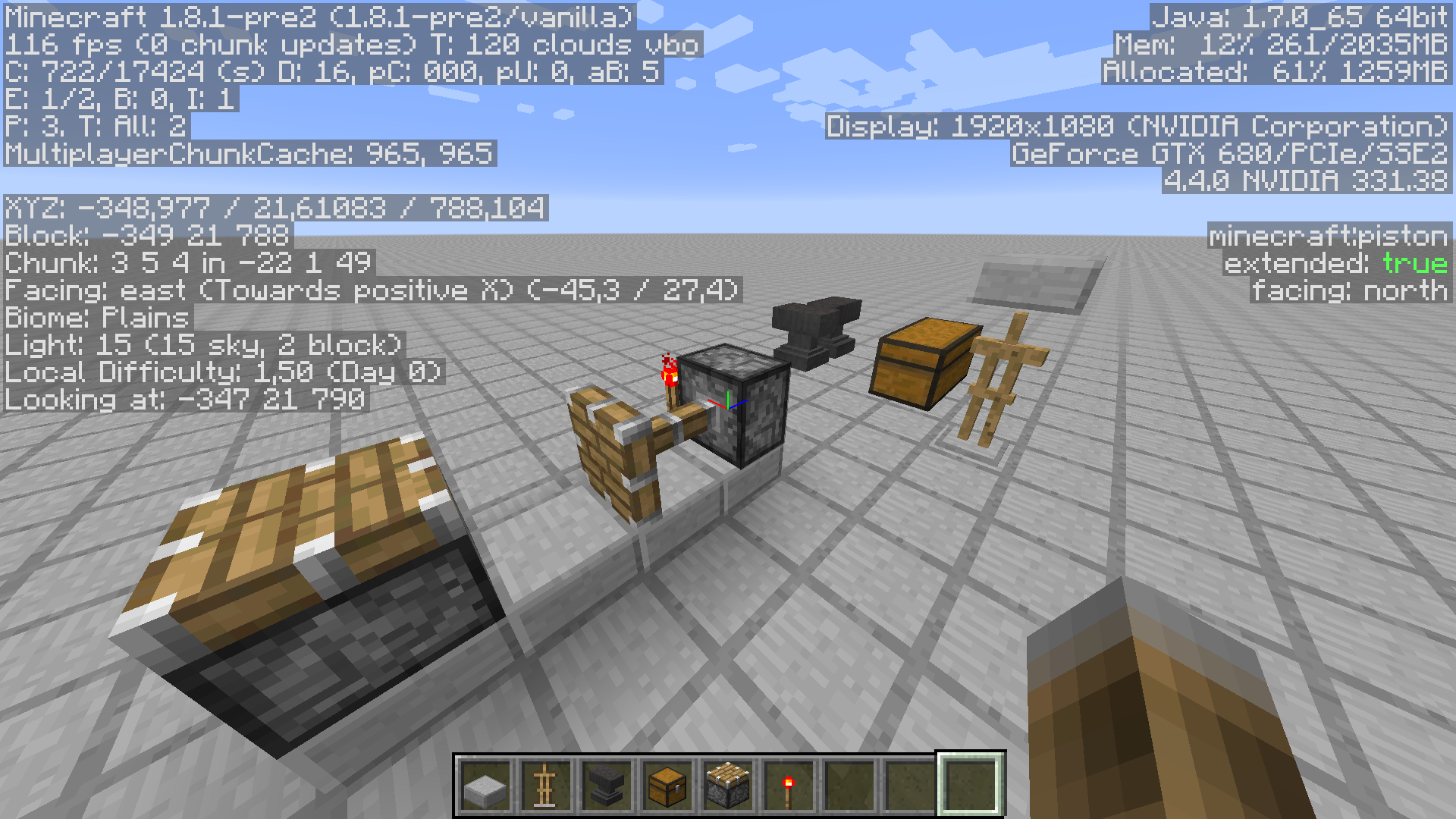
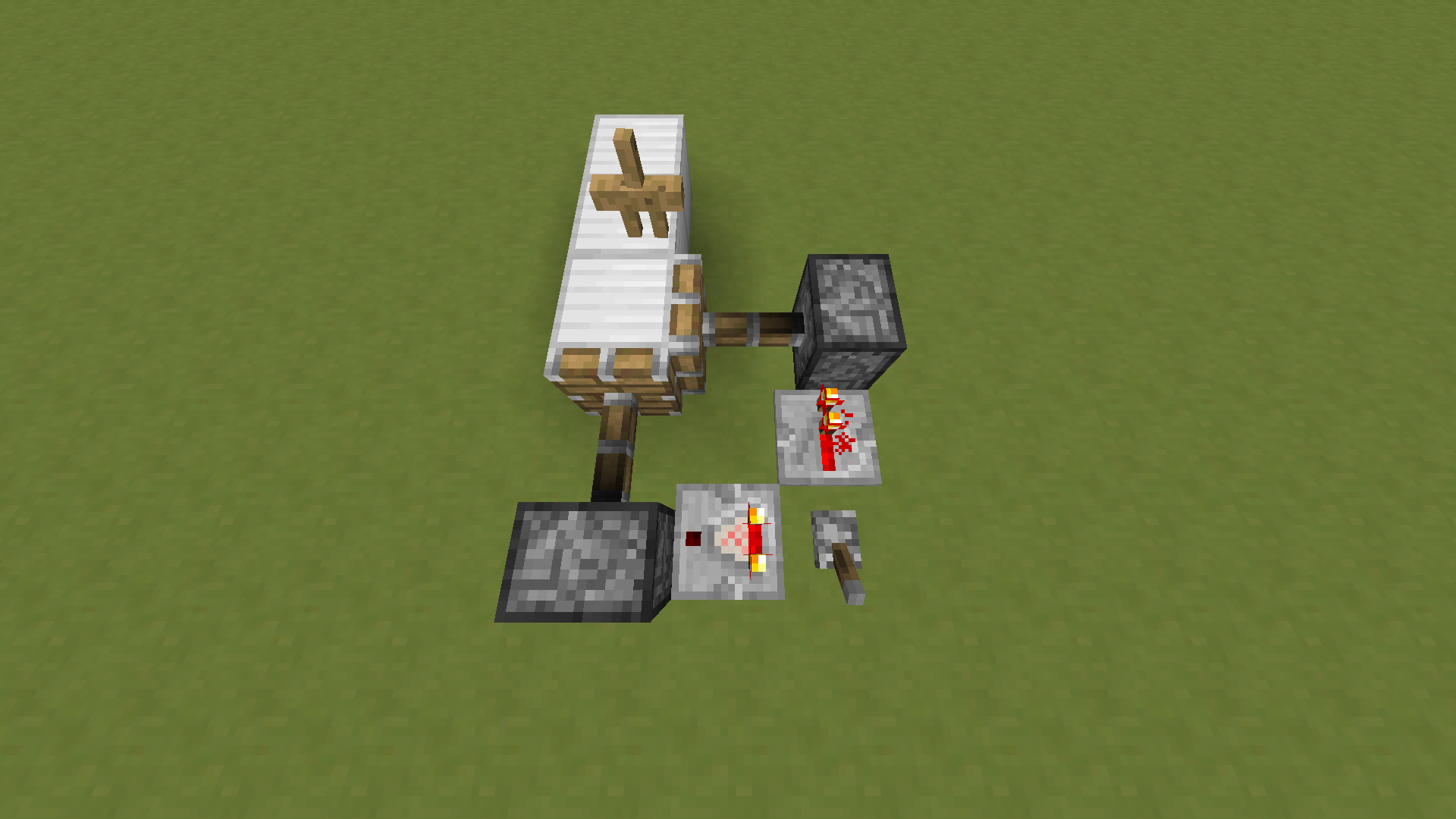
1. Build up whats shown in thisscreenshot.
2. Stand where I stand in the screenshot and look at the sideways piston.
3. Place a torch where I look at in the screenshot.
4. You will find that you don't the pushed up. If you make the sideways facing piston look up you will get pushed up.The rendering issues rarely happen. You can force them by having a lot of the affected blocks around. But as they are a less important issue and somewhat hard to reproduce I will just leave it at that.
Items jumping up is easy to reproduce again:
1. Place a stair
2. Throw an item into the cut out part.
3. It jumps away.Same with cauldrons and other affected blocks. The item elevator linked earlier is also powered by this issue / a way to reproduce it.
5. Other posts on the bug tracker referring to it
MC-69007,MC-67127,MC-67896,MC-68578,MC-69797,MC-72189areMC-57152describe the same issue as far as I can tell.
A part ofMC-1836describes this issue.It's likely that
MC-2025and/or some duplicates of it describe mobs glitching through fences. It's not unlikely that it is due to this bug.
Also in the duplicates ofMC-10are a few posts were mobs really glitch through fences (which is likely this issue).There is probably more issues connected to it but I spent enough time browsing the bugtracker for now.
If one of the bad-cop-mods feels like linking the issues to this one that would be great6. Item elevator bug reimplementation!
If the partial fix I showed is used (or something similar) then the simple item elevator can be fixed by adding setBlockBoundsBasedOnState() to the method which makes items fly out of blocks in the right spot.
Entity.java (change)public abstract class Entity implements ICommandSender { protected boolean pushOutOfBlocks(double x, double y, double z) { BlockPos var7 = new BlockPos(x, y, z); double var8 = x - (double)var7.getX(); double var10 = y - (double)var7.getY(); double var12 = z - (double)var7.getZ(); List var14 = this.worldObj.func_147461_a(this.getEntityBoundingBox()); // added to keep the item elevator for now this.worldObj.getBlockState(var7).getBlock().setBlockBoundsBasedOnState(this.worldObj, var7); if(var14.isEmpty() && !this.worldObj.func_175665_u(var7)) { return false; } else { ... } } }In case you completely get rid of the old system now or some time in future please still consider to leave the fence item elevators working by adding a few lines in this method.
I would be killed by the technical community if I didn't at least try to make you keep the item elevators7. Affected blocks
This issue pretty much affects all blocks which have a changeable collision box or a collision box which consists out of more than one bounding box.
This list is probably not complete but I'll give my best. Also the effect of this issue might not show the same for all of them.The following blocks are probably affected by this glitch in some way:
Snow layers, cobble wall, mossy cobble wall, ladders, iron bars, glass panes, heads, stairs, slabs, hopper, wooden trapdoors, iron trapdoors, all doors, cactus, anvils, chests, (trapped) chests, brewing stand, all fences, all fence gates, extended pistons, cake and cauldrons.8. TLDR
Wow, that got long.
In short: For each block just one global Bounding Box is saved in 6 integer values. They have to be set dependent on the state of a block in a certain position before anything is done with them.
This calls for coding bugs and causes threading issues.I will also make a video explaining the basics. It might take a week till I find time for it though. <Link will follow>
I know I shouldn't do that but PLEASE get rid of
MC-72806(Server hangs on /stop). The main issue is fast to fix and really annoying.Thanks for reading. Forgive me all the typos, it's late
This post is about not correctly updated collision boxes of certain blocks.
It describes more than one issue but they are caused by the same problematic part of code and should be seen as one in order to decide on a good solution for them.
When it comes to explanation close to the code I will use MCP names. They should mostly speak for themselves.
As Searge just recently tweeted about it: I will try to keep the posted code to a minimum and give just the needed context for my fix (It's pretty much just the added code). I obviously don't intent to make any of the (especially with MCP) decompiled code public.I will try to have a look on here in case there are any questions.
1. Overview of bugs and exploits caused by this issue
2. Description of the cause
3. Attempt to fix it (not complete)
4. Ways to reproduce
5. Other posts on the bug tracker referring to it
6. Item elevator bug reimplementation!
7. Affected blocks
8. TLDR
1. Overview of bugs and exploits caused by this issue
It causes the following wrong behaviors:
- Entities glitching into certain blocks randomly (e.g. into slabs)
- Pistons not pushing entities correctly (e.g. in elevators)
- Rendering issues (e.g. normal slab renders as upside down for a split second)
- Items/XPOrbs jumping up when on certain blocks (e.g. cauldron, stairs)
Fixing it will probably also break the following by the community used glitches:
- The most common wireless redstone
- test137e29's simple item elevator (This thing: Item elevator)
The item elevator is a default design used a lot by the technical community so it might be worth it to make it still work by design when the fix breaks it. I'll add a section about that at the very end of the post. Please consider it.
2. Description of the cause
I will try to explain it on the example of into blocks glitching entities.
In Block.java we got 6 integer fields (minX, minY, minZ, maxX, maxY, maxZ).
The following method sets these values. It is overridden by all blocks that can have changeable collision boxes (e.g. slabs).Block.javapublic void setBlockBoundsBasedOnState(IBlockAccess access, BlockPos pos)The usual way this is use is like that (let's imagine some method in Block.java):
Block.java (random example, how a use could look)public class Block { void doSomethingWithBlocks(World worldObj, BlockPos pos) { setBlockBoundsBasedOnState(worldObj, pos); // work with minX, minY, minZ, maxX, maxY and/or maxZ if (this.minY < 10) { // do something } else { // do something else } } }Here we can already see the first risk this holds. It's not directly a bug but calls for creating bugs: What if you forget to call setBlockBoundsBasedOnState() before working with the values?
This case commonly happed. For example for chest, anvils and moving blocks. (These are just from experience, I didn't look it up. So forgive me if I'm mistaken
See the ways to reproduce section for more detailed examples.
This is also what's used to create wireless redstone.While this is not really a bug I guess it's still not what you want. Especially when it comes to the plugin API. The system works for blocks with simple AABBs. But by now Minecraft is not limited to that.
The second issue is less visible but you might guess it when I bring up that by now in Minecraft SSP two threads run. One acting as a client and one as a local server.
Both of these threads have access to Block.java. Both work with it.A common case is that the client thread uses setBlockBoundsBasedOnState() to set the block bounds for the renderer.
An other common case is that the server thread uses it in order to calculate entity collisions.If both of these happen at the same time the values are changed by the other thread and therefor can cause entities to glitch into blocks or the renderer to show wrong things.
3. Attempt to fix it (not completely)
In the long run it should be completely gotten rid of the setBlockBoundsBasedOnState() and the 6 integer values in Block.java. This design just doesn't work well with multi threading and making all code that uses the on top described pattern synchronized is not really an option.
This needs a lot of refactoring and therefor takes a lot of time though.
I limited myself to explain my idea how to fix the collision issues with entities glitching into blocks.First up I added a few methods for convenience here and there:
Block.java (added stuff)public class Block { // BoundingBox for a full block protected static final AxisAlignedBB AABB_FULL = new AxisAlignedBB(0.0F, 0.0F, 0.0F, 1.0F, 1.0F, 1.0F); /** * Adds the bounding box (toAdd) to the list if it intersects with mask. * * @param list List it might get added to. * @param toAdd BoundingBox that should get added. null won't be added. * @param mask BoundingBox that should intersect with it * @return true if added, false else (it's not needed atm but it's always usefull to get some feedback) */ protected static boolean addAABBToList(List list, AxisAlignedBB toAdd, AxisAlignedBB mask) { if (toAdd != null && mask.intersectsWith(toAdd)) { list.add(toAdd); return true; } return false; }AxisAlignedBB.java (added stuff)public class AxisAlignedBB { /** * Returns a new AABB moved by offset * * @param offset The offset it should get moved by. * @return A new AABB moved by offset */ public AxisAlignedBB offset(BlockPos offset) { return new AxisAlignedBB(this.minX + offset.getX(), this.minY + offset.getY(), this.minZ + offset.getZ(), this.maxX + offset.getX(), this.maxY + offset.getY(), this.maxZ + offset.getZ()); } }Now the following method should be overridden for all affected blocks that have a simple AABB (with that I mean that they don't need several AABBs).
Block.javapublic AxisAlignedBB getCollisionBoundingBox(World worldIn, BlockPos pos, IBlockState state)For example that would be slabs, chests and anvils.
It should be overridden to work independent from setBlockBoundsBasedOnState() and the 6 integer values in Block.java.For slabs you can nicely add the possible AABBs to the property enum.
BlockSlab.java (added stuff)public abstract class BlockSlab extends Block { @Override public AxisAlignedBB getCollisionBoundingBox(World worldIn, BlockPos pos, IBlockState state) { if(this.isDouble()) { // The AABB we defined in Block.java return AABB_FULL.offset(pos); } else { return ((BlockSlab.EnumBlockHalf)state.getValue(HALF_PROP)).getAABB().offset(pos); } } public static enum EnumBlockHalf implements IStringSerializable { TOP("top", new AxisAlignedBB(0.0F, 0.5F, 0.0F, 1.0F, 1.0F, 1.0F)), BOTTOM("bottom", new AxisAlignedBB(0.0F, 0.0F, 0.0F, 1.0F, 0.5F, 1.0F)); private final String halfName; private final AxisAlignedBB AABBForState; private EnumBlockHalf(String name, AxisAlignedBB AABBForState) { this.halfName = name; this.AABBForState = AABBForState; } public AxisAlignedBB getAABB() { return this.AABBForState; } public String toString() { return this.halfName; } public String getName() { return this.halfName; } } }For blocks which can need more than one AABB we want to override this method:
Block.javaBlock.javapublic void addCollisionBoxesToList(World worldIn, BlockPos pos, IBlockState state, AxisAlignedBB mask, List list, Entity collidingEntity)It's for example called when the collision check of an entity is done to build a list of blocks which might collide with it.
The implementation in Block.java just calls getCollisionBoundingBox() and adds this AABB to the list. That's why we can override getCollisionBoundingBox() for simple blocks.But I want to show the example of a fence too. For fences I added a few static fields which contain all possibly needed AABBs.
BlockFence.java (added stuff)public class Block { protected static final AxisAlignedBB AABB_POST = new AxisAlignedBB(0.375, 0.0, 0.375, 0.625, 1.5, 0.625); protected static final AxisAlignedBB AABB_NORTH = new AxisAlignedBB(0.375, 0.0, 0.0, 0.625, 1.5, 0.625); protected static final AxisAlignedBB AABB_EAST = new AxisAlignedBB(0.375, 0.0, 0.375, 1.0, 1.5, 0.625); protected static final AxisAlignedBB AABB_SOUTH = new AxisAlignedBB(0.375, 0.0, 0.375, 0.625, 1.5, 1.0); protected static final AxisAlignedBB AABB_WEST = new AxisAlignedBB(0.0, 0.0, 0.375, 0.625, 1.5, 0.625); protected static final AxisAlignedBB AABB_NORTHSOUTH = AABB_NORTH.union(AABB_SOUTH); protected static final AxisAlignedBB AABB_EASTWEST = AABB_EAST.union(AABB_WEST); @Override public void addCollisionBoxesToList(World worldIn, BlockPos pos, IBlockState state, AxisAlignedBB mask, List list, Entity collidingEntity) { // func_176524_e() tells if it should connect to the other block boolean connectedNorth = this.func_176524_e(worldIn, pos.offsetNorth()); boolean connectedSouth = this.func_176524_e(worldIn, pos.offsetSouth()); boolean connectedWest = this.func_176524_e(worldIn, pos.offsetWest()); boolean connectedEast = this.func_176524_e(worldIn, pos.offsetEast()); // Not connected at all? Add AABB_POST and return if (!connectedNorth && !connectedSouth && !connectedEast && !connectedWest) { Block.addAABBToList(list, AABB_POST.offset(pos), mask); return; } if (connectedNorth && connectedSouth) { Block.addAABBToList(list, AABB_NORTHSOUTH.offset(pos), mask); } else { if (connectedNorth) { Block.addAABBToList(list, AABB_NORTH.offset(pos), mask); } else if (connectedSouth) { Block.addAABBToList(list, AABB_SOUTH.offset(pos), mask); } } if (connectedEast && connectedWest) { Block.addAABBToList(list, AABB_EASTWEST.offset(pos), mask); } else { if (connectedEast) { Block.addAABBToList(list, AABB_EAST.offset(pos), mask); } else if (connectedWest) { Block.addAABBToList(list, AABB_WEST.offset(pos), mask); } } } }For other blocks like stairs or moving blocks it might get more complicated but as the functionality is already in there, it just needs to be refactored a bit.
In order to fix all issues with it (for example bouncing items would still happen in some cases) and to completely get rid of the setBlockBoundsBasedOnState() obviously more work is required.
4. Ways to reproduce
Video showing examples of the main issues
Reproducing the first issue is quite easy:
1. Place a double chest.
2. Walk against it from the smaller side. Keep walking against it in the next steps.
3. Look first at the chest closer to you and then at the one further away (by looking at it you update the values in Block.java).
4. You should notice that you move forward and get set back all the time.Same works even better with anvils:
1. Place two anvils in a row. One facing north-south, the other one east-west.
2. Walk against one of them. And keep walking in the next steps.
3. Look at one then at the other and then at the first anvil again.
4. You should walk through it now.A good way to reproduce the entities glitching into blocks (threading issue) is the following:
1. Create a new superflat world with the following string: “3;minecraft:bedrock,20*minecraft:stone_slab;1;” (You can use other affected blocks than slabs.)
2. Place a upside down slab somewhere in the world.
3. Place a armor stand (or an other entity) on top of it. (For fences you want to have a water stream pushing a mob against it.)
4. Now set the render distance to a low and then to a high value again (This is to make it more likely by as it causes updates on the blocks).
5. You should be able to see two things. First up if you look at the upside down slab it's hitbox will constantly change to a normal slab and back. Secondly the armor stand falls through the slab.Pistons not pushing entities:
1. Build up whats shown in this screenshot.
2. Stand where I stand in the screenshot and look at the sideways piston.
3. Place a torch where I look at in the screenshot.
4. You will find that you don't the pushed up. If you make the sideways facing piston look up you will get pushed up.The rendering issues rarely happen. You can force them by having a lot of the affected blocks around. But as they are a less important issue and somewhat hard to reproduce I will just leave it at that.
Items jumping up is easy to reproduce again:
1. Place a stair
2. Throw an item into the cut out part.
3. It jumps away.Same with cauldrons and other affected blocks. The item elevator linked earlier is also powered by this issue / a way to reproduce it.
5. Other posts on the bug tracker referring to it
MC-69007,MC-67127,MC-67896,MC-68578,MC-69797,MC-72189areMC-57152describe the same issue as far as I can tell.
A part ofMC-1836describes this issue.It's likely that
MC-2025and/or some duplicates of it describe mobs glitching through fences. It's not unlikely that it is due to this bug.
Also in the duplicates ofMC-10are a few posts were mobs really glitch through fences (which is likely this issue).There is probably more issues connected to it but I spent enough time browsing the bugtracker for now.
If one of the bad-cop-mods feels like linking the issues to this one that would be great6. Item elevator bug reimplementation!
If the partial fix I showed is used (or something similar) then the simple item elevator can be fixed by adding setBlockBoundsBasedOnState() to the method which makes items fly out of blocks in the right spot.
Entity.java (change)public abstract class Entity implements ICommandSender { protected boolean pushOutOfBlocks(double x, double y, double z) { BlockPos var7 = new BlockPos(x, y, z); double var8 = x - (double)var7.getX(); double var10 = y - (double)var7.getY(); double var12 = z - (double)var7.getZ(); List var14 = this.worldObj.func_147461_a(this.getEntityBoundingBox()); // added to keep the item elevator for now this.worldObj.getBlockState(var7).getBlock().setBlockBoundsBasedOnState(this.worldObj, var7); if(var14.isEmpty() && !this.worldObj.func_175665_u(var7)) { return false; } else { ... } } }In case you completely get rid of the old system now or some time in future please still consider to leave the fence item elevators working by adding a few lines in this method.
I would be killed by the technical community if I didn't at least try to make you keep the item elevators7. Affected blocks
This issue pretty much affects all blocks which have a changeable collision box or a collision box which consists out of more than one bounding box.
This list is probably not complete but I'll give my best. Also the effect of this issue might not show the same for all of them.The following blocks are probably affected by this glitch in some way:
Snow layers, cobble wall, mossy cobble wall, ladders, iron bars, glass panes, heads, stairs, slabs, hopper, wooden trapdoors, iron trapdoors, all doors, cactus, anvils, chests, (trapped) chests, brewing stand, all fences, all fence gates, extended pistons, cake and cauldrons.8. TLDR
Wow, that got long.
In short: For each block just one global Bounding Box is saved in 6 integer values. They have to be set dependent on the state of a block in a certain position before anything is done with them.
This calls for coding bugs and causes threading issues.I will also make a video explaining the basics. It might take a week till I find time for it though. <Link will follow>
I know I shouldn't do that but PLEASE get rid of
MC-72806(Server hangs on /stop). The main issue is fast to fix and really annoying.Thanks for reading. Forgive me all the typos, it's late
This post is about not correctly updated collision boxes of certain blocks.
It describes more than one issue but they are caused by the same problematic part of code and should be seen as one in order to decide on a good solution for them.
When it comes to explanation close to the code I will use MCP names. They should mostly speak for themselves.
As Searge just recently tweeted about it: I will try to keep the posted code to a minimum and give just the needed context for my fix (It's pretty much just the added code). I obviously don't intent to make any of the (especially with MCP) decompiled code public.I will try to have a look on here in case there are any questions.
1. Overview of bugs and exploits caused by this issue
2. Description of the cause
3. Attempt to fix it (not complete)
4. Ways to reproduce
5. Other posts on the bug tracker referring to it
6. Item elevator bug reimplementation!
7. Affected blocks
8. TLDR
1. Overview of bugs and exploits caused by this issue
It causes the following wrong behaviors:
- Entities glitching into certain blocks randomly (e.g. into slabs)
- Pistons not pushing entities correctly (e.g. in elevators)
- Rendering issues (e.g. normal slab renders as upside down for a split second)
- Items/XPOrbs jumping up when on certain blocks (e.g. cauldron, stairs)
Fixing it will probably also break the following by the community used glitches:
- The most common wireless redstone
- test137e29's simple item elevator (This thing: Item elevator)
The item elevator is a default design used a lot by the technical community so it might be worth it to make it still work by design when the fix breaks it. I'll add a section about that at the very end of the post. Please consider it.
2. Description of the cause
I will try to explain it on the example of into blocks glitching entities.
In Block.java we got 6 integer fields (minX, minY, minZ, maxX, maxY, maxZ).
The following method sets these values. It is overridden by all blocks that can have changeable collision boxes (e.g. slabs).Block.javapublic void setBlockBoundsBasedOnState(IBlockAccess access, BlockPos pos)The usual way this is use is like that (let's imagine some method in Block.java):
Block.java (random example, how a use could look)public class Block { void doSomethingWithBlocks(World worldObj, BlockPos pos) { setBlockBoundsBasedOnState(worldObj, pos); // work with minX, minY, minZ, maxX, maxY and/or maxZ if (this.minY < 10) { // do something } else { // do something else } } }Here we can already see the first risk this holds. It's not directly a bug but calls for creating bugs: What if you forget to call setBlockBoundsBasedOnState() before working with the values?
This case commonly happed. For example for chest, anvils and moving blocks. (These are just from experience, I didn't look it up. So forgive me if I'm mistaken
See the ways to reproduce section for more detailed examples.
This is also what's used to create wireless redstone.While this is not really a bug I guess it's still not what you want. Especially when it comes to the plugin API. The system works for blocks with simple AABBs. But by now Minecraft is not limited to that.
The second issue is less visible but you might guess it when I bring up that by now in Minecraft SSP two threads run. One acting as a client and one as a local server.
Both of these threads have access to Block.java. Both work with it.A common case is that the client thread uses setBlockBoundsBasedOnState() to set the block bounds for the renderer.
An other common case is that the server thread uses it in order to calculate entity collisions.If both of these happen at the same time the values are changed by the other thread and therefor can cause entities to glitch into blocks or the renderer to show wrong things.
3. Attempt to fix it (not completely)
In the long run it should be completely gotten rid of the setBlockBoundsBasedOnState() and the 6 integer values in Block.java. This design just doesn't work well with multi threading and making all code that uses the on top described pattern synchronized is not really an option.
This needs a lot of refactoring and therefor takes a lot of time though.
I limited myself to explain my idea how to fix the collision issues with entities glitching into blocks.First up I added a few methods for convenience here and there:
Block.java (added stuff)public class Block { // BoundingBox for a full block protected static final AxisAlignedBB AABB_FULL = new AxisAlignedBB(0.0F, 0.0F, 0.0F, 1.0F, 1.0F, 1.0F); /** * Adds the bounding box (toAdd) to the list if it intersects with mask. * * @param list List it might get added to. * @param toAdd BoundingBox that should get added. null won't be added. * @param mask BoundingBox that should intersect with it * @return true if added, false else (it's not needed atm but it's always usefull to get some feedback) */ protected static boolean addAABBToList(List list, AxisAlignedBB toAdd, AxisAlignedBB mask) { if (toAdd != null && mask.intersectsWith(toAdd)) { list.add(toAdd); return true; } return false; }AxisAlignedBB.java (added stuff)public class AxisAlignedBB { /** * Returns a new AABB moved by offset * * @param offset The offset it should get moved by. * @return A new AABB moved by offset */ public AxisAlignedBB offset(BlockPos offset) { return new AxisAlignedBB(this.minX + offset.getX(), this.minY + offset.getY(), this.minZ + offset.getZ(), this.maxX + offset.getX(), this.maxY + offset.getY(), this.maxZ + offset.getZ()); } }Now the following method should be overridden for all affected blocks that have a simple AABB (with that I mean that they don't need several AABBs).
Block.javapublic AxisAlignedBB getCollisionBoundingBox(World worldIn, BlockPos pos, IBlockState state)For example that would be slabs, chests and anvils.
It should be overridden to work independent from setBlockBoundsBasedOnState() and the 6 integer values in Block.java.For slabs you can nicely add the possible AABBs to the property enum.
BlockSlab.java (added stuff)public abstract class BlockSlab extends Block { @Override public AxisAlignedBB getCollisionBoundingBox(World worldIn, BlockPos pos, IBlockState state) { if(this.isDouble()) { // The AABB we defined in Block.java return AABB_FULL.offset(pos); } else { return ((BlockSlab.EnumBlockHalf)state.getValue(HALF_PROP)).getAABB().offset(pos); } } public static enum EnumBlockHalf implements IStringSerializable { TOP("top", new AxisAlignedBB(0.0F, 0.5F, 0.0F, 1.0F, 1.0F, 1.0F)), BOTTOM("bottom", new AxisAlignedBB(0.0F, 0.0F, 0.0F, 1.0F, 0.5F, 1.0F)); private final String halfName; private final AxisAlignedBB AABBForState; private EnumBlockHalf(String name, AxisAlignedBB AABBForState) { this.halfName = name; this.AABBForState = AABBForState; } public AxisAlignedBB getAABB() { return this.AABBForState; } public String toString() { return this.halfName; } public String getName() { return this.halfName; } } }For blocks which can need more than one AABB we want to override this method:
Block.javaBlock.javapublic void addCollisionBoxesToList(World worldIn, BlockPos pos, IBlockState state, AxisAlignedBB mask, List list, Entity collidingEntity)It's for example called when the collision check of an entity is done to build a list of blocks which might collide with it.
The implementation in Block.java just calls getCollisionBoundingBox() and adds this AABB to the list. That's why we can override getCollisionBoundingBox() for simple blocks.But I want to show the example of a fence too. For fences I added a few static fields which contain all possibly needed AABBs.
BlockFence.java (added stuff)public class Block { protected static final AxisAlignedBB AABB_POST = new AxisAlignedBB(0.375, 0.0, 0.375, 0.625, 1.5, 0.625); protected static final AxisAlignedBB AABB_NORTH = new AxisAlignedBB(0.375, 0.0, 0.0, 0.625, 1.5, 0.625); protected static final AxisAlignedBB AABB_EAST = new AxisAlignedBB(0.375, 0.0, 0.375, 1.0, 1.5, 0.625); protected static final AxisAlignedBB AABB_SOUTH = new AxisAlignedBB(0.375, 0.0, 0.375, 0.625, 1.5, 1.0); protected static final AxisAlignedBB AABB_WEST = new AxisAlignedBB(0.0, 0.0, 0.375, 0.625, 1.5, 0.625); protected static final AxisAlignedBB AABB_NORTHSOUTH = AABB_NORTH.union(AABB_SOUTH); protected static final AxisAlignedBB AABB_EASTWEST = AABB_EAST.union(AABB_WEST); @Override public void addCollisionBoxesToList(World worldIn, BlockPos pos, IBlockState state, AxisAlignedBB mask, List list, Entity collidingEntity) { // func_176524_e() tells if it should connect to the other block boolean connectedNorth = this.func_176524_e(worldIn, pos.offsetNorth()); boolean connectedSouth = this.func_176524_e(worldIn, pos.offsetSouth()); boolean connectedWest = this.func_176524_e(worldIn, pos.offsetWest()); boolean connectedEast = this.func_176524_e(worldIn, pos.offsetEast()); // Not connected at all? Add AABB_POST and return if (!connectedNorth && !connectedSouth && !connectedEast && !connectedWest) { Block.addAABBToList(list, AABB_POST.offset(pos), mask); return; } if (connectedNorth && connectedSouth) { Block.addAABBToList(list, AABB_NORTHSOUTH.offset(pos), mask); } else { if (connectedNorth) { Block.addAABBToList(list, AABB_NORTH.offset(pos), mask); } else if (connectedSouth) { Block.addAABBToList(list, AABB_SOUTH.offset(pos), mask); } } if (connectedEast && connectedWest) { Block.addAABBToList(list, AABB_EASTWEST.offset(pos), mask); } else { if (connectedEast) { Block.addAABBToList(list, AABB_EAST.offset(pos), mask); } else if (connectedWest) { Block.addAABBToList(list, AABB_WEST.offset(pos), mask); } } } }For other blocks like stairs or moving blocks it might get more complicated but as the functionality is already in there, it just needs to be refactored a bit.
In order to fix all issues with it (for example bouncing items would still happen in some cases) and to completely get rid of the setBlockBoundsBasedOnState() obviously more work is required.
4. Ways to reproduce
Video showing examples of the main issues
Reproducing the first issue is quite easy:
1. Place a double chest.
2. Walk against it from the smaller side. Keep walking against it in the next steps.
3. Look first at the chest closer to you and then at the one further away (by looking at it you update the values in Block.java).
4. You should notice that you move forward and get set back all the time.Same works even better with anvils:
1. Place two anvils in a row. One facing north-south, the other one east-west.
2. Walk against one of them. And keep walking in the next steps.
3. Look at one then at the other and then at the first anvil again.
4. You should walk through it now.A good way to reproduce the entities glitching into blocks (threading issue) is the following:
1. Create a new superflat world with the following string: “3;minecraft:bedrock,20*minecraft:stone_slab;1;” (You can use other affected blocks than slabs.)
2. Place a upside down slab somewhere in the world.
3. Place a armor stand (or an other entity) on top of it. (For fences you want to have a water stream pushing a mob against it.)
4. Now set the render distance to a low and then to a high value again (This is to make it more likely by as it causes updates on the blocks).
5. You should be able to see two things. First up if you look at the upside down slab it's hitbox will constantly change to a normal slab and back. Secondly the armor stand falls through the slab.Pistons not pushing entities:
1. Build up whats shown in this screenshot.
2. Stand where I stand in the screenshot and look at the sideways piston.
3. Place a torch where I look at in the screenshot.
4. You will find that you don't the pushed up. If you make the sideways facing piston look up you will get pushed up.The rendering issues rarely happen. You can force them by having a lot of the affected blocks around. But as they are a less important issue and somewhat hard to reproduce I will just leave it at that.
Items jumping up is easy to reproduce again:
1. Place a stair
2. Throw an item into the cut out part.
3. It jumps away.Same with cauldrons and other affected blocks. The item elevator linked earlier is also powered by this issue / a way to reproduce it.
5. Other posts on the bug tracker referring to it
MC-69007,MC-67127,MC-67896,MC-68578,MC-69797,MC-are72189MC-57152describe the same issue as far as I can tell.
A part ofMC-1836describes this issue.It's likely that
MC-2025and/or some duplicates of it describe mobs glitching through fences. It's not unlikely that it is due to this bug.
Also in the duplicates ofMC-10are a few posts were mobs really glitch through fences (which is likely this issue).There is probably more issues connected to it but I spent enough time browsing the bugtracker for now.
If one of the bad-cop-mods feels like linking the issues to this one that would be great6. Item elevator bug reimplementation!
If the partial fix I showed is used (or something similar) then the simple item elevator can be fixed by adding setBlockBoundsBasedOnState() to the method which makes items fly out of blocks in the right spot.
Entity.java (change)public abstract class Entity implements ICommandSender { protected boolean pushOutOfBlocks(double x, double y, double z) { BlockPos var7 = new BlockPos(x, y, z); double var8 = x - (double)var7.getX(); double var10 = y - (double)var7.getY(); double var12 = z - (double)var7.getZ(); List var14 = this.worldObj.func_147461_a(this.getEntityBoundingBox()); // added to keep the item elevator for now this.worldObj.getBlockState(var7).getBlock().setBlockBoundsBasedOnState(this.worldObj, var7); if(var14.isEmpty() && !this.worldObj.func_175665_u(var7)) { return false; } else { ... } } }In case you completely get rid of the old system now or some time in future please still consider to leave the fence item elevators working by adding a few lines in this method.
I would be killed by the technical community if I didn't at least try to make you keep the item elevators7. Affected blocks
This issue pretty much affects all blocks which have a changeable collision box or a collision box which consists out of more than one bounding box.
This list is probably not complete but I'll give my best. Also the effect of this issue might not show the same for all of them.The following blocks are probably affected by this glitch in some way:
Snow layers, cobble wall, mossy cobble wall, ladders, iron bars, glass panes, heads, stairs, slabs, hopper, wooden trapdoors, iron trapdoors, all doors, cactus, anvils, chests, (trapped) chests, brewing stand, all fences, all fence gates, extended pistons, cake and cauldrons.8. TLDR
Wow, that got long.
In short: For each block just one global Bounding Box is saved in 6 integer values. They have to be set dependent on the state of a block in a certain position before anything is done with them.
This calls for coding bugs and causes threading issues.I will also make a video explaining the basics. It might take a week till I find time for it though. <Link will follow>
I know I shouldn't do that but PLEASE get rid of
MC-72806(Server hangs on /stop). The main issue is fast to fix and really annoying.Thanks for reading. Forgive me all the typos, it's late
This post is about not correctly updated collision boxes of certain blocks.
It describes more than one issue but they are caused by the same problematic part of code and should be seen as one in order to decide on a good solution for them.
When it comes to explanation close to the code I will use MCP names. They should mostly speak for themselves.
As Searge just recently tweeted about it: I will try to keep the posted code to a minimum and give just the needed context for my fix (It's pretty much just the added code). I obviously don't intent to make any of the (especially with MCP) decompiled code public.I will try to have a look on here in case there are any questions.
1. Overview of bugs and exploits caused by this issue
2. Description of the cause
3. Attempt to fix it (not complete)
4. Ways to reproduce
5. Other posts on the bug tracker referring to it
6. Item elevator bug reimplementation!
7. Affected blocks
8. TLDR
1. Overview of bugs and exploits caused by this issue
It causes the following wrong behaviors:
- Entities glitching into certain blocks randomly (e.g. into slabs)
- Pistons not pushing entities correctly (e.g. in elevators)
- Rendering issues (e.g. normal slab renders as upside down for a split second)
- Items/XPOrbs jumping up when on certain blocks (e.g. cauldron, stairs)
Fixing it will probably also break the following by the community used glitches:
- The most common wireless redstone
- test137e29's simple item elevator (This thing: Item elevator)
The item elevator is a default design used a lot by the technical community so it might be worth it to make it still work by design when the fix breaks it. I'll add a section about that at the very end of the post. Please consider it.
2. Description of the cause
I will try to explain it on the example of into blocks glitching entities.
In Block.java we got 6 integer fields (minX, minY, minZ, maxX, maxY, maxZ).
The following method sets these values. It is overridden by all blocks that can have changeable collision boxes (e.g. slabs).Block.javapublic void setBlockBoundsBasedOnState(IBlockAccess access, BlockPos pos)The usual way this is use is like that (let's imagine some method in Block.java):
Block.java (random example, how a use could look)public class Block { void doSomethingWithBlocks(World worldObj, BlockPos pos) { setBlockBoundsBasedOnState(worldObj, pos); // work with minX, minY, minZ, maxX, maxY and/or maxZ if (this.minY < 10) { // do something } else { // do something else } } }Here we can already see the first risk this holds. It's not directly a bug but calls for creating bugs: What if you forget to call setBlockBoundsBasedOnState() before working with the values?
This case commonly happed. For example for chest, anvils and moving blocks. (These are just from experience, I didn't look it up. So forgive me if I'm mistaken
See the ways to reproduce section for more detailed examples.
This is also what's used to create wireless redstone.While this is not really a bug I guess it's still not what you want. Especially when it comes to the plugin API. The system works for blocks with simple AABBs. But by now Minecraft is not limited to that.
The second issue is less visible but you might guess it when I bring up that by now in Minecraft SSP two threads run. One acting as a client and one as a local server.
Both of these threads have access to Block.java. Both work with it.A common case is that the client thread uses setBlockBoundsBasedOnState() to set the block bounds for the renderer.
An other common case is that the server thread uses it in order to calculate entity collisions.If both of these happen at the same time the values are changed by the other thread and therefor can cause entities to glitch into blocks or the renderer to show wrong things.
3. Attempt to fix it (not completely)
In the long run it should be completely gotten rid of the setBlockBoundsBasedOnState() and the 6 integer values in Block.java. This design just doesn't work well with multi threading and making all code that uses the on top described pattern synchronized is not really an option.
This needs a lot of refactoring and therefor takes a lot of time though.
I limited myself to explain my idea how to fix the collision issues with entities glitching into blocks.First up I added a few methods for convenience here and there:
Block.java (added stuff)public class Block { // BoundingBox for a full block protected static final AxisAlignedBB AABB_FULL = new AxisAlignedBB(0.0F, 0.0F, 0.0F, 1.0F, 1.0F, 1.0F); /** * Adds the bounding box (toAdd) to the list if it intersects with mask. * * @param list List it might get added to. * @param toAdd BoundingBox that should get added. null won't be added. * @param mask BoundingBox that should intersect with it * @return true if added, false else (it's not needed atm but it's always usefull to get some feedback) */ protected static boolean addAABBToList(List list, AxisAlignedBB toAdd, AxisAlignedBB mask) { if (toAdd != null && mask.intersectsWith(toAdd)) { list.add(toAdd); return true; } return false; }AxisAlignedBB.java (added stuff)public class AxisAlignedBB { /** * Returns a new AABB moved by offset * * @param offset The offset it should get moved by. * @return A new AABB moved by offset */ public AxisAlignedBB offset(BlockPos offset) { return new AxisAlignedBB(this.minX + offset.getX(), this.minY + offset.getY(), this.minZ + offset.getZ(), this.maxX + offset.getX(), this.maxY + offset.getY(), this.maxZ + offset.getZ()); } }Now the following method should be overridden for all affected blocks that have a simple AABB (with that I mean that they don't need several AABBs).
Block.javapublic AxisAlignedBB getCollisionBoundingBox(World worldIn, BlockPos pos, IBlockState state)For example that would be slabs, chests and anvils.
It should be overridden to work independent from setBlockBoundsBasedOnState() and the 6 integer values in Block.java.For slabs you can nicely add the possible AABBs to the property enum.
BlockSlab.java (added stuff)public abstract class BlockSlab extends Block { @Override public AxisAlignedBB getCollisionBoundingBox(World worldIn, BlockPos pos, IBlockState state) { if(this.isDouble()) { // The AABB we defined in Block.java return AABB_FULL.offset(pos); } else { return ((BlockSlab.EnumBlockHalf)state.getValue(HALF_PROP)).getAABB().offset(pos); } } public static enum EnumBlockHalf implements IStringSerializable { TOP("top", new AxisAlignedBB(0.0F, 0.5F, 0.0F, 1.0F, 1.0F, 1.0F)), BOTTOM("bottom", new AxisAlignedBB(0.0F, 0.0F, 0.0F, 1.0F, 0.5F, 1.0F)); private final String halfName; private final AxisAlignedBB AABBForState; private EnumBlockHalf(String name, AxisAlignedBB AABBForState) { this.halfName = name; this.AABBForState = AABBForState; } public AxisAlignedBB getAABB() { return this.AABBForState; } public String toString() { return this.halfName; } public String getName() { return this.halfName; } } }For blocks which can need more than one AABB we want to override this method:
Block.javaBlock.javapublic void addCollisionBoxesToList(World worldIn, BlockPos pos, IBlockState state, AxisAlignedBB mask, List list, Entity collidingEntity)It's for example called when the collision check of an entity is done to build a list of blocks which might collide with it.
The implementation in Block.java just calls getCollisionBoundingBox() and adds this AABB to the list. That's why we can override getCollisionBoundingBox() for simple blocks.But I want to show the example of a fence too. For fences I added a few static fields which contain all possibly needed AABBs.
BlockFence.java (added stuff)public class Block { protected static final AxisAlignedBB AABB_POST = new AxisAlignedBB(0.375, 0.0, 0.375, 0.625, 1.5, 0.625); protected static final AxisAlignedBB AABB_NORTH = new AxisAlignedBB(0.375, 0.0, 0.0, 0.625, 1.5, 0.625); protected static final AxisAlignedBB AABB_EAST = new AxisAlignedBB(0.375, 0.0, 0.375, 1.0, 1.5, 0.625); protected static final AxisAlignedBB AABB_SOUTH = new AxisAlignedBB(0.375, 0.0, 0.375, 0.625, 1.5, 1.0); protected static final AxisAlignedBB AABB_WEST = new AxisAlignedBB(0.0, 0.0, 0.375, 0.625, 1.5, 0.625); protected static final AxisAlignedBB AABB_NORTHSOUTH = AABB_NORTH.union(AABB_SOUTH); protected static final AxisAlignedBB AABB_EASTWEST = AABB_EAST.union(AABB_WEST); @Override public void addCollisionBoxesToList(World worldIn, BlockPos pos, IBlockState state, AxisAlignedBB mask, List list, Entity collidingEntity) { // func_176524_e() tells if it should connect to the other block boolean connectedNorth = this.func_176524_e(worldIn, pos.offsetNorth()); boolean connectedSouth = this.func_176524_e(worldIn, pos.offsetSouth()); boolean connectedWest = this.func_176524_e(worldIn, pos.offsetWest()); boolean connectedEast = this.func_176524_e(worldIn, pos.offsetEast()); // Not connected at all? Add AABB_POST and return if (!connectedNorth && !connectedSouth && !connectedEast && !connectedWest) { Block.addAABBToList(list, AABB_POST.offset(pos), mask); return; } if (connectedNorth && connectedSouth) { Block.addAABBToList(list, AABB_NORTHSOUTH.offset(pos), mask); } else { if (connectedNorth) { Block.addAABBToList(list, AABB_NORTH.offset(pos), mask); } else if (connectedSouth) { Block.addAABBToList(list, AABB_SOUTH.offset(pos), mask); } } if (connectedEast && connectedWest) { Block.addAABBToList(list, AABB_EASTWEST.offset(pos), mask); } else { if (connectedEast) { Block.addAABBToList(list, AABB_EAST.offset(pos), mask); } else if (connectedWest) { Block.addAABBToList(list, AABB_WEST.offset(pos), mask); } } } }For other blocks like stairs or moving blocks it might get more complicated but as the functionality is already in there, it just needs to be refactored a bit.
In order to fix all issues with it (for example bouncing items would still happen in some cases) and to completely get rid of the setBlockBoundsBasedOnState() obviously more work is required.
4. Ways to reproduce
Video showing examples of the main issues
Reproducing the first issue is quite easy:
1. Place a double chest.
2. Walk against it from the smaller side. Keep walking against it in the next steps.
3. Look first at the chest closer to you and then at the one further away (by looking at it you update the values in Block.java).
4. You should notice that you move forward and get set back all the time.Same works even better with anvils:
1. Place two anvils in a row. One facing north-south, the other one east-west.
2. Walk against one of them. And keep walking in the next steps.
3. Look at one then at the other and then at the first anvil again.
4. You should walk through it now.A good way to reproduce the entities glitching into blocks (threading issue) is the following:
1. Create a new superflat world with the following string: “3;minecraft:bedrock,20*minecraft:stone_slab;1;” (You can use other affected blocks than slabs.)
2. Place a upside down slab somewhere in the world.
3. Place a armor stand (or an other entity) on top of it. (For fences you want to have a water stream pushing a mob against it.)
4. Now set the render distance to a low and then to a high value again (This is to make it more likely by as it causes updates on the blocks).
5. You should be able to see two things. First up if you look at the upside down slab it's hitbox will constantly change to a normal slab and back. Secondly the armor stand falls through the slab.Pistons not pushing entities:
1. Build up whats shown in this screenshot.
2. Stand where I stand in the screenshot and look at the sideways piston.
3. Place a torch where I look at in the screenshot.
4. You will find that you don't the pushed up. If you make the sideways facing piston look up you will get pushed up.The rendering issues rarely happen. You can force them by having a lot of the affected blocks around. But as they are a less important issue and somewhat hard to reproduce I will just leave it at that.
Items jumping up is easy to reproduce again:
1. Place a stair
2. Throw an item into the cut out part.
3. It jumps away.Same with cauldrons and other affected blocks. The item elevator linked earlier is also powered by this issue / a way to reproduce it.
5. Other posts on the bug tracker referring to it
MC-69007,MC-67127,MC-67896,MC-68578,MC-69797andMC-57152describe the same issue as far as I can tell.
A part ofMC-1836describes this issue.It's likely that
MC-2025and/or some duplicates of it describe mobs glitching through fences. It's not unlikely that it is due to this bug.
Also in the duplicates ofMC-10are a few posts were mobs really glitch through fences (which is likely this issue).There is probably more issues connected to it but I spent enough time browsing the bugtracker for now.
If one of the bad-cop-mods feels like linking the issues to this one that would be great6. Item elevator bug reimplementation!
If the partial fix I showed is used (or something similar) then the simple item elevator can be fixed by adding setBlockBoundsBasedOnState() to the method which makes items fly out of blocks in the right spot.
Entity.java (change)public abstract class Entity implements ICommandSender { protected boolean pushOutOfBlocks(double x, double y, double z) { BlockPos var7 = new BlockPos(x, y, z); double var8 = x - (double)var7.getX(); double var10 = y - (double)var7.getY(); double var12 = z - (double)var7.getZ(); List var14 = this.worldObj.func_147461_a(this.getEntityBoundingBox()); // added to keep the item elevator for now this.worldObj.getBlockState(var7).getBlock().setBlockBoundsBasedOnState(this.worldObj, var7); if(var14.isEmpty() && !this.worldObj.func_175665_u(var7)) { return false; } else { ... } } }In case you completely get rid of the old system now or some time in future please still consider to leave the fence item elevators working by adding a few lines in this method.
I would be killed by the technical community if I didn't at least try to make you keep the item elevators7. Affected blocks
This issue pretty much affects all blocks which have a changeable collision box or a collision box which consists out of more than one bounding box.
This list is probably not complete but I'll give my best. Also the effect of this issue might not show the same for all of them.The following blocks are probably affected by this glitch in some way:
Snow layers, cobble wall, mossy cobble wall, ladders, iron bars, glass panes, heads, stairs, slabs, hopper, wooden trapdoors, iron trapdoors, all doors, cactus, anvils, chests, (trapped) chests, brewing stand, all fences, all fence gates, extended pistons, cake and cauldrons.8. TLDR
Wow, that got long.
In short: For each block just one global Bounding Box is saved in 6 integer values. They have to be set dependent on the state of a block in a certain position before anything is done with them.
This calls for coding bugs and causes threading issues.I will also make a video explaining the basics. It might take a week till I find time for it though. <Link will follow>
I know I shouldn't do that but PLEASE get rid of
MC-72806(Server hangs on /stop). The main issue is fast to fix and really annoying.Thanks for reading. Forgive me all the typos, it's late
Block collision box issues (mobs glitch through blocks and more)
This post is about not correctly updated collision boxes of certain blocks.
It describes more than one issue but they are caused by the same problematic part of code and should be seen as one in order to decide on a good solution for them.
When it comes to explanation close to the code I will use MCP names. They should mostly speak for themselves.
As Searge just recently tweeted about it: I will try to keep the posted code to a minimum and give just the needed context for my fix (It's pretty much just the added code). I obviously don't intent to make any of the (especially with MCP) decompiled code public.I will try to have a look on here in case there are any questions.
1. Overview of bugs and exploits caused by this issue
2. Description of the cause
3. Attempt to fix it (not complete)
4. Ways to reproduce
5. Other posts on the bug tracker referring to it
6. Item elevator bug reimplementation!
7. Affected blocks
8. TLDR
1. Overview of bugs and exploits caused by this issue
It causes the following wrong behaviors:
- Entities glitching into certain blocks randomly (e.g. into slabs)
- Pistons not pushing entities correctly (e.g. in elevators)
- Rendering issues (e.g. normal slab renders as upside down for a split second)
- Items/XPOrbs jumping up when on certain blocks (e.g. cauldron, stairs)
Fixing it will probably also break the following by the community used glitches:
- The most common wireless redstone
- test137e29's simple item elevator (This thing: Item elevator)
The item elevator is a default design used a lot by the technical community so it might be worth it to make it still work by design when the fix breaks it. I'll add a section about that at the very end of the post. Please consider it.
2. Description of the cause
I will try to explain it on the example of into blocks glitching entities.
In Block.java we got 6 integer fields (minX, minY, minZ, maxX, maxY, maxZ).
The following method sets these values. It is overridden by all blocks that can have changeable collision boxes (e.g. slabs).Block.javapublic void setBlockBoundsBasedOnState(IBlockAccess access, BlockPos pos)The usual way this is use is like that (let's imagine some method in Block.java):
Block.java (random example, how a use could look)public class Block { void doSomethingWithBlocks(World worldObj, BlockPos pos) { setBlockBoundsBasedOnState(worldObj, pos); // work with minX, minY, minZ, maxX, maxY and/or maxZ if (this.minY < 10) { // do something } else { // do something else } } }Here we can already see the first risk this holds. It's not directly a bug but calls for creating bugs: What if you forget to call setBlockBoundsBasedOnState() before working with the values?
This case commonly happed. For example for chest, anvils and moving blocks. (These are just from experience, I didn't look it up. So forgive me if I'm mistaken
See the ways to reproduce section for more detailed examples.
This is also what's used to create wireless redstone.While this is not really a bug I guess it's still not what you want. Especially when it comes to the plugin API. The system works for blocks with simple AABBs. But by now Minecraft is not limited to that.
The second issue is less visible but you might guess it when I bring up that by now in Minecraft SSP two threads run. One acting as a client and one as a local server.
Both of these threads have access to Block.java. Both work with it.A common case is that the client thread uses setBlockBoundsBasedOnState() to set the block bounds for the renderer.
An other common case is that the server thread uses it in order to calculate entity collisions.If both of these happen at the same time the values are changed by the other thread and therefor can cause entities to glitch into blocks or the renderer to show wrong things.
3. Attempt to fix it (not completely)
In the long run it should be completely gotten rid of the setBlockBoundsBasedOnState() and the 6 integer values in Block.java. This design just doesn't work well with multi threading and making all code that uses the on top described pattern synchronized is not really an option.
This needs a lot of refactoring and therefor takes a lot of time though.
I limited myself to explain my idea how to fix the collision issues with entities glitching into blocks.First up I added a few methods for convenience here and there:
Block.java (added stuff)public class Block { // BoundingBox for a full block protected static final AxisAlignedBB AABB_FULL = new AxisAlignedBB(0.0F, 0.0F, 0.0F, 1.0F, 1.0F, 1.0F); /** * Adds the bounding box (toAdd) to the list if it intersects with mask. * * @param list List it might get added to. * @param toAdd BoundingBox that should get added. null won't be added. * @param mask BoundingBox that should intersect with it * @return true if added, false else (it's not needed atm but it's always usefull to get some feedback) */ protected static boolean addAABBToList(List list, AxisAlignedBB toAdd, AxisAlignedBB mask) { if (toAdd != null && mask.intersectsWith(toAdd)) { list.add(toAdd); return true; } return false; }AxisAlignedBB.java (added stuff)public class AxisAlignedBB { /** * Returns a new AABB moved by offset * * @param offset The offset it should get moved by. * @return A new AABB moved by offset */ public AxisAlignedBB offset(BlockPos offset) { return new AxisAlignedBB(this.minX + offset.getX(), this.minY + offset.getY(), this.minZ + offset.getZ(), this.maxX + offset.getX(), this.maxY + offset.getY(), this.maxZ + offset.getZ()); } }Now the following method should be overridden for all affected blocks that have a simple AABB (with that I mean that they don't need several AABBs).
Block.javapublic AxisAlignedBB getCollisionBoundingBox(World worldIn, BlockPos pos, IBlockState state)For example that would be slabs, chests and anvils.
It should be overridden to work independent from setBlockBoundsBasedOnState() and the 6 integer values in Block.java.For slabs you can nicely add the possible AABBs to the property enum.
BlockSlab.java (added stuff)public abstract class BlockSlab extends Block { @Override public AxisAlignedBB getCollisionBoundingBox(World worldIn, BlockPos pos, IBlockState state) { if(this.isDouble()) { // The AABB we defined in Block.java return AABB_FULL.offset(pos); } else { return ((BlockSlab.EnumBlockHalf)state.getValue(HALF_PROP)).getAABB().offset(pos); } } public static enum EnumBlockHalf implements IStringSerializable { TOP("top", new AxisAlignedBB(0.0F, 0.5F, 0.0F, 1.0F, 1.0F, 1.0F)), BOTTOM("bottom", new AxisAlignedBB(0.0F, 0.0F, 0.0F, 1.0F, 0.5F, 1.0F)); private final String halfName; private final AxisAlignedBB AABBForState; private EnumBlockHalf(String name, AxisAlignedBB AABBForState) { this.halfName = name; this.AABBForState = AABBForState; } public AxisAlignedBB getAABB() { return this.AABBForState; } public String toString() { return this.halfName; } public String getName() { return this.halfName; } } }For blocks which can need more than one AABB we want to override this method:
Block.javaBlock.javapublic void addCollisionBoxesToList(World worldIn, BlockPos pos, IBlockState state, AxisAlignedBB mask, List list, Entity collidingEntity)It's for example called when the collision check of an entity is done to build a list of blocks which might collide with it.
The implementation in Block.java just calls getCollisionBoundingBox() and adds this AABB to the list. That's why we can override getCollisionBoundingBox() for simple blocks.But I want to show the example of a fence too. For fences I added a few static fields which contain all possibly needed AABBs.
BlockFence.java (added stuff)public class Block { protected static final AxisAlignedBB AABB_POST = new AxisAlignedBB(0.375, 0.0, 0.375, 0.625, 1.5, 0.625); protected static final AxisAlignedBB AABB_NORTH = new AxisAlignedBB(0.375, 0.0, 0.0, 0.625, 1.5, 0.625); protected static final AxisAlignedBB AABB_EAST = new AxisAlignedBB(0.375, 0.0, 0.375, 1.0, 1.5, 0.625); protected static final AxisAlignedBB AABB_SOUTH = new AxisAlignedBB(0.375, 0.0, 0.375, 0.625, 1.5, 1.0); protected static final AxisAlignedBB AABB_WEST = new AxisAlignedBB(0.0, 0.0, 0.375, 0.625, 1.5, 0.625); protected static final AxisAlignedBB AABB_NORTHSOUTH = AABB_NORTH.union(AABB_SOUTH); protected static final AxisAlignedBB AABB_EASTWEST = AABB_EAST.union(AABB_WEST); @Override public void addCollisionBoxesToList(World worldIn, BlockPos pos, IBlockState state, AxisAlignedBB mask, List list, Entity collidingEntity) { // func_176524_e() tells if it should connect to the other block boolean connectedNorth = this.func_176524_e(worldIn, pos.offsetNorth()); boolean connectedSouth = this.func_176524_e(worldIn, pos.offsetSouth()); boolean connectedWest = this.func_176524_e(worldIn, pos.offsetWest()); boolean connectedEast = this.func_176524_e(worldIn, pos.offsetEast()); // Not connected at all? Add AABB_POST and return if (!connectedNorth && !connectedSouth && !connectedEast && !connectedWest) { Block.addAABBToList(list, AABB_POST.offset(pos), mask); return; } if (connectedNorth && connectedSouth) { Block.addAABBToList(list, AABB_NORTHSOUTH.offset(pos), mask); } else { if (connectedNorth) { Block.addAABBToList(list, AABB_NORTH.offset(pos), mask); } else if (connectedSouth) { Block.addAABBToList(list, AABB_SOUTH.offset(pos), mask); } } if (connectedEast && connectedWest) { Block.addAABBToList(list, AABB_EASTWEST.offset(pos), mask); } else { if (connectedEast) { Block.addAABBToList(list, AABB_EAST.offset(pos), mask); } else if (connectedWest) { Block.addAABBToList(list, AABB_WEST.offset(pos), mask); } } } }For other blocks like stairs or moving blocks it might get more complicated but as the functionality is already in there, it just needs to be refactored a bit.
In order to fix all issues with it (for example bouncing items would still happen in some cases) and to completely get rid of the setBlockBoundsBasedOnState() obviously more work is required.
4. Ways to reproduce
Video showing examples of the main issues
Reproducing the first issue is quite easy:
1. Place a double chest.
2. Walk against it from the smaller side. Keep walking against it in the next steps.
3. Look first at the chest closer to you and then at the one further away (by looking at it you update the values in Block.java).
4. You should notice that you move forward and get set back all the time.Same works even better with anvils:
1. Place two anvils in a row. One facing north-south, the other one east-west.
2. Walk against one of them. And keep walking in the next steps.
3. Look at one then at the other and then at the first anvil again.
4. You should walk through it now.A good way to reproduce the entities glitching into blocks (threading issue) is the following:
1. Create a new superflat world with the following string: “3;minecraft:bedrock,20*minecraft:stone_slab;1;” (You can use other affected blocks than slabs.)
2. Place a upside down slab somewhere in the world.
3. Place a armor stand (or an other entity) on top of it. (For fences you want to have a water stream pushing a mob against it.)
4. Now set the render distance to a low and then to a high value again (This is to make it more likely by as it causes updates on the blocks).
5. You should be able to see two things. First up if you look at the upside down slab it's hitbox will constantly change to a normal slab and back. Secondly the armor stand falls through the slab.Pistons not pushing entities:
1. Build up whats shown in this screenshot.
2. Stand where I stand in the screenshot and look at the sideways piston.
3. Place a torch where I look at in the screenshot.
4. You will find that you don't the pushed up. If you make the sideways facing piston look up you will get pushed up.The rendering issues rarely happen. You can force them by having a lot of the affected blocks around. But as they are a less important issue and somewhat hard to reproduce I will just leave it at that.
Items jumping up is easy to reproduce again:
1. Place a stair
2. Throw an item into the cut out part.
3. It jumps away.Same with cauldrons and other affected blocks. The item elevator linked earlier is also powered by this issue / a way to reproduce it.
5. Other posts on the bug tracker referring to it
MC-69007,MC-67127,MC-67896,MC-68578,MC-69797andMC-57152describe the same issue as far as I can tell.
A part ofMC-1836describes this issue.It's likely that
MC-2025and/or some duplicates of it describe mobs glitching through fences. It's not unlikely that it is due to this bug.
Also in the duplicates ofMC-10are a few posts were mobs really glitch through fences (which is likely this issue).There is probably more issues connected to it but I spent enough time browsing the bugtracker for now.
If one of the bad-cop-mods feels like linking the issues to this one that would be great6. Item elevator bug reimplementation!
If the partial fix I showed is used (or something similar) then the simple item elevator can be fixed by adding setBlockBoundsBasedOnState() to the method which makes items fly out of blocks in the right spot.
Entity.java (change)public abstract class Entity implements ICommandSender { protected boolean pushOutOfBlocks(double x, double y, double z) { BlockPos var7 = new BlockPos(x, y, z); double var8 = x - (double)var7.getX(); double var10 = y - (double)var7.getY(); double var12 = z - (double)var7.getZ(); List var14 = this.worldObj.func_147461_a(this.getEntityBoundingBox()); // added to keep the item elevator for now this.worldObj.getBlockState(var7).getBlock().setBlockBoundsBasedOnState(this.worldObj, var7); if(var14.isEmpty() && !this.worldObj.func_175665_u(var7)) { return false; } else { ... } } }In case you completely get rid of the old system now or some time in future please still consider to leave the fence item elevators working by adding a few lines in this method.
I would be killed by the technical community if I didn't at least try to make you keep the item elevators7. Affected blocks
This issue pretty much affects all blocks which have a changeable collision box or a collision box which consists out of more than one bounding box.
This list is probably not complete but I'll give my best. Also the effect of this issue might not show the same for all of them.The following blocks are probably affected by this glitch in some way:
Snow layers, cobble wall, mossy cobble wall, ladders, iron bars, glass panes, heads, stairs, slabs, hopper, wooden trapdoors, iron trapdoors, all doors, cactus, anvils, chests,(trapped)chests, brewing stand, all fences, all fence gates, extended pistons, cake and cauldrons.8. TLDR
Wow, that got long.
In short: For each block just one global Bounding Box is saved in 6 integer values. They have to be set dependent on the state of a block in a certain position before anything is done with them.
This calls for coding bugs and causes threading issues.I will also make a video explaining the basics. It might take a week till I find time for it though. <Link will follow>
I know I shouldn't do that but PLEASE get rid of
MC-72806(Server hangs on /stop). The main issue is fast to fix and really annoying.Thanks for reading. Forgive me all the typos, it's late
This post is about not correctly updated collision boxes of certain blocks.
It describes more than one issue but they are caused by the same problematic part of code and should be seen as one in order to decide on a good solution for them.
When it comes to explanation close to the code I will use MCP names. They should mostly speak for themselves.
As Searge just recently tweeted about it: I will try to keep the posted code to a minimum and give just the needed context for my fix (It's pretty much just the added code). I obviously don't intent to make any of the (especially with MCP) decompiled code public.I will try to have a look on here in case there are any questions.
1. Overview of bugs and exploits caused by this issue
2. Description of the cause
3. Attempt to fix it (not complete)
4. Ways to reproduce
5. Other posts on the bug tracker referring to it
6. Item elevator bug reimplementation!
7. Affected blocks
8. TLDR
1. Overview of bugs and exploits caused by this issue
It causes the following wrong behaviors:
- Entities glitching into certain blocks randomly (e.g. into slabs)
- Pistons not pushing entities correctly (e.g. in elevators)
- Rendering issues (e.g. normal slab renders as upside down for a split second)
- Items/XPOrbs jumping up when on certain blocks (e.g. cauldron, stairs)
Fixing it will probably also break the following by the community used glitches:
- The most common wireless redstone
- test137e29's simple item elevator (This thing: Item elevator)
The item elevator is a default design used a lot by the technical community so it might be worth it to make it still work by design when the fix breaks it. I'll add a section about that at the very end of the post. Please consider it.
2. Description of the cause
I will try to explain it on the example of into blocks glitching entities.
In Block.java we got 6 integer fields (minX, minY, minZ, maxX, maxY, maxZ).
The following method sets these values. It is overridden by all blocks that can have changeable collision boxes (e.g. slabs).Block.javapublic void setBlockBoundsBasedOnState(IBlockAccess access, BlockPos pos)The usual way this is use is like that (let's imagine some method in Block.java):
Block.java (random example, how a use could look)public class Block { void doSomethingWithBlocks(World worldObj, BlockPos pos) { setBlockBoundsBasedOnState(worldObj, pos); // work with minX, minY, minZ, maxX, maxY and/or maxZ if (this.minY < 10) { // do something } else { // do something else } } }Here we can already see the first risk this holds. It's not directly a bug but calls for creating bugs: What if you forget to call setBlockBoundsBasedOnState() before working with the values?
This case commonly happed. For example for chest, anvils and moving blocks. (These are just from experience, I didn't look it up. So forgive me if I'm mistaken
See the ways to reproduce section for more detailed examples.
This is also what's used to create wireless redstone.While this is not really a bug I guess it's still not what you want. Especially when it comes to the plugin API. The system works for blocks with simple AABBs. But by now Minecraft is not limited to that.
The second issue is less visible but you might guess it when I bring up that by now in Minecraft SSP two threads run. One acting as a client and one as a local server.
Both of these threads have access to Block.java. Both work with it.A common case is that the client thread uses setBlockBoundsBasedOnState() to set the block bounds for the renderer.
An other common case is that the server thread uses it in order to calculate entity collisions.If both of these happen at the same time the values are changed by the other thread and therefor can cause entities to glitch into blocks or the renderer to show wrong things.
3. Attempt to fix it (not completely)
In the long run it should be completely gotten rid of the setBlockBoundsBasedOnState() and the 6 integer values in Block.java. This design just doesn't work well with multi threading and making all code that uses the on top described pattern synchronized is not really an option.
This needs a lot of refactoring and therefor takes a lot of time though.
I limited myself to explain my idea how to fix the collision issues with entities glitching into blocks.First up I added a few methods for convenience here and there:
Block.java (added stuff)public class Block { // BoundingBox for a full block protected static final AxisAlignedBB AABB_FULL = new AxisAlignedBB(0.0F, 0.0F, 0.0F, 1.0F, 1.0F, 1.0F); /** * Adds the bounding box (toAdd) to the list if it intersects with mask. * * @param list List it might get added to. * @param toAdd BoundingBox that should get added. null won't be added. * @param mask BoundingBox that should intersect with it * @return true if added, false else (it's not needed atm but it's always usefull to get some feedback) */ protected static boolean addAABBToList(List list, AxisAlignedBB toAdd, AxisAlignedBB mask) { if (toAdd != null && mask.intersectsWith(toAdd)) { list.add(toAdd); return true; } return false; }AxisAlignedBB.java (added stuff)public class AxisAlignedBB { /** * Returns a new AABB moved by offset * * @param offset The offset it should get moved by. * @return A new AABB moved by offset */ public AxisAlignedBB offset(BlockPos offset) { return new AxisAlignedBB(this.minX + offset.getX(), this.minY + offset.getY(), this.minZ + offset.getZ(), this.maxX + offset.getX(), this.maxY + offset.getY(), this.maxZ + offset.getZ()); } }Now the following method should be overridden for all affected blocks that have a simple AABB (with that I mean that they don't need several AABBs).
Block.javapublic AxisAlignedBB getCollisionBoundingBox(World worldIn, BlockPos pos, IBlockState state)For example that would be slabs, chests and anvils.
It should be overridden to work independent from setBlockBoundsBasedOnState() and the 6 integer values in Block.java.For slabs you can nicely add the possible AABBs to the property enum.
BlockSlab.java (added stuff)public abstract class BlockSlab extends Block { @Override public AxisAlignedBB getCollisionBoundingBox(World worldIn, BlockPos pos, IBlockState state) { if(this.isDouble()) { // The AABB we defined in Block.java return AABB_FULL.offset(pos); } else { return ((BlockSlab.EnumBlockHalf)state.getValue(HALF_PROP)).getAABB().offset(pos); } } public static enum EnumBlockHalf implements IStringSerializable { TOP("top", new AxisAlignedBB(0.0F, 0.5F, 0.0F, 1.0F, 1.0F, 1.0F)), BOTTOM("bottom", new AxisAlignedBB(0.0F, 0.0F, 0.0F, 1.0F, 0.5F, 1.0F)); private final String halfName; private final AxisAlignedBB AABBForState; private EnumBlockHalf(String name, AxisAlignedBB AABBForState) { this.halfName = name; this.AABBForState = AABBForState; } public AxisAlignedBB getAABB() { return this.AABBForState; } public String toString() { return this.halfName; } public String getName() { return this.halfName; } } }For blocks which can need more than one AABB we want to override this method:
Block.javaBlock.javapublic void addCollisionBoxesToList(World worldIn, BlockPos pos, IBlockState state, AxisAlignedBB mask, List list, Entity collidingEntity)It's for example called when the collision check of an entity is done to build a list of blocks which might collide with it.
The implementation in Block.java just calls getCollisionBoundingBox() and adds this AABB to the list. That's why we can override getCollisionBoundingBox() for simple blocks.But I want to show the example of a fence too. For fences I added a few static fields which contain all possibly needed AABBs.
BlockFence.java (added stuff)public class Block { protected static final AxisAlignedBB AABB_POST = new AxisAlignedBB(0.375, 0.0, 0.375, 0.625, 1.5, 0.625); protected static final AxisAlignedBB AABB_NORTH = new AxisAlignedBB(0.375, 0.0, 0.0, 0.625, 1.5, 0.625); protected static final AxisAlignedBB AABB_EAST = new AxisAlignedBB(0.375, 0.0, 0.375, 1.0, 1.5, 0.625); protected static final AxisAlignedBB AABB_SOUTH = new AxisAlignedBB(0.375, 0.0, 0.375, 0.625, 1.5, 1.0); protected static final AxisAlignedBB AABB_WEST = new AxisAlignedBB(0.0, 0.0, 0.375, 0.625, 1.5, 0.625); protected static final AxisAlignedBB AABB_NORTHSOUTH = AABB_NORTH.union(AABB_SOUTH); protected static final AxisAlignedBB AABB_EASTWEST = AABB_EAST.union(AABB_WEST); @Override public void addCollisionBoxesToList(World worldIn, BlockPos pos, IBlockState state, AxisAlignedBB mask, List list, Entity collidingEntity) { // func_176524_e() tells if it should connect to the other block boolean connectedNorth = this.func_176524_e(worldIn, pos.offsetNorth()); boolean connectedSouth = this.func_176524_e(worldIn, pos.offsetSouth()); boolean connectedWest = this.func_176524_e(worldIn, pos.offsetWest()); boolean connectedEast = this.func_176524_e(worldIn, pos.offsetEast()); // Not connected at all? Add AABB_POST and return if (!connectedNorth && !connectedSouth && !connectedEast && !connectedWest) { Block.addAABBToList(list, AABB_POST.offset(pos), mask); return; } if (connectedNorth && connectedSouth) { Block.addAABBToList(list, AABB_NORTHSOUTH.offset(pos), mask); } else { if (connectedNorth) { Block.addAABBToList(list, AABB_NORTH.offset(pos), mask); } else if (connectedSouth) { Block.addAABBToList(list, AABB_SOUTH.offset(pos), mask); } } if (connectedEast && connectedWest) { Block.addAABBToList(list, AABB_EASTWEST.offset(pos), mask); } else { if (connectedEast) { Block.addAABBToList(list, AABB_EAST.offset(pos), mask); } else if (connectedWest) { Block.addAABBToList(list, AABB_WEST.offset(pos), mask); } } } }For other blocks like stairs or moving blocks it might get more complicated but as the functionality is already in there, it just needs to be refactored a bit.
In order to fix all issues with it (for example bouncing items would still happen in some cases) and to completely get rid of the setBlockBoundsBasedOnState() obviously more work is required.
4. Ways to reproduce
Video showing examples of the main issues
Reproducing the first issue is quite easy:
1. Place a double chest.
2. Walk against it from the smaller side. Keep walking against it in the next steps.
3. Look first at the chest closer to you and then at the one further away (by looking at it you update the values in Block.java).
4. You should notice that you move forward and get set back all the time.Same works even better with anvils:
1. Place two anvils in a row. One facing north-south, the other one east-west.
2. Walk against one of them. And keep walking in the next steps.
3. Look at one then at the other and then at the first anvil again.
4. You should walk through it now.A good way to reproduce the entities glitching into blocks (threading issue) is the following:
1. Create a new superflat world with the following string: “3;minecraft:bedrock,20*minecraft:stone_slab;1;” (You can use other affected blocks than slabs.)
2. Place a upside down slab somewhere in the world.
3. Place a armor stand (or an other entity) on top of it. (For fences you want to have a water stream pushing a mob against it.)
4. Now set the render distance to a low and then to a high value again (This is to make it more likely by as it causes updates on the blocks).
5. You should be able to see two things. First up if you look at the upside down slab it's hitbox will constantly change to a normal slab and back. Secondly the armor stand falls through the slab.Pistons not pushing entities:
1. Build up whats shown in this screenshot.
2. Stand where I stand in the screenshot and look at the sideways piston.
3. Place a torch where I look at in the screenshot.
4. You will find that you don't the pushed up. If you make the sideways facing piston look up you will get pushed up.The rendering issues rarely happen. You can force them by having a lot of the affected blocks around. But as they are a less important issue and somewhat hard to reproduce I will just leave it at that.
Items jumping up is easy to reproduce again:
1. Place a stair
2. Throw an item into the cut out part.
3. It jumps away.Same with cauldrons and other affected blocks. The item elevator linked earlier is also powered by this issue / a way to reproduce it.
5. Other posts on the bug tracker referring to it
MC-69007,MC-67127,MC-67896,MC-68578,MC-69797andMC-57152describe the same issue as far as I can tell.
A part ofMC-1836describes this issue.It's likely that
MC-2025and/or some duplicates of it describe mobs glitching through fences. It's not unlikely that it is due to this bug.
Also in the duplicates ofMC-10are a few posts were mobs really glitch through fences (which is likely this issue).There is probably more issues connected to it but I spent enough time browsing the bugtracker for now.
If one of the bad-cop-mods feels like linking the issues to this one that would be great6. Item elevator bug reimplementation!
If the partial fix I showed is used (or something similar) then the simple item elevator can be fixed by adding setBlockBoundsBasedOnState() to the method which makes items fly out of blocks in the right spot.
Entity.java (change)public abstract class Entity implements ICommandSender { protected boolean pushOutOfBlocks(double x, double y, double z) { BlockPos var7 = new BlockPos(x, y, z); double var8 = x - (double)var7.getX(); double var10 = y - (double)var7.getY(); double var12 = z - (double)var7.getZ(); List var14 = this.worldObj.func_147461_a(this.getEntityBoundingBox()); // added to keep the item elevator for now this.worldObj.getBlockState(var7).getBlock().setBlockBoundsBasedOnState(this.worldObj, var7); if(var14.isEmpty() && !this.worldObj.func_175665_u(var7)) { return false; } else { ... } } }In case you completely get rid of the old system now or some time in future please still consider to leave the fence item elevators working by adding a few lines in this method.
I would be killed by the technical community if I didn't at least try to make you keep the item elevators7. Affected blocks
This issue pretty much affects all blocks which have a changeable collision box or a collision box which consists out of more than one bounding box.
This list is probably not complete but I'll give my best. Also the effect of this issue might not show the same for all of them.The following blocks are probably affected by this glitch in some way:
Snow layers, cobble wall, mossy cobble wall, ladders, iron bars, glass panes, heads, stairs, slabs, hopper, wooden trapdoors, iron trapdoors, all doors, cactus, anvils, chests, trapped chests, brewing stand, all fences, all fence gates, extended pistons, extending pistons, end portal frames, cake and cauldrons.8. TLDR
Wow, that got long.
In short: For each block just one global Bounding Box is saved in 6 integer values. They have to be set dependent on the state of a block in a certain position before anything is done with them.
This calls for coding bugs and causes threading issues.I will also make a video explaining the basics. It might take a week till I find time for it though. <Link will follow>
I know I shouldn't do that but PLEASE get rid of
MC-72806(Server hangs on /stop). The main issue is fast to fix and really annoying.Thanks for reading. Forgive me all the typos, it's late
This post is about not correctly updated collision boxes of certain blocks.
It describes more than one issue but they are caused by the same problematic part of code and should be seen as one in order to decide on a good solution for them.
When it comes to explanation close to the code I will use MCP names. They should mostly speak for themselves.
As Searge just recently tweeted about it: I will try to keep the posted code to a minimum and give just the needed context for my fix (It's pretty much just the added code). I obviously don't intent to make any of the (especially with MCP) decompiled code public.I will try to have a look on here in case there are any questions.
1. Overview of bugs and exploits caused by this issue
2. Description of the cause
3. Attempt to fix it (not complete)
4. Ways to reproduce
5. Other posts on the bug tracker referring to it
6. Item elevator bug reimplementation!
7. Affected blocks
8. TLDR
1. Overview of bugs and exploits caused by this issue
It causes the following wrong behaviors:
- Entities glitching into certain blocks randomly (e.g. into slabs)
- Pistons not pushing entities correctly (e.g. in elevators)
- Rendering issues (e.g. normal slab renders as upside down for a split second)
- Items/XPOrbs jumping up when on certain blocks (e.g. cauldron, stairs)
Fixing it will probably also break the following by the community used glitches:
- The most common wireless redstone
- test137e29's simple item elevator (This thing: Item elevator)
The item elevator is a default design used a lot by the technical community so it might be worth it to make it still work by design when the fix breaks it. I'll add a section about that at the very end of the post. Please consider it.
2. Description of the cause
I will try to explain it on the example of into blocks glitching entities.
In Block.java we got 6 integer fields (minX, minY, minZ, maxX, maxY, maxZ).
The following method sets these values. It is overridden by all blocks that can have changeable collision boxes (e.g. slabs).Block.javapublic void setBlockBoundsBasedOnState(IBlockAccess access, BlockPos pos)The usual way this is use is like that (let's imagine some method in Block.java):
Block.java (random example, how a use could look)public class Block { void doSomethingWithBlocks(World worldObj, BlockPos pos) { setBlockBoundsBasedOnState(worldObj, pos); // work with minX, minY, minZ, maxX, maxY and/or maxZ if (this.minY < 10) { // do something } else { // do something else } } }Here we can already see the first risk this holds. It's not directly a bug but calls for creating bugs: What if you forget to call setBlockBoundsBasedOnState() before working with the values?
This case commonly happed. For example for chest, anvils and moving blocks. (These are just from experience, I didn't look it up. So forgive me if I'm mistaken
See the ways to reproduce section for more detailed examples.
This is also what's used to create wireless redstone.While this is not really a bug I guess it's still not what you want. Especially when it comes to the plugin API. The system works for blocks with simple AABBs. But by now Minecraft is not limited to that.
The second issue is less visible but you might guess it when I bring up that by now in Minecraft SSP two threads run. One acting as a client and one as a local server.
Both of these threads have access to Block.java. Both work with it.A common case is that the client thread uses setBlockBoundsBasedOnState() to set the block bounds for the renderer.
An other common case is that the server thread uses it in order to calculate entity collisions.If both of these happen at the same time the values are changed by the other thread and therefor can cause entities to glitch into blocks or the renderer to show wrong things.
3. Attempt to fix it (not completely)
In the long run it should be completely gotten rid of the setBlockBoundsBasedOnState() and the 6 integer values in Block.java. This design just doesn't work well with multi threading and making all code that uses the on top described pattern synchronized is not really an option.
This needs a lot of refactoring and therefor takes a lot of time though.
I limited myself to explain my idea how to fix the collision issues with entities glitching into blocks.First up I added a few methods for convenience here and there:
Block.java (added stuff)public class Block { // BoundingBox for a full block protected static final AxisAlignedBB AABB_FULL = new AxisAlignedBB(0.0F, 0.0F, 0.0F, 1.0F, 1.0F, 1.0F); /** * Adds the bounding box (toAdd) to the list if it intersects with mask. * * @param list List it might get added to. * @param toAdd BoundingBox that should get added. null won't be added. * @param mask BoundingBox that should intersect with it * @return true if added, false else (it's not needed atm but it's always usefull to get some feedback) */ protected static boolean addAABBToList(List list, AxisAlignedBB toAdd, AxisAlignedBB mask) { if (toAdd != null && mask.intersectsWith(toAdd)) { list.add(toAdd); return true; } return false; }AxisAlignedBB.java (added stuff)public class AxisAlignedBB { /** * Returns a new AABB moved by offset * * @param offset The offset it should get moved by. * @return A new AABB moved by offset */ public AxisAlignedBB offset(BlockPos offset) { return new AxisAlignedBB(this.minX + offset.getX(), this.minY + offset.getY(), this.minZ + offset.getZ(), this.maxX + offset.getX(), this.maxY + offset.getY(), this.maxZ + offset.getZ()); } }Now the following method should be overridden for all affected blocks that have a simple AABB (with that I mean that they don't need several AABBs).
Block.javapublic AxisAlignedBB getCollisionBoundingBox(World worldIn, BlockPos pos, IBlockState state)For example that would be slabs, chests and anvils.
It should be overridden to work independent from setBlockBoundsBasedOnState() and the 6 integer values in Block.java.For slabs you can nicely add the possible AABBs to the property enum.
BlockSlab.java (added stuff)public abstract class BlockSlab extends Block { @Override public AxisAlignedBB getCollisionBoundingBox(World worldIn, BlockPos pos, IBlockState state) { if(this.isDouble()) { // The AABB we defined in Block.java return AABB_FULL.offset(pos); } else { return ((BlockSlab.EnumBlockHalf)state.getValue(HALF_PROP)).getAABB().offset(pos); } } public static enum EnumBlockHalf implements IStringSerializable { TOP("top", new AxisAlignedBB(0.0F, 0.5F, 0.0F, 1.0F, 1.0F, 1.0F)), BOTTOM("bottom", new AxisAlignedBB(0.0F, 0.0F, 0.0F, 1.0F, 0.5F, 1.0F)); private final String halfName; private final AxisAlignedBB AABBForState; private EnumBlockHalf(String name, AxisAlignedBB AABBForState) { this.halfName = name; this.AABBForState = AABBForState; } public AxisAlignedBB getAABB() { return this.AABBForState; } public String toString() { return this.halfName; } public String getName() { return this.halfName; } } }For blocks which can need more than one AABB we want to override this method:
Block.javaBlock.javapublic void addCollisionBoxesToList(World worldIn, BlockPos pos, IBlockState state, AxisAlignedBB mask, List list, Entity collidingEntity)It's for example called when the collision check of an entity is done to build a list of blocks which might collide with it.
The implementation in Block.java just calls getCollisionBoundingBox() and adds this AABB to the list. That's why we can override getCollisionBoundingBox() for simple blocks.But I want to show the example of a fence too. For fences I added a few static fields which contain all possibly needed AABBs.
BlockFence.java (added stuff)public class Block { protected static final AxisAlignedBB AABB_POST = new AxisAlignedBB(0.375, 0.0, 0.375, 0.625, 1.5, 0.625); protected static final AxisAlignedBB AABB_NORTH = new AxisAlignedBB(0.375, 0.0, 0.0, 0.625, 1.5, 0.625); protected static final AxisAlignedBB AABB_EAST = new AxisAlignedBB(0.375, 0.0, 0.375, 1.0, 1.5, 0.625); protected static final AxisAlignedBB AABB_SOUTH = new AxisAlignedBB(0.375, 0.0, 0.375, 0.625, 1.5, 1.0); protected static final AxisAlignedBB AABB_WEST = new AxisAlignedBB(0.0, 0.0, 0.375, 0.625, 1.5, 0.625); protected static final AxisAlignedBB AABB_NORTHSOUTH = AABB_NORTH.union(AABB_SOUTH); protected static final AxisAlignedBB AABB_EASTWEST = AABB_EAST.union(AABB_WEST); @Override public void addCollisionBoxesToList(World worldIn, BlockPos pos, IBlockState state, AxisAlignedBB mask, List list, Entity collidingEntity) { // func_176524_e() tells if it should connect to the other block boolean connectedNorth = this.func_176524_e(worldIn, pos.offsetNorth()); boolean connectedSouth = this.func_176524_e(worldIn, pos.offsetSouth()); boolean connectedWest = this.func_176524_e(worldIn, pos.offsetWest()); boolean connectedEast = this.func_176524_e(worldIn, pos.offsetEast()); // Not connected at all? Add AABB_POST and return if (!connectedNorth && !connectedSouth && !connectedEast && !connectedWest) { Block.addAABBToList(list, AABB_POST.offset(pos), mask); return; } if (connectedNorth && connectedSouth) { Block.addAABBToList(list, AABB_NORTHSOUTH.offset(pos), mask); } else { if (connectedNorth) { Block.addAABBToList(list, AABB_NORTH.offset(pos), mask); } else if (connectedSouth) { Block.addAABBToList(list, AABB_SOUTH.offset(pos), mask); } } if (connectedEast && connectedWest) { Block.addAABBToList(list, AABB_EASTWEST.offset(pos), mask); } else { if (connectedEast) { Block.addAABBToList(list, AABB_EAST.offset(pos), mask); } else if (connectedWest) { Block.addAABBToList(list, AABB_WEST.offset(pos), mask); } } } }For other blocks like stairs or moving blocks it might get more complicated but as the functionality is already in there, it just needs to be refactored a bit.
In order to fix all issues with it (for example bouncing items would still happen in some cases) and to completely get rid of the setBlockBoundsBasedOnState() obviously more work is required.
4. Ways to reproduce
Video showing examples of the main issues
Reproducing the first issue is quite easy:
1. Place a double chest.
2. Walk against it from the smaller side. Keep walking against it in the next steps.
3. Look first at the chest closer to you and then at the one further away (by looking at it you update the values in Block.java).
4. You should notice that you move forward and get set back all the time.Same works even better with anvils:
1. Place two anvils in a row. One facing north-south, the other one east-west.
2. Walk against one of them. And keep walking in the next steps.
3. Look at one then at the other and then at the first anvil again.
4. You should walk through it now.A good way to reproduce the entities glitching into blocks (threading issue) is the following:
1. Create a new superflat world with the following string: “3;minecraft:bedrock,20*minecraft:stone_slab;1;” (You can use other affected blocks than slabs.)
2. Place a upside down slab somewhere in the world.
3. Place a armor stand (or an other entity) on top of it. (For fences you want to have a water stream pushing a mob against it.)
4. Now set the render distance to a low and then to a high value again (This is to make it more likely by as it causes updates on the blocks).
5. You should be able to see two things. First up if you look at the upside down slab it's hitbox will constantly change to a normal slab and back. Secondly the armor stand falls through the slab.Pistons not pushing entities:
1. Build up whats shown in this screenshot.
2. Stand where I stand in the screenshot and look at the sideways piston.
3. Place a torch where I look at in the screenshot.
4. You will find that you don't the pushed up. If you make the sideways facing piston look up you will get pushed up.The rendering issues rarely happen. You can force them by having a lot of the affected blocks around. But as they are a less important issue and somewhat hard to reproduce I will just leave it at that.
Items jumping up is easy to reproduce again:
1. Place a stair
2. Throw an item into the cut out part.
3. It jumps away.Same with cauldrons and other affected blocks. The item elevator linked earlier is also powered by this issue / a way to reproduce it.
5. Other posts on the bug tracker referring to it
MC-69007,MC-67127,MC-67896,MC-68578,MC-69797andMC-57152describe the same issue as far as I can tell.
A part ofMC-1836describes this issue.It's likely that
MC-2025and/or some duplicates of it describe mobs glitching through fences. It's not unlikely that it is due to this bug.
Also in the duplicates ofMC-10are a few posts were mobs really glitch through fences (which is likely this issue).There is probably more issues connected to it but I spent enough time browsing the bugtracker for now.
If one of the bad-cop-mods feels like linking the issues to this one that would be great6. Item elevator bug reimplementation!
If the partial fix I showed is used (or something similar) then the simple item elevator can be fixed by adding setBlockBoundsBasedOnState() to the method which makes items fly out of blocks in the right spot.
Entity.java (change)public abstract class Entity implements ICommandSender { protected boolean pushOutOfBlocks(double x, double y, double z) { BlockPos var7 = new BlockPos(x, y, z); double var8 = x - (double)var7.getX(); double var10 = y - (double)var7.getY(); double var12 = z - (double)var7.getZ(); List var14 = this.worldObj.func_147461_a(this.getEntityBoundingBox()); // added to keep the item elevator for now this.worldObj.getBlockState(var7).getBlock().setBlockBoundsBasedOnState(this.worldObj, var7); if(var14.isEmpty() && !this.worldObj.func_175665_u(var7)) { return false; } else { ... } } }In case you completely get rid of the old system now or some time in future please still consider to leave the fence item elevators working by adding a few lines in this method.
I would be killed by the technical community if I didn't at least try to make you keep the item elevators7. Affected blocks
This issue pretty much affects all blocks which have a changeable collision box or a collision box which consists out of more than one bounding box.
This list is probably not complete but I'll give my best. Also the effect of this issue might not show the same for all of them.The following blocks are probably affected by this glitch in some way:
Snow layers, cobble wall, mossy cobble wall, ladders, iron bars, glass panes, heads, stairs, slabs, hopper, wooden trapdoors, iron trapdoors, all doors, cactus, anvils, chests, trapped chests, brewing stand, all fences, all fence gates, extended pistons, extending pistons, end portal frames, cake and cauldrons.8. TLDR
Wow, that got long.
In short: For each block just one global Bounding Box is saved in 6 integer values. They have to be set dependent on the state of a block in a certain position before anything is done with them.
This calls for coding bugs and causes threading issues.I will also make a video explaining the basics. It might take a week till I find time for it though. <Link will follow>
I know I shouldn't do that but PLEASE get rid of
MC-72806(Server hangs on /stop). The main issue is fast to fix and really annoying.Thanks for reading. Forgive me all the typos, it's late
This post is about not correctly updated collision boxes of certain blocks.
It describes more than one issue but they are caused by the same problematic part of code and should be seen as one in order to decide on a good solution for them.
When it comes to explanation close to the code I will use MCP names. They should mostly speak for themselves.
As Searge just recently tweeted about it: I will try to keep the posted code to a minimum and give just the needed context for my fix (It's pretty much just the added code). I obviously don't intent to make any of the (especially with MCP) decompiled code public.I will try to have a look on here in case there are any questions.
1. Overview of bugs and exploits caused by this issue
2. Description of the cause
3. Attempt to fix it (not complete)
4. Ways to reproduce
5. Other posts on the bug tracker referring to it
6. Item elevator bug reimplementation!
7. Affected blocks
8. TLDR
1. Overview of bugs and exploits caused by this issue
It causes the following wrong behaviors:
- Entities glitching into certain blocks randomly (e.g. into slabs)
- Pistons not pushing entities correctly (e.g. in elevators)
- Rendering issues (e.g. normal slab renders as upside down for a split second)
- Items/XPOrbs jumping up when on certain blocks (e.g. cauldron, stairs)
Fixing it will probably also break the following by the community used glitches:
- The most common wireless redstone
- test137e29's simple item elevator (This thing: Item elevator)
The item elevator is a default design used a lot by the technical community so it might be worth it to make it still work by design when the fix breaks it. I'll add a section about that at the very end of the post. Please consider it.
2. Description of the cause
I will try to explain it on the example of into blocks glitching entities.
In Block.java we got 6 integer fields (minX, minY, minZ, maxX, maxY, maxZ).
The following method sets these values. It is overridden by all blocks that can have changeable collision boxes (e.g. slabs).Block.javapublic void setBlockBoundsBasedOnState(IBlockAccess access, BlockPos pos)The usual way this is use is like that (let's imagine some method in Block.java):
Block.java (random example, how a use could look)public class Block { void doSomethingWithBlocks(World worldObj, BlockPos pos) { setBlockBoundsBasedOnState(worldObj, pos); // work with minX, minY, minZ, maxX, maxY and/or maxZ if (this.minY < 10) { // do something } else { // do something else } } }Here we can already see the first risk this holds. It's not directly a bug but calls for creating bugs: What if you forget to call setBlockBoundsBasedOnState() before working with the values?
This case commonly happed. For example for chest, anvils and moving blocks. (These are just from experience, I didn't look it up. So forgive me if I'm mistaken
See the ways to reproduce section for more detailed examples.
This is also what's used to create wireless redstone.While this is not really a bug I guess it's still not what you want. Especially when it comes to the plugin API. The system works for blocks with simple AABBs. But by now Minecraft is not limited to that.
The second issue is less visible but you might guess it when I bring up that by now in Minecraft SSP two threads run. One acting as a client and one as a local server.
Both of these threads have access to Block.java. Both work with it.A common case is that the client thread uses setBlockBoundsBasedOnState() to set the block bounds for the renderer.
An other common case is that the server thread uses it in order to calculate entity collisions.If both of these happen at the same time the values are changed by the other thread and therefor can cause entities to glitch into blocks or the renderer to show wrong things.
3. Attempt to fix it (not completely)
In the long run it should be completely gotten rid of the setBlockBoundsBasedOnState() and the 6 integer values in Block.java. This design just doesn't work well with multi threading and making all code that uses the on top described pattern synchronized is not really an option.
This needs a lot of refactoring and therefor takes a lot of time though.
I limited myself to explain my idea how to fix the collision issues with entities glitching into blocks.First up I added a few methods for convenience here and there:
Block.java (added stuff)public class Block { // BoundingBox for a full block protected static final AxisAlignedBB AABB_FULL = new AxisAlignedBB(0.0F, 0.0F, 0.0F, 1.0F, 1.0F, 1.0F); /** * Adds the bounding box (toAdd) to the list if it intersects with mask. * * @param list List it might get added to. * @param toAdd BoundingBox that should get added. null won't be added. * @param mask BoundingBox that should intersect with it * @return true if added, false else (it's not needed atm but it's always usefull to get some feedback) */ protected static boolean addAABBToList(List list, AxisAlignedBB toAdd, AxisAlignedBB mask) { if (toAdd != null && mask.intersectsWith(toAdd)) { list.add(toAdd); return true; } return false; }AxisAlignedBB.java (added stuff)public class AxisAlignedBB { /** * Returns a new AABB moved by offset * * @param offset The offset it should get moved by. * @return A new AABB moved by offset */ public AxisAlignedBB offset(BlockPos offset) { return new AxisAlignedBB(this.minX + offset.getX(), this.minY + offset.getY(), this.minZ + offset.getZ(), this.maxX + offset.getX(), this.maxY + offset.getY(), this.maxZ + offset.getZ()); } }Now the following method should be overridden for all affected blocks that have a simple AABB (with that I mean that they don't need several AABBs).
Block.javapublic AxisAlignedBB getCollisionBoundingBox(World worldIn, BlockPos pos, IBlockState state)For example that would be slabs, chests and anvils.
It should be overridden to work independent from setBlockBoundsBasedOnState() and the 6 integer values in Block.java.For slabs you can nicely add the possible AABBs to the property enum.
BlockSlab.java (added stuff)public abstract class BlockSlab extends Block { @Override public AxisAlignedBB getCollisionBoundingBox(World worldIn, BlockPos pos, IBlockState state) { if(this.isDouble()) { // The AABB we defined in Block.java return AABB_FULL.offset(pos); } else { return ((BlockSlab.EnumBlockHalf)state.getValue(HALF_PROP)).getAABB().offset(pos); } } public static enum EnumBlockHalf implements IStringSerializable { TOP("top", new AxisAlignedBB(0.0F, 0.5F, 0.0F, 1.0F, 1.0F, 1.0F)), BOTTOM("bottom", new AxisAlignedBB(0.0F, 0.0F, 0.0F, 1.0F, 0.5F, 1.0F)); private final String halfName; private final AxisAlignedBB AABBForState; private EnumBlockHalf(String name, AxisAlignedBB AABBForState) { this.halfName = name; this.AABBForState = AABBForState; } public AxisAlignedBB getAABB() { return this.AABBForState; } public String toString() { return this.halfName; } public String getName() { return this.halfName; } } }For blocks which can need more than one AABB we want to override this method:
Block.javaBlock.javapublic void addCollisionBoxesToList(World worldIn, BlockPos pos, IBlockState state, AxisAlignedBB mask, List list, Entity collidingEntity)It's for example called when the collision check of an entity is done to build a list of blocks which might collide with it.
The implementation in Block.java just calls getCollisionBoundingBox() and adds this AABB to the list. That's why we can override getCollisionBoundingBox() for simple blocks.But I want to show the example of a fence too. For fences I added a few static fields which contain all possibly needed AABBs.
BlockFence.java (added stuff)public class Block { protected static final AxisAlignedBB AABB_POST = new AxisAlignedBB(0.375, 0.0, 0.375, 0.625, 1.5, 0.625); protected static final AxisAlignedBB AABB_NORTH = new AxisAlignedBB(0.375, 0.0, 0.0, 0.625, 1.5, 0.625); protected static final AxisAlignedBB AABB_EAST = new AxisAlignedBB(0.375, 0.0, 0.375, 1.0, 1.5, 0.625); protected static final AxisAlignedBB AABB_SOUTH = new AxisAlignedBB(0.375, 0.0, 0.375, 0.625, 1.5, 1.0); protected static final AxisAlignedBB AABB_WEST = new AxisAlignedBB(0.0, 0.0, 0.375, 0.625, 1.5, 0.625); protected static final AxisAlignedBB AABB_NORTHSOUTH = AABB_NORTH.union(AABB_SOUTH); protected static final AxisAlignedBB AABB_EASTWEST = AABB_EAST.union(AABB_WEST); @Override public void addCollisionBoxesToList(World worldIn, BlockPos pos, IBlockState state, AxisAlignedBB mask, List list, Entity collidingEntity) { // func_176524_e() tells if it should connect to the other block boolean connectedNorth = this.func_176524_e(worldIn, pos.offsetNorth()); boolean connectedSouth = this.func_176524_e(worldIn, pos.offsetSouth()); boolean connectedWest = this.func_176524_e(worldIn, pos.offsetWest()); boolean connectedEast = this.func_176524_e(worldIn, pos.offsetEast()); // Not connected at all? Add AABB_POST and return if (!connectedNorth && !connectedSouth && !connectedEast && !connectedWest) { Block.addAABBToList(list, AABB_POST.offset(pos), mask); return; } if (connectedNorth && connectedSouth) { Block.addAABBToList(list, AABB_NORTHSOUTH.offset(pos), mask); } else { if (connectedNorth) { Block.addAABBToList(list, AABB_NORTH.offset(pos), mask); } else if (connectedSouth) { Block.addAABBToList(list, AABB_SOUTH.offset(pos), mask); } } if (connectedEast && connectedWest) { Block.addAABBToList(list, AABB_EASTWEST.offset(pos), mask); } else { if (connectedEast) { Block.addAABBToList(list, AABB_EAST.offset(pos), mask); } else if (connectedWest) { Block.addAABBToList(list, AABB_WEST.offset(pos), mask); } } } }For other blocks like stairs or moving blocks it might get more complicated but as the functionality is already in there, it just needs to be refactored a bit.
In order to fix all issues with it (for example bouncing items would still happen in some cases) and to completely get rid of the setBlockBoundsBasedOnState() obviously more work is required.
4. Ways to reproduce
Video showing examples of the main issues
Reproducing the first issue is quite easy:
1. Place a double chest.
2. Walk against it from the smaller side. Keep walking against it in the next steps.
3. Look first at the chest closer to you and then at the one further away (by looking at it you update the values in Block.java).
4. You should notice that you move forward and get set back all the time.Same works even better with anvils:
1. Place two anvils in a row. One facing north-south, the other one east-west.
2. Walk against one of them. And keep walking in the next steps.
3. Look at one then at the other and then at the first anvil again.
4. You should walk through it now.A good way to reproduce the entities glitching into blocks (threading issue) is the following:
1. Create a new superflat world with the following string: “3;minecraft:bedrock,20*minecraft:stone_slab;1;” (You can use other affected blocks than slabs.)
2. Place a upside down slab somewhere in the world.
3. Place a armor stand (or an other entity) on top of it. (For fences you want to have a water stream pushing a mob against it.)
4. Now set the render distance to a low and then to a high value again (This is to make it more likely by as it causes updates on the blocks).
5. You should be able to see two things. First up if you look at the upside down slab it's hitbox will constantly change to a normal slab and back. Secondly the armor stand falls through the slab.Pistons not pushing entities:
1. Build up whats shown in this screenshot.
2. Stand where I stand in the screenshot and look at the sideways piston.
3. Place a torch where I look at in the screenshot.
4. You will find that you don't the pushed up. If you make the sideways facing piston look up you will get pushed up.The rendering issues rarely happen. You can force them by having a lot of the affected blocks around. But as they are a less important issue and somewhat hard to reproduce I will just leave it at that.
Items jumping up is easy to reproduce again:
1. Place a stair
2. Throw an item into the cut out part.
3. It jumps away.Same with cauldrons and other affected blocks. The item elevator linked earlier is also powered by this issue / a way to reproduce it.
5. Other posts on the bug tracker referring to it
MC-69007,MC-67127,MC-67896,MC-68578,MC-69797andMC-57152describe the same issue as far as I can tell.
A part ofMC-1836describes this issue.It's likely that
MC-2025and/or some duplicates of it describe mobs glitching through fences. It's not unlikely that it is due to this bug.
Also in the duplicates ofMC-10are a few posts were mobs really glitch through fences (which is likely this issue).There is probably more issues connected to it but I spent enough time browsing the bugtracker for now.
If one of the bad-cop-mods feels like linking the issues to this one that would be great6. Item elevator bug reimplementation!
If the partial fix I showed is used (or something similar) then the simple item elevator can be fixed by adding setBlockBoundsBasedOnState() to the method which makes items fly out of blocks in the right spot.
Entity.java (change)public abstract class Entity implements ICommandSender { protected boolean pushOutOfBlocks(double x, double y, double z) { BlockPos var7 = new BlockPos(x, y, z); double var8 = x - (double)var7.getX(); double var10 = y - (double)var7.getY(); double var12 = z - (double)var7.getZ(); List var14 = this.worldObj.func_147461_a(this.getEntityBoundingBox()); // added to keep the item elevator for now this.worldObj.getBlockState(var7).getBlock().setBlockBoundsBasedOnState(this.worldObj, var7); if(var14.isEmpty() && !this.worldObj.func_175665_u(var7)) { return false; } else { ... } } }In case you completely get rid of the old system now or some time in future please still consider to leave the fence item elevators working by adding a few lines in this method.
I would be killed by the technical community if I didn't at least try to make you keep the item elevators7. Affected blocks
This issue pretty much affects all blocks which have a changeable collision box or a collision box which consists out of more than one bounding box.
This list is probably not complete but I'll give my best. Also the effect of this issue might not show the same for all of them.The following blocks are probably affected by this glitch in some way:
Snow layers, cobble wall, mossy cobble wall, ladders, iron bars, glass panes, heads, stairs, slabs, hopper, wooden trapdoors, iron trapdoors, all doors, cactus, anvils, chests, trapped chests, brewing stand, all fences, all fence gates, extended pistons, extending pistons, end portal frames, cake and cauldrons.8. TLDR
Wow, that got long.
In short: For each block just one global Bounding Box is saved in 6 integer values. They have to be set dependent on the state of a block in a certain position before anything is done with them.
This calls for coding bugs and causes threading issues.I will also make a video explaining the basics. It might take a week till I find time for it though. <Link will follow>
Thanks for reading. Forgive me all the typos, it's late
– System Details –
Details:
Minecraft Version: 1.8.7
Operating System: Linux (amd64) version 3.13.0-55-lowlatency
CPU: 8x Intel(R) Core(TM) i7-4770K CPU @ 3.50GHz
Java Version: 1.7.0_79, Oracle Corporation
Java VM Version: OpenJDK 64-Bit Server VM (mixed mode), Oracle Corporation
Memory: 159147272 bytes (151 MB) / 311480320 bytes (297 MB) up to 2134114304 bytes (2035 MB)
JVM Flags: 5 total; -Xmx2G -XX:+UseConcMarkSweepGC -XX:+CMSIncrementalMode -XX:-UseAdaptiveSizePolicy -Xmn128M
IntCache: cache: 0, tcache: 0, allocated: 0, tallocated: 0
Launched Version: 1.8.7
LWJGL: 2.9.4
OpenGL: GeForce GTX 680/PCIe/SSE2 GL version 4.4.0 NVIDIA 331.113, NVIDIA Corporation
GL Caps: Using GL 1.3 multitexturing.
Using GL 1.3 texture combiners.
Using framebuffer objects because OpenGL 3.0 is supported and separate blending is supported.
Shaders are available because OpenGL 2.1 is supported.
VBOs are available because OpenGL 1.5 is supported.Using VBOs: Yes
Is Modded: Probably not. Jar signature remains and client brand is untouched.
Type: Client (map_client.txt)
Resource Packs: []
Current Language: English (US)
Profiler Position: N/A (disabled)Operating System: Linux (amd64) version 3.13.0-55-lowlatency
Java Version: 1.7.0_79, Oracle Corporation
Java VM Version: OpenJDK 64-Bit Server VM (mixed mode), Oracle Corporation
When ever I load a certain area of my world the attached crash happens.
If the world is started as a server only the client crashes, but the crash report should speak for itself.Steps to reproduce:
1. Download the attached world file
2. Log into this world
3. Look downDescription: Tesselating block in world java.lang.IndexOutOfBoundsException at java.nio.Buffer.checkIndex(Buffer.java:538) at java.nio.DirectByteBuffer.putFloat(DirectByteBuffer.java:887) at bfd.b(SourceFile:414) at bge.a(SourceFile:225) at bgd.a(SourceFile:67) at bht.b(SourceFile:176) at bhp.a(SourceFile:78) at bho.b(SourceFile:121) at bfr.a(SourceFile:842)Note that this crash might be environment dependent.
How the world got corrupted like this
I had the world open to LAN and when I left it Minecraft hung (Which should be covered in a different bug report, when there is any way to reproduce it). After forcing the process to stop and restarting the crash happened when ever joining the world again.Search disclaimer
The only unresolved issue I could find which might be related to this one isMC-81252, but it has a completely different stack trace. There is many other issues about the same/similar crashes but as they are resolved I just assume that they have different causes.How I fixed the corrupted world
To be able to play in this world again, I started it up on a server with render distance 16.
Then I connected with a client on render distance 2 and went so close to the corrupted blocks that they were loaded but didn't get rendered. (An other way to do this is probably to just look in an other direction).
As the crash report tells me which blocks it crashes on (water blocks around 5248,85,2331), I replaced all the blocks the crash happened on with something else:
/fill 5243 64 2331 5272 128 2331 minecraft:stone_slab 0 replace minecraft:water 7
After that I went in the area and no crash happened any more.
To undo the change I replaced all the slabs with water again:
/fill 5243 64 2331 5272 128 2331 minecraft:water 7 replace minecraft:stone_slab 0When ever I load a certain area of my world the attached crash happens.
If the world is started as a server only the client crashes, but the crash report should speak for itself.Steps to reproduce:
1. Download the attached world file
2. Log into this world
3. Look downDescription: Tesselating block in world java.lang.IndexOutOfBoundsException at java.nio.Buffer.checkIndex(Buffer.java:538) at java.nio.DirectByteBuffer.putFloat(DirectByteBuffer.java:887) at bfd.b(SourceFile:414) at bge.a(SourceFile:225) at bgd.a(SourceFile:67) at bht.b(SourceFile:176) at bhp.a(SourceFile:78) at bho.b(SourceFile:121) at bfr.a(SourceFile:842)Note that this crash might be environment dependent.
How the world got corrupted like this
I had the world open to LAN and when I left it Minecraft hung (MC-72943). After forcing the process to stop and restarting the crash happened when ever joining the world again.Search disclaimer
The only unresolved issue I could find which might be related to this one isMC-81252, but it has a completely different stack trace. There is many other issues about the same/similar crashes but as they are resolved I just assume that they have different causes.How I fixed the corrupted world
To be able to play in this world again, I started it up on a server with render distance 16.
Then I connected with a client on render distance 2 and went so close to the corrupted blocks that they were loaded but didn't get rendered. (An other way to do this is probably to just look in an other direction).
As the crash report tells me which blocks it crashes on (water blocks around 5248,85,2331), I replaced all the blocks the crash happened on with something else:
/fill 5243 64 2331 5272 128 2331 minecraft:stone_slab 0 replace minecraft:water 7
After that I went in the area and no crash happened any more.
To undo the change I replaced all the slabs with water again:
/fill 5243 64 2331 5272 128 2331 minecraft:water 7 replace minecraft:stone_slab 0
Crash: IndexOutOfBoundsException on Tesselating block in world
When ever I load a certain area of my world the attached crash happens.
If the world is started as a server only the client crashes, but the crash report should speak for itself.Steps to reproduce:
1. Download the attached world file
2. Log into this world
3. Look downDescription: Tesselating block in world java.lang.IndexOutOfBoundsException at java.nio.Buffer.checkIndex(Buffer.java:538) at java.nio.DirectByteBuffer.putFloat(DirectByteBuffer.java:887) at bfd.b(SourceFile:414) at bge.a(SourceFile:225) at bgd.a(SourceFile:67) at bht.b(SourceFile:176) at bhp.a(SourceFile:78) at bho.b(SourceFile:121) at bfr.a(SourceFile:842)Note that this crash might be environment dependent.
How the world got corrupted like this
I had the world open to LAN and when I left it Minecraft hung (MC-72943). After forcing the process to stop and restarting the crash happened when ever joining the world again.Search disclaimer
The only unresolved issue I could find which might be related to this one isMC-81252, but it has a completely different stack trace. There is many other issues about the same/similar crashes but as they are resolved I just assume that they have different causes.How I fixed the corrupted world
To be able to play in this world again, I started it up on a server with render distance 16.
Then I connected with a client on render distance 2 and went so close to the corrupted blocks that they were loaded but didn't get rendered. (An other way to do this is probably to just look in an other direction).
As the crash report tells me which blocks it crashes on (water blocks around 5248,85,2331), I replaced all the blocks the crash happened on with something else:
/fill 5243 64 2331 5272 128 2331 minecraft:stone_slab 0 replace minecraft:water 7
After that I went in the area and no crash happened any more.
To undo the change I replaced all the slabs with water again:
/fill 5243 64 2331 5272 128 2331 minecraft:water 7 replace minecraft:stone_slab 0Note: I reoccurred after that. For now my fix is to avoid having tripwire on top of water. But that is no solution in the long run.
When ever I load a certain area of my world the attached crash happens.
If the world is started as a server only the client crashes, but the crash report should speak for itself.Steps to reproduce:
1. Download the attached world file
2. Log into this world
3. Look downDescription: Tesselating block in world java.lang.IndexOutOfBoundsException at java.nio.Buffer.checkIndex(Buffer.java:538) at java.nio.DirectByteBuffer.putFloat(DirectByteBuffer.java:887) at bfd.b(SourceFile:414) at bge.a(SourceFile:225) at bgd.a(SourceFile:67) at bht.b(SourceFile:176) at bhp.a(SourceFile:78) at bho.b(SourceFile:121) at bfr.a(SourceFile:842)Note that this crash might be environment dependent.
How the world got corrupted like this
I had the world open to LAN and when I left it Minecraft hung (MC-72943). After forcing the process to stop and restarting the crash happened when ever joining the world again.Search disclaimer
The only unresolved issue I could find which might be related to this one isMC-81252, but it has a completely different stack trace. There is many other issues about the same/similar crashes but as they are resolved I just assume that they have different causes.How I fixed the corrupted world
To be able to play in this world again, I started it up on a server with render distance 16.
Then I connected with a client on render distance 2 and went so close to the corrupted blocks that they were loaded but didn't get rendered. (An other way to do this is probably to just look in an other direction).
As the crash report tells me which blocks it crashes on (water blocks around 5248,85,2331), I replaced all the blocks the crash happened on with something else:
/fill 5243 64 2331 5272 128 2331 minecraft:stone_slab 0 replace minecraft:water 7
After that I went in the area and no crash happened any more.
To undo the change I replaced all the slabs with water again:
/fill 5243 64 2331 5272 128 2331 minecraft:water 7 replace minecraft:stone_slab 0Note: It reoccurred after that. For now my fix is to avoid having tripwire on top of water. But that is no solution in the long run.
When ever I load a certain area of my world the attached crash happens.
If the world is started as a server only the client crashes, but the crash report should speak for itself.Steps to reproduce:
1. Download the attached world file
2. Log into this world
3. Look downDescription: Tesselating block in world java.lang.IndexOutOfBoundsException at java.nio.Buffer.checkIndex(Buffer.java:538) at java.nio.DirectByteBuffer.putFloat(DirectByteBuffer.java:887) at bfd.b(SourceFile:414) at bge.a(SourceFile:225) at bgd.a(SourceFile:67) at bht.b(SourceFile:176) at bhp.a(SourceFile:78) at bho.b(SourceFile:121) at bfr.a(SourceFile:842)Note that this crash might be environment dependent.
How the world got corrupted like this
I had the world open to LAN and when I left it Minecraft hung (MC-72943). After forcing the process to stop and restarting the crash happened when ever joining the world again.Search disclaimer
The only unresolved issue I could find which might be related to this one isMC-81252, but it has a completely different stack trace. There is many other issues about the same/similar crashes but as they are resolved I just assume that they have different causes.How I fixed the corrupted world
To be able to play in this world again, I started it up on a server with render distance 16.
Then I connected with a client on render distance 2 and went so close to the corrupted blocks that they were loaded but didn't get rendered. (An other way to do this is probably to just look in an other direction).
As the crash report tells me which blocks it crashes on (water blocks around 5248,85,2331), I replaced all the blocks the crash happened on with something else:
/fill 5243 64 2331 5272 128 2331 minecraft:stone_slab 0 replace minecraft:water 7
After that I went in the area and no crash happened any more.
To undo the change I replaced all the slabs with water again:
/fill 5243 64 2331 5272 128 2331 minecraft:water 7 replace minecraft:stone_slab 0
Note: It reoccurred after that. For now my fix is to avoid having tripwire on top of water. But that is no solution in the long run.When ever I load a certain area of my world the attached crash happens.
If the world is started as a server only the client crashes, but the crash report should speak for itself.Steps to reproduce:
1. Download the attached world file
2. Log into this world
3. Look downDescription: Tesselating block in world java.lang.IndexOutOfBoundsException at java.nio.Buffer.checkIndex(Buffer.java:538) at java.nio.DirectByteBuffer.putFloat(DirectByteBuffer.java:887) at bfd.b(SourceFile:414) at bge.a(SourceFile:225) at bgd.a(SourceFile:67) at bht.b(SourceFile:176) at bhp.a(SourceFile:78) at bho.b(SourceFile:121) at bfr.a(SourceFile:842)Note that this crash might be environment dependent.
How the world got corrupted like this
I had the world open to LAN and when I left it Minecraft hung (MC-72943). After forcing the process to stop and restarting the crash happened when ever joining the world again.Search disclaimer
The only unresolved issue I could find which might be related to this one isMC-81252, but it has a completely different stack trace. There is many other issues about the same/similar crashes but as they are resolved I just assume that they have different causes.Potential Fix
The reason for the exception is that a buffer for rendering overflows.
WorldRenderer.java (in MCP)package net.minecraft.client.renderer; ... public class WorldRenderer { ... private void growBuffer(int p_178983_1_) { LogManager.getLogger().warn("Needed to grow BufferBuilder buffer: Old size " + this.bufferSize * 4 + " bytes, new size " + (this.bufferSize * 4 + p_178983_1_) + " bytes."); this.bufferSize += p_178983_1_ / 4; ByteBuffer var2 = GLAllocation.createDirectByteBuffer(this.bufferSize * 4); this.rawIntBuffer.position(0); var2.asIntBuffer().put(this.rawIntBuffer); this.byteBuffer = var2; this.rawIntBuffer = this.byteBuffer.asIntBuffer(); this.rawFloatBuffer = this.byteBuffer.asFloatBuffer(); } public void setVertexState(WorldRenderer.State p_178993_1_) { this.rawIntBuffer.clear(); // This call causes the crash. Calling growBuffer() when needed fixes the crash for me. this.rawIntBuffer.put(p_178993_1_.func_179013_a()); this.rawBufferIndex = p_178993_1_.getRawBufferIndex(); this.vertexCount = p_178993_1_.getVertexCount(); this.vertexFormat = new VertexFormat(p_178993_1_.func_179016_d()); } ... }Growing the buffer might be the right fix, but it could also be that the reason why it overflows is a bug in the first place.
When summoning a slime with the Tag NoAI:1b it can still damage the player.
What I expected to happen was...:
Mobs with NoAI:1b should be passive and not damage the player.What actually happend was...:
Slimes with NoAI:1b still can damage the player.Steps to Reproduce:
{Size:3,NoAI:1b}
1. /difficulty 3
2. /summon Slime ~ ~ ~3. /gamemode 0
4. Walk into the slime and die a slimy deathVideo: https://youtu.be/ZkI3uU7hoBA?t=2m33s
.h3 Fix
There is a method canDamagePlayer() in EntitySlime.java. A check can simply be added there.EntitySlime.java (in MCP)... protected boolean canDamagePlayer() { // Added && !this.isAIDisabled() return this.getSlimeSize() > 1 && !this.isAIDisabled(); } ...When summoning a slime with the Tag NoAI:1b it can still damage the player.
What I expected to happen was...:
Mobs with NoAI:1b should be passive and not damage the player.What actually happend was...:
Slimes with NoAI:1b still can damage the player.Steps to Reproduce:
{Size:3,NoAI:1b}
1. /difficulty 3
2. /summon Slime ~ ~ ~3. /gamemode 0
4. Walk into the slime and die a slimy deathVideo: https://youtu.be/ZkI3uU7hoBA?t=2m33s
Fix
There is a method canDamagePlayer() in EntitySlime.java. A check can simply be added there.
EntitySlime.java (in MCP)... protected boolean canDamagePlayer() { // Added && !this.isAIDisabled() return this.getSlimeSize() > 1 && !this.isAIDisabled(); } ...
When summoning a slime with the Tag NoAI:1b it can still damage the player.
What I expected to happen was...:
Mobs with NoAI:1b should be passive and not damage the player.What actually happend was...:
Slimes with NoAI:1b still can damage the player.Steps to Reproduce:
{Size:3,NoAI:1b}
1. /difficulty 3
2. /summon Slime ~ ~ ~3. /gamemode 0
4. Walk into the slime and die a slimy deathVideo: https://youtu.be/ZkI3uU7hoBA?t=2m33s
Fix
There is a method canDamagePlayer() in EntitySlime.java. A check can simply be added there.
EntitySlime.java (in MCP)... protected boolean canDamagePlayer() { // Added && !this.isAIDisabled() return this.getSlimeSize() > 1 && !this.isAIDisabled(); } ...@edit
When summoning a slime with the Tag NoAI:1b it can still damage the player.
What I expected to happen was...:
Mobs with NoAI:1b should be passive and not damage the player.What actually happend was...:
Slimes with NoAI:1b still can damage the player.Steps to Reproduce:
{Size:3,NoAI:1b}
1. /difficulty 3
2. /summon Slime ~ ~ ~3. /gamemode 0
4. Walk into the slime and die a slimy deathVideo: https://youtu.be/ZkI3uU7hoBA?t=2m33s
Fix
There is a method canDamagePlayer() in EntitySlime.java. A check can simply be added there.
EntitySlime.java (in MCP)... protected boolean canDamagePlayer() { // Added && !this.isAIDisabled() return this.getSlimeSize() > 1 && !this.isAIDisabled(); } ...@edit
When summoning a slime with the Tag NoAI:1b it can still damage the player.
What I expected to happen was...:
Mobs with NoAI:1b should be passive and not damage the player.What actually happend was...:
Slimes with NoAI:1b still can damage the player.Steps to Reproduce:
{Size:3,NoAI:1b}
1. /difficulty 3
2. /summon Slime ~ ~ ~3. /gamemode 0
4. Walk into the slime and die a slimy deathVideo: https://youtu.be/ZkI3uU7hoBA?t=2m33s
Fix
There is a method canDamagePlayer() in EntitySlime.java. A check can simply be added there.
EntitySlime.java (in MCP)... protected boolean canDamagePlayer() { // Added && !this.isAIDisabled() return this.getSlimeSize() > 1 && !this.isAIDisabled(); } ...@EDIT I didn't find
MC-67667somehow. Searges comment declares it as "won't fix".
I still think this should be changed as damaging logically would be part of the AI, even if it's not directly inside the AI code.
When summoning a slime with the Tag NoAI:1b it can still damage the player.
What I expected to happen was...:
Mobs with NoAI:1b should be passive and not damage the player.What actually happend was...:
Slimes with NoAI:1b still can damage the player.Steps to Reproduce:
{Size:3,NoAI:1b}
1. /difficulty 3
2. /summon Slime ~ ~ ~3. /gamemode 0
4. Walk into the slime and die a slimy deathVideo: https://youtu.be/ZkI3uU7hoBA?t=2m33s
Fix
There is a method canDamagePlayer() in EntitySlime.java. A check can simply be added there.
EntitySlime.java (in MCP)... protected boolean canDamagePlayer() { // Added && !this.isAIDisabled() return this.getSlimeSize() > 1 && !this.isAIDisabled(); } ...@EDIT I didn't find
MC-67667somehow. Searges comment declares it as "won't fix".I still think this should be changed as damaging logically would be part of the AI, even if it's not directly insidethe AIcode.When summoning a slime with the Tag NoAI:1b it can still damage the player.
What I expected to happen was...:
Mobs with NoAI:1b should be passive and not damage the player.What actually happend was...:
Slimes with NoAI:1b still can damage the player.Steps to Reproduce:
{Size:3,NoAI:1b}
1. /difficulty 3
2. /summon Slime ~ ~ ~3. /gamemode 0
4. Walk into the slime and die a slimy deathVideo: https://youtu.be/ZkI3uU7hoBA?t=2m33s
Fix
Having in mind the overall AI-System this is a hack. See note below.
There is a method canDamagePlayer() in EntitySlime.java. A check can simply be added there.EntitySlime.java (in MCP)... protected boolean canDamagePlayer() { // Added && !this.isAIDisabled() return this.getSlimeSize() > 1 && !this.isAIDisabled(); } ...@EDIT I didn't find
MC-67667somehow. Searges comment declares it as "Won't fix".
I still think this should be changed as damaging logically would be part of the AI, even if it's not directly inside the AI code.
Note: as [Mod] Torabi pointed out in his comment, this is probably not so much viewed as "Won't fix", but rather will likely get fixed properly in future by moving this part of entity behaviour to the AI-Code.
When summoning a slime with the Tag NoAI:1b it can still damage the player.
What I expected to happen was...:
Mobs with NoAI:1b should be passive and not damage the player.What actually happend was...:
Slimes with NoAI:1b still can damage the player.Steps to Reproduce:
{Size:3,NoAI:1b}
1. /difficulty 3
2. /summon Slime ~ ~ ~3. /gamemode 0
4. Walk into the slime and die a slimy deathVideo: https://youtu.be/ZkI3uU7hoBA?t=2m33s
Fix
Having in mind the overall AI-System this is a hack. See note below.
There is a method canDamagePlayer() in EntitySlime.java. A check can simply be added there.EntitySlime.java (in MCP)... protected boolean canDamagePlayer() { // Added && !this.isAIDisabled() return this.getSlimeSize() > 1 && !this.isAIDisabled(); } ...@EDIT I didn't find
MC-67667somehow. Searges comment declares it as "Won't fix".
I still think this should be changed as damaging logically would be part of the AI, even if it's not directly inside the AI code.
as [Mod] Torabi pointed out in his comment, this is probably not so much viewed as "Won't fix", but rather will likely get fixed properly in future by moving this part of entity behaviour to the AI-Code.When summoning a slime with the Tag NoAI:1b it can still damage the player.
What I expected to happen was...:
Mobs with NoAI:1b should be passive and not damage the player.What actually happend was...:
Slimes with NoAI:1b still can damage the player.Steps to Reproduce:
{Size:3,NoAI:1b}
1. /difficulty 3
2. /summon Slime ~ ~ ~3. /gamemode 0
4. Walk into the slime and die a slimy deathVideo: https://youtu.be/ZkI3uU7hoBA?t=2m33s
Fix
Having in mind the overall AI-System this is a hack. See note below.
There is a method canDamagePlayer() in EntitySlime.java. A check can simply be added there.EntitySlime.java (in MCP)... protected boolean canDamagePlayer() { // Added && !this.isAIDisabled() return this.getSlimeSize() > 1 && !this.isAIDisabled(); } ...@EDIT I didn't find
MC-67667somehow. Searges comment declares it as "Won't fix".
I still think this should be changed as damaging logically would be part of the AI, even if it's not directly inside the AI code.
Looking at it, it looks like a simple task at the beginning, but soon you realize that it probably would make sense to relocate the EntitySlime in the class hierarchy and I think form there it will feel like this soon. It's understandable why it gets ranked less important than other issues for now.
I recently saw that there is a part of code intended to make spawn eggs work on fences so that the mob stands on top of the fence.
It looks like that:ItemSpawnEgg.java (ItemMonsterPlacer.java in MCP)... public boolean onItemUse(ItemStack stack, EntityPlayer playerIn, World worldIn, BlockPos pos, EnumFacing side, float hitX, float hitY, float hitZ) { ... IBlockState var9 = worldIn.getBlockState(pos); ... // It's supposed to check if the block it was placed one is a fence. How ever it's checking the BlockState, not the block. // What was meant to be done is var9.getBlock() instead of just var9. if(side == EnumFacing.UP && var9 instanceof BlockFence) { // Offset for the spawn var13 = 0.5D; } ... } ....h3 Better fix
As seen in the code snippet there is just a .getBlock() missing.
However when fixing this you could also make the offset (here var13) depended on the collision box of the block.
Then it would work for fence gates, cobble walls and also for slabs and so on too.Video: https://youtu.be/ZkI3uU7hoBA?t=1m09s
This post might be seen as related:
MC-65951I recently saw that there is a part of code intended to make spawn eggs work on fences so that the mob stands on top of the fence.
It looks like that:ItemSpawnEgg.java (ItemMonsterPlacer.java in MCP)... public boolean onItemUse(ItemStack stack, EntityPlayer playerIn, World worldIn, BlockPos pos, EnumFacing side, float hitX, float hitY, float hitZ) { ... IBlockState var9 = worldIn.getBlockState(pos); ... // It's supposed to check if the block it was placed one is a fence. How ever it's checking the BlockState, not the block. // What was meant to be done is var9.getBlock() instead of just var9. if(side == EnumFacing.UP && var9 instanceof BlockFence) { // Offset for the spawn var13 = 0.5D; } ... } ...Better fix
As seen in the code snippet there is just a .getBlock() missing.
However when fixing this you could also make the offset (here var13) depended on the collision box of the block.
Then it would work for fence gates, cobble walls and also for slabs and so on too.Video: https://youtu.be/ZkI3uU7hoBA?t=1m09s
This post might be seen as related:
MC-65951
I always was under the impression that snow blocks (other than snow layers) are not intended to melt.
However, recently I managed to get some to melt when trying to move a giant flying machine.What I expected to happen was...:
Snow blocks shouldn't randomly disappear.What actually happened was...:
Snow blocks pop out as items under certain conditions.Steps to Reproduce:
1. Create a new super flat world and don't move while executing these commands.
2. Make sure you are on renderdistance 16.
3. /tp ~1024 ~ ~
4. /fill ~ ~-1 ~ ~3 ~-1 ~15 minecraft:glowstone
5. /fill ~ ~ ~ ~ ~ ~15 minecraft:piston 5
6. /fill ~1 ~ ~ ~1 ~ ~15 minecraft:snow
7. /tp ~-256 ~ ~
8. /fill ~255 ~ ~ ~255 ~ ~15 minecraft:redstone_block
9. /tp ~256 ~ ~
10. You may move now and see snowblocks disappear. (/gamerule randomTickSpeed 100, to speed it up)Video: https://youtu.be/ZkI3uU7hoBA?t=1m38s
What's going on?
So apparently snow blocks have the same part of code to them that makes snow layers melt. It never comes to play though because it checks for the light level inside the block (which is always 0, unless you cause a light glitch).
It is likely that at some point snow blocks where actually intended to melt but didn't due to the light level.
But please don't make them melt now. I'm someone (and not the only one) who builds a lot with snow. So all the old builds would melt if snow would ever melt.
So my request is to remove this part of code and take snow blocks of the list of tickable blocks (as that currently doesn't do anything anyway).Thanks for reading
Snow blocks receive (useless) random updates and can melt when trying really hardSnow blocks receive (useless) random updates and can melt when there is a light glitch
Snow blocks receive (useless) random updates and canmeltwhen there is a light glitchSnow blocks receive (useless) random updates and can get destroied when there is a light glitch
I always was under the impression that snow blocks (other than snow layers) are not intended to melt.
However, recently I managed to get some to melt when trying to move a giant flying machine.What I expected to happen was...:
Snow blocks shouldn't randomly disappear.What actually happened was...:
Snow blocks pop out as items under certain conditions.Steps to Reproduce:
1. Create a new super flat world and don't move while executing these commands.
2. Make sure you are on renderdistance 16.
3. /tp ~1024 ~ ~
4. /fill ~ ~-1 ~ ~3 ~-1 ~15 minecraft:glowstone
5. /fill ~ ~ ~ ~ ~ ~15 minecraft:piston5
6. /fill ~1 ~ ~ ~1 ~ ~15 minecraft:snow
7. /tp ~-256 ~ ~
8. /fill ~255 ~ ~ ~255 ~ ~15 minecraft:redstone_block
9. /tp ~256 ~ ~
10. You may move now and see snowblocks disappear. (/gamerule randomTickSpeed 100, to speed it up)Video: https://youtu.be/ZkI3uU7hoBA?t=1m38s
What's going on?
So apparently snow blocks have the same part of code to them that makes snow layers melt. It never comes to play though because it checks for the light level inside the block (which is always 0, unless you cause a light glitch).
It is likely that at some point snow blocks where actually intended to melt but didn't due to the light level.
But please don't make them melt now. I'm someone (and not the only one) who builds a lot with snow. So all the old builds would melt if snow would ever melt.
So my request is to remove this part of code and take snow blocks of the list of tickable blocks (as that currently doesn't do anything anyway).Thanks for reading
I always was under the impression that snow blocks (other than snow layers) are not intended to melt.
However, recently I managed to get some to melt when trying to move a giant flying machine.What I expected to happen was...:
Snow blocks shouldn't randomly disappear.What actually happened was...:
Snow blocks pop out as items under certain conditions.Steps to Reproduce:
1. Create a new super flat world and don't move while executing these commands.
2. Make sure you are on renderdistance 16.
3. /tp ~1024 ~ ~
4. /fill ~ ~-1 ~ ~3 ~-1 ~15 minecraft:glowstone
5. /fill ~ ~ ~ ~ ~ ~15 minecraft:piston[facing=east]
6. /fill ~1 ~ ~ ~1 ~ ~15 minecraft:snow_block
7. /tp ~-256 ~ ~
8. /fill ~255 ~ ~ ~255 ~ ~15 minecraft:redstone_block
9. /tp ~256 ~ ~
10. You may move now and see snowblocks disappear. (/gamerule randomTickSpeed 100, to speed it up)Video: https://youtu.be/ZkI3uU7hoBA?t=1m38s
What's going on?
So apparently snow blocks have the same part of code to them that makes snow layers melt. It never comes to play though because it checks for the light level inside the block (which is always 0, unless you cause a light glitch).
It is likely that at some point snow blocks where actually intended to melt but didn't due to the light level.
But please don't make them melt now. I'm someone (and not the only one) who builds a lot with snow. So all the old builds would melt if snow would ever melt.
So my request is to remove this part of code and take snow blocks of the list of tickable blocks (as that currently doesn't do anything anyway).Thanks for reading
I always was under the impression that snow blocks (other than snow layers) are not intended to melt.
However, recently I managed to get some to melt when trying to move a giant flying machine.What I expected to happen was...:
Snow blocks shouldn't randomly disappear.What actually happened was...:
Snow blocks pop out as items under certain conditions.Steps to Reproduce:
1. Create a new super flat world and don't move while executing these commands.
2. Make sure you are on renderdistance 16.
3. /tp ~1024 ~ ~
4. /fill ~ ~-1 ~ ~3 ~-1 ~15 minecraft:glowstone
5. /fill ~ ~ ~ ~ ~ ~15 minecraft:piston[facing=east]
6. /fill ~1 ~ ~ ~1 ~ ~15 minecraft:snow_block
7. /tp ~-256 ~ ~
8. /fill ~255 ~ ~ ~255 ~ ~15 minecraft:redstone_block
9. /tp ~256 ~ ~
10. You may move now and see snowblocks disappear. (/gamerule randomTickSpeed 100, to speed it up)Video: https://youtu.be/ZkI3uU7hoBA?t=1m38s
What's going on?
So apparently snow blocks have the same part of code to them that makes snow layers melt. It never comes to play though because it checks for the light level inside the block (which is always 0, unless you cause a light glitch).
It is likely that at some point snow blocks where actually intended to melt but didn't due to the light level.
But please don't make them melt now. I'm someone (and not the only one) who builds a lot with snow. So all the old builds would melt if snow would ever melt.
So my request is to remove this part of code and take snow blocks of the list of tickable blocks (as that currently doesn't do anything anyway).Thanks for reading
I always was under the impression that snow blocks (other than snow layers) are not intended to melt.
However, recently I managed to get some to melt when trying to move a giant flying machine.What I expected to happen was...:
Snow blocks shouldn't randomly disappear.What actually happened was...:
Snow blocks pop out as items under certain conditions.Steps to Reproduce:
1. Create a new super flat world and don't move while executing these commands.
2. Make sure you are on renderdistance 16.
3. /gamemode spectator
4. /tp ~1024 ~ ~
5. /fill ~ ~-1 ~ ~3 ~-1 ~15 minecraft:glowstone
6. /fill ~ ~ ~ ~ ~ ~15 minecraft:piston[facing=east]
7. /fill ~1 ~ ~ ~1 ~ ~15 minecraft:snow_block
8. /tp ~-256 ~ ~
9. /fill ~255 ~ ~ ~255 ~ ~15 minecraft:redstone_block
10. /tp ~256 ~ ~
11. /gamemode creative
12. You may move now and see snowblocks disappear. (/gamerule randomTickSpeed 100, to speed it up)Video: https://youtu.be/ZkI3uU7hoBA?t=1m38s
What's going on?
So apparently snow blocks have the same part of code to them that makes snow layers melt. It never comes to play though because it checks for the light level inside the block (which is always 0, unless you cause a light glitch).
It is likely that at some point snow blocks where actually intended to melt but didn't due to the light level.
But please don't make them melt now. I'm someone (and not the only one) who builds a lot with snow. So all the old builds would melt if snow would ever melt.
So my request is to remove this part of code and take snow blocks of the list of tickable blocks (as that currently doesn't do anything anyway).Thanks for reading
When blocks are retracted by a piston they don't move (or bounce in the case of slime blocks) entities.
What I expected to happen was...:
Blocks that are moved by pistons should move entities the same way no matter if retracting or extending.What actually happened was...:
Retracting blocks barely move the entities in front of them. Also they move them in the wrong direction.Steps to Reproduce:
(1 to 3 is just building up 2015-09-05_01.08.38.png)
1. Place a sticky piston and power it.
2. Place a slime block in front of it and a block/slime block on the side of that slime block. (Make sure the floor doesn't stick to the slime block)
3. Summon/Place an armor stand in the spot where the block you just placed would be when the piston was retracted.
4. Remove the power source and let the piston retract.
5. See how the armor stand only moves a little bit and in the wrong direction (2015-09-05_01.08.45.pngVideo (showing a similar way to reproduce the issue): https://youtu.be/ZkI3uU7hoBA?t=3m1s
Fix
The reason for the bug is that the piston tile entity is often making differences between extending and retracting pistons where they really just should work exactly the same with an inverted facing.
(The only case where I believe that an actual difference is needed is for the piston arm, and that should be mostly (or even purely?) be rendering.)
So I removed all dependencies on "this.extending" in the parts of code that is moving the entities and replaced the facing with the actually push direction of the piston.
Here is the changed code. Or to make it easier to see the difference: https://github.com/Panda4994/Minecraft-Bugfixes/commit/dc46dd61eadc39729230cf6554c9adacd345ccdb#diff-20737173869e706ea6189fd5fe9f2e49 (I only posted the needed methods, hopefully the rest I clear from context)TileEntityPiston.java (in MCP)... /** ADDED: * Returns the actual direction the piston pushes in * * @return facing to the direction the piston pushes in */ public EnumFacing getPushFacing() { if (this.extending) { return this.field_174931_f; } else { return this.field_174931_f.getOpposite(); } } // Method that moves the entities private void func_145863_a(float p_145863_1_, float p_145863_2_) { // Kept adjusting the first parameter as this was done for extending before as well p_145863_1_ = 1.0F - p_145863_1_; // Get actual push direction and replaced all calls of the facing in this method with this facing // This way it will work exactly the same without having to mess with all the single values EnumFacing pushFacing = getPushFacing(); AxisAlignedBB var3 = Blocks.piston_extension.func_176424_a(this.worldObj, this.pos, this.field_174932_a, p_145863_1_, pushFacing); if(var3 != null) { List var4 = this.worldObj.getEntitiesWithinAABBExcludingEntity((Entity)null, var3); if(!var4.isEmpty()) { this.field_174933_k.addAll(var4); Iterator var5 = this.field_174933_k.iterator(); while(var5.hasNext()) { Entity var6 = (Entity)var5.next(); // REMOVED: "&& this.extending", to make slime blocks bounce when the piston is retracting if(this.field_174932_a.getBlock() == Blocks.slime_block) { switch(TileEntityPiston.SwitchAxis.field_177248_a[pushFacing.getAxis().ordinal()]) { case 1: var6.motionX = (double)pushFacing.getFrontOffsetX(); break; case 2: var6.motionY = (double)pushFacing.getFrontOffsetY(); break; case 3: var6.motionZ = (double)pushFacing.getFrontOffsetZ(); } } // Made it move the entity also when it's a slime block. See MC-???for additional information about that. var6.moveEntity((double)(p_145863_2_ * (float)pushFacing.getFrontOffsetX()), (double)(p_145863_2_ * (float)pushFacing.getFrontOffsetY()), (double)(p_145863_2_ * (float)pushFacing.getFrontOffsetZ())); } this.field_174933_k.clear(); } } } ... public void update() { this.lastProgress = this.progress; if(this.lastProgress >= 1.0F) { this.func_145863_a(1.0F, 0.25F); this.worldObj.removeTileEntity(this.pos); this.invalidate(); if(this.worldObj.getBlockState(this.pos).getBlock() == Blocks.piston_extension) { this.worldObj.setBlockState(this.pos, this.field_174932_a, 3); this.worldObj.notifyBlockOfStateChange(this.pos, this.field_174932_a.getBlock()); } } else { this.progress += 0.5F; if(this.progress >= 1.0F) { this.progress = 1.0F; } // Call the movement method always, no matter if extending or retracting. this.func_145863_a(this.progress, this.progress - this.lastProgress + 0.0625F); } } ...After changing this it worked better, but to my surprise it still didn't fully work. Looking around I found that the code to get the collision box of a moving block looks similar to what we just changed.
So I also made that depended on the actual facing instead of messing with the values when the piston is retracting.
Please note that the collision boxes (especially for moving blocks) need some more refactoring. CheckMC-73302for additional information.
And the diff again: https://github.com/Panda4994/Minecraft-Bugfixes/commit/909b6c12204fc2f5d1d40d6918ebcbdd4f6e0d84#diff-8c85c5cb2ca98cf6d0f56ca85846ea55BlockPistonMoving.java (in MCP)... public AxisAlignedBB getCollisionBoundingBox(World worldIn, BlockPos pos, IBlockState state) { TileEntityPiston var4 = this.func_176422_e(worldIn, pos); if(var4 == null) { return null; } else { float var5 = var4.func_145860_a(0.0F); // Kept adjusting the first parameter as this was done for extending before as well var5 = 1.0F - var5; // Use actual push facing instead of facing instead of the if before (This way it for sure does the same for extending/retracting) return this.func_176424_a(worldIn, pos, var4.func_174927_b(), var5, var4.getPushFacing()); } } ...@Moderators
This bug has been posted two times before:
MC-75219andMC-74184
However both of these are quite old and don't get updated to the current versions. So I thought I might just repost it with additional information and try to keep it updatedWhen blocks are retracted by a piston they don't move (or bounce in the case of slime blocks) entities.
What I expected to happen was...:
Blocks that are moved by pistons should move entities the same way no matter if retracting or extending.What actually happened was...:
Retracting blocks barely move the entities in front of them. Also they move them in the wrong direction.Steps to Reproduce:
(1 to 3 is just building up 2015-09-05_01.08.38.png
1. Place a sticky piston and power it.
2. Place a slime block in front of it and a block/slime block on the side of that slime block. (Make sure the floor doesn't stick to the slime block)
3. Summon/Place an armor stand in the spot where the block you just placed would be when the piston was retracted.
4. Remove the power source and let the piston retract.
5. See how the armor stand only moves a little bit and in the wrong direction (2015-09-05_01.08.45.pngVideo (showing a similar way to reproduce the issue): https://youtu.be/ZkI3uU7hoBA?t=3m1s
Fix
The reason for the bug is that the piston tile entity is often making differences between extending and retracting pistons where they really just should work exactly the same with an inverted facing.
(The only case where I believe that an actual difference is needed is for the piston arm, and that should be mostly (or even purely?) be rendering.)
So I removed all dependencies on "this.extending" in the parts of code that is moving the entities and replaced the facing with the actually push direction of the piston.
Here is the changed code. Or to make it easier to see the difference: https://github.com/Panda4994/Minecraft-Bugfixes/commit/dc46dd61eadc39729230cf6554c9adacd345ccdb#diff-20737173869e706ea6189fd5fe9f2e49 (I only posted the needed methods, hopefully the rest I clear from context)TileEntityPiston.java (in MCP)... /** ADDED: * Returns the actual direction the piston pushes in * * @return facing to the direction the piston pushes in */ public EnumFacing getPushFacing() { if (this.extending) { return this.field_174931_f; } else { return this.field_174931_f.getOpposite(); } } // Method that moves the entities private void func_145863_a(float p_145863_1_, float p_145863_2_) { // Kept adjusting the first parameter as this was done for extending before as well p_145863_1_ = 1.0F - p_145863_1_; // Get actual push direction and replaced all calls of the facing in this method with this facing // This way it will work exactly the same without having to mess with all the single values EnumFacing pushFacing = getPushFacing(); AxisAlignedBB var3 = Blocks.piston_extension.func_176424_a(this.worldObj, this.pos, this.field_174932_a, p_145863_1_, pushFacing); if(var3 != null) { List var4 = this.worldObj.getEntitiesWithinAABBExcludingEntity((Entity)null, var3); if(!var4.isEmpty()) { this.field_174933_k.addAll(var4); Iterator var5 = this.field_174933_k.iterator(); while(var5.hasNext()) { Entity var6 = (Entity)var5.next(); // REMOVED: "&& this.extending", to make slime blocks bounce when the piston is retracting if(this.field_174932_a.getBlock() == Blocks.slime_block) { switch(TileEntityPiston.SwitchAxis.field_177248_a[pushFacing.getAxis().ordinal()]) { case 1: var6.motionX = (double)pushFacing.getFrontOffsetX(); break; case 2: var6.motionY = (double)pushFacing.getFrontOffsetY(); break; case 3: var6.motionZ = (double)pushFacing.getFrontOffsetZ(); } } // Made it move the entity also when it's a slime block. See MC-88100 for additional information about that. var6.moveEntity((double)(p_145863_2_ * (float)pushFacing.getFrontOffsetX()), (double)(p_145863_2_ * (float)pushFacing.getFrontOffsetY()), (double)(p_145863_2_ * (float)pushFacing.getFrontOffsetZ())); } this.field_174933_k.clear(); } } } ... public void update() { this.lastProgress = this.progress; if(this.lastProgress >= 1.0F) { this.func_145863_a(1.0F, 0.25F); this.worldObj.removeTileEntity(this.pos); this.invalidate(); if(this.worldObj.getBlockState(this.pos).getBlock() == Blocks.piston_extension) { this.worldObj.setBlockState(this.pos, this.field_174932_a, 3); this.worldObj.notifyBlockOfStateChange(this.pos, this.field_174932_a.getBlock()); } } else { this.progress += 0.5F; if(this.progress >= 1.0F) { this.progress = 1.0F; } // Call the movement method always, no matter if extending or retracting. this.func_145863_a(this.progress, this.progress - this.lastProgress + 0.0625F); } } ...After changing this it worked better, but to my surprise it still didn't fully work. Looking around I found that the code to get the collision box of a moving block looks similar to what we just changed.
So I also made that depended on the actual facing instead of messing with the values when the piston is retracting.
Please note that the collision boxes (especially for moving blocks) need some more refactoring. CheckMC-73302for additional information.
And the diff again: https://github.com/Panda4994/Minecraft-Bugfixes/commit/909b6c12204fc2f5d1d40d6918ebcbdd4f6e0d84#diff-8c85c5cb2ca98cf6d0f56ca85846ea55BlockPistonMoving.java (in MCP)... public AxisAlignedBB getCollisionBoundingBox(World worldIn, BlockPos pos, IBlockState state) { TileEntityPiston var4 = this.func_176422_e(worldIn, pos); if(var4 == null) { return null; } else { float var5 = var4.func_145860_a(0.0F); // Kept adjusting the first parameter as this was done for extending before as well var5 = 1.0F - var5; // Use actual push facing instead of facing instead of the if before (This way it for sure does the same for extending/retracting) return this.func_176424_a(worldIn, pos, var4.func_174927_b(), var5, var4.getPushFacing()); } } ...@Moderators
This bug has been posted two times before:
MC-75219andMC-74184
However both of these are quite old and don't get updated to the current versions. So I thought I might just repost it with additional information and try to keep it updated
When blocks are retracted by a piston they don't move (or bounce in the case of slime blocks) entities.
What I expected to happen was...:
Blocks that are moved by pistons should move entities the same way no matter if retracting or extending.What actually happened was...:
Retracting blocks barely move the entities in front of them. Also they move them in the wrong direction.Steps to Reproduce:
(1 to 3 is just building up 2015-09-05_01.08.38.png
1. Place a sticky piston and power it.
2. Place a slime block in front of it and a block/slime block on the side of that slime block. (Make sure the floor doesn't stick to the slime block)
3. Summon/Place an armor stand in the spot where the block you just placed would be when the piston was retracted.
4. Remove the power source and let the piston retract.
5. See how the armor stand only moves a little bit and in the wrong direction (2015-09-05_01.08.45.pngVideo (showing a similar way to reproduce the issue): https://youtu.be/ZkI3uU7hoBA?t=3m1s
Fix
The reason for the bug is that the piston tile entity is often making differences between extending and retracting pistons where they really just should work exactly the same with an inverted facing.
(The only case where I believe that an actual difference is needed is for the piston arm, and that should be mostly (or even purely?) be rendering.)
So I removed all dependencies on "this.extending" in the parts of code that is moving the entities and replaced the facing with the actually push direction of the piston.
Here is the changed code. Or to make it easier to see the difference: https://github.com/Panda4994/Minecraft-Bugfixes/commit/dc46dd61eadc39729230cf6554c9adacd345ccdb#diff-20737173869e706ea6189fd5fe9f2e49 (I only posted the needed methods, hopefully the rest I clear from context)TileEntityPiston.java (in MCP)... /** ADDED: * Returns the actual direction the piston pushes in * * @return facing to the direction the piston pushes in */ public EnumFacing getPushFacing() { if (this.extending) { return this.field_174931_f; } else { return this.field_174931_f.getOpposite(); } } // Method that moves the entities private void func_145863_a(float p_145863_1_, float p_145863_2_) { // Kept adjusting the first parameter as this was done for extending before as well p_145863_1_ = 1.0F - p_145863_1_; // Get actual push direction and replaced all calls of the facing in this method with this facing // This way it will work exactly the same without having to mess with all the single values EnumFacing pushFacing = getPushFacing(); AxisAlignedBB var3 = Blocks.piston_extension.func_176424_a(this.worldObj, this.pos, this.field_174932_a, p_145863_1_, pushFacing); if(var3 != null) { List var4 = this.worldObj.getEntitiesWithinAABBExcludingEntity((Entity)null, var3); if(!var4.isEmpty()) { this.field_174933_k.addAll(var4); Iterator var5 = this.field_174933_k.iterator(); while(var5.hasNext()) { Entity var6 = (Entity)var5.next(); // REMOVED: "&& this.extending", to make slime blocks bounce when the piston is retracting if(this.field_174932_a.getBlock() == Blocks.slime_block) { switch(TileEntityPiston.SwitchAxis.field_177248_a[pushFacing.getAxis().ordinal()]) { case 1: var6.motionX = (double)pushFacing.getFrontOffsetX(); break; case 2: var6.motionY = (double)pushFacing.getFrontOffsetY(); break; case 3: var6.motionZ = (double)pushFacing.getFrontOffsetZ(); } } // Made it move the entity also when it's a slime block. See MC-88100 for additional information about that. var6.moveEntity((double)(p_145863_2_ * (float)pushFacing.getFrontOffsetX()), (double)(p_145863_2_ * (float)pushFacing.getFrontOffsetY()), (double)(p_145863_2_ * (float)pushFacing.getFrontOffsetZ())); } this.field_174933_k.clear(); } } } ... public void update() { this.lastProgress = this.progress; if(this.lastProgress >= 1.0F) { this.func_145863_a(1.0F, 0.25F); this.worldObj.removeTileEntity(this.pos); this.invalidate(); if(this.worldObj.getBlockState(this.pos).getBlock() == Blocks.piston_extension) { this.worldObj.setBlockState(this.pos, this.field_174932_a, 3); this.worldObj.notifyBlockOfStateChange(this.pos, this.field_174932_a.getBlock()); } } else { this.progress += 0.5F; if(this.progress >= 1.0F) { this.progress = 1.0F; } // Call the movement method always, no matter if extending or retracting. this.func_145863_a(this.progress, this.progress - this.lastProgress + 0.0625F); } } ...Link to the mentioned other post:
MC-88100After changing this it worked better, but to my surprise it still didn't fully work. Looking around I found that the code to get the collision box of a moving block looks similar to what we just changed.
So I also made that depended on the actual facing instead of messing with the values when the piston is retracting.
Please note that the collision boxes (especially for moving blocks) need some more refactoring. CheckMC-73302for additional information.
And the diff again: https://github.com/Panda4994/Minecraft-Bugfixes/commit/909b6c12204fc2f5d1d40d6918ebcbdd4f6e0d84#diff-8c85c5cb2ca98cf6d0f56ca85846ea55BlockPistonMoving.java (in MCP)... public AxisAlignedBB getCollisionBoundingBox(World worldIn, BlockPos pos, IBlockState state) { TileEntityPiston var4 = this.func_176422_e(worldIn, pos); if(var4 == null) { return null; } else { float var5 = var4.func_145860_a(0.0F); // Kept adjusting the first parameter as this was done for extending before as well var5 = 1.0F - var5; // Use actual push facing instead of facing instead of the if before (This way it for sure does the same for extending/retracting) return this.func_176424_a(worldIn, pos, var4.func_174927_b(), var5, var4.getPushFacing()); } } ...@Moderators
This bug has been posted two times before:
MC-75219andMC-74184
However both of these are quite old and don't get updated to the current versions. So I thought I might just repost it with additional information and try to keep it updated
When blocks are retracted by a piston they don't move (or bounce in the case of slime blocks) entities.
What I expected to happen was...:
Blocks that are moved by pistons should move entities the same way no matter if retracting or extending.What actually happened was...:
Retracting blocks barely move the entities in front of them. Also they move them in the wrong direction.Steps to Reproduce:
(1 to 3 is just building up 2015-09-05_01.08.38.png
1. Place a sticky piston and power it.
2. Place a slime block in front of it and a block/slime block on the side of that slime block. (Make sure the floor doesn't stick to the slime block)
3. Summon/Place an armor stand in the spot where the block you just placed would be when the piston was retracted.
4. Remove the power source and let the piston retract.
5. See how the armor stand only moves a little bit and in the wrong direction (2015-09-05_01.08.45.pngVideo (showing a similar way to reproduce the issue): https://youtu.be/ZkI3uU7hoBA?t=3m1s
Fix
The reason for the bug is that the piston tile entity is often making differences between extending and retracting pistons where they really just should work exactly the same with an inverted facing.
(The only case where I believe that an actual difference is needed is for the piston arm, and that should be mostly (or even purely?) be rendering.)
So I removed all dependencies on "this.extending" in the parts of code that is moving the entities and replaced the facing with the actually push direction of the piston.
Here is the changed code. Or to make it easier to see the difference: https://github.com/Panda4994/Minecraft-Bugfixes/commit/dc46dd61eadc39729230cf6554c9adacd345ccdb#diff-20737173869e706ea6189fd5fe9f2e49 (I only posted the needed methods, hopefully the rest I clear from context)TileEntityPiston.java (in MCP)... /** ADDED: * Returns the actual direction the piston pushes in * * @return facing to the direction the piston pushes in */ public EnumFacing getPushFacing() { if (this.extending) { return this.field_174931_f; } else { return this.field_174931_f.getOpposite(); } } // Method that moves the entities private void func_145863_a(float p_145863_1_, float p_145863_2_) { // Kept adjusting the first parameter as this was done for extending before as well p_145863_1_ = 1.0F - p_145863_1_; // Get actual push direction and replaced all calls of the facing in this method with this facing // This way it will work exactly the same without having to mess with all the single values EnumFacing pushFacing = getPushFacing(); AxisAlignedBB var3 = Blocks.piston_extension.func_176424_a(this.worldObj, this.pos, this.field_174932_a, p_145863_1_, pushFacing); if(var3 != null) { List var4 = this.worldObj.getEntitiesWithinAABBExcludingEntity((Entity)null, var3); if(!var4.isEmpty()) { this.field_174933_k.addAll(var4); Iterator var5 = this.field_174933_k.iterator(); while(var5.hasNext()) { Entity var6 = (Entity)var5.next(); // REMOVED: "&& this.extending", to make slime blocks bounce when the piston is retracting if(this.field_174932_a.getBlock() == Blocks.slime_block) { switch(TileEntityPiston.SwitchAxis.field_177248_a[pushFacing.getAxis().ordinal()]) { case 1: var6.motionX = (double)pushFacing.getFrontOffsetX(); break; case 2: var6.motionY = (double)pushFacing.getFrontOffsetY(); break; case 3: var6.motionZ = (double)pushFacing.getFrontOffsetZ(); } } // Made it move the entity also when it's a slime block. See MC-88100 for additional information about that. var6.moveEntity((double)(p_145863_2_ * (float)pushFacing.getFrontOffsetX()), (double)(p_145863_2_ * (float)pushFacing.getFrontOffsetY()), (double)(p_145863_2_ * (float)pushFacing.getFrontOffsetZ())); } this.field_174933_k.clear(); } } } ... public void update() { this.lastProgress = this.progress; if(this.lastProgress >= 1.0F) { this.func_145863_a(1.0F, 0.25F); this.worldObj.removeTileEntity(this.pos); this.invalidate(); if(this.worldObj.getBlockState(this.pos).getBlock() == Blocks.piston_extension) { this.worldObj.setBlockState(this.pos, this.field_174932_a, 3); this.worldObj.notifyBlockOfStateChange(this.pos, this.field_174932_a.getBlock()); } } else { this.progress += 0.5F; if(this.progress >= 1.0F) { this.progress = 1.0F; } // Call the movement method always, no matter if extending or retracting. this.func_145863_a(this.progress, this.progress - this.lastProgress + 0.0625F); } } ...Link to the mentioned other post:
MC-88100After changing this it worked better, but to my surprise it still didn't fully work. Looking around I found that the code to get the collision box of a moving block looks similar to what we just changed.
So I also made that depended on the actual facing instead of messing with the values when the piston is retracting.
Please note that the collision boxes (especially for moving blocks) need some more refactoring. CheckMC-73302for additional information.
And the diff again: https://github.com/Panda4994/Minecraft-Bugfixes/commit/909b6c12204fc2f5d1d40d6918ebcbdd4f6e0d84#diff-8c85c5cb2ca98cf6d0f56ca85846ea55BlockPistonMoving.java (in MCP)... public AxisAlignedBB getCollisionBoundingBox(World worldIn, BlockPos pos, IBlockState state) { TileEntityPiston var4 = this.func_176422_e(worldIn, pos); if(var4 == null) { return null; } else { float var5 = var4.func_145860_a(0.0F); // Kept adjusting the first parameter as this was done for extending before as well var5 = 1.0F - var5; // Use actual push facing instead of facing instead of the if before (This way it for sure does the same for extending/retracting) return this.func_176424_a(worldIn, pos, var4.func_174927_b(), var5, var4.getPushFacing()); } } ...@Moderators
This bug has been posted t
wotimes before:MC-75219andMC-74184
However both of these are quite old and don't get updated to the current versions. So I thought I might just repost it with additional information and try to keep it updatedWhen blocks are retracted by a piston they don't move (or bounce in the case of slime blocks) entities.
What I expected to happen was...:
Blocks that are moved by pistons should move entities the same way no matter if retracting or extending.What actually happened was...:
Retracting blocks barely move the entities in front of them. Also they move them in the wrong direction.Steps to Reproduce:
(1 to 3 is just building up 2015-09-05_01.08.38.png
1. Place a sticky piston and power it.
2. Place a slime block in front of it and a block/slime block on the side of that slime block. (Make sure the floor doesn't stick to the slime block)
3. Summon/Place an armor stand in the spot where the block you just placed would be when the piston was retracted.
4. Remove the power source and let the piston retract.
5. See how the armor stand only moves a little bit and in the wrong direction (2015-09-05_01.08.45.pngVideo (showing a similar way to reproduce the issue): https://youtu.be/ZkI3uU7hoBA?t=3m1s
Fix
The reason for the bug is that the piston tile entity is often making differences between extending and retracting pistons where they really just should work exactly the same with an inverted facing.
(The only case where I believe that an actual difference is needed is for the piston arm, and that should be mostly (or even purely?) be rendering.)
So I removed all dependencies on "this.extending" in the parts of code that is moving the entities and replaced the facing with the actually push direction of the piston.
Here is the changed code. Or to make it easier to see the difference: https://github.com/Panda4994/Minecraft-Bugfixes/commit/dc46dd61eadc39729230cf6554c9adacd345ccdb#diff-20737173869e706ea6189fd5fe9f2e49 (I only posted the needed methods, hopefully the rest I clear from context)TileEntityPiston.java (in MCP)... /** ADDED: * Returns the actual direction the piston pushes in * * @return facing to the direction the piston pushes in */ public EnumFacing getPushFacing() { if (this.extending) { return this.field_174931_f; } else { return this.field_174931_f.getOpposite(); } } // Method that moves the entities private void func_145863_a(float p_145863_1_, float p_145863_2_) { // Kept adjusting the first parameter as this was done for extending before as well p_145863_1_ = 1.0F - p_145863_1_; // Get actual push direction and replaced all calls of the facing in this method with this facing // This way it will work exactly the same without having to mess with all the single values EnumFacing pushFacing = getPushFacing(); AxisAlignedBB var3 = Blocks.piston_extension.func_176424_a(this.worldObj, this.pos, this.field_174932_a, p_145863_1_, pushFacing); if(var3 != null) { List var4 = this.worldObj.getEntitiesWithinAABBExcludingEntity((Entity)null, var3); if(!var4.isEmpty()) { this.field_174933_k.addAll(var4); Iterator var5 = this.field_174933_k.iterator(); while(var5.hasNext()) { Entity var6 = (Entity)var5.next(); // REMOVED: "&& this.extending", to make slime blocks bounce when the piston is retracting if(this.field_174932_a.getBlock() == Blocks.slime_block) { switch(TileEntityPiston.SwitchAxis.field_177248_a[pushFacing.getAxis().ordinal()]) { case 1: var6.motionX = (double)pushFacing.getFrontOffsetX(); break; case 2: var6.motionY = (double)pushFacing.getFrontOffsetY(); break; case 3: var6.motionZ = (double)pushFacing.getFrontOffsetZ(); } } // Made it move the entity also when it's a slime block. See MC-88100 for additional information about that. var6.moveEntity((double)(p_145863_2_ * (float)pushFacing.getFrontOffsetX()), (double)(p_145863_2_ * (float)pushFacing.getFrontOffsetY()), (double)(p_145863_2_ * (float)pushFacing.getFrontOffsetZ())); } this.field_174933_k.clear(); } } } ... public void update() { this.lastProgress = this.progress; if(this.lastProgress >= 1.0F) { this.func_145863_a(1.0F, 0.25F); this.worldObj.removeTileEntity(this.pos); this.invalidate(); if(this.worldObj.getBlockState(this.pos).getBlock() == Blocks.piston_extension) { this.worldObj.setBlockState(this.pos, this.field_174932_a, 3); this.worldObj.notifyBlockOfStateChange(this.pos, this.field_174932_a.getBlock()); } } else { this.progress += 0.5F; if(this.progress >= 1.0F) { this.progress = 1.0F; } // Call the movement method always, no matter if extending or retracting. this.func_145863_a(this.progress, this.progress - this.lastProgress + 0.0625F); } } ...Link to the mentioned other post:
MC-88100After changing this it worked better, but to my surprise it still didn't fully work. Looking around I found that the code to get the collision box of a moving block looks similar to what we just changed.
So I also made that depended on the actual facing instead of messing with the values when the piston is retracting.
Please note that the collision boxes (especially for moving blocks) need some more refactoring. CheckMC-73302for additional information.
And the diff again: https://github.com/Panda4994/Minecraft-Bugfixes/commit/909b6c12204fc2f5d1d40d6918ebcbdd4f6e0d84#diff-8c85c5cb2ca98cf6d0f56ca85846ea55BlockPistonMoving.java (in MCP)... public AxisAlignedBB getCollisionBoundingBox(World worldIn, BlockPos pos, IBlockState state) { TileEntityPiston var4 = this.func_176422_e(worldIn, pos); if(var4 == null) { return null; } else { float var5 = var4.func_145860_a(0.0F); // Kept adjusting the first parameter as this was done for extending before as well var5 = 1.0F - var5; // Use actual push facing instead of facing instead of the if before (This way it for sure does the same for extending/retracting) return this.func_176424_a(worldIn, pos, var4.func_174927_b(), var5, var4.getPushFacing()); } } ...@Moderators
This bug has been posted three times before:
MC-75219,MC-74184andMC-54954
However both of these are quite old and don't get updated to the current versions. So I thought I might just repost it with additional information and try to keep it updated
When blocks are retracted by a piston they don't move (or bounce in the case of slime blocks) entities.
What I expected to happen was...:
Blocks that are moved by pistons should move entities the same way no matter if retracting or extending.What actually happened was...:
Retracting blocks barely move the entities in front of them. Also they move them in the wrong direction.Steps to Reproduce:
(1 to 3 is just building up 2015-09-05_01.08.38.png
1. Place a sticky piston and power it.
2. Place a slime block in front of it and a block/slime block on the side of that slime block. (Make sure the floor doesn't stick to the slime block)
3. Summon/Place an armor stand in the spot where the block you just placed would be when the piston was retracted.
4. Remove the power source and let the piston retract.
5. See how the armor stand only moves a little bit and in the wrong direction (2015-09-05_01.08.45.pngVideo (showing a similar way to reproduce the issue): https://youtu.be/ZkI3uU7hoBA?t=3m1s
Fix
The reason for the bug is that the piston tile entity is often making differences between extending and retracting pistons where they really just should work exactly the same with an inverted facing.
(The only case where I believe that an actual difference is needed is for the piston arm, and that should be mostly (or even purely?) be rendering.)
So I removed all dependencies on "this.extending" in the parts of code that is moving the entities and replaced the facing with the actually push direction of the piston.
Here is the changed code. Or to make it easier to see the difference: https://github.com/Panda4994/Minecraft-Bugfixes/commit/dc46dd61eadc39729230cf6554c9adacd345ccdb#diff-20737173869e706ea6189fd5fe9f2e49 (I only posted the needed methods, hopefully the rest I clear from context)TileEntityPiston.java (in MCP)... /** ADDED: * Returns the actual direction the piston pushes in * * @return facing to the direction the piston pushes in */ public EnumFacing getPushFacing() { if (this.extending) { return this.field_174931_f; } else { return this.field_174931_f.getOpposite(); } } // Method that moves the entities private void func_145863_a(float p_145863_1_, float p_145863_2_) { // Kept adjusting the first parameter as this was done for extending before as well p_145863_1_ = 1.0F - p_145863_1_; // Get actual push direction and replaced all calls of the facing in this method with this facing // This way it will work exactly the same without having to mess with all the single values EnumFacing pushFacing = getPushFacing(); AxisAlignedBB var3 = Blocks.piston_extension.func_176424_a(this.worldObj, this.pos, this.field_174932_a, p_145863_1_, pushFacing); if(var3 != null) { List var4 = this.worldObj.getEntitiesWithinAABBExcludingEntity((Entity)null, var3); if(!var4.isEmpty()) { this.field_174933_k.addAll(var4); Iterator var5 = this.field_174933_k.iterator(); while(var5.hasNext()) { Entity var6 = (Entity)var5.next(); // REMOVED: "&& this.extending", to make slime blocks bounce when the piston is retracting if(this.field_174932_a.getBlock() == Blocks.slime_block) { switch(TileEntityPiston.SwitchAxis.field_177248_a[pushFacing.getAxis().ordinal()]) { case 1: var6.motionX = (double)pushFacing.getFrontOffsetX(); break; case 2: var6.motionY = (double)pushFacing.getFrontOffsetY(); break; case 3: var6.motionZ = (double)pushFacing.getFrontOffsetZ(); } } // Made it move the entity also when it's a slime block. See MC-88100 for additional information about that. var6.moveEntity((double)(p_145863_2_ * (float)pushFacing.getFrontOffsetX()), (double)(p_145863_2_ * (float)pushFacing.getFrontOffsetY()), (double)(p_145863_2_ * (float)pushFacing.getFrontOffsetZ())); } this.field_174933_k.clear(); } } } ... public void update() { this.lastProgress = this.progress; if(this.lastProgress >= 1.0F) { this.func_145863_a(1.0F, 0.25F); this.worldObj.removeTileEntity(this.pos); this.invalidate(); if(this.worldObj.getBlockState(this.pos).getBlock() == Blocks.piston_extension) { this.worldObj.setBlockState(this.pos, this.field_174932_a, 3); this.worldObj.notifyBlockOfStateChange(this.pos, this.field_174932_a.getBlock()); } } else { this.progress += 0.5F; if(this.progress >= 1.0F) { this.progress = 1.0F; } // Call the movement method always, no matter if extending or retracting. this.func_145863_a(this.progress, this.progress - this.lastProgress + 0.0625F); } } ...Link to the mentioned other post:
MC-88100After changing this it worked better, but to my surprise it still didn't fully work. Looking around I found that the code to get the collision box of a moving block looks similar to what we just changed.
So I also made that depended on the actual facing instead of messing with the values when the piston is retracting.
Please note that the collision boxes (especially for moving blocks) need some more refactoring. CheckMC-73302for additional information.
And the diff again: https://github.com/Panda4994/Minecraft-Bugfixes/commit/909b6c12204fc2f5d1d40d6918ebcbdd4f6e0d84#diff-8c85c5cb2ca98cf6d0f56ca85846ea55BlockPistonMoving.java (in MCP)... public AxisAlignedBB getCollisionBoundingBox(World worldIn, BlockPos pos, IBlockState state) { TileEntityPiston var4 = this.func_176422_e(worldIn, pos); if(var4 == null) { return null; } else { float var5 = var4.func_145860_a(0.0F); // Kept adjusting the first parameter as this was done for extending before as well var5 = 1.0F - var5; // Use actual push facing instead of facing instead of the if before (This way it for sure does the same for extending/retracting) return this.func_176424_a(worldIn, pos, var4.func_174927_b(), var5, var4.getPushFacing()); } } ...@Moderators
This bug has been posted three times before:
MC-75219,MC-74184andMC-54954
Howeverbothof these are quite old and don't get updated to the current versions. So I thought I might just repost it with additional information and try to keep it updatedWhen blocks are retracted by a piston they don't move (or bounce in the case of slime blocks) entities.
What I expected to happen was...:
Blocks that are moved by pistons should move entities the same way no matter if retracting or extending.What actually happened was...:
Retracting blocks barely move the entities in front of them. Also they move them in the wrong direction.Steps to Reproduce:
(1 to 3 is just building up 2015-09-05_01.08.38.png
1. Place a sticky piston and power it.
2. Place a slime block in front of it and a block/slime block on the side of that slime block. (Make sure the floor doesn't stick to the slime block)
3. Summon/Place an armor stand in the spot where the block you just placed would be when the piston was retracted.
4. Remove the power source and let the piston retract.
5. See how the armor stand only moves a little bit and in the wrong direction (2015-09-05_01.08.45.pngVideo (showing a similar way to reproduce the issue): https://youtu.be/ZkI3uU7hoBA?t=3m1s
Fix
The reason for the bug is that the piston tile entity is often making differences between extending and retracting pistons where they really just should work exactly the same with an inverted facing.
(The only case where I believe that an actual difference is needed is for the piston arm, and that should be mostly (or even purely?) be rendering.)
So I removed all dependencies on "this.extending" in the parts of code that is moving the entities and replaced the facing with the actually push direction of the piston.
Here is the changed code. Or to make it easier to see the difference: https://github.com/Panda4994/Minecraft-Bugfixes/commit/dc46dd61eadc39729230cf6554c9adacd345ccdb#diff-20737173869e706ea6189fd5fe9f2e49 (I only posted the needed methods, hopefully the rest I clear from context)TileEntityPiston.java (in MCP)... /** ADDED: * Returns the actual direction the piston pushes in * * @return facing to the direction the piston pushes in */ public EnumFacing getPushFacing() { if (this.extending) { return this.field_174931_f; } else { return this.field_174931_f.getOpposite(); } } // Method that moves the entities private void func_145863_a(float p_145863_1_, float p_145863_2_) { // Kept adjusting the first parameter as this was done for extending before as well p_145863_1_ = 1.0F - p_145863_1_; // Get actual push direction and replaced all calls of the facing in this method with this facing // This way it will work exactly the same without having to mess with all the single values EnumFacing pushFacing = getPushFacing(); AxisAlignedBB var3 = Blocks.piston_extension.func_176424_a(this.worldObj, this.pos, this.field_174932_a, p_145863_1_, pushFacing); if(var3 != null) { List var4 = this.worldObj.getEntitiesWithinAABBExcludingEntity((Entity)null, var3); if(!var4.isEmpty()) { this.field_174933_k.addAll(var4); Iterator var5 = this.field_174933_k.iterator(); while(var5.hasNext()) { Entity var6 = (Entity)var5.next(); // REMOVED: "&& this.extending", to make slime blocks bounce when the piston is retracting if(this.field_174932_a.getBlock() == Blocks.slime_block) { switch(TileEntityPiston.SwitchAxis.field_177248_a[pushFacing.getAxis().ordinal()]) { case 1: var6.motionX = (double)pushFacing.getFrontOffsetX(); break; case 2: var6.motionY = (double)pushFacing.getFrontOffsetY(); break; case 3: var6.motionZ = (double)pushFacing.getFrontOffsetZ(); } } // Made it move the entity also when it's a slime block. See MC-88100 for additional information about that. var6.moveEntity((double)(p_145863_2_ * (float)pushFacing.getFrontOffsetX()), (double)(p_145863_2_ * (float)pushFacing.getFrontOffsetY()), (double)(p_145863_2_ * (float)pushFacing.getFrontOffsetZ())); } this.field_174933_k.clear(); } } } ... public void update() { this.lastProgress = this.progress; if(this.lastProgress >= 1.0F) { this.func_145863_a(1.0F, 0.25F); this.worldObj.removeTileEntity(this.pos); this.invalidate(); if(this.worldObj.getBlockState(this.pos).getBlock() == Blocks.piston_extension) { this.worldObj.setBlockState(this.pos, this.field_174932_a, 3); this.worldObj.notifyBlockOfStateChange(this.pos, this.field_174932_a.getBlock()); } } else { this.progress += 0.5F; if(this.progress >= 1.0F) { this.progress = 1.0F; } // Call the movement method always, no matter if extending or retracting. this.func_145863_a(this.progress, this.progress - this.lastProgress + 0.0625F); } } ...Link to the mentioned other post:
MC-88100After changing this it worked better, but to my surprise it still didn't fully work. Looking around I found that the code to get the collision box of a moving block looks similar to what we just changed.
So I also made that depended on the actual facing instead of messing with the values when the piston is retracting.
Please note that the collision boxes (especially for moving blocks) need some more refactoring. CheckMC-73302for additional information.
And the diff again: https://github.com/Panda4994/Minecraft-Bugfixes/commit/909b6c12204fc2f5d1d40d6918ebcbdd4f6e0d84#diff-8c85c5cb2ca98cf6d0f56ca85846ea55BlockPistonMoving.java (in MCP)... public AxisAlignedBB getCollisionBoundingBox(World worldIn, BlockPos pos, IBlockState state) { TileEntityPiston var4 = this.func_176422_e(worldIn, pos); if(var4 == null) { return null; } else { float var5 = var4.func_145860_a(0.0F); // Kept adjusting the first parameter as this was done for extending before as well var5 = 1.0F - var5; // Use actual push facing instead of facing instead of the if before (This way it for sure does the same for extending/retracting) return this.func_176424_a(worldIn, pos, var4.func_174927_b(), var5, var4.getPushFacing()); } } ...@Moderators
This bug has been posted three times before:
MC-75219,MC-74184andMC-54954
However all of these are quite old, less detailed and don't get updated to the current versions. So I thought I might just repost it with additional information and try to keep it updated
The Hitboxes and Eye Position of the Next Mobs are in a wrong place.
The Adult Zombie Pigman is just to show how the skeleton hitbox should be.List :
Baby Villager Zombie|Baby Zombie/Baby Zombie Pigman : Hitbox to tall. - Not fixed in 14w10cSkeleton : Hitbox slightly smaller, see
MC-54615for more info. (Even though that is a minor problem it should be fixedVillager : Bad Hitbox, see
MC-54615for more info.Crepper : Bad Hitbox/Eye position, should be smaller and eyes lower, see
MC-54120for more info.Cow/Mooshroom : Bad eye position, it should be lower. (Sometimes it takes damages when jumping on small spaces)
Horses and Foals : Hitbox is small in comparizon to body size (And a lot smaller for Foals), see
MC-15383for more info.Enderdragon : Hitbox is too huge it has a incorrect size in comparizon to body size also eyes are too high.
Chickens: Bad hitbox, see
MC-50367Item drops : Hitbox should be slightly bigger and taller.
The hitboxes and eye position of a few mobs/entities are in a wrong place.
Here is a list of them. Cells marked with X show that something probably should be changed.
Mob/Entity Height Width Eye Height Comment Skeleton X - - Height too small, see MC-54615Villager X - - Height too small, see MC-54615Creeper X - X Height too high, eyes to high, see MC-54120Cow - - X Eyes too high, takes damage below blocks Mooshroom - - X Eyes too high, takes damage below blocks Horse (grown) X - X Height too high, eyes too high, takes damage below blocks Horse (small) X - X Height too small, eyes too high, takes damage below blocks, see MC-15383Chicken - - X Eyes too high, takes damage below blocks Wolf - - - Hitbox offset when seen from on top EnderDragon X X X Hitbox too huge, eyes too high Baby Zombie X - - Height too small Baby Pigman X - - Height too small Baby Villager X - - Height too small Small ArmorStand X - - Height too high
The hitboxes and eye position of a few mobs/entities are in a wrong place.
Here is a list of them. Cells marked with X show that something probably should be changed.
Mob/Entity HeightWidthEye HeightCommentSkeleton X--Height too small, see MC-54615Villager X--Height too small, see MC-54615Creeper X-XHeight too high, eyes to high, see MC-54120Cow --XEyes too high, takes damage below blocks Mooshroom --XEyes too high, takes damage below blocks Horse (grown) X-XHeight too high, eyes too high, takes damage below blocks Horse (small) X-XHeight too small, eyes too high, takes damage below blocks, see MC-15383Chicken --XEyes too high, takes damage below blocks Wolf ---Hitbox offset when seen from on top EnderDragon XXXHitbox too huge, eyes too highBaby Zombie X--Height too small Baby Pigman X--Height too small Baby Villager X--Height too small Small ArmorStand X--Height too high
The hitboxes and eye position of a few mobs/entities are in a wrong place.
Here is a list of them. Cells marked with
show that something probably should be changed.
Mob/Entity Height Width Eye Height Comment Skeleton Height too small, see MC-54615Villager Height too small, see MC-54615Creeper Height too high, eyes to high, see MC-54120Cow Eyes too high, takes damage below blocks Mooshroom Eyes too high, takes damage below blocks Horse (grown) Height too high, eyes too high, takes damage below blocks Horse (small) Height too small, eyes too high, takes damage below blocks, see MC-15383Chicken Eyes too high, takes damage below blocks Wolf Hitbox offset when seen from on top EnderDragon Eyes too high Baby Zombie Height too small Baby Pigman Height too small Baby Villager Height too small Small ArmorStand Height too high
The hitboxes and eye position of a few mobs/entities are in a wrong place.
Here is a list of them. Cells marked withshow that something probably should be changed.
Mob/Entity Height Width Eye Height Comment Skeleton Height too small, see MC-54615Villager Height too small, see MC-54615Creeper Height too high, eyes to high, see MC-54120Cow Eyes too high, takes damage below blocks Mooshroom Eyes too high, takes damage below blocks Horse (grown) Height too high, eyes too high, takes damage below blocks Horse (small) Height too small, eyes too high, takes damage below blocks, see MC-15383Chicken Eyes too high, takes damage below blocks Wolf Hitbox offset when seen from on top EnderDragon Eyes too high Baby Zombie Height too small Baby Pigman Height too small Baby Villager Height too small Small ArmorStand Height too high
The hitboxes and eye position of a few mobs/entities are in a wrong place.
I tried to create a as complete as possible list of them. I hope I was not to nitpicky
All fine here.
Minor issue.
Version Mob/Entity Height Width Eye Position Comment 15w36d Creeper See MC-5412015w36d Skeleton See MC-5461515w36d Wither Skeleton - 15w36d Villager See MC-5461515w36d Baby Villager - 15w36d Zombie See MC-5412015w36d Baby Zombie - 15w36d Pigman - 15w36d Baby Pigman - 15w36d Small ArmorStand - 15w36d Enderman - 15w36d Iron Golem - 15w36d Mooshroom - 15w36d Baby Mooshroom - 15w36d Cow - 15w36d Baby Cow - 15w36d Horse - 15w36d Baby Horse See MC-1538315w36d Chicken - 15w36d Baby Chicken - 15w36d Wolf Hitbox offset when seen from on top 15w36d Baby Wolf Hitbox offset when seen from on top 15w36d Bat - 15w36d Cave Spider - 15w36d Ghast - 15w36d EnderDragon 
The facing is invered too all other mobs. Height and Width is the AABB around all parts so it looks too huge, while it actually is probably fine 15w36d Giant - 15w36d Wither - 15w36d EnderCrystal *or rather renders too far down compared to the hitbox
The hitboxes and eye position of a few mobs/entities are in a wrong place.
I tried to create a as complete as possible list of them. I hope I was not to nitpicky
Version Mob/Entity Height WidthEye Position Comment 15w36d Creeper See MC-5412015w36d Skeleton See MC-5461515w36d Wither Skeleton - 15w36d Villager See MC-5461515w36d Baby Villager - 15w36d Zombie See MC-5412015w36d Baby Zombie - 15w36d Pigman - 15w36d Baby Pigman - 15w36d Small ArmorStand - 15w36d Enderman - 15w36d Iron Golem - 15w36d Mooshroom - 15w36d Baby Mooshroom - 15w36d Cow - 15w36d Baby Cow - 15w36d Horse - 15w36d Baby Horse See MC-1538315w36d Chicken - 15w36d Baby Chicken - 15w36d Wolf Hitbox offset when seen from on top 15w36d Baby Wolf Hitbox offset when seen from on top 15w36d Bat - 15w36d Cave Spider - 15w36d Ghast - 15w36d EnderDragon The facing is invered too all other mobs. Height and Width is the AABB around all parts so it looks too huge, while it actually is probably fine 15w36d Giant - 15w36d Wither - 15w36d EnderCrystal *or rather renders too far down compared to the hitbox
The hitboxes and eye position of a few mobs/entities are in a wrong place.
I tried to create a as complete as possible list of them. I hope I was not too nitpicky
Version Mob/Entity Height Width Eye Position Comment 15w36d Creeper See MC-5412015w36d Skeleton See MC-5461515w36d Wither Skeleton - 15w36d Villager See MC-5461515w36d Baby Villager - 15w36d Zombie See MC-5412015w36d Baby Zombie - 15w36d Pigman - 15w36d Baby Pigman - 15w36d Small ArmorStand - 15w36d Enderman - 15w36d Iron Golem - 15w36d Mooshroom - 15w36d Baby Mooshroom - 15w36d Cow - 15w36d Baby Cow - 15w36d Horse - 15w36d Baby Horse See MC-1538315w36d Chicken - 15w36d Baby Chicken - 15w36d Wolf Hitbox offset when seen from on top 15w36d Baby Wolf Hitbox offset when seen from on top 15w36d Bat - 15w36d Cave Spider - 15w36d Ghast - 15w36d EnderDragon The facing is invered too all other mobs. Height and Width is the AABB around all parts so it looks too huge, while it actually is probably fine 15w36d Giant - 15w36d Wither - 15w36d EnderCrystal *or rather renders too far down compared to the hitbox
The hitboxes and eye position of a few mobs/entities are in a wrong place.
I tried to create a as complete as possible list of them. I hope I was not too nitpicky
Version Mob/Entity Height Width Eye Position Comment 15w36d Creeper See MC-5412015w36d Skeleton See MC-5461515w36d Wither Skeleton - 15w36d Villager See MC-5461515w36d Baby Villager - 15w36d Zombie See MC-5412015w36d Baby Zombie - 15w36d Pigman - 15w36d Baby Pigman - 15w36d Small ArmorStand - 15w36d Enderman - 15w36d Iron Golem - 15w36d Mooshroom - 15w36d Baby Mooshroom - 15w36d Cow - 15w36d Baby Cow - 15w36d Horse - 15w36d Baby Horse See MC-1538315w36d Chicken - 15w36d Baby Chicken - 15w36d Wolf Hitbox offset when seen from on top 15w36d Baby Wolf Hitbox offset when seen from on top 15w36d Bat - 15w36d Cave Spider - 15w36d Ghast - 15w36d EnderDragon The facing is invered too all other mobs. Height and Width is the AABB around all parts so it looks too huge, while it actually is probably fine 15w36d Giant - 15w36d Wither - 15w36d EnderCrystal *or rather renders too far down compared to the hitbox
The hitboxes and eye position of a few mobs/entities are in a wrong place.
I tried to create a as complete as possible list of them. I hope I was not too nitpicky
Version Mob/Entity Height Width Eye Position Comment 15w36d Creeper See MC-5412015w36d Skeleton See MC-5461515w36d Wither Skeleton - 15w36d Villager See MC-5461515w36d Baby Villager - 15w36d Zombie 15w36d Baby Zombie - 15w36d Pigman - 15w36d Baby Pigman - 15w36d Small ArmorStand - 15w36d Enderman - 15w36d Iron Golem - 15w36d Mooshroom - 15w36d Baby Mooshroom - 15w36d Cow - 15w36d Baby Cow - 15w36d Horse - 15w36d Baby Horse See MC-1538315w36d Chicken - 15w36d Baby Chicken - 15w36d Wolf Hitbox offset when seen from on top 15w36d Baby Wolf Hitbox offset when seen from on top 15w36d Bat - 15w36d Cave Spider - 15w36d Ghast - 15w36d EnderDragon The facing is invered too all other mobs. Height and Width is the AABB around all parts so it looks too huge, while it actually is probably fine 15w36d Giant - 15w36d Wither - 15w36d EnderCrystal *or rather renders too far down compared to the hitbox In the world download MobBoxes.zip
I recommend using F3+B and /gamemode 3. Also it's good to turn particles to minimum to better see mobs like blazes.
The hitboxes and eye position of a few mobs/entities are in a wrong place.
I tried to create a as complete as possible list of them. I hope I was not too nitpicky
Version Mob/Entity Height Width Eye Position Comment 15w36d Creeper See MC-5412015w36d Skeleton See MC-5461515w36d Wither Skeleton - 15w36d Villager See MC-5461515w36d Baby Villager - 15w36d Zombie 15w36d Baby Zombie - 15w36d Pigman - 15w36d Baby Pigman - 15w36d Small ArmorStand - 15w36d Enderman - 15w36d Iron Golem - 15w36d Mooshroom - 15w36d Baby Mooshroom - 15w36d Cow - 15w36d Baby Cow - 15w36d Horse - 15w36d Baby Horse See MC-1538315w36d Chicken - 15w36d Baby Chicken - 15w36d Wolf Hitbox offset when seen from on top 15w36d Baby Wolf Hitbox offset when seen from on top 15w36d Bat - 15w36d Cave Spider - 15w36d Ghast - 15w36d EnderDragon The facing is invered too all other mobs. Height and Width is the AABB around all parts so it looks too huge, while it actually is probably fine 15w36d Giant - 15w36d Wither - 15w36d EnderCrystal *or rather renders too far down compared to the hitbox In the world download MobBoxes.zip
I recommend using F3+B and /gamemode 3. Also it's good to turn particles to minimum to better see mobs like blazes.
The hitboxes and eye position of a few mobs/entities are in a wrong place.
I tried to create a as complete as possible list of them. I hope I was not too nitpicky
Version Mob/Entity Height Width Eye Position Comment 15w36d Creeper See MC-5412015w36d Skeleton See MC-5461515w36d Wither Skeleton - 15w36d Villager See MC-5461515w36d Baby Villager - 15w36d Zombie 15w36d Baby Zombie - 15w36d Pigman - 15w36d Baby Pigman - 15w36d Small ArmorStand - 15w36d Enderman - 15w36d Iron Golem - 15w36d Mooshroom - 15w36d Baby Mooshroom - 15w36d Cow - 15w36d Baby Cow - 15w36d Horse - 15w36d Baby Horse See MC-1538315w36d Chicken - 15w36d Baby Chicken - 15w36d Wolf Hitbox offset when seen from on top 15w36d Baby Wolf Hitbox offset when seen from on top 15w36d Bat - 15w36d Cave Spider - 15w36d Ghast - 15w36d EnderDragon The facing is invered too all other mobs. Height and Width is the AABB around all parts so it looks too huge, while it actually is probably fine 15w36d Giant - 15w36d Wither - 15w36d EnderCrystal *or rather renders too far down compared to the hitbox In the world download MobBoxes.zip
I recommend using F3+B and /gamemode 3. Also it's good to turn particles to minimum to better see mobs like blazes.
The hitboxes and eye position of a few mobs/entities are in a wrong place.
I tried to create a as complete as possible list of them. I hope I was not too nitpicky
Version Mob/Entity Height Width Eye Position Comment 15w36d Creeper See MC-5412015w36d Skeleton See MC-5461515w36d Wither Skeleton - 15w36d Villager See MC-5461515w36d Baby Villager - 15w36d Zombie 15w36d Baby Zombie - 15w36d Pigman - 15w36d Baby Pigman - 15w36d Small ArmorStand - 15w36d Enderman - 15w36d Iron Golem - 15w36d Mooshroom - 15w36d Baby Mooshroom - 15w36d Cow - 15w36d Baby Cow - 15w36d Horse - 15w36d Baby Horse See MC-1538315w36d Chicken - 15w36d Baby Chicken - 15w36d Wolf Hitbox offset when seen from on top 15w36d Baby Wolf Hitbox offset when seen from on top 15w36d Bat - 15w36d Cave Spider - 15w36d Ghast - 15w36d EnderDragon The facing is invered too all other mobs. Height and Width is the AABB around all parts so it looks too huge, while it actually is probably fine 15w36d Giant - 15w36d Wither - 15w36d EnderCrystal *or rather renders too far down compared to the hitbox In the world download MobBoxes.zip
I recommend using F3+B and /gamemode 3. Also it's good to turn particles to minimum to better see mobs like blazes.
The hitboxes and eye position of a few mobs/entities are in a wrong place.
I tried to create a as complete as possible list of them. I hope I was not too nitpicky
Version Mob/Entity Height Width Eye Position Comment 15w36d Creeper See MC-5412015w36d Skeleton See MC-5461515w36d Wither Skeleton - 15w36d Villager See MC-5461515w36d Baby Villager - 15w36d Zombie 15w36d Baby Zombie - 15w36d Pigman - 15w36d Baby Pigman - 15w36d Small ArmorStand - 15w36d Enderman - 15w36d Iron Golem - 15w36d Mooshroom - 15w36d Baby Mooshroom - 15w36d Cow - 15w36d Baby Cow - 15w36d Horse - 15w36d Baby Horse See MC-1538315w36d Chicken - 15w36d Baby Chicken - 15w36d Wolf Hitbox offset when seen from on top 15w36d Baby Wolf Hitbox offset when seen from on top 15w36d Bat - 15w36d Cave Spider *this might be intended to enable them to get through 1/2 high spaces 15w36d Ghast - 15w36d EnderDragon The facing is invered too all other mobs. Height and Width is the AABB around all parts so it looks too huge, while it actually is probably fine 15w36d Giant - 15w36d Wither - 15w36d EnderCrystal *or rather renders too far down compared to the hitbox In the world download MobBoxes.zip
I recommend using F3+B and /gamemode 3. Also it's good to turn particles to minimum to better see mobs like blazes.
The hitboxes and eye position of a few mobs/entities are in a wrong place.
I tried to create a as complete as possible list of them. I hope I was not too nitpicky
Version Mob/Entity Height Width Eye Position Comment 15w36d Creeper See MC-5412015w36d Skeleton See MC-5461515w36d Wither Skeleton - 15w36d Villager See MC-5461515w36d Baby Villager - 15w36d Zombie 15w36d Baby Zombie - 15w36d Pigman - 15w36d Baby Pigman - 15w36d Small ArmorStand - 15w36d Enderman - 15w36d Iron Golem - 15w36d Mooshroom - 15w36d Baby Mooshroom - 15w36d Cow - 15w36d Baby Cow - 15w36d Horse - 15w36d Baby Horse See MC-1538315w36d Chicken - 15w36d Baby Chicken - 15w36d Wolf Hitbox offset when seen from on top 15w36d Baby Wolf Hitbox offset when seen from on top 15w36d Bat - 15w36d Cave Spider *this might be intended to enable them to get through 1/2 high spaces 15w36d Ghast - 15w36d EnderDragon The facing is invered too all other mobs. Height and Width is the AABB around all parts so it looks too huge, while it actually is probably fine 15w36d Giant - 15w36d Wither - 15w36d EnderCrystal *or rather renders too far down compared to the hitbox In the world download MobBoxes.zip
I recommend using F3+B and /gamemode 3. Also it's good to turn particles to minimum to better see mobs like blazes.
The hitboxes and eye position of a few mobs/entities are in a wrong place.
I tried to create a as complete as possible list of them. I hope I was not too nitpicky
Version Mob/Entity Height Width Eye Position Comment 15w36d Creeper See MC-5412015w36d Skeleton See MC-5461515w36d Wither Skeleton - 15w36d Villager See MC-5461515w36d Baby Villager - 15w36d Zombie 15w36d Baby Zombie - 15w36d Pigman - 15w36d Baby Pigman - 15w36d Small ArmorStand - 15w36d Enderman - 15w36d Iron Golem - 15w36d Mooshroom - 15w36d Baby Mooshroom - 15w36d Cow - 15w36d Baby Cow - 15w36d Horse - 15w36d Baby Horse See MC-1538315w36d Chicken - 15w36d Baby Chicken - 15w36d Wolf Hitbox offset when seen from on top 15w36d Baby Wolf Hitbox offset when seen from on top 15w36d Bat - 15w36d Cave Spider *this might be intended to enable them to get through 1/2 high spaces 15w36d Ghast - 15w36d EnderDragon The facing is invered too all other mobs. Height and Width is the AABB around all parts so it looks too huge, while it actually is probably fine 15w36d Giant - 15w36d Wither - 15w36d EnderCrystal *or rather renders too far down compared to the hitbox In the world download MobBoxes.zip
I recommend using F3+B and /gamemode 3. Also it's good to turn particles to minimum to better see mobs like blazes.
The hitboxes and eye position of a few mobs/entities are in a wrong place.
I tried to create a as complete as possible list of them. I hope I was not too nitpicky
Version Mob/Entity Height Width Eye Position Comment 15w36d Creeper See MC-5412015w36d Skeleton See MC-5461515w36d Wither Skeleton - 15w36d Villager See MC-5461515w36d Baby Villager - 15w36d Zombie 15w36d Baby Zombie - 15w36d Pigman - 15w36d Baby Pigman - 15w36d Small ArmorStand too big- 15w3 6dEnderman- 15w3 6dIron Golemhigh- 15w36d Mooshroom - 15w36d Baby Mooshroom - 15w3 6dCow-15w36d Baby Cow - 15w36d Horse o high- 15w36d Baby Horse See MC-1538315w36d Chicken - 15w36dBaby Chicken - 15w36d Wolf Hitbox offset when seen from on top 15w36d Baby Wolf offsetHitbox offset when seen from on top 15w36d Bat - 15w36d Cave Spider *this might be intended to enable them to get through 1/2 high spaces 15w36d Ghast - 15w36d EnderDragon The facing is invered too all other mobs. Height and Width is the AABB around all parts so it looks too huge, while it actually is probably fine 15w36d Giant - 15w36d Wither - 15w36d EnderCrystal *or rather renders too far down compared to the hitboxIn the world download MobBoxes.zip
I recommend using F3+B and /gamemode 3. Also it's good to turn particles to minimum to better see mobs like blazes.
The hitboxes and eye position of a few mobs/entities are in a wrong place.
I tried to create a as complete as possible list of them. I hope I was not too nitpicky
Version Mob/Entity Height Width Eye Position Comment 15w39c Baby Mooshroom/Cow Suffocating below blocks 15w39c Chicken, Baby Chicken Suffocating below blocks 15w39c Baby Sheep Suffocating below blocks 15w39c Horse Suffocating below blocks 15w39c Baby Horse Suffocating below blocks, see MC-1538315w39c Small Armorstand - 15w39c Giant - 15w39c Pigman, Zombie, Villager, Witch, Skeleton I assume all these have the same height intentionally. Their average height is quite a bit higher than the current hitbox. Especially Pigman rendering goes higher quite a bit. 15w39c Baby Pigman, Baby Zombie, Baby Villager Same as above 15w39c Pigman, Baby Pigman The eyes of pigman sit heigher than the ones of the other mobs mentioned above 15w39c Guardians, Elderguardians, Ghast - 15w39c Bat - 15w39c EnderCrystal *or rather renders too far down compared to the hitbox 15w39c EnderDragon The facing is invered too all other mobs. Height and Width is the AABB around all parts so it looks too huge, while it actually is probably fine 15w39c Player While standing the player hitbox is quite a bit lower than the rendering. However when sneaking it's quite a bit higher. In the world download MobBoxes.zip
I recommend using F3+B and /gamemode 3. Also it's good to turn particles to minimum to better see mobs like blazes.
The hitboxes and eye position of a few mobs/entities are in a wrong place.
I tried to create a as complete as possible list of them. I hope I was not too nitpicky
All fine here.
Version Mob/Entity Height Width Eye Position Comment 15w39c Baby Mooshroom/Cow Suffocating below blocks 15w39c Chicken, Baby Chicken Suffocating below blocks 15w39c Baby Sheep Suffocating below blocks 15w39c Horse Suffocating below blocks 15w39c Baby Horse Suffocating below blocks, see MC-1538315w39c Small Armorstand - 15w39c Giant - 15w39c Pigman, Zombie, Villager , Witch, SkeletonI assume all these have the same height intentionally. Their average height is quite a bit higher than the current hitbox. Especially Pigman rendering goes higher quite a bit. 15w39c BabyPigman, BabyZombie, Baby Villagertoo smallSame as above 15w39c Pigman, Baby Pigman lowThe eyes of pigman sit heigher than the ones of the other mobs mentioned above 15w39c Guardians, Elderguardians, Ghastsmall- 15w39c Batlow- 15w39c EnderCrystalfar up**or rather renders too far down compared to the hitbox15w39c EnderDragonThe facing is inveredtoo allother mobs. Height and Width is the AABB aroundall parts so it looks too huge, while it actually isprobablyfine15w39c PlayerWhile standing the player hitbox is quite a bit lower thantherendering. However when sneaking it's quite a bit higher.In the world download MobBoxes.zip
I recommend using F3+B and /gamemode 3. Also it's good to turn particles to minimum to better see mobs like blazes.
The hitboxes and eye position of a few mobs/entities are in a wrong place.
I tried to create a as complete as possible list of them. I hope I was not too nitpicky
Version Mob/Entity Height Width Eye Position Comment 15w39c Baby Mooshroom/Cow Suffocating below blocks 15w39c Chicken, Baby Chicken Suffocating below blocks 15w39c Baby Sheep Suffocating below blocks 15w39c Horse Suffocating below blocks 15w39c Baby Horse Suffocating below blocks, see MC-1538315w39c Small Armorstand - 15w39c Giant - 15w39c Baby Pigman, Baby Zombie, Baby Villager I assume all these have the same height intentionally. Their average height is quite a bit higher than the current hitbox. Especially Pigman rendering goes higher quite a bit. 15w39c Pigman, Baby Pigman The eyes of pigman sit heigher than the ones of the other mobs for rendering 15w39c Guardians, Elderguardians, Ghast - 15w39c Bat - 15w39c EnderCrystal *or rather renders too far down compared to the hitbox 15w39c EnderDragon The facing is invered too all other mobs. Height and Width is the AABB around all parts so it looks too huge, while it actually is probably fine 15w39c Player Seems too small while standing. However when sneaking it's quite a bit higher, therefore probably intended. (Not confirmed by devs) 15w39c Pigman, Zombie, Villager, Witch, Skeleton Seems too small, but making them higher would make them not fit in 2 high spaces, therefore probably intended. (Not confirmed by devs) 15w39c Cave spider Seems too small, but making them higher would make them not fit in 1/2 high spaces, therefore probably intended. (Not confirmed by devs) In the world download MobBoxes.zip
I recommend using F3+B and /gamemode 3. Also it's good to turn particles to minimum to better see mobs like blazes.
The hitboxes and eye position of a few mobs/entities are in a wrong place.
I tried to create a as complete as possible list of them. I hope I was not too nitpicky
, and left out a few of the previous ones as they are probably intended (such as the size of cave spiders). The list is now roughly ordered by importance. The first ones need definite fixing
Version Mob/Entity Height Width Eye Position Comment 15w39c Baby Mooshroom/Cow Suffocating below blocks 15w39c Chicken, Baby Chicken Suffocating below blocks 15w39c Baby Sheep Suffocating below blocks 15w39c Horse Suffocating below blocks 15w39c Baby Horse Suffocating below blocks, see MC-1538315w39c Small Armorstand - 15w39c Giant - 15w39c Baby Pigman, Baby Zombie, Baby Villager I assume all these have the same height intentionally. Their average height is quite a bit higher than the current hitbox. Especially Pigman rendering goes higher quite a bit. 15w39c Pigman, Baby Pigman The eyes of pigman sit heigher than the ones of the other mobs for rendering 15w39c Guardians, Elderguardians, Ghast - 15w39c Bat - 15w39c EnderCrystal *or rather renders too far down compared to the hitbox 15w39c EnderDragon The facing is invered too all other mobs. Height and Width is the AABB around all parts so it looks too huge, while it actually is probably fine 15w39c Player Seems too small while standing. However when sneaking it's quite a bit higher, therefore probably intended. (Not confirmed by devs) 15w39c Pigman, Zombie, Villager, Witch, Skeleton Seems too small, but making them higher would make them not fit in 2 high spaces, therefore probably intended. (Not confirmed by devs) 15w39c Cave spider Seems too small, but making them higher would make them not fit in 1/2 high spaces, therefore probably intended. (Not confirmed by devs) In the world download MobBoxes.zip
I recommend using F3+B and /gamemode 3. Also it's good to turn particles to minimum to better see mobs like blazes.
The hitboxes and eye position of a few mobs/entities are in a wrong place.
I tried to create a as complete as possible list of them. I hope I was not too nitpicky
Version Mob/Entity Height Width Eye Position Comment 15w39c Baby Mooshroom/Cow Suffocating below blocks 15w39c Chicken, Baby Chicken Suffocating below blocks 15w39c Baby Sheep Suffocating below blocks 15w39c Horse Suffocating below blocks 15w39c Baby Horse Suffocating below blocks, see MC-1538315w39c Small Armorstand - 15w39c Giant - 15w39c Baby Pigman, Baby Zombie, Baby Villager I assume all these have the same height intentionally. Their average height is quite a bit higher than the current hitbox. Especially Pigman rendering goes higher quite a bit. 15w39c Pigman, Baby Pigman The eyes of pigman sit heigher than the ones of the other mobs for rendering 15w39c Guardians, Elderguardians, Ghast - 15w39c Bat - 15w39c EnderCrystal *or rather renders too far down compared to the hitbox 15w39c EnderDragon The facing is invered too all other mobs. Height and Width is the AABB around all parts so it looks too huge, while it actually is probably fine 15w39c Player Seems too small while standing. However when sneaking it's quite a bit higher, therefore probably intended. (Not confirmed by devs) 15w39c Pigman, Zombie, Villager, Witch, Skeleton Seems too small, but making them higher would make them not fit in 2 high spaces, therefore probably intended. (Not confirmed by devs) 15w39c Cave spider Seems too small, but making them higher would make them not fit in 1/2 high spaces, therefore probably intended. (Not confirmed by devs) In the world download MobBoxes.zip
I recommend using F3+B and /gamemode 3. Also it's good to turn particles to minimum to better see mobs like blazes.
The hitboxes and eye position of a few mobs/entities are in a wrong place.
I tried to create a as complete as possible list of them. I hope I was not too nitpicky
Version Mob/Entity Height Width Eye Position Comment 15w39c Baby Mooshroom/Cow Suffocating below blocks 15w39c Chicken, Baby Chicken Suffocating below blocks 15w39c Baby Sheep Suffocating below blocks 15w39c Horse Suffocating below blocks 15w39c Baby Horse Suffocating below blocks 15w39c Small Armorstand - 15w39c Giant - 15w39c Baby Pigman, Baby Zombie, Baby Villager I assume all these have the same height intentionally. Their average height is quite a bit higher than the current hitbox. Especially Pigman rendering goes higher quite a bit. 15w39c Pigman, Baby Pigman The eyes of pigman sit heigher than the ones of the other mobs for rendering 15w39c Guardians, Elderguardians, Ghast - 15w39c Bat - 15w39c EnderCrystal *or rather renders too far down compared to the hitbox 15w39c EnderDragon The facing is invered too all other mobs. Height and Width is the AABB around all parts so it looks too huge, while it actually is probably fine 15w39c Player Seems too small while standing. However when sneaking it's quite a bit higher, therefore probably intended. (Not confirmed by devs) 15w39c Pigman, Zombie, Villager, Witch, Skeleton Seems too small, but making them higher would make them not fit in 2 high spaces, therefore probably intended. (Not confirmed by devs) 15w39c Cave spider Seems too small, but making them higher would make them not fit in 1/2 high spaces, therefore probably intended. (Not confirmed by devs) In the world download MobBoxes.zip
I recommend using F3+B and /gamemode 3. Also it's good to turn particles to minimum to better see mobs like blazes.
The hitboxes and eye position of a few mobs/entities are in a wrong place.
I tried to create a as complete as possible list of them. I hope I was not too nitpicky
Version Mob/Entity Height Width Eye Position Comment 15w39c Baby Mooshroom/Cow Suffocating below blocks 15w39c Chicken, Baby Chicken Suffocating below blocks 15w39c Baby Sheep Suffocating below blocks 15w39c Horse Suffocating below blocks 15w39c Baby Horse Suffocating below blocks 15w39c Small Armorstand - 15w39c Giant - 15w39c Baby Pigman, Baby Zombie, Baby Villager I assume all these have the same height intentionally. Their average height is quite a bit higher than the current hitbox. Especially Pigman rendering goes higher quite a bit. 15w39c Pigman, Baby Pigman The eyes of pigman sit heigher than the ones of the other mobs for rendering 15w39c Guardians, Elderguardians, Ghast - 15w39c Bat - 15w39c EnderCrystal *or rather renders too far down compared to the hitbox 15w39c EnderDragon The facing is invered too all other mobs. Height and Width is the AABB around all parts so it looks too huge, while it actually is probably fine 15w39c Player Seems too small while standing. However when sneaking it's quite a bit higher, therefore probably intended. (Not confirmed by devs) 15w39c Pigman, Zombie, Villager, Witch, Skeleton Seems too small, but making them higher would make them not fit in 2 high spaces, therefore probably intended. (Not confirmed by devs) 15w39c Cave spider Seems too small, but making them higher would make them not fit in 1/2 high spaces, therefore probably intended. (Not confirmed by devs) In the world download MobBoxes.zip
I recommend using F3+B and /gamemode 3. Also it's good to turn particles to minimum to better see mobs like blazes.
The hitboxes and eye position of a few mobs/entities are in a wrong place.
I tried to create a as complete as possible list of them. I hope I was not too nitpicky
Version Mob/Entity Height Width Eye Position Comment 15w39c Baby Mooshroom/Cow Suffocating below blocks 15w39c Chicken, Baby Chicken Suffocating below blocks 15w39c Baby Sheep Suffocating below blocks 15w39c Horse, Donkey Suffocating below blocks, see MC-76050 for Donkeys 15w39c Baby Horse Suffocating below blocks 15w39c Small Armorstand - 15w39c Giant - 15w39c Baby Pigman, Baby Zombie, Baby Villager I assume all these have the same height intentionally. Their average height is quite a bit higher than the current hitbox. Especially Pigman rendering goes higher quite a bit. 15w39c Pigman, Baby Pigman The eyes of pigman sit heigher than the ones of the other mobs for rendering 15w39c Guardians, Elderguardians, Ghast - 15w39c Bat - 15w39c EnderCrystal *or rather renders too far down compared to the hitbox 15w39c EnderDragon The facing is invered too all other mobs. Height and Width is the AABB around all parts so it looks too huge, while it actually is probably fine 15w39c Player Seems too small while standing. However when sneaking it's quite a bit higher, therefore probably intended. (Not confirmed by devs) 15w39c Pigman, Zombie, Villager, Witch, Skeleton Seems too small, but making them higher would make them not fit in 2 high spaces, therefore probably intended. (Not confirmed by devs) 15w39c Cave spider Seems too small, but making them higher would make them not fit in 1/2 high spaces, therefore probably intended. (Not confirmed by devs) In the world download MobBoxes.zip
I recommend using F3+B and /gamemode 3. Also it's good to turn particles to minimum to better see mobs like blazes.
The hitboxes and eye position of a few mobs/entities are in a wrong place.
I tried to create a as complete as possible list of them. I hope I was not too nitpicky
Version Mob/Entity Height Width Eye Position Comment 15w 39cBaby Mooshroom/Cow Suffocating below blocks 15w 39cChicken, Baby Chicken Suffocating below blocks 15w 39cBaby Sheep Suffocating below blocks 15w 39cHorse, Donkey Suffocating below blocks, see MC-76050 for Donkeys 15w 39cBaby Horse Suffocating below blocks 15w 39cSmall Armorstand - 15w 39cGiant - 15w 39cBaby Pigman, Baby Zombie, Baby Villager I assume all these have the same height intentionally. Their average height is quite a bit higher than the current hitbox. Especially Pigman rendering goes higher quite a bit. 15w 39cPigman, Baby Pigman The eyes of pigman sit heigher than the ones of the other mobs for rendering 15w 39cGuardians, Elderguardians, Ghast - 15w 39cBat - 15w 39cEnderCrystal *or rather renders too far down compared to the hitbox 15w 39cEnderDragon The facing is invered too all other mobs. Height and Width is the AABB around all parts so it looks too huge, while it actually is probably fine 15w 39cPlayer Seems too small while standing. However whensneaking it'squite a bit higher, therefore probably intended. (Not confirmed by devs)15w 39cPigman, Zombie, Villager, Witch, Skeleton Seems too small, but making them higher would make them not fit in 2 high spaces, therefore probably intended. (Not confirmed by devs) 15w 39cCave spider Seems too small, but making them higher would make them not fit in 1/2 high spaces, therefore probably intended. (Not confirmed by devs) In the world download MobBoxes.zip
I recommend using F3+B and /gamemode 3. Also it's good to turn particles to minimum to better see mobs like blazes.
The hitboxes and eye position of a few mobs/entities are in a wrong place.
I tried to create a as complete as possible list of them. I hope I was not too nitpicky
Version Mob/Entity Height Width Eye Position Comment 15w47c Baby Mooshroom/Cow Suffocating below blocks 15w47c Chicken, Baby Chicken Suffocating below blocks 15w47c Baby Sheep Suffocating below blocks 15w47c Horse, Donkey Suffocating below blocks, see MC-76050 for Donkeys 15w47c Baby Horse Suffocating below blocks 15w47c Small Armorstand - 15w47c Giant - 15w47c Baby Pigman, Baby Zombie, Baby Villager I assume all these have the same height intentionally. Their average rendering height is quite a bit higher than the current hitbox. Especially Pigman rendering goes higher quite a bit. 15w47c Pigman, Baby Pigman The eyes of pigman sit heigher than the ones of the other mobs for rendering 15w47c Guardians, Elderguardians, Ghast - 15w47c Bat - 15w47c EnderCrystal *or rather renders too far down compared to the hitbox 15w47c EnderDragon The facing is invered too all other mobs. Height and Width is the AABB around all parts so it looks too huge, while it actually is probably fine 15w47c Player Seems too small while standing. While sneaking it's fine. 15w47c Pigman, Zombie, Villager, Witch, Skeleton Seems a little bit too small, but making them higher would make them not fit in 2 high spaces, therefore probably intended. (Not confirmed by devs) 15w47c Cave spider Seems too small, but making them higher would make them not fit in 1/2 high spaces, therefore probably intended. (Not confirmed by devs) In the world download MobBoxes.zip
I recommend using F3+B and /gamemode 3. Also it's good to turn particles to minimum to better see mobs like blazes.
The hitboxes and eye position of a few mobs/entities are in a wrong place.
I tried to create a as complete as possible list of them. I hope I was not too nitpicky
Version Mob/Entity Height Width Eye Position Comment 15w4 7cBaby Mooshroom/Cow Suffocating below blocks 15w4 7cChicken, Baby Chicken Suffocating below blocks 15w4 7cBaby Sheep Suffocating below blocks 15w4 7cHorse, Donkey Suffocating below blocks, see MC-76050 for Donkeys 15w4 7cBaby Horse Suffocating below blocks 15w4 7cSmall Armorstand - 15w4 7cGiant - 15w4 7cBaby Pigman, Baby Zombie, Baby Villager I assume all these have the same height intentionally. Their average rendering height is quite a bit higher than the current hitbox. Especially Pigman rendering goes higher quite a bit. 15w4 7cPigman, Baby Pigman The eyes of pigman sit heigher than the ones of the other mobs for rendering 15w4 7cGuardians, Elderguardians, Ghast - 15w4 7cBat - 15w4 7cEnderCrystal *or rather renders too far down compared to the hitbox 15w4 7cEnderDragon The facing is invered too all other mobs. Height and Width is the AABB around all parts so it looks too huge, while it actually is probably fine 15w4 7cPlayer Seems too small while standing. While sneaking it's fine. 15w4 7cPigman, Zombie, Villager, Witch, Skeleton Seems a little bit too small, but making them higher would make them not fit in 2 high spaces, therefore probably intended. (Not confirmed by devs) 15w4 7cCave spider Seems too small, but making them higher would make them not fit in 1/2 high spaces, therefore probably intended. (Not confirmed by devs) In the world download MobBoxes.zip
I recommend using F3+B and /gamemode 3. Also it's good to turn particles to minimum to better see mobs like blazes.
The hitboxes and eye position of a few mobs/entities are in a wrong place.
I tried to create a as complete as possible list of them. I hope I was not too nitpicky
Version Mob/Entity Height Width Eye Position Comment 15w49b Baby Mooshroom/Cow Suffocating below blocks 15w49b Chicken, Baby Chicken Suffocating below blocks 15w49b Baby Sheep Suffocating below blocks 15w49b Horse, Donkey Suffocating below blocks, see MC-76050 for Donkeys 15w49b Baby Horse Suffocating below blocks 15w49b Small Armorstand - 15w49b Giant - 15w49b Baby Pigman, Baby Zombie, Baby Villager I assume all these have the same height intentionally. Their average rendering height is quite a bit higher than the current hitbox. Especially Pigman rendering goes higher quite a bit. 15w49b Pigman, Baby Pigman The eyes of pigman sit heigher than the ones of the other mobs for rendering 15w49b Guardians, Elderguardians, Ghast - 15w49b Bat - 15w49b EnderCrystal *or rather renders too far down compared to the hitbox 15w49b EnderDragon The facing is invered too all other mobs. Height and Width is the AABB around all parts so it looks too huge, while it actually is probably fine 15w49b Player Seems too small while standing. While sneaking it's fine. 15w49b Pigman, Zombie, Villager, Witch, Skeleton Seems a little bit too small, but making them higher would make them not fit in 2 high spaces, therefore probably intended. (Not confirmed by devs) 15w49b Cave spider Seems too small, but making them higher would make them not fit in 1/2 high spaces, therefore probably intended. (Not confirmed by devs) In the world download MobBoxes.zip
I recommend using F3+B and /gamemode 3. Also it's good to turn particles to minimum to better see mobs like blazes.
The hitboxes and eye position of a few mobs/entities are in a wrong place.
I tried to create a as complete as possible list of them. I hope I was not too nitpicky
Version Mob/Entity Height Width Eye Position Comment 1 5w49bBaby Mooshroom/Cow Suffocating below blocks 1 5w49bChicken, Baby Chicken Suffocating below blocks 1 5w49bBaby Sheep Suffocating below blocks 1 5w49bHorse, Donkey Suffocating below blocks, see MC-76050 for Donkeys 1 5w49bBaby Horse Suffocating below blocks 1 5w49bSmall Armorstand - 1 5w49bGiant - 1 5w49bBaby Pigman, Baby Zombie, Baby Villager I assume all these have the same height intentionally. Their average rendering height is quite a bit higher than the current hitbox. Especially Pigman rendering goes higher quite a bit. 1 5w49bPigman, Baby Pigman The eyes of pigman sit heigher than the ones of the other mobs for rendering 1 5w49bGuardians, Elderguardians, Ghast - 1 5w49bBat - 1 5w49bEnderCrystal *or rather renders too far down compared to the hitbox 1 5w49bEnderDragon The facing is invered too all other mobs. Height and Width is the AABB around all parts so it looks too huge, while it actually is probably fine 1 5w49bPlayer Seems too small while standing. While sneaking it's fine. 1 5w49bPigman, Zombie, Villager, Witch, Skeleton Seems a little bit too small, but making them higher would make them not fit in 2 high spaces, therefore probably intended. (Not confirmed by devs) 1 5w49bCave spider Seems too small, but making them higher would make them not fit in 1/2 high spaces, therefore probably intended. (Not confirmed by devs) In the world download MobBoxes.zip
I recommend using F3+B and /gamemode 3. Also it's good to turn particles to minimum to better see mobs like blazes.
The hitboxes and eye position of a few mobs/entities are in a wrong place.
I tried to create a as complete as possible list of them. I hope I was not too nitpicky
Version Mob/Entity Height Width Eye Position Comment 1.9pre2 Baby Mooshroom/Cow Suffocating below blocks 1.9pre2 Chicken, Baby Chicken Suffocating below blocks 1.9pre2 Baby Sheep Suffocating below blocks 1.9pre2 Horse, Donkey Suffocating below blocks, see MC-76050 for Donkeys 1.9pre2 Baby Horse Suffocating below blocks 1.9pre2 Small Armorstand - 1.9pre2 Giant - 1.9pre2 Baby Pigman, Baby Zombie, Baby Villager I assume all these have the same height intentionally. Their average rendering height is quite a bit higher than the current hitbox. Especially Pigman rendering goes higher quite a bit. 1.9pre2 Pigman, Baby Pigman The eyes of pigman sit heigher than the ones of the other mobs for rendering 1.9pre2 Guardians, Elderguardians, Ghast - 1.9pre2 Bat - 1.9pre2 EnderCrystal *or rather renders too far down compared to the hitbox 1.9pre2 EnderDragon The facing is invered too all other mobs. Height and Width is the AABB around all parts so it looks too huge, while it actually is probably fine 1.9pre2 Player Seems too small while standing. While sneaking it's fine. 1.9pre2 Pigman, Zombie, Villager, Witch, Skeleton Seems a little bit too small, but making them higher would make them not fit in 2 high spaces, therefore probably intended. (Not confirmed by devs) 1.9pre2 Cave spider Seems too small, but making them higher would make them not fit in 1/2 high spaces, therefore probably intended. (Not confirmed by devs) In the world download MobBoxes.zip
I recommend using F3+B and /gamemode 3. Also it's good to turn particles to minimum to better see mobs like blazes.
The hitboxes and eye position of a few mobs/entities are in a wrong place.
I tried to create a as complete as possible list of them. I hope I was not too nitpicky
Version Mob/Entity Height Width Eye Position Comment 1.9 pre2Baby Mooshroom/Cow Suffocating below blocks 1.9 pre2Chicken, Baby Chicken Suffocating below blocks 1.9 pre2Baby Sheep Suffocating below blocks 1.9 pre2Horse, Donkey Suffocating below blocks, see MC-76050 for Donkeys 1.9 pre2Baby Horse Suffocating below blocks 1.9 pre2Small Armorstand - 1.9 pre2Giant - 1.9 pre2Baby Pigman, Baby Zombie, Baby Villager I assume all these have the same height intentionally. Their average rendering height is quite a bit higher than the current hitbox. Especially Pigman rendering goes higher quite a bit. 1.9 pre2Pigman, Baby Pigman The eyes of pigman sit heigher than the ones of the other mobs for rendering 1.9 pre2Guardians, Elderguardians, Ghast - 1.9 pre2Bat - 1.9 pre2EnderCrystal *or rather renders too far down compared to the hitbox 1.9 pre2EnderDragon The facing is invered too all other mobs. Height and Width is the AABB around all parts so it looks too huge, while it actually is probably fine 1.9 pre2Player Seems too small while standing. While sneaking it's fine. 1.9 pre2Pigman, Zombie, Villager, Witch, Skeleton Seems a little bit too small, but making them higher would make them not fit in 2 high spaces, therefore probably intended. (Not confirmed by devs) 1.9 pre2Cave spider Seems too small, but making them higher would make them not fit in 1/2 high spaces, therefore probably intended. (Not confirmed by devs) In the world download MobBoxes.zip
I recommend using F3+B and /gamemode 3. Also it's good to turn particles to minimum to better see mobs like blazes.
The hitboxes and eye position of a few mobs/entities are in a wrong place.
I tried to create a as complete as possible list of them. I hope I was not too nitpicky
VersionMob/EntityHeightWidthEye PositionComment 1.9Baby Mooshroom/Cow Suffocating below blocks 1.9Chicken, Baby Chicken Suffocating below blocks 1.9Baby Sheep Suffocating below blocks 1.9Horse, Donkey Suffocating below blocks, see MC-76050 for Donkeys 1.9Baby Horse Suffocating below blocks 1.9Small Armorstand - 1.9Giant - 1.9Baby Pigman, Baby Zombie, Baby Villager I assume all these have the same height intentionally. Their average rendering height is quite a bit higher than the current hitbox. Especially Pigman rendering goes higher quite a bit. 1.9Pigman, Baby Pigman The eyes of pigman sit heigher than the ones of the other mobs for rendering 1.9Guardians, Elderguardians, Ghast - 1.9Bat - 1.9EnderCrystal *or rather renders too far down compared to the hitbox 1.9EnderDragon The facing is invered too all other mobs. Height and Width is the AABB around all parts so it looks too huge, while it actually is probably fine 1.9Player Seems too small while standing. While sneaking it's fine. 1.9Pigman, Zombie, Villager, Witch, Skeleton Seems a little bit too small, but making them higher would make them not fit in 2 high spaces, therefore probably intended. (Not confirmed by devs) 1.9Cave spider Seems too small, but making them higher would make them not fit in 1/2 high spaces, therefore probably intended. (Not confirmed by devs) In the world download MobBoxes.zip
I recommend using F3+B and /gamemode 3. Also it's good to turn particles to minimum to better see mobs like blazes.
The hitboxes and eye position of a few mobs/entities are in a wrong place.
I tried to create a as complete as possible list of them. I hope I was not too nitpicky
Mob/Entity Height Width Eye Position Comment Baby Mooshroom/Cow Suffocating below blocks Chicken, Baby Chicken Suffocating below blocks Baby Sheep Suffocating below blocks Horse, Donkey Suffocating below blocks, see MC-76050 for Donkeys Baby Horse Suffocating below blocks Small Armorstand - Giant - Baby Pigman, Baby Zombie, Baby Villager I assume all these have the same height intentionally. Their average rendering height is quite a bit higher than the current hitbox. Especially Pigman rendering goes higher quite a bit. Pigman, Baby Pigman The eyes of pigman sit heigher than the ones of the other mobs for rendering Guardians, Elderguardians, Ghast - Bat - EnderCrystal *or rather renders too far down compared to the hitbox EnderDragon The facing is invered too all other mobs. Height and Width is the AABB around all parts so it looks too huge, while it actually is probably fine Player Seems too small while standing. While sneaking it's fine. Pigman, Zombie, Villager, Witch, Skeleton Seems a little bit too small, but making them higher would make them not fit in 2 high spaces, therefore probably intended. (Not confirmed by devs) Cave spider Seems too small, but making them higher would make them not fit in 1/2 high spaces, therefore probably intended. (Not confirmed by devs) List fully checked in 1.9, seems the same in 1.9.1-pre1.
In the world download MobBoxes.zip
I recommend using F3+B and /gamemode 3. Also it's good to turn particles to minimum to better see mobs like blazes.
The hitboxes and eye position of a few mobs/entities are in a wrong place.
I tried to create a as complete as possible list of them. I hope I was not too nitpicky
Mob/Entity Height Width Eye Position Comment Baby Mooshroom/Cow Suffocating below blocks Chicken, Baby Chicken Suffocating below blocks Baby Sheep Suffocating below blocks Horse, Donkey Suffocating below blocks, see MC-76050 for Donkeys Baby Horse Suffocating below blocks Small Armorstand - Giant - Baby Pigman, Baby Zombie, Baby Villager I assume all these have the same height intentionally. Their average rendering height is quite a bit higher than the current hitbox. Especially Pigman rendering goes higher quite a bit. Pigman, Baby Pigman The eyes of pigman sit heigher than the ones of the other mobs for rendering Guardians, Elderguardians, Ghast - Bat - EnderCrystal *or rather renders too far down compared to the hitbox EnderDragon The facing is invered too all other mobs. Height and Width is the AABB around all parts so it looks too huge, while it actually is probably fine Player Seems too small while standing. While sneaking it's fine. Pigman, Zombie, Villager, Witch, Skeleton Seems a little bit too small, but making them higher would make them not fit in 2 high spaces, therefore probably intended. (Not confirmed by devs) Cave spider Seems too small, but making them higher would make them not fit in 1/2 high spaces, therefore probably intended. (Not confirmed by devs) List fully checked in 1.9, seems the same in 1.9.1-pre
1.In the world download MobBoxes.zip
I recommend using F3+B and /gamemode 3. Also it's good to turn particles to minimum to better see mobs like blazes.
The hitboxes and eye position of a few mobs/entities are in a wrong place.
I tried to create a as complete as possible list of them. I hope I was not too nitpicky
Mob/Entity Height Width Eye Position Comment Baby Mooshroom/Cow Suffocating below blocks Chicken, Baby Chicken Suffocating below blocks Baby Sheep Suffocating below blocks Horse, Donkey Suffocating below blocks, see MC-76050 for Donkeys Baby Horse Suffocating below blocks Small Armorstand - Giant - Baby Pigman, Baby Zombie, Baby Villager I assume all these have the same height intentionally. Their average rendering height is quite a bit higher than the current hitbox. Especially Pigman rendering goes higher quite a bit. Pigman, Baby Pigman The eyes of pigman sit heigher than the ones of the other mobs for rendering Guardians, Elderguardians, Ghast - Bat - EnderCrystal *or rather renders too far down compared to the hitbox EnderDragon The facing is invered too all other mobs. Height and Width is the AABB around all parts so it looks too huge, while it actually is probably fine Player Seems too small while standing. While sneaking it's fine. Pigman, Zombie, Villager, Witch, Skeleton Seems a little bit too small, but making them higher would make them not fit in 2 high spaces, therefore probably intended. (Not confirmed by devs) Cave spider Seems too small, but making them higher would make them not fit in 1/2 high spaces, therefore probably intended. (Not confirmed by devs) List fully checked in 1.9, seems the same in 1.9.1-pre3.
In the world download MobBoxes.zip
I recommend using F3+B and /gamemode 3. Also it's good to turn particles to minimum to better see mobs like blazes.
The hitboxes and eye position of a few mobs/entities are in a wrong place.
I tried to create a as complete as possible list of them. I hope I was not too nitpicky
Mob/Entity Height Width Eye Position Comment Baby Mooshroom/Cow Suffocating below blocks Chicken, Baby Chicken Suffocating below blocks Baby Sheep Suffocating below blocks Horse, Donkey Suffocating below blocks, see MC-76050 for Donkeys Baby Horse Suffocating below blocks Small Armorstand - Giant - Baby Pigman, Baby Zombie, Baby Villager I assume all these have the same height intentionally. Their average rendering height is quite a bit higher than the current hitbox. Especially Pigman rendering goes higher quite a bit. Pigman, Baby Pigman The eyes of pigman sit heigher than the ones of the other mobs for rendering Guardians, Elderguardians, Ghast - Bat - EnderCrystal *or rather renders too far down compared to the hitbox EnderDragon The facing is invered too all other mobs. Height and Width is the AABB around all parts so it looks too huge, while it actually is probably fine Player Seems too small while standing. While sneaking it's fine. Pigman, Zombie, Villager, Witch, Skeleton Seems a little bit too small, but making them higher would make them not fit in 2 high spaces, therefore probably intended. (Not confirmed by devs) Cave spider Seems too small, but making them higher would make them not fit in 1/2 high spaces, therefore probably intended. (Not confirmed by devs) List fully checked in 1.9, seems the same in 1.9.
1-pre3.In the world download MobBoxes.zip
I recommend using F3+B and /gamemode 3. Also it's good to turn particles to minimum to better see mobs like blazes.
The hitboxes and eye position of a few mobs/entities are in a wrong place.
I tried to create a as complete as possible list of them. I hope I was not too nitpicky
Mob/Entity Height Width Eye Position Comment Baby Mooshroom/Cow Suffocating below blocks Chicken, Baby Chicken Suffocating below blocks Baby Sheep Suffocating below blocks Horse, Donkey Suffocating below blocks, see MC-76050 for Donkeys Baby Horse Suffocating below blocks Small Armorstand - Giant - Baby Pigman, Baby Zombie, Baby Villager I assume all these have the same height intentionally. Their average rendering height is quite a bit higher than the current hitbox. Especially Pigman rendering goes higher quite a bit. Pigman, Baby Pigman The eyes of pigman sit heigher than the ones of the other mobs for rendering Guardians, Elderguardians, Ghast - Bat - EnderCrystal *or rather renders too far down compared to the hitbox EnderDragon The facing is invered too all other mobs. Height and Width is the AABB around all parts so it looks too huge, while it actually is probably fine Player Seems too small while standing. While sneaking it's fine. Pigman, Zombie, Villager, Witch, Skeleton Seems a little bit too small, but making them higher would make them not fit in 2 high spaces, therefore probably intended. (Not confirmed by devs) Cave spider Seems too small, but making them higher would make them not fit in 1/2 high spaces, therefore probably intended. (Not confirmed by devs) List fully checked in 1.9, seems the same in 1.9.2.
In the world download MobBoxes.zip
I recommend using F3+B and /gamemode 3. Also it's good to turn particles to minimum to better see mobs like blazes.
The hitboxes and eye position of a few mobs/entities are in a wrong place.
I tried to create a as complete as possible list of them. I hope I was not too nitpicky
Mob/Entity Height Width Eye Position Comment Baby Mooshroom/Cow Suffocating below blocks Chicken, Baby Chicken Suffocating below blocks Baby Sheep Suffocating below blocks Horse, Donkey Suffocating below blocks, see MC-76050 for Donkeys Baby Horse Suffocating below blocks Small Armorstand -Giant - Baby Pigman, Baby Zombie, Baby Villager I assume all these have the same height intentionally. Their average rendering height is quite a bit higher than the current hitbox. Especially Pigman rendering goes higher quite a bit. Pigman, Baby Pigman, Husk, Baby Husk The eyes of pigman sit higher than the ones of the other mobs for rendering Guardians, Elderguardians, Ghast - Bat - EnderCrystal *or rather renders too far down compared to the hitbox EnderDragon The facing is invered too all other mobs. Height and Width is the AABB around all parts so it looks too huge, while it actually is probably fine Player Seems too small while standing. While sneaking it's fine. Pigman, Zombie, Villager, Witch, Skeleton Seems a little bit too small, but making them higher would make them not fit in 2 high spaces, therefore probably intended. (Not confirmed by devs) Cave spider Seems too small, but making them higher would make them not fit in 1/2 high spaces, therefore probably intended. (Not confirmed by devs) Polar Bear - Llama Spit 2016-09-28_19.09.14.png - Vindicator 2016-10-02_04.22.19.png - Evoker 2016-10-02_04.22.19.png - Llama Suffocating below blocks: https://bugs.mojang.com/browse/MC-50367?focusedCommentId=333692&page=com.atlassian.jira.plugin.system.issuetabpanels:comment-tabpanel#comment-333692 List fully checked in 1.9, seems the same in 1.9.2.
In the world download MobBoxes.zip
(all that are listed here)are spawned in a row with NoAI. It can be really useful for testing.
I recommend using F3+B and /gamemode 3. Also it's good to turn particles to minimum to better see mobs like blazes.
The hitboxes and eye position of a few mobs/entities are in a wrong place.
Mob/Entity Height Width Eye Position Comment Baby Mooshroom/Cow Suffocating below blocks Chicken, Baby Chicken Suffocating below blocks Baby Sheep Suffocating below blocks Horse, Donkey Suffocating below blocks, see MC-76050 for Donkeys Baby Horse Suffocating below blocks Llama Suffocating below blocks: https://bugs.mojang.com/browse/MC-50367?focusedCommentId=333692&page=com.atlassian.jira.plugin.system.issuetabpanels:comment-tabpanel#comment-333692 Small Armorstand - Giant - Baby Pigman, Baby Zombie, Baby Villager I assume all these have the same height intentionally. Their average rendering height is quite a bit higher than the current hitbox. Especially Pigman rendering goes higher quite a bit. Pigman, Baby Pigman, Husk, Baby Husk The eyes of pigman sit higher than the ones of the other mobs for rendering Guardians, Elderguardians, Ghast - Bat - EnderCrystal *or rather renders too far down compared to the hitbox EnderDragon The facing is invered too all other mobs. Height and Width is the AABB around all parts so it looks too huge, while it actually is probably fine Player Seems too small while standing. While sneaking it's fine. Pigman, Zombie, Villager, Witch, Skeleton Seems a little bit too small, but making them higher would make them not fit in 2 high spaces, therefore probably intended. (Not confirmed by devs) Cave spider Seems too small, but making them higher would make them not fit in 1/2 high spaces, therefore probably intended. (Not confirmed by devs) Polar Bear - Llama Spit 2016-09-28_19.09.14.png - Vindicator 2016-10-02_04.22.19.png - Evoker 2016-10-02_04.22.19.png - In the world download [^MobBoxes_1_11.zip] most mobs are spawned in a row with NoAI. It can be really useful for testing.
I recommend using F3+B and /gamemode 3. Also it's good to turn particles to minimum to better see mobs like blazes.

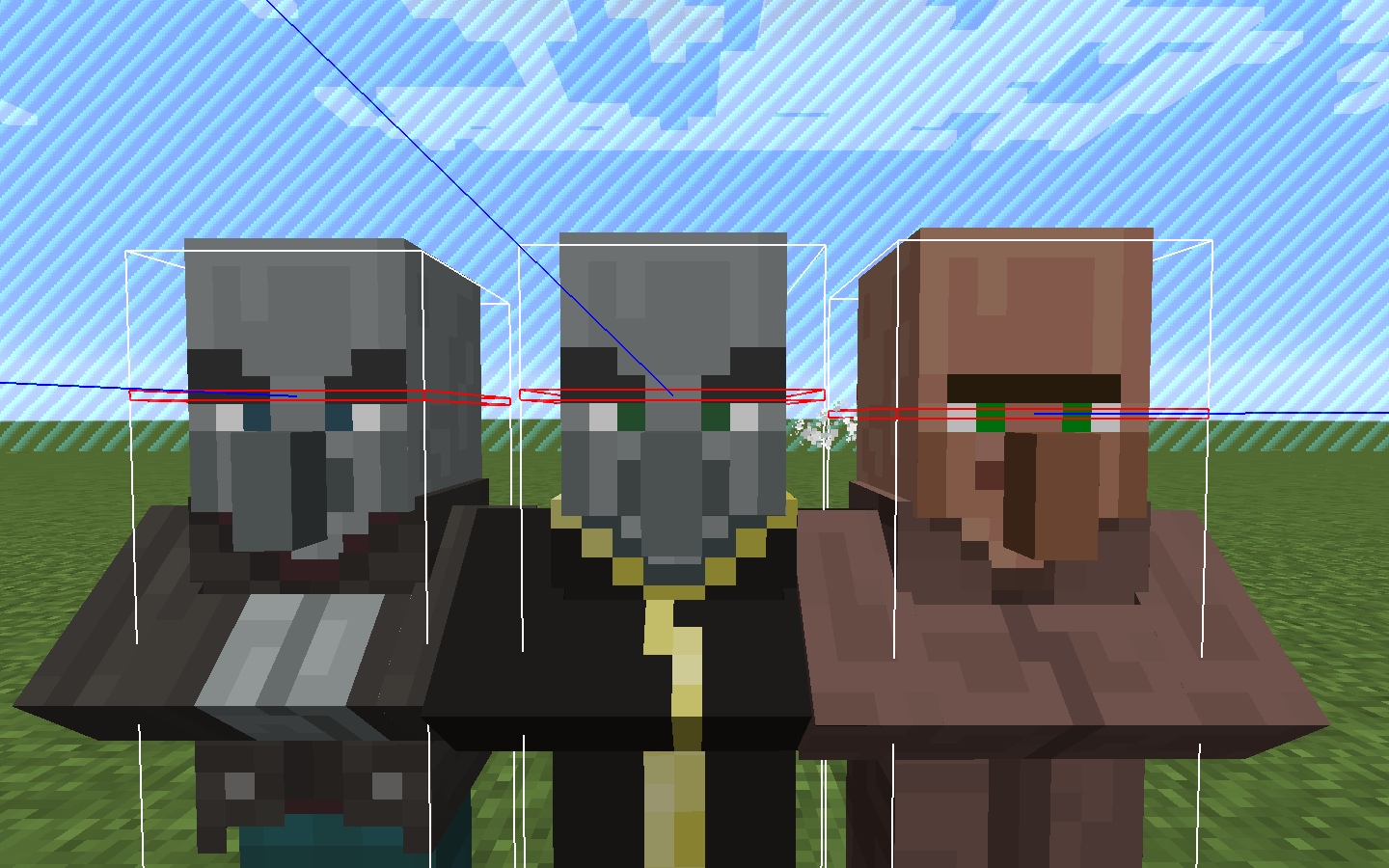
The hitboxes and eye position of a few mobs/entities are in a wrong place.
Mob/Entity Height Width Eye Position Comment Baby Mooshroom/Cow Suffocating below blocks Chicken, Baby Chicken Suffocating below blocks Baby Sheep Suffocating below blocks Horse, Donkey Suffocating below blocks, see MC-76050 for Donkeys Baby Horse Suffocating below blocks Llama Suffocating below blocks: https://bugs.mojang.com/browse/MC-50367?focusedCommentId=333692&page=com.atlassian.jira.plugin.system.issuetabpanels:comment-tabpanel#comment-333692 Small Armorstand - Giant - Baby Pigman, Baby Zombie, Baby Villager I assume all these have the same height intentionally. Their average rendering height is quite a bit higher than the current hitbox. Especially Pigman rendering goes higher quite a bit. Pigman, Baby Pigman, Husk, Baby Husk The eyes of pigman sit higher than the ones of the other mobs for rendering Guardians, Elderguardians, Ghast - Bat - EnderCrystal *or rather renders too far down compared to the hitbox EnderDragon The facing is invered too all other mobs. Height and Width is the AABB around all parts so it looks too huge, while it actually is probably fine Player Seems too small while standing. While sneaking it's fine. Pigman, Zombie, Villager, Witch, Skeleton Seems a little bit too small, but making them higher would make them not fit in 2 high spaces, therefore probably intended. (Not confirmed by devs) Cave spider Seems too small, but making them higher would make them not fit in 1/2 high spaces, therefore probably intended. (Not confirmed by devs) Polar Bear - Llama Spit 2016-09-28_19.09.14.png - Vindicator 2016-10-02_04.22.19.png - Evoker 2016-10-02_04.22.19.png - In the world download [^MobBoxes_1_11.zip] most mobs are spawned in a row with NoAI. It can be really useful for testing.
I recommend using F3+B and /gamemode 3. Also it's good to turn particles to minimum to better see mobs like blazes.
The hitboxes and eye position of a few mobs/entities are in a wrong place.
Mob/Entity Height Width Eye Position Comment Baby Mooshroom/Cow Suffocating below blocks Chicken, Baby Chicken Suffocating below blocks Baby Sheep Suffocating below blocks Horse, Donkey Suffocating below blocks, see MC-76050 for Donkeys Baby Horse Suffocating below blocks Llama Suffocating below blocks: https://bugs.mojang.com/browse/MC-50367?focusedCommentId=333692&page=com.atlassian.jira.plugin.system.issuetabpanels:comment-tabpanel#comment-333692 Small Armorstand - Giant - Baby Pigman, Baby Zombie, Baby Villager I assume all these have the same height intentionally. Their average rendering height is quite a bit higher than the current hitbox. Especially Pigman rendering goes higher quite a bit. Pigman, Baby Pigman, Husk, Baby Husk The eyes of pigman sit higher than the ones of the other mobs for rendering Guardians, Elderguardians, Ghast - Bat - EnderCrystal *or rather renders too far down compared to the hitbox EnderDragon The facing is invered too all other mobs. Height and Width is the AABB around all parts so it looks too huge, while it actually is probably fine Player Seems too small while standing. While sneaking it's fine. Pigman, Zombie, Villager, Witch, Skeleton Seems a little bit too small, but making them higher would make them not fit in 2 high spaces, therefore probably intended. (Not confirmed by devs) Cave spider Seems too small, but making them higher would make them not fit in 1/2 high spaces, therefore probably intended. (Not confirmed by devs) Polar Bear - Llama Spit 2016-09-28_19.09.14.png - Vindicator 2016-10-02_04.22.19.png - Evoker 2016-10-02_04.22.19.png - In the world download MoxBoxes_1_11.zip
I recommend using F3+B and /gamemode 3. Also it's good to turn particles to minimum to better see mobs like blazes.
The hitboxes and eye position of a few mobs/entities are in a wrong place.
Mob/Entity Height Width Eye Position Comment Baby Mooshroom/Cow Suffocating below blocks Chicken, Baby Chicken Suffocating below blocks Baby Sheep Suffocating below blocks Horse, Donkey Suffocating below blocks, see MC-76050 for Donkeys Baby Horse Suffocating below blocks Llama Suffocating below blocks: https://bugs.mojang.com/browse/MC-50367?focusedCommentId=333692&page=com.atlassian.jira.plugin.system.issuetabpanels:comment-tabpanel#comment-333692 Small Armorstand - Giant - Baby Pigman, Baby Zombie, Baby Villager I assume all these have the same height intentionally. Their average rendering height is quite a bit higher than the current hitbox. Especially Pigman rendering goes higher quite a bit. Pigman, Baby Pigman, Husk, Baby Husk The eyes of pigman sit higher than the ones of the other mobs for rendering Guardians, Elderguardians, Ghast - Bat - EnderCrystal *or rather renders too far down compared to the hitbox EnderDragon The facing is invered too all other mobs. Height and Width is the AABB around all parts so it looks too huge, while it actually is probably fine Player Too small when not sneaking, too high when sneaking (likely partwise caused by MC-48191 and therefor intended). Eye position does not change when sneaking Pigman, Zombie, Villager, Witch, Skeleton Seems a little bit too small, but making them higher would make them not fit in 2 high spaces, therefore probably intended. (Not confirmed by devs) Cave spider Seems too small, but making them higher would make them not fit in 1/2 high spaces, therefore probably intended. (Not confirmed by devs) Polar Bear Height remains the same when it is standing Llama Spit 2016-09-28_19.09.14.png - Vindicator 2016-10-02_04.22.19.png - Evoker 2016-10-02_04.22.19.png - Parrot - Cod Suffocating below blocks In the world download MoxBoxes_1_11.zip
I recommend using F3 + B and /gamemode spectator. Also it's good to turn particles to minimum to better see mobs like blazes.
The hitboxes and eye position of a few mobs/entities are in a wrong place.
Mob/Entity Height Width Eye Position Comment Baby Mooshroom/Cow Suffocating below blocks Chicken, Baby Chicken Suffocating below blocks Baby Sheep Suffocating below blocks Horse, Donkey Suffocating below blocks, see MC-76050 for Donkeys Baby Horse Suffocating below blocks Llama Suffocating below blocks: https://bugs.mojang.com/browse/MC-50367?focusedCommentId=333692&page=com.atlassian.jira.plugin.system.issuetabpanels:comment-tabpanel#comment-333692 Small Armorstand- Giant - Baby Pigman, Baby Zombie/Drowned, Baby Villager I assume all these have the same height intentionally. Their average rendering height is quite a bit higher than the current hitbox. Especially Pigman rendering goes higher quite a bit. Pigman, Baby Pigman, Husk, Baby Husk The eyes of pigman sit higher than the ones of the other mobs for rendering Guardians, Elderguardians, Ghast - Bat - EnderCrystal *or rather renders too far down compared to the hitbox EnderDragon The facing is invered too all other mobs. Height and Width is the AABB around all parts so it looks too huge, while it actually is probably fine Player Too small when not sneaking, too high when sneaking (likely partwise caused by MC-48191 and therefor intended). Eye position does not change when sneaking Pigman, Zombie, Villager, Witch, Skeleton Seems a little bit too small, but making them higher would make them not fit in 2 high spaces, therefore probably intended. (Not confirmed by devs) Cave spider Seems too small, but making them higher would make them not fit in 1/2 high spaces, therefore probably intended. (Not confirmed by devs) Polar Bear Height remains the same when it is standing Llama Spit 2016-09-28_19.09.14.png - Vindicator 2016-10-02_04.22.19.png - Evoker 2016-10-02_04.22.19.png - Parrot - In the world download MoxBoxes_1_11.zip
I recommend using F3 + B and /gamemode spectator. Also it's good to turn particles to minimum to better see mobs like blazes.
The hitboxes and eye position of a few mobs/entities are in a wrong place.
Mob/Entity Height Width Eye Position Comment Baby Mooshroom/Cow Suffocating below blocks Chicken, Baby Chicken Suffocating below blocks Baby Sheep Suffocating below blocks Horse, Donkey Suffocating below blocks, see MC-76050 for Donkeys Baby Horse Suffocating below blocks Llama Suffocating below blocks: https://bugs.mojang.com/browse/MC-50367?focusedCommentId=333692&page=com.atlassian.jira.plugin.system.issuetabpanels:comment-tabpanel#comment-333692 Baby Giant - Giant - Small Armorstand - Baby Pigman, Baby Zombie/Drowned, Baby Villager I assume all these have the same height intentionally. Their average rendering height is quite a bit higher than the current hitbox. Especially Pigman rendering goes higher quite a bit. Pigman, Baby Pigman, Husk, Baby Husk The eyes of pigman sit higher than the ones of the other mobs for rendering Guardians, Elderguardians, Ghast - Bat - EnderCrystal *or rather renders too far down compared to the hitbox EnderDragon The facing is invered too all other mobs. Height and Width is the AABB around all parts so it looks too huge, while it actually is probably fine Player Too small when not sneaking, too high when sneaking (likely partwise caused by MC-48191 and therefor intended). Eye position does not change when sneaking Pigman, Zombie, Villager, Witch, Skeleton Seems a little bit too small, but making them higher would make them not fit in 2 high spaces, therefore probably intended. (Not confirmed by devs) Cave spider Seems too small, but making them higher would make them not fit in 1/2 high spaces, therefore probably intended. (Not confirmed by devs) Polar Bear Height remains the same when it is standing Llama Spit 2016-09-28_19.09.14.png - Vindicator 2016-10-02_04.22.19.png - Evoker 2016-10-02_04.22.19.png - Parrot - In the world download MoxBoxes_1_11.zip
I recommend using F3 + B and /gamemode spectator. Also it's good to turn particles to minimum to better see mobs like blazes.
The hitboxes and eye position of a few mobs/entities are in a wrong place.
Mob/Entity Height Width Eye Position Comment Baby Mooshroom/Cow Suffocating below blocks Chicken, Baby Chicken Suffocating below blocks Baby Sheep Suffocating below blocks Horse, Donkey Suffocating below blocks, see MC-76050 for Donkeys Baby Horse Suffocating below blocks Llama Suffocating below blocks: https://bugs.mojang.com/browse/MC-50367?focusedCommentId=333692&page=com.atlassian.jira.plugin.system.issuetabpanels:comment-tabpanel#comment-333692 Baby Giant -Giant - Small Armorstand - Baby Pigman, Baby Zombie/Drowned, Baby Villager I assume all these have the same height intentionally. Their average rendering height is quite a bit higher than the current hitbox. Especially Pigman rendering goes higher quite a bit. Pigman, Baby Pigman, Husk, Baby Husk The eyes of pigman sit higher than the ones of the other mobs for rendering Guardians, Elderguardians, Ghast - Bat - EnderCrystal *or rather renders too far down compared to the hitbox EnderDragon The facing is invered too all other mobs. Height and Width is the AABB around all parts so it looks too huge, while it actually is probably fine Player Too small when not sneaking, too high when sneaking (likely partwise caused by MC-48191 and therefor intended). Eye position does not change when sneaking Pigman, Zombie, Villager, Witch, Skeleton Seems a little bit too small, but making them higher would make them not fit in 2 high spaces, therefore probably intended. (Not confirmed by devs) Cave spider Seems too small, but making them higher would make them not fit in 1/2 high spaces, therefore probably intended. (Not confirmed by devs) Polar Bear Height remains the same when it is standing Llama Spit 2016-09-28_19.09.14.png - Vindicator 2016-10-02_04.22.19.png - Evoker 2016-10-02_04.22.19.png - Parrot - In the world download MoxBoxes_1_11.zip
I recommend using F3 + B and /gamemode spectator. Also it's good to turn particles to minimum to better see mobs like blazes.
The hitboxes and eye position of a few mobs/entities are in a wrong place.
Mob/Entity Height Width Eye Position Comment Baby Mooshroom/Cow Suffocating below blocks Chicken, Baby Chicken Suffocating below blocks Baby Sheep Suffocating below blocks Horse, Donkey Suffocating below blocks, see MC-76050 for Donkeys Baby Horse Suffocating below blocks Llama Suffocating below blocks: https://bugs.mojang.com/browse/MC-50367?focusedCommentId=333692&page=com.atlassian.jira.plugin.system.issuetabpanels:comment-tabpanel#comment-333692 Baby Giant Suffocating below blocks Giant - Small Armorstand - Baby Pigman, Baby Zombie/Drowned, Baby Villager I assume all these have the same height intentionally. Their average rendering height is quite a bit higher than the current hitbox. Especially Pigman rendering goes higher quite a bit. Pigman, Baby Pigman, Husk, Baby Husk The eyes of pigman sit higher than the ones of the other mobs for rendering Guardians, Elderguardians, Ghast - Bat - EnderCrystal *or rather renders too far down compared to the hitbox EnderDragon The facing is invered too all other mobs. Height and Width is the AABB around all parts so it looks too huge, while it actually is probably fine Player Too small when not sneaking, too high when sneaking (likely partwise caused by MC-48191 and therefor intended). Eye position does not change when sneaking Pigman, Zombie, Villager, Witch, Skeleton Seems a little bit too small, but making them higher would make them not fit in 2 high spaces, therefore probably intended. (Not confirmed by devs) Cave spider Seems too small, but making them higher would make them not fit in 1/2 high spaces, therefore probably intended. (Not confirmed by devs) Polar Bear Height remains the same when it is standing Llama Spit 2016-09-28_19.09.14.png - Vindicator 2016-10-02_04.22.19.png - Evoker 2016-10-02_04.22.19.png - Parrot - In the world download MoxBoxes_1_11.zip
I recommend using F3 + B and /gamemode spectator. Also it's good to turn particles to minimum to better see mobs like blazes.
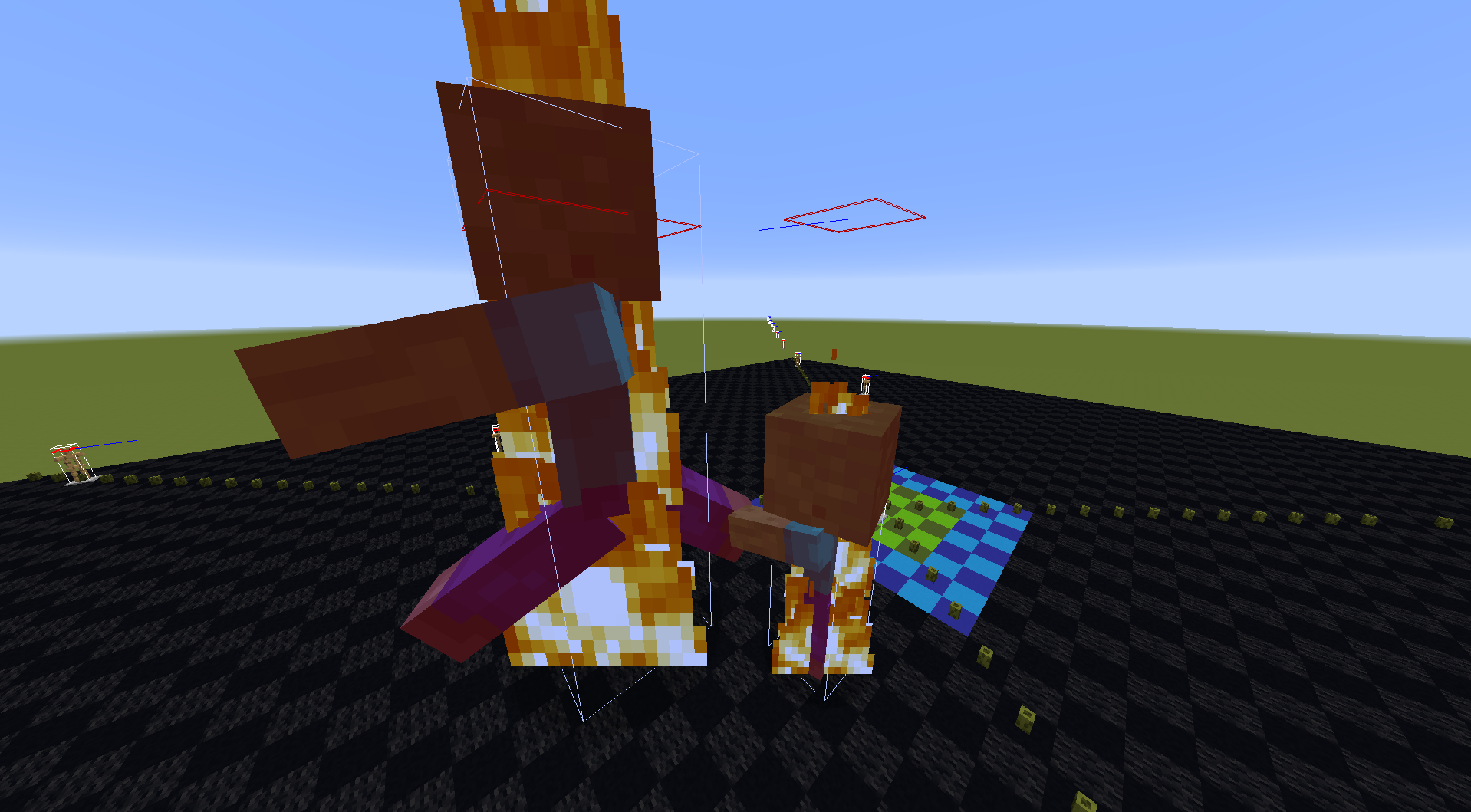
The hitboxes and eye position of a few mobs/entities are in a wrong place.
Seems wrong, but with explanation and expectation to stay like this.
Unsure if issue or intended.
Minor issue.
Bigger difference
Mob/Entity Height Width Eye Position Comment Baby Mooshroom/Cow Suffocating below blocks Chicken, Baby Chicken Suffocating below blocks Baby Sheep Suffocating below blocksHorse, Donkey Suffocating below blocks, see MC-76050 for Donkeys Baby HorseSuffocating below blocks Llama Suffocating below blocks: comment Baby Giant Suffocating below blocks Giant - Small Armorstand - Baby Pigman, Baby Zombie/Drowned, Baby VillagerI assume all these have the same height intentionally. Their average rendering height is quite a bit higher than the current hitbox. Especially Pigman rendering goes higher quite a bit. Pigman, Baby Pigman, Husk, Baby Husk The eyes of pigman sit higher than the ones of the other mobs for rendering Guardians, Elderguardians, Ghast - Bat - EnderCrystal *or rather renders too far down compared to the hitbox EnderDragon The facing is invered too all other mobs. Height and Width is the AABB around all parts so it looks too huge, while it actually is probably fine Player Too small when not sneaking, too high when sneaking (likely partwise caused by MC-48191 and therefor intended). Eye position does not change when sneaking Pigman, Zombie, Villager, Witch, Skeleton Seems a little bit too small, but making them higher would make them not fit in 2 high spaces, therefore probably intended. (Not confirmed by devs) Cave spider Seems too small, but making them higher would make them not fit in 1/2 high spaces, therefore probably intended. (Not confirmed by devs) Polar Bear Height remains the same when it is standing Llama Spit 2016-09-28_19.09.14.png - Vindicator 2016-10-02_04.22.19.png - Evoker 2016-10-02_04.22.19.png - Parrot - Baby turtule Suffocating, but apparently not caused by eye height, see MC-142711In the world download MoxBoxes_1_11.zip
I recommend using F3 + B and /gamemode spectator. Also it's good to turn particles to minimum to better see mobs like blazes.
The hitboxes and eye position of a few mobs/entities are in a wrong place.
The closely related issue of mobs suffocating when below blocks has been moved toMC-142768.
Mob/Entity Height Width Eye Position Comment Giant - Small Armorstand - Baby Pigman, Baby Zombie/Drowned, Baby Villager I assume all these have the same height intentionally. Their average rendering height is quite a bit higher than the current hitbox. Especially Pigman rendering goes higher quite a bit. Pigman, Baby Pigman, Husk, Baby Husk The eyes of pigman sit higher than the ones of the other mobs for rendering Guardians, Elderguardians, Ghast - Bat - EnderCrystal *or rather renders too far down compared to the hitbox EnderDragon The facing is invered too all other mobs. Height and Width is the AABB around all parts so it looks too huge, while it actually is probably fine Player Too small when not sneaking, too high when sneaking (likely partwise caused by MC-48191 and therefor intended). Eye position does not change when sneaking Pigman, Zombie, Villager, Witch, Skeleton Seems a little bit too small, but making them higher would make them not fit in 2 high spaces, therefore probably intended. (Not confirmed by devs) Cave spider Seems too small, but making them higher would make them not fit in 1/2 high spaces, therefore probably intended. (Not confirmed by devs) Polar Bear Height remains the same when it is standing Llama Spit 2016-09-28_19.09.14.png - Vindicator 2016-10-02_04.22.19.png - Evoker 2016-10-02_04.22.19.png - Parrot - In the world download MoxBoxes_1_11.zip
I recommend using F3 + B and /gamemode spectator. Also it's good to turn particles to minimum to better see mobs like blazes.
The hitboxes and eye position of a few mobs/entities are in a wrong place.
The closely related issue of mobs suffocating when below blocks has been moved toMC-142768.
Mob/Entity Height Width Eye Position Comment Giant - Small Armorstand - Baby Pigman, Baby Zombie/Drowned, Baby Villager I assume all these have the same height intentionally. Their average rendering height is quite a bit higher than the current hitbox. Especially Pigman rendering goes higher quite a bit. Pigman, Baby Pigman, Husk, Baby Husk The eyes of pigman sit higher than the ones of the other mobs for rendering Guardians, Elderguardians, Ghast - Bat - EnderCrystal *or rather renders too far down compared to the hitbox EnderDragonThe facing is inveredtoo allother mobs. Height and Width is the AABB aroundall parts so it looks too huge, while it actually isprobablyfinePlayerToo small when not sneaking, too high when sneaking (likely partwise caused by MC-48191 and therefor intended). Eye position does not change when sneaking Pigman, Zombie, Villager, Witch, Skeleton too smallSeems a little bit too small, but making them higher would make them not fit in 2 high spaces, therefore probably intended. (Not confirmed by devs) Cave spidertoo smallSeems too small, but making them higher would make them not fit in 1/2 high spaces, therefore probably intended. (Not confirmed by devs) P olar BearHeight remains the same when it is standingLlama Spit 2016-09-28_19.09.14.png - Vindicator 2016-10-02_04.22.19.png -Evoker 2016-10-02_04.22.19.png A little bit high-Parrot- In the world download MoxBoxes_1_11.zip
I recommend using F3 + B and /gamemode spectator. Also it's good to turn particles to minimum to better see mobs like blazes.
The hitboxes and eye position of a few mobs/entities are in a wrong place.
The closely related issue of mobs suffocating when below blocks has been moved toMC-142768.
Special issue that may need to be moved into an own report
Mob/Entity Height Width Eye Position Comment Giant - Small Armorstand - Baby Pigman, Baby Zombie/Drowned, Baby Villager I assume all these have the same height intentionally. Their average rendering height is quite a bit higher than the current hitbox. Especially Pigman rendering goes higher quite a bit. Pigman, Baby Pigman, Husk, Baby Husk The eyes of pigman sit higher than the ones of the other mobs for rendering Guardians, Elderguardians, Ghast - Bat - EnderCrystal *or rather renders too far down compared to the hitbox Pigman, Zombie, Villager, Witch, Skeleton Seems a little bit too small, but making them higher would make them not fit in 2 high spaces, therefore probably intended. (Not confirmed by devs) Cave spider Seems too small, but making them higher would make them not fit in 1/2 high spaces, therefore probably intended. (Not confirmed by devs) Vindicator 2016-10-02_04.22.19.png - Evoker 2016-10-02_04.22.19.png - Parrot - (flag)Llama Spit 2016-09-28_19.09.14.png Unable to reproduce, no collision box visible in quick test (flag)Polar Bear Height remains the same when it is standing (flag)Player Too small when not sneaking, too high when sneaking (likely part wise caused by MC-48191 and therefore intended). Eye position does not change when sneaking (flag)EnderDragon The facing is inverted too all other mobs. Height and Width is the AABB around all parts so it looks too huge, while it actually is probably fine
In the world download MoxBoxes_1_11.zip
I recommend using F3 + B and /gamemode spectator. Also it's good to turn particles to minimum to better see mobs like blazes.
The hitboxes and eye position of a few mobs/entities are in a wrong place.
The closely related issue of mobs suffocating when below blocks has been moved toMC-142768.
Mob/Entity Height Width Eye Position Comment Giant - Small Armorstand - Baby Pigman, Baby Zombie/Drowned, Baby Villager I assume all these have the same height intentionally. Their average rendering height is quite a bit higher than the current hitbox. Especially Pigman rendering goes higher quite a bit. Pigman, Baby Pigman, Husk, Baby Husk The eyes of pigman sit higher than the ones of the other mobs for rendering Guardians, Elderguardians, Ghast - Bat - EnderCrystal *or rather renders too far down compared to the hitbox Pigman, Zombie, Villager, Witch, Skeleton Seems a little bit too small, but making them higher would make them not fit in 2 high spaces, therefore probably intended. (Not confirmed by devs) Cave spider Seems too small, but making them higher would make them not fit in 1/2 high spaces, therefore probably intended. (Not confirmed by devs) Vindicator 2016-10-02_04.22.19.png - Evoker 2016-10-02_04.22.19.png - Parrot - (flag)Llama Spit 2016-09-28_19.09.14.pngUnable to reproduce, no collision box visible in quick test (flag)Polar Bear Height remains the same when it is standing (flag)PlayerToo small when not sneaking, too high when sneaking (likely part wise caused by MC-48191 and therefore intended). Eye position does not change when sneaking (flag)EnderDragon The facing is inverted too all other mobs. Height and Width is the AABB around all parts so it looks too huge, while it actually is probably fine
In the world download MoxBoxes_1_11.zip
I recommend using F3 + B and /gamemode spectator. Also it's good to turn particles to minimum to better see mobs like blazes.
The hitboxes and eye position of a few mobs/entities are in a wrong place.
The closely related issue of mobs suffocating when below blocks has been moved toMC-142768.
Mob/Entity Height Width Eye Position Comment Giant - Small Armorstand - Baby Pigman, Baby Zombie/Drowned, Baby Villager I assume all these have the same height intentionally. Their average rendering height is quite a bit higher than the current hitbox. Especially Pigman rendering goes higher quite a bit. Pigman, Baby Pigman, Husk, Baby Husk The eyes of pigman sit higher than the ones of the other mobs for rendering Guardians, Elderguardians, Ghast - Bat - EnderCrystal *or rather renders too far down compared to the hitbox Pigman, Zombie, Villager, Witch, Skeleton Seems a little bit too small, but making them higher would make them not fit in 2 high spaces, therefore probably intended. (Not confirmed by devs) Cave spider Seems too small, but making them higher would make them not fit in 1/2 high spaces, therefore probably intended. (Not confirmed by devs) Vindicator 2016-10-02_04.22.19.png - Evoker 2016-10-02_04.22.19.png - Parrot - Unable to reproduce, no collision box visible in quick test Height remains the same when it is standing Too small when not sneaking, too high when sneaking (likely part wise caused by MC-48191 and therefore intended). Eye position does not change when sneaking The facing is inverted too all other mobs. Height and Width is the AABB around all parts so it looks too huge, while it actually is probably fine
In the world download MoxBoxes_1_11.zip
I recommend using F3 + B and /gamemode spectator. Also it's good to turn particles to minimum to better see mobs like blazes.
The hitboxes and eye position of a few mobs/entities are in a wrong place.
The closely related issue of mobs suffocating when below blocks has been moved toMC-142768.
Mob/Entity Height Width Eye Position Comment Giant - Small Armorstand - Baby Pigman, Baby Zombie/Drowned, Baby Villager I assume all these have the same height intentionally. Their average rendering height is quite a bit higher than the current hitbox. Especially Pigman rendering goes higher quite a bit. Pigman, Baby Pigman, Husk, Baby Husk The eyes of pigman sit higher than the ones of the other mobs for rendering Guardians, Elderguardians, Ghast - Bat - EnderCrystal *or rather renders too far down compared to the hitbox Pigman, Zombie, Villager, Witch, Skeleton Seems a little bit too small, but making them higher would make them not fit in 2 high spaces, therefore probably intended. (Not confirmed by devs) Cave spider Seems too small, but making them higher would make them not fit in 1/2 high spaces, therefore probably intended. (Not confirmed by devs) Vindicator 2016-10-02_04.22.19.png - Evoker 2016-10-02_04.22.19.png - Parrot - Unable to reproduce, no collision box visible in quick test Polar BearHeight remains the same when it is standingToo small when not sneaking, too high when sneaking (likely part wise caused by MC-48191 and therefore intended). Eye position does not change when sneaking The facing is inverted too all other mobs. Height and Width is the AABB around all parts so it looks too huge, while it actually is probably fine
In the world download MoxBoxes_1_11.zip
I recommend using F3 + B and /gamemode spectator. Also it's good to turn particles to minimum to better see mobs like blazes.
The hitboxes and eye position of a few mobs/entities are in a wrong place.
The closely related issue of mobs suffocating when below blocks has been moved toMC-142768.
Mob/Entity Height Width Eye Position Comment Giant - Small Armorstand - Baby Pigman, Baby Zombie/Drowned, Baby Villager I assume all these have the same height intentionally. Their average rendering height is quite a bit higher than the current hitbox. Especially Pigman rendering goes higher quite a bit. Pigman, Baby Pigman, Husk, Baby Husk The eyes of pigman sit higher than the ones of the other mobs for rendering Guardians, Elderguardians, Ghast - Bat - EnderCrystal *or rather renders too far down compared to the hitbox Pigman, Zombie, Villager, Witch, Skeleton Seems a little bit too small, but making them higher would make them not fit in 2 high spaces, therefore probably intended. (Not confirmed by devs) Cave spider Seems too small, but making them higher would make them not fit in 1/2 high spaces, therefore probably intended. (Not confirmed by devs) Vindicator 2016-10-02_04.22.19.png - Evoker 2016-10-02_04.22.19.png - Parrot - Polar Bear Unable to reproduce, no collision box visible in quick test Too small when not sneaking, too high when sneaking (likely part wise caused by MC-48191 and therefore intended). Eye position does not change when sneaking The facing is inverted too all other mobs. Height and Width is the AABB around all parts so it looks too huge, while it actually is probably fine
In the world download MoxBoxes_1_11.zip
I recommend using F3 + B and /gamemode spectator. Also it's good to turn particles to minimum to better see mobs like blazes.
The hitboxes and eye position of a few mobs/entities are in a wrong place.
The closely related issue of mobs suffocating when below blocks has been moved toMC-142768.
Mob/Entity Height Width Eye Position Comment Giant - Small Armorstand - Baby Pigman, Baby Zombie/Drowned, Baby Villager I assume all these have the same height intentionally. Their average rendering height is quite a bit higher than the current hitbox. Especially Pigman rendering goes higher quite a bit. Pigman, Baby Pigman, Husk, Baby Husk The eyes of pigman sit higher than the ones of the other mobs for rendering Guardians, Elderguardians, Ghast - Bat - EnderCrystal *or rather renders too far down compared to the hitbox Pigman, Zombie, Villager, Witch, Skeleton Seems a little bit too small, but making them higher would make them not fit in 2 high spaces, therefore probably intended. (Not confirmed by devs) Cave spider Seems too small, but making them higher would make them not fit in 1/2 high spaces, therefore probably intended. (Not confirmed by devs) Vindicator 2016-10-02_04.22.19.png - Evoker 2016-10-02_04.22.19.png - Parrot - Polar Bear Unable to reproduce, no collision box visible in quick test Too small when not sneaking, too high when sneaking (likely part wise caused by MC-48191 and therefore intended). Eye position does not change when sneaking The facing is inverted too all other mobs. Height and Width is the AABB around all parts so it looks too huge, while it actually is probably fine
In the world download MoxBoxes_1_11.zip
I recommend using F3 + B and /gamemode spectator. Also it's good to turn particles to minimum to better see mobs like blazes.
The hitboxes and eye position of a few mobs/entities are in a wrong place.
The closely related issue of mobs suffocating when below blocks has been moved toMC-142768.
Mob/Entity Height Width Eye Position Comment Horse, Donkey Suffocating below blocks, see MC-142768. Also see MC-76050 for donkeysBaby Horse Suffocating below blocks, see MC-142768Giant - Small Armorstand - Baby Pigman, Baby Zombie/Drowned, Baby Villager I assume all these have the same height intentionally. Their average rendering height is quite a bit higher than the current hitbox. Especially Pigman rendering goes higher quite a bit. Pigman, Baby Pigman, Husk, Baby Husk The eyes of pigman sit higher than the ones of the other mobs for rendering Guardians, Elderguardians, Ghast - Bat - EnderCrystal *or rather renders too far down compared to the hitbox Pigman, Zombie, Villager, Witch, Skeleton Seems a little bit too small, but making them higher would make them not fit in 2 high spaces, therefore probably intended. (Not confirmed by devs) Cave spider Seems too small, but making them higher would make them not fit in 1/2 high spaces, therefore probably intended. (Not confirmed by devs) Vindicator 2016-10-02_04.22.19.png - Evoker 2016-10-02_04.22.19.png - Parrot - Polar Bear Unable to reproduce, no collision box visible in quick test Too small when not sneaking, too high when sneaking (likely part wise caused by MC-48191 and therefore intended). Eye position does not change when sneaking The facing is inverted too all other mobs. Height and Width is the AABB around all parts so it looks too huge, while it actually is probably fine
In the world download MoxBoxes_1_11.zip
I recommend using F3 + B and /gamemode spectator. Also it's good to turn particles to minimum to better see mobs like blazes.
Important: This ticket will stay resolved!Remaining issues for hit boxes and eye positions will be split up into their own reports.
If such an issue is a problem for you and doesn't have an own report yet, feel free to create it!
Avoid grouping several similar issues as this report did.
For example if the hit box of zombies and the hit box of wolfs has an issue, that is two reports, one for zombies and one for wolfs.This report has been split to make it easier to update the reports and hopefully also easier for the devs to fix them.
- MC-143184: Eye level and visible eye position mismatch
MC-142768: Suffocation caused by eye-level outside of collision box- Reports specific to certain entities or situations, e.g.
MC-117619, MC-119372, ...This report is still about bad hitboxes.
The hitboxes and eye position of a few mobs/entities are in a wrong place.
Mob/Entity Height Width Eye Position Comment Horse, Donkey Suffocating below blocks, see MC-142768. Also see MC-76050 for donkeysBaby Horse Suffocating below blocks, see MC-142768Giant - Small Armorstand - Baby Pigman, Baby Zombie/Drowned, Baby Villager I assume all these have the same height intentionally. Their average rendering height is quite a bit higher than the current hitbox. Especially Pigman rendering goes higher quite a bit. Pigman, Baby Pigman, Husk, Baby Husk The eyes of pigman sit higher than the ones of the other mobs for rendering Guardians, Elderguardians, Ghast - Bat - EnderCrystal *or rather renders too far down compared to the hitbox Pigman, Zombie, Villager, Witch, Skeleton Seems a little bit too small, but making them higher would make them not fit in 2 high spaces, therefore probably intended. (Not confirmed by devs) Cave spider Seems too small, but making them higher would make them not fit in 1/2 high spaces, therefore probably intended. (Not confirmed by devs) Vindicator 2016-10-02_04.22.19.png - Evoker 2016-10-02_04.22.19.png - Parrot - Polar Bear See also MC-142848(Baby) panda See also MC-142849 Fox Eye level tracked in MC-142768Unable to reproduce, no collision box visible in quick test Too small when not sneaking, too high when sneaking (likely part wise caused by MC-48191 and therefore intended). Eye position does not change when sneaking The facing is inverted too all other mobs. Height and Width is the AABB around all parts so it looks too huge, while it actually is probably fine
In the world download MoxBoxes_1_11.zip
I recommend using F3 + B and /gamemode spectator. Also it's good to turn particles to minimum to better see mobs like blazes.
[Fixed] Slime blocks moved by pistons don't move entities (but only set the motion)
I can not reproduce that. I can move pistons with pistons.
Do you maybe mean that pistons don't move entities (MC-88833)?
When items are inside blocks they used to move upwards.
This was changed (probably related to the changes forMC-73302) in the recent snapshot.Steps to reproduce
1. Build up a 3x3 out of some full block on the floor.
2. Punch out the center block.
3. Throw an item in. Looks like this now: 2015-09-16_18.04.47.png
4. Place the block in the center again. 2015-09-16_18.04.54.png
5. The item does not move up as it used to.Why is this an issue?
As mentioned onMC-73302, item elevators are widely used among players. While I understand why test137E29's fence item elevator got fixed along with the bug, I think that it would make sense to keep the feature of moving items inside blocks upwards to allow for item elevators in general.
Also just imagine a situation where TNT blows up sand. The items dropped would be stuck inside the blocks that fall down from on top. It would be nicer if the items would find their way to the surface.An alternative idea
What also could also be done to enable easier item elevation would be to make items able to get flushed up half blocks.
Basically just setting their step height to 0.6.
When items are inside blocks they used to move upwards.
This was changed (probably related to the changes forMC-73302) in the recent snapshot.Steps to reproduce
1. Build up a 3x3 out of some full block on the floor.
2. Punch out the center block.
3. Throw an item in. Looks like this now: 2015-09-16_18.04.47.png
4. Place the block in the center again. 2015-09-16_18.04.54.png
5. The item does not move up as it used to.Why is this an issue?
As mentioned onMC-73302, item elevators are widely used among players. While I understand why test137E29's fence item elevator got fixed along with the bug, I think that it would make sense to keep the feature of moving items inside blocks upwards to allow for item elevators in general.
Also just imagine a situation where TNT blows up sand. The items dropped would be stuck inside the blocks that fall down from on top. It would be nicer if the items would find their way to the surface.An alternative idea
What also could also be done to enable easier item elevation would be to make items able to get flushed up half blocks.
Basically just setting their step height to 0.6.
I know this is an entirely different feature request, but it is related to the issue people have with this change.
I was walking around in a plains biome durring a thunder storm when a pig got struck by lightning and turned into a pigman with a sword. Where did the sword come from?
What I expected to happen was...:
When the pig got hit by the lightning it should turn into a pigman without sword.What actually happened was...:
The pigman that spawned had a sword.Steps to Reproduce:
1. Spawn alot of pigs in a biome where it can rain or snow.
2. Turn on thunder (/weather thunder 1000000)
3.Wait till a pig gets hit.Besides the locial aspect mentioned above (where should the sword come from?) it also isn't logical seen from a game developer persective.
Pigman which spawned due to lightning are rare, right? But if they have a sword there is no difference to the ones that come out of the nether.If they spawn without a sword it's something special to have a pigman which is not holding a sword because you can see that it was a pig which got struck by lightning.
On the screenshot you see pigs without swords and a pigman with sword spawned form a pig.
I was walking around in a plains biome durring a thunder storm when a pig got struck by lightning and turned into a pigman with a sword. Where did the sword come from?
What I expected to happen was...:
When the pig got hit by the lightning it should turn into a pigman without sword.What actually happened was...:
The pigman that spawned had a sword.Steps to Reproduce:
1. Spawn a pig and stand next to it
2. /summon LightningBolt
3. See a pigman with swordBesides the locial aspect mentioned above (where should the sword come from?) it also isn't logical seen from a game developer perspective.
Pigman which spawned due to lightning are rare, right? But if they have a sword there is no difference to the ones that come out of the nether.If they spawn without a sword it's something special to have a pigman which is not holding a sword because you can see that it was a pig which got struck by lightning.
On the screenshot you see pigs without swords and a pigman with sword spawned form a pig.
Since the recent changes to block 36, entities that get pushed get set right in front of the block 36 collision box.
That makes sense, but it should only happen for entities which collision box is (almost) fully in front of the block 36.
Otherwise entities that just barely reach inside the block 36 from behind get warped in front of it.Steps to reproduce:
1. Build up 2015-09-18_23.35.57.png
2. Remove the redstone block 2015-09-18_23.36.19.png
3. Place the redstone block
4. The armour stand got warped on top of the half slab 2015-09-18_23.36.19.pngThis behaviour is kind of cool for the technical community, but it doesn't look intended, so better fix it fast before we get used to it
Fix
This fix is just theoretical, I didn't test it. But it probably helps getting the idea what I mean.So the entity should only get moved when this method returns true.
TileEntityPiston.javapublic static boolean shouldPushEntity(EnumFacing pushDirection, AxisAlignedBB block36AABB, AxisAlignedBB entityAABB) { switch (pushDirection) { case UP: return entityAABB.minY > block36AABB.minY; case DOWN: return entityAABB.maxY < block36AABB.maxY; case NORTH: return entityAABB.minZ > block36AABB.minZ; case SOUTH: return entityAABB.maxZ < block36AABB.maxZ; case EAST: return entityAABB.minX > block36AABB.minX; case WEST: return entityAABB.maxX < block36AABB.maxX; } return false; }A nicer and more generic way to implement it, would be to add a method to AxisAlignedBB.java instead (if there is nothing like that yet), like this:
AxisAlignedBB.java/** * Returns if this AABB is further into direction facing than the other AABB. * * @param other AABB to compare with * @param facing Facing of comparison * @return true if this AABB is reaching further into direction facing * false otherwise */ public boolean isFurtherThan(AxisAlignedBB other, EnumFacing facing) { switch (facing) { case UP: return this.maxY > other.maxY; case DOWN: return this.minY < other.minY; case NORTH: return this.maxZ > other.maxZ; case SOUTH: return this.minZ < other.minZ; case EAST: return this.maxX > other.maxX; case WEST: return this.minX < other.minX; } return false; }And then only moved the entity if block36AABB.isFurther(entityAABB, pushDirection.opposite()) returns true.
Pfff.. This post got way to long for such a simple bug :-P
Thanks for reading

Since the recent changes to block 36, entities that get pushed get set right in front of the block 36 collision box.
That makes sense, but it should only happen for entities which collision box is (almost) fully in front of the block 36.
Otherwise entities that just barely reach inside the block 36 from behind get warped in front of it.Steps to reproduce:
1. Build up 2015-09-18_23.35.57.png
2. Remove the redstone block 2015-09-18_23.36.19.png
3. Place the redstone block
4. The armour stand got warped on top of the half slab 2015-09-18_23.36.19.pngThis behaviour is kind of cool for the technical community, but it doesn't look intended, so better fix it fast before we get used to it
Fix
This fix is just theoretical, I didn't test it. But it probably helps getting the idea what I mean.So the entity should only get moved when this method returns true.
TileEntityPiston.javapublic static boolean shouldPushEntity(EnumFacing pushDirection, AxisAlignedBB block36AABB, AxisAlignedBB entityAABB) { switch (pushDirection) { case UP: return entityAABB.minY > block36AABB.minY; case DOWN: return entityAABB.maxY < block36AABB.maxY; case NORTH: return entityAABB.minZ > block36AABB.minZ; case SOUTH: return entityAABB.maxZ < block36AABB.maxZ; case EAST: return entityAABB.minX > block36AABB.minX; case WEST: return entityAABB.maxX < block36AABB.maxX; } return false; }A nicer and more generic way to implement it, would be to add a method to AxisAlignedBB.java instead (if there is nothing like that yet), like this:
AxisAlignedBB.java/** * Returns if this AABB is further into direction facing than the other AABB. * * @param other AABB to compare with * @param facing Facing of comparison * @return true if this AABB is reaching further into direction facing * false otherwise */ public boolean isFurtherThan(AxisAlignedBB other, EnumFacing facing) { switch (facing) { case UP: return this.maxY > other.maxY; case DOWN: return this.minY < other.minY; case NORTH: return this.maxZ > other.maxZ; case SOUTH: return this.minZ < other.minZ; case EAST: return this.maxX > other.maxX; case WEST: return this.minX < other.minX; } return false; }And then only moved the entity if block36AABB.isFurther(entityAABB, pushDirection.opposite()) returns true.
Pfff.. This post got way to long for such a simple bug :-P
Thanks for readingSince the recent changes to block 36, entities that get pushed get set right in front of the block 36 collision box.
That makes sense, but it should only happen for entities which collision box is (almost) fully in front of the block 36.
Otherwise entities that just barely reach inside the block 36 from behind get warped in front of it.Steps to reproduce:
1. Build up 2015-09-18_23.35.57.png
2. Remove the redstone block 2015-09-18_23.36.12.png
3. Place the redstone block
4. The armour stand got warped on top of the half slab 2015-09-18_23.36.19.pngThis behaviour is kind of cool for the technical community, but it doesn't look intended, so better fix it fast before we get used to it
Fix
This fix is just theoretical, I didn't test it. But it probably helps getting the idea what I mean.So the entity should only get moved when this method returns true.
TileEntityPiston.javapublic static boolean shouldPushEntity(EnumFacing pushDirection, AxisAlignedBB block36AABB, AxisAlignedBB entityAABB) { switch (pushDirection) { case UP: return entityAABB.minY > block36AABB.minY; case DOWN: return entityAABB.maxY < block36AABB.maxY; case NORTH: return entityAABB.minZ > block36AABB.minZ; case SOUTH: return entityAABB.maxZ < block36AABB.maxZ; case EAST: return entityAABB.minX > block36AABB.minX; case WEST: return entityAABB.maxX < block36AABB.maxX; } return false; }A nicer and more generic way to implement it, would be to add a method to AxisAlignedBB.java instead (if there is nothing like that yet), like this:
AxisAlignedBB.java/** * Returns if this AABB is further into direction facing than the other AABB. * * @param other AABB to compare with * @param facing Facing of comparison * @return true if this AABB is reaching further into direction facing * false otherwise */ public boolean isFurtherThan(AxisAlignedBB other, EnumFacing facing) { switch (facing) { case UP: return this.maxY > other.maxY; case DOWN: return this.minY < other.minY; case NORTH: return this.maxZ > other.maxZ; case SOUTH: return this.minZ < other.minZ; case EAST: return this.maxX > other.maxX; case WEST: return this.minX < other.minX; } return false; }And then only moved the entity if block36AABB.isFurther(entityAABB, pushDirection.opposite()) returns true.
Pfff.. This post got way to long for such a simple bug :-P
Thanks for reading
Since the recent changes to block 36, entities that get pushed get set right in front of the block 36 collision box.
That makes sense, but it should only happen for entities which collision box is (almost) fully in front of the block 36.
Otherwise entities that just barely reach inside the block 36 from behind get warped in front of it.Steps to reproduce:
1. Build up 2015-09-18_23.35.57.png
2. Remove the redstone block 2015-09-18_23.36.12.png
3. Place the redstone block
4. The armour stand got warped on top of the half slab 2015-09-18_23.36.19.pngThis behaviour is kind of cool for the technical community, but it doesn't look intended, so better fix it fast before we get used to it
Fix
This fix is just theoretical, I didn't test it. But it probably helps getting the idea what I mean.So the entity should only get moved when this method returns true.
TileEntityPiston.javapublic static boolean shouldPushEntity(EnumFacing pushDirection, AxisAlignedBB block36AABB, AxisAlignedBB entityAABB) { switch (pushDirection) { case UP: return entityAABB.minY > block36AABB.minY; case DOWN: return entityAABB.maxY < block36AABB.maxY; case NORTH: return entityAABB.minZ > block36AABB.minZ; case SOUTH: return entityAABB.maxZ < block36AABB.maxZ; case EAST: return entityAABB.minX > block36AABB.minX; case WEST: return entityAABB.maxX < block36AABB.maxX; } return false; }A nicer and more generic way to implement it, would be to add a method to AxisAlignedBB.java instead (if there is nothing like that yet), like this:
AxisAlignedBB.java/** * Returns if this AABB is further into direction facing than the other AABB. * * @param other AABB to compare with * @param facing Facing of comparison * @return true if this AABB is reaching further into direction facing * false otherwise */ public boolean isFurtherThan(AxisAlignedBB other, EnumFacing facing) { switch (facing) { case UP: return this.maxY > other.maxY; case DOWN: return this.minY < other.minY; case NORTH: return this.maxZ > other.maxZ; case SOUTH: return this.minZ < other.minZ; case EAST: return this.maxX > other.maxX; case WEST: return this.minX < other.minX; } return false; }And then only moved the entity if block36AABB.isFurther(entityAABB, pushDirection.opposite()) returns true.
Pfff.. This post got way to long for such a simple bug :-P
Thanks for readingSince the recent changes to block 36, entities that get pushed get set right in front of the block 36 collision box.
That makes sense, but it should only happen for entities which collision box is (almost) fully in front of the block 36.
Otherwise entities that just barely reach inside the block 36 from behind get warped in front of it.Steps to reproduce:
1. Build up 2015-09-18_23.35.57.png
2. Remove the redstone block 2015-09-18_23.36.12.png
3. Place the redstone block
4. The armour stand got warped on top of the half slab 2015-09-18_23.36.19.pngThis behaviour is kind of cool for the technical community, but it doesn't look intended, so better fix it fast before we get used to it
Fix
This fix is just theoretical, I didn't test it. But it probably helps getting the idea what I mean.So the entity should only get moved when this method returns true.
TileEntityPiston.javapublic static boolean shouldPushEntity(EnumFacing pushDirection, AxisAlignedBB block36AABB, AxisAlignedBB entityAABB) { switch (pushDirection) { case UP: return entityAABB.minY > block36AABB.minY; case DOWN: return entityAABB.maxY < block36AABB.maxY; case NORTH: return entityAABB.minZ > block36AABB.minZ; case SOUTH: return entityAABB.maxZ < block36AABB.maxZ; case EAST: return entityAABB.minX > block36AABB.minX; case WEST: return entityAABB.maxX < block36AABB.maxX; } return false; }A nicer and more generic way to implement it, would be to add a method to AxisAlignedBB.java instead (if there is nothing like that yet), like this:
AxisAlignedBB.java/** * Returns if this AABB is further into direction facing than the other AABB. * * @param other AABB to compare with * @param facing Facing of comparison * @return true if this AABB is reaching further into direction facing * false otherwise */ public boolean isFurtherThan(AxisAlignedBB other, EnumFacing facing) { switch (facing) { case UP: return this.maxY > other.maxY; case DOWN: return this.minY < other.minY; case NORTH: return this.maxZ > other.maxZ; case SOUTH: return this.minZ < other.minZ; case EAST: return this.maxX > other.maxX; case WEST: return this.minX < other.minX; } return false; }And then only moved the entity if
block36AABB.isFurther(entityAABB, pushDirection.opposite())returns true.
Pfff.. This post got way to long for such a simple bug :-P
Thanks for reading
Since the recent changes to block 36, entities that get pushed get set right in front of the block 36 collision box.
That makes sense, but it should only happen for entities which collision box is (almost) fully in front of the block 36.
Otherwise entities that just barely reach inside the block 36 from behind get warped in front of it.Steps to reproduce:
1. Build up 2015-09-18_23.35.57.png
2. Remove the redstone block 2015-09-18_23.36.12.png
3. Place the redstone block
4. The armour stand got warped on top of the half slab 2015-09-18_23.36.19.pngThis behaviour is kind of cool for the technical community, but it doesn't look intended, so better fix it fast before we get used to it
Fix
This fix is just theoretical, I didn't test it. But it probably helps getting the idea what I mean.
@edit: I noticed that there are some moveable blocks that have more than one collision box (e.g. stairs, cauldrons). So the following would probably need to be done for each of them.So the entity should only get moved when this method returns true.
TileEntityPiston.javapublic static boolean shouldPushEntity(EnumFacing pushDirection, AxisAlignedBB block36AABB, AxisAlignedBB entityAABB) { switch (pushDirection) { case UP: return entityAABB.minY > block36AABB.minY; case DOWN: return entityAABB.maxY < block36AABB.maxY; case NORTH: return entityAABB.minZ > block36AABB.minZ; case SOUTH: return entityAABB.maxZ < block36AABB.maxZ; case EAST: return entityAABB.minX > block36AABB.minX; case WEST: return entityAABB.maxX < block36AABB.maxX; } return false; }A nicer and more generic way to implement it, would be to add a method to AxisAlignedBB.java instead (if there is nothing like that yet), like this:
AxisAlignedBB.java/** * Returns if this AABB is further into direction facing than the other AABB. * * @param other AABB to compare with * @param facing Facing of comparison * @return true if this AABB is reaching further into direction facing * false otherwise */ public boolean isFurtherThan(AxisAlignedBB other, EnumFacing facing) { switch (facing) { case UP: return this.maxY > other.maxY; case DOWN: return this.minY < other.minY; case NORTH: return this.maxZ > other.maxZ; case SOUTH: return this.minZ < other.minZ; case EAST: return this.maxX > other.maxX; case WEST: return this.minX < other.minX; } return false; }And then only moved the entity if
block36AABB.isFurther(entityAABB, pushDirection.opposite())returns true.
Pfff.. This post got way to long for such a simple bug :-P
Thanks for reading
Since the recent changes to block 36, entities that get pushed get set right in front of the block 36 collision box.
That makes sense, but it should only happen for entities which collision box is (almost) fully in front of the block 36.
Otherwise entities that just barely reach inside the block 36 from behind get warped in front of it.Steps to reproduce:
1. Build up 2015-09-18_23.35.57.png
2. Remove the redstone block 2015-09-18_23.36.12.png
3. Place the redstone block
4. The armour stand got warped on top of the half slab 2015-09-18_23.36.19.pngThis behaviour is kind of cool for the technical community, but it doesn't look intended, so better fix it fast before we get used to it
Fix
This fix is just theoretical, I didn't test it. But it probably helps getting the idea what I mean.
@edit: I noticed that there are some moveable blocks that have more than one collision box (e.g. stairs, cauldrons). So the following would probably need to be done for each of them.So the entity should only get moved when this method returns true.
TileEntityPiston.javapublic static boolean shouldPushEntity(EnumFacing pushDirection, AxisAlignedBB block36AABB, AxisAlignedBB entityAABB) { switch (pushDirection) { case UP: return entityAABB.minY > block36AABB.minY; case DOWN: return entityAABB.maxY < block36AABB.maxY; case NORTH: return entityAABB.minZ > block36AABB.minZ; case SOUTH: return entityAABB.maxZ < block36AABB.maxZ; case EAST: return entityAABB.minX > block36AABB.minX; case WEST: return entityAABB.maxX < block36AABB.maxX; } return false; }A nicer and more generic way to implement it, would be to add a method to AxisAlignedBB.java instead (if there is nothing like that yet), like this:
AxisAlignedBB.java/** * Returns if this AABB is further into direction facing than the other AABB. * * @param other AABB to compare with * @param facing Facing of comparison * @return true if this AABB is reaching further into direction facing * false otherwise */ public boolean isFurtherThan(AxisAlignedBB other, EnumFacing facing) { switch (facing) { case UP: return this.maxY > other.maxY; case DOWN: return this.minY < other.minY; case NORTH: return this.maxZ > other.maxZ; case SOUTH: return this.minZ < other.minZ; case EAST: return this.maxX > other.maxX; case WEST: return this.minX < other.minX; } return false; }And then only moved the entity if
block36AABB.isFurther(entityAABB, pushDirection.opposite())returns true.
Pfff.. This post got way to long for such a simple bug :-P
Thanks for readingSince the recent changes to block 36, entities that get pushed get set right in front of the block 36 collision box.
That makes sense, but it should only happen for entities which collision box is (almost) fully in front of the block 36.
Otherwise entities that just barely reach inside the block 36 from behind get warped in front of it.Steps to reproduce:
1. Build up 2015-09-18_23.35.57.png
2. Remove the redstone block 2015-09-18_23.36.12.png
3. Place the redstone block
4. The armour stand got warped on top of the half slab 2015-09-18_23.36.19.pngThis behaviour is kind of cool for the technical community, but it doesn't look intended, so better fix it fast before we get used to it
Making pistons work perfectly is a bit trickier than I though. I had a fix here, but it wouldn't have worked well in some cases either. So for now here is a list of points that might help:
- block 36 should use the list of collision boxes the block it holds has (currently it's just the rendering hitbox, I believe)
- to the outside block 36 probably should give of the hixbox it would have after finishing the current step, otherwise block-air-block can cause an entity that stands in the air block to get stuck on one of the block 36 and therefore getting inside the other block
- block 36 should only move entities in front of it, not all intersecting
- cauldrons should be able to keep a mob inside while moving (this is a good test if the code is working in the most difficult cases)
Hopefully I will get to update this to more useful info soon.
Dispenserpointing up, shortmobs spawn inside dispenserDispensers spawn mobs without offset along the y-axis
If you point a dispenser up and fill it with mob 'spawn eggs' where the mob is only one block tall (chickens, pigs, sheep), the mob will spawn inside of the dispenser and may get stuck in it. In the case of chickens, they get stuck in it and eventually die. They should probably spawn on top of the dispenser instead of inside of it.
Taller mobs also spawn inside of the dispenser, but they can walk out of it. The mob will spawn in the same block space as the dispenser, NOT on top of the dispenser.
Upwards and downwards facing dispensers with spawn eggs will spawn the mob inside the dispenser (instead of on top/below it).
This can cause small mobs (e.g. chicken, silverfish) to suffocate inside the dispenser.Steps to reproduce
1. Place an upwards facing dispenser on the foor. [^]
2. Put spawn eggs in it (e.g. Creeper)
3. Trigger the dispenser.
4. The mob is inside the dispenser, and not as expected on top of it. [^]If you point a dispenser up and fill it with mob 'spawn eggs' where the mob is only one block tall (chickens, pigs, sheep), the mob will spawn inside of the dispenser and may get stuck in it. In the case of chickens, they get stuck in it and eventually die. They should probably spawn on top of the dispenser instead of inside of it.
Taller mobs also spawn inside of the dispenser, but they can walk out of it. The mob will spawn in the same block space as the dispenser, NOT on top of the dispenser.
Upwards and downwards facing dispensers with spawn eggs will spawn the mob inside the dispenser (instead of on top/below it).
This can cause small mobs (e.g. chicken, silverfish) to suffocate inside the dispenser.Steps to reproduce
1. Place an upwards facing dispenser on the foor.[^]
2. Put spawn eggs in it (e.g. Creeper)
3. Trigger the dispenser.
4. The mob is inside the dispenser, and not as expected on top of it.[^]If you point a dispenser up and fill it with mob 'spawn eggs' where the mob is only one block tall (chickens, pigs, sheep), the mob will spawn inside of the dispenser and may get stuck in it. In the case of chickens, they get stuck in it and eventually die. They should probably spawn on top of the dispenser instead of inside of it.
Taller mobs also spawn inside of the dispenser, but they can walk out of it. The mob will spawn in the same block space as the dispenser, NOT on top of the dispenser.
Upwards and downwards facing dispensers with spawn eggs will spawn the mob inside the dispenser (instead of on top/below it).
This can cause small mobs (e.g. chicken, silverfish) to suffocate inside the dispenser.Steps to reproduce
1. Place an upwards facing dispenser on the foor. 2015-09-19_01.12.23.png
2. Put spawn eggs in it (e.g. Creeper)
3. Trigger the dispenser.
4. The mob is inside the dispenser, and not as expected on top of it. 2015-09-19_01.12.33.pngFix
The simplest fix would be to just add the offset to the spawn position of the mob as it is done for x and z already.Bootstrap.java (in MCP)public ItemStack dispenseStack(IBlockSource source, ItemStack stack) { EnumFacing var3 = BlockDispenser.getFacing(source.getBlockMetadata()); double var4 = source.getX() + (double)var3.getFrontOffsetX(); // Added "+ (double)var3.getFrontOffsetY()" double var6 = (double)((float)source.getBlockPos().getY() + 0.2F) + (double)var3.getFrontOffsetY(); double var8 = source.getZ() + (double)var3.getFrontOffsetZ(); Entity var10 = ItemMonsterPlacer.spawnCreature(source.getWorld(), stack.getMetadata(), var4, var6, var8); if(var10 instanceof EntityLivingBase && stack.hasDisplayName()) { ((EntityLiving)var10).setCustomNameTag(stack.getDisplayName()); } stack.splitStack(1); return stack; }This fix would be ok already, but for downwards facing dispensers it would still spawn two high+ mobs inside the dispenser with their head.
So the fancy way may be to subtract the height of the mob for downwards facing ones.
Then again this is not done for sideways ones either so I guess just adding the offset would be "as expected"
Windows 7
Splitting blocks into full inventory deletes itemsItems get deleted when the crafting recipe overflows the inventory
What I was doing:
I was trying to turn blocks of diamonds back into raw diamonds using shiftclick, with one and only one inventory slot left in my whole inventory in which the diamonds could end up, this slot being blank.
What I expected to happen:
I expected to come out with 63 diamonds in that single slot, and have 7 diamond blocks consumed in the process.
What happened:
I ended up with 64 diamonds in that slot, and 8 diamond blocks where consumed in the process, thus deleting 8 diamonds.
Summary:
If you have one free inventory space and no other diamonds in your inventory unless the exist in a full stack, then if you turn 8 or more diamond blocks into raw diamonds using shift click, 8 blocks are consumed only yielding 64 diamonds, rather than the assumed result consuming 7 blocks and yielding 63 diamonds.
When crafting something that gives more than one item as an result (e.g. diamond blocks to diamonds, stairs, slabs) and not all resulting items fit into the inventory, the overflow gets deleted.
Steps to reproduce
1. Prepare your inventory as in [^]
What I was doing:I was trying to turn blocks of diamonds back into raw diamonds using shiftclick, with one and only one inventory slot left in my whole inventory in which the diamonds could end up, this slot being blank.
What I expected to happen:
I expected to come out with 63 diamonds in that single slot, and have 7 diamond blocks consumed in the process.
What happened:
I ended up with 64 diamonds in that slot, and 8 diamond blocks where consumed in the process, thus deleting 8 diamonds.
Summary:
If you have one free inventory space and no other diamonds in your inventory unless the exist in a full stack, then if you turn 8 or more diamond blocks into raw diamonds using shift click, 8 blocks are consumed only yielding 64 diamonds, rather than the assumed result consuming 7 blocks and yielding 63 diamonds.
When crafting something that gives more than one item as an result (e.g. diamond blocks to diamonds, stairs, slabs) and not all resulting items fit into the inventory, the overflow gets deleted.
Steps to reproduce
1.Prepare your inventory as in[^]
What I was doing:I was trying to turn blocks of diamonds back into raw diamonds using shiftclick, with one and only one inventory slot left in my whole inventory in which the diamonds could end up, this slot being blank.
What I expected to happen:
I expected to come out with 63 diamonds in that single slot, and have 7 diamond blocks consumed in the process.
What happened:
I ended up with 64 diamonds in that slot, and 8 diamond blocks where consumed in the process, thus deleting 8 diamonds.
Summary:
If you have one free inventory space and no other diamonds in your inventory unless the exist in a full stack, then if you turn 8 or more diamond blocks into raw diamonds using shift click, 8 blocks are consumed only yielding 64 diamonds, rather than the assumed result consuming 7 blocks and yielding 63 diamonds.
When crafting something that gives more than one item as an result (e.g. diamond blocks to diamonds, stairs, slabs) and not all resulting items fit into the inventory, the overflow gets deleted.
Steps to reproduce
1. Prepare your inventory like this (Put the diamond blocks into the free spot, instead of the crafting field)
2. Make sure you are in survival (/gamemode 0)
3. Craft the 8 diamond blocks into diamonds.
4. The expected result would be 72 diamonds (8*9), but you only get 64 [^]What I was doing:
I was trying to turn blocks of diamonds back into raw diamonds using shiftclick, with one and only one inventory slot left in my whole inventory in which the diamonds could end up, this slot being blank.
What I expected to happen:
I expected to come out with 63 diamonds in that single slot, and have 7 diamond blocks consumed in the process.
What happened:
I ended up with 64 diamonds in that slot, and 8 diamond blocks where consumed in the process, thus deleting 8 diamonds.
Summary:
If you have one free inventory space and no other diamonds in your inventory unless the exist in a full stack, then if you turn 8 or more diamond blocks into raw diamonds using shift click, 8 blocks are consumed only yielding 64 diamonds, rather than the assumed result consuming 7 blocks and yielding 63 diamonds.
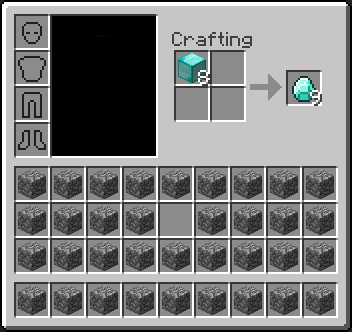
When crafting something that gives more than one item as an result (e.g. diamond blocks to diamonds, stairs, slabs) and not all resulting items fit into the inventory, the overflow gets deleted.
Steps to reproduce
1. Prepare your inventory like this (Put the diamond blocks into the free spot, instead of the crafting field)
2. Make sure you are in survival (/gamemode 0)
3. Craft the 8 diamond blocks into diamonds.
4. The expected result would be 72 diamonds (8*9), but you only get 64[^]What I was doing:
I was trying to turn blocks of diamonds back into raw diamonds using shiftclick, with one and only one inventory slot left in my whole inventory in which the diamonds could end up, this slot being blank.
What I expected to happen:
I expected to come out with 63 diamonds in that single slot, and have 7 diamond blocks consumed in the process.
What happened:
I ended up with 64 diamonds in that slot, and 8 diamond blocks where consumed in the process, thus deleting 8 diamonds.
Summary:
If you have one free inventory space and no other diamonds in your inventory unless the exist in a full stack, then if you turn 8 or more diamond blocks into raw diamonds using shift click, 8 blocks are consumed only yielding 64 diamonds, rather than the assumed result consuming 7 blocks and yielding 63 diamonds.
When crafting something that gives more than one item as an result (e.g. diamond blocks to diamonds, stairs, slabs) and not all resulting items fit into the inventory, the overflow gets deleted.
Steps to reproduce
1. Prepare your inventory like this (Put the diamond blocks into the free spot, instead of the crafting field)
2. Make sure you are in survival (/gamemode 0)
3. Craft the 8 diamond blocks into diamonds.
4. The expected result would be 72 diamonds (8*9), but you only get 64 2014-11-19_20.24.48.pngWays to fix
I mainly see two ways to fix this.
1. Check if there is enough space in the inventory before hand (This is probably a bit more work to implement as there is no such method, I think)
2. Drop the overflowing items.
While I personally prefer the first one, the second one should be easy to implement.
It is a one liner, but due to old copy paste code it would need to be change in several different spots (Villager, Player, Workbench, maybe also Furnace and Anvil).So for a nice fix some more generic Inventory/Container code would be good.
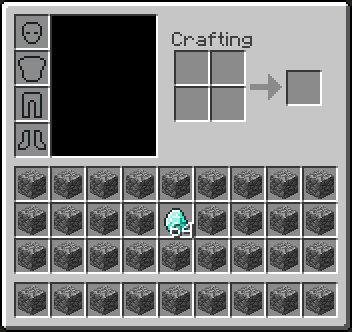
Linux
![[Mod] Ezekiel (ezfe)](../../../data/assets/gravatar/ezekielelin.jpeg)
The bug
When an item lands on the edge of a block, the client sometimes makes it fall over the edge while the server leaves it on the edge. This happens because the client thinks the drop can fall based on a slightly different location and attempts to predict the future incorrectly.
How to reproduce
- Throw an item on the ground and wait until it stopped moving
- Run in command block close to it:
teleport @e[type=item,distance=..6] ~ ~1 ~-0.6249
Code analysis
Code analysis by Marcono1234 can be found in this comment.
Fix
Fix by [Mojang] Panda can be found in this comment.
Just place a slab of any kind on the upper side of a block many times, and you'll sometime get one that converts to being on the bottom side of a block.
Description from MC-89850
When placing top- or bottom aligned blocks like slabs and stairs server and client disagree about the alignment of placed blocks
Doesn't happen in single player (or isn't visible), but on dedicated server or Realms.
Steps to reproduce:
- Place a block with a well defined center (e.g. stone bricks) at ca. eye level
- Take a stair or slab
- Aim slightly above the center of the block
- Place block
The results:
- Client places the block at the correct top alignment
- Server overwrites the block a split second later at incorrect bottom alignment
Screenshots show before and after placement (the in-between position is quite difficult to capture)
Code analysis by [Mojang] Panda in this comment.
First of all: This is NOT a duplicate of MC-108. This ticket actually assumes that the behavior described in MC-108 is intended behavior.
Second of all: Sorry, for finding another redstone issue just before the planned pre-release of 1.5, Jeb. :-/
UPDATE: I also made a video demonstration for the bug here: http://www.youtube.com/watch?v=e5hUYLC8Tms You don't have to read all the text anymore.
The setup
Build a setup like in screenshots "basic-setup-1.png" and "basic-setup-2.png" or download and extract MC-11193.zip into your worlds folder for a prebuilt version.
The behavior
Case A
Do this:
- Break the redstone wire somewhere.
- Reconnect it and try breaking it again somewhere else.
Expected behavior: The piston should always retract, independent of the location where the wire was broken.
Case B
Preparation: First of all, remove the redstone block at the very left. Then:
- Put a redstone block onto one of the blue or gold blocks.
- Remove it again and try placing it on another blue or gold block.
Expected behavior: The piston should always retract after removing the redstone block, independent of the location of the block.
Experienced behavior:
The retraction of the piston actually depends on two factors:
- From which location in the world was the redstone wire powered? (Or at which location was the wire broken?)
- Where is the piston located in the world?
The problem's source
The order in which redstone dust blocks that are part of a redstone wire are powered/de-powered seems somewhat undefined/random and seems both dependent on the location of the energy source and the location of those dust blocks. To better understand what I mean, do this:
- Remove the piston.
- Put a command block below each of the two wool blocks.
- Set the command block on the left (as on the screenshot) to "say 1".
- Set the other command block to "say 2".
- Power the wire from different locations or break the wire at different locations.
- Notice that the order changes in which the command blocks are fired.
This undefined powering order results in the following behaviour.
As described in MC-108, a piston can be powered diagonally from the top but needs a block update to adjust accordingly to the power level then. In the setup of this ticket, the magenta wool block can power the piston diagonally from the top. Additionally, the green wool block can power the piston directly from the top.
When de-powering the wire, you would expect the following to happen:
- The redstone dust block ontop of the magenta wool block de-powers which de-powers the magenta wool block itself. So the diagonal power source gets turned off. However, this does not update the piston yet.
- The redstone dust block ontop of the green wool block de-powers which de-powers the green wool block itself. As the green wool block is adjacent to the piston, the piston receives a block update. It then checks if it should still be extended and thereby finds out that it actually should retract.
In some occurrences this actually is what happens. Everything is good in those situations.
However, because of the random redstone dust wire powering order it occurs that actually the green wool block gets de-powered BEFORE the magenta wool block. In those situations, the following happens:
- The redstone dust block ontop of the green wool block de-powers which de-powers the green wool block itself. This provides a block update to the piston. The piston finds out that it is still powered diagonally (by the magenta wool block which is - at this very moment - still powered). For this reason it does not retract.
- The redstone dust block ontop of the magenta wool block de-powers which de-powers the magenta wool block itself. Since the wool block is not directly adjacent to the piston, the piston does NOT receive another block update.
In this situation, the piston simply gets stuck.
Conclusion
I always understood Mincraft in a way that every redstone contraption should be deterministic and independent of its location in the world, i.e. you should be able to build something somewhere and if you build the same thing somewhere else it should behave exactly the same. (Deterministic of course still allows bugs like MC-108 - even though this is a somewhat unexpected behavior, it is predictable and well-understood. Apart from that I still consider MC-108 a bug... but that's just my personal stance and does not have anything to do with this ticket.)
However, as described, the powering order of redstone dust blocks in wires is dependent on the location of those redstone blocks in the world. This results in a somewhat undeterministic behavior: If you build the very same redstone contraption anywhere else in the world, it would work differently - just because of a different wire powering order you encounter there.
To sum everything up: This ticket describes the need for a well-defined wire powering order to make redstone contraptions deterministic again (or at least "more" deterministic  ). IMO, the best resolution would be to simply "follow" the wire and update the power level step-by-step "on the way". This would also reflect real-world power currents best in this case. (Or to put it differently: You would also most likely expect this to happen based upon your real-world experience with power currents.)
Solution provided by [Mojang] Panda can be found here.
Several causes of this issue been fixed:
- Zombiefying a renamed Villager would not copy the PersitenceRequired-flag
- It was possible that a nametag appeared to have been applied while this was not actually the case for the server.
- Mobs in boats disappeared when they were saved in a different chunk than the boat
With the amount of duplicates this issue has it is entirely possible that there is still remaining issues of entities disappearing that have not been resolved. However these are most likely not related to nametags and despawning and should be tracked individually as their own report with context and if possible reproduction steps.
Thanks you!
The bug
When a few mobs were named with a name tag, some would occasionally despawn.

Changed reporter to [Mojang] Panda
Changed reporter to [Mojang] Panda
[Mojang] Panda: Just to be sure, MC-91370 is a duplicate of this ticket, right?

The bug
Minecart with high motion values are not able to pick up entities. Instead they just collide with them and stop.
Note: Armor stands are a special case which is described in MC-90923.
How to reproduce
- Place multiple powered rails behind each other and power them
- Spawn for example a pig somewhere on the track
- Place a minecart at least two blocks away from the pig on the track and push it towards the pig
Code analysis
Partwise by [Mojang] Panda
Based on 1.12 decompiled using MCP 9.40 PRE 1
The problem is that the picking up of entities happens in the method net.minecraft.entity.item.EntityMinecart.onUpdate() while the minecart is moved and stopped in the method net.minecraft.entity.Entity.moveEntity(MoverType, double, double, double). The onUpdate() method already uses an extended bounding box to pick up entities but if it has a high motion this extending is not enough. Increasing it even further might cause other problems.
Maybe the method Entity.moveEntity could call some methods for handling collision with entities.

This report is based on
Introduction
I really don't want to ruin what [Mojang] Panda did, but in my opinion this bug can also cause pretty great problems as it is inconsistent.
Lazy chunks are chunks are chunks where only redstone is processed, but entities are not. These lazy chunks are chunks that have less than 24 loaded chunks around them in a square area (itself in the middle).
Incorrect timing
As you can see in the second video falling sand in lazy chunks just instantly gets placed where it would land.
Loss of data value
You can see the first value that falling sand in lazy chunks loses its data value, which means that for example red sand becomes sand or damage anvils become unused ones. This could be easily fixed, however I strongly dislike this concept of different sand behaviour in lazy chunks in general.
The reason for this is that the default state of the block is used in the checkFallable(World worldIn, BlockPos pos) method of the /Client/src/net/minecraft/block/BlockFalling.java class (MCP 1.8 name).
This would be a possible fix:
private void checkFallable(World worldIn, BlockPos pos)
{
	if (canFallInto(worldIn, pos.offsetDown()) && pos.getY() >= 0)
	{
		byte var3 = 32;

		if (!fallInstantly && worldIn.isAreaLoaded(pos.add(-var3, -var3, -var3), pos.add(var3, var3, var3)))
		{
			//...
		}
		else
		{
			// Added
			IBlockState blockState = worldIn.getBlockState(pos);

			worldIn.setBlockToAir(pos);
			BlockPos var4;

			for (var4 = pos.offsetDown(); canFallInto(worldIn, var4) && var4.getY() > 0; var4 = var4.offsetDown())
			{
				;
			}

			if (var4.getY() > 0)
			{
				// Added
				worldIn.setBlockState(var4.offsetUp(), blockState);
				//worldIn.setBlockState(var4.offsetUp(), this.getDefaultState());
			}
		}
	}
}
How to reproduce
- Use the following command, replace [x] with: renderDistance * 16 (For example your render distance is 8: 8 * 16 = 128)
/setblock ~[x] ~1 ~ sand 1
- Go to where the sand was placed
If it had air below it, it will be now normal sand instead of red sand
Incorrect landing behaviour
You can see in the second video, that falling sand in lazy chunks behaves differently than normal. For example it just gets placed on the first block that is not air. This means that it will not break when landing on transparent blocks or gets placed in midair on a torch instead of falling through it.
The bug
Originally discovered by [Mojang] Panda in this video. To reproduce, place two chests across a chunk boundary (only some orientations may work), stand on top of one half, looking away from the two chests and move the camera up and down.
How to reproduce
Reproduction steps for standard superflat world:
- /tp @p -272.73 16.88 257.53 92.55 62.45
- /setblock -272 16 257 minecraft:chest[type=right]
- /setblock -273 16 257 minecraft:chest[type=left]
- Slowly look up and watch the double chest appear at the bottom of your screen
As these are just ghostblocks and not real blocks, I'd rather keep this bug, as - in case they're still working like before - they could be a sophisticated mapmaking tool };]
That being said, I know [Mojang] Panda wanted to work on some piston modification suggestions, to make pistons better, not so buggy, I've got no idea in what way it'd affect bugs like this.
Hope he can say a word or two regarding that 😸
He knows Slime- and Ghostblocks and their potential for the tech community best I guess.
Xavom I don't see much of a problem, if, as you stated, it got no implications whatsoever for mobs, water, minecarts, items etc., but is solely on the player's/client-side.
Not only can you do fun stuff with such ghostblocks like e.g. a ghostblock elevator: https://www.youtube.com/watch?v=sFAlX7TKz1s
or a ghostblock drawbridge where only you, but not hostiles can walk: https://www.youtube.com/watch?v=Og6bdoy92o0
In general, the Survival tech community embraces this bug for their contraptions, and it is not game-breaking, so, personally, and in favour of the tech community, I don't see any issues, even more so as ghostblocks are only a temporary thing and vanish or can be eliminated easily };]
I can also see good use for sophisticated, mind-boggling map technology.
I'm not sure about loss of items in waterstreams nor how ghostblocks affect loading/unloading of chunks, maybe [Mojang] Panda can help here.
It could be a really good argument in removing them, if it affects the gameplay negatively in any way, but I don't know enough about them to confirm this.
I'm aware that bugs need to be fixed, but I'd rather see the priority with really game-breaking bugs, for the Survival as well as Creative community, and let the tech community have fun with bugs that are rather "good bugs".
[Mojang] Panda Don't worry about "falling into my back", I trust your word 😸
That being said, of course I also say all bugs need to be fixed at some point, I just feel this one doesn't have to as much as others have to atm ;-;
So as it's client-side we can deduct what Xavom said about having effect on the chunk loading is not correct?
That would have been the sole argument for me to sort of priotize this bug here more.
- And, yes, the title (and description "You probably don't want this to be exploited to the extreme. Right?") should definitely be updated 😸
[Mojang] Panda NoAI:1 failing as in No Gravity anymore? That's "works as intended" due to another bugpost recently being fixed resolved: MC-96565
I added a workaround for the Creative community there.
According to [Mojang] Panda this should be fixed now because "Player entities ticking twice on servers" got fixed in pre-4.
He tested it successfully with lava damage.
Can anyone confirm other damages, e.g. void?

[Mojang] Panda why don't you just leave the version list out of the description, it's pretty obvious that it effects the latest version in the affected versions list
Please link to this comment in the description
The following is based on a decompiled version of Minecraft 1.9 using MCP 9.24 beta.
The reason why this happens is like [Mojang] Panda said, that the size of the FallingSand entity is not set when the constructor net.minecraft.entity.item.EntityFallingBlock.EntityFallingBlock(World) is called. This constructor is called when an entity is created based on the entity id only. FallingSand seems to be the only entity that is affected.
1) Place a sticky piston facing up.
2) Place a block on sticky piston.
3) Power the sticky piston
4) Stand on the sticky piston
5) Unpower the sticky piston
The player will then momentarily appear to sink into the block.
Note that this doesn't happen if a block is not attached to the piston.
This also happens if slime blocks are used.
[Mojang] Panda comments:
" I think this is not just for a piston retracting down, but also for ones in negative X and negative Z: https://youtu.be/tuPTiP09RBg "
Dale Ehrhart if you read[Mojang] Panda's comment, you'd know that that is caused by a combination of QC and a block update because air still updates air blocks, which will be changed eventually too.
TLDR:
- Minecarts can derail if at least 2 are on same track, bump each other and possibly accelerate (needs more testing)
- Reproducible for Minecraft 1.13 snapshots (noticed in 17w50a), confirmed for 1.12.2 by Xavom and [Mojang] Panda
- Derailing happens in the curves of a track
Derailing (of 1 of 2 carts, 1 containing an entity incl. player) seems to only happen with rails laid out in East-West direction, unless you have 3 carts on a track in North-South direction; derailing positively confirmed in this case for 2 carts containing mobs, 1 cart empty-
Currently unsure about directionality, in 1.15.2 pre-1, derailing happens for me at the moment solely in North-South-direction, if 2 entities are in a minecart, one can derail. (needs more case testing)- Derailing does not seem to happen if it's 2 carts only (with no entities) on a track as it seems you can't make them accelerate/not bump each other enough , they rather seem to drive together like train waggons (needs more testing)
- Empty carts which are on neighbouring rail lines, laid out East-West show a different behaviour than empty carts on neighbouring rail lines, laid out South-North; it seems the minecart collision box differs here, see video:

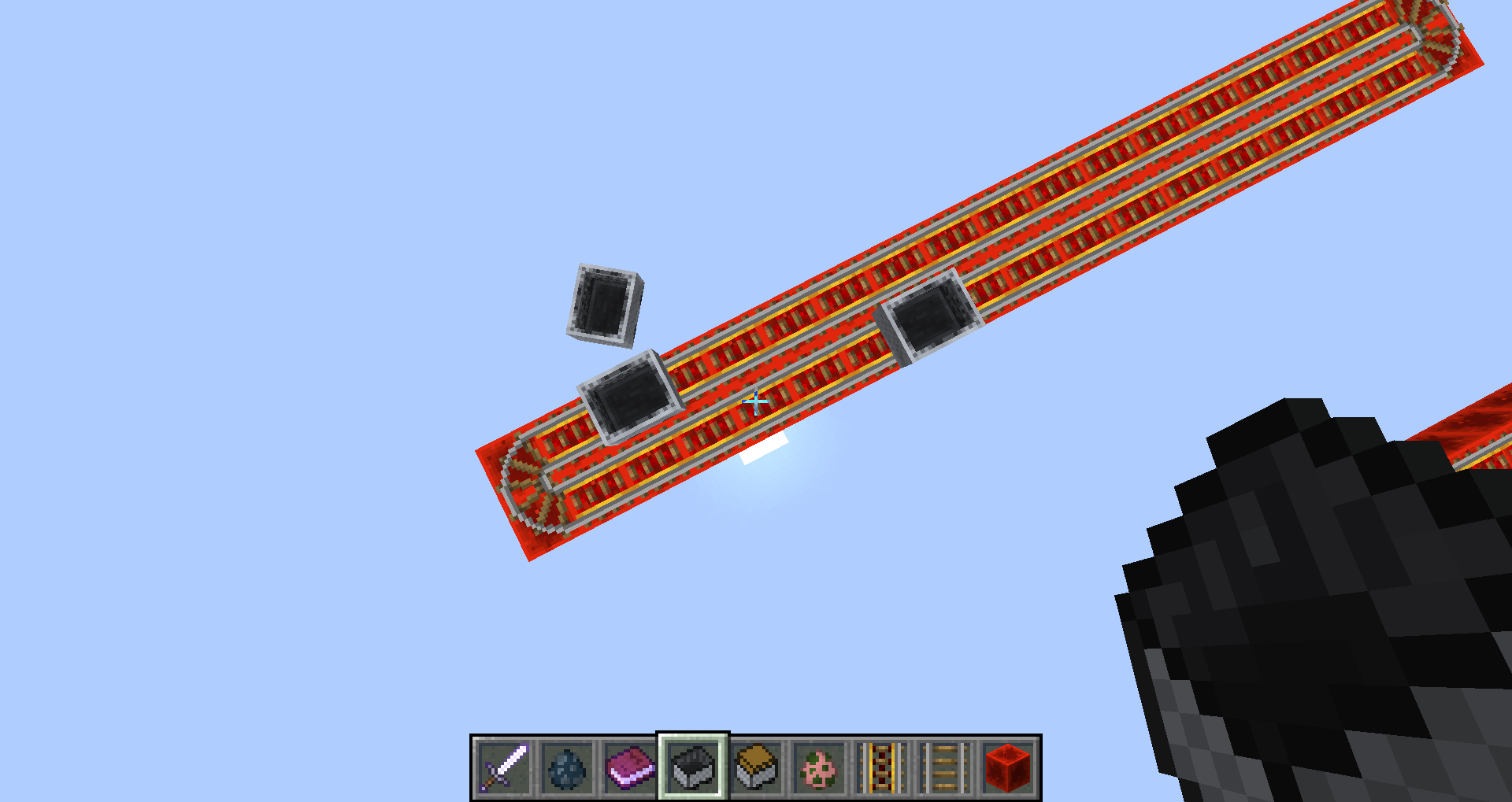

Also empty (not containing an entity) Minecarts can derail if there are at least 3 of them on a track;
this includes also the North-South-direction.
Currently suspected this is the case because in this setup they may not all be driving in the same direction, but one of them will be driving in the opposite direction, and the upfollowing "bumpings" or suspected accelerations may propel one of the carts out in a curve.
The same suspected accelerations seem to be happening if one of the carts stops and gets bumped by one of the others.
Because of MC-92165 I host I've got various different cart test tracks spread on my several bug test worlds; I noticed a derailed cart in 17w50a and after conducting some simple tests, this can be reproduced relatively fast. Use mc-123367.nbt in 17w50a or mc-123367_1-12-2.nbt in 1.12.2 to test it yourselves.
The derailing of 2 carts on same track only, one containing an entity (incl. player), seems to be directional (but needs more testing to be sure).
Short video proving this behaviour with one test conducted, see above.
Longer video with several tests in the same manner can be watched here: https://youtu.be/NdC3-KfTXls
I also noticed that when carts bump into each other, they seem to be more prone to simply stop their movement if rails are laid out in East-West-direction. This happens usually at the curves of a track (watch also Youtube video to see it in action).
I currently didn't see any derailing when it was 2 minecarts only, with no entities inside one of them, but more tests have to be conducted to verify this. This may be because of a needed gain in acceleration of a cart for derailing, which seems to happen by "bumping" into each other, which seems to be more often the case if one of them holds an entity (maybe due to the entity's hitbox sometimes bumping the other cart into the other direction).
Note that in the test track the 2 rail lines got no gap between them, which could maybe cause an interference between the minecart's and some entities' hitboxes.
Derailing happens in the curves of a track, same like the carts sometimes stopping their movement after bumping against each other.
Currently, I don't seem to be able to reproduce the derailing (pig in 1 cart, 1 cart empty) if the tracks are laid out in North-South-direction.
The stopped movement of the cart also seems to occur much more rarely with North-South rail tracks.
Needs more testing.
Additional info by Unarybit:
If you build rails like in the picture with a mob in a minecart on it and the player stands inside the "rail ring" at the height of the mob collision box, he is pushed around. It does not happen with just the minecart or outside the "rail ring". The effect is more visible when you fly.

The player is pushed around when the minecart is in the N / E (white) corner and the player is in the area of the white blocks.
The player is pushed around when the minecart is in the N / W (black) corner, and the player is in the area of the black blocks.
As you can see in this video:

I noticed in testing that the highest and most South or East double chest (south seems favored), with only one side (left or right) at a chunk border, would have contents missing upon opening in 1.13. If there is another chest further South or East within the chunk, with the long side (front or back) not along a chunk border, then the chests contents are not missing.
I opened the MC-134205_3.zip world that [Mojang] Panda added and switched on the command block. I was able to target on a chest that when opened would switch between half and full. Never replaced with glass though. Although other chests had been replaced with glass after several minutes. I am using Java 1.8.0_181 64-bit.
Many attempts at this and I noticed that often the game would kick out of the chest inventory GUI. I had the world running in the background with the chest open. Suddenly it paused and went to the Game Menu. The chest was not at a chunk border.
What [Mojang] Panda has revealed I assume is related, but Is it a different issue that this ticket?
Since apparently sometime in the 1.14 snapshots, summoning the enderdragon with end crystals results in blocks which are in the way of the crystal beams getting destroyed, see attached videos for demonstration, and here for a larger version: https://youtu.be/oViSZ26G-ew


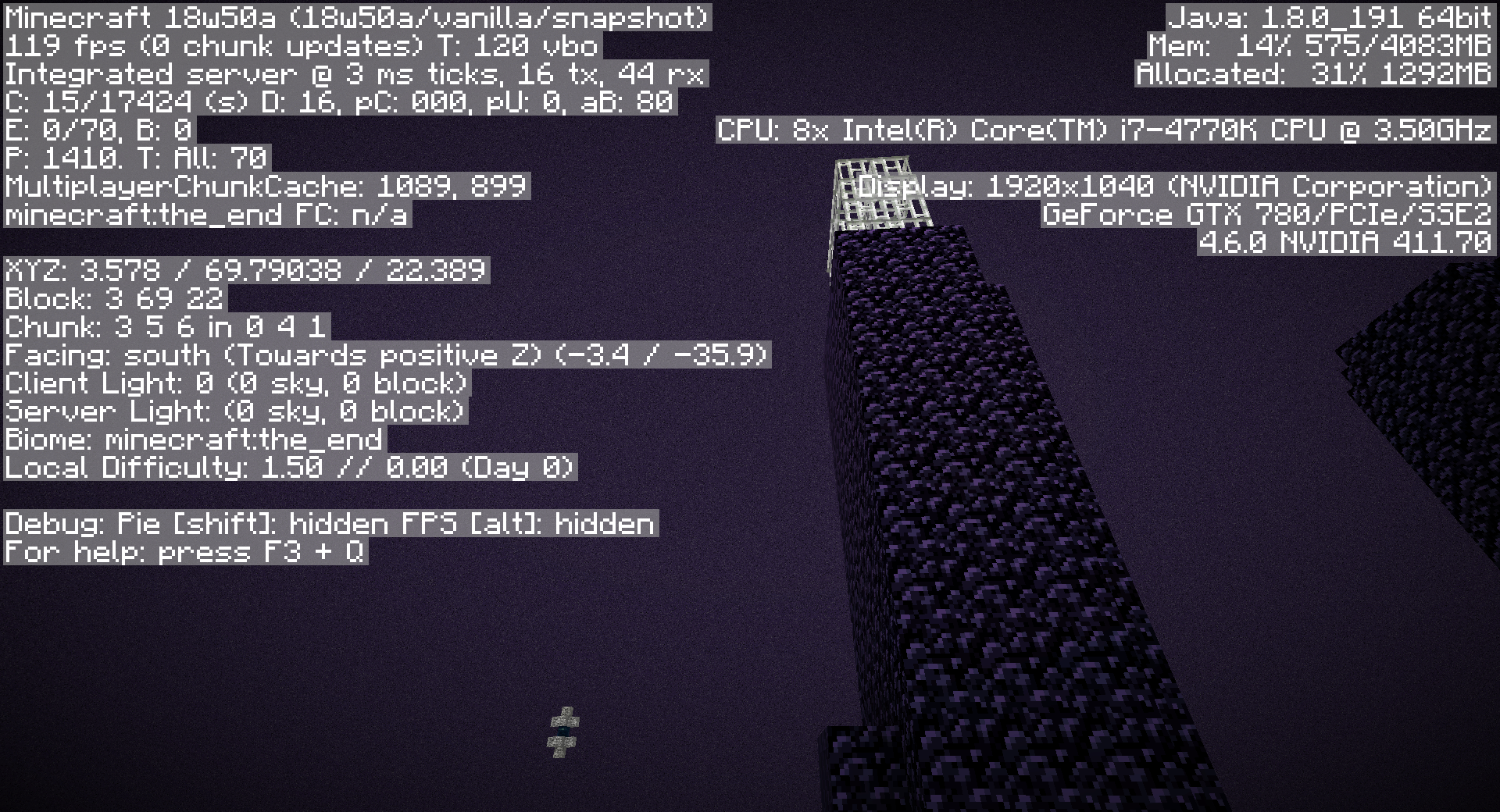
Confirmation incl. video by [Mojang] Panda: https://www.youtube.com/watch?v=qr8LzbeGi1U
This is valid for any block "in the way" of the crystal beams, it can be of course also e.g. bedrock.
It seems that the obsidian pillars generate differently than before, thus the crystals are off-target, their beams are offset, and thus can "chomp" those obsidian pillars or any blocks which are in their way (e.g. also the iron fences).
1.13.2 (left) vs. 18w50a (right)


When you have e.g. a renamed pig and it gets struck by lightning, it gets turned into a Pigman which still got the name of the pig, but its PersistenceRequired tag which was set to 1b by renaming is gone (= 0b), which results in despawning of this mob.
The same goes for e.g. a Villager turning into a Witch, the Witch will keep the Villagers' name, but will despawn/her PersistenceRequired tag will not be set automatically to 1b.
Now, at least with upcoming raids in Minecraft 1.14, and with the possibility that a previously Villager who gut turned into a Villager Zombie and then cured again to a Villager retains his old trades, this seems to be a logical conclusion that a "turned" mob should stay persistent, also considering that they keep the nametag-name after all.
This is not a suggestion, but I consider this a bug, however, it is completely up to Mojang to decide whether or not this is not a bug, but WaI.
Pictures of the PersistenceRequired tag etc. in this post, video by [Mojang] Panda here: https://www.youtube.com/watch?v=UIJYFFwi2NA
Sorry if I overlooked a bugpost for this issue, I looked around and couldn't find it, which I find puzzling, as I'm quite sure that it must have been mentioned already, but probably there are again no tags in the bugpost, or none with which I could find them.
![[Helper] Johnibur](../../../data/avatars/users/28381.png)
[Mojang] Panda Clone entities are tracked on the global entity list, but not the local one.
![[Mod] Les3awe](../../../data/avatars/users/79847.png)
@[Mojang] Panda, completed.
I was unable to reproduce by creating artificial lag like [Mojang] Panda suggested. What happens if I set the random tick speed to 10,000 is the lag is such that the chunks are not loading (or being sent) but notice the entities are present (in the "void"): 
If I increase the speed, eventually the server will crash upon exceeding maximum tick speed.
I didn't test lower values, it was just mainly rhetoric. If someone wants to tackle it, go ahead.
In short:
At least ender dragons summoned without a DragonPhase seem to be able to "bug out" and be positioned at x=NaN, y=NaN, z=NaN.
If a player teleports to that dragon, the worldsave crashes and you get the info:
"[Server thread/INFO]: <Playername> lost connection: Invalid move player packet received"

Upon trying to reenter, you enter the world very briefly, then get kicked with the same message, and your worldsave will be unplayable.
No crash report gets produced.
Video proof
Detailed:
To check on my bugposts related to ender dragons, I entered one of my according bugtest worldsaves.
In this worldsave is a (non-moving) dragon already waiting, summoned with /summon ender_dragon ~ ~10 ~
This time I did not see it and at first thought it was a visual problem (see https://www.youtube.com/watch?v=-7UESPgjZME)
I teleported to the dragon with /tp @s @e[type=minecraft:ender_dragon,limit=1], not knowing that it was at position NaN.
Then the crash occured:
[Server thread/INFO]: Meri lost connection: Invalid move player packet received

Worldsave is unplayable now, but I always make backups upon entering with a new MC version.
Last time I had entered this worldsave was in 19w07a.
I don't know what changed since then that the Dragon will be now located at NaN/NaN/NaN if it was not summoned with a DragonPhase.
This also evidently happens to not only newly summoned dragons, but also those which have been already summoned in an older worldsave.
Log
[15:35:13] [Server thread/INFO]: Scanning for legacy world dragon fight...
[15:35:13] [Server thread/INFO]: Found that the dragon has been killed in this world already.
[15:35:13] [Server thread/INFO]: Found that there's a dragon still alive (arw['Ender Dragon'/1515, l='Dragon Test', x=NaN, y=NaN, z=NaN])

This crash/bug is reproducible with the attached worldsave Dragon Test_Crash-Reproduction.zip.
How to reproduce
- Enter worldsave
- Note that there is a dragon boss bar, but you can't see a dragon.
- Teleport to dragon:
/tp @s @e[type=minecraft:ender_dragon,limit=1]
You'll lose the connection/get kicked with "Invalid move player packet received"
- Try to reenter the world, you'll be able to, but only for a very short time.
Note that in the log it'll look similar to this:<Playername> logged in with entity id 165 at (NaN, NaN, NaN)
and you'll get kicked immediately again.
Screenshot of player position NaN

Side note:
I don't know why, but when I summon an ender dragon and then kill it, it removes 9 entities. No matter if the dragon got summoned with or without a DragonPhase. (MC-146503)
Haven't searched yet if this was already reported; display of 9 killed entities confirmed by [Mojang] Panda.
/say @e[type=ender_dragon] also has 9 outputs, and all of them also have a different UUID, even though you only summoned 1 dragon before.
This happens also in freshly created worlds, be it the Legacy dragon or a freshly summoned one, when you execute the kill-command, it will find several dragons with different UUIDs and you'll be able to execute the kill-command several times. The amount seems to vary, so far it was either 6 or 7 or 9 times for me.
Can't reproduce atm, will try to, as soon as [Mojang] Panda and myself don't have to focus majorly on "real life" anymore, which can take a few weeks, still.
But I got all bugposts on my bookmarks and will reply to it asap!

I cannot reproduce the second half of step 7, as [Mojang] Panda said, but also not step 8. But the armour stand is actually gone after all these steps. Are there new reliable reproduction steps for the commands part?
![[Mod] violine1101](../../../data/avatars/users/92858.png)
![[Mod] j_p_smith](../../../data/avatars/users/92851.png)
I was also unable to reproduce this in 1.16.1. [Mojang] Panda's command now gives an error message as expected.
Hi [Mojang] Panda, thanks for making that clear, I've edited the issue a bit(before seeing your message), is it clear to you there still is an issue in your fix? As said in the edited issue, the "noise" min_y + height has a limit of 2031, which is 1 off, if I'm correct this 2031 should be 2032 just like the other "type" min_y + height.
![[Mod] SPGoding](../../../data/avatars/users/44622.png)
Does [Mojang] Panda's instruction above solve your issue?
Hi [Mojang] Panda, thanks for your response.
Nope, I can confidently say that this issue didn't occur together with MC-249431 as that was fixed in 22w13a, and I'm still able to reproduce this same problem (MC-249508) in 22w15a, however, I'm unsure if this occurred alongside any other chunk saving issues, so I apologize in advance about this.
I've just tested this now using a vanilla instance of 22w15a with a completely new generated world and was able to reproduce this. At the time of when I did so, no errors or warnings were printed into the game output console and in my testing, this appeared to happen the first time chunks were loaded. Unloading and reloading the chunks where this issue was present in didn't appear to change anything and the lighting error still occurred.
Below is some information on where I experienced this in 22w15a. I've also attached an additional video along with a screenshot. Please let me know if you require any additional details and/or information regarding this problem and I'll do my best to supply you with it. Thanks!
Seed: -168050448401021573
Coordinates: /execute in minecraft:overworld run tp @s -46.79 -39.73 242.87 201.68 42.11

Hi all,
Like a few before me I have attempted to fix some of the issues with the current implementation of redstone dust. It is both laggy and unpredictable, making it a pain to work with, and leading to it being the most avoided redstone component in the game. Before I get to my solution to these issues, though, I want to acknowledge the work done by Timothy Miller and [Mojang] Panda, as both have been an inspiration in one way or another.
My implementation is mainly developed as a Fabric mod but has also been implemented into Paper.
Like the other two implementations, mine does not solely address the lag issue. It is a complete re-write of the power propagation code, fixing MC-11193 in the process. It is not a re-write of redstone as a whole, however. I attempted to keep existing behaviors as much as possible while fixing the lag of and inconsistencies with redstone dust that make it hard to rely on. To be more specific, it addresses the following issues:
1. Redstone wire does unnecessarily many calculations. Each wire in a network may calculate and update its power level over half a dozen times before settling on its final value. Moreover, each time it does so, it updates itself six times, doing even more completely redundant calculations.
2. Redstone wire emits unnecessarily many shape and block updates. This is, of course, related to the previous point, as a wire updates all neighboring blocks (and itself) each time it updates its power level. However, even if only the previous point is fixed, there would be many redundant shape and block updates that can be removed.
3. Redstone wire behaves unpredictably. The order in which a wire updates neighboring blocks is dependent on the location of the wire. Combined with the chaotic nature of the brute-force algorithm with which it updates, this makes it nigh impossible to predict and rely on how a wire network behaves.
I have designed a wire handler that addresses these issues in the following ways:
- When a wire is updated, a breadth-first search through the network identifies all wires that require power changes, and finds any power sources around the network.
- If a wire is found to be unsupported, its removal and subsequent effects on power propagation are integrated into the search.
- Power is spread from the power sources outward to give each wire its new power level.
- Wires are updated in order of power level, from highest to lowest. This ensures power is spread most efficiently and makes the update order very predictable and intuitive.
- Each wire emits shape updates as it updates its block state, in the standard
{ west, east, north south, below, above }
order.
- Shape updates to neighboring wires are avoided, as they are redundant.
- Each wire emits block updates in an order dependent on the local direction of power flow. This leaves the update order nearly completely consistent across all locations and all orientations. All credit goes to Timothy Miller for this idea. Unlike RedstoneWireTurbo, however, my implementation exibits directional rather than random behavior in the cases where the direction of power flow is ambiguous, though this is trivial to change.
- Block updates to neighboring wires are avoided, as they are redundant.
- While Vanilla parity is not 100% preserved, by far the biggest change is that contraptions that are locational in Vanilla work either everywhere or nowhere with this implementation. Beyond that parity issues appear to be rare.
- The number of shape and block updates emitted is reduced by ~20x.
- The MSPT contributions of redstone dust are reduced by up to ~20x.
I wasn't able to reproduce this bug in 1.4.1 Pre.
The zombie turned into a villager after 3 to 5 minutes.
Only one in four zombies (randomly) is able to pick up items. I don't think that's a bug.
Has been fixed according to:
https://mojang.atlassian.net/browse/MC-251
Can someone close it please?
Has been fixed according to:
https://mojang.atlassian.net/browse/MC-251
Can someone close it please?
This issue can also be seen in one of Ethos LP Epsiodes: http://www.youtube.com/watch?v=fNCeUvilpfg#t=9m10s (He plays in 12w37a, but it is still the same issue.)
The problem is that the game searches for a portal in a huge area in the other dimension every time an entity tries to teleport.
@Simon Althaus Thanks for posting all these bugs. I was about to do that today ;D
Dublicates with https://mojang.atlassian.net/browse/MC-647
Dublicates with: https://mojang.atlassian.net/browse/MC-1079
Dublicates with: https://mojang.atlassian.net/browse/MC-541
I guess this one means the same bug: https://mojang.atlassian.net/browse/MC-491
@Joël Fivat
I'm not sure but I think the random update ticks which are needed for crop farms are not processed in this area.
I know that it is always loaded because I spawned a few chicken there and teleported 10000 blocks away. When I came back after 5 minutes the chicken have laid eggs.
There are two ways peaceful mobs can spawn (as far as I know):
1. On the world generation
2. Randomly like hostile mobs (not as often) if the mob cap is not reached (which doesn't work because of this bug)
@Mustek
Thank you for leaving it open. If I remember right they fixed the falling into the void bug in an other way now. So there is no need for that anymore. (Also you respawn at the bed you last slept in)
This does not only happen for emerald blocks. Most blocks are rendered as grey on the map. Also colored wool is always white.
This bug should really get fixed with the minecart improvements planed for Minecraft 1.5.
It's still happening in 13w01b.
@Tails
I can't confirm it for the current version (1.5.2). I guess it's not a concern anymore.
This is not only dublication items but also https://mojang.atlassian.net/browse/MC-63
@Tails Yes,
MC-15547is still opened. But it only is about the nether fortress bug.This one is suggesting to fix it for all structures so that something like this wouldn't happen again.
So if you mark it as duplicate please add the information about other structues to the other post.
It's not quite the same bug. Or is there anything about witch huts, mineshafts or strongholds in
MC-15547?@Tails Could you please add the information about other structures like witch huts to the description/title of the post?
I got the feeling in the comments it might not get the necessary attention. Thank you.
@Tails
I still think it would make more sense when the pigman spawn without a sword (Reasons in the post). I don't think that EvilSeph thought about these reasons when he "fixed" it.
I would be really thankfull if you could the game developers decide this by reopening this post.
@Tails Well then. Thanks for responding.
@Adrian The slime chunks are not part of the world generation. There is a method which tells if a mob can spawn at a certain locating or not for each mob. For slimes it's also doing some calculations with the chunk coordinates (and the seed) to determinate if it's a slime chunk or not. It's not connected to the world generation and there is no reason to change it. Just to make sure I also took a look at the latest snapshot. The slime spawning hasn't changed there.
@Talven There is just one problem: This isn't a dublicate of
MC-30450.Look at the crash reports.
MC-30450throws a NullPointerException while this one is saying: "et: Invalid index 3 requested for TranslatableComponent{key='commands.give.success'".The only thing these bugs have in common is that they happen when performing /give.
By the way this bug (
MC-30806) dosen't happen if your language is English (US).I don't think that any of the bugs in the duplicate section are duplicates of this bug.
MC-30806andMC-30850aren't for sure. You just need to take a brief look at the crash reports.For
MC-30818,MC-30832andMC-30851I can't tell for sure because they were posted without reports. But it looks like they have nothing to do with incomplete dataTags either.Please read the bug report to see if it's actually a duplicate. Currently over 7% of tickets are wrongly being resolved as duplicate. ;-P
As Lennard said. That's intended behavior.
You can't move noteblocks if they are in front of a piston eighter because they are a non-movable block (which is because they have a TileEntity).
What you have on the left side of the image should extend and move the slime block and the block below.
The thing on the right side can't move as a block of the structure (stone) is blocked by the obsidian. So it works as intended
It is not really a dublication bug.
The additional pistons you see there are only client side. If you right click them they will disappear.
Still something that has to be address though.
As Ganon said this is sadly a feature request.
I like it but it doesn't belong on the bugtracker.
Luckily this one is easy to fix.
Before a retracting sticky piston calls the method which moves the blocks it should check whether the block directly in front of it's arm can be moved.
I think that was even in before 14w18a but someone accidently removed it. cough
@edit Dang you Kabo! I just finished writing and you explained it already
I'm not sure if that can be called intended but here is how it happens.
It's just an update order thing.
At first the top piston tries to retract at first but can't pull the block because the arm of the lower piston is still in the way (As the slime block sticks to the upwards facing piston). Therefor it only retracts the arm.
After that the lower piston gets updated and retracts the block in front in as normal.
I your case I would just get rid of the lower piston as the upper one will retract the slime block and the upwards facing piston anyways.
Other than that you could try to make sure that the lower piston gets an update first (trigger it a tick earlier or something like that).
Here is how to fix it:
When a sticky piston retracts, it calls the method which moves the blocks.
In 14w18a this looks roughly like this:
if (!somebool) {
moveblocks();
}
In older versions it looked like this (which would also prevent this bug now):
if (!somebool && blockInFront.getMatierial() != Material.air && isMovable(blockInFront) && (blockInFront.getMobilityFlag() == 0 || blockInFront == Blocks.piston || blockInFront == Blocks.sticky_piston)) {
moveblocks();
}
I think we just accidently removed these checks when testing things. Adding them again should fix this bug.
@HexGrain
Let me try to explain why it was marked as duplicate to quasi connectivity.
To clarify that: I find it discussable whether is should be marked as duplicate or not as it is not only caused by quasi connectivity.
The problem you noticed there is dependent on the order in which the redstone line turns off.
This order is dependent on a few things. (for example: where was the power source or how many redstone are connected and also the state of internal data structures)
In total it adds up the an order which will look pretty much random to us. So don't try to find all permutations for this behavior. It isn't possible
Now the piston will only retract when, at the time the redstone on top turns off, all quasi connectivity blocks are unpowered already.
If an other order is picked the piston will stay extended because of the quasi connectivity. When then the quasi connectivity block gets turned off it doesn't update the piston. (as it is probably described in the post about it)
And that's how you end up with the extended piston there.
Now as it's unlikely to be fixed in the near future as it's really basic redstone behavior I at least want to give you an workaround.
Try to use half slabs instead of full blocks there. Slabs don't cause the quasi connectivity as they can't be powered. So no matter when the block on top of the piston turns of it will always be able to retract already.
@Mustek Sorry, I must have overlook the other post. Thanks for linking it
@Pokechu22 Thank you I changed it.
I found two more bugs which refer to the same issue:
https://bugs.mojang.com/browse/MC-9033
https://bugs.mojang.com/browse/MC-18450
@Tristan That's what we recommended in the post too. A new method in block for random updates.
We just would make it call the normal update method on default as that makes existing functionality stay the same. Of course you could use them as different methods then too. That was also one of our thoughts. It allows for cleaner and more flexible programming of new features.
Also the limitation you are speaking of would just happen for the redstone components which are listed in the post. And for these you don't want random updates while they are still on the scheduled list because the random ticks for these redstone components are to make sure that they don't stay in a glitched out (for torches also burnded) state. But if there is a scheduled update on the list the thing isn't glitched out. Only if the scheduled update got lost somehow and the component is in an invalid state it needs to be "fixed" by a random update.
This is not a duplicate of
MC-119. It wasn't even in the game whenMC-119was posted.MC-68081,MC-68231,MC-68454,MC-69067,MC-69080,MC-69440,MC-70898,MC-71921acutally describe the same issue but I didn't find them because they are falsely marked as duplicate ofMC-119.The listed ones should be connected to this one not to
MC-119. There might even be more. The list of duplicates onMC-119is long (And I bet full of more wrong duplicates. There can be more than one reason for mobs falling though the floor.).@KJP12 and @Kumasasa
The reason why I think
MC-69067is also caused by this bug is that the screenshot is showing exactly the conditions I described.https://bugs.mojang.com/secure/attachment/79961/2014-08-23_15.35.46.png
Thank you for relinking the tickets
Still happens in 1.8.1 pre 1 and pre 2
This is not a duplicate of
MC-119.MC-119is about mobs glitching into the floor.This one is about entities walking into ghost blocks.
By ghost block can appear when you mess around with slime blocks. The client might think the block is in one location while the server has it in an other.
There is also a post about ghost blocks already.
MC-631it is.Can someone relink it?
@qmagnet You could try to phrase the this-is-duplicate-message a little nicer. It's not a bad report and the search function isn't that easy to use. It sucks if you take the time to create an issue and then just get the feeling that you did something wrong. Please consider that
Not a duplicate of
MC-119.But probably the same as
MC-72868, and therefor fixed already.Try to reproduce it in 1.8.1_pre2. It should be gone.
Did you punch the skeleton?
If so it's the same issue as
MC-72868(and notMC-119) and therefor fixed in 1.8.1_pre2.It's probably not a duplicate of
MC-119.Do you have a half slab or stair floor? If so it's an issue I will make a more detailed post about soon.
This is not a duplicate of
MC-10.MC-10is about a visual glitch.I think this has been fixed by now though.
Can anyone reproduce it in the latest version?
The mobs really get out of the pan right?
In this case it's not a duplicate of
MC-10.That's why I'm asking.
The way the blocks are placed behind it make it likely that it's because he did.
Ok, that's odd. Not even double slabs?^^
It still happens. I was able to reproduce it in 1.8.1_pre2.
Video: https://www.youtube.com/watch?v=Cc0RkOE_uT4
(I forgot to open the debug screen but it's 1.8.1_pre2)
The video also shows an easy way to reproduce it.
I describe it in more detail in a new post:
MC-73302Screenshot with debug screen which was made directly after the video (linked in the text). I forgot to open it in the video.
Shows that it was done in 1.8.1_pre2 and the setup for the easy to reproduce things.
The executing twice still happens in 1.8.1-pre3. Sometimes causing an exception (see below).
But the main issue of hanging seems to be gone. Thank you
$ java -jar minecraft_server.1.8.1-pre3.jar
[21:22:36] [Server thread/INFO]: Starting minecraft server version 1.8.1-pre3
[21:22:36] [Server thread/INFO]: Loading properties
[21:22:36] [Server thread/INFO]: Default game type: SURVIVAL
[21:22:36] [Server thread/INFO]: Generating keypair
[21:22:36] [Server thread/INFO]: Starting Minecraft server on *:25565
[21:22:36] [Server thread/INFO]: Using epoll channel type
[21:22:36] [Server thread/INFO]: Preparing level "world"
[21:22:36] [Server thread/INFO]: Preparing start region for level 0
[21:22:37] [Server thread/INFO]: Done (0,954s)! For help, type "help" or "?"
[21:22:38] User Authenticator #1/INFO: UUID of player Panda4994 is 225a47c7-b792-4233-8d6d-d51e102b08f8
[21:22:38] [Server thread/INFO]: Panda4994[/127.0.0.1:44929] logged in with entity id 261 at (-44.940450747439314, 73.0, 27.867319105772793)
[21:22:38] [Server thread/INFO]: Panda4994 joined the game
[21:22:51] [Server thread/INFO]: [Panda4994: Stopping the server]
[21:22:51] [Server thread/INFO]: Stopping server
[21:22:51] [Server thread/INFO]: Saving players
[21:22:51] [Server thread/INFO]: Saving worlds
[21:22:51] [Server thread/INFO]: Saving chunks for level 'world'/Overworld
[21:22:51] [Server thread/INFO]: Saving chunks for level 'world'/Nether
[21:22:51] [Server thread/INFO]: Saving chunks for level 'world'/The End
2014-10-28 21:22:52,167 ERROR Attempted to append to non-started appender SysOut
[21:22:52] [Server Shutdown Thread/INFO]: Stopping server
2014-10-28 21:22:52,168 ERROR Attempted to append to non-started appender ServerGuiConsole
Exception in thread "Server Shutdown Thread" org.apache.logging.log4j.core.appender.AppenderLoggingException: Attempted to append to non-started appender ServerGuiConsole
at org.apache.logging.log4j.core.config.AppenderControl.callAppender(AppenderControl.java:89)
at org.apache.logging.log4j.core.config.LoggerConfig.callAppenders(LoggerConfig.java:425)
at org.apache.logging.log4j.core.config.LoggerConfig.log(LoggerConfig.java:406)
at org.apache.logging.log4j.core.config.LoggerConfig.log(LoggerConfig.java:367)
at org.apache.logging.log4j.core.Logger.log(Logger.java:110)
at org.apache.logging.log4j.spi.AbstractLogger.info(AbstractLogger.java:1011)
at net.minecraft.server.MinecraftServer.s(SourceFile:373)
at pf.run(SourceFile:716)
According to
MC-72806it's fixed.Also I can not reproduce it in 1.8.1-pre3 any more while I can in earlier versions.
It's fixed
It still happens in 1.8.1-pre3
Easy way to reproduce it:
/fill ~ ~ ~ ~1 ~ ~1 minecraft:chest
I would expect that won't fix be fixed as insomniac_lemon said. Of course that's up Mojang.
Still happens in 1.8.1-pre3
@Talon2863 It's possible that this issue includes solid blocks in some way.
A while back mobs glitched through wooden floors when you looked at item frames because the renderer changed the collision box of wood to render item frames.
What kind of solid blocks is it? Maybe there is some cross connection there. Even though I doubt it.
I also just found
MC-1635which is describing the issue for chests and anvils.I can confirm for 1.8.1-pre3.
It also doesn't display the random text in chat on unicode.
It's §k for random text though.
Steps to reproduce:
1. Get a writeable book and open it.
2. Copy paste "§kTest" into it. You should now see random text. (Unless you did step 3 already)
3. Go to the language settings and enable "Force Unicode Font"
4. Open the book again and see that the text is not random now.
You probably stood on a coal block. Coal blocks are flammable.
Vines don't prevent tree growth any more.
Trees now just grow around the vines (
MC-29853).@Kumasasa
Yes, it's the same as MC-11193.
It's caused by redstone updates being organized using a hash map which makes the update order seemingly random.
It still is this way in 1.8-pre3 as MC-11193 says. (I also tested it.)
This still happens in 1.8.1-pre3.
Easy way to reproduce:
1. Summon a villager
2. Use up all his trades in one go.
3. Unload him within 2 seconds after you closed the GUI. (Easiest is to Save & Quit)
4. Next time you want to trade with him the trades will still be Xed.
The reason for this bug is that the delay till the villager unlocks trades is not written to NBT.
Can you please attach a crash report?
This issue is gone.
If you now (1.8.1-pre3) throw a enchanted bow at a skeleton that can pick up loot it will pick it up.
@Talon2863
Hmm wood blocks might be affected. You may remember when item frames where added looking at them made you drop through wooden floors because the hitbox of wood was used for the rendering of the item frames. So that was this bug. There might still be something like that.
@[Mod] Sonicwave
It's likely. Doors can for sure be affected.
Now also confirmed to crash on Windows thanks to Twitter user @Robitobi01
And Osx is confirmed to crash too thanks to RedstoneSpire
@[Mod] Pokechu22
MC-72943seems to be it. Thank you for linking itWay to reproduce
It works with any entity that can teleport besides the player and with end and nether portals.
There might also be other situations in which this bug appears but this is one where it shouldn't for sure. To be clear: This deletes entities instead of porting them!
Possible reason for this bug
I assume that the reason this is happening, is that when entities are teleported to an other dimension they get duplicated and their clone is sent to the other dimension.
The cloned entity probably has the same UUID and therefore causes this problem.
Thank you for taking the time to post this bug.
However to be helpful to the developers you should try to follow the Guidelines for Bugposts.
Try to find a title that describes the issues. For example: "Head of player model doesn't render properly in survival inventory".
In the post describe in more detail what is wrong, what you would expect and if you know also how to reproduce the bug.
Also a (forced) crash report would be nice to see what system you are running on. Press F3+C for 10 seconds to force a crash.
If you want this bug to be fixed it would be nice if you could take the time to update the bug post
Can confirm for 15w31b. See crash_15w31b.txt
I think
MC-72943covers this issue. It has some randomness to it and also happened in 1.8.x to me.Definitely something that should get fixed better sooner than later. Even a possible candidate for a 1.8.9 in my opinion.
MC-82828is posted for the same issue. If you can find a way to reproduce the bug that would be really helpful, as that is missing so farGood news:
MC-82824is about the same issue and marked as fixed alreadyWhy shouldn't the water layer flow down? You threw a bit of water there after all, right?
Meri Diana had a nice graphic showing some of the changes in her video: https://youtu.be/z6JElCK7Gms?t=40s
Can confirm for 14w31c using portals (see my previous comment). Can someone add that to the affected versions, add the steps to reproduce to the post and set it to confirmed, please
@[Mojang] Grum (Erik Broes) doesn't make sense and breaks stuff.
I get that there are repositions and I agree for the most part that they are a good thing.
But the one in the head slot of an armor stand which is visible in the bottom right of C.png
That the item is higher is good and is something we can adapt to, but why isn't the item in the center of the armor stand, but instead set back?
Please consider changing that unless there is a good reason.
Thank you
@[Mojang] Grum (Erik Broes)
Yes, it looks good for players/mobs. I fully agree with that.
But not for armor stands. For armor stands it would look good if they were centered and enable people to keep doing their creations.
Thanks a lot for replying
Same as/connected to
MC-82945, I assume. Is there also a warning in the console whenever a golem goes through the portal?I won't attach a crash report for every new version form now on. But I just tested it for 15w33b and 15w33c. Still happens.
Can confirm for 15w35e. I think the issue is just that a buffer needs to be grown.
MC-69595is the same for chicken. They should probably be linked together and the chickens should be added to the list here (they can just added to the Cow/Mooshroom as it's the same issue)This is not a dupe of
MC-54954. This one here is about extending pistons as well. Slime blocks only "bounce" but don't move the entity. That is the issue here. The other bug post is about blocks that get retracted neither bouncing nor moving entities.I just made an other post (
MC-88101) which in fact is a dupe ofMC-54954but more detailed. So you just missed by a bitCan confirm for 1.8.8 and 15w36d.
Steps to reproduce:
 )
)
1. Prepare your inventory as shown in 2015-09-05_04.38.44.png
2. /gamemode 0
3. Open th crafting menu
4. Take one of the diamond blocks and move it in the crafting field (2015-09-05_04.38.57.png
5. Shift-click the diamonds out of the crafting result.
6. You got 64 diamonds and 1 block (together 73 diamonds) insteast of 63 diamonds and 2 blocks (together 81 diamonds). So you just lost 8 diamonds.
To fix this either it should be checked before crafting if there is enough space in the inventory, or the items that are over should drop.
Can confirm for 1.8.8 and 15w36d.
Can confirm for chicken, cows and horses in 1.8.8 and 15w36d.
Added a map download with most (maybe even all?) mobs.
This can probably be useful to test it in future versions or even while changing it.
[Mod] Torabi Thank you for clearing that up!
I guess it's not even always obvious for people with programming experience as the overall goals are not always known/communicated as you did here (It probably should have been clear looking at the developments of AI-System though).
So it's not that much "Won't Fix" but "Fix proper later".
I find that most bugs are caused by old bad code design in one way or the other. I wonder how their "code that needs to be rewritten"-list looks like
[Mojang] Grum (Erik Broes) Awesome news! Thanks for the heads up!
Thank you for working on these issues!
While trying to test it I noticed that something is still broken.
I opened
MC-88833for itSo it is intended to have code in there that can only be executed when abusing light glitches and would (if working) break many builds?
I just want to make sure the post was read and understood. This is not about melting snow layers, I know that is intended.
It's about the melting of snow blocks that don't melt (which is good, but the not melting should be a feature and not just due to a bug).
Thanks for reading this. I hope I was able to explain the issue properly.
You figured it out and fixed it in ~5 mintues? Good job!
Looking forward to the next snapshot now
[Mojang] Grum (Erik Broes)
I found a few minor issues probably related to this fix:
MC-88863andMC-88870.Also for block 36 there is an issue where it rather uses the hit box of the block than the collision box, I think.
So if you have something standing on top of fences and move the fences sideways with a piston below it, it falls through. (Because the block 36 of the fence is just 1.0 blocks tall, not 1.5 as the collision box)
This might not be new, but I guess it is still related to the change.
Surprisingly few bugs for the far reaching change though :-P
The behaviour inside fences was based on a heavy and far reaching bug.
Fences have space there where the items can lie. The items are only intended the fly up if they are stuck inside blocks.
In general item elevators work again in 15w38b. Just the simple design by test137E29 won't anymore. But as mentioned that was based on a heavy bug, so I won't expect to get it back.
This bug was fixed in 15w38b
Yeah, it's always annoying when you have to rebuild things because of bug fixes, but item elevators like this one should still work fine: https://www.youtube.com/watch?v=B8SKJCP-SCw
So it's a fix we should be able to live with (especially because of all the positive effects of it), I think
Can confirm for 15w38b, also I agree with Wululululu that the title could be a bit more clear about the deletion of items
Can confirm for 15w38b.
[Mojang] Grum (Erik Broes) Thank you

I will update the list after the next snapshot, with the ones that still seem odd.
After that you maybe can just put an "intended stamp" on the ones that got good reasons to be that way as Meri suggested
Meri Diana
I planned to do so anyway, but didn't get to it yet. It would be easier to wait for a full release with MCP to do that though.
Can confirm for 15w38b.
Also it should be noted that the client which doesn't show the skin prints this:
It gives a pretty good idea where this bug is coming from (as well as Heikki Taalikka's hack to fix it)
Yeah, it definitely is caused by the (awesome!) recent changes to how pistons move entities.
I'm not sure where exactly this one is coming from yet, but I'm sure it can be resolved without backing off the previous fixes
tim Biesenbeek In 15w38b this bug is fixed (that pistons don't move entities at all).
The video you uploaded shows
MC-89043. It would be nice if you could add it thereMC-89043only applies to the player though. If you also can reproduce it for other entities, please make a video and add that too.qmagnet Ture, the title could have been more clear
[Mod] Torabi ProfMobius (Thomas Guimbretiere) Thank you! That's pretty much what I was thinking when finding out about it. It's nothing severe, but something that should be looked at eventually
[Mod] redstonehelper I think they were missing, I just updated the list. But your comment just got me to think about it again. I will update the list again, trying to explain why some mobs probably won't get an exactly fitting hitbox.
In the case of witches for example, they always fit below 2 high spaces. So it probably is intended to stay that way, so their head doesn't count. That is of course just speculation, but it makes a lot of sense and seems to me like [Mojang] Grum (Erik Broes) thought ahead there
Nick Denton Which version? It seems to be fine in 15w39c
Done updating the list for now for 15w39c. I added for things that seem wrong at first look but got good reasons to stay that way. Confirmation about those being intended that way would be nice

Also the list is getting shorter
I think this issue has been resolved recently. (15w39c)
There are still a few hixboxes wrong, but I think villagers and skeletons are now as intended, see
MC-50367It just happened to me on stream in 15w40b. So I can confirm for 15w40b.
Updated the list.
The only thing that changed since 15w39c is the player hitbox while sneaking.
Sorry that I have been a bit inactive on here lately. I should have some time to update my other issues "soon"
Can confirm. This should get fixed before the full 1.9 release. Otherwise people using hopper minecarts will run into this issue without knowing what's it about.
It also applies to summoned HopperMinecarts.
"/summon MinecartHopper" will create a Minecart with Enabled:0b. The default state of the Enabled-Tag should probably just be 1b.
Steps to reproduce:
1. Create a world in 1.8.8
2. Place a hopper minecart.
3. Load the same world in 15w49b.
4. Throw an item at the minecart. It will not pick it up.
Alternative (just in the snapshots):
1. /summon MinecartHopper
2. Throw an item at the minecart. It will not pick it up.
Can confirm for 15w50a.
I don't think the problem is that it starts to early.
The problem is that the camera position jumps by almost two blocks.
It would be fine that the flight starts if that wouldn't happen.
I think
MC-90810andMC-93031describe the issue well.Meri Diana Sorry for falling into your back there Meri but I don't think the argument should be about whether ghost blocks need fixing or not.
While it's in some cases fun to play with them, they are still super derpy and unreliable behaviour that should be fixed eventually.
Xavom Items shouldn't be affected by ghost blocks. At least not really, but just client side. It might look like the item disappeared but after reconnecting it should be in the right position again. The loss of items is almost certainly unrelated to ghost blocks.
Ghost blocks are blocks that just exist on the client side of the game, but not for the server. You can't mine them to get the block back and they will disappear when relogging or when updating them (e.g. right clicking).
The title should probably be updated as this is by far not as severe as duplicating blocks
Meri Diana
I agree with that.
What Xavom said is most likely unrelated to ghost blocks, unless it only happens in single player and would be caused by some cross connection between the client and the internal server. But I don't think that is the case.
Is there a bug post about what he described?
Seems unchanged since 15w49b compared to 1.9pre2.
Also something weird is going on with the test world (NoAI-Failing?) but it still can be used and that is the topic for a different bug post.
Meri Diana Thanks for the info. So that's already taken care of

It's a bit weird how it still works for armour stands but it's probably all discussed in the link you posted already
Christopher Smith If it was in 15w06a or later they will spawn like on the red circle. So further away from spawn.
[Mojang] Searge (Michael Stoyke) Thanks for looking into it and fixing the eye of ender issue.
I was hoping the better distribution could be used while keeping the inner circle at the same size as it used to be as the increased distance to the first strongholds feels quite far to me as a survival player.
Thanks anyway
I could reproduce it.
Here is what I got so far:
1. @a is not needed (was to expect)
2. y-coodinate doesn't matter it seems
3. It doesn't work with all coordinates
4. The two coordinates used in the bug post are in different region files.
My guess is that when teleporting to a different region (or section or chunk or something like that) the player entity is removed from some list for one region and added to one of an other region. Under certain conditions (as in the bug post) that fails (maybe just for the client or just for the server and not both) and causes some check or update to fail for knock back.
To narrow the cause down we should try to find out what properties the coordinates of the teleport commands for which this happens have in common. (Also the initial position might matter)
This tool might be helpful when trying around with different coordinates:
https://dinnerbone.com/minecraft/tools/coordinates/
user-f2760 Good point. The idea was that I don't have to update the full list every time when some of them are still in a newer version.
I just added a note below now, saying when I last went and more carefully checked all of them.
user-f2760 I know that the issues is resolved, but it's kind of an inside joke that I keep updating this issue
I thought noone would mind my updating of it. If it's annoying I can of course stop.
Danny N The behaviour of the endermen you show is unrelated to this bug post. It happens because endermen have a step height of 1 block (it should be similar with horses).
They don't get warped by pistons in any way in your video, just pushed regularly.
You could also reproduce the behaviour you show by using /entitydata on the endermen to set their motion.
So please open an other report about that to avoid confusion. Thank you
[Mod] Torabi DicoTheRedstoner I can confirm that it is caused by the update order.
Currently: west east down up north south
Depending on if the piston in front or the one below get updated first the circuit behaves different.
It's impossible to avoid all directional behaviour because the updates need some order, but the y-axis shouldn't be updated in between the two other axis.
Because that causes everything that depends on something updating a y-direction before a horizontal one or the other way around, to be directional.
The question is: What order would be best?
Y-Last: west east north south down up
Y-First: down up west east north south
Y-Split: down west east north south up
I think it would make sense to keep the horizontal directions in the same order they have been before to minimize the things that would break. I also don't see any advantage changing it.
Of course you could also switch the places of up and down in all of these.
No matter how you change it, it would break some things that depend on update orders. They would be fixable though.
I made a mod that allows to set the update order with a command (E.g. /updateorder west east north south down up).
If you want to try how different update orders would behave you can download it here: http://www.mediafire.com/download/b9mjwuimu2ei7wg/1.9_UpdateOrder.zip
Video about it with a more general/theoretical approach: https://www.youtube.com/watch?v=aRr3NpmQiCg
A good way to reproduce this is to reload the world while a piston is triggered.
I attached a world in which each tick one piston fires, which probably guarantees the crash.
In the linked crash reports it's a command block, but it likely has the same cause.
I didn't see any info about pistons here. I assume there is another report?
It might be worth linking the reports together then, as it clearly is the same crash message and both cases were added in 1.10.1, so it's not far off to assume that this has the same cause.
As pointed out by [Mod] md_5 replacing the non-order-keeping HashSet with a oder-keeping one (e.g. LinkedHashSet) would make it symmetric regarding changes in position.
But the order would still be very directional and counterintuitive.
Also when fixing it, unnecessary block updates should be reduced (see MC-81098).
A possible way to update redstone in an "along the wire"-order and remove the performance issue on unpowering it, would be to first evaluate and set the new state of the whole wire and then cause each update just once along the wire.
The problematic case when turning off a wire that's still powered from an other source could be solved by turning off all connected wires (all that get powered by this one anyways) first.
When all of them are off they get turned back on starting from the other power sources.
I attempted to implement such a solution.
Mod: http://www.mediafire.com/download/okhobwmcj4e8jqa/1.10_RedstoneFix.zip
Code: https://gist.github.com/Panda4994/70ed6d39c89396570e062e4404a8d518
Video: https://www.youtube.com/watch?v=NEMARMNvDsw
The main goals of the implementation were:
Some of the changes made in the mod are simple improvements and I doubt they have downsides.
For example when the blocks around the wire get updated it used to update all surrounding blocks of all surrounding blocks and itself.
So each time a wire updates its neighbors 42 block updates are caused, while 18 of them are repetitive (17 if the update on itself is needed).
To avoid that I made a static List of Vec3i containing the offsets of the positions that need to be updated.
However, other changes are a bit weird or imply some follow-up changes on other redstone components.
This quite a change but in the 1.9 update the same was done to pistons, so it seems logical to apply it to redstone too.
In the mod blocks that actually get powered by the wire get updated first.
To do so I created a method canBlockBePoweredFromSide() which checks if a block can receive redstone power from a certain side.
At the moment it is a bunch of instanceof-cases for all blocks that have special behaviour regarding redstone.
If this was actually adapted it should probably be changed to be a method of Block.java that gets overridden by the blocks with special behaviour regarding redstone and works with a fancy PowerSource-Enum and stuff like that.
There are two reasons why this is needed.
The first one is that there are cases where updates from the start of the wire could cause changes on blocks further back, making the order of changes less logical again.
The piston on the right is connected closer to the power source, but without this check the one on the left would receive an update first.
This is probably the weirdest quirk in the mod.
The not-really-needed-updates are updates that will only have an effect on block update detectors.
The only reason I put them in is to keep old behaviours working. For the same reason they are in a backwards order, because that is closer to the order the recursive updates would have generated.
I know this is a weird and specific quirk, but I found a few (very timing specific) builds that would break if the order wasn't reversed for these updates.
For example if there is a lever in the center of a diamond shape of redstone wire and you turn it on, you would probably expect the updates to wander out in a diamond shape as well.
However currently the wire west of the lever will turn on first, as it receives the initial update and then the diamond shape emerges from there.
This is something that's not perfect with the mod yet, but changing it would require to change how other blocks trigger redstone updates.
As the mod already works with sets of wire positions, it would be possible to make some adjustments to allow triggering the algorithm with several wire positions instead of just one.
So all wires around a lever could be added to the set, before the algorithm starts working.
In case this idea would be considered, there might be many more elements on the lists in some cases.
So it might be necessary to replace the current use of lists and contains calls as set with a remove-first-method with something with a less expensive contains implementation.
This is not so much a problem than rather a logical conclusion from the decision to make the update order logical.
But it feels inconsistent with how other redstone components currently update their surrounding blocks.
So I think if this fix was used, other redstone components such as repeaters or torches, should use an update order following the same principles.
However this would break quite a few old designs, as repeaters and torches already follow an order. (Other than redstone wire for which the order was basically random before, which gives the freedom to just decide on a good order without breaking designs)
This is the main concerns I have with this fix, but I would like to get some feedback on it.
Also I would be interested in finding designs that worked position independent before, but won't work in the fix. I tried quite a few huge and fast builds, but the only things that broke were positional before, so it's unavoidable for them when fixing this bug.
I attempted to create a fix for this and MC-11193.
There is a more lengthy post about it over at MC-11193.
Also I can confirm for 1.10.2
[Mojang] Jeb (Jens Bergensten) Thank you a lot for the fix notes! Really helpful
As you said there are a few side effects with aligning hoppers with the game tick.
Since hoppers can interact with components that can change in every tick, hoppers will appear to have a bit more or less delay dependent on the time they were triggered.
Many designs that use hoppers for timing will now have 5,6,7 or 8 ticks delay at random and considering random factors in redstone designs is always tricky for the player.
@_Eta740_ pointed out some of these cases on Twitter: https://twitter.com/_Eta740_/status/763452453303967745
The issue comes from the way the hoppers cooldown is reset when another hopper places an item in it.
It only resets the cooldown if it was ready to transfer items already. If the cooldown was almost done before it stays there.
Which can lead to neighbouring hoppers having almost the same cooldown (see Jeb's comment).
Resetting the cooldown each time an item is placed inside the hopper is not really an option, because then hoppers that get fed from two sides would just not transfer anything out.
Potentially an alternative hack-solution for this issue could be to also reset the cooldown to 4 if the hopper was empty before and the cooldown was not done yet.
It's such a specific case that it probably wouldn't affect too many other cases (even though it probably would allow for some kind of "super charged hopper line").
More generally I think that the cooldown is used for two things here:
1. Limiting the hopper to one action every 8 ticks
2. Making sure each item stays for some ticks inside the hopper
Handling the second case on a per stack basis instead would make the timings more predictable (e.g. when a stack was added to an empty slot it can't be moved out for 4 ticks).
Tricky as always with redstone changes.
Thanks again for the fix notes!
I can confirm.
Just going from the (really helpful!) comment by Jeb at
MC-105560you can derive why.Hoppers only transfer items when the game tick modulo 4 is equal to 0 since the change in 16w32a.
So depending on the gametime it is triggered at you get different results:
4 ticks for gametimes 4*k
5 ticks for gametimes 4*k+1
6 ticks for gametimes 4*k+2
7 ticks for gametimes 4*k+3
(for all k >= 0)
Please reopen this post and link it as related to
MC-105560.Here is a good way to reproduce it. All command blocks need to be on "Needs Redstone" and there needs to be one item in the dropper.

 )
)
(Thank you user-f2760!
I don't see through it completely yet, but to me it looks like the problem mainly is how the data is handled on the client side.
When summoning an item with the command by [Mod] Ezekiel (ezfe)
there shouldn't be any reason for it be be affected by relative movements as it never moved.
From the looks of it the client keeps track of the position it believes the entity has on the server with 3 longs which store an encoded position.
Even when an absolute position update is send the accurate information gets thrown away when encoding it into the long-fields.
So as soon as the next relative position update is send the inaccurate values show again, even if the entity didn't move.
I think if the client would keep track of the accurate server position instead of the encoded ones and an absolute position update would be send each time an entity stops moving in x, y or z most cases would be solved.
An other thing I noticed is that on absolute position updates the client side entity position is only set to the values of the server if the change to the last client value is greater than 0.03125.
This doesn't make sense to me as the client just got to know the exact position of the entity on the server side and chooses to ignore it if he has it close to it already.
This kind of code would rather make sense for the inaccurate relative position updates where small changes might just be due to rounding errors.
As I said I don't see through 100% yet, so I'm ready to be corrected
(The comment is based on the code found in MCP 1.10, not the snapshots)
[Mojang] Jeb (Jens Bergensten) It indeed seems like the client preferred the rounded positions over the exact ones, even when it had access to it.
I made the following changes on the client side to better this: https://gist.github.com/Panda4994/741bde1d58054513e3d44c4ba7c7f660/revisions
This does fix the issue for the command:
summon Item ~ ~1 ~-0.6249 {Item:{id:"stone",Count:1b}}However it does not fix it in cases in which an entity was moved by a relative teleport after the last forced teleport since the client can't possible know the exact location in these cases.
So throwing an item down and triggering a command block with this command will still produce the issue (the item needs to be within 8 blocks):
To fix this as well the server would have to tell the client the exact position when ever the entity stopped moving in one axis. Even just sending an absolute teleport when the entity stopped moving at all would solve most cases (except this one).
Either way, even though it would not be sending a teleport on each position update, it certainly would need to send more and be a bit more expensive on the network.
While looking at the server side code I noticed that the relative movement packets are send every 3 seconds, even if the entity didn't move at all.
So each movable, but currently not moving entity sends a relative movement package containing three zeros each three seconds.
The client resets the entities position to the last one it got from the server when receiving these packages, but the only information these packages convey is that 60 ticks have passed on the server side.
So instead of sending these “empty” packages the client could just make an assumption about the server running at the same time and update the entity position if it didn't receive a position update for more than 60+n ticks.
Alternatively the client maybe could use the received keep alive packages to tell how many ticks passed for the server.
Since most entities are stationary a lot of the time, I think that this would greatly reduce the traffic and possibly outdo extra teleport packages that would be needed to fix this issue.
Also I think
MC-7809may be seen as related to this issue as it likely is caused by network rounding errors of the rotation pitch.I came across this issue when looking into MC-4 and found that it basically has the same cause.
When you place a block the packet CPacketPlayerTryUseItemOnBlock is sent to the server. It encodes the facing into bytes to transmit them which causes this inaccuracy.
The packet is just send when the player right clicks on a block holding an item, so it probably isn't an issue to just change the transmission of these values to floats.
It would probably be good to add this to the description
[Mod] Neko It's actually the same issue. If you trigger with with a piston it says "Ticking Block entity" if you trigger it with an pressure plate (or an entity in any way) it says "Ticking entity".
I think this is not just for a piston retracting down, but also for ones in negative X and negative Z: https://youtu.be/tuPTiP09RBg
I won't make a separate report for now, if it turns out to be a different issue I will
[Mod] Neko It's likely to be related, but
MC-92916is describing a wide set of issues for players, not for entities in general.I think that many issues in
MC-92916might be caused by the client/server communication, while this issue purely lies on the server side.So the gamerule (and it's default value) were added to increase performance and/or break farms?
Just as an idea, how about a behaviour like this: https://www.youtube.com/watch?v=-38UPTj-Nl4
Weighted pressure plates still would need to be redefined, but maxentityCramming has this issue as well anyway.
This idea might even be more controversial than the gamerule, so please keep in mind that this is not a discussion forum and take discussion to the Reddit.
I get why many people are upset that this issue was resolved as WAI, but I will try to explain why.
I'm trying to structure the post strictly logical, so if you disagree with anything you can hopefully put your finger on it.
Grum stated several times that air blocks (non-solid blocks) should not pass on power.
No matter if you like this or not, if you see it was an axiom of redstone it makes the resolution to WAI understandable.
Block updates are not a game mechanic, but a technical way to make surrounding blocks aware of changes.
I don't have a Dev-source on that, but if you accept that this is the intention behind block updates (which I believe is the case) then we can draw some conclusions from it.
The only change caused on surrounding blocks when triggering a repeater/comparator is the provided power.
Trivial, but necessary to connect axiom 1 and 2.
If power is the only change caused by repeaters/comparators (Axiom 3) and non-solid blocks do not pass on power (Axiom 1), then non-solid blocks do not change when powered by repeaters/comparators.
If non-solid blocks do not change when powered by repeaters/comparators (Conclusion 1) and the only reason for block updates is to make surrounding blocks aware of changes (Axiom 2), then there is no reason for non-solid blocks to pass on updates.
So the described behavior "Repeaters and comparators don't update non-solid blocks in front of them" is in fact as intended.
But there is something wrong here:
As seen here repeaters in fact still provide power to the non-solid block in front.
Given Fact 1, Axiom 1 is violated here, so there is in fact a bug.
However, this is not the bug described in the title of this issue (Conclusion 2). It is an related, well known issue (
MC-108).That said, I'm not interested to discuss here whether QC should be fixed or not. That is a whole other discussion. This post is simply to explain why, given a set of simple starting points, this issue is WAI.
If you disagree with any of my axioms or conclusions please let me know which one.
As some people pointed out that torches and redstone wire do still cause unneeded updates and that this is inconsistent with this change I want to add:
Yes, you are right. But it's very likely torches and redstone wire just didn't get fixed yet. Especially the recoding of redstone wire takes a lot of time and effort.
For further discussion please use this reddit post.
[~paquetteantoine@gmail.com] Don't blame the messenger. Read my other post for further insides on why this change was made
I can confirm 16w43a.
It should be noted that this also happens when moving a triggered observer with a piston, which is causing issues in flying machines.
Ways to reproduce:
This issue will heavily affect flying machines as the pulse appears longer than it actually is because of the missing update and the piston moves back the blocks in front instead of leaving them behind (as it would if it wouldn't move the observer).
([Mod] Neko Aww.. I made a duplicate To be fair, you created this issue while I was typing it as well :-P)
I was able to spawn an endermite in 16w44a. So if at all it is rare. See Attatched file.
Make sure the difficulty is set to hard and the gamerule doMobSpawning is set to true.
Flint and steal and bone meal have the same behaviour as shulker boxes, so maybe it is intended?
But it's indeed not consistent over all items with dispenser behaviour.
With the information provided in
MC-109862I was able to track down the issue a little bit.I attached a world download to reproduce this issue.
It does only appear if the one wall of a section is fully filled with blocks (iron blocks in the world download) and the wall of the next section has at least one gap in it (lapis blocks in the world download).
2016-11-08_22.17.27.png
Also it should be noted that the facing of the player has an impact on it. E.g. in the seed and position provided in
MC-109862it only occurs if the vertical facing is less than -34.3.I can confirm this issue for 16w44a and 1.11-pre1.
Yes, but I accidentally had two issues in
MC-108673, so I decided to split them up.MC-108673is that entities don't get moved by the upper part of fences now while this issue is that the connection of fences is lost while they are moving.One can be fixed without affecting the other.
Sorry for the mix up
This also happens for not damaged fishing rods. You can find more details on it here: MC-36937
I can not reproduce it myself, it only happened two or three times to us while building. But I think the crash report will be enough to fix it, as it's just a client side crash and has to do with some block state mix up. So it's probably just a simple check that's missing.
Anyway here is a world download: http://www.mediafire.com/file/r9zajezb2pn0nxb/320_m_s_Transportation_Bug.zip
I tried to reproduce it with some success.
CrashWithinAFewMinutes.zip
There is a diamond block at -19 2 -12 with two minecarts next to it.
When I get one player in each Minecart and press the button on the diamond block it crashes one of the players within a few minutes for me.
I also had a crash in single player when just riding one minecart and removing the other one (and its command blocks) before starting.
Can not reproduce in 16w50a. Appears to be gone
Can confirm for 17w47b.
Can confirm. For me it happens with an armor_stand and a comparator. Tested in 17w49a.
I don't know which one of my worlds causes it either.
I can confirm.
Also some people commented on the similar (fixed) issue
MC-108358about this behaviour.While the conditions of the crash that is recently occurring in the snapshots are quite similar, it is now a NullPointerException rather than an IllegalArgumentException.
The new bug is tracked in this ticket:
MC-123304Odd thing to do, but I can confirm crash-2017-12-19_00.16.53-server.txt
I think the world presets do have a version number already, maybe this needs to be increased in 1.13?
Or possibly 1.12.2 doesn't ignore/warn on versions it doesn't know?
Can confirm for 17w50a. to reproduce it. (Side note: It was a bit tricky to build this file for reproduction because of MC-103452)
You can use mc-123367.nbt
Using commands to break the chest doesn't work as a way to reproduce anymore in the 1.13 snapshots as setblock destroy doesn't drop the inventory contents.
But on the bright side it seems to be fixed anyways
I tried to break chests which are surrounded by block manually for about five minutes and it looked like not a single item glitched into the blocks.
It might be that the fix lies within item behaviour rather than where the items are dropped, but either way this issues doesn't occur anymore.
I tested it in 18w20b.
This is a bit offtopic, but when editing this post, the links in it got removed.
It happens in Visual mode.
Reddit post.
It would probably be a good idea to add to the description that it only happens with smooth lighting enabled, so the devs know more exactly where to look
Can confirm for 18w21b
It's currently (1.13pre1) hard to confirm because the positioned commands fail to find the entity every time.
I also tried this with no success:
There might be another bug here or I might just not see through the new command system.
So the way to reproduce needs fixing.
Thank you Mr. W
I already suspected that it was just some change I didn't know yet.
The commands in the post are updated to the new system now.
In 1.13pre1 I still had the output of armor_stand and comparator, since 1.13pre2 it is gone.
I can only confirm it fixed for armor_stand and comparator, not for the other things on the list.
Confirmed for Minecraft 1.13pre2
As of 1.13pre2 the described behaviour still is the case for /data merge, the successor of /entitydata. It says "Modified entity data of Ender Dragon", even if nothing was specified in the brackets.
Updated command:
/data merge entity @e[type=minecraft:ender_dragon,limit=1] {}Can confirm for 1.13pre2.
Can confirm for 1.13pre3. See crash-2018-06-21_17.44.37-client.txt .
.
Can confirm for 1.13pre3.
Can confirm for 1.13pre3.
Can confirm for 1.13pre3.
Can confirm for 1.13pre3.
Can confirm for 1.13pre3.
Can confirm for 1.13pre3.
Confirmed for 1.13pre4.
Yes, you did everything correctly, that's how I tested it previously too.
Appears to be fixed in 1.13pre4
Confirmed for 1.13pre4.
Confirmed for 1.13pre4.
Marcono1234 In the cases that happened to me it appears to be fixed. You seem to have some further inside on this issue.
Can you by any chance confirm if this is fixed in the prereleases?
Confirmed for 1.13pre4.
Quick way to check:
/execute as @e[type=minecraft:skeleton_horse] run data get entity @s Attributes[0].Base
Confirmed for 1.13pre4.
Confirmed for 1.13pre4.
Confirmed for 1.13pre4.
Confirmed for 1.13pre4.
Confirmed for 1.13pre4.
Confirmed for 1.13pre4.
Confirmed for 1.13pre4.
Confirmed for 1.13pre4.
Confirmed for 1.13pre4.
Confirmed for 1.13pre4.
Confirmed for 1.13pre4.
Confirmed for 1.13pre4.
Confirmed for 1.13pre4.
[Mod] Les3awe The cod was fixed as
MC-126144Confirmed for 1.13-pre6.
Confirmed for 1.13-pre6.
Confirmed for 1.13-pre6.
Confirmed for 1.13-pre6.
Confirmed for 1.13-pre6.
Confirmed for 1.13-pre6.
Confirmed for 1.13-pre6.
Confirmed for 1.13-pre6.
Confirmed for 1.13-pre6.
Confirmed for 1.13-pre6.
Confirmed for 1.13-pre6.
Confirmed for 1.13-pre6.