 Dek
Dek
- dek
- dek
- Europe/Stockholm
- Yes
- No
 MC-7849
When placing a line of anvils on the floor,
When placing a line of anvils on the floor, sprinting over them will not create a sprinting sound, neither on survival nor creative.
When placing a line of anvils on the floor, sprinting over them will not create a sprinting sound, neither on survival nor creative.
*What I expected to happen was:
When sprinting over a line of Anvils, I expected a sprinting sound, as if sprinting over stone.*What happened was:
Sprinting over them will not create a sprinting sound, neither on survival nor creative.
*What I expected to happen was:
When sprinting over a line of Anvils, I expected a sprinting sound, as if sprinting over stone.
*What happened was:
Sprinting over them will not create a sprinting sound, neither on survival nor creative.
What I expected to happen was:
When sprinting over a line of Anvils, I expected a sprinting sound, as if sprinting over stone.What happened was:
Sprinting over them will not create a sprinting sound, neither on survival nor creative.Steps to reproduce:
Build a line of anvils on ground level and add a line of grass, stone etc to compare.
Note: I am not sure if this is intended, but it doesn't make any sense to me.
What I expected to happen was:
When sprinting over a line of Anvils, I expected a sprinting sound, as if sprinting over stone.What happened was:
Sprinting over them will not create a sprinting sound, neither on survival nor creative.Steps to reproduce:
Build a line of anvils on ground level and add a line of grass, stone etc to compare.
Note: I am not sure if this is intended, but it doesn't make any sense to me.
What I expected to happen was:
When sprinting over a line of Anvils, I expected a sprinting sound, as if sprinting over stone.What happened was:
Sprinting over them (regardless their damage state) will not create a sprinting sound, neither on survival nor creative.Steps to reproduce:
Build a line of anvils on ground level and add a line of grass, stone etc to compare.
I selected a splash potion from the creative inventory and cloned it in my empty hotbar.
What I expected to happen was:
Cloning those potions will not affect anything.What happened was:
Cloning the potions and switching to survival will cause all cloned potions except the last one to disappear when thrown. Throw the last one before throwing the others will cause all following potions to work properly.Steps to reproduce:
- Use /gamemode 1 or /gamemode c to go into creative mode
- Empty your hotbar
- Press pick block or normal left key to get a potion from the inventory
- Put it in the first inventory slot (actually, any slot will work).
- Use the pick block key (middle mouse button) to clone this first potion from your hotbar, place it in your second slot
- Do this again and place the third potion in your third slot. Do this as many times as you like
- Go into /gamemode 0 or /gamemode s (survival)
- Try to throw your first potion. It will not be thrown, it will disappear, as will all other cloned potions, except the last one cloned
- If you throw the last cloned potion before the other potions: All following potions will work as intended.
Note: Tested on Instant Damage, Instant Damage II and Fire Resistance Potion. Does NOT work with Mundane Splash potion (do /give YOURNAME 373 1 16384 in creative)!
I selected a splash potion from the creative inventory and cloned it in my empty hotbar.
What I expected to happen was:
Cloning those potions will not affect anything.What happened was:
Cloning the potions and switching to survival will cause all cloned potions except the last one to disappear when thrown. Throw the last one before throwing the others will cause all following potions to work properly.Steps to reproduce:
- Use /gamemode 1 or /gamemode c to go into creative mode
- Empty your hotbar
- Press pick block or normal left key to get a potion from the inventory
- Put it in the first inventory slot (actually, any slot will work).
- Use the pick block key (middle mouse button) to clone this first potion from your hotbar, place it in your second slot
- Do this again and place the third potion in your third slot. Do this as many times as you like
- Go into /gamemode 0 or /gamemode s (survival)
- Try to throw your first potion. It will not be thrown, it will disappear, as will all other cloned potions, except the last one cloned
- If you throw the last cloned potion before the other potions: All following potions will work as intended.
Note: Tested on Instant Damage, Instant Damage II and Fire Resistance Potion. Does NOT work with Mundane Splash potion (do /give YOURNAME 373 1 16384 in creative)
!I selected a splash potion from the creative inventory and cloned it in my empty hotbar.
What I expected to happen was:
Cloning those potions will not affect anything.What happened was:
Cloning the potions and switching to survival will cause all cloned potions except the last one to disappear when thrown. Throw the last one before throwing the others will cause all following potions to work properly.Steps to reproduce:
- Use /gamemode 1 or /gamemode c to go into creative mode
- Empty your hotbar
- Press pick block or normal left key to get a potion from the inventory
- Put it in the first inventory slot (actually, any slot will work).
- Use the pick block key (middle mouse button) to clone this first potion from your hotbar, place it in your second slot
- Do this again and place the third potion in your third slot. Do this as many times as you like
- Go into /gamemode 0 or /gamemode s (survival)
- Try to throw your first potion. It will not be thrown, it will disappear, as will all other cloned potions, except the last one cloned
- If you throw the last cloned potion before the other potions: All following potions will work as intended.
Note: Tested on Instant Damage, Instant Damage II and Fire Resistance Potion. Does NOT work with Mundane Splash potion! (do /give YOURNAME 373 1 16384 in creative)
I selected a splash potion from the creative inventory and cloned it in my empty hotbar.
What I expected to happen was:
Cloning those potions will not affect anything.What happened was:
Cloning the potions and switching to survival will cause all cloned potions except the last one to disappear when thrown. Throw the last one before throwing the others will cause all following potions to work properly.Steps to reproduce:
- Use /gamemode 1 or /gamemode c to go into creative mode
- Empty your hotbar
- Press pick block or normal left key to get a potion from the inventory
- Put it in the first inventory slot (actually, any slot will work).
- Use the pick block key (middle mouse button) to clone this first potion from your hotbar, place it in your second slot
- Do this again and place the third potion in your third slot. Do this as many times as you like
- Go into /gamemode 0 or /gamemode s (survival)
- Try to throw your first potion. It will not be thrown, it will disappear, as will all other cloned potions, except the last one cloned
- If you throw the last cloned potion before the other potions: All following potions will work as intended.
Note: Tested on Instant Damage, Instant Damage II
andFire Resistance Potion. Does NOT work withMundane Splash potion!(do /give YOURNAME 373 1 16384 in creative)I selected a splash potion from the creative inventory and cloned it in my empty hotbar.
What I expected to happen was:
Cloning those potions will not affect anything.What happened was:
Cloning the potions and switching to survival will cause all cloned potions except the last one to disappear when thrown. Throw the last one before throwing the others will cause all following potions to work properly.Steps to reproduce:
- Use /gamemode 1 or /gamemode c to go into creative mode
- Empty your hotbar
- Press pick block or normal left key to get a potion from the inventory
- Put it in the first inventory slot (actually, any slot will work).
- Use the pick block key (middle mouse button) to clone this first potion from your hotbar, place it in your second slot
- Do this again and place the third potion in your third slot. Do this as many times as you like
- Go into /gamemode 0 or /gamemode s (survival)
- Try to throw your first potion. It will not be thrown, it will disappear, as will all other cloned potions, except the last one cloned
- If you throw the last cloned potion before the other potions: All following potions will work as intended.
Note: Tested on Instant Damage, Instant Damage II, Fire Resistance Potion and Mundane Splash potion (do /give YOURNAME 373 1 16384 in creative).
I selected a splash potion from the creative inventory and cloned it in my empty hotbar.
What I expected to happen was:
Cloning those potions will not affect anything.What happened was:
Cloning the potions and switching to survival will cause all cloned potions except the last one to disappear when thrown. Throw the last one before throwing the others will cause all following potions to work properly.Steps to reproduce:
- Use /gamemode 1 or /gamemode c to go into creative mode
- Empty your hotbar
- Press pick block or normal left key to get a potion from the inventory
- Put it in the first inventory slot (actually, any slot will work).
- Use the pick block key (middle mouse button) to clone this first potion from your hotbar, place it in your second slot
- Do this again and place the third potion in your third slot. Do this as many times as you like
- Go into /gamemode 0 or /gamemode s (survival)
- Try to throw your first potion. It will not be thrown, it will disappear, as will all other cloned potions, except the last one cloned
- If you throw the last cloned potion before the other potions: All following potions will work as intended.
Note: Tested on Instant Damage, Instant Damage II, Fire Resistance Potion and Mundane Splash potion (do /give YOURNAME 373 1 16384 in creative).
Edit: Seems to be an issue on several other items as well.
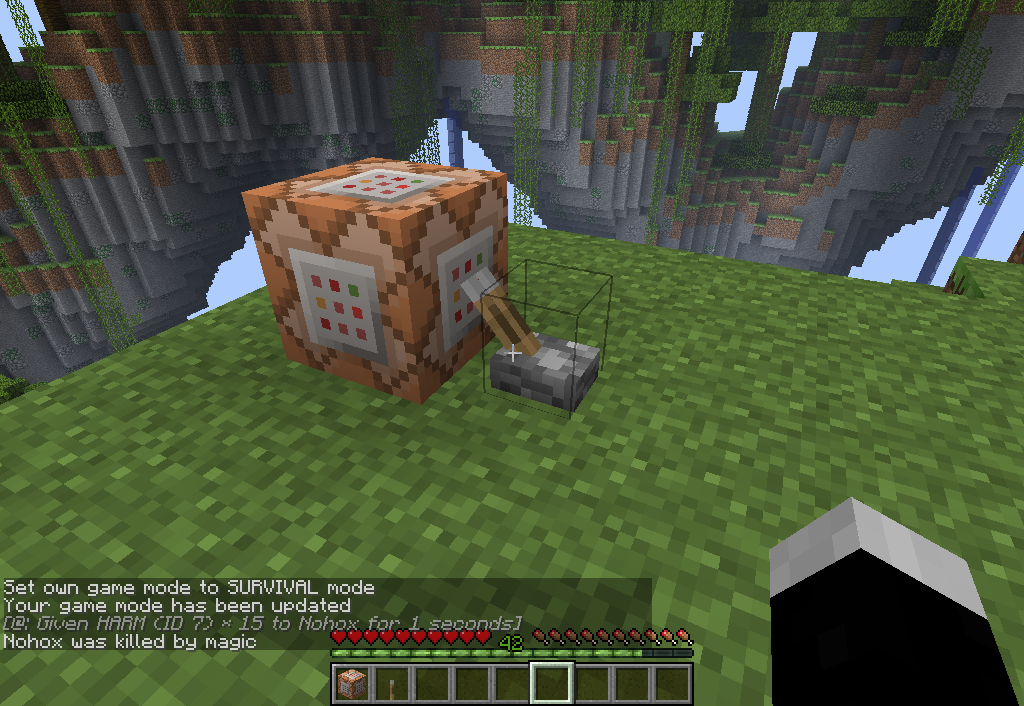
This is an issue relating to using the damage effect command (/effect 7) on a player on multiplayer. For this to glitch, damage level must be greater than 14.
What I expected to happen was:
Recieving the effect would kill the player.What happened was:
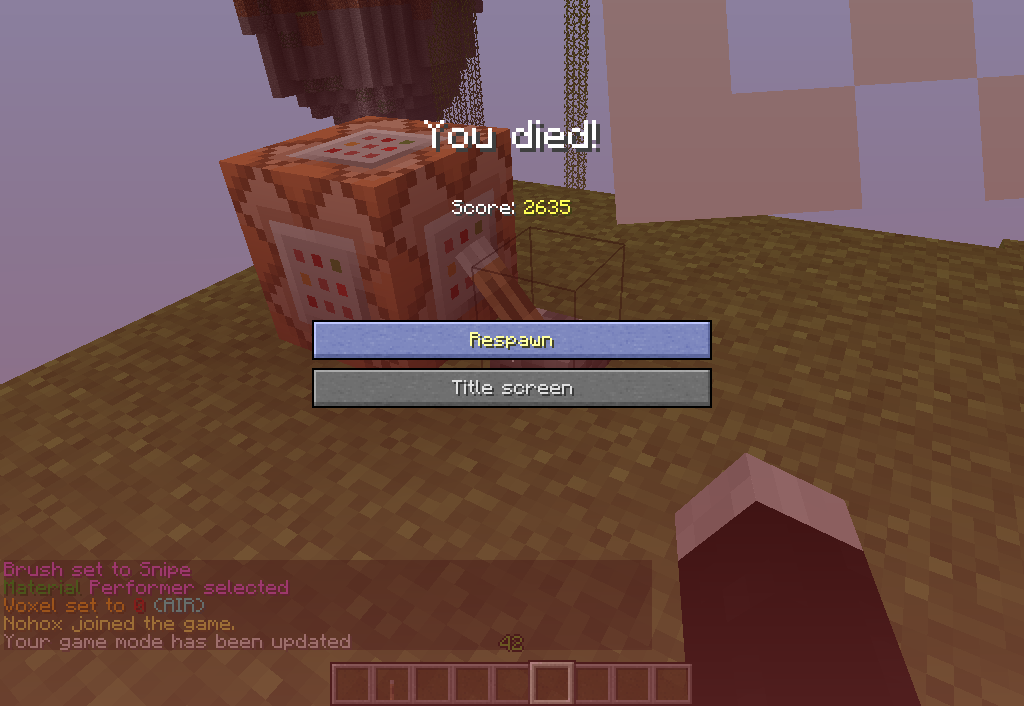
Death message appears ("was killed by magic"), but the Player is not killed. No death screen. Player is unable to activate switches or recieve any other damage (such as from falling). Placing blocks and destroying blocks seems possible but there is no break sound and no drop. Chat window opens but typing text and hitting enter does not publish text. Switching to gamemode (via /gamemode 1) not possible. Logging out of server and reentering causes the death screen to immediantly pop up. After respawn player has gamemode 1. Blocks previously placed are gone (back in the players inventory).Steps to reproduce:
- Log in onto a server.
- Place down a Command Block and type in /effect @p 7 1 15 (damage effect for 1 second at level 15)
- go into /gamemode 0
- activate Command Block (will show '@: Given HARM (ID 7) * 15 to PLAYER for 1 seconds' and 'was killed by magic' but no death screen)
Not tested while other players were on the server. When on singleplayer, this issue does not occur, tested with damage lvl 20 and was killed as planned.
This will probably fall into the category 'weird things that happen with too large effect levels'. I still thought this would be somewhat important. If not, mark with works as intended or something like that. Not sure if this was fixed in 1.5.2.
After relogging on server.
When activating Command Block.
Command Block Input.
This is an issue relating to using the damage effect command (/effect 7) on a player on multiplayer. For this to glitch, damage level must be greater than 14.
What I expected to happen was:
Recieving the effect would kill the player.What happened was:
Death message appears ("was killed by magic"), but the Player is not killed. No death screen. Player is unable to activate switches or recieve any other damage (such as from falling). Placing blocks and destroying blocks seems possible but there is no break sound and no drop. Chat window opens but typing text and hitting enter does not publish text. Switching to gamemode (via /gamemode 1) not possible. Logging out of server and reentering causes the death screen to immediantly pop up. After respawn player has gamemode 1. Blocks previously placed are gone (back in the players inventory).Steps to reproduce:
- Log in onto a server.
- Place down a Command Block and type in /effect @p 7 1 15 (damage effect for 1 second at level 15)
- go into /gamemode 0
- activate Command Block (will show '@: Given HARM (ID 7) * 15 to PLAYER for 1 seconds' and 'was killed by magic' but no death screen)
Not tested while other players were on the server. When on singleplayer, this issue does not occur, tested with damage lvl 20 and was killed as planned.
This will probably fall into the category 'weird things that happen with too large effect levels'. I still thought this would be somewhat important. If not, mark with works as intended or something like that.
Not sure if this was fixed in 1.5.2.Through PVP with high strenght level:
When a player kills another player and the killer has a too high strength level (for example 114 or 115), the player that got killed sees his death message, but he only gets half a heart of damage apparently, but after that he loses server sincronization until he receives the death (it takes a long long time), if that player (the one who died) disconnects and connects again (relogs), then it shows he died.This is an issue relating to using the damage effect command (/effect 7) on a player on multiplayer. For this to glitch, damage level must be greater than 14.
What I expected to happen was:
Recieving the effect would kill the player.What happened was:
Death message appears ("was killed by magic"), but the Player is not killed. No death screen. Player is unable to activate switches or recieve any other damage (such as from falling). Placing blocks and destroying blocks seems possible but there is no break sound and no drop. Chat window opens but typing text and hitting enter does not publish text. Switching to gamemode (via /gamemode 1) not possible. Logging out of server and reentering causes the death screen to immediantly pop up. After respawn player has gamemode 1. Blocks previously placed are gone (back in the players inventory).Steps to reproduce:
- Log in onto a server.
- Place down a Command Block and type in /effect @p 7 1 15 (damage effect for 1 second at level 15)
- go into /gamemode 0
- activate Command Block (will show '@: Given HARM (ID 7) * 15 to PLAYER for 1 seconds' and 'was killed by magic' but no death screen)
Not tested while other players were on the server. When on singleplayer, this issue does not occur, tested with damage lvl 20 and was killed as planned.
This will probably fall into the category 'weird things that happen with too large effect levels'. I still thought this would be somewhat important. If not, mark with works as intended or something like that. Applies to 1.5.2 as well.
Through PVP with high strenght level:
When a player kills another player and the killer has a too high strength level (for example 114 or 115), the player that got killed sees his death message, but he only gets half a heart of damage apparently, but after that he loses server sincronization until he receives the death (it takes a long long time), if that player (the one who died) disconnects and connects again (relogs), then it shows he died.
'''What I expected to happen was:'''
Hitting the item frame would not do anything.
'''What happened was:'''
I froze, not being able to do anything and standing on the top of the block on which the item frame was placed. The F3 debug screen indicated my view direction was changing (east, north, west etc), but I was still looking in the same direction. To unfreeze, use the shift key (anything else diesn't work) or change your gamemode.What happened the first time: I did unfreeze again, and I used the spectator mode as normal, but could not pass through the ground and collided with blocks. I furthermore recieved an 'attempting to hit an invalid entity' error message.
'''Steps to reproduce:'''
*Place an item frame on a block
*Put yourself into spectator mode
*Attempt to hit the item frame
*To unfreeze: Use shift (descend) or change gamemodeI was experimenting with the new spectator mode (/gamemode sp).
What I expected to happen was:
Hitting the item frame would not do anything.What happened was:
I froze, not being able to do anything and standing on the top of the block on which the item frame was placed. The F3 debug screen indicated my view direction was changing (east, north, west etc), but I was still looking in the same direction. To unfreeze, use the shift key (anything else diesn't work) or change your gamemode.What happened the first time: I did unfreeze again, and I used the spectator mode as normal, but could not pass through the ground and collided with blocks. I furthermore recieved an 'attempting to hit an invalid entity' error message.
Steps to reproduce:
- Place an item frame on a block
- Put yourself into spectator mode
- Attempt to hit the item frame
- To unfreeze: Use shift (descend) or change gamemode
What I expected to happen was:
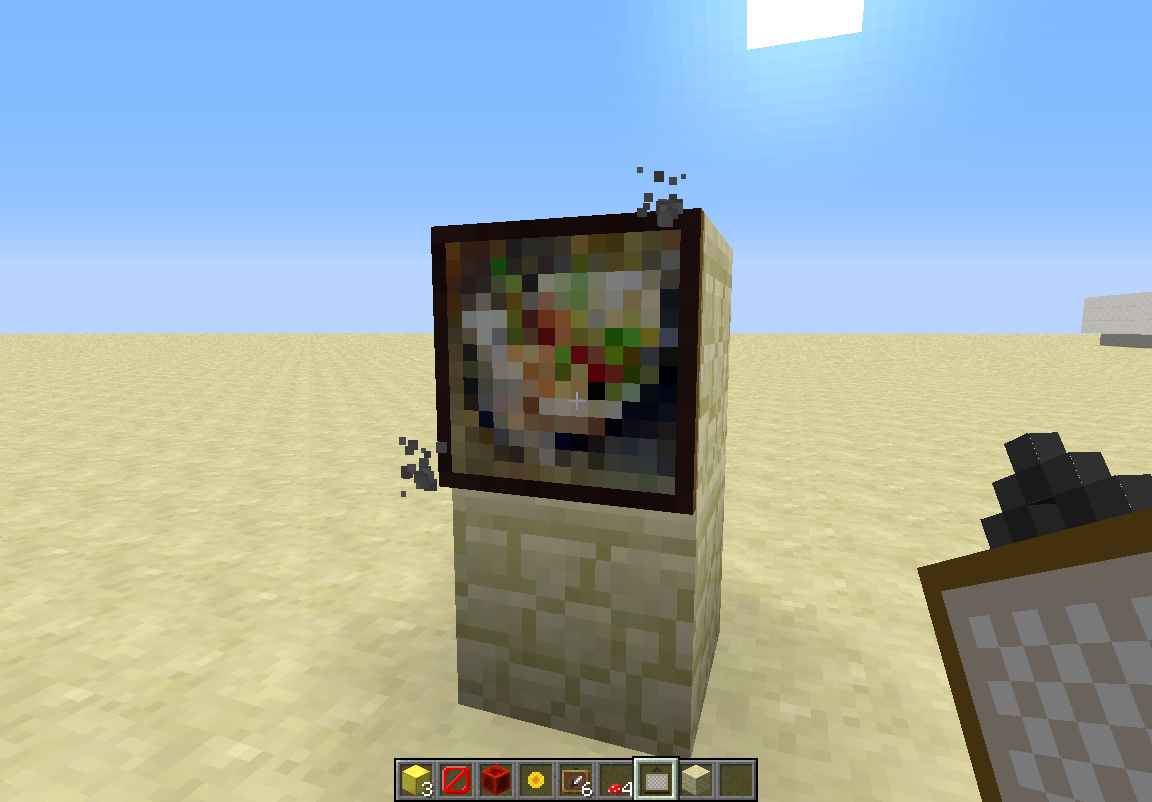
The painting would hang on the block.What happened was:
Particles emitted from the cornersSteps to reproduce:
- Place down a block.
- Place a painting on the block.
- Watch particles being emitted from the top right and bottom left corner.
I was experimenting with particle effects some hours ago, which includes this particle, but I switched off any contraption that might have caused this.
What I expected to happen was:
The painting would hang on the block.What happened was:
Particles emitted from the cornersSteps to reproduce:
- Place down a block.
- Place a painting on the block.
- Watch particles being emitted from the top right and bottom left corner.
I was experimenting with particle effects some hours ago, which includes this particle, but I switched off any contraption that might have caused this.
The particle effect is known as 'depthsuspend'.
What I expected to happen was:
The painting would hang on the block.What happened was:
Particles emitted from the cornersSteps to reproduce:
- Place down a block.
- Place a painting on the block.
- Watch particles being emitted from the top right and bottom left corner.
I was experimenting with particle effects some hours ago, which includes this particle, but I switched off any contraption that might have caused this.
The particle effect is known as 'depthsuspend'.What I expected to happen was:
The painting would hang on the block.What happened was:
Particles emitted from the cornersSteps to reproduce:
- Place down a block.
- Place a painting on the block.
- Watch particles being emitted from the top right and bottom left corner.
I was experimenting with particle effects some hours ago, which includes this particle, but I switched off any contraption that might have caused this.
The particle effect is known as 'depthsuspend'.
What I expected to happen was:
The painting would hang on the block.What happened was:
Particles emitted from the cornersSteps to reproduce:
- Place down a block.
- Place a painting on the block.
- Watch particles being emitted from the top right and bottom left corner.
I was experimenting with particle effects some hours ago, which includes this particle, but I switched off any contraption that might have caused this.
The particle effect is known as 'depthsuspend'.
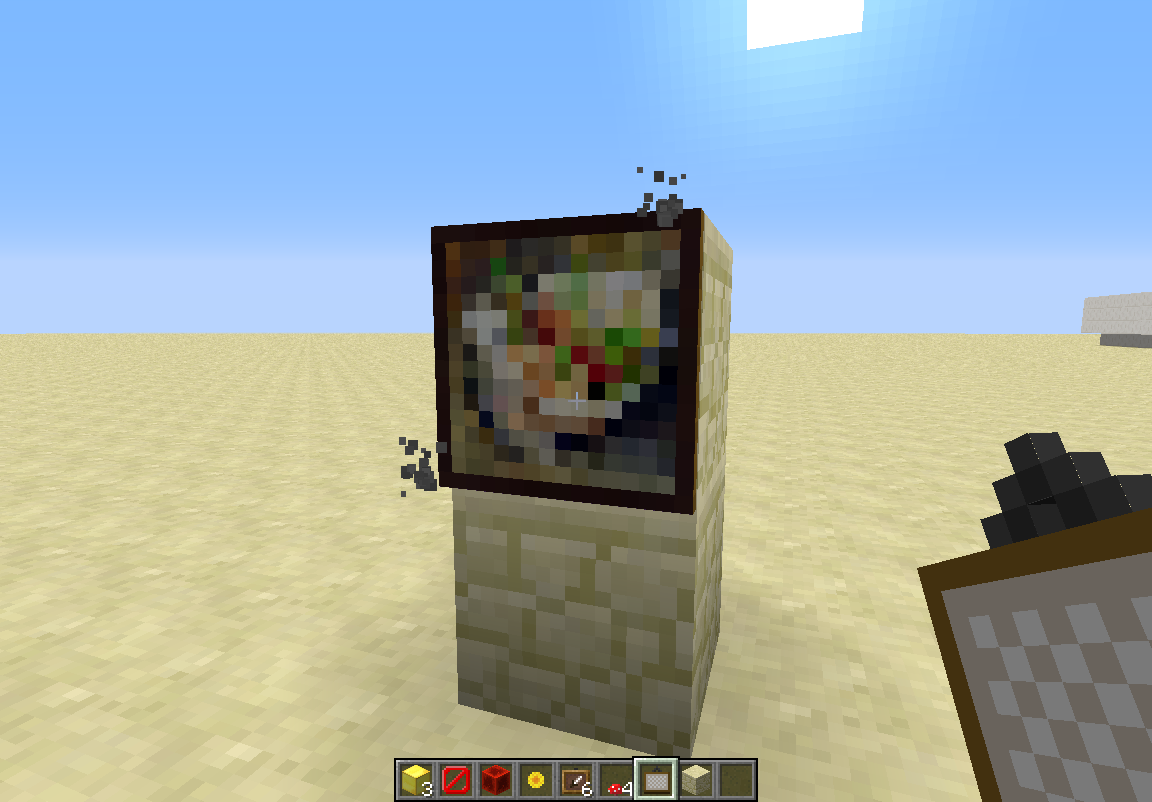
A bug regarding particle effects that emit from painting corners.
What I expected to happen was:
The painting would hang on the block.What happened was:
Particles emitted from the top right and bottom left corners.Steps to reproduce:
- Place down a block.
- Place a painting on the block.
- Watch particles being emitted from the top right and bottom left corner.
I was experimenting with particle effects some hours ago, which includes this particle, but I switched off any contraption that might have caused this.
The particle effect is known as 'depthsuspend'.
A bug concerning the ability to change the armor displayed on armor stands while being in spectator mode. Spectator mode should not interfere with the environment at all.
What I expected to happen was:
You are inable to change the armor.What happened was:
When in spectator mode, you change the armor by right clicking the armor part while holding anarmor piece in your hand.Steps to reproduce:
- Place armor stand
- Equip armor of one type
- Place armor of other material on hotbar and select it
- Go into /gamemode 3
- Right click armor part.
A bug concerning the ability to change the armor displayed on armor stands while being in spectator mode. Spectator mode should not interfere with the environment at all.
What I expected to happen was:
You are inable to change the armor.What happened was:
When in spectator mode, you change the armor by right clicking the armor part while holding a second armor piece in your hand.Steps to reproduce:
- Place armor stand
- Equip armor of one type
- Place armor of other material on hotbar and select it
- Go into /gamemode 3
- Right click armor part.
Another bug concerning armor stands. Tested in spectator mode.
What I expected to happen was:
The stand is immobile.What happened was:
It moves upwards and downwards one pixel each few secondsSteps to reproduce:
- Place armor stand, preferably with armor equipped
- Wait and watch the stand base
Another bug concerning armor stands. Tested in spectator mode.
What I expected to happen was:
The stand is immobile.What happened was:
It moves upwards and downwardsonepixel each few secondsSteps to reproduce:
- Place armor stand, preferably with armor equipped
- Wait and watch the stand base
Another bug concerning armor stands. Tested in spectator mode.
What I expected to happen was:
The stand is immobile.What happened was:
It moves upwards and downwards a fraction of a pixel each few secondsSteps to reproduce:
- Place armor stand, preferably with armor equipped
- Wait and watch the stand base
Can be found in-game under 'options'.
So you can change your texturepacks in-game.
As far as I know it was fixed some time ago but now it reappeared again...
Oh, okays. But is it also intended that you can't have a trade window open for a certain time while a villager is poisoned?
Good point.
Yeah, I did get an infinite one too, but couldn't reproduce.
Also an issue when using /tp command with a command block, you get teleported to your desired location, but you remain lying on the ground and not being able to sleep. Very annoying.
I propose this to be reopened as I discovered this bug again in 1.5. This applies to thrown potions by the player or by a witch.
Or is there a new issue page for this in 1.5? Didn't find one.
Looks like this is intended:
http://www.minecraftwiki.net/wiki/Version_history/Development_versions#13w18a
Added three images of what happens when activating the Command Block. Notice that after reentering the server the player has gamemode 1. I'll try to get a crash report as soon as the owner of the server is there.
I think this has been fixed. As per the minecraft wiki (I know its community based, but it seems this is actually intended), command blocks are no longer minable in survival. http://www.minecraftwiki.net/wiki/Version_history/Development_versions#13w19a
You aren't supposed to stop flying, you descend with shift.
Okay, didn't know this would toggle merging. Thanks.
I think this is only visible to you, did not test this though.
Got that same Issue on paintings, see #46700.
I have the feeling it also causes an fps drop...
Yes, I removed the paintings and my fps went up again. By the way, you might want to add the labels 'painting' and 'knot' to this subject.
I've watched some videos, and you can't see the item other people are holding when they are in spectator mode.
I have the feeling the amount of air pockets has increased since the snapshot 14w25a, I have never seen any and now they appear pretty regularily. Might have something to do with the spawning of water dungeons.
Not sure if anyone noticed yet, but if you throw a potion off a high position and the entity falls a certain distance, it crashes the game.
Additionally, vines placed next to each other disappear, much like the portal block behaviour.
Would be great if someone could officially confirm this.
Kk, thanks for the information, did not know this.
Cannot reproduce it as of 1.8pre2, must have been fixed.