 Delibird444
- Delibird444
- delibird444
- Europe/London
- Yes
- No
 MCPE-42091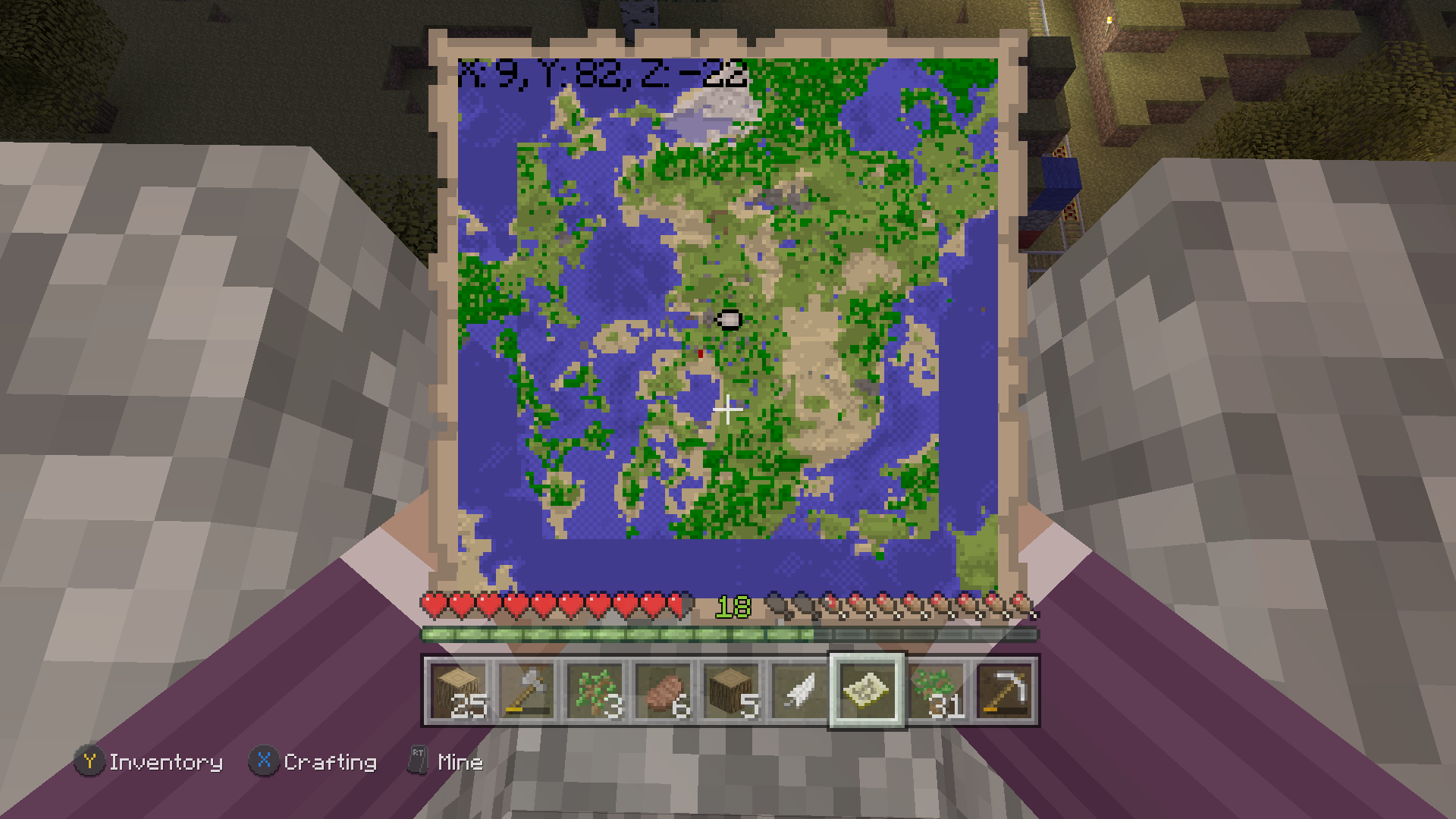


The latest update to Minecraft (version 1.9.0) has broken my Bedrock Realms server. The server will load a selected area around where I last saved in version 1.8.1, but this area is surrounded by glitchy void space. Attempting to exit and re-enter the world results in endless "Building terrain..." loading screens. Restoring from a backup yields the same results no matter how far back I go. The oldest automatic backup is from November 2018.
This is an older world that has been converted from an Xbox 360 file to an Xbox One Edition file to a Bedrock file.
I can download the world from the Realms server, but attempting to open it crashes the game entirely regardless of platform (attempted on: Nintendo Switch, Xbox One X, Windows 10 PC, Android). This world had absolutely no issues in 1.8.1. I have attached a screenshot of part of the void effect as seen from the Android version, 1.9.0.
1.9.0 broke my converted world- Bedrock RealmsConverted world will not load properly in 1.9 and 1.10 - Bedrock Realms
The new update to 1.9.0 has caused a bug on every version of the game that is not the Windows 10 Edition. When trying to download a Realm world on Nintendo Switch, Android, and Xbox One X, I receive this error message:
"You are almost out of data storage space! Minecraft has restricted access to this feature until you clear up additional storage space."
On Switch, I have 42GB of free space on a microSD card.
On my Google Pixel 2, I have 30GB of free internal space.
On my Xbox One X, I have well over 1TB of free space on an external and 300GB of free space internally.
The world in question is only about 500MB, but it is currently bugged out in
[other ways related to 1.9.0.|hhttps://bugs.mojang.com/browse/MCPE-41928], so that may be related. My gamertag (if you need to access the Realm) is Delibird444.
I am having this issue as well. I took some screenshots of the updated map before and after the conversion. The one with purple arms is Xbox One Edition, the other is the new Bedrock base.
Hope this gets resolved soon.
Latest update has not fixed the issue, even after attempting another conversion. See my screenshots above- same issue.
I would say it's a different issue from
MCPE-32501since it's caused by a different root action (saving a world works fine on my devices but downloading does not) and has different error messages.I exported the world from the Realms server into an .mcworld file and opened it on an older version of Bedrock (1.5.1) and it opened fine. Assuming that it would also work fine on 1.8.1 if I still had a copy of that to test with. Seems to only be broken on 1.9.0.
Here is a copy of that file if anyone would like to test it. https://1drv.ms/u/s!AlfhaLqSgFb9ktx758qgYLVCq8lBPw
Looks very similar to my issue, only started appearing after the update to 1.9.0. Maybe related? https://bugs.mojang.com/browse/MCPE-41928
Update: I opened the exact same world on a downgraded version (1.8.0) and it worked flawlessly. I can pin the issues on specifically version 1.9.0. If I load the world in version 1.8.0, then upgrade to 1.9.0, then the game crashes upon trying to load the world.
Here is the full world loaded in 1.8.0. As soon as I load it in 1.9.0, I either get immediate game crashes or results similar to the screenshots posted before.
I talked to Mojang customer support first. Very friendly folks, but they told me my world was corrupted and that I would have to start over. I'm not buying that - this world loads fine in absolutely every other version of Minecraft except for 1.9.0.
Looks like the same issue as https://bugs.mojang.com/browse/MCPE-41928
Can confirm, issue still exists in the new 1.10 update.
However, I downloaded 1.11 on Xbox One X and loaded the world offline (since you cannot play realms in a beta) and it worked perfectly. Will do some more tests later to see what I can find out.
Confirmed bug also exists in new release 1.10, Android and Nintendo Switch tested.
Tested world on MC beta 1.11 for Windows 10 as well and it worked flawlessly. Continues to crash on 1.10.
Eagerly awaiting the next release. Thanks, team!
Hi there,
This is still an issue. Current version is v.1.16.40, but it will not allow me to set that as an option.
Steps to reproduce:
1. Open the achievements menu.
Observed results:
Endless loading, achievements do not pop.
Expected results:
Functioning achievements.
Thank you