 DixonDaBoi
- DixonYT9254
- JIRAUSER606977
- Asia/Kolkata
- Yes
- No
 MCPE-119798
 MCL-22558



The Copper Blocks and Oxidised Cut Copper blocks lines do not line up properly This bug was there since when Copper was added to Minecarft Bedrock for the first time Please fix that bug it's really bothering.
Idk what bug is this..Messed up screen after unlocking Android
The Profile and Audio Tab is messed up in 1.17 and the audio tab was not like this before please fix this issue. Thank you.
Messed up Profile and Audio Tab
Textures don't update properly after you turn on "Fancy Graphics"
Step to Reproduce
Step 1: Make sure "Fancy Graphics" is off
Step 2: Be near water or trees to see the difference and make sure you cannot see the "Fancy Graphics" testures
Step 3: Turn on "Fancy Graphics"
Step 4: You can see the textures didn't update completely
Step 5:Go to some unloaded chunks to see the updated GraphicsTextures don't update properly after you turn on "Fancy Graphics"
Step to Reproduce
Step 1: Make sure "Fancy Graphics" is off
Step 2: Be near water or trees to see the difference and make sure you cannot see the "Fancy Graphics" testures
Step 3: Turn on "Fancy Graphics"
Step 4: You can see the textures didn't update completely
Step 5: Go to some unloaded chunks to see the updated GraphicsObserved Result
Only half of the texture gets updatedExpected Result
The entire texture should get updated
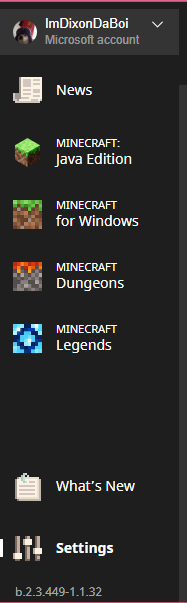
Minecraft Live Tab doesn't appear in the launcher.
And the version is b.2.3.499- 1.1.32. I'm writing it here because it wasn't provided in the version list
Ok but make sure it gets fixed
Ok make sure it gets fixed it's really annoying.
It happend to me in OPPO F3 Plus, 4GB RAM, Android 6.0.1