 Alluet
- doowaw
- doowaw
- America/Havana
- Yes
- No
 MC-2312
![[Mojang] Searge (Michael Stoyke)](../../../data/assets/gravatar/searge.png)
![[Mojang] slicedlime](../../../data/assets/gravatar/slicedlime.jpeg)

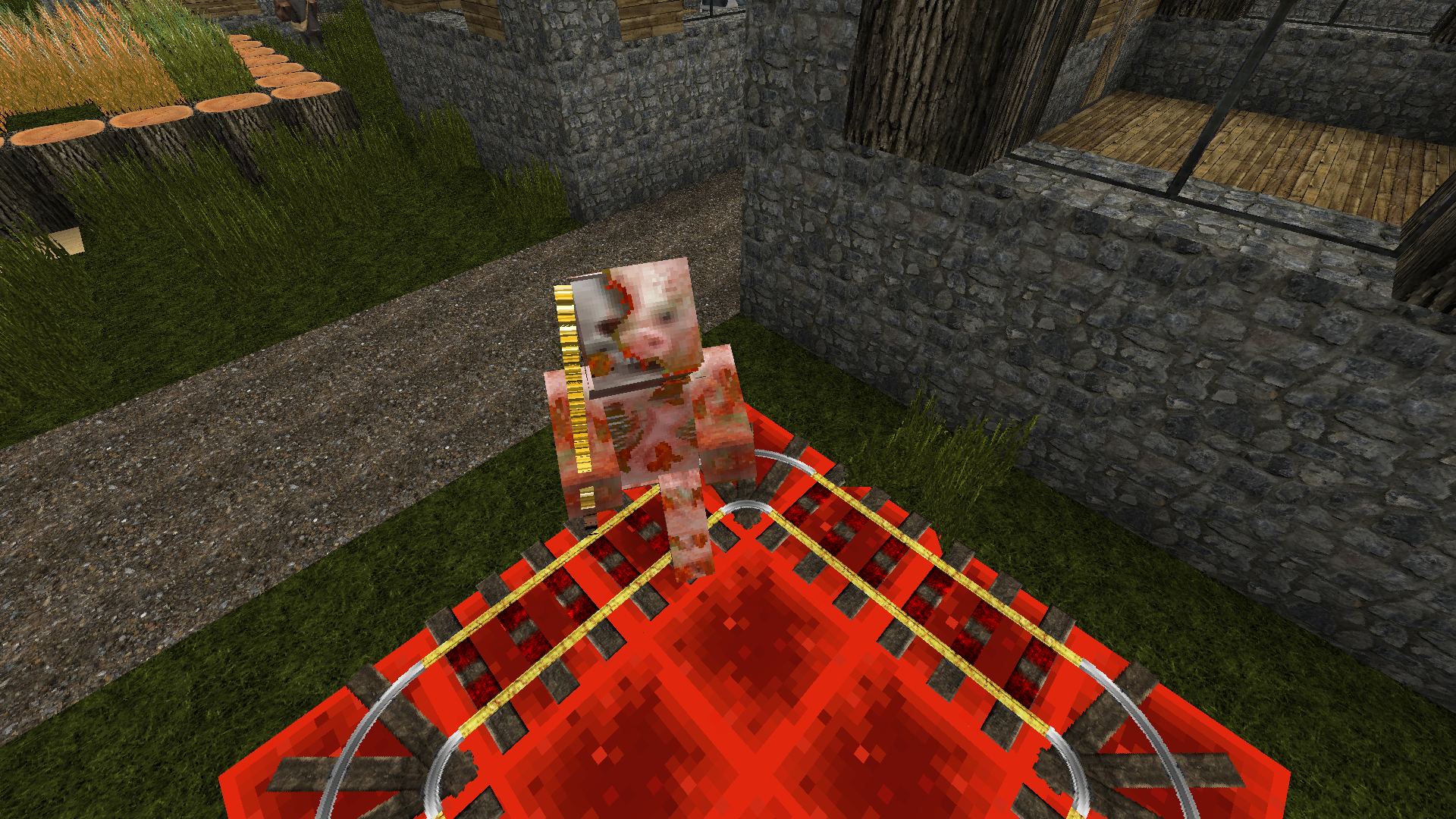
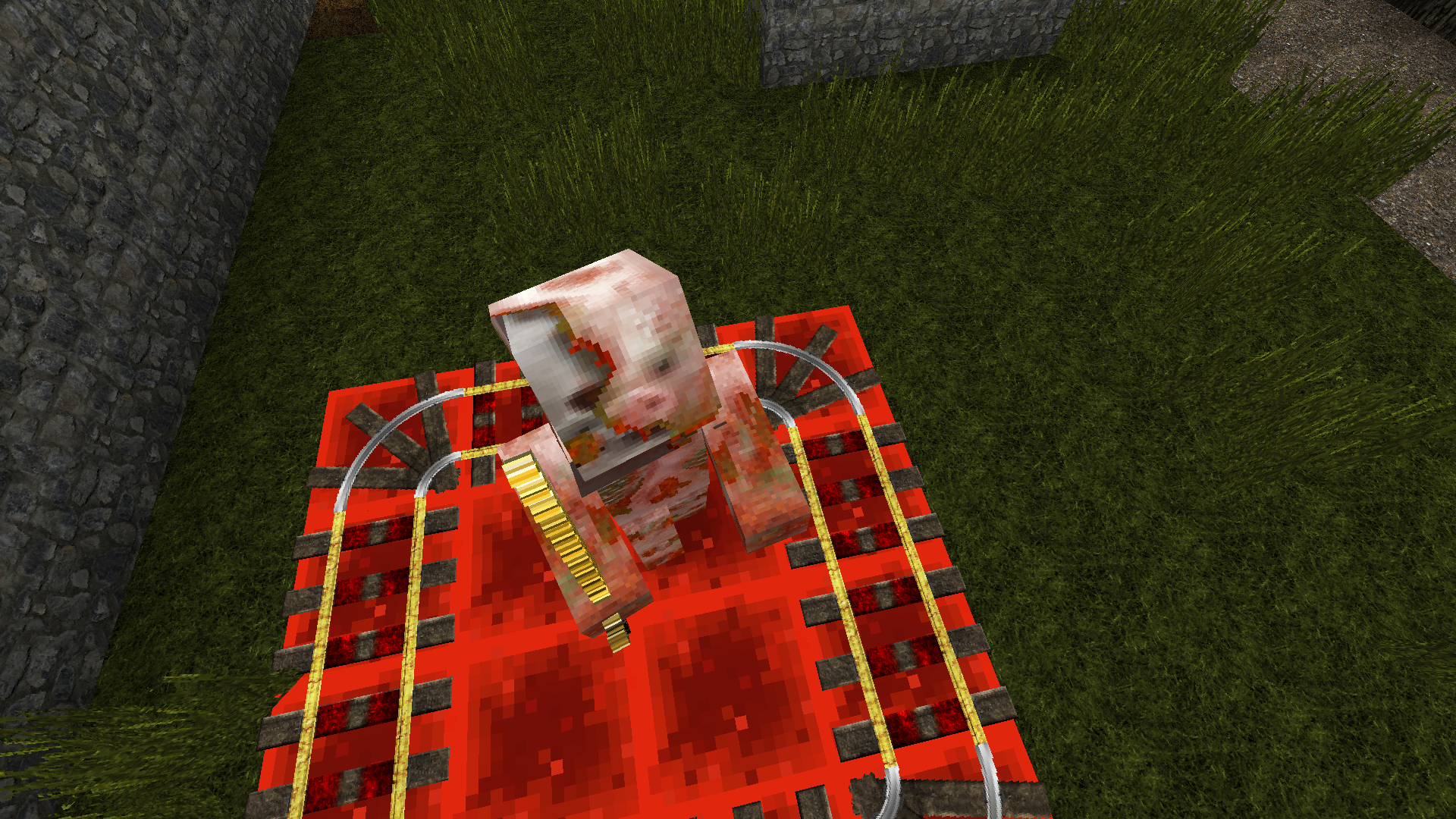

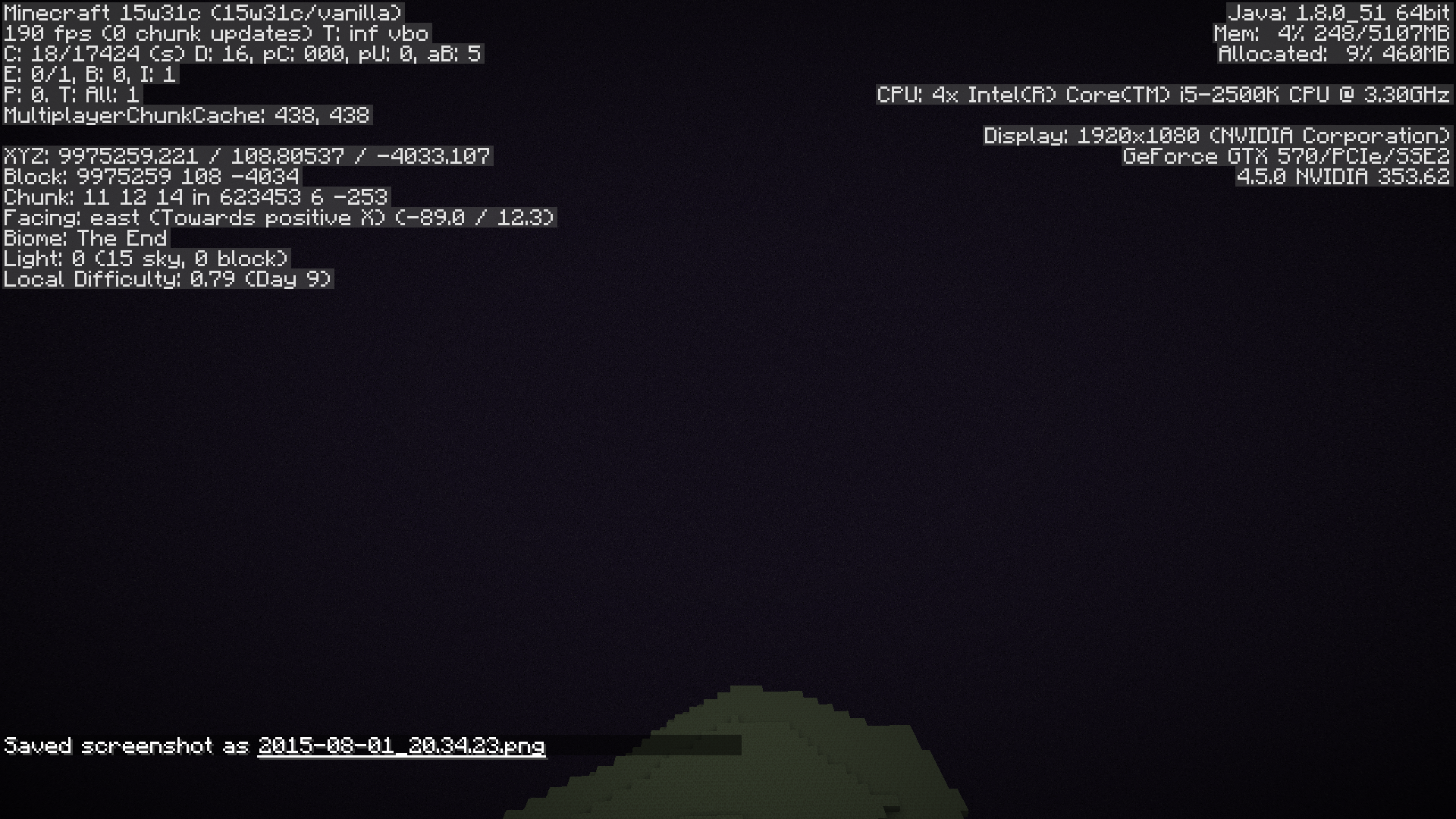

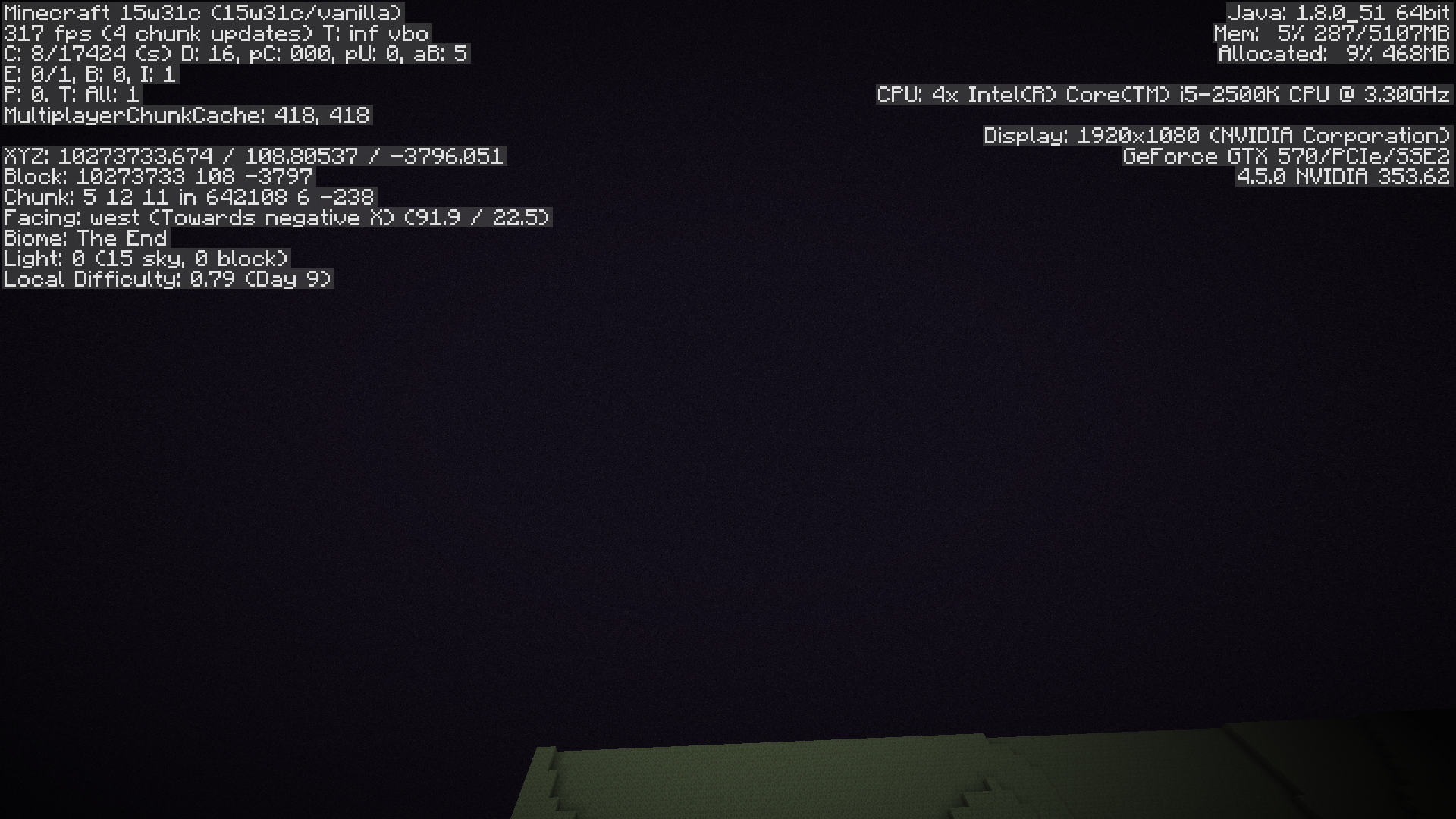


I was flying around in the Nether, trying to find a place to place down another portal to connect somewhere else in the Overworld, and I was just lagging as if there were tons of entities around, but I was in Peaceful difficulty. When I got to the Overworld in my new portal, the lag was gone.
How to reproduce:
1. Set difficulty to Peaceful.
2. Make sure you are in Creative.
3. Enter the Nether.
4. Start flying around.This did not happen to me in any previous versions, even on my old slow computer that I stopped using in 1.2.
EDIT: THIS ONLY HAPPENS ON PRE-RELEASE WINDOWS!
OS: Windows 8 PRE
Java: v.6 update #31
I also noticed pillaring up or flying in creative, at some heights in F5 I go COMPLETELY invisible. Not sure if this is related, but I did not want to create a duplicate.
Well, sometimes I disappear even inside the world (just a bit above the ground, not in the void or above y254)
I was experimenting with working around the currently known problems with entities and structure blocks by using an auto:1b "one command creation" embedded inside of the structure and then detecting the direction. The direction detection relied on executing on an armor stand to test for a Data Structure Block that has a certain metadata tag (yes, I tested this without /stats and it successfully found the block at the location). However, the "/stats entity @e[type=ArmorStand,r=1] set SuccessCount @e[c=1] Test" did not work (yes, I did the required preparation such as creating the objective and setting the score to 0. I feel that this summary is getting too long, but setting the "selector" at the end to my username DOES work. This isn't just an error by me, because other custom crafting modules that rely on /stats entity have broken too).
What I expected to happen was...:
Generalization: When I used /stats entity to refer to another entity by selector, the other entity would have the proper score set.
When I ran the commands listed later, the spawned armor stand would have the tags "Wall", "WallFound", and "WallSouth."What actually happened was...:
Generalization: When I used the /stats entity command to refer to another entity by selector, the score remained 0 even though the command actually succeeded.
When I ran the commands listed later, the spawned armor stand still had the tags "Wall" and "WallNotFound."{mode:"DATA",metadata:"TEST"}
*Steps to Reproduce:"
0. Keep in mind that I had my problems on a SERVER. So if you cannot reproduce it on singleplayer, try a server. If you are not following the other steps, make sure you try to reproduce this with "/stats entity @whatever ... @whatever ...". I am fairly certain that /stats block works, and /stats entity with a player works. If @p and @a work, try @e[c=1].
1. For this example, we will use absolute coordinates (except when /executing) for simplicity. For items from 2 until 10, enter the commands into command blocks that execute in consecutive order.
2. /setblock 0 0 1 structure_block 33. /scoreboard objectives add WallTest dummy
{Tags:["Wall","WallNotFound"]}
4. /summon ArmorStand 0 0 05. /scoreboard players set @e[tag=Wall] WallTest 0
{mode:"DATA",metadata:"TEST"}
6. /stats entity @e[tag=Wall] set SuccessCount @e[c=1] WallTest
7. /execute @e[tag=Wall] ~ ~ ~ /testforblock ~ ~ ~1 structure_block 38. /execute @e[tag=Wall,score_WallTest_min=1] ~ ~ ~ /scoreboard players tag @e[c=1] add WallSouth
{Tags:["WallSouth"]}
9. /scoreboard players tag @e[tag=WallNotFound] remove WallNotFound10. /scoreboard players tag @e[tag=WallSouth] add WallFound
11. Now, run the commands in consecutive order and run /entitydata @e[tag=Wall]
12. If you look in the "Tags" section, you will see "Wall" and "WallNotFound", even though the block did exist with the proper data and the tags should have said "Wall", "WallFound", and "WallSouth." Further, the entity has a WallTest score of 0, instead of 1.
I was experimenting with working around the currently known problems with entities and structure blocks by using an auto:1b "one command creation" embedded inside of the structure and then detecting the direction. The direction detection relied on executing on an armor stand to test for a Data Structure Block that has a certain metadata tag (yes, I tested this without /stats and it successfully found the block at the location). However, the "/stats entity @e[type=ArmorStand,r=1] set SuccessCount @e[c=1] Test" did not work (yes, I did the required preparation such as creating the objective and setting the score to 0. I feel that this summary is getting too long, but setting the "selector" at the end to my username DOES work. This isn't just an error by me, because other custom crafting modules that rely on /stats entity have broken too).
What I expected to happen was...:
Generalization: When I used /stats entity to refer to another entity by selector, the other entity would have the proper score set.
When I ran the commands listed later, the spawned armor stand would have the tags "Wall", "WallFound", and "WallSouth."What actually happened was...:
Generalization: When I used the /stats entity command to refer to another entity by selector, the score remained 0 even though the command actually succeeded.
When I ran the commands listed later, the spawned armor stand still had the tags "Wall" and "WallNotFound."Steps to Reproduce:
{mode:"DATA",metadata:"TEST"}0. Keep in mind that I had my problems on a SERVER. So if you cannot reproduce it onsingleplayer, try a server. If you are not following the other steps, make sure you try to reproduce this with "/stats entity @whatever ... @whatever ...". I am fairly certain that /stats block works, and /stats entity with a player works. If @p and @a work, try @e[c=1].
1. For this example, we will use absolute coordinates (except when /executing) for simplicity. For items from 2 until 10, enter the commands into command blocks that execute in consecutive order.
2. /setblock 0 0 1 structure_block 33. /scoreboard objectives add WallTest dummy
{Tags:["Wall","WallNotFound"]}
4. /summon ArmorStand 0 0 05. /scoreboard players set @e[tag=Wall] WallTest 0
{mode:"DATA",metadata:"TEST"}
6. /stats entity @e[tag=Wall] set SuccessCount @e[c=1] WallTest
7. /execute @e[tag=Wall] ~ ~ ~ /testforblock ~ ~ ~1 structure_block 38. /execute @e[tag=Wall,score_WallTest_min=1] ~ ~ ~ /scoreboard players tag @e[c=1] add WallSouth
{Tags:["WallSouth"]}
9. /scoreboard players tag @e[tag=WallNotFound] remove WallNotFound10. /scoreboard players tag @e[tag=WallSouth] add WallFound
11. Now, run the commands in consecutive order and run /entitydata @e[tag=Wall]
12. If you look in the "Tags" section, you will see "Wall" and "WallNotFound", even though the block did exist with the proper data and the tags should have said "Wall", "WallFound", and "WallSouth." Further, the entity has a WallTest score of 0, instead of 1.I was experimenting with working around the currently known problems with entities and structure blocks by using an auto:1b "one command creation" embedded inside of the structure and then detecting the direction. The direction detection relied on executing on an armor stand to test for a Data Structure Block that has a certain metadata tag (yes, I tested this without /stats and it successfully found the block at the location). However, the "/stats entity @e[type=ArmorStand,r=1] set SuccessCount @e[c=1] Test" did not work (yes, I did the required preparation such as creating the objective and setting the score to 0. I feel that this summary is getting too long, but setting the "selector" at the end to my username DOES work. This isn't just an error by me, because other custom crafting modules that rely on /stats entity have broken too).
What I expected to happen was...:
Generalization: When I used /stats entity to refer to another entity by selector, the other entity would have the proper score set.
When I ran the commands listed later, the spawned armor stand would have the tags "Wall", "WallFound", and "WallSouth."What actually happened was...:
Generalization: When I used the /stats entity command to refer to another entity by selector, the score remained 0 even though the command actually succeeded.
When I ran the commands listed later, the spawned armor stand still had the tags "Wall" and "WallNotFound."Steps to Reproduce:
{mode:"DATA",metadata:"TEST"}
0.Keep in mind that I had my problems on a SERVER. So if you cannot reproduce it on singleplayer, try a server.This problem affects both singeplayer and multiplayer. If you are not following the other steps, make sure you try to reproduce this with "/stats entity @whatever ... @whatever ...". I am fairly certain that /stats block works, and /stats entity with a player works. If @p and @a work, try @e[c=1].
1. For this example, we will use absolute coordinates (except when /executing) for simplicity. For items from 2 until 10, enter the commands into command blocks that execute in consecutive order.
2. /setblock 0 0 1 structure_block 33. /scoreboard objectives add WallTest dummy
{Tags:["Wall","WallNotFound"]}
4. /summon ArmorStand 0 0 05. /scoreboard players set @e[tag=Wall] WallTest 0
{mode:"DATA",metadata:"TEST"}
6. /stats entity @e[tag=Wall] set SuccessCount @e[c=1] WallTest
7. /execute @e[tag=Wall] ~ ~ ~ /testforblock ~ ~ ~1 structure_block 38. /execute @e[tag=Wall,score_WallTest_min=1] ~ ~ ~ /scoreboard players tag @e[c=1] add WallSouth
{Tags:["WallSouth"]}
9. /scoreboard players tag @e[tag=WallNotFound] remove WallNotFound10. /scoreboard players tag @e[tag=WallSouth] add WallFound
11. Now, run the commands in consecutive order and run /entitydata @e[tag=Wall]
12. If you look in the "Tags" section, you will see "Wall" and "WallNotFound", even though the block did exist with the proper data and the tags should have said "Wall", "WallFound", and "WallSouth." Further, the entity has a WallTest score of 0, instead of 1.
I was experimenting with working around the currently known problems with entities and structure blocks by using an auto:1b "one command creation" embedded inside of the structure and then detecting the direction. The direction detection relied on executing on an armor stand to test for a Data Structure Block that has a certain metadata tag (yes, I tested this without /stats and it successfully found the block at the location). However, the "/stats entity @e[type=ArmorStand,r=1] set SuccessCount @e[c=1] Test" did not work (yes, I did the required preparation such as creating the objective and setting the score to 0. I feel that this summary is getting too long, but setting the "selector" at the end to my username DOES work. This isn't just an error by me, because other custom crafting modules that rely on /stats entity have broken too).
What I expected to happen was...:
Generalization: When I used /stats entity to refer to another entity by selector, the other entity would have the proper score set.
When I ran the commands listed later, the spawned armor stand would have the tags "Wall", "WallFound", and "WallSouth."What actually happened was...:
Generalization: When I used the /stats entity command to refer to another entity by selector, the score remained 0 even though the command actually succeeded.
When I ran the commands listed later, the spawned armor stand still had the tags "Wall" and "WallNotFound."Steps to Reproduce:
{mode:"DATA",metadata:"TEST"}
0.Keep in mind that I had my problems on a SERVER. So if you cannot reproduce it on singleplayer, try a server.This problem affects both singeplayer and multiplayer. If you are not following the other steps, make sure you try to reproduce this with "/stats entity @whatever ... @whatever ...". I am fairly certain that /stats block works, and /stats entity with a player works. If @p and @a work, try @e[c=1].
1. For this example, we will use absolute coordinates (except when /executing) for simplicity. For items from 2 until 10, enter the commands into command blocks that execute in consecutive order.
2. /setblock 0 0 1 structure_block 33. /scoreboard objectives add WallTest dummy
{Tags:["Wall","WallNotFound"]}
4. /summon ArmorStand 0 0 05. /scoreboard players set @e[tag=Wall] WallTest 0
{mode:"DATA",metadata:"TEST"}
6. /stats entity @e[tag=Wall] set SuccessCount @e[c=1] WallTest
7. /execute @e[tag=Wall] ~ ~ ~ /testforblock ~ ~ ~1 structure_block 38. /execute @e[tag=Wall,score_WallTest_min=1] ~ ~ ~ /scoreboard players tag @e[c=1] add WallSouth
{Tags:["WallSouth"]}
9. /scoreboard players tag @e[tag=WallNotFound] remove WallNotFound10. /scoreboard players tag @e[tag=WallSouth] add WallFound
11. Now, run the commands in consecutive order and run /entitydata @e[tag=Wall]
12. If you look in the "Tags" section, you will see "Wall" and "WallNotFound", even though the block did exist with the proper data and the tags should have said "Wall", "WallFound", and "WallSouth." Further, the entity has a WallTest score of 0, instead of 1.Simplified steps to reproduce:
1. Summon some entity named "TEST"
2. Create an objective TEST
3. Run /scoreboard players set @e[name=TEST] TEST 0
4. Run /stats entity @e[name=TEST] set @e[c=1] TEST
5. Run /scoreboard objectives setdisplay sidebar TEST
Now there should be a UUID with a score of 0 on the right. Watch this.
6. Move the entity to a grass block and run "/execute @e[name=TEST] ~ ~ ~ /testforblock ~ ~-1 ~ grass"
7. Notice that the UUID stays at 0 instead of increasing to 1.
8. Run /scoreboard players set @e[name=TEST] TEST 1
9. Move the entity to some block that isn't grass.
10. Run /execute @e[name=TEST] ~ ~ ~ /testforblock ~ ~-1 ~ grass
11. Notice that the score is still 1, despite the command being unsuccessful.
Appendix: Running "/stats block X Y Z set SuccessCount @e[name=TEST,c=1] TEST" on a command block with any command, even "/execute <whatever>", will update the score correctly. However, this of course does not apply to command block minecarts, and /stats block can only be used with one entity per command block.
Windows 10 Home, 2 GB allocated to a server OR 6GB to a client, JRE 1.8.0u92
I was experimenting with working around the currently known problems with entities and structure blocks by using an auto:1b "one command creation" embedded inside of the structure and then detecting the direction. The direction detection relied on executing on an armor stand to test for a Data Structure Block that has a certain metadata tag (yes, I tested this without /stats and it successfully found the block at the location). However, the "/stats entity @e[type=ArmorStand,r=1] set SuccessCount @e[c=1] Test" did not work (yes, I did the required preparation such as creating the objective and setting the score to 0. I feel that this summary is getting too long, but setting the "selector" at the end to my username DOES work. This isn't just an error by me, because other custom crafting modules that rely on /stats entity have broken too).
What I expected to happen was...:
Generalization: When I used /stats entity to refer to another entity by selector, the other entity would have the proper score set.
When I ran the commands listed later, the spawned armor stand would have the tags "Wall", "WallFound", and "WallSouth."What actually happened was...:
Generalization: When I used the /stats entity command to refer to another entity by selector, the score remained 0 even though the command actually succeeded.
When I ran the commands listed later, the spawned armor stand still had the tags "Wall" and "WallNotFound."Steps to Reproduce:
{mode:"DATA",metadata:"TEST"}
0.Keep in mind that I had my problems on a SERVER. So if you cannot reproduce it on singleplayer, try a server.This problem affects both singeplayer and multiplayer. If you are not following the other steps, make sure you try to reproduce this with "/stats entity @whatever ... @whatever ...". I am fairly certain that /stats block works, and /stats entity with a player works. If @p and @a work, try @e[c=1].
1. For this example, we will use absolute coordinates (except when /executing) for simplicity. For items from 2 until 10, enter the commands into command blocks that execute in consecutive order.
2. /setblock 0 0 1 structure_block 33. /scoreboard objectives add WallTest dummy
{Tags:["Wall","WallNotFound"]}
4. /summon ArmorStand 0 0 05. /scoreboard players set @e[tag=Wall] WallTest 0
{mode:"DATA",metadata:"TEST"}
6. /stats entity @e[tag=Wall] set SuccessCount @e[c=1] WallTest
7. /execute @e[tag=Wall] ~ ~ ~ /testforblock ~ ~ ~1 structure_block 38. /execute @e[tag=Wall,score_WallTest_min=1] ~ ~ ~ /scoreboard players tag @e[c=1] add WallSouth
{Tags:["WallSouth"]}
9. /scoreboard players tag @e[tag=WallNotFound] remove WallNotFound10. /scoreboard players tag @e[tag=WallSouth] add WallFound
11. Now, run the commands in consecutive order and run /entitydata @e[tag=Wall]
12. If you look in the "Tags" section, you will see "Wall" and "WallNotFound", even though the block did exist with the proper data and the tags should have said "Wall", "WallFound", and "WallSouth." Further, the entity has a WallTest score of 0, instead of 1.Simplified steps to reproduce:
1. Summon some entity named "TEST"
2. Create an objective TEST
3. Run /scoreboard players set @e[name=TEST] TEST 0
4. Run /stats entity @e[name=TEST] set @e[c=1] TEST
5. Run /scoreboard objectives setdisplay sidebar TEST
Now there should be a UUID with a score of 0 on the right. Watch this.
6. Move the entity to a grass block and run "/execute @e[name=TEST] ~ ~ ~ /testforblock ~ ~-1 ~ grass"
7. Notice that the UUID stays at 0 instead of increasing to 1.
8. Run /scoreboard players set @e[name=TEST] TEST 1
9. Move the entity to some block that isn't grass.
10. Run /execute @e[name=TEST] ~ ~ ~ /testforblock ~ ~-1 ~ grass
11. Notice that the score is still 1, despite the command being unsuccessful.
Appendix: Running "/stats block X Y Z set SuccessCount @e[name=TEST,c=1]TEST" on a command block with any command, even "/execute <whatever>", will update the score correctly. However, this of course does not apply to command block minecarts, and /stats block can only be used with one entity per command block.-I was experimenting with working around the currently known problems with entities and structure blocks by using an auto:1b "one command creation" embedded inside of the structure and then detecting the direction. The direction detection relied on executing on an armor stand to test for a Data Structure Block that has a certain metadata tag (yes, I tested this without /stats and it successfully found the block at the location). However, the "/stats entity @e[type=ArmorStand,r=1] set SuccessCount @e[c=1] Test" did not work (yes, I did the required preparation such as creating the objective and setting the score to 0. I feel that this summary is getting too long, but setting the "selector" at the end to my username DOES work. This isn't just an error by me, because other custom crafting modules that rely on /stats entity have broken too).
What I expected to happen was...:
Generalization: When I used /stats entity to refer to another entity by selector, the other entity would have the proper score set.
When I ran the commands listed later, the spawned armor stand would have the tags "Wall", "WallFound", and "WallSouth."What actually happened was...:
Generalization: When I used the /stats entity command to refer to another entity by selector, the score remained 0 even though the command actually succeeded.
When I ran the commands listed later, the spawned armor stand still had the tags "Wall" and "WallNotFound."Steps to Reproduce:
{mode:"DATA",metadata:"TEST"}
0. Keep in mind that I had my problems on a SERVER. So if you cannot reproduce it on singleplayer, try a server. This problem affects both singeplayer and multiplayer. If you are not following the other steps, make sure you try to reproduce this with "/stats entity @whatever ... @whatever ...". I am fairly certain that /stats block works, and /stats entity with a player works. If @p and @a work, try @e[c=1].
1. For this example, we will use absolute coordinates (except when /executing) for simplicity. For items from 2 until 10, enter the commands into command blocks that execute in consecutive order.
2. /setblock 0 0 1 structure_block 33. /scoreboard objectives add WallTest dummy
{Tags:["Wall","WallNotFound"]}
4. /summon ArmorStand 0 0 05. /scoreboard players set @e[tag=Wall] WallTest 0
{mode:"DATA",metadata:"TEST"}
6. /stats entity @e[tag=Wall] set SuccessCount @e[c=1] WallTest
7. /execute @e[tag=Wall] ~ ~ ~ /testforblock ~ ~ ~1 structure_block 38. /execute @e[tag=Wall,score_WallTest_min=1] ~ ~ ~ /scoreboard players tag @e[c=1] add WallSouth
{Tags:["WallSouth"]}
9. /scoreboard players tag @e[tag=WallNotFound] remove WallNotFound10. /scoreboard players tag @e[tag=WallSouth] add WallFound
11. Now, run the commands in consecutive order and run /entitydata @e[tag=Wall]
12. If you look in the "Tags" section, you will see "Wall" and "WallNotFound", even though the block did exist with the proper data and the tags should have said "Wall", "WallFound", and "WallSouth." Further, the entity has a WallTest score of 0, instead of 1.Simplified steps to reproduce:
1. Summon some entity named "TEST"
2. Create an objective TEST
3. Run /scoreboard players set @e[name=TEST] TEST 0
4. Run /stats entity @e[name=TEST] set @e[c=1] TEST
5. Run /scoreboard objectives setdisplay sidebar TEST
Now there should be a UUID with a score of 0 on the right. Watch this.
6. Move the entity to a grass block and run "/execute @e[name=TEST] ~ ~ ~ /testforblock ~ ~-1 ~ grass"
7. Notice that the UUID stays at 0 instead of increasing to 1.
8. Run /scoreboard players set @e[name=TEST] TEST 1
9. Move the entity to some block that isn't grass.
10. Run /execute @e[name=TEST] ~ ~ ~ /testforblock ~ ~-1 ~ grass
11. Notice that the score is still 1, despite the command being unsuccessful.
Appendix: Running "/stats block X Y Z set SuccessCount @e[name=TEST,c=1] TEST" on a command block with any command, even "/execute <whatever>", will update the score correctly. However, this of course does not apply to command block minecarts, and /stats block can only be used with one entity per command block.-After testing in other cases, I have figured out that my problem is that @e[c=1] does not work using /stats entity. @e[tag=TEST,c=1] or @e[type=ArmorStand,c=1] as the target selector still works. I've tested this in singleplayer and multiplayer from 1.9.4 to 16w21b.
What I expected to happen was:
When I ran /stats entity @e set SuccessCount @e[c=1] TEST, /scoreboard players set @e TEST 0, and /execute @e ~ ~ ~ /say TEST, all entities' scores would be set to 1.What actually happened was:
When I ran the above commands, the scores did not change at all.Steps to reproduce:
1. Summon an ArmorStand
2. Run /scoreboard objectives add TEST dummy
3. Run /scoreboard player set @e[type=ArmorStand] TEST 0
4. Run /stats entity @e[type=ArmorStand] set SuccessCount @e[c=1] TEST
5. Run /scoreboard objectives setdisplay sidebar TEST
6. Run /execute @e[type=ArmorStand] ~ ~ ~ /say TEST MESSAGE
7. See that the scores stay at 0, even though the command succeeded.
8. Run /stats entity @e[type=ArmorStand] set SuccessCount @e[type=ArmorStand,c=1] TEST
9. Run /execute @e[type=ArmorStand] ~ ~ ~ /say TEST MESSAGE
10. See that the scores update, even @e[c=1] and @e[type=ArmorStand,c=1] would have targeted the same entity in this case.I am sorry if this is a duplicate, as it seems to have been around for a while. I searched for about an hour and found nothing like this bug.
-I was experimenting with working around the currently known problems with entities and structure blocks by using an auto:1b "one command creation" embedded inside of the structure and then detecting the direction. The direction detection relied on executing on an armor stand to test for a Data Structure Block that has a certain metadata tag (yes, I tested this without /stats and it successfully found the block at the location). However, the "/stats entity @e[type=ArmorStand,r=1] set SuccessCount @e[c=1] Test" did not work (yes, I did the required preparation such as creating the objective and setting the score to 0. I feel that this summary is getting too long, but setting the "selector" at the end to my username DOES work. This isn't just an error by me, because other custom crafting modules that rely on /stats entity have broken too).
What I expected to happen was...:
Generalization: When I used /stats entity to refer to another entity by selector, the other entity would have the proper score set.
When I ran the commands listed later, the spawned armor stand would have the tags "Wall", "WallFound", and "WallSouth."What actually happened was...:
Generalization: When I used the /stats entity command to refer to another entity by selector, the score remained 0 even though the command actually succeeded.
When I ran the commands listed later, the spawned armor stand still had the tags "Wall" and "WallNotFound."Steps to Reproduce:
{mode:"DATA",metadata:"TEST"}
0. Keep in mind that I had my problems on a SERVER. So if you cannot reproduce it on singleplayer, try a server. This problem affects both singeplayer and multiplayer. If you are not following the other steps, make sure you try to reproduce this with "/stats entity @whatever ... @whatever ...". I am fairly certain that /stats block works, and /stats entity with a player works. If @p and @a work, try @e[c=1].
1. For this example, we will use absolute coordinates (except when /executing) for simplicity. For items from 2 until 10, enter the commands into command blocks that execute in consecutive order.
2. /setblock 0 0 1 structure_block 33. /scoreboard objectives add WallTest dummy
{Tags:["Wall","WallNotFound"]}
4. /summon ArmorStand 0 0 05. /scoreboard players set @e[tag=Wall] WallTest 0
{mode:"DATA",metadata:"TEST"}
6. /stats entity @e[tag=Wall] set SuccessCount @e[c=1] WallTest
7. /execute @e[tag=Wall] ~ ~ ~ /testforblock ~ ~ ~1 structure_block 38. /execute @e[tag=Wall,score_WallTest_min=1] ~ ~ ~ /scoreboard players tag @e[c=1] add WallSouth
{Tags:["WallSouth"]}
9. /scoreboard players tag @e[tag=WallNotFound] remove WallNotFound10. /scoreboard players tag @e[tag=WallSouth] add WallFound
11. Now, run the commands in consecutive order and run /entitydata @e[tag=Wall]
12. If you look in the "Tags" section, you will see "Wall" and "WallNotFound", even though the block did exist with the proper data and the tags should have said "Wall", "WallFound", and "WallSouth." Further, the entity has a WallTest score of 0, instead of 1.Simplified steps to reproduce:
1. Summon some entity named "TEST"
2. Create an objective TEST
3. Run /scoreboard players set @e[name=TEST] TEST 0
4. Run /stats entity @e[name=TEST] set @e[c=1] TEST
5. Run /scoreboard objectives setdisplay sidebar TEST
Now there should be a UUID with a score of 0 on the right. Watch this.
6. Move the entity to a grass block and run "/execute @e[name=TEST] ~ ~ ~ /testforblock ~ ~-1 ~ grass"7. Notice that the UUID stays at 0 instead of increasing to 1.
8. Run /scoreboard players set @e[name=TEST] TEST 19. Move the entity to some block that isn't grass.
10. Run /execute @e[name=TEST] ~ ~ ~ /testforblock ~ ~-1 ~ grass11. Notice that the score is still 1, despite the command being unsuccessful.
Appendix: Running "/stats block X Y Z set SuccessCount @e[name=TEST,c=1] TEST" on a command block with any command, even "/execute <whatever>", will update the score correctly. However, this of course does not apply to command block minecarts, and /stats block can only be used with one entity per command block.-After testing in other cases, I have figured out that my problem is that @e[c=1] does not work using /stats entity. @e[tag=TEST,c=1] or @e[type=ArmorStand,c=1] as the target selector still works. I've tested this in singleplayer and multiplayer from 1.9.4 to 16w21b.
What I expected to happen was:
When I ran /stats entity @e set SuccessCount @e[c=1] TEST, /scoreboard players set @e TEST 0, and /execute @e ~ ~ ~ /say TEST, all entities' scores would be set to 1.What actually happened was:
When I ran the above commands, the scores did not change at all.Steps to reproduce:
1. Summon an ArmorStand
2. Run /scoreboard objectives add TEST dummy
3. Run /scoreboard player set @e[type=ArmorStand] TEST 0
4. Run /stats entity @e[type=ArmorStand] set SuccessCount @e[c=1] TEST
5. Run /scoreboard objectives setdisplay sidebar TEST
6. Run /execute @e[type=ArmorStand] ~ ~ ~ /say TEST MESSAGE
7. See that the scores stay at 0, even though the command succeeded.
8. Run /stats entity @e[type=ArmorStand] set SuccessCount @e[type=ArmorStand,c=1] TEST
9. Run /execute @e[type=ArmorStand] ~ ~ ~ /say TEST MESSAGE
10. See that the scores update, even @e[c=1] and @e[type=ArmorStand,c=1] would have targeted the same entity in this case.I am sorry if this is a duplicate, as it seems to have been around for a while. I searched for about an hour and found nothing like this bug.
-I was experimenting with working around the currently known problems with entities and structure blocks by using an auto:1b "one command creation" embedded inside of the structure and then detecting the direction. The direction detection relied on executing on an armor stand to test for a Data Structure Block that has a certain metadata tag (yes, I tested this without /stats and it successfully found the block at the location). However, the "/stats entity @e[type=ArmorStand,r=1] set SuccessCount @e[c=1] Test" did not work (yes, I did the required preparation such as creating the objective and setting the score to 0. I feel that this summary is getting too long, but setting the "selector" at the end to my username DOES work. This isn't just an error by me, because other custom crafting modules that rely on /stats entity have broken too).
What I expected to happen was...:
Generalization: When I used /stats entity to refer to another entity by selector, the other entity would have the proper score set.
When I ran the commands listed later, the spawned armor stand would have the tags "Wall", "WallFound", and "WallSouth."What actually happened was...:
Generalization: When I used the /stats entity command to refer to another entity by selector, the score remained 0 even though the command actually succeeded.
When I ran the commands listed later, the spawned armor stand still had the tags "Wall" and "WallNotFound."Steps to Reproduce:
{mode:"DATA",metadata:"TEST"}
0. Keep in mind that I had my problems on a SERVER. So if you cannot reproduce it on singleplayer, try a server. This problem affects both singeplayer and multiplayer. If you are not following the other steps, make sure you try to reproduce this with "/stats entity @whatever ... @whatever ...". I am fairly certain that /stats block works, and /stats entity with a player works. If @p and @a work, try @e[c=1].
1. For this example, we will use absolute coordinates (except when /executing) for simplicity. For items from 2 until 10, enter the commands into command blocks that execute in consecutive order.
2. /setblock 0 0 1 structure_block 33. /scoreboard objectives add WallTest dummy
{Tags:["Wall","WallNotFound"]}
4. /summon ArmorStand 0 0 05. /scoreboard players set @e[tag=Wall] WallTest 0
{mode:"DATA",metadata:"TEST"}
6. /stats entity @e[tag=Wall] set SuccessCount @e[c=1] WallTest
7. /execute @e[tag=Wall] ~ ~ ~ /testforblock ~ ~ ~1 structure_block 38. /execute @e[tag=Wall,score_WallTest_min=1] ~ ~ ~ /scoreboard players tag @e[c=1] add WallSouth
{Tags:["WallSouth"]}
9. /scoreboard players tag @e[tag=WallNotFound] remove WallNotFound10. /scoreboard players tag @e[tag=WallSouth] add WallFound
11. Now, run the commands in consecutive order and run /entitydata @e[tag=Wall]
12. If you look in the "Tags" section, you will see "Wall" and "WallNotFound", even though the block did exist with the proper data and the tags should have said "Wall", "WallFound", and "WallSouth." Further, the entity has a WallTest score of 0, instead of 1.Simplified steps to reproduce:
1. Summon some entity named "TEST"
2. Create an objective TEST
3. Run /scoreboard players set @e[name=TEST] TEST 0
4. Run /stats entity @e[name=TEST] set @e[c=1] TEST
5. Run /scoreboard objectives setdisplay sidebar TEST
Now there should be a UUID with a score of 0 on the right. Watch this.
6. Move the entity to a grass block and run "/execute @e[name=TEST] ~ ~ ~ /testforblock ~ ~-1 ~ grass"
7. Notice that the UUID stays at 0 instead of increasing to 1.
8. Run /scoreboard players set @e[name=TEST] TEST 1
9. Move the entity to some block that isn't grass.
10. Run /execute @e[name=TEST] ~ ~ ~ /testforblock ~ ~-1 ~ grass
11. Notice that the score is still 1, despite the command being unsuccessful.
Appendix: Running "/stats block X Y Z set SuccessCount @e[name=TEST,c=1] TEST" on a command block with any command, even "/execute <whatever>", will update the score correctly. However, this of course does not apply to command block minecarts, and /stats block can only be used with one entity per command block.After testing in other cases, I have figured out that my problem is that @e[c=1] does not work using /stats entity. @e[tag=TEST,c=1] or @e[type=ArmorStand,c=1] as the target selector still works. I've tested this in singleplayer and multiplayer from 1.9.4 to 16w21b.
What I expected to happen was:
When I ran /stats entity @e set SuccessCount @e[c=1] TEST, /scoreboard players set @e TEST 0, and /execute @e ~ ~ ~ /say TEST, all entities' scores would be set to 1.What actually happened was:
When I ran the above commands, the scores did not change at all.Steps to reproduce:
1. Summon an ArmorStand
2. Run /scoreboard objectives add TEST dummy
3. Run /scoreboard player set @e[type=ArmorStand] TEST 0
4. Run /stats entity @e[type=ArmorStand] set SuccessCount @e[c=1] TEST
5. Run /scoreboard objectives setdisplay sidebar TEST
6. Run /execute @e[type=ArmorStand] ~ ~ ~ /say TEST MESSAGE
7. See that the scores stay at 0, even though the command succeeded.
8. Run /stats entity @e[type=ArmorStand] set SuccessCount @e[type=ArmorStand,c=1] TEST
9. Run /execute @e[type=ArmorStand] ~ ~ ~ /say TEST MESSAGE
10. See that the scores update, even @e[c=1] and @e[type=ArmorStand,c=1] would have targeted the same entity in this case.I am sorry if this is a duplicate, as it seems to have been around for a while. I searched for about an hour and found nothing like this bug.
-I was experimenting with working around the currently known problems with entities and structure blocks by using an auto:1b "one command creation" embedded inside of the structure and then detecting the direction. The direction detection relied on executing on an armor stand to test for a Data Structure Block that has a certain metadata tag (yes, I tested this without /stats and it successfully found the block at the location). However, the "/stats entity @e[type=ArmorStand,r=1] set SuccessCount @e[c=1] Test" did not work (yes, I did the required preparation such as creating the objective and setting the score to 0. I feel that this summary is getting too long, but setting the "selector" at the end to my username DOES work. This isn't just an error by me, because other custom crafting modules that rely on /stats entity have broken too).
What I expected to happen was...:
Generalization: When I used /stats entity to refer to another entity by selector, the other entity would have the proper score set.
When I ran the commands listed later, the spawned armor stand would have the tags "Wall", "WallFound", and "WallSouth."What actually happened was...:
Generalization: When I used the /stats entity command to refer to another entity by selector, the score remained 0 even though the command actually succeeded.
When I ran the commands listed later, the spawned armor stand still had the tags "Wall" and "WallNotFound."Steps to Reproduce:
{mode:"DATA",metadata:"TEST"}
0. Keep in mind that I had my problems on a SERVER. So if you cannot reproduce it on singleplayer, try a server. This problem affects both singeplayer and multiplayer. If you are not following the other steps, make sure you try to reproduce this with "/stats entity @whatever ... @whatever ...". I am fairly certain that /stats block works, and /stats entity with a player works. If @p and @a work, try @e[c=1].
1. For this example, we will use absolute coordinates (except when /executing) for simplicity. For items from 2 until 10, enter the commands into command blocks that execute in consecutive order.
2. /setblock 0 0 1 structure_block 33. /scoreboard objectives add WallTest dummy
{Tags:["Wall","WallNotFound"]}
4. /summon ArmorStand 0 0 05. /scoreboard players set @e[tag=Wall] WallTest 0
{mode:"DATA",metadata:"TEST"}
6. /stats entity @e[tag=Wall] set SuccessCount @e[c=1] WallTest
7. /execute @e[tag=Wall] ~ ~ ~ /testforblock ~ ~ ~1 structure_block 38. /execute @e[tag=Wall,score_WallTest_min=1] ~ ~ ~ /scoreboard players tag @e[c=1] add WallSouth
{Tags:["WallSouth"]}
9. /scoreboard players tag @e[tag=WallNotFound] remove WallNotFound10. /scoreboard players tag @e[tag=WallSouth] add WallFound
11. Now, run the commands in consecutive order and run /entitydata @e[tag=Wall]
12. If you look in the "Tags" section, you will see "Wall" and "WallNotFound", even though the block did exist with the proper data and the tags should have said "Wall", "WallFound", and "WallSouth." Further, the entity has a WallTest score of 0, instead of 1.Simplified steps to reproduce:
1. Summon some entity named "TEST"
2. Create an objective TEST
3. Run /scoreboard players set @e[name=TEST] TEST 0
4. Run /stats entity @e[name=TEST] set @e[c=1] TEST
5. Run /scoreboard objectives setdisplay sidebar TEST
Now there should be a UUID with a score of 0 on the right. Watch this.
6. Move the entity to a grass block and run "/execute @e[name=TEST] ~ ~ ~ /testforblock ~ ~-1 ~ grass"
7. Notice that the UUID stays at 0 instead of increasing to 1.
8. Run /scoreboard players set @e[name=TEST] TEST 1
9. Move the entity to some block that isn't grass.
10. Run /execute @e[name=TEST] ~ ~ ~ /testforblock ~ ~-1 ~ grass
11. Notice that the score is still 1, despite the command being unsuccessful.
Appendix: Running "/stats block X Y Z set SuccessCount @e[name=TEST,c=1] TEST" on a command block with any command, even "/execute <whatever>", will update the score correctly. However, this of course does not apply to command block minecarts, and /stats block can only be used with one entity per command block.After testing in other cases, I have figured out that my problem is that @e[c=1] does not work using /stats entity. @e[tag=TEST,c=1] or @e[type=ArmorStand,c=1] as the target selector still works. I've tested this in singleplayer and multiplayer from 1.9.4 to 16w21b.
What I expected to happen was:
When I ran /stats entity @e set SuccessCount @e[c=1] TEST, /scoreboard players set @e TEST 0, and /execute @e ~ ~ ~ /say TEST, all entities' scores would be set to 1.What actually happened was:
When I ran the above commands, the scores did not change at all.Steps to reproduce:
1. Summon an ArmorStand
2. Run /scoreboard objectives add TEST dummy
3. Run /scoreboard player set @e[type=ArmorStand] TEST 0
4. Run /stats entity @e[type=ArmorStand] set SuccessCount @e[c=1] TEST
5. Run /scoreboard objectives setdisplay sidebar TEST
6. Run /execute @e[type=ArmorStand] ~ ~ ~ /say TEST MESSAGE
7. See that the scores stay at 0, even though the command succeeded.
8. Run /stats entity @e[type=ArmorStand] set SuccessCount @e[type=ArmorStand,c=1] TEST
9. Run /execute @e[type=ArmorStand] ~ ~ ~ /say TEST MESSAGE
10. See that the scores update, even @e[c=1] and @e[type=ArmorStand,c=1] would have targeted the same entity in this case.I am sorry if this is a duplicate, as it seems to have been around for a while. I searched for about an hour and found nothing like this bug.
-I was experimenting with working around the currently known problems with entities and structure blocks by using an auto:1b "one command creation" embedded inside of the structure and then detecting the direction. The direction detection relied on executing on an armor stand to test for a Data Structure Block that has a certain metadata tag (yes, I tested this without /stats and it successfully found the block at the location). However, the "/stats entity @e[type=ArmorStand,r=1] set SuccessCount @e[c=1] Test" did not work (yes, I did the required preparation such as creating the objective and setting the score to 0. I feel that this summary is getting too long, but setting the "selector" at the end to my username DOES work. This isn't just an error by me, because other custom crafting modules that rely on /stats entity have broken too).
What I expected to happen was...:
Generalization: When I used /stats entity to refer to another entity by selector, the other entity would have the proper score set.
When I ran the commands listed later, the spawned armor stand would have the tags "Wall", "WallFound", and "WallSouth."What actually happened was...:
Generalization: When I used the /stats entity command to refer to another entity by selector, the score remained 0 even though the command actually succeeded.
When I ran the commands listed later, the spawned armor stand still had the tags "Wall" and "WallNotFound."Steps to Reproduce:
{mode:"DATA",metadata:"TEST"}
0. Keep in mind that I had my problems on a SERVER. So if you cannot reproduce it on singleplayer, try a server. This problem affects both singeplayer and multiplayer. If you are not following the other steps, make sure you try to reproduce this with "/stats entity @whatever ... @whatever ...". I am fairly certain that /stats block works, and /stats entity with a player works. If @p and @a work, try @e[c=1].
1. For this example, we will use absolute coordinates (except when /executing) for simplicity. For items from 2 until 10, enter the commands into command blocks that execute in consecutive order.
2. /setblock 0 0 1 structure_block 33. /scoreboard objectives add WallTest dummy
{Tags:["Wall","WallNotFound"]}
4. /summon ArmorStand 0 0 05. /scoreboard players set @e[tag=Wall] WallTest 0
{mode:"DATA",metadata:"TEST"}
6. /stats entity @e[tag=Wall] set SuccessCount @e[c=1] WallTest
7. /execute @e[tag=Wall] ~ ~ ~ /testforblock ~ ~ ~1 structure_block 38. /execute @e[tag=Wall,score_WallTest_min=1] ~ ~ ~ /scoreboard players tag @e[c=1] add WallSouth
{Tags:["WallSouth"]}
9. /scoreboard players tag @e[tag=WallNotFound] remove WallNotFound10. /scoreboard players tag @e[tag=WallSouth] add WallFound
11. Now, run the commands in consecutive order and run /entitydata @e[tag=Wall]
12. If you look in the "Tags" section, you will see "Wall" and "WallNotFound", even though the block did exist with the proper data and the tags should have said "Wall", "WallFound", and "WallSouth." Further, the entity has a WallTest score of 0, instead of 1.Simplified steps to reproduce:
1. Summon some entity named "TEST"
2. Create an objective TEST
3. Run /scoreboard players set @e[name=TEST] TEST 0
4. Run /stats entity @e[name=TEST] set @e[c=1] TEST
5. Run /scoreboard objectives setdisplay sidebar TEST
Now there should be a UUID with a score of 0 on the right. Watch this.
6. Move the entity to a grass block and run "/execute @e[name=TEST] ~ ~ ~ /testforblock ~ ~1 ~ grass"
7. Notice that the UUID stays at 0 instead of increasing to 1.
8. Run /scoreboard players set @e[name=TEST] TEST 1
9. Move the entity to some block that isn't grass.
10. Run /execute @e[name=TEST] ~ ~ ~ /testforblock ~ ~-1 ~ grass
11. Notice that the score is still 1, despite the command being unsuccessful.
Appendix: Running "/stats block X Y Z set SuccessCount @e[name=TEST,c=1] TEST" on a command block with any command, even "/execute <whatever>", will update the score correctly. However, this of course does not apply to command block minecarts, and /stats block can only be used with one entity per command block.After testing in other cases, I have figured out that my problem is that @e[c=1] does not work using /stats entity. @e[tag=TEST,c=1] or @e[type=ArmorStand,c=1] as the target selector still works. I've tested this in singleplayer and multiplayer from 1.9.4 to 16w21b.
What I expected to happen was:
When I ran /stats entity @e set SuccessCount @e[c=1] TEST, /scoreboard players set @e TEST 0, and /execute @e ~ ~ ~ /say TEST, all entities' scores would be set to 1.What actually happened was:
When I ran the above commands, the scores did not change at all.Steps to reproduce:
1. Summon an ArmorStand
2. Run /scoreboard objectives add TEST dummy
3. Run /scoreboard player set @e[type=ArmorStand] TEST 0
4. Run /stats entity @e[type=ArmorStand] set SuccessCount @e[c=1] TEST
5. Run /scoreboard objectives setdisplay sidebar TEST
6. Run /execute @e[type=ArmorStand] ~ ~ ~ /say TEST MESSAGE
7. See that the scores stay at 0, even though the command succeeded.
8. Run /stats entity @e[type=ArmorStand] set SuccessCount @e[type=ArmorStand,c=1] TEST
9. Run /execute @e[type=ArmorStand] ~ ~ ~ /say TEST MESSAGE
10. See that the scores update, even @e[c=1] and @e[type=ArmorStand,c=1] would have targeted the same entity in this case.I am sorry if this is a duplicate, as it seems to have been around for a while. I searched for about an hour and found nothing like this bug.
-I was experimenting with working around the currently known problems with entities and structure blocks by using an auto:1b "one command creation" embedded inside of the structure and then detecting the direction. The direction detection relied on executing on an armor stand to test for a Data Structure Block that has a certain metadata tag (yes, I tested this without /stats and it successfully found the block at the location). However, the "/stats entity @e[type=ArmorStand,r=1] set SuccessCount @e[c=1] Test" did not work (yes, I did the required preparation such as creating the objective and setting the score to 0. I feel that this summary is getting too long, but setting the "selector" at the end to my username DOES work. This isn't just an error by me, because other custom crafting modules that rely on /stats entity have broken too).
What I expected to happen was...:
Generalization: When I used /stats entity to refer to another entity by selector, the other entity would have the proper score set.
When I ran the commands listed later, the spawned armor stand would have the tags "Wall", "WallFound", and "WallSouth."What actually happened was...:
Generalization: When I used the /stats entity command to refer to another entity by selector, the score remained 0 even though the command actually succeeded.
When I ran the commands listed later, the spawned armor stand still had the tags "Wall" and "WallNotFound."Steps to Reproduce:
{mode:"DATA",metadata:"TEST"}
0. Keep in mind that I had my problems on a SERVER. So if you cannot reproduce it on singleplayer, try a server. This problem affects both singeplayer and multiplayer. If you are not following the other steps, make sure you try to reproduce this with "/stats entity @whatever ... @whatever ...". I am fairly certain that /stats block works, and /stats entity with a player works. If @p and @a work, try @e[c=1].
1. For this example, we will use absolute coordinates (except when /executing) for simplicity. For items from 2 until 10, enter the commands into command blocks that execute in consecutive order.
2. /setblock 0 0 1 structure_block 33. /scoreboard objectives add WallTest dummy
{Tags:["Wall","WallNotFound"]}
4. /summon ArmorStand 0 0 05. /scoreboard players set @e[tag=Wall] WallTest 0
{mode:"DATA",metadata:"TEST"}
6. /stats entity @e[tag=Wall] set SuccessCount @e[c=1] WallTest
7. /execute @e[tag=Wall] ~ ~ ~ /testforblock ~ ~ ~1 structure_block 38. /execute @e[tag=Wall,score_WallTest_min=1] ~ ~ ~ /scoreboard players tag @e[c=1] add WallSouth
{Tags:["WallSouth"]}
9. /scoreboard players tag @e[tag=WallNotFound] remove WallNotFound10. /scoreboard players tag @e[tag=WallSouth] add WallFound
11. Now, run the commands in consecutive order and run /entitydata @e[tag=Wall]
12. If you look in the "Tags" section, you will see "Wall" and "WallNotFound", even though the block did exist with the proper data and the tags should have said "Wall", "WallFound", and "WallSouth." Further, the entity has a WallTest score of 0, instead of 1.Simplified steps to reproduce:
1. Summon some entity named "TEST"2. Create an objective TEST
3. Run /scoreboard players set @e[name=TEST] TEST 0
4. Run /stats entity @e[name=TEST] set @e[c=1] TEST5. Run /scoreboard objectives setdisplay sidebar TESTNow there should be a UUID with a score of 0 on the right. Watch this.
6. Move the entity to a grass block and run "/execute @e[name=TEST] ~ ~ ~ /testforblock ~ ~1 ~ grass"
7. Notice that the UUID stays at 0 instead of increasing to 1.
8. Run /scoreboard players set @e[name=TEST] TEST 1
9. Move the entity to some block that isn't grass.
10. Run /execute @e[name=TEST] ~ ~ ~ /testforblock ~ ~-1 ~ grass
11. Notice that the score is still 1, despite the command being unsuccessful.
Appendix: Running "/stats block X Y Z set SuccessCount @e[name=TEST,c=1] TEST" on a command block with any command, even "/execute <whatever>", will update the score correctly. However, this of course does not apply to command block minecarts, and /stats block can only be used with one entity per command block.After testing in other cases, I have figured out that my problem is that @e[c=1] does not work using /stats entity. @e[tag=TEST,c=1] or @e[type=ArmorStand,c=1] as the target selector still works. I've tested this in singleplayer and multiplayer from 1.9.4 to 16w21b.
What I expected to happen was:
When I ran /stats entity @e set SuccessCount @e[c=1] TEST, /scoreboard players set @e TEST 0, and /execute @e ~ ~ ~ /say TEST, all entities' scores would be set to 1.What actually happened was:
When I ran the above commands, the scores did not change at all.Steps to reproduce:
1. Summon an ArmorStand
2. Run /scoreboard objectives add TEST dummy
3. Run /scoreboard player set @e[type=ArmorStand] TEST 0
4. Run /stats entity @e[type=ArmorStand] set SuccessCount @e[c=1] TEST
5. Run /scoreboard objectives setdisplay sidebar TEST
6. Run /execute @e[type=ArmorStand] ~ ~ ~ /say TEST MESSAGE
7. See that the scores stay at 0, even though the command succeeded.
8. Run /stats entity @e[type=ArmorStand] set SuccessCount @e[type=ArmorStand,c=1] TEST
9. Run /execute @e[type=ArmorStand] ~ ~ ~ /say TEST MESSAGE
10. See that the scores update, even @e[c=1] and @e[type=ArmorStand,c=1] would have targeted the same entity in this case.I am sorry if this is a duplicate, as it seems to have been around for a while. I searched for about an hour and found nothing like this bug.
-I was experimenting with working around the currently known problems with entities and structure blocks by using an auto:1b "one command creation" embedded inside of the structure and then detecting the direction. The direction detection relied on executing on an armor stand to test for a Data Structure Block that has a certain metadata tag (yes, I tested this without /stats and it successfully found the block at the location). However, the "/stats entity @e[type=ArmorStand,r=1] set SuccessCount @e[c=1] Test" did not work (yes, I did the required preparation such as creating the objective and setting the score to 0. I feel that this summary is getting too long, but setting the "selector" at the end to my username DOES work. This isn't just an error by me, because other custom crafting modules that rely on /stats entity have broken too).
What I expected to happen was...:
Generalization: When I used /stats entity to refer to another entity by selector, the other entity would have the proper score set.
When I ran the commands listed later, the spawned armor stand would have the tags "Wall", "WallFound", and "WallSouth."What actually happened was...:
Generalization: When I used the /stats entity command to refer to another entity by selector, the score remained 0 even though the command actually succeeded.
When I ran the commands listed later, the spawned armor stand still had the tags "Wall" and "WallNotFound."Steps to Reproduce:
{mode:"DATA",metadata:"TEST"}
0. Keep in mind that I had my problems on a SERVER. So if you cannot reproduce it on singleplayer, try a server. This problem affects both singeplayer and multiplayer. If you are not following the other steps, make sure you try to reproduce this with "/stats entity @whatever ... @whatever ...". I am fairly certain that /stats block works, and /stats entity with a player works. If @p and @a work, try @e[c=1].
1. For this example, we will use absolute coordinates (except when /executing) for simplicity. For items from 2 until 10, enter the commands into command blocks that execute in consecutive order.
2. /setblock 0 0 1 structure_block 33. /scoreboard objectives add WallTest dummy
{Tags:["Wall","WallNotFound"]}
4. /summon ArmorStand 0 0 05. /scoreboard players set @e[tag=Wall] WallTest 0
{mode:"DATA",metadata:"TEST"}
6. /stats entity @e[tag=Wall] set SuccessCount @e[c=1] WallTest
7. /execute @e[tag=Wall] ~ ~ ~ /testforblock ~ ~ ~1 structure_block 38. /execute @e[tag=Wall,score_WallTest_min=1] ~ ~ ~ /scoreboard players tag @e[c=1] add WallSouth
{Tags:["WallSouth"]}
9. /scoreboard players tag @e[tag=WallNotFound] remove WallNotFound10. /scoreboard players tag @e[tag=WallSouth] add WallFound
11. Now, run the commands in consecutive order and run /entitydata @e[tag=Wall]
12. If you look in the "Tags" section, you will see "Wall" and "WallNotFound", even though the block did exist with the proper data and the tags should have said "Wall", "WallFound", and "WallSouth." Further, the entity has a WallTest score of 0, instead of 1.Simplified steps to reproduce:-
1. Summon some entity named "TEST"
2. Create an objective TEST
3. Run /scoreboard players set @e[name=TEST] TEST 0
4. Run /stats entity @e[name=TEST] set @e[c=1] TEST
5. Run /scoreboard objectives setdisplay sidebar TEST
Now there should be a UUID with a score of 0 on the right. Watch this.
6. Move the entity to a grass block and run "/execute @e[name=TEST] ~ ~ ~ /testforblock ~ ~1 ~ grass"
7. Notice that the UUID stays at 0 instead of increasing to 1.
8. Run /scoreboard players set @e[name=TEST] TEST 1
9. Move the entity to some block that isn't grass.
10. Run /execute @e[name=TEST] ~ ~ ~ /testforblock ~ ~-1 ~ grass
11. Notice that the score is still 1, despite the command being unsuccessful.
Appendix: Running "/stats block X Y Z set SuccessCount @e[name=TEST,c=1] TEST" on a command block with any command, even "/execute <whatever>", will update the score correctly. However, this of course does not apply to command block minecarts, and /stats block can only be used with one entity per command block.After testing in other cases, I have figured out that my problem is that @e[c=1] does not work using /stats entity. @e[tag=TEST,c=1] or @e[type=ArmorStand,c=1] as the target selector still works. I've tested this in singleplayer and multiplayer from 1.9.4 to 16w21b.
What I expected to happen was:
When I ran /stats entity @e set SuccessCount @e[c=1] TEST, /scoreboard players set @e TEST 0, and /execute @e ~ ~ ~ /say TEST, all entities' scores would be set to 1.What actually happened was:
When I ran the above commands, the scores did not change at all.Steps to reproduce:
1. Summon an ArmorStand
2. Run /scoreboard objectives add TEST dummy
3. Run /scoreboard player set @e[type=ArmorStand] TEST 0
4. Run /stats entity @e[type=ArmorStand] set SuccessCount @e[c=1] TEST
5. Run /scoreboard objectives setdisplay sidebar TEST
6. Run /execute @e[type=ArmorStand] ~ ~ ~ /say TEST MESSAGE
7. See that the scores stay at 0, even though the command succeeded.
8. Run /stats entity @e[type=ArmorStand] set SuccessCount @e[type=ArmorStand,c=1] TEST
9. Run /execute @e[type=ArmorStand] ~ ~ ~ /say TEST MESSAGE
10. See that the scores update, even @e[c=1] and @e[type=ArmorStand,c=1] would have targeted the same entity in this case.I am sorry if this is a duplicate, as it seems to have been around for a while. I searched for about an hour and found nothing like this bug.
[type=ArmorStand,r=1] set SuccessCount @e[c=1] Test" did not work (yes, I did the required preparation such as creating the objective and setting the score to 0. I feel that this summary is getting too long, but setting the "selector" at the end to my username DOES work. This isn't just an error by me, because other custom crafting modules that rely on /stats entity have broken too).-I was experimenting with working around the currently known problems with entities and structure blocks by using an auto:1b "one command creation" embedded inside of the structure and then detecting the direction.The direction detection relied on executing on an armor stand to test for a Data Structure Block that has a certain metadata tag (yes, I tested this without /stats and it successfully found the block at the location). However, the "/stats entity @eWhat I expected to happen was...:
Generalization: When I used /stats entity to refer to another entity by selector, the other entity would have the proper score set.When I ran the commands listed later, the spawned armor stand would have the tags "Wall", "WallFound", and "WallSouth."What actually happened was...:
Generalization: When I used the /stats entity command to refer to another entity by selector, the score remained 0 even though the command actually succeeded.
When I ran the commands listed later, the spawned armor stand still had the tags "Wall" and "WallNotFound."Steps to Reproduce:
{mode:"DATA",metadata:"TEST"}
0. Keep in mind that I had my problems on a SERVER. So if you cannot reproduce it on singleplayer, try a server. This problem affects both singeplayer and multiplayer. If you are not following the other steps, make sure you try to reproduce this with "/stats entity @whatever ... @whatever ...". I am fairly certain that /stats block works, and /stats entity with a player works. If @p and @a work, try @e[c=1].1. For this example, we will use absolute coordinates (except when /executing) for simplicity. For items from 2 until 10, enter the commands into command blocks that execute in consecutive order.
2. /setblock 0 0 1 structure_block 3{Tags:["Wall","WallNotFound"]}
3. /scoreboard objectives add WallTest dummy
4. /summon ArmorStand 0 0 05. /scoreboard players set @e[tag=Wall] WallTest 0
{mode:"DATA",metadata:"TEST"}
6. /stats entity @e[tag=Wall] set SuccessCount @e[c=1] WallTest
7. /execute @e[tag=Wall] ~ ~ ~ /testforblock ~ ~ ~1 structure_block 38. /execute @e[tag=Wall,score_WallTest_min=1] ~ ~ ~ /scoreboard players tag @e[c=1] add WallSouth
{Tags:["WallSouth"]}
9. /scoreboard players tag @e[tag=WallNotFound] remove WallNotFound10. /scoreboard players tag @e[tag=WallSouth] add WallFound
11. Now, run the commands in consecutive order and run /entitydata @e[tag=Wall]12. If you look in the "Tags" section, you will see "Wall" and "WallNotFound", even though the block did exist with the proper data and the tags should have said "Wall", "WallFound", and "WallSouth." Further, the entity has a WallTest score of 0, instead of 1.Simplified steps to reproduce:-
1. Summon some entity named "TEST"
2. Create an objective TEST
3. Run /scoreboard players set @e[name=TEST] TEST 0
4. Run /stats entity @e[name=TEST] set @e[c=1] TEST
5. Run /scoreboard objectives setdisplay sidebar TEST
Now there should be a UUID with a score of 0 on the right. Watch this.
6. Move the entity to a grass block and run "/execute @e[name=TEST] ~ ~ ~ /testforblock ~ ~1 ~ grass"
7. Notice that the UUID stays at 0 instead of increasing to 1.
8. Run /scoreboard players set @e[name=TEST] TEST 1
9. Move the entity to some block that isn't grass.
10. Run /execute @e[name=TEST] ~ ~ ~ /testforblock ~ ~-1 ~ grass
11. Notice that the score is still 1, despite the command being unsuccessful.
Appendix: Running "/stats block X Y Z set SuccessCount @e[name=TEST,c=1] TEST" on a command block with any command, even "/execute <whatever>", will update the score correctly. However, this of course does not apply to command block minecarts, and /stats block can only be used with one entity per command block.After testing in other cases, I have figured out that my problem is that @e[c=1] does not work using /stats entity. @e[tag=TEST,c=1] or @e[type=ArmorStand,c=1] as the target selector still works. I've tested this in singleplayer and multiplayer from 1.9.4 to 16w21b.
What I expected to happen was:
When I ran /stats entity @e set SuccessCount @e[c=1] TEST, /scoreboard players set @e TEST 0, and /execute @e ~ ~ ~ /say TEST, all entities' scores would be set to 1.What actually happened was:
When I ran the above commands, the scores did not change at all.Steps to reproduce:
1. Summon an ArmorStand
2. Run /scoreboard objectives add TEST dummy
3. Run /scoreboard player set @e[type=ArmorStand] TEST 0
4. Run /stats entity @e[type=ArmorStand] set SuccessCount @e[c=1] TEST
5. Run /scoreboard objectives setdisplay sidebar TEST
6. Run /execute @e[type=ArmorStand] ~ ~ ~ /say TEST MESSAGE
7. See that the scores stay at 0, even though the command succeeded.
8. Run /stats entity @e[type=ArmorStand] set SuccessCount @e[type=ArmorStand,c=1] TEST
9. Run /execute @e[type=ArmorStand] ~ ~ ~ /say TEST MESSAGE
10. See that the scores update, even @e[c=1] and @e[type=ArmorStand,c=1] would have targeted the same entity in this case.I am sorry if this is a duplicate, as it seems to have been around for a while. I searched for about an hour and found nothing like this bug.
I was experimenting with working around the currently known problems with entities and structure blocks by using an auto:1b "one command creation" embedded inside of the structure and then detecting the direction.The direction detection relied on executing on an armor stand to test for a Data Structure Block that has a certain metadata tag(yes, I tested this without /stats and it successfully found the block at the location).[ -However, the "/stats entity @e[type=ArmorStand,r=1] set SuccessCount @e[c=1] Test" did not work (yes, I did the required preparation such as creating the objective and setting the score to 0.I feel that this summary is getting too long, but setting the "selector" at the end to my username DOES work. This isn't just an error by me, because other custom crafting modules that rely on /stats entity have broken too).
What I expected to happen was...:
Generalization: When I used /stats entity to refer to another entity by selector, the other entity would have the proper score set.
When I ran the commands listed later, the spawned armor stand would have the tags "Wall", "WallFound", and "WallSouth."
What actually happened was...:
-Generalization: When I used the /stats entity command to refer to another entity by selector, the score remained 0 even though the command actually succeeded.
When I ran the commands listed later, the spawned armor stand still had the tags "Wall" and "WallNotFound."-{mode:"DATA",metadata:"TEST"}
Steps to Reproduce:
0. Keep in mind that I had my problems on a SERVER. So if you cannot reproduce it on singleplayer, try a server. This problem affects both singeplayer and multiplayer. If you are not following the other steps, make sure you try to reproduce this with "/stats entity @whatever ... @whatever ...". I am fairly certain that /stats block works, and /stats entity with a player works. If @p and @a work, try @e[c=1].
1. For this example, we will use absolute coordinates (except when /executing) for simplicity. For items from 2 until 10, enter the commands into command blocks that execute in consecutive order.
-2. /setblock 0 0 1 structure_block 3-
{Tags:["Wall","WallNotFound"]}
3. /scoreboard objectives add WallTest dummy
-4. /summon ArmorStand 0 0 0-
{mode:"DATA",metadata:"TEST"}
5. /scoreboard players set @e[tag=Wall] WallTest 0
6. /stats entity @e[tag=Wall] set SuccessCount @e[c=1] WallTest
-7. /execute @e[tag=Wall] ~ ~ ~ /testforblock ~ ~ ~1 structure_block 3-
{Tags:["WallSouth"]}
8. /execute @e[tag=Wall,score_WallTest_min=1] ~ ~ ~ /scoreboard players tag @e[c=1] add WallSouth
-9. /scoreboard players tag @e[tag=WallNotFound] remove WallNotFound-
10. /scoreboard players tag @e[tag=WallSouth] add WallFound
11. Now, run the commands in consecutive order and run /entitydata @e[tag=Wall]
12. If you look in the "Tags" section, you will see "Wall" and "WallNotFound", even though the block did exist with the proper data and the tags should have said "Wall", "WallFound", and "WallSouth." Further, the entity has a WallTest score of 0, instead of 1.
Simplified steps to reproduce:
1. Summon some entity named "TEST"
2. Create an objective TEST
3. Run /scoreboard players set @e[name=TEST] TEST 0
4. Run /stats entity @e[name=TEST] set @e[c=1] TEST
5. Run /scoreboard objectives setdisplay sidebar TEST
Now there should be a UUID with a score of 0 on the right. Watch this.
6. Move the entity to a grass block and run "/execute @e[name=TEST] ~ ~ ~ /testforblock ~ ~1 ~ grass"
7. Notice that the UUID stays at 0 instead of increasing to 1.
8. Run /scoreboard players set @e[name=TEST] TEST 1
9. Move the entity to some block that isn't grass.
10. Run /execute @e[name=TEST] ~ ~ ~ /testforblock ~ ~-1 ~ grass
11. Notice that the score is still 1, despite the command being unsuccessful.
Appendix: Running "/stats block X Y Z set SuccessCount @e[name=TEST,c=1] TEST" on a command block with any command, even "/execute <whatever>", will update the score correctly. However, this of course does not apply to command block minecarts, and /stats block can only be used with one entity per command block.After testing in other cases, I have figured out that my problem is that @e[c=1] does not work using /stats entity. @e[tag=TEST,c=1] or @e[type=ArmorStand,c=1] as the target selector still works. I've tested this in singleplayer and multiplayer from 1.9.4 to 16w21b.
What I expected to happen was:
When I ran /stats entity @e set SuccessCount @e[c=1] TEST, /scoreboard players set @e TEST 0, and /execute @e ~ ~ ~ /say TEST, all entities' scores would be set to 1.What actually happened was:
When I ran the above commands, the scores did not change at all.Steps to reproduce:
1. Summon an ArmorStand
2. Run /scoreboard objectives add TEST dummy
3. Run /scoreboard player set @e[type=ArmorStand] TEST 0
4. Run /stats entity @e[type=ArmorStand] set SuccessCount @e[c=1] TEST
5. Run /scoreboard objectives setdisplay sidebar TEST
6. Run /execute @e[type=ArmorStand] ~ ~ ~ /say TEST MESSAGE
7. See that the scores stay at 0, even though the command succeeded.
8. Run /stats entity @e[type=ArmorStand] set SuccessCount @e[type=ArmorStand,c=1] TEST
9. Run /execute @e[type=ArmorStand] ~ ~ ~ /say TEST MESSAGE
10. See that the scores update, even @e[c=1] and @e[type=ArmorStand,c=1] would have targeted the same entity in this case.I am sorry if this is a duplicate, as it seems to have been around for a while. I searched for about an hour and found nothing like this bug.
I was experimenting with working around the currently known problems with entities and structure blocks by using an auto:1b "one command creation" embedded inside of the structure and then detecting the direction.The direction detection relied on executing on an armor stand to test for a Data Structure Block that has a certain metadata tag(yes, I tested this without /stats and it successfully found the block at the location).[ -However, the "/stats entity @e[type=ArmorStand,r=1] set SuccessCount @e[c=1] Test" did not work (yes, I did the required preparation such as creating the objective and setting the score to 0.I feel that this summary is getting too long, but setting the "selector" at the end to my username DOES work. This isn't just an error by me, because other custom crafting modules that rely on /stats entity have broken too).
What I expected to happen was...:
Generalization: When I used /stats entity to refer to another entity by selector, the other entity would have the proper score set.
When I ran the commands listed later, the spawned armor stand would have the tags "Wall", "WallFound", and "WallSouth."
What actually happened was...:-Generalization: When I used the /stats entity command to refer to another entity by selector, the score remained 0 even though the command actually succeeded.When I ran the commands listed later, the spawned armor stand still had the tags "Wall" and "WallNotFound."-{mode:"DATA",metadata:"TEST"}
Steps to Reproduce:
0. Keep in mind that I had my problems on a SERVER. So if you cannot reproduce it on singleplayer, try a server. This problem affects both singeplayer and multiplayer. If you are not following the other steps, make sure you try to reproduce this with "/stats entity @whatever ... @whatever ...". I am fairly certain that /stats block works, and /stats entity with a player works. If @p and @a work, try @e[c=1].
1. For this example, we will use absolute coordinates (except when /executing) for simplicity. For items from 2 until 10, enter the commands into command blocks that execute in consecutive order.
-2. /setblock 0 0 1 structure_block 3-
{Tags:["Wall","WallNotFound"]}
3. /scoreboard objectives add WallTest dummy
-4. /summon ArmorStand 0 0 0-
{mode:"DATA",metadata:"TEST"}
5. /scoreboard players set @e[tag=Wall] WallTest 0
6. /stats entity @e[tag=Wall] set SuccessCount @e[c=1] WallTest
-7. /execute @e[tag=Wall] ~ ~ ~ /testforblock ~ ~ ~1 structure_block 3-
{Tags:["WallSouth"]}
8. /execute @e[tag=Wall,score_WallTest_min=1] ~ ~ ~ /scoreboard players tag @e[c=1] add WallSouth
-9. /scoreboard players tag @e[tag=WallNotFound] remove WallNotFound-
10. /scoreboard players tag @e[tag=WallSouth] add WallFound
11. Now, run the commands in consecutive order and run /entitydata @e[tag=Wall]
12. If you look in the "Tags" section, you will see "Wall" and "WallNotFound", even though the block did exist with the proper data and the tags should have said "Wall", "WallFound", and "WallSouth." Further, the entity has a WallTest score of 0, instead of 1.
Simplified steps to reproduce:
1. Summon some entity named "TEST"
2. Create an objective TEST
3. Run /scoreboard players set @e[name=TEST] TEST 0
4. Run /stats entity @e[name=TEST] set @e[c=1] TEST
5. Run /scoreboard objectives setdisplay sidebar TEST
Now there should be a UUID with a score of 0 on the right. Watch this.
6. Move the entity to a grass block and run "/execute @e[name=TEST] ~ ~ ~ /testforblock ~ ~1 ~ grass"
7. Notice that the UUID stays at 0 instead of increasing to 1.
8. Run /scoreboard players set @e[name=TEST] TEST 1
9. Move the entity to some block that isn't grass.
10. Run /execute @e[name=TEST] ~ ~ ~ /testforblock ~ ~-1 ~ grass
11. Notice that the score is still 1, despite the command being unsuccessful.
Appendix: Running "/stats block X Y Z set SuccessCount @e[name=TEST,c=1] TEST" on a command block with any command, even "/execute <whatever>", will update the score correctly. However, this of course does not apply to command block minecarts, and /stats block can only be used with one entity per command block.After testing in other cases, I have figured out that my problem is that @e[c=1] does not work using /stats entity. @e[tag=TEST,c=1] or @e[type=ArmorStand,c=1] as the target selector still works. I've tested this in singleplayer and multiplayer from 1.9.4 to 16w21b.
What I expected to happen was:
When I ran /stats entity @e set SuccessCount @e[c=1] TEST, /scoreboard players set @e TEST 0, and /execute @e ~ ~ ~ /say TEST, all entities' scores would be set to 1.What actually happened was:
When I ran the above commands, the scores did not change at all.Steps to reproduce:
1. Summon an ArmorStand
2. Run /scoreboard objectives add TEST dummy
3. Run /scoreboard player set @e[type=ArmorStand] TEST 0
4. Run /stats entity @e[type=ArmorStand] set SuccessCount @e[c=1] TEST
5. Run /scoreboard objectives setdisplay sidebar TEST
6. Run /execute @e[type=ArmorStand] ~ ~ ~ /say TEST MESSAGE
7. See that the scores stay at 0, even though the command succeeded.
8. Run /stats entity @e[type=ArmorStand] set SuccessCount @e[type=ArmorStand,c=1] TEST
9. Run /execute @e[type=ArmorStand] ~ ~ ~ /say TEST MESSAGE
10. See that the scores update, even @e[c=1] and @e[type=ArmorStand,c=1] would have targeted the same entity in this case.I am sorry if this is a duplicate, as it seems to have been around for a while. I searched for about an hour and found nothing like this bug.
I was experimenting with working around the currently known problems with entities and structure blocks by using an auto:1b "one command creation" embedded inside of the structure and then detecting the direction.The direction detection relied on executing on an armor stand to test for a Data Structure Block that has a certain metadata tag(yes, I tested this without /stats and it successfully found the block at the location).[ -However, the "/stats entity @e[type=ArmorStand,r=1] set SuccessCount @e[c=1] Test" did not work (yes, I did the required preparation such as creating the objective and setting the score to 0.I feel that this summary is getting too long, but setting the "selector" at the end to my username DOES work. This isn't just an error by me, because other custom crafting modules that rely on /stats entity have broken too).
What I expected to happen was...:
Generalization: When I used /stats entity to refer to another entity by selector, the other entity would have the proper score set.
When I ran the commands listed later, the spawned armor stand would have the tags "Wall", "WallFound", and "WallSouth."
What actually happened was...:
Generalization: When I used the /stats entity command to refer to another entity by selector, the score remained 0 even though the command actually succeeded.
When I ran the commands listed later, the spawned armor stand still had the tags "Wall" and "WallNotFound."{mode:"DATA",metadata:"TEST"}
Steps to Reproduce:
0. Keep in mind that I had my problems on a SERVER. So if you cannot reproduce it on singleplayer, try a server. This problem affects both singeplayer and multiplayer. If you are not following the other steps, make sure you try to reproduce this with "/stats entity @whatever ... @whatever ...". I am fairly certain that /stats block works, and /stats entity with a player works. If @p and @a work, try @e[c=1].
1. For this example, we will use absolute coordinates (except when /executing) for simplicity. For items from 2 until 10, enter the commands into command blocks that execute in consecutive order.
-2. /setblock 0 0 1 structure_block 3-
{Tags:["Wall","WallNotFound"]}
3. /scoreboard objectives add WallTest dummy
-4. /summon ArmorStand 0 0 0-
{mode:"DATA",metadata:"TEST"}
5. /scoreboard players set @e[tag=Wall] WallTest 0
6. /stats entity @e[tag=Wall] set SuccessCount @e[c=1] WallTest
-7. /execute @e[tag=Wall] ~ ~ ~ /testforblock ~ ~ ~1 structure_block 3-
{Tags:["WallSouth"]}
8. /execute @e[tag=Wall,score_WallTest_min=1] ~ ~ ~ /scoreboard players tag @e[c=1] add WallSouth
-9. /scoreboard players tag @e[tag=WallNotFound] remove WallNotFound-
10. /scoreboard players tag @e[tag=WallSouth] add WallFound
11. Now, run the commands in consecutive order and run /entitydata @e[tag=Wall]
12. If you look in the "Tags" section, you will see "Wall" and "WallNotFound", even though the block did exist with the proper data and the tags should have said "Wall", "WallFound", and "WallSouth." Further, the entity has a WallTest score of 0, instead of 1.
Simplified steps to reproduce:
1. Summon some entity named "TEST"
2. Create an objective TEST
3. Run /scoreboard players set @e[name=TEST] TEST 0
4. Run /stats entity @e[name=TEST] set @e[c=1] TEST
5. Run /scoreboard objectives setdisplay sidebar TEST
Now there should be a UUID with a score of 0 on the right. Watch this.
6. Move the entity to a grass block and run "/execute @e[name=TEST] ~ ~ ~ /testforblock ~ ~1 ~ grass"
7. Notice that the UUID stays at 0 instead of increasing to 1.
8. Run /scoreboard players set @e[name=TEST] TEST 1
9. Move the entity to some block that isn't grass.
10. Run /execute @e[name=TEST] ~ ~ ~ /testforblock ~ ~-1 ~ grass
11. Notice that the score is still 1, despite the command being unsuccessful.
Appendix: Running "/stats block X Y Z set SuccessCount @e[name=TEST,c=1] TEST" on a command block with any command, even "/execute <whatever>", will update the score correctly. However, this of course does not apply to command block minecarts, and /stats block can only be used with one entity per command block.After testing in other cases, I have figured out that my problem is that @e[c=1] does not work using /stats entity. @e[tag=TEST,c=1] or @e[type=ArmorStand,c=1] as the target selector still works. I've tested this in singleplayer and multiplayer from 1.9.4 to 16w21b.
What I expected to happen was:
When I ran /stats entity @e set SuccessCount @e[c=1] TEST, /scoreboard players set @e TEST 0, and /execute @e ~ ~ ~ /say TEST, all entities' scores would be set to 1.What actually happened was:
When I ran the above commands, the scores did not change at all.Steps to reproduce:
1. Summon an ArmorStand
2. Run /scoreboard objectives add TEST dummy
3. Run /scoreboard player set @e[type=ArmorStand] TEST 0
4. Run /stats entity @e[type=ArmorStand] set SuccessCount @e[c=1] TEST
5. Run /scoreboard objectives setdisplay sidebar TEST
6. Run /execute @e[type=ArmorStand] ~ ~ ~ /say TEST MESSAGE
7. See that the scores stay at 0, even though the command succeeded.
8. Run /stats entity @e[type=ArmorStand] set SuccessCount @e[type=ArmorStand,c=1] TEST
9. Run /execute @e[type=ArmorStand] ~ ~ ~ /say TEST MESSAGE
10. See that the scores update, even @e[c=1] and @e[type=ArmorStand,c=1] would have targeted the same entity in this case.I am sorry if this is a duplicate, as it seems to have been around for a while. I searched for about an hour and found nothing like this bug.
First, I will open with a command that works properly:
execute as @p at @s anchored eyes positioned ^ ^ ^3 run particle minecraft:end_rod ~ ~ ~ 0 0 0 0 1 force(Keep in mind that I have to use as due to a separate bug,
MC-124138). This places the particle 3 blocks in front of my eyes, as it should. I just wanted to say this so that this report can't be dismissed due to me not using anchored correctly.I tried to use this command, next:
execute as @p at @s anchored eyes positioned ^ ^ ^3 facing ~ ~ ~2 positioned ^ ^ ^5 run particle minecraft:flame ~ ~ ~ 0 0 0 0 1 forceI expected the flame particle to be placed 5 blocks south from the end rod particle (see the command at the top), remaining at the same Y level (this is just an example, I know I could just use ~ ~ ~5). However, while it was indeed placed 5 blocks south of the , it was actually placed at my foot level.
Attached below is an image of the bug in action. I am facing exactly west, without looking up or down. As stated before, the end rod is meant to be 3 blocks in front of my eyes (which it is), and the flame particle is supposed to be 5 blocks south of the end rod particle (which it is not, it is also at my foot level).
EDIT: It appears that my interpretation of the bug was slightly off. It actually is facing ~ ~ ~2 from my foot level (but at the same X/Z as ^ ^ ^3 from eyes), and moving 5 blocks towards that (rather than 5 blocks and then down 2). I also wanted to note that I attempted to add an anchored eyes directly before the facing ~ ~ ~2 subcommand, to no avail.
First, I will open with a command that works properly:
execute as @p at @s anchored eyes positioned ^ ^ ^3 run particle minecraft:end_rod ~ ~ ~ 0 0 0 0 1 force(Keep in mind that I have to use as due to a separate bug,
MC-124138). This places the particle 3 blocks in front of my eyes, as it should. I just wanted to say this so that this report can't be dismissed due to me not using anchored correctly.I tried to use this command, next:
execute as @p at @s anchored eyes positioned ^ ^ ^3 facing ~ ~ ~2 positioned ^ ^ ^5 run particle minecraft:flame ~ ~ ~ 0 0 0 0 1 forceI expected the flame particle to be placed 5 blocks south from the end rod particle (see the command at the top), remaining at the same Y level (this is just an example, I know I could just use ~ ~ ~5). However, while it was indeed placed 5 blocks south of the , it was actually placed at my foot level.
Attached below is an image of the bug in action. I am facing exactly west, without looking up or down. As stated before, the end rod is meant to be 3 blocks in front of my eyes (which it is), and the flame particle is supposed to be 5 blocks south of the end rod particle (which it is not, it is also at my foot level).
EDIT: It appears that my interpretation of the bug was slightly off. It actually is facing ~ ~ ~2 from my foot level (but at the same X/Z as ^ ^ ^3 from eyes), and moving 5 blocks towards that (rather than 5 blocks and then down 2). I also wanted to note that I attempted to add an anchored eyes directly before the facing ~ ~ ~2 subcommand, to no avail.
First, I will open with a command that works properly:
execute as @p at @s anchored eyes positioned ^ ^ ^3 run particle minecraft:end_rod ~ ~ ~ 0 0 0 0 1 force(Keep in mind that I have to use as due to a separate bug,
MC-124138). This places the particle 3 blocks in front of my eyes, as it should. I just wanted to say this so that this report can't be dismissed due to me not using anchored correctly.I tried to use this command, next:
execute as @p at @s anchored eyes positioned ^ ^ ^3 facing ~ ~ ~2 positioned ^ ^ ^5 run particle minecraft:flame ~ ~ ~ 0 0 0 0 1 forceI expected the flame particle to be placed 5 blocks south from the end rod particle (see the command at the top), remaining at the same Y level (this is just an example, I know I could just use ~ ~ ~5). However, while it was indeed placed 5 blocks south of the , it was actually placed at my foot level.
Attached below is an image of the bug in action. I am facing exactly west, without looking up or down. As stated before, the end rod is meant to be 3 blocks in front of my eyes (which it is), and the flame particle is supposed to be 5 blocks south of the end rod particle (which it is not, it is also at my foot level).
EDIT: It appears that my interpretation of the bug was slightly off. It actually is facing ~ ~ ~2 from my foot level (but at the same X/Z as ^ ^ ^3 from eyes), and moving 5 blocks towards that (rather than 5 blocks and then down 2). I also wanted to note that I attempted to add an anchored eyes directly before the facing ~ ~ ~2 subcommand, to no avail.
First, I will open with a command that works properly:
execute as @p at @s anchored eyes positioned ^ ^ ^3 run particle minecraft:end_rod ~ ~ ~ 0 0 0 0 1 force(Keep in mind that I have to use as due to a separate bug,
MC-124138). This places the particle 3 blocks in front of my eyes, as it should. I just wanted to say this so that this report can't be dismissed due to me not using anchored correctly.I tried to use this command, next:
execute as @p at @s anchored eyes positioned ^ ^ ^3 facing ~ ~ ~2 positioned ^ ^ ^5 run particle minecraft:flame ~ ~ ~ 0 0 0 0 1 forceI expected the flame particle to be placed 5 blocks south from the end rod particle (see the command at the top), remaining at the same Y level (this is just an example, I know I could just use ~ ~ ~5). However, while it was indeed placed 5 blocks south of the , it was actually placed at my foot level.
Attached below is an image of the bug in action. I am facing exactly west, without looking up or down. As stated before, the end rod is meant to be 3 blocks in front of my eyes (which it is), and the flame particle is supposed to be 5 blocks south of the end rod particle (which it is not, it is also at my foot level).
EDIT: It appears that my interpretation of the bug was slightly off. It actually is facing ~ ~ ~2 from my foot level (but at the same X/Z as ^ ^ ^3 from eyes), and moving 5 blocks towards that (rather than 5 blocks and then down 2). I also wanted to note that I attempted to add an anchored eyes directly before the facing ~ ~ ~2 subcommand, to no avail.
EDIT 2: My testing didn't appear to indicate that anchored doesn't work with positioned (until the second positioned), but a commenter claims that is the case.
First, I will open with a command that works properly:
execute as @p at @s anchored eyes positioned ^ ^ ^3 run particle minecraft:end_rod ~ ~ ~ 0 0 0 0 1 force
(Keep in mind that I have to useas due to a separate bug,MC-124138). This places the particle 3 blocks in front of my eyes, as it should. I just wanted to say this so that this report can't be dismissed due to me not usinganchored correctly.I tried to use this command, next:
execute as @p at @s anchored eyes positioned ^ ^ ^3 facing ~ ~ ~2 positioned ^ ^ ^5 run particle minecraft:flame ~ ~ ~ 0 0 0 0 1 forceI expected the flame particle to be placed 5 blocks south from the end rod particle (see the command at the top), remaining at the same Y level (this is just an example, I know I could just use ~ ~ ~5). However, while it was indeed placed 5 blocks south of the , it was actually placed at my foot level.
Attached below is an image of the bug in action. I am facing exactly west, without looking up or down. As stated before, the end rod is meant to be 3 blocks in front of my eyes (which it is), and the flame particle is supposed to be 5 blocks south of the end rod particle (which it is not, it is also at my foot level).
EDIT: It appears that my interpretation of the bug was slightly off. It actually is facing ~ ~ ~2 from my foot level (but at the same X/Z as ^ ^ ^3 from eyes), and moving 5 blocks towards that (rather than 5 blocks and then down 2). I also wanted to note that I attempted to add an anchoredeyesdirectly before thefacing ~ ~ ~2 subcommand, to no avail.EDIT 2: My testing didn't appear to indicate that
anchoreddoesn't work with positioned (until the second positioned), but a commenter claims that is the case.What I expected:
I expected that after I anchored the origin of the local coordinate system to my eyes, and set a position using local coordinates, that the anchoring would be reset (as it no longer makes sense, though the option always exists to re-anchor).What actually happened:
After anchoring the origin of the local coordinate system to my eyes, and setting the position using local coordinates, the anchoring still applied, and I had to use anchored feet to fix it.More details:
See the image attachment.
Chained execute-facing commands do not respect anchoring correctly.Anchoring does not reset after use, and is implicitly applied in nonsensical cases by default.
What I expected:
I expected that after I anchored the origin of the local coordinate system to my eyes, and set a position using local coordinates, that the anchoring would be reset (as it no longer makes sense, though the option always exists to re-anchor).What actually happened:
After anchoring the origin of the local coordinate system to my eyes, and setting the position using local coordinates, the anchoring still applied, and I had to use anchored feet to fix it.More details:
See the image attachment. A workaround for this issue is adding anchored fee directly after anything that makes use of a non-default anchor point, but this is much less obvious given that the main use of anchored will be with entities, and changing the position would retain a seemingly-arbitrary offset.
What I expected:
I expected that after I anchored the origin of the local coordinate system to my eyes, and set a position using local coordinates, that the anchoring would be reset (as it no longer makes sense, though the option always exists to re-anchor).What actually happened:
After anchoring the origin of the local coordinate system to my eyes, and setting the position using local coordinates, the anchoring still applied, and I had to use anchored feet to fix it.More details:
See the image attachment. A workaround for this issue is adding anchored feet directly after anything that makes use of a non-default anchor point, but this is much less obvious given that the main use of anchored will be with entities, and changing the position would retain a seemingly-arbitrary offset.
2018-01-10_14.49.07.png
What I expected:
I expected that after I anchored the origin of the local coordinate system to my eyes, and set a position using local coordinates, that the anchoring would be reset (as it no longer makes sense, though the option always exists to re-anchor).What actually happened:
After anchoring the origin of the local coordinate system to my eyes, and setting the position using local coordinates, the anchoring still applied, and I had to use anchored feet to fix it.More details:
See the image attachment. A workaround for this issue is adding anchored feet directly after anything that makes use of a non-default anchor point, but this is much less obvious given that the main use of anchored will be with entities, and changing the position would retain a seemingly-arbitrary offset.Here are commands to reproduce the issue:
What I expected:
I expected that after I anchored the origin of the local coordinate system to my eyes, and set a position using local coordinates, that the anchoring would be reset (as it no longer makes sense, though the option always exists to re-anchor).What actually happened:
After anchoring the origin of the local coordinate system to my eyes, and setting the position using local coordinates, the anchoring still applied, and I had to use anchored feet to fix it.More details:
See the image attachment. A workaround for this issue is adding anchored feet directly after anything that makes use of a non-default anchor point, but this is much less obvious given that the main use of anchored will be with entities, and changing the position would retain a seemingly-arbitrary offset.Here are commands to reproduce the issue:
execute as @a at @s anchored eyes positioned ^ ^ ^3 run particle end_rod ~ ~ ~ execute as @a at @s anchored eyes positioned ^ ^ ^3 positioned ^ ^ ^ run particle flame ~ ~ ~ execute as @a at @s anchored eyes positioned ^ ^ ^3 positioned ~ ~ ~2 run particle flame ~ ~ ~ execute as @a at @s anchored eyes positioned ^ ^ ^3 facing ~ ~ ~2 positioned ^ ^ ^5 run particle flame ~ ~ ~The first 3 commands function as markers to visualize the steps taken in the final command. The end rod particle represents the sensible step, 5 blocks in front of the players' eyes. But the flames represent a line segment created by anchored eyes being implicitly applied a second time, the bottom left of which is an endpoint.
Here are commands to show what I expected the above 4 commands to look like if this issue did not exist:
execute as @a at @s anchored eyes positioned ^ ^ ^3 run particle end_rod ~ ~ ~
execute as @a at @s anchored eyes positioned ^ ^ ^3 anchored feet positioned ^ ^ ^ run particle flame ~ ~ ~
execute as @a at @s anchored eyes positioned ^ ^ ^3 positioned ~ ~ ~2 run particle flame ~ ~ ~
execute as @a at @s anchored eyes positioned ^ ^ ^3 anchored feet facing ~ ~ ~2 positioned ^ ^ ^5 run particle flame ~ ~ ~
I was on Windows 8 Pre but now I upgraded to Pro it went away. And no, I
didn’t get lag in generated chunks.
I didn't know that the e-mail would go here...
As of Minecraft 1.4.4, Ocelot spawn eggs spawn an adult Ocelot with two Ocelot babies. You can tame the adult AND the babies. So this means you CAN tame adults. Unless you want this bug to keep happening, upgrade to 1.4.4pre until 1.4.4 comes out.
This is resolved. That is why you don't get pre-releases of Windows...
I like this feature. It is good for mapmaking! ☺
Intersesting... I have Windows 8 Professional
This is in the snapshot?
I'm pretty sure this works as intended. The end gateway acts pretty much like /spreadplayers around its destination (slightly different, but still.)
Each time you kill a dragon, a new gateway spawns. Did you only kill it once?
Confirmed, but generation started back up around x741484 z741484. I had a similar issue (
MC-84753) about generation stopping after 9,975,300 x and having a large void ocean, but after about 100k blocks, generation started back up, but really glitched out. I didn't look to see if there were any other void oceans, This bug did not come up when I searched for bugs because I phrased it differently. :/@theo I saw that before, but I had forgotten the size. I just assumed 100k because that was the size of the original.
It is still an issue in 15w34d,
This looks like
MC-86845, that one kicked players for JSON from Command Block Minecarts. It only kicked players on servers, not singleplayer.This happens in 1.10 on multiplayer (Realms at least).
Video
Confirmed, but with different items. I used a shulker box (with a block of sand inside of it), a shulker box with nothing in it, and a block of sand to test. I was about to report a "duplicate" bug, but then realized that your crash was also updating screen events like mine was, with the same classes. However, I have different hardware and a newer Java version than the reporter of this bug.
Confirmed for 17w06a.
Video
Here is a download link for a Structure Demonstration (load with entities on, multiplayer or LAN only).
This bug seems to be a problem due to the inherent nature of /spreadplayers. This command will refuse to place players in a non-safe spot, and will choose a new spot. However, most of your 100,000 block range will of course be filled with the void. Therefore, in this case, the command will keep repeating until it finally, randomly, chooses to land where you are (very unlikely). I think the only fix Mojang could do is to mark whole region files and chunks to determine whether they contain a valid spot for /spreadplayers, but even then, ungenerated chunks would still cause lag initially.
My point is that Mojang probably won't fix this issue because the only fixes I can think of are 1) Don't try to put players in ungenerated chunks, ruining the command; or 2) Don't place them in a safe spot, ruining players' days.
EDIT: Technically, they could make this command take multiple ticks if it has to repeat, but where would they draw the line?
Confirmed for 17w16b using the structure I created and linked in my previous comment.
Confirmed for 17w18a, using the structure I created and linked in my previous comment, relative to my previous comment.
Confirmed for 1.12-pre2, using the structure I created and linked in my previous comment, relative to my previous comment, relative to my previous comment.
I'd like to note that the workaround to this bug is using `as`, which is not something that should be required for anything related purely to position/rotation. Even if taking advantage of the `anchored` subcommand, the command executor should not be involved (store the height data in the command "source", separate from the executing entity. If there is no entity, make `eyes` the same location as `feet`). I'm not sure if the existence of `anchored` (and the fact that by default it's `feet`, in contrast to being a position) is the cause of this issue, but I did want to throw that out there.
If you read the post, you'd see that I am using local coordinates. It's just facing some relative coordinates (which I only expect to be elevated after overwriting the position, not from the get-go).
I understand the functionality of facing. However, after I change my base position using positioned and local coordinates, I expected to be able to execute further subcommands from that position. Instead, the facing subcommand I executed appears to have treated the new position as if it was the eye level, and decided to go down to the foot level since that's where relative coordinates always run. However, this new position is meant to replace the foot level, and the anchoring should be reset correctly.
Ah, I see. Thanks for those details, the math checks out. It is definitely strange that anchored eyes would still apply after one use, but adding anchored feet between the first positioned and facing fixed the issue. I will be rewriting the description of this bug to reflect that.
When I talked to him a while back, Dinnerbone implied that the functionality implicitly encouraged by this bug would never be used in practice, but was still meant to be an option. Perhaps this issue is WAI, but I still feel like it deserves to be considered.
This bug happens on 18w15a. If you wish to test it, you'll have to import the structure in a 1.12 world and move that world to the snapshot.
Cannot reproduce on 1.12.2 using the post, Wyatt's comment, or Rob's comment; and I believe Nikolas' comment is a feature request for non-glitch chunk loading rather than a confirmation of the bug.
execute detect does not load chunks.
testforblock does not load chunks.
The only strange behavior I found was that entities I teleported to other chunks stayed loaded indefinitely (until I loaded them manually or restarted the world). The chunks themselves never loaded (testforblock and setblock did not work).
Affects 1.13-pre1.
Affects 1.13-pre2.
It appears the bug was recently closed as WAI and then reopened. While I don't want to disrespect the decision process, this gave me some motivation to list a reason here on the bug tracker that I had discussed with someone the other day about why I feel this bug really matters.
Presumably the only reason this bug exists is the fix of
MC-50848. While that fix was welcome, even if arguably unnecessary for most scenarios, it introduces quite strange behavior when the life of the ender pearl is extended (which is very much a possibility even in Vanilla).When an ender pearl is freshly thrown by a player with the intent of teleporting to where it hits in a few seconds, it can be regarded as a "temporary entity." If only viewed in this context, I could perhaps agree that it's undesirable for the pearl to work properly upon death. The cases that the pearl would be deleted from the world are fairly obvious. When the player dies in either singleplayer or multiplayer, the recently thrown pearl is deleted. Arguably, logging out qualifying as this is not the biggest issue either, assuming the "temporary entity" thing.
Before I move on, I wanted to introduce the possibility of comparing the ender pearl in this "temporary entity" context to other true temporary entities. Arrows, primed TNT, etc. do not get deleted upon death. I recognize that fireballs do, but that's a property of that subcategory as a whole. Though this is besides my primary point, perhaps the easiest fix would be to declare
MC-50848as WAI because the behavior of ender pearls described there actually fits in with the behavior of other temporary entities?--Back to my main discussion: Extending the life of an ender pearl is fairly easy to do using redstone. And it's something Mojang appeared to support by fixing this bug in the past (before being reopened due to fix of
MC-50848). If they wanted to, they could add a death timer to the ender pearl and drop support for ender pearl stasis chambers, but they did not.So we have a case where ender pearl stasis is supported, yet logic upon death/logout is treated like a temporary entity. This logic has further negative implications. If the ender pearl is contained in an unloaded chunk, the ender pearl will be unaffected by the "temporary entity" logic, which was made with the assumption that the ender pearl would land before the chunk it was contained within was unloaded.
This causes the potential for strange inconsistencies in multiplayer. For example, normally a certain row of teleporters shared by a few players at the gate of their mansion is unloaded, as it's far enough from the mansion's living quarters. Normally, when a resident of the mansion logs out, the logic meant to kill the ender pearl does not happen. Even if the resident is killed, this logic does not occur! Only when a visitor is walking to the mansion or if one of the residents comes out of the teleporter might the logout or death event of another resident cause an ender pearl to disappear.
The reason this is so bad is because it exposes the effect of chunk loading and unloading to the user. Most of the systems in the game are made to avoid this. Mob spawners only work in close proximity of the player to avoid unreasonable expectations when the player goes far away. Mob spawning in general is centered in a spherical radius around the player, also to avoid unreasonable expectations. Even redstone tries to work fine across chunk boundaries. A line of redstone that goes through chunks is meant to work (if finished before autosave), therefore it loads chunks when needed.
This makes the disappearance of ender pearls whose lifetimes have been artificially extended by a player inconsistent with the behavior of so many other systems in the game with regard to chunks. I am not proposing to load chunks at every ender pearl in the world, rather I am simply proposing to somehow differentiate between a "temporary" ender pearl and a "permanent" ender pearl.
A fix could perhaps be done by adding a timer that counts down from the maximum time it would take an ender pearl to reach the ground with no special circumstances (and this timer would count down more slowly when the pearl is within water). I really don't think the fix needs to be too complex. In a normal PvP scenario described by
MC-50848, a player does not have access to, for example, a TNT cannon or an ender pearl stasis chamber to artifically extend the lifetime of the pearl. Even if the player did, the way the ender pearl would end up landing would most likely be inconvenient for them. Therefore, the timer only needs to be short enough to weed out an "ordinary" and "temporary" ender pearl that potentially passes through water before marking it as "persistent."An alternative fix: detect "combat" and spread this status to ender pearls thrown during combat, and use the current "temporary entity" logic to delete the ender pearls thrown in combat. This seems harder than using a timer, but may or may not be a cleaner fix.
Affects 1.13-pre4.
During my time playing on the Windows 10 Edition, I noticed a delay for multiple other actions. There's definitely some sort of delay hitting buttons, though I agree it's not as much as pick blocking.
Confirmed for release 1.13.
Until this bug is fixed, rather than being a simple boon, pregeneration will be a mandate for all (even small) survival server owners who want their players to have a decent experience.
In previous releases, pregeneration was nice, but I hardly did it because my servers were mainly for a few people and we experienced no lag at all.
Affects 1.13.2-pre1.
This bug happens with my server with 6-10 players logged on fairly regularly, and it sometimes takes less than an hour. There are no new chunks being generated, however part of the world was generated in a Pre-Release. Noone has elytra yet, they're all just loading chunks I've already generated by foot or by boat.
According to what my players have said, I think the oceans might magnify the problem. The server had already crashed before; after I restarted it, I was in the ocean with one of my players (although there were others throughout the world), and the lag just kept increasing until I manually restarted the server. While I was offline, the lag returned and eventually led to this crash.
I have three data packs installed other than vanilla–two use the schedule command to tick, one uses a repeating command block in each dimension (loaded with forceload), and (as a temporary solution to a minor issue I encountered) they all hook into player damage through the advancement trigger minecraft:entity_hurt_player. Additionally there is a shared function that use schedule.
Attached is the result of a short profiling of the server during the excessive lag leading up to the crash described in this bug. Notably, 70.20% of overall ticking occurred in tick.levels.world minecraft:overworld.tick.tickPending.ticking.unspecified. I will attempt to get a profile over a longer span of time during the excessive lag.
profile-results-2019-04-27_18.07.10.txt
Entities outside of loaded chunks exist permanently in the world, just like in 1.13. The only change in 1.14 is that we cannot access them with @e, meaning that it's an easy way for functions to cause memory leaks.
The entities are certainly not unloaded, let alone written to disk. No region file will be created if one is not already present, and any existing region file will not be modified. You'll find the entity in the chunk you placed it in if you teleport yourself to said chunk, unless you close the world first, in which case the entity will be erased from existence (this behavior proves that the entity is still in memory).
Your example of teleporting the player to an unloaded chunk can be easily replicated if you run a function as your temporary minecraft:armor_stand, accessing the player through @a. Make sure to run kill @s once you are done, so you avoid causing a memory leak.
I personally think this behavior is acceptable, save for the fact that the entities are still loaded in memory. They should either be written to a point-of-interest file or discarded completely at the end of the tick.
My 1.14.1 Pre-Release 2 server crashed for the same reason.
Report here: https://pastebin.com/QFrKRqAY