 Edward L Platt
- ed@elplatt.com
- JIRAUSER539745
- Europe/Stockholm
- Yes
- No
 MCPE-96876
 BDS-12034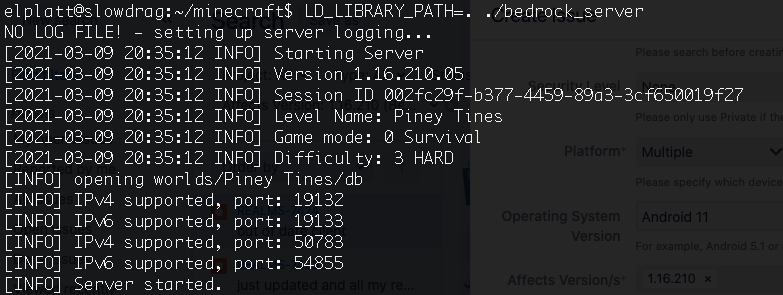


After updating both android client and ubuntu server to 1.16.210, I get an "unable to connect to world" error when trying to connect to my private server. I've tried rebooting with no luck.
Additional info: Creating a new world works, so the problem is only with pre-1.16.210 worlds. My world had originally been imported from realms.
Unable to connect toubuntuserver after updateUnable to connect to dedicated server after update
After updating both android client and ubuntu server to 1.16.210, I get an "unable to connect to world" error when trying to connect to my private server. I've tried rebooting with no luck.
Additional info: Creating a new world works, so the problem is only with pre-1.16.210 worlds. My world had originally been imported from realms.
Update 3/11/2021: Based on the comments, I tried deleting level.dat (after backing up) and allowing the server to rebuild. That fixed the problem for me.
In previous version, level 4/4 map corners were at (2048*n - 64). New maps now seem to be offset by 1024 blocks, with corners near (2048*n + 1024). This means previously created maps do not align with newly created maps. Not sure if this is a bug or an intentional change, but it's a big problem, as it means I can't add to my map walls without completely starting them over.
Description of attachments:
- 20/Apr/21: shows the result of following below reproduction steps on 1.16.220.
- 10/Jul/23: shows two maps in item frames side-by-side, both level 4/4 maps. The left map was created in an earlier 1.16 version on the left. The right map was created in 1.20.1. Note that the item frame marker is in the lower right corner on the left map and in the center on the right map. Similarly the lower right quadrant of the left map is the same as the upper left quadrant of the right map. They should transition seamlessly but do not.
In previous version, level 4/4 map corners were at (2048*n - 64). New maps now seem to be offset by 1024 blocks, with corners near (2048*n + 1024). This means previously created maps do not align with newly created maps. Not sure if this is a bug or an intentional change, but it's a big problem, as it means I can't add to my map walls without completely starting them over.
Description of attachments:
- 20/Apr/21: shows the result of following below reproduction steps on 1.16.220.
- 10/Jul/23: demonstrates the problem. It shows two maps in item frames side-by-side, both level 4/4 maps. The left map was created in an earlier 1.16 version on the left. The right map was created in 1.20.1. Note that the item frame marker is in the lower right corner on the left map and in the center on the right map. Similarly the lower right quadrant of the left map is the same as the upper left quadrant of the right map. They should transition seamlessly but do not.
Steps to Reproduce:
1. Create a new creative world
2. Travel to coordinate (0, any, 0)
3. Create and use a locator map
4. Place a cartography table
5. Use the cartography table and 4 pieces of paper to upgrade the map to level 4/4Observed Results:
Map shows player in center.Expected Results:
Map should show player in upper left. This was the behavior in previous versions.
I am experiencing this in 1.16.2. One additional piece of information: when I have seen zombie villagers on the surface, they have spawned in packs of 3 (or more?).
I am experiencing this well after upgrading to 1.16.100.4.
Steps to Reproduce:
1. Create a new creative world
2. Travel to coordinate (0, any, 0)
3. Create and use a locator map
4. Place a cartography table
5. Use the cartography table and 4 pieces of paper to upgrade the map to level 4/4
Observed Results:
Map shows player in center.
Expected Results:
Map should show player in upper left. This was the behavior in previous versions.
Skaijie, are you saying that is the intended behavior? Or just that it explains the observed behavior?
Still an issue for me. I am able to connect from Android, but not from Switch.
I can confirm this is an ongoing issue as of the current version 1.20.1. This is a serious issue because it means that any maps added to map walls from previous versions will not be aligned. In my case I have elaborate builds at the map corners, which are no longer the map corners.
Note that this is a different issue than the one discussed in
MCPE-126607. That issue is about maps not aligning to the grid. This issue is that maps now align to a different grid.Update: in 1.20.41, this is resolved in newly created creative worlds (i haven't tested survival). However, this issue remains in worlds created in previous versions (e.g., 1.16).