 GrmpfhcGames
- GrmpfhcGames
- grmpfhcgames
- Europe/Stockholm
- Yes
- No
 MC-17072

Put the summary of the bug you're having here
What I expected to happen was...:
Finding the saddle in the transportation categoryWhat actually happened was...:
I went to the transportation category in the creative inventory but the saddle wasn't displayed. However when I searched "saddle" it still shows that the categorie should be transportationSteps to Reproduce:
1. Open the creative inventory
2. Go to the transportation category
3. Saddle isn't displayedWhat I expected to happen was...:
Finding the saddle in the transportation categoryWhat actually happened was...:
I went to the transportation category in the creative inventory but the saddle wasn't displayed. However when I searched "saddle" it still shows that the categorie should be transportationSteps to Reproduce:
1. Open the creative inventory
2. Go to the transportation category
3. Saddle isn't displayed
Saddle can't be found in transportation categoriein creative invetorySaddle can't be found in transportation category in creative invetory
Can this bug be reopend again, please?
How to replicate the bug:
1. Set your game mode to adventure mode:
/gamemode adventure @p2. Get a water bucket with the CanPlaceOn tag, for example one that can only be placed on stone:
/give @p water_bucket{CanPlaceOn:[stone]}
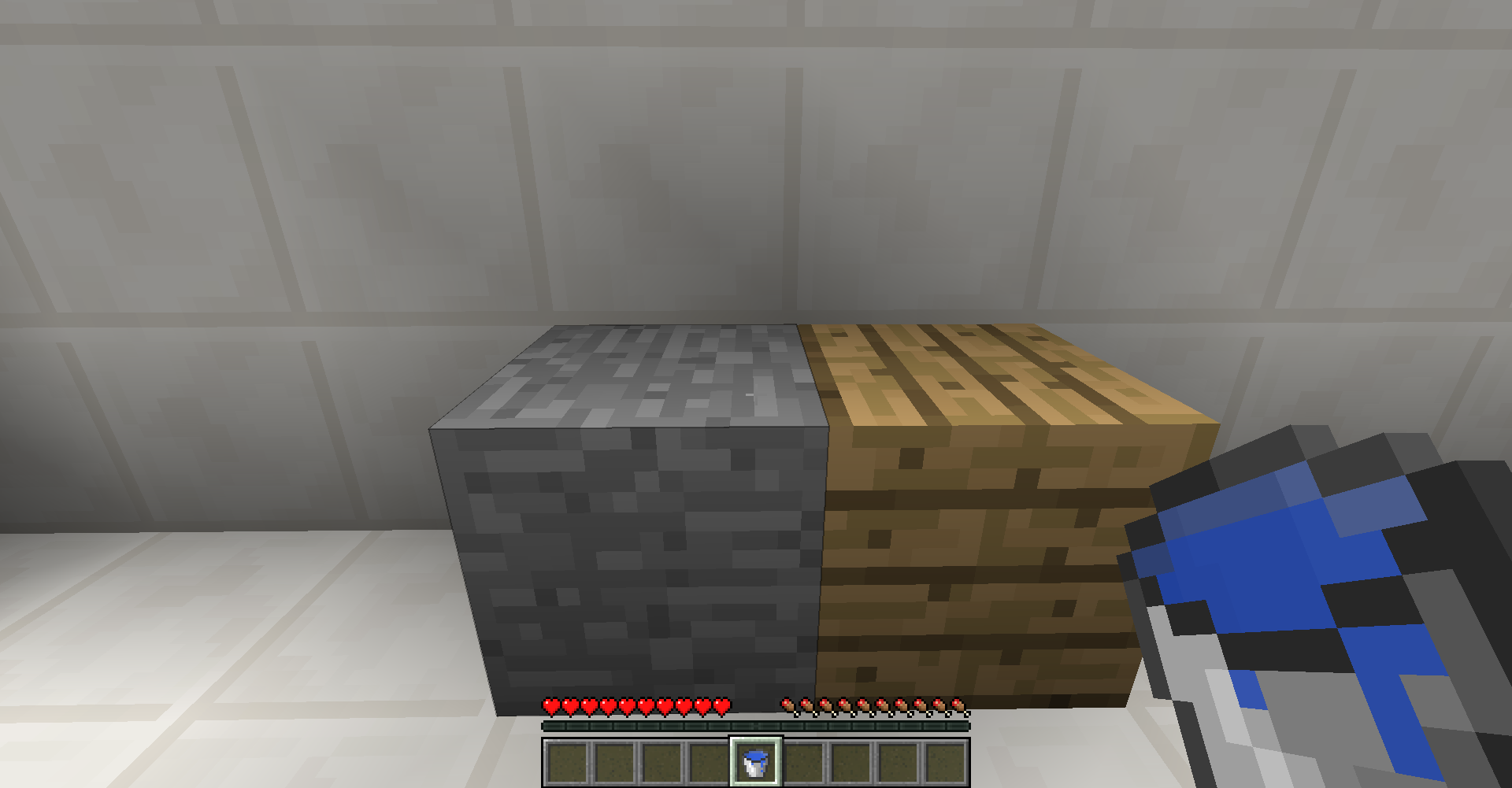
You can check it's correctness by hovering over the item and seeing that it actually correctly registerd the tag (no typo's). See first attached screenshot.3. Hold the water bucket and look at a stone block. The block is outlined, because the bucket has the CanPlaceOn tag for it. See second attached screenshot.
4. Hold the water bucket and look at another block. The block is not outlined, because the bucket does not have the CanPlaceOn tag for it. See third attached screenshot.
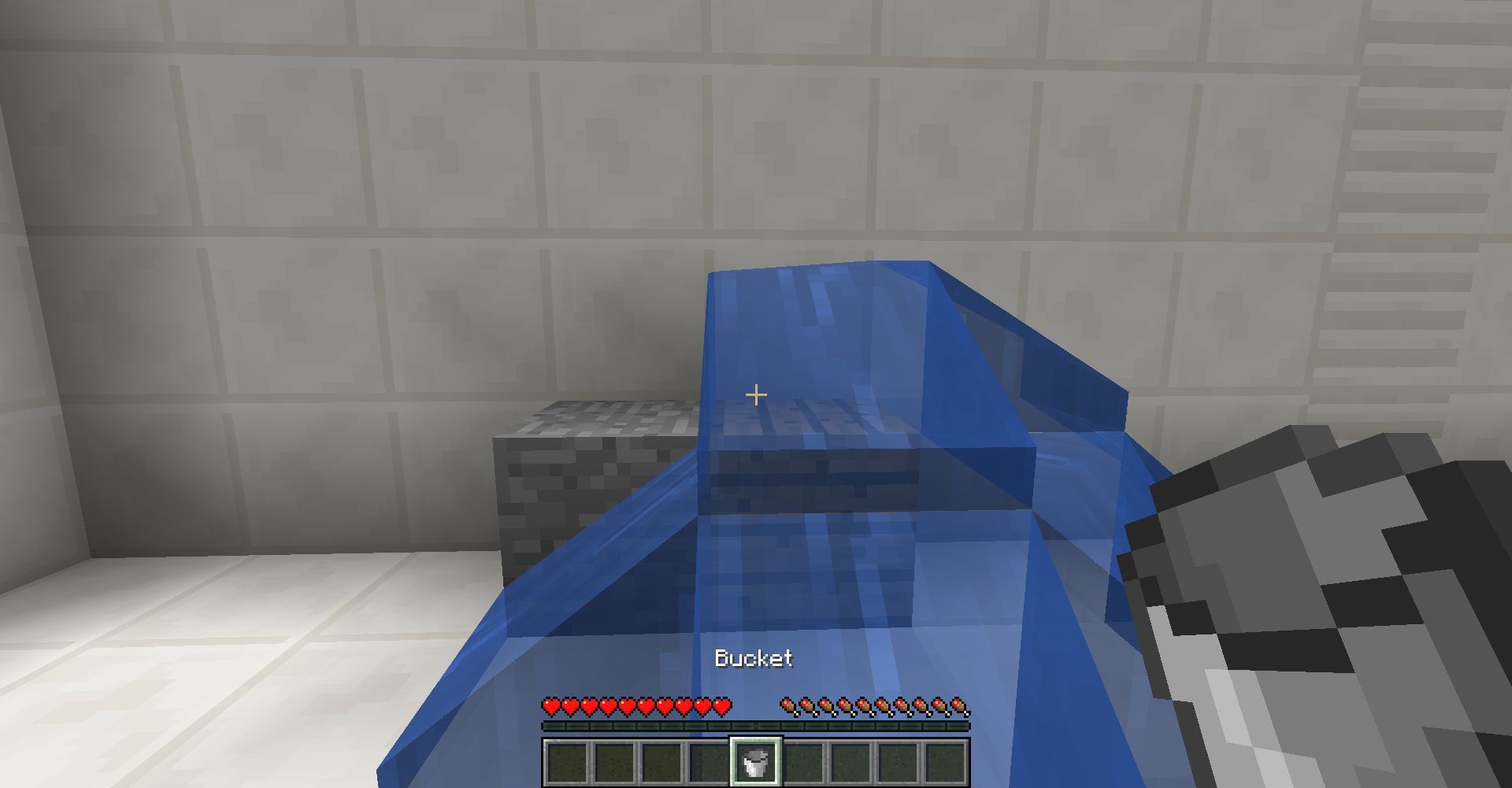
5. Place the water on that other (not-stone) block. Even though the block wasn't outlined, the water will still be placed. See fourth attached screenshot.
How to replicate the bug:
1. Set your game mode to adventure mode:
/gamemode adventure @p2. Get a water bucket with the CanPlaceOn tag, for example one that can only be placed on stone:
{CanPlaceOn:[stone]}
_/give @p water_bucket_
You can check it's correctness by hovering over the item and seeing that it actually correctly registerd the tag (no typo's). See first attached screenshot.3. Hold the water bucket and look at a stone block. The block is outlined, because the bucket has the CanPlaceOn tag for it. See second attached screenshot.
4. Hold the water bucket and look at another block. The block is not outlined, because the bucket does not have the CanPlaceOn tag for it. See third attached screenshot.
5. Place the water on that other (not-stone) block. Even though the block wasn't outlined, the water will still be placed. See fourth attached screenshot.
EDIT: If there is no CanPlaceOn tag at all on the water bucket item, you can still place it on any block. Water can also be picked up with a bucket that does not have "Water" in it's CanPlaceOn tag.
How to replicate the bug:
1. Set your game mode to adventure mode:
/gamemode adventure @p2. Get a water bucket with the CanPlaceOn tag, for example one that can only be placed on stone:
{CanPlaceOn:[stone]}
_/give @p water_bucket_
You can check it's correctness by hovering over the item and seeing that it actually correctly registerd the tag (no typo's). See first attached screenshot.3. Hold the water bucket and look at a stone block. The block is outlined, because the bucket has the CanPlaceOn tag for it. See second attached screenshot.
4. Hold the water bucket and look at another block. The block is not outlined, because the bucket does not have the CanPlaceOn tag for it. See third attached screenshot.
5. Place the water on that other (not-stone) block. Even though the block wasn't outlined, the water will still be placed. See fourth attached screenshot.
EDIT: If there is no CanPlaceOn tag at all on the water bucket item, you can still place it on any block. Water can also be picked up with a bucket that does not have "Water" in it's CanPlaceOn tag.
How to replicate the bug:
1. Set your game mode to adventure mode:
/gamemode adventure @p2. Get a water bucket with the CanPlaceOn tag, for example one that can only be placed on stone:
{CanPlaceOn:[stone]}
_/give @p water_bucket_
You can check it's correctness by hovering over the item and seeing that it actually correctly registerd the tag (no typo's). See first attached screenshot.3. Hold the water bucket and look at a stone block. The block is outlined, because the bucket has the CanPlaceOn tag for it. See second attached screenshot.
4. Hold the water bucket and look at another block. The block is not outlined, because the bucket does not have the CanPlaceOn tag for it. See third attached screenshot.
5. Place the water on that other (not-stone) block. Even though the block wasn't outlined, the water will still be placed. See fourth attached screenshot.
EDIT:
- If there is no CanPlaceOn tag at all on the water bucket, you can still place it on any block.
- The same goes for lava buckets.
- Water and lava can also be picked up with any bucket (no need to specify the liquid in a CanPlaceOn tag).
How to replicate the bug:
1. Set your game mode to adventure mode:
/gamemode adventure @p2. Get a water bucket with the CanPlaceOn tag, for example one that can only be placed on stone:
{CanPlaceOn:[stone]}
_/give @p water_bucket_
You can check it's correctness by hovering over the item and seeing that it actually correctly registerd the tag (no typo's). See first attached screenshot.3. Hold the water bucket and look at a stone block. The block is outlined, because the bucket has the CanPlaceOn tag for it. See second attached screenshot.
4. Hold the water bucket and look at another block. The block is not outlined, because the bucket does not have the CanPlaceOn tag for it. See third attached screenshot.
5. Place the water on that other (not-stone) block. Even though the block wasn't outlined, the water will still be placed. See fourth attached screenshot.
EDIT:
- If there is no CanPlaceOn tag at all on the water bucket, you can still place it on any block.
- The same goes for lava buckets.
- Water and lava can also be picked up with any bucket (no need to specify the liquid in a CanPlaceOn tag).
How to replicate the bug:
1. Set your game mode to adventure mode:
/gamemode adventure @p2. Get a water bucket with the CanPlaceOn tag, for example one that can only be placed on stone:
/give @p water_bucket{CanPlaceOn:[stone]}
You can check it's correctness by hovering over the item and seeing that it actually correctly registerd the tag (no typo's). See first attached screenshot.3. Hold the water bucket and look at a stone block. The block is outlined, because the bucket has the CanPlaceOn tag for it. See second attached screenshot.
4. Hold the water bucket and look at another block. The block is not outlined, because the bucket does not have the CanPlaceOn tag for it. See third attached screenshot.
5. Place the water on that other (not-stone) block. Even though the block wasn't outlined, the water will still be placed. See fourth attached screenshot.
EDIT:
- If there is no CanPlaceOn tag at all on the water bucket, you can still place it on any block.
- The same goes for lava buckets.
- Water and lava can also be picked up with any bucket (no need to specify the liquid in a CanPlaceOn tag).
It can be recreated by, among others, walking over soul sand.
After restarting the game, it does work with any block but piston_extension.
It's indeed block 36, but in my case I want to have a block which you can't interact with and can't see, so the barrier can't be used for that unfortunately...
Duplicate of
MC-47979Duplicate of
MC-49142Confirmed for snapshot 14w11b
Do you have a texture pack on? If so, try it on default. You're texture pack may not be updated for the new enchanting GUI.
This is intended in 1.8
You're right Henry Verveer, it's working as intended.
Depending on your resource pack, there may already be an updated version for snapshots. You could try and find out whether this is true for yours and keep playing with your resource pack on, including the 1.8 textures.
If this happens often, you should copy the crash report and include it. Otherwise Mojang (or online mods) won't be able to know what problem you're having.
Duplicate of
MC-64880Duplicate of
MC-62166Never mind