 Joshua Bass
- Jerrolkay
- JIRAUSER483450
- America/Chicago
- Yes
- No
 MCPE-151391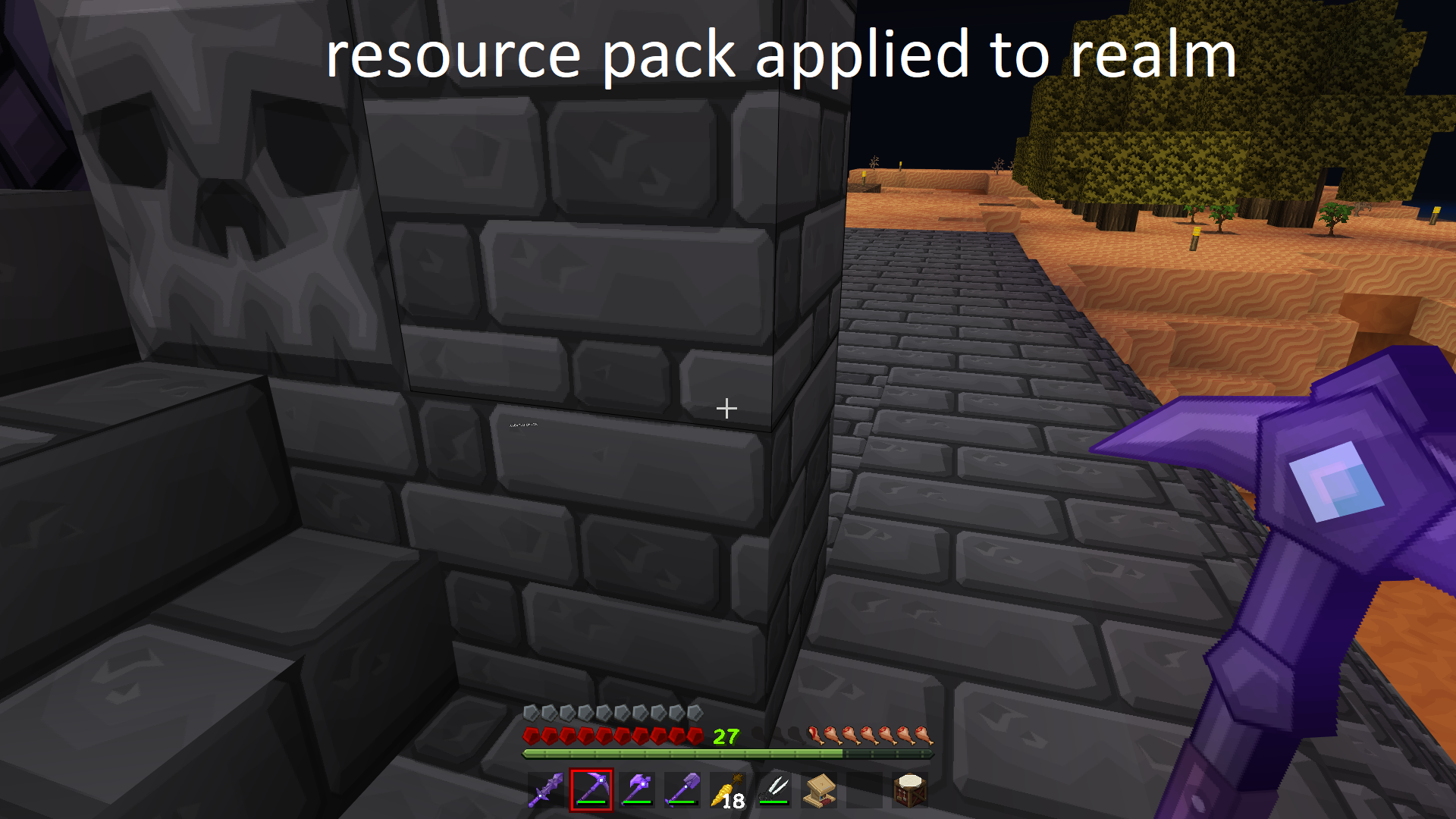
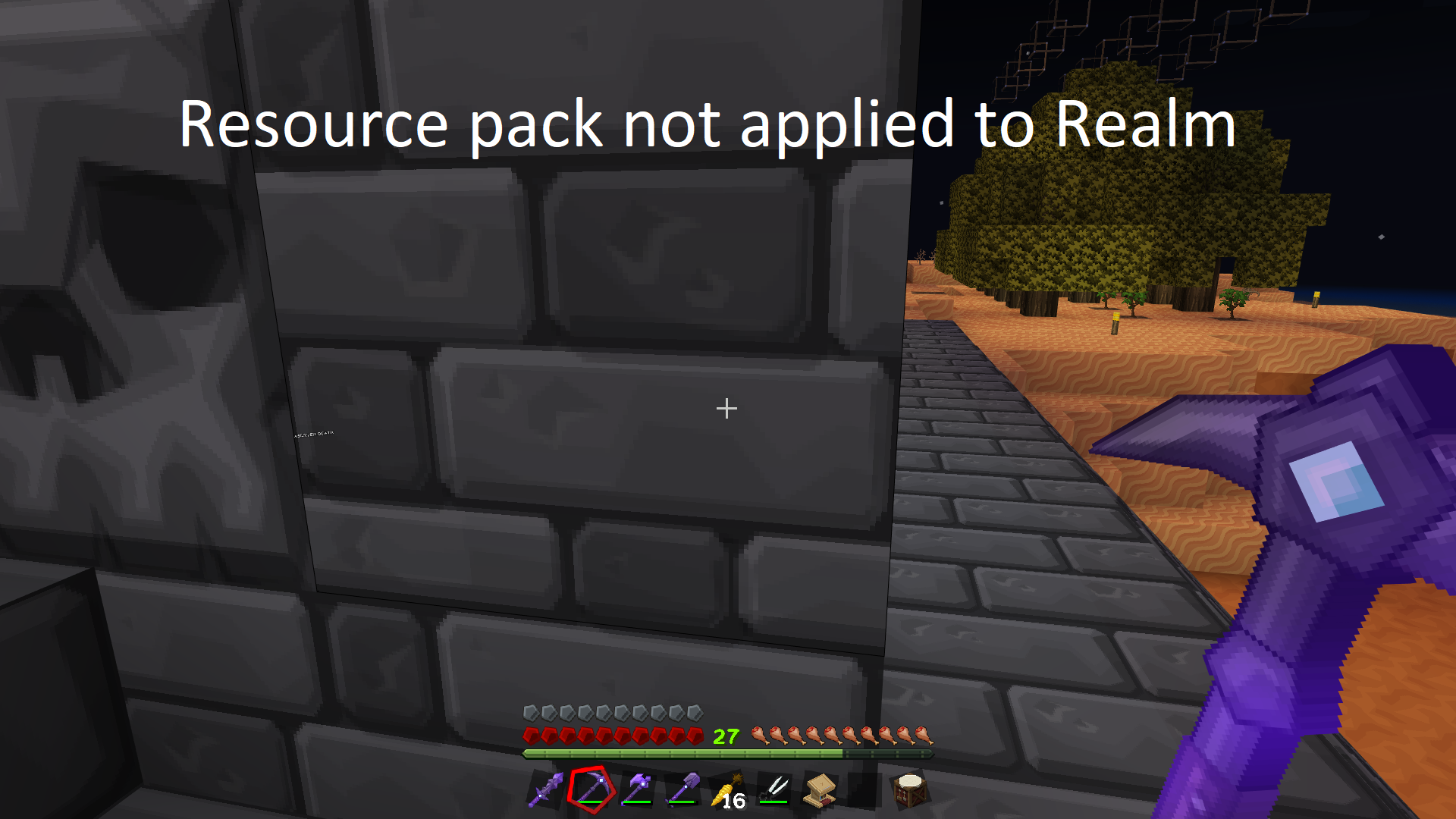
Joining Realm with the same resource pack as client causes resource pack to load atmax resolutionJoining Realm with the same resource pack as client causes resource pack to load at different Resolution.
When joining a realm that has the same resource pack as the one, you're currently using if yours is set on the client side to less than the highest available resolution it will be bumped up to the highest when joining.
Steps to reproduce:
Step 1: Upload resource pack to realm Ex. PureBDcraft (Require players to accept resource packs to join should be toggled off)
Step 2: Load same resource pack on client at lower than max resolution Ex. if max is 256x then use 128x
Step 3: Join Realm you uploaded the resource pack to.Observed Result:
When you load into the Realm your Resource pack will load at 256x Instead of 128xExpected Result:
When joining realm resource pack loads at clients preferred resolution of 128x
The above issue has changed slightly has I show it is now dropping the resolution down to the lowest for example going from 128x to 64x when the resource pack is loaded to the realm.
When joining a realm that has the same resource pack as the one, you're currently using if yours is set on the client side to less than the highest available resolution it will be bumped up to the highest when joining.
Steps to reproduce:
Step 1: Upload resource pack to realm Ex. PureBDcraft (Require players to accept resource packs to join should be toggled off)
Step 2: Load same resource pack on client at lower than max resolution Ex. if max is 256x then use 128x
Step 3: Join Realm you uploaded the resource pack to.Observed Result:
When you load into the Realm your Resource pack will load at 256x Instead of 128xExpected Result:
When joining realm resource pack loads at clients preferred resolution of 128x
The above issue has changed slightly
has I show it is now dropping the resolution down to the lowest for example going from 128x to 64x when the resource pack is loaded to the realm.
When joining a realm that has the same resource pack as the one, you're currently using if yours is set on the client side to less than the highest available resolution it will be bumped up to the highest when joining.
Steps to reproduce:
Step 1: Upload resource pack to realm Ex. PureBDcraft (Require players to accept resource packs to join should be toggled off)
Step 2: Load same resource pack on client at lower than max resolution Ex. if max is 256x then use 128x
Step 3: Join Realm you uploaded the resource pack to.Observed Result:
When you load into the Realm your Resource pack will load at 256x Instead of 128xExpected Result:
When joining realm resource pack loads at clients preferred resolution of 128x
The above issue has changed slightly as I show it is now dropping the resolution down to the
lowestfor example going from 128x to 64x when the resource pack is loaded to the realm.When joining a realm that has the same resource pack as the one, you're currently using if yours is set on the client side to less than the highest available resolution it will be bumped up to the highest when joining.
Steps to reproduce:
Step 1: Upload resource pack to realm Ex. PureBDcraft (Require players to accept resource packs to join should be toggled off)
Step 2: Load same resource pack on client at lower than max resolution Ex. if max is 256x then use 128x
Step 3: Join Realm you uploaded the resource pack to.Observed Result:
When you load into the Realm your Resource pack will load at 256x Instead of 128xExpected Result:
When joining realm resource pack loads at clients preferred resolution of 128x
The above issue has changed slightly as I show it is now dropping the resolution down to the 64x for example going from 128x to 64x when the resource pack is loaded to the realm. Per the remark in the comments
When joining a realm that has the same resource pack as the one, you're currently using if yours is set on the client side to less than the highest available resolution it will be bumped up to the highest when joining.
Steps to reproduce:
Step 1: Upload resource pack to realm Ex. PureBDcraft (Require players to accept resource packs to join should be toggled off)
Step 2: Load same resource pack on client at lower than max resolution Ex. if max is 256x then use 128x
Step 3: Join Realm you uploaded the resource pack to.Observed Result:
When you load into the Realm your Resource pack will load at 256x Instead of 128xExpected Result:
When joining realm resource pack loads at clients preferred resolution of 128x
The above issue has changed slightly as I show it is now dropping the resolution down to the 64x for example going from 128x to 64x when the resource pack is loaded to the realm. Per the remark in the comments
When joining a realm that has the same resource pack as the one, you're currently using if yours is set on the client side to less than the highest available resolution it will be bumped up to the highest when joining.
Steps to reproduce:
Step 1: Upload resource pack to realm Ex. PureBDcraft (Require players to accept resource packs to join should be toggled off)
Step 2: Load same resource pack on client at lower than max resolution Ex. if max is 256x then use 128x
Step 3: Join Realm you uploaded the resource pack to.Observed Result:
When you load into the Realm your Resource pack will load at 256x Instead of 128xExpected Result:
When joining realm resource pack loads at clients preferred resolution of 128x
The above issue has changed slightly as I show it is now dropping the resolution down to the 64x for example going from 128x to 64x when the resource pack is loaded to the realm. Per the remark in the comments the highest or lowest resolution isn't being used it is whatever is farthest right on the slider.
When joining a realm that has the same resource pack as the one, you're currently using if yours is set on the client side to
less than the highest available resolution it will be bumped up tothehighestwhen joining.Steps to reproduce:
Step 1: Upload resource pack to realm Ex. PureBDcraft (Require players to accept resource packs to join should be toggled off)
Step 2: Load same resource pack on clientat lower than max resolution Ex. if max is 256x then use 128x
Step 3: Join Realm you uploaded the resource pack to.Observed Result:
When you load into the Realm your Resource pack will load at256x Instead of 128xExpected Result:
When joining realm resource pack loads at clients preferred resolutionof 128x
The above issue has changed slightly as I show it is now dropping the resolution down to the 64x for example going from 128x to 64x when the resource pack is loaded to the realm. Per the remark in the comments the highest or lowest resolution isn't being used it is whatever is farthest right on the slider.
When joining a realm that has the same resource pack as the one, you're currently using if yours is set on the client side to any resolution other than the one on the furthest right resolution on the slider it will change to the one on the furthest right.
Steps to reproduce:
Step 1: Upload resource pack to realm Ex. PureBDcraft (Require players to accept resource packs to join should be toggled off)
Step 2: Load same resource pack on the client side with a resolution set to any option that isn't the furthest right one on the slider.
Step 3: Join Realm you uploaded the resource pack to.Observed Result:
When you load into the Realm your Resource pack will load at the furthest right resolution on the slider.Expected Result:
When joining realm resource pack loads at clients preferred resolution.Tested using PureBDcraft resource pack. Currently the resolution slider for this pack is [32x 256x 128x 64x] with any option chosen changing to 64x when joining a realm with the same resource pack. Previously the slider for the pack was [32x 64x 128x 256x] so when you joined a realm it defaulted to 256x which was the furthest right option.
Edited for clarity and updated with new information.
It seems like setting the status to won't Fix is inaccurate as the status would be more accurately described as a duplicate of
MCPE-161517. Which is a fairly detailed description of the issue that is causing this listed issue. It also includes a temporary fix while we wait for the developers to hopefully fix it. I would suggest anyone who followed this issue to go followMCPE-161517as that issue is still tagged as unresolved.