 JessePinkerman
- JessePinkerman
- jessepinkerman
- Europe/London
- Yes
- No
 MC-91353
![[Mojang] Grum (Erik Broes)](../../../data/assets/gravatar/grum.png)








I can´t summon entities with an "Equipment" tag, neither adding this tag to it.
How to reproduce it:
{id:276}Try typing "/entitydata @e[type=Zombie] {Equipment:[,{},{},{},{}]}",(with zombies in the world, of course.) it doesn´t work in the new snapshots.
Thank you for reading.
I can´t summon entities with an "Equipment" tag, neither adding this tag to it.
How to reproduce it: Check out this link: http://pastebin.com/HJyC34W4
Thank you for reading.
Sometimes, when I right click a Command Block, it doesn´t open its menu.
I have already tried right clicking with every item, it only works after relog.[EDIT] This happened again, but this time I broke the command block before relogging. After relogging, I was noclip, but I wasn´t in Spectator Mode.
If you summon item (like an armor piece) with an attribute added to it, it will lose its natural attributes like (like the generic.armor attribute, wich gives the player armor points), in order to get these natural attributes back, you need to add them to the command.
Here´s an example:This Leather Chestplate will lose its armor points, you will have to re-add them in the command.
If you summon item (like an armor piece) with an attribute added to it, it will lose its natural attributes like (like the generic.armor attribute, wich gives the player armor points), in order to get these natural attributes back, you need to add them to the command.
I have a txt file attached to this issue.This Leather Chestplate will lose its armor points, you will have to re-add them in the command.
If you summon item (like an armor piece) with an attribute added to it, it will lose its natural attributes
like(like the generic.armor attribute, wich gives the player armor points), in order to get these natural attributes back, you need to add them to the command.
I have a txt file attached to this issue./summon Item ~ ~1 ~ {Item:{Count:1,id:leather_chestplate,tag:{display:{color:500,Name:Cool Blue Awesome Shirt},AttributeModifiers:[{Slot:torso,AttributeName:generic.maxHealth,Name:generic.maxHealth,Amount:20,Operation:0,UUIDLeast:1,UUIDMost:1}]}}}This Leather Chestplate will lose its armor points, you will have to re-add them in the command.
If you summon item (like an armor piece) with an attribute added to it, it will lose its natural attributes (like the generic.armor attribute, wich gives the player armor points), in order to get these natural attributes back, you need to add them to the command.
I have a txt file attached to this issue./summon Item ~ ~1 ~ {Item:{Count:1,id:leather_chestplate,tag:{display:{color:500,Name:Cool Blue Awesome Shirt},AttributeModifiers:[{Slot:torso,AttributeName:generic.maxHealth,Name:generic.maxHealth,Amount:20,Operation:0,UUIDLeast:1,UUIDMost:1}]}}}This Leather Chestplate will lose its armor points, you will have to re-add them in the command.
If you summon item (like an armor piece) with an attribute added to it, it will lose its natural attributes (like the generic.armor attribute, wich gives the player armor points), in order to get these natural attributes back, you need to add them to the command.
Here´s an example:/summon Item ~ ~1 ~ {Item:{Count:1,id:leather_chestplate,tag:{display:{color:500,Name:Cool Blue Awesome Shirt},AttributeModifiers:[{Slot:torso,AttributeName:generic.maxHealth,Name:generic.maxHealth,Amount:20,Operation:0,UUIDLeast:1,UUIDMost:1}]}}}This Leather Chestplate will lose its armor points, you will have to re-add them in the command.
Att override.txt
Summoningarmoritems with custom attributes doesn't include default attribtes
If you summon item (like an armor piece or a sword) with an attribute added to it, it will lose its natural attributes (like the generic.armor attribute, wich gives the player armor points), in order to get these natural attributes back, you need to add them to the command.
Here´s an example:/summon Item ~ ~1 ~ {Item:{Count:1,id:leather_chestplate,tag:{display:{color:500,Name:Cool Blue Awesome Shirt},AttributeModifiers:[{Slot:torso,AttributeName:generic.maxHealth,Name:generic.maxHealth,Amount:20,Operation:0,UUIDLeast:1,UUIDMost:1}]}}}This Leather Chestplate will lose its armor points, you will have to re-add them in the command.
I need to add a Villager to a team whose collisionRule option is set to never (team name is sntp), but when I try to do this it says there is an error.
/scoreboard teams join @e[type=Villager] sntp
I need to add a Villager to a team whose collisionRule option is set to never (team name is sntp), but when I try to do this it says there is an error.
/scoreboard teams join @e[type=Villager] sntpI need to add a Villager to a team whose collisionRule option is set to never (team name is sntp), but when I try to do this it says there is an error.
=/scoreboard teams join @e[type=Villager] sntp
I need to add a Villager to a team whose collisionRule option is set to never (team name is sntp), but when I try to do this it says there is an error.
=/scoreboard teams join @e [type=Villager] sntpI need to add a Villager to a team whose collisionRule option is set to never (team name is sntp), but when I try to do this it says there is an error.
[/scoreboard teams join @e [type=Villager] sntp]
I need to add a Villager to a team whose collisionRule option is set to never (team name is sntp), but when I try to do this it says there is an error.
[/scoreboard teams join @e[type=Villager] sntp]
I need to add a Villager to a team whose collisionRule option is set to never (team name is sntp), but when I try to do this it says there is an error.
I need to add a Villager to a team whose collisionRule option is set to never (team name is sntp), but when I try to do this it says there is an error.
Here = /scoreboard teams join @e[type=Villager] sntp
I need to add a Villager to a team whose collisionRule option is set to never (team name is sntp), but when I try to do this it says there is an error.
Here =/scoreboard teams join @e [type=Villager] sntpI need to add a Villager to a team whose collisionRule option is set to never (team name is sntp), but when I try to do this it says there is an error.
/scoreboard teams join @e [type=Villager] sntp
I need to add a Villager to a team whose collisionRule option is set to never (team name is sntp), but when I try to do this it says there is an error.
/scoreboard teams join @e[type=Villager] sntp
I need to add a Villager to a team whose collisionRule option is set to never (team name is sntp), but when I try to do this it says there is an error.
Here:/scoreboard teams join @e[type=Villager] sntp
I need to add a Villager to a team whose collisionRule option is set to never (team name is sntp), but when I try to do this it says there is an error.
Here:/scoreboard teams join @e[type=Villager] sntp
If you type in this command:
/execute @a[rym=-0,ry=0] ~ ~ ~ /say HiYou expect it to test for every player looking at a direction between -0 and 0 and make it say "Hi", but nothing happens.
If you want the command to do it, you have to type in:
/execute @a[rym=-1,ry=0] ~ ~ ~ /say HiBut even if this is the command you type in, it will also detect players that are looking to 1.0, where it should test for player looking at, maximum, 0.9
If you type in this command:
/execute @a[rym=-0,ry=0] ~ ~ ~ /say HiYou expect it to test for every player looking at a direction between -0 and 0 and make it say "Hi", but nothing happens.
If you want the command to do it, you have to type in:
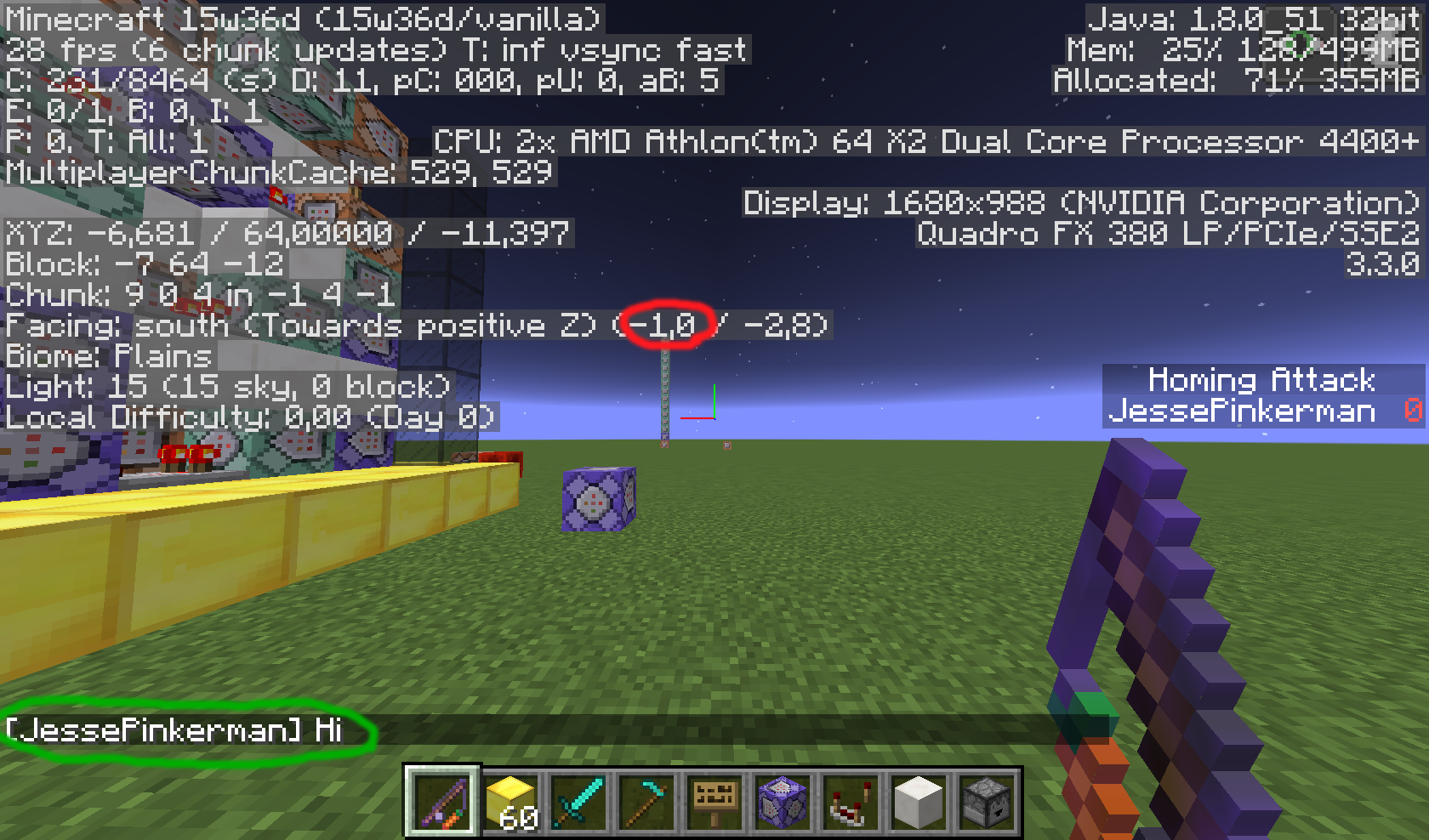
/execute @a[rym=-1,ry=0] ~ ~ ~ /say HiBut even if this is the command you type in, it will also detect players that are looking at -1.0, which is a problem when you want to test for people looking at -0 and 0.
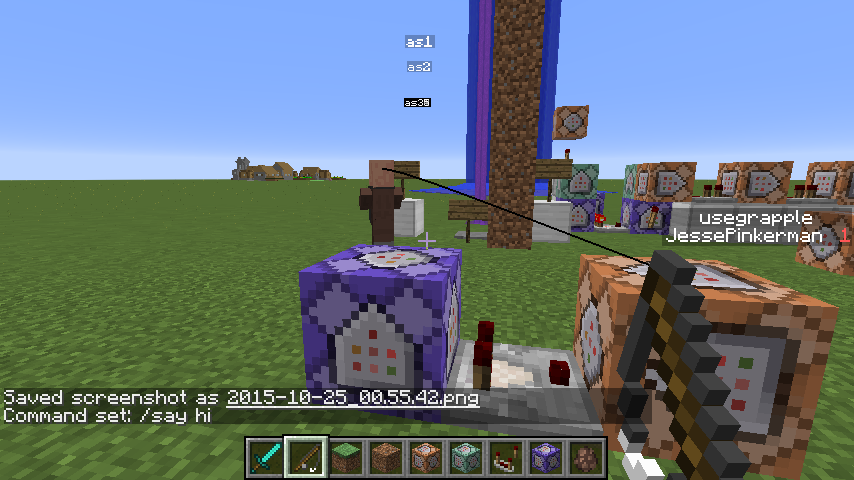
(In the images below, the "ha" scoreboard objective is a "stat.useItem.minecraft.carrot_on_a_stick" objective, so it will only say "Hi" if i right click the Carrot on a Stick)
If you type in this command:
/execute @a[rym=-0,ry=0] ~ ~ ~ /say HiYou expect it to test for every player looking at a direction between -0 and 0 and make it say "Hi", but nothing happens.
If you want the command to do it, you have to type in:
/execute @a[rym=-1,ry=0] ~ ~ ~ /say HiBut even if this is the command you type in, it will also detect players that are looking at -1.0, which is a problem when you want to test for people looking at -0 and 0.
(In the images below, the "ha" scoreboard objective is a "stat.useItem.minecraft.carrot_on_a_stick" objective, so it will only say "Hi" if i rightclick the Carrot on a Stick)If you type in this command:
/execute @a[rym=-0,ry=0] ~ ~ ~ /say HiYou expect it to test for every player looking at a direction between -0 and 0 and make it say "Hi", but nothing happens.
If you want the command to do it, you have to type in:
/execute @a[rym=-1,ry=0] ~ ~ ~ /say HiBut even if this is the command you type in, it will also detect players that are looking at -1.0, which is a problem when you only want to test for people looking at -0 and 0.
(In the images below, the "ha" scoreboard objective is a "stat.useItem.minecraft.carrot_on_a_stick" objective, so it will only say "Hi" if i right-click the Carrot on a Stick)
If you're try to put any kind of accents in letters in letter in the chat or in a sign and you're using a macintosh, you can't.
For instance the way you type the circumflex accent in the Mac is option
iletter, the result is just the letter you type without any accents...You can even copy and paste them in chat, but not in signs...
If you're try to put any kind of accents in letters in letter in the chat or in a sign and you're using a macintosh, you can't.
For instance the way you type the circumflex accent in the Mac is option + i + letter, the result is just the letter you type without any accents...
You can even copy and paste them in chat, but not in signs...
Fishing Rod dosen't work properly in offhandFishing Rod doesn't work properly in offhand
So how can I summon mobs with equipment in the new snapshots?
That also happens if you make a circle in the middle of the banner and apply it to a shield.
I used armor as an example, but it happens with every item like swords or axes.
Probably not a bug, but they should solve that, if you want to add the generic.attackSpeed Modifier to a sword, you probably don´t want it to lose its attack damage.
Can anyone tell me how do I put the command inside that box?
Please delete this issue
Yeah, but I was testing to see CrushedPixel's way of making entities attack other entities, that uses the UUID (not sure if it works with UUIDLeast and UUIDMost).
Makes sense, but I don't see this as a bug, maybe a suggestion?
I know you shouldn't mess with the UUID's because it messes with the game codes now that it means Universally Unique Identification, but I thought that they could find a way around it, I know nothing about programming in general, just basic calling methods and variables etc. but I wonder if they could, I don't know, identify when there are two entities with the same UUID and maybe set one's UUID to a randomly generated one, or not allowing the player to summon an entity whit a pre-existing UUID instead of glitching the system or crashing the game (I thought it would do so).
Also, UUIDLeast and UUIDMost is not something exclusive to 1.9, I never heard it in entities before but I know you can give UUIDLeast's and UUIDMost's to Attribute Modifiers, before any 1.9 snapshot.
Ok, maybe this ticket is invalid, but because no Kumasasa or whatever has seen this report, I'll just keep adding information to it.
I discovered another error (I didn't expect this to work properly), in the first video attached to this report, I tried to kill two Creepers with the same UUID, and only the first one summoned got killed, right? Now I've found out that if you summon two different entities, like a Spider and a Creeper, being the Creeper summoned before the Spider, and you try to kill the Creeper, the Creeper, doesn't die but the SPIDER does. I attached a new video to this report so you can see it better.
@Marcono1234 Relates to*
@No Name1 Summoning Item Frames to crash your game is an old trick m8, try doing something useful instead of trolling Mojira reports.
@No Name1 How do I know a player's UUID?
@No Name1 Typing
didn't work, it only said my name (get the reference?)
Also, can you explain me the difference between UUID and UUIDLeast and UUIDMost?
Oh, for that you could've just used
... Anyway, an entity's UUID is what makes it different from all the other entities, right? Then what's for UUIDLeast and UUIDMost? What's the difference?
Confirmed.
Sometimes you can even hit it once, but then it just stands there.