 user-4cf05
- jirauser21298
- JIRAUSER21298
- Europe/Stockholm
- No
- No
 MC-6858
![[Mojang] Jeb (Jens Bergensten)](../../../data/assets/gravatar/jeb.jpeg)

 MCPE-6052
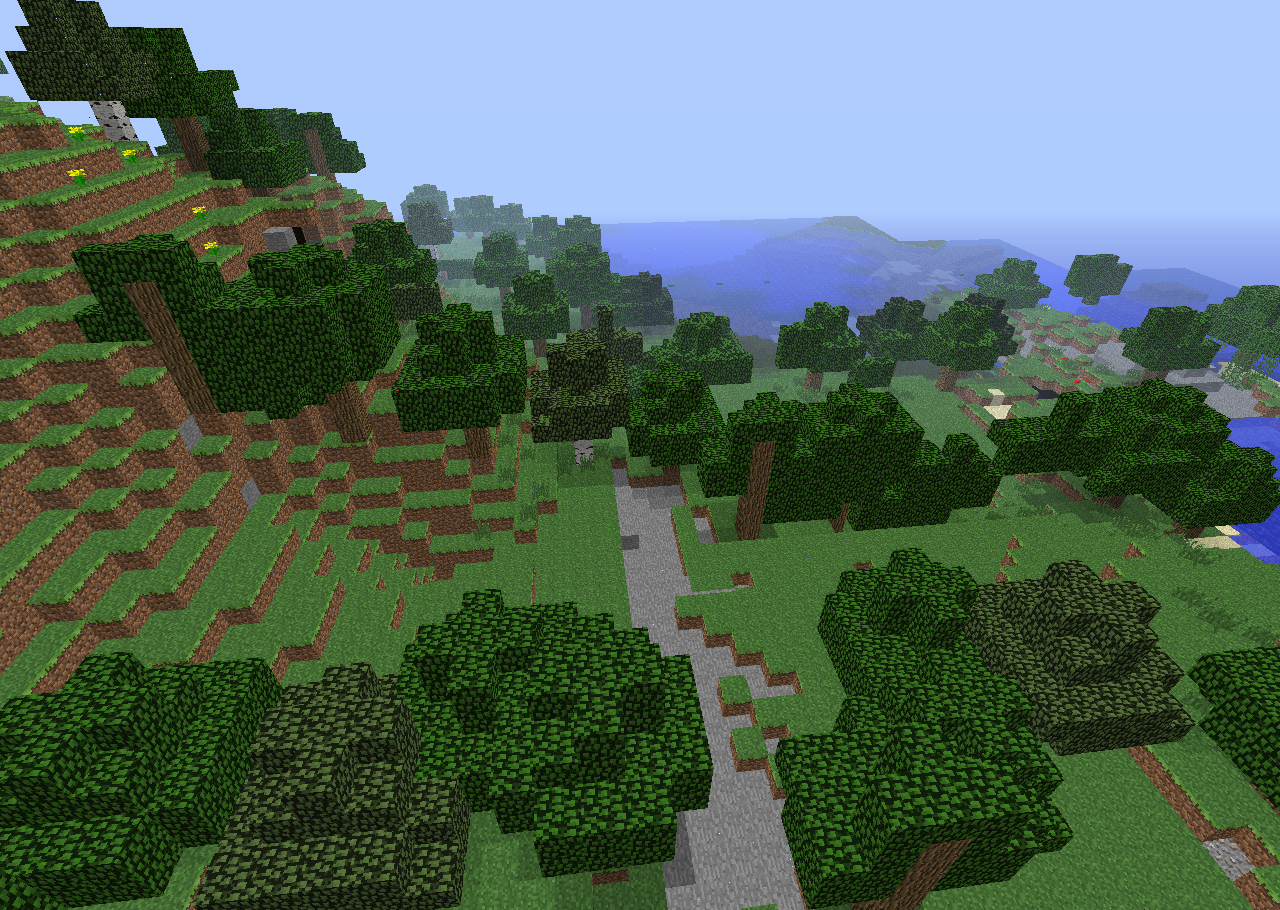
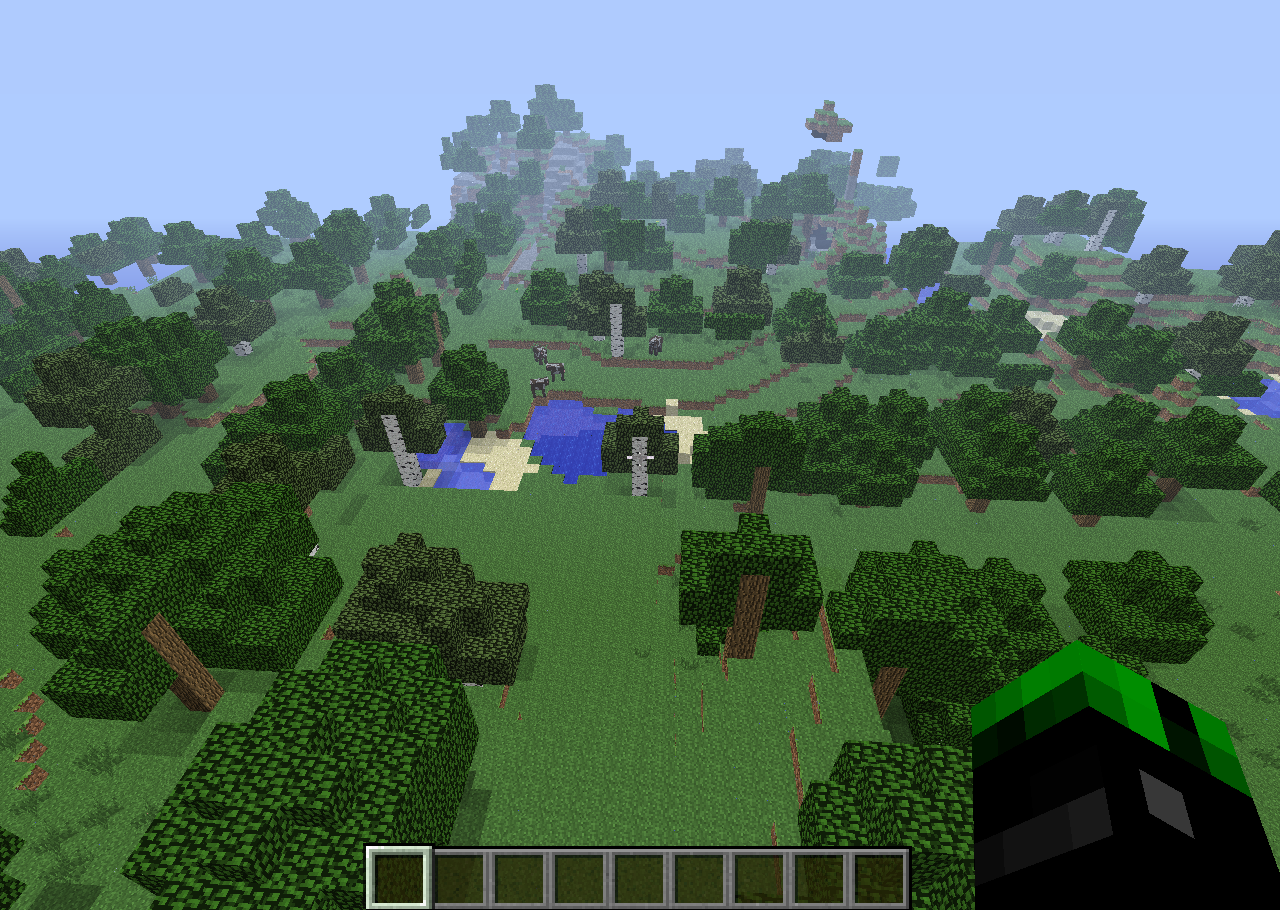
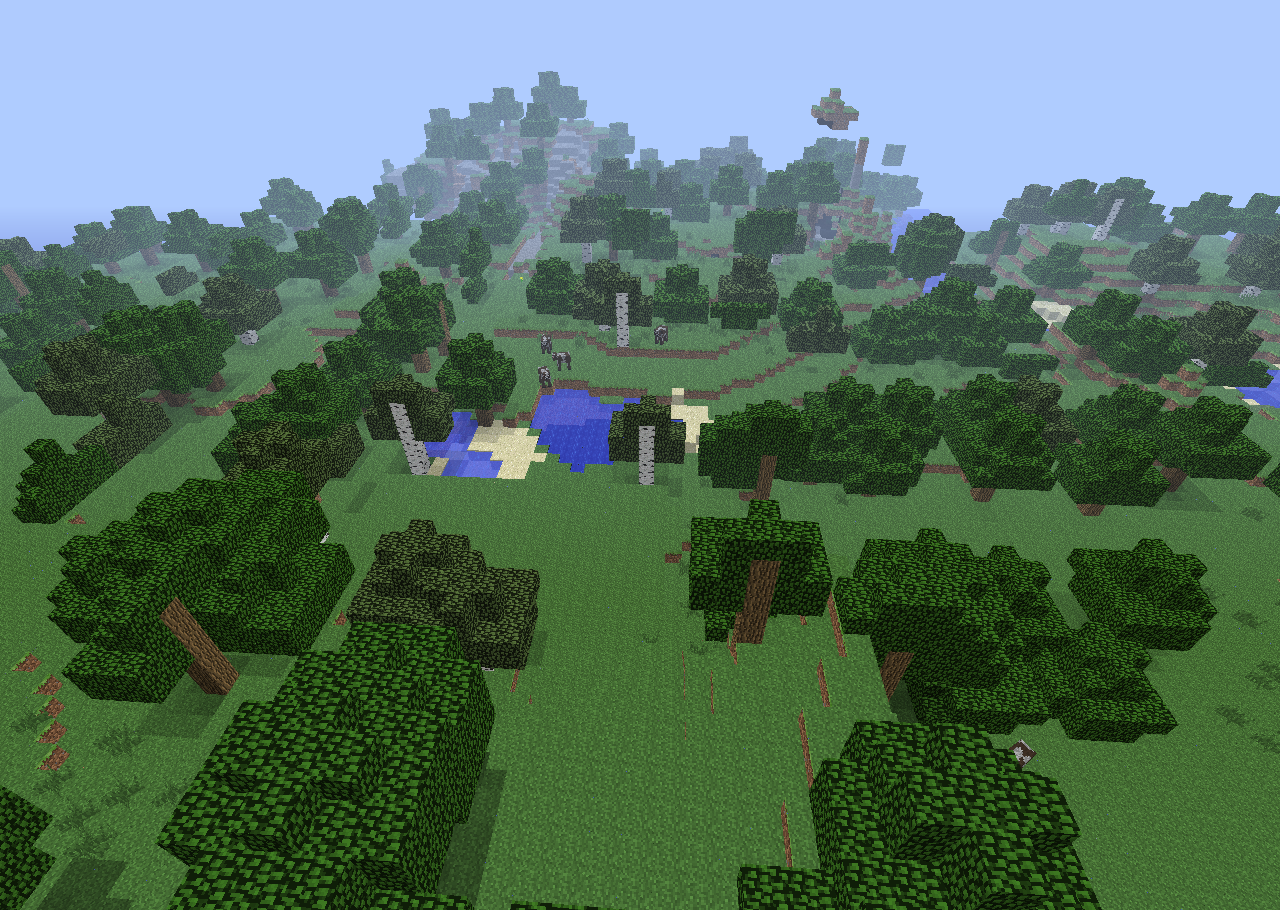
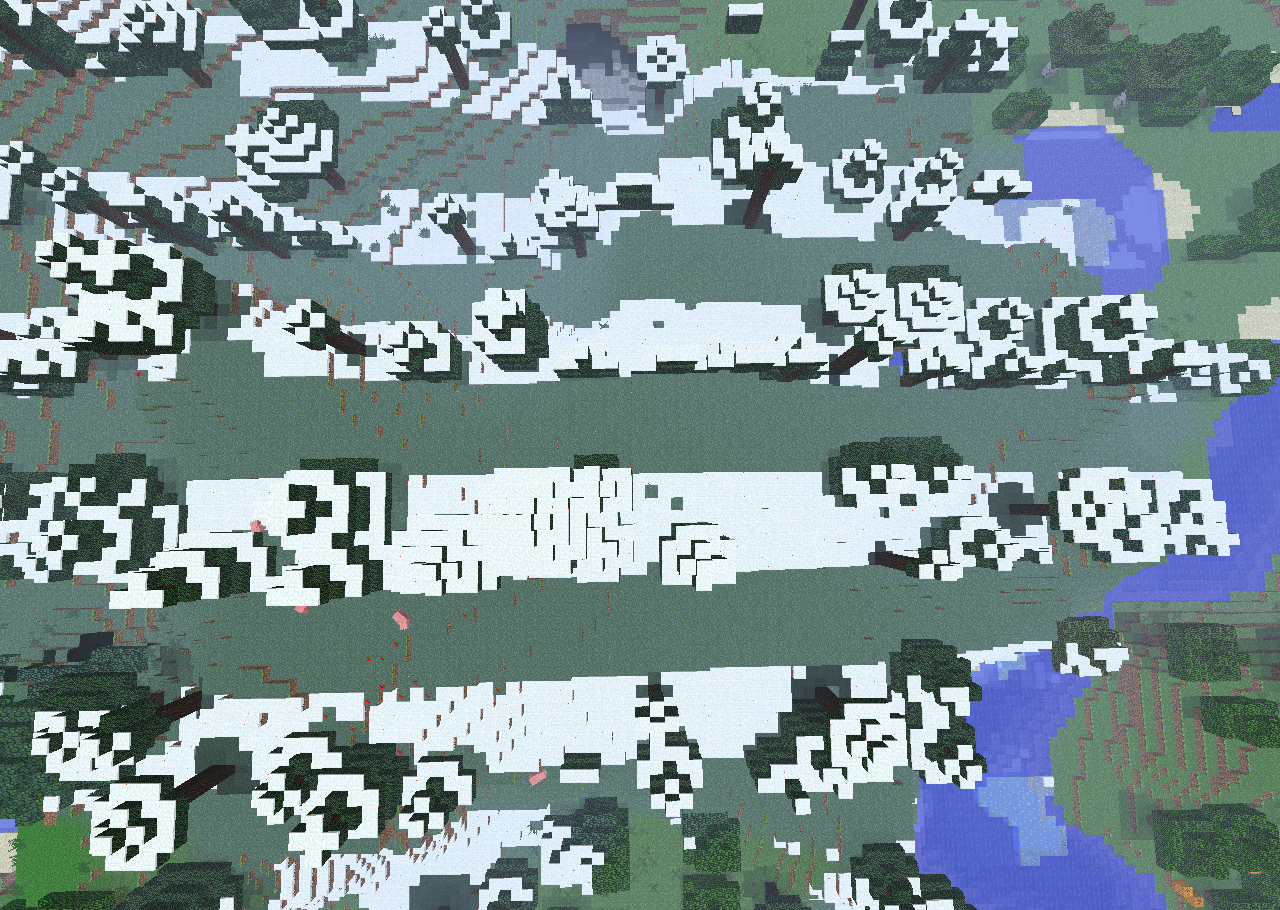


So, I just downloaded the snapshot. I create a new world and run into an invisible block. It stops me from moving but doesn't appear. You can see this in the images below. Happens both in Survival And Creative mode. When reentering the world, the blocks appear as normal until new chunks are generated.
What I expected to happen was...:
Blocks to appear as normal.What actually happened was...:
Blocks are invisible.Steps to Reproduce:
1. Create a new world
2. Explore a bit
3. Notice that blocks are invisible
When you break a
door, Particles are black and white.Affects survival and creative mode. Affects ironandwooden doorsWhat I expected to happen was...:
Have normal door colored particles.What actually happened was...:
Particles are colored black and white.Steps to Reproduce:
1. Place adoor
2. Destroy it
3. Particles ofdoorwill be black and white.When you break a block, Particles are black and white Affects survival and creative mode. Affects iron doors, wooden doors, and any mob head.
What I expected to happen was...:
Have normal door colored particles.What actually happened was...:
Particles are colored black and white.Steps to Reproduce:
1. Place a block listed above
2. Destroy it
3. Particles of it will be black and white.
Particles forbreaking doors are white and blackParticles for various blocks are black and white.
When you break a block, Particles are black and white Affects survival and creative mode.
Affects iron doors, wooden doors, and any mob head.What I expected to happen was...:
Have normaldoorcolored particles.What actually happened was...:
Particles are colored black and white.Steps to Reproduce:
1. Place a block listed above
2. Destroy it
3. Particles of it will be black and white.When you break a block, Particles are black and white Affects survival and creative mode.
Affects:
When breaking a "Head" block(Any head block) a gray/black particle effect comes off.
When a "Beacon" block is broke the particle effects that come off it are for a Diamond block.
When "Chests", "Trapped Chests" and "Signs" are broken they give off a wooden plank particle.
When you throw a Splash Potion on the ground the particle that comes off it are that for a normal Potion.
What I expected to happen was...:
Have normal colored particles.What actually happened was...:
Particles are colored black and white/wrong.Steps to Reproduce:
1. Place a block listed above
2. Destroy it
3. Particles of it will be black and white/wrong.
When you break a block, Particles are black and white Affects survival and creative mode.
Affects:
When breaking a "Head" block(Any head block) a gray/black particle effect comes off.
When a "Beacon" block is broke the particle effects that come off it are for a Diamond block.
When "Chests", "Trapped Chests" and "Signs" are broken they give off a wooden plank particle.
When you throw a Splash Potion on the ground the particle that comes off it are that for a normal Potion.
What I expected to happen was...:
Have normal colored particles.What actually happened was...:
Particles are colored black and white/wrong.Steps to Reproduce:
1. Place a block listed above
2. Destroy it
3. Particles of it will be black and white/wrong.When you break a block, Particles are black and white Affects survival and creative mode.
Affects:
When breaking a "Head" block(Any head block) a gray/black particle effect comes off.
When a "Beacon" block is broke the particle effects that come off it are for a Diamond block.
When "Chests", "Trapped Chests" and "Signs" are broken they give off a wooden plank particle.
When you throw a Splash Potion on the ground the particle that comes off it are that for a normal Potion.
When you break a "redstone dust" It gives off a black and red particle.
When you break an "enderchest" It gives off obsidian particles.
What I expected to happen was...:
Have normal colored particles.What actually happened was...:
Particles are colored black and white/wrong.Steps to Reproduce:
1. Place a block listed above
2. Destroy it
3. Particles of it will be black and white/wrong.
TNT minecarts don't explode when pushed off a rail with a piston. After the rail is removed, the player can not cause it to blow up.
What I expected to happen was...:
The cart would explode when making contact with the ground.What actually happened was...:
The cart doesn't explode.Steps to Reproduce:
1. Place a sticky piston next to a track with a TNT cart on it.
2. Extend and retract the piston causing the rail to retract with it.
3. Cart makes contact with ground and doesn't explode.
TNT minecarts don't explode when pushed off a rail with a piston. After the rail is removed, the player can not cause it to blow up.
What I expected to happen was...:
The cart would explode when making contact with the ground.What actually happened was...:
The cart doesn't explode.Steps to Reproduce:
1. Place a sticky piston next to a track with a TNT cart on it.
2. Extend and retract the piston causing the rail to retract with it.
3.Cart makes contact with ground and doesn't explode.TNT minecarts don't explode when pushed off a rail with a piston or if the rail underneath it is destroyed with water. After the rail is removed, the player can not cause it to blow up.
What I expected to happen was...:
The cart would explode when making contact with the ground.What actually happened was...:
The cart doesn't explode.Steps to Reproduce:
Piston
1. Place a sticky piston next to a track with a TNT cart on it.
2. Extend and retract the piston causing the rail to retract with it.
3. Cart makes contact with ground and doesn't explode.Water
1. Place a bucket of water flowing onto the minecart rails
2. Remove water
3. Minecart makes contact with the ground and doesn't explode.
Pistonremoves rail from under a TNT minecart, Cart doesn't explodeAnything other than a player removes rail from under a TNT minecart, Cart doesn't explode
Put the summary of the bug you're having hereWhat I expected to happen was...:
The wither would spawn and the soul sand blocks would disappear.What actually happened was...:
The wither spawned and left the blocks behind.Steps to Reproduce:
1. Summon a wither
2. Blocks will stay until right-clicked or until you re-enter the worldI tried to summon a wither and the blocks were left behind. I was on Easy Difficulty
What I expected to happen was...:
The wither would spawn and the soul sand blocks would disappear.What actually happened was...:
The wither spawned and left the blocks behind.Steps to Reproduce:
1. Summon a wither
2. Blocks will stay until right-clicked or until you re-enter the world
I tried to summon a wither and the blocks were left behind.
I wasonEasyDifficultyWhat I expected to happen was...:
The wither would spawn and the soul sand blocks would disappear.What actually happened was...:
The wither spawned and left the blocks behind.Steps to Reproduce:
1. Summon a wither
2. Blocks will stay until right-clicked or until you re-enter the worldI tried to summon a wither and the blocks were left behind. Confirmed to work on easy difficulty and up.
What I expected to happen was...:
The wither would spawn and the soul sand blocks would disappear.What actually happened was...:
The wither spawned and left the blocks behind.Steps to Reproduce:
1. Summon a wither
2. Blocks will stay until right-clicked or until you re-enter the world
Weighted pressure plates made out of metal make the wood sounds for breaking and placing.
Happens in both survival and creative mode.What I expected to happen was...:
It would make the metal noises for placing and breaking.What actually happened was...:
It made the wood noise for placing and breaking.Steps to Reproduce:
1. Place Weighted pressure plates to hear the wood place noise
2. Destroy Weighted pressure plates to hear the wood break noiseWeighted pressure plates made out of metal make the wood sounds for breaking and placing. This occurs in both survival and creative mode.
What I expected to happen was...:
It would make the metal noises for placing and breaking the block.What actually happened was...:
It made the wood noise for placing and breaking the block.Steps to Reproduce:
1. Place Weighted pressure plates to hear the wood place noise
2. Destroy Weighted pressure plates to hear the wood break noise
Windows Vista Java 6, Windows Vista Java 7, Windows Xp Java 7
Weighted pressure plates make wood sounds when placing and destroying
Weighted pressure plates made out of metal make the wood sounds for breaking and placing. This occurs in both survival and creative mode.
What I expected to happen was...:
It would make the metal noises for placing and breaking the block.What actually happened was...:
It made the wood noise for placing and breaking the block.Steps to Reproduce:
1. Place Weighted pressure plates to hear the wood placenoise
2. Destroy Weighted pressure plates to hear the wood breaknoiseWeighted pressure plates made out of metal make the wood sounds for breaking and placing. This occurs in both survival and creative mode.
What I expected to happen was...:
It would make the metal noises for placing and breaking the block.What actually happened was...:
It made the wood noise for placing and breaking the block.Steps to Reproduce:
1. Place Weighted pressure plates to hear the wood place sound occur.
2. Destroy Weighted pressure plates to hear the wood break sound occur.
The title explains it all.
How to reproduce:
1.) Die in a game
2.) Sit afk for 10-20 minutes
3.) The game goes unresponsive and crashesAdded a crash report that was dumped to the desktop.
Windows Xp Java 7 1gb of RAM to minecraft
Windows X
p Java 7 1gb of RAM to minecraftOS: Windows XP Build 2600 Service Pack 3
CPU:total 2 (1 cores per cpu, 2 threads per core) family 15 model 2 stepping 7, cmov, cx8, fxsr, mmx, sse, sse2, ht, tsc
Memory: 4k page, physical 2096128k(1001324k free), swap 4036680k(2897764k free)
Java: 7
OS: Windows XP Build 2600 Service Pack 3
CPU:total 2 (1 cores per cpu, 2 threads per core) family 15 model 2 stepping 7, cmov, cx8, fxsr, mmx, sse, sse2, ht, tsc
Memory: 4k page, physical 2096128k(1001324k free), swap 4036680k(2897764k free)
Java: 7
VM Arguments:
jvm_args: -Xms512m -Xmx1024m
java_command: C:\Documents and Settings\Evan\Desktop\Minecraft.exe
Launcher Type: SUN_STANDARD
MinecraftCrashesWhen sitting at the death screen for too longMinecraft crashes when sitting at the death screen for too long
The title explains it all.
How to reproduce:
1.) Die in a game
2.) Sit afk for 10-20 minutes
3.) The game goes unresponsive and crashesAdded a crash report that was dumped to the desktop.
How it happened:
I was doing PvP on a server. When I died, I had to go eat so I left the player on the respawn screen. When I came back, the game was completely frozen. It then crashed and put a log on my desktop.How to reproduce:
1.) Die in a game
2.) Sit afk for 10-20 minutes
3.) The game goes unresponsive and crashes
4.) A crash log is dumped to the desktopCrash report attached below
OS: Windows XP Build 2600 Service Pack 3
CPU:total 2 (1 cores per cpu, 2 threads per core) family 15 model 2 stepping 7, cmov, cx8, fxsr, mmx, sse, sse2, ht, tsc
Memory: 4k page, physical 2096128k(1001324k free), swap 4036680k(2897764k free)
Java: 7
VM Arguments:
jvm_args: -Xms512m -Xmx1024m
java_command: C:\Documents and Settings\Evan\Desktop\Minecraft.exe
Launcher Type: SUN_STANDARDEnvironment Variables:
PATH=C:\WINDOWS\system32;C:\WINDOWS;C:\WINDOWS\System32\Wbem;C:\WINDOWS\system32\WindowsPowerShell\v1.0;C:\Program Files\Java\jre7\bin
USERNAME=Evan
OS=Windows_NT
PROCESSOR_IDENTIFIER=x86 Family 15 Model 2 Stepping 7, GenuineIntel
OS: Windows XP Build 2600 Service Pack 3
CPU:total 2 (1 cores per cpu, 2 threads per core) family 15 model 2 stepping 7, cmov, cx8, fxsr, mmx, sse, sse2, ht, tsc
Memory: 4k page, physical 2096128k(1001324k free), swap 4036680k(2897764k free)
Java: 7
VM Arguments:
jvm_args: -Xms512m -Xmx1024m
java_command: C:\Documents and Settings\Evan\Desktop\Minecraft.exe
Launcher Type: SUN_STANDARDEnvironment Variables:
PATH=C:\WINDOWS\system32;C:\WINDOWS;C:\WINDOWS\System32\Wbem;C:\WINDOWS\system32\WindowsPowerShell\v1.0;C:\Program Files\Java\jre7\bin
USERNAME=Evan
OS=Windows_NT
PROCESSOR_IDENTIFIER=x86 Family 15 Model 2 Stepping 7, GenuineIntelVM Arguments:
jvm_args: -Xms512m -Xmx1024m
java_command: C:\Documents and Settings\Evan\Desktop\Minecraft.exe
Launcher Type: SUN_STANDARDEnvironment Variables:
PATH=C:\WINDOWS\system32;C:\WINDOWS;C:\WINDOWS\System32\Wbem;C:\WINDOWS\system32\WindowsPowerShell\v1.0;C:\Program Files\Java\jre7\bin
USERNAME=Evan
OS=Windows_NT
PROCESSOR_IDENTIFIER=x86 Family 15 Model 2 Stepping 7, GenuineIntel--------------- S Y S T E M ---------------
OS: Windows XP Build 2600 Service Pack 3
CPU:total 2 (1 cores per cpu, 2 threads per core) family 15 model 2 stepping 7, cmov, cx8, fxsr, mmx, sse, sse2, ht, tsc
Memory: 4k page, physical 2096128k(1001324k free), swap 4036680k(2897764k free)
vm_info: Java HotSpot(TM) Client VM (23.7-b01) for windows-x86 JRE (1.7.0_17-b02), built on Mar 1 2013 05:04:36 by "java_re" with unknown MS VC++:1600
time: Sat Mar 23 13:27:10 2013
elapsed time: 5839 seconds
Confirmed as of 13w02a
You need to be on at least easy mode. Not peaceful
No, They should explode whenever they derail. An activator rail just makes it explode while it is on a track.
Tested and does this with 1.4.7 also
Mob spawning is randomized so this really isn't an issue. All you need is luck
This seems to be a duplicate of MC-29706
This seems to be a duplicate of MC-29706
Look in the sounds folder. In the folder random there is a file named classic_hurt.ogg. You used to be able to play it with the /playsound command and now you can't. Seems like a bug to me.
Try disabling the onboard graphics in your BIOS.
Still an issue in 1.13 pre5.
Still an issue in 1.13 pre6.
Still an issue in 1.13 pre6.
Still an issue in 1.13 pre6.
Still an issue in 1.13 pre7.
Still an issue in 1.13 pre7.
Still an issue in 1.13 pre7.
Still an issue in 1.13-pre8.
@frank the frank
Don't say it's still an issue in a prerelease that isn't out yet. Wait for it to be out first and then test it.
Still an issue in 1.13-pre8.
Still an issue in 1.13-pre8.
Still an issue in 1.13-pre9.
Still an issue in 1.13-pre10.
Still an issue in 1.13-pre10.
Still an issue in 1.13.
Still an issue in 1.13.