 João Mambelli
- johnkcraft
- johnkcraft
- America/Sao_Paulo
- Yes
- No
 MC-4875
![[Mod] Avoma](../../../data/avatars/users/86198.png)
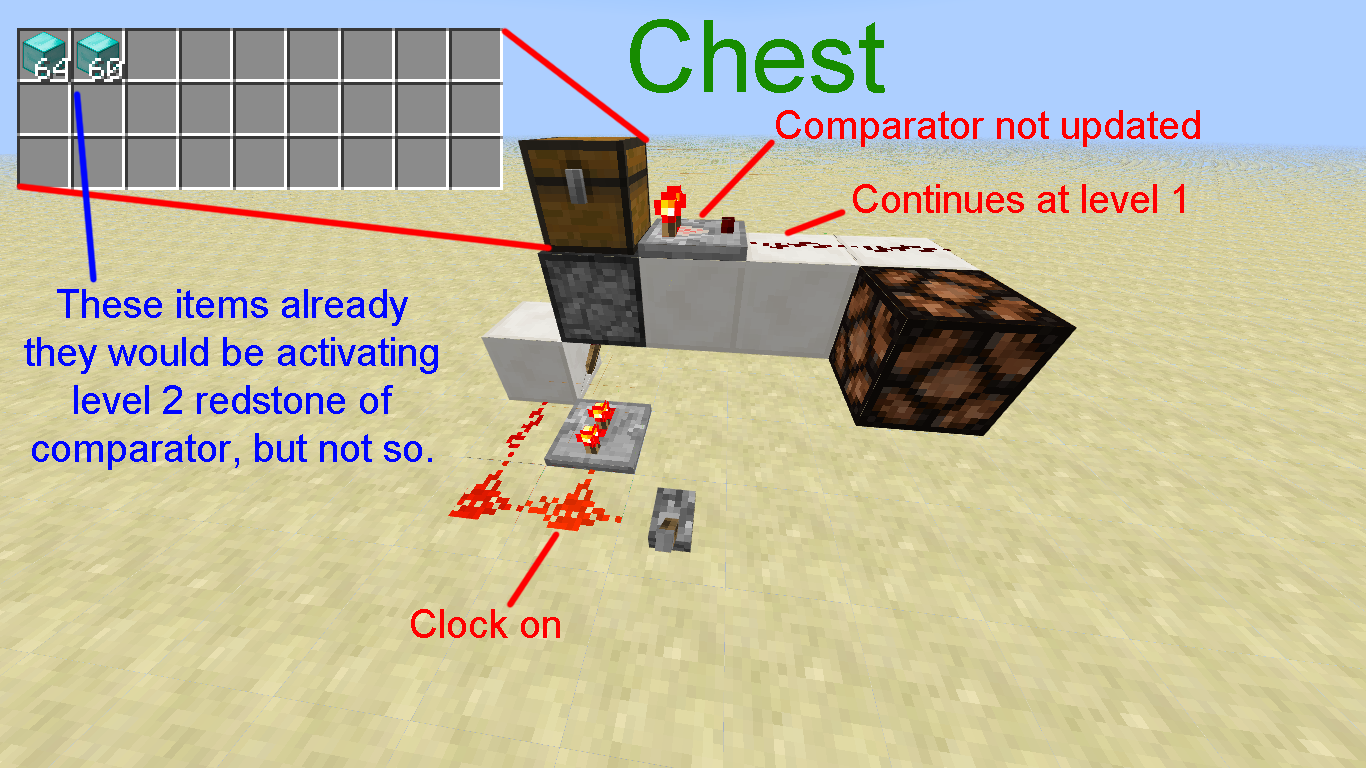

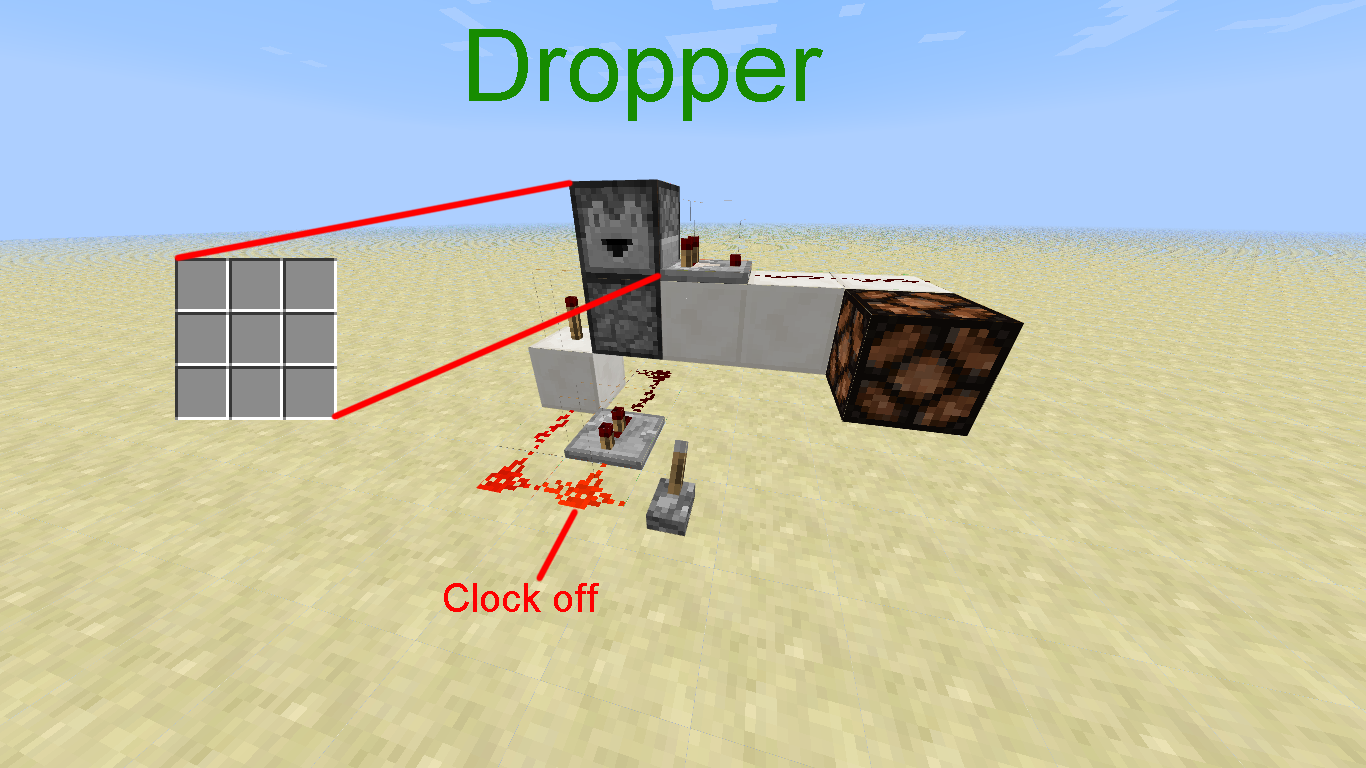
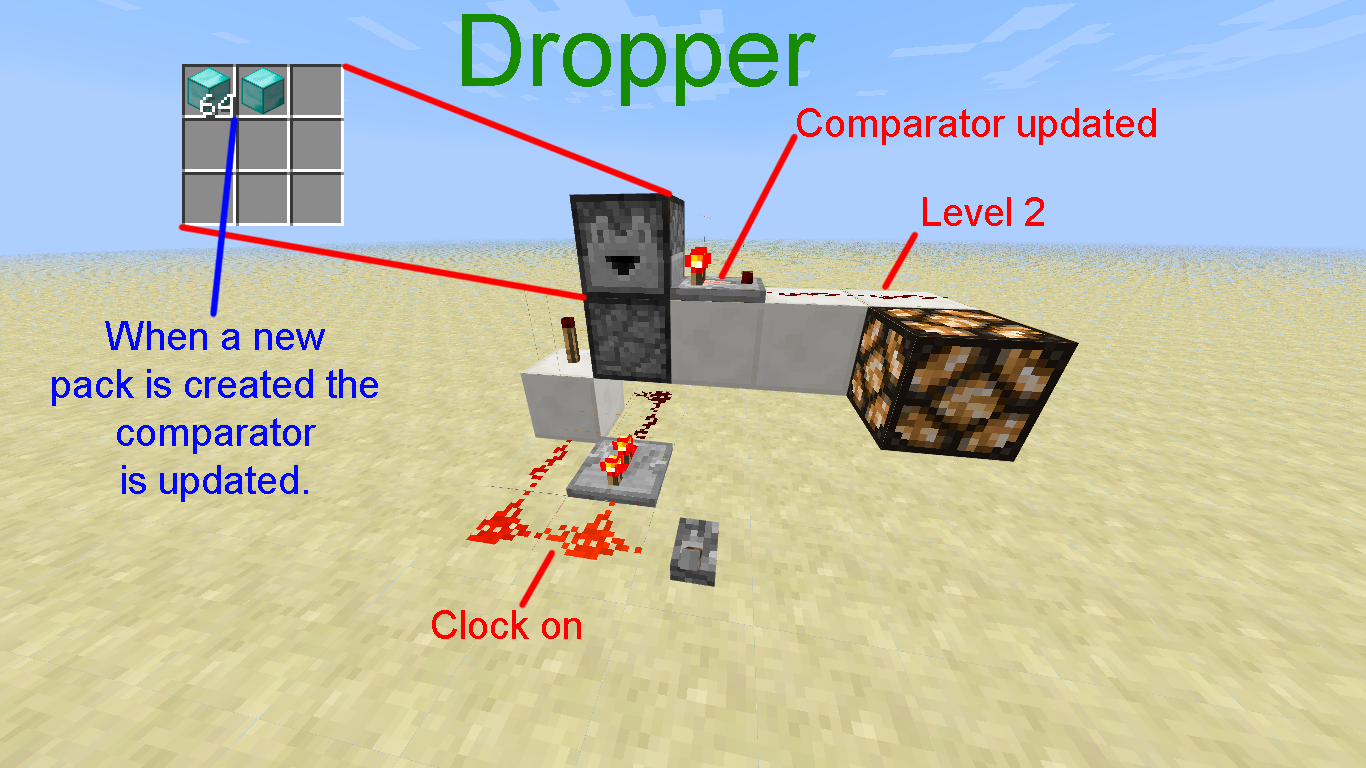
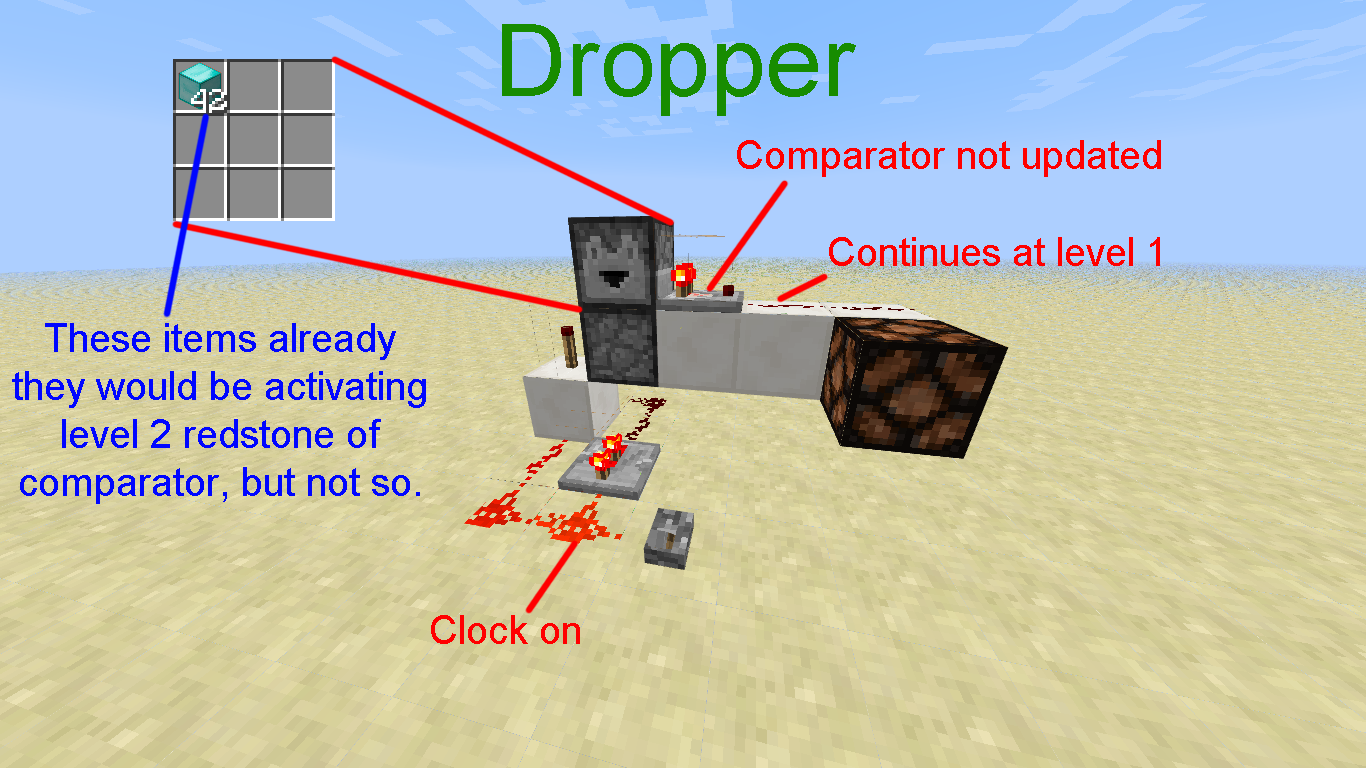
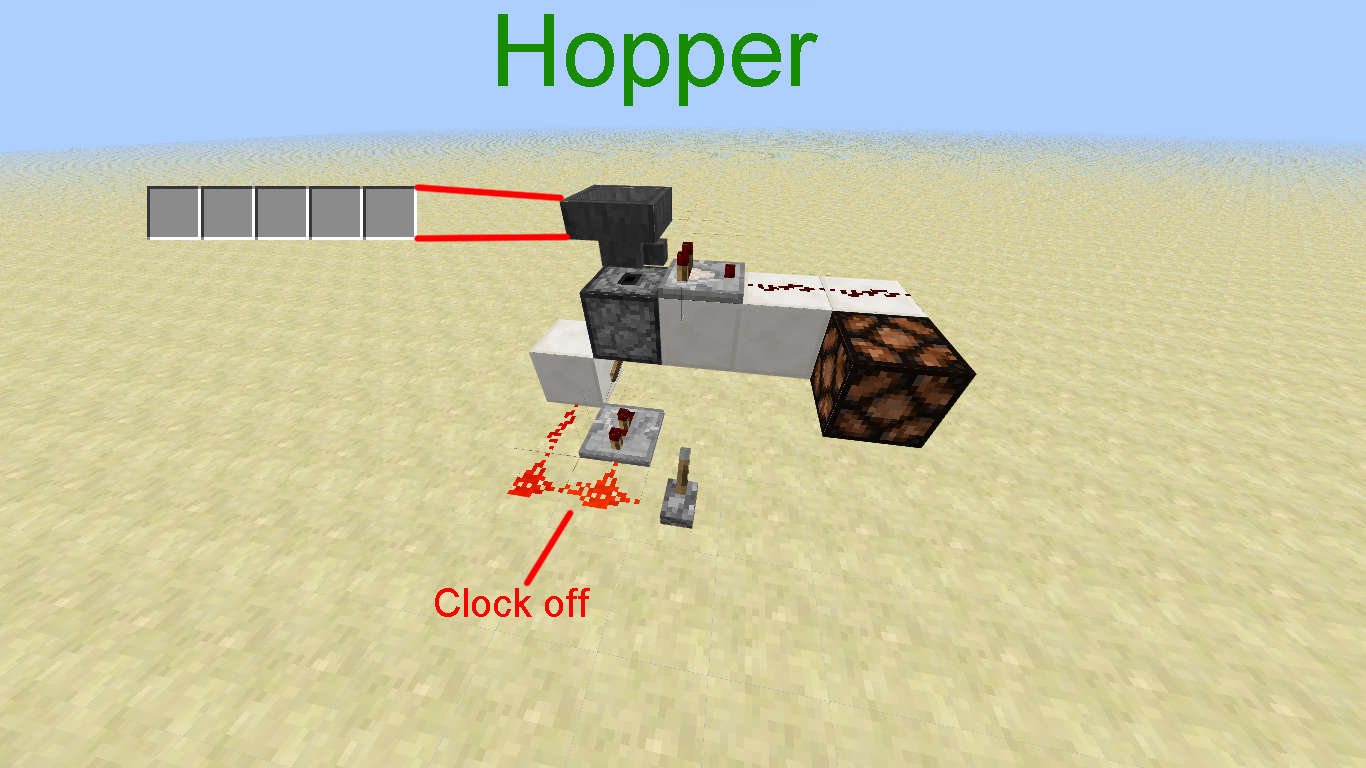
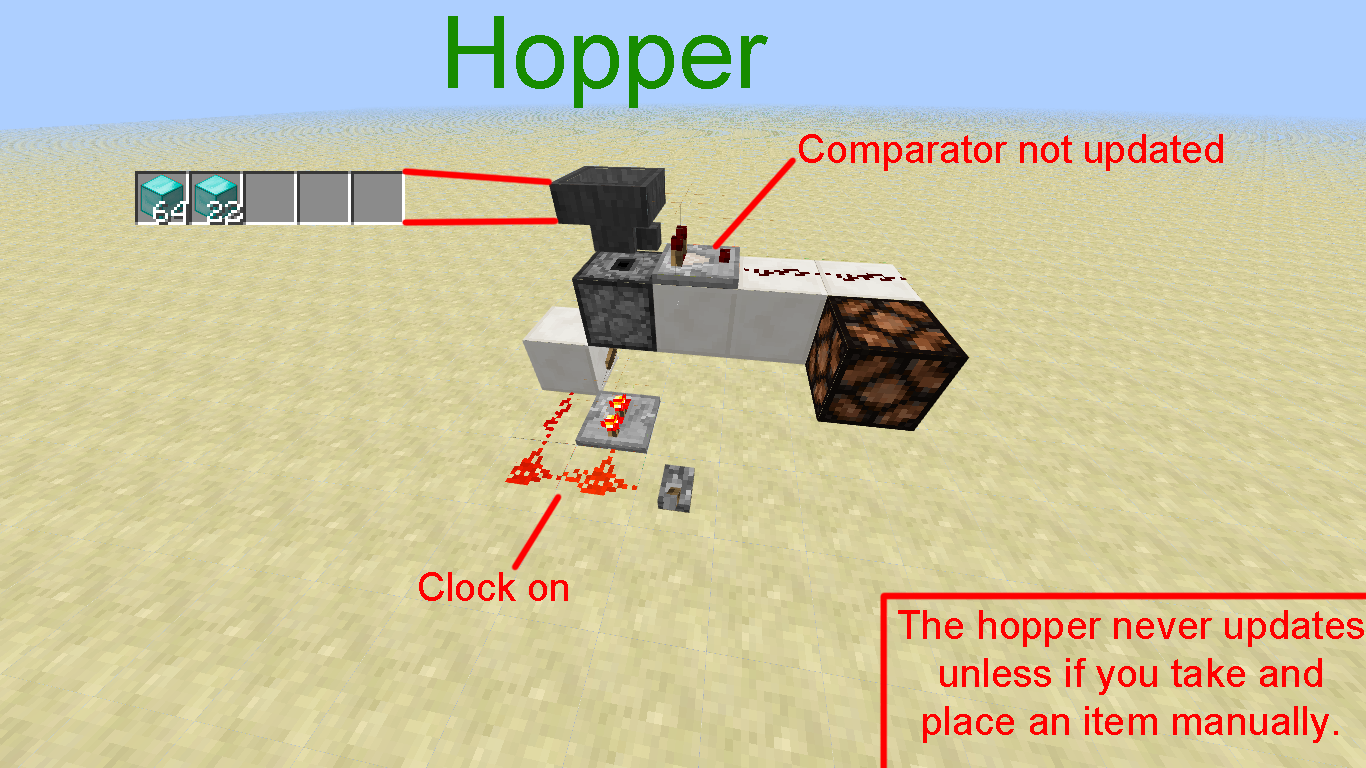
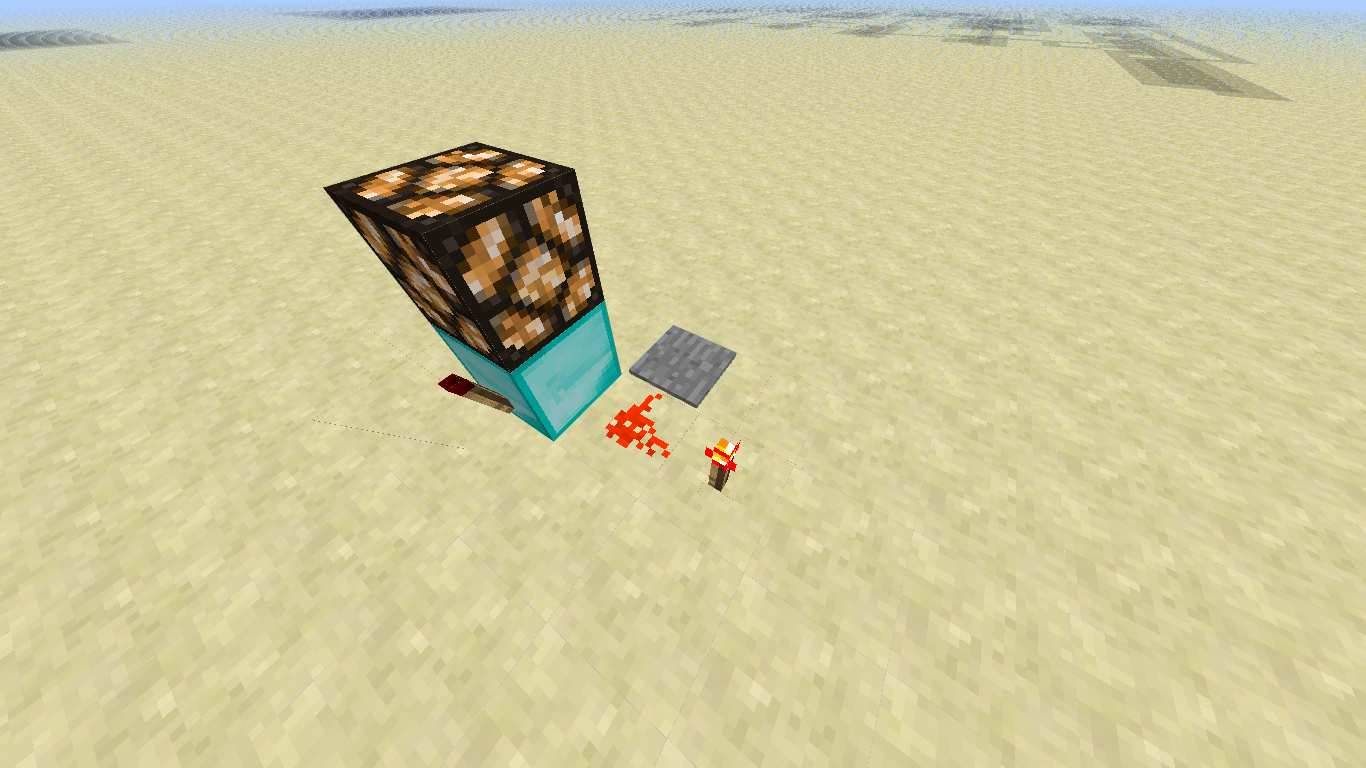
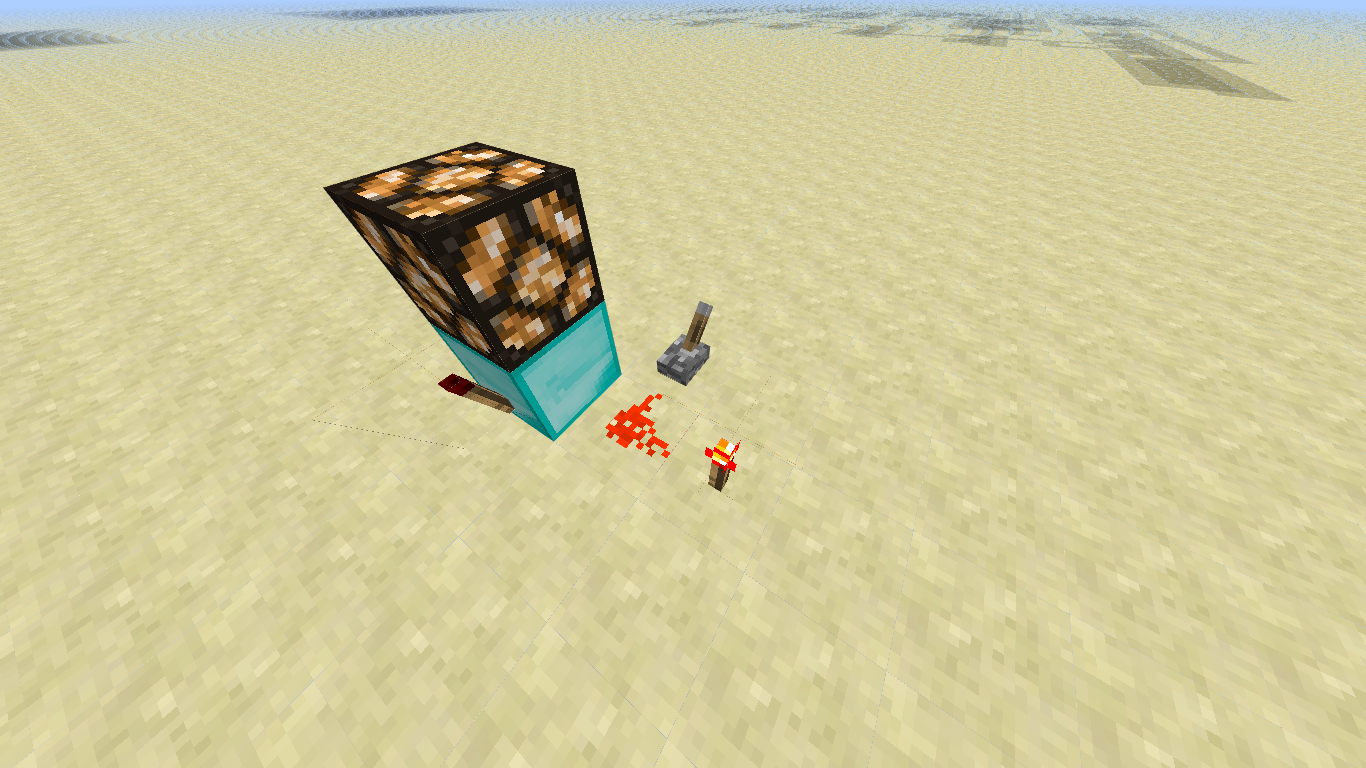
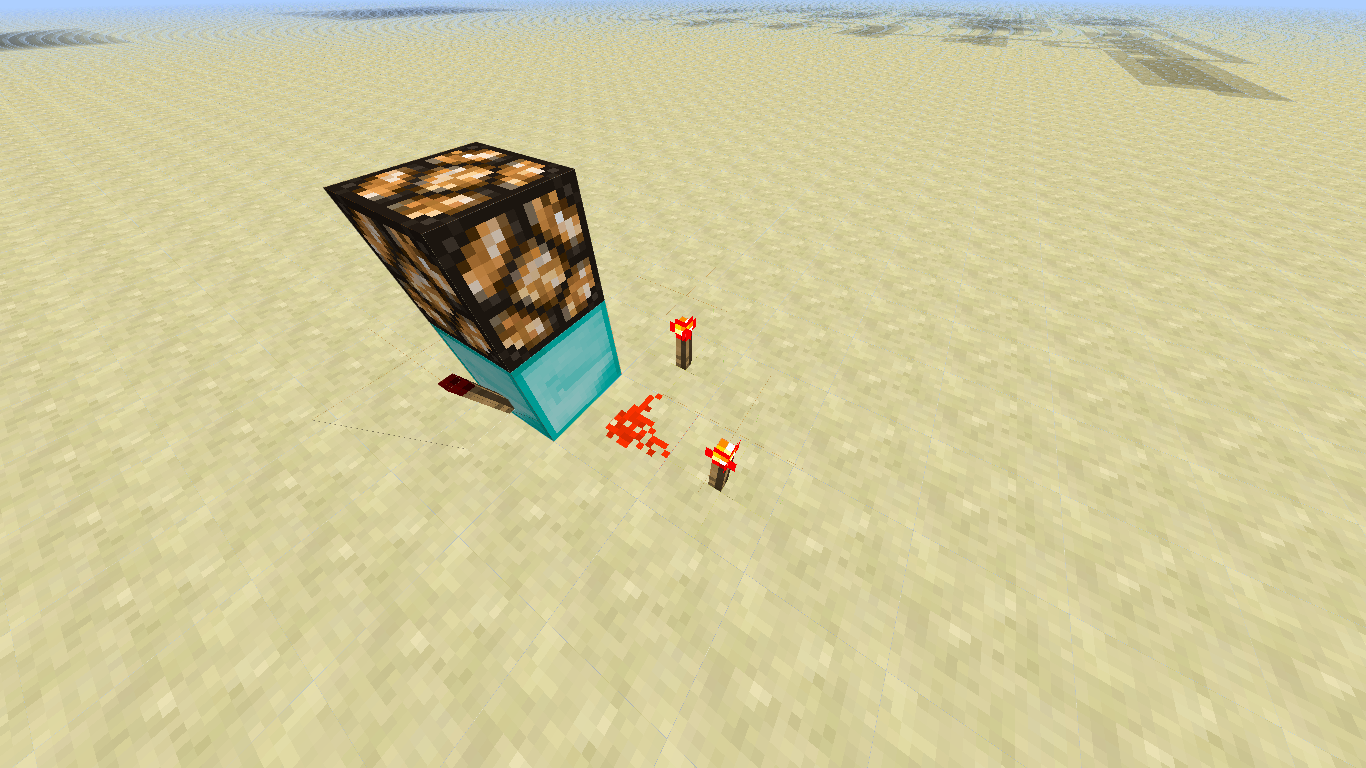
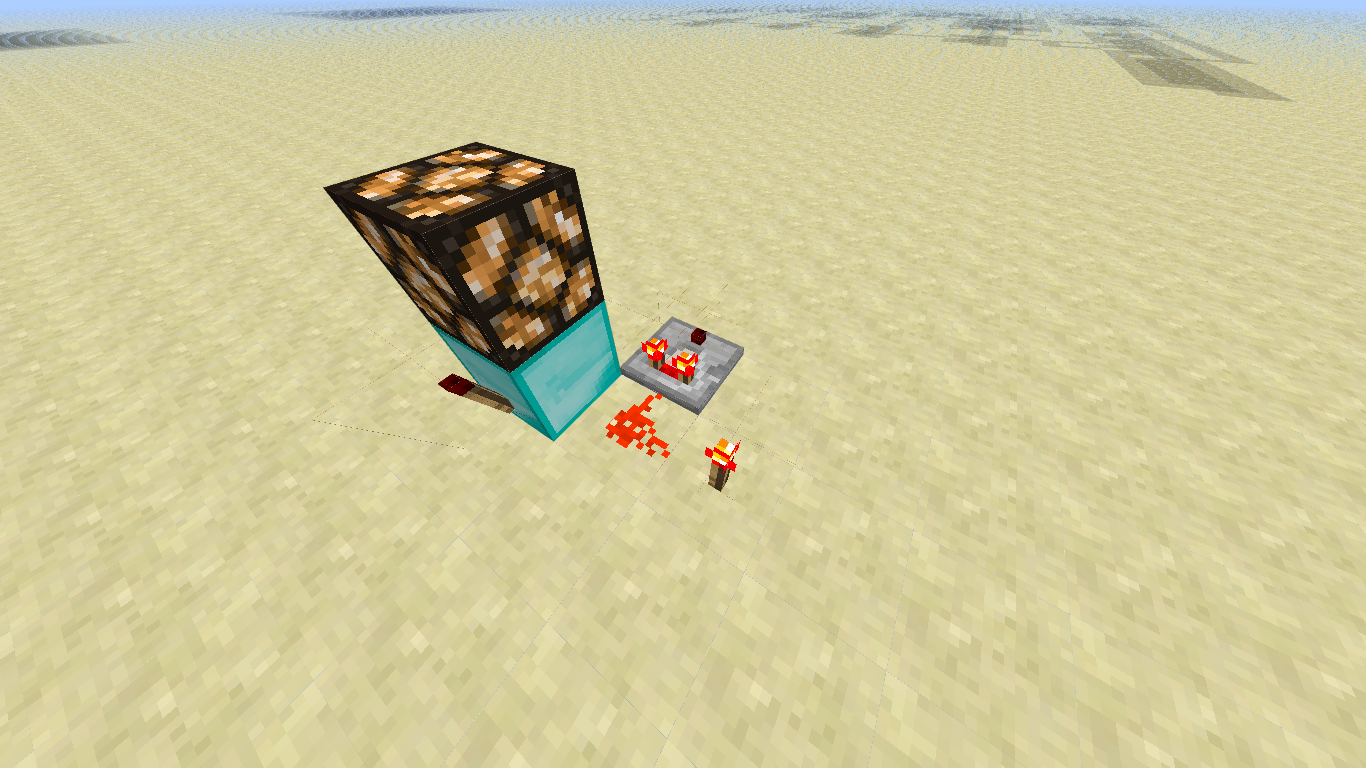








Sorry for my bad English.
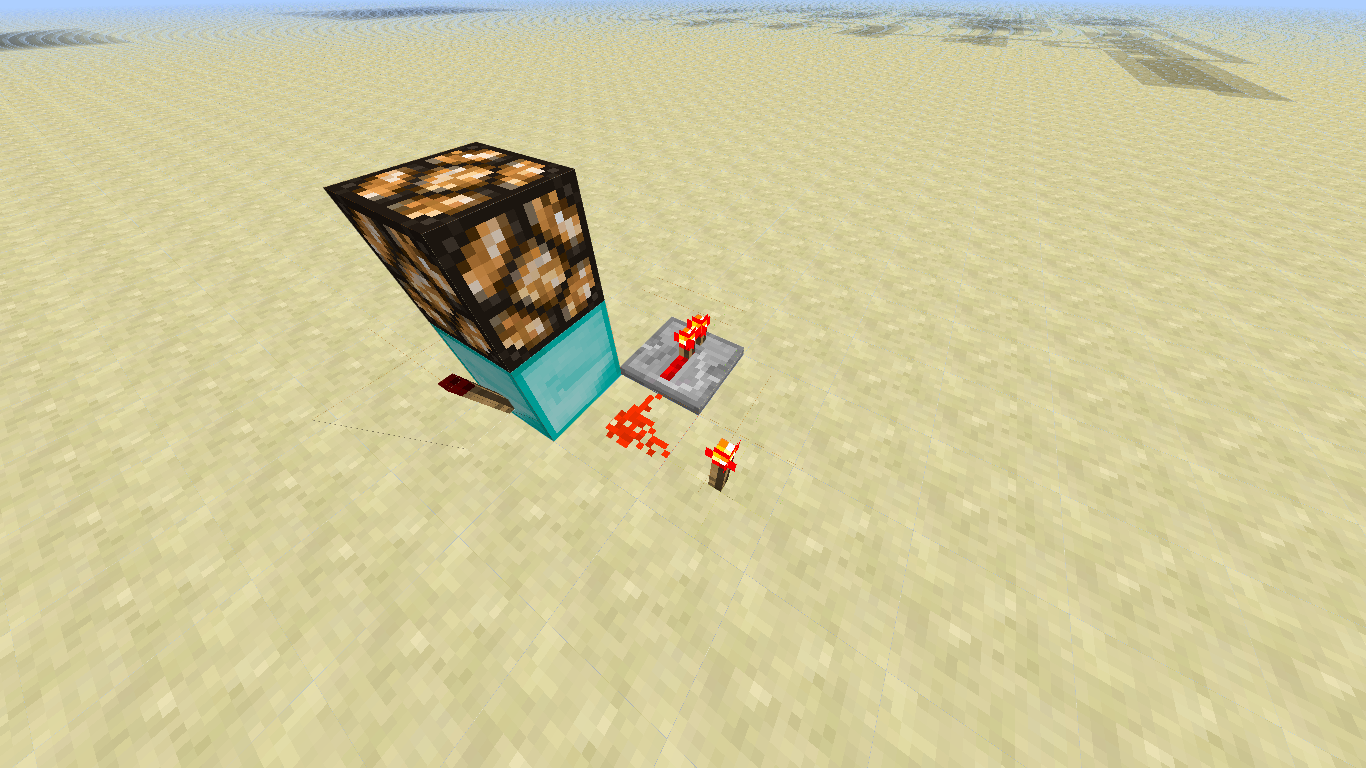
The BUG: Well, I made a digital clock in minecraft in creative mode (but I think this bug is also affected in Survival). It worked. Parti for more distant buildings and let him marking the hours. When I returned to check the hours he was simply stopped. I checked the system, and I came across the clock (made of repeaters) without power, which was not supposed to happen, right? Ok, I checked the system and turn on again. I went back to my other building and after a while veltei to watch, he stop again. I check the system and this time I am faced with the clock in a continuous stream, which was not to happen because the clock is 1 second and threw only 1 tic energy in it.
I have been searching on the subject and found something about "chunks unload". Li and found that when you're away from a chunck the Minecraft "off" this chunck to decrease the lag, but when she got close to the same league again and it can damage circuits.The Idea: Add a command in command block with a radius to always be updating that area, or a specific block. (This is just an idea)
Why fix it?: Imagine adventure maps using Redstone and these circuits are broken? I'm developing, along with a friend, a map-based adventure Redstone, made a clock for 5 minutes to let repeaters day and clear sky, just that if you get away from him, he simply stop. This is very annoying because we wanted to create that map to put on servers and on forever with this problem but it will not work.
Extra idea: Jeb could add enchantment "infinity" to put in dispensers, and adventure maps using dispensers to launch monsters could be used without having to be downloaded again to folder "save". (This enchantment only in creative)

Windows 7 (64-bit), Java(TM) 7 Update 5 (64-bit)
Gerrard Lukacs,
View images
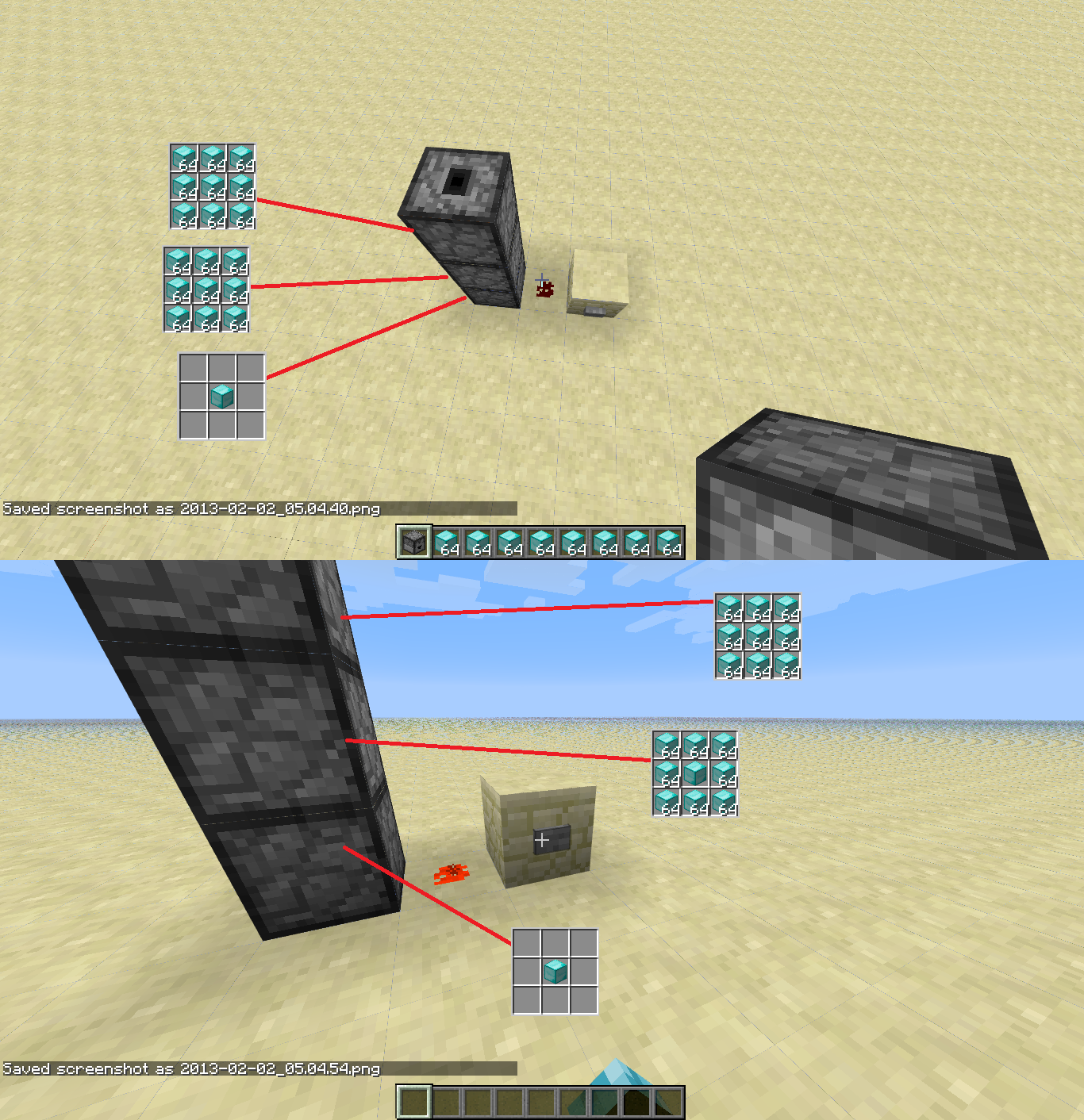
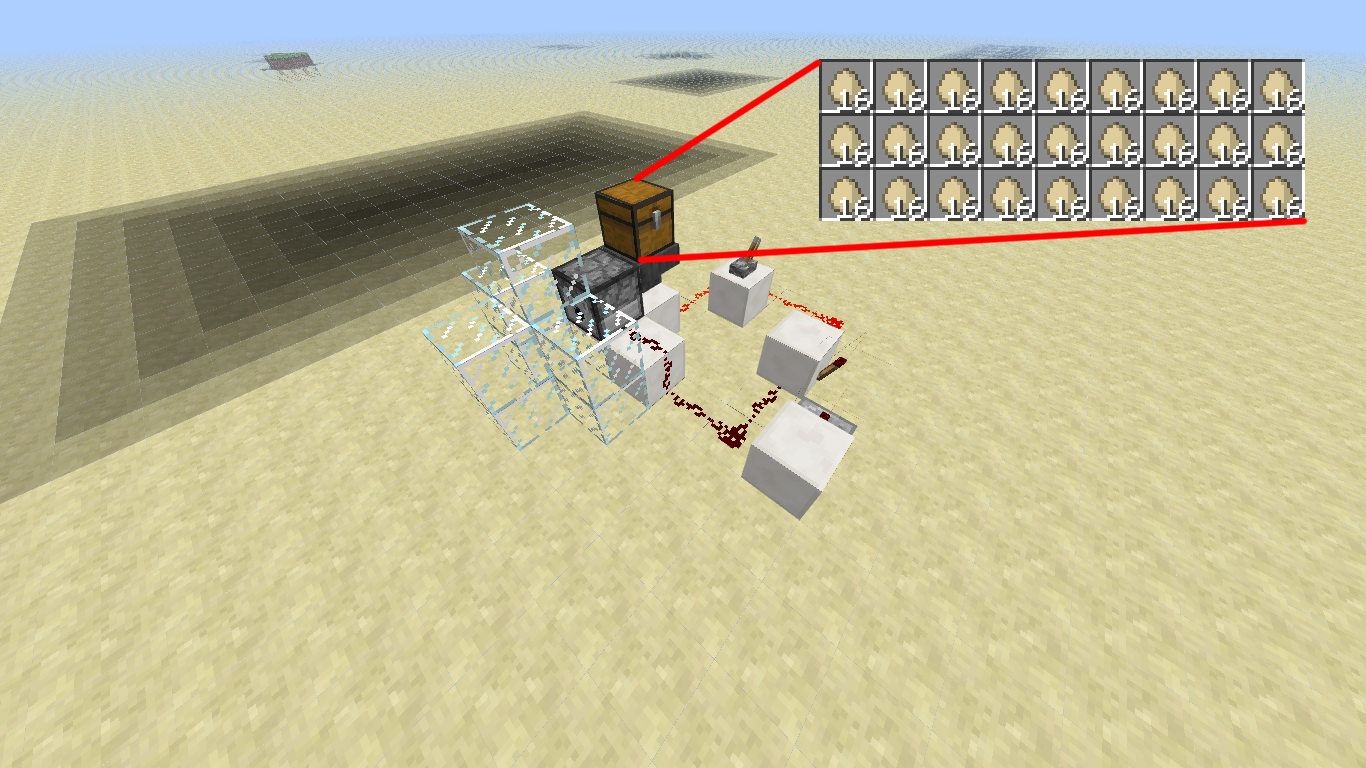
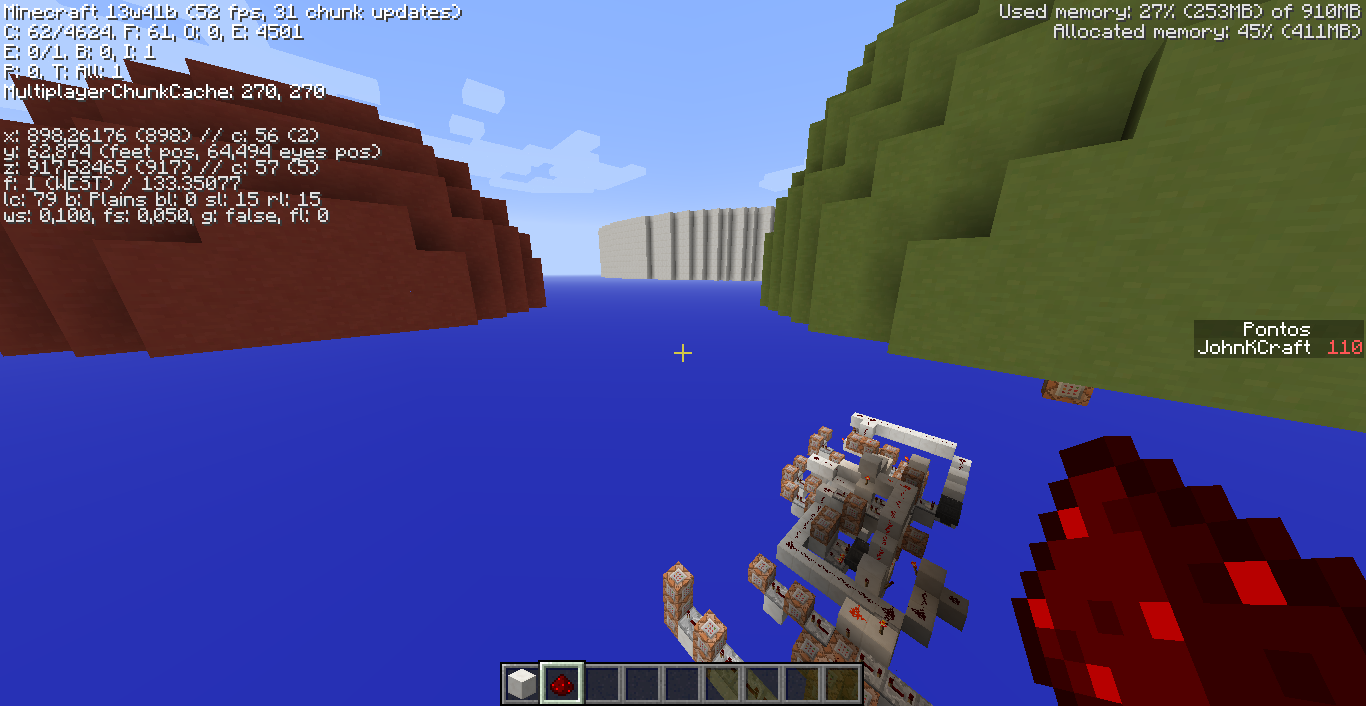
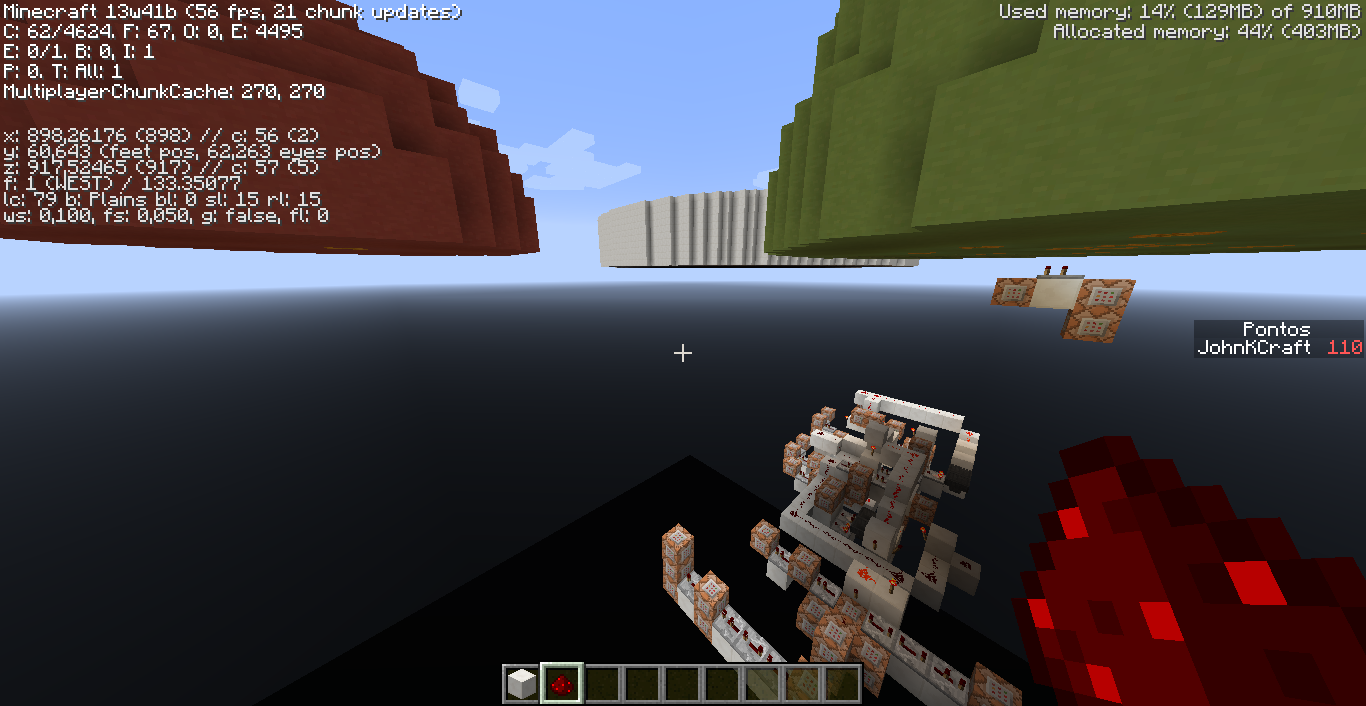
Using a dispenser to throw about 450 eggs in a space of 1x1, I obtain several chickens, one over the other, motionless. Simply just grow a chicken to make them mad, start going through the blocks around them. This did not happen before, and it made my farm automatic chicken did not work.
See picture 2 and 3 that the single group of chickens was transformed into four groups, but when they grow to full adult size they can exit the glass. Some updates ago it did not happen.
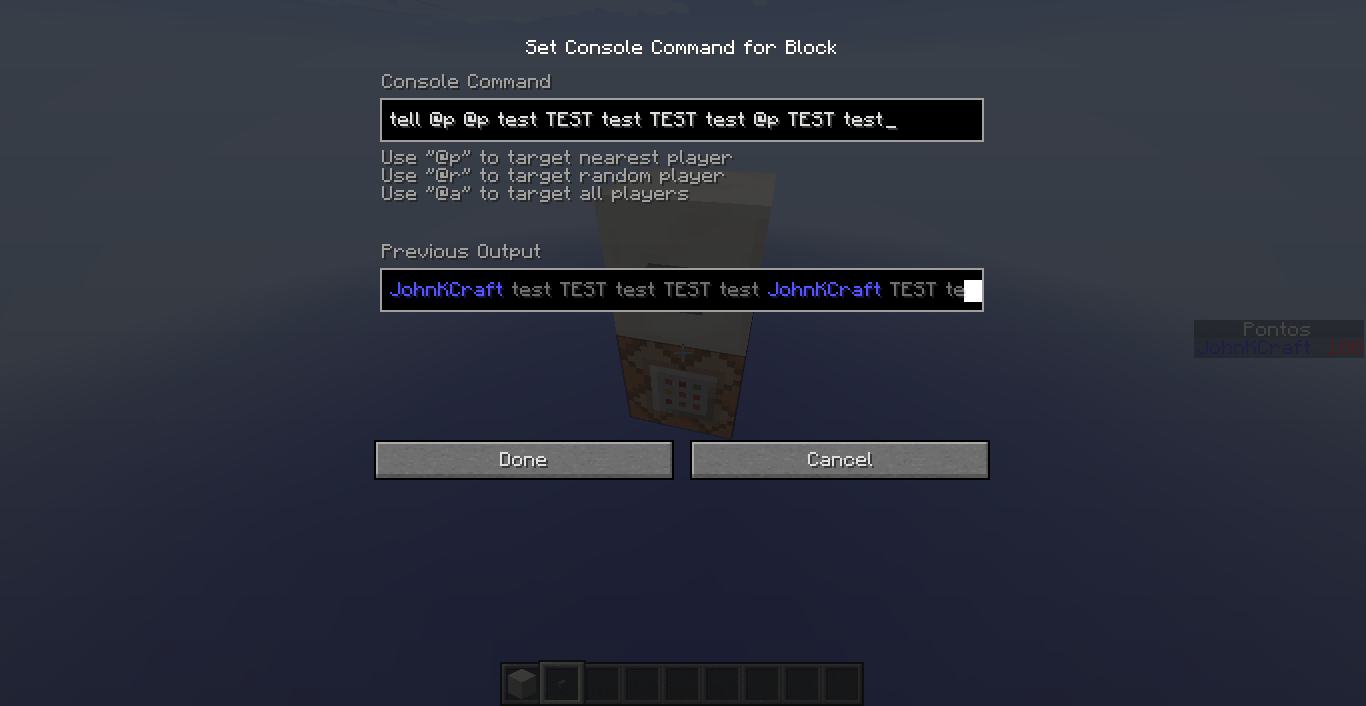
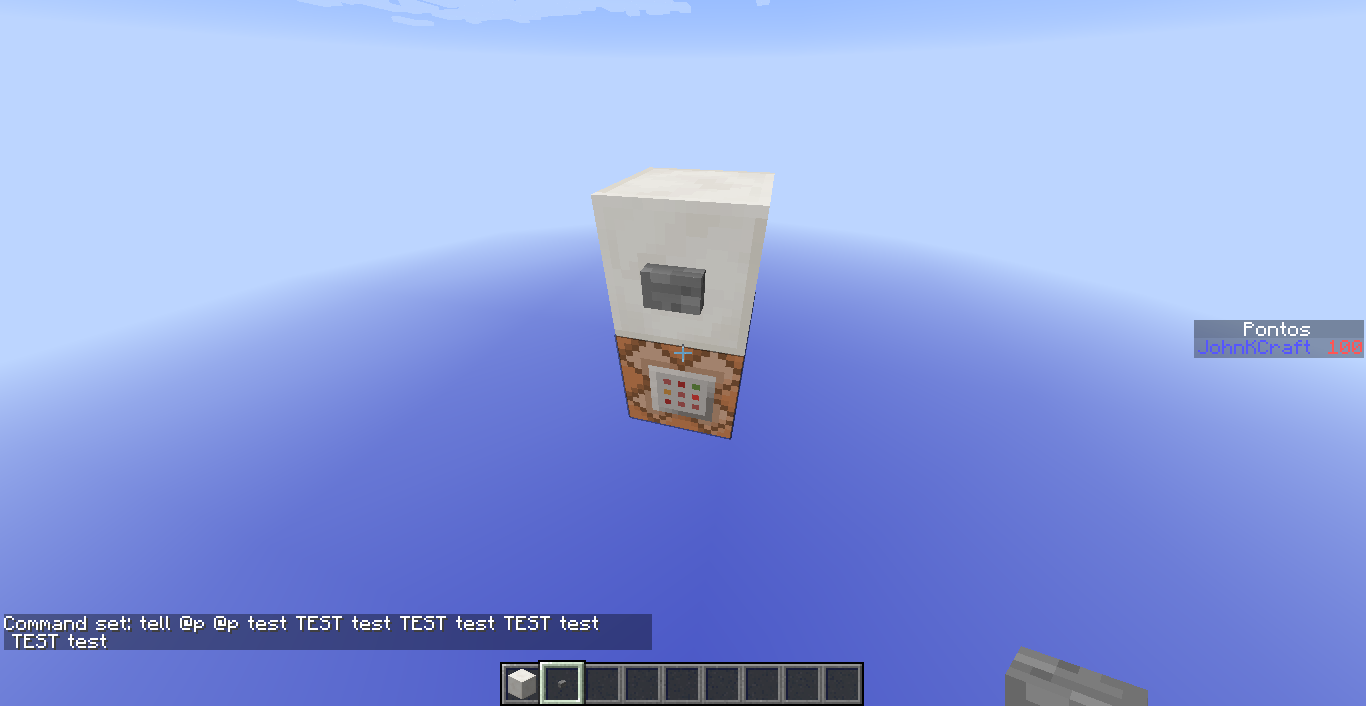
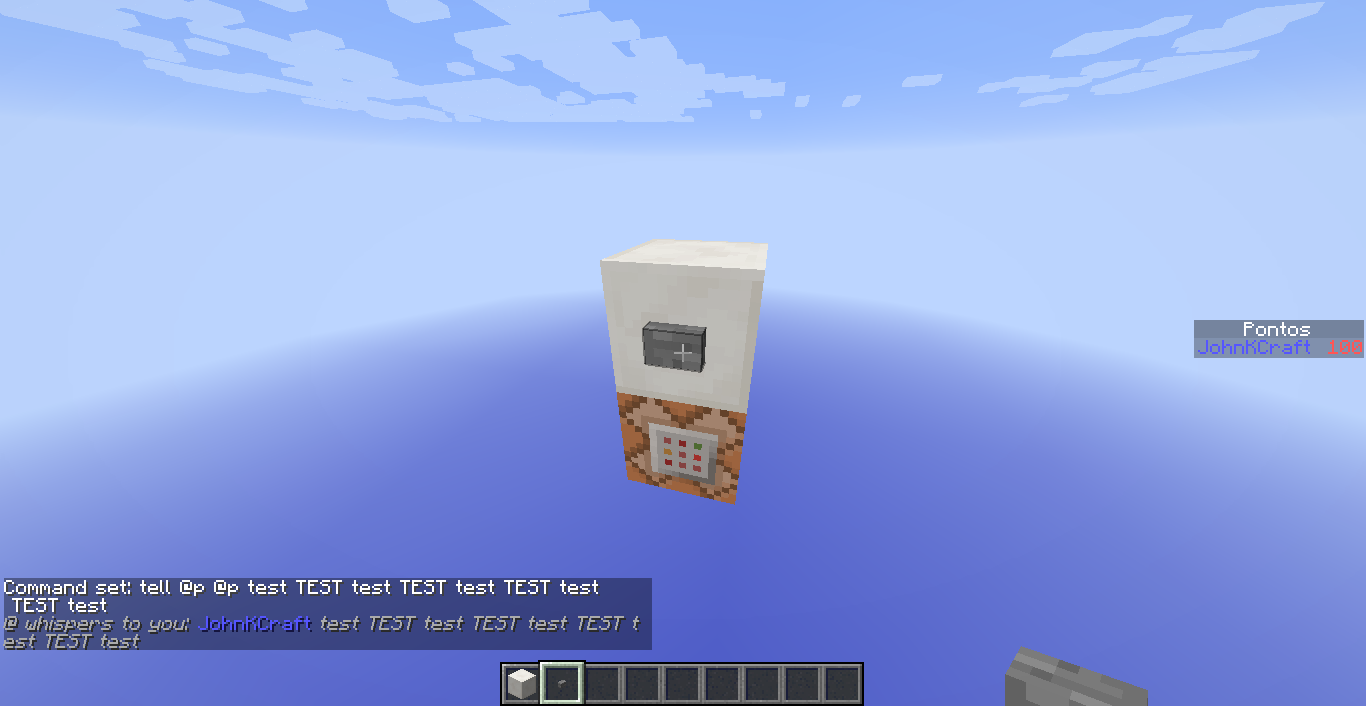
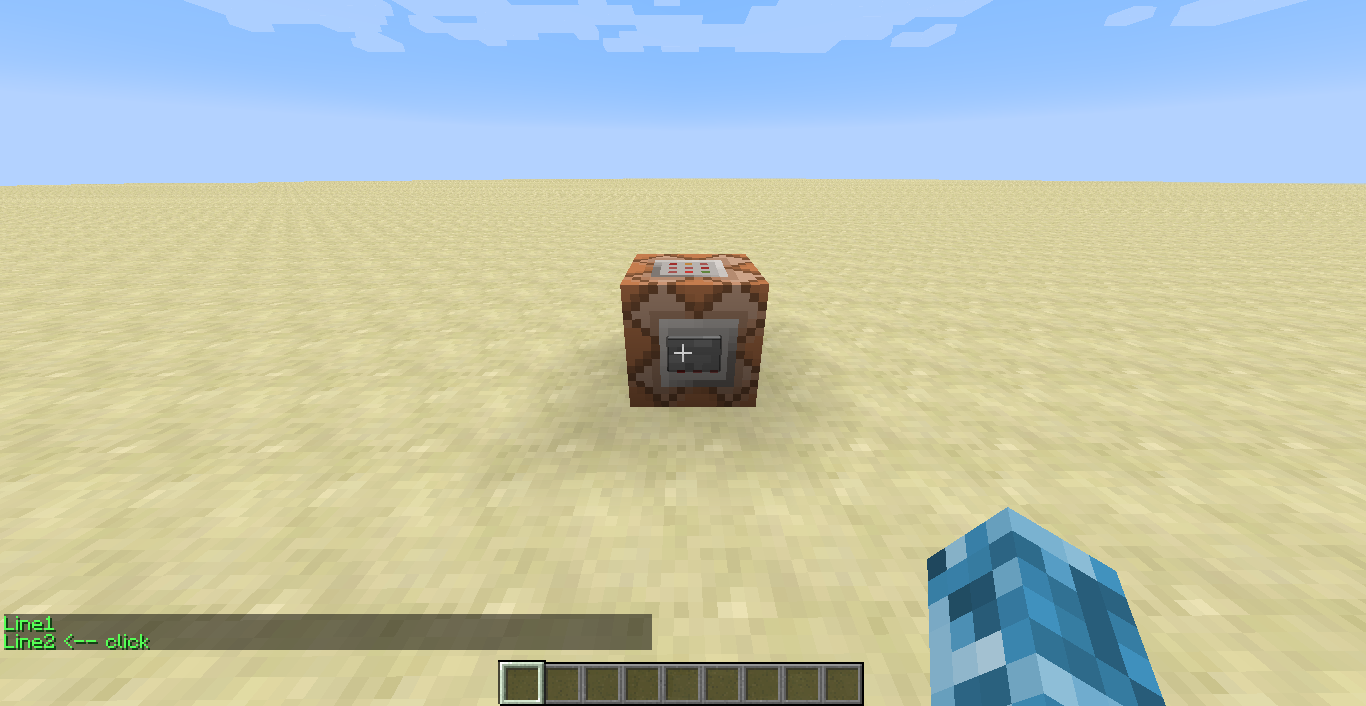
Well, I'm working on an adventure map. When I tested a command block with a command "/tell @p..." the word that was on the edge of the chat was cut in half, half stayed on the line up and the other half on the bottom line.
I noticed that the nicks of players - in this case, my nick is JohnKCraft - are also divided and lose the "Formatting codes".
The two commands were:tell @p @p test TEST test TEST test @p TEST test
tell @p @p test TEST test TEST test TEST test TEST test
And I received, respectively, as follows:
@ whispers to you: JohnKCraft test TEST test TEST test JohnK
Craft TEST test@ whispers to you: JohnKCraft test TEST test TEST test TEST t
est TEST testAttached images...
Well, I'm working on an adventure map. When I tested a command block with a command "/tell @p..." the word that was on the edge of the chat was cut in half, half stayed on the line up and the other half on the bottom line.
I noticed that the nicks of players - in this case, my nick is JohnKCraft - are also divided and lose the "Formatting codes".
The two commands were:tell @p @p test TEST test TEST test @p TEST test
tell @p @p test TEST test TEST test TEST test TEST test
And I received, respectively, as follows:
@ whispers to you: JohnKCraft test TEST test TEST test JohnK
Craft TEST test@ whispers to you: JohnKCraft test TEST test TEST test TEST t
est TEST testAttached images...

Well, I'm working on an adventure map. When I tested a command block with a command "/tell @p..." the word that was on the edge of the chat was cut in half, half stayed on the line up and the other half on the bottom line.
I noticed that the nicks of players - in this case, my nick is JohnKCraft - are also divided and lose the "Formatting codes".
The two commands were:tell @p @p test TEST test TEST test @p TEST test
tell @p @p test TEST test TEST test TEST test TEST test
And I received, respectively, as follows:
@ whispers to you: JohnKCraft test TEST test TEST test JohnK
Craft TEST test@ whispers to you: JohnKCraft test TEST test TEST test TEST t
est TEST testAttached images...
Well, I'm working on an adventure map. When I tested a command block with a command "/tell @p..." the word that was on the edge of the chat was cut in half, half stayed on the line up and the other half on the bottom line.
I noticed that the nicks of players - in this case, my nick is JohnKCraft - are also divided and lose the "Formatting codes".
The two commands were:tell @p @p test TEST test TEST test @p TEST test
tell @p @p test TEST test TEST test TEST test TEST test
And I received, respectively, as follows:
@ whispers to you: JohnKCraft test TEST test TEST test JohnK
Craft TEST test@ whispers to you: JohnKCraft test TEST test TEST test TEST t
est TEST testAttached images...
Edit
Well, I'm working on an adventure map. When I tested a command block with a command "/tell @p..." the word that was on the edge of the chat was cut in half, half stayed on the line up and the other half on the bottom line.
I noticed that the nicks of players - in this case, my nick is JohnKCraft - are also divided and lose the "Formatting codes".
The two commands were:tell @p @p test TEST test TEST test @p TEST test
tell @p @p test TEST test TEST test TEST test TEST test
And I received, respectively, as follows:
@ whispers to you: JohnKCraft test TEST test TEST test JohnK
Craft TEST test@ whispers to you: JohnKCraft test TEST test TEST test TEST t
est TEST testAttached images...
Edit
Well, I'm working on an adventure map. When I tested a command block with a command "/tell @p..." the word that was on the edge of the chat was cut in half, half stayed on the line up and the other half on the bottom line.
I noticed that the nicks of players - in this case, my nick is JohnKCraft - are also divided and lose the "Formatting codes".
The two commands were:tell @p @p test TEST test TEST test @p TEST test
tell @p @p test TEST test TEST test TEST test TEST test
And I received, respectively, as follows:
@ whispers to you: JohnKCraft test TEST test TEST test JohnK
Craft TEST test@ whispers to you: JohnKCraft test TEST test TEST test TEST t
est TEST testAttached images...
Edit:
Well, I'm working on an adventure map. When I tested a command block with a command "/tell @p..." the word that was on the edge of the chat was cut in half, half stayed on the line up and the other half on the bottom line.
I noticed that the nicks of players - in this case, my nick is JohnKCraft - are also divided and lose the "Formatting codes".
The two commands were:tell @p @p test TEST test TEST test @p TEST test
tell @p @p test TEST test TEST test TEST test TEST test
And I received, respectively, as follows:
@ whispers to you: JohnKCraft test TEST test TEST test JohnK
Craft TEST test@ whispers to you: JohnKCraft test TEST test TEST test TEST t
est TEST testAttached images...
Edit:
I found another bug: when using NBTEdit to put the symbol §, followed by a valid number, to put color in text of command block, I saw only the 1st word of the text is affected, the other back to normal.
Well, I'm working on an adventure map. When I tested a command block with a command "/tell @p..." the word that was on the edge of the chat was cut in half, half stayed on the line up and the other half on the bottom line.
I noticed that the nicks of players - in this case, my nick is JohnKCraft - are also divided and lose the "Formatting codes".
The two commands were:tell @p @p test TEST test TEST test @p TEST test
tell @p @p test TEST test TEST test TEST test TEST test
And I received, respectively, as follows:
@ whispers to you: JohnKCraft test TEST test TEST test JohnK
Craft TEST test@ whispers to you: JohnKCraft test TEST test TEST test TEST t
est TEST testAttached images...
Edit:
I found another bug: when using NBTEdit to put the symbol §, followed by a valid number, to put color in text of command block, I saw only the 1st word of the text is affected, the other back to normal.
Well, I'm working on an adventure map. When I tested a command block with a command "/tell @p..." the word that was on the edge of the chat was cut in half, half stayed on the line up and the other half on the bottom line.
I noticed that the nicks of players - in this case, my nick is JohnKCraft - are also divided and lose the "Formatting codes".
The two commands were:tell @p @p test TEST test TEST test @p TEST test
tell @p @p test TEST test TEST test TEST test TEST test
And I received, respectively, as follows:
@ whispers to you: JohnKCraft test TEST test TEST test JohnK
Craft TEST test@ whispers to you: JohnKCraft test TEST test TEST test TEST t
est TEST testAttached images...
Edit:
I found another bug: when using NBTEdit to put the symbol §, followed by a valid number, to put color in text of command block, I saw only the 1st word of the text is affected, the other back to normal.
Well, I'm working on an adventure map. When I tested a command block with a command "/tell @p..." the word that was on the edge of the chat was cut in half, half stayed on the line up and the other half on the bottom line.
I noticed that the nicks of players - in this case, my nick is JohnKCraft - are also divided and lose the "Formatting codes".
The two commands were:tell @p @p test TEST test TEST test @p TEST test
tell @p @p test TEST test TEST test TEST test TEST test
And I received, respectively, as follows:
@ whispers to you: JohnKCraft test TEST test TEST test JohnK
Craft TEST test@ whispers to you: JohnKCraft test TEST test TEST test TEST t
est TEST testAttached images...
Edit: h6. 1
I found another bug: when using NBTEdit to put the symbol §, followed by a valid number, to put color in text of command block, I saw only the 1st word of the text is affected, the other back to normal.
Well, I'm working on an adventure map. When I tested a command block with a command "/tell @p..." the word that was on the edge of the chat was cut in half, half stayed on the line up and the other half on the bottom line.
I noticed that the nicks of players - in this case, my nick is JohnKCraft - are also divided and lose the "Formatting codes".
The two commands were:tell @p @p test TEST test TEST test @p TEST test
tell @p @p test TEST test TEST test TEST test TEST test
And I received, respectively, as follows:
@ whispers to you: JohnKCraft test TEST test TEST test JohnK
Craft TEST test@ whispers to you: JohnKCraft test TEST test TEST test TEST t
est TEST testAttached images...
Edit: h
6. 1I found another bug: when using NBTEdit to put the symbol §, followed by a valid number, to put color in text of command block, I saw only the 1st word of the text is affected, the other back to normal.
Well, I'm working on an adventure map. When I tested a command block with a command "/tell @p..." the word that was on the edge of the chat was cut in half, half stayed on the line up and the other half on the bottom line.
I noticed that the nicks of players - in this case, my nick is JohnKCraft - are also divided and lose the "Formatting codes".
The two commands were:tell @p @p test TEST test TEST test @p TEST test
tell @p @p test TEST test TEST test TEST test TEST test
And I received, respectively, as follows:
@ whispers to you: JohnKCraft test TEST test TEST test JohnK
Craft TEST test@ whispers to you: JohnKCraft test TEST test TEST test TEST t
est TEST testAttached images...
Edit: h4. 1
I found another bug: when using NBTEdit to put the symbol §, followed by a valid number, to put color in text of command block, I saw only the 1st word of the text is affected, the other back to normal.
Well, I'm working on an adventure map. When I tested a command block with a command "/tell @p..." the word that was on the edge of the chat was cut in half, half stayed on the line up and the other half on the bottom line.
I noticed that the nicks of players - in this case, my nick is JohnKCraft - are also divided and lose the "Formatting codes".
The two commands were:tell @p @p test TEST test TEST test @p TEST test
tell @p @p test TEST test TEST test TEST test TEST test
And I received, respectively, as follows:
@ whispers to you: JohnKCraft test TEST test TEST test JohnK
Craft TEST test@ whispers to you: JohnKCraft test TEST test TEST test TEST t
est TEST testAttached images...
Edit: h4. 1
I found another bug: when using NBTEdit to put the symbol §, followed by a valid number, to put color in text of command block, I saw only the 1st word of the text is affected, the other back to normal.
Well, I'm working on an adventure map. When I tested a command block with a command "/tell @p..." the word that was on the edge of the chat was cut in half, half stayed on the line up and the other half on the bottom line.
I noticed that the nicks of players - in this case, my nick is JohnKCraft - are also divided and lose the "Formatting codes".
The two commands were:tell @p @p test TEST test TEST test @p TEST test
tell @p @p test TEST test TEST test TEST test TEST test
And I received, respectively, as follows:
@ whispers to you: JohnKCraft test TEST test TEST test JohnK
Craft TEST test@ whispers to you: JohnKCraft test TEST test TEST test TEST t
est TEST testAttached images...
Edit:
I found another bug: when using NBTEdit to put the symbol §, followed by a valid number, to put color in text of command block, I saw only the 1st word of the text is affected, the other back to normal.Well, I'm working on an adventure map. When I tested a command block with a command "/tell @p..." the word that was on the edge of the chat was cut in half, half stayed on the line up and the other half on the bottom line.
I noticed that the nicks of players - in this case, my nick is JohnKCraft - are also divided and lose the "Formatting codes".
The two commands were:tell @p @p test TEST test TEST test @p TEST test
tell @p @p test TEST test TEST test TEST test TEST test
And I received, respectively, as follows:
@ whispers to you: JohnKCraft test TEST test TEST test JohnK
Craft TEST test@ whispers to you: JohnKCraft test TEST test TEST test TEST t
est TEST testAttached images...
Edit:
_(I removed what I said here about the symbol §). I made a post in the forum about it: http://bit.ly/1ccs9N8_
Well, I'm working on an adventure map. When I tested a command block with a command "/tell @p..." the word that was on the edge of the chat was cut in half, half stayed on the line up and the other half on the bottom line.
I noticed that the nicks of players - in this case, my nick is JohnKCraft - are also divided and lose the "Formatting codes".
The two commands were:tell @p @p test TEST test TEST test @p TEST test
tell @p @p test TEST test TEST test TEST test TEST test
And I received, respectively, as follows:
@ whispers to you: JohnKCraft test TEST test TEST test JohnK
Craft TEST test@ whispers to you: JohnKCraft test TEST test TEST test TEST t
est TEST testAttached images...
Edit:
_(I removed what I said here about the symbol §). I made a post in the forum about it: http://bit.ly/1ccs9N8
_Well, I'm working on an adventure map. When I tested a command block with a command "/tell @p..." the word that was on the edge of the chat was cut in half, half stayed on the line up and the other half on the bottom line.
I noticed that the nicks of players - in this case, my nick is JohnKCraft - are also divided and lose the "Formatting codes".
The two commands were:tell @p @p test TEST test TEST test @p TEST test
tell @p @p test TEST test TEST test TEST test TEST test
And I received, respectively, as follows:
@ whispers to you: JohnKCraft test TEST test TEST test JohnK
Craft TEST test@ whispers to you: JohnKCraft test TEST test TEST test TEST t
est TEST testAttached images...
Edit:
_ (I removed what I said here about the symbol §). I made a post in the forum about it: http://bit.ly/1ccs9N8 _
Well, I'm working on an adventure map. When I tested a command block with a command "/tell @p..." the word that was on the edge of the chat was cut in half, half stayed on the line up and the other half on the bottom line.
I noticed that the nicks of players - in this case, my nick is JohnKCraft - are also divided and lose the "Formatting codes".
The two commands were:tell @p @p test TEST test TEST test @p TEST test
tell @p @p test TEST test TEST test TEST test TEST test
And I received, respectively, as follows:
@ whispers to you: JohnKCraft test TEST test TEST test JohnK
Craft TEST test@ whispers to you: JohnKCraft test TEST test TEST test TEST t
est TEST testAttached images...
Edit:
_
(I removed what I said here about the symbol §). I made a post in the forum about it: http://bit.ly/1ccs9N8 _Well, I'm working on an adventure map. When I tested a command block with a command "/tell @p..." the word that was on the edge of the chat was cut in half, half stayed on the line up and the other half on the bottom line.
I noticed that the nicks of players - in this case, my nick is JohnKCraft - are also divided and lose the "Formatting codes".
The two commands were:tell @p @p test TEST test TEST test @p TEST test
tell @p @p test TEST test TEST test TEST test TEST test
And I received, respectively, as follows:
@ whispers to you: JohnKCraft test TEST test TEST test JohnK
Craft TEST test@ whispers to you: JohnKCraft test TEST test TEST test TEST t
est TEST testAttached images...
Edit:
_(I removed what I said here about the symbol §). I made a post in the forum about it: http://bit.ly/1ccs9N8._
Well, I'm working on an adventure map. When I tested a command block with a command "/tell @p..." the word that was on the edge of the chat was cut in half, half stayed on the line up and the other half on the bottom line.
I noticed that the nicks of players - in this case, my nick is JohnKCraft - are also divided and lose the "Formatting codes".
The two commands were:tell @p @p test TEST test TEST test @p TEST test
tell @p @p test TEST test TEST test TEST test TEST test
And I received, respectively, as follows:
@ whispers to you: JohnKCraft test TEST test TEST test JohnK
Craft TEST test@ whispers to you: JohnKCraft test TEST test TEST test TEST t
est TEST testAttached images...
Edit:
_(I removed what I said here about the symbol §). I made a post in the forum about it: http://bit.ly/1ccs9N8._
Well, I'm working on an adventure map. When I tested a command block with a command "/tell @p..." the word that was on the edge of the chat was cut in half, half stayed on the line up and the other half on the bottom line.
I noticed that the nicks of players - in this case, my nick is JohnKCraft - are also divided and lose the "Formatting codes".
The two commands were:tell @p @p test TEST test TEST test @p TEST test
tell @p @p test TEST test TEST test TEST test TEST test
And I received, respectively, as follows:
@ whispers to you: JohnKCraft test TEST test TEST test JohnK
Craft TEST test@ whispers to you: JohnKCraft test TEST test TEST test TEST t
est TEST testAttached images...
Edit:
(I removed what I said here about the symbol §). I made a post in the forum about it: http://bit.ly/1ccs9N8. Check it there.
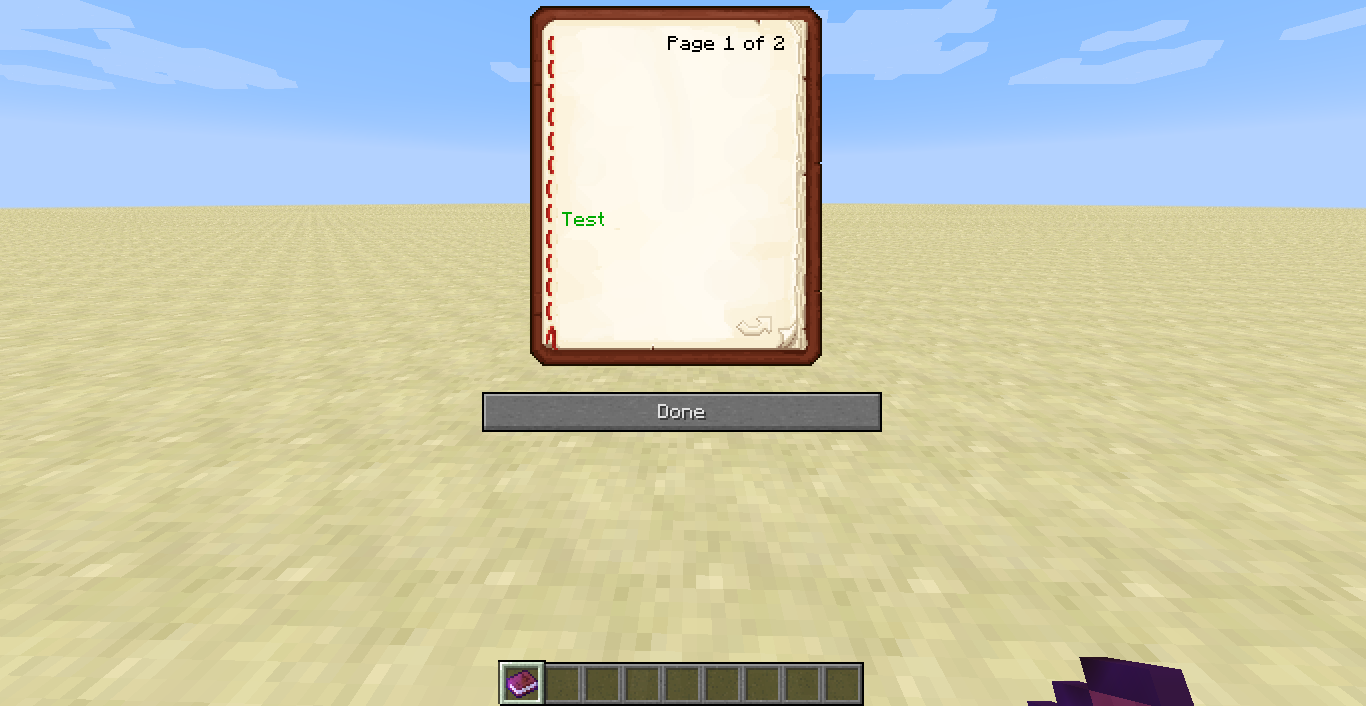
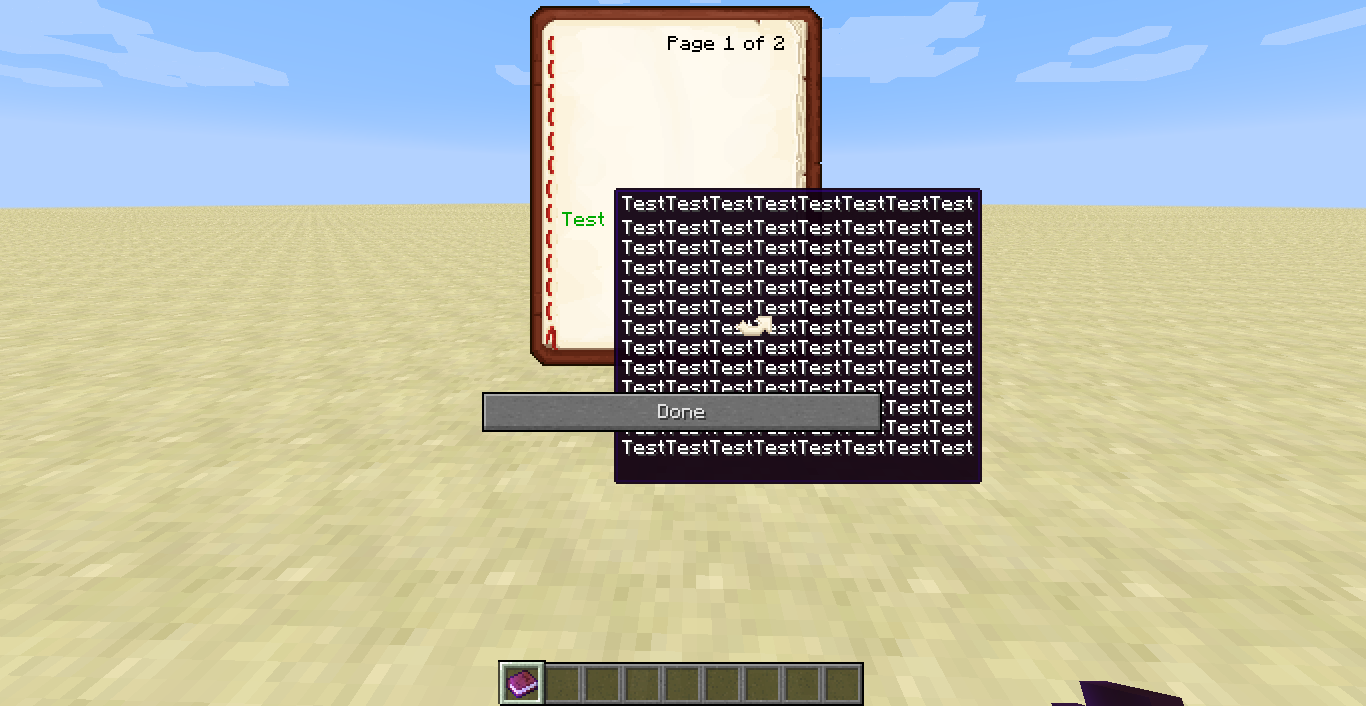
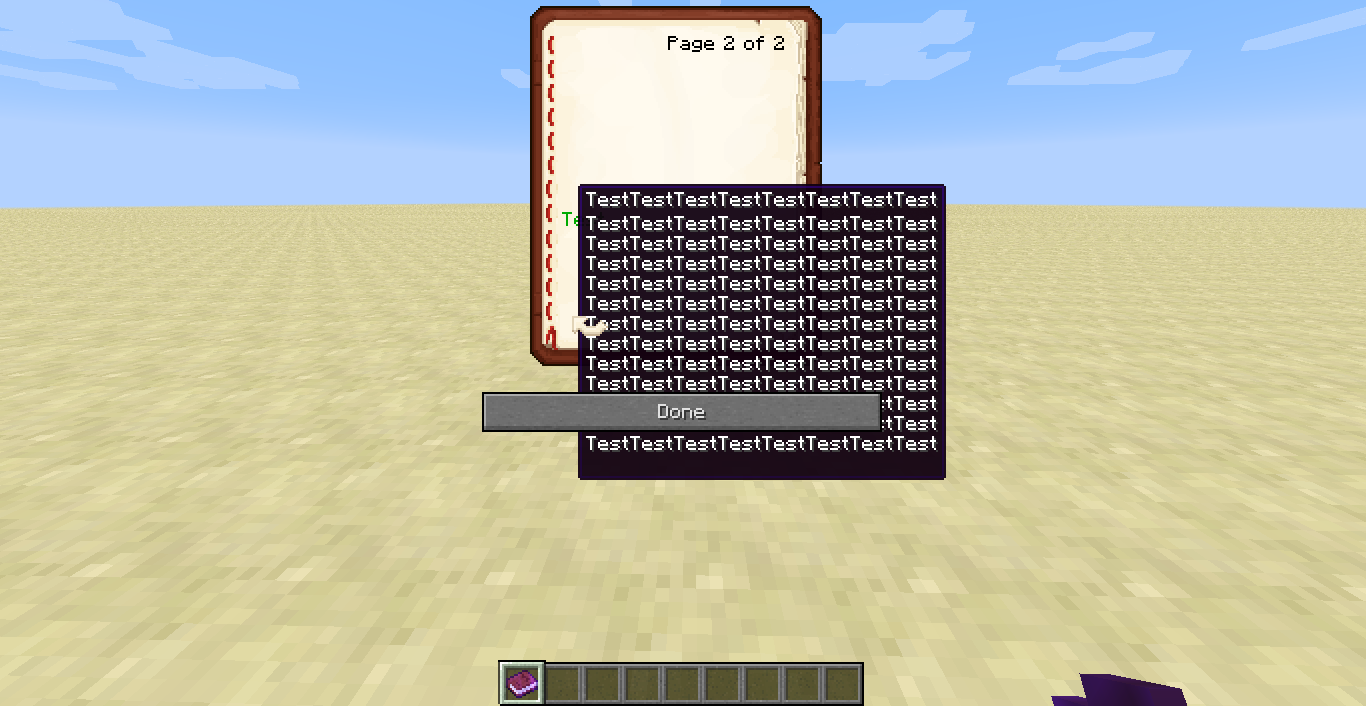
I think this can be considered a bug, it blocks the text reading. This function is very useful when I need to make a book explaining rules topics for an adventure map, but this bug are very disruptive. The arrow buttons and the "Done" button will be in front of "show_text". I believe also stay in front of others "show_". See the images...
Here is the code used toreceive the book in this way:give @a written_book 1 0 {pages:["[{\"text\":\"\n\n\n\n\n\n\n\nTest\n\",\"color\":\"dark_green\",\"hoverEvent\":{\"action\":\"show_text\",\"value\":\"TestTestTestTestTestTestTestTest\nTestTestTestTestTestTestTestTest\nTestTestTestTestTestTestTestTest\nTestTestTestTestTestTestTestTest\nTestTestTestTestTestTestTestTest\nTestTestTestTestTestTestTestTest\nTestTestTestTestTestTestTestTest\nTestTestTestTestTestTestTestTest\nTestTestTestTestTestTestTestTest\nTestTestTestTestTestTestTestTest\nTestTestTestTestTestTestTestTest\nTestTestTestTestTestTestTestTest\nTestTestTestTestTestTestTestTest\n\"}}]","[{\"text\":\"\n\n\n\n\n\n\n\nTest\n\",\"color\":\"dark_green\",\"hoverEvent\":{\"action\":\"show_text\",\"value\":\"TestTestTestTestTestTestTestTest\nTestTestTestTestTestTestTestTest\nTestTestTestTestTestTestTestTest\nTestTestTestTestTestTestTestTest\nTestTestTestTestTestTestTestTest\nTestTestTestTestTestTestTestTest\nTestTestTestTestTestTestTestTest\nTestTestTestTestTestTestTestTest\nTestTestTestTestTestTestTestTest\nTestTestTestTestTestTestTestTest\nTestTestTestTestTestTestTestTest\nTestTestTestTestTestTestTestTest\nTestTestTestTestTestTestTestTest\n\"}}]"],title:Teste,author:Teste,generation:0}
I think this can be considered a bug, it blocks the text reading. This function is very useful when I need to make a book explaining rules topics for an adventure map, but this bug are very disruptive. The arrow buttons and the "Done" button will be in front of "show_text". I believe also stay in front of others "show_". See the images...
Here is the code used to give the book in this way:give @a written_book 1 0 {pages:["[{\"text\":\"\n\n\n\n\n\n\n\nTest\n\",\"color\":\"dark_green\",\"hoverEvent\":{\"action\":\"show_text\",\"value\":\"TestTestTestTestTestTestTestTest\nTestTestTestTestTestTestTestTest\nTestTestTestTestTestTestTestTest\nTestTestTestTestTestTestTestTest\nTestTestTestTestTestTestTestTest\nTestTestTestTestTestTestTestTest\nTestTestTestTestTestTestTestTest\nTestTestTestTestTestTestTestTest\nTestTestTestTestTestTestTestTest\nTestTestTestTestTestTestTestTest\nTestTestTestTestTestTestTestTest\nTestTestTestTestTestTestTestTest\nTestTestTestTestTestTestTestTest\n\"}}]","[{\"text\":\"\n\n\n\n\n\n\n\nTest\n\",\"color\":\"dark_green\",\"hoverEvent\":{\"action\":\"show_text\",\"value\":\"TestTestTestTestTestTestTestTest\nTestTestTestTestTestTestTestTest\nTestTestTestTestTestTestTestTest\nTestTestTestTestTestTestTestTest\nTestTestTestTestTestTestTestTest\nTestTestTestTestTestTestTestTest\nTestTestTestTestTestTestTestTest\nTestTestTestTestTestTestTestTest\nTestTestTestTestTestTestTestTest\nTestTestTestTestTestTestTestTest\nTestTestTestTestTestTestTestTest\nTestTestTestTestTestTestTestTest\nTestTestTestTestTestTestTestTest\n\"}}]"],title:Teste,author:Teste,generation:0}
Wow, so fast hahaha jk
yeah, right

Wow, this has a long time... Now with this function "show_", I think this was more serious and important, no?
Nobody will say anything?
...
CubeTheThird, how do you know if this bug will be fixed?
This bug will be fixed?
Thank CubeTheThird, parebéns for their work.
One more doubt: there somewhere that I can give my ideas for the development of Minecraft?
Jesper the End,
you're saying that was fixed in 13w05b?
I saw nothing about this bug be fixed in the Mojang site.
And if it was fixed, I have a question, for example: I have a digital clock constructed into my server, it marks 18:27, I walk away 10 chunks him and stay there for 3 minutes, when back toward him, he will still be on 18:27 continuing operating normally, or scoring 18:30 already?
Oh yeah, thanks.
Gerrard Lukacs,
Thanks, but I understand this bug has not been fixed yet, why this is happening to you. And I have an idea to solve the problem: Minecraft could understand that chuncks that has redstone should never stops working, simple as that. What do you think?
Block snow made with 8 layers of snow still can not float, receive buttons, levers, etc...
Ah, so the solution would be the creator of the map to choose which chunks would be forced to carry, perhaps by block command, but instead of loading the entire chunk, only the redstone of the chunk would be forced to load. How about that?
Exactly!
Okay, but I saw that also happens not only with the funnel, and it happens in different ways. But okay, the work you have edited the images did not serve for anything. :/
Thanks
I said that does not happen only with the hopper, it seems you ignored and closed the issue.
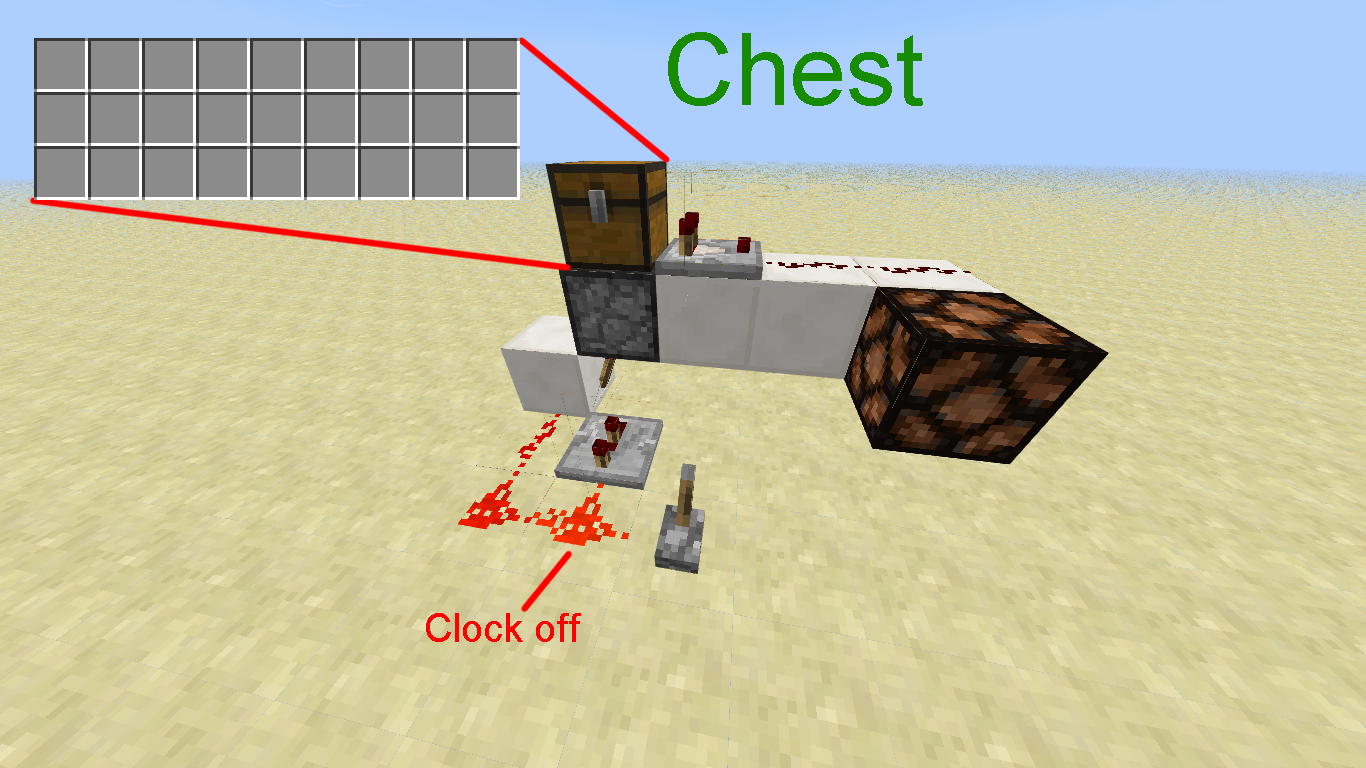
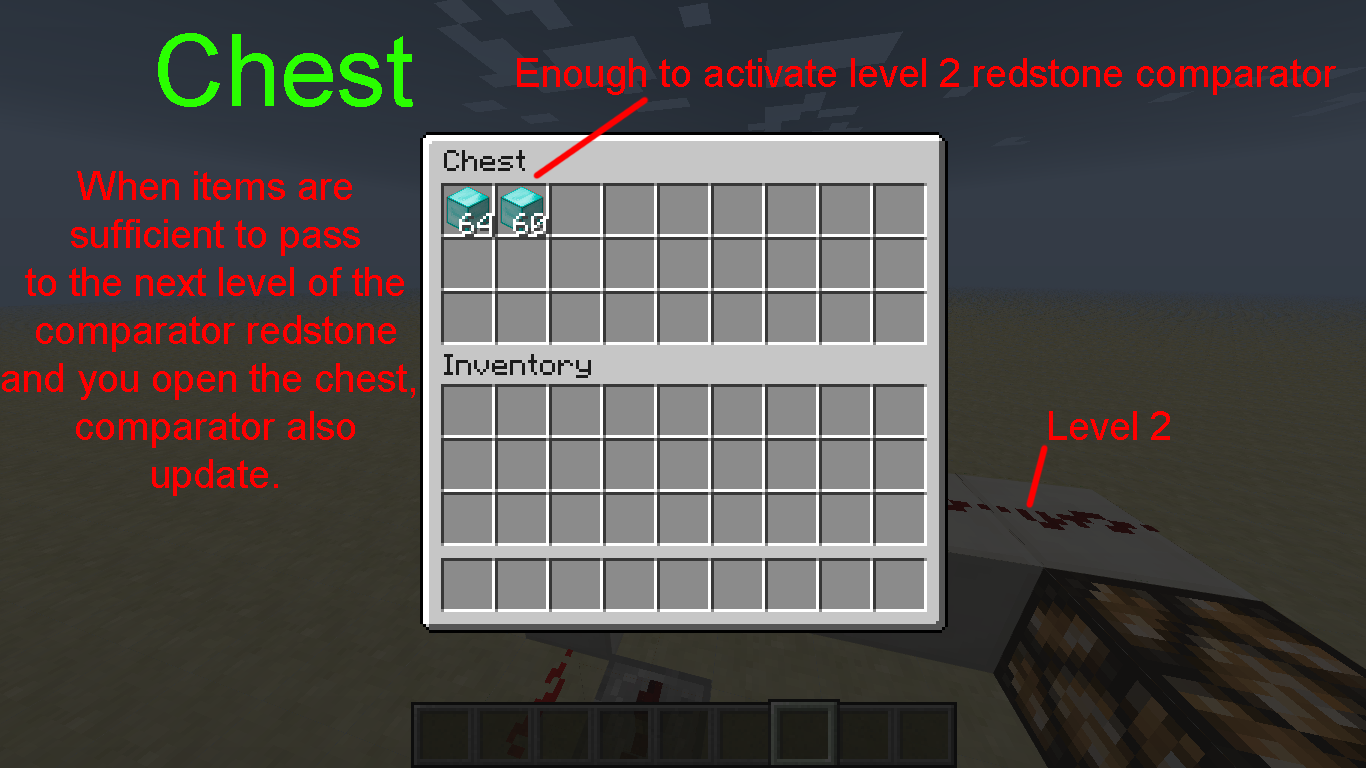
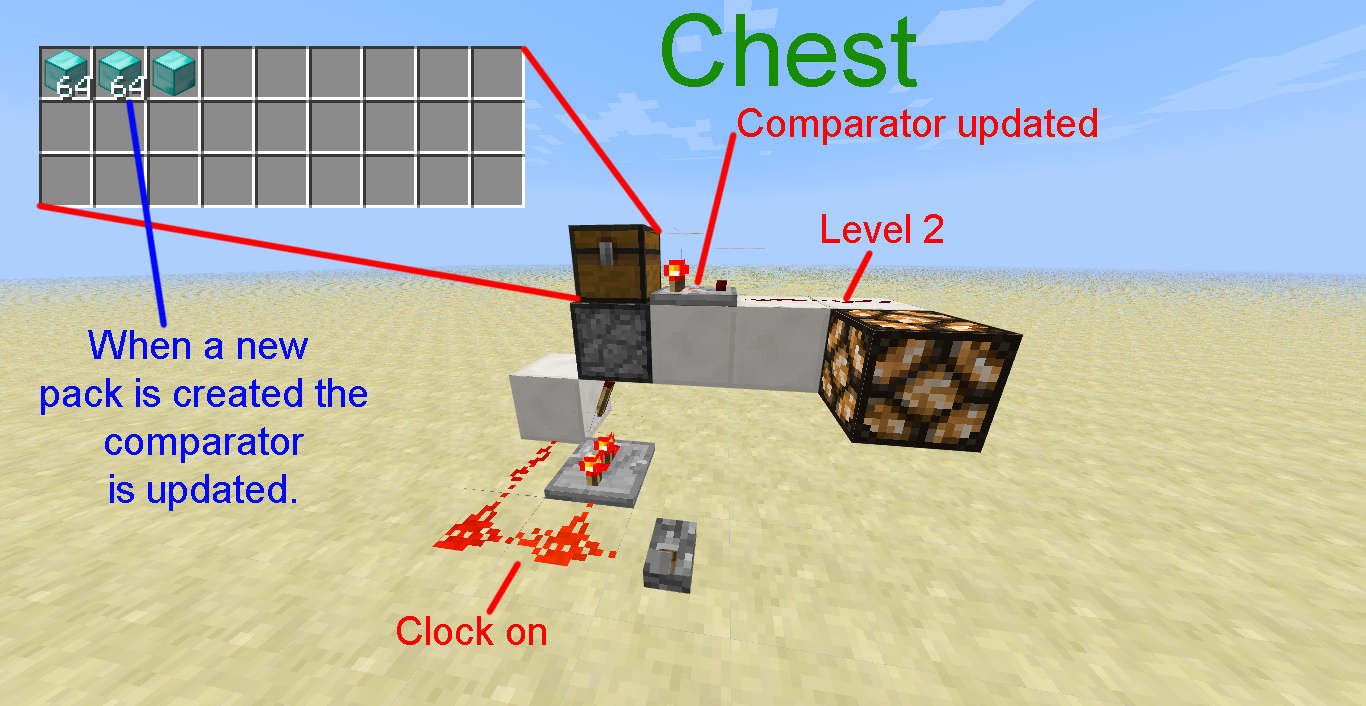
Pesso reopen because it still occurs with the chest and the dropper (not tested more blocks that can store items), look the pictures and try to reproduce.
Thank you.
Thanks
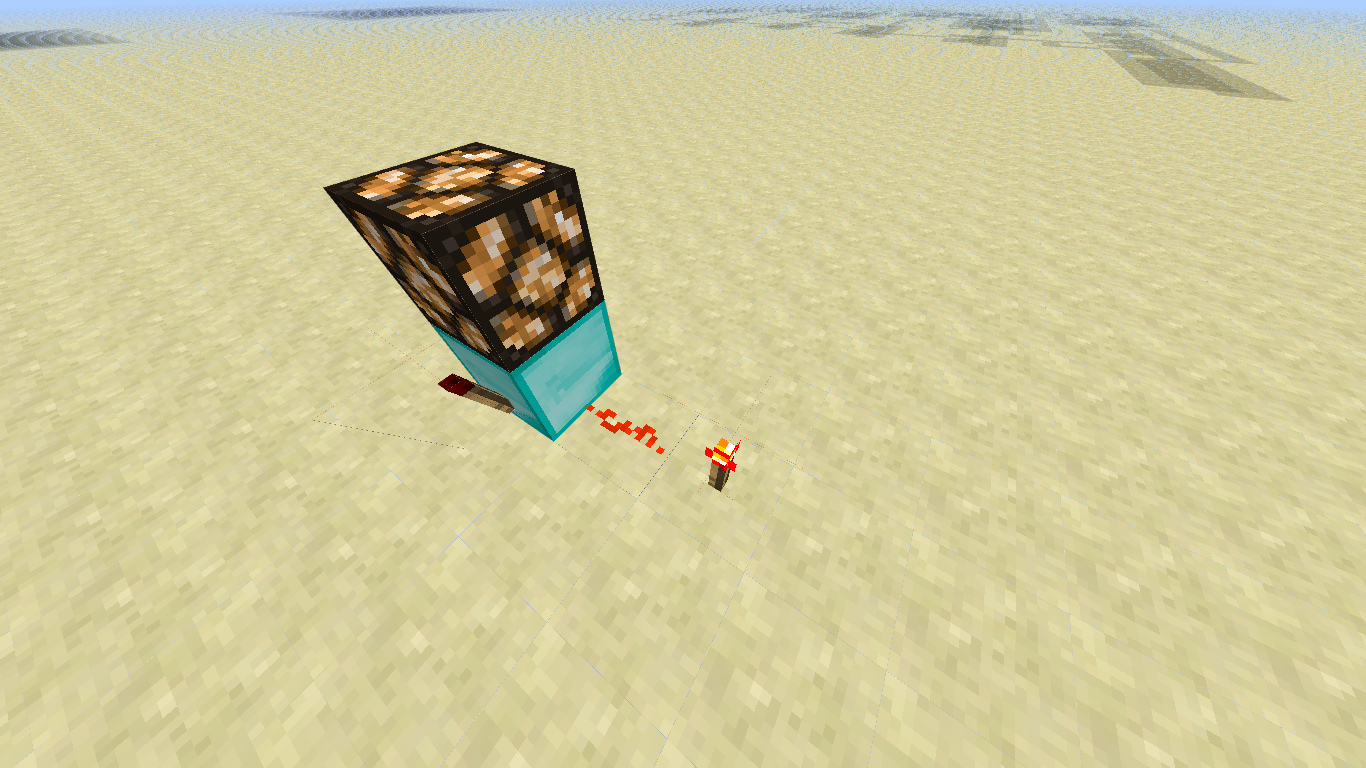
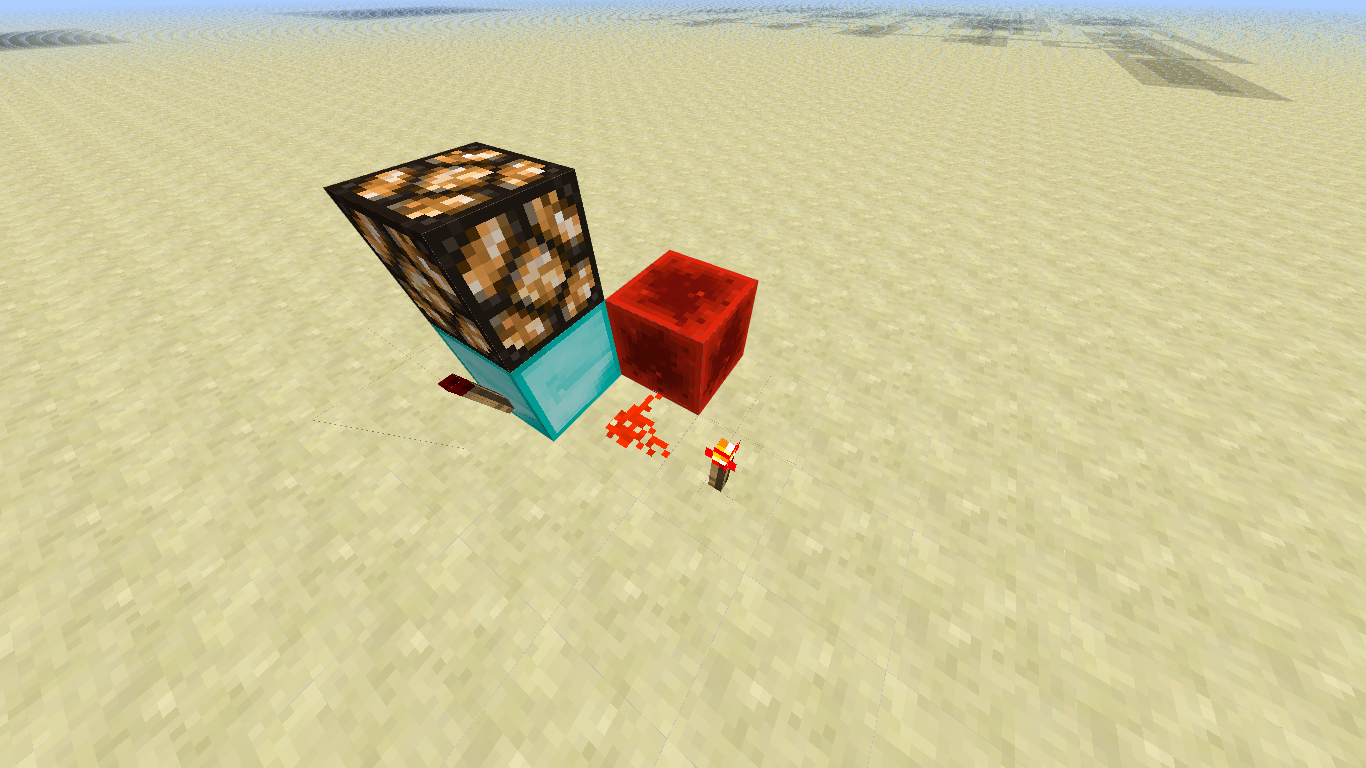
Also wanted to know why when you place a sticky piston, a boco in front and a torch on top of the block, the piston pushes and pulls back the block. This was to be a pulse of 1 tick.
Tails, can you explain?
To whom and how do I ask?
With "detector rails" also works, alias, you can move the rails with pistons without breaking, that is also a bug?
I can not reproduce in 1.5 pre-release. I think it was resolved.
Thanks to whoever fixed it.
Images attached.
So Tails, what do you think?
????
Nobody to help me?
So Kumasasa, the problem is that - as far as I know, if I'm wrong correct me - you can not write a message like: "/tellraw @p @r" being that my goal is to send a random name for player more close. If it were possible this command would be perfect, but not works.
Yes, just put the question because I thought relevant since it is a similar bug. And as for not being able to use "@p", "@r" or "@a", in command "tellraw", what you tell me?
So why do not you add the following idea which was also proposed for
MC-31826?tellraw @r {text:
{playername:@p}test}
This would be sent to a random player with the name of the player closest followed by the message "test".
It would be very useful for us developers map.
Confirmed in 13w41a.
Confirmed in 13w41b.
Sorry Kumasasa, my mistake.
I found nothing. I searched for "accent" and "accentuation".
Seriously? Not solved this for 1.7?
(I removed what I said here about the symbol §). I made a post in the forum about it: http://bit.ly/1ccs9N8. Check it there.
Confirmed in 1.7.1.
Confirmed in 1.7.2.
Now with the functions "show_", I think this was more serious and important:
MC-75721This needs to be corrected.man, you will not believe, I have found, the command must be
I think as it is a "second command" that have to take another "\".
As I close the issue?
Wow, seth... u.u but why go ahead?
tks kumasasa for close the issue
1.8.2-pre4 confirmed... My villagers of my villager breeder despawn... All of them... I hate had change to creative to fix it on my server survival
Sorry, bot, I was thinking that was the same as 18w06a. Why am I talking with a bot anyway?
Yes, I'm just saying that no chat output is given even though the save have failed... I understand they don'r want to allow uppercase anymore, but at least give us an output saying the save failed.