![[Mod] Avoma](../../../data/avatars/users/86198.png) [Mod] Avoma
[Mod] Avoma
- Avoma
- JIRAUSER566325
- Europe/London
- Yes
- No
 Normal
 MC-204072
![[Mojang] Matthew Gatland](../../../data/avatars/users/43046.png)
 WEB-3439
![[Mojang] Web Team](../../../data/avatars/users/10122.svg)
 Low
Low MC-208035
![[Mojang] Brandon Pearce](../../../data/avatars/users/40932.png)

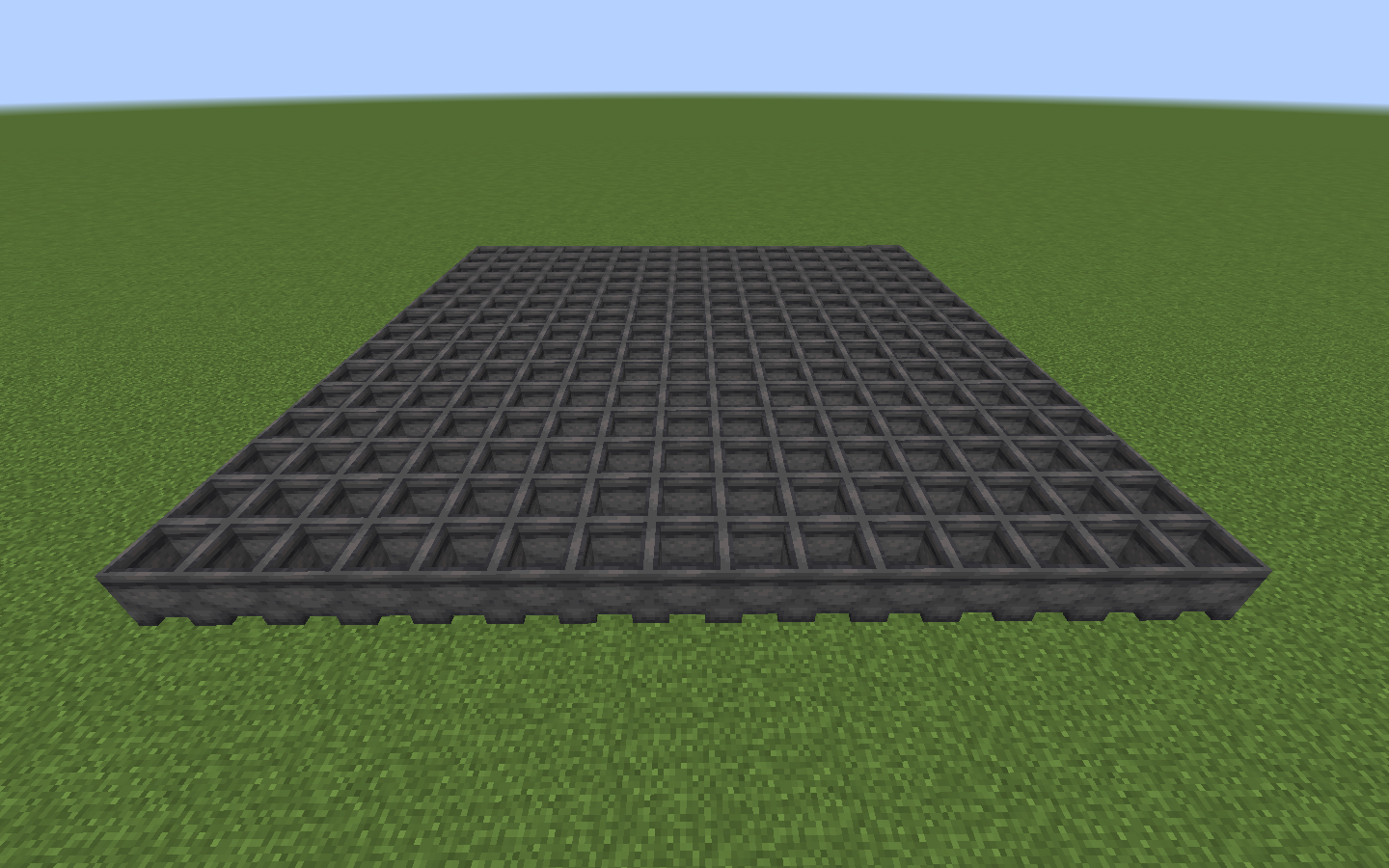
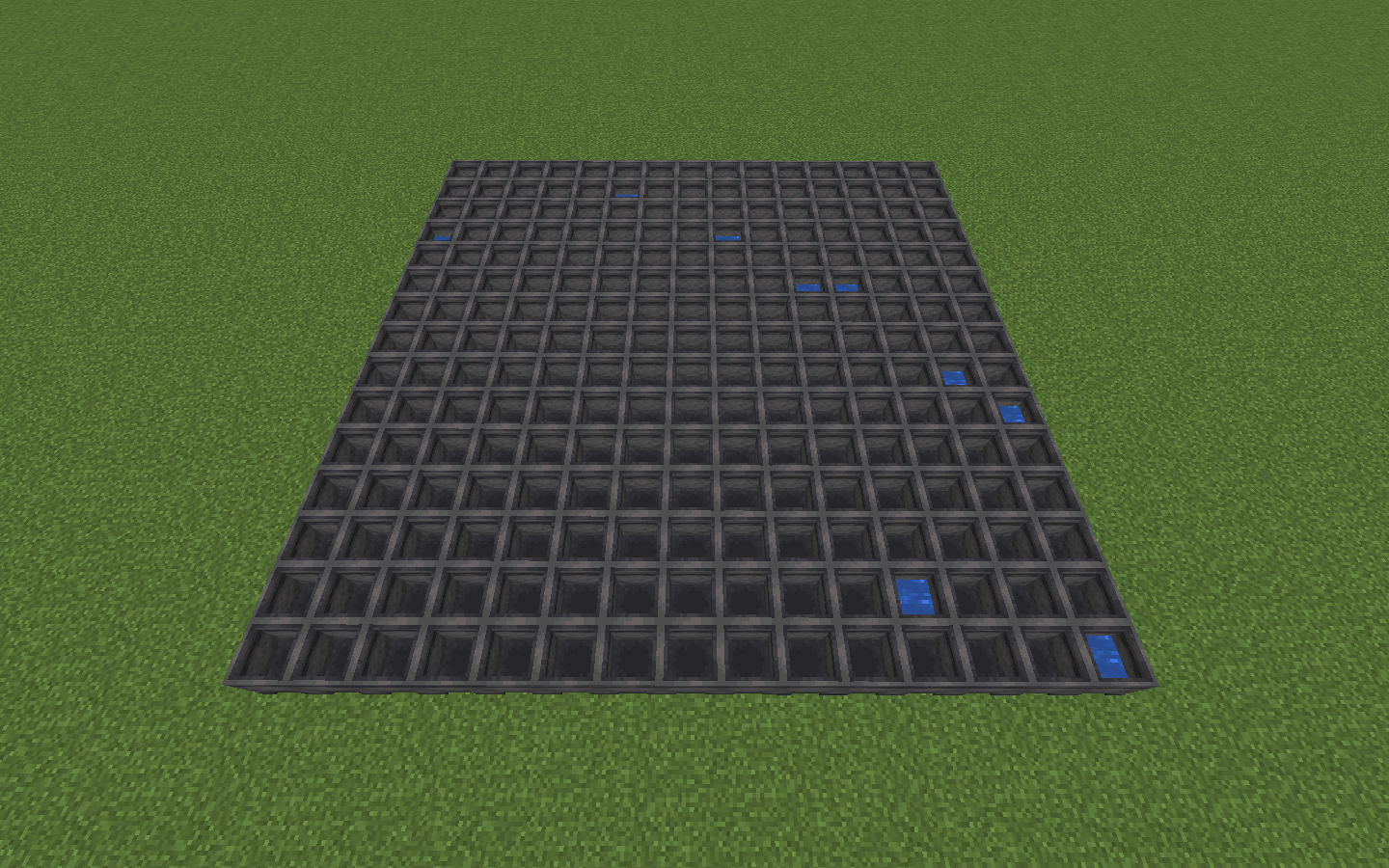

















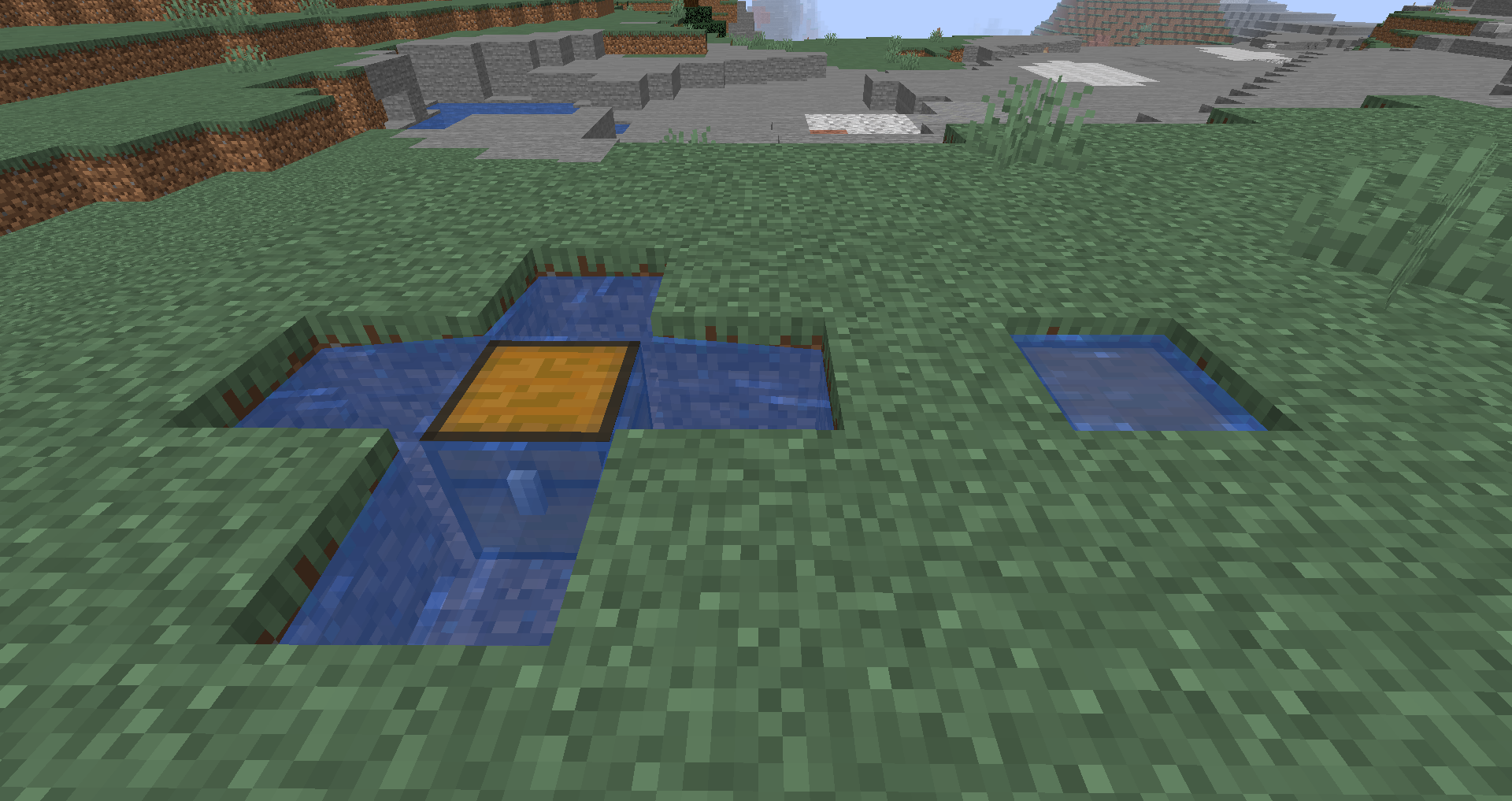


Brief Description:
When it's raining, cauldrons fill up with water despite a carpet being placed directly above it.Steps to Reproduce:
1. Place some cauldrons. (I placed a 15x15 area of them in the attachment below)
2. Place some carpet directly above the cauldrons. (As shown in the attachment below)
3. Turn on rain.
4. After about 5 minutes,the cauldrons will fill up with water despite carpet being placed above them.
(The process of cauldrons filling up with water as of the result of rain, takes quite a while so I'd recommend setting up multiple cauldrons (like I've done in the attachments below) to speed up the process).Observed Results:
The cauldron fills up with water.
Expected Results:
The cauldron should not fill up with water as a block is placed above it.
Screenshots/Videos:
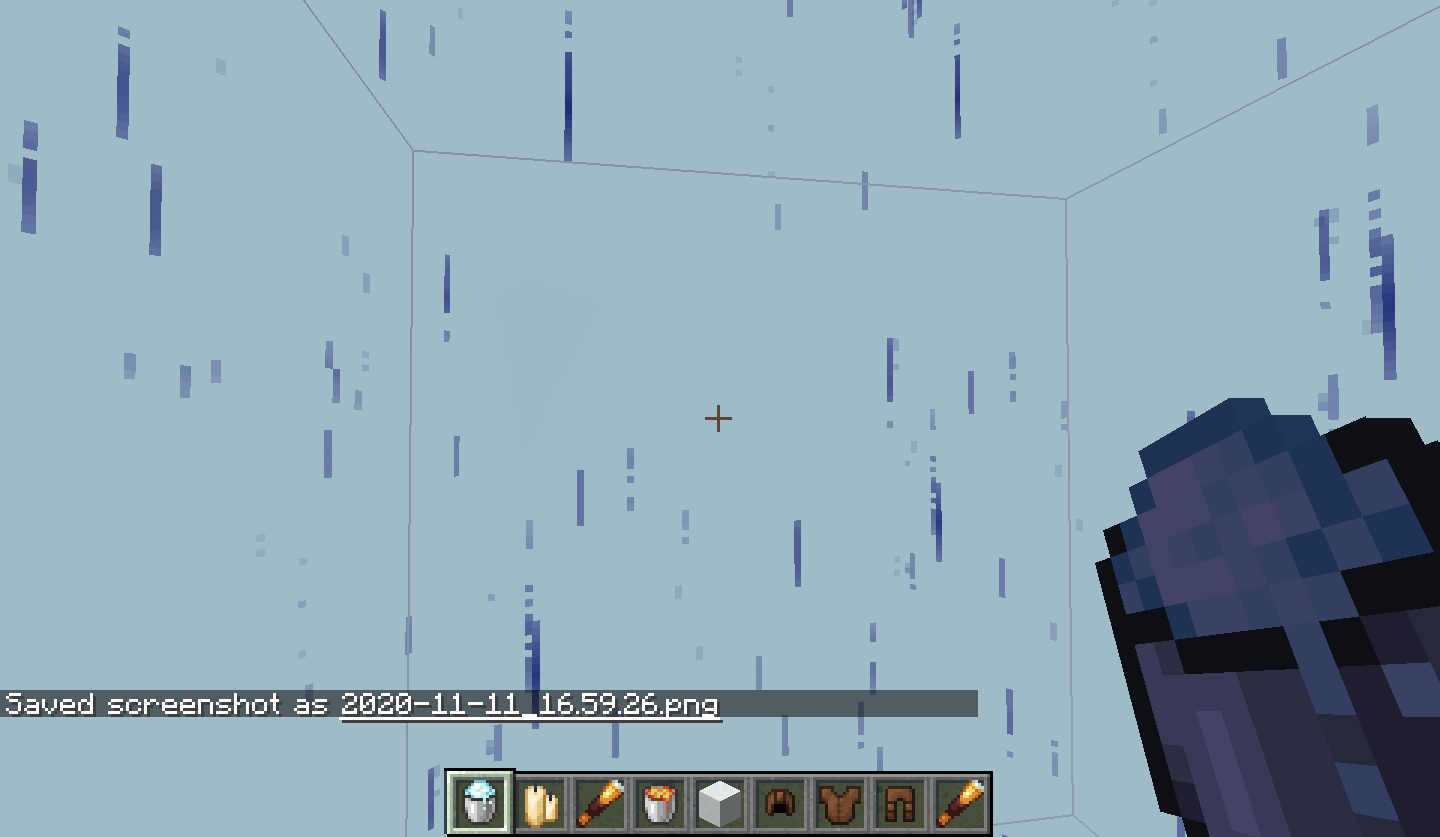
I have attached four images showing the process of how to reproduce this bug.
Notes:
I've set up multiple cauldrons as reproducing this with only one can take quite a while.
Brief Description:
When it's raining, cauldrons fill up with water despite a carpet being placed directly above it.Steps to Reproduce:
1. Place some cauldrons. (I placed a 15x15 area of them in the attachment below)
2. Place some carpet directly above the cauldrons. (As shown in the attachment below)
3. Turn on rain.
4. After about 5 minutes, remove the carpets and some cauldrons will have filled up with water despite carpet being placed above them.
(The process of cauldrons filling up with water as of the result of rain, takes quite a while so I'd recommend setting up multiple cauldrons (like I've done in the attachments below) to speed up the process).Observed Results:
The cauldron fills up with water.
Expected Results:
The cauldron should not fill up with water as a block is placed above it.
Screenshots/Videos:
I have attached four images showing the process of how to reproduce this bug.
Notes:
I've set up multiple cauldrons as reproducing this with only one can take quite a while.
Brief Description:
When it's raining, cauldrons fill up with water despite a carpet being placed directly above it.Steps to Reproduce:
1. Place some cauldrons. (I placed a 15x15 area of them in the attachment below)
2. Place some carpet directly above the cauldrons. (As shown in the attachment below)
3. Turn on rain.
4. After about 5 minutes, remove the carpets and some cauldrons will have filled up with water despite carpet being placed above them.
(The process of cauldrons filling up with water as of the result of rain, takes quite a while so I'd recommend setting up multiple cauldrons(like I've done in the attachments below)to speed up the process).Observed Results:
The cauldron fills up with water.
Expected Results:
The cauldron should not fill up with water as a block is placed above it.
Screenshots/Videos:
I have attached four images showing the process of how to reproduce this bug.
Notes:
I've set up multiple cauldrons as reproducing this with only one can take quite a while.
Brief Description:
When it's raining, cauldrons fill up with water despite a carpet being placed directly above it.Steps to Reproduce:
1. Place some cauldrons.
/fill ~1 ~ ~1 ~15 ~ ~15 minecraft:cauldron2. Place some carpet directly above the cauldrons.
/fill ~1 ~1 ~1 ~15 ~1 ~15 minecraft:white_carpet3. Turn on rain.
/weather rain4. After about 5 minutes, remove the carpets and some cauldrons will have filled up with water despite carpet being placed above them.
/fill ~1 ~1 ~1 ~15 ~1 ~15 minecraft:air(The process of cauldrons filling up with water as of the result of rain, takes quite a while so I'd recommend setting up multiple cauldrons to speed up the process).
Observed Results:
The cauldron fills up with water.
Expected Results:
The cauldron should not fill up with water as a block is placed above it.
Screenshots/Videos:
I have attached four images showing the process of how to reproduce this bug.
Notes:
I've set up multiple cauldrons as reproducing this with only one can take quite a while.
When raining, cauldrons fill up with water despiteacarpet being placedon top ofthemWhen raining, cauldrons will fill up with water, despite carpet being placed above them
Brief Description:
When it's raining, cauldrons fill up with water despite a carpet being placed directly above it.Steps to Reproduce:
1. Place some cauldrons.
/fill ~1 ~ ~1 ~15 ~ ~15 minecraft:cauldron2. Place some carpet directly above the cauldrons.
/fill ~1 ~1 ~1 ~15 ~1 ~15 minecraft:white_carpet3. Turn on rain.
/weather rain4. After about 5 minutes, remove the carpets and some cauldrons will have filled up with water despite carpet being placed above them.
/fill ~1 ~1 ~1 ~15 ~1 ~15 minecraft:air(The process of cauldrons filling up with water as of the result of rain, takes quite a while so I'd recommend setting up multiple cauldrons to speed up the process).
Observed Results:
The cauldron fills up with water.
Expected Results:The cauldron should not fill up with water as a block is placed above it.
Screenshots/Videos:
I have attached four images showing the process of how to reproduce this bug.
Notes:
I've set up multiple cauldrons as reproducing this with only one can take quite a while.
The Bug:
When raining, cauldrons will fill up with water, despite carpet being placed above them.
Steps to Reproduce:
- Place some cauldrons.
/fill ~1 ~ ~1 ~15 ~ ~15 minecraft:cauldron
- Place some carpet directly above the cauldrons.
/fill ~1 ~1 ~1 ~15 ~1 ~15 minecraft:white_carpet
- Set the weather to rain.
/weather rain
- Remove the carpets after around 2 minutes.
/fill ~1 ~1 ~1 ~15 ~1 ~15 minecraft:air→
Notice how the cauldrons have filled up with water despite carpets being placed above them.
The Bug:
When raining, cauldrons will fill up with water,despite carpet being placed above them.Steps to Reproduce:
- Place some cauldrons.
/fill ~1 ~ ~1 ~15 ~ ~15 minecraft:cauldron
- Place some carpet directly above the cauldrons.
/fill ~1 ~1 ~1 ~15 ~1 ~15 minecraft:white_carpet
- Set the weather to rain.
/weather rain
Remove the carpetsafter around 2 minutes./fill ~1 ~1 ~1 ~15 ~1 ~15 minecraft:air→
The Bug:
Cauldrons will fill up with water and powder snow despite carpet being placed above them.
Steps to Reproduce:
- Place some cauldrons.
/fill ~1 ~ ~1 ~15 ~ ~15 minecraft:cauldron
- Place some carpet directly above the cauldrons.
/fill ~1 ~1 ~1 ~15 ~1 ~15 minecraft:white_carpet
- Set the weather to rain.
/weather rain
- Set the weather to clear after around 2 minutes.
/weather clear
- Remove the carpets from on top of the cauldrons.
/fill ~1 ~1 ~1 ~15 ~1 ~15 minecraft:air→
When raining, cauldrons will fill up with water,despite carpet being placed above themCauldrons will fill up with water and powder snow despite carpet being placed above them
The Bug:
Cauldrons will fill up with water and powder snow despite carpet being placed above them.
Steps to Reproduce:
- Place some cauldrons.
/fill ~1 ~ ~1 ~15 ~ ~15 minecraft:cauldron
- Place some carpet directly above the cauldrons.
/fill ~1 ~1 ~1 ~15 ~1 ~15 minecraft:white_carpet
- Set the weather to rain.
/weather rain
- Set the weather to clear after around 2 minutes.
/weather clear
- Remove the carpets from on top of the cauldrons.
/fill ~1 ~1 ~1 ~15 ~1 ~15 minecraft:air→
The Bug:
Cauldrons will fill up with water and powder snow despite carpet being placed above them.
Steps to Reproduce:
- Place some cauldrons.
- Place some carpet directly above the cauldrons.
- Set the weather to rain.
- Set the weather to clear after around 2 minutes.
- Remove the carpets from on top of the cauldrons.
- →
The Bug:
Cauldrons will fill up with water and powder snow despite carpet being placed above them.
Steps to Reproduce:
- Place some cauldrons.
- Place some carpet directly above the cauldrons.
- Set the weather to rain.
- Set the weather to clear after around 2 minutes.
- Remove the carpets from on top of the cauldrons.
- →
Expected Behavior:
The expected behavior would be that cauldrons would not fill up with water and powder snow when carpets are placed above them.
The Bug:
Cauldrons will fill up with water and powder snow despite carpet being placed above them.
Steps to Reproduce:
- Place some cauldrons.
- Place some carpet directly above the cauldrons.
- Set the weather to rain.
- Set the weather to clear after around 2 minutes.
- Remove the carpets from on top of the cauldrons.
- →
Expected Behavior:
The expected behavior would be that cauldrons would not fill up with water and powder snowwhencarpetsareplaced above them.The Bug:
Cauldrons will fill up with water and powder snow despite carpet being placed above them.
Steps to Reproduce:
- Place some cauldrons.
- Place some carpet directly above the cauldrons.
- Set the weather to rain.
- Set the weather to clear after around 2 minutes.
- Remove the carpets from on top of the cauldrons.
Observed Behavior:
Cauldrons will fill up with water and powder snow despite carpet being placed above them.
Expected Behavior:
Cauldrons would not fill up with water and powder snow if carpets have been placed above them.
The Bug:
Cauldrons
willfill up with water and powder snow despite carpet being placed above them.Steps to Reproduce:
- Place some cauldrons.
- Place some carpet directly above the cauldrons.
- Set the weather to rain.
- Set the weather to clear after around 2 minutes.
- Remove the carpets from on top of the cauldrons.
Observed Behavior:
Cauldrons
willfill up with water and powder snow despite carpet being placed above them.Expected Behavior:
Cauldrons would not fill up with water and powder snow if carpets have been placed above them.
The Bug:
Cauldrons fill up with water and powder snow despite carpet being placed above them.
Steps to Reproduce:
- Place some cauldrons.
- Place some carpet directly above the cauldrons.
- Set the weather to "rain".
- Set the weather to clear after around 2 minutes.
- Remove the carpets from on top of the cauldrons.
- Take note as to whether or not cauldrons fill up with water and powder snow despite carpet being placed above them.
Observed Behavior:
Cauldrons fill up with water and powder snow despite carpet being placed above them.
Expected Behavior:
Cauldrons would not fill up with water and powder snow if carpets have been placed above them.
Cauldronswillfill up with water and powder snow despite carpet being placed above them
The Bug:
Cauldrons fill up with water and powder snow despite carpet being placed above them.
Steps to Reproduce:
- Place some cauldrons.
- Place some carpet directly above the cauldrons.
- Set the weather to "rain".
- Set the weather to clear after around 2 minutes.
- Remove the carpets from on top of the cauldrons.
- Take note as to whether or not cauldrons fill up with water and powder snow despite carpet being placed above them.
Observed Behavior:
Cauldrons fill up with water and powder snow despite carpet being placed above them.
Expected Behavior:
Cauldrons would not fill up with water and powder snow if carpets have been placed above them.
The Bug:
Cauldrons fill up with water and powder snow despite carpet being placed above them.
Steps to Reproduce:
- Summon a large area of cauldrons with some carpets above them by using the commands provided below.
/fill ~1 ~ ~1 ~15 ~ ~15 minecraft:cauldron/fill ~1 ~1 ~1 ~15 ~1 ~15 minecraft:white_carpet- Set the weather to "rain" and wait for around two minutes.
- Set the weather to "clear" and remove the carpets from on top of the cauldrons by using the command provided below.
/fill ~1 ~1 ~1 ~15 ~1 ~15 minecraft:air- Look at the contents within the cauldrons.
- Take note as to whether or not cauldrons fill up with water and powder snow despite carpet being placed above them.
Observed Behavior:
Cauldrons fill up with water and powder snow despite carpet being placed above them.
Expected Behavior:
Cauldrons would not fill up with water and powder snow if carpets have been placed above them.
The Bug:
Cauldrons fill up with waterandpowder snow despite carpet being placed above them.Steps to Reproduce:
- Summon a large area of cauldrons with some carpets above them by using the commands provided below.
/fill ~1 ~ ~1 ~15 ~ ~15 minecraft:cauldron/fill ~1 ~1 ~1 ~15 ~1 ~15 minecraft:white_carpet- Set the weather to "rain" and wait for around two minutes.
- Set the weather to "clear" and remove the carpets from on top of the cauldrons by using the command provided below.
/fill ~1 ~1 ~1 ~15 ~1 ~15 minecraft:air- Look at the contents within the cauldrons.
- Take note as to whether or not
cauldrons fill up with waterandpowder snow despite carpet being placed above them.Observed Behavior:
Cauldrons fill up with water and powder snow despite carpet being placed above them.Expected Behavior:
Cauldronswould notfill up with water and powder snow if carpets have been placed above them.The Bug:
Rain can pass through carpets.
Steps to Reproduce:
- Summon a large area of cauldrons with some carpets above them by using the commands provided below.
/fill ~1 ~ ~1 ~15 ~ ~15 minecraft:cauldron/fill ~1 ~1 ~1 ~15 ~1 ~15 minecraft:white_carpet- Set the weather to "rain" and wait for around two minutes.
- Set the weather to "clear" and remove the carpets from on top of the cauldrons by using the command provided below.
/fill ~1 ~1 ~1 ~15 ~1 ~15 minecraft:air- Look at the contents within the cauldrons.
- Take note as to whether or not rain can pass through carpets.
Observed Behavior:
Rain can pass through carpets
Expected Behavior:
Rain would not be able to pass through carpets
Cauldrons fill up with waterandpowder snow despite carpet being placed above themRain can pass through carpets
The Bug:
Rain can pass through carpets.
Steps to Reproduce:
- Summon a large area of cauldrons with some carpets above them by using the commands provided below.
/fill ~1 ~ ~1 ~15 ~ ~15 minecraft:cauldron/fill ~1 ~1 ~1 ~15 ~1 ~15 minecraft:white_carpet- Set the weather to "rain" and wait for around two minutes.
Set the weather to "clear" and remove the carpets from on top of the cauldrons by using the command provided below./fill ~1 ~1 ~1 ~15 ~1 ~15 minecraft:airLook at the contents withinthe cauldrons.- Take note as to whether or not rain can pass through carpets.
Observed Behavior:
Rain can pass through carpets
Expected Behavior:
Rain would not be able to pass through carpets
The Bug:
Rain can pass through carpets.
Steps to Reproduce:
- Summon a large area of carpets by using the command provided below.
/fill ~1 ~ ~1 ~10 ~5 ~10 minecraft:white_carpet- Set the weather to "rain" and look underneath the carpets.
- Take note as to whether or not rain can pass through carpets.
Observed Behavior:
Rain can pass through carpets
Expected Behavior:
Rain would not be able to pass through carpets
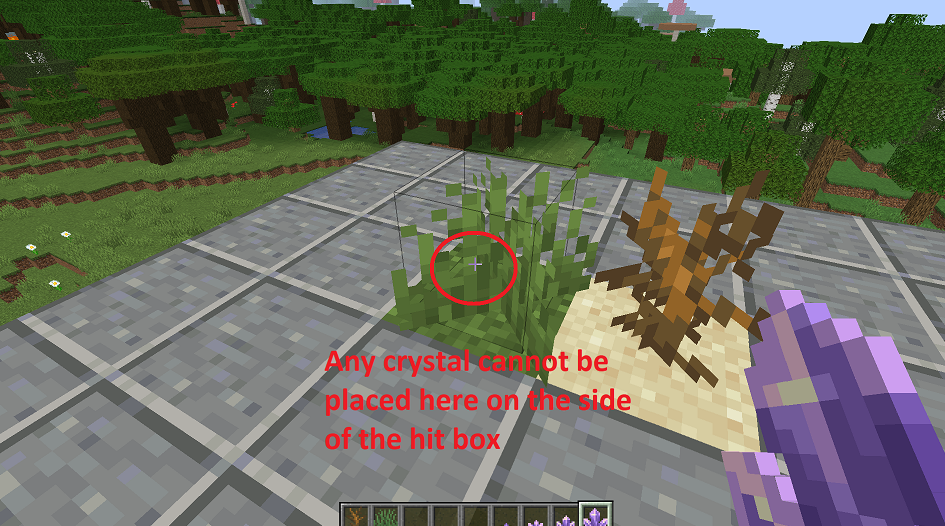
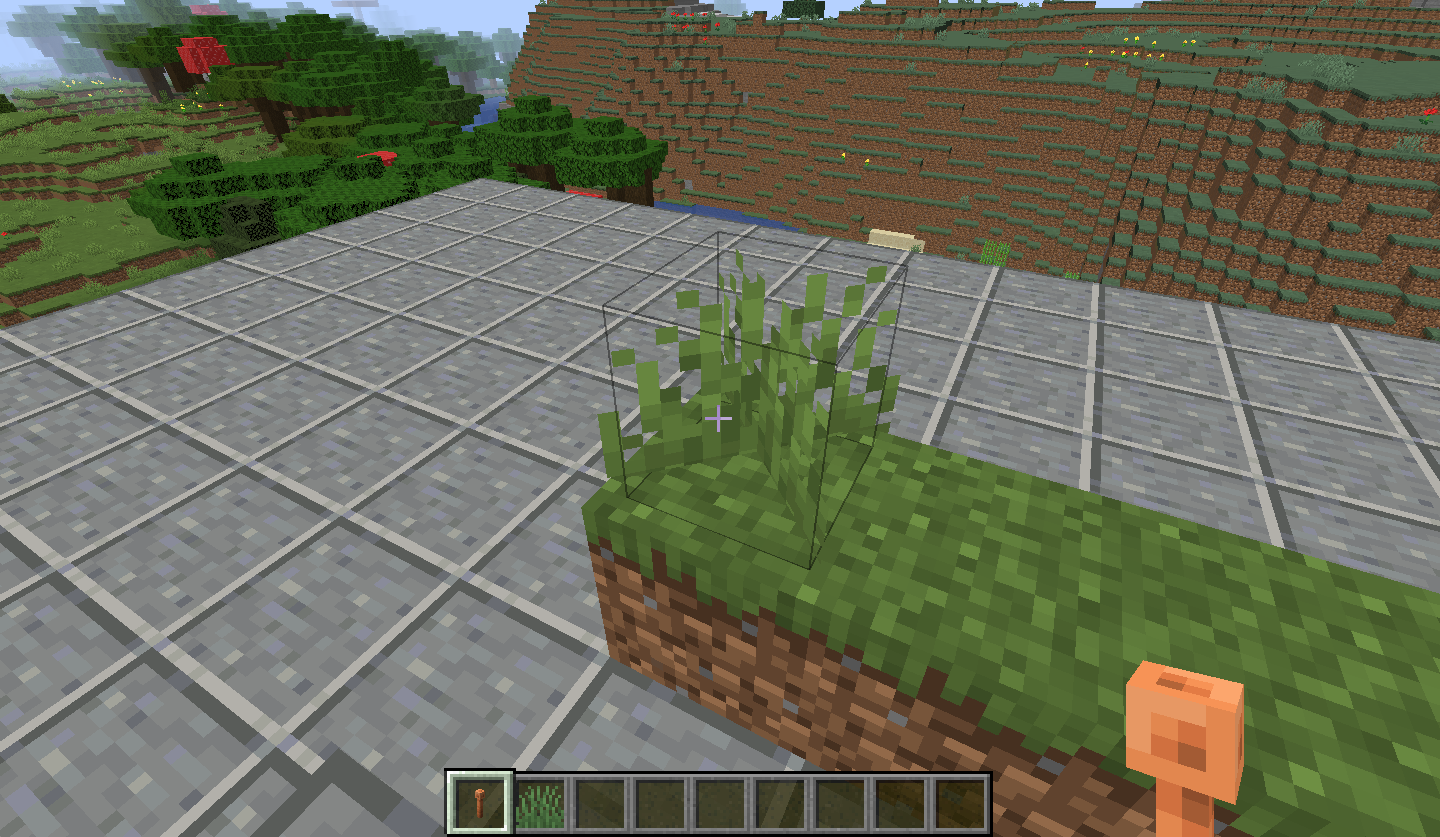
Lightning rod appears horizontal when placed on the edge of a grass hit box.
Hey!
I was able to reproduce this bug.
Since you haven't made it clear yourself, I've included the required information to reproduce this issue.
Steps to Reproduce:
1. Go in survival mode.
2. Place a cake
3. Place a candle on top of it.
4. Right-click on the candle with nothing in your hand and you will notice the candle duplicates.Observed Results:
The candles duplicates.Expected Results:
The candle should not duplicate.
Brief Description:
When netherite is placed inside of a bundle it is able to burn.Steps to Reproduce:
1. Place a piece of netherite inside of a bundle.
2. Throw the bundle in fire or lava.
3. You will notice the netherite burns with the bundle.Observed Results:
The netherite burns.Expected Results:
The bundle should burn but the netherite shouldn't.Screenshots/Videos:
I haven't attached any images or videos as I feel this is fairly simple to understand.
Notes:
This works for Ancient Debris, Netherite Scrap and Netherite Block as well.Brief Description:
When netherite is placed inside of a bundle it is able to burn.
Steps to Reproduce:
1. Place a piece of netherite inside of a bundle.
2. Throw the bundle in fire or lava.
3. You will notice the netherite burns with the bundle.Observed Results:
The netherite burns.
Expected Results:
The bundle should burn but the netherite shouldn't.
Screenshots/Videos:
I haven't attached any images or videos as I feel this is fairly simple to understand.
Notes:
This works for Ancient Debris, Netherite Scrap and Netherite Block as well.
Brief Description:
Your helmet appears unenchanted when in F5 mode whilst looking slightly upwards.Steps to Reproduce:
1. Enchant a helmet with any enchantment. (I'd recommend using a netherite helmet as it is more noticeable when enchanted).
{id:unbreaking,lvl:3}
{{/give @s minecraft:netherite_helmet{Enchantments:[]} 1}}
2. Equip the helmet and make sure that you are holding nothing in your hand.
3. Press F5 once and look slighty upwards and the helmet will appear as if its unenchanted.Observed Results:
The helmet appears unenchanted when viewing for a certain angle.
Expected Results:
The helmet should always appear enchanted as it has enchantments on it.
Screenshots/Videos:
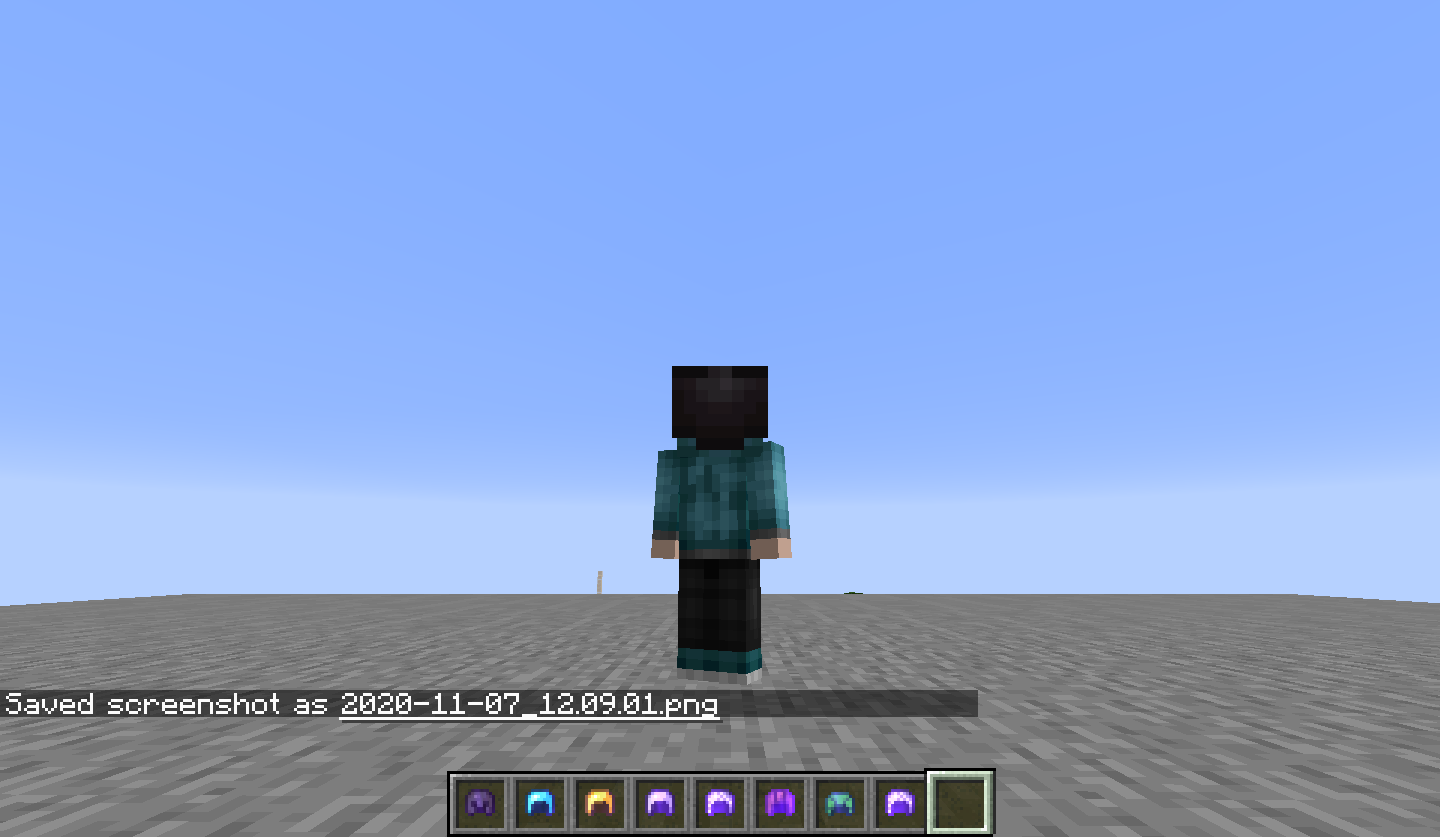
I've attached two images. In one of them, you can see that I have an enchanted helmet equipped. In the other, you can see how when looking slightly upwards, the helmet appears unenchanted.
Notes:
This work with any type of helmet, with any type of enchantment. This does not work with a chestplate, leggings or boots.Brief Description:
Your helmet appears unenchanted when in F5 mode whilst looking slightly upwards.Steps to Reproduce:
1. Enchant a helmet with any enchantment. (I'd recommend using a netherite helmet as it is more noticeable when enchanted).
2. Equip the helmet and make sure that you are holding nothing in your hand.
3. Press F5 once and look slighty upwards and the helmet will appear as if its unenchanted.Observed Results:
The helmet appears unenchanted when viewing for a certain angle.
Expected Results:
The helmet should always appear enchanted as it has enchantments on it.
Screenshots/Videos:
I've attached two images. In one of them, you can see that I have an enchanted helmet equipped. In the other, you can see how when looking slightly upwards, the helmet appears unenchanted.
Notes:
This work with any type of helmet, with any type of enchantment. This does not work with a chestplate, leggings or boots.
You are unable to tame a cat with cooked fish.
Brief Description:
You are unable to tame cats with cooked fish.Steps to Reproduce:
1. Summon a cat. (/summon cat)
2.Hold out some cooked fish.
3. You will notice the cat never approaches you and is unable to be tamed with cooked fish.Observed Results:
To cat is unable to be tamed with cooked fish.Expected Results:
The cat should be able to be tamed.Screenshots/Videos:
I haven't attached any screenshots or videos as I feel its quite self-explanatory.Notes:
I'm not sure whether this is a bug or not, however it would only make sense if you are able to tame them with raw fish.The Bug:
You are unable to tame cats with cooked fish.
Steps to Reproduce:
- Summon or spawn a cat.
- Attempt to tame it with some cooked fish.
→
The Bug:
You are unable to tame cat
swith cooked fish.Steps to Reproduce:
- Summon or spawn a cat.
- Attempt to tame it with some cooked fish.
→The Bug:
You are unable to tame a cat with cooked fish.
Steps to Reproduce:
- Summon or spawn a cat.
- Attempt to tame it with some cooked fish.
→
You are unable to tameacat with cooked fishYou are unable to tame cats with cooked fish
The Bug:
You are unable to tame
acat with cooked fish.Steps to Reproduce:
- Summon
or spawna cat.- Attempt to tame it with some cooked fish.
→The Bug:
You are unable to tame cats with cooked fish.
Steps to Reproduce:
- Summon a cat.
- Attempt to tame it with some cooked fish.
- →
The Bug:
You are unable to tame cats with cooked fish.
Steps to Reproduce:
- Summon a cat.
- Attempt to tame it with some cooked fish.
- →
Expected Behavior:
The expected behavior would be that you are able to tame cats with cooked fish.
The Bug:
You are unable to tame cats with cooked fish.
Steps to Reproduce:
- Summon a cat.
- Attempt to tame it with some cooked fish.
- →
Expected Behavior:
The expected behavior would be that you are able to tame cats with cooked fish.The Bug:
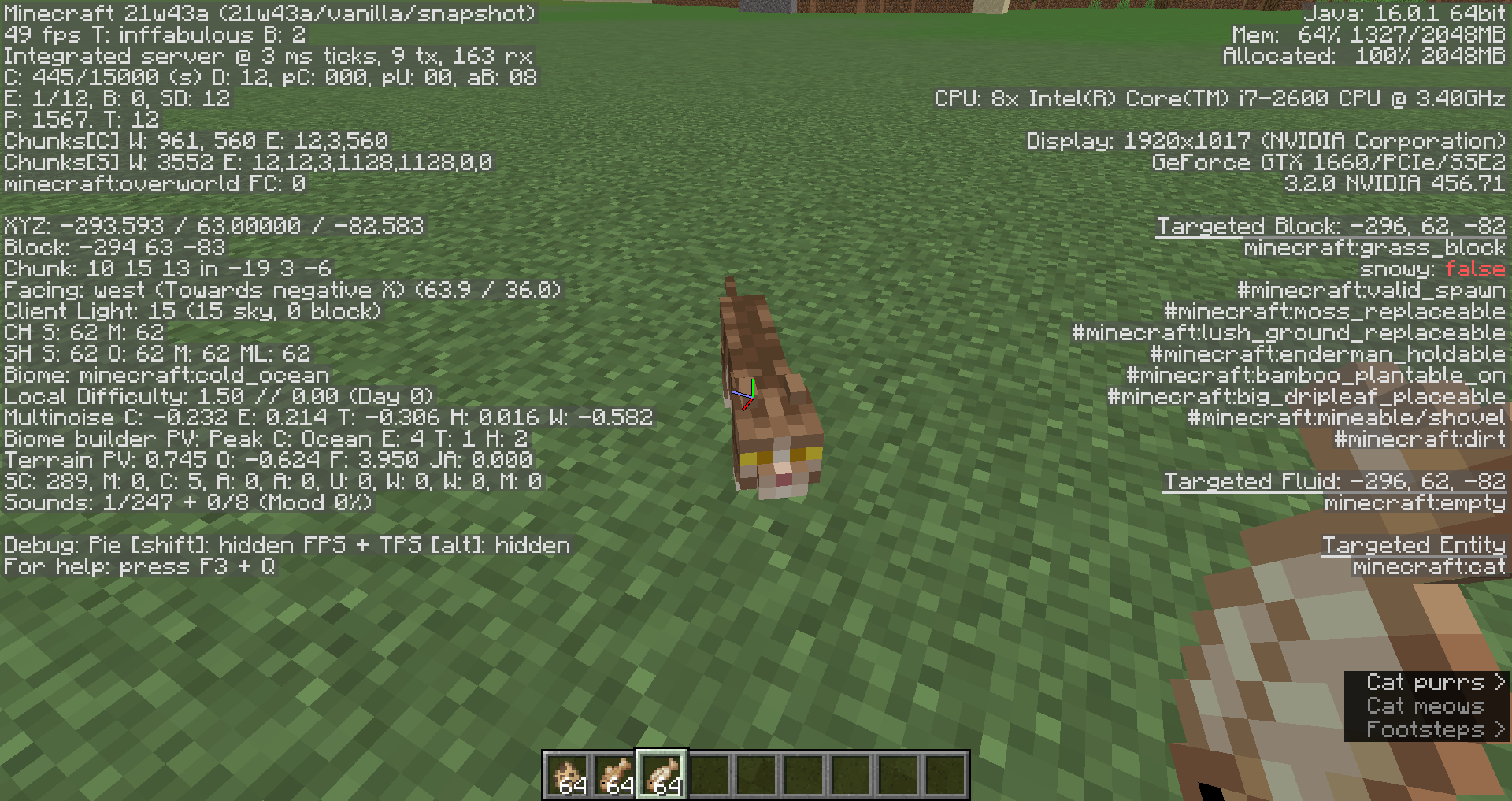
You are unable to tame cats with cooked fish.
Steps to Reproduce:
- Summon a cat.
- Attempt to tame it with some cooked fish.
Observed Behavior:
You are unable to tame cats with cooked fish.
Expected Behavior:
You would be able to tame cats with cooked fish.
The Bug:
You
are unable totame cats with cooked fish.Steps to Reproduce:
- Summon a cat.
Attempt to tame it withsomecooked fish.Observed Behavior:
You
are unable totame cats with cooked fish.Expected Behavior:
You would be able to tame cats with cooked fish.
The Bug:
You cannot tame cats with any type of cooked fish.
Steps to Reproduce:
- Summon a cat and attempt to tame it with any type of cooked fish.
- Take note as to whether or not you can tame cats with any type of cooked fish.
Observed Behavior:
You cannot tame cats with any type of cooked fish.
Expected Behavior:
You would be able to tame cats with any type of cooked fish.
Youare unable totame cats with cooked fishYou cannot tame cats with any type of cooked fish
The Bug:
You cannot t
ame cats with any type of cooked fish.Steps to Reproduce:
- Summon a cat and
attempt to tame it with any type of cooked fish.Take note as to whether or not you can tame cats with any type ofcookedfish.Observed Behavior:
You cannot t
ame cats with any type of cooked fish.Expected Behavior:
You would be able to t
ame cats with any type of cooked fish.The Bug:
You cannot tempt or tame cats using cooked cod or salmon.
Since you can tempt/tame cats using raw cod and raw salmon, it seems quite illogical that this same concept cannot be seen with the cooked variants of these items.
Steps to Reproduce:
- Summon a cat and obtain some cooked cod or salmon.
- Attempt to tame the cat using the cooked item.
- Take note as to whether or not you can tempt or tame cats using cooked cod or salmon.
Observed Behavior:
You cannot tempt or tame cats using cooked cod or salmon.
Expected Behavior:
You would be able to tempt or tame cats using cooked cod or salmon.
Code Analysis:
Code analysis by [Mod] Avoma can be found below.
The following is based on a decompiled version of Minecraft 1.18.1 using MCP-Reborn.
net.minecraft.world.entity.animal.Cat.javapublic class Cat extends TamableAnimal { ... private static final Ingredient TEMPT_INGREDIENT = Ingredient.of(Items.COD, Items.SALMON); ...If we look at the above class, we can see that the only items that cats are tempted by are cod and salmon. Because of this, both cooked cod and cooked salmon cannot be used to tempt/tame cats, which seems quite illogical.
Potential Fix:
Simply adding both cooked cod and cooked salmon to the list of items that cats are tempted by, should resolve this problem. The correct and expected line of code within its class should look something like the following:
net.minecraft.world.entity.animal.Cat.javaUnable to find source-code formatter for language: codecontent panelcontent. Available languages are: actionscript, ada, applescript, bash, c, c#, c++, cpp, css, erlang, go, groovy, haskell, html, java, javascript, js, json, lua, none, nyan, objc, perl, php, python, r, rainbow, ruby, scala, sh, sql, swift, visualbasic, xml, yamlpublic class Cat extends TamableAnimal { ... private static final Ingredient TEMPT_INGREDIENT = Ingredient.of(Items.COD, Items.SALMON, Items.COOKED_COD, Items,COOKED_SALMON); ...
You cannot tame cats with any type of cooked fishYou cannot tempt or tame cats using cooked cod or salmon
The Bug:
You cannot tempt or tame cats using cooked cod or salmon.
Since you can tempt/tame cats using raw cod and raw salmon, it seems quite illogical that this same concept cannot be seen with the cooked variants of these items.
Steps to Reproduce:
- Summon a cat and obtain some cooked cod or salmon.
- Attempt to tame the cat using the cooked item.
- Take note as to whether or not you can tempt or tame cats using cooked cod or salmon.
Observed Behavior:
You cannot tempt or tame cats using cooked cod or salmon.
Expected Behavior:
You would be able to tempt or tame cats using cooked cod or salmon.
Code Analysis:
Code analysis by [Mod] Avoma can be found below.
The following is based on a decompiled version of Minecraft 1.18.1 using MCP-Reborn.
net.minecraft.world.entity.animal.Cat.javapublic class Cat extends TamableAnimal { ... private static final Ingredient TEMPT_INGREDIENT = Ingredient.of(Items.COD, Items.SALMON); ...If we look at the above class, we can see that the only items that cats are tempted by are cod and salmon. Because of this, both cooked cod and cooked salmon cannot be used to tempt/tame cats, which seems quite illogical.
Potential Fix:
Simply adding both cooked cod and cooked salmon to the list of items that cats are tempted by, should resolve this problem. The correct and expected line of code within its class should look something like the following:
net.minecraft.world.entity.animal.Cat.javaUnable to find source-code formatter for language: codecontent panelcontent. Available languages are: actionscript, ada, applescript, bash, c, c#, c++, cpp, css, erlang, go, groovy, haskell, html, java, javascript, js, json, lua, none, nyan, objc, perl, php, python, r, rainbow, ruby, scala, sh, sql, swift, visualbasic, xml, yamlpublic class Cat extends TamableAnimal { ... private static final Ingredient TEMPT_INGREDIENT = Ingredient.of(Items.COD, Items.SALMON, Items.COOKED_COD, Items,COOKED_SALMON); ...
The Bug:
You cannot tempt or tame cats using cooked cod or salmon.
Since you can tempt/tame cats using raw cod and raw salmon, it seems quite illogical that this same concept cannot be seen with the cooked variants of these items.
Steps to Reproduce:
- Summon a cat and obtain some cooked cod or salmon.
- Attempt to tame the cat using the cooked item.
- Take note as to whether or not you can tempt or tame cats using cooked cod or salmon.
Observed Behavior:
You cannot tempt or tame cats using cooked cod or salmon.
Expected Behavior:
You would be able to tempt or tame cats using cooked cod or salmon.
Code Analysis:
Code analysis by [Mod] Avoma can be found below.
The following is based on a decompiled version of Minecraft 1.18.1 using MCP-Reborn.
net.minecraft.world.entity.animal.Cat.javapublic class Cat extends TamableAnimal { ... private static final Ingredient TEMPT_INGREDIENT = Ingredient.of(Items.COD, Items.SALMON); ...If we look at the above class, we can see that the only items that cats are tempted by are cod and salmon. Because of this, both cooked cod and cooked salmon cannot be used to tempt/tame cats, which seems quite illogical.
Potential Fix:
Simply adding both cooked cod and cooked salmon to the list of items that cats are tempted by, should resolve this problem. The correct and expected line of code within its class should look something like the following:
net.minecraft.world.entity.animal.Cat.javapublic class Cat extends TamableAnimal { ... private static final Ingredient TEMPT_INGREDIENT = Ingredient.of(Items.COD, Items.SALMON, Items.COOKED_COD, Items,COOKED_SALMON); ...The Bug:
You cannot tempt or tame cats using cooked cod or salmon.
Since you can tempt/tame cats using raw cod and raw salmon, it seems quite illogical that this same concept cannot be seen with the cooked variants of these items.
Steps to Reproduce:
- Summon a cat and obtain some cooked cod or salmon.
- Attempt to tame the cat using the cooked item.
- Take note as to whether or not you can tempt or tame cats using cooked cod or salmon.
Observed Behavior:
You cannot tempt or tame cats using cooked cod or salmon.
Expected Behavior:
You would be able to tempt or tame cats using cooked cod or salmon.
Code Analysis:
Code analysis by [Mod] Avoma can be found below.
The following is based on a decompiled version of Minecraft 1.18.1 using MCP-Reborn.
net.minecraft.world.entity.animal.Cat.javapublic class Cat extends TamableAnimal { ... private static final Ingredient TEMPT_INGREDIENT = Ingredient.of(Items.COD, Items.SALMON); ...If we look at the above class, we can see that the only items that cats are tempted by are cod and salmon. Because of this, both cooked cod and cooked salmon cannot be used to tempt/tame cats, which seems quite illogical.
Potential Fix:
Simply adding both cooked cod and cooked salmon to the list of items that cats are tempted by, should resolve this problem. The correct and expected line of code within its class should look something like the following:
net.minecraft.world.entity.animal.Cat.javapublic class Cat extends TamableAnimal { ... private static final Ingredient TEMPT_INGREDIENT = Ingredient.of(Items.COD, Items.SALMON, Items.COOKED_COD, Items.COOKED_SALMON); ...
The Bug:
You cannot tempt or tame cats using cooked cod or salmon.
Since you can tempt/tame cats using raw cod and raw salmon, it seems quite illogical that this same concept cannot be seen with the cooked variants of these items.
Steps to Reproduce:
- Summon a cat and obtain some cooked cod or salmon.
- Attempt to tame the cat using the cooked item.
- Take note as to whether or not you can tempt or tame cats using cooked cod or salmon.
Observed Behavior:
You cannot tempt or tame cats using cooked cod or salmon.
Expected Behavior:
You would be able to tempt or tame cats using cooked cod or salmon.
Code Analysis:
Code analysis by [Mod] Avoma can be found below.
The following is based on a decompiled version of Minecraft 1.18.1 using MCP-Reborn.
net.minecraft.world.entity.animal.Cat.javapublic class Cat extends TamableAnimal { ... private static final Ingredient TEMPT_INGREDIENT = Ingredient.of(Items.COD, Items.SALMON); ...If we look at the above class, we can see that the only items that cats are tempted by are cod and salmon. Because of this, both cooked cod and cooked salmon cannot be used to tempt/tame cats, which seems quite illogical.
Potential Fix:
Simply adding both cooked cod and cooked salmon to the list of items that cats are tempted by, should resolve this problem. The correct
and expectedline of code within its class should look something like the following:net.minecraft.world.entity.animal.Cat.javapublic class Cat extends TamableAnimal { ... private static final Ingredient TEMPT_INGREDIENT = Ingredient.of(Items.COD, Items.SALMON, Items.COOKED_COD, Items.COOKED_SALMON); ...
The Bug:
You cannot tempt or tame cats using cooked cod or salmon.
Since you can tempt/tame cats using raw cod and raw salmon, it seems quite illogical that this same concept cannot be seen with the cooked variants of these items.
Steps to Reproduce:
- Summon a cat and obtain some cooked cod or salmon.
- Attempt to tame the cat using the cooked item.
- Take note as to whether or not you can tempt or tame cats using cooked cod or salmon.
Observed Behavior:
You cannot tempt or tame cats using cooked cod or salmon.
Expected Behavior:
You would be able to tempt
ortame cats using cooked codorsalmon.Code Analysis:
Code analysis by [Mod] Avoma can be found below.
The following is based on a decompiled version of Minecraft 1.18.1 using MCP-Reborn.
net.minecraft.world.entity.animal.Cat.javapublic class Cat extends TamableAnimal { ... private static final Ingredient TEMPT_INGREDIENT = Ingredient.of(Items.COD, Items.SALMON); ...If we look at the above class, we can see that the only items that cats are tempted by are cod and salmon. Because of this, both cooked cod and cooked salmon cannot be used to tempt/tame cats, which seems quite illogical.
Potential Fix:Simply adding both cooked cod and cooked salmon to the list of items that cats are tempted by, should resolve this problem. The correct line of code within
itsclass should look something like the following:net.minecraft.world.entity.animal.Cat.javapublic class Cat extends TamableAnimal { ... private static final Ingredient TEMPT_INGREDIENT = Ingredient.of(Items.COD, Items.SALMON, Items.COOKED_COD, Items.COOKED_SALMON); ...The Bug:
You cannot tempt or tame cats or ocelots using cooked cod or salmon.
Since you can tempt/tame cats and ocelots using raw cod and raw salmon, it seems quite illogical that this same concept cannot be seen with the cooked variants of these items.
Steps to Reproduce:
- Summon a cat or ocelot and obtain some cooked cod or salmon.
- Attempt to tame the cat or ocelot using the cooked item.
- Take note as to whether or not you can tempt or tame cats or ocelots using cooked cod or salmon.
Observed Behavior:
You cannot tempt or tame cats or ocelots using cooked cod or salmon.
Expected Behavior:
You would be able to tempt and tame cats and ocelots using cooked cod and salmon.
Code Analysis:
Code analysis by [Mod] Avoma can be found below.
The following is based on a decompiled version of Minecraft 1.18.1 using MCP-Reborn.
net.minecraft.world.entity.animal.Cat.javapublic class Cat extends TamableAnimal { ... private static final Ingredient TEMPT_INGREDIENT = Ingredient.of(Items.COD, Items.SALMON); ...net.minecraft.world.entity.animal.Ocelot.javaUnable to find source-code formatter for language: codecontent panelcontent. Available languages are: actionscript, ada, applescript, bash, c, c#, c++, cpp, css, erlang, go, groovy, haskell, html, java, javascript, js, json, lua, none, nyan, objc, perl, php, python, r, rainbow, ruby, scala, sh, sql, swift, visualbasic, xml, yamlpublic class Ocelot extends Animal { ... private static final Ingredient TEMPT_INGREDIENT = Ingredient.of(Items.COD, Items.SALMON); ...If we look at the above class, we can see that the only items that cats and ocelots are tempted by are cod and salmon. Because of this, both cooked cod and cooked salmon cannot be used to tempt/tame cats and ocelots, which seems quite illogical.
Potential Fix:
Simply adding both cooked cod and cooked salmon to the list of items that cats and ocelots are tempted by, should resolve this problem. The correct line of codes within their classes should look something like the following:
net.minecraft.world.entity.animal.Cat.javapublic class Cat extends TamableAnimal { ... private static final Ingredient TEMPT_INGREDIENT = Ingredient.of(Items.COD, Items.SALMON, Items.COOKED_COD, Items.COOKED_SALMON); ...net.minecraft.world.entity.animal.Ocelot.javaUnable to find source-code formatter for language: codecontent panelcontent. Available languages are: actionscript, ada, applescript, bash, c, c#, c++, cpp, css, erlang, go, groovy, haskell, html, java, javascript, js, json, lua, none, nyan, objc, perl, php, python, r, rainbow, ruby, scala, sh, sql, swift, visualbasic, xml, yamlpublic class Ocelot extends Animal { ... private static final Ingredient TEMPT_INGREDIENT = Ingredient.of(Items.COD, Items.SALMON, Items.COOKED_COD, Items.COOKED_SALMON); ...
You cannot tempt or tame cats or ocelots using cooked cod or salmon
The Bug:
You cannot tempt or tame cats or ocelots using cooked cod or salmon.
Since you can tempt/tame cats and ocelots using raw cod and raw salmon, it seems quite illogical that this same concept cannot be seen with the cooked variants of these items.
Steps to Reproduce:
- Summon a cat or ocelot and obtain some cooked cod or salmon.
- Attempt to tame the cat or ocelot using the cooked item.
- Take note as to whether or not you can tempt or tame cats or ocelots using cooked cod or salmon.
Observed Behavior:
You cannot tempt or tame cats or ocelots using cooked cod or salmon.
Expected Behavior:
You would be able to tempt and tame cats and ocelots using cooked cod and salmon.
Code Analysis:
Code analysis by [Mod] Avoma can be found below.
The following is based on a decompiled version of Minecraft 1.18.1 using MCP-Reborn.
net.minecraft.world.entity.animal.Cat.javapublic class Cat extends TamableAnimal { ... private static final Ingredient TEMPT_INGREDIENT = Ingredient.of(Items.COD, Items.SALMON); ...net.minecraft.world.entity.animal.Ocelot.javaUnable to find source-code formatter for language: codecontent panelcontent. Available languages are: actionscript, ada, applescript, bash, c, c#, c++, cpp, css, erlang, go, groovy, haskell, html, java, javascript, js, json, lua, none, nyan, objc, perl, php, python, r, rainbow, ruby, scala, sh, sql, swift, visualbasic, xml, yamlpublic class Ocelot extends Animal { ... private static final Ingredient TEMPT_INGREDIENT = Ingredient.of(Items.COD, Items.SALMON); ...If we look at the above class, we can see that the only items that cats and ocelots are tempted by are cod and salmon. Because of this, both cooked cod and cooked salmon cannot be used to tempt/tame cats and ocelots, which seems quite illogical.
Potential Fix:
Simply adding both cooked cod and cooked salmon to the list of items that cats and ocelots are tempted by, should resolve this problem. The correct line of codes within their classes should look something like the following:
net.minecraft.world.entity.animal.Cat.javapublic class Cat extends TamableAnimal { ... private static final Ingredient TEMPT_INGREDIENT = Ingredient.of(Items.COD, Items.SALMON, Items.COOKED_COD, Items.COOKED_SALMON); ...net.minecraft.world.entity.animal.Ocelot.javaUnable to find source-code formatter for language: codecontent panelcontent. Available languages are: actionscript, ada, applescript, bash, c, c#, c++, cpp, css, erlang, go, groovy, haskell, html, java, javascript, js, json, lua, none, nyan, objc, perl, php, python, r, rainbow, ruby, scala, sh, sql, swift, visualbasic, xml, yamlpublic class Ocelot extends Animal { ... private static final Ingredient TEMPT_INGREDIENT = Ingredient.of(Items.COD, Items.SALMON, Items.COOKED_COD, Items.COOKED_SALMON); ...
The Bug:
You cannot tempt or tame cats or ocelots using cooked cod or salmon.
Since you can tempt/tame cats and ocelots using raw cod and raw salmon, it seems quite illogical that this same concept cannot be seen with the cooked variants of these items.
Steps to Reproduce:
- Summon a cat or ocelot and obtain some cooked cod or salmon.
- Attempt to tame the cat or ocelot using the cooked item.
- Take note as to whether or not you can tempt or tame cats or ocelots using cooked cod or salmon.
Observed Behavior:
You cannot tempt or tame cats or ocelots using cooked cod or salmon.
Expected Behavior:
You would be able to tempt and tame cats and ocelots using cooked cod and salmon.
Code Analysis:
Code analysis by [Mod] Avoma can be found below.
The following is based on a decompiled version of Minecraft 1.18.1 using MCP-Reborn.
net.minecraft.world.entity.animal.Cat.javapublic class Cat extends TamableAnimal { ... private static final Ingredient TEMPT_INGREDIENT = Ingredient.of(Items.COD, Items.SALMON); ...net.minecraft.world.entity.animal.Ocelot.javapublic class Ocelot extends Animal { ... private static final Ingredient TEMPT_INGREDIENT = Ingredient.of(Items.COD, Items.SALMON); ...If we look at the above classes, we can see that the only items that cats and ocelots are tempted by are cod and salmon. Because of this, both cooked cod and cooked salmon cannot be used to tempt/tame cats and ocelots, which seems quite illogical.
Potential Fix:
Simply adding both cooked cod and cooked salmon to the list of items that cats and ocelots are tempted by, should resolve this problem. The correct line of codes within their classes should look something like the following:
net.minecraft.world.entity.animal.Cat.javapublic class Cat extends TamableAnimal { ... private static final Ingredient TEMPT_INGREDIENT = Ingredient.of(Items.COD, Items.SALMON, Items.COOKED_COD, Items.COOKED_SALMON); ...net.minecraft.world.entity.animal.Ocelot.javapublic class Ocelot extends Animal { ... private static final Ingredient TEMPT_INGREDIENT = Ingredient.of(Items.COD, Items.SALMON, Items.COOKED_COD, Items.COOKED_SALMON); ...
The Bug:
You cannot tempt or tame cats or ocelots using cooked cod or salmon.
Since you can tempt/tame cats and ocelots using raw cod and raw salmon, it seems quite illogical that this same concept cannot be seen with the cooked variants of these items.
Steps to Reproduce:
- Summon a cat or ocelot and obtain some cooked cod or salmon.
- Attempt to tame the cat or ocelot using the cooked item.
- Take note as to whether or not you can tempt or tame cats or ocelots using cooked cod or salmon.
Observed Behavior:
You cannot tempt or tame cats or ocelots using cooked cod or salmon.
Expected Behavior:
You would be able to tempt and tame cats and ocelots using cooked cod and salmon.
Code Analysis:
Code analysis by [Mod] Avoma can be found below.
The following is based on a decompiled version of Minecraft 1.1
8.1using MCP-Reborn.net.minecraft.world.entity.animal.Cat.javapublic class Cat extends TamableAnimal { ... private static final Ingredient TEMPT_INGREDIENT = Ingredient.of(Items.COD, Items.SALMON); ...net.minecraft.world.entity.animal.Ocelot.javapublic class Ocelot extends Animal { ... private static final Ingredient TEMPT_INGREDIENT = Ingredient.of(Items.COD, Items.SALMON); ...If we look at the above classes, we can see that the only items that cats and ocelots are tempted by are cod and salmon. Because of this, both cooked cod and cooked salmon cannot be used to tempt/tame cats and ocelots,
which seems quite illogical.
PotentialFix:Simply adding both cooked cod and cooked salmon to the list of items that cats and ocelots are tempted by,
shouldresolve this problem.The correct line of codes within their classes should look something like the following:net.minecraft.world.entity.animal.Cat.javapublic classCatextendsTamableAnimal { ...privatestaticfinal Ingredient TEMPT_INGREDIENT = Ingredient.of(Items.COD, Items.SALMON, Items.COOKED_COD, Items.COOKED_SALMON); ...net.minecraft.world.entity.animal.Ocelot.javapublic class Ocelot extendsAnimal {... private static final Ingredient TEMPT_INGREDIENT = Ingredient.of(Items.COD, Items.SALMON, Items.COOKED_COD, Items.COOKED_SALMON); ...The Bug:
You cannot tempt or tame cats or ocelots using cooked cod or salmon.
Since you can tempt/tame cats and ocelots using raw cod and raw salmon, it seems quite illogical that this same concept cannot be seen with the cooked variants of these items.
Steps to Reproduce:
- Summon a cat or ocelot and obtain some cooked cod or salmon.
- Attempt to tame the cat or ocelot using the cooked item.
- Take note as to whether or not you can tempt or tame cats or ocelots using cooked cod or salmon.
Observed Behavior:
You cannot tempt or tame cats or ocelots using cooked cod or salmon.
Expected Behavior:
You would be able to tempt and tame cats and ocelots using cooked cod and salmon.
Code Analysis:
Code analysis by [Mod] Avoma can be found below.
The following is based on a decompiled version of Minecraft 1.19.2 using MCP-Reborn.
net.minecraft.world.entity.animal.Cat.javapublic class Cat extends TamableAnimal { ... private static final Ingredient TEMPT_INGREDIENT = Ingredient.of(Items.COD, Items.SALMON); ...net.minecraft.world.entity.animal.Ocelot.javapublic class Ocelot extends Animal { ... private static final Ingredient TEMPT_INGREDIENT = Ingredient.of(Items.COD, Items.SALMON); ...If we look at the above classes, we can see that the only items that cats and ocelots are tempted by are cod and salmon. Because of this, both cooked cod and cooked salmon cannot be used to tempt/tame cats and ocelots, therefore resulting in this problem occurring.
Fix:
Simply adding both cooked cod and cooked salmon to the list of items that cats and ocelots are tempted by, will resolve this problem.
net.minecraft.world.entity.animal.Cat.java... private static final Ingredient TEMPT_INGREDIENT = Ingredient.of(Items.COD, Items.SALMON, Items.COOKED_COD, Items.COOKED_SALMON); ...net.minecraft.world.entity.animal.Ocelot.java... private static final Ingredient TEMPT_INGREDIENT = Ingredient.of(Items.COD, Items.SALMON, Items.COOKED_COD, Items.COOKED_SALMON); ...


The Bug:
You cannot tempt or tame cats or ocelots using cooked cod or salmon.
Since you can tempt/tame cats and ocelots using raw cod and raw salmon, it seems quite illogical that this same concept cannot be seen with the cooked variants of these items.
Steps to Reproduce:
- Summon a cat or ocelot and obtain some cooked cod or salmon.
- Attempt to tame the cat or ocelot using the cooked item.
- Take note as to whether or not you can tempt or tame cats or ocelots using cooked cod or salmon.
Observed Behavior:
You cannot tempt or tame cats or ocelots using cooked cod or salmon.
Expected Behavior:
You would be able to tempt and tame cats and ocelots using cooked cod and salmon.
Code Analysis:
Code analysis by [Mod] Avoma can be found below.
The following is based on a decompiled version of Minecraft 1.19.2 using MCP-Reborn.
net.minecraft.world.entity.animal.Cat.javapublic class Cat extends TamableAnimal { ... private static final Ingredient TEMPT_INGREDIENT = Ingredient.of(Items.COD, Items.SALMON); ...net.minecraft.world.entity.animal.Ocelot.javapublic class Ocelot extends Animal { ... private static final Ingredient TEMPT_INGREDIENT = Ingredient.of(Items.COD, Items.SALMON); ...If we look at the above classes, we can see that the only items that cats and ocelots are tempted by are cod and salmon. Because of this, both cooked cod and cooked salmon cannot be used to tempt/tame cats and ocelots, therefore resulting in this problem occurring.
Fix:
Simply adding both cooked cod and cooked salmon to the list of items that cats and ocelots are tempted by, will resolve this problem.
net.minecraft.world.entity.animal.Cat.java... private static final Ingredient TEMPT_INGREDIENT = Ingredient.of(Items.COD, Items.SALMON, Items.COOKED_COD, Items.COOKED_SALMON); ...net.minecraft.world.entity.animal.Ocelot.java... private static final Ingredient TEMPT_INGREDIENT = Ingredient.of(Items.COD, Items.SALMON, Items.COOKED_COD, Items.COOKED_SALMON); ...
Falling blocks do not damage the player when standing inside of a cobweb or powderedsnow
Falling blocks do not damage the player when standing inside of a cobwebor powder snow
Brief Description:
Anvils do not damage the player when stood inside of a cobweb.Steps to Reproduce:
1. Stand in a cobweb.
2. Place an anvil above you.
3. You will not take damage.Observed Results:
The player should be damaged as an anvil has landed on top of them.
Expected Results:
The player isn't damaged and remains unharmed.
Screenshots/Videos:
I've attached a video which shows this bug in action. Here you can see, I place an anvil above my head whilst standing in a cobweb and I do not take any damage.
Notes:
If you stand on a slab, or any other block that will destroy the anvil upon it landing, you still take damage. This isn't the case with cobwebs.
The Bug:
Falling anvils don't damage entities when landing on cobwebs.
Steps to Reproduce:
- Build the setup as shown in the provided attachment. setup.png
- Obtain an anvil and switch into survival mode.
- Place the anvil against the diamond block so that it falls on you.
- Wait for the anvil to fall through the cobweb.
- Take note as to whether or not falling anvils damage entities when landing on cobwebs.
Observed Behavior:
Falling anvils don't damage entities.
Expected Behavior:
Falling anvils would damage entities.

Fallingblocks donot damagethe playerwhenstandinginside of acobwebFalling anvils don't damage entities when landing on cobwebs
The Bug:
Falling anvils don't damage entities when landing on cobwebs.
When falling anvils land on slabs that have entities standing on them, the given entity receives damage so one would expect the same behavior when anvils fall on cobwebs.
Steps to Reproduce:
- Build the setup as shown in the provided attachment. setup.png
- Obtain an anvil and switch into survival mode.
- Place the anvil against the diamond block so that it falls on you.
- Wait for the anvil to fall through the cobweb.
- Take note as to whether or not falling anvils damage entities when landing on cobwebs.
Observed Behavior:
Falling anvils don't damage entities.
Expected Behavior:
Falling anvils would damage entities.
The Bug:
Falling anvils don't damage entities when landing on cobwebs.
When falling anvils land on slabs that have entities standing on them, the given entity receives damage so one would expect the same behavior when anvils fall on cobwebs.
Steps to Reproduce:
- Build the setup as shown in the provided attachment. setup.png
- Obtain an anvil and switch into survival mode.
- Place the anvil against the diamond block so that it falls on you.
- Wait for the anvil to fall through the cobweb.
- Take note as to whether or not falling anvils damage entities when landing on cobwebs.
Observed Behavior:
Falling anvils don't damage entities.
Expected Behavior:
Falling anvils would damage entities.
Hey there!
Could you provide the seed and coordinates of where this issue is occurring. If so that would be greatly appreciated.
Brief Description:
The Advancement Toast overlaps the Reloading Textures Screen.Steps to Reproduce:
1. Grant yourself an advancement that you don't already have unlocked.
/advancement grant @s only minecraft:adventure/adventuring_time
2. Quickly reload all textures by pressing F3+T.
3. You will notice the Advancement Toast overlaps the reloading textures screen.Observed Results:
The advancement toast overlaps the reloading textures screen.Expected Results:
The advancement toast should not be visible as reloading all textures should hide everything and just show the reloading textures screen.Screenshots/Videos:
I've attached a screenshot which shows this bug in action.Notes:
This works with any advancement.
Brief Description:
The Advancement Toast overlaps the Reloading Textures Screen.Steps to Reproduce:
1. Grant yourself an advancement that you don't already have unlocked.
/advancement grant @s only minecraft:adventure/adventuring_time
2. Quickly reload all textures by pressing F3+T.
3. You will notice the Advancement Toast overlaps the reloading textures screen.Observed Results:
The advancement toast overlaps the reloading textures screen.Expected Results:
The advancement toast should not be visible as reloading all textures should hide everything and just show the reloading textures screen.Screenshots/Videos:
I've attached a screenshot which shows this bug in action.Notes:
This works with any advancement.Brief Description:
The Advancement Toast overlaps the Reloading Textures Screen.Steps to Reproduce:
1. Grant yourself an advancement that you don't already have unlocked./advancement grant @s only minecraft:adventure/adventuring_time2. Quickly reload all textures by pressing F3+T.
3. You will notice the Advancement Toast overlaps the reloading textures screen.Observed Results:
The advancement toast overlaps the reloading textures screen.Expected Results:
The advancement toast should not be visible as reloading all textures should hide everything and just show the reloading textures screen.Screenshots/Videos:
I've attached a screenshot which shows this bug in action. Here you can see that the advancement toasts renders over the reloading textures screen.Notes:
This works with any advancement.
Brief Description:
TheAdvancementToastoverlapstheReloadingTexturesScreen.Steps to Reproduce:
1. Grant yourself an advancement that you don't already have unlocked./advancement grant @s only minecraft:adventure/adventuring_time2. Quickly reload all textures by pressing F3+T.
3. You will notice the Advancement Toast overlaps the reloading textures screen.Observed Results:
The advancement toast overlaps the reloading textures screen.Expected Results:
The advancement toast should not be visible as reloading all textures should hide everything and just show the reloading textures screen.Screenshots/Videos:
I've attached a screenshot which shows this bug in action. Here you can see that the advancement toasts renders over the reloading textures screen.Notes:
This works with any advancement.Brief Description:
Advancement toasts render above the reloading resources screen.Steps to Reproduce:
1. Grant yourself an advancement that you don't already have unlocked./advancement grant @s only minecraft:adventure/adventuring_time2. Quickly reload all textures by pressing F3+T.
3. You will notice the Advancement Toast overlaps the reloading textures screen.Observed Results:
The advancement toast overlaps the reloading textures screen.Expected Results:
The advancement toast should not be visible as reloading all textures should hide everything and just show the reloading textures screen.Screenshots/Videos:
I've attached a screenshot which shows this bug in action. Here you can see that the advancement toasts renders over the reloading textures screen.Notes:
This works with any advancement.
Brief Description:
Advancement toasts render above the reloading resources screen.Steps to Reproduce:
1. Grant yourself an advancement that you don't already have unlocked./advancement grant @s only minecraft:adventure/adventuring_time2. Quickly reload all textures by pressing F3+T.
3. You will notice the Advancement Toast overlaps the reloadingtextures screen.Observed Results:
The advancement toastoverlapsthe reloadingtextures screen.Expected Results:
The advancement toast should not be visible as reloading all textures should hide everything and just show the reloadingtextures screen.Screenshots/Videos:
I've attached a screenshot which shows this bug in action. Here you can see that the advancement toasts renders over the reloadingtextures screen.Notes:
This works with any advancement.Brief Description:
Advancement toasts render above the reloading resources screen.Steps to Reproduce:
1. Grant yourself an advancement that you don't already have unlocked./advancement grant @s only minecraft:adventure/adventuring_time2. Quickly reload all textures by pressing F3+T.
3. You will notice the Advancement Toast overlaps the reloading resources screen.Observed Results:
The advancement toast renders above the reloading resources screen.Expected Results:
The advancement toast should not be visible as reloading all textures should hide everything and just show the reloading resources screen.Screenshots/Videos:
I've attached a screenshot which shows this bug in action. Here you can see that the advancement toasts renders over the reloading resources screen.Notes:
This works with any advancement.
Brief Description:
Advancement toasts render above the reloading resources screen.Steps to Reproduce:
1. Grant yourself an advancement that you don't already have unlocked./advancement grant @s only minecraft:adventure/adventuring_time2. Quickly reload all textures by pressing F3+T.
3. You will notice the Advancement Toast overlaps the reloading resources screen.Observed Results:
The advancement toast renders above the reloading resources screen.Expected Results:
The advancement toast should not be visible as reloading all textures should hide everything and just show the reloading resources screen.Screenshots/Videos:
I've attached a screenshot which shows this bug in action. Here you can see that the advancement toasts renders over the reloading resources screen.Notes:
This works with any advancement.
Brief Description:
Advancement toasts render above the reloading resources screen.Steps to Reproduce:
1. Grant yourself an advancement that you don't already have unlocked./advancement grant @s only minecraft:adventure/adventuring_time2. Quickly reload all textures by pressing F3+T.
3. You will notice the Advancement Toast overlaps the reloading resources screen.Observed Results:
The advancement toast renders above the reloading resources screen.Expected Results:
The advancement toast should not be visible as reloading all textures should hide everything and just show the reloading resources screen.Screenshots/Videos:
I've attached a screenshotwhichshows this bug in action. Here you can see that the advancement toasts renders over the reloading resources screen.Notes:
This works with any advancement.Brief Description:
Advancement toasts render above the reloading resources screen.Steps to Reproduce:
1. Grant yourself an advancement that you don't already have unlocked./advancement grant @s only minecraft:adventure/adventuring_time2. Quickly reload all textures by pressing F3+T.
3. You will notice the Advancement Toast overlaps the reloading resources screen.Observed Results:
The advancement toast renders above the reloading resources screen.Expected Results:
The advancement toast should not be visible as reloading all textures should hide everything and just show the reloading resources screen.Screenshots/Videos:
I've attached a screenshot that shows this bug in action. Here you can see that the advancement toasts renders over the reloading resources screen.Notes:
This works with any advancement.
Advancement toasts render above the reloading resources screenFirst time tutorial, recipe and advancement toasts render above the reloading resources screen
Brief Description:
Advancement toasts render above the reloading resources screen.Steps to Reproduce:
1. Grant yourself an advancement that you don't already have unlocked./advancement grant @s only minecraft:adventure/adventuring_time2. Quickly reload all textures by pressing F3+T.
3. You will notice the Advancement Toast overlaps the reloading resources screen.Observed Results:
The advancement toast renders above the reloading resources screen.Expected Results:
The advancement toast should not be visible as reloading all textures should hide everything and just show the reloading resources screen.Screenshots/Videos:
I've attached a screenshot that shows this bug in action. Here you can see that the advancement toasts renders over the reloading resources screen.Notes:
This works with any advancement.Brief Description:
First time tutorial, recipe and advancement toasts render above the reloading resources screenSteps to Reproduce:
1. Grant yourself an advancement that you don't already have unlocked./advancement grant @s only minecraft:adventure/adventuring_time2. Quickly reload all textures by pressing F3+T.
3. You will notice the Advancement Toast overlaps the reloading resources screen.Observed Results:
The advancement toast renders above the reloading resources screen.Expected Results:
The advancement toast should not be visible as reloading all textures should hide everything and just show the reloading resources screen.Screenshots/Videos:
I've attached a screenshot that shows this bug in action. Here you can see that the advancement toasts renders over the reloading resources screen.Notes:
This works with any advancement.
Brief Description:
First time tutorial, recipe and advancement toasts render above the reloading resources screenSteps to Reproduce:
1. Grant yourself an advancement that you don't already have unlocked./advancement grant @s only minecraft:adventure/adventuring_time2. Quickly reload all textures by pressing F3+T.
3. You will notice the Advancement Toast overlaps the reloading resources screen.Observed Results:
The advancement toast renders above the reloading resources screen.Expected Results:
The advancement toast should not be visible as reloading all textures should hide everything and just show the reloading resources screen.Screenshots/Videos:
I've attached a screenshot that shows this bug in action. Here you can see that the advancement toasts renders over the reloading resources screen.Notes:
This works with any advancement.
Brief Description:
First time tutorial, recipe and advancement toasts render above the reloading resources screenSteps to Reproduce:
1. Grant yourself an advancement that you don't already have unlocked./advancement grant @s only minecraft:adventure/adventuring_time2. Quickly reload all textures by pressing F3+T.
3. You will notice the Advancement Toast overlaps the reloading resources screen.Observed Results:
The advancement toast renders above the reloading resources screen.Expected Results:
The advancement toast should not be visible as reloading all textures should hide everything and just show the reloading resources screen.Screenshots/Videos:
I've attached a screenshot that shows this bug in action. Here you can see that the advancement toasts renders over the reloading resources screen.Notes:
This works with any advancement.The Bug:
First time tutorial, recipe, and advancement toasts render above the reloading resources screen.
Steps to Reproduce:
- Grant yourself an advancement that you haven't already unlocked.
/advancement grant @s only minecraft:adventure/adventuring_time
- Quickly make the reloading resources screen appear by pressing F3 + T.
- →
The Bug:
First time tutorial, recipe, and advancement toasts render above the reloading resources screen.
Steps to Reproduce:
- Grant yourself an advancement that you haven't already unlocked.
/advancement grant @s only minecraft:adventure/adventuring_time
- Quickly make the reloading resources screen appear by pressing F3 + T.
- →
First time tutorial, recipe, and advancement toasts render above the reloading resources screen
The Bug:
First time tutorial, recipe, and advancement toasts render above the reloading resources screen.
Steps to Reproduce:
- Grant yourself an advancement that you haven't already unlocked.
/advancement grant @s only minecraft:adventure/adventuring_time
- Quickly make the reloading resources screen appear by pressing F3 + T.
- →
Information:
This can also be seen with first time tutorial and recipe toasts.



2020-11-22_15.49.45-2.png
The Bug:
First time tutorial, recipe, and advancement toasts render above the reloading resources screen.
Steps to Reproduce:
- Grant yourself an advancement that you haven't already unlocked.
/advancement grant @s only minecraft:adventure/adventuring_time
- Quickly make the reloading resources screen appear by pressing F3 + T.
- →
Information:
This can also be seen with first time tutorial and recipe toasts.
The Bug:
First time tutorial, recipe, and advancement toasts render above the reloading resources screen.
Steps to Reproduce:
- Grant yourself an advancement that you haven't already unlocked.
- Quickly make the reloading resources screen appear by pressing F3 + T.
- →
The Bug:
First time tutorial, recipe, and advancement toasts render above the reloading resources screen.
Steps to Reproduce:
- Grant yourself an advancement that you haven't already unlocked.
- Quickly make the reloading resources screen appear by pressing F3 + T.
- →
Expected Behavior:
The expected behavior would be that first time tutorial, recipe, and advancement toasts do not render above the reloading resources screen.
The Bug:
First time tutorial, recipe, and advancement toasts render above the reloading resources screen.
Steps to Reproduce:
- Grant yourself an advancement that you haven't already unlocked.
- Quickly make the reloading resources screen appear by pressing F3 + T.
- →
Expected Behavior:
The expected behavior would be that first time tutorial, recipe, and advancement toasts donot render above the reloading resources screen.The Bug:
First time tutorial, recipe, and advancement toasts render above the reloading resources screen.
Steps to Reproduce:
- Grant yourself an advancement that you haven't already unlocked.
- Quickly make the reloading resources screen appear by pressing F3 + T.
- Look at the advancement toast.
Observed Behavior:
First time tutorial, recipe, and advancement toasts render above the reloading resources screen.
Expected Behavior:
First time tutorial, recipe, and advancement toasts would not render above the reloading resources screen.
The Bug:
First time tutorial, recipe, and advancement toasts render above the reloading resources screen.
Steps to Reproduce:
- Grant yourself an advancement that you haven't already unlocked.
- Quickly make the reloading resources screen appear by pressing F3 + T.
- Look at the advancement toast.
Observed Behavior:
First time tutorial, recipe, and advancement toasts render above the reloading resources screen.
Expected Behavior:
First time tutorial, recipe, and advancement toasts would not render above the reloading resources screen.
The Bug:
First time tutorial, recipe, and advancement toasts render above the reloading resources screen.
Steps to Reproduce:
- Grant yourself an advancement that you haven't already unlocked.
- Quickly make the reloading resources screen appear by pressing "F3 + T".
- Look at the advancement toast.
- Take note as to whether or not first time tutorial, recipe, and advancement toasts render above the reloading resources screen.
Observed Behavior:
First time tutorial, recipe, and advancement toasts render above the reloading resources screen.
Expected Behavior:
First time tutorial, recipe, and advancement toasts would not render above the reloading resources screen.
The Bug:
The end obsidian platform resets every time entities go through the end portal, which can cause blocks to be deleted.
This notably results in containers like chests or shulker boxes which might contain valuable items within them being deleted.
Steps to Reproduce:
- Enter the end by using an end portal.
- Place some blocks on top of and around the obsidian platform that you spawn on.
- Take note of the blocks that you've just placed.
- Run the "/kill" command.
- Enter the end once again and attempt to locate the blocks you just previously placed.
- Take note as to whether or not the end obsidian platform resets every time entities go through the end portal, which can cause blocks to be deleted.
Observed Behavior:
The end obsidian platform resets every time entities go through the end portal, which can cause blocks to be deleted.
Expected Behavior:
Blocks on the end obsidian platform would not be deleted every time an entity goes through the end portal.
Code Analysis:
Code analysis by [Mod] Avoma can be found below.
The following is based on a decompiled version of Minecraft 1.18.1 using MCP-Reborn.
public abstract class Entity implements Nameable, EntityAccess, CommandSource { ... public Entity changeDimension(ServerLevel $sl) { if (this.level instanceof ServerLevel && !this.isRemoved()) { ... if (portalinfo == null) { return null; } else { ... if (entity != null) { ... if ($sl.dimension() == Level.END) { ServerLevel.makeObsidianPlatform($sl); } } ...
If we look at the above class, we can see that when an entity enters the end portal, the makeObsidianPlatform() method is called. This method completely regenerates the end obsidian platform (including the space above), causing blocks previously placed at its position to be deleted.
![[Mod] markderickson](../../../data/avatars/users/18946.svg)
The Bug:
Sugar cane can be placed underwater.
If there is water adjacent to and below the desired location of placement, sugar cane can be placed. This of course results in sugar cane being allowed to be placed underwater.
Steps to Reproduce:
- Obtain some sugar cane and locate an open body of water.
- Attempt to place sugar cane on any block underwater that has water adjacent to and below it.
- Take note as to whether or not sugar cane can be placed underwater.
Observed Behavior:
Sugar cane can be placed underwater.
Expected Behavior:
Sugar cane would not be able to be placed underwater.
Code Analysis:
Code analysis by [Mod] Avoma can be found in this comment.

What I expected to happen was:
Firework light flash texture being bright - because it's a LIGHT flash. Same goes for the colored firework particles.
What really happend was:
The light flash is actually dark (during nighttime practically not visible, during daytime it looks really odd). The colored particles should also appear bright (less visible during daytime, "glowing" bright appearance during nighttime).
Reproduction command provided by [Mod] Avoma here

The Bug
Weighted pressure plates made out of metal make the wood sounds for breaking and placing. This occurs in both survival and creative mode.
Expected Result
It would make the metal noises for placing and breaking the block.
Observed Result
It made the wood noise for placing and breaking the block.
How to Reproduce
1. Place Weighted pressure plates to hear the wood place sound occur.
2. Destroy Weighted pressure plates to hear the wood break sound occur.
Code analysis
Code analysis by [Mod] Avoma in this comment.
The Bug:
Mycelium and podzol cannot be tilled with hoes.
Steps to Reproduce:
- Build the setup as shown in the attachment below. setup.png

- Obtain a hoe and use it on all six blocks.
- Take note as to what blocks you can use the hoe on and what blocks you can't.
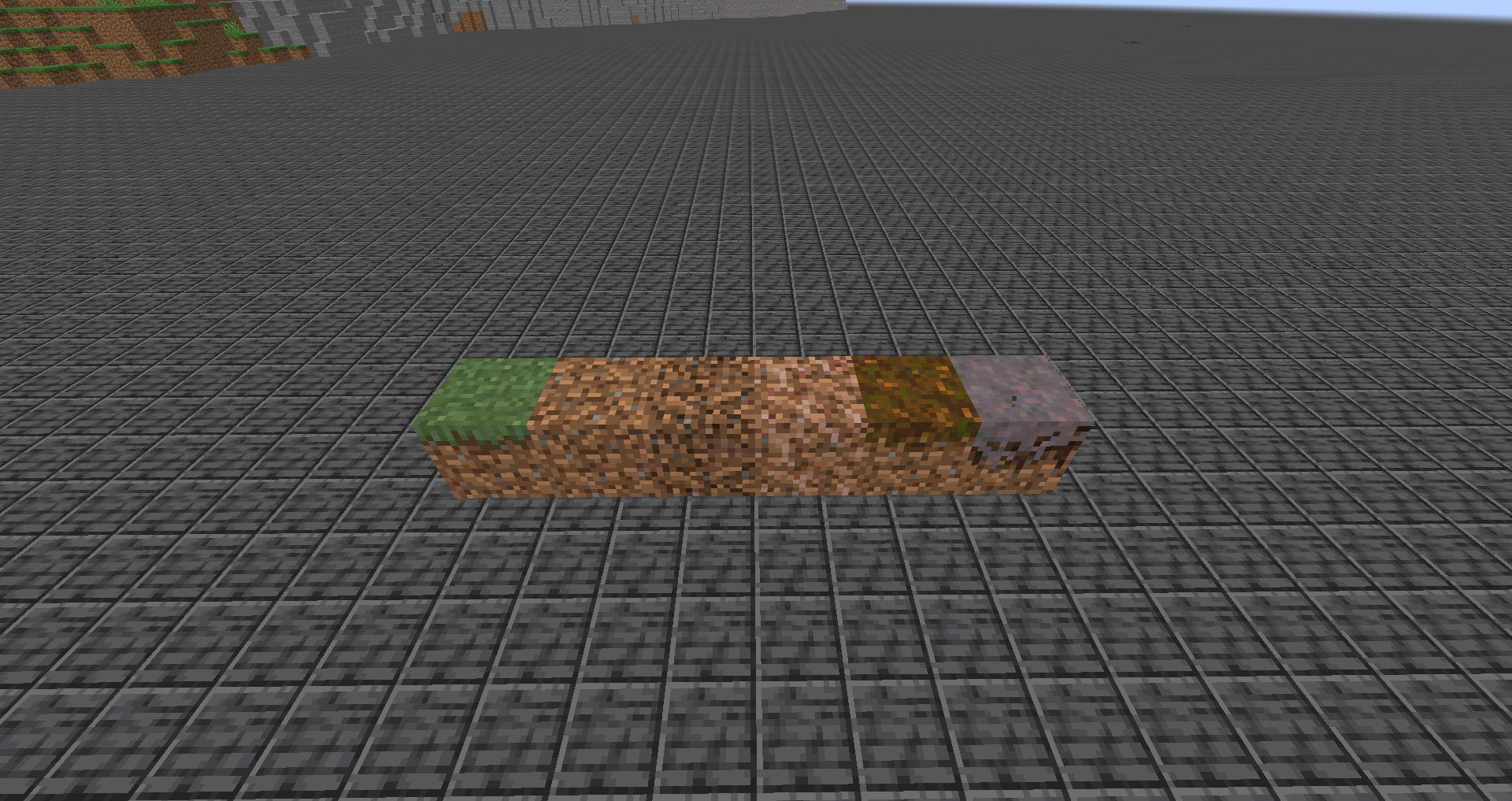
Observed Behavior:
Mycelium and podzol cannot be tilled with hoes.
Expected Behavior:
Mycelium and podzol would be able to be tilled with hoes.
Code Analysis:
Code analysis by [Mod] Avoma can be found below.
The following is based on a decompiled version of Minecraft 1.18.1 using MCP-Reborn.
public class HoeItem extends DiggerItem { protected static final Map<Block, Pair<Predicate<UseOnContext>, Consumer<UseOnContext>>> TILLABLES = Maps.newHashMap(ImmutableMap.of(Blocks.GRASS_BLOCK, Pair.of(HoeItem::onlyIfAirAbove, changeIntoState(Blocks.FARMLAND.defaultBlockState())), Blocks.DIRT_PATH, Pair.of(HoeItem::onlyIfAirAbove, changeIntoState(Blocks.FARMLAND.defaultBlockState())), Blocks.DIRT, Pair.of(HoeItem::onlyIfAirAbove, changeIntoState(Blocks.FARMLAND.defaultBlockState())), Blocks.COARSE_DIRT, Pair.of(HoeItem::onlyIfAirAbove, changeIntoState(Blocks.DIRT.defaultBlockState())), Blocks.ROOTED_DIRT, Pair.of(($$0) -> { return true; }, changeIntoStateAndDropItem(Blocks.DIRT.defaultBlockState(), Items.HANGING_ROOTS)))); ...
If we look at the above class, we can see that you can only use hoes on grass blocks, dirt paths, dirt, coarse dirt, and rooted dirt. Both mycelium and podzol aren't included within this particular piece of code, resulting in this problem occurring.
Potential Fix:
Simply adding that mycelium and podzol can be tilled with hoes to this piece of code should resolve this problem. The correct line of code within its class should look something like the following:
public class HoeItem extends DiggerItem { protected static final Map<Block, Pair<Predicate<UseOnContext>, Consumer<UseOnContext>>> TILLABLES = Maps.newHashMap(ImmutableMap.of(Blocks.GRASS_BLOCK, Pair.of(HoeItem::onlyIfAirAbove, changeIntoState(Blocks.FARMLAND.defaultBlockState())), Blocks.DIRT_PATH, Pair.of(HoeItem::onlyIfAirAbove, changeIntoState(Blocks.FARMLAND.defaultBlockState())), Blocks.DIRT, Pair.of(HoeItem::onlyIfAirAbove, changeIntoState(Blocks.FARMLAND.defaultBlockState())), Blocks.MYCELIUM, Pair.of(HoeItem::onlyIfAirAbove, changeIntoState(Blocks.FARMLAND.defaultBlockState())), Blocks.PODZOL, Pair.of(HoeItem::onlyIfAirAbove, changeIntoState(Blocks.FARMLAND.defaultBlockState())), Blocks.COARSE_DIRT, Pair.of(HoeItem::onlyIfAirAbove, changeIntoState(Blocks.DIRT.defaultBlockState())), Blocks.ROOTED_DIRT, Pair.of(($$0) -> { return true; }, changeIntoStateAndDropItem(Blocks.DIRT.defaultBlockState(), Items.HANGING_ROOTS)))); ...
The Bug:
Flying through climbable blocks in creative mode slows you down.
Steps to Reproduce:
- Summon a wall of climbable blocks, for example, a wall of scaffolding by using the command provided below.
/fill ~2 ~ ~1 ~2 ~6 ~15 minecraft:scaffolding
- Switch into creative mode if not already and begin flying.
- Fly through the scaffolding and as you do this, pay close attention to the speed at which you travel through them.
- Take note as to whether or not flying through climbable blocks in creative mode slows you down.
Observed Behavior:
Flying through climbable blocks in creative mode slows you down.
Expected Behavior:
Flying through climbable blocks in creative mode would not slow you down.
Code Analysis:
Code analysis by [Mod] Avoma can be found below. An additional code analysis by null can be found in this comment.
The following is based on a decompiled version of Minecraft 1.19.2 using MCP-Reborn.
public abstract class LivingEntity extends Entity { ... public boolean onClimbable() { if (this.isSpectator()) { return false; } else { BlockPos blockpos = this.blockPosition(); BlockState blockstate = this.getFeetBlockState(); if (blockstate.is(BlockTags.CLIMBABLE)) { this.lastClimbablePos = Optional.of(blockpos); return true; } else if (blockstate.getBlock() instanceof TrapDoorBlock && this.trapdoorUsableAsLadder(blockpos, blockstate)) { this.lastClimbablePos = Optional.of(blockpos); return true; } else { return false; } } } ...
If we look at the above class, we can see that there is only one check that is carried out before allowing a living entity to climb a climbable block. This check is to see if the living entity is in spectator mode, and if they are, they won't be able to climb climbable blocks, and if they're not, they will be able to climb climbable blocks. The game doesn't check if the living entity is currently flying before allowing them to climb climbable blocks, therefore resulting in this problem occurring.
Fix:
Simply adding an "if else" statement to the "if" statement to check if the living entity is a player and if they're flying before allowing them to climb climbable blocks will resolve this problem.
if (this.isSpectator()) { return false; } else { ...
if (this.isSpectator()) { return false; } else if (this instanceof Player player && player.getAbilities().flying) { return false; } else { ...
When placing mushrooms in the nether, and then using bone meal on them, they will never grow, no matter how much bone meal you use on them. Even though it shows the green growing particles, neither red or brown mushrooms will grow into huge mushrooms.
Steps to Reproduce:
- Enter a dark environment.
- Place down a mushroom and place a block above it.
- Obtain some bone meal and apply lots of it to the mushroom.
Observed Behavior:
Bone meal is consumed when used on mushrooms in situations where they can't grow.
Expected Behavior:
Bone meal would not be consumed when used on mushrooms in situations where they can't grow.
Code Analysis:
Code analysis by [Mod] Avoma can be found in this comment.
The Bug
The food saturation value is depleted on peaceful, even though the displayed hunger bar never goes down. Hunger (or any related value, including saturation) should not go down on peaceful.
Steps to reproduce:
- Eat some food to restore saturation.
- Switch to peaceful and run around for a bit. Eventually the hunger bar will start shaking.
Code analysis
Code analysis by [Mod] Avoma can be found in this comment.
The Bug:
Ice with non-solid blocks below them doesn't create water when mined by players.
Steps to Reproduce:
- Place down some ice and ensure that there's air below it.
- Break the ice.
- Take note as to whether or not ice with non-solid blocks below them doesn't create water when mined by players.
Observed Behavior:
No water is created.
Expected Behavior:
Water would be created.
Code Analysis:
Code analysis by [Mod] Avoma can be found below. An additional code analysis by [Mod] Chandler can be found in this comment.
The following is based on a decompiled version of Minecraft 1.19.2 using MCP-Reborn.
public class IceBlock extends HalfTransparentBlock { ... public void playerDestroy(Level level, Player player, BlockPos blockPos, BlockState blockState, @Nullable BlockEntity blockEntity, ItemStack itemStack) { super.playerDestroy(level, player, blockPos, blockState, blockEntity, itemStack); if (EnchantmentHelper.getItemEnchantmentLevel(Enchantments.SILK_TOUCH, itemStack) == 0) { if (level.dimensionType().ultraWarm()) { level.removeBlock(blockPos, false); return; } Material material = level.getBlockState(blockPos.below()).getMaterial(); if (material.blocksMotion() || material.isLiquid()) { level.setBlockAndUpdate(blockPos, Blocks.WATER.defaultBlockState()); } } } ...
If we look at the above class, we can see that there are two checks that are carried out before allowing ice blocks to be converted into water upon being mined by players. One of these checks is to make sure that the player isn't holding an item enchanted with silk touch at the time of the interaction, and the other is to check if the material below the ice block blocks motion or is a liquid. Because of the material check that's in place here, when ice with non-solid blocks below them is mined by players, it doesn't create water, therefore resulting in this problem occurring.
Fix:
Simply removing the material check within this piece of code before allowing ice blocks to be converted into water upon being mined by players will resolve this problem.
...
Material material = level.getBlockState(blockPos.below()).getMaterial();
if (material.blocksMotion() || material.isLiquid()) {
level.setBlockAndUpdate(blockPos, Blocks.WATER.defaultBlockState());
}
...
... level.setBlockAndUpdate(blockPos, Blocks.WATER.defaultBlockState()); ...

The bug
Changing the generic.attack_damage attribute of a tamed wolf does not appear to have any effect. Similarly taming a wolf with a custom generic.attack_damage attribute value changes it to the default.
This does not affect the Strength potion effect in the latest game versions when applied with potions or /effect; summoning a mob with ActiveEffects is MC-32575.
See MC-193202 for the health of a wolf resetting.
Reproduction steps (modifying attribute)
- Summon a wolf
- Tame it
- Change its attributes
/data merge entity @e[type=wolf,limit=1] {Attributes:[{Name:generic.attack_damage,Base:20.0f}]} - Let it attack an entity (by punching that entity) or inspect its NBT data
/data get entity @e[type=wolf,limit=1,sort=nearest] Attributes
It has the default generic.attack_damage
Reproduction steps (taming wolf with custom attribute)
- Summon a wolf with a custom attribute
/summon minecraft:wolf ~ ~ ~ {Attributes:[{Name:generic.attack_damage,Base:20.0f}]} - Inspect its NBT to make sure it has the custom attribute
/data get entity @e[type=wolf,limit=1,sort=nearest] Attributes
 It shows the custom attribute
 - Tame the wolf
- Let it attack an entity (by punching that entity) or inspect its NBT data
/data get entity @e[type=wolf,limit=1,sort=nearest] Attributes
It has the default generic.attack_damage
Code analysis
Code analysis by [Mod] Avoma can be found in this comment.
The Bug:
Snow golems attack creepers.
Steps to Reproduce:
- Summon a snow golem and a creeper by using the commands provided below.
/summon minecraft:snow_golem ~-3 ~ ~
/summon minecraft:creeper ~3 ~ ~
- Wait around ten seconds or so for the snow golem to notice the creeper.
- Take note as to whether or not snow golems attack creepers.
Observed Behavior:
Snow golems attack creepers.
Expected Behavior:
Snow golems would not be able to attack creepers.
Code Analysis:
Code analysis by [Mod] Avoma can be found below.
The following is based on a decompiled version of Minecraft 1.19.2 using MCP-Reborn.
public class SnowGolem extends AbstractGolem implements Shearable, RangedAttackMob { ... protected void registerGoals() { ... this.targetSelector.addGoal(1, new NearestAttackableTargetGoal<>(this, Mob.class, 10, true, false, (livingEntity) -> { return livingEntity instanceof Enemy; })); } ...
If we look at the above class, we can see that snow golems are designed to attack any living entity that is considered an enemy. A creeper is considered a monster and a monster is considered an enemy, therefore allowing snow golems to attack creepers. The game doesn't check if the said entity is a creeper before allowing a snow golem to attack it, therefore resulting in this problem occurring.
Fix:
Simply allowing snow golems to override the canAttackType() method located within the Mob.java class to make it so that they cannot attack creepers will resolve this problem. The following lines of code can be added somewhere within the SnowGolem.java class to fix this issue.
public boolean canAttackType(EntityType<?> entityType) { return entityType != EntityType.CREEPER && super.canAttackType(entityType); }
The Bug:
"minecraft.custom:minecraft.open_<LOCKABLE_BLOCK>" and "minecraft.custom:minecraft.inspect_<LOCKABLE_BLOCK>" incorrectly increase when attempting to open or inspect locked blocks.
Steps to Reproduce:
- Create a scoreboard objective for tracking when you open a chest and set it to display on the sidebar by using the commands provided below.
/scoreboard objectives add OpenChest minecraft.custom:minecraft.open_chest
/scoreboard objectives setdisplay sidebar OpenChest
- Place down a chest, open it, and take note of how the scoreboard correctly increases.
- Summon a locked chest by using the command provided below.
/setblock ~ ~ ~ minecraft:chest{lock:{components:{"minecraft:custom_name":'"Mojira"'}}} - Attempt to open it.
- Take note as to whether or not "minecraft.custom:minecraft.open_<LOCKABLE_BLOCK>" and "minecraft.custom:minecraft.inspect_<LOCKABLE_BLOCK>" incorrectly increase when attempting to open or inspect locked blocks.
Observed Behavior:
The scoreboard incorrectly increases.
Expected Behavior:
The scoreboard would not increase.
Code Analysis:
Code analysis by [Mod] Avoma can be found below.
The following is based on a decompiled version of Minecraft 1.18.2 using MCP-Reborn.
public class ChestBlock extends AbstractChestBlock<ChestBlockEntity> implements SimpleWaterloggedBlock { ... public InteractionResult use(BlockState $bs, Level $l, BlockPos $bp, Player $p, InteractionHand $ih, BlockHitResult $bhr) { if ($l.isClientSide) { return InteractionResult.SUCCESS; } else { MenuProvider menuprovider = this.getMenuProvider($bs, $l, $bp); if (menuprovider != null) { $p.openMenu(menuprovider); $p.awardStat(this.getOpenChestStat()); PiglinAi.angerNearbyPiglins($p, true); } return InteractionResult.CONSUME; } } ...
If we look at the above class, we can see that no checks are carried out the see whether or not the desired chest contains a lock when attempting to open it, before awarding the appropriate statistic. The awardStat() method will always be called when the chest is right-clicked on, regardless of whether or not it has a lock, resulting in this issue occurring.
The bug / Steps to reproduce
Place down a command block with a pressure plate on top that sets players who stand on it to spectator mode. Get a bow and arrow, draw back the bow but do not release. Step on the plate to enter spectator mode then release the bow to fire the arrow.
This bug allows you shoot arrows in a situation where a map maker most likely doesn't want it. In and of itself it's quite a cool concept but doesn't seem to work as it should!
Demonstration video: https://youtu.be/myDDq4Ks27A?t=1m35s
The same bug occurs with tridents in 1.13 and later.
Code analysis
Code analysis by [Mod] Avoma can be found in this comment.
The Bug:
Glowing is considered a positive effect in potion item tooltips.
In the HUD, glowing is displayed as a negative effect.
Steps to Reproduce:
- Give yourself a potion of glowing by using the command provided below.
/give @s minecraft:potion[minecraft:potion_contents={custom_effects:[{id:"minecraft:glowing",duration:1200}]}] - Hold your mouse cursor over the item in your inventory.
Observed Behavior:
Glowing is considered a positive effect in potion item tooltips. The text in the potion tooltip is blue, indicating that glowing is considered a positive effect.
Expected Behavior:
Glowing would not be considered a positive effect in potion item tooltips. The text in the potion tooltip should be displayed in red to indicate that it's considered a negative effect.
Code Analysis:
Code analysis by [Mod] Avoma can be found below.
The following is based on a decompiled version of Minecraft 1.19.2 using MCP-Reborn.
public enum MobEffectCategory { BENEFICIAL(ChatFormatting.BLUE), HARMFUL(ChatFormatting.RED), NEUTRAL(ChatFormatting.BLUE); ...
public class MobEffects { ... public static final MobEffect GLOWING = register(24, "glowing", new MobEffect(MobEffectCategory.NEUTRAL, 9740385)); ...
If we look at the above classes, we can see that mob effects that are included within the NEUTRAL category are formatted in blue. Since the glowing effect is categorized as a NEUTRAL effect, it appears blue in potion item tooltips, therefore resulting in this issue occurring.
Fix:
Simply changing the categorization of the glowing effect to HARMFUL will format this effect in red within potion item tooltips, thus resolving this problem.
The Bug:
You cannot convert blocks into dirt paths when non-full blocks are above them.
Steps to Reproduce:
- Build the setup as shown in the attachment below. setup.png
- Obtain a shovel and attempt to turn all of the three grass blocks into dirt paths.
- Take note as to whether or not you can convert blocks into dirt paths when non-full blocks are above them.

Observed Behavior:
You cannot convert blocks into dirt paths when non-full blocks are above them.
Expected Behavior:
You would be able to convert blocks into dirt paths when non-full blocks are above them.
Code Analysis:
Code analysis by [Mod] Avoma can be found below.
The following is based on a decompiled version of Minecraft 1.18 using MCP-Reborn.
public class ShovelItem extends DiggerItem { protected static final Map<Block, BlockState> FLATTENABLES = Maps.newHashMap((new Builder()).put(Blocks.GRASS_BLOCK, Blocks.DIRT_PATH.defaultBlockState()).put(Blocks.DIRT, Blocks.DIRT_PATH.defaultBlockState()).put(Blocks.PODZOL, Blocks.DIRT_PATH.defaultBlockState()).put(Blocks.COARSE_DIRT, Blocks.DIRT_PATH.defaultBlockState()).put(Blocks.MYCELIUM, Blocks.DIRT_PATH.defaultBlockState()).put(Blocks.ROOTED_DIRT, Blocks.DIRT_PATH.defaultBlockState()).build()); ... public InteractionResult useOn(UseOnContext $$0) { Level level = $$0.getLevel(); BlockPos blockpos = $$0.getClickedPos(); BlockState blockstate = level.getBlockState(blockpos); if ($$0.getClickedFace() == Direction.DOWN) { return InteractionResult.PASS; } else { Player player = $$0.getPlayer(); BlockState blockstate1 = FLATTENABLES.get(blockstate.getBlock()); BlockState blockstate2 = null; if (blockstate1 != null && level.getBlockState(blockpos.above()).isAir()) { level.playSound(player, blockpos, SoundEvents.SHOVEL_FLATTEN, SoundSource.BLOCKS, 1.0F, 1.0F); ...
If we look at the above class, we can see that you can only convert blocks into dirt paths using shovels if air is above them. This is evident through the following line of code:
if (blockstate1 != null && level.getBlockState(blockpos.above()).isAir())
The Bug:
Rabbits sometimes don't drop any raw rabbit upon being killed.
Every passive mob drops at least one piece of meat upon being killed, however, this isn't the case for rabbits.
Steps to Reproduce:
- Summon a rabbit.
/summon minecraft:rabbit ~ ~ ~ {NoAI:1b,Health:1f}
- Kill it and take note of the loot it dropped.
- If it dropped some meat, continue to spawn and kill rabbits until one of them doesn't.
- Take note as to whether or not rabbits sometimes don't drop any raw rabbit upon being killed.
Observed Behavior:
Rabbits sometimes don't drop any raw rabbit upon being killed.
Expected Behavior:
Rabbits would always drop at least one piece of meat upon being killed.
Code Analysis:
Code analysis by [Mod] Avoma can be found below.
{
"type": "minecraft:entity",
"pools": [
...
{
"bonus_rolls": 0.0,
"entries": [
{
"type": "minecraft:item",
"functions": [
...
{
"count": {
"type": "minecraft:uniform",
"max": 1.0,
"min": 0.0
},
"function": "minecraft:looting_enchant"
}
],
"name": "minecraft:rabbit"
}
],
"rolls": 1.0
},
...
If we look at the above json file, we can see that rabbits can drop a maximum of 1 raw rabbit and a minimum of 0 upon being killed, disregarding the use of the looting enchantment. This means that there is a 50% chance of a rabbit dropping raw rabbit upon death, thus resulting in this problem. Every other animal throughout the game such as cows, pigs, sheep, etc... have their minimum respective meat drop set to 1, meaning that they always have a guaranteed chance of dropping meat upon being killed, however, this isn't the case with rabbits as shown above.
The Bug:
End crystals cannot be placed when an entity occupies the desired placement location.
Steps to Reproduce:
- Place down some bedrock and throw an item on top of it.
- Obtain an end crystal and attempt to place in on the bedrock.
Observed Behavior:
End crystals cannot be placed.
Expected Behavior:
End crystals would be able to be placed.
Code Analysis:
Code analysis by Marcono1234 can be found in this comment.
Additional code analysis by [Mod] Avoma can be found in this comment.
The Bug:
Traveling by boat or raft doesn't cause food exhaustion.
I believe this is a problem because you can travel thousands of blocks by boat without your hunger depleting and this seems rather illogical.
Steps to Reproduce:
- Locate a large body of water and summon a boat on it.
- Enter the boat and check what the value of your "foodExhaustionLevel" NBT data by using the command provided below.
/data get entity @s foodExhaustionLevel
- Take note of this value and begin paddling around in the boat for around twenty seconds.
- Check the value of your "foodExhaustionLevel" NBT data once again by using the command provided below.
/data get entity @s foodExhaustionLevel
- Take note as to whether or not your "foodExhaustionLevel" value is the same as when you first entered the boat. (If this value didn't change, no hunger was consumed when paddling in the boat).
Observed Behavior:
Hunger isn't consumed.
Expected Behavior:
Traveling by boat or raft would cause food exhaustion.
Code Analysis:
Code analysis by [Mod] Avoma can be found below.
The following is based on a decompiled version of Minecraft 1.18.1 using MCP-Reborn.
public abstract class Player extends LivingEntity { ... private void checkRidingStatistics(double $d0, double $d1, double $d2) { if (this.isPassenger()) { int i = Math.round((float)Math.sqrt($d0 * $d0 + $d1 * $d1 + $d2 * $d2) * 100.0F); if (i > 0) { Entity entity = this.getVehicle(); if (entity instanceof AbstractMinecart) { this.awardStat(Stats.MINECART_ONE_CM, i); } else if (entity instanceof Boat) { this.awardStat(Stats.BOAT_ONE_CM, i); } ...
If we look at the above class, we can see that food exhaustion isn't applied to the player when they travel by boat. The causeFoodExhaustion() method (the method responsible for applying food exhaustion to the player), isn't present anywhere within this piece of code, resulting in this problem occurring.
Potential Fix:
Simply calling the causeFoodExhaustion() method within this piece of code where appropriate, should resolve this problem. The following line of code could be used in order to fix this:
this.causeFoodExhaustion(XF * (float)i * XF)
The Bug:
Frosted ice doesn't hydrate farmland.
It's important to note that sugar cane can rely on frosted ice blocks in order to exist within the world therefore one would expect similar behavior with farmland. If frosted ice can be used to support the existence of sugar cane, one would expect that it would also be able to hydrate farmland.
I believe this could potentially be an issue because it creates a mild inconvenience for the player when they walk near their farms whilst wearing boots enchanted with frost walker. As a result of nearby water sources being converted into frosted ice, nearby farmland blocks will gradually lose their moisture level as frosted ice isn't seen as a valid block that can hydrate farmland. Because of this, the crops above the farmland grow slower, thus creating a minor annoyance.
Steps to Reproduce:
- Build the setup as shown in the attachment below. setup.png
- Set the time to "night" to avoid frosted ice from melting.
- Replace the water within the setup with frosted ice by using the command provided below.
/fill ~9 ~-1 ~9 ~-9 ~-4 ~-9 minecraft:frosted_ice replace minecraft:water
- Wait around thirty seconds and observe the moisture levels of the farmland.
- Take note as to whether or not frosted ice hydrates farmland.

Observed Behavior:
Frosted ice doesn't hydrate farmland.
Expected Behavior:
Frosted ice would hydrate farmland.
Code Analysis:
Code analysis by [Mod] Avoma can be found below.
The following is based on a decompiled version of Minecraft 1.19.2 using MCP-Reborn.
public class FarmBlock extends Block { ... private static boolean isNearWater(LevelReader levelReader, BlockPos blockPos) { for(BlockPos blockpos : BlockPos.betweenClosed(blockPos.offset(-4, 0, -4), blockPos.offset(4, 1, 4))) { if (levelReader.getFluidState(blockpos).is(FluidTags.WATER)) { return true; } } return false; } ...
If we look at the above class, we can see that the isNearWater() boolean returns true if water fluid is present near farmland, and within the randomTick() method located elsewhere within the FarmBlock.java class, the isNearWater() boolean must return true in order for farmland blocks to be hydrated. The issue here is that the isNearWater() boolean only checks for the presence of water fluid and not frosted ice blocks before allowing farmland to be hydrated, therefore resulting in this problem occurring.
Fix:
Simply altering the existing "if" statement within this piece of code to also check for the nearby presence of frosted ice blocks before allowing farmland to be hydrated will resolve this problem.
if (levelReader.getFluidState(blockpos).is(FluidTags.WATER))
if (levelReader.getFluidState(blockpos).is(FluidTags.WATER) || levelReader.getBlockState(blockpos).is(Blocks.FROSTED_ICE))

Mobs which have to walk to attack or flee from the player don't seem to move anymore when they are using the NoGravity-tag. The only mob able to move and attack the player is the skeleton.
What I expected to happen was...:
The mobs would float in the air and at least try to attack me.
What actually happened was...:
They just stand/float on their spot and don't move.
Steps to Reproduce:
- Put up a repeating commandblock with the command
execute as @e run data merge entity @s {NoGravity:1b} - Activate the commandblock
- Spawn in some zombies
- Switch into survival mode
- Notice how they don't try to attack you
Note: If you spawn in zombies before you switch on the commandblock and they try to attack you and THEN you activate the commandblock, they will suddenly spin in their spot. If you walk to them they will hit you once and get knocked back, however afterwards they won't deal damage anymore.
Note 2: If you move near creepers, they will still explode.
Code analysis
Code analysis by [Mod] Avoma can be found in this comment.
The bug
Coarse dirt and grass block can't be tilled if buttons, torches, and other non-full blocks are placed above it. Even if these non-full blocks are placed on the sides of blocks above the dirt.
Expected Result
You would be able to till coarse dirt and grass blocks when non-full blocks are placed above them.
Code analysis
Code analysis by [Mod] Avoma provided in this comment.

Setup a server without flying enabled.
Even though you are level4 OP, are in gamemode 1 and the boat has NoGravity, the expected behaviour is that you should be allowed to fly when riding that boat.
The server should check for a NoGravity tag on the boat and ignore that flight rule.
Reproduction command provided by [Mod] Avoma here
The Bug:
You cannot perform sweeping attacks while riding entities.
Steps to Reproduce:
- Place down a rail and a minecart and summon a husk that has its "NoAI" NBT tag set to "1b" by using the command provided below.
/summon minecraft:husk ~ ~ ~ {NoAI:1b} - Get inside of the minecart and obtain a sword.
- Attempt to damage the husk by using a sweeping attack.
- Take note as to whether or not you can perform sweeping attacks while riding entities.
Observed Behavior:
The sweeping attack doesn't work.
Expected Behavior:
The sweeping attack would work.
Code Analysis:
Code analysis by [Mod] Avoma and [Mod] Neko can be found below.
The following is based on a decompiled version of Minecraft 1.18.1 using MCP-Reborn.
public abstract class Player extends LivingEntity { ... public void attack(Entity p_36347_) { ... double d0 = (double)(this.walkDist - this.walkDistO); if (flag && !flag2 && !flag1 && this.onGround && d0 < (double)this.getSpeed()) { ItemStack itemstack = this.getItemInHand(InteractionHand.MAIN_HAND); if (itemstack.getItem() instanceof SwordItem) { flag3 = true; } } ...
//flag = Full weapon cooldown //flag1 = Sprint/Knockback attack //flag2 = Critical attack //flag3 = Sweeping attack
In order to perform a sweeping attack, a check is carried out to ensure that the player is on the ground. If the player isn't on the ground, no sweeping attack can be executed. This is evident through the following line of code:
if (flag && !flag2 && !flag1 && this.onGround && d0 < (double)this.getSpeed()) {
When the player is riding an entity, the value of their onGround boolean is set to false, and because of this, a sweeping attack cannot be performed.
The bug
While swimming in lava you deal always critical hits unless you sprint or touch the ground.
Code analysis
Based on 1.11.2 decompiled using MCP 9.35 rc1
The method net.minecraft.entity.player.EntityPlayer.attackTargetEntityWithCurrentItem(Entity) only tests if the player is in water and because lava does not reset the fall distance you can always deal critical hits.
Additional code analysis by [Mod] Avoma can be found in this comment.

The bug
When a boat or raft (with or without chest) falls for certain distances, it crashes when hitting the floor, breaks, and drops three planks and two sticks.
This is known to happen when falling exactly 12, 13, 49, 51, 111, 114, 198, 202, 310 or 315 blocks.
Additionally, for some distances, all passengers in the boat die instead of the fall damage being negated as usual. A passenger inside of the boat makes this bug less reliable to reproduce.
To reproduce
- On a flat surface, run /setblock ~ ~48 ~ stone
- /tp @s ~ ~49 ~
- Place a boat on the stone block
- Enter the boat
- Switch into survival mode
- Press forward
→ You die and the boat breaks
It is also possible to reproduce this by breaking the block below the boat instead of driving it off.
Notes
- For some heights, no fall damage is dealt.
- For some heights, the boat only breaks when dismounting it.
- For boats with chests, the inside contents are destroyed (
MC-249501).
Videos
- Video by Jeremy: https://www.youtube.com/watch?v=hxRrGLiVFqA
- Mathematical analysis by Matt Parker and oliverdunk: https://www.youtube.com/watch?v=ei58gGM9Z8k
MC-122968
Code analysis
Code analysis by [Mod] Avoma can be found in this comment.
The Bug:
The "Copyright Mojang AB. Do not distribute!" text used for the credits button within the title screen is untranslatable and is missing a translation key.
Steps to Reproduce:
- Attempt to search for the existence of this string by using this search filter on the official Minecraft crowdin project.
- Take note as to whether or not the text used for the credits button within the title screen is untranslatable.
Observed Behavior:
The text used for the credits button within the title screen is untranslatable.
Expected Behavior:
The text used for the credits button within the title screen would be translatable.
Code Analysis:
Code analysis by [Mod] Avoma can be found below.
The following is based on a decompiled version of Minecraft 1.18.1 using MCP-Reborn.
public class TitleScreen extends Screen { ... public void render(PoseStack $ps, int $i0, int $i1, float $f) { ... int l = Mth.ceil(f1 * 255.0F) << 24; if ((l & -67108864) != 0) { ... drawString($ps, this.font, "Copyright Mojang AB. Do not distribute!", this.copyrightX, this.height - 10, 16777215 | l); ...
If we look at the above class, we can see that the text used for the credits button within the title screen is hardcoded, and as a result, is untranslatable. This is evident through the following piece of code:
drawString($ps, this.font, "Copyright Mojang AB. Do not distribute!", ...

The Bug
A player can still earn advancements in spectator mode, and they are still broadcast to the server. You can test this by going into spectator mode, and /giving yourself an elytra.
Steps to Reproduce
- Revoke all advancements from yourself.
/advancement revoke @s everything
- Switch into spectator mode and give yourself a lava bucket.
/give @s minecraft:lava_bucket
- Take note as to whether or not you are granted the "Hot Stuff" advancement.
Observed Behavior
Players are able to earn advancements whilst in spectator mode.
Expected Behavior
Players would not be able to earn advancements whilst in spectator mode.
Code analysis
Code analysis by [Mod] Avoma can be found on this comment.
The bug
Like wheat seeds, potatoes and the other crops, melon and pumpkin seeds require light to grow. However, unlike seeds, potatoes and the other crops, melon and pumpkin seeds do not pop off in the dark and can be placed in the dark. This is inconsistent.
Code analysis
Code analysis by [Mod] Avoma can be found in this comment.

The Bug
Redstone lamps do not show up on maps. Instead, the block below them is displayed.
Steps To Reproduce
- Place a large amount of redstone lamps:
/fill ~1 ~ ~1 ~9 ~ ~9 minecraft:redstone_lamp
- Create a map.
- Look at the filled map and take note of whether or not the redstone lamps are on the map.
Observed Behavior
Redstone lamps are not shown on maps.
Expected Behavior
Redstone lamps would be shown on maps.
Code Analysis
Code analysis by [Mod] Avoma in this comment.

The Bug
The minecraft:item_durability_changed advancement trigger doesn't trigger when the mending enchantment repairs items.
Steps to Reproduce:
- Download the attached data pack. mc-127340.zip
- Create a new world using this data pack.
- Once you've entered the world, reload all data packs.
/reload
- Give yourself a wooden shovel enchanted with mending that is slightly damaged.
/give @s minecraft:wooden_shovel{Damage:30,Enchantments:[{id:"mending",lvl:1}]}- Switch into survival mode and use the shovel.
- → Notice how the scoreboard increases, therefore indicating that the minecraft:item_durability_changed advancement trigger was triggered.
- Make sure you're holding the shovel and summon an experience orb at your position so that the mending enchantment repairs it.
/summon minecraft:experience_orb ~ ~ ~ {Value:1}- → Notice how the scoreboard doesn't increase, therefore indicating that the minecraft:item_durability_changed advancement trigger doesn't trigger when the mending enchantment repairs items.
Expected Behavior
The expected behavior would be that the minecraft:item_durability_changed advancement trigger would trigger when the mending enchantment repairs items.
Code analysis and fix
Code analysis and fix by [Mod] Avoma can be found in this comment.
![[Mod] violine1101](../../../data/avatars/users/92858.png)
The Bug
This works both inside and outside of water. It doesn't actually do anything (except showing some fancy particles), even though the bone meal is used up if you are in survival mode.
Steps to Reproduce
- Place down a singular sea pickle on some dry land.
- Obtain some bone meal and apply several amounts of it to the sea pickle.
- Take note as to whether or not you can apply bone meal to sea pickles in situations where they cannot grow.
Observed Behavior
You can apply bone meal to sea pickles in situations where they cannot grow.
Expected Behavior
You would not be able to apply bone meal to sea pickles in situations where they cannot grow.
Code Analysis
Code analysis by [Mod] Avoma can be found in this comment.
The Bug:
Players in spectator mode continue to consume foods and liquids shortly after switching game modes.
Steps to Reproduce:
- Obtain some food, for example, some bread.
- Begin eating the bread and as you're doing this, quickly switch into spectator mode by pressing "F3 + N".
- Take note as to whether or not players in spectator mode continue to consume foods and liquids shortly after switching game modes.
Observed Behavior:
Players in spectator mode continue to consume foods and liquids shortly after switching game modes.
Expected Behavior:
Players in spectator mode would not continue to consume foods and liquids shortly after switching game modes.
Here's a code analysis along with a fix regarding this issue.
Code Analysis:
Code analysis by [Mod] Avoma can be found below.
The following is based on a decompiled version of Minecraft 1.19.2 using MCP-Reborn.
public class ServerPlayer extends Player { ... public boolean setGameMode(GameType gameType) { if (!this.gameMode.changeGameModeForPlayer(gameType)) { return false; } else { this.connection.send(new ClientboundGameEventPacket(ClientboundGameEventPacket.CHANGE_GAME_MODE, (float)gameType.getId())); if (gameType == GameType.SPECTATOR) { this.removeEntitiesOnShoulder(); this.stopRiding(); } else { this.setCamera(this); } this.onUpdateAbilities(); this.updateEffectVisibility(); return true; } } ...
If we look at the above class, we can see that only two methods are called when a player switches into spectator mode. These methods are removeEntitiesOnShoulder() and stopRiding(). This basically means that when a player changes into spectator mode, any entities that are riding on their shoulders will be dismounted, along with the player themselves being dismounted if they are riding any entity. As a result of only these two methods being called, the player can continue to use items even after switching into spectator mode.
Fix:
Simply calling the stopUsingItem() method where appropriate within this piece of code will stop players from using items upon switching into spectator mode, thus resolving this problem. The following line code can be used to fix this issue.
this.stopUsingItem();
The bug
When an armor stand is broken by hand, particles are produced, but this does not apply when destroyed by an explosion.
Code analysis
Code analysis by [Mod] Avoma can be found in this comment.

The bug
Kelp and sea grass (when bone meal is used) can grow into flowing water blocks, not just sources, and as a byproduct of that, the flowing water becomes a source block.
How to reproduce
- Create a water column of source blocks, with flowing water at the top
- Place kelp at the bottom and watch it grow (bumping up random tick speed if needed)
- Observe the flowing water at the top is now a source block. (destroying the top kelp and using a bucket or debug screen can confirm this)
Code analysis
Code analysis by [Mod] Avoma can be found in this comment.
The bug
The default difficulty is 1 (Easy) when it should be 2 (Normal). This is inconsistent with single player which correctly defaults to NORMAL (2).
How to reproduce
- Create dedicated server
- Open server.properties
→ Difficulty is set to 1 (Easy) and not 2 (Normal)
Code analysis
Code analysis and potential fix by [Mod] Avoma can be found in this comment.
![[Mod] Les3awe](../../../data/avatars/users/79847.png)
The bug
Unable to set CanBreakDoors to 1b for drowned.
How to reproduce
- Build a small house with for example an oak door
- Spawn a villager inside it
/summon villager ~ ~ ~ {NoAI:1b}
- Set the difficulty to hard
/difficulty hard
- Summon a drowned outside of it
/summon drowned ~ ~ ~ {CanBreakDoors:1b}
- Make sure the gamerule mobGriefing is set to true
/gamerule mobGriefing true
- Use the following command when the drowned is summoned
/data get entity @e[type=drowned,limit=1,distance=..3] CanBreakDoors
→
Notice that CanBreakDoors is still 0b
Code analysis
Code analysis by [Mod] Avoma can be found in this comment.
The bug
Bubble columns are not turning into stone when in contact with flowing lava.
How to reproduce
- Put a 3x3 area of magma blocks under some water.
- Empty a lava bucket 2 blocks above the water level, at a corner.
→ Bubble columns do not turn into stone, instead the lava flows over it
Code analysis
Code analysis by [Mod] Avoma can be found in this comment.
The Bug:
You can trample farmland in adventure mode.
Steps to Reproduce:
- Place down some water and farmland close to one another.
- Switch into adventure mode and jump on top of the farmland several times.
- Take note as to whether or not you can trample farmland in adventure mode.
Observed Behavior:
You can trample farmland in adventure mode.
Expected Behavior:
You would not be able to trample farmland in adventure mode.
Code Analysis:
Code analysis by [Mod] Avoma can be found below.
The following is based on a decompiled version of Minecraft 1.19.2 using MCP-Reborn.
public class FarmBlock extends Block { ... public void fallOn(Level level, BlockState blockState, BlockPos blockPos, Entity entity, float f) { if (!level.isClientSide && level.random.nextFloat() < f - 0.5F && entity instanceof LivingEntity && (entity instanceof Player || level.getGameRules().getBoolean(GameRules.RULE_MOBGRIEFING)) && entity.getBbWidth() * entity.getBbWidth() * entity.getBbHeight() > 0.512F) { turnToDirt(blockState, level, blockPos); } super.fallOn(level, blockState, blockPos, entity, f); } ...
If we look at the above class, we can see that there is only one necessary check that's carried out before allowing players to trample farmland. This check is to quite simply see if the entity falling on the farmland is a player. If it is, the farmland can be trampled if the other requirements within the "if" statement are met. The game doesn't check to see what abilities the player possesses (what game mode they are in) before allowing them to trample farmland, therefore resulting in this problem occurring.
Fix:
Simply altering the existing "if" statement within this piece of code to check what abilities the player possesses before allowing them to trample farmland will resolve this problem.
if (!level.isClientSide && level.random.nextFloat() < f - 0.5F && entity instanceof LivingEntity && (entity instanceof Player || level.getGameRules().getBoolean(GameRules.RULE_MOBGRIEFING)) && entity.getBbWidth() * entity.getBbWidth() * entity.getBbHeight() > 0.512F)
if (!level.isClientSide && level.random.nextFloat() < f - 0.5F && entity instanceof LivingEntity && ((entity instanceof Player player && player.getAbilities().mayBuild) || level.getGameRules().getBoolean(GameRules.RULE_MOBGRIEFING)) && entity.getBbWidth() * entity.getBbWidth() * entity.getBbHeight() > 0.512F) {
The Bug:
The sounds of fishing bobbers aren't controlled by the "Players" sound slider.
Any action that is created through the player doing something that doesn't result in blocks being changed, is normally controlled by the "Players" sound slider. For example, the sounds of players milking cows, shearing sheep, and throwing tridents, are all controlled by the "Players" sound slider as they should be, because the player is producing these sounds and performing these actions.
The sounds of retrieving and throwing fishing bobbers aren't controlled by the "Players" sound slider when they should be, and are instead controlled by the "Friendly Creatures" sound slider.
Steps to Reproduce:
- Navigate to the "Music & Sounds" settings menu.
- Turn the "Players" sound slider to "OFF".
- Turn every other sound slider to "100%".
- Exit this menu, obtain a fishing rod, use it multiple times, and listen closely as you do this.
- Take note as to whether or not the sounds of fishing bobbers can be heard, (are controlled by the "Friendly Creatures" sound slider instead of the "Players" sound slider).
Observed Behavior:
The sounds of fishing bobbers aren't controlled by the "Players" sound slider and are instead controlled by the "Friendly Creatures" sound slider.
Expected Behavior:
The sounds of fishing bobbers would be controlled by the "Players" sound slider. The reason why the sounds of fishing bobbers should be controlled by the "Players" sound slider is that the player is retrieving or throwing the fishing bobbers and is the cause of these sounds being produced, thus should be controlled by the "Players" sound slider.
Code Analysis:
Code analysis by [Mod] Avoma can be found below.
The following is based on a decompiled version of Minecraft 1.17.1 using MCP-Reborn.
...
$$0.playSound((Player)null, $$1.getX(), $$1.getY(), $$1.getZ(), SoundEvents.FISHING_BOBBER_RETRIEVE, SoundSource.NEUTRAL, 1.0F, 0.4F / ($$0.getRandom().nextFloat() * 0.4F + 0.8F));
...
$$0.playSound((Player)null, $$1.getX(), $$1.getY(), $$1.getZ(), SoundEvents.FISHING_BOBBER_THROW, SoundSource.NEUTRAL, 0.5F, 0.4F / ($$0.getRandom().nextFloat() * 0.4F + 0.8F));
...
If we look at the above class, we can see that the sounds of fishing bobbers are sourced from SoundSource.NEUTRAL, otherwise known as the "Friendly Creatures" sound slider.
Potential Fix:
Simply changing where the sounds of fishing bobbers are sourced from to SoundSource.PLAYERS should resolve this problem. The correct line of code within its class should look something like the following:
...
$$0.playSound((Player)null, $$1.getX(), $$1.getY(), $$1.getZ(), SoundEvents.FISHING_BOBBER_RETRIEVE, SoundSource.PLAYERS, 1.0F, 0.4F / ($$0.getRandom().nextFloat() * 0.4F + 0.8F));
...
$$0.playSound((Player)null, $$1.getX(), $$1.getY(), $$1.getZ(), SoundEvents.FISHING_BOBBER_THROW, SoundSource.PLAYERS, 0.5F, 0.4F / ($$0.getRandom().nextFloat() * 0.4F + 0.8F));
...
The burn time of carpets needs to be adjusted. It's 67 for normal furnace. Rounding down to 33 is the problem.
Code analysis
Code analysis based on MCP-Reborn 1.17.1 by [Mod] Avoma can be found in this comment.
In net.minecraft.world.level.block.entity.BlastFurnaceBlockEntity.java and net.minecraft.world.level.block.entity.SmokerBlockEntity.java, the duration each fuel item lasts is calculated with the following method:
protected int getBurnDuration(ItemStack $$0) { return super.getBurnDuration($$0) / 2; }
According to net.minecraft.world.level.block.entity.AbstractFurnaceBlockEntity.java, carpets have a burn time of 67. When the integer 67 is divided by the integer 2 in the method described above, the output value is 33. Therefore, three carpets have a burn time of 99, which is short of the time of 100 required to smelt the item.
The bug
Most instances of blocks being broken or deleted result in the block producing particles. However, this is not true for cake. Upon consuming the final slice of a cake block, no particles/sounds are emitted to signify the deletion of the cake block.
Code analysis
Code analysis by [Mod] Avoma can be found in this comment.
The Bug:
You cannot tempt or tame cats or ocelots using tropical fish.
Since you can tempt/tame cats and ocelots using raw cod and raw salmon, it seems quite illogical that this same concept cannot be seen with tropical fish.
Steps to Reproduce:
- Summon a cat or ocelot and obtain some tropical fish.
- Attempt to tame the cat or ocelot using the tropical fish.
- Take note as to whether or not you can tempt or tame cats or ocelots using tropical fish.
Observed Behavior:
You cannot tempt or tame cats or ocelots using tropical fish.
Expected Behavior:
You would be able to tempt and tame cats and ocelots using tropical fish.
Code Analysis:
Code analysis by [Mod] Avoma can be found below.
The following is based on a decompiled version of Minecraft 1.19.2 using MCP-Reborn.
public class Cat extends TamableAnimal { ... private static final Ingredient TEMPT_INGREDIENT = Ingredient.of(Items.COD, Items.SALMON); ...
public class Ocelot extends Animal { ... private static final Ingredient TEMPT_INGREDIENT = Ingredient.of(Items.COD, Items.SALMON); ...
If we look at the above classes, we can see that the only items that cats and ocelots are tempted by are cod and salmon. Because of this, tropical fish cannot be used to tempt/tame cats and ocelots, therefore resulting in this problem occurring.
Fix:
Simply adding tropical fish to the list of items that cats and ocelots are tempted by, will resolve this problem.
... private static final Ingredient TEMPT_INGREDIENT = Ingredient.of(Items.COD, Items.SALMON, Items.TROPICAL_FISH); ...
... private static final Ingredient TEMPT_INGREDIENT = Ingredient.of(Items.COD, Items.SALMON, Items.TROPICAL_FISH); ...
The Bug:
Villagers can trample farmland.
This issue can commonly be seen when farmer villagers wander and jump around their workstations.
Steps to Reproduce:
- Build the setup as shown in the attachment below. setup.png
- Summon a villager and wait for it to claim the composter as its workstation.
- Give the villager some carrots so it can begin working.
- Observe the behavior of the villager for around a minute and watch closely as it wanders and jumps around its workstation.
- Take note as to whether or not villagers can trample farmland.

Observed Behavior:
Villagers can trample farmland.
Expected Behavior:
Villagers would not be able to trample farmland.
Code Analysis:
Code analysis by [Mod] Avoma can be found below.
The following is based on a decompiled version of Minecraft 1.19.2 using MCP-Reborn.
public class FarmBlock extends Block { ... public void fallOn(Level level, BlockState blockState, BlockPos blockPos, Entity entity, float f) { if (!level.isClientSide && level.random.nextFloat() < f - 0.5F && entity instanceof LivingEntity && (entity instanceof Player || level.getGameRules().getBoolean(GameRules.RULE_MOBGRIEFING)) && entity.getBbWidth() * entity.getBbWidth() * entity.getBbHeight() > 0.512F) { turnToDirt(blockState, level, blockPos); } super.fallOn(level, blockState, blockPos, entity, f); } ...
If we look at the above class, we can see that there are only two necessary checks that are carried out before allowing villagers to trample farmland. One of these checks is to quite simply see if the entity falling on the farmland is a living entity and if it is, the other check is then to see if "mobGriefing" gamerule is set to "true". If these two requirements are met along with the other criteria within the "if" statement, the farmland can be trampled. The game doesn't check to see if the living entity is a villager before allowing them to trample farmland, therefore resulting in this problem occurring.
Fix:
Simply altering the existing "if" statement within this piece of code to check if the living entity is a villager before allowing them to trample farmland will resolve this problem.
if (!level.isClientSide && level.random.nextFloat() < f - 0.5F && entity instanceof LivingEntity && (entity instanceof Player || level.getGameRules().getBoolean(GameRules.RULE_MOBGRIEFING)) && entity.getBbWidth() * entity.getBbWidth() * entity.getBbHeight() > 0.512F)
if (!level.isClientSide && level.random.nextFloat() < f - 0.5F && (entity instanceof LivingEntity && !(entity instanceof Villager)) && (entity instanceof Player || level.getGameRules().getBoolean(GameRules.RULE_MOBGRIEFING)) && entity.getBbWidth() * entity.getBbWidth() * entity.getBbHeight() > 0.512F)
![[Mod] Jiingy](../../../data/avatars/users/91802.png)
Attempting to place a sign on a ladder will cause the sign to either not be placed at all, or be placed on an adjacent block in front of the ladder.
Steps to Reproduce:
- Recreate the following setup:

- Attempt to place the sign on the ladder
Expected & Observed Results:
- The sign is placed with it's supporting block as the adjacent sign.
- The sign would be placed on the ladder.
Screenshots/Videos:
Provided by [Mod] Avoma
MC-149663.mp4
The Bug:
The player continues sprinting when performing actions that slow them down.
There are certain actions that slow down the player's movement speed. When one of these actions is commenced while the player is sprinting, the player doesn't stop sprinting, and as a result of this, these actions don't slow the player down as much as if they weren't sprinting. The player is unable to start sprinting while one of these actions is active, and as such, this is not intentional.
Actions that slow down the player include:
- Sneaking
- Crawling
- Eating or drinking
- Using a spyglass
- Blocking with a shield
- Charging a bow or crossbow
- Preparing to throw a trident
- Using a goat horn
- Flying with elytra
Steps to Reproduce:
- Obtain a shield, begin blocking with it and walk forwards a couple of blocks.
- Take note of how fast you're traveling.
- Begin sprinting and then start blocking with the shield.
- Take note of how fast you're traveling now compared to the speed at which you were traveling before.
- Take note as to whether or not the player continues sprinting when performing actions that slow them down
Observed Behavior:
The player continues to sprint. Although the player is slowed down, they are not slowed down to the speed they would be traveling if they were not sprinting.
Expected Behavior:
The player would stop sprinting and when using items, they would slow down to the same speed regardless of whether or not they were sprinting.
Code Analysis:
Code analysis by [Mod] Avoma can be found below.
The following is based on a decompiled version of Minecraft 1.18.1 using MCP-Reborn.
public class LocalPlayer extends AbstractClientPlayer { ... public void aiStep() { ... if (this.isUsingItem() && !this.isPassenger()) { this.input.leftImpulse *= 0.2F; this.input.forwardImpulse *= 0.2F; this.sprintTriggerTime = 0; } ...
If we look at the above class, we can see that when a player starts using an item, their movement speed is decreased by a fixed amount. This is evident through the following lines of code:
this.input.leftImpulse *= 0.2F; this.input.forwardImpulse *= 0.2F;
However, this piece of code doesn't check if the player was sprinting when beginning to use an item, thus resulting in players continuing to sprint (and not being completely slowed down) when using items.

The Bug
If the doMobLoot gamerule is set to false, foxes will still drop their items they have in their mouth when killed, even the ones spawned naturally or a spawn egg/command.
To Reproduce
Reproduce steps provided by [Mod] Avoma can be found in this comment.
The Bug:
Item drops from pandas aren't affected by the looting enchantment.
Steps to Reproduce:
- Give yourself a sword with a high level of looting by using the command provided below.
/give @s minecraft:diamond_sword[minecraft:enchantments={levels:{"minecraft:looting":100}}] - Summon a panda.
- Kill it using the sword enchanted with looting and observe the loot that it drops upon death.
- Take note as to whether or not item drops from pandas are affected by the looting enchantment.
Observed Behavior:
Item drops aren't affected by the looting enchantment.
Expected Behavior:
Item drops would be affected by the looting enchantment.
Code Analysis:
Code analysis by [Mod] Avoma can be found below.
{
"type": "minecraft:entity",
"pools": [
{
"bonus_rolls": 0.0,
"entries": [
{
"type": "minecraft:item",
"functions": [
{
"add": false,
"count": 1.0,
"function": "minecraft:set_count"
}
],
"name": "minecraft:bamboo"
}
],
"rolls": 1.0
}
]
}
If we look at the above json file, we can see that the "minecraft:looting_enchant" function (the function that's responsible for modifying the count of how many items are returned when an entity is killed by an item with the looting enchantment) isn't present anywhere within the panda's loot table, therefore resulting in the drops of pandas not being affected by the looting enchantment.
The bug
Honey block particles are always produced at the player's or mobs feet.
Instead of producing particles based on where the honey block is in contact with the players or mobs.
How to reproduce
- Summon a honey block above your head
/setblock ~1 ~2 ~ minecraft:honey_block
- Jump and slide down it and as you do this watch the particles that are produced closely
- Take note as to whether or not honey block particles are always produced at the feet of entities
→ Honey block particles are always produced at the feet of entities
Expected behavior
Honey block particles would not be always produced at the feet of entities. Instead, they should be produced at the position where the entity model comes into contact with the honey block.
Examples

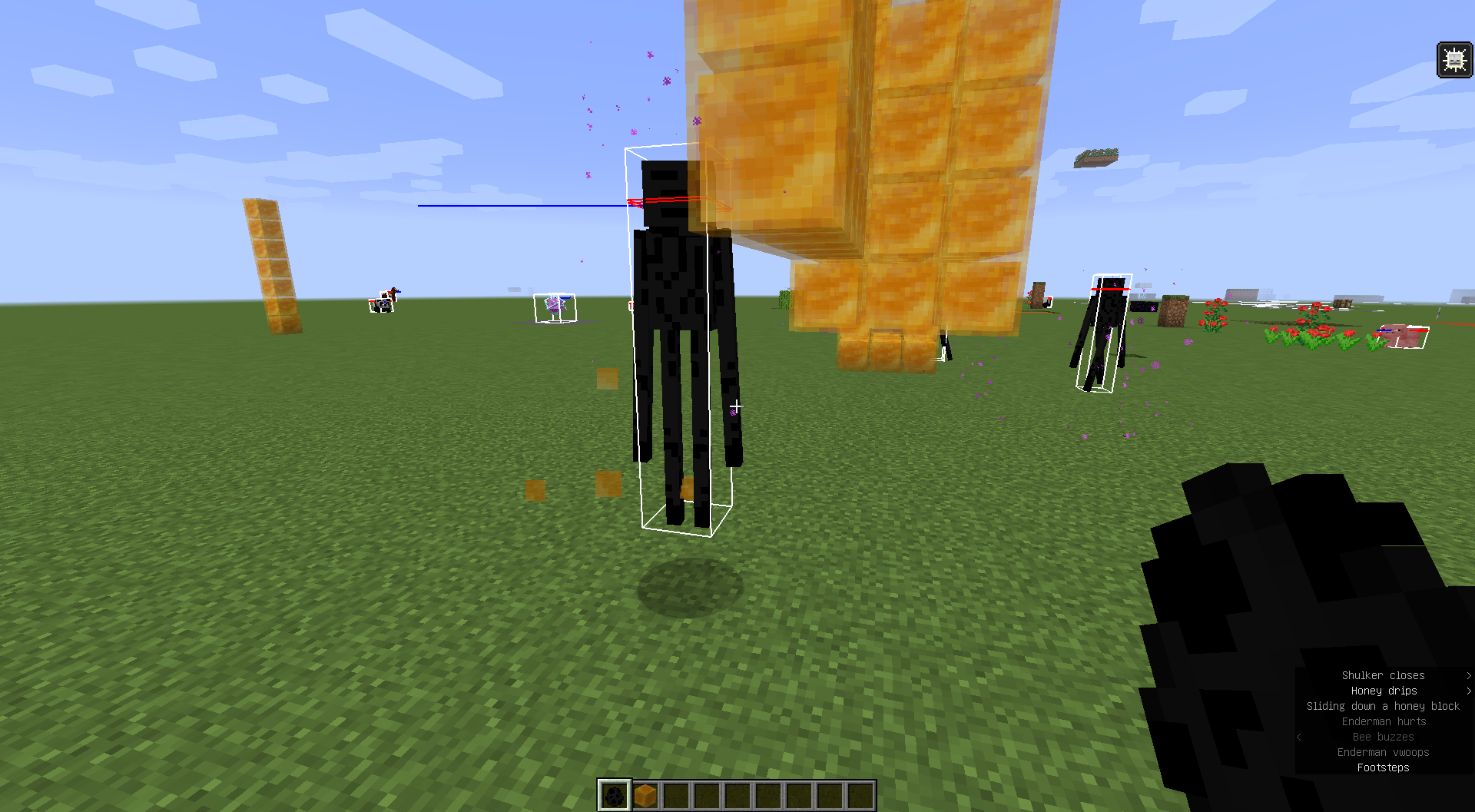
Code analysis
Code analysis by [Mod] Avoma can be found in this comment.
The bug
You can't place end crystals on fire that's on top of bedrock or obsidian blocks.
Expected behavior
Since end crystal entities with a bedrock or obsidian support block display fire in its position, the possibility to place end crystals on burning bedrock or obsidian should be there.
Code analysis
Code analysis by [Mod] Avoma can be found in this comment.
![[Mod] tryashtar](../../../data/avatars/users/41963.png)
The issue
Six bamboo creates six scaffolding. So it makes sense that bamboo and scaffolding has the same fuel time (as it was previously). Now, scaffolding burns for 8 times as long as bamboo, meaning you get something from nothing.
It's possible this was ported from bedrock? Though bedrock has always been wrong with this: MCPE-42949
Possibly this is invalid considering the change was obviously made intentionally, but it seems like a sanity regression. All other items have fuel time preserved across crafting.
Code analysis
Code analysis by [Mod] Avoma can be found in this comment.
The Bug:
Zombie villagers can be cured again while already in the conversion process.
Steps to Reproduce:
- Obtain a golden apple, a splash potion of weakness, and summon a zombie villager.
- Begin the conversion process of the zombie villager by splashing it with weakness and giving it a golden apple.
- Attempt to cure the zombie villager again while it's already in the conversion process.
- Take note as to whether or not zombie villagers can be cured again while already in the conversion process.
Observed Behavior:
Zombie villagers can be cured again while already in the conversion process.
Expected Behavior:
Zombie villagers would not be able to be cured again while already in the conversion process.
Code Analysis:
Code analysis by [Mod] Avoma can be found below.
The following is based on a decompiled version of Minecraft 1.19.2 using MCP-Reborn.
public class ZombieVillager extends Zombie implements VillagerDataHolder { ... public InteractionResult mobInteract(Player player, InteractionHand interactionHand) { ItemStack itemstack = player.getItemInHand(interactionHand); if (itemstack.is(Items.GOLDEN_APPLE)) { if (this.hasEffect(MobEffects.WEAKNESS)) { if (!player.getAbilities().instabuild) { itemstack.shrink(1); } if (!this.level.isClientSide) { this.startConverting(player.getUUID(), this.random.nextInt(2401) + 3600); } return InteractionResult.SUCCESS; } else { return InteractionResult.CONSUME; } } else { return super.mobInteract(player, interactionHand); } } ...
If we look at the above class, we can see that there are three necessary checks that are carried out before allowing a zombie villager to be cured. One of these is to check if the player is holding a golden apple at the time of the interaction; the next is to check if the zombie villager has the weakness effect, and the final one is to make sure that the action is carried out server-side and not client-side. The game doesn't check if the zombie villager is already in the process of being converted before allowing its conversion process to begin again, therefore resulting in this problem occurring.
Fix:
Simply altering the appropriate existing "if" statement within this piece of code to check if the zombie villager is currently converting before allowing its conversion process to begin again, will resolve this problem. We can achieve this through the use of the isConverting() boolean.
if (this.hasEffect(MobEffects.WEAKNESS))
if (this.hasEffect(MobEffects.WEAKNESS) && !this.isConverting())
The Bug:
The sounds of pages in books rustling aren't controlled by any sound sliders.
Steps to Reproduce:
- Navigate to the "Music & Sounds" settings menu.
- Turn the "Master Volume" sound slider to "100%".
- Turn every other sound slider to "OFF".
- Exit this menu and obtain a book and quill.
- Flip between pages in the book and quill and listen closely as you do this.
- Take note as to whether or not the sounds of pages in books rustling are controlled by any sound sliders.
Observed Behavior:
There is no assigned sound slider for these sounds.
Expected Behavior:
There would be an assigned sound slider. The "Players" sound slider would work nicely.
Code Analysis (tentative):
Code analysis by [Mod] Avoma can be found below.
The following is based on a decompiled version of Minecraft 1.18.1 using MCP-Reborn. Please note that I'm quite tentative about this analysis, although I'm persuaded to believe that this is likely the cause of the problem. 
public class PageButton extends Button { ... public void playDownSound(SoundManager p_99231_) { if (this.playTurnSound) { p_99231_.play(SimpleSoundInstance.forUI(SoundEvents.BOOK_PAGE_TURN, 1.0F)); } } ...
If we look at the above class, we can see that the sounds of pages in books rustling aren't sourced from anything, meaning that these sounds aren't controlled by any sound sliders.
Potential Fix (tentative):
Simply assigning where this sound is sourced from within this piece of code, where appropriate, should resolve this problem. Another solution would be to call the getSoundSource() method and have this contain the information of where the sound is sourced from.
public class PageButton extends Button { ... public void playDownSound(SoundManager p_99231_) { if (this.playTurnSound) { p_99231_.play(SimpleSoundInstance.forUI(SoundEvents.BOOK_PAGE_TURN, SoundSource.XYZ, XF, XF)); } } ...
The bug
Single dark oak saplings are not able to grow, and are only intended to grow when in a 2x2 arrangement. However, using bone meal on a dark oak sapling which cannot grow will still consume bone meal.
To fix this, a block state could be added to dark oak saplings that is only true when part of a 2x2 formation, and only with this set to true will they then accept bone meal. Alternatively, a 1x1 variant of the dark oak tree could be implemented.
Example
Here is an example in video: Single dark oak saplings accept bone meal.mp4
Code analysis
Code analysis by [Mod] Avoma can be found in this comment.
The bug
After stunning a ravager, and quickly go to spectator mode, the roar will still knockback players in spectator mode.
To reproduce
- Summon a ravager
- Get a shield
- Switch to survival mode
- Let the ravager bite the shield your holding and wait for the ravager to get stunned
- Hold F3 and press F4 to open the game mode switcher and choose spectator mode
- Go near the stunned ravager
→ The spectating player gets knocked back
Code analysis
Code analysis by [Mod] Avoma can be found in this comment.

You can't create a path block underwater with any block that you can make a path block out of.
Code analysis
Code analysis by [Mod] Avoma can be found in this comment.
The bug
The "netherite effects" mentioned from 20w06a are not applied to netherite helmets when worn by undead mobs that are exposed in daylight, causing the netherite helmets to eventually break or "burn".
To Reproduce
/summon minecraft:zombie ~ ~ ~ {ArmorItems:[{},{},{},{id:"minecraft:netherite_helmet",components:{"minecraft:damage":406},count:1b}]}
Code analysis
Code analysis by [Mod] Avoma can be found in this comment.
The bug
Red and brown mushrooms accept bone meal even on a block on which they cannot grow.
With the newly introduced fungi mechanics in 20w09a this does not seem intentional any longer. Mushrooms can only be grown into huge mushrooms when on dirt-based blocks.
Examples
Here are some examples in videos:
- Brown mushrooms accept bone meal even on a block on which they cannot grow.mp4
- Red mushrooms accept bone meal even on a block on which they cannot grow.mp4
Code analysis
Code analysis by [Mod] Avoma can be found in this comment.
If a player is mounts a boat when it is in motion, the boat will briefly stop in place and reset all it's momentum and motion, , and allow the player to mount the boat again.
Steps to Reproduce
- Build a tall pillar going upwards (~20 or so blocks, not exact)
- Place a boat down on top of the pillar, and mount it
- Mount the boat and ride it off the pillar
- Quickly dismount the boat, and then immediately mount it again
Expected & Observed Results:
→ The boat will freeze in place, losing all it's downward momentum.
→ The boat woul continue to fall downwards regardless of whether the player has mounted or dismounted it.
Screenshots / Videos:
Provided by [Mod] Avoma
MC-174877.mp4
Notes:
Related to:
MC-263713 MC-119369 MC-207949 MC-175299 MC-128886

The bug
Normally, a (tamed) dog's tail will move up when it heals. If a dog has more health than it's supposed to and it heals more, the dog's tail will move in a circle, into itself and back out.
How to reproduce
- Get a tamed dog
- Give it tons of health with a command, such as:
/effect give @e[type=wolf] health_boost 999999 100 true - Start splashing it with instant heal 2 splash potions
Code analysis
Code analyses by [Mod] Avoma, [Mod] ampolive, and [Mod] tryashtar can be found here, here, and here.

The Bug
Passenger riding on a mob has a delay before it falls when the mob is killed. This can be easily seen with Baby Striders on top of adults.
Steps to Reproduce
- Summon a baby strider riding an adult strider.
/summon minecraft:strider ~ ~ ~ {Passengers:[{id:"minecraft:strider",Age:-25000}]} - Kill the adult strider and watch the baby strider closely as you do this.
- Take note as to whether or not baby striders riding adults striders have a delay before they're dismounted after the adult is killed.
Observed Behavior
Passengers riding mobs have a delay before they're dismounted after the mob is killed.
Expected Behavior
Passengers riding mobs would be instantly dismounted after the mob is killed.
Code Analysis
Code analysis by [Mod] Avoma can be found in this comment.

How to reproduce
- Input these commands:
/scoreboard objectives add useGlowstone minecraft.used:minecraft.glowstone /scoreboard players set @s useGlowstone 0 /scoreboard objectives setdisplay sidebar useGlowstone
- Use glowstone to charge a respawn anchor
→ Score doesn't increase
Code analysis
Code analysis by [Mod] Avoma can be found in this comment.

What happens:
When mobs (Players, Villagers, Golems, Zombies, Creepers...) are in scaffolding, between two ladders or vines, they lose their collision with other mobs. Hitbox still works for attacks (punching, projectiles...)
Expected behavior: Collision inside of scaffolding should be the same like anywhere else (on the ground, in water, in the air...)
EDIT (21.11.2020): This also leads to maxentitycramming not working here, as no pushing can go on here, just like against ladders and vines.
Code analysis
Code analysis by [Mod] Avoma can be found in this comment.
The Bug
For some reason, when I set the random tick speed, fire behaves like nothing changed.
Steps to Reproduce
- Summon a large number of leaves and ensure that the "randomTickSpeed" gamerule is set to its default value, (3).
/fill ~3 ~ ~3 ~10 ~4 ~10 minecraft:oak_leaves[persistent=true] /gamerule randomTickSpeed 3
- Ignite the leaves, wait around thirty seconds, and take note of how fast the fire spread.
- Once again, summon a large number of leaves, but this time, change the "randomTickSpeed" gamerule to a high value in an attempt to increase the speed of the fire spreading.
/fill ~-3 ~ ~-3 ~-10 ~4 ~-10 minecraft:oak_leaves[persistent=true] /gamerule randomTickSpeed 300
- Wait around thirty seconds and take note of how fast the fire spread.
- Take note as to whether or not the "randomTickSpeed" gamerule affects the speed at which fire spreads.
Observed Behavior
The "randomTickSpeed" gamerule no longer affects the speed at which fire spreads.
Expected Behavior
The "randomTickSpeed" gamerule would affect the speed at which fire spreads, just like how it did in past versions of the game (1.12.2).
Code Analysis
Code analysis by [Mod] Avoma can be found in this comment.
![[Mod] turbo](../../../data/avatars/users/92867.png)
The Bug:
You cannot fly with elytra when the levitation effect is active.
Steps to Reproduce:
- Equip elytra, switch into survival mode, and give yourself the levitation effect.
/effect give @s minecraft:levitation 99 0
- Attempt to fly with the elytra by pressing the SPACE key multiple times.
- Take note as to whether or not you can fly with elytra when the levitation effect is active.
Observed Behavior:
You cannot fly with elytra when the levitation effect is active.
Expected Behavior:
You would be able to fly with elytra when the levitation effect is active.
Code Analysis:
Code analysis by [Mod] Avoma can be found in this comment.
The bug
If you have the nausea effect while going through a Nether portal will cancel out the animated portal overlay.
To reproduce
- Give yourself the nausea effect
/effect give @s nausea 1000 0
- Switch to Survival mode
- Enter a Nether portal
→ The portal teleport overlay doesn't show up
Code analysis
Code analysis by [Mod] Avoma can be found in this comment.

The Bug
When collecting honey from a bee's nest or hive in a bottle or by shearing, the 'bottle fills' or 'shears scrape' sound is played. The volume of this sound varies in accordance with the Friendly Creatures music and sounds slider, where as a block sound it should be controlled by the blocks slider.
Reproduce
- locate a bee's nest or hive with honey level 5
- Use an empty bottle item or a pair of shears on it with Blocks volume on 100% and Friendly Creatures volume on 0%,
- Observe the lack of a sound for the action.
- Repeat with the volume settings reversed and the sound will be audible.
Observed Behavior
The sound of collecting honey from beehives or bee nests is controlled by the "Friendly Creatures" sound slider.
Expected Behavior
The sound of collecting honey from beehives or bee nests would not be controlled by the "Friendly Creatures" sound slider.
Code Analysis
Code analysis by [Mod] Avoma can be found in this comment.

The bug
Snow golems with NoAI set to 1b still produce snow layers, as they're expected not to produce snow without AI.
Reproduce
/summon minecraft:snow_golem ~ ~ ~ {NoAI:1b}
Code analysis
Code analysis by [Mod] Avoma can be found in this comment.
The Bug
A Creeper can't be ignited with a fire charge even though the fire charge acts like Flint & Steel when used.
Replicate
- Get a Fire Charge
- Use it on a Creeper
Notice that it doesn't ignite
Code Analysis
Code analysis by [Mod] Avoma can be found in this comment.
The bug
Player can keep right-clicking on a creeper (with a flint and steel) even after the first time, even though the creeper is going to blow up anyway, losing durability for each hand swing.
How to reproduce
- Spawn a creeper or a charged creeper
- Go into survival mode (creative mode works too but it won't lower flint and steel's durability)
- Start right-clicking on a creeper with a flint and steel
→ Player is still able to use flint and steel even after the first time while creeper blows up, making player use more durability than 1
Expected behavior would be that the player should only be able to right-click on a creeper once.
Code analysis and fix
Code analysis and fix by [Mod] Avoma can be found in this comment.

The bug
When wearing a creeper head, zombie head, or skeleton skull it decreases their vision by 50%, but wearing wither skeleton skulls have no effect.
Code analysis
Code analysis by [Mod] Avoma can be found in this comment.
The Bug:
Unsheared snow golems don't drop carved pumpkins upon being killed.
Steps to Reproduce:
- Summon a snow golem.
- Kill it, and as you do this, look at the loot it drops.
- Take note as to whether or not unsheared snow golems drop carved pumpkins upon being killed.
Observed Behavior:
Unsheared snow golems don't drop carved pumpkins upon being killed.
Expected Behavior:
Unsheared snow golems would drop carved pumpkins upon being killed.
Code Analysis:
Code analysis by [Mod] Avoma can be found below.
{
"type": "minecraft:entity",
"pools": [
{
"bonus_rolls": 0.0,
"entries": [
{
"type": "minecraft:item",
"functions": [
{
"add": false,
"count": {
"type": "minecraft:uniform",
"max": 15.0,
"min": 0.0
},
"function": "minecraft:set_count"
}
],
"name": "minecraft:snowball"
}
],
"rolls": 1.0
}
]
}
If we look at the above json file, we can see that snow golems are only designed to drop snowballs upon being killed. Carved pumpkins aren't mentioned anywhere within this file, therefore resulting in unsheared snow golems not dropping them upon death.
The bug
The player will be unable to start swimming if they have the blindness status effect applied.
Steps to Reproduce:
- Enter a pool of water, 2 blocks or higher
- Apply blindness:
/effect give @p minecraft:blindness 1
- Press and hold ctrl, while moving forward
Observed Behavior:
The player will never enter swim-mode with the effect applied.
Expected Result:
The player would be able to swim, regardless of the effect.
Screenshots/Videos:
Video by [Mod] Avoma:
MC-190768.mp4
The Bug
The inside eye of the pufferfish has z-fighting.
To Reproduce
Reproduce steps provided by [Mod] Avoma can be found in this comment.
The Bug
The beak of a chicken inside its model contains z-fighting.
To Reproduce
Reproduce steps provided by [Mod] Avoma can be found in this comment.
The Bug
The inside of a cod has some z-fighting.
To Reproduce
Reproduce steps provided by [Mod] Avoma can be found in this comment.
The Bug:
Swords consume double durability than they normally would when destroying bamboo saplings, bamboo, or cobwebs.
Swords can be used to mine bamboo saplings, bamboo, and cobwebs much faster so it doesn't make much sense that they consume double durability than they normally would when destroying these blocks.
Steps to Reproduce:
- Place down a bamboo sapling, bamboo, or a cobweb.
- Give yourself a sword that has two durability by using the command provided below.
/give @s minecraft:netherite_sword{Damage:2029} - Destroy the bamboo sapling, bamboo, or cobweb using the sword and as you do this, pay close attention to the sword's durability.
- Take note as to whether or not swords consume double durability than they normally would when destroying bamboo saplings, bamboo, or cobwebs.
Observed Behavior:
Swords consume double durability than they normally would when destroying bamboo saplings, bamboo, or cobwebs.
Expected Behavior:
Swords would consume one durability when destroying bamboo saplings, bamboo, or cobwebs.
Code Analysis:
Code analysis by [Mod] Avoma can be found below.
The following is based on a decompiled version of Minecraft 1.19.2 using MCP-Reborn.
public class SwordItem extends TieredItem implements Vanishable { ... public boolean mineBlock(ItemStack itemStack, Level level, BlockState blockState, BlockPos blockPos, LivingEntity livingEntity) { if (blockState.getDestroySpeed(level, blockPos) != 0.0F) { itemStack.hurtAndBreak(2, livingEntity, (livingEntity1) -> { livingEntity1.broadcastBreakEvent(EquipmentSlot.MAINHAND); }); } return true; } ...
If we look at the above class, we can see that there is only one check that is carried out before allowing the durability of a sword to decrease when using this item to destroy a block. This check is to see if the said block can be instantly destroyed, and if it can, the sword doesn't consume durability, but if it can't, the sword will consume double durability. The game doesn't check if the said block is a bamboo sapling, bamboo, or a cobweb, before allowing the sword to consume double durability, therefore resulting in this problem occurring.
Fix:
Simply altering the existing "if" statement to check if the said block is a bamboo sapling, bamboo, or a cobweb, and adding an "if else" statement to then check if the said block can be instantly destroyed before allowing the sword to consume double durability, will resolve this problem.
if (blockState.getDestroySpeed(level, blockPos) != 0.0F) {
itemStack.hurtAndBreak(2, livingEntity, (livingEntity1) -> {
livingEntity1.broadcastBreakEvent(EquipmentSlot.MAINHAND);
});
}
if (blockState.getBlock() instanceof BambooSaplingBlock || blockState.getBlock() instanceof BambooBlock || blockState.getBlock() instanceof WebBlock) { itemStack.hurtAndBreak(1, livingEntity, (livingEntity1) -> { livingEntity1.broadcastBreakEvent(EquipmentSlot.MAINHAND); }); } else if (blockState.getDestroySpeed(level, blockPos) != 0.0F) { itemStack.hurtAndBreak(2, livingEntity, (livingEntity1) -> { livingEntity1.broadcastBreakEvent(EquipmentSlot.MAINHAND); }); }
The Bug:
Players can change the color of a wolf's collar even if they're not its owner.
It's important to note that this concept is exclusive to wolves and cannot be seen with cats. This issue isn't present with cats because the isOwnedBy() method is called appropriately with this entity, therefore preventing other players from being able to interact with them.
Steps to Reproduce:
- Obtain any color dye and summon a wolf that is not your owner by using the command provided below.
/summon minecraft:wolf ~ ~ ~ {Owner:"Notch"} - Attempt to change the color of the wolf's collar by using the dye.
- Take note as to whether or not players can change the color of a wolf's collar even if they're not its owner.
Observed Behavior:
Players can change the color of a wolf's collar even if they're not its owner.
Expected Behavior:
Players would not be able to change the color of a wolf's collar if they're not its owner.
Code Analysis:
Code analysis by [Mod] Avoma can be found below.
The following is based on a decompiled version of Minecraft 1.19.2 using MCP-Reborn.
public class Wolf extends TamableAnimal implements NeutralMob { ... public InteractionResult mobInteract(Player player, InteractionHand interactionHand) { ItemStack itemstack = player.getItemInHand(interactionHand); Item item = itemstack.getItem(); if (this.level.isClientSide) { ... } else { if (this.isTame()) { ... DyeColor dyecolor = ((DyeItem)item).getDyeColor(); if (dyecolor != this.getCollarColor() && this.isOwnedBy(player)) { this.setCollarColor(dyecolor); if (!player.getAbilities().instabuild) { itemstack.shrink(1); } return InteractionResult.SUCCESS; } ...
If we look at the above class, we can see that there are two checks that are carried out before allowing the color of a wolf's collar to be changed. One of these checks is to see if the wolf is tamed and the other is to see if the player is holding a dye that's not already the same color as the wolf's collar at the time of the interaction. If these two requirements are met, the color of the wolf's collar can be changed. The game doesn't check if the player carrying out the interaction is the wolf's owner before allowing the color of its collar to be changed, therefore resulting in this problem occurring.
Fix:
Simply altering the appropriate existing "if" statement within this piece of code to check if the player carrying out the interaction is the wolf's owner before allowing the color of its collar to be changed will resolve this problem.
if (dyecolor != this.getCollarColor())
if (dyecolor != this.getCollarColor() && this.isOwnedBy(player))
The Bug:
Players that are forced to sneak in small areas receive damage when stepping on magma blocks.
Steps to Reproduce:
- Build the setup as shown in the attachment below. setup.png
- While sneaking and holding the sneak key, stand on top of the magma block.
- Stop holding the sneak key.
- Take note as to whether or not players that are forced to sneak in small areas receive damage when stepping on magma blocks.
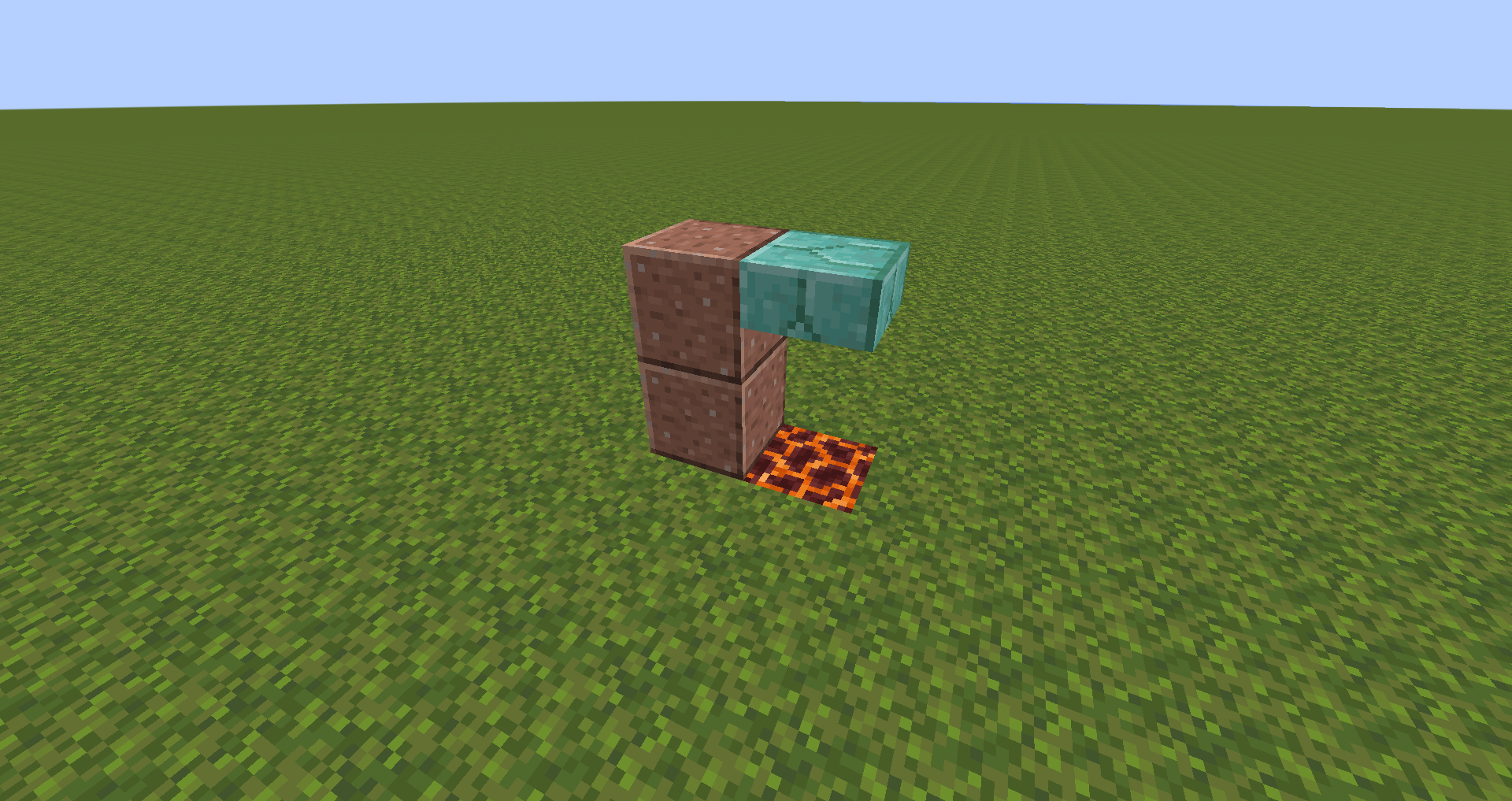
Observed Behavior:
Players that are forced to sneak in small areas receive damage when stepping on magma blocks.
Expected Behavior:
Players that are forced to sneak in small areas would not receive damage when stepping on magma blocks.
Code Analysis:
Code analysis by [Mod] Avoma can be found below.
The following is based on a decompiled version of Minecraft 1.19.2 using MCP-Reborn.
public class MagmaBlock extends Block { ... public void stepOn(Level level, BlockPos blockPos, BlockState blockState, Entity entity) { if (!entity.isSteppingCarefully() && entity instanceof LivingEntity && !EnchantmentHelper.hasFrostWalker((LivingEntity)entity)) { entity.hurt(DamageSource.HOT_FLOOR, 1.0F); } super.stepOn(level, blockPos, blockState, entity); } ...
If we look at the above class, we can see that in order for the player to receive damage from stepping on magma blocks, the isSteppingCarefully() boolean must return false. This boolean returns true if the shift key is held down or is toggled and returns false if the shift key isn't held down or isn't toggled. The game doesn't check if the player is being forced to sneak in small areas before allowing them to receive damage from stepping on magma blocks, therefore resulting in this problem occurring.
Fix:
Simply altering the existing "if" statement within this piece of code to check if the player is being forced to sneak in small areas before allowing them to receive damage from stepping on magma blocks will resolve this problem. We can achieve this through the use of the isCrouching() boolean.
if (!entity.isSteppingCarefully() && entity instanceof LivingEntity && !EnchantmentHelper.hasFrostWalker((LivingEntity)entity))
if (!entity.isCrouching() && entity instanceof LivingEntity && !EnchantmentHelper.hasFrostWalker((LivingEntity)entity))

The bug
Currently, curing a baby zombie villager jockey does not cause it to dismount, creating a villager chicken jockey. The villager can also grow up, and it functions exactly as a normal villager, however, it does not dismount the chicken. This is likely caused by the fix of MC-163767.
How to reproduce
- Find a baby zombie villager jockey, or spawn one in via commands:
/summon chicken ~ ~ ~ {Passengers:[{id:zombie_villager,IsBaby:1,ConversionTime:10}]} - Cure the baby zombie villager as you would a normal zombie villager
- Wait until it is cured
- Observe the fact the villager is still riding the chicken
Code analysis
Code analysis by [Mod] Avoma can be found in this comment.
The Bug:
Item drops from iron golems and cats aren't affected by the looting enchantment.
Steps to Reproduce:
- Give yourself a sword with a high level of looting by using the command provided below.
/give @s minecraft:diamond_sword[minecraft:enchantments={levels:{"minecraft:looting":100}}] - Summon both an iron golem and a cat.
- Kill both of them using the sword enchanted with looting and observe the loot that they drop upon death.
- Take note as to whether or not item drops from iron golems and cats are affected by the looting enchantment.
Observed Behavior:
Item drops aren't affected by the looting enchantment.
Expected Behavior:
Item drops would be affected by the looting enchantment.
Code Analysis:
Code analysis by [Mod] Avoma can be found below.
{
"type": "minecraft:entity",
"pools": [
{
"bonus_rolls": 0.0,
"entries": [
{
"type": "minecraft:item",
"functions": [
{
"add": false,
"count": {
"type": "minecraft:uniform",
"max": 2.0,
"min": 0.0
},
"function": "minecraft:set_count"
}
],
"name": "minecraft:string"
}
],
"rolls": 1.0
}
]
}
{
"type": "minecraft:entity",
"pools": [
{
"bonus_rolls": 0.0,
"entries": [
{
"type": "minecraft:item",
"functions": [
{
"add": false,
"count": {
"type": "minecraft:uniform",
"max": 2.0,
"min": 0.0
},
"function": "minecraft:set_count"
}
],
"name": "minecraft:poppy"
}
],
"rolls": 1.0
},
{
"bonus_rolls": 0.0,
"entries": [
{
"type": "minecraft:item",
"functions": [
{
"add": false,
"count": {
"type": "minecraft:uniform",
"max": 5.0,
"min": 3.0
},
"function": "minecraft:set_count"
}
],
"name": "minecraft:iron_ingot"
}
],
"rolls": 1.0
}
]
}
If we look at the above json files, we can see that the "minecraft:looting_enchant" function (the function that's responsible for modifying the count of how many items are returned when an entity is killed by an item with the looting enchantment) isn't present anywhere within the cat's or the iron golem's loot table, therefore resulting in the drops of cats and iron golems not being affected by the looting enchantment.
The Bug
Normal shulker box and purple shulker box have wrong color on maps (the two color should be interchanged).
Normal shulker box shows up as Color_Purple color on maps, the correct color should use either Terracotta_Purple or Terracotta_Magenta.
Purple shulker box shows up as Terracotta_Purple color on maps, the correct color should use Color_Purple.
How to reproduce
- Summon some normal shulker boxes and some purple shulker boxes
/fill ~3 ~ ~3 ~9 ~ ~9 minecraft:shulker_box /fill ~-3 ~ ~3 ~-9 ~ ~9 minecraft:purple_shulker_box
- Obtain an empty map and use it
- Take note as to what the color of the normal shulker boxes are displayed as, and what color the purple shulker boxes are displayed as
→ Normal shulker boxes and purple shulker boxes are displayed in the incorrect colors on maps
Expected Behavior
Normal shulker boxes and purple shulker boxes would not be displayed in the incorrect colors on maps. Instead, the colors of these two blocks on maps should be interchanged.
Code analysis
[Mod] Avoma has done a code analysis in this comment.
The bug
Dark prismarine, stairs or slab and prismarine, stairs or slab have wrong color on maps(the two color should be interchanged).
Dark prismarine, stairs or slab shows up as color like prismarine bricks on maps, the correct color should like warped planks.
Prismarine, stairs or slab shows up as color like warped planks on maps, the correct color should like prismarine bricks.
Code analysis
[Mod] Avoma has done a code analysis in this comment.
The Bug
Despite water not destroying and End Crystal when underwater you can't place it
Replicate
- Go Underwater
- Place Bedrock/Obsidian
- Attempt to place an End Crystal
It doesn't get placed
Code Analysis
Code analysis by [Mod] Avoma can be found in this comment.
Relates to MC-8231 and MC-213770.
The bug
Many more dirt-like blocks gained the ability to be made into paths in the latest snapshot, however farmland was not one of them, which may be an oversight.
One potential way to fix this could be to have all blocks that can be directly converted to farmland or dirt paths use a block tag, such that eligible blocks could simply be added to this tag.
Steps to Reproduce
- Build the setup as shown in the attachment below. setup.png
- Obtain a shovel and attempt to convert all six different blocks into dirt paths.
- Take note of the blocks that did convert into dirt paths and the blocks that didn't.
Observed Behavior
Farmland cannot be converted into dirt paths with shovels.
Expected Behavior
Farmland would be able to be converted into dirt paths with shovels.
Code Analysis
Code provided by [Mod] Avoma in this comment

Actually, as [Mod] Avoma said, these textures were made by Mojang, so this is not a bug and will be likely to be marked as invalid by a mod.
The Bug:
You cannot tempt or tame cats or ocelots using cooked cod or salmon.
Since you can tempt/tame cats and ocelots using raw cod and raw salmon, it seems quite illogical that this same concept cannot be seen with the cooked variants of these items.
Steps to Reproduce:
- Summon a cat or ocelot and obtain some cooked cod or salmon.
- Attempt to tame the cat or ocelot using the cooked item.
- Take note as to whether or not you can tempt or tame cats or ocelots using cooked cod or salmon.
Observed Behavior:
You cannot tempt or tame cats or ocelots using cooked cod or salmon.
Expected Behavior:
You would be able to tempt and tame cats and ocelots using cooked cod and salmon.
Code Analysis:
Code analysis by [Mod] Avoma can be found below.
The following is based on a decompiled version of Minecraft 1.19.2 using MCP-Reborn.
public class Cat extends TamableAnimal { ... private static final Ingredient TEMPT_INGREDIENT = Ingredient.of(Items.COD, Items.SALMON); ...
public class Ocelot extends Animal { ... private static final Ingredient TEMPT_INGREDIENT = Ingredient.of(Items.COD, Items.SALMON); ...
If we look at the above classes, we can see that the only items that cats and ocelots are tempted by are cod and salmon. Because of this, both cooked cod and cooked salmon cannot be used to tempt/tame cats and ocelots, therefore resulting in this problem occurring.
Fix:
Simply adding both cooked cod and cooked salmon to the list of items that cats and ocelots are tempted by, will resolve this problem.
... private static final Ingredient TEMPT_INGREDIENT = Ingredient.of(Items.COD, Items.SALMON, Items.COOKED_COD, Items.COOKED_SALMON); ...
... private static final Ingredient TEMPT_INGREDIENT = Ingredient.of(Items.COD, Items.SALMON, Items.COOKED_COD, Items.COOKED_SALMON); ...
The Bug
If only your head is in the powdered snow or you are standing on a block that is not full height then the powdered snow does not slow you down.
Steps to Reproduce
- Build the setup as shown in setup.png
- Walk inside of the powder snow and as you do this, pay close attention to your movement speed.
- Take note as to whether or not powder snow slows down entities if their feet aren't directly inside of it.
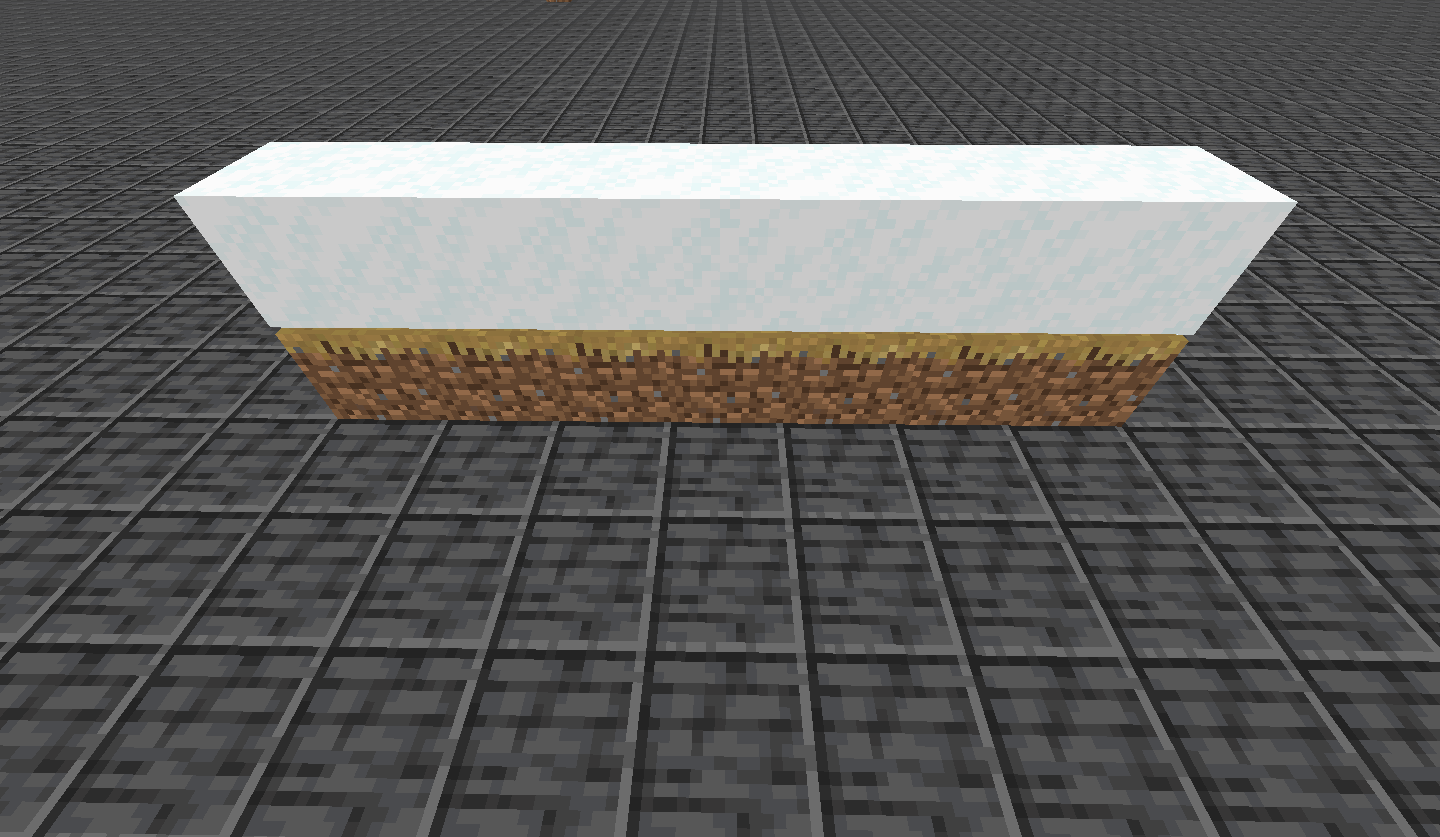
Observed Behavior
Powder snow doesn't slow down entities if their feet aren't directly inside of it.
Expected Behavior
Powder snow would slow down entities even if their feet aren't directly inside of it.
Code analysis
Code analysis by [Mod] Avoma can be found in this comment.

If you are in a minecart in/directly under powdered snow that is not on a rail and press a movement key, the particles that come off of powdered snow when moving activates even though you aren't moving.
Steps to Reproduce: (from MC-220465 by [Mod] Avoma)
- Place a rail.
- Place some powder snow above it.
- Place a minecart onto the rail.
- Destroy the rail.
- Get inside the minecart.
- Move forward.
→ Notice how particles are produced, despite yourself not moving at all.
Link to video of the bug:
The Bug:
Being extinguished by water or powder snow inside cauldrons doesn't play the "Fire extinguishes" sound.
Steps to Reproduce:
- Build the setup as shown in the attachment below. setup.png
- Switch into survival mode and stand inside of the fire for a couple of seconds.
- Approach and stand inside of the water or powder snow cauldrons in order to be extinguished from burning, and as you do this, listen closely.
- Take note as to whether or not being extinguished by water or powder snow inside cauldrons plays the "Fire extinguishes" sound.
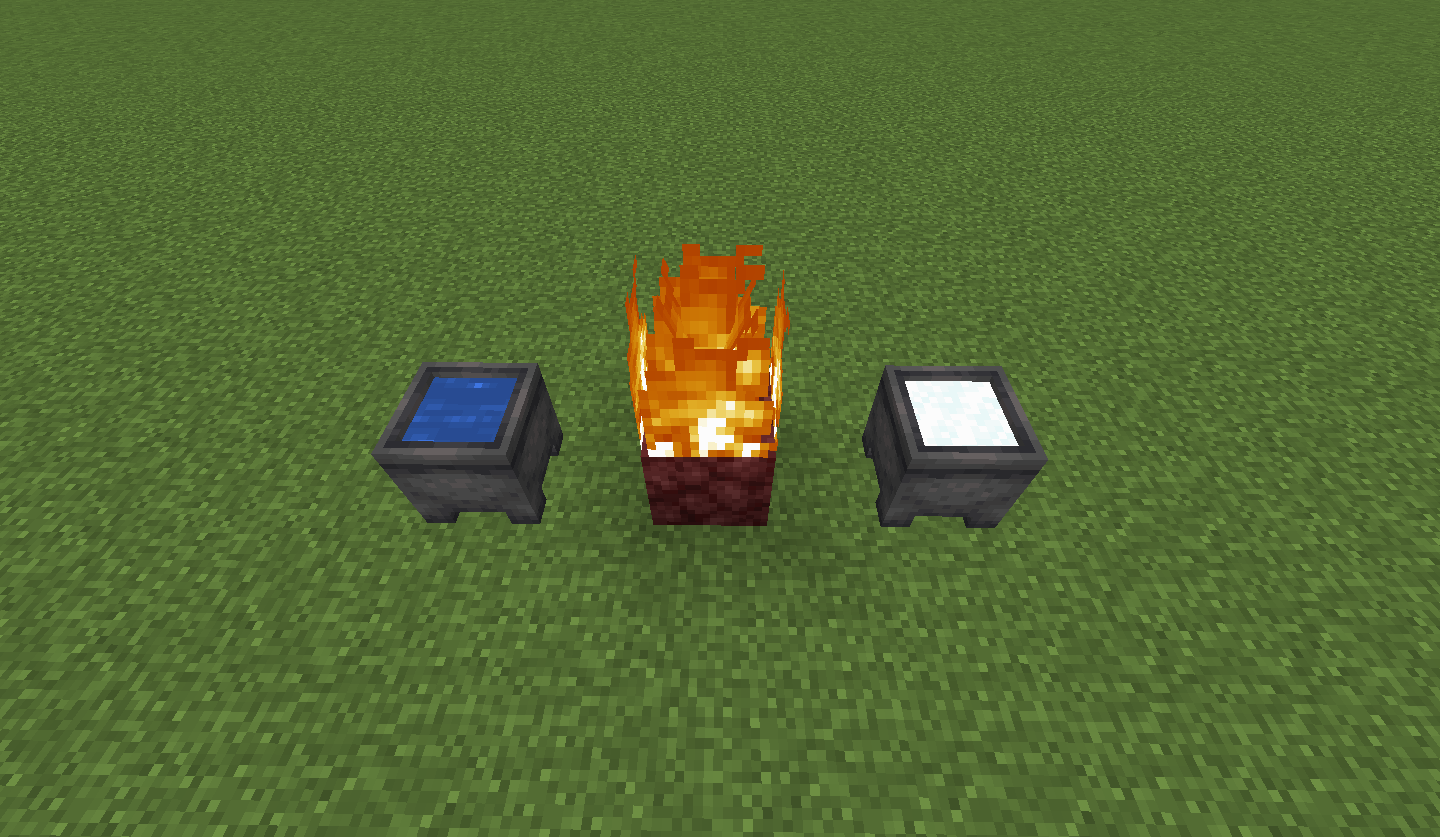
Observed Behavior:
The "Fire extinguishes" sound isn't played.
Expected Behavior:
The "Fire extinguishes" sound would be played.
Code Analysis:
Code analysis by [Mod] Avoma can be found below.
The following is based on a decompiled version of Minecraft 1.18.1 using MCP-Reborn.
public class LayeredCauldronBlock extends AbstractCauldronBlock { ... public void entityInside(BlockState $bs, Level $l, BlockPos $bp, Entity $e) { if (!$l.isClientSide && $e.isOnFire() && this.isEntityInsideContent($bs, $bp, $e)) { $e.clearFire(); if ($e.mayInteract($l, $bp)) { this.handleEntityOnFireInside($bs, $l, $bp); } } } ...
If we look at the above class, we can see that when an entity is extinguished in a water or powder snow cauldron, no method responsible for playing the appropriate sound is called, resulting in no sound being played.
The Bug
Powder snow isn't mined any faster with shovels.
Steps to Reproduce
- Summon multiple blocks of powder snow.
/fill ~1 ~ ~1 ~7 ~ ~7 minecraft:powder_snow
- Switch into survival mode, break some of the powder snow with your hand, and as you do this, take note of how fast it's destroyed.
- Now obtain a shovel, break some of the powder snow using it, and take note as to whether or not it's destroyed slower, faster, or at the same speed as using your hand.
Observed Behavior
Powder snow does not have an assigned tool.
Expected Behavior
Powder snow would have an assigned tool. Instead, you should be able to mine powder snow faster when using a shovel.
Code Analysis
Code analysis by [Mod] Avoma can be found in this comment.
As [Mod] Avoma mentioned, reports are resolved as duplicates when they is another issue reported before, also, your report is invalid and it is likely to be trashed or deleted.

The bug
For a baby villager, age < 0, right clicking does not trigger the stat.talkedToVillager score which limits the ability to create baby villager dialogue mechanisms in adventure maps.
To reproduce
Add a scoreboard objective as follows:
/scoreboard objectives add VillagerClick minecraft.custom:minecraft.talked_to_villager
Then show the VillagerClick objective in the sidebar:
/scoreboard objectives setdisplay sidebar VillagerClick
Clicking on an adult villager increments the VillagerClick counter but clicking on a baby villager does not.
Code analysis
Code analysis by [Mod] Avoma can be found in this comment.
The bug
The spyglass stays in use when switching to spectator while using F3 + N.
How to reproduce
- Obtain a spyglass
- While using the spyglass, switch to spectator mode using F3 + N
Observed behavior
The spyglass remains extended while in spectator mode.
Expected behavior
The spyglass would retract while in spectator mode.
Video
Code analysis
Code analysis by [Mod] Avoma can be found in this comment.
[Mod] Avoma, see the environment.
![[Mod] j_p_smith](../../../data/avatars/users/92851.png)
@[Mod] Avoma, the issue you're describing is MC-129312, which currently renders this issue irreproducible (see the "is blocked by" link).

@Kraif and [Mod] Avoma, could you please describe how you think the feedback for this command differs from the one for other commands?
If I see that correctly this report was created before the command syntax changes (and the introduction of Brigadier), but in the latest versions it appears the feedback is consistent with all other commands. (Though due to MC-124634, the feedback could be improved, but for all commands.)
![[Helper] Johnibur](../../../data/avatars/users/28381.png)
@[Mod] Avoma Can you provide a screenshot with alt-F3 graphs?
The bug
When lighting TNT using flint and steel or with a fire charge, the minecraft:item.flintandsteel.use or minecraft:item.firecharge.use sound is not played. This is inconsistent with all other uses of flint and steel and all other uses of fire charges, which all play the sound.
How to reproduce
- Place TNT
- Ignite the TNT using flint and steel
No click sound is heard from the flint and steel
Expected behavior
The minecraft:item.flintandsteel.use or the minecraft:item.firecharge.use sound would be played when igniting TNT with flint and steel or with a fire charge.
Code analysis
Code analysis by [Mod] Avoma can be found in this comment.

The bug
Rabbits don't follow players holding carrots on sticks. This is inconsistent with the behavior of pigs, who do follow players holding carrots on sticks.
How to reproduce
- Spawn a rabbit
- Hold a carrot on a stick
- Walk away from the rabbit
The rabbit does not follow you
Expected behavior
The rabbit would follow you as you're holding the carrot on a stick.
Code analysis
Code analysis by [Mod] Avoma can be found in this comment.
![[Mod] Michael Wobst](../../../data/avatars/users/37868.png)
[Mod] Avoma what seed and coordinates did you use to reproduce this in 1.16.4? I'm not able to reproduce in 1.16.4 at least with the seed and coordinates that have been mentioned previously in this ticket.
@[Mod] Avoma, but do you notice a significant difference between spawning the firework rocket in a block vs. in free space?
For me both cases cause a FPS decrease but there is no notable difference between them.
Whereas if I spawn a firework rocket in version 1.13.2 in the ground my FPS drop down to 0, but spawning it in the air causes it to only drop down to 20.
(In 20w51a performance seems to be much better, only dropping down to 45 FPS)
I actually have not been able to reproduce what is described in the description or the screenshot for the past few months. The description and the screenshot show that the chat text is displayed above the command completion list.
However, [Mod] Avoma, the video you have attached shows just the text overlapping seemingly in the same layer, and not ordered incorrectly. I believe what you are instead experiencing is likely MC-192918; would you say that better describes the issue?
[Mod] Avoma pretty much
[Mod] Avoma, this report is invalid, see the environment.
Cannot confirm for 20w51a:

The second wrapped line starting with "Marcono1234" is indented, as expected.
@[Mod] Avoma, in your screenshot none of the lines are wrapped.
@[Mod] Avoma, this report is about /loot give, not the /give command. /give deleting items for Creative mode is likely MC-8409 or closely related and probably intended.

Can confirm. [Mod] Avoma I think the reporter means, that ghasts still fly midair when killed instead of falling down. Since they are dead, they shouldn’t be able to fly anymore, so they should fall down during their death animation.
The Bug:
Sculk sensors are not activated upon placing food onto campfires.
Steps to Reproduce:
- Place down a campfire.
- Place down a sculk sensor nearby and place some food onto the campfire.
- Take note as to whether or not sculk sensors are activated upon placing food onto campfires.
Observed Behavior:
Sculk sensors are not activated upon placing food onto campfires.
Expected Behavior:
Sculk sensors would be activated upon placing food onto campfires.
Code Analysis:
Code analysis by [Mod] Avoma can be found below.
The following is based on a decompiled version of Minecraft 1.18.2 using MCP-Reborn.
public class CampfireBlock extends BaseEntityBlock implements SimpleWaterloggedBlock { ... public InteractionResult use(BlockState $bs, Level $l, BlockPos $bp, Player $p, InteractionHand $ih, BlockHitResult $bhr) { BlockEntity blockentity = $l.getBlockEntity($bp); if (blockentity instanceof CampfireBlockEntity) { CampfireBlockEntity campfireblockentity = (CampfireBlockEntity)blockentity; ItemStack itemstack = $p.getItemInHand($ih); Optional<CampfireCookingRecipe> optional = campfireblockentity.getCookableRecipe(itemstack); if (optional.isPresent()) { if (!$l.isClientSide && campfireblockentity.placeFood($p.getAbilities().instabuild ? itemstack.copy() : itemstack, optional.get().getCookingTime())) { $p.awardStat(Stats.INTERACT_WITH_CAMPFIRE); return InteractionResult.SUCCESS; } ...
If we look at the above class, we can see that placing food onto campfires simply isn't registered as a game event as the gameEvent() method is never called, thus not detecting this action as a vibration.
Potential Fix:
Simply calling the gameEvent() method where appropriate within this piece of code should resolve this problem. The "BLOCK_CHANGE" game event tag would be expected to be used here as campfires are visually changed when food is placed onto them. The following line of code could be used in order to fix this:
$LEVEL.gameEvent($PLAYER, GameEvent.BLOCK_CHANGE, $BLOCKPOS);
The Bug:
Sculk sensors are not activated upon placing glowstone into respawn anchors.
Steps to Reproduce:
- Place down a respawn anchor along with a sculk sensor nearby.
- Place some glowstone into the respawn anchor and watch the sculk sensor closely as you do this.
- Take note as to whether or not sculk sensors are activated upon placing glowstone into respawn anchors.
Observed Behavior:
Sculk sensors aren't activated.
Expected Behavior:
Sculk sensors would be activated.
Code Analysis:
Code analysis by [Mod] Avoma can be found below.
The following is based on a decompiled version of Minecraft 1.18.2 using MCP-Reborn.
public class RespawnAnchorBlock extends Block { ... public InteractionResult use(BlockState $bs, Level $l, BlockPos $bp, Player $p, InteractionHand $ih, BlockHitResult $bhr) { ItemStack itemstack = $p.getItemInHand($ih); if ($ih == InteractionHand.MAIN_HAND && !isRespawnFuel(itemstack) && isRespawnFuel($p.getItemInHand(InteractionHand.OFF_HAND))) { return InteractionResult.PASS; } else if (isRespawnFuel(itemstack) && canBeCharged($bs)) { charge($l, $bp, $bs); ...
If we look at the above class, we can see that placing glowstone into respawn anchors simply isn't registered as a game event as the gameEvent() method is never called, thus not detecting this action as a vibration.
Potential Fix:
Simply calling the gameEvent() method where appropriate within this piece of code should resolve this problem. The "BLOCK_CHANGE" game event tag would be expected to be used here as the block states of respawn anchors are changed when they're charged. The following line of code could be used in order to fix this:
$LEVEL.gameEvent($PLAYER, GameEvent.BLOCK_CHANGE, $BLOCKPOS);
The Bug:
Sculk sensors are not activated upon filling composters.
Steps to Reproduce:
- Place down a composter along with a sculk sensor nearby.
- Fill the composter with a cake and watch the sculk sensor closely as you do this.
- Take note as to whether or not sculk sensors are activated upon filling composters.
Observed Behavior:
Sculk sensors aren't activated.
Expected Behavior:
Sculk sensors would be activated.
Code Analysis:
Code analysis by [Mod] Avoma can be found below.
The following is based on a decompiled version of Minecraft 1.18.2 using MCP-Reborn.
public class ComposterBlock extends Block implements WorldlyContainerHolder { ... public InteractionResult use(BlockState $bs, Level $l, BlockPos $bp, Player $p, InteractionHand $ih, BlockHitResult $bhr) { int i = $bs.getValue(LEVEL); ItemStack itemstack = $p.getItemInHand($ih); if (i < 8 && COMPOSTABLES.containsKey(itemstack.getItem())) { if (i < 7 && !$l.isClientSide) { BlockState blockstate = addItem($bs, $l, $bp, itemstack); $l.levelEvent(1500, $bp, $bs != blockstate ? 1 : 0); $p.awardStat(Stats.ITEM_USED.get(itemstack.getItem())); ...
If we look at the above class, we can see that filling composters simply isn't registered as a game event as the gameEvent() method is never called, thus not detecting this action as a vibration.
Potential Fix:
Simply calling the gameEvent() method where appropriate within this piece of code should resolve this problem. The "BLOCK_CHANGE" game event tag would be expected to be used here as the block states of composters are changed when they're filled. The following line of code could be used in order to fix this:
$LEVEL.gameEvent($PLAYER, GameEvent.BLOCK_CHANGE, $BLOCKPOS);
The Bug:
Sculk sensors only detect the last turtle egg being broken when being stepped on.
Steps to Reproduce:
- Place down four turtle eggs on the same block.
- Place down a sculk sensor nearby, stand on top of the turtle eggs, and wait for them to break.
- Take note as to whether or not sculk sensors only detect the last turtle egg being broken when being stepped on.
Observed Behavior:
Sculk sensors aren't actiavted.
Expected Behavior:
Sculk sensors would be activated.
Code Analysis:
Code analysis by [Mod] Avoma can be found below.
The following is based on a decompiled version of Minecraft 1.18.2 using MCP-Reborn.
public class TurtleEggBlock extends Block { ... private void decreaseEggs(Level $l, BlockPos $bp, BlockState $bs) { $l.playSound((Player)null, $bp, SoundEvents.TURTLE_EGG_BREAK, SoundSource.BLOCKS, 0.7F, 0.9F + $l.random.nextFloat() * 0.2F); int i = $bs.getValue(EGGS); if (i <= 1) { $l.destroyBlock($bp, false); } else { $l.setBlock($bp, $bs.setValue(EGGS, Integer.valueOf(i - 1)), 2); $l.levelEvent(2001, $bp, Block.getId($bs)); } } ...
If we look at the above class, we can see that when the last turtle egg is broken, the destroyBlock() method is called. The destroyBlock() method then calls the gameEvent() method resulting in a vibration being produced. The problem here is that when there is more than one turtle egg occupying the same space, and one of them was to be destroyed, the gameEvent() method is never called, thus not detecting this action as a vibration.
Potential Fix:
Simply calling the gameEvent() method where appropriate within this piece of code should resolve this problem. The "BLOCK_DESTROY" game event tag would be expected to be used here as the turtle eggs are destroyed.
The bug
When ice/snow melts, sculk sensors nearby don't detect this, although it could be considered a vibration.
How to reproduce
- Recreate the setup shown in setup.png
- Replace all diamond blocks in the setup with glowstone so that the ice begins to melt:
/fill ~9 ~-4 ~9 ~-9 ~9 ~-9 minecraft:glowstone replace minecraft:diamond_block
When the ice melts, the sculk sensor is not activated
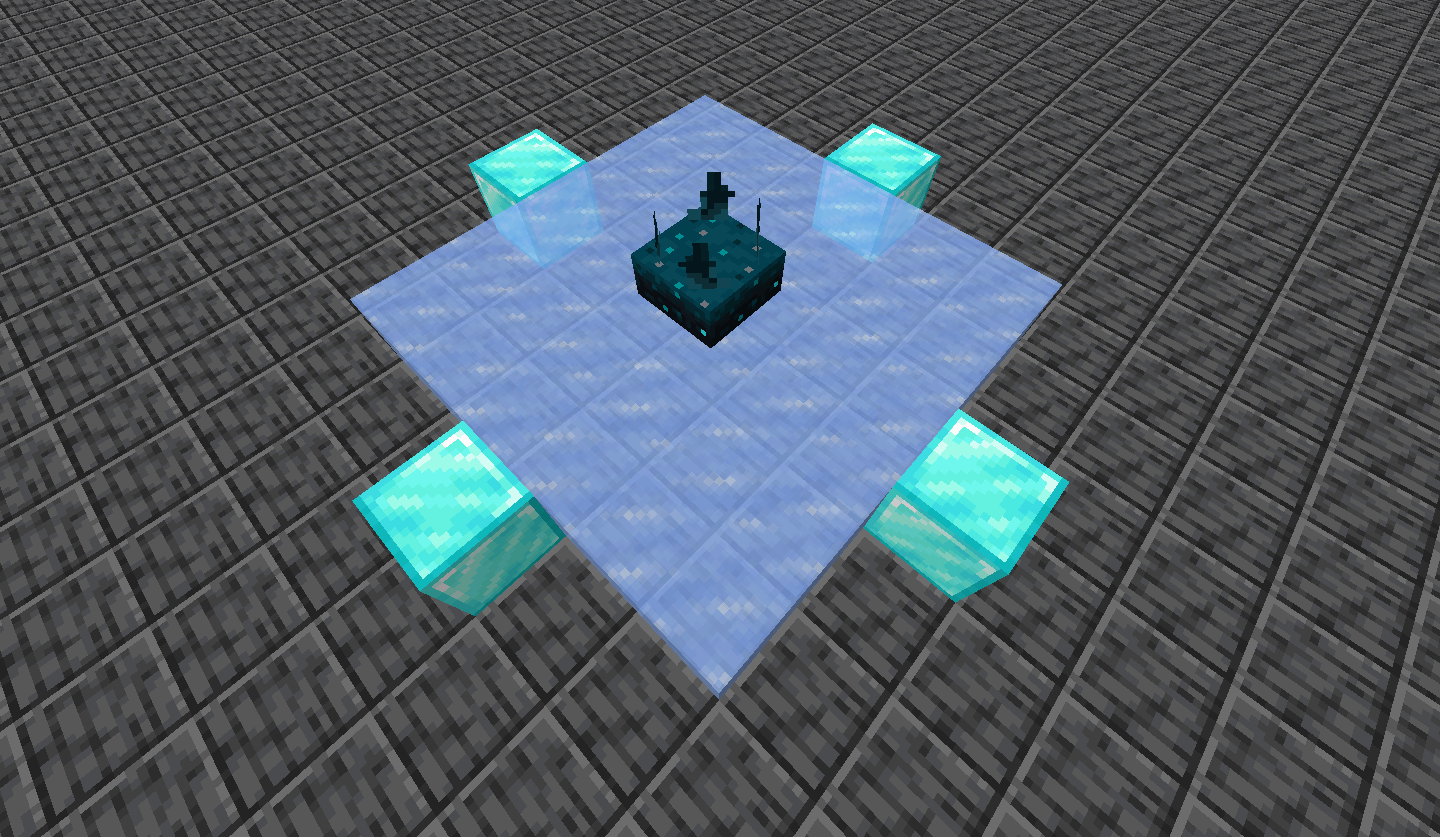
Expected behavior
The sculk sensor would be activated when the ice (or snow) melted.
Code analysis
Code analysis by [Mod] Avoma can be found in this comment.
[Mod] Avoma, this is unrelated.
The Bug:
Sculk sensors are not activated upon eyes of ender popping.
Steps to Reproduce:
- Summon a large area of sculk sensors above your head by using the command provided below.
/fill ~13 ~11 ~13 ~-13 ~11 ~-13 minecraft:sculk_sensor
- Throw an eye of ender, wait for it to pop, and watch the sculk sensor closely as this happens.
- Take note as to whether or not sculk sensors are activated upon eyes of ender popping.
Observed Behavior:
Sculk sensors aren't activated.
Expected Behavior:
Sculk sensors would be activated.
Code Analysis:
Code analysis by [Mod] Avoma can be found below.
The following is based on a decompiled version of Minecraft 1.18.2 using MCP-Reborn.
public class EyeOfEnder extends Entity implements ItemSupplier { ... public void tick() { super.tick(); Vec3 vec3 = this.getDeltaMovement(); double d0 = this.getX() + vec3.x; double d1 = this.getY() + vec3.y; double d2 = this.getZ() + vec3.z; ... if (!this.level.isClientSide) { this.setPos(d0, d1, d2); ++this.life; if (this.life > 80 && !this.level.isClientSide) { this.playSound(SoundEvents.ENDER_EYE_DEATH, 1.0F, 1.0F); this.discard(); if (this.surviveAfterDeath) { this.level.addFreshEntity(new ItemEntity(this.level, this.getX(), this.getY(), this.getZ(), this.getItem())); } else { this.level.levelEvent(2003, this.blockPosition(), 0); } } } else { this.setPosRaw(d0, d1, d2); } ...
If we look at the above class, we can see that eye of enders popping (dying) simply isn't registered as a game event as the gameEvent() method is never called, thus not detecting this action as a vibration.
The Bug:
Sculk sensors are not activated upon chickens laying eggs.
Steps to Reproduce:
- Place down a sculk sensor.
- Summon a chicken that will immediately lay an egg nearby.
/summon minecraft:chicken ~ ~ ~ {NoAI:1b,EggLayTime:1}
- Take note as to whether or not sculk sensors are activated upon chickens laying eggs.
Observed Behavior:
Sculk sensors are not activated upon chickens laying eggs.
Expected Behavior:
Sculk sensors would be activated upon chickens laying eggs.
Code Analysis:
Code analysis by [Mod] Avoma can be found below.
The following is based on a decompiled version of Minecraft 1.18.2 using MCP-Reborn.
public class Chicken extends Animal { ... public void aiStep() { super.aiStep(); ... if (!this.level.isClientSide && this.isAlive() && !this.isBaby() && !this.isChickenJockey() && --this.eggTime <= 0) { this.playSound(SoundEvents.CHICKEN_EGG, 1.0F, (this.random.nextFloat() - this.random.nextFloat()) * 0.2F + 1.0F); this.spawnAtLocation(Items.EGG); this.eggTime = this.random.nextInt(6000) + 6000; } } ...
If we look at the above class, we can see that chickens laying eggs simply isn't registered as a game event as the gameEvent() method is never called, thus not detecting this action as a vibration.
Potential Fix:
Simply calling the gameEvent() method where appropriate within this piece of code should resolve this problem. I feel as if a new game event tag would be expected to be used here as none of the currently existing ones seem to fit this action accordingly.
The Bug:
Sculk sensors are not activated upon pufferfish changing their puff state.
Steps to Reproduce:
- Build the setup as shown in the attachment below. setup.png
- Summon a pufferfish in the water and switch into survival mode.
- Slowly approach the pufferfish to make it puff, and watch the sculk sensor closely as you do this.
- Take note as to whether or not sculk sensors are activated upon pufferfish changing their puff state.

Observed Behavior:
Sculk sensors aren't activated.
Expected Behavior:
Sculk sensors would be activated.
Code Analysis:
Code analysis by [Mod] Avoma can be found below.
The following is based on a decompiled version of Minecraft 1.18.2 using MCP-Reborn.
public class Pufferfish extends AbstractFish { ... public void tick() { if (!this.level.isClientSide && this.isAlive() && this.isEffectiveAi()) { if (this.inflateCounter > 0) { if (this.getPuffState() == 0) { this.playSound(SoundEvents.PUFFER_FISH_BLOW_UP, this.getSoundVolume(), this.getVoicePitch()); this.setPuffState(1); } else if (this.inflateCounter > 40 && this.getPuffState() == 1) { this.playSound(SoundEvents.PUFFER_FISH_BLOW_UP, this.getSoundVolume(), this.getVoicePitch()); this.setPuffState(2); } ++this.inflateCounter; } else if (this.getPuffState() != 0) { if (this.deflateTimer > 60 && this.getPuffState() == 2) { this.playSound(SoundEvents.PUFFER_FISH_BLOW_OUT, this.getSoundVolume(), this.getVoicePitch()); this.setPuffState(1); } else if (this.deflateTimer > 100 && this.getPuffState() == 1) { this.playSound(SoundEvents.PUFFER_FISH_BLOW_OUT, this.getSoundVolume(), this.getVoicePitch()); this.setPuffState(0); } ++this.deflateTimer; } } super.tick(); } ...
If we look at the above class, we can see that pufferfish changing their puff states isn't registered as a game event as the gameEvent() method is never called, thus not detecting this action as a vibration.
Potential Fix:
Simply calling the gameEvent() method where appropriate within this piece of code should resolve this problem. I feel as if a new game event tag would be expected to be used here as none of the currently existing ones seem to fit this action accordingly.
The Bug:
Sculk sensors are not activated upon leaves decaying.
Be careful when reproducing this because items such as azaleas, apples, and sticks will fall from leaves and this may activate the sculk sensors. To avoid this, you can set the "doTileDrops" gamerule to false if you wish.
Steps to Reproduce:
- Place down a sculk sensor.
- Summon some leaves above your head by using the command provided below.
/fill ~-3 ~3 ~-3 ~3 ~5 ~3 minecraft:oak_leaves
- Wait for some of the leaves to decay, and watch the sculk sensor closely as this happens.
- Take note as to whether or not sculk sensors are activated upon leaves decaying.
Observed Behavior:
Sculk sensors aren't activated.
Expected Behavior:
Sculk sensors would be activated.
Code Analysis:
Code analysis by [Mod] Avoma can be found below.
The following is based on a decompiled version of Minecraft 1.18.2 using MCP-Reborn.
public class LeavesBlock extends Block { ... public void randomTick(BlockState $bs, ServerLevel $sl, BlockPos $bp, Random $r) { if (!$bs.getValue(PERSISTENT) && $bs.getValue(DISTANCE) == 7) { dropResources($bs, $sl, $bp); $sl.removeBlock($bp, false); } } ...
If we look at the above class, we can see that leaves decaying simply isn't registered as a game event as the gameEvent() method is never called, thus not detecting this action as a vibration.
Potential Fix:
Simply calling the gameEvent() method where appropriate within this piece of code should resolve this problem. The "BLOCK_DESTROY" game event tag would be expected to be used here as leaves are removed from the world in this instance.
The Bug:
Sculk sensors are not activated upon sheep being dyed.
Steps to Reproduce:
- Place down a sculk sensor and summon a sheep nearby by using the command provided below.
/summon minecraft:sheep ~ ~ ~ {NoAI:1b} - Apply any kind of dye to the sheep, and watch the sculk sensor closely as you do this.
- Take note as to whether or not sculk sensors are activated upon sheep being dyed.
Observed Behavior:
Sculk sensors aren't activated.
Expected Behavior:
Sculk sensors would be activated.
Code Analysis:
Code analysis by [Mod] Avoma can be found below.
The following is based on a decompiled version of Minecraft 1.18.2 using MCP-Reborn.
public class DyeItem extends Item { ... public InteractionResult interactLivingEntity(ItemStack $is, Player $p, LivingEntity $le, InteractionHand $ih) { if ($le instanceof Sheep) { Sheep sheep = (Sheep)$le; if (sheep.isAlive() && !sheep.isSheared() && sheep.getColor() != this.dyeColor) { sheep.level.playSound($p, sheep, SoundEvents.DYE_USE, SoundSource.PLAYERS, 1.0F, 1.0F); if (!$p.level.isClientSide) { sheep.setColor(this.dyeColor); $is.shrink(1); } return InteractionResult.sidedSuccess($p.level.isClientSide); } } return InteractionResult.PASS; } ...
If we look at the above class, we can see that sheep being dyed simply isn't registered as a game event as the gameEvent() method is never called, thus not detecting this action as a vibration.
Potential Fix:
Simply calling the gameEvent() method where appropriate within this piece of code should resolve this problem. I feel as if a new game event tag would be expected to be used here as none of the currently existing ones seem to fit this action accordingly.
The Bug:
Sculk sensors are not activated upon harvesting sweet berry bushes.
Steps to Reproduce:
- Place down a sweet berry bush.
- Apply bone meal to it until berries can be seen on the bush.
- Place down a sculk sensor nearby.
- Harvest the sweet berry bush.
- Take note as to whether or not sculk sensors are activated upon harvesting sweet berry bushes.
Observed Behavior:
Sculk sensors are not activated upon harvesting sweet berry bushes.
Expected Behavior:
Sculk sensors would be activated upon harvesting sweet berry bushes.
Code Analysis:
Code analysis by [Mod] Avoma can be found below.
The following is based on a decompiled version of Minecraft 1.18.2 using MCP-Reborn.
public class SweetBerryBushBlock extends BushBlock implements BonemealableBlock { ... public InteractionResult use(BlockState $bs, Level $l, BlockPos $bp, Player $p, InteractionHand $ih, BlockHitResult $bhr) { int i = $bs.getValue(AGE); boolean flag = i == 3; if (!flag && $p.getItemInHand($ih).is(Items.BONE_MEAL)) { return InteractionResult.PASS; } else if (i > 1) { int j = 1 + $l.random.nextInt(2); popResource($l, $bp, new ItemStack(Items.SWEET_BERRIES, j + (flag ? 1 : 0))); $l.playSound((Player)null, $bp, SoundEvents.SWEET_BERRY_BUSH_PICK_BERRIES, SoundSource.BLOCKS, 1.0F, 0.8F + $l.random.nextFloat() * 0.4F); $l.setBlock($bp, $bs.setValue(AGE, Integer.valueOf(1)), 2); return InteractionResult.sidedSuccess($l.isClientSide); } else { return super.use($bs, $l, $bp, $p, $ih, $bhr); } } ...
If we look at the above class, we can see that harvesting berries from sweet berry bushes simply isn't registered as a game event as the gameEvent() method is never called, thus not detecting this action as a vibration.
Potential Fix:
Simply calling the gameEvent() method where appropriate within this piece of code should resolve this problem. The "BLOCK_CHANGE" game event tag would work nicely in this instance here as the block states of sweet berry bushes are changed when they're harvested. The following line of code could be used in order to fix this:
$LEVEL.gameEvent($PLAYER, GameEvent.BLOCK_CHANGE, $BLOCKPOS);
MC-153904 is probably what you are experiencing, but as [Mod] Avoma mentioned, you should search when having issues.

For example, if you spawn a baby zombie by using a spawn egg on a zombie in a boat that is filled (i.e. there's another entity in the boat), the baby zombie will go into the ground and suffocate.
Video
Minecraft 20w51a - Singleplayer 2021-01-05 17-40-33.mp4
Code analysis
Code analysis by [Mod] Avoma can be found in this comment.
[Mod] Avoma: Firstly, that screenshot doesn't actually show the issue. Secondly, when loading a world with that seed and teleporting to these coordinates, the tree supposedly intersecting with the house isn't actually there.
edit: nvm, I apparently came across MC-55596. still, the tree doesn't actually intersect the house.
The Bug:
Additional candles cannot be added to the same block as candles if they have non-solid blocks below them.
Just for clarification reasons, non-solid blocks are blocks such as air, leaves, honey blocks, etc...
Steps to Reproduce:
- Place a candle on top of a block, and then destroy the block that's under the candle.
- Attempt to add additional candles to the same block as the candle you just placed.
- Take note as to whether or not additional candles can be added to the same block as candles if they have non-solid blocks below them.
Observed Behavior:
Additional candles cannot be added to the same block as candles if they have non-solid blocks below them.
Expected Behavior:
Additional candles would be able to be added to the same block as candles even if they have non-solid blocks below them.
Code Analysis:
Code analysis by [Mod] Avoma can be found below.
The following is based on a decompiled version of Minecraft 1.19.2 using MCP-Reborn.
public class CandleBlock extends AbstractCandleBlock implements SimpleWaterloggedBlock { ... public boolean canSurvive(BlockState blockState, LevelReader levelReader, BlockPos blockPos) { return Block.canSupportCenter(levelReader, blockPos.below(), Direction.UP); } ...
Looking above, we can see that the canSurvive() method is present within the CandleBlock.java class. This method basically restricts candles from being able to be placed unless certain requirements are met. In this particular case, only one requirement is needed, and this is that the block below the desired location of placement must be solid and able to support the center of a candle block. With this being said, additional candles cannot be added to the same block as a candle if it has a non-solid block below it, thus resulting in this problem occurring.
Fix:
Simply removing the canSurvive() method from the CandleBlock.java class will allow additional candles to be added to the same block as a candle regardless of the block below it, thus fixing this issue.
The Bug:
Sculk sensors are not activated upon pandas sneezing.
Steps to Reproduce:
- Summon multiple baby pandas that are likely to sneeze by using the command provided below multiple times.
/summon minecraft:panda ~ ~ ~ {HiddenGene:"weak",MainGene:"weak",Age:-25000,attributes:[{id:"minecraft:movement_speed",base:0.0d}]} - Place down a sculk sensor nearby and wait for one of the pandas to sneeze.
- Take note as to whether or not sculk sensors are activated upon pandas sneezing.
Observed Behavior:
Sculk sensors aren't activated.
Expected Behavior:
Sculk sensors would be activated.
Code Analysis:
Code analysis by [Mod] Avoma can be found below.
The following is based on a decompiled version of Minecraft 1.18.2 using MCP-Reborn.
public class Panda extends Animal { ... private void afterSneeze() { Vec3 vec3 = this.getDeltaMovement(); this.level.addParticle(ParticleTypes.SNEEZE, this.getX() - (double)(this.getBbWidth() + 1.0F) * 0.5D * (double)Mth.sin(this.yBodyRot * ((float)Math.PI / 180F)), this.getEyeY() - (double)0.1F, this.getZ() + (double)(this.getBbWidth() + 1.0F) * 0.5D * (double)Mth.cos(this.yBodyRot * ((float)Math.PI / 180F)), vec3.x, 0.0D, vec3.z); this.playSound(SoundEvents.PANDA_SNEEZE, 1.0F, 1.0F); ...
If we look at the above class, we can see that pandas sneezing simply isn't registered as a game event as the gameEvent() method is never called, thus not detecting this action as a vibration.
Potential Fix:
Simply calling the gameEvent() method where appropriate within this piece of code should resolve this problem. I feel as if a new game event tag would be expected to be used here as none of the currently existing ones seem to fit this action accordingly.
The Bug:
Sculk sensors are not activated upon snow being formed.
Steps to Reproduce:
- Enter a cold biome and place down a sculk sensor nearby.
- Set to weather to "rain" to make it snow and wait for some snow to form.
- Take note as to whether or not sculk sensors are activated upon snow being formed.
Observed Behavior:
Sculk sensors aren't activated.
Expected Behavior:
Sculk sensors would be activated.
Code Analysis:
Code analysis by [Mod] Avoma can be found below.
The following is based on a decompiled version of Minecraft 1.18.2 using MCP-Reborn.
public class ServerLevel extends Level implements WorldGenLevel { ... public void tickChunk(LevelChunk p_8715_, int p_8716_) { ChunkPos chunkpos = p_8715_.getPos(); boolean flag = this.isRaining(); int i = chunkpos.getMinBlockX(); int j = chunkpos.getMinBlockZ(); ... if (this.random.nextInt(16) == 0) { BlockPos blockpos2 = this.getHeightmapPos(Heightmap.Types.MOTION_BLOCKING, this.getBlockRandomPos(i, 0, j, 15)); ... Biome biome = this.getBiome(blockpos2).value(); ... if (flag) { if (biome.shouldSnow(this, blockpos2)) { this.setBlockAndUpdate(blockpos2, Blocks.SNOW.defaultBlockState()); } ...
If we look at the above class, we can see that snow forming as a result of precipitation simply isn't registered as a game event as the gameEvent() method is never called, thus not detecting this action as a vibration.
Potential Fix:
Simply calling the gameEvent() method where appropriate within this piece of code should resolve this problem. The "BLOCK_PLACE" game event tag would be expected to be used here as snow is being placed into the world.
The Bug:
Sculk sensors are not activated upon comparators clicking.
Steps to Reproduce:
- Place down a comparator along with a sculk sensor nearby.
- Right-click on the comparator to make it click and watch the sculk sensor closely as you do this.
- Take note as to whether or not sculk sensors are activated upon comparators clicking.
Observed Behavior:
Sculk sensors aren't activated.
Expected Behavior:
Sculk sensors would be activated.
Code Analysis:
Code analysis by [Mod] Avoma can be found below.
The following is based on a decompiled version of Minecraft 1.18.2 using MCP-Reborn.
public class ComparatorBlock extends DiodeBlock implements EntityBlock { ... public InteractionResult use(BlockState $bs, Level $l, BlockPos $bp, Player $p, InteractionHand $ih, BlockHitResult $bhr) { if (!$p.getAbilities().mayBuild) { return InteractionResult.PASS; } else { $bs = $bs.cycle(MODE); float f = $bs.getValue(MODE) == ComparatorMode.SUBTRACT ? 0.55F : 0.5F; $l.playSound($p, $bp, SoundEvents.COMPARATOR_CLICK, SoundSource.BLOCKS, 0.3F, f); $l.setBlock($bp, $bs, 2); this.refreshOutputState($l, $bp, $bs); return InteractionResult.sidedSuccess($l.isClientSide); } } ...
If we look at the above class, we can see that switching modes on comparators simply isn't registered as a game event as the gameEvent() method is never called, thus not detecting this action as a vibration.
Potential Fix:
Simply calling the gameEvent() method where appropriate within this piece of code should resolve this problem. The "BLOCK_CHANGE" game event tag would be expected to be used here as the block states of comparators are changed when their modes are changed. The following line of code could be used in order to fix this:
$LEVEL.gameEvent($PLAYER, GameEvent.BLOCK_CHANGE, $BLOCKPOS);
[Mod] Avoma I don't think that's the same issue, this issue seems to happen while wandering, not while targeting something.
Merged in the information from MC-211349, as suggested by [Mod] Avoma.
Yep, as [Mod] Avoma said above, Mojang Support will respond to you eventually. See this article for more information.
The Bug:
Item drops from fish entities aren't affected by the looting enchantment.
Just for clarification reasons, the affected entities are cod, salmon, tropical fish, and pufferfish.
Steps to Reproduce:
- Give yourself a sword with a high level of looting by using the command provided below.
/give @s minecraft:diamond_sword{Enchantments:[{id:"minecraft:looting",lvl:100}]} - Summon a cod, salmon, tropical fish, or pufferfish.
- Kill it using the sword enchanted with looting and observe the loot that it drops upon death.
- Take note as to whether or not item drops from fish entities are affected by the looting enchantment.
Observed Behavior:
Item drops aren't affected by the looting enchantment.
Expected Behavior:
Item drops would be affected by the looting enchantment.
Code Analysis:
Code analysis by [Mod] Avoma can be found below.
In the affected mob's json files (cod.json, salmon.json, tropical_fish.json, and pufferfish.json), we can see that the "minecraft:looting_enchant" function (the function that's responsible for modifying the count of how many items are returned when an entity is killed by an item with the looting enchantment) isn't present anywhere within the affected mob's loot table, therefore resulting in the drops of cod, salmon, tropical fish, and pufferfish not being affected by the looting enchantment.
[Mod] Avoma powered conduits aren't entities they are still a block.
The Bug:
Particles produced from powder snow appear slightly too high.
Steps to Reproduce:
- Enable entity hitboxes by pressing "F3 + B".
- Sneak and walk along the edge of powder that is 2+ blocks high.
- Switch into third person so that you can see the particles being produced.
- Take note as to whether or not particles produced from powder snow appear slightly too high.
Observed Behavior:
Particles are produced slightly too high.
Expected Behavior:
Particles would not be produced slightly too high.
Code Analysis:
Code analysis by [Mod] Avoma can be found below.
The following is based on a decompiled version of Minecraft 1.18.1 using MCP-Reborn.
public class PowderSnowBlock extends Block implements BucketPickup { ... public void entityInside(BlockState $bs, Level $l, BlockPos $bp, Entity $e) { if (!($e instanceof LivingEntity) || $e.getFeetBlockState().is(this)) { $e.makeStuckInBlock($bs, new Vec3((double)0.9F, 1.5D, (double)0.9F)); if ($l.isClientSide) { Random random = $l.getRandom(); boolean flag = $e.xOld != $e.getX() || $e.zOld != $e.getZ(); if (flag && random.nextBoolean()) { $l.addParticle(ParticleTypes.SNOWFLAKE, $e.getX(), (double)($bp.getY() + 1), $e.getZ(), (double)(Mth.randomBetween(random, -1.0F, 1.0F) * 0.083333336F), (double)0.05F, (double)(Mth.randomBetween(random, -1.0F, 1.0F) * 0.083333336F)); } } } ...
If we look at the above class, we can see that the "y" level of where powder snow particles are produced is determined by one block above the powder snow block's position. This is evident through the following line of code:
($bp.getY() + 1)
As a result of this, in some cases, the particles can appear too high.
![[Mod] EVGENSYPERPRO](../../../data/avatars/users/92853.png)
Indeed) Sorry for the duplicate. Although I just wanted to point out the parity issue)

@[Mod] Avoma are you a mojang assistant? you seem like it but you dont have a MOD or a MOJANG or a HELPER in front of your name.
@[Mod] Avoma, this report was originally about ocelots when cats did not exist as separate entity yet.
However, in 21w03a I am unable to reproduce this for cats. Are you able to reproduce this for tamed cats?
If this still occurs for "trusting" ocelots, can you please create a separate report for that (I am able to reproduce it for them).
I am seeing in 21w03a occasionally the behavior that cats and ocelots shortly start sneaking, but then immediately switch back to normal mode when you are in Creative mode.
Is that what you are seeing @[Mod] Avoma?
Looks good to me, too. [Mod] Avoma, can you demonstrate what you think is still an issue here?

The bug
The drinking finished event on triggers when a potion is finished. It does not trigger when milk is finished. In addition, honey and stews are counted as foods, so finishing them outputs the wrong strength from a sculk sensor attached to a comparator.
Code analysis
Code analysis by [Mod] Avoma can be found in this comment.
![[Mod] Chandler](../../../data/assets/gravatar/triwonder81.png)
The Bug
Affects both sweet berries and glow berries. This could potentially be intended, but it does change the sweet berry/glow berry block
Steps to Reproduce
- Place down some cave vines and apply some bone meal to them.
- Place down some sweet berry bushes and apply some bone meal to them.
- Switch into adventure mode and attempt to harvest the berries from both of these blocks.
- Take note as to whether or not sweet berries and glow berries can be harvested in adventure mode.
Observed Behavior
Sweet berries and glow berries can be harvested in adventure mode.
Expected Behavior
Sweet berries and glow berries would not be able to be harvested in adventure mode.
Code analysis
Code analysis by [Mod] Avoma can be found in this comment.
Ownership of the bug report has been given to [Mod] Avoma since the previous reporter's account has been deleted.
The Bug
A sound (or empty sound event) should probably also be implemented for this. Would this not fall under a "block change"?
Steps to Reproduce
- Place down a redstone repeater and a sculk sensor nearby.
- Change the delay on the redstone repeater by right-clicking it.
- As you do this, take note as to whether or not sculk sensors are activated upon using switching the delay on redstone repeaters.
Observed Behavior
Sculk sensors are not activated upon using switching the delay on redstone repeaters.
Expected Behavior
Sculk sensors would be activated upon using switching the delay on redstone repeaters.
Code Analysis
Code analysis by [Mod] Avoma can be found in this comment.
I'd strongly recommend also adding a sound (or empty sound event at the very least) for this, since many related actions (e.g. changing a comparator's mode) have sounds.
This action would without a doubt be considered a "block change", and as such should create a vibration of some sort.
How to reproduce
- Place down a daylight detector and a sculk sensor nearby
- Change the mode of the daylight detector by right-clicking on it
- Take note as to whether or not a vibration is created and/or if the sculk sensor is activated upon switching the daylight detector's mode
Expected Behavior
A vibration would be produced upon switching daylight detector modes, which the sculk sensor would detect.
Observed Behavior
No such vibration is produced, and the sculk sensor is not activated at all.
Code analysis
Code analysis by [Mod] Avoma can be found in this comment.
The bug
What I expected to happen was that the cat would exit its sitting position upon being damaged.
What actually happened instead was the cat remained sitting when damaged.
To reproduce this bug:
- Spawn/find an untamed cat.
- Tame it and click it to place it in its sitting position.
- Damage it in any way you see fit.
Code analysis
Code analysis by [Mod] Avoma can be found in this comment.
The Bug:
The freezing effect isn't immediately removed upon switching into spectator mode.
Steps to Reproduce:
- Switch into creative mode and stand inside of some powder snow.
- Wait until the freezing overlay completely covers your screen and then switch to spectator mode.
- Take note as to whether or not the freezing effect is immediately removed upon switching into spectator mode.
Observed Behavior:
The freezing effect isn't immediately removed upon switching into spectator mode.
Expected Behavior:
The freezing effect would be immediately removed upon switching into spectator mode.
Code Analysis:
Code analysis by [Mod] Avoma can be found below.
The following is based on a decompiled version of Minecraft 1.19.2 using MCP-Reborn.
public class ServerPlayer extends Player { ... public boolean setGameMode(GameType gameType) { if (!this.gameMode.changeGameModeForPlayer(gameType)) { return false; } else { this.connection.send(new ClientboundGameEventPacket(ClientboundGameEventPacket.CHANGE_GAME_MODE, (float)gameType.getId())); if (gameType == GameType.SPECTATOR) { this.removeEntitiesOnShoulder(); this.stopRiding(); } else { this.setCamera(this); } this.onUpdateAbilities(); this.updateEffectVisibility(); return true; } } ...
If we look at the above class, we can see that only two methods are called when a player switches into spectator mode. These methods are removeEntitiesOnShoulder() and stopRiding(). This basically means that when a player changes into spectator mode, any entities that are riding on their shoulders will be dismounted, along with the player themselves being dismounted if they are riding any entity. As a result of only these two methods being called, the freezing effect isn't immediately removed upon switching into spectator mode.
Fix:
Simply calling the setTicksFrozen() method where appropriate within this piece of code will immediately remove the freezing effect upon switching into spectator mode, thus resolving this problem. The following line code can be used to fix this issue.
this.setTicksFrozen(0);
The Bug:
The carved pumpkin overlay is rendered in spectator mode.
Steps to Reproduce:
- Equip a carved pumpkin on your head by using the command provided below.
/item replace entity @s armor.head with minecraft:carved_pumpkin
- Switch to spectator mode.
- Take note as to whether or not the carved pumpkin overlay is rendered in spectator mode.
Observed Behavior:
The carved pumpkin overlay is rendered.
Expected Behavior:
The carved pumpkin overlay would not be rendered.
Code Analysis:
Code analysis by [Mod] Avoma can be found below.
The following is based on a decompiled version of Minecraft 1.19.2 using MCP-Reborn.
public class Gui extends GuiComponent { ... public void render(PoseStack poseStack, float v) { ... if (this.minecraft.options.getCameraType().isFirstPerson()) { if (this.minecraft.player.isScoping()) { this.renderSpyglassOverlay(this.scopeScale); } else { ... ItemStack itemstack = this.minecraft.player.getInventory().getArmor(3); if (itemstack.is(Blocks.CARVED_PUMPKIN.asItem())) { this.renderTextureOverlay(PUMPKIN_BLUR_LOCATION, 1.0F); } } } ...
If we look at the above class, we can see that there are two checks that are carried out before allowing the carved pumpkin overlay to render. One of these checks is to see if the player is in first person and the other is to check if the player has a carved pumpkin on their head. If both of these requirements are met, the carved pumpkin overlay is rendered. The game doesn't check if the player is in spectator mode before allowing the carved pumpkin overlay to render, therefore resulting in this problem occurring.
Fix:
Simply altering the appropriate existing "if" statement within this piece of code to check if the player is in spectator mode before allowing the carved pumpkin overlay to render will resolve this problem.
if (itemstack.is(Blocks.CARVED_PUMPKIN.asItem()))
if (itemstack.is(Blocks.CARVED_PUMPKIN.asItem()) && !this.minecraft.player.isSpectator())

[Mod] Avoma Thank you, however, there are already 2 videos implemented, and with those also why it takes a bit until those bubbles appear in newly placed or summoned armour stands
But good call, it might still not be that directly obvious to everyone 300 ticks have to pass by, I will add that to the description.
The bug
Sculk sensors do not detect turtles placing (laying) an egg. When reproducing, make sure that the turtle doesn't move.
Code analysis
Code analysis by [Mod] Avoma can be found in this comment.
![[Mod] LateLag](../../../data/avatars/users/92884.png)
[Mod] Avoma - MC-43258 is not about the same thing. That report is about the behavior of the ride overriding the behavior of the rider (chicken will still be lured by seeds even though its being ridden by a zombie), this one is about the behavior of the rider overriding the behavior of the ride (chicken riding ravager makes ravager not attack villagers).

The bug
There is no translation key for the loading animation (o O o) in the multiplayer screen.
Expected result
There would be translation keys for the loading animation.
Code analysis
Code analysis by [Mod] Avoma can be found in this comment.
The Bug:
Particles produced from powder snow always appear at the center of entities' hitboxes.
Steps to Reproduce:
- Place a boat right beside some powder snow.
- Push the boat a bit so that some powder snow particles are produced from the boat moving.
- Take note as to whether or not particles produced from powder snow always appear at the center of entities' hitboxes.
Observed Behavior:
Particles produced from powder snow always appear at the center of entities' hitboxes.
Expected Behavior:
Particles produced from powder snow would not always appear at the center of entities' hitboxes. Instead, they should appear where the model comes in contact with the powder snow.
Code Analysis:
Code analysis by [Mod] Avoma can be found below.
The following is based on a decompiled version of Minecraft 1.18.1 using MCP-Reborn.
public class PowderSnowBlock extends Block implements BucketPickup { ... public void entityInside(BlockState $bs, Level $l, BlockPos $bp, Entity $e) { if (!($e instanceof LivingEntity) || $e.getFeetBlockState().is(this)) { $e.makeStuckInBlock($bs, new Vec3((double)0.9F, 1.5D, (double)0.9F)); if ($l.isClientSide) { Random random = $l.getRandom(); boolean flag = $e.xOld != $e.getX() || $e.zOld != $e.getZ(); if (flag && random.nextBoolean()) { $l.addParticle(ParticleTypes.SNOWFLAKE, $e.getX(), (double)($bp.getY() + 1), $e.getZ(), (double)(Mth.randomBetween(random, -1.0F, 1.0F) * 0.083333336F), (double)0.05F, (double)(Mth.randomBetween(random, -1.0F, 1.0F) * 0.083333336F)); } } } ...
If we look at the above class, we can see that the "x" and "z" levels of where powder snow particles are produced are determined by the entity's position. This is evident through the following lines of code:
$e.getX()
$e.getZ()
Since by default, the "x" and "z" positions of an entity are located at the center of their hitbox, this results in powder snow particles always being produced here.
The Bug:
Traveling vertically through powder snow does not produce any particles.
Steps to Reproduce:
- Horizontally move through some powder snow by walking through it, without changing your y level, and take note of how particles are produced.
- Vertically move through some powder snow by falling/jumping through it, without changing your x or z coordinate.
- Take note as to whether or not traveling vertically through powder snow produces any particles.
Observed Behavior:
Particles aren't produced.
Expected Behavior:
Particles would be produced.
Code Analysis:
Code analysis by [Mod] Avoma can be found below.
The following is based on a decompiled version of Minecraft 1.18.1 using MCP-Reborn.
public class PowderSnowBlock extends Block implements BucketPickup { ... public void entityInside(BlockState $bs, Level $l, BlockPos $bp, Entity $e) { if (!($e instanceof LivingEntity) || $e.getFeetBlockState().is(this)) { $e.makeStuckInBlock($bs, new Vec3((double)0.9F, 1.5D, (double)0.9F)); if ($l.isClientSide) { Random random = $l.getRandom(); boolean flag = $e.xOld != $e.getX() || $e.zOld != $e.getZ(); if (flag && random.nextBoolean()) { $l.addParticle(ParticleTypes.SNOWFLAKE, $e.getX(), (double)($bp.getY() + 1), $e.getZ(), (double)(Mth.randomBetween(random, -1.0F, 1.0F) * 0.083333336F), (double)0.05F, (double)(Mth.randomBetween(random, -1.0F, 1.0F) * 0.083333336F)); } } } ...
If we look at the above class, we can see that particles from powder snow are only produced based on the entity's change in "x" and "z" positions. This is evident through the following line of code:
boolean flag = $e.xOld != $e.getX() || $e.zOld != $e.getZ();
Potential Fix:
Simply adding a line of code that checks whether the entity's "y" position was changed should resolve this problem. The following line of code could be used in order to fix this:
$e.yOld != $e.getY()
The correct piece of code within its class should look something like the following:
public class PowderSnowBlock extends Block implements BucketPickup { ... public void entityInside(BlockState $bs, Level $l, BlockPos $bp, Entity $e) { if (!($e instanceof LivingEntity) || $e.getFeetBlockState().is(this)) { $e.makeStuckInBlock($bs, new Vec3((double)0.9F, 1.5D, (double)0.9F)); if ($l.isClientSide) { Random random = $l.getRandom(); boolean flag = $e.xOld != $e.getX() || $e.yOld != $e.getY() || $e.zOld != $e.getZ(); if (flag && random.nextBoolean()) { $l.addParticle(ParticleTypes.SNOWFLAKE, $e.getX(), (double)($bp.getY() + 1), $e.getZ(), (double)(Mth.randomBetween(random, -1.0F, 1.0F) * 0.083333336F), (double)0.05F, (double)(Mth.randomBetween(random, -1.0F, 1.0F) * 0.083333336F)); } } } ...

The Bug
When finishing eating a Chorus Fruit, the burping and teleporting sounds are played at the wrong location.
Expected Result
The sound should play at the location the player is teleported to.
Observed Result
The sound plays at the location the player is teleported from.
How to reproduce
- Eat Chorus Fruit
- Listen closely to it.
Code analysis
Code analysis by [Mod] Avoma can be found in this comment.
![[Mod] Asteraoth](../../../data/avatars/users/92886.png)
[Mod] Avoma, you are now the reporter. Zacchary Hulsman, let us know if you want this ticket back.
The bug
The debug profiler says 'ticks' for one tick.
How to reproduce
- Press F3 + L twice
- Navigate to your minecraft folder -> debug -> profiling, and extract the contents of the .zip file
- Open the deviations folder
- Open any file
Even though only one tick is shown, the text says '1 ticks'
Code analysis
Code analysis by [Mod] Avoma can be found in this comment.
The bug
Sculk sensors do not detect using an axe to clear the wax/weathering of a copper block.
How to reproduce
- Place any type of waxed or weathered copper block
- Place a sculk sensor:
/setblock ~ ~ ~ sculk_sensor
- Use an axe to scrape the wax/oxidation off of the copper
The sculk sensor does not detect this
Expected results
The sculk sensor would detect scraping the wax or oxidation off of the copper block.
Code analysis
Code analysis by [Mod] Avoma can be found in this comment.
[Mod] Avoma - You are now the owner of this ticket.

The Bug
Blocks destroyed by the creeper and the wither will drop the items, but blocks destroyed by the ender dragon doesn't.
Steps to Reproduce
- Place a bunch of blocks that can be destroyed by the ender dragon
- Have the ender dragon destroy the blocks
- The blocks won't drop even when /gamerule doTileDrops is set to true.
Code Analysis
Code analysis by [Mod] Avoma can be found in this comment.
Ticket is now yours to keep, [Mod] Avoma
The Bug:
Your field of view and movement speed instantly change back to their default states while airborne with the freezing effect.
Steps to Reproduce:
- Stand inside of some powder snow and wait until the freezing overlay covers your screen.
- Exit the powder snow and jump constantly.
- Take note as to whether or not your field of view and movement speed instantly change back to their default states while airborne with the freezing effect.
Observed Behavior:
Your field of view and movement speed instantly change back to their default states.
Expected Behavior:
Your field of view and movement speed would not instantly change back to their default states.
Code Analysis:
Code analysis by [Mod] Avoma can be found below.
The following is based on a decompiled version of Minecraft 1.18.1 using MCP-Reborn.
public abstract class LivingEntity extends Entity { ... protected void tryAddFrost() { if (!this.getBlockStateOn().isAir()) { int i = this.getTicksFrozen(); if (i > 0) { AttributeInstance attributeinstance = this.getAttribute(Attributes.MOVEMENT_SPEED); if (attributeinstance == null) { return; } float f = -0.05F * this.getPercentFrozen(); attributeinstance.addTransientModifier(new AttributeModifier(SPEED_MODIFIER_POWDER_SNOW_UUID, "Powder snow slow", (double)f, AttributeModifier.Operation.ADDITION)); } } } ...
If we look at the above class, we can see that the code specifically checks to see whether or not the player has air below their feet (is airborne) before changing their field of view and movement speed whilst freezing. This is evident through the following line of code:
if (!this.getBlockStateOn().isAir())
This basically means that if the player is airborne whilst freezing, their field of view and movement speed would instantly change back to their default states.
The Bug:
You cannot use hoes on blocks that are underwater.
Steps to Reproduce:
- Obtain a hoe and right-click on a dirt block that is underwater.
- Take note as to whether or not you can use hoes on blocks that are underwater.
Observed Behavior:
You cannot use hoes on blocks that are underwater.
Expected Behavior:
You would be able to use hoes on blocks that are underwater.
Code Analysis:
Code analysis by [Mod] Avoma can be found below.
The following is based on a decompiled version of Minecraft 1.18 using MCP-Reborn.
public class HoeItem extends DiggerItem { protected static final Map<Block, Pair<Predicate<UseOnContext>, Consumer<UseOnContext>>> TILLABLES = Maps.newHashMap(ImmutableMap.of(Blocks.GRASS_BLOCK, Pair.of(HoeItem::onlyIfAirAbove, changeIntoState(Blocks.FARMLAND.defaultBlockState())), Blocks.DIRT_PATH, Pair.of(HoeItem::onlyIfAirAbove, changeIntoState(Blocks.FARMLAND.defaultBlockState())), Blocks.DIRT, Pair.of(HoeItem::onlyIfAirAbove, changeIntoState(Blocks.FARMLAND.defaultBlockState())), Blocks.COARSE_DIRT, Pair.of(HoeItem::onlyIfAirAbove, changeIntoState(Blocks.DIRT.defaultBlockState())), Blocks.ROOTED_DIRT, Pair.of(($$0) -> { return true; }, changeIntoStateAndDropItem(Blocks.DIRT.defaultBlockState(), Items.HANGING_ROOTS)))); ... public static boolean onlyIfAirAbove(UseOnContext $$1) { return $$1.getClickedFace() != Direction.DOWN && $$1.getLevel().getBlockState($$1.getClickedPos().above()).isAir(); } }
If we look at the above class, we can see that you can only till blocks using hoes if air is above them. This is evident through the following line of code:
HoeItem::onlyIfAirAbove
Before, you took damage for each pointed dripstone that hit you in the head. Now, you only take damage for the first to hit you and the rest don't do any damage.
Reproduction steps provided by [Mod] Avoma here
The Bug:
Poisonous potatoes grant more hunger points than regular potatoes upon being eaten.
Steps to Reproduce:
- Obtain a potato and a poisonous potato.
- Switch into survival mode and give yourself the hunger effect by using the command provided below.
/effect give @s minecraft:hunger 3 255
- Eat the regular potato and take note of how many hunger points are granted.
- Eat the poisonous potato and take note of how many hunger points are granted.
Observed Behavior:
Poisonous potatoes grant 2 hunger points and regular potatoes grant 1 hunger point.
Expected Behavior:
Poisonous potatoes would grant the same hunger points as potatoes.
Code Analysis:
Code analysis [Mod] Avoma can be found in this comment.
The Bug:
You can place candles on top of cakes in adventure mode.
Steps to Reproduce:
- Place down a cake and obtain a candle.
- Switch into adventure mode and attempt to place the candle on top of the cake.
- Take note as to whether or not you can place candles on top of cakes in adventure mode.
Observed Behavior:
You can place candles on top of cakes.
Expected Behavior:
You would not be able to place candles on top of cakes.
Code Analysis:
Code analysis by [Mod] Avoma can be found below.
The following is based on a decompiled version of Minecraft 1.19.2 using MCP-Reborn.
public class CakeBlock extends Block { ... public InteractionResult use(BlockState blockState, Level level, BlockPos blockPos, Player player, InteractionHand interactionHand, BlockHitResult blockHitResult) { ItemStack itemstack = player.getItemInHand(interactionHand); Item item = itemstack.getItem(); if (itemstack.is(ItemTags.CANDLES) && blockState.getValue(BITES) == 0) { Block block = Block.byItem(item); if (block instanceof CandleBlock) { if (!player.isCreative()) { itemstack.shrink(1); } level.playSound((Player)null, blockPos, SoundEvents.CAKE_ADD_CANDLE, SoundSource.BLOCKS, 1.0F, 1.0F); level.setBlockAndUpdate(blockPos, CandleCakeBlock.byCandle(block)); level.gameEvent(player, GameEvent.BLOCK_CHANGE, blockPos); player.awardStat(Stats.ITEM_USED.get(item)); return InteractionResult.SUCCESS; } } ...
If we look at the above class, we can see that there are two checks that are carried out before allowing players to place candles on top of cakes. One of these checks is to see if the player is holding an item included within the CANDLES item tag and that the given cake block has not yet been eaten, and the other is to check to see if the item in its block form is a candle block. If these two requirements are met, candles can be placed on top of cakes. The game doesn't check to see what abilities the player possesses (what game mode they are in) before allowing them to place candles on top of cakes, therefore resulting in this problem occurring.
Fix:
Simply altering the appropriate existing "if" statement within this piece of code to check what abilities the player possesses before allowing them to place candles on top of cakes will resolve this problem.
if (itemstack.is(ItemTags.CANDLES) && blockState.getValue(BITES) == 0)
if (itemstack.is(ItemTags.CANDLES) && blockState.getValue(BITES) == 0 && player.getAbilities().mayBuild)
The bug
If there is a light block above a dirt, the dirt cannot farmed or become a dirt path.
How to reproduce
- Place a light block on a dirt or grass block.
- Right click the dirt or grass block by a hoe or shovel.
→ The block should become a farmland or a dirt path but not.
Code analysis
Code analysis by [Mod] Avoma can be found in this comment.
The Bug:
You can break turtle eggs by standing on them in adventure mode.
Steps to Reproduce:
- Place down some turtle eggs.
- Switch into adventure mode and stand on the turtle eggs.
- Take note as to whether or not you can break turtle eggs by standing on them in adventure mode.
Observed Behavior:
You can break turtle eggs by standing on them.
Expected Behavior:
You would not be able to break turtle eggs by standing on them.
Code Analysis:
Code analysis by [Mod] Avoma can be found below.
The following is based on a decompiled version of Minecraft 1.18.1 using MCP-Reborn.
public class TurtleEggBlock extends Block { ... private boolean canDestroyEgg(Level $l, Entity $e) { if (!($e instanceof Turtle) && !($e instanceof Bat)) { if (!($e instanceof LivingEntity)) { return false; } else { return $e instanceof Player || $l.getGameRules().getBoolean(GameRules.RULE_MOBGRIEFING); } } else { return false; } } ...
If we look at the above class, we can see that no checks are carried out to see what abilities the player possesses before allowing them to break turtle eggs by standing on them. The only relevant check that is in place is to see if the entity standing on the turtle egg is a player, and if it is, the turtle eggs can be trampled. This is evident through the following line of code:
$e instanceof Player
Since the presence of a player and not what abilities they possess is the only relevant requirement for a turtle egg to be trampled, we can therefore safely assume that players in adventure mode can break turtle eggs by standing on them.
Potential Fix:
Simply altering the existing "if" statement within this piece of code to check what abilities the player possesses before allowing them to break turtle eggs by standing on them, should resolve this problem. The following line of code could be used in order to fix this:
!$PLAYER.getAbilities().mayBuild
The fixed and correct piece of code within its class should look something like the following:
public class TurtleEggBlock extends Block { ... private boolean canDestroyEgg(Level $l, Entity $e) { if (!($e instanceof Turtle) && !($e instanceof Bat)) { if (!($e instanceof LivingEntity)) { return false; } else { return $e instanceof Player && !((Player)$e).getAbilities().mayBuild || $l.getGameRules().getBoolean(GameRules.RULE_MOBGRIEFING); } } else { return false; } } ...
[Mod] Avoma It's your own report
The Bug:
You can fill composters in adventure mode.
Steps to Reproduce:
- Place down a composter and obtain some seeds.
- Switch into adventure mode and attempt to fill the composter.
- Take note as to whether or not you can fill composters in adventure mode.
Observed Behavior:
You can fill composters.
Expected Behavior:
You would not be able to fill composters.
Code Analysis:
Code analysis by [Mod] Avoma can be found below.
The following is based on a decompiled version of Minecraft 1.19.2 using MCP-Reborn.
public class ComposterBlock extends Block implements WorldlyContainerHolder { ... public InteractionResult use(BlockState blockState, Level level, BlockPos blockPos, Player player, InteractionHand interactionHand, BlockHitResult blockHitResult) { int i = blockState.getValue(LEVEL); ItemStack itemstack = player.getItemInHand(interactionHand); if (i < 8 && COMPOSTABLES.containsKey(itemstack.getItem())) { if (i < 7 && !level.isClientSide) { BlockState blockstate = addItem(blockState, level, blockPos, itemstack); level.levelEvent(1500, blockPos, blockState != blockstate ? 1 : 0); player.awardStat(Stats.ITEM_USED.get(itemstack.getItem())); ...
If we look at the above class, we can see that there is only one necessary check that's carried out before allowing players to fill composters. This check is to see if the "level" block state of the composter is below a value of "8", and if the player is holding an item that can be composted. If this requirement is met along with the other criteria within this method, composters can be filled. The game doesn't check to see what abilities the player possesses (what game mode they are in) before allowing them to fill composters, therefore resulting in this problem occurring.
Fix:
Simply altering the appropriate existing "if" statement within this piece of code to check what abilities the player possesses before allowing them to fill composters will resolve this problem.
if (i < 8 && COMPOSTABLES.containsKey(itemstack.getItem()))
if (i < 8 && COMPOSTABLES.containsKey(itemstack.getItem()) && player.getAbilities().mayBuild)
The Bug:
You can ignite TNT in adventure mode.
This behavior is inconsistent as the player cannot ignite candles or campfires in adventure mode, so one would expect the same behavior for TNT.
Steps to Reproduce:
- Obtain some flint and steel, place down some TNT, and switch into adventure mode.
- Attempt to ignite the TNT using the flint and steel.
- Take note as to whether or not you can ignite TNT in adventure mode.
Observed Behavior:
TNT can be ignited.
Expected Behavior:
TNT would not be able to be ignited.
Code Analysis:
Code analysis by [Mod] Avoma can be found below.
The following is based on a decompiled version of Minecraft 1.19.2 using MCP-Reborn.
public class TntBlock extends Block { ... public InteractionResult use(BlockState blockState, Level level, BlockPos blockPos, Player player, InteractionHand interactionHand, BlockHitResult blockHitResult) { ItemStack itemstack = player.getItemInHand(interactionHand); if (!itemstack.is(Items.FLINT_AND_STEEL) && !itemstack.is(Items.FIRE_CHARGE)) { return super.use(blockState, level, blockPos, player, interactionHand, blockHitResult); } else { explode(level, blockPos, player); level.setBlock(blockPos, Blocks.AIR.defaultBlockState(), 11); Item item = itemstack.getItem(); if (!player.isCreative()) { if (itemstack.is(Items.FLINT_AND_STEEL)) { itemstack.hurtAndBreak(1, player, (player1) -> { player1.broadcastBreakEvent(interactionHand); }); } else { itemstack.shrink(1); } } player.awardStat(Stats.ITEM_USED.get(item)); return InteractionResult.sidedSuccess(level.isClientSide); } } ...
If we look at the above class, we can see that there is only one necessary check that's carried out before allowing TNT to be ignited. This check is to quite simply see if the player is holding either flint and steel or a fire charge at the time of the interaction. If they are, the TNT will be ignited. The game doesn't check to see what abilities the player possesses (what game mode they are in) before allowing them to ignite TNT, therefore resulting in this problem occurring.
Fix:
Simply altering the appropriate existing "if" statement by adding an "if else" statement to it to check what abilities the player possesses before allowing them to ignite TNT will resolve this problem.
if (!itemstack.is(Items.FLINT_AND_STEEL) && !itemstack.is(Items.FIRE_CHARGE)) { ... } else { ...
if (!itemstack.is(Items.FLINT_AND_STEEL) && !itemstack.is(Items.FIRE_CHARGE)) { ... } else if (player.getAbilities().mayBuild) { ... } return InteractionResult.PASS; ...
[Mod] Avoma I cannot, because it no longer produces shadows in Bedrock.
The Bug:
You can use tridents enchanted with riptide while riding entities and in some cases, this can damage the entity you're riding.
Steps to Reproduce:
- Set the weather to "rain" and give yourself a trident enchanted with riptide by using the command provided below.
/give @s minecraft:trident[minecraft:enchantments={levels:{"minecraft:riptide":3}}] - Ride any entity and attempt to throw the riptide trident.
- Take note as to whether or not you can use tridents enchanted with riptide while riding entities.
Observed Behavior:
You can use riptide tridents.
Expected Behavior:
You would not be able to use riptide tridents.
Code Analysis:
Code analysis by [Mod] Avoma can be found below.
The following is based on a decompiled version of Minecraft 1.19.2 using MCP-Reborn.
public class TridentItem extends Item implements Vanishable { ... public InteractionResultHolder<ItemStack> use(Level level, Player player, InteractionHand interactionHand) { ItemStack itemstack = player.getItemInHand(interactionHand); if (itemstack.getDamageValue() >= itemstack.getMaxDamage() - 1) { return InteractionResultHolder.fail(itemstack); } else if (EnchantmentHelper.getRiptide(itemstack) > 0 && !player.isInWaterOrRain()) { return InteractionResultHolder.fail(itemstack); } else { player.startUsingItem(interactionHand); return InteractionResultHolder.consume(itemstack); } } ...
If we look at the above class, we can see that there are two checks that are carried out before allowing the player to use a trident enchanted with riptide. One of these is to check if the player is actually holding a trident enchanted with riptide and the other is to check if they are in water or rain. The game doesn't check if the player is currently riding an entity before allowing them to throw a trident enchanted with riptide in the rain, therefore resulting in this problem occurring.
Fix:
Simply altering the appropriate existing "if" statement within this piece of code to check if the player is a passenger before allowing them to throw a trident enchanted with riptide in the rain, will resolve this problem. We can achieve this through the use of the isPassenger() boolean.
else if (EnchantmentHelper.getRiptide(itemstack) > 0 && !player.isInWaterOrRain())
else if (EnchantmentHelper.getRiptide(itemstack) > 0 && !player.isInWaterOrRain() || player.isPassenger())
The Bug:
Piglins become aggressive when attempting to open locked blocks that they guard.
Steps to Reproduce:
- Enter survival mode and equip a piece of golden armor.
- Summon a locked chest by using the command provided below.
/setblock ~ ~ ~ minecraft:chest{lock:{components:{"minecraft:custom_name":'"Mojira"'}}} - Summon a piglin by using the command provided below.
/summon minecraft:piglin ~ ~ ~ {IsImmuneToZombification:1b} - Attempt to open the chest and observe the behavior of the piglin.
Observed Behavior:
Piglins become aggressive.
Expected Behavior:
Piglins would not become aggressive.
Code Analysis:
Code analysis by [Mod] Avoma can be found below.
The following is based on a decompiled version of Minecraft 1.18.2 using MCP-Reborn.
public class ChestBlock extends AbstractChestBlock<ChestBlockEntity> implements SimpleWaterloggedBlock { ... public InteractionResult use(BlockState $bs, Level $l, BlockPos $bp, Player $p, InteractionHand $ih, BlockHitResult $bhr) { if ($l.isClientSide) { return InteractionResult.SUCCESS; } else { MenuProvider menuprovider = this.getMenuProvider($bs, $l, $bp); if (menuprovider != null) { $p.openMenu(menuprovider); $p.awardStat(this.getOpenChestStat()); PiglinAi.angerNearbyPiglins($p, true); } return InteractionResult.CONSUME; } } ...
If we look at the above class, we can see that no checks are carried out to see whether the desired chest contains a lock when attempting to open it, before angering nearby piglins. The angerNearbyPiglins() method will always be called when the chest is right-clicked on, regardless of whether or not it has a lock, resulting in this issue occurring.
Henrik First thing [Mod] Avoma isn't spamming he is just keeping a ticket uodated with current versions. Second thing is that this isn't a dupe or WAI see the priority, Mojang plans to fix this. Please be more cognizant of these things when commenting in the future.
The Bug
The Block of Raw Copper uses the stone sounds instead of the copper sounds despite being a copper block
How to reproduce
- Place a Block of Raw Copper
The sound played upon placing the block is a stone sound
Expected results
A copper sound, rather than a stone sound, would be played upon placing a block of raw copper.
Code analysis
Code analysis by [Mod] Avoma provided in this comment.
@[Mod] Avoma - You're the reporter!

The bug
During a raid, all of the raiders during each wave will spawn on the same block, causing them to explode out after one moves.
This is related to MC-163503.
Steps to Reproduce: provided by [Mod] Avoma
- Summon a repeating command block that will instantly set all raiders' "NoAI" and "Glowing" tags to "1b" if there are any present within the world.
/setblock ~1 ~ ~1 minecraft:repeating_command_block{auto:1b,Command:"execute as @e[type=#minecraft:raiders] run data merge entity @s {NoAI:1b,Glowing:1b}"}- Place down a bed and summon a villager close to it.
- Give yourself the bad omen effect in order to start a raid.
/effect give @s minecraft:bad_omen
- Wait for the raid to begin and locate where the raiders spawned in.
- Take note as to whether or not raiders are all spawned at the same position, one block above the ground.
The Bug:
Players without operator permissions cannot normally interact with or destroy blocks inside spawn protection, however, you are able to destroy turtle eggs by standing or jumping on them, regardless of whether or not they're inside of spawn protection.
Steps to Reproduce:
- Start a server, join it, give operator permissions to yourself, and switch into creative mode.
- Set the world spawn to your current location and summon some turtle eggs nearby by using the commands provided below.
/setworldspawn ~ ~ ~
/setblock ~ ~ ~-2 minecraft:turtle_egg[eggs=4]
- Switch into survival mode, remove your operator permissions, and grant anyone else with them in order to activate spawn protection.
- Attempt to destroy the turtle eggs by standing or jumping on them.
- Take note as to whether or not you can destroy turtle eggs by standing or jumping on them in spawn protection.
Observed Behavior:
Turtle eggs are destroyed.
Expected Behavior:
Turtle eggs would not be destroyed.
Code Analysis:
Code analysis by [Mod] Avoma can be found below.
The following is based on a decompiled version of Minecraft 1.18.1 using MCP-Reborn.
public class TurtleEggBlock extends Block { ... private boolean canDestroyEgg(Level $l, Entity $e) { if (!($e instanceof Turtle) && !($e instanceof Bat)) { if (!($e instanceof LivingEntity)) { return false; } else { return $e instanceof Player || $l.getGameRules().getBoolean(GameRules.RULE_MOBGRIEFING); } } else { return false; } } ...
If we look at the above class, we can see that no checks are carried out to see whether or not the turtle egg block is within spawn protection, before allowing it to be trampled. The mayInteract() method (a method used for determining whether a block is inside of spawn protection and is within the world border) is never called within this piece of code, thus resulting in the problem of being able to trample turtle eggs in spawn protection.
Potential Fix:
Simply adding some lines of code that check if the turtle egg block is within spawn protection before allowing it to be trampled, should resolve this problem. This can be achieved by calling the mayInteract() method and adding it appropriately somewhere within the existing "if" statement. The following line of code could be used in order to fix this:
$ENTITY.mayInteract($LEVEL, $BLOCKPOS)
The Bug:
Players without operator permissions cannot normally interact with or destroy blocks inside spawn protection, however, you are able to trample farmland, regardless of whether or not it's inside of spawn protection.
Steps to Reproduce:
- Start a server, join it, give operator permissions to yourself, and switch into creative mode.
- Set the world spawn to your current location and summon some water and farmland nearby by using the commands provided below.
/setworldspawn ~ ~ ~
/setblock ~1 ~-1 ~-2 minecraft:water
/setblock ~ ~-1 ~-2 minecraft:farmland
- Switch into survival mode, remove your operator permissions, and grant anyone else with them in order to activate spawn protection.
- Attempt to trample the farmland by jumping on it.
- Take note as to whether or not you can trample farmland in spawn protection.
Observed Behavior:
Farmland is trampled.
Expected Behavior:
Farmland would not be trampled.
Code Analysis:
Code analysis by [Mod] Avoma can be found below.
The following is based on a decompiled version of Minecraft 1.18.1 using MCP-Reborn.
public class FarmBlock extends Block { ... public void fallOn(Level $l, BlockState $bs, BlockPos $bp, Entity $e, float $f) { if (!$l.isClientSide && $l.random.nextFloat() < $f - 0.5F && $e instanceof LivingEntity && ($e instanceof Player || $l.getGameRules().getBoolean(GameRules.RULE_MOBGRIEFING)) && $e.getBbWidth() * $e.getBbWidth() * $e.getBbHeight() > 0.512F) { turnToDirt($bs, $l, $bp); } super.fallOn($l, $bs, $bp, $e, $f); } ...
If we look at the above class, we can see that no checks are carried out to see whether or not the farmland block is within spawn protection, before allowing it to be trampled. The mayInteract() method (a method used for determining whether a block is inside of spawn protection and is within the world border) is never called within this piece of code, thus resulting in the problem of being able to trample farmland in spawn protection.
Potential Fix:
Simply adding some lines of code that check if the farmland block is within spawn protection before allowing it to be trampled, should resolve this problem. This can be achieved by calling the mayInteract() method and adding it appropriately somewhere within the existing "if" statement. The following line of code could be used in order to fix this:
$e.mayInteract($l, $bp)
The fixed and correct piece of code within its class should look something like the following:
public class FarmBlock extends Block { ... public void fallOn(Level $l, BlockState $bs, BlockPos $bp, Entity $e, float $f) { if (!$l.isClientSide && $l.random.nextFloat() < $f - 0.5F && $e instanceof LivingEntity && ($e instanceof Player || $l.getGameRules().getBoolean(GameRules.RULE_MOBGRIEFING)) && $e.mayInteract($l, $bp) && $e.getBbWidth() * $e.getBbWidth() * $e.getBbHeight() > 0.512F) { turnToDirt($bs, $l, $bp); } super.fallOn($l, $bs, $bp, $e, $f); } ...
The Bug:
You can place the upper halves of beds into spawn protection.
Steps to Reproduce:
- Start a server, join it, give operator permissions to yourself, and switch into creative mode.
- Set the world spawn to your current location by using the command provided below.
/setworldspawn ~ ~ ~
- Locate the edge of spawn protection and obtain a bed.
- Switch into survival mode, remove your operator permissions, and grant anyone else with them in order to activate spawn protection.
- Place the bed adjacent to, but not inside of spawn protection.
- Take note as to whether or not you can place the upper halves of beds into spawn protection.
Observed Behavior:
You can place the upper halves of beds into spawn protection.
Expected Behavior:
You would not be able to place the upper halves of beds into spawn protection.
Code Analysis:
Code analysis by [Mod] Avoma can be found below.
The following is based on a decompiled version of Minecraft 1.18.1 using MCP-Reborn.
public class BedBlock extends HorizontalDirectionalBlock implements EntityBlock { ... public BlockState getStateForPlacement(BlockPlaceContext $bpc) { Direction direction = $bpc.getHorizontalDirection(); BlockPos blockpos = $bpc.getClickedPos(); BlockPos blockpos1 = blockpos.relative(direction); Level level = $bpc.getLevel(); return level.getBlockState(blockpos1).canBeReplaced($bpc) && level.getWorldBorder().isWithinBounds(blockpos1) ? this.defaultBlockState().setValue(FACING, direction) : null; } ...
If we look at the above class, we can see that before a bed is placed, two checks are carried out. These two checks are as follows:
- Is the block that the upper half of the bed will occupy a replaceable block?
- Is the block that the upper half of the bed will occupy within the world border?
Currently, no checks are carried out to see whether or not the block that the upper half of the bed will occupy is inside of spawn protection, and because of this, you can place the upper halves of beds into spawn protection.

We are sorry, we needed to upgrade CPU, GPU and display driver. Thanks for helping [Mod] Avoma.

[Mod] Avoma but MC-214783 is not resolved as WAI
The Bug:
Players without operator permissions cannot normally interact with blocks inside spawn protection, however, you are able to ignite candles using flaming projectiles, regardless of whether or not they're inside of spawn protection.
Steps to Reproduce:
- Start a server, join it, give operator permissions to yourself, and switch into creative mode.
- Set the world spawn to your current location and obtain a bow enchanted with flame by using the commands provided below.
/setworldspawn ~ ~ ~
/give @s minecraft:bow[minecraft:enchantments={levels:{"minecraft:flame":1}}] - Place down some candles nearby and obtain some arrows.
- Switch into survival mode, remove your operator permissions, and grant anyone else with them in order to activate spawn protection.
- Attempt to ignite the candles by shooting flaming arrows on them.
Observed Behavior:
Candles are ignited.
Expected Behavior:
Candles would not be ignited.
Code Analysis:
Code analysis by [Mod] Avoma can be found below.
The following is based on a decompiled version of Minecraft 1.18.1 using MCP-Reborn.
public abstract class AbstractCandleBlock extends Block { ... public void onProjectileHit(Level $l, BlockState $bs, BlockHitResult $bhr, Projectile $p) { if (!$l.isClientSide && $p.isOnFire() && this.canBeLit($bs)) { setLit($l, $bs, $bhr.getBlockPos(), true); } } ...
If we look at the above class, we can see that only three checks are carried out before the game allows a candle block to be ignited through the use of a flaming projectile. These three checks are as follows:
- The action must occur non-client-side.
- The projectile shot at the candle block must be on fire.
- The candle must not be lit.
If these three requirements are met, the candle block will be ignited, and since the game doesn't check whether or not the candle block is within spawn protection, this results in the problem of being able to ignite candles by using flaming projectiles in spawn protection.
Potential Fix:
Simply adding some lines of code that check if the candle block is within spawn protection before igniting it, should resolve this problem. This can be achieved by calling the mayInteract() method and adding it appropriately somewhere within the existing "if" statement. The fixed piece of code within its class should look something like the following:
public abstract class AbstractCandleBlock extends Block { ... public void onProjectileHit(Level $l, BlockState $bs, BlockHitResult $bhr, Projectile $p) { BlockPos blockpos = $bhr.getBlockPos(); if (!$l.isClientSide && $p.mayInteract($l, blockpos) && $p.isOnFire() && this.canBeLit($bs)) { setLit($l, $bs, blockpos, true); } } ...
Please do what [Mod] Avoma said or else your report will be closed as Incomplete.
The Bug:
Goats use the "Footsteps" subtitle instead of the "Goat steps" subtitle.
According to the official source strings on the crowdin minecraft project, the "Goat steps" subtitle exists but is not used for when the goat walks. Instead, the "Footsteps" subtitle is displayed.
Steps to Reproduce:
- Ensure that you have subtitles enabled in your accessibility settings.
- Spawn a goat, wait for it to walk around, and as it does, watch the subtitle overlay closely.
- Take note as to whether or not goats use the "Footsteps" subtitle instead of the "Goat steps" subtitle.
Observed Behavior:
Goats use the "Footsteps" subtitle.
Expected Behavior:
Goats would use the "Goat steps" subtitle.
[Mod] Avoma Because infested blocks used to be instantly mined in 1.16.5
![[Mod] Greymagic27](../../../data/avatars/users/92875.png)
Please attach the full launcher log found in minecraft/launcher_log.txt.
Additionally, does the ticket [Mod] Avoma linked above describe your issue?
This issue is being temporarily closed as Awaiting Response. Once the requested information has been delivered, the report will be reopened automatically.
Quick Links:
📓 Bug Tracker Guidelines – 💬 Community Support – 📧 Mojang Support
📓 Project Summary – ✍️ Feedback and Suggestions – 📖 Game Wiki

The Bug:
Chorus flowers can be destroyed by projectiles in adventure mode.
Steps to Reproduce:
- Place down a chorus flower and obtain a bow and some arrows.
- Switch to adventure mode and shoot the arrow at the chorus flower.
- Take note as to whether or not chorus flowers can be destroyed by projectiles in adventure mode.
Observed Behavior:
Chorus flowers can be destroyed.
Expected Behavior:
Chorus flowers would not be able to be destroyed.
Code Analysis:
Code analysis by [Mod] Avoma can be found in this comment.
The Bug:
Pointed dripstone can be destroyed by tridents in adventure mode.
Steps to Reproduce:
- Place down some pointed dripstone and obtain a trident.
- Switch to adventure mode and shoot the trident at the pointed dripstone.
- Take note as to whether or not pointed dripstone can be destroyed by tridents in adventure mode.
Observed Behavior:
Pointed dripstone can be destroyed.
Expected Behavior:
Pointed dripstone would not be able to be destroyed.
Code Analysis:
Code analysis by [Mod] Avoma can be found in this comment.
user-c84db & [Mod] Avoma please stop this conversation here. This report was reopened due to that fact that 1.17 snapshots are still being developed and no sufficient evidence that this was fully fixed in 21w16a. Remember this is not a forum to state grievences. If you wish to discuss this please head over to the subreddit or discord
The Bug:
Players without operator permissions cannot normally destroy blocks inside spawn protection, however, if a player were to ride a boat into some lily pads, they would be destroyed, regardless of whether or not they're inside of spawn protection.
Steps to Reproduce:
- Start a server, join it, give operator permissions to yourself, and switch into creative mode.
- Set the world spawn to your current location and summon a large area of water below your feet by using the commands provided below.
/setworldspawn ~ ~ ~
/fill ~10 ~-1 ~10 ~-10 ~-1 ~-10 minecraft:water
- Summon a boat and place down some lily pads nearby.
- Switch into survival mode, remove your operator permissions, and grant anyone else with them in order to activate spawn protection.
- Get inside of the boat and attempt to destroy the lily pads you previously placed by riding into them.
- Take note as to whether or not you can destroy lily pads by using boats in spawn protection.
Observed Behavior:
Lily pads are destroyed.
Expected Behavior:
Lily pads would not be destroyed.
Code Analysis:
Code analysis by [Mod] Avoma can be found below.
The following is based on a decompiled version of Minecraft 1.18.1 using MCP-Reborn.
public class WaterlilyBlock extends BushBlock { ... public void entityInside(BlockState $bs, Level $l, BlockPos $bp, Entity $e) { super.entityInside($bs, $l, $bp, $e); if ($l instanceof ServerLevel && $e instanceof Boat) { $l.destroyBlock(new BlockPos($bp), true, $e); } } ...
If we look at the above class, we can see that no checks are carried out to see whether or the lily pad block is within spawn protection before it can be destroyed when coming into close contact with a boat. The mayInteract() method (a method used for determining whether a block is inside of spawn protection and is within the world border) is never called within this piece of code, thus resulting in the problem of being able to destroy lily pads by using boats in spawn protection.
The bug
For Warped and Crimson Stems and Hyphae the respective stripped variants look the same in gameplay, but have different colors on the map.
Expected:
As the textures of stripped stems and stripped hyphae look the same, I would expect them to have the same color on the map
How to reproduce
Go to an open, flat space. The following commands fill a small area to the south-east at the level beneath the player feet with warped/crimson hyphae/stems. Observe colors on a map. Compare to in world textures and colors.
/fill ~ ~-1 ~ ~4 ~-1 ~4 minecraft:stripped_warped_hyphae /fill ~5 ~-1 ~ ~9 ~-1 ~4 minecraft:stripped_warped_stem[axis=z] /fill ~ ~-1 ~6 ~4 ~-1 ~11 minecraft:stripped_crimson_hyphae /fill ~5 ~-1 ~6 ~9 ~-1 ~11 minecraft:stripped_crimson_stem[axis=z]
Code analysis
Code analysis by [Mod] Avoma can be found in this comment.
Related to
MC-175228 Many stripped wood and log blocks have incorrect/inconsistent map colors
@[Mod] Avoma, does MC-226208 describe the issue? If so could you please update your report to include the cases described in MC-226208 (this would probably also make this report here clearer).
Steps to reproduce:
- Place candles on a block
- Remove the block under the candles so that they float in the air
- Waterlog the candles by using a water bucket on them
- Remove the source water block, for example with an empty bucket or a sponge
Result:
The candles are broken and they drop as items.
Expected result:
Only the water is removed, and the candles stay in the air.
Code analysis:
Code analysis by [Mod] Avoma can be found in this comment.

The bug
The player cannot put a candle on a block of foliage just like that, but if you put a candle on any block and break this block (everything will hang in the air), and then put the foliage under the candle, then it works. It is clearly seen in the video.
Code analysis
Code analysis by [Mod] Avoma can be found in this comment.
When the shulker bullet hits the entity does not play an explodes sound and particles.
Not the same as when they hit the block.
Also inconsistency with the fireball.
Code analysis by [Mod] Avoma can be found in this comment.

@[Mod] Avoma Maybe it's been fixed, I don't know yet. I have an active Honey farm that I was constantly refilling it with new bees each time the old ones got dissapeared. I will keep an eye now to see if those ones glitch as well or not.
Thanks for [Mod] Avoma: Error messages is shown and minecraft 1.17 with error messages does not work.
The behavior seems to be a lot better than in previous versions, but as [Mod] Avoma mentioned this bug still rarely occurs where the item just jumps to its destination.
![[Helper] Lord_Quadrato](../../../data/avatars/users/26105.png)
@[Mod] Avoma, I don't think so, this issue appears to be about not being able to walk on top of the cauldron with leather boots.
Oh its two different videos actually...
[Mod] Avoma, wrong ticket ID?
The Bug
Snow golems still dies in warm biomes while being in powdered snow
Reproduce
- Go to a warm biome
- Place powdered snow
- Summon a snow golem in the powdered snow
Watch it burn
Expected Result
The snow golem wouldn't burn since it is in powdered snow
Code analysis and fix
Code analysis and fix by [Mod] Avoma can be found in this comment.
Hello!
I was able to reproduce this bug.
Hey there!
Just to let you know, this issue has already been reported and is a duplicate of
MC-203555Hey there!
Just to let you know, this issue has already been reported and is a duplicate of
MC-203568Hey there!
Just to let you know, this issue has already been reported and is a duplicate of
MC-203568Hey there!
I was able to reproduce this bug.
For anyone else looking to reproduce this bug, simply spawn an ocelot or cat and observe their legs.
Hey there!
I was able to reproduce this bug. This was also the case with any variant of stairs and slabs.
Hey there!
Just to let you know, this issue has already been reported and is a duplicate of
MC-203568Hey there!
I was able to reproduce this bug.
Since you haven't already, I've provided some clear instructions for other people if they wish to reproduce this bug.
Brief Description:
Middle clicking on a filled cauldron won't put the item in your hand when in creative mode.
Steps to Reproduce:
1. Place a cauldron
2. Fill it with a liquid. (Lava or Water)
3. Attempt to middle-click on the cauldron and you'll notice it doesn't put the item in your hand, or switch to the cauldron if it is present in your inventory.
Observed Results:
It doesn't place the cauldron in your hand.
Expected Results:
It should place a cauldron in your hand or switch to the cauldron if it is present in your inventory.
Notes:
This works with lava and water and also the cauldron can be filled to any amount.
Hey there!
Just to let you know, I was able to reproduce this bug.
Hey there!
Just to let you know, the issue has already been reported and is a duplicate of
MC-203561Hey there!
Just to let you know, I was able to reproduce this bug. There was indeed a "Minecraft Java Edition Chorus Fruit" article under the "Minecraft Dungeons News" section.
Hey there!
I wouldn't say that because an item "looks weird" it is classed as a bug. This is just the way the item has been designed and nothing else.
Yeah, I was thinking that however, I just wanted to make sure. Thanks
Hey there!
I believe this is an intended feature although I am not sure.
Hey there!
Just to let you know, I was able to reproduce this bug in 20w45a.
Hey there!
Just to let you know, the issue has already been reported and is a duplicate of
MC-203854Hey there!
I am struggling to understand what the actual issue is here. If you could provide me with some more information, I may be able to help you out.
Hey there!
After some further research and testing, I've found out that you can only have 1 non-stackable item per bundle. This means that if you have other items in one bundle, you won't be able to add any non-stackable items to it. Hope this helps.
Hey there!
I believe the reason for this issue is because some blocks are in different biomes. Different biomes have different properties. For example, in a desert it doesn't rain at all. In a plains biome it rains. In a snowy taiga, it snows. Judging from the weather appearing in different areas of this screenshot, this leads me to believe that it's just a mixture of two biomes. In the spaces where it is raining, it's most likely an ocean or river biome and in the spaces where it's snowing, it's probably a frozen river. Hope this helped.
This is completely normal. The texture under the ice doesn't show because the water covers it up. The reason for this is because water isn't a solid block. Water is actually 7/8 of a block tall meaning that you would see this rather than the ice as it is lower down than it. Hope this helps.
Hey there!
Just to let you know, I was unable to reproduce this bug in 20w45a. Just check that you aren't using any resource packs as this could probably be causing the issue. If this isn't the case, could you provide me with some more information on how to reproduce this bug. Thanks!
Hey there!
When attempting to reproduce this bug, I wasn't able to exceed the anvil character limit of 35. However, when I placed a "Waxed Lightly Weathered Cut Copper Stairs" into an anvil, the full item name didn't show up as it exceeded the character limit and instead, I was left with "Waxed Lightly Weathered Cut Copper ".
Hey there!
I was able to craft all 4 banner patterns in survival mode, so I'm quite unsure on what you are trying to say. If you're talking about the recipes for banner patterns, they are for some reason only unlocked once you craft them for the first time. If this is not the case, and you mean something else, please could you provide me with more detail and I may be able to help you.
Hey there!
Could you please provide me with more information on what the bug actually is and some steps to reproduce it, because I'm struggling to understand what the issue is. Thanks
Hey there!
Just to let you know, this issue has already been reported and is a duplicate of
MC-203555Hey there!
Just to let you know, this issue has already been reported and is a duplicate of
MC-203568Hey there!
I have a few pieces of advice that I would recommend trying to see if the issue can be resolved.
First of all, check that your right-click button is actually functioning probably and that it works outside of Minecraft. Next, I'd recommend checking if the right-click button is correctly assigned to something in your settings. You can check this by going to Options > Controls. Finally, just make sure that you are not playing in adventure mode. This mode restricts the player from performing certain actions, similar to what you described. I hope this helps in some way.
Hey there!
Just to let you know, this issue has already been reported and is a duplicate of
MC-203644Hey there!
Just to let you know, this issue has already been reported and is a duplicate of
MC-203574Hey there!
Just to let you know, this issue has already been reported and is a duplicate of
MC-203562Hey there!
Just to let you know, this issue has already been reported and is a duplicate of
MC-203575Hey there!
I wouldn't really class this incident as a bug. Finding two of them next to each other Is quite rare however it's not an error within the game.
Hey there!
I'm struggling to understand what this issue is here. Could you provide a screenshot so I can get a better feel for what the problem is? Also, if you could includes some steps to reproduce it, I'd greatly appreciate that.
Hey there!
Are there any steps I could take that you can provide me with, so that I can try and reproduce this bug for myself? If so I'd appreciate it.
Hey there!
Just to let you know, I wasn't able to reproduce this in bug in 1.16.4 however, I was able to in 20w45a.
Hey there!
Many other people have encountered this issue, and it isn't actually a problem. Particles behind semi-transparent textures can only be visible in fabulous mode.
Hey there!
Many other people have encountered this issue and it is actually working as intended. You are unable to see these particles as you have your graphics set to either "Fast" or "Fancy" Particles behind semi-transparent textures can only be visible in fabulous mode.
Hey there!
After researching this issue, I've found out that this block doesn't exist. If you can check the name of the block and make sure it is correct, I may be able to reproduce the bug.
Hey there!
I believe that if you get close enough to clouds, regardless of using a spyglass, you still might be able to see the grids. If you could provide me with some steps on how to reproduce this bug, I'd be happy to test it out.
Hey there!
Just to let you know, this issue has already been reported and is a duplicate of
MC-203617Hey there!
Just to let you know, this issue has already been reported and is a duplicate of
MC-203574Hey there!
Just to let you know, this issue has already been reported and is a duplicate of
MC-203574Hey there!
I had some time to test this bug today and unfortunately I wasn't able to reproduce it. I approached a pillager outpost in survival mode and they all attacked me. The pillagers didn't seem to be making an "idle" sounds as they were in the process of attacking me.
Hey there!
Bundles do not provide infinite storage. You can fit 16 bundles in one bundle only if all of the bundles are empty. The game only allows you to hold a stack's worth of items per bundle. This means that you can combine bundles until it reaches its maximum capacity (of 64 items).
Hey there!
Just to let you know, this issue has already been reported and is a duplicate of
MC-203644Hey there!
After following the provided steps, I was unable to reproduce this bug. The time until the creeper explodes was completely normal and I saw no errors at all.
Hey there!
I was unable to reproduce this bug. A skeleton dealt around 2 hearts of damage to me per hit without myself having any armour equipped. As said above, the skeleton may have had an enchanted bow, which may have caused it to deal additional damage.
Hey there!
Just to let you know, this section of bug reporting is for Minecraft Java Edition and you mentioned above that your environment was PS4. If this is the case, you should make a bug report under the "Mincraft Console Edition" section. This would just make it easier for bug trackers to deal with the problem overall.
To add on, this issue may be a result of pure coincidence or the fact that you may have had "Generate Structures" turned off when creating the world.
Hey there!
Could you provide me with some instructions on how to reproduce the issue that you are experiencing? Additionally, attaching screenshots or images would also be appreciated.
Hey there!
Just to let you know, the issue has already been reported and is a duplicate of
MC-203572Hey there!
Jus to let you know, this is a 1.16 feature and isn't a bug.
Hey there!
Just to let you know, the issue has already been reported and is a duplicate of
MC-203555Hey there!
Just to let you know, this issue had already been reported and is a duplicate of
MC-203574Hey there!
Could you provide me with some steps on how to reproduce this issue? I'm struggling to understand what the issue is.
Hey there!
Just to let you know, this issue has already been reported and is a duplicate of MC-48453
Hey there!
If you don't mind, please could you provide me with some steps on how to reproduce this bug, because I'm struggling to understand what you mean. Thanks!
Hey there!
Please could you give me some steps on how to reproduce this issue? I'm struggling to understand why you're saying.
Hey there!
Just to let you know, this issue has already been reported and is a duplicate of
MC-203574Hey there!
I was able to test this today and I wasn't able to reproduce the bug.
Hey there!
Just to let you know, this issue has already been reported and is a duplicate of
MC-610Hey there!
This issue has been reported many times before and is a duplicate of
MC-203568Hey there!
Could you provide me with some steps on how to reproduce this issue? I'm finding it difficult to understand what the problem is. Also, by the sounds of it, I'd recommend checking that your mouse isn't broken.
Hey there!
I'm not sure what this is that you're experiencing. Just double check that you don't have any resource pack enabled as this could be the cause of the issue.
Hey there!
Simply stating that you experience lag when loading up the launcher will result in your report being invalid. If you know what is possibly causing the issue, please could you provide me with some steps to reproduce the problem.
Hey there!
Just to let you know, this issue has already been reported and is a duplicate of
MC-203644.Hey there!
Can you provide me with any extra details such as steps on how to reproduce this issue? Just stating that you died with no context on what the problem could possibly be will result in your bug report being marked as invalid.
Hey there!
Just to let you know, this issue has already been reported and is a duplicate of
MC-203568Hey there!
This bug should be reported under the realms section instead of the java edition section. Also I'd recommend reading through the bug tracker guidelines _(https://help.minecraft.net/hc/en-us/articles/360049840492-Mojang-Bug-Tracker-Guidelines)_ so your report doesn't end up being marked as invalid.
Hey there!
This bug should be reported under the console edition section instead of the java edition section. Also I'd recommend reading through the bug tracker guidelines (https://help.minecraft.net/hc/en-us/articles/360049840492-Mojang-Bug-Tracker-Guidelines) as your report follows the incorrect format.
Hey there!
Just to let you know, this issue has already been reported and is a duplicate of
MC-181424Hey there!
Just to let you know, this issue has already been reported and is a duplicate of
MC-168139Hey there!
Just to let you know, this issue has already been reported and is a duplicate of
MC-27535Hi there!
If you're experiencing errors with the Minecraft Launcher be sure to report it under the Launcher section instead of the Java Edition. Additionally, I'd recommend reading through the bug tracker guidelines as your report doesn't follow the correct report and this may lead to it being marked as invalid.
Bug Tracker Guidelines - https://help.minecraft.net/hc/en-us/articles/360049840492-Mojang-Bug-Tracker-Guidelines
Hey there!
Just to let you know, this issue has already been reported and is a duplicate of
MC-203644Hey there!
Just to let you know, you haven't followed the required format for producing a bug report and this may lead to it being marked as invalid. I'd recommend reading through the bug tracker guidelines for information on how to do this correctly.
Bug Tracker Guidelines - https://help.minecraft.net/hc/en-us/articles/360049840492-Mojang-Bug-Tracker-Guidelines
Hey there!
From this bug report, I can see that you've used an incorrect format and this may lead to your report getting marked as invalid. I'd recommend reading through the bug tracker guidelines for detailed information on how to produce a standard report.
Bug tracker guidelines - https://help.minecraft.net/hc/en-us/articles/360049840492-Mojang-Bug-Tracker-Guidelines
Hey there!
Just to let you know this report would most likely get marked as invalid as you have not used the correct format. I'd recommend reading through the bug tracker guidelines for detailed information on how to produce a good bug report.
Bug tracker guidelines - https://help.minecraft.net/hc/en-us/articles/360049840492-Mojang-Bug-Tracker-Guidelines
Hey there!
It looks like you have used the incorrect format for your bug report and there isn't enough information for other people to try and reproduce this issue. This could lead to your report getting marked as invalid so I'd recommend you read through the Bug Tracker Guidelines for more information on how to properly write a report.
Bug Tracker Guidelines - https://help.minecraft.net/hc/en-us/articles/360049840492-Mojang-Bug-Tracker-Guidelines
Hey there!
I'm not sure why this is happening and I have a bit of advice to offer you. Just check that you aren't using any resource packs as this may be the cause of the issue. Using an outdated pack may cause errors within the textures and cause similar problems to what you are experiencing here. Also, could you give me a list of instructions I could perform to possibly reproduce this issue? If so, I'd really appreciate it.
Hey there!
I was unable to reproduce this issue. If you could provide me with some detailed steps on how to replicate this problem, I am more than willing to try again.
Hey there!
I was unable to reproduce this issue. If possible, could you attach a video so I could visually see the problem. Thanks
Hey there!
Could you provide me with some information on how to reproduce this issue? This bug report is probably going to end up being marked as invalid as you haven't detailed any important information. I'd recommend reading through the Bug Tracker Guidelines so that you have a better understanding on how to write a good report.
Bug Tracker Guidelines - https://help.minecraft.net/hc/en-us/articles/360049840492-Mojang-Bug-Tracker-Guidelines
Hey there!
Just to let you know, I was able to reproduce this bug. I don't believe this works as intended as all other types of glass are impermeable.
Hey there!
Do you happen to have thorns on your armour? I believe having thorns equipped consumes your durability every time it is used. If this isn't the issue, can you provide me for more information as what you were doing when you noticed this problem. Thanks!
Hey there!
Just to let you know, this issue has already been reported and is a duplicate of
MC-203568Hey there!
I have a few suggestions which might resolve the issue. Please keep in mind that there are limited things I can suggest as you stated that you could only provide a little information. First, just try simply closing and reopening the tab. If this doesn't work try restarting your device. Also, do you happen to recall your internet being unreliable? If none of these things work, reply to this and I'll try and help you out further.
Hey there!
Just to let you know, bugs within previous game versions are not tracked and will not be resolved. You should only report issues that are in the latest version or snapshot of the game. This report will most likely end up being marked as invalid as an outdated game version has been used.
Hey there!
Just to let you know, only one button can be assigned to one control. For example, if you use Left Shift to crouch you are unable to press any other button to crouch. I believe, crouching by default is bound to Left Shift so this answers your question on why you unable to use Right Shift to crouch.
Hey there!
Do you happen to be using a resource pack as thi may be the cause of the issue. If this is not the case, just respond the this message and I'll try and help you out further.
Hey there!
MJust to let you know, this issue has already been reported and is a duplicate of
MC-203561Hey there!
Did you happen to increase the randomTickSpeed by any chance? Setting this to a high value causes the world to take a long while to save.
Hey there! Just to confirm, is the problem happening when saving or loading the world? The "Saving World" subtitle should only appear when exiting the world however, you mentioned this happens when you load up the world. This should not be the case so I'd just like to confirm this question before I help you out any further.
In response to your answer, do you happen to have macro which clicks constantly? This could be a button on the mouse or keyboard. Also, a list of steps on how to reproduce this problem should be greatly appreciated.
Hey there!
I was unable the reproduce this issue. If possible please could you provide the seed and coordinates that this problem occurred in. This would be greatly appreciated.
Hey there!
I don't believe this is a bug as the buildings were just constructed this way. In the screenshot I can see a smoker confirming that their is no old village generation.
Hey there!
Could you possibly attach a recording of this bug so that we can see it in action. This will help the team better understand the problem and make a decision upon whether it's an issue for not.
Hey there!
Could you provide me with more information on what the issue is. I'm struggling to understand what the problem is. If so I'd greatly appreciate it.
Hey there!
Just to let you know, this issue has already been reported and is a duplicate of
MC-204047Could you provide a seed with the coordinates of where this issue took place? If so, I'll do some further investigating as to why this is happening.
He there!
I don't believe this is a bug. If you wish to add colour to a sign simply right-click with a dye in your hand whilst looking at the sign.
Hey there!
This feature work as intended and isn't a bug. In Minecraft java edition when you fly and stop, you will keep moving in that direction for a bit. (It's similar to walking on ice. When you stop moving, you slip for a couple of blocks). This has always been in the game and I promise you that it isn't a bug.
Hey there!
Just to let you know, villagers staring at you is completely normal behaviour. This happens with every other mob as well. You might be noticing this issue as you mentioned you had "a room full of villagers" so I'm guessing a large quantity of them stared at you all at once making it more noticeable. Hope this helps solve your confusion.
Hey there!
Just to let you know, noteblocks work perfectly fine in snapshot 20w45a. The reason you might not be able to hear them is probably because you have your jukebox/noteblock sounds turned off in your settings. I hope this helps resolve the confusion.
Hey there!
I was unable to reproduce this issue. I experienced no lag or any inconvenience whilst reproducing this bug. If it's not too much work, could you provide me with your device specs? This will help to determine whether your device is capable of running the game as a stable rate without any lag occurring. Thanks.
Hey there!
Just to let you know, this is an intended feature. Upon breaking and replacing a lectern, the villager will lose its profession and gain it back. This causes the trades to be changed each time you do this. To add on, this also works with every other type of villager profession. Hope this helped clear the confusion.
Hey there!
I was unable to reproduce this issue. I placed a zombie next to a villager and watched in die from far away and I heard no sound.
There is a way that the Mojang Team can implement this into the game, however, I'm not sure whether they will do this or not. If you want the option to be in the game, you can make a suggestion at https://feedback.minecraft.net/hc/en-us
I'm requesting this bug report to be marked as Resolved, ** as the question was answered and no further information is needed.
Hey there!
I was able to reproduce this bug. Repeating this same concept with any item usually flips the texture but in this case, it doesn't.
Hey there!
I was able to reproduce this bug. The spyglass does indeed point downwards when gliding with the elytra.
Hey there!
Just to let you know, this is an intended feature and the items are not supposed to oxidize.
I'm requesting this report to be marked as Resolved, as the question was answered and no further information is needed.
Hey there!
I'm not sure why this is happening. Could you provide me with some screenshots which show the issue. This will help me to determine whether your world is possibly corrupted or if you are experiencing a new bug.
Hey there!
Just to let you know, this issue has already been reported and is a duplicate of
MC-151793Hey there!
Just to let you know, I was unable to reproduce this issue. If it's not too much of a task, could you provide me with a recording of the issue in action. Additionally, adding some steps on how to reproduce the issue would be greatly appreciated.
Hey there!
I was unable to reproduce this issue. Powder Snow Buckets have both a breaking and placing sound.
Hey there!
Just to let you know, this issue has already been reported and is a duplicate of
MC-204031Hey there!
Just to let you know, I was able to reproduce this issue.
Hey there!
Just to let you know, I was able to reproduce this bug.
Hey there!
Just to let you know, I was unable to reproduce this issue. Upon falling from a high altitude no sound effect was played upon landing in the powder snow.
Hey there!
Just to let you know, the issue has already been reported and is a duplicate
MC-203813Hey there!
Just to let you know, the issue has already been reported and is a duplicate
MC-205092Hey there!
Just to let you know, I was unable to reproduce this bug. I placed a horse inside of powder snow and after a bit, it started to freeze, take damage and then eventually die.
Hey there!
I'm quite certain that this isn't a bug. The reason for this is because mobs don't play the sound of fire damaging the player.
Hey there!
Just to let you know, this issue has already been reported and is a duplicate of
MC-205041Hey there!
Just to let you know, I was unable to reproduce this issue. Everything remained normal once going down past Y -1.
Hey there!
Could you provide some more information on what the bug is that you're experiencing here? Screenshots or videos would be really helpful. Thanks!
Hey there!
Just to let you know, I was unable to reproduce this issue. The Loom worked perfectly fine for me.
Hey there!
I was unable to reproduce this bug. Upon killing a cow, it drops its normal loot. Could you possibly provide me with a video of this bug taking place. Additionally, some steps to reproduce this problem would be greatly appreciated.
Hey there!
Bundles do not hold infinite storage. Each bundle holds a stack's worth of items. Here are a few examples.
To add on, you can fit 16 bundles inside of one bundle as long as the bundles have nothing inside of them. I hope this helps with your concerns.
Hey there!
I was unable to reproduce this issue in snapshot 20w46a. Evokers and creepers both dropped their normal loot upon being killed. Just keep in mind, that these mobs are not guaranteed to drop this items upon being slain.
Hey there!
Just to let you know, this issue has already been reported and is a duplicate of
MC-181424Hey there!
As stated above, this isn't a bug and is just happening as a result of the resource pack you are using.
Hey there!
Could you provide me with some more information about the issue you are experiencing? I'm guessing by what you've said that this is possibly something similar to
MC-171645. If this is not the case, just respond with some more information about the bug. ThanksHey there!
Have you tried locating the same biome but in a different area? If you do this, it may not be the same case. I am unsure to whether this is pure coincidence or an actual issue. If you don't mind, find another of the same biome by using the /locatebiome command and see if the generation is the same.
Hey there!
With the information that you have provided, I'm struggling to understand what the issue is. It would be extremely helpful if you could attach a video showing this bug in action. If you do not have a recording software, I'd recommend using OBS as it is free and easy to use. Thanks!
Hey there!
This appears to be a duplicate of
MC-203636Hey there!
As stated above, if you wish to suggest features to be added to the game, please do so elsewhere. The bug tracker is used for bug-related content and bug-related content only. If you want to share your ideas, I'd recommend going over to the official Minecraft Suggestions reddit and doing so.
r/MinecraftSuggestions - https://www.reddit.com/r/minecraftsuggestions/
Hey there!
This is completely normal and this feature works as intended.
Hey there!
Could you provide a video which showcases this bug in action? When testing this for myself, I found no issues and the sounds played are the correct times.
Hey there!
This appears to be a translation issue. Issues related with language are not handled by the bug tracker so I'd recommend going to https://crowdin.com/project/minecraft and reporting the problem there.
Hey there!
Are you using a certain language when this error occurred? If so you need to go to https://crowdin.com/project/minecraft and report the error there as the bug tracker does not deal with translation issues.
Hey there!
Just to let you know, this issue has already been reported and is currently being tracked in MC-157252
Hey there!
Just to let you know, this issue has already been reported and is a duplicate of
MC-203568Can confirm as well for 20w46a.
Hey there!
I'd just like to add that this doesn't work with furnaces and smithing tables.
Hey there! Does this seem to be happening when switching gamemodes? I believe there is an issue at the moment with drowned zombies and tridents having the same behaviour.
Hey there!
This issue has already been reported and is a duplicate of
MC-205130. Just in case you are wondering, this is caused by an incompatible data pack.Since you are unable to provide a video, can you make a clear list of instructions I need to perform, in order to reproduce the issue. With the information you provided above, I'm finding it difficult to understand what I need to do.
Hey there!
Just to let you know, this issue has already been reported an is a duplicate
MC-205454.I can confirm this and I'd like to add that when snowing, snow is able to form on the ground despite powder snow being above it.

Hey there!
Going off what you've said this bug report is probably a duplicate of
MC-203568however, I cannot confirm this as you've attached no screenshots or videos. If you could either explain or attach some footage it would be greatly appreciated. Before you do this however, just check that it isn't the same report asMC-203568Hey there!
This looks to be a duplicate of
MC-212Hey there!
Just to let you know, the issue has already been reported and is a duplicate of
MC-205454Hey there!
If one of your reports was marked as duplicate don't worry! Just use the search feature to see if a similar bug has been reported and if it has, don't report it and if it hasn't make a bug report.
Hey there!
Hitting a player whilst your are sprinting causes your sprint to be cancelled. This is an intended feature and has been in the game for a while. If this isn't what you mean, please could you provide me with some more information on what the issue is and how to reproduce it. Thanks!
Hey there!
I'm finding it difficult to understand what the issue is here. If you could provide additional information such as screenshots, videos or steps to reproduce the bug, it would be greatly appreciated.
Hey there!
Please could you provide some additional information as to what the issue is. Screenshots and/or videos would be extremely helpful as it would assist me in reproducing this bug.
Hey there!
I'm struggling to understand what the issue is here. Please could you provide some screenshots or videos to help me understand the problem so I could possibly reproduce the bug. Thanks!
Hey there!
This bug report is a duplicate of MC-134895. This means that the issue has already been reported and is in the process of being handled.
Hey there!
The reason you are experiencing this issue is because the resource pack you are using is most likely outdated and is unable to display the textures of the new snapshot. In the screenshot without the use of a pack, there doesn't appear to be anything wrong with the hearts and everything looks as it should. This is not an issue with Minecraft itself, it's just simply the pack you're using.
Hey there!
In the controls menu, have you checked if your sprint button is assigned to anything. This may be the cause of the issue. By default I believe its R-CTRL. If this isn't the case, just let me know and I'll help you out further.
Do you have any mods active or are you playing vanilla minecraft?
Hey there!
I don't believe this is a bug. If you think about it in a real life scenario, you light a candle and the flame grows, until it eventually maintains the same size. That process of the flame reaching its maximum potential its well represented in Minecraft so I feel this isn't an issue.
Hey there!
Just to let you know, this issue has already been reported and is a duplicate of
MC-205079Hey there!
The bug tracker isn't a place to bug translation issues. Head over to https://crowdin.com/project/minecraft and post the issue there.
Hey there!
Just to let you know, this is an intended feature and these geodes will also spawn above ground as well. There are sometimes attached to caves but more often that not, you'll find them isolated underground.
Hey there!
This doesn't sound like a bug. Sometimes the Ender dragon will do this and It's just normal behaviour. However, If you still believe this is a problem, could you possibly attach a video so we could see the bug in action? If you don't have a recording software, I'd recommend using OBS as it's free and easy to use. Hope this helps!
Hey there!
Copper ore is not meant to emit light. This same rule applies with any other ore. I'm guessing that you're asking this because the videos they showcased in the minecon livestream had the ores emitting light. I'd just like to state that this was for demonstration purposes and demonstration purposes only. Ores are not meant to and do not emit any light.
Hey there!
Just to let you know, this issue has already been reported and is a duplicate of
MC-204602Hey there!
Do you happen to have any datapacks enabled? This may be the cause of the issue and could potentially be the reason why certain things aren't functioning as they should.
Hey there!
Going off what you've mentioned, I'm quite certain this report is a duplicate of
MC-203568.Hey there!
Please could you attach a crash report so I could better understand the issue. This would be really helpful when determining what the issue actually is. Thanks!
Hey there!
The bug tracker is not a place to post feature requests. If you want your idea to be heard then I'd recommend going over to the official Minecraft Suggestions subreddit and posting it there instead.
Official Minecraft Suggestions Reddit - https://www.reddit.com/r/minecraftsuggestions/
Hey there!
May I ask what value your randomTickSpeed is set to? Normally if this is set above 1000, this causes the game to get stuck on the "Saving World" screen. Just let me know if this is the case and if it isn't, I'll help you out further.
Hey there!
Just not let you know this issue has already been reported and is a duplicate of
MC-203555Hey there!
Payment related issues are not handled via the bug tracker. If you have any problems regarding this, I'd recommend going over to https://help.minecraft.net/hc/en-us/requests/new and making a new ticket.
Hey there! Just to let you know, this issue has already been reported and is a duplicate of
MC-205046Hey there!
As far as I am aware, Mojang cannot give you back your lost items. Unless you have a backup of the world, you will not be able to retrieve your belongings.
If you wish to make a support ticket, you can head over to https://help.minecraft.net/hc/en-us/requests/new and do so.
I hope this helped in some way.
Hey there!
Just to let you know, the issue has already been reported and is a duplicate of
MC-203555Can confirm.
Can confirm.
Hey there!
Could you possibly provide some screenshots or videos which showcases the issue in action. This will help me along with other people so determine whether this is an actual problem or not.
Hey there!
The bug tracker does not deal with payment related issues. If you need further help with this issue, create a support ticket at https://help.minecraft.net/hc/en-us/requests/new
Hey there!
Just to let you know, this issue has already been reported before and is a duplicate of
MC-203636. This report ended up turning out as "Works As Intended" so it isn't actually a problem.https://bugs.mojang.com/browse/MC-205907?focusedCommentId=842370&page=com.atlassian.jira.plugin.system.issuetabpanels:comment-tabpanel#comment-842370
MMK21, they attached a video.
This same concept also applies with powder snow.
Can confirm.
Can confirm.
Hey there!
Please do not use the bug tracker as a place to ask questions. You should instead use the official Minecraft discord (disgord.gg/minecraft) or the official miencraft subreddit (www.reddit.com/r/minecraft/) to do this. In regards to your question, account migration will be happening in early 2020, so the answer is yes, you will get a cape.
Hey there!
You've used the wrong project section to report this issue. Since you're using Nintendo Switch, you should report this issue under the Bedrock Edition Section.
Hey there!
This may have happened because it spawned here and that's probably why it was in the wall in the first place. I've tested whether iron golems can walk through walls, and I was unsuccessful. This leads me to believe it may have spawned there.
Hey there!
Have you tried creating a brand new world and seeing if the same issue occurs? If you haven't I'd recommend doing this as it would help me to determine the problem. Thanks!
Yea, I meant 2021, my bad.
Hey there!
Payment related issues are not handled via the bug tracker. Instead, make a support ticket at https://help.minecraft.net/hc/en-us/requests/new and thehe team will help you from there onwards.
Hey there!
This looks to be a duplicate of MCPE-61625
Hey there!
This bug report is a duplicate of
MCPE-103791Very closely relates to
MCPE-103791Relates to
MCPE-104337Hey there!
The bug tracker does not handle payment related issues. I'd recommend going over to https://help.minecraft.net/hc/en-us/requests/new and creating a support ticket if this is still a problem.
Hey there!
Just to let you know, this issue has already been reported and is being tracked
MCPE-101202. This means that this report is a duplicate.Hey there!
Just to let you know, this issue has already been reported and is a duplicate of
MCPE-101202