 Julien
- Juknum
- juknum
- Europe/Stockholm
- Yes
- No
 MC-136259
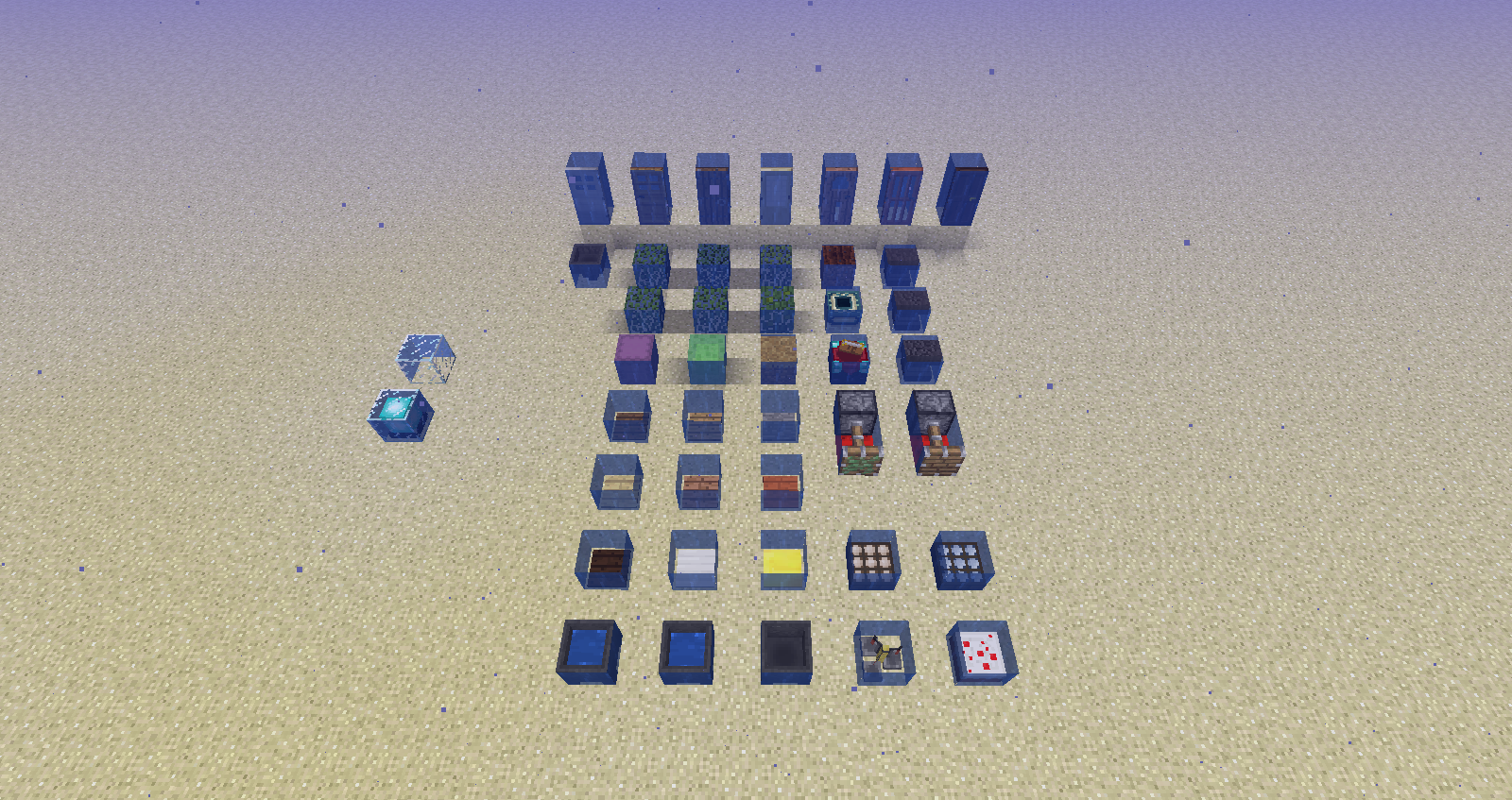






2018-08-21_16.07.02.png
Version : Java Edition 1.14
I am an artist of the faithful and I decided to embark on the adaptation of unicode fonts, I found myself stopped when I realized that it was impossible to change the
cuttingdrawing boards. These being replaced by white squares.I am an artist of the faithful and I decided to embark on the adaptation of unicode fonts, I found myself stopped when I realized that it was impossible to change the size of drawing boards. These being replaced by white squares.
I am an artist of the faithful and I decided to embark on the adaptation of unicode fonts, I found myself stopped when I realized that it was impossible to change the size of drawing boards. These being replaced by white squares.
+ Unicode files doesn't change anything when I modify them
I am an artist of the faithful and I decided to embark on the adaptation of unicode fonts, I found myself stopped when I realized that it was impossible to change the size of drawing boards. These being replaced by white squares.
+ Unicode files doesn't change anything when I modify them
I am an artist of the faithful and I decided to embark on the adaptation of unicode fonts, I found myself stopped when I realized that it was impossible to change the size of drawing boards.
These being replaced by white squares.
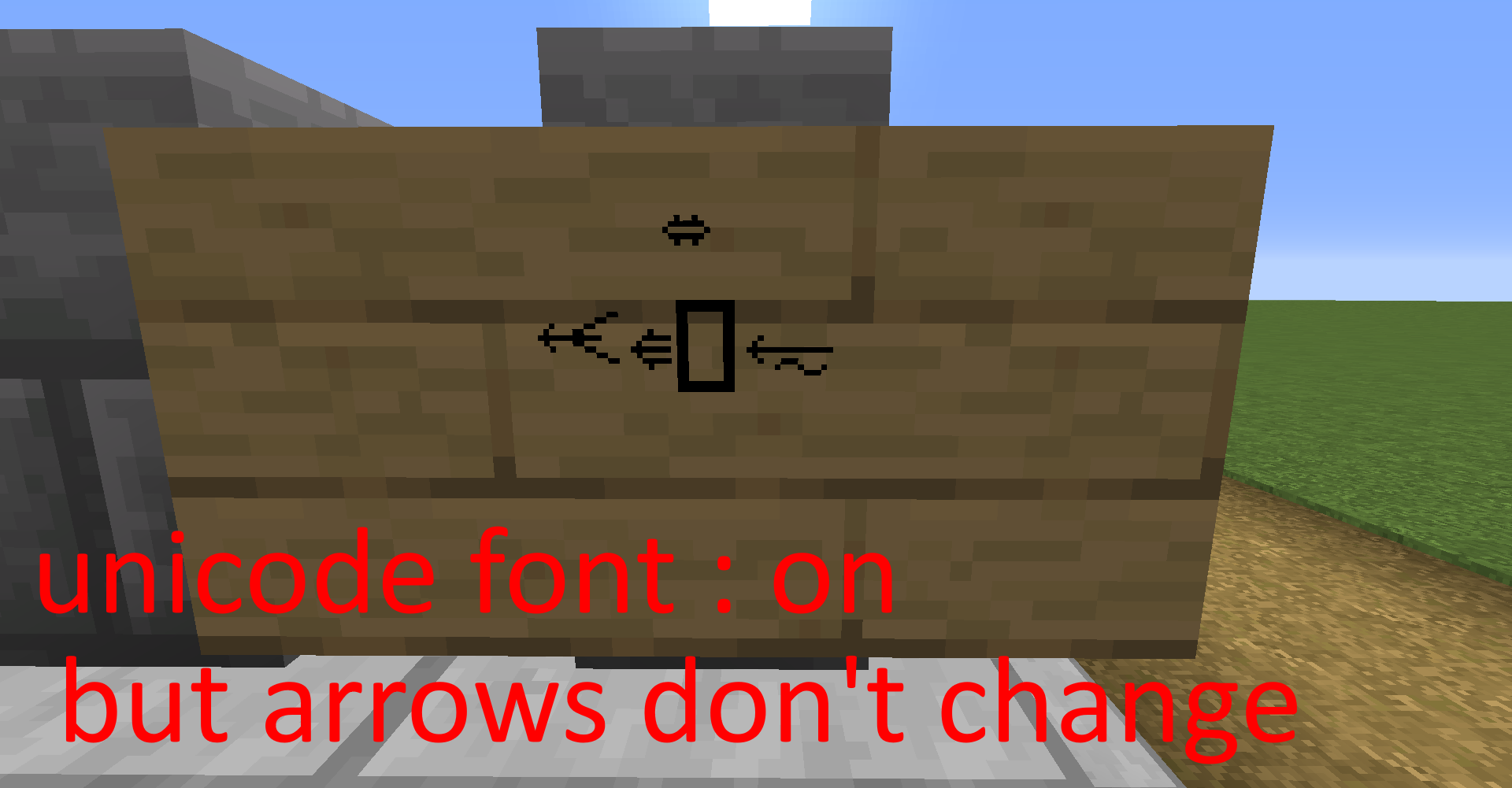
(First screen with unicode font on)+ Unicode files doesn't change anything when I modify them
(looks the sign screen and the unicode_page_2b that I have made)
I am an artist of the faithful and I decided to embark on the adaptation of unicode fonts, I found myself stopped when I realized that it was impossible
tochange the size of drawing boards.These being replaced by white squares.
(First screen with unicode font on)+ Unicode files doesn't change anything when I modify them
(looks the sign screen and the unicode_page_2b that I have made)I am an artist of the faithful and I decided to embark on the adaptation of unicode fonts, I found myself stopped when I realized that it was impossible do my job correctly :
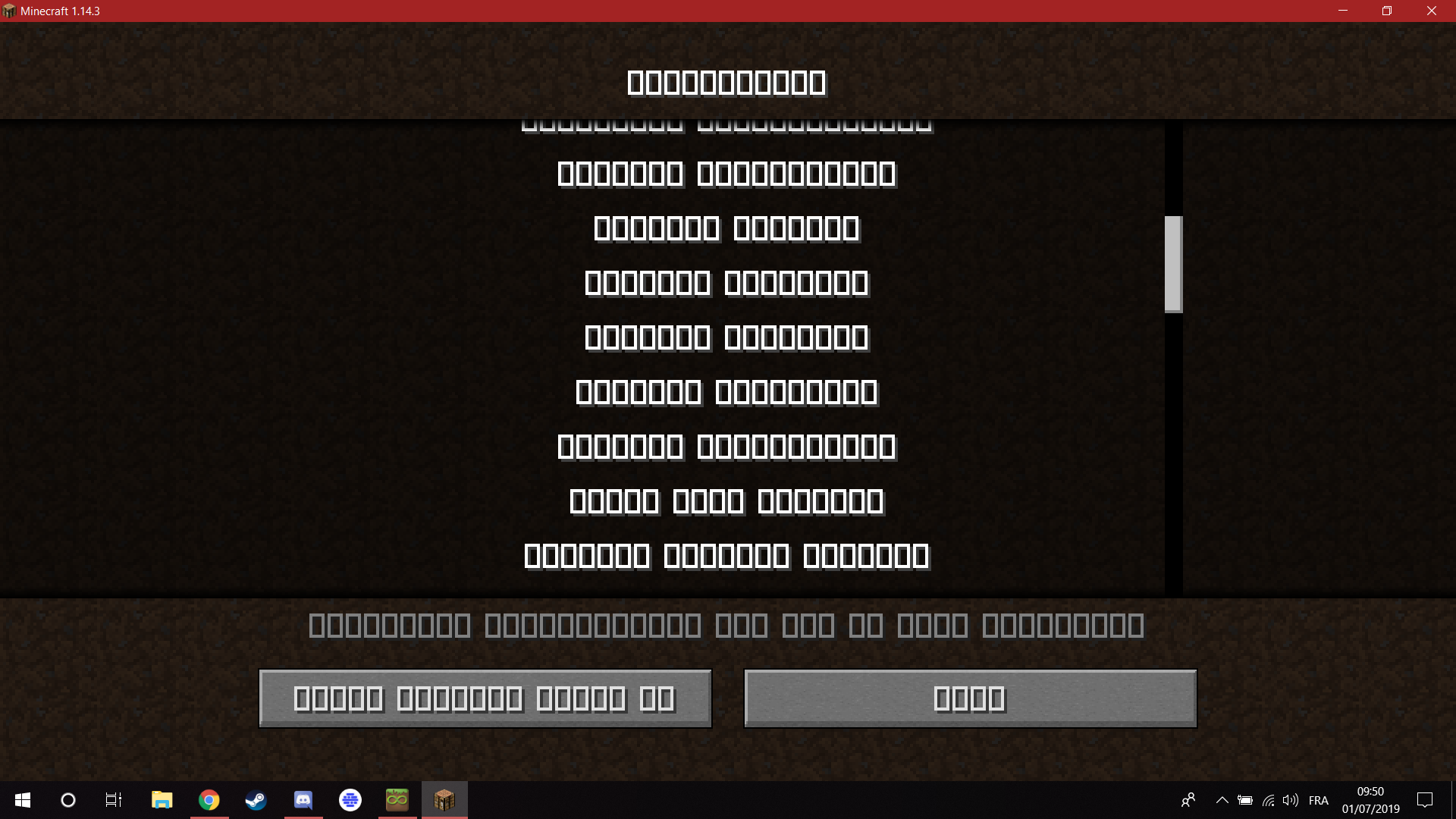
1) When I put unicode font at ON, all caracters are replaced by white square :
(Screen with all white square unicode font on)2) Unicode files doesn't change anything when I modify them :
(the proof in the picture of the panel and the file unicode_page_2b, the one containing the arrows present on the panel, we can notice that the arrows are not resized as the letter z present on the ascii file. this means that the textures of the unicode pages are not taken into account by the game)
I am an artist of the faithful and I decided to embark on the adaptation of unicode fonts, I found myself stopped when I realized that it was impossible to do my job correctly :
1) When I put unicode font at ON, all caracters are replaced by white square :
(Screen with all white square unicode font on)2) Unicode files doesn't change anything when I modify them :
(the proof in the picture of the panel and the file unicode_page_2b, the one containing the arrows present on the panel, we can notice that the arrows are not resized as the letter z present on the ascii file. this means that the textures of the unicode pages are not taken into account by the game)
Unicode fontcannot be resized for resource packUnicode font doesn't work, are bugged
I am an artist of the faithful ressource pack and I decided to embark on the adaptation of unicode fonts, I found myself stopped when I realized that it was impossible to do my job correctly :
1) When I put unicode font at ON, all caracters are replaced by white square :
(Screen with all white square unicode font on)2) Unicode files doesn't change anything when I modify them :
(the proof in the picture of the panel and the file unicode_page_2b, the one containing the arrows present on the panel, we can notice that the arrows are not resized as the letter z present on the ascii file. this means that the textures of the unicode pages are not taken into account by the game)
I am an artist of the faithful ressource pack and I decided to embark on the adaptation of unicode fonts, I found myself stopped when I realized that it was impossible to do my job correctly :
1) When I put unicode font at ON, all caracters are replaced by white square :
(Screen with all white square unicode font on)2) Unicode files doesn't change anything when I modify them :
(the proof in the picture of the panel and the file unicode_page_2b, the one containing the arrows present on the panel, we can notice that the arrows are not resized as the letter z present on the ascii file. this means that the textures of the unicode pages are not taken into account by the game)
YOU CAN ALSO DOWNLOAD THE RESSOURCE PACK HERE : https://faithful.team/news/2019-06-01-faithful-1-14-3-r1/
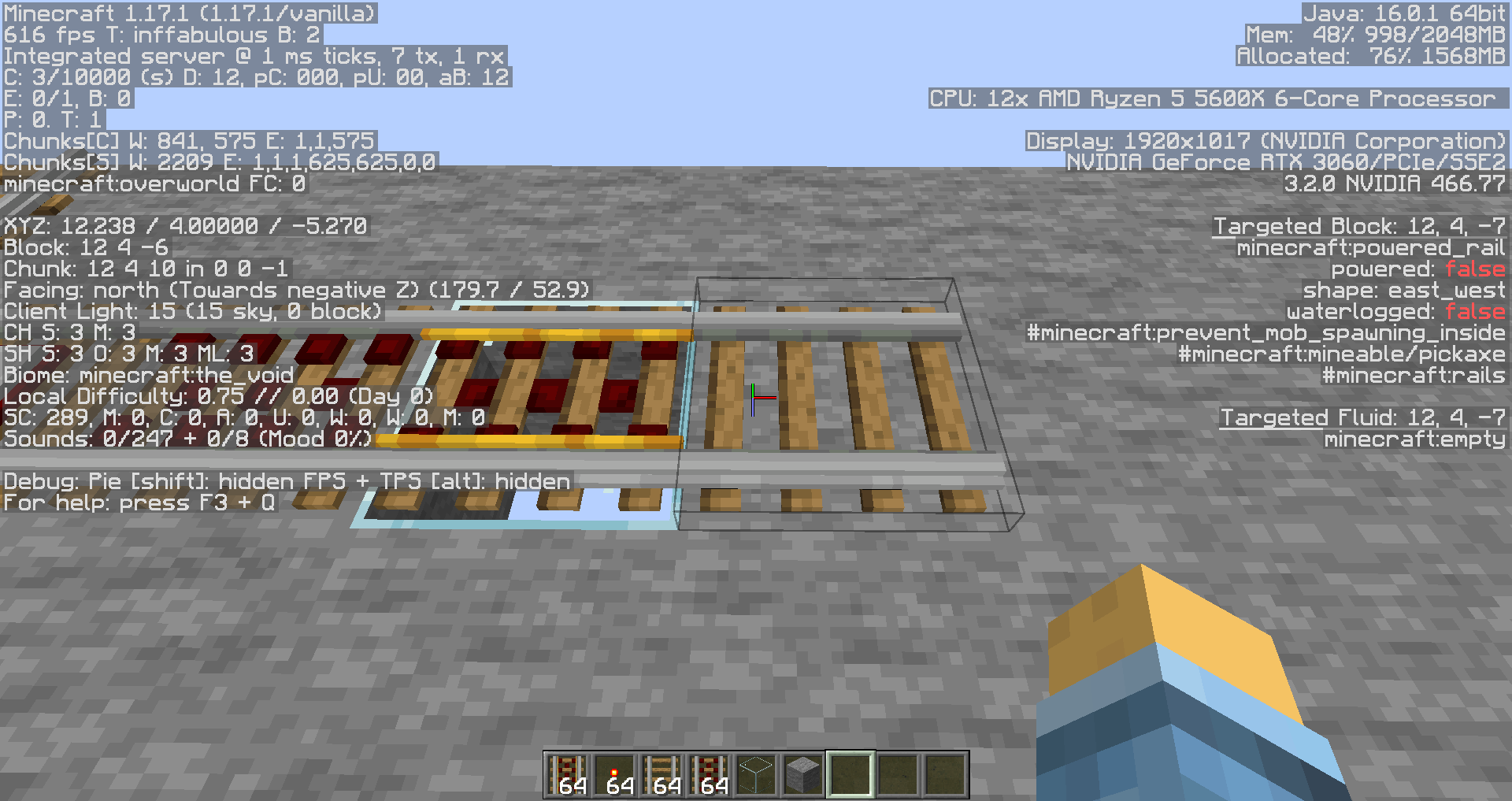
I've recently made a custom model for the powered rail using multipart to define each state of the block with a model, but I encountered a bug where the model does not apply multipart when it is not on a transparent block.
Step to reproduce:
- Use Minecraft 1.17+
- Make a resource pack
- Place the powered_rail.json into /blockstates/
- Unzip the content of rail.zip into /model/block/rail
- Place the rail_special texture in /textures/block/
- Reload the resource pack
- Place a powered rail on a glass block & on a stone block
- See:
I've recently made a custom model for the powered rail using multipart to define each state of the block with a model, but I encountered a bug where the model does not apply multipart when it is not on a transparent block.
Step to reproduce:
- Use Minecraft 1.17+
- Make a resource pack
- Place the powered_rail.json into /blockstates/
- Unzip the content of rail.zip into /model/block/rail
- Place the rail_special texture in /textures/block/
- Reload the resource pack
- Place a powered rail on a glass block & on a stone block
- See:
I've recently made a custom model for the powered rail using multipart to define each state of the block with a model, but I encountered a bug where the model does not apply multipart when it is not on a transparent block.
Step to reproduce:
- Use Minecraft 1.17+
- Make a resource pack
- Place the powered_rail.json into /blockstates/
- Unzip the content of rail.zip into /model/block/rail
- Place the rail_special texture in /textures/block/
- Reload the resource pack
- Place a powered rail on a glass block & on a stone block (they need to have the same tags)
- See:
Still present in 1.13.1
Duplicate of MC-133435
you can download the resource pack here : https://faithful.team/news/2019-06-01-faithful-1-14-3-r1/
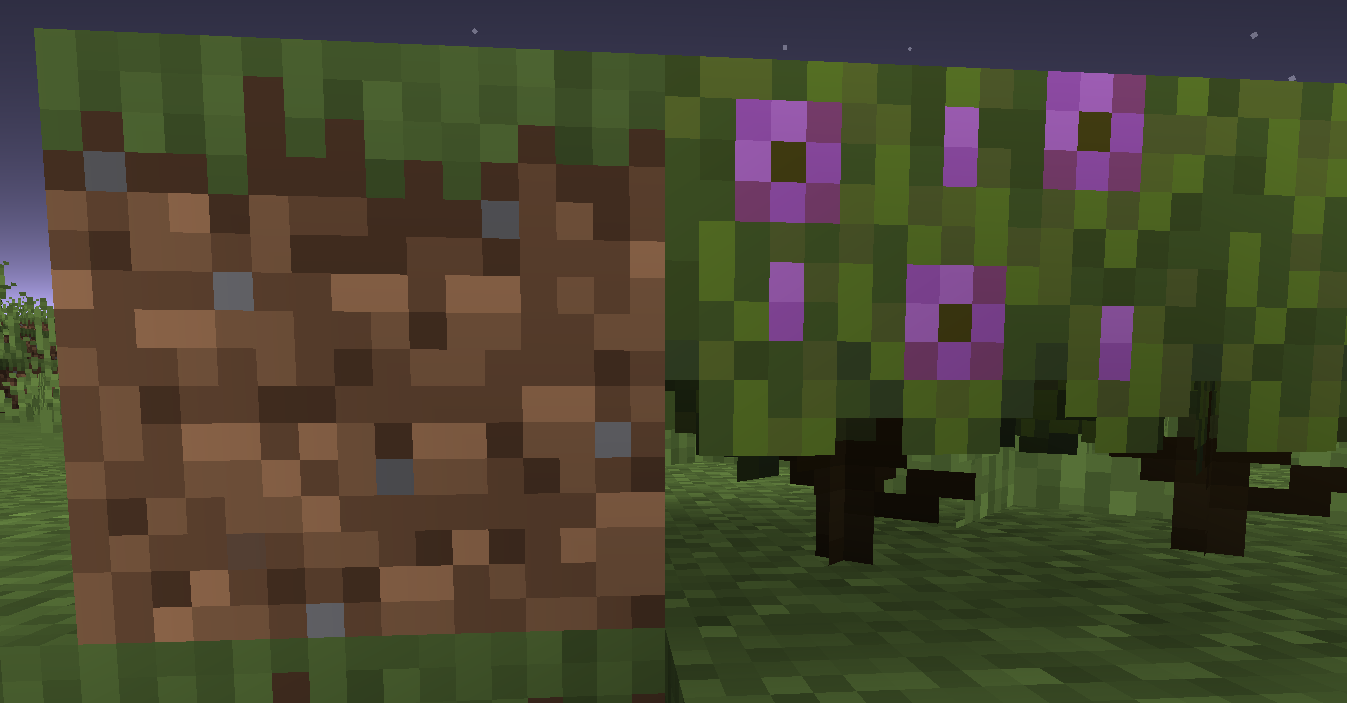
It seems to be a problem with the template of the block model, template_azeala.json doesn't match the full height of the texture (UV are broken).
I have added a screenshot to see the difference of UV position (see wrong UV in template_azaela_json.png)
I have also made a quick fix (see template_azaela_FIXED.json)
Duplicate of #MC-216743?
21w11a!
duplicate of #MC-214073
can confirm in 21w11a :
seed: 1179612371733954623
x | y | z : -82 20 -353
can confirm in 21w11a :
1179612371733954623
-88 23 -350
Can confirm in 21w16a
Can confirm, same issue on a Windows 11
Can confirm, the only solution I've found is to spam the retry button, seems to work when you wait ~10s on the error screen (showing the 0x87DD0005).
Btw there is nothing related to that error with that error code (it happens to all my windows devices)
Can also confirm in 24w44a