 Kepler_22b
- Kepler_22b
- kepler_22b
- Europe/Stockholm
- Yes
- No
 MC-128551
 MCL-9424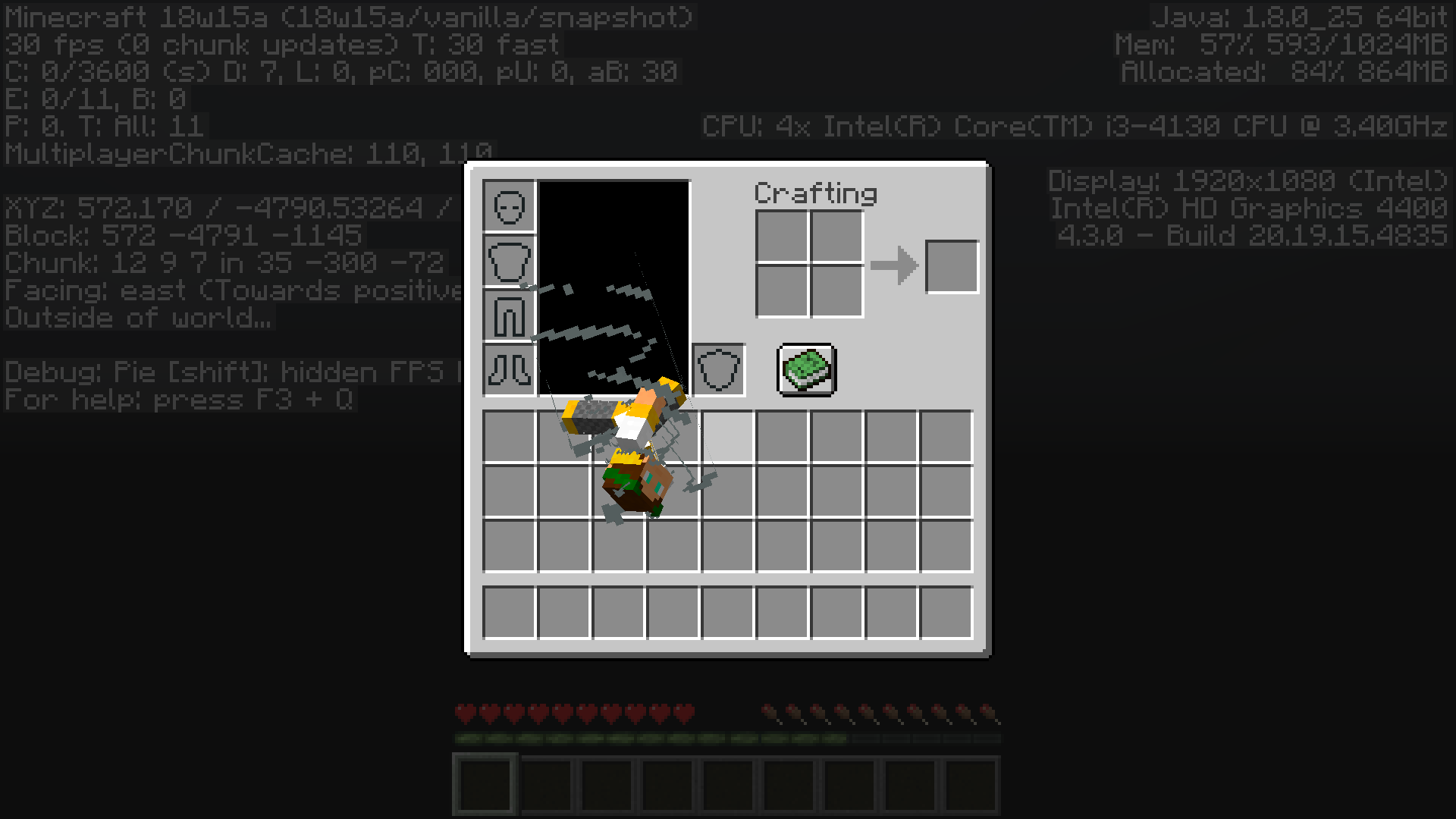
Multiple bugs:
1.Get an Elytra
2.get a trident
3.World rain
4.Enchant the trident with Riptide
5.Equip elytra
6.Fly High and to the sides or to the sides at max speed.
7.Game stops generating chunks
8. you can fly under 0 high, then cant use the trident anymore
9.Game crashes or doesen't
10.try any commands none working
11.Try to save and exit = Game crashWater textures:
Watch water from below, It is grayVery big differences in performance from 1.12.2 to 1.13
Chunks load very slowly
Fps are lower
Any non default world generation has an 80%~ of probability to crash (lets you view the loading screen forever, not tried more than 20 minutes on background)This might be the reason I can exit the chunk loading when flying
I would really recommend you implementing optifine code to the game without any need for moding
Flying under water makes you swim at super speed under water making it annoying to build
Also didn't think that building under water on survival will be also annoying if your camera goes up and down: Add a swim trigger button and maybe make it possible to crow on ground with it.Different under water chests contain a map of the same treasure
There are still blocks that allow to air pockets form such as doors anvils...
Zombies stop chasing you under water they wait until they convert to drowned and then continue
Trident picked up that was thrown by a drowned has full durability
Drowned that has a trident can keep throwing them infinitely
Drowned needs an animation when swimming
Phantoms tried to bite me on creative
Sometimes a bubble n11 might appear when getting air
Not a bug? trident not working out of the water... unless it's raining Why?
Rain does not emit sound on water
(Old bug) lightning sometimes emits a sound that cuts too early, breaking ambient. Also add code to don't allow lighting volts to spawn in the view area of a player in too close intervals. Sometimes lightnings make sound and on a server you can hear it everywhere.
New lighting bug? Under water at the Icebergs biome lightning bugged the light levels of an area, making it too bright.
Sometimes there is light but no source block or a source block that doesn't emit light (this happens with world edit or caves [lava])
fish Should not despawn, I've seen in an ocean a bunch of them to despawn and 3 seconds later another bunch spawn
there are still drowned floating arround at day time
escape from a zombie going to water. He will stop walking when his head is under water. He drowns and "Drowned" continues the chase. Make zombie continue walking till they drown since the time they wait you could already build you a refuge under water. At least what I know is that they wont go any block deeper to chase you.
Today my pc decided it will update to the new minecraft launcher.
No error logs. Game loads but doesen't seem to start.
12 GB ram
i3-4130CPU @ 3.4GHz x 4
Gnome 3.28.2
64-bit
Disk 490 GB
Minecraft was installed via snap
Today my pc decided it will update to the new minecraft launcher.
No error logs. Game loads but doesen't seem to start.
12 GB ram
i3-4130CPU @ 3.4GHz x 4
Gnome 3.28.2
64-bit
Disk 490 GB
Operative system x64
Ubuntu 18.04LTS
Minecraft was installed via snap
Not sure at all ifit's actualgamecode not working.I deleted and reinstalled minecraft twice. The new linux launcher downloads the version 1.12.2 and starts it but there it stops. No crash log/message the game just stops.
Why I thought it's a game bug? 1.13 launches properly.
I deleted and reinstalled minecraft twice. The new linux launcher downloads the version 1.12.2 and starts it but there it stops. No crash log/message the game just stops.
Why I thought it's a game bug? 1.13 launches properly.
**
---- Minecraft Crash Report ----
// Don't be sad. I'll do better next time, I promise!Time: 7/24/18 8:57 PM
Description: Initializing gamejava.lang.ExceptionInInitializerError
at bib.av(SourceFile:661)
at bib.aq(SourceFile:456)
at bib.a(SourceFile:404)
at net.minecraft.client.main.Main.main(SourceFile:123)
Caused by: java.lang.ArrayIndexOutOfBoundsException: 0
at org.lwjgl.opengl.LinuxDisplay.getAvailableDisplayModes(LinuxDisplay.java:951)
at org.lwjgl.opengl.LinuxDisplay.init(LinuxDisplay.java:738)
at org.lwjgl.opengl.Display.<clinit>(Display.java:138)
... 4 moreA detailed walkthrough of the error, its code path and all known details is as follows:
---------------------------------------------------------------------------------------– Head –
Thread: Client thread
Stacktrace:
at bib.av(SourceFile:661)
at bib.aq(SourceFile:456)– Initialization –
Details:
Stacktrace:
at bib.a(SourceFile:404)
at net.minecraft.client.main.Main.main(SourceFile:123)– System Details –
Details:
Minecraft Version: 1.12.2
Operating System: Linux (amd64) version 4.15.0-29-generic
Java Version: 1.8.0_171, Oracle Corporation
Java VM Version: OpenJDK 64-Bit Server VM (mixed mode), Oracle Corporation
Memory: 138472512 bytes (132 MB) / 201326592 bytes (192 MB) up to 2147483648 bytes (2048 MB)
JVM Flags: 7 total; -Xmx2G -XX:+UnlockExperimentalVMOptions -XX:+UseG1GC -XX:G1NewSizePercent=20 -XX:G1ReservePercent=20 -XX:MaxGCPauseMillis=50 -XX:G1HeapRegionSize=32M
IntCache: cache: 0, tcache: 0, allocated: 0, tallocated: 0
Launched Version: 1.12.2
LWJGL: 2.9.4
OpenGL: ~ERROR~ RuntimeException: No OpenGL context found in the current thread.
GL Caps:
Using VBOs: Yes
Is Modded: Probably not. Jar signature remains and client brand is untouched.
Type: Client (map_client.txt)
Resource Packs:
Current Language: ~ERROR~ NullPointerException: null
Profiler Position: N/A (disabled)
CPU: <unknown>
I deleted and reinstalled minecraft twice. The new linux launcher downloads the version 1.12.2 and starts it but there it stops.
No crash log/message the game just stops.Why I thought it's a game bug? 1.13 launches properly.
**
---- Minecraft Crash Report ----
// Don't be sad. I'll do better next time, I promise!Time: 7/24/18 8:57 PM
Description: Initializing gamejava.lang.ExceptionInInitializerError
at bib.av(SourceFile:661)
at bib.aq(SourceFile:456)
at bib.a(SourceFile:404)
at net.minecraft.client.main.Main.main(SourceFile:123)
Caused by: java.lang.ArrayIndexOutOfBoundsException: 0
at org.lwjgl.opengl.LinuxDisplay.getAvailableDisplayModes(LinuxDisplay.java:951)
at org.lwjgl.opengl.LinuxDisplay.init(LinuxDisplay.java:738)
at org.lwjgl.opengl.Display.<clinit>(Display.java:138)
... 4 moreA detailed walkthrough of the error, its code path and all known details is as follows:
---------------------------------------------------------------------------------------– Head –
Thread: Client thread
Stacktrace:
at bib.av(SourceFile:661)
at bib.aq(SourceFile:456)– Initialization –
Details:
Stacktrace:
at bib.a(SourceFile:404)
at net.minecraft.client.main.Main.main(SourceFile:123)– System Details –
Details:
Minecraft Version: 1.12.2
Operating System: Linux (amd64) version 4.15.0-29-generic
Java Version: 1.8.0_171, Oracle Corporation
Java VM Version: OpenJDK 64-Bit Server VM (mixed mode), Oracle Corporation
Memory: 138472512 bytes (132 MB) / 201326592 bytes (192 MB) up to 2147483648 bytes (2048 MB)
JVM Flags: 7 total; -Xmx2G -XX:+UnlockExperimentalVMOptions -XX:+UseG1GC -XX:G1NewSizePercent=20 -XX:G1ReservePercent=20 -XX:MaxGCPauseMillis=50 -XX:G1HeapRegionSize=32M
IntCache: cache: 0, tcache: 0, allocated: 0, tallocated: 0
Launched Version: 1.12.2
LWJGL: 2.9.4
OpenGL: ~ERROR~ RuntimeException: No OpenGL context found in the current thread.
GL Caps:
Using VBOs: Yes
Is Modded: Probably not. Jar signature remains and client brand is untouched.
Type: Client (map_client.txt)
Resource Packs:
Current Language: ~ERROR~ NullPointerException: null
Profiler Position: N/A (disabled)
CPU: <unknown>I deleted and reinstalled minecraft twice. The new linux launcher downloads the version 1.12.2 and starts it but there it stops. Any version below 1.13 crashes on launch.
Why I thought it's a game bug? 1.13 launches properly.
I downloaded minecraft from snap since there's no other way due to a so called "os bug" -> you sayed me that wasn't your problem
---- Minecraft Crash Report ----
// Don't be sad. I'll do better next time, I promise!Time: 7/24/18 8:57 PM
Description: Initializing gamejava.lang.ExceptionInInitializerError
at bib.av(SourceFile:661)
at bib.aq(SourceFile:456)
at bib.a(SourceFile:404)
at net.minecraft.client.main.Main.main(SourceFile:123)
Caused by: java.lang.ArrayIndexOutOfBoundsException: 0
at org.lwjgl.opengl.LinuxDisplay.getAvailableDisplayModes(LinuxDisplay.java:951)
at org.lwjgl.opengl.LinuxDisplay.init(LinuxDisplay.java:738)
at org.lwjgl.opengl.Display.<clinit>(Display.java:138)
... 4 moreA detailed walkthrough of the error, its code path and all known details is as follows:
---------------------------------------------------------------------------------------– Head –
Thread: Client thread
Stacktrace:
at bib.av(SourceFile:661)
at bib.aq(SourceFile:456)– Initialization –
Details:
Stacktrace:
at bib.a(SourceFile:404)
at net.minecraft.client.main.Main.main(SourceFile:123)– System Details –
Details:
Minecraft Version: 1.12.2
Operating System: Linux (amd64) version 4.15.0-29-generic
Java Version: 1.8.0_171, Oracle Corporation
Java VM Version: OpenJDK 64-Bit Server VM (mixed mode), Oracle Corporation
Memory: 138472512 bytes (132 MB) / 201326592 bytes (192 MB) up to 2147483648 bytes (2048 MB)
JVM Flags: 7 total; -Xmx2G -XX:+UnlockExperimentalVMOptions -XX:+UseG1GC -XX:G1NewSizePercent=20 -XX:G1ReservePercent=20 -XX:MaxGCPauseMillis=50 -XX:G1HeapRegionSize=32M
IntCache: cache: 0, tcache: 0, allocated: 0, tallocated: 0
Launched Version: 1.12.2
LWJGL: 2.9.4
OpenGL: ~ERROR~ RuntimeException: No OpenGL context found in the current thread.
GL Caps:
Using VBOs: Yes
Is Modded: Probably not. Jar signature remains and client brand is untouched.
Type: Client (map_client.txt)
Resource Packs:
Current Language: ~ERROR~ NullPointerException: null
Profiler Position: N/A (disabled)
CPU: <unknown>
Lighting doesn't only glitch sounds when to many at the same time. Check the issue again about lightnings: toggle storm and listen to them. They go well 60% of the time but sometimes sound is just cut. I mean all is good but some of lightnings sound as if you get the audio and click the stop button.
-it is supposed to all server hear one lighting?
Not at all... Does Ubuntu 18.04 look like windows?...
Game bar of "loading" gets to 100% but the game never starts
I'ma try reinstall minecraft this time erasing settings and other stuff... I found a crash report even if there's no crash message. I'm sorry for this, last time I searched for stuff in minecraft folders was long ago, I will see if this fixes the issure...
It came to my mind that optifine settings file broke the game
didnt work
I tryed to open othr versions. They all crash the same way. No version works below 1.13
feel dump for not finding the error report... hope it helps a bit
I think we got the same problem
yeah...
that calms me a bit since if there are some users... it ll get fixed not too late
Thanks @mike skummer it helped me