 Joachim Nicolay
- kirviq
- JIRAUSER697138
- Europe/Stockholm
- Yes
- No
 MCL-19899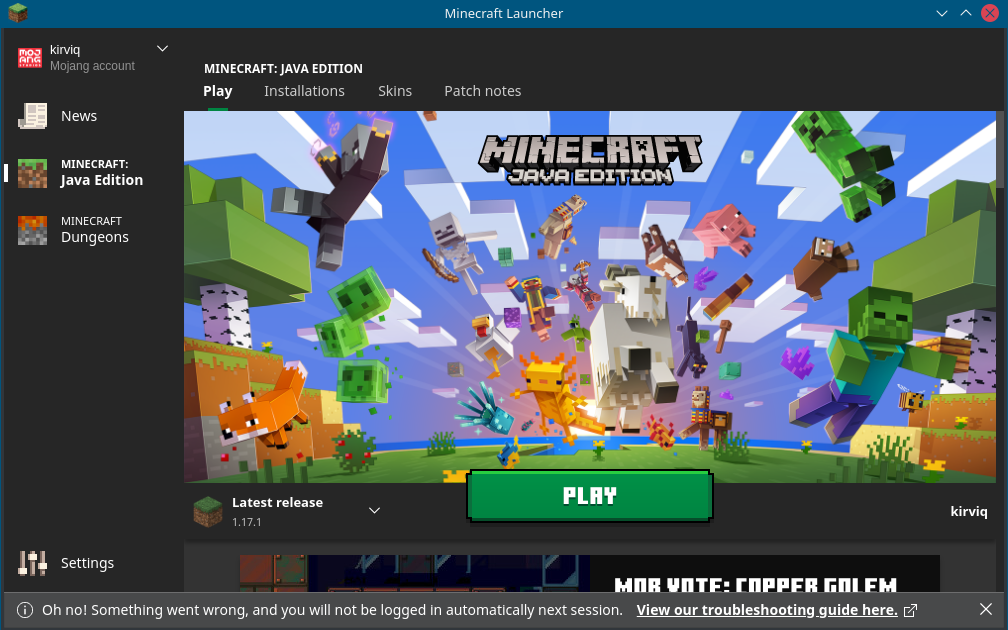
Changed Description:
Steps:
- I start the launcher
- realize it's a new version
- enter username and password
- check "keep me logged in"
- hit login
Outcome:
- I'm logged in
- It tells me "Oh no! Something went wrong and you will not be logged in automatically next session."
I ignored it for a few days, but the error still exists.
And to mock me further, clicking on the "View our troubleshooting guide" link leads to a 404 page.
Steps:
- I start the launcher
- realize it's a new version
- enter username and password
- check "keep me logged in"
- hit login
Outcome:
- I'm logged in
- It tells me "Oh no! Something went wrong and you will not be logged in automatically next session."
I ignored it for a few days, but the error still exists.
And to mock me further, clicking on the "View our troubleshooting guide" link leads to a 404 page. (https://help.minecraft.net/hc/de/articles/4408668374925)
Are you sure it's a duplicate? The linked issue says as fix version "2.2.5516 (Linux)" which is the version I am using.
> Does this issue still occurs to you on newest version of Launcher?
As far as I can tell yes. It did install an update when I started it today and then ask me for two passwords.
> Have you tried to install Launcher from the minecraft.net website?
I can only find a "buy minecraft" button, but no download link. I already bought it, I don't want to buy it again.
> A Are you logged in in both Xbox app, MS store, and Launcher with the same MS account ?
I have neither an Xbox, an Xbox app, an MS store or a MS account.
> Is your Windows and associated apps (Xbox app, MS store) up-to-date?
I don't have Windows or associated apps.
> Have you tried to re-registering MS store as written here ?
Again, I have no such thing.
> Do you use VPN or any of the incompatible software on machine you try to log-in?
Nope
> Could you provide us with more in-depth repro steps?