 Matthew House
- legionmammal978
- legionmammal978
- America/New_York
- Yes
- No
 MC-10714




I got a resource pack (this was the same with texture packs in 1.5.2), but when I switched everything was the same but when I loaded my testing world, I only saw the void. Switching back to the default resource pack didn't help.
I got a resource pack (this was the same with texture packs in 1.5.2), but when I switched everything was the same but when I loaded my testing world, I only saw the void. Switching back to the default resource pack didn't help.
How to reproduce:
1. Change root->Data->Player->abilities->walkSpeed to 0 (it doesn't seem to work without doing this)
2. Change to another resource pack.
3. Load up a new world, and you can't see any blocks!
Also, you have to make a new minecraft.jar to fix this, as far as I know.
Textures disappearing after switching resource packs and player walkingspeed = 0Textures disappearing after switching resource packs and player walkSpeed = 0
I got a resource pack (this was the same with texture packs in 1.5.2), but when I switched everything was the same but when I loaded my testing world, I only saw the void. Switching back to the default resource pack didn't help.
How to reproduce:
1. Change root->Data->Player->abilities->walkSpeed to 0 (it doesn't seem to work without doing this)
2. Change to another resource pack.
3. Load up a new world, and you can't see any blocks!
Also, you have to make a new minecraft.jar to fix this, as far as I know.EDIT:
It seems to do this in 1.6.2 and beyond without changing resource packs.
Textures disappearing after switching resource packs andplayer walkSpeed=0Textures disappearing after setting player walkSpeed to 0
I got a resource pack (this was the same with texture packs in 1.5.2), but when I switched everything was the same but when I loaded my testing world, I only saw the void. Switching back to the default resource pack didn't help.
How to reproduce:
1. Change
root->Data->Player->abilities->walkSpeed to 0 (it doesn't seem to work without doing this)
2. Change to another resource pack.
3. Load up a new world, and you can't see any blocks!
Also, you have to make a new minecraft.jar to fix this, as far as I know.EDIT:
It seems to do this in 1.6.2 and beyond without changing resource packs.I got a resource pack (this was the same with texture packs in 1.5.2), but when I switched everything was the same but when I loaded my testing world, I only saw the void. Switching back to the default resource pack didn't help.
How to reproduce:
1. Change level.dat->Data->Player->abilities->walkSpeed to 0 (it doesn't seem to work without doing this)
2. Change to another resource pack.
3. Load up a new world, and you can't see any blocks!
Also, you have to make a new minecraft.jar to fix this, as far as I know.EDIT:
It seems to do this in 1.6.2 and beyond without changing resource packs.
I got a resource pack (this was the same with texture packs in 1.5.2), but when I switched everything was the same but when I loaded my testing world, I only saw the void. Switching back to the default resource pack didn't help.
How to reproduce:
1. Change level.dat->Data->Player->abilities->walkSpeed to 0 (it doesn't seem to work without doing this)
2. Change to another resource pack.
3. Load up a new world, and you can't see any blocks!
Also, you have to make a new minecraft.jar to fix this, as far as I know.EDIT:
It seems to do this in 1.6.2and beyondwithout changing resource packs.I got a resource pack (this was the same with texture packs in 1.5.2), but when I switched everything was the same but when I loaded my testing world, I only saw the void. Switching back to the default resource pack didn't help.
How to reproduce:
1. Change level.dat->Data->Player->abilities->walkSpeed to 0 (it doesn't seem to work without doing this)
2. Change to another resource pack.
3. Load up a new world, and you can't see any blocks!
Also, you have to make a new minecraft.jar to fix this, as far as I know.EDIT:
It seems to do this in 1.6.2 without changing resource packs.EDIT 2:
It seems to be fixed in 13w36b.
It seems like if you use /give to get
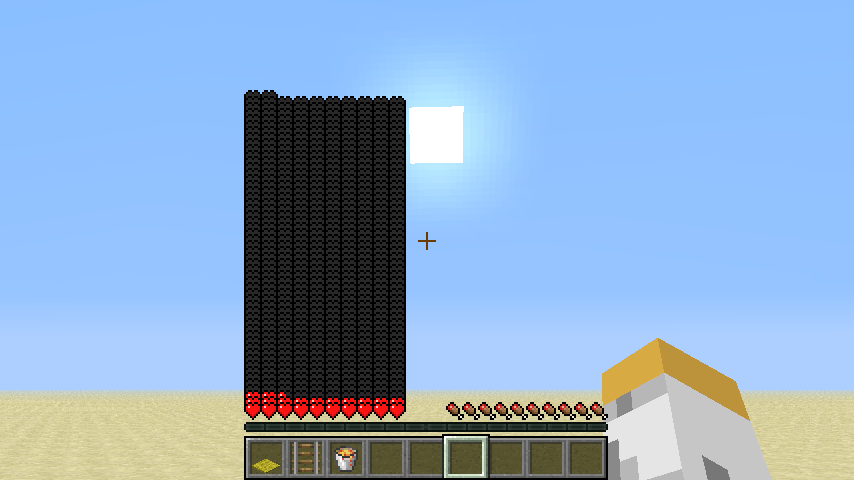
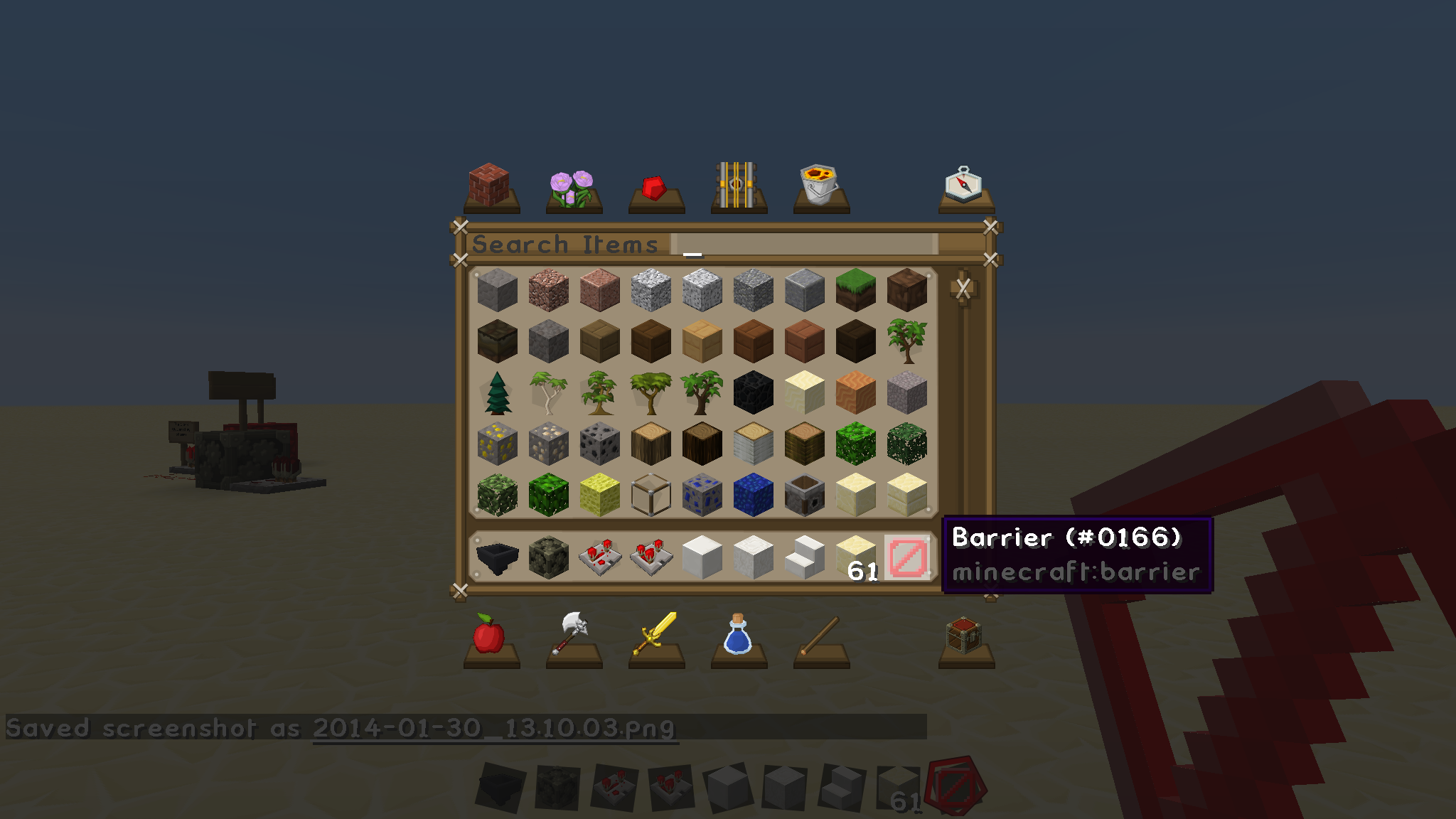
barriers, then it says that it's ID 1 (pic 1), while it's actuallyID 166(pic 2).It seems like if you use /give to get anything, then it says that it's ID 1 (pic 1), while it's actually another ID (pic 2).
Barrier ID iswrong in /giveIDs are wrong in /give
It seems like if you use /give to get anything, then it says that it's ID 1 (pic 1), while it's actually another ID (pic 2).
It seems like if you use /give to get anything, then it says that it's ID 1 (pic 1), while it's actually another ID (pic 2).
NOTE:
Also, I just noticed that instead of saying "Given [<block/item>] (ID 1) * to <username>", it says "Given [<block/item>] (ID 1) * <username> to ".
It seems like if you use /give to get anything, then it says that it's ID 1 (pic 1), while it's actually another ID (pic 2).
NOTE:
Also, I just noticed that instead of saying "Given [<block/item>] (ID 1) * to <username>", it says "Given [<block/item>] (ID 1) * <username> to " (pic 1).
It seems like if you use /give to get anything, then it says that it's ID 1 (pic 1), while it's actually another ID (pic 2).The message for /give shouldn't have the "(ID <id>)" as IDs were deprecated.
NOTE:
Also, I just noticed that instead of saying "Given [<block/item>] (ID 1) * to <username>", it says "Given [<block/item>] (ID 1) * <username> to " (pic 1).
64-bit, Windows 7, Windows 10, JDK 8u31-8u92
Didn't know that it was already reported.
On Fri, Mar 1, 2013 at 8:27 PM, [Mod] Tails (JIRA) <
This was probably because they didn't want you to do that glowstone/redstone pillar trick downward.
In SMP: It could go to the player that attached the hopper to the enderchest.
In SSP: It could go to the player that is on the world.
Also, Matt Lafreniere, you brought up a good point about multiple hoppers. For that you could make it so that the enderchest has multiple hopper inventories according to name.
Ex:
A hopper named "Test1" puts 64 diamonds into an enderchest.
The enderchest directs it into its "Test1" hopper inventory.
Another hopper named "Test1" will take 64 diamonds out of the enderchest's "Test1" hopper inventory but not the 64 emeralds in the enderchest's "Test2" hopper inventory (Which were put in there by a hopper named "Test2.")
NBTEdit is basically a program that lets you change everything that goes on
in the game.
You can just Google it.
On Fri, Jun 21, 2013 at 4:12 PM, [Mod] Kumasasa (JIRA) <
Well,
1. I turned it to 0 because I was bored.
2. Changing it to 0 works if you don't change texture (or resource) packs. It just makes your FOV go all wonky. So 0 is not invalid.
I think it would be easy to detect if is was sent by a command, but I'm not a Java programmer, so I'm not sure. I hope they fix this soon, because I would really like nested /tellraw commands that don't kick me from the game.
Confirmed for 14w04b.
That would mean that they should remove the ID part in the message altogether. Also, there's still the problem of it saying "<username> to".
Confirmed for 14w26b.
Confirmed for 14w28b
Actually, even people who do it all ingame get the same problem.
Ex. I kept trying to get in a 1.7.10 server after messing around in 14w31a.
At what point does it stop responding?
Isn't this how most BUD switches work? Fixing this would break many, many circuits.