 Bonesli
- LeonardodaPisa
- leonardodapisa
- Europe/Stockholm
- Yes
- No
 MCPE-26227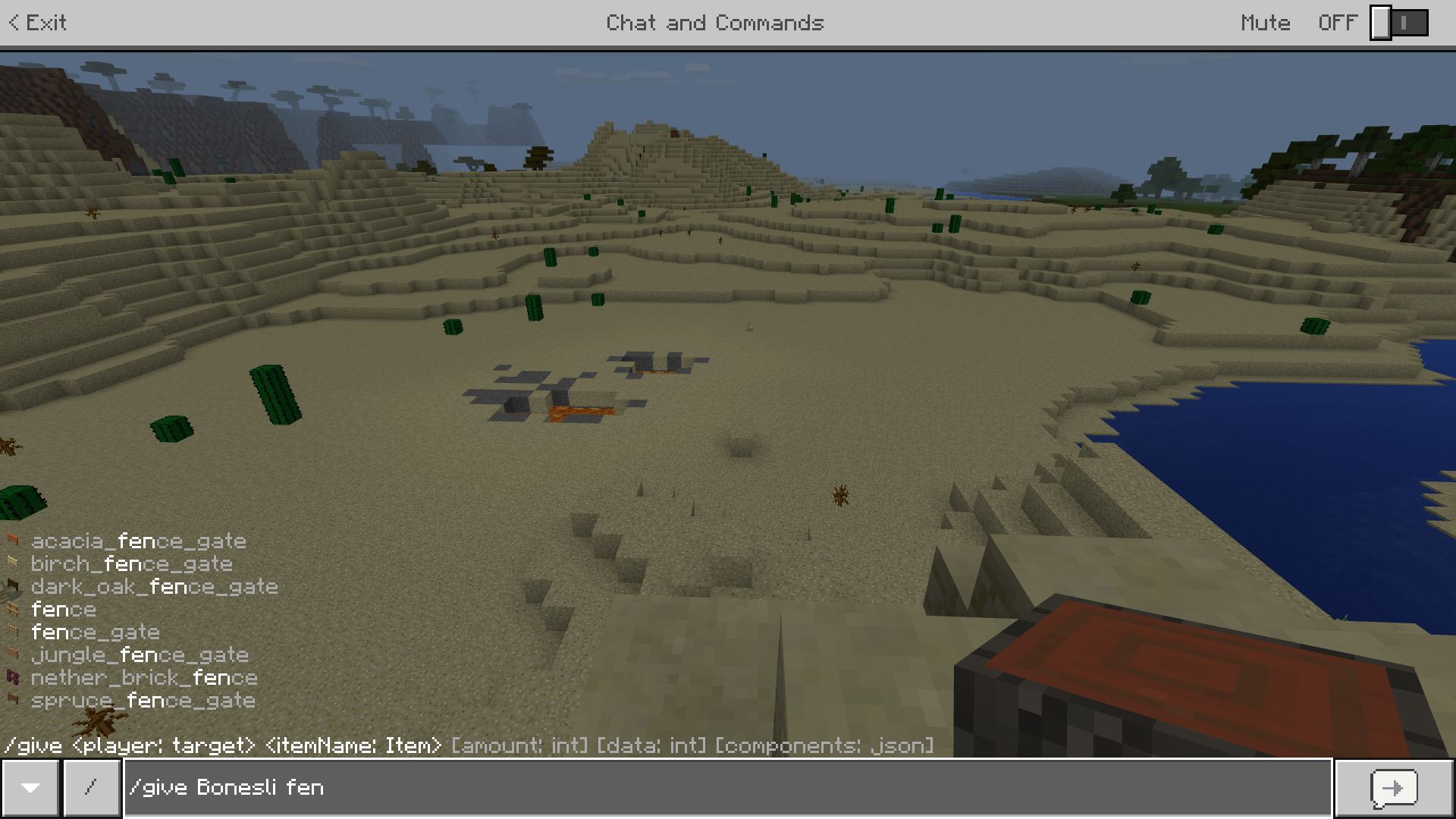
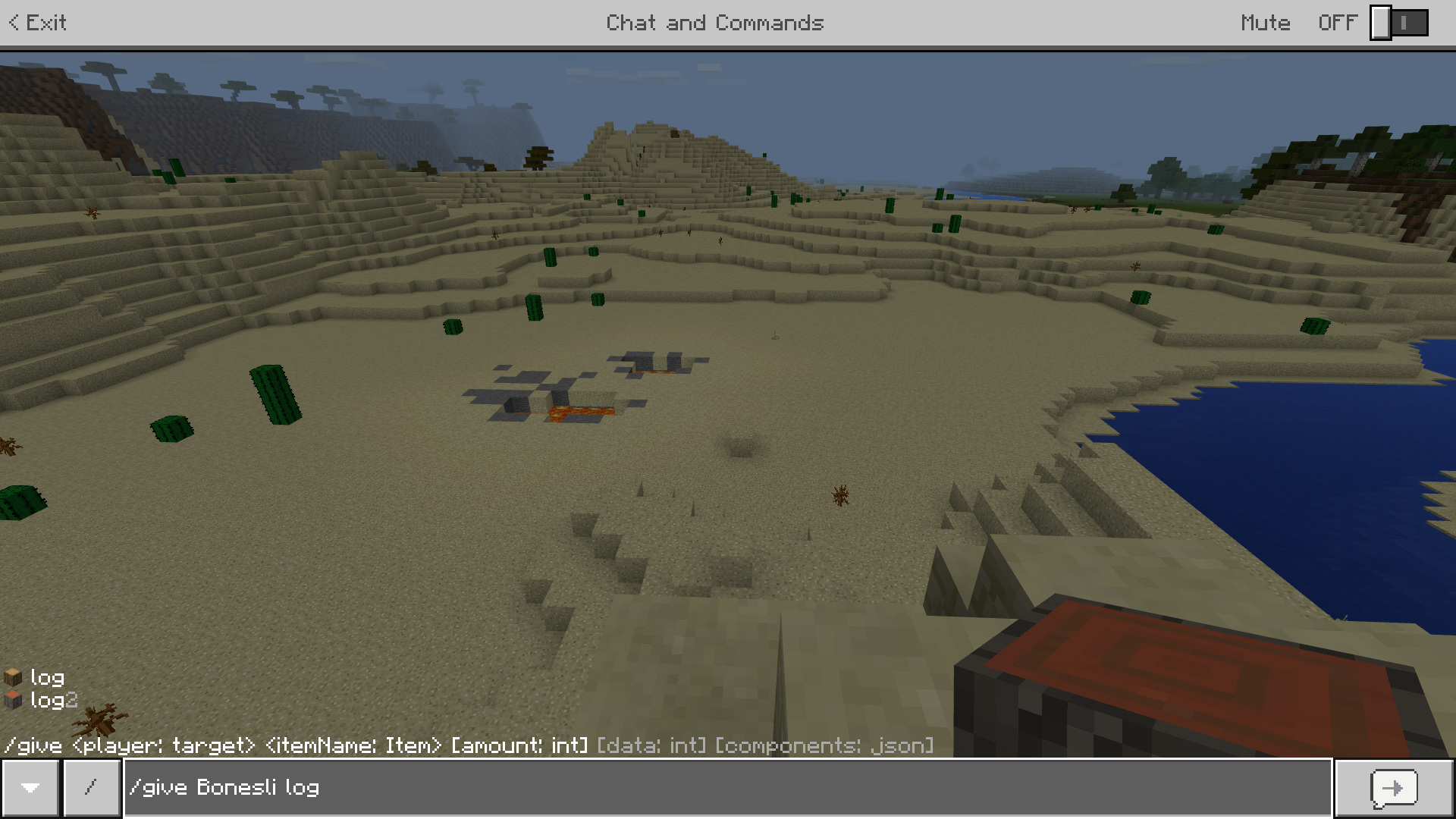
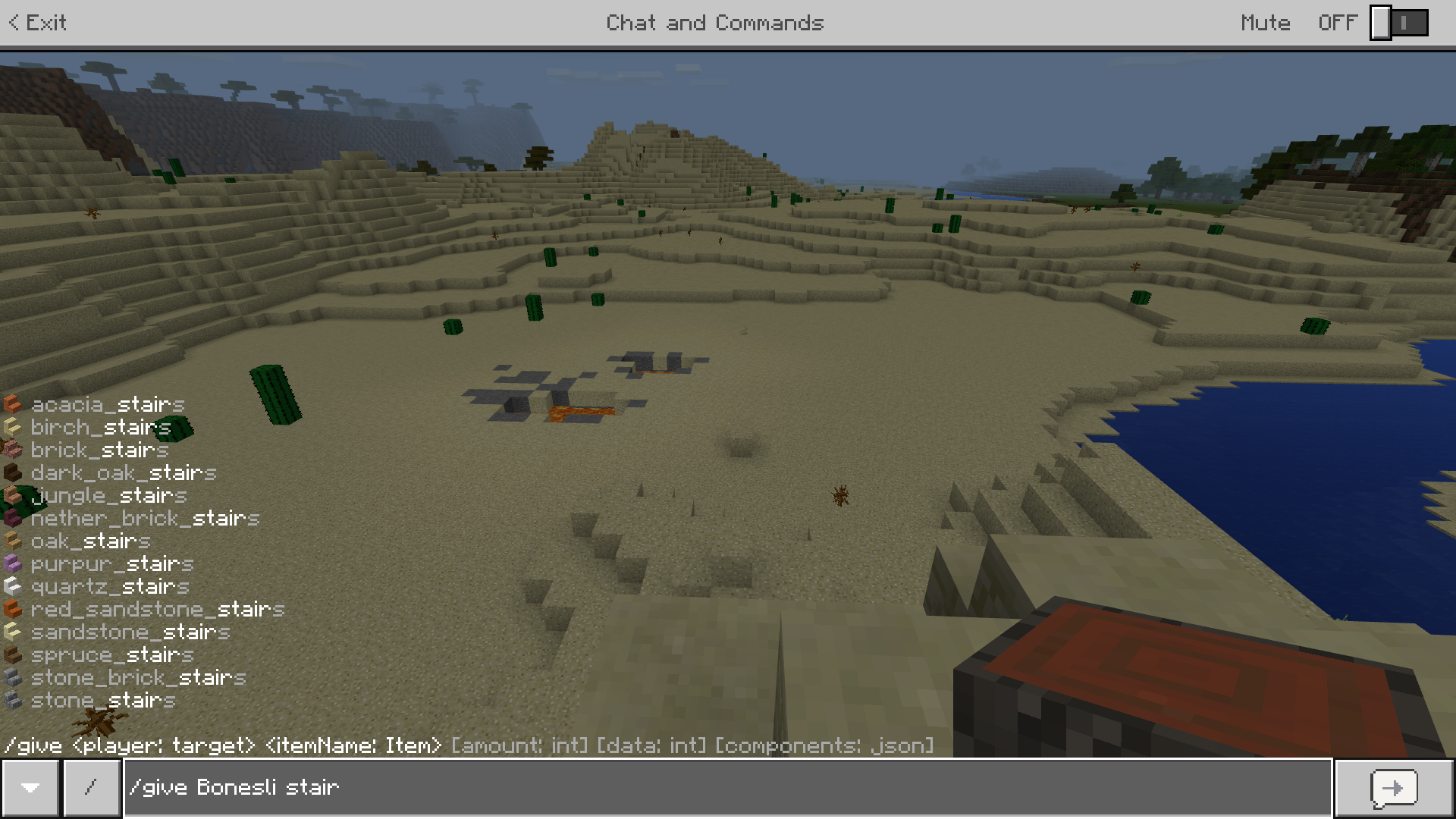
For getting Log there are two Commands: /give @p log or /give @p log2. When you use log and set the data (ID) to 0 you get Oakwood and with ID 1 Sprucewood. With log2 ID 0 is Acaciawood. Wy are there two Commands? For stairs there is a single Command for each log, for fencegates to and for fences it's the same like log. Please fix!
Im using Minecraft Windows 10 Edtion (1.2.5) and cant connect with Servers, via LAN or with Realms. With Minecraft PE (same version) i can connect with those three via Wi-Fi. The Firewall is switched off, but it already doesent connect. My brother has the same problem. It had begun ca. 2 Weeks ago, first i thought it is because the Minecraft Update, but there was a new one and it still doesent works. I imagin, that the big Windowsupdate could also be the problem.
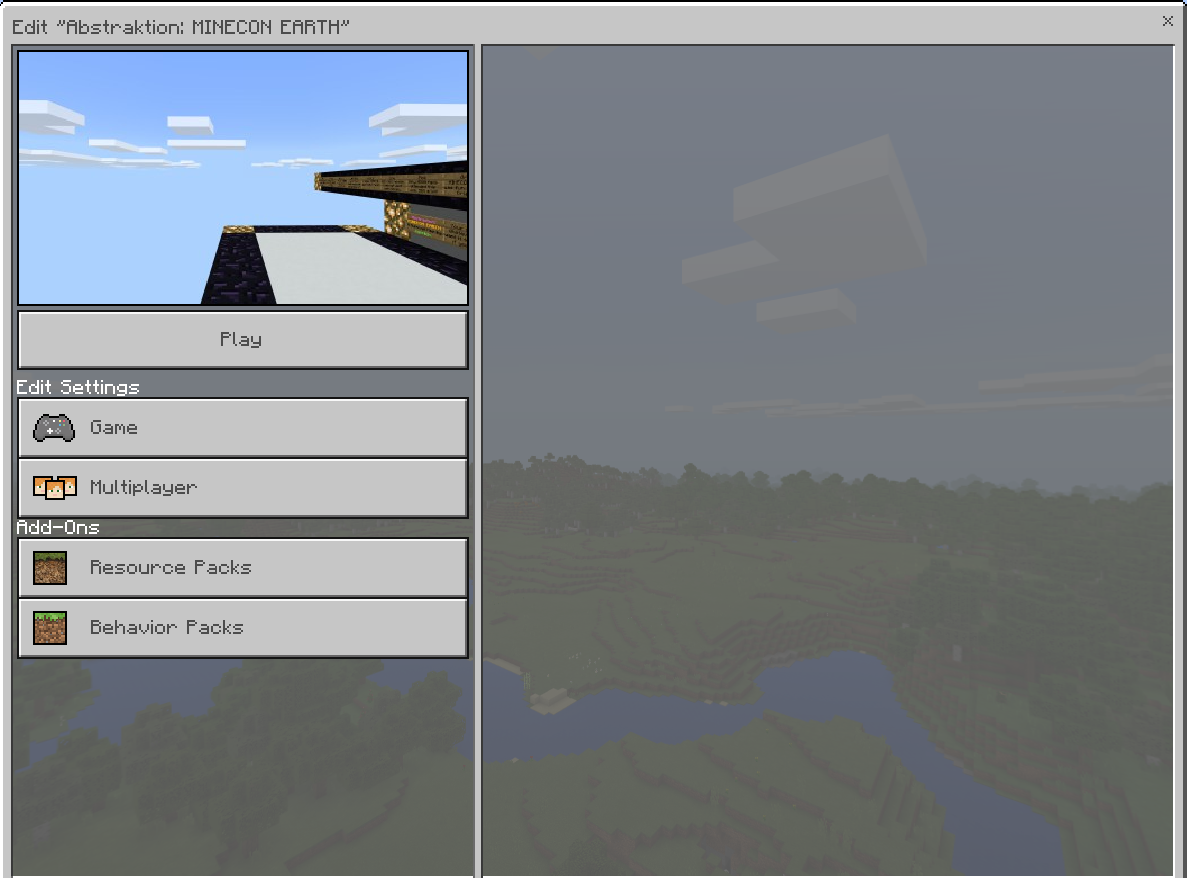
When I connect with Realms ist always says loading resource packs. Later i wantet to Play offline and edit a World, but then there was just a blank Screen (see screenshots). It seams like the game thought the offlineworld is my realm (wtf). When i press Play in the edit menue Minecraft wants to connect with the Realm (doesent works), but when i press Play in the normal play-menue i can connect with the offline world.
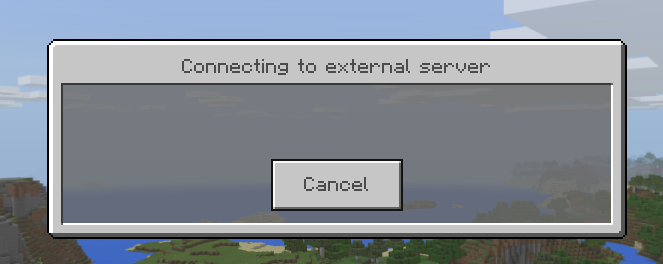
I also cant Play via LAN with my brother, and when trying to Play on a server there is just the "connecting to external server" message.
Please help me to fix this!
Im using Minecraft Windows 10 Edtion (1.2.5) and cant connect with Servers, via LAN or with Realms. With Minecraft PE (same version) i can connect with those three via Wi-Fi. The Firewall is switched off, but it already doesent connect. My brother has the same problem. It had begun ca. 2 Weeks ago, first i thought it is because the Minecraft Update, but there was a new one and it still doesent works. I imagin, that the big Windowsupdate could also be the problem.
When I connect with Realms ist always says loading resource packs. Later i wantet to Play offline and edit a World, but then there was just a blank Screen (see screenshots). It seams like the game thought the offlineworld is my realm (wtf). When i press Play in the edit menue Minecraft wants to connect with the Realm (doesent works), but when i press Play in the normal play-menue i can connect with the offline world.
I also cant Play via LAN with my brother, and when trying to Play on a server there is just the "connecting to external server" message.
Im using Minecraft Windows 10 Edtion (1.2.5) and cant connect with Servers, via LAN or with Realms. With Minecraft PE (same version) i can connect with those three via Wi-Fi. The Firewall is switched off, but it already doesent connect. My brother has the same problem. It had begun ca. 2 Weeks ago, first i thought it is because the Minecraft Update, but there was a new one and it still doesent works. I thougt, that the big Windowsupdate could also be the problem. Therefore i tried playing on a notebook without the fall creators update for Windows (same Minecraft version) and it worked!
When I connect with Realms ist always says loading resource packs. Later i wantet to Play offline and edit a World, but then there was just a blank Screen (see screenshots). It seams like the game thought the offlineworld is my realm (wtf). When i press Play in the edit menue Minecraft wants to connect with the Realm (doesent works), but when i press Play in the normal play-menue i can connect with the offline world.
I also cant Play via LAN with my brother, and when trying to Play on a server there is just the "connecting to external server" message.
I have the the same Problem too. When typing long Commands Minecraft crashes sometimes,
or from time to time if you type /a it display just a
I have the same issue for ca. 3 Weeks and my brother too.
Have you installed the fall creators update for Windows 10?
I think that this one is the Problem, because i can play on my Android Phone
and on a notebook without the update.
I have the same issue for ca. 3 Weeks and my brother too.
Have you installed the fall creators update for Windows 10?
I think that this one is the Problem, because i can play on my Android Phone
and on a notebook without the update.
I have the same issue for ca. 3 Weeks and my brother too.
Have you installed the fall creators update for Windows 10?
I think that this one is the Problem, because i can play on my Android Phone
and on a notebook without the update.
I have the same issue for ca. 3 Weeks and my brother too.
Have you installed the fall creators update for Windows 10?
I think that this one is the Problem, because i can play on my Android Phone
and on a notebook without the update.
I have the same issue for ca. 3 Weeks and my brother too.
Have you installed the fall creators update for Windows 10?
I think that this one is the Problem, because i can play on my Android Phone
and on a notebook without the update.
Got a Solution for me, hope it helps you too...
My problem was that TLS 1.2 wasn't allowed on my pc!
I fixed this so:
-> open your internet explorer and click at the gear for the extra settings (ALT + X)
-> choose the internet options, than select the advanced tab
-> scroll down and hook up TLS 1.2 (and 1.1 when it isn't already)
->press assume and close the little window
-> leave the internet explorer open (you can close it later, but it's more safe) and test Minecraft Servers
Pleas reply me if it worked!
Got a Solution for me, hope it helps you too...
My problem was that TLS 1.2 wasn't allowed on my pc!
I fixed this so:
-> open your internet explorer and click at the gear for the extra settings (ALT + X)
-> choose the internet options, than select the advanced tab
-> scroll down and hook up TLS 1.2 (and 1.1 when it isn't already)
->press assume and close the little window
-> leave the internet explorer open (you can close it later, but it's more safe) and test Minecraft Servers
Pleas reply me if it worked!
Got a Solution for me, hope it helps you too...
My problem was that TLS 1.2 wasn't allowed on my pc!
I fixed this so:
-> open your internet explorer and click at the gear for the extra settings (ALT + X)
-> choose the internet options, than select the advanced tab
-> scroll down and hook up TLS 1.2 (and 1.1 when it isn't already)
->press assume and close the little window
-> leave the internet explorer open (you can close it later, but it's more safe) and test Minecraft Servers
Pleas reply me if it worked!
Got a Solution for me, hope it helps you too...
My problem was that TLS 1.2 wasn't allowed on my pc!
I fixed this so:
-> open your internet explorer and click at the gear for the extra settings (ALT + X)
-> choose the internet options, than select the advanced tab
-> scroll down and hook up TLS 1.2 (and 1.1 when it isn't already)
->press assume and close the little window
-> leave the internet explorer open (you can close it later, but it's more safe) and test Minecraft Servers
Pleas reply me if it worked!
Hi
Worked the solution that i posted?
Pleas answer me, perhaps it will help oders.
regards Bonesli
@Joey P.
Sorry that it doesen't helped for you, i can play on my Android-
Phone and my friend too, but he also can't play on XBOX.
regards Bonesli
It would be good to be able to read, this is no Bug!
See: https://minecraft.gamepedia.com/Commands#Selecting_targets_by_coordinate
Please close this report, Thanks.
Hi F
Could you post the commands that you used? I don't have any problems when using for example /kill @e[x=0,y=0,z=0,dx=0,dx=0,dz=0] but I can't use something like /kill @e[y=0,dy=0] but I think this is not really a bug.
Hi Benefit Zebra
This existed for a long time now, i guess on all platforms. It isn't really a bug just the way these commands work on bedrock edition. Nevertheless it is quite annoying because of the inconsistency with other commands as i mentioned in the description. I see no reason why there are two commands an why they didn't merge them.
Tried this on Windows 10 and it happend too. Tried the same thing on Android and it didn't happen.