 Алексей
- MagicalAlexey
- magicalalexey
- Europe/Stockholm
- Yes
- No
 MCPE-100505


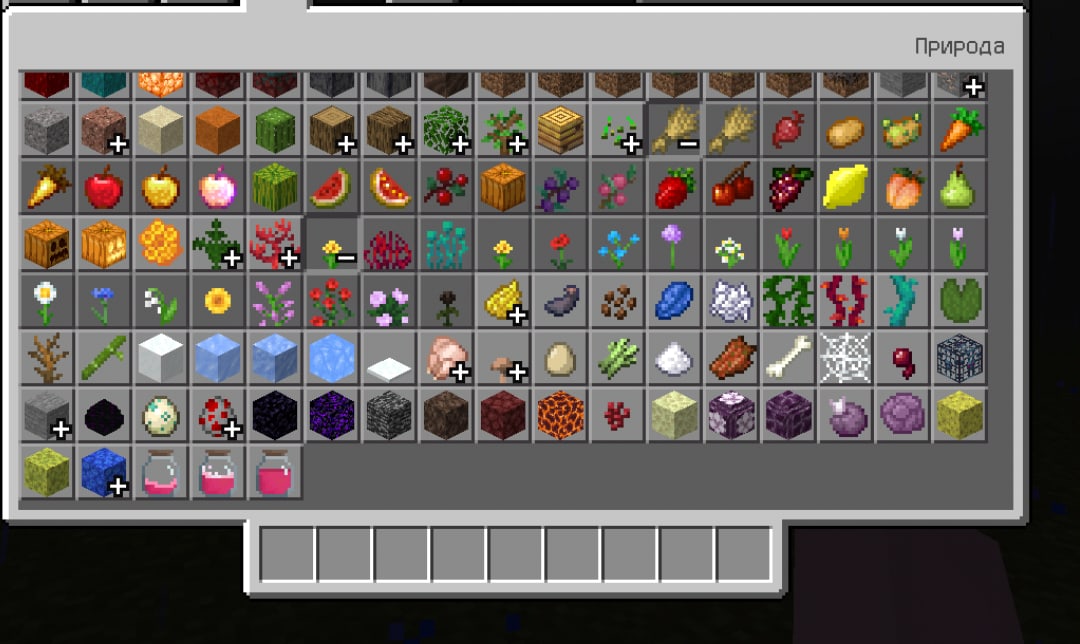

Custom biomes and features no longer work in version 1.16.100.
The old code for features and biomes no longer works
, but the newyearwas not given.Custom biomes and features no longer work in version 1.16.100.
The old code for features and biomes no longer works. But the new code was not given
Странно, у меня больше нет этой ошибки
Strange, I don't have this error anymore
Custom tools and armor are no longer destroyed when used.
Expectation: the Item should lose its durability when used.Reality: the Item does not lose
strengthwhen used, and can be used indefinitely.Custom tools and armor are no longer destroyed when used.
Expectation: the Item should lose its durability when used.
Reality: the Item does not lose durability when used, and can be used indefinitely.
When creating more than two biomes, there is a replacement of other biomes from addons (only temperature, fog and particles)
Steps to Reproduce:
1. Install addon in game
2. Enable all experimental toggles
3. Create new worldObserved Results:
All biomes appear in the world, but some created biomes do not match the temperature or fog, particles (from other biomes) however, all features appear in the biomes correctly. Spawn rules doesn't work properly either.Expected Results:
All biomes appear correctly, and the temperature, mobs, particles, and fog correspond to the biomes.
When creating more than two biomes, there is a replacement of other biomes from addons (only temperature, fog and particles)
Steps to Reproduce:
1. Install addon in game
2. Enable all experimental toggles
3. Create new worldObserved Results:
All biomes appear in the world, but some created biomes do not match the temperature or fog, particles (from other biomes) however, all features appear in the biomes correctly. Spawn rules doesn't work properly either.Expected Results:
All biomes appear correctly, and the temperature, mobs, particles, and fog correspond to the biomes.
When creating more than two biomes, there is a replacement of other biomes from addons (only temperature, fog and particles)
Steps to Reproduce:
1. Install addon in game
2. Enable all experimental toggles
3. Create new worldObserved Results:
All biomes appear in the world, but some created biomes do not match the temperature or fog, particles (from other biomes) however, all features appear in the biomes correctly. Spawn rules doesn't work properly either.Expected Results:
All biomes appear correctly, and the temperature, mobs, particles, and fog correspond to the biomes.
When creating more than two biomes, there is a replacement of other biomes from addons (only temperature, fog and particles)
Steps to Reproduce:
1. Install addon in game
2. Enable all experimental toggles
3. Create new worldObserved Results:
All biomes appear in the world, but some created biomes do not match by the temperature or fog, particles (from other biomes) however, all features appear in the biomes correctly. Spawn rules doesn't work properly either.Expected Results:
All biomes appear correctly, and the temperature, mobs, particles, and fog correspond to the biomes.
When creating more than two biomes, there is a replacement of other biomes from addons (only temperature, fog and particles)
Steps to Reproduce:
1. Install addon in game
2. Enable all experimental toggles
3. Create new worldObserved Results:
All biomes appear in the world, but some created biomes do not match bythetemperature or fog, particles (from other biomes) however, all features appear in the biomes correctly. Spawn rules doesn't work properly either.Expected Results:
All biomes appear correctly, and the temperature, mobs, particles, and fog correspond to the biomes.
When creating more than two biomes, there is a replacement of other biomes from addons (only temperature, fog and particles)
Steps to Reproduce:
1. Install addon in game
2. Enable all experimental toggles
3. Create new worldObserved Results:
All biomes appear in the world, but some created biomes do not match by temperature or fog, particles (from other biomes) however, all features appear in the biomes correctly. Spawn rules doesn't correctly work properly either.Expected Results:
All biomes appear correctly, and the temperature, mobs, particles, and fog correspond to the biomes.
Use
{
{ "group": "itemGroup.name.planks", "category": "Costruction" }
"minecraft:creative_category":}
When the switch is turned on
, caves &cliffs biomes are not generated due to the new multi-noise generation of the worldWhen the switch is turned on, caves & cliffs biomes are not generated due to the new multi-noise generation of the worldWhen the switch is turned on Caves & Cliffs, biomes are not generated due to the new multi-noise generation of the worldWhen the switch is turned on, caves & cliffs biomes are not generated due to the new multi-noise generation of the world
When the switch is turned on Caves & Cliffs, biomes are not generated due to the new multi-noise generation of the world
When the switch is turned on, caves & cliffs biomes are not generated due to the new multi-noise generation of the worldWhen the switch is turned on Caves & Cliffs, biomes are not generated due to the new multi-noise generation of the world.
Multi noise generation has broken the generation of custom biomes
The same problem doesn't work
rqbby No, the game freezes completely
Can you throw off the addon?
I mean: items from the addon?
I'm not talking about skulls
The observed result was not similar to the results from the previous beta version.
[Mod] Umija5895M
Try the format version 1.15.0, it works with beta 1.16.200.55
In 1.16.200, you can get around the bug with resetting biomes if you update the behavior package every time before entering the world.
It is strange that it is still impossible to break a workbench or a stove with custom objects.
Still broken in 1.16.220.50
Work in 1.17.20.23
Broken in 1.17.30.20 - 1.17.30.21!
Work in 1.17.30.23