 MasterMindDude
- MasterMindDude
- masterminddude
- Europe/Stockholm
- Yes
- No
 MC-77788


Any
Windows, Mac
Windows, Mac
1.8-supported devices and software
The bug
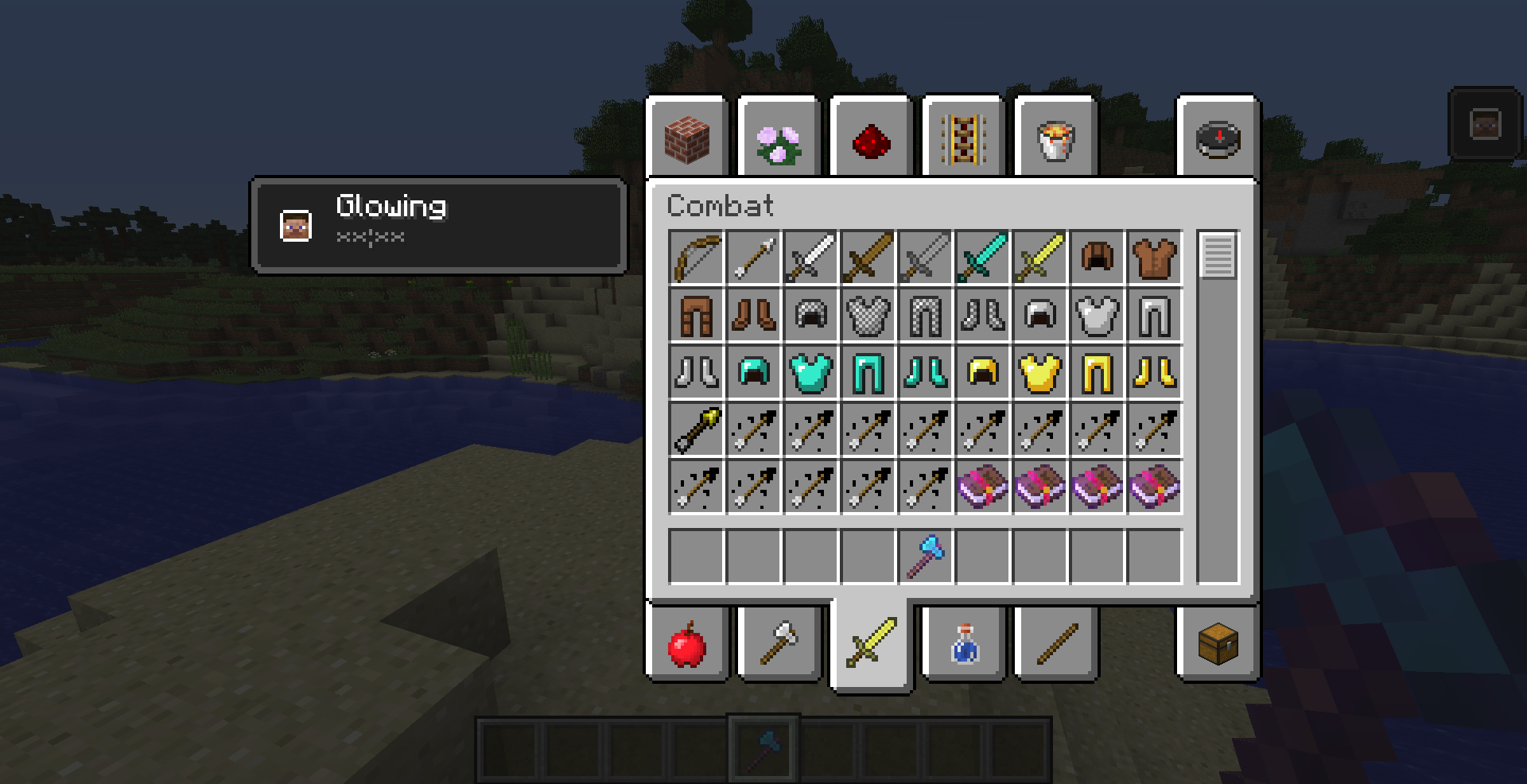
When running Minecraft at an aspect ratio taller than 16:9, the crafting UI changes. Normally, when you use the new recipe book in a crafting table, it will appear beside the crafting table UI, so that you can view and craft at the same time.
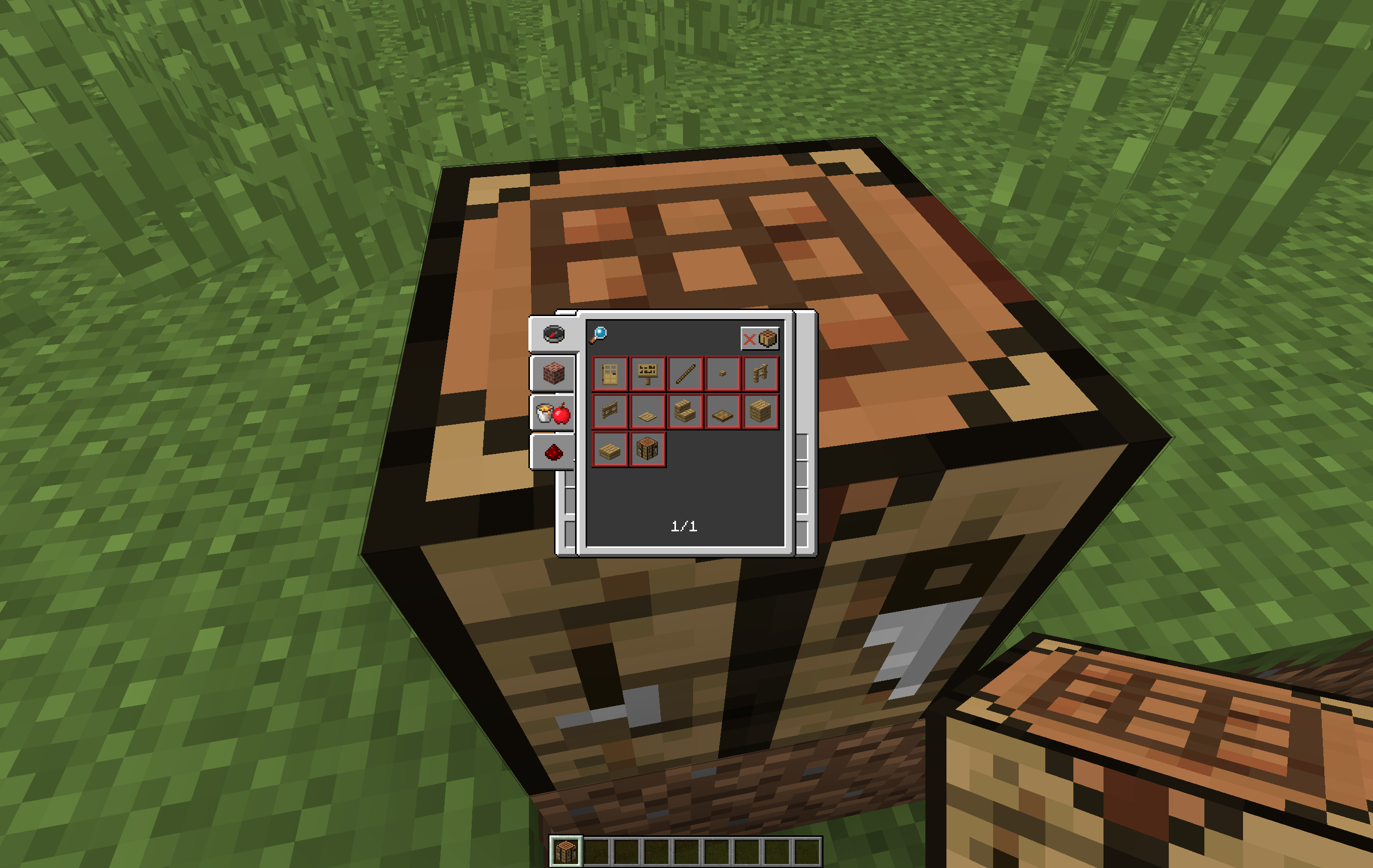
However, in taller aspect ratios than 16:9, this functionality is lost, because the UI appears above the crafting table, and when any recipes are clicked, the UI disappears, but the recipe does not show up on the crafting grid.
To be clear, the UI works fine with aspect ratios SHORTER than 16:9, so 16:8, etc, works fine. But things like 3:2, 4:3, or 1:1, or example, don't work.
Problems
- As described in
MC-115071the "inventory" rendered behind the crafting help is not actually the player inventory. The slots appear always empty even if the player has items in these slots.- The player model is rendered in gray in front of the recipe book GUI, see
MC-116761.Note from original poster
I'm actually no longer experiencing this issue. On my device, it works fine. It was fixed in
The bug
When running Minecraft at an aspect ratio taller than 16:9, the crafting UI changes. Normally, when you use the new recipe book in a crafting table, it will appear beside the crafting table UI, so that you can view and craft at the same time.
However, in taller aspect ratios than 16:9, this functionality is lost, because the UI appears above the crafting table, and when any recipes are clicked, the UI disappears, but the recipe does not show up on the crafting grid.
To be clear, the UI works fine with aspect ratios SHORTER than 16:9, so 16:8, etc, works fine. But things like 3:2, 4:3, or 1:1, or example, don't work.
Problems
- As described in
MC-115071the "inventory" rendered behind the crafting help is not actually the player inventory. The slots appear always empty even if the player has items in these slots.- The player model is rendered in gray in front of the recipe book GUI, see
MC-116761.Note from original poster
I'm actually no longer experiencing this issue. On my device, it works fine. It was fixed in 17w15a, but still affects other people. Not sure if this information is important, but thought I would mention it.
The bug
When running Minecraft at an aspect ratio taller than 16:9, the crafting UI changes. Normally, when you use the new recipe book in a crafting table, it will appear beside the crafting table UI, so that you can view and craft at the same time.
However, in taller aspect ratios than 16:9, this functionality is lost, because the UI appears above the crafting table, and when any recipes are clicked, the UI disappears, but the recipe does not show up on the crafting grid.
To be clear, the UI works fine with aspect ratios SHORTER than 16:9, so 16:8, etc, works fine. But things like 3:2, 4:3, or 1:1, or example, don't work.
Problems
- As described in
MC-115071the "inventory" rendered behind the crafting help is not actually the player inventory. The slots appear always empty even if the player has items in these slots.- The player model is rendered in gray in front of the recipe book GUI, see
MC-116761.Note from original poster
I'm actually no longer experiencing this issue. On my device, it works fine. For me, It was fixed in 17w15a, but still affects other people. Not sure if this information is important, but thought I would mention it.
The bug
When running Minecraft at an aspect ratio taller than 16:9, the crafting UI changes. Normally, when you use the new recipe book in a crafting table, it will appear beside the crafting table UI, so that you can view and craft at the same time.
However, in taller aspect ratios than 16:9, this functionality is lost, because the UI appears above the crafting table, and when any recipes are clicked, the UI disappears, but the recipe does not show up on the crafting grid.
To be clear, the UI works fine with aspect ratios SHORTER than 16:9, so 16:8, etc, works fine. But things like 3:2, 4:3, or 1:1, or example, don't work.
Problems
- As described in
MC-115071the "inventory" rendered behind the crafting help is not actually the player inventory. The slots appear always empty even if the player has items in these slots.- The player model is rendered in gray in front of the recipe book GUI, see
MC-116761.Note from original poster
I'm actually no longer experiencing this issue. On my device, it works fine. For me, It was fixed in 17w1
5a, but still affects other people. Not sure if this information is important, but thought I would mention it.The bug
When running Minecraft at an aspect ratio taller than 16:9, the crafting UI changes. Normally, when you use the new recipe book in a crafting table, it will appear beside the crafting table UI, so that you can view and craft at the same time.
However, in taller aspect ratios than 16:9, this functionality is lost, because the UI appears above the crafting table, and when any recipes are clicked, the UI disappears, but the recipe does not show up on the crafting grid.
To be clear, the UI works fine with aspect ratios SHORTER than 16:9, so 16:8, etc, works fine. But things like 3:2, 4:3, or 1:1, or example, don't work.
Problems
- As described in
MC-115071the "inventory" rendered behind the crafting help is not actually the player inventory. The slots appear always empty even if the player has items in these slots.- The player model is rendered in gray in front of the recipe book GUI, see
MC-116761.Note from original poster
I'm actually no longer experiencing this issue. On my device, it works fine. For me, It was fixed in 17w14a, but still affects other people. Not sure if this information is important, but thought I would mention it.
This same thing happens to me! What is the aspect ratio of your device? For me, it works as intended if I play the game at 16:9 or lower (vertically), but not any higher than that, which makes it hard to use on my 3:2 screen.
When I fist found the issue, I was running the game at 2736x1730, and as you can see in the first image it clearly had enough space. However, this is now fixed for me and works normally since 17w14a. However, someone commented they are still experiencing it at a resolution of 1600x1200. I don't know if this is still happening, but when I fist used it in 17w13a, the functionality wouldn't work, not just the menu overlay, but I don't know if that is still the case for other people in 17w18a, because it no longer affects me.