 Tomas Gregg
- minecraft_shark
- JIRAUSER703026
- America/Indiana/Indianapolis
- Yes
- No
 MCPE-147449
 REALMS-10307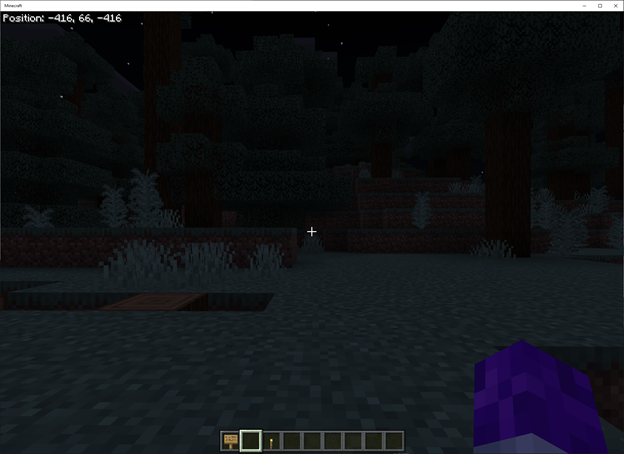








Bonus Chest appears underground with Experiments - Caves and Cliffs enabled in 1.17.41
The Resolution slider for ZigZag doesn't work with World on Realms
Overview
When using the resource pack ZigZag I purchased from the Minecraft Marketplace in my world on Realms, I am unable to change the resolution slider from 128x for the resource pack. Changing the resolution slider to 64x or 32x is not honored in my world in Realms. It stays stuck at 128x. The ZigZag resolution slider works fine with local worlds. Steps are below:
Steps to re-create
A. World on Realms (slider doesn't work)
- Launch Minecraft
- Select Play
- Under the Realms section, select the Edit button for your world with ZigZag enabled in Realms
- Select the Active World for the Realm (should have a green checkbox in the tile)
- Select the Edit World Button
- Under Add-Ons, select the Resource Packs button
- Select Active
- Select ZigZag
- Select Settings (gear icon)
- In the ZigZag settings window grab the Resolution slider and move it to 64x or 32x (see image ZigZagSettings_Part 01.png)
- Select the x icon to close the settings window
- Select Back (looks like a "<")
- Select Play
- Once game loads, notice that the graphics don't look any different (see image ZigZagSettings_Part 02.png)
- Press Escape
- Select Save & Quit
- Select the Edit button for your world with ZigZag enabled in Realms
- Select the Edit World Button
- Under Add-Ons, select the Resource Packs button
- Select Active
- Select ZigZag
- Select Settings (gear icon)
- The setting has reverted back to 128x (see image ZigZagSettings_Part 03.png)
- Slider is not working as intended
B. World Saved Locally (slider works)
- Launch Minecraft
- Select Play
- Under the Worlds section, select the Edit button for your world with ZigZag enabled
- Under Add-
ins, select the Resource Packs button- Select Active
- Select ZigZag
- Select Settings (gear icon)
- In the ZigZag settings window grab the Resolution slider and move it to 64x or 32x (see image ZigZagSettings_Part 04.png)
- Select the x icon to close the settings window
- Select Back (looks like a "<")
- Select Play
- Once game loads, notice that the graphics do look different (see image ZigZagSettings_Part 05.png and then compare to ZigZagSettings_Part 02.png)
- Press Escape
- Select Save & Quit
- Select the Edit button for your world with ZigZag enabled
- Select the Edit World Button
- Under Add-Ons, select the Resource Packs button
- Select Active
- Select ZigZag
- Select Settings (gear icon)
- The setting is still set to 64x or 32x (see image ZigZagSettings_Part 02.png)
- Slider works as intended
The Resolution slider for ZigZag doesn't work with World on Realms
Overview
When using the resource pack ZigZag I purchased from the Minecraft Marketplace in my world on Realms, I am unable to change the resolution slider from 128x for the resource pack. Changing the resolution slider to 64x or 32x is not honored in my world in Realms. It stays stuck at 128x. The ZigZag resolution slider works fine with local worlds. Steps are below:
Steps to re-create
A. World on Realms (slider doesn't work)
- Launch Minecraft
- Select Play
- Under the Realms section, select the Edit button for your world with ZigZag enabled in Realms
- Select the Active World for the Realm (should have a green checkbox in the tile)
- Select the Edit World Button
- Under Add-Ons, select the Resource Packs button
- Select Active
- Select ZigZag
- Select Settings (gear icon)
- In the ZigZag settings window grab the Resolution slider and move it to 64x or 32x (see image ZigZagSettings_Part 01.png)
- Select the x icon to close the settings window
- Select Back (looks like a "<")
- Select Play
- Once game loads, notice that the graphics don't look any different (see image ZigZagSettings_Part 02.png)
- Press Escape
- Select Save & Quit
- Select the Edit button for your world with ZigZag enabled in Realms
- Select the Edit World Button
- Under Add-Ons, select the Resource Packs button
- Select Active
- Select ZigZag
- Select Settings (gear icon)
- The setting has reverted back to 128x (see image ZigZagSettings_Part 03.png)
- Slider is not working as intended
B. World Saved Locally (slider works)
- Launch Minecraft
- Select Play
- Under the Worlds section, select the Edit button for your world with ZigZag enabled
- Under Add-Ons, select the Resource Packs button
- Select Active
- Select ZigZag
- Select Settings (gear icon)
- In the ZigZag settings window grab the Resolution slider and move it to 64x or 32x (see image ZigZagSettings_Part 04.png)
- Select the x icon to close the settings window
- Select Back (looks like a "<")
- Select Play
- Once game loads, notice that the graphics do look different (see image ZigZagSettings_Part 05.png and then compare to ZigZagSettings_Part 02.png)
- Press Escape
- Select Save & Quit
- Select the Edit button for your world with ZigZag enabled
- Select the Edit World Button
- Under Add-Ons, select the Resource Packs button
- Select Active
- Select ZigZag
- Select Settings (gear icon)
- The setting is still set to 64x or 32x (see image ZigZagSettings_Part 02.png)
- Slider works as intended
Windows 10 64-bit (Version 21H2 - Build 19044.1706)
Minecraft Bedrock v1.18.31
ZigZag (Pack Version 1.0.15)Windows 10 64-bit (Version 21H2 - Build 19044.1706)
Minecraft Bedrock v1.19.10
ZigZag (Pack Version 1.0.15)
Windows 10 64-bit (Version 21H2 - Build 19044.
1706)
Minecraft Bedrock v1.19.10
ZigZag (Pack Version 1.0.15)Windows 10 64-bit (Version 21H2 - Build 19044.2130)
Minecraft Bedrock v1.19.31
ZigZag (Pack Version 1.0.15)
![[Mod] turbo](../../../data/avatars/users/92867.png)
Tomas Gregg: Older tickets will be resolved forward as duplicates if the newer issue has already been confirmed or triaged by Mojang and/or contains more detailed information. The status of your ticket may be "Resolved", but the resolution is not "Fixed", but "Duplicate" or something else. Please only comment if you have something new to add.
As this is not a help desk, please direct any further conversation to reddit or the Mojira Discord.
Quick Links:
📓 Bug Tracker Guidelines – 💬 Community Support – 📧 Mojang Support
📓 Project Summary – ✍️ Feedback and Suggestions – 📖 Game Wiki – 📖 FAQs
Not completely. I am not using the Chroma Hills Resource Pack. The only resource pack I have enabled on my realm is ZigZag from the minecraft store. Also If there are 5 entities on the screen, mine wouldn't drop below 60. Once I hit around 16-17 entities (combo of wheat and seeds) then I started to see the FPS drop to around 42. If there are mobs over the wheat field and I position my character into that area (mobs overhead of where I am cutting down wheat), then the drop is more severe...down into the 20's FPS.
I did try disabling ZigZag and the FPS issue went away (see image harvest_bug2.png). Is there an issue with the resource pack?
Hello,
This issue still occurs with Realm worlds in Minecraft v1.19.10.
Sincerely,
Tomas
Hello,
The issue still occurs with worlds in Realms in Minecraft v1.19.11.
Sincerely,
Tomas
Hello,
The issue still occurs with worlds in Realms in Minecraft v1.19.20.
Sincerely,
Tomas
This only impacts ZigZag. No other resource packs or add-ons are enabled when this issue occurs.
Also the issue still occurs with worlds in Realms in Minecraft v1.19.30.
Sincerely,
Tomas
Also the issue still occurs with worlds in Realms in Minecraft v1.19.31.
Sincerely,
Tomas
I also checked by removing all resource packs and then enabling another one I have called Jolicraft HD (pack version 1.0.8). It has options for 128, 64 and 16. When I switched it to 16, there was no change when I logged into my world in Realms. When I quit and checked the setting for Jolicraft it had been reset to 128. So for at least 2 different packs this issue persists in realms.
The issue still occurs in version 1.19.41. I also noticed that as soon as I make the change and select the the back arrow to go back out to start playing the world in Realms....if I go back into the resource packs and look at the setting again, there are defaulted back to 128x. So realms isn't storing the setting for the resource pack.
It would be good if someone responded, so I know this is being worked on or not.
The issue still occurs in version 1.19.73. I also noticed that as soon as I make the change and select the the back arrow to go back out to start playing the world in Realms....if I go back into the resource packs and look at the setting again, there are defaulted back to 128x. So realms isn't storing the setting for the resource pack.
It would be good if someone responded, so I know this is being worked on or not.
Why is the newer issue (
REALMS-11386) the main and mine was cancelled? And why does it show resolved when the linked issue is unresolved?