 modmuss50
- modmuss50
- modmuss50
- Europe/Stockholm
- Yes
- No
 MCL-12075
![[Mojang] Mikael Malmqvist](../../../data/avatars/users/18949.svg)


 MC-259583
 Normal
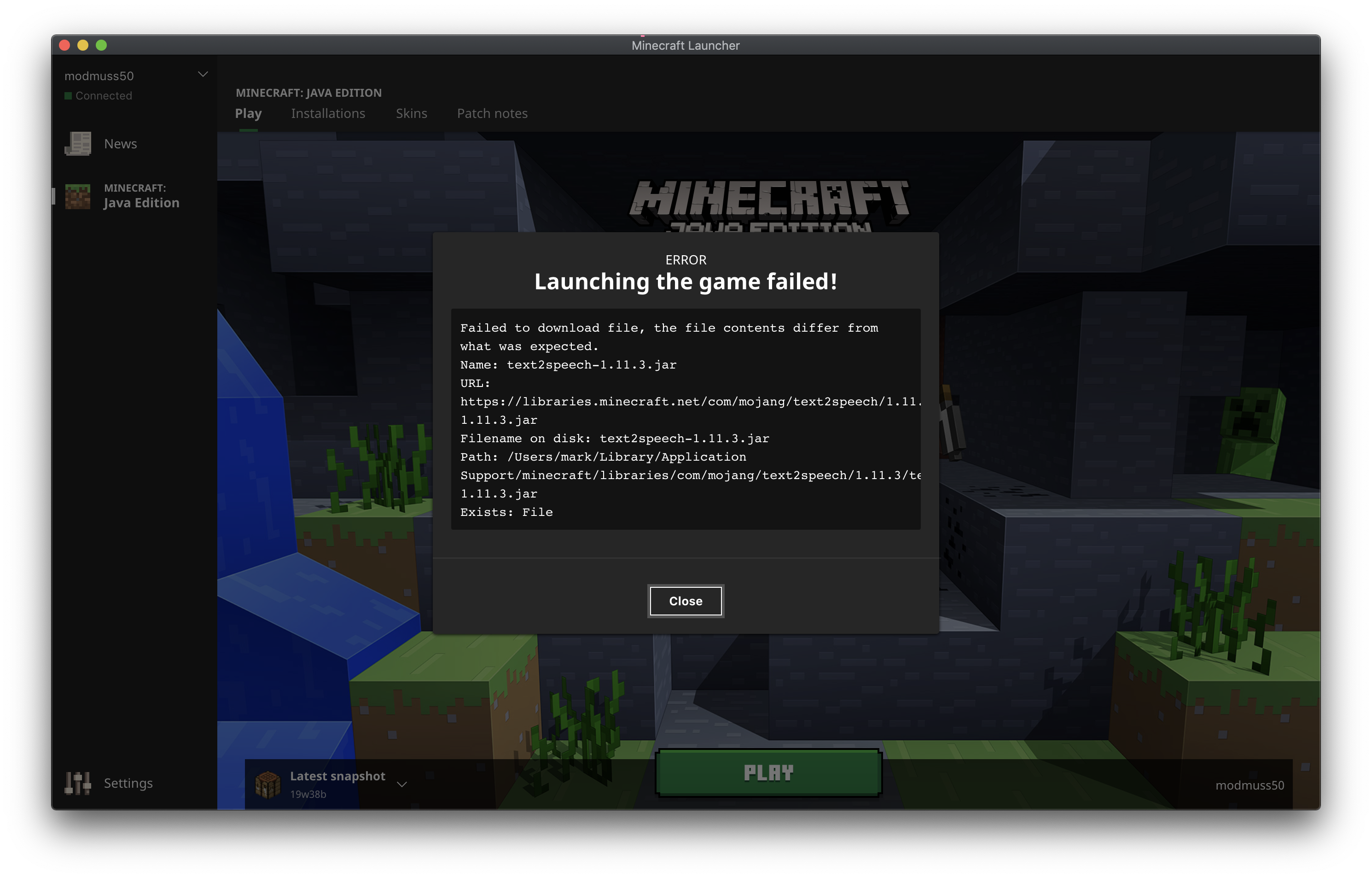


Hello,
Over on the Fabric (Users of optifine and forge seem to experience the same issue as well) discord we have been getting a number of reports of the latest vanilla launcher crashing with fabric.
This seems to be the case on windows and mac when using a custom java version with modded instances such as fabric. As far as im aware no one has been able to reproduce this with vanilla.
In my testing I am able to stall the launcher on windows, and hard crash it on MacOS. In all cases there doesnt appear to be anything useful in the log files. (MacOS provided a thread dump) You can see the issue that was raised on our issue tracker here: https://github.com/FabricMC/fabric-loader/issues/399
I have attached logs from our users who are based on windows, and included a thread dump that MacOS provided.
Please let me know if you require anymore information, I will do my best to help resolve this issue.
Many Thanks
When logging in with a Mojang account an invalid "--xuid" run argument without a value is passed to the game. This works as expected when using a MS account.
"-
clientId MW<redacted>Fi --xuid-userType mojang --versionType release"Note the double space between --xuid and --userType, the expected cli arguments would be:
"--clientId MW<redacted>Fi --userType mojang --versionType release"
I dont belive this causes an issue in vanilla (I havent looked into it too much), however it does cause the Fabric mod loader to stumble over parsing the arguments correctly, leading to a lack of Fabric branding on the main menu.
It would be great to have this returned to the previous behaviour (without the empty --xuid argument) to ensure that all versions of Fabric work as expected for Mojang account holders. I have created a PR for Fabric Loader here with a work around: https://github.com/FabricMC/fabric-loader/pull/566
Thanks for your time, let me know if you need any more information.
When logging in with a Mojang account an invalid "--xuid" run argument without a value is passed to the game. This works as expected when using a MS account.
"--clientId MW<redacted>Fi --xuid -userType mojang --versionType release"
Note the double space between --xuid and --userType, the expected cli arguments would be:
"--clientId MW<redacted>Fi --userType mojang --versionType release"
I dont belive this causes an issue in vanilla (I havent looked into it too much), however it does cause the Fabric mod loader to stumble over parsing the arguments correctly, leading to a lack of Fabric branding on the main menu.
It would be great to have this returned to the previous behaviour (without the empty --xuid argument) to ensure that all versions of Fabric work as expected for Mojang account holders. I have created a PR for Fabric Loader here with a work around: https://github.com/FabricMC/fabric-loader/pull/566
Thanks for your time, let me know if you need any more information.
Custom game versions or modloaders (such as Fabric) that use the "inheritsFrom" key in the version json no longer start the game and leave the launcher in a broken state.
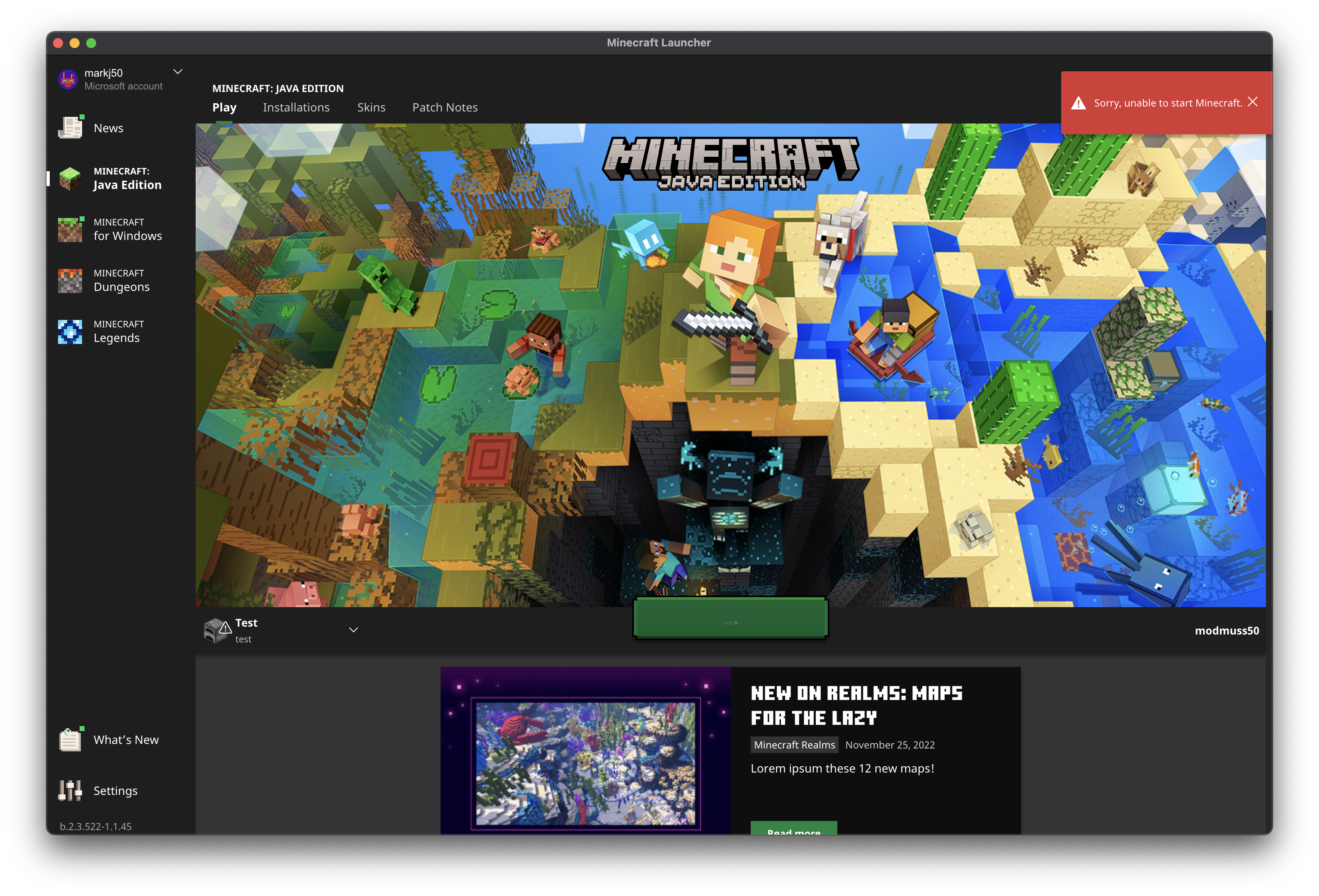
Recently we (Fabric) have had a large number of players contacting us about being unable to start their modded versions of Minecraft. When clicking play a toast is shown saying "Unable to start Minecraft" and the launcher is left in a broken/un-useable state. (See: screenshots)
After looking into this I was able to reproduce this without the use of a mod loader by creating a simple custom version. It appears the issue only happens when you have not previously used the Minecraft version that the custom version inherits from. The expected and previous behavour allowed the launcher to download the vanilla version as required.
Steps to reproduce:
1. Start with a fresh install of the launcher, or ensure that the vanilla version behing inherited from has not been started previously.
1. Savingthe following file to .minecraft/versions/test.json :{ "id": "test", "inheritsFrom": "1.19.2", "releaseTime": "2022-12-08T16:30:33+0000", "time": "2022-12-08T16:30:33+0000", "type": "release" }
2. Create a new instance using this version
3. Click play on the new instance and notice the toast error and the game does not start.
4. Notice under "Installations" all installations are suck "Waiting to install"This can be fixed by fully closing the launcher, creating a new instance with vanilla 1.19.2 starting the game, and then the modded/custom instance will work. I have been able to reproduce this in the none beta version of the Windows and MacOS launchers.
Please let me know if you require any more information or details. A swift resolution would be highly appreciated due to the severity of this issue.
Custom game versions or modloaders (such as Fabric) that use the "inheritsFrom" key in the version json no longer start the game and leave the launcher in a broken state.
Recently we (Fabric) have had a large number of players contacting us about being unable to start their modded versions of Minecraft. When clicking play a toast is shown saying "Unable to start Minecraft" and the launcher is left in a broken/un-useable state. (See: screenshots)
After looking into this I was able to reproduce this without the use of a mod loader by creating a simple custom version. It appears the issue only happens when you have not previously used the Minecraft version that the custom version inherits from. The expected and previous behavour allowed the launcher to download the vanilla version as required.
Steps to reproduce:
1. Start with a fresh install of the launcher, or ensure that the vanilla version behing inherited from has not been started previously.
2. Save the following file to .minecraft/versions/test.json :
{ "id": "test", "inheritsFrom": "1.19.2", "releaseTime": "2022-12-08T16:30:33+0000", "time": "2022-12-08T16:30:33+0000", "type": "release" }3. Create a new instance using this version
4. Click play on the new instance and notice the toast error and the game does not start.
5. Notice under "Installations" all installations are suck "Waiting to install"
This can be fixed by fully closing the launcher, creating a new instance with vanilla 1.19.2 starting the game, and then the modded/custom instance will work. I have been able to reproduce this in the none beta version of the Windows and MacOS launchers.
Please let me know if you require any more information or details. A swift resolution would be highly appreciated due to the severity of this issue.
The bug:
When brewing a single Dragon Breath no glass bottle is returned to the player. When brewing 2 or more a glass bottle is returned to the player as expected.
How to reproduce:
- In a brewing stand place 2 (or more) Dragon Breath in the input slot and a single awkward potion.
- With 1 blaze powder brew one lingering potion.
- Note the glass bottle is dropped in the world.
- Brew another potion using up the last Dragon Breath
- Note that no glass bottle is dropped in the world or retained in the inventory of the brewing stand.
Expected behaviour:
A glass bottle is retained in the input slot or dropped into the world after brewing the last Dragon Breath.
Many thanks, please let me know if you need any more info.
Hello,
We found that the registry system in the game allows for duplicate entries to be added, this appears to be a small oversight as there is code that appears to prevent this but fails to do so due to a missing “throw”. This issue mostly affects mods, but can be reproduced by a vanilla client connecting to a server that sends duplicate entries in a registry upon login. While I could not find any visible indicators of this causing a problem in vanilla, I strongly believe its against the design of the registry system and could lead to subtle issues that I haven’t thought of.
Looking at the code in MappedRegistry.register there are checks for duplicate keys or duplicate values, when either is present an IllegalStateException is created and passed to Util.pauseInIde. However this exception is never thrown, silently allowing duplicate entries as pauseInIde effectively does nothing in the normal game. The fix appears to be trivial as follows:
Util.pauseInIde(new IllegalStateException("Adding duplicate key '" + resourceKey + "' to registry”));
becomes
throw Util.pauseInIde(new IllegalStateException("Adding duplicate key '" + resourceKey + "' to registry”));
Please let me know if any more information is required, or if this behaviour is intended.
Regards,
modmuss

This worked fine on my local hosted server. Maybe the server ran out of ram.
This is on a basicly brand new MacBook Pro running Mac OS without any antrivirus or parental controls enabled.
I have just tried deleting the libraries directory to force it to try to re-download the libs but that didnt help.
Leaving the Beta version of the launcher fixes the issue and the game launches as expected.
I will be using yarn names throught this comment:
I spent sometime looking into the best way of fixing this. I came to the conclusion that using Collections.synchronizedMap() is the ideal fix. The reason for using this over ConcurrentHashMap is HashMap allows null values, where as ConcurrentHashMap does not, this is important as in getStructureOrBlank a null map value is possible if the structure could not be found, synchronizedMap does not change the implimentation details of HashMap.
The mixin linked above is the old method, [StructureManagerMixin.java|https://github.com/modmuss50/Voyager/blob/master/src/main/java/me/modmuss50/voyager/mixin/StructureManagerMixin.java] shows how I achieved this using Collections.synchronizedMap()
Confirmed to still be an issue in 20w15a
I have repoduced this in 20w21a, however it was only logged to console and didnt crash the game. I still believe the hard crash can still happen as the code appears untouched since it was last reproduced in 20w18a.
20w21a_log.txt
This bug seems to have been added in 22a. When updating fabric it caused our command tests to fail.
The fix seems trivial (Talking in official mojang names):
In Minecraft.selectLevel, ServerResources.loadResources is called with true being passed as the 2nd argument, this should be false, as its being ran on the intergrated server. This boolean is only used when true to enable the dedicated server commands (such as Ban and Stop). I created a mixin [gist|https://gist.github.com/modmuss50/8a65868faa5d4a0ffe60649b16a06153] to change this and validated that it fixed the issue.
Can confirm this is an isssue still in 1.16-pre2, this does not effect 1.14.4 as the issue current states.
Looking at the code it seems the field for the front left fin is never added into the Iterable list of model parts to be rendered. Also seems the rear left spikes are being added into that list twice. The issue most likely came about in 1.15 with the entity rendering changes.
Should be a trivial fix.
I can reproduce this on Windows 11 when using the new MS store version of the Minecraft launcher. I have also seen a number of users in the support channel on the Fabric discord also experiencing this issue, all using Windows 11.
I was also able to work around this by changing the settings of the instance to use a custom Java installation.
On my system the computer reset without any BSOD, and the event viewer did not appear to contain anything about it. I have not looked into this any more, enabling Windows crash dumps might be the next thing to do to help gain a better understanding of what is going on.
I was able to reproduce this on MacOS. The launcher is still correctly passing the --gameDir argument, this means files such as options.txt are working as expected. But the vanilla logging config does not respect this so the logs folder is incorrect.
As for mods; Fabric loader provides an API to get the game / config directory `FabricLoader.getInstance().getConfigDir()` this is working as expected due to it being driven by the run argument. As a maintainer of Fabric this change technically didnt break our API, but a number of popular mods are not using our API causing issues.
As this change also affects vanilla's logging I do believe this is a bug and not an intended change.
Hi!
I have uploaded 2 videos showing the issue and the workaround.
Part 1 first shows the test version that inherits 1.19.2 and how trying to launch that (without a previous 1.19.2 installation) causes the launcher to show an error, and get suck in an installation state. The 2nd 1/2 of part shows me creating a new vanilla 1.19.2 instance after hard restarting the launcher.
Part 2 contiunes on after 1.19.2 has been started and then shows that the test instance launches succesfully.
The expected behaviour would be for the test version to launch first time without showing the error. Please let me know if you need any future info. (Sorry about the low quality videos I had to compress them a lot to fit within the 10MB limit)
Thats strange, I have uploaded a part 3 video on a fresh Windows install in a VM.
After installing the launcher I ensured that there were no pending updates by closing and reopening it. Part 3 contiunes just after logging into my MS account. The game has never started. The following detailed steps cover how I reproduced this:
1. Fresh windows install in VM
2. Install launcher and open
3. Reopen launcher to install pending update
4. Log in with MS account
5. (Video starts here) Close launcher
6. Open fabric installer and install for an older Minecraft version, 1.19.2 in this case not 1.19.3.
7. Reopen Minecraft launcher and launch the pre selected fabric instance
8. Error is shown, launcher is in a broken "installing" state.
Launcher version is `v2.3.522-1.1.32` (bottom left of window)
I can still reproduce this with the latest `2.3.549` launcher update on MacOS.
I am also still seeing a steady stream of players seeking help for this issue in the Fabric discord support channels.
Hi, sorry to be a pain and bump this issue.
However a lot of our players are still experiencing this issue, even on the latest launcher version. I have tried my best to provide intructions to help you reproduce this, please let me know if there is anything more I can do.
Many thanks.
Hi, after testing on the beta version using MacOS and Windows it appears that this issue has been fixed.
Many thanks for everything.