 adsfasdf
- orange9035
- orange9035
- America/Havana
- Yes
- No
 MCL-65
 MC-22676
 MCPE-4785
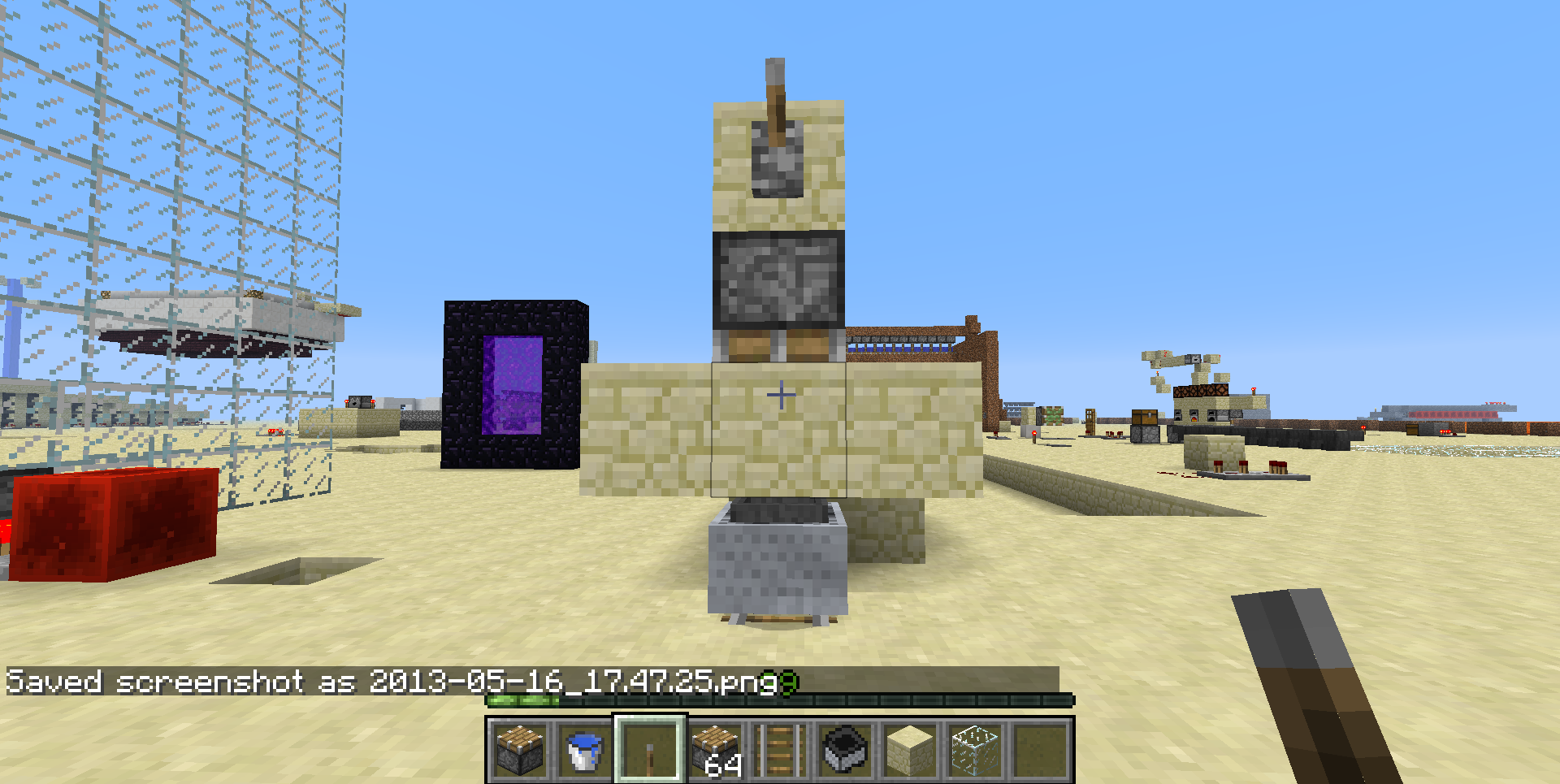
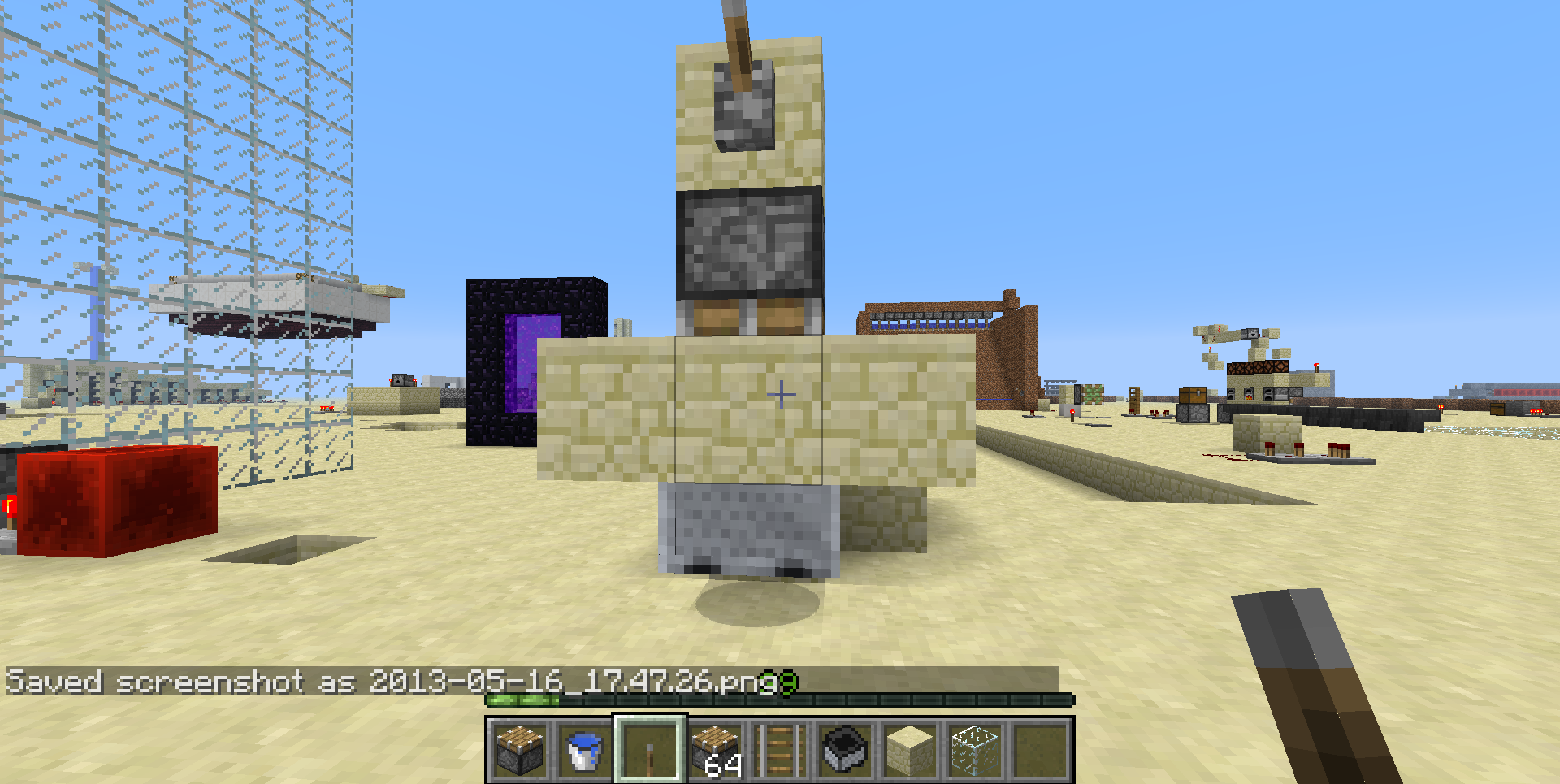


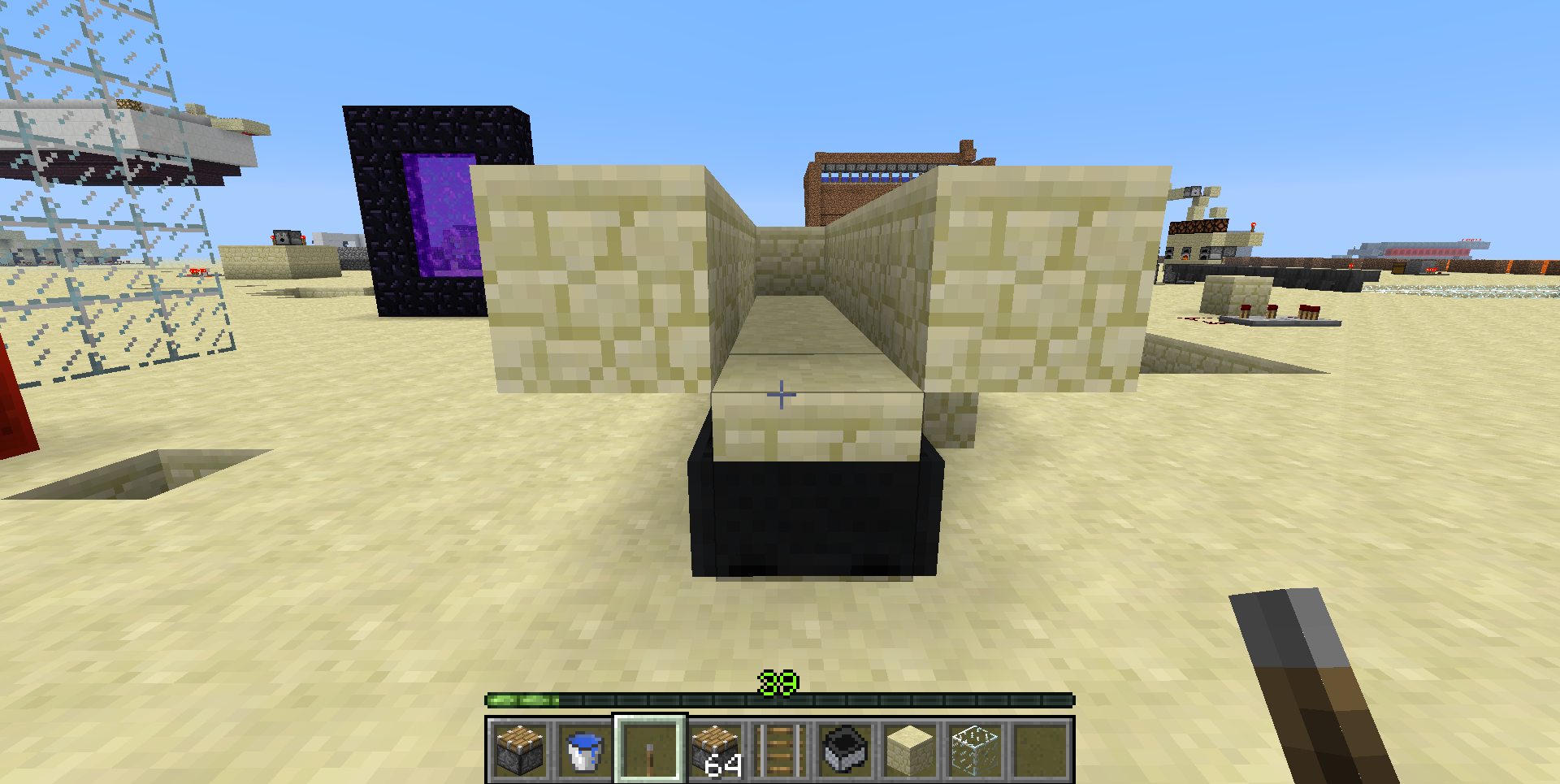
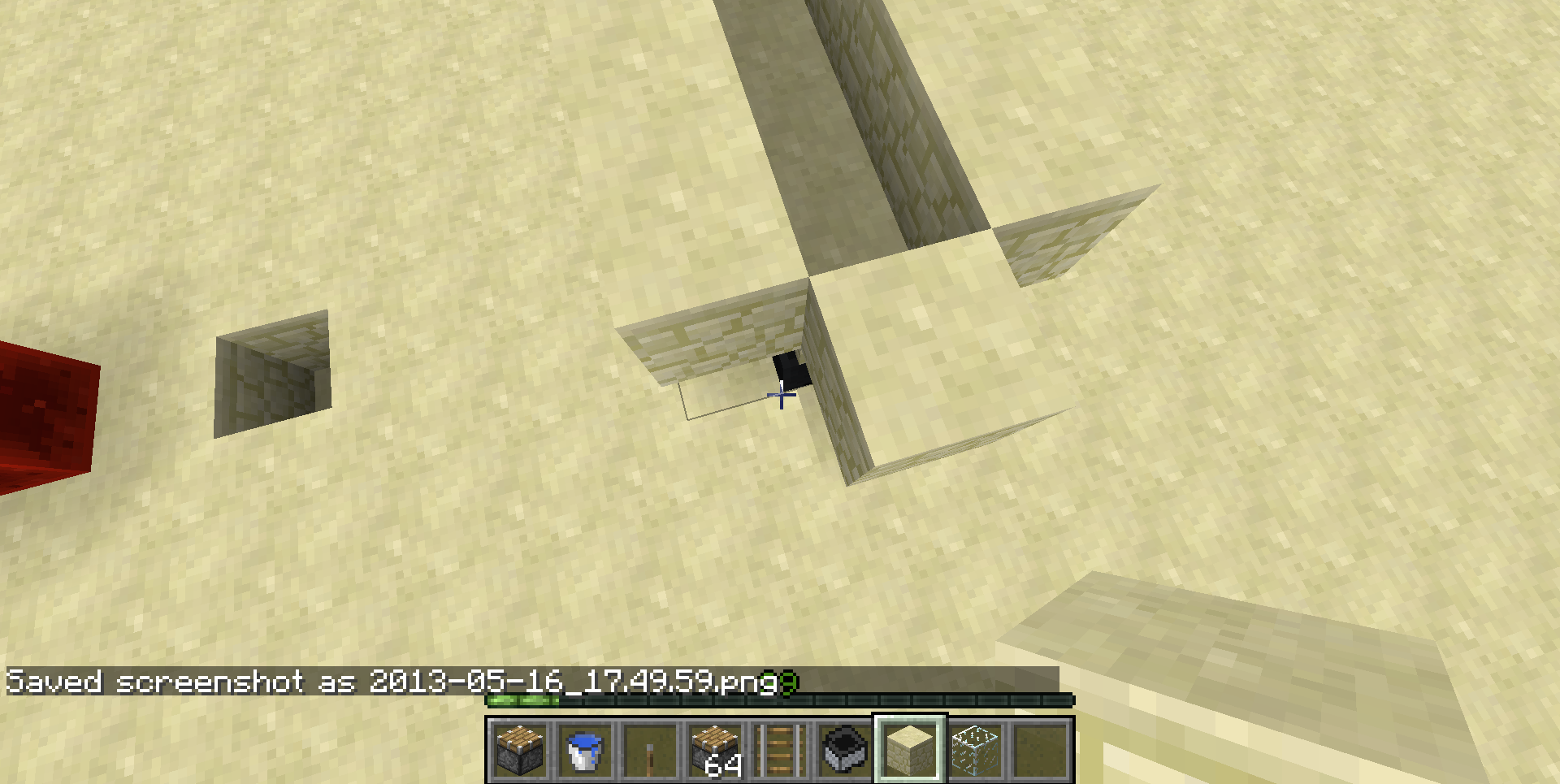
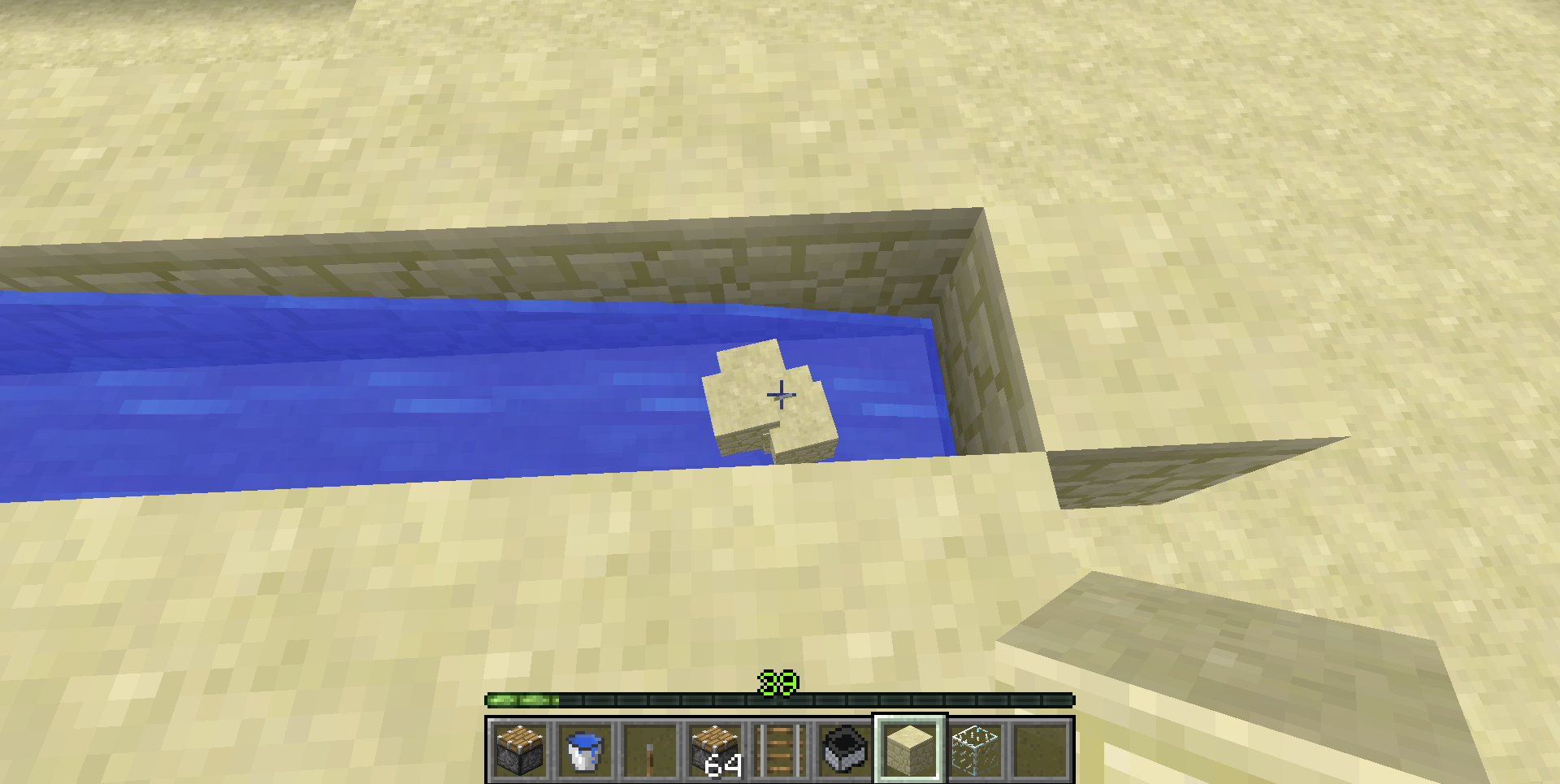
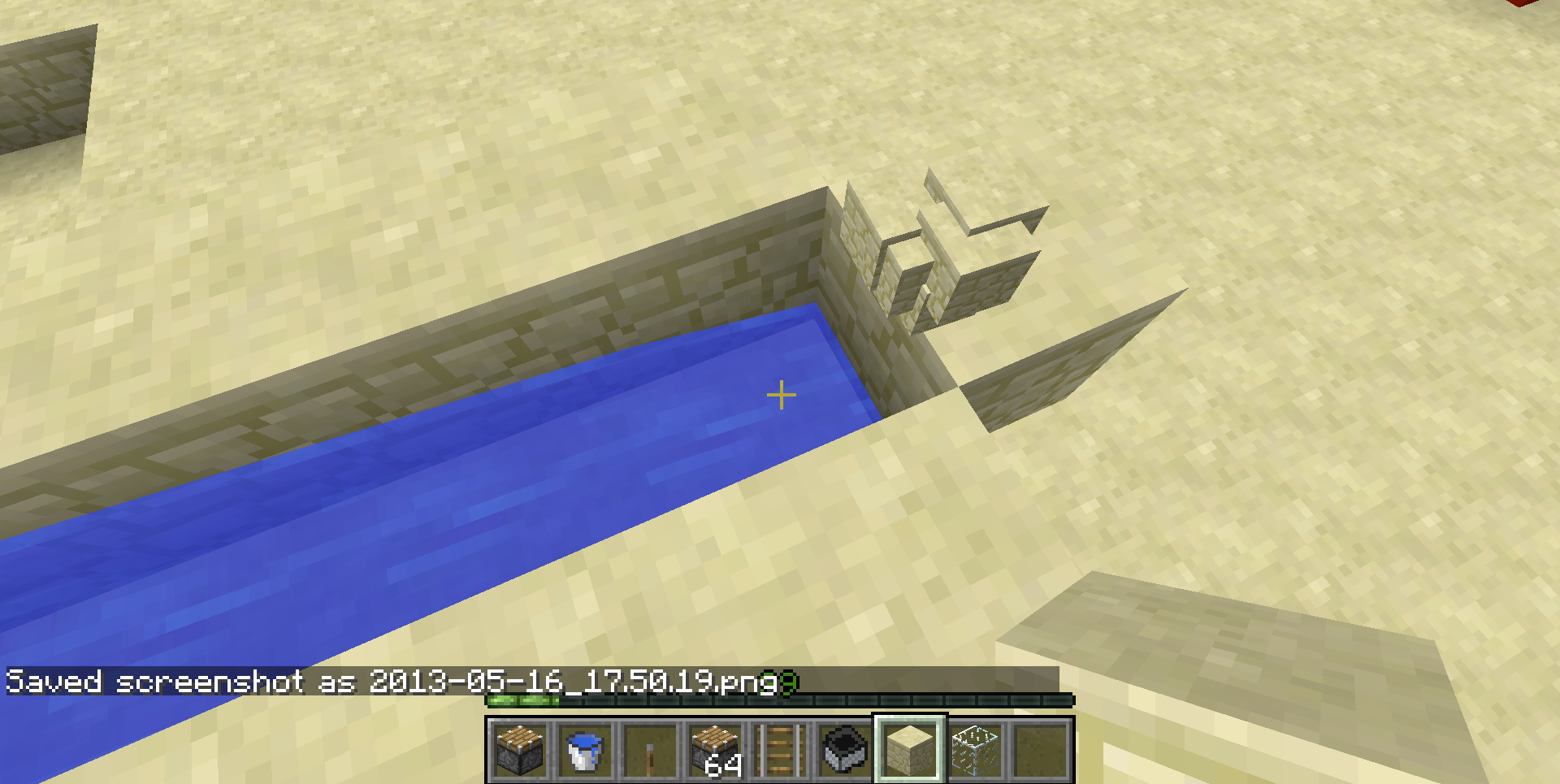
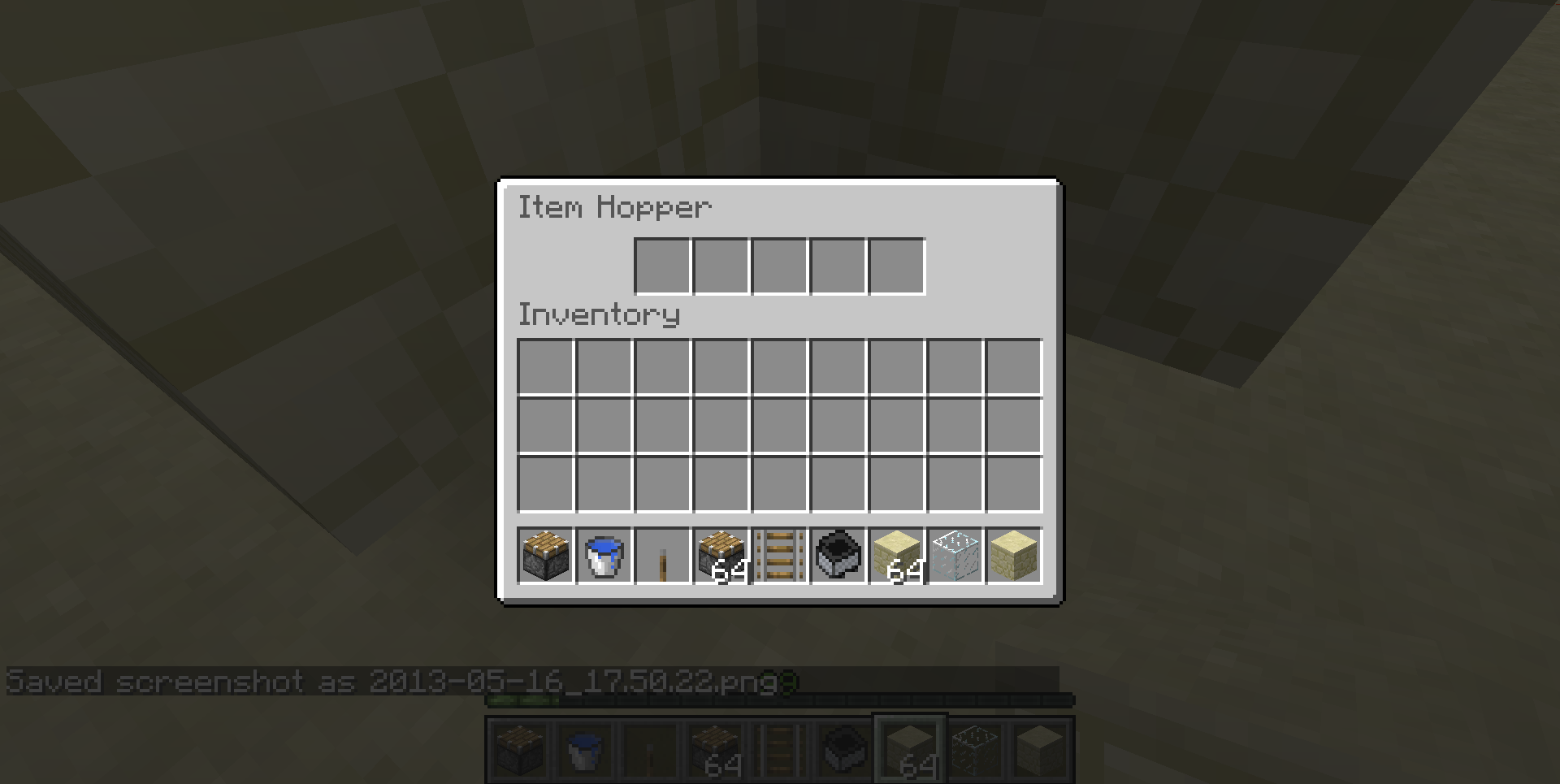








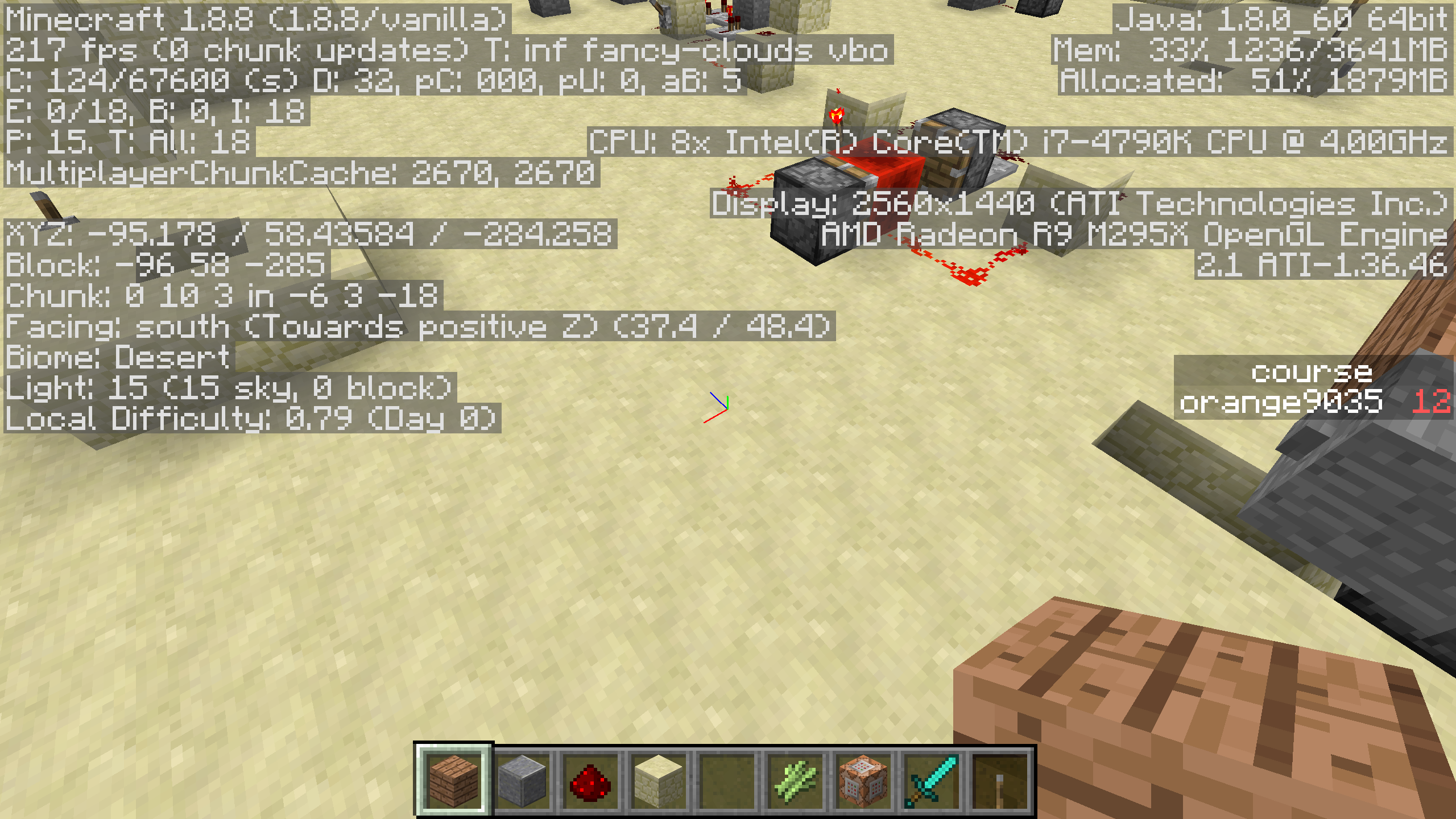
Hopper minecarts under water will not function under water while clipped into a block.
Steps to reproduce:
1. Clip a hopper minecart into a block using a piston
2.set it up as water trench withtheminecartbeing at the end as in the screenshots
3.add water to the trench and drop blocks in.
4.The blocks will pass over the minecart and then teleport to the blog immediately afterit.Notes:
-Transparent blocks do not fix the issue.
-The effect is present with both still and moving water blocks
picking the water up with a bucket does not fix the problem, the items must be manually picked up, the water removed and then the items redropped
-Normal hoppers do not have this problemHopper minecarts under water will not function under water while clipped into a block.
Steps to reproduce:
1. Clip a hopper minecart into a block using a piston
2. wait for the cart to sink into the block so the top is not visible
3. set it up as water trench with the minecart being at the end as in the screenshots
4. add water to the trench and drop blocks in.
5. The blocks will pass over the minecart and then teleport to the blog immediately after it.Notes:
-Transparent blocks do not fix the issue.
-The effect is present with both still and moving water blocks
picking the water up with a bucket does not fix the problem, the items must be manually picked up, the water removed and then the items redropped
-Normal hoppers do not have this problem
In Mac OS X 10.9 "Mavericks" a new core system technology called App Nap has been introduced. The feature allows applications to be put to sleep while they are not in focus. The mine craft dev launcher appears to support this functionality, but the actual minecraft.jar that opens does not, and this is where it really matters. When minecraft goes into the background, the system should automatically tell the application to concede resources to the foremost application, but minecraft fails to do this. This feature is necessary to allow the system to remain at top performance even when a graphically intensive application like minecraft is running. A description of app nap can be found at http://www.apple.com/osx/preview/advanced-technologies.html and further information on implementing the technology can be found here: https://developer.apple.com/library/prerelease/mac/releasenotes/MacOSX/WhatsNewInOSX/Articles/MacOSX10_9.html#//apple_ref/doc/uid/TP40013207-CH100 .
I am willing to test any changes made to the code as I am part of the Apple Developer Mac program and have access to all of the latest betas. I have also attached a screenshot of the activity monitor illustrating the problem.In Mac OS X 10.9 "Mavericks" a new core system technology called App Nap has been introduced. The feature allows applications to be put to sleep while they are not in focus. The mine craft dev launcher appears to support this functionality, but the actual minecraft.jar that opens does not, and this is where it really matters. When minecraft goes into the background, the system should automatically tell the application to concede resources to the foremost application, but minecraft fails to do this. This feature is necessary to allow the system to remain at top performance even when a graphically intensive application like minecraft is running. A description of app nap can be found at http://www.apple.com/osx/preview/advanced-technologies.html and further information on implementing the technology can be found here: https://developer.apple.com/library/prerelease/mac/releasenotes/MacOSX/WhatsNewInOSX/Articles/MacOSX10_9.html#//apple_ref/doc/uid/TP40013207-CH100 . A document which outlines all of the new core technologies of Mac OS X 10.9 in depth can be found here: http://images.apple.com/osx/preview/docs/OSX_Mavericks_Core_Technology_Overview.pdf I am willing to test any changes made to the code as I am part of the Apple Developer Mac program and have access to all of the latest betas. I have also attached a screenshot of the activity monitor illustrating the problem.
On my mac, I have two versions of Java installed (Java 1.6 from Apple and Java 1.7 from Oracle). I have Java 1.6 installed because some legacy software requires it and mods such as FTB and Tekkit require me to use it and launch them with
cd /Users/Alex/Minecraft/FTB
export JAVA_HOME=/System/Library/Java/JavaVirtualMachines/1.6.0.jdk/Contents/Home
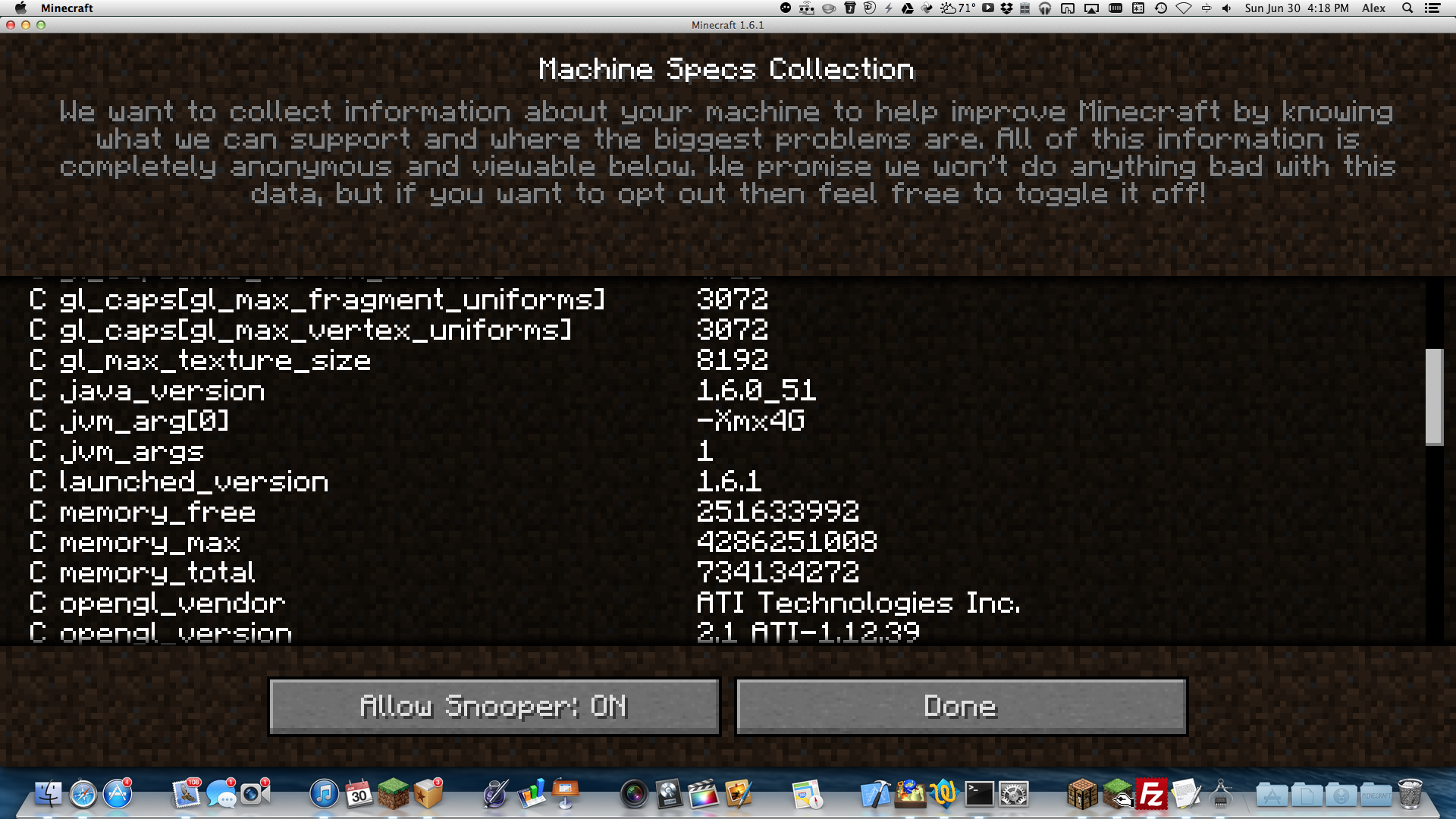
java -jar FTB_Launcher.jarHowever, the minecraft 1.6 launcher seems to be choosing the wrong version. In the snooper settings, the Java version is 1.6. The launcher tells the same story. Minecraft should not be choosing this old, no longer updated, and relatively insecure Java version.
Edit:
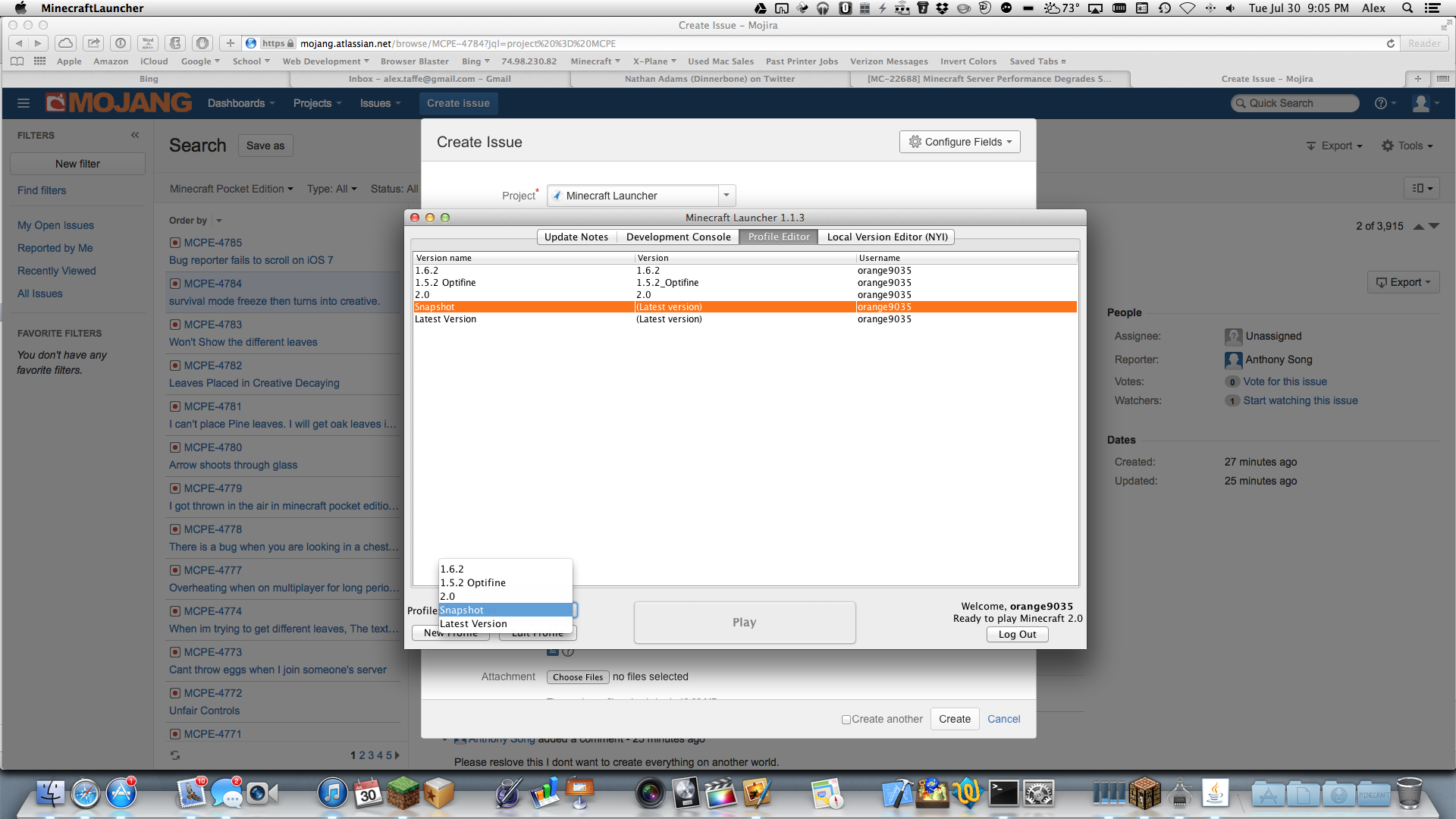
In the new launcher, by going into the profile editor, and editing the profile so that the executable box is checked, it is possible to use the latest version. The text box needs to say /Library/Internet Plug-Ins/JavaAppletPlugin.plugin/Contents/Home/bin/java , but the critical problem here is that minecraft fails to choose the more modern, secure version.
Minecraft fails to choose correct Mac OS X Java version by default
On my mac, I have two versions of Java installed (Java 1.6 from Apple and Java 1.7 from Oracle). I have Java 1.6 installed because some legacy software requires it and mods such as FTB and Tekkit require me to use it and launch them with
cd /Users/Alex/Minecraft/FTB
export JAVA_HOME=/System/Library/Java/JavaVirtualMachines/1.6.0.jdk/Contents/Home
java -jar FTB_Launcher.jarHowever, the minecraft 1.6 launcher seems to be choosing the wrong version. In the snooper settings, the Java version is 1.6. The launcher tells the same story. Minecraft should not be choosing this old, no longer updated, and relatively insecure Java version.
Edit:
In the new launcher, by going into the profile editor, and editing the profile so that the executable box is checked, it is possible to use the latest version. The text box needs to say /Library/Internet Plug-Ins/JavaAppletPlugin.plugin/Contents/Home/bin/java , but the critical problem here is that minecraft fails to choose the more modern, secure version. However to fully integrate Java 1.7 however, something would need to be changed because it reduced FPS by about 40 on average.
 MC-22677
OS X 10.9 (13A
497d), Java 1.6_51OS X 10.9 (13A524d), Java 1.6_51
NOTE: I did not know which project to insert this under, due to the fact that it is the website having the issue, not the game.
In iOS 7, attempting to scroll through the bug reports fails. When attempting to scroll, nothing happens. The only way to view comments is to tap the comments button, which will then set the focus to the comments box at the bottom. Affects both iPhone and iPad on iOS 7 builds 11A4435d and earlier
EDIT: Here is the development console output using Safari and the developer tools on Mac OS X:
[Warning] Your are trying to create a ToggleBlock with selector '.twixi'.One already exists with this trigger so has been ignored. (batch.js, line 23730)
[Warning] Your are trying to create a ToggleBlock with selector '.toggle-trigger'.One already exists with this trigger so has been ignored. (batch.js, line 23730)
[Warning] Your are trying to create a ToggleBlock with selector '.toggle-trigger'.One already exists with this trigger so has been ignored. (batch.js, line 23730)
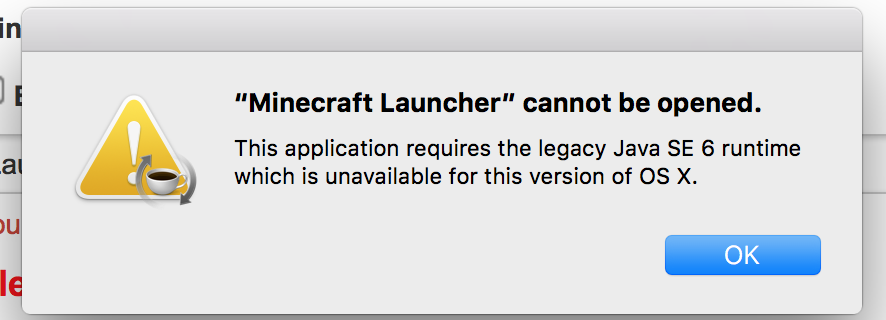
The issue is that Java 7 is bugged on the mac, so you must launch with Java 6
it is not fixed, I ran as java 6 with a terminal command, and retried downloading the DMG, as well as deleting the minecraft folder. Does not work. client gets stuck at:
Client> java.lang.StringIndexOutOfBoundsException: String index out of range: -1
Client> at java.lang.String.substring(String.java:1937)
Client> at asm.a(SourceFile:1469)
Client> at asm.a(SourceFile:1461)
Client> at asm.k(SourceFile:1452)
Client> at asm.K(SourceFile:300)
Client> at asm.c(SourceFile:503)
Client> at net.minecraft.client.main.Main.main(SourceFile:76)
Client> b@426b51d8
Dinnerbone, I sent you a message on twitter, please respond to it
its not fixed, the launcher launches the jar, then gets stuck at the mojang logo with the above text in the launcher console
how stupid do you think I am, I am a developer, I know what I am doing. I DID redownload the launcher, but it still refuses to launch
it still doesn't work
ok, if you have any problems replicating it, I'm open to help with whatever
agh perfect, that fixed it
try this though, the command you gave me resulted in an inadequate permissions error:
find ~/Library/Application\ Support/minecraft/assets/ -name .DS_Store -exec /bin/rm -f – {} \;`
Me and Grum figured it out on
MC-14073, the solution is to close the launcher, then open the terminal(located in Applications>Utilities) and copy and paste this into it:find ~/Library/Application\ Support/minecraft/assets/ -name .DS_Store -exec rm {} \;
then press enter, and reopen the mac launcher. This removes duplicate .DS_Store files in the assets folder
if the above command returns an error, try this one:
find ~/Library/Application\ Support/minecraft/assets/ -name .DS_Store -exec /bin/rm -f – {} \;
here you go
I am using Mac OS X and the minecraft launcher defaults to Java 6, even though I have 7 installed. I know that with feed the beast, java 7 will not work. I am assuming that this is intentional and one of the Mojang developers put this in the code to prevent errors. I have the latest version of Java 6 from Apple and the latest version of Java 7 from Oracle.
this really should be fixed, using the BUD designs that don't rely on quasi are better any way, and this prevents a lot of cool things with redstone blocks from being done like:
piston
redstone block
piston
because the redstone block powers the lower piston even though they aren't touching. Please remove this mojang!
Just changed and it did start using Java 1.7, but the problem is that it defaults to the wrong one.
one possible problem that may occur is that Java 1.7 has considerable performance problems and reduces my FPS by about 40
it is only fixed when using 1.5 in the new launcher, it is not fixed when using 1.6, issue not invalid. Sorry if I worded incorrectly or not clearly.
updated
updated
I personally think that Mojang should take Mumbo Jumbo's suggestion (http://www.youtube.com/watch?v=QYe_xe7SNKY) about splitting the piston. Change the name of the original piston to something like piston (BUD) and that has the same block ID that would be crafted slightly differently and then add a new piston and sticky piston that use the original texture and crafting recipes that don't work in slightly unexpected ways
Keybounce and Alex Campbell, I agree with both of you. I know that it is possible to make BUDs without the quasi connectivity, I personally use them in my builds to avoid anything breaking. Sethbling even made a video on how to build them (http://www.youtube.com/watch?v=Qp4_oQuReuE). The only reason that I brought up Mumbo Jumbo's idea is to keep everyone happy. I'm sure some people would still love to have the quasi BUDs, even though they tend to be larger, they are often more easily tileable. But, the reason I feel that the current piston should have the functionality removed and a BUD piston added is more for inexperienced players. If some inexperienced kid starts playing the game for the first time and puts a redstone block on top of a piston, it'll just get stuck and they'll have no clue why. And Mojang could determine if the new piston gets the BUD or the current keeps it, which would allow for older builds to break, but easily be fixed, or just add a new BUD less piston that wouldn't affect any builds. Besides, most the quasi BUDs aren't really ever used as a BUD. They used to be used to transmit power via a fence gate or trapdoor, but that is now broken. The X x X doors are the only thing that I can think of the really rely on it. Something like a sugar cane farm can just rely on the piston can't push a extended piston arm thing.
updated
Grum, thanks so much for all the help. I think a game rule would definitely be a good idea. Enable it by default for existing maps and then give people the option to enable on new maps, with off being the default settings. My only worry with that option and not splitting into non-BUD
piston and BUD piston or just removing it all together is that some builds will be incompatible between maps. This scenario could occur if someone sees an experienced redstoner on youtube build something with a BUD, then that player build it in there world and turns the feature on. Then if they build something else from someone on youtube the requires the settings being off, it'll just create a gigantic mess because only one will work at a time. This isn't that big of a deal, but still not optimal.
Tim, pistons cannot be strongly powered. This build would work perfectly with the quasi BUD removed.
Sorry for all of the comments, but I was thinking, one of the reason that BUDS are used is because they can power blocks two below them. What if another block were added to the game that was kind of like a vertical repeater. It could work by placing it like:
redstone
stone
(new block)
piston
It could then transmit the redstone signal downwards, or it could act as a BUD block. The piston would then only react to Quasi connectivity when this block is placed near the piston.
Zé, that isn't possible though for servers, like the mindcrack server, and I'm sure that no one would want to have to keep 2 version of their single player LP world up to date. The only time when the game rule might be helpful is for things like CTM or PVP maps.
Keybounce, that was a very helpful comment. I agree with 90% of what you said truly. I think before every block in the game receives a random tick update, the rendering engine needs to be overhauled. We need things like: Anisotropic Filtering, Antialiasing, OpenGL 4, vRAM compression, Dynamic Chunk Updates, multicore, multithread, the move away from Java to native binaries, etc. This will allow the game to run more smoothly, even on older hardware. This is needed, because certain laptops (which a large percentage of minecrafters play on) get terrible FPS without Optifine, and a majority of users don't know how to add mods. The random tick update will surely cause a further decrease in FPS. Even so, having water updated every tick will subsequently break many builds. This is also the case with the quasiconnectivity BUDs being removed, but the BUDs are more of an inconsistent "feature" (bug) than water not being updated. And if the water were random ally updated, players may not know why. The random tick should only be used for things like crops, soil hydration, or burned out redstone torches, in my opinion. I think the BUD should just be removed all together, but I feel that the community of some of the experienced redstoners who refuse to upgrade to the piston can't push piston head BUD will cause too much fuss for that too occur (I do realize that it wont power a piston two blocks lower, but for something like a sugarcane farm). I think that the only way to fix this is two piston types, a BUD block, or complete removal of the BUD. I don't know if Jeb and Dinnerbone are just appeasing the people who want it by dubbing it a "feature", but it honestly seems way too confusing for the average user who doesn't know why their build isnt working, even though it should in theory work. Grum, I'd love to hear your latest thoughts on this issue and what your other ideas on future implementation might be. I think that this comment thread just needs to pick one way to go with this and then help you move forward with that idea with ways to implement it, how it would work, etc.
crazy man, java 7 by oracle doesnt function well with Mac, I have to use Java 6 from Apple which still recieves updates, not outdated.
anyone want to help fix this?
anyone want to help fix this?
anyone want to help fix this?
fixed
I found that the issue is caused by a mal-edited profiles.json or (version).json file and that deleting those will fix it
I don't know though, because the issue occurs even when on peaceful or doMobSpawning= false is activated
I attached the launcher script to the bug report, the server max only ever has 5 people on it, but usually only 2. Lag is experienced with only one person as well.
I just launched it with those settings, but it had the same result. I can't remember which version this started occurring on, but i think it was a around the second snapshot. My friend (windows) has been having the same issue, so I don't think it's mac but I very well could be wrong.
It is over time, the performance is perfect when it starts up, but then just goes downhill from there. Look at the server log I attached and note the time stamps of the server can't keep up messages.
The main reason I'm think it's not zombies though is because it occurs on peaceful mode too. Also, the server is playable on for about 5 minutes after launch. Then block lag starts. Then at about 10 minutes of play time in, time outs occur like there's no tomorrow. The can't keep up messages also seem to increase in frequency.
The world was generated in 1.3, and as such is very large. Even after using a zip, it is still 114MB. This is too large to upload, so I had to upload to Google Drive. Here is the link to that: https://docs.google.com/file/d/0B0C5g0mLYXUDMlBZSk9QaXNuVDA/edit?usp=sharing
It is worth noting though, that this occurs on this survival world, "air" maps such as Sethbling's supercraftbros, and super flat worlds, but it takes longer to start lagging on the "air" and super flat worlds.
Grum, I think we need your input on this issue again. This comment section has just turned into a massive argument over nothing. You said that you would try to put a game rule in, and I think that stirred up commotion. I think the options to resolve this problem are: add a game rule(not optimal), remove the BUD, name it as a feature and disable comments here, make a BUD block, or split the piston into a BUD piston and a non-BUD piston. My opinion lays with the split, but other people may have differing opinions. Love to hear what you think and hope it can resolve some of these arguments.
This is very weird. I just tried playing on the same world, and the server didnt have any problems. It only sometimes does, but it happens 99% of the time. The Mac OS X 10.9 beta was just updated to build (13A524d) today, so that may have fixed the problem, but I don't know, I will try again tomorrow and see if the problem returns.
I would say keep all current pistons as BUD pistons. That way nothing breaks. The crafting recipe could just reverse the redstone and iron or just use more redstone for the BUD piston.
I have been able to confirm it is
MC-17630in certain circumstances. I think the latest build of Mac OS X 10.9 fixed the problem with the server having problems on peaceful worlds. Here is a screen-recording of the problem: https://www.youtube.com/watch?v=8rh-qTdBoY4It might have been lightning and the fire may have only become visible after a block update.
not helpful, those boxes to type in are there for a reason, add a crash report
add a crash log
incomplete, add detail
just put a torch down, not enough light
same on OS X 10.9 (13A524d) on Minecraft 1.6.2
Is this in the right project?
Here is a video that I recorded that demonstrates the issue occurring in different circumstances. I left the activity monitor and console open to show when lag began to occur. https://www.youtube.com/watch?v=8rh-qTdBoY4
not resolved, please re-open. Issue still occurs in launcher version 1.2.
Updated with new screenshots and affects version number information
Thanks Tails, will work with atlassian to try to get it fixed.
I'm guessing that nightly build of LWJGL has been made into a stable release yet, or Mojang has not pushed it to the launcher.
It occurs in this (not fully finished) map that I'm working on
The game does work when you use the Linux launcher, as that just runs the system default Java.
No that's not the issue. It's a due to Java changing in OS X. I tried it anyways, but that's for people on older OSes.