 Poopfish
- poopfish
- poopfish
- America/Los_Angeles
- Yes
- No
 MC-1681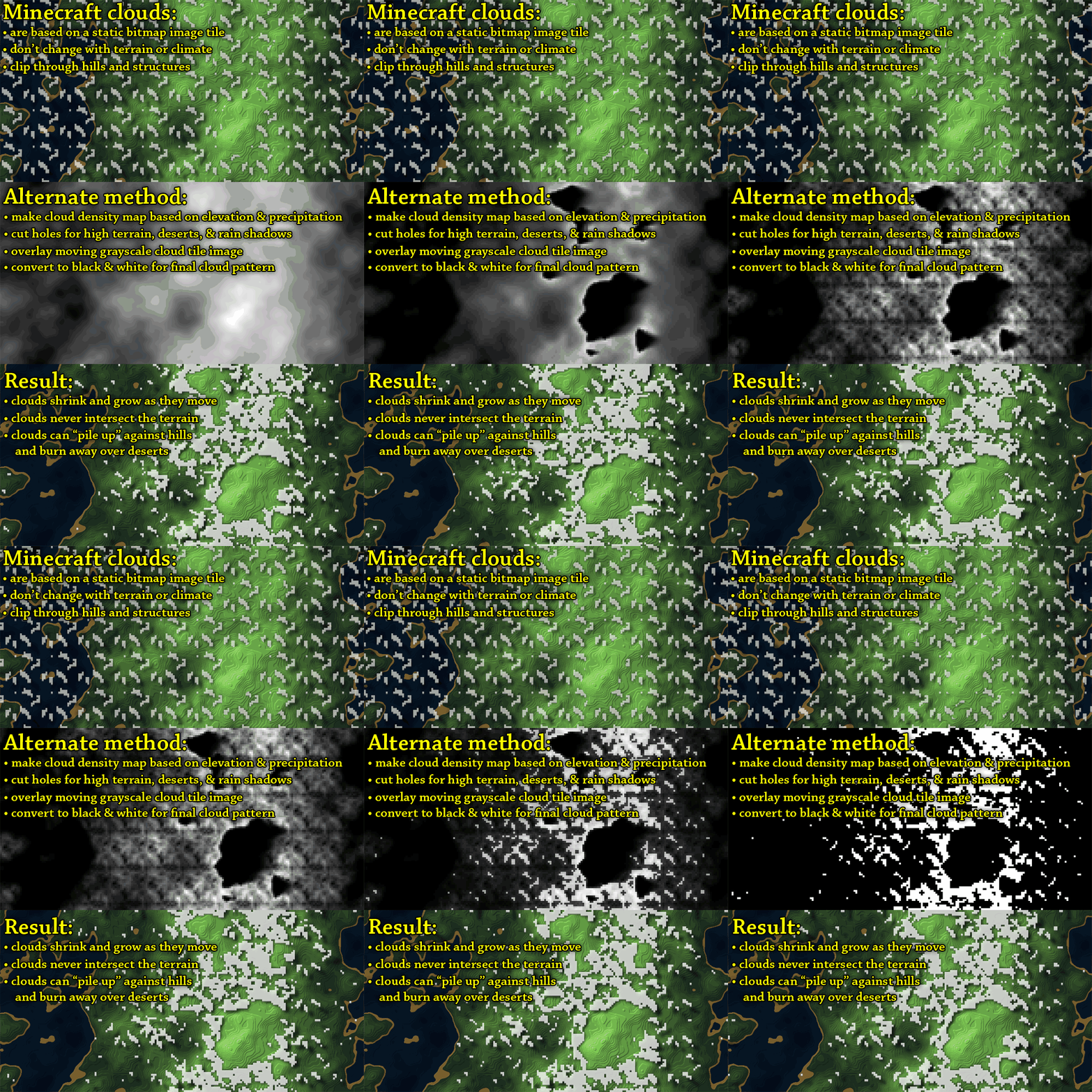

I know that this issue has been around for a long time, but I would like to make a note of it in the official bug tracker.
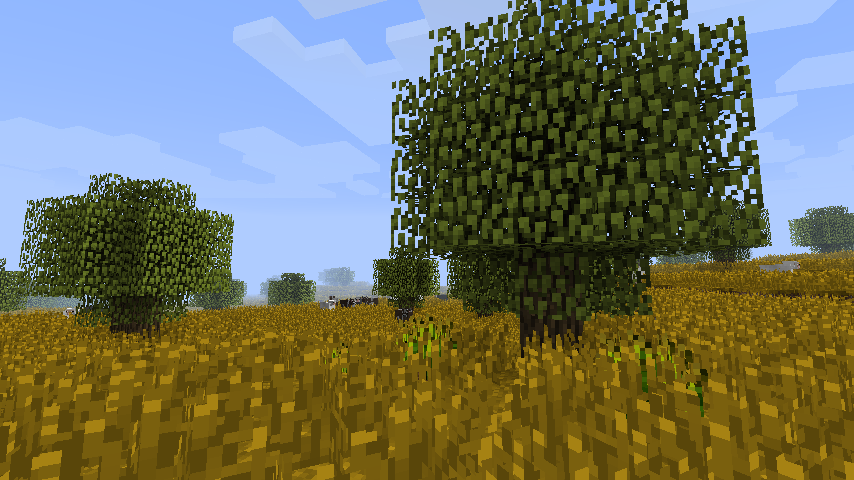
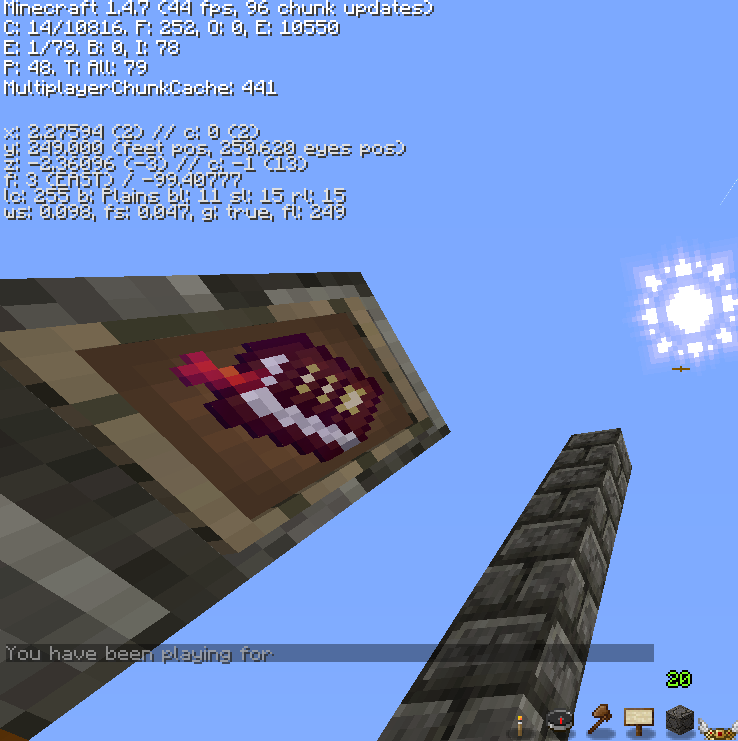
Clouds still pass through objects in their path, instead of becoming transparent. I've heard that Mojang is reworking the rendering engine for Minecraft and would
like itif they finally fixed this issue.I've attached a gif I have seen around multiple sites, most likely coming from this: http://www.reddit.com/r/Minecraft/comments/e7xol/this_is_how_clouds_should_work_gif_simulation/
I don't know if that method would work, but it would be nice to get
Mojang talking about this issue again.I know that this issue has been around for a long time, but I would like to make a note of it in the official bug tracker.
Clouds still pass through solid objects in their path, instead of becoming transparent. I've heard that Mojang is reworking the rendering engine for Minecraft and would it would be nice if they finally fixed this issue.
I've attached a gif I have seen around multiple sites, most likely coming from this: http://www.reddit.com/r/Minecraft/comments/e7xol/this_is_how_clouds_should_work_gif_simulation/
I don't know if that method would work, but it would be nice to get someone at Mojang talking or thinking about this issue again.
I know that this issue has been around for a long time, but I would like to make a note of it in the official bug tracker.
Clouds still pass through solid objects in their path, instead of becoming transparent. I've heard that Mojang is reworking the rendering engine for Minecraft and
wouldit would be nice if they finally fixed this issue.I've attached a gif I have seen around multiple sites, most likely coming from this: http://www.reddit.com/r/Minecraft/comments/e7xol/this_is_how_clouds_should_work_gif_simulation/
I don't know if that method would work, but it would be nice to get someone at Mojang talking or thinking about this issue again.
What blocks did you use in the preset?
This is most noticeable with the new beacon, if the beam hits the clouds it gets visually "cut off"
"In either case, one should not be able to see the Sun through the (solid) side of a cavern by looking through a cloud."
That is most definitely a bug^
This "issue" becomes more interesting when you look at the top comment in the reddit post...
I've been told by the plugin developers that it is a vanilla generation issue, and there is nothing they can do to fix the problem. Apparently their plugins only call on the "big tree" in the vanilla code and when it responds, it responds with derp tree.
Agreed, I was only hoping to make note of this issue. And a possible way to fix it. However Mojang decides to fix it is up to them, but it is a real issue nonetheless.
Also your quip about the modders being able to fix something in days that the core team can't fix in years is just scratching the surface that is the problem of Mojang and how it's choosing to "develop" Minecraft.
I'm pretty sure this issue has been around for a long time, I can't recall a time when blocks did not do that. It might be more pronounced in the snapshot.
delete the option.txt in the .minecraft folder, that should reset the controls to default as far as I know.
If you have any kind of anisotropic filtering on through graphics card's or Inegrated graphics UIs it will cause these lines to show up or be more pronounced. Make sure no anisotropic filtering is being forced on your Minecraft.
Just went back an checked my 1.4.7, and those lines aren't nearly as noticeable as your screen shots.
I did, that one had a bad title never registered while I was searching. Sorry for the duplicate.
Pretty sure anisotropic filtering can cause those lines to be more pronounced.
Having any kind of outside anisotropic filtering "on" will cause them.
Although at such a close distance from the player it is unlikely that that is the problem.
Agreed^ Optifine can currently do this client side, so maybe just add an option to raise clouds in the options?
I thought clouds were based on a texture, so you wouldn't you just need to add some kind of height map opacity layer to it? Like suggested in the attachment?
Customizable, client side, cloud height would fix this