White stitching on polygon edges / White lines or black dots between blocks
This issue is often caused by settings within Nvidia graphics drivers. These can be edited through the NVIDIA Control Panel, which can be opened by right-clicking on your PC desktop, or by searching in the Windows start menu. The following settings can be changed:
- Under Adjust image settings with preview, set the default to Let the 3D application decide
- Under Manage 3D settings:
- Disable Anisotropic Filtering
- Disable Antialiasing
Some users have also reported this issue to be reduced when changing the level of Mipmap under the Minecraft Video Settings (lowering to 0).
Optifine has some advanced settings that might fix this issue. Note however that this might have performance penalties and Optifine is not supported by Mojang or this bug tracker.
Update: The cracks between 16x16x16 sections have existed for a long time, and still do. Crack theory has been, is, and will still be applicable. The lines that started to appear in between every block in the 1.5 snapshots and should be fixed in 1.5.1 were caused by texture coordinates overflowing their tile slightly in the rasterizer.
Crack theory
Cracks occur in rasterizers like OpenGL when edges that should align don't match exactly. This can happen if an inexact calculation is used, and vertices that should be the same end up in slightly different places. The errors may seem minuscule, but they invariably result in severe flickering along the cracks. The rasterizer will miss a few pixels and fill others twice. Using different OpenGL transformations to move different vertices to the same place counts as inexact:
glRectf(0, 0, 1, 1);
glRectf(1, 0, 2, 1);
glRectf(0, 0, 1, 1);
glTranslatef(0, 0, 1);
glRectf(0, 0, 1, 1);
The former will always, unquestionably align. The latter will have a crack. While associativity would tell us that both examples are the same, rounding error does not succumb to associativity. 32-bit floats are exact for integers in [-2^24, 2^24], scaled by a power of two. 64-bit doubles reach a whopping 2^53. If both operands of an addition are round enough (in binary), the result will be exact. This would be typical for code like the first example. Rolling the same addition into a transformation matrix will almost certainly be inexact, because the matrix is polluted by everything else in it. Really the only way to get it right is to perform a separate addition before the matrix.
If you perform the addition in a vertex shader, keep it separate and it should be okay, save for the hypothetical implementation that optimizes both into a matrix (if they're still technically allowed to optimize willy-nilly nowadays):
Edit: Uniform state is slow to change, so an attribute used like a uniform would likely be faster than a uniform.
uniform vec3 translation;
void main() {
    vec4 vertex = gl_Vertex;
    vertex.xyz += translation;
    gl_Position = gl_ModelViewProjectionMatrix * vertex;
}
What's cool about this is that even if you're very far from the world origin, you can still keep everything that matters exact. It also doesn't have a stepping or distortion problem in the Far Lands. The CPU code should do something like this:
dvec3 camera;
dvec3 roundedCamera = camera.roundToMultipleOf(16); // Assuming your world transformations are normally a multiple of 16. Can be demoted to float if you stay within 16 * 2^24 blocks. This is half of the magic, by reducing the translation fed into OpenGL to almost nothing.
dvec3 difference = offset - rounded; // Not critical and rather small; can be demoted to float, and will be when fed to OpenGL.
// Substitute difference for camera when calculating the camera transformation.
Then, before drawing each batch:
dvec3 translationOfBatch; // Can be float if roundedCamera can be.
dvec3 translation = translationOfBatch - roundedCamera; // This is the other half of the magic. Two potentially huge numbers are reduced to a small, exact multiple of 16. Can certainly be demoted to float, and will be.
// Load the uniform.
I hope this is enough theory to help you understand and fix cracks. Now, on to the actual problem description:
Description
Previously, cracks would only appear in between 16x16x16 sections. Not as it should be either, but hardly worth reporting. In the latest snapshots, however, they appear in between every single block. That is too much.
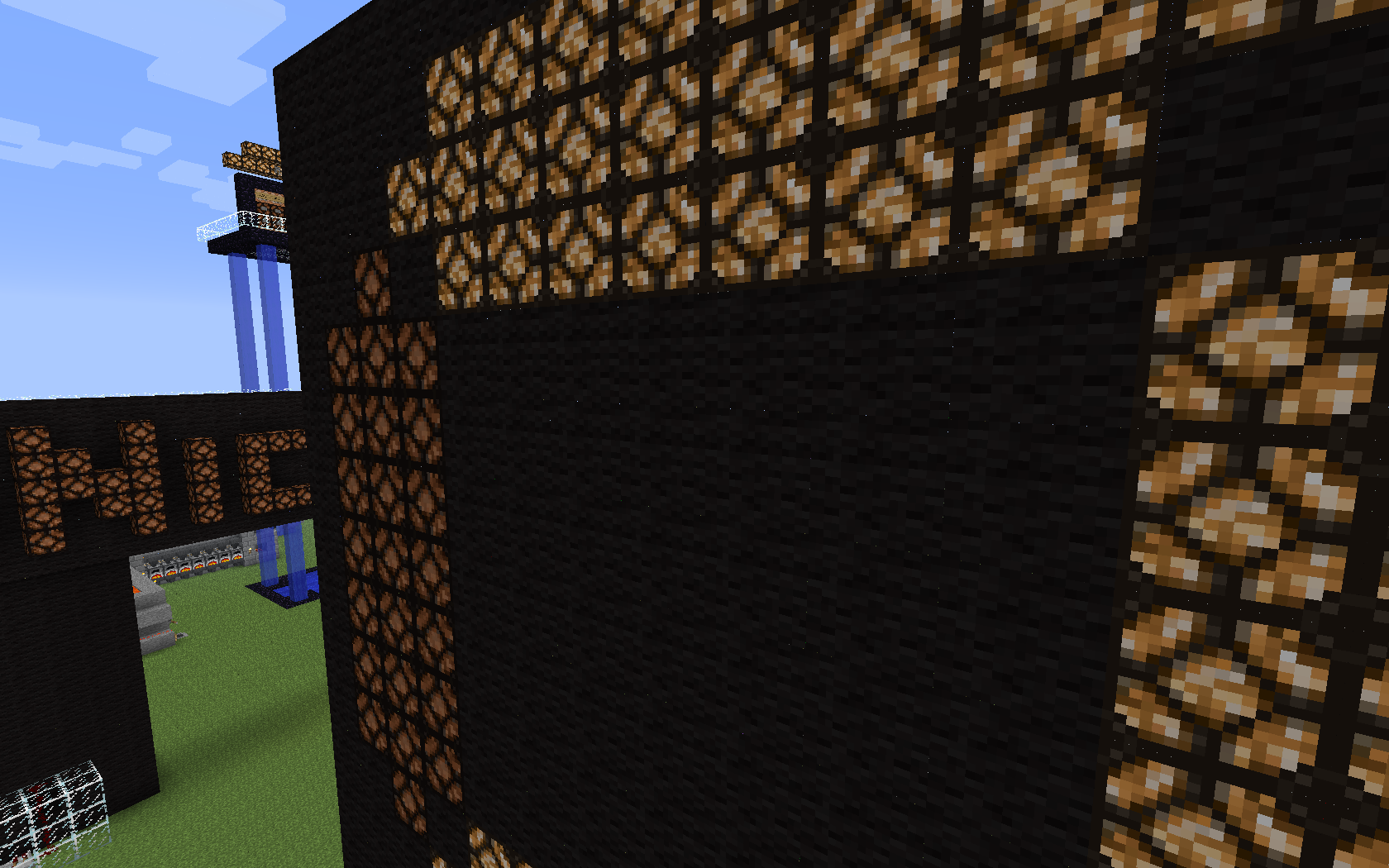
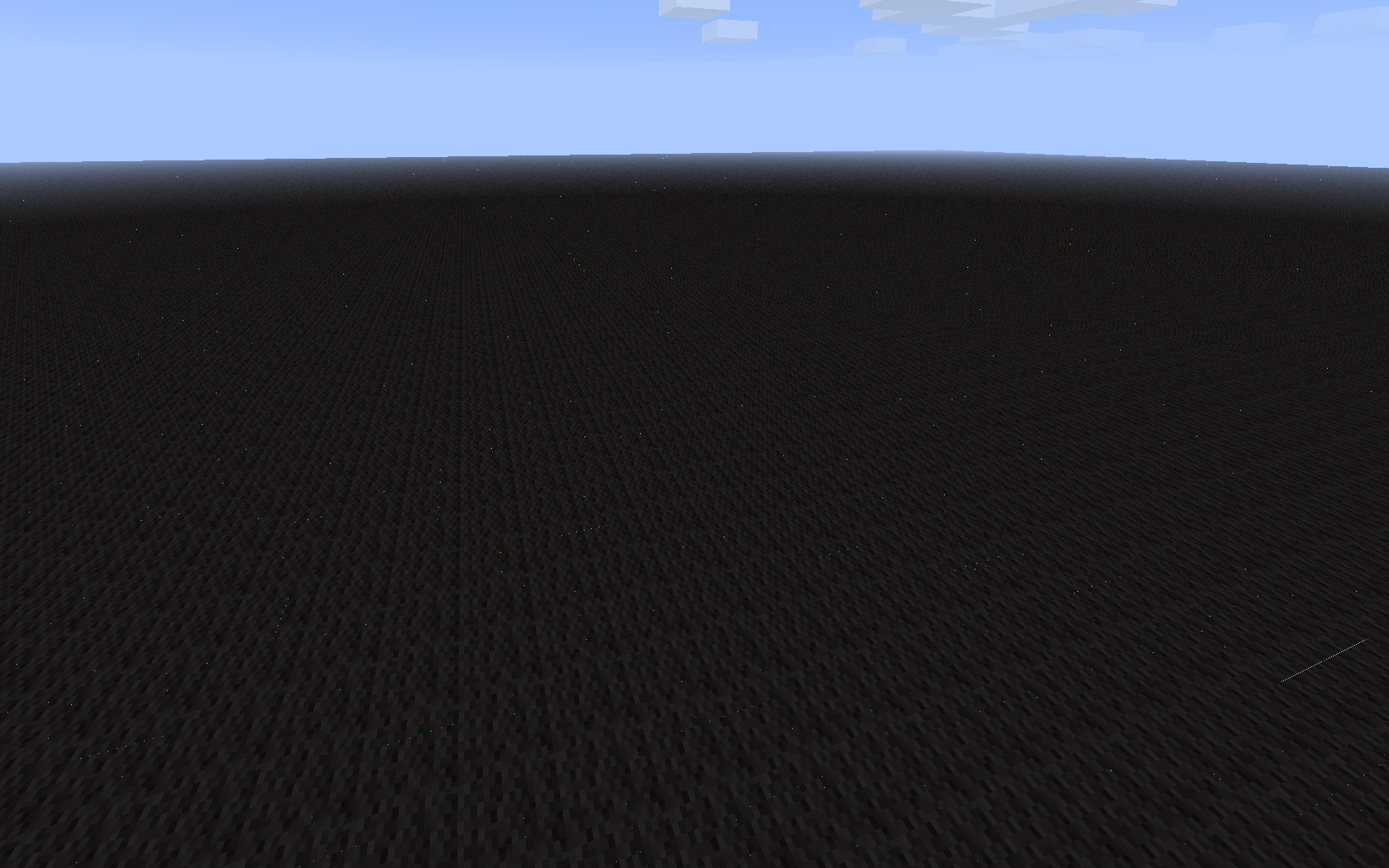
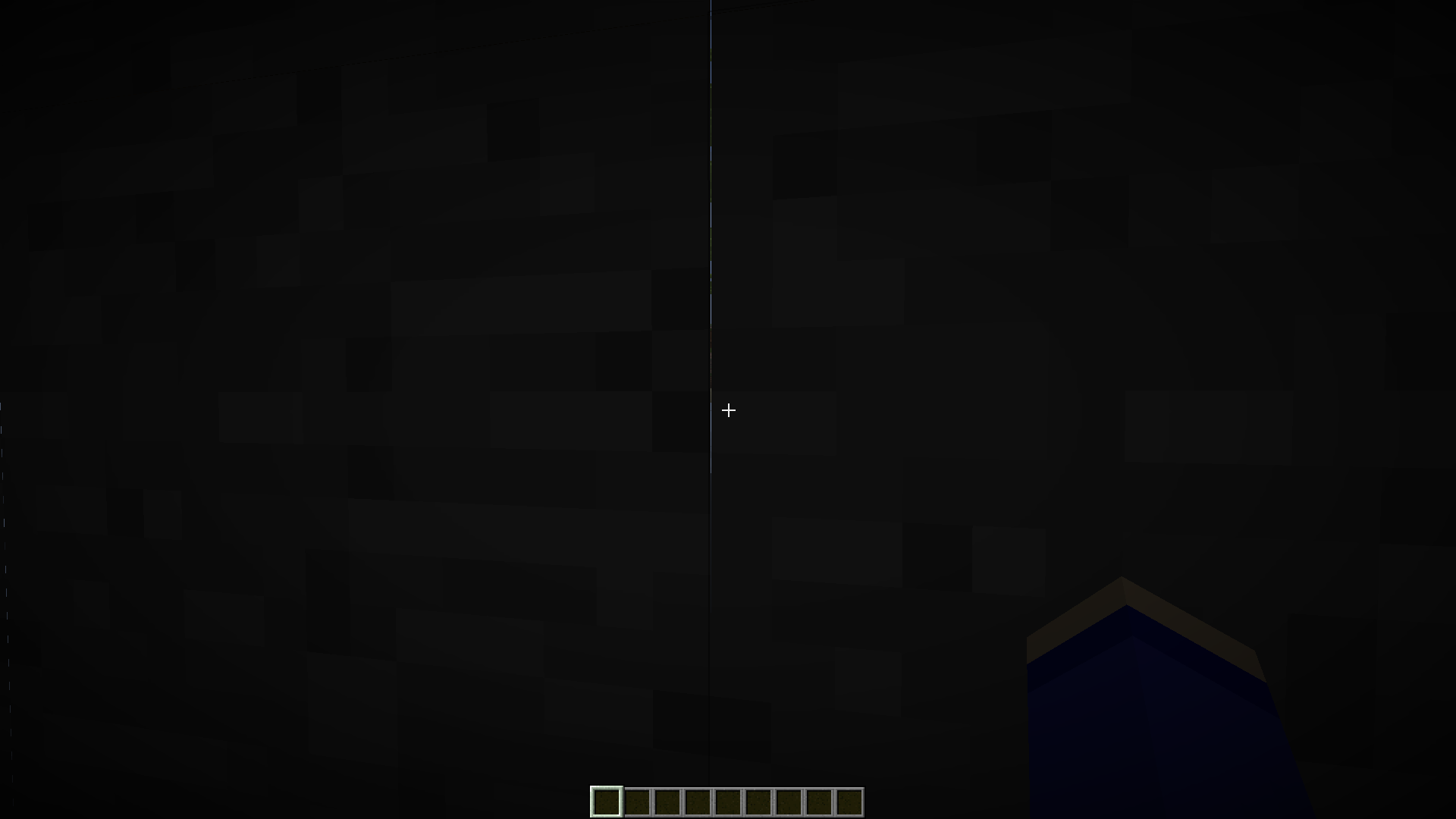
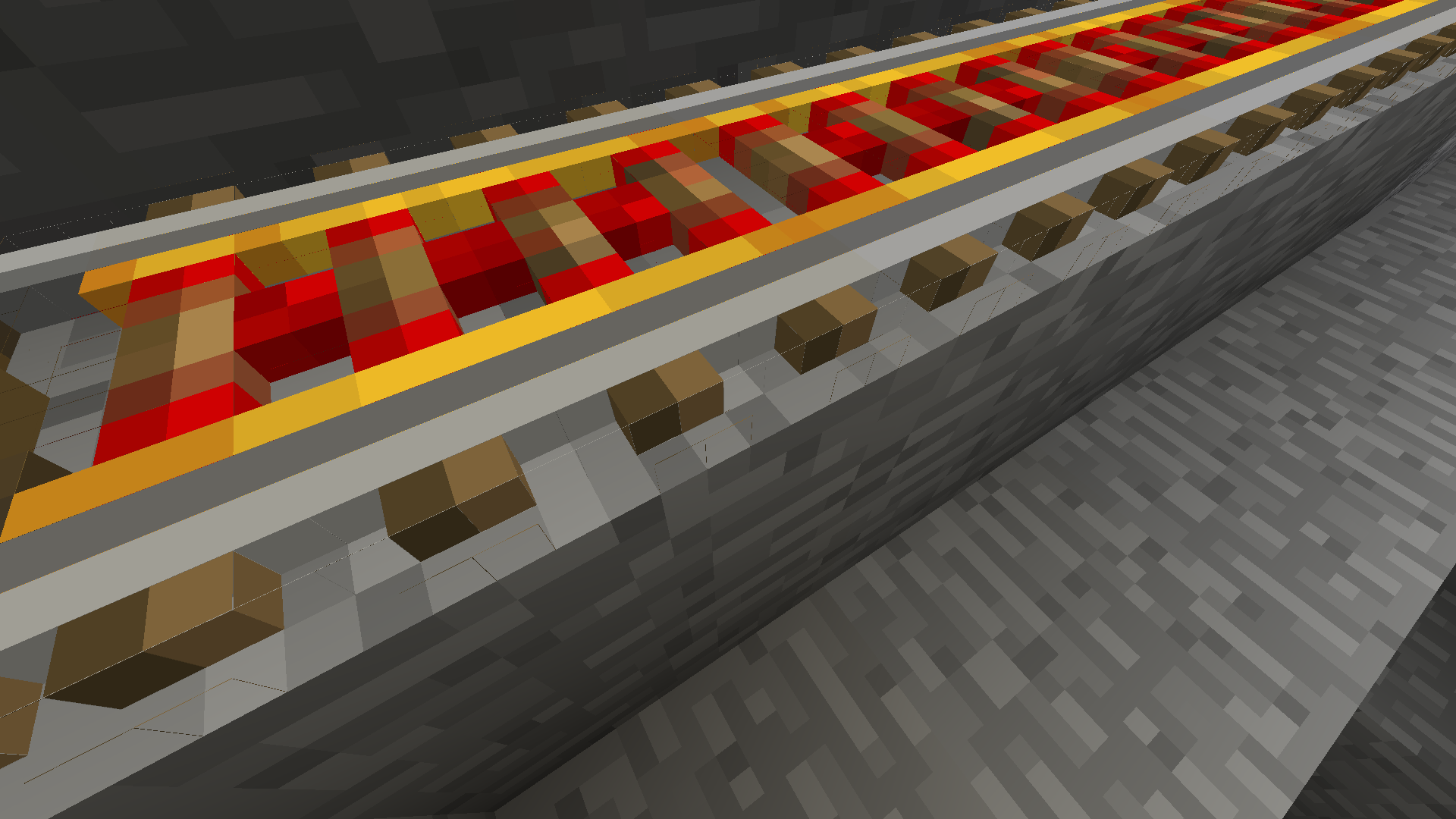
The screenshot shows a superflat world with preset "2;7,62x0,49;2", viewed from below. It should be viewed at its full 1920x1200 size to see the speckles. Incidentally, Minecraft thinks it should light the underside of the obsidian when I get close to it.
Addendum: textures?
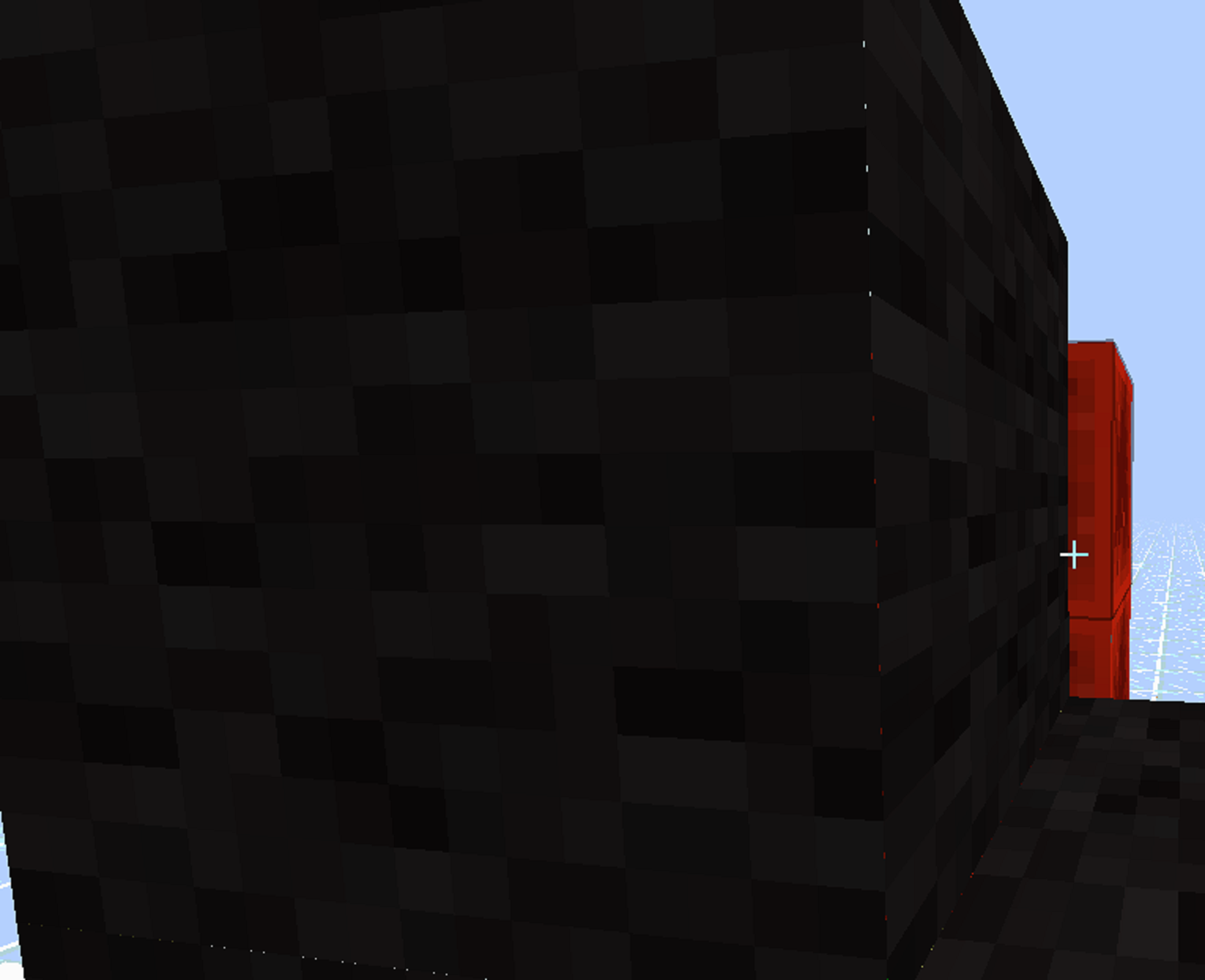
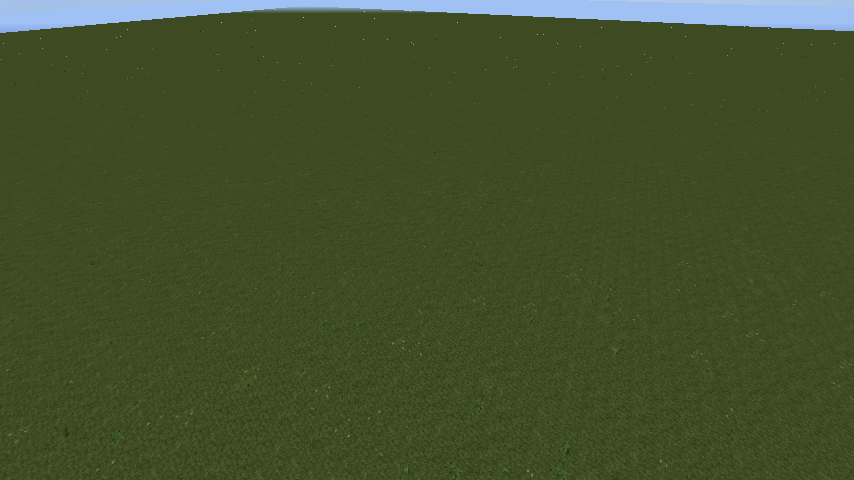
After noticing the directionality of the cracks, I realized it's crossing over into adjacent tiles on the texture. That could explain some or all of this bug. I will upload a second screenshot demonstrating that. It's of a similar superflat world, but using purple wool (35:10) instead of obsidian.
What you see is a close-up of the vertex joining four blocks. You can see some yellow seeping through one edge, and blue through the other. Indeed, those are wool blocks adjacent to the right and below, respectively, in stitched_terrain.png generated by an older snapshot. There is also some sky showing through next to the blue wool (I know it's the sky because it becomes black at night). I'd expect it to be orange wool as that is located above it in stitched_terrain.png, but then that file is probably outdated. It may well be that the adjacent texture is transparent. Indeed, green wool doesn't have this 'crack'. Texture coordinates should be the only difference between wool colors, therefore this should be responsible.
Older versions of Minecraft used to move their texture coordinates inward just a tiny amount to avoid this issue. Was that tweak removed when the rendering engine was overhauled?
Linked Issues
is duplicated by396
 MC-6791White lines between blocksDuplicateMC-6821Lines between nether bricks DuplicateMC-6946White LinesDuplicateMC-7032HD Textures have white pixels that come and goDuplicateMC-7047Bad Graphics?DuplicateMC-7118white pixels between blocksDuplicateMC-7260Annoying texture issues + Water soud issuesDuplicateMC-7320Ugly seams in between blocks.DuplicateMC-7363Very prone to rendering cracks between blocksDuplicateMC-7465Buggy pixels on the edges of every block.DuplicateMC-7487Junctions of tree bugDuplicateMC-7673See through edge of blocksDuplicateMC-7756strange block bordersDuplicateMC-8093Weird Texture Glitches On Dark Block (Nether Bricks, Obsidian,Etc..)DuplicateMC-8143Bad Texture Glitches With Wool, Redstone Lamps, Redstone Torches, and Possibly Other ItemsDuplicateMC-8183Strange dots/lines in vertically flowing lavaDuplicateMC-8270Texture Problem in 1.5 snapshots DuplicateMC-8325Graphic Bug / lines between BlocksDuplicateMC-8349White dots everywhereDuplicateMC-8397Glitchy lines between blocksDuplicateMC-8674Texture Issues using HD Texture PacksDuplicateMC-8813Texture glitch, textures not connectedDuplicateMC-8906Rare white stripes when u build a house of stone.DuplicateMC-8991Gap between textures.DuplicateMC-9044Minecraft lwjgl failDuplicateMC-9060Some kind of rendering bug. There is "Lines" between each and every block.DuplicateMC-9098White spots on texture sidesDuplicateMC-9168Stripes between blocks since 13w01aDuplicateMC-9354Strange tiny black particles on snow when you move the screenDuplicateMC-9423White artefacts appear between blocksDuplicateMC-9558Glitched Graphical Errors on Edges of BlocksDuplicateMC-9964you can see through cracks of the blocksDuplicateMC-10013Green lines on witherDuplicateMC-10326Black and white stripes between the blocksDuplicateMC-10425Seeing light particles/pixels through blocks.DuplicateMC-10519Cracks between blocksDuplicateMC-10869[Mac] Gaps between texturesDuplicateMC-10958Holes/blue dots in stone textureDuplicateMC-10969Rendering - Dotted Lines appearing on edges of blocksDuplicateMC-11025Seeing Through Edges of BlocksDuplicateMC-11066dark blocks will get a glitchy white outline when player is in motionDuplicateMC-11090Bad Block BordersDuplicateMC-11226Screen Tearing on 1.5 Pre-ReleaseDuplicateMC-11302missing pixils where blocks meetDuplicateMC-11344Minecraft Version 1.4.7 to 1.5 Pre-ReleaseDuplicateMC-11525Graphical artifacts in 1.5 prereleaseDuplicateMC-11624Display Error by PlayingDuplicateMC-11665Visual glitch in dark areas.DuplicateMC-11667Weird lightning through blocks?DuplicateMC-11761world bugDuplicateMC-11789White dots are between blocks still not fixed DuplicateMC-11802Black dotted linesDuplicateMC-11911Rendering problems with windows 8DuplicateMC-11941Spaces between textures.DuplicateMC-12140Netherbrick stitching problemDuplicateMC-12152Block spacingsDuplicateMC-12202Sky coloured dots appear between blocksDuplicateMC-12223i have been having weird texture issues DuplicateMC-12255Stone outlineDuplicateMC-12286Well the blocks are disjointed and i see lines through themDuplicateMC-12466Texture WrongDuplicateMC-12661Lines Inbetween BlocksDuplicateMC-13411Minecraft stitching linesDuplicateMC-16612Dots and linesDuplicateMC-19195Item glitch. Pixels have space between.DuplicateMC-21682Strange white particles on items/toolsDuplicateMC-38703Lines in hand-held items since Minecraft 1.6DuplicateMC-39142Glitchy lines on certain held tools and rough edgesDuplicateMC-46212White stitching on the edges of any item, has been in all versionsDuplicateMC-54272Clouds rendering incorrectly.DuplicateMC-57370Block edges glitchDuplicateMC-63447Rendering issueDuplicateMC-69261Glich Lines in Between Blocks 1.8 pre1DuplicateMC-69396Blocks aren't connecting when viewing at a certain angleDuplicateMC-69760Render Error, Blocks separateDuplicateMC-69776MipMappingDuplicateMC-70893Black lines showing up between blocksDuplicateMC-71056White dots (pixels) appear all over the screenDuplicateMC-71246BlocksDuplicateMC-72374White lines in between blocksDuplicateMC-72948MipMap setting creates white outlines along block edgesDuplicateMC-73012Minor Bug. I don't know if its only for my client.DuplicateMC-74084Weird Block Highlighting DuplicateMC-74734Excessive Flickering Particles in the DistanceDuplicateMC-75188Glitchy Block lines 1.8.1DuplicateMC-75626Mipmap issueDuplicateMC-75657[1.8 and above] [BUG]White/Transparent lines around blocksDuplicateMC-81635Mipmap levels making blue lines inbetween blocksIncompleteMC-86317"Ugly" spaces between chunks/BlocksDuplicateMC-92945Weird stitching around blocks with mimpap onDuplicateMC-102717Slight Texture Clipping on Held ItemDuplicateMC-103108Random colors appear at block edgesDuplicateMC-104655Items have transparent parts on the edgesDuplicateMC-104992Black lines on bone blockDuplicateMC-105443Thin line above "o" on signsDuplicateMC-105491Outlines on blocks!DuplicateMC-106033Lines on earthDuplicateMC-106662Tiny transparent pixels on hand held itemsDuplicateMC-109950Mipmap causes seperated texturesDuplicateMC-111471Incorrect texture application on fishing rod modelDuplicateMC-116091Item Texture CornersDuplicateMC-117028Dark blue parrot has white lines around its bodyDuplicateMC-118043Lines On Block/EarthDuplicateMC-119058block glitchDuplicateMC-120797snow rendering DuplicateMC-121020Graphical glitch when viewing terrainDuplicateMC-122377Weird Water ParticlesDuplicateMC-123189There are gaps between grass block textureDuplicateMC-123844Random Dot Appear on screenDuplicateMC-124467There are strange lines on dirt blocksDuplicateMC-125266White lines / Render gaps between blocksDuplicateMC-127440Graphical Water/land BugDuplicateMC-128077Transparent borders around all blocks DuplicateMC-130222Animation BugsDuplicateMC-130655White lines appearing in distanceDuplicateMC-130897Problema di renderingDuplicateMC-131456Mipmap grid pattern bugDuplicateMC-131506World Rendering ProblemDuplicateMC-132497strange lines all over the worldDuplicateMC-133353Weird GridsDuplicateMC-134465pixel bugDuplicateMC-135462Blocks have a transparent outline. (AMD : USE APPLICATION TESSELLATION SETTINGS)DuplicateMC-137071Bugs in 1.13.1DuplicateMC-137368Bug whitch blocks (pictures)DuplicateMC-140401Sky pixels appear underground in darkness.DuplicateMC-141678grafikai hibaDuplicateMC-141808White and blue lines within blocksDuplicateMC-141862i get some wierd blue flickering stripes between the block at a longer distanceDuplicateMC-142158Gaps in between blocksDuplicateMC-142184There are lines in between blocksDuplicateMC-142211Weird Holes in blocksDuplicateMC-143684Glitchy graphics on updated Graphics CardDuplicateMC-145193Bugged Texture In FarDuplicateMC-147745Weird gaps between blocks DuplicateMC-148093block outlines appear far awayDuplicateMC-149250Block Texture Bug v. 1.14DuplicateMC-149320Blue lines in between blocks (after a chunk rendered?)DuplicateMC-149337Spaces between blocksDuplicateMC-149664I see white lines that delimit the edges of the blocksDuplicateMC-149730Mipmapping causes visual glitches where the outline of blocks is the voidDuplicateMC-149744Verticle Lines Between BlocksDuplicateMC-149910minecraft blocks have ghost outlineDuplicateMC-150949Visual render/texture errorDuplicateMC-151644Blocks have strange lighting glitchDuplicateMC-152590Rendering issue on higher end systems.DuplicateMC-153821The cracks between the blocks in a flat world.DuplicateMC-153878Rendering issue causes transparent displacements.DuplicateMC-154544bug de texture sur le bord des blocksDuplicateMC-154681Bug with texture of grass.DuplicateMC-155142Visual BUGDuplicateMC-155526The Grass Block texturing 1.14.3 gets these odd black dots in them from a distance.DuplicateMC-155554Texture of Grass is weirdDuplicateMC-156222Very weird white outline glitchy thingDuplicateMC-156304Void in corners and sides of grassDuplicateMC-156987Weird white things surrounding blocks and everything.DuplicateMC-157087Weird Texture Rendering At Edges Of BlocksDuplicateMC-157947Rendering bugDuplicateMC-158248Outlines in blocks and Won't go AwayDuplicateMC-158291Lines in between blocksDuplicateMC-158527Texture Pack IssueDuplicateMC-158832AliasingDuplicateMC-159302blocksDuplicateMC-160124When using my NVIDIA graphics card, a grid appearsDuplicateMC-160429Pixels of entity hitboxes can be seen through the bottom of a cauldron or composterDuplicateMC-161761Textures problem.DuplicateMC-163268Blocks have rendering issues. The outlines can be seen from far away.DuplicateMC-163567Grass block rendering issue in flatworldDuplicateMC-163646There's a bunch of lines on the groundDuplicateMC-164740Anti-Aliasing Graphical IssueDuplicateMC-165151Sky visible between solid blockDuplicateMC-166053Invisible lines between blocksDuplicateMC-166500Grid effect on blocks that are far away.DuplicateMC-166528Blue/white grid ontop of blocksDuplicateMC-167505Black/white Lines between blocksDuplicateMC-167540Blocks not properly connectingDuplicateMC-167576Transparent outlines around blocks (nvidia gpu)DuplicateMC-167618pixels are seen in transparent linesDuplicateMC-167863I can see the block outlinesDuplicateMC-1678701.15 Rendering Problems - Weird Lines affecting blocks from a distanceDuplicateMC-168124ground edges appearDuplicateMC-168347Graphical issues.DuplicateMC-168493Strange lines in the groundDuplicateMC-168734A weird lighting bug in 1.15.1DuplicateMC-168760je voit des traits blanc entre les blocs DuplicateMC-169076Transparent block bordersDuplicateMC-169143Grid lines appear in between blocksDuplicateMC-169240WEİRD BUG AND FPS PROBLEMDuplicateMC-169249Dziwne kratki wokół bloków. (Polish language)DuplicateMC-169272Blocks have transparent outlineDuplicateMC-169358weird borders in any blockDuplicateMC-169795there are spaces between all of the blocksDuplicateMC-169907lines in groundDuplicateMC-169994Blocks ProblemDuplicateMC-170307White lines between blocks in 1.15.2DuplicateMC-1704581.15.2 block bugDuplicateMC-170623black line arround textureDuplicateMC-170644Can see it through ground through!DuplicateMC-170716Putting the Mipmap slider on anything besides off causes blocks faraway to have outlines on themDuplicateMC-170796Texture GlitchDuplicateMC-171294Seethrough block edgesDuplicateMC-171468Grids on terrainDuplicateMC-171481Block Border rendering IssuesDuplicateMC-171510Transparent block outlinesDuplicateMC-171917Blocks can see lines, from afar, inside the block.DuplicateMC-172010The edges of some block that are right in front of me are transparent, allowing me to see under/between.DuplicateMC-172772Minecraft transparency problem between blocksDuplicateMC-172791Graphic issueDuplicateMC-173293Visible edges and lines between blocksDuplicateMC-173334World generation have white lines in a 16 blocks viewDuplicateMC-174002 The blocks have a gray outlineDuplicateMC-175306Blocks loading in wrong, in patch 1.15.2 ive gone down from 400fps to 30fps because blocks are loading in with a outline and it looks horribleDuplicateMC-175764Minecraft problemDuplicateMC-175799Rendering IssueDuplicateMC-176415游戏内出现大量网格状条纹DuplicateMC-176465Blocks are missing pixelsDuplicateMC-178507Textures are "disconnected"DuplicateMC-178510Minecraft sun on the ground glitchDuplicateMC-179339Blue/ see-through outlines around every blockDuplicateMC-179695quality errorDuplicateMC-180148visual bugDuplicateMC-180243Missing pixels on weapons and tools when looking down DuplicateMC-182513Errors Minecraft Jave EditionDuplicateMC-182576Blocks have invisible outlinesDuplicateMC-182930Texture bugDuplicateMC-183026Rendering glitch, red and white lines across large areasDuplicateMC-183164bug visivo (guardare foto)DuplicateMC-183382Gaps between blocksDuplicateMC-184135Resource Pack 3D Model see through edges (render bug)DuplicateMC-185140Visual bug between grass blocks just in plains and forest biomeDuplicateMC-185307black lines arond armDuplicateMC-185716light in blocksDuplicateMC-185759The blocks look really weirdDuplicateMC-186685I look that the block is not good :(DuplicateMC-186871Something's wrong with textures or somethingDuplicateMC-186890Strange white stripes on the blocks.DuplicateMC-187144Graphic BugDuplicateMC-187207 Minecraft display disorderDuplicateMC-187496White lines showingDuplicateMC-187524Texture error or bugDuplicateMC-187609Block outlines.DuplicateMC-187964Grid-like overlay DuplicateMC-188623See sky through blocksDuplicateMC-189349Weird lines between blocks which disappear when approached.DuplicateMC-189838Minecraft texture bugDuplicateMC-190404полосы на блоках при включенной детализацииDuplicateMC-191248The border of the blocks have a bugDuplicateMC-191344Minecraft 1.16 creates stripes and triangles (probably z-fighting)DuplicateMC-191920Edges of blocks can be seen through DuplicateMC-192067 Pixel separation between blocksDuplicateMC-192490my 1.16 block texture is bugDuplicateMC-192724Fix lines in blocksDuplicateMC-192788Error with distant blocksDuplicateMC-192904Error in textures, and most versions do not open, drop in fps.DuplicateMC-193369Texture BugDuplicateMC-193526gaps between held item textures, stitchingDuplicateMC-194333 There are black lines on the blocksDuplicateMC-194336White lines between the blocks.DuplicateMC-194362Weird block grainDuplicateMC-195396Through the small lines in the grass you can see the skyDuplicateMC-195680Air between blocks is visible at moderate distance causing grid pattern in blocks and moire banding in waterDuplicateMC-196119Superflat worlds makes blocks have a weird red-ish pattern on the surface.DuplicateMC-196278There are white outlines around blocks.DuplicateMC-197636blocksDuplicateMC-198217You can see through terrain in 1.16.2DuplicateMC-198693Outlines of blocks bugDuplicateMC-198797Texture renderingDuplicateMC-200039Why is my resource pack like this? What happened and how to fix it?DuplicateMC-200053WEIRD WHITE LINES IN THE EDGESDuplicateMC-200533block texture bugDuplicateMC-200579Item stitching is brokenDuplicateMC-200741Lines appear on all blocks 2 chunks away from meDuplicateMC-201090LinesDuplicateMC-201253Block borders after 1.16.3 updateDuplicateMC-201956grass blocks buggingDuplicateMC-202105Strange lines in new world. DuplicateMC-202196have black lines among blocks blocks within 10 blocks to higherDuplicateMC-202244visual "glitch DuplicateMC-202332Self explanatory blocks have outlinesDuplicateMC-202420seeing through all blocksDuplicateMC-202621Blue lines keep appearing between blocksDuplicateMC-202845Black Outlines around blocksDuplicateMC-203201White lines (idk how to explain this)DuplicateMC-203321lines between blocks occurring 10 blocks away from playerDuplicateMC-203448Minecraft realm looking weirdDuplicateMC-204460 Mesh between blocksDuplicateMC-204475All blocks from a distance of the player rendering the sidesDuplicateMC-204999Render IssueDuplicateMC-205396Block borders become transparent in a certain distanceDuplicateMC-205728Bug in 20w46aDuplicateMC-206075block rendering issueDuplicateMC-206254Bug with texture of spawn eggsDuplicateMC-206710strange Render DuplicateMC-206895...DuplicateMC-207560Transparent Lines on toolsDuplicateMC-207840No problem in Education or Bedrock but transparent lines in JavaDuplicateMC-207876Visual bugDuplicateMC-208016graphic bug on the edges of the blocks.DuplicateMC-208384Lines between the blocksDuplicateMC-208525slices, slices, SLICESDuplicateMC-208829BłądDuplicateMC-208960annoying visual bugDuplicateMC-209007Block overlaysDuplicateMC-209040BUG WITH TOOLSDuplicateMC-209353Moving dots/lines in clouds when facing eastDuplicateMC-209738Dashes between the gridsDuplicateMC-209783Dotted white lines around the bottom of my hand/armDuplicateMC-209856block problemDuplicateMC-211393Issues with textures flickering in the distanceDuplicateMC-212181Block borders are wackDuplicateMC-212351My Minecraft looks odd. DuplicateMC-212605linien an den blöckenDuplicateMC-212779Curved Lines In WorldDuplicateMC-212799weird lines around blocksDuplicateMC-214137Blue outline on blocks far awayDuplicateMC-214352Scratches between the blocksDuplicateMC-214588Textures Seem DividedDuplicateMC-215151Far away tiles show coloured linesDuplicateMC-215711 Block graphic glitch / bugDuplicateMC-215744White grid in-between blocks DuplicateMC-216403Render issueDuplicateMC-217045there are lines that are around blocks in the gameDuplicateMC-220194White lines in between blocks, noise, and lag.DuplicateMC-220875i think this bug is map was crackDuplicateMC-221280on minecraft java There is a visual glitch which you can see black outlines of blocks placedDuplicateMC-221293i didnt update ,and there are white lines in my pixels DuplicateMC-222271Sparation between distant blocksDuplicateMC-223617Clouds render with lines in the middle of themDuplicateMC-224593Blue lines are showing up on the border of Minecraft blocksDuplicateMC-224626lops block edges look whiteDuplicateMC-225227Bus in texturesDuplicateMC-225457Block outlines showing up after some distance from the playerDuplicateMC-227044Incorrect cloud stitching with 4k resolutionDuplicateMC-227076Minecraft 1.17 Pre-Release 3 Block Outline Rendering BugDuplicateMC-227225Bow, Crossbow, Sword, Pickaxe, Shovel, Axe and Hoe models are glitchyDuplicateMC-227806Block outline showing 6 blocks away from playerDuplicateMC-228016Sand and other blocks have darkened bordersDuplicateMC-228510i see the outline of each block placed on the ground!DuplicateMC-231822See through toolsDuplicateMC-232382weird linesDuplicateMC-232998Ongelma tekstuureissa (Suomi)DuplicateMC-233960Lines appear around the blocks DuplicateMC-234800Weird white dots around my Minecraft characterDuplicateMC-235626Desert grid after migration...DuplicateMC-236969the apple has a little spot in the texture where you can see Through it. the spot is at the stem DuplicateMC-237190Block Offset RenderingDuplicateMC-23752421w38a Incorrect stitching of player arm texture; dashed line above handDuplicateMC-237623A black grid Has appeared on my screen randomly on blocks faraway DuplicateMC-241257Blocks at a far distance all show as if they are outlinedDuplicateMC-241324Water and World texture bugDuplicateMC-241505what is thisDuplicateMC-242110It have a lot of stripes in Minecraft 1.18 pre 5DuplicateMC-242364Visual bug: the texture have showing line In between bloockDuplicateMC-243120Snow has outline DuplicateMC-243173weird outline on blocksDuplicateMC-243191Visual glitch where you can see in between blocks from a distanceDuplicateMC-243497Chart-like texture on the borders of blocks in the distanceDuplicateMC-244697Visible Grid LinesDuplicateMC-248857Having lines in between of blocksDuplicateMC-250346Lines between blocks standing far awayDuplicateMC-250420Blocks not rendering correctly/ Lines in-between BlocksDuplicateMC-250729Lines between blocksDuplicateMC-251631outlines on all blocks 6 blocks away from characterDuplicateMC-252769Block RenderingDuplicateMC-255138Block and water visualDuplicateMC-255403Weird outline particle outside a blockDuplicateMC-255568 Lines in my minecraftDuplicateMC-255820Block edges render some kind of linesDuplicateMC-259114Strange grid patterns on far-away blocks.DuplicateMC-259705Weird Block outliningDuplicateMC-260345Texturas bugeadas..DuplicateMC-260995Weird visual bug with blocks having black lines in themDuplicateMC-261034visualDuplicateMC-261354Clouds with buggy linesDuplicateMC-261632Cloud Chunk Lines Z-FightingDuplicateMC-262224Minecraft Java Edition, whether it is the original version or the mod, there is always a black line between the blocks in the distanceDuplicateMC-263284Block outlines appear near playerDuplicateMC-263482block edge problem DuplicateMC-265700Lines and Contours Between Distant BlocksDuplicateMC-266326Brief transparent dots and lines artifacts on edges on blocks and stairs connected to each otherDuplicateMC-267594since I fixed the error -1073740791 the edges of the blocks don't chargeDuplicateMC-268141Block Rendering GlitchDuplicateMC-268225weird outline thingDuplicateMC-268631blocks drawing black outlines when farawayDuplicateMC-268764The problem of block edges came back to me DuplicateMC-269151Clouds appear with irregularitiesDuplicateMC-273318Odd block outlines over 10 blocks away (I have an RTX 2070)DuplicateMC-273796Buggy Cloud Texture DuplicateMC-274906broken renderingDuplicateMC-277168Graphical issue on all block edgesDuplicateMC-277884Boundaries glitch on most blokcs.DuplicateMC-278105Visual box fields visible on blocks past a certain radial distance from playerDuplicate
 MCL-16974NVIDIA Geforce Experience lined out every Block in BlackDuplicateMCL-19867White Lines Along The Edges Of Swords In 1.8.9DuplicateMC-2203Textures / Model of anvil not properly aligned - transparent edgesDuplicateMC-3044Bad texture swordsDuplicateMC-3338Dots in sideways logsDuplicate
relates to12
MC-277280Pixels not lining up between full blocks and non-full blocks LowMC-219264Mipmapping creates white distortions on custom leaf block modelsAwaiting Response
 MCPE-1068White line appear in pocket editionFixedMC-105732Flowing liquid model is slightly wrong at the edgesLowMC-73186Gaps between the faces of item models and complex block models
 ImportantMC-6095There is a very small gap at the hopper block modelFixedMC-66222Stitching gap near holes on Acacia & Jungle DoorsInvalidMC-128676Certain self-intersecting block models show parts of pixels where they shouldn'tWon't FixMC-129207Pixel borders on liquids do not line up correctlyWon't FixMC-179629Faces in between cloud "blocks" can still render from outside of the cloudFixedMC-208685Lines between blocks render after a certain distance since 20w49aCannot ReproduceMC-5178Lines between all blocks (pink, white, and black) / Custom graphics driver settingsInvalid
Attachments28



![[Mod] Pokechu22](../../../data/avatars/users/92931.png)





![[Mod] tryashtar](../../../data/avatars/users/41963.png)


- Unresolved
 jonathan2520
- minecrafter
- 597
- 123
- Confirmed
- Low
- Platform
- Rendering
1.4.1 - 1.21.3
1.4.1 1.4.2 1.4.3 1.4.5 1.4.6 1.4.7 13w02b 13w03a 13w04a 13w05a 13w05b 13w06a 13w07a 13w09a 13w09b 13w09c 13w10a 13w10b 1.5 13w11a 1.5.1 1.5.2 14w08a 1.7.5 14w11b 1.7.9 14w17a 14w18a 14w29b 14w30a 14w30b 14w31a 14w33a 1.8-pre1 1.8 1.8.1 1.8.8 15w39b 15w44b 1.9 1.9.1-pre1 1.9.1-pre2 1.9.1-pre3 1.9.2 1.9.3-pre1 1.9.3-pre2 1.9.3-pre3 1.9.4 16w20a 16w21a 16w21b 1.10-pre1 1.10-pre2 1.10 1.10.1 1.10.2 16w32a 16w32b 16w33a 16w42a 16w43a 16w44a 1.11 16w50a 1.11.2 17w06a 17w13b 1.12-pre6 1.12 1.12.1-pre1 1.12.1 1.12.2-pre1 1.12.2 17w43b 18w03b 18w06a 18w07a 18w21b 18w22c 1.13-pre1 1.13-pre2 1.13-pre3 1.13-pre5 1.13-pre7 1.13-pre8 1.13 18w30b 1.13.1 1.13.2 18w48a 18w48b 18w49a 18w50a 19w02a 19w03a 19w03b 19w03c 19w12b 19w13b 19w14a 19w14b 1.14-pre1 1.14-pre2 1.14 1.14.4 19w35a 19w41a 1.15-pre1 1.15-pre2 1.15 1.15.1 1.15.1-pre1 1.15.2-pre1 1.15.2-pre2 1.15.2 20w06a 20w07a 20w08a 20w09a 20w10a 20w11a 20w12a 20w13a 20w13b 20w15a 20w16a 20w17a 20w18a 20w19a 20w20a 20w20b 20w21a 20w22a 1.16-pre1 1.16-pre2 1.16-pre3 1.16-pre5 1.16-rc1 1.16 1.16.1 20w27a 20w28a 20w30a 1.16.2-pre1 1.16.2-rc1 1.16.2-rc2 1.16.2 1.16.3-rc1 1.16.3 1.16.4-pre1 1.16.4-pre2 1.16.4-rc1 1.16.4 20w45a 20w46a 20w48a 20w49a 20w51a 21w03a 1.16.5 21w05a 21w05b 21w06a 21w07a 21w08b 21w11a 21w14a 21w15a 21w17a 21w19a 1.17-pre2 1.17-pre3 1.17-pre4 1.17 1.17.1-pre1 1.17.1 21w37a 21w38a 21w39a 21w40a 21w41a 21w43a 1.18-pre1 1.18-pre2 1.18-pre5 1.18-rc4 1.18 1.18.2 22w12a 22w16b 22w18a 1.19 1.19.2 1.19.3 23w04a 23w05a 23w06a 1.19.4 23w12a 23w14a 1.20 1.20.1 1.20.2 1.20.4 24w04a 24w10a 1.21 24w40a 1.21.3
Created Issue:
Bug in textures
Some points apear on corners or lines
Environment
Windows 7 64Bits
Linked Issues
is duplicated by2
TRASH-22092
is cloned by1
Attachments2
bug.png
BugintexturesWhite stitching on polygon edges


duplicates
relates to
duplicates
relates to
![[Mod] CubeTheThird](../../../data/assets/gravatar/cubethethird.jpeg)
is duplicated by
is duplicated by
is duplicated by
is duplicated by
is duplicated by

is duplicated by

is duplicated by
is duplicated by
relates to
is duplicated by
is duplicated by
relates to
is duplicated by
is duplicated by
is duplicated by
is duplicated by
is duplicated by
is duplicated by
White stitching on polygon edges / White lines between blocks

is duplicated by
is duplicated by
is duplicated by
is duplicated by
relates to
is duplicated by
is duplicated by

is duplicated by
is duplicated by
is duplicated by
is duplicated by

is duplicated by
relates to
is duplicated by
is duplicated by
is duplicated by
relates to
is duplicated by
White stitching on polygon edges / White lines or black dots between blocks
relates to
is duplicated by
is duplicated by
Many people indicated that they were using the application settings.. So I can already disapprove this.
relates to
Also seen on wither.
relates to
is duplicated by
is duplicated by
![[Mojang] Jeb (Jens Bergensten)](../../../data/assets/gravatar/jeb.jpeg)
is duplicated by
is duplicated by
is duplicated by
relates to
is duplicated by
is duplicated by
is duplicated by
(attached picture)
is duplicated by
is duplicated by
relates to
is duplicated by
is duplicated by
is duplicated by
is duplicated by
is duplicated by
is duplicated by
is duplicated by
is duplicated by
![[Mojang] Nathan Adams](../../../data/assets/gravatar/dinnerbone.png) [Mojang] Nathan Adams
[Mojang] Nathan AdamsConfirmed fixed as well.
is duplicated by
is duplicated by
is duplicated by
is duplicated by
1.5 made it a lot worse for me: http://i.imgur.com/NL4bY70.png - ATI Radeon HD 4200
It seems it has been fixed for me too.
I still have a few distant dots on black wool superflat maps but this is nothing compared to the constellations I used to see.
In closed rooms it completely disappeared.Good job
is duplicated by
is duplicated by
is duplicated by
is duplicated by
Same happens to me...
Some points apear on corners or lines
RELEASED FIX:
Download the 13w11a snapshot .
- note that this fixes the issue for many(not all) users, especially those who have only experienced this in 1.5
is duplicated by
is duplicated by
is duplicated by
is duplicated by
is cloned by
is cloned by
is duplicated by
is duplicated by
relates to
is duplicated by
is duplicated by
relates to
is duplicated by
relates to
is duplicated by
relates to
relates to
relates to
is duplicated by
is duplicated by
is duplicated by
is duplicated by
is duplicated by
is duplicated by

is duplicated by
![[Mod] Torabi](../../../data/assets/gravatar/torabi.png)
is duplicated by
is duplicated by

is duplicated by
relates to

is duplicated by
is duplicated by
is duplicated by
is duplicated by
is duplicated by
is duplicated by
is duplicated by
is duplicated by
is duplicated by
is duplicated by
is duplicated by
is duplicated by
is duplicated by
is duplicated by
is duplicated by
Some points apear on corners or lines
RELEASED FIX:
Download the 13w11a snapshot.
- note that this fixes the issue for many(not all) users, especially those who have only experienced this in 1.5
[Mojang] Nathan Adamsis duplicated by
is duplicated by
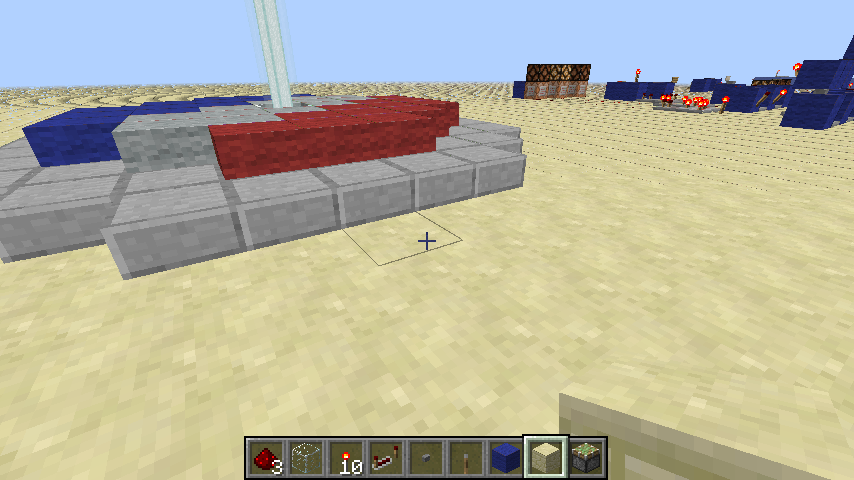
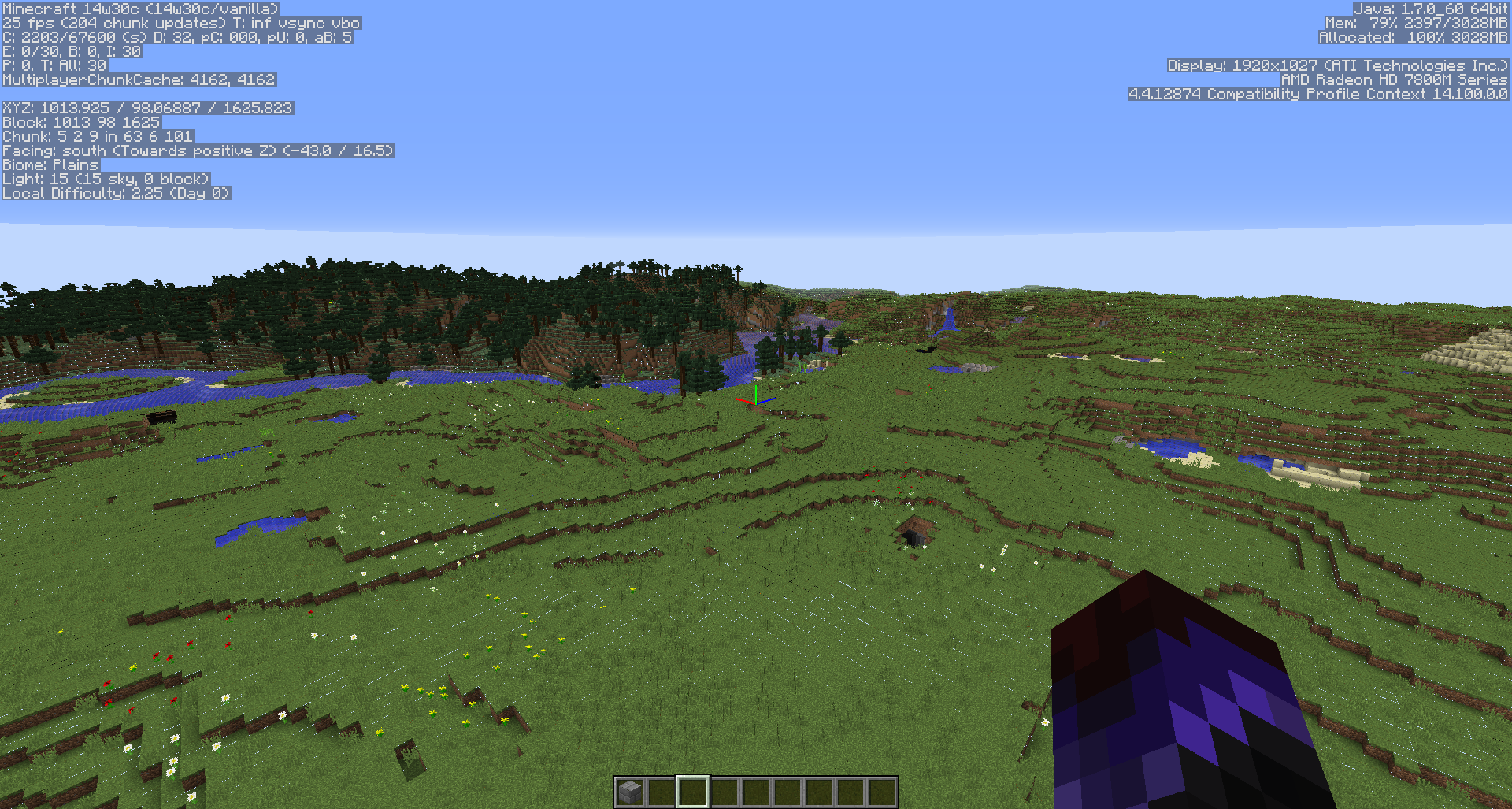
I checked and I can confirm this for several blocks and items. From what I see this is not a graphics card issue. This is an issue with some of the faces of the 3D models not properly aligned. Such white or otherwise wrong colored dots or pixels can bee seen at:
Duplicate of MC-1794.
Duplicate of MC-1794. Please use the search function to check before posting in the future. Also please only post one issue per report.
Duplicate of MC-1794. Considering you are having this problem quite severely, it is likely that this is caused be settings of your graphics card. This can potentially be fixed by setting antialiasing to default.
Duplicate of MC-1794. Please use the search function to check before posting in the future.
Duplicate of MC-1794. Please use the search function to check before posting in the future.
MC-1794 is caused by textures not properly aligning, which is what your screenshots display. Note that the issue has not yet been resolved.
It started after i installed windows 7 on my computer.
[Mod] CubeTheThird, it's not like MC-1794, because it isn't like few dots between blocks it is some kind of a purple lines. Look at the screenshots after all
they are different because i've seen MC-1794 in my minecraft a lot of times but bug i have i see it first time
Duplicate of MC-1794, please use the search function to see if your bug has already been submitted. Currently over 45% of tickets are being closed as duplicate.
Duplicate of MC-1794. Please use the search function to check before posting in the future.
Duplicate of MC-1794, please use the search function to see if your bug has already been submitted. Currently over 45% of tickets are being closed as duplicate.
Duplicate of MC-1794.
Duplicate of MC-1794, please use the search function to see if your bug has already been submitted. Currently over 49% of tickets are being closed as duplicate.
You should check out MC-1794 really, looks like that is your problem. I assume it just happened in the snapshots, not 1.4.7? If so, a good amount of people are having this problem.
Duplicate of MC-1794, please use the search function to see if your bug has already been submitted. Currently over 49% of tickets are being closed as duplicate.
Duplicate of MC-1794, please use the search function to see if your bug has already been submitted. Currently over 49% of tickets are being closed as duplicate.
19th duplicate of MC-1794, please use the search function to see if your bug has already been submitted. Currently over 49% of tickets are being closed as duplicate.
20th duplicate of MC-1794, please use the search function to see if your bug has already been submitted. Currently over 49% of tickets are being closed as duplicate.
Duplicate of MC-1794, please use the search function to see if your bug has already been submitted. Currently over 50% of tickets are being closed as duplicate.
Duplicate of MC-1794 and MC-6951, please use the search function to see if your bug has already been submitted. Currently over 50% of tickets are being closed as duplicate.
I'm sorry Tails, but I don't see any lines between solid blocks as MC-1794 does. The problem here only happens with grass, glass, cactus spikes and other non full blocks as well. I see white borders around these blocks that disappear when I'm typing or using the F1 mode.
23rd duplicate of MC-1794, please use the search function to see if your bug has already been submitted. Currently over 50% of tickets are being closed as duplicate.
26th Duplicate of MC-1794, please use the search function to see if your bug has already been submitted. Currently over 51% of tickets are being closed as duplicate.
27th Duplicate of MC-1794, please use the search function to see if your bug has already been submitted. Currently over 51% of tickets are being closed as duplicate.
This bug is similar/ related to MC-1794 but slightly different. Sorry if this is considered a duplicate.
31st duplicate of MC-1794, please use the search function to see if your bug has already been submitted. Currently over 51% of tickets are being closed as duplicate.

Duplicate of MC-1794.
Use search function next time!
Duplicate of: MC-1794 - Please use the search function to see if your bug has already been submitted.
Currently over 50% of tickets are being closed as duplicate.

The same thing fundamentally as MC-1794?
Well, maybe they are not "white stitching / lines", but looks like all the black dots are along block edges, so quite likely at least related to MC-1794.
Duplicate of MC-1794, please use the search function to see if your bug has already been submitted. Currently over 51% of tickets are being closed as duplicate.
Duplicate of MC-1794, please use the search function to see if your bug has already been submitted. Currently over 51% of tickets are being closed as duplicate.
33rd Duplicate of MC-1794, please use the search function to see if your bug has already been submitted. Currently over 51% of tickets are being closed as duplicate.
34th Duplicate of MC-1794, please use the search function to see if your bug has already been submitted. Currently over 52% of tickets are being closed as duplicate.
35th Duplicate of MC-1794, please use the search function to see if your bug has already been submitted. Currently over 52% of tickets are being closed as duplicate.
You should not include versions you can't lay your fingers on yet as affected.
Additionally, this report duplicates MC-1794.
37th duplicate of MC-1794, please use the search function to see if your bug has already been submitted. Currently over 53% of tickets are being closed as duplicate.
Please do not mark unreleased versions as affected. You do not have access to this yet.
46th Duplicate of MC-1794, please use the search function to see if your bug has already been submitted. Currently over 53% of tickets are being closed as duplicate.
47th duplicate of MC-1794, please use the search function to see if your bug has already been submitted. Currently over 53% of tickets are being closed as duplicate.
48th duplicate of MC-1794, please use the search function to see if your bug has already been submitted. Currently over 53% of tickets are being closed as duplicate.
this is not a duplicate at all, please reopen it.
MC-1794 is about small dots between blocks, this is a graphical glitch.
This ticket is about the top block being a bit to high, thus not connecting the two parts.
50th Duplicate of MC-1794, please use the search function to see if your bug has already been submitted. Currently over 53% of tickets are being closed as duplicate.
49th Duplicate of MC-1794, please use the search function to see if your bug has already been submitted. Currently over 53% of tickets are being closed as duplicate.
im pretty sure its different cuz MC-1794 only has white lines between blocks and is not related to hd textures
ps. dont just read the title, also see the screenshots
50th Duplicate of MC-1794, please use the search function to see if your bug has already been submitted. Currently over 53% of tickets are being closed as duplicate.
50th Duplicate of MC-1794, please use the search function to see if your bug has already been submitted. Currently over 53% of tickets are being closed as duplicate.
51st Duplicate of MC-1794, please use the search function to see if your bug has already been submitted. Currently over 53% of tickets are being closed as duplicate.
Duplicate of MC-1794, please use the search function to see if your bug has already been submitted. Currently over 54% of tickets are being closed as duplicate.
52nd Duplicate of MC-1794, please use the search function to see if your bug has already been submitted. Currently over 54% of tickets are being closed as duplicate.
53rd duplicate of MC-1794, please use the search function to see if your bug has already been submitted. Currently over 54% of tickets are being closed as duplicate.
Duplicate of MC-1794. Please use the search function to check before posting in the future. Note that this issue has been resolved for many users with the new pre-release, however this issue is sometimes caused by graphics driver settings (not your operating system).
58th Duplicate of MC-1794, please use the search function to see if your bug has already been submitted. Currently over 54% of tickets are being closed as duplicate.
59th Duplicate of MC-1794, please use the search function to see if your bug has already been submitted. Currently over 54% of tickets are being closed as duplicate.
60th Duplicate of MC-1794, please use the search function to see if your bug has already been submitted. Currently over 54% of tickets are being closed as duplicate.
Duplicate of MC-1794, please use the search function to see if your bug has already been submitted. Currently over 54% of tickets are being closed as duplicate.
Are you referring to the little white dots between blocks? If so, duplicate of MC-1794.
Duplicate of MC-1794, please use the search function to see if your bug has already been submitted. Currently over 54% of tickets are being closed as duplicate.
Duplicate of MC-1794, please use the search function to see if your bug has already been submitted. Currently over 54% of tickets are being closed as duplicate.
Please upload a screenshot depicting the issue.
Might be related to MC-1794, which is resolved as of 13w11a
Duplicate of: MC-1794 - Please use the search function to see if your bug has already been submitted.
Currently over 50% of tickets are being closed as duplicate.
66th Duplicate of MC-1794, please use the search function to see if your bug has already been submitted. Currently over 55% of tickets are being closed as duplicate.
67th Duplicate of MC-1794, please use the search function to see if your bug has already been submitted. Currently over 56% of tickets are being closed as duplicate.
Duplicate of MC-1794.
Duplicate of MC-1794
So apparently I need to search a bit harder, didn't find it on first try but this is pretty much a duplicate of MC-1794 Please close this issue. 
The anvil texture in 14w18a is flipped vertically compared to 1.7.x.
The white line is unrelated afaik and is part of MC-1794
Duplicate of MC-1794 – If you have not, please use the search function in the future, to see if your bug has already been submitted.
Duplicate of MC-1794
Duplicate of MC-1794
Duplicate of MC-1794
Dupe of MC-1794
Duplicate of MC-1794
Duplicate of MC-1794
Dupe of MC-1794
Could be this MC-1794
Duplicate of MC-1794
Duplicate of MC-1794
Dupe of MC-1794
Dupe of MC-1794
Related to MC-1794
Please force a crash by pressing F3 + C for 10 seconds while in-game and attach the crash report (minecraft/crash-reports/crash-<DATE>-client.txt) here.
Dupe of MC-1794

There appears to be some kind of transparent stitching around blocks only with mipmaps on. May be somewhat related to MC-1794, but to a greater effect.
![[Mod] Michael Wobst](../../../data/avatars/users/37868.png)
Duplicate of MC-1794

Duplicate of MC-1794. Next time, use the search function to see if your bug has already been reported.
![[Mod] Les3awe](../../../data/avatars/users/79847.png)
This issue duplicates MC-1794.
This issue duplicates MC-1794.
Duplicate of MC-1794. This is typically caused by custom graphics driver settings, such as anti-aliasing.

The bug
The sides of flowing water/lava are moved a bit inwards (a bit like a cactus), making the edges overlap and not connect with other flowing liquid.
Note
This is not MC-1794, but instead a block model issue.

Relates, not a duplicate by far, this issue is on way more easily noticable then MC-1794 is.
Looks like MC-1794, but, as [Mod] Les3awe already said, please use the default resource pack, any issues that arrive only in custom resource packs are VERY likely to invalidate your ticket.
This issue duplicates MC-1794.

Not a dupe, MC-1794 is about blocks and ALL the blocks, while this is an issue only with the fishing rod model/texture
No, that's a different cause. This is about the block model. If you go near enough to this, you see a multi-pixel gap and an overlap. If you go near something that's affected by MC-1794, you will never see a gap of multiple pixels.
Well, maybe it could be an extremely small gap (seems strange now that I think about it).
However, MC-7882, which is also about the model but for clouds, has a related link to MC-1794. Since a faulty cloud model and that black dots on corners of blocks have a related link between each other but are far more unrelated compared to each other than this bug and MC-7882, this bug report should have a related link to MC-1794 at least.
By the way you forgot to add affects versions 17w14a & 17w15a
Thank you for your report!
However, this issue is a Duplicate of MC-1794.
It has been linked to this report. If you have additional information, please add it to that report.
Please search before reporting, as it's likely that one exists already.
Quick Links:
📓 Issue Guidelines – 💬 Community Support – 📧 Customer Support – 📖 Game Wiki
Thank you for your report!
However, this issue is a Duplicate of MC-1794.
It has been linked to this report. If you have additional information, please add it to that report.
Please search before reporting, as it's likely that one exists already.
Quick Links:
📓 Issue Guidelines – 💬 Community Support – 📧 Customer Support – 📖 Game Wiki
![[Mod] bemoty](../../../data/avatars/users/50554.png)
 Please do not mark issues as private, unless your bug report is an exploit or contains information about your username or server.
Thank you for your report!
However, this issue is a Duplicate of MC-1794.
If you have additional information, please add it to that report.
Please search before reporting, as it's likely that one exists already.
Also, you might want to try updating your graphics driver.
Quick Links:
📓 Issue Guidelines – 💬 Community Support – 📧 Customer Support – 📖 Game Wiki
Thank you for your report!
However, this issue is a Duplicate of MC-1794.
It has been linked to this report. If you have additional information, please add it to that report.
Please search before reporting, as it's likely that one exists already.
Quick Links:
📓 Issue Guidelines – 💬 Community Support – 📧 Customer Support – 📖 Game Wiki
Thanks for the large report. We generally prefer one issue per report, though. Also, most of these have already been reported; feel free to vote for those ones:
Bows don't show animation while in offhand
This is MC-88356.
Shields and bows do not stay in the user’s hands when he aims with a bow and sneaks
This is MC-86127.
The sword slash particle animation is backwards when in third person front view.
I think this is MC-74764.
feature requests section
Feature requests should be posted onto /r/MinecraftSuggestions, not here; the tracker is for bugs only. Those are both fair suggestions (though you're not the only one who's suggested them).
The walking sound is not in sync with the players walk frequency in 3rd person, but in first person the screen bobbing is just right. Perhaps change the speed at which the legs & arms move?
I haven't noticed this one, and I don't think it's been reported. It does seem more like a feature request though. (I actually didn't realize that the bobbing was aligned; this'll probably bother me now  )
)
Walking on carpets makes the sound and running particle effect of the block underneath it.
This is MC-8820, but it's fundamentally caused by the next issue...
Running near water shows the sprinting particle effect coming from the water. This just looks cheap.
This is MC-1133, and it's rather hard to fix unfortunately since it's a fairly deep issue in the engine.
Small, thin floating lines and gaps in the corners appear on a person's character model and tools they are holding in both first person and third person
This is either MC-73186 or MC-1794.
Shield does not appear to be shielding in multiplayer when it actually is.
This sounds like MC-86253, but that was already fixed. It might also be MC-82995?
Why do spiders horizontally! Plz mojang! It’s not that difficult to fix!
Not entirely sure what you mean by this, so I'm going to go with 5.
In general, these are all valid bugs, but they've already been reported. Please search first, and try to stick to one bug per report, thanks.

I'm pretty sure this is intended for cacti and maybe also for redstone torches.
Also, no, it's not related to MC-1794, one is models, one is rendering.

Thank you for your report!
However, this issue is a Duplicate of MC-1794.
If you have additional information, please add it to that report.
Please search before reporting, as it's likely that one exists already.
Quick Links:
📓 Issue Guidelines – 💬 Community Support – 📧 Customer Support – 📖 Game Wiki
![[Mod] Neko](../../../data/avatars/users/92901.png)
Thank you for your report!
However, this issue has been closed as a Duplicate of MC-1794.
It has been linked to this report. If you have additional information, please add it to the duplicated report.
Please search before reporting, as it's likely that one exists already.
Quick Links:
📓 Issue Guidelines – 💬 Community Support – 📧 Customer Support – 📖 Game Wiki
Thank you for your report!
However, this issue has been closed as a Duplicate of MC-1794.
It has been linked to this report. If you have additional information, please add it to the duplicated report.
Please search before reporting, as it's likely that one exists already.
Quick Links:
📓 Issue Guidelines – 💬 Community Support – 📧 Customer Support – 📖 Game Wiki
Thank you for your report!
However, this issue is a Duplicate of MC-1794.
If you have additional information, please add it to that report.
Please search before reporting, as it's likely that one exists already.
Quick Links:
📓 Issue Guidelines – 💬 Community Support – 📧 Customer Support – 📖 Game Wiki
![[Mod] Urielsalis](../../../data/assets/gravatar/urielsalis.jpeg)
Thank you for your report!
We're actually already tracking this issue at MC-1794, so we will resolve and link this ticket as a duplicate.
If you would like to add a vote and any extra information to the main ticket it would be appreciated.
If you haven't already, you might like to make use of the search feature to see if the issue has already been mentioned.
![[Mod] violine1101](../../../data/avatars/users/92858.png)
Duplicate of MC-1794
Duplicate of MC-1794
Duplicate of MC-1794.
You can check whether changing your graphics card settings can solve the issue.
Duplicate of MC-1794
Duplicate of MC-1794
Duplicate of MC-1794
Duplicate of MC-1794
Duplicates MC-1794.
In the future, please use the search function to see if your issue has already been reported.

Ok so 6 months ago before I got this bug it had no lines after some days I got the bug and it affects the multiplayer and single player and if u zoom closely on the hand you will see little dots lines on it but with the character its like black lines if you zoom closer you can see that it has dots but mostly black lines this is not like MC-1794 that is a block bug mine is the character. It affects from 1.0 to latest the lower versions are the least affected like the lower versions dont have the hand dots lines.
Thank you for your report!
We're actually already tracking this issue in MC-1794, so I resolved and linked this ticket as a duplicate.
If you would like to add a vote and any extra information to the main ticket it would be appreciated.
If you haven't already, you might like to make use of the search feature to see if the issue has already been mentioned.
Thank you for your report!
We're actually already tracking this issue in MC-1794, so I resolved and linked this ticket as a duplicate.
If you would like to add a vote and any extra information to the main ticket it would be appreciated.
If you haven't already, you might like to make use of the search feature in the future to see if the issue has already been reported.
Thank you for your report!
We're actually already tracking this issue in MC-1794, so I resolved and linked this ticket as a duplicate.
If you would like to add a vote and any extra information to the main ticket it would be appreciated.
If you haven't already, you might like to make use of the search feature in the future to see if the issue has already been reported.
Thank you for your report!
We're actually already tracking this issue in MC-1794, so I resolved and linked this ticket as a duplicate.
If you would like to add a vote and any extra information to the main ticket it would be appreciated.
If you haven't already, you might like to make use of the search feature in the future to see if the issue has already been reported.
Thank you for your report!
We're actually already tracking this issue in MC-1794, so I resolved and linked this ticket as a duplicate.
If you would like to add a vote and any extra information to the main ticket it would be appreciated.
If you haven't already, you might like to make use of the search feature in the future to see if the issue has already been reported.
Thank you for your report!
We're actually already tracking this issue in MC-1794, so I resolved and linked this ticket as a duplicate.
If you would like to add a vote and any extra information to the main ticket it would be appreciated.
If you haven't already, you might like to make use of the search feature in the future to see if the issue has already been reported.
Quick Links:
📓 Issue Guidelines – 💬 Community Support – 📧 Customer Support – 📖 Game Wiki
The Bug
Above the composter block, whilst mipmap levels are on at least 2, a white glowing outline is rendered when viewed from afar.
EDIT: Could possibly relate to MC-1794
How to reproduce
- Enable mipmap levels on to minimum 2
- Place a composter block then view from afar
Thank you for your report!
We're actually already tracking this issue in MC-1794, so I resolved and linked this ticket as a duplicate.
If you would like to add a vote and any extra information to the main ticket it would be appreciated.
If you haven't already, you might like to make use of the search feature in the future to see if the issue has already been reported.
Quick Links:
📓 Issue Guidelines – 💬 Community Support – 📧 Customer Support – 📖 Game Wiki
Thank you for your report!
We're actually already tracking this issue in MC-1794, so I resolved and linked this ticket as a duplicate.
If you would like to add a vote and any extra information to the main ticket it would be appreciated.
If you haven't already, you might like to make use of the search feature in the future to see if the issue has already been reported.
Quick Links:
📓 Issue Guidelines – 💬 Community Support – 📧 Customer Support – 📖 Game Wiki
Thank you for your report!
We're actually already tracking this issue in MC-1794, so I resolved and linked this ticket as a duplicate.
If you would like to add a vote and any extra information to the main ticket it would be appreciated.
If you haven't already, you might like to make use of the search feature in the future to see if the issue has already been reported.
Quick Links:
📓 Issue Guidelines – 💬 Community Support – 📧 Customer Support – 📖 Game Wiki
There is a similar issue: MC-1794 that could relate, and seems to be confirmed fixed when mipmap levels are set to 0 (this issue also is fixed with Optifine installed).
Actually this is a mild appearance of MC-1794.
Thank you for your report!
We're actually already tracking this issue in MC-1794, so I resolved and linked this ticket as a duplicate.
If you would like to add a vote and any extra information to the main ticket it would be appreciated.
If you haven't already, you might like to make use of the search feature in the future to see if the issue has already been reported.
Quick Links:
📓 Issue Guidelines – 💬 Community Support – 📧 Customer Support – 📖 Game Wiki
![[Mod] Greymagic27](../../../data/avatars/users/92875.png)
Thank you for your report!
We're already tracking this issue at MC-1794, so I will resolve and link this ticket as a duplicate.
If you would like to add a vote and any extra information to the main ticket it would be appreciated.
If you haven't already, you might like to make use of the search feature to see if the issue has already been mentioned.
Quick Links:
📓 Issue Guidelines – 💬 Community Support – 📧 Customer Support – 📖 Game Wiki
Thank you for your report!
We're actually already tracking this issue in MC-1794, so I resolved and linked this ticket as a duplicate.
If you would like to add a vote and any extra information to the main ticket it would be appreciated.
If you haven't already, you might like to make use of the search feature in the future to see if the issue has already been reported.
Quick Links:
📓 Issue Guidelines – 💬 Community Support – 📧 Customer Support – 📖 Game Wiki
Thank you for your report!
We're actually already tracking this issue in MC-1794, so I resolved and linked this ticket as a duplicate.
If you would like to add a vote and any extra information to the main ticket it would be appreciated.
If you haven't already, you might like to make use of the search feature in the future to see if the issue has already been reported.
Quick Links:
📓 Issue Guidelines – 💬 Community Support – 📧 Customer Support – 📖 Game Wiki
Thank you for your report!
We're actually already tracking this issue in MC-1794, so I resolved and linked this ticket as a duplicate.
If you would like to add a vote and any extra information to the main ticket it would be appreciated.
If you haven't already, you might like to make use of the search feature in the future to see if the issue has already been reported.
Quick Links:
📓 Issue Guidelines – 💬 Community Support – 📧 Customer Support – 📖 Game Wiki
![[Mod] SPGoding](../../../data/avatars/users/44622.png)
Thank you for your report!
However, this issue is a Duplicate of MC-1794.
If you would like to add a vote and any extra information to the main ticket it would be appreciated.
If you haven't already, you might like to make use of the search feature to see if the issue has already been mentioned.
Quick Links:
📓 Issue Guidelines – 💬 Community Support – 📧 Customer Support – 📖 Game Wiki
Thank you for your report!
However, this issue is a Duplicate of MC-1794.
If you would like to add a vote and any extra information to the main ticket it would be appreciated.
If you haven't already, you might like to make use of the search feature to see if the issue has already been mentioned.
Quick Links:
📓 Issue Guidelines – 💬 Community Support – 📧 Customer Support – 📖 Game Wiki
Thank you for your report!
We're already tracking this issue at MC-1794, so I will resolve and link this ticket as a duplicate.
If you would like to add a vote and any extra information to the main ticket it would be appreciated.
If you haven't already, you might like to make use of the search feature to see if the issue has already been mentioned.
Quick Links:
📓 Issue Guidelines – 💬 Community Support – 📧 Customer Support – 📖 Game Wiki
Thank you for your report!
We're actually already tracking this issue in MC-1794, so I resolved and linked this ticket as a duplicate.
If you would like to add a vote and any extra information to the main ticket it would be appreciated.
If you haven't already, you might like to make use of the search feature in the future to see if the issue has already been reported.
Quick Links:
📓 Issue Guidelines – 💬 Community Support – 📧 Customer Support – 📖 Game Wiki
Thank you for your report!
We're already tracking this issue at MC-1794, so I will resolve and link this ticket as a duplicate.
If you would like to add a vote and any extra information to the main ticket it would be appreciated.
If you haven't already, you might like to make use of the search feature to see if the issue has already been mentioned.
Quick Links:
📓 Issue Guidelines – 💬 Community Support – 📧 Customer Support – 📖 Game Wiki
Thank you for your report!
However, this issue is a Duplicate of MC-1794.
If you would like to add a vote and any extra information to the main ticket it would be appreciated.
If you haven't already, you might like to make use of the search feature to see if the issue has already been mentioned.
Quick Links:
📓 Issue Guidelines – 💬 Community Support – 📧 Customer Support – 📖 Game Wiki
Thank you for your report!
We're actually already tracking this issue in MC-1794, so I resolved and linked this ticket as a duplicate.
If you would like to add a vote and any extra information to the main ticket it would be appreciated.
If you haven't already, you might like to make use of the search feature in the future to see if the issue has already been reported.
Quick Links:
📓 Issue Guidelines – 💬 Community Support – 📧 Customer Support – 📖 Game Wiki
Thank you for your report!
We're actually already tracking this issue in MC-1794, so I resolved and linked this ticket as a duplicate.
If you would like to add a vote and any extra information to the main ticket it would be appreciated.
If you haven't already, you might like to make use of the search feature in the future to see if the issue has already been reported.
Quick Links:
📓 Issue Guidelines – 💬 Community Support – 📧 Customer Support – 📖 Game Wiki
Hey there,
this is currently the oldest unconfirmed ticket we have on the tracker, and to confirm it and to get it the attention it deserves, I think we need some more information. For instance:
- What "various issues" exactly are caused by this issue? How do they manifest? As far as I understand it, this issue is the cause of MC-1794, is that correct?
- What kinds of hardware are affected? Does it only affect certain graphics cards or does hardware not matter?
- Minecraft uses LWJGL; does this issue need to be fixed inside of LWJGL or is LWJGL as a library used incorrectly in some way?
Currently this ticket reads more like a feature request to me and not like a bug, though I must admit I'm not an expert in this field.
You're the only one who has raised this issue so far; if you can help us understand the issue better, we might be able to raise priority and get the issue fixed sooner despite that.
This issue has been temporarily closed as Awaiting Response. Once the requested information has been delivered, the report will be reopened automatically.
Quick Links:
📓 Issue Guidelines – 💬 Community Support – 📧 Customer Support – 📖 Game Wiki

Thank you for your report!
We're actually already tracking this issue in MC-1794, so I resolved and linked this ticket as a duplicate.
If you would like to add a vote and any extra information to the main ticket it would be appreciated.
If you haven't already, you might like to make use of the search feature in the future to see if the issue has already been reported.
Quick Links:
📓 Issue Guidelines – 💬 Community Support – 📧 Customer Support – 📖 Game Wiki
See MC-1794
Thank you for your report!
However, this issue is a Duplicate of MC-1794.
If you would like to add a vote and any extra information to the main ticket it would be appreciated.
If you haven't already, you might like to make use of the search feature to see if the issue has already been mentioned.
Quick Links:
📓 Issue Guidelines – 💬 Community Support – 📧 Customer Support – 📖 Game Wiki
Thank you for your report!
We're actually already tracking this issue in MC-1794, so I resolved and linked this ticket as a duplicate.
If you would like to add a vote and any extra information to the main ticket it would be appreciated.
If you haven't already, you might like to make use of the search feature in the future to see if the issue has already been reported.
Quick Links:
📓 Issue Guidelines – 💬 Community Support – 📧 Customer Support – 📖 Game Wiki
Thank you for your report!
We're actually already tracking this issue in MC-1794, so I resolved and linked this ticket as a duplicate.
If you would like to add a vote and any extra information to the main ticket it would be appreciated.
If you haven't already, you might like to make use of the search feature in the future to see if the issue has already been reported.
Quick Links:
📓 Issue Guidelines – 💬 Community Support – 📧 Customer Support – 📖 Game Wiki
Thank you for your report!
We're actually already tracking this issue in MC-1794, so I resolved and linked this ticket as a duplicate.
If you would like to add a vote and any extra information to the main ticket it would be appreciated.
If you haven't already, you might like to make use of the search feature in the future to see if the issue has already been reported.
Quick Links:
📓 Issue Guidelines – 💬 Community Support – 📧 Customer Support – 📖 Game Wiki
Thank you for your report!
However, this issue is a Duplicate of MC-1794.
If you would like to add a vote and any extra information to the main ticket it would be appreciated.
If you haven't already, you might like to make use of the search feature to see if the issue has already been mentioned.
Quick Links:
📓 Issue Guidelines – 💬 Community Support – 📧 Customer Support – 📖 Game Wiki
Thank you for your report!
However, this issue is a Duplicate of MC-1794.
If you would like to add a vote and any extra information to the main ticket it would be appreciated.
If you haven't already, you might like to make use of the search feature to see if the issue has already been mentioned.
Quick Links:
📓 Issue Guidelines – 💬 Community Support – 📧 Customer Support – 📖 Game Wiki
Does MC-1794 describe your issue?
This issue has been temporarily closed as Awaiting Response. Once the requested information has been delivered, the report will be reopened automatically.
Quick Links:
📓 Issue Guidelines – 💬 Community Support – 📧 Customer Support – 📖 Game Wiki
Thank you for your report!
We're actually already tracking this issue in MC-1794, so I resolved and linked this ticket as a duplicate.
If you would like to add a vote and any extra information to the main ticket it would be appreciated.
If you haven't already, you might like to make use of the search feature in the future to see if the issue has already been reported.
Quick Links:
📓 Issue Guidelines – 💬 Community Support – 📧 Customer Support – 📖 Game Wiki
Does MC-1794 describe your issue?

Thank you for your report!
We're actually already tracking this issue in MC-1794, so I resolved and linked this ticket as a duplicate.
If you would like to add a vote and any extra information to the main ticket it would be appreciated.
If you haven't already, you might like to make use of the search feature in the future to see if the issue has already been reported.
Quick Links:
📓 Issue Guidelines – 💬 Community Support – 📧 Customer Support – 📖 Game Wiki
Thank you for your report!
We're actually already tracking this issue in MC-1794, so I resolved and linked this ticket as a duplicate.
If you would like to add a vote and any extra information to the main ticket it would be appreciated.
If you haven't already, you might like to make use of the search feature in the future to see if the issue has already been reported.
Quick Links:
📓 Issue Guidelines – 💬 Community Support – 📧 Customer Support – 📖 Game Wiki
Thank you for your report!
However, this issue is a Duplicate of MC-1794.
If you would like to add a vote and any extra information to the main ticket it would be appreciated.
If you haven't already, you might like to make use of the search feature to see if the issue has already been mentioned.
Quick Links:
📓 Issue Guidelines – 💬 Community Support – 📧 Customer Support – 📖 Game Wiki
Only one issue per ticket please.
For the gaps between blocks, please see MC-1794.
For the crash, please contact the community support, linked below.
Quick Links:
📓 Issue Guidelines – 💬 Community Support – 📧 Customer Support – 📖 Game Wiki

Please see MC-1794 for details. Typically this is caused by settings in your GPU drivers for anti-aliasing.
Thank you for your report!
However, this issue is a Duplicate of MC-1794.
If you would like to add a vote and any extra information to the main ticket it would be appreciated.
If you haven't already, you might like to make use of the search feature to see if the issue has already been mentioned.
Quick Links:
📓 Issue Guidelines – 💬 Community Support – 📧 Customer Support – 📖 Game Wiki
Thank you for your report!
We're actually already tracking this issue in MC-1794, so I resolved and linked this ticket as a duplicate.
If you would like to add a vote and any extra information to the main ticket it would be appreciated.
If you haven't already, you might like to make use of the search feature in the future to see if the issue has already been reported.
Quick Links:
📓 Issue Guidelines – 💬 Community Support – 📧 Customer Support – 📖 Game Wiki
Thank you for your report!
We're actually already tracking this issue in MC-1794, so I resolved and linked this ticket as a duplicate.
If you would like to add a vote and any extra information to the main ticket it would be appreciated.
If you haven't already, you might like to make use of the search feature in the future to see if the issue has already been reported.
Quick Links:
📓 Issue Guidelines – 💬 Community Support – 📧 Customer Support – 📖 Game Wiki
Thank you for your report!
We're actually already tracking this issue in MC-1794, so I've resolved and linked this ticket as a duplicate.
If you would like to add a vote and any extra information to the main ticket it would be appreciated.
If you haven't already, you might like to make use of the search feature to see if the issue has already been mentioned.
Quick Links:
📓 Issue Guidelines – 💬 Community Support – 📧 Customer Support – 📖 Game Wiki
Duplicate of MC-1794.
Fix:
This issue can usually be fixed by tweaking the game's video settings or the settings of your graphics driver. You can check whether the following workarounds work for you:
- Nvidia: Choose "Let the 3D application decide" in "Adjust Image Settings with Preview" in the NVIDIA Control Panel
- Disable "Anisotropic Filtering" in graphics driver settings
- Disable "Antialiasing" in graphics driver settings
- Set "Mipmap" to 0 in Minecraft's video settings
Thank you for your report!
We're actually already tracking this issue in MC-1794, so I resolved and linked this ticket as a duplicate.
If you would like to add a vote and any extra information to the main ticket it would be appreciated.
If you haven't already, you might like to make use of the search feature in the future to see if the issue has already been reported.
Quick Links:
📓 Issue Guidelines – 💬 Community Support – 📧 Customer Support – 📖 Game Wiki
This is strictly a graphics card/driver issue. Try changing your graphics settings to correct this. This can also be influenced by optifine, should you have it installed
I have this problem too.I have tried changing my GPU settings but no luck so far...I am using Amd HD6850
Does anyone know how to fix this problem. I tried changing graphics settings and not happened its still the same.
I used to have this issue, and to fix it, I reset several of my graphics settings to defaults, or "use application settings" options. I've found that anti-aliasing and anisotropic filtering have had influence on this.
I saw this problem in my game today.
just turn off Anti-Aliasing. have fun guys!
Jacob, my Anti-Aliasing is off, but the problem exist.
I had this problem when I attempted to change my Nvidia card to use anti-aliasing as well. Application controlled was the only setting I could use where this didnt happen.
confirm. a bit annoying but there are worse bugs
I've seen this occasionally when underground, since version 1.2.1. Not enough to be annoying - there's much worse bugs that are currently spoiling the gameplay for me.
Okay I installed Ati Tray Tools to turn off the antialiasing and anisotropic filtering but the problem still exists...
Confirmed bug. Note that on all PCs that doesn't happens.
I can confirm this issue.
Turned off AA. Still persists. I hate how people tell me to do that when it doesn't fix anything.
That would be because (based on my personal experience) this has actually worked. Unfortunately this does not fix the problem for everyone.
Is
MC-7320really a duplicate of this ticket or is it caused by the new texture system ?I'm wondering that too, since I just started getting the problem when the new texture system was introduced.
I believe it is due to the new texture system, I too have this bug but it only happens in the latest snapshot, 13w02b. It will not occur on 1.4.7 or 13w01a/b.
This graphic glitch is just more common and noticeable with the new texture pack stitching but still exists prior to the 13w02b snapshot for me too.
I have the problem too, AA is turned off. It used to be extremely rare, but now all the blocks are affected all the time. I haven't touched my graphic cards drivers, just updated to a recent version of Minecraft; if I rollback to 1.4.5, the glitch goes away.
I may be wrong, but I think this problem only occurs when Fast graphics is selected. Minecraft is an insane resource-hog so my computer can't play with Fancy graphics, but when I do use Fancy, I don't have this bug.
I have the problem in Fast and Fancy.
It's not just white stitching, here's an example of black (or at least dark) stitching. I used to experience this occasionally in previous versions, but now it happens to me constantly. I do not have AA enabled, and I'm running a recent video driver.
Try updating your LWJGL to 2.8.4. That fixed a bunch of graphics problems for me.
Here's a much better example. The lava is very visible between the edges of the Nether brick blocks.
What is LWJGL? ... searching ... oh: LightWeight Java Game Library. How do I update it? I never installed this before. Is this shipped with Java or shipped as part of Minecraft?
Ok, I found http://www.minecraftwiki.net/wiki/Tutorials/Update_LWJGL I followed their instructions and was able to update LWJGL to 2.8.5, but that had no effect on this issue. I still see stitching errors on polygon edges.
This is alot worse in 13w02b.My textures are just being very weird.But if I use the 1.4.7 the problem is not so big
This bug is much more noticeable with the new texture pack change in the last two snapshots (13w02a+b, and 13w03a). I used to only notice it with horizontal logs, but since the change it's all block. I'm using java 7 64-bit and an ATI Radeon 4800HD with the latest drivers version 12.6.
I, too, am running Java 7 64-bit and an ATI Radeon 4890 with 12.6 drivers.
I'm running Java7 (32-bit) with an AMD Radeon HD 6450. Is this only a problem with ATI/AMD video cards? Has anyone observed this on an nVidia or other brand?
I'm getting this problem too.
Using Windows 8, 16gb RAM, Java 7, AMD FX-4100 quad core 4.0ghz, ATI HD Radeon 6700 2gb graphics card.
Just noticed it with lava showing through lines inbetween Obsidian. It has to be realated to the new texture pack setup. Also, someone should remove the Creative only tag, as it appears in survival as well.
I just tried out my wife's laptop: it's running an Intel embedded chipset and it did not exhibit the problem. This might be only a problem with ATI video cards.
Updated my drivers to the newest version(13.1)(Amd)
Bug still occurs but maybe not so badly.They have added some extra options.Guys go mess with the settings.Maybe it will help you a little bit
I've tried every driver setting I can imagine, and can certainly make it WORSE, but I can't make it any better. Turning an anti-aliasing makes it MUCH worse.
Just upgraded from AMD Catalyst 12.10
to AMD Catalyst 13.1
and do now have white lines between blocks of black wool (Didn't check if white lines before upgrade)
Same results as Rolf Campbell, playing around with the settings doesn't help.
Hmm...Weird.It helped for me a little bit
@Ville, what helped you a bit ?
@Kumasasa Nevermind.It didn't actually help at all.I was looking at the blocks in specific angle so the white "lines" didnt't show up.
Thanks.
Pretty sure anisotropic filtering can cause those lines to be more pronounced.
Having any kind of outside anisotropic filtering "on" will cause them.
Although at such a close distance from the player it is unlikely that that is the problem.
Sure, but most of the reporters here have the lines with filtering off since 13w02a.
I been playing with my settings as well and its 100% worse if i turn my filtering off, not being a a#s but this cannot be a card problem NEVER, let me repeat NEVER had this issue before been playing since 1.8, and really sucks TBH this really sucks..... looks like ill be on 1.4.7 forever!!!! Since this "bug" has supposedly been around forever...
I have never been experienced this before, but i always get this apperance since first 1.5 snapshot. So I guess it's not only hardware/driver issue, it also must be related to changes in render engine.
I run Minecraft on Ubuntu Linux with ATI Radeon HD 4550.
The issue did exist before, but it wasn't quite as severe. If you ever saw bright pixels in dark caves, along section boundaries, that is it. Probably because each section has its own coordinate system, and is transformed inexactly. Ever since one of the 1.5 snapshots something like it started to appear at every single edge, sometimes even across a face. I believe texturing is at least partially responsible, because the stray pixels often seem to come from an adjacent image in the texture atlas.
My duplicate (I did search using a few technical terms, but apparently not what everyone else had used to describe it),
MC-7363, contains some technical info that may be helpful.This issue isn't impossible to produce on other graphics cards, but it happens by default on AMD/ATI cards. It's so old that I can remember it being talked about in at least August of 2011. Basically, all that tended to happen before was a few stray pixels, but now, due to some difference in the way ATI does things, the issue is really bad. The guy above me seems to know what he's talking about, click his link.
I already know graphics settings can cause such a thing. Specifically in the past enabling forced Anti-aliasing in your graphics settings could cause this sort of effect. However I have already double-checked and made sure all my graphics card settings were on "application decides." This does not occur in the last official update(1.4.7).
ATI Radeon HD 4600
At least im not the only one with this bug... I just bought this PC "for" minecraft only... and now about 3 months later.... I really hope this gets resolved somehow no way im getting another card and spending even more money to play this... i love minecraft but seriously.... now i get hella FPS and terrible glitches... /sarcasm. we need to vote this up people!!!
it didn't happen to me in 1.4.5 but it does happen in the snapshots for me
still in 13w04a
Happens in 13w04a for me. I know I'm going to be mad if they make a release with this bug.
Still in 13w04a. Getting worried that this may not be fixed or at least looked at/commented on and once it is released into an official version, a lot of people with ATI/AMD are going to wonder what is going on and get confused.
This does not happen in any versions prior the snapshots. This does not affect any official releases of Minecraft.
This screenshot (1.4.7.png) shows how bad it gets in 1.4.7, using the same test case that the snapshots: a "2;7,62x0,49;2" superflat world, viewing the obsidian from below. It's hard to light up more than the occasional pixel for a screenshot, although in motion they pop up all the time.
Another screenshot (1.4.something more severe.png) shows a pre-snapshot version - probably 1.4.5 - being more pathological. It wasn't just a single-frame fluke either. Edit: confirmed it's the same in 1.4.7 (1.4.7 more severe.png).
I don't use any filtering hacks. No FSAA, and Minecraft can just use its "nearest" texture filter.
So, yes, older versions were affected. In fact, the issue has existed for a long time. It just wasn't nearly as bad as it is now.
I should add that the problem can be more or less severe depending on the GPU. But if you use robust geometry, these cracks will never appear. And if you don't, you'll always be susceptible.
happens to me too. I don't have trouble in the other updates but 3a and 4a gives me this.
This has been getting much worse in the 2013 snapshots. I don't remember it being this bad in 1.4.6
Samples from 13w04a:
http://i.imgur.com/NIyWBBc.png
http://i.imgur.com/toZJ58H.png
http://i.imgur.com/IHfos92.png
White lines between wool blocks.
Weird, there seem to be people having this bug since 1.4.1 But I'm only having it since the new texturepack system. When I go back to 1.4.7 it works just fine.
Please try this not-too-very-but-still-kinda-slightly experimental build to see if it fixes things, and let me know. http://dinnerbone.com/media/uploads/2013-01/files/minecraft_potential_white_line_fix_13w04a.jar
Nope. http://i.imgur.com/cJ6EP93.png
Didn't seem to change anything for me: http://i.imgur.com/OWK4lIk.png
Same here, still happening for me as well. You should look at what this guys has to say on the matter: https://mojang.atlassian.net/browse/MC-7363
I even noticed this bug in Xisumavoid's latest video
no, sorry dinnerbone still there, if you need crash reports, extra snooper data a complete empty world with just 2 block with with white stiches on them, just say it and we will get you one.
Confirmed. Bug non existing prior to the texture pack update. ATI Radeon 4660, Windows 8, Java 7 64Bit.
I have just tried it on two machines: one Nvidia (9600M GT), the other ATI (5870), both running Mac OS X 10.8.2. On neither machine I could notice a difference between the experimental and normal snapshots. Indeed Nvidia is much more robust, but it still has at least several bad pixels poking through each frame.
Confirmed on ATI Mobility Radeon HD 4670, Linux Mint 13 (base: Ubuntu 12.10), OpenJDK 7 64bit. Did not occur prior to the texture pack update.
I've got a ATI Radeon HD 5970, Windows 7 64 bit, Java 7 64bit
Special build makes no difference for
I have been noticing this in almost all of the new snapshots.
No difference (http://i.imgur.com/dllGg0e.png) for AMD Radeon HD 6670 and ATI Mobility Radeon HD 4500/5100 series.
No fix, Radeon HD 5770.
Glad I'm not the only one who has this problem.
I have a GeForce GTX670M and the same problem.
It got worse for me when they made textures using individual files in one of the snapshots...
Before that I only had minor issues, verified by going back from snapshot 13w05a to 1.4.7.
No change with latest snapshot. :/
When I was on 1.4.6 this problem was not that bad as it is with the current snapshots, however, if I go back to 1.4.6 it is still as bad as with the snapshots. It does not go back to how it was on 1.4.6
Please do not attach any more images. We have plenty!
confirmed for 13w05b
Confirmed for 14w04a (vanilla) and 14w05b (vanilla) with AMD Radeon HD 6520G
It's worth noting that the artefacts observed prior to the texture pack update occurred only on chunk boundaries, whereas these effects now occur on every tile. Based on the fact that it's also adding lines around the edges of transparent textures, I'd hypothesize that the textures are being affected by floating-point rounding issues on getting the texture from the map.
Proposed fix: increase size of drawn textures by half a percent (imperceptible, but sufficient to remove lines). Additionally, decrease size of texture rectangle grabbed from the map by the same amount. Expected performance impact: little to none. Potential issues: Z-fighting between adjacent blocks.
Yup, Sir TLUL. I also hinted at that possibility in
MC-7363. I know at least previous versions used a slightly smaller region from the texture. I should note that neither of these things explains the whole story, though. Say, if you place a torch on a block, the face it's standing on will have cracks in it, and so will the air around the torch! I have no clue what it's smoking there, but it isn't your standard geometry or texture issue.You also really shouldn't grow geometry. If you handle it a little more carefully, perfect geometry will be perfect.
14w04a? wtf?
@Daniel. he's from the future! great, now we know it will be there for over a year!
@Newton TELL US WHAT WILL BE IMPLEMENTED!!!
I'm getting really big ones. I posted a screenshot of it
I am also getting a grid over repeaters and comparators ill upload a screen shot of it
That is a different bug, seen here:
MC-5178.It didn't get worse for me
normally they're just dots flickering very fast, bug on the side of a repeater it's actually a line, not just dots. Not sure if it changed since 13w15b though.
still in this snapshot, please update
Confirmed for 13w06a
Can also confirm for 13w06a, hopefully this will be fixed as its very annoying.
don't wory, just keep voting, I'm shure they will fix this before the release of 1.5
Problem:Denn immer wenn ich z.B. meine Felder abernte, landen die Items, die dann auf dem Boden liegen in meinem Fuß-Slot für die Rüstungen der Schuhe! Und angenommen, da liegen dann 20 Items auf dem Boden, hebe ich eines auf in den Fuß-Slot, alle anderen werden aufgehoben, verschwinden dann aber komplett.(Edit: Wrong language, wrong ticket)
Confirmed in 13w07a
Very severe case. Especially in dark places. (added 2 screens)
I can confirm in 13w07a.
I can confirm it as well in 13w07a, using an AMD HD 5770 graphics card. From what I've seen of the comments, it affects AMD users the most.
Sorry if someone posted a fix for this already, but here it is. This bug appears mostly if you have an AMD graphics card (never seen this on nVidia graphics card). Here is the solution:
Sorry not being able to give accurate indications. I'm not using an AMD card. This is what I remember from an old one.
Can someone confirm or disprove this please?
@Rafael:
This is incorrect as of the snapshot versions. My AMD card has all settings (which is in fact the defaults) set to "Use Application Settings". I've never forced anti-aliasing or anisotropic filtering on any game, because the results usually look terrible.
@Rafael Caetano
Holy shit! The lines are 95% smaller now. Thanks, this works on my Nvidia 520M
@Rafael: Those settings can certainly create a problem like this, or make an existing problem worse. Here is definitely an existing problem. It was relatively mild up to 1.4, to the point that many people haven't recognized it. In recent snapshots it or something like it has become much more severe, all still without any AA or AF. Similar symptoms, but critically a different cause. This report is about the bug that manifests itself without any 'help' from AA or AF.
It's like Jonathan said.
Like I mentioned earlier, I think it became more severe when they changed the way textures were handled, I can also verify the problem exists on 13w07a.
I don't have graphic card settings... I'm on a mac. Stupid macs
There are green lines on the wither as well!
Here you can clearly see the lines, especially on the black wool.
Can finally confirm this:
Tried it on a Sapphire HD6870, all settings (an-isotropic filtering, anti-aliasing) set on application settings. I can see little white dots flickering right on the edges of blocks, especially easy to spot on darker blocks like pine wood, black wool, obsi, etc.
This is on snapshot 13w07a.
I have been suffering from this bug ever since I started playing with the snapshots related to Minecraft 1.5. If I use the current 1.4 version, the glitch goes away. I'm using a Radeon HD 4650 and tried many solutions presented in this thread.
Steven, that's because relatively early in the snapshots, the texture pack format (and the way minecraft uses them) changed which caused this issue. A lot of the fixes given here are from people who don't know this and aren't using a Radeon card on the snapshots. There's likely to be no home-brewed fix (outside of modifying the .jar), this is considered a minecraft bug and needs to be fixed in the game.
I started seeing this bug in the new snapshots, however, if I now go back to the 1.4 jars, the bug is still visible.
So it is not just a problem with the new texture pack format
That's because the bug was always in the game. Though with the new texture pack format the problem is a LOT more severe.
What I meant was that, for me, even if I go back to 1.4, the bug is still as bad as with the snapshots.
Unlike other people who say that going back to 1.4 makes the problem "go away"
I have this bug too.
The visual issue can be caused by AA/AF settings in the video card driver on any recent Minecraft version (at least 1.0 onwards). If you have AA/AF settings in your video card driver on anything but "nothing" when it relates to Java, then the issue will show up, snapshot or not, for Radeon cards.
The bug being discussed here, however, is that the issue happens for a lot more people, regardless of their video driver settings, in the snapshots.
Just to add a few notes that I don't think have been covered; I've noticed I've had a very minor form of this in the past, but it was easily ignorable. The problem has been exacerbated by the new texture system. If you look really closely sometimes, the line on the side of one block can match the start of the block it's next to in the stitches file. It's exceedingly difficult to spot this, especially in still pictures, but I'm certain I recall once the colours of the 'white lines' on one side of the black wool blocks including some yellow and red, matching with powered rails. In the stitches file, powered rails were right next to black wool, so the 'white lines' I think are the next block along bleeding into it. Hopefully that might help in some way, I don't recall seeing that mentioned above.
Going back to 1.4.7, teh issue is still there, but hardly noticeable at all, just the odd white pixel here or there, often on player and mob models. However, on blocks that can be reoriented like sideways wood logs, the issue is just as bad as in the snapshots, likely due to being rendered in a similar fashion.
Running OSX Snow Leopard, ATI Radeon HD 4670. To my knowledge, OSX has no option to mess with the anti-alialising or anisotropic setting of the GPU.
I have a ATI Mobility Radeon HD3650 (Windows Vista SP2)
To see it easily : use a bow, charge it and you'll see those dots around the parts of the bow. Other way is to look at the ground on a flat map with rising sun (light passes through those holes)
This still occurs for me in minecraft 13w09a. 1.4.7 is fine. Checked my videocard settings as suggested.
Still not fixed in the 13w09c
Same happens to me my card is amazing but it still happens. The worst is an enchanted object in an item frame on fancy, theirs white dots and lines EVERYWHERE!
I get these random little rectangles in full screen. They usually appear in the inventory bar or the sky, and sometimes in the dark.
This doesn't happen to me.
What version of Minecraft are you running?
this is fixed for me, but only for the sandstone blocks, all types and sandstone slabs and stairs, but man, stone and obsidian still look very ugly. so still in current snapshot! 13w10a
Maybe they're looking into it, I have files called debug.stitched_terrain.png and debug.stitched_items.png in my minecraft folder now. But it could be debug files for something entirely different too.
This bug has appeared with the 1.5 snapshots, on 13w10a too.
All blocs are impacted (even torches, hoppers, etc.)
I haven't had such a problem on 1.4.6 or on any previous version.
I'm running Minecraft on a mid-2011 15" MacBook Pro with OSX Mountain Lion ;
my GPU is an AMD Radeon HD 6750M.
[EDIT : I'm on Mountain Lion]
@ Anon Ymus
I am using 1.4.7
Same as Nicolas Saulo above. No stitching in Minecraft 1.4.7, but there is in recent and current 1.5 snapshots. Related to lighting engine improvements? Or the new method for how texture packs are assembled? (Sadly, I could not fix the issue changing any graphical settings, including Smooth Lighting.) Problem is most noticeable around dark textured blocks, like Nether Brick, and Redstone Torches, especially when the latter is placed on the former. Happens in both fullscreen and windowed mode.
I use a late 2009 iMac 27" with ATI Radeon HD 4850 512 MB card, running Mac OS X Mountain Lion (10.8). I have updated to the latest Java (64-bit) as provided by Apple through Software Update (effective March 04).
Some have suggested that turning off anti-aliasing seems to alleviate the issue on Windows PCs, but my research has turned up no way to override that function on Mac OS X.
-Tested with pre-release Sphax PureBDCraft texture pack for Minecraft 1.5. Problem still persists, though less noticeable than with vanilla textures. Also, I see the stitching on torches in my hand, especially when I swing it with the attack button.
-[Other Updates] Modified my post to reflect correct OS and that I'm using 64-bit Java, and that the problem affects dark textured blocks, not just Nether Brick.
It's due to the texture changes.
AA will cause this problem on older versions, but recent versions cause it with no AA, so disabling the setting does not get rid of it on the snapshots.
I confirm taht as my PC on Windows is quite old, no AA is activated and the lighting is in the most basic settings.
Mac OS X doesn't override anything in the first place. There was once this ATI Displays thing that would have to be downloaded and consciously activated, which is as bad as it gets. And once again, while AA and AF cause lines to appear, that's separate from the bug.
voted. i'm having an amd graphics card and it's really annoying.
like being said before, this bug has been there for a long time. i didn't even notice it with 1.4. - 1.4.6. it became more severe with 1.4.7, where i noticed white pixels on items held. snapshot 13w0...3 (i believe) made it even worse, with mismatching lines everywhere.
these lines appear where two textures meet like here:
_|
i'm not a rendering expert, but it could be a z-fighting bug.
i don't want to criticize mojang or dinnerbone - they are doing a great job - , but they shouldn't release minecraft 1.5 before they got this bug back to 1.4.7 severeness (or completely get rid of it)
that's just my opinion
btw: anyone having this bug with 32-bit java on a 32-bit computer?
I have this bug on a 32-bit Windows environment. Voted.
It feels like there are gaps between textures of nearby blocks. If I come closer I can see through the texture to the scenery behind. See gap.jpg above.
I am becoming very concerned that this will not be fixed for 1.5. Like others here, I do not have this issue at all in 1.4.x.
The static images do not do justice to how bad/annoying this issue is. Am I going to have to buy a nVidia graphics card when 1.5 ships?
Not fixed in snapshot 13w10b.
Tried getting mojang to fix this bug but no response yet.
Except for the response(s) above in the comments where we attempted to fix the bug and failed.
True, my attempts to get you to see this bug before 1.5 was released was more recent tho', last week and today.

While not really a gamebreaking issue it still affect the looks of the game to some degree it's slightly annoying, especially if there are dark textures involved.
the slanted line is infact from the torch
I highly doubt that will be fixed because it seems to only affect players with AMD graphics cards.
I never had this problem before the 13w10b snapshot and I'm on ATI radeon HD 4650. They messed up the game engine pretty badly lately. I am going to stay at 1.4.7. until Mojang stops adding useless stuff and destroying the game with bugs that accur when adding the useless stuff.
So in other words you're going to stop using snapshots?
Because the point of snapshots is to be able to help test new features and find bugs to fix, which is why they're optional, and in fact you need to install them manually or with a third-party tool.
George, do you realize they want to release 1.5 soon? Quite likely with this bug. Then it won't be just a dodgy snapshot, but a dodgy release.
When I turn Advanced OpenGL to on, it reduces this, however, they still appear, just not as much.
All I know is that if 1.5 ships with this bug, I'll probably be done with Minecraft.
give them a break guys! Im sure they are working really hard to fix this, so even if its not fixed in 1.5, im sure it wont take long for them to fix it.
Jonathan, they have not. Don't jump the gun.
I have attached a world where there is a BIG line across the screen, it should appear. In case it doesn't, I also have a screenshot. (Please don't steal the device I included there, it is one I will make a video on sometime. It is really cool, and you can look at it if you want. )
EDIT: it still exist on all settings, it even exists in 3D mode (making for a weird occurrence)
William, the lines are not part of the map. They deppend on the gfx card
I included that map because the lines occurred for me there.
I don't know if it has been stated or not, but at least from my experience, the 'lines' are running East and West, but not North and South. Sounds like some copy-pasta work could possibly fix it. Edit: Never mind they do run North and South, the severity is just quite noticeably less for me.
So it's not fixed in the Pre Release :|.
so it look like we will just have to wait untill hopefully 1.5.1 brings the fix
It might be fixed in 1.5. official update, but its not likely since they aren't working on fixing this. They probably all have Nvidia graphic cards and don't even care
.Just because we haven't fixed something, doesn't mean:
As I said just a few comments ago, we have tried a few things to fix this and even released one as a test build in this very comment thread to see if it helped. We haven't been able to fix this few-year-old issue yet but we are always looking for ways to help it.
Dinnerbone, this issue is not a year old. It is similar and related to a year old issue, but the majority of people suffering do NOT experience this in 1.4.7.
The fact that mojang is intending to push a release that you KNOW will negatively effect thousands, if not tens of thousands of AMD users is frankly outrageous.
The root issue is a few years old. It was made worse in this update, yes. We can choose to delay the update indefinitely until we fix it, negatively effecting about 9 million players, or we can push it out and release a new version when it's fixed, negatively effecting much less than 9 million people.
Also, this is not AMD specific. I happen to suffer this extremely lightly in specific scenarios on my nvidia card. Sorry!
Nathan is right, just because some users are experiencing a non game breaking visual glitch does not mean they have to delay the update making people have to wait for the awesome new features in it
I agree, though I hope there will be a way to make it more or less like it was in 1.4.7, the issue didn't bother me there because it was pretty much invisible.
Weather or not it is game breaking is a matter of opinion. Personally I find it bad enough that if this update goes ahead I will be buying a new graphics card.
Can anybody recommend a good graphics card that does not suffer from this issue?
Release dates are arbitrary. The only reason you will be negatively effecting 9 million players is you saw fit to promise this release soon before addressing this issue.
We are under as much obligation to release something as you are to accept the release. If it is so bad for you that you cannot play, simply don't use this version when it politely asks if you want to use the new version or stick to your current one. This issue does suck, I am not disputing that, but we haven't been able to fix it yet and it is completely out of the question to indefinitely stop releasing any new content (or important bugfixes that actually do impact the game non-visually) until we one day do fix this.
Sticking with the current release is not an option for SMP players.
"We are under as much obligation to release something as you are to accept the release"
Great! Then don't release.
Yes, we do version control. Undoing this means undoing all of the texture handling rewrite, which means undoing pretty much anything that affected anything. And so, we're back to indefinitely not releasing an update until it's fixed.
I'm sorry, but I'm not arguing this further. If it affects you so much as to the point where you can't play, then don't use the update. We aren't releasing because of just new features, but also new bugfixes - do you consider this small visual issue more important than extremely common world corrupting crashes, people who can't play at all, etc? This is all I have to say on the matter.
Could you guys add some kind of fall-back for it though? An option to toggle to the old texturing system?
Could you at least tell us which GPUs this DOESN'T effect? Because I was dead serious when I said I'd rather fork out for a new graphics card than have to suffer from this bug.
For goodness sake Steve, lay off. I'm as pissed as you are but insults are not the answer.
Just downloaded the 1.5 pre-release and was immediately confronted by a checkerboard grid of snow blocks that are edged with garbage.
Just over the next hill, left the tundra biome and found some grass and trees - each block edged with sparkling white pixels.
Other blocks such as leaves seem unaffected.
Windows 7 64-bit, Nvidia GeForce 9800GT.
Game is unplayable in this state.
I agree with Steve, this is getting stupid. And yes they did "throw in a bunch of features like a bunch of 12 year olds". I blame Notch for leaving Minecraft in the hands of these guys. Development used to be more focused on making things better, not worse.
Guys, back it off. This is a place to report bugs, not to cause drama.
Mojang is under no obligation to release any further updates, yet they do. And they do it for free.
If you don't like, fine, but don't vent it on this bugtracker.
Agreed, this is not the place to complain and rant.
@Mustek you are completely right. guys, what do you expect dinnerbone to do in his situation. @Steve you are insulting dinnerbone because he releases stuff with bugs in it, yet I know for 100% shure that other people would be insulting him if they delayed the updated for another few weeks. so it's a no-win scenario
arguing is not a solution. to all the people complaining, if you think you can do better then mojang, then do so. if you got a fix, post it, but wait.. you all don't.
So stop this cyberhating on developers that ow you not even a single update but do so anyway. be positive, instead of saying: FU dinnerbone and jeb you messed everything up, you could say: good job on fixing over 60 bugs for 1.5, i'm shure everything will be fixed.
@Maarten Yeah good job on fixing over 60 bugs and making another 80 new ones. I really do hope ths gets fixed. And for updates, nobody asked Mojang to make these updates. I just gives servers, plugin makers, modmakers, and well literally everyone A TON OF WORK. As a former server owner i can tell you i'ts a pain to have to replace every single one of your plugins for some stupid update. BUT you have to because ALL of the players have tthe new update. Some of the best mods have beed broken because of updates. So, um no Mojang isn't doing us a favour. Well maybe to some retarded "i can has gaming" 8 year olds who have no idea what they are doing and are ALL EXCITED about some new blocks. And btw leave Steve alone, he has a point.
Yes, because it's completely impossible to downgrade your Minecraft version in order to play on servers using older software.
We all know that it's a painful, 4-hour-long process, and nobody's ever made tools to do it for you.
Wait...
For those who don't know yet, this bug is MUCH worse in motion than on stills. The stray pixels change just about every time you move, be it your head (the mouse) or your body (WASD). It's also very prevalent during the daytime in dark caverns, though not so much at night where it's tough to notice without a Potion of Night Vision or maybe another light source. Also, when looking down I can see them being blue or sometimes even red, which leads me to believe that these stray pixels are transparent rather than colored (kinda like the Glowstone "x-ray" trick).
I've only been able to spot it on stone so far, but considering that cave exploring is a major part of Minecraft and Stone is the main block of the underground that alone seems to be a rather annoying bug; one that, if in the official release, will likely cause an even worse ruckus than above. If anyone here remembers the hooplah over the random torch/furnace fire particle bug way back when, you know what I'm talking about; and that one had a work-around unlike here.
I remember that in some early version, there was a semi-bug where the corners would not mesh. I think that is one of the 2 bugs on this page, the more annoying one is the random lines. The first one may be a issue with the way the boundaries of blocks are calculated. The second one may be a side effect of the opengl no texture icon, maybe? If there is a way to change that icon I might test that, but I have no idea how unfortunately.
Sorry to double post, but I now have evidence that the white stitching is actually transparent. With stone, it usually is you seeing the void. But you can see the transparency in this image. And I remember somewhere hearing about people using the transparency during beta to check for lava, I think. (I still think it is a bug, though. It should be patched. People who want x-ray should use glowstone or tnt)
@George Gates well that doesn't help me alot (like i don't do it all the freaking time for private stuff), because all the players on the server wont be able to play since THEY all have the new version and the server doesn't. Great.
@Moff Kalast. three words: official Curse client
just tell everyone on the server they have to download that. it's free, takes up allmost no space, performace low plus you can turn it off once the game starts, they are partners of mojang+ you can shift between versions in just 2 clicks.
http://www.curse.com/client
just trying to help you guys
I was talking about the players...
Well, with any luck somebody out there will create a mod fixing this bug.
I've been experiencing this ever since I upgraded to the 1.5 pre-release, I was fine in 1.4.7. I don't find it that annoying (although caves look like they are full of fireflies), but I hope they fix it in a small update after 1.5 if they can. I know red3yz has this exact same problem, but he is able to play fine, and I am too. Hope this helps!
We need to share this page so it gets more votes and a higher priority of fixing(i hope), and someone has to change the enviroment as this doesn't happen only on Windows 7 64x. I am running Windows Vista 32x for example.
@moffkalast Nathan's already failed to realize the impact of this bug. As you can see, he really can't be arsed "undoing all of the texture handling rewrite" to fix a bug in his game which millions of people are facing.
Oh well.
^ The way things are going, he'll learn the same way the impact of the random fire flickering hit the developers; the hard way. I'm surprised I was the only one who brought that up, since it did end up getting an update to squash that specific bug. I hope you guys are ready for another string of updates like 1.4 had for a while, because I'm getting a pretty big sense of deja vu.
Well sonce Mojang is out of the question, can't we message some modders to look into this? Is there someone here who has connections?
Those problems are not just "white or black lines". As I mentioned earlier it's like there are gaps between the textures. You can clearly see this in most of the pictures above. It appears as if you can see through the textures to the things that are behind. Are the textures not close enough together in some cases?
Those gaps get bigger if you go near them. So it's not just lines.
There have been varying causes. The original pre-1.5 bug was caused by misaligned geometry, leading to holes. I'm not sure I understand the 1.5 bug (I haven't even played in a while), but textures seem to play an important role. The contents of said textures can be anything, including empty/transparent.
The reason it's usually called white is that artifacts like these are most apparent when they're brighter than their surroundings, and when they are they look whitish to us.
Well, the lines appear to be transparent, rather than white.
Black wool with lava behind: http://prntscr.com/vmeca
Of course they are transparent. Ever had an x-ray texturepack? This is the same thing. Well the problems seems to be in texture placement. In one of the snapshots there was a fix for iron bars so they are now a bit inside a block(if a block is placed above or below)for a simmilar ammount of space as these fractures are, and might be fixable the same way. Look I'm no modder and I have no idea how the texture applying works, but it's an idea.
Yes, I know about X-ray texturepacks. The title of this bug report is 'White stitching on polygon edges / White lines or black dots between blocks'. It should be 'Transparent lines/dots between block textures'.
(Also, this != xray texturepack :|)
Wall of text, sorry, but its the details that matter. In short: check carefully which particular visual nuisance (of many) you're talking about, there seems to be more than one under this one issue.
–
Just to hopefully clarify a little bit, since this issue has been going so long it covers actually multiple different issues and from different implementations. That is, it would be best if people could check which exact issue(s) they are commenting about, so that things don't get unnecessarily mixed up.
I just goofed around with 1.4.7 on these visual things. At first I saw two separate issues: the "transparent moving dots" (very minor thing, seen in nearby block edges) and the varying "colored moving lines" (much more visible, seen especially at distance and/or low angles).
I managed control the 'dots-issue' at one point ("now here, now gone"), but then I tried to see how it looks on 1.5-pre... after I returned to 1.4.7 (on MCP), I could no longer reproduce the dots, no matter what I did, including restoring fully "original" MCP decompilation source files. Still haven't seen them. This is a "WTF!?!" category thing for a developer. Anyway, it was a minor issue, and since I could not reproduce it anymore, I decided to leave that one.
I moved on to the lines. Mapping the textures to the block surface with a (literally) little bit different way (a half texture pixel "zoom-in"), all the lines disappeared. (I did that first only on the top surface of blocks, so that it affected only horizontal flat ground). Obviously, geometry is perfect, but textures were handled "badly". While I'm indeed an openGL-noob, a bit of googling seems to indicate that when textures are mapped from an "atlas", the calculated texture pixel location can apparently slip on to the area of a neighbor texture-square. And maybe even the texture "clamp" or "repeat" modes don't do what is expected (as they are set at the whole texture file at loading/setup time), but that is well beyond my skills, might be totally misunderstanding things on that.
(Apparently, this is sometimes solved by using the obvious texture mapping, but adding an extra pixel on each side of the texture to handle those "slips". Sounds a bit iffy, inelegant, messes up the nice 16x16=256 etc., but hey, if it works..)
The half-a-pixel mapping zoom-in was enough to ensure the rounding differences etc. never reached the neighbor. (Note, 1/4-pixel adjustment was not enough). Unfortunately, this makes the texture to miss half a pixel width around the edges, so not immediately a fix. Just a confirmation for this particular issue to have been related to texture coordinates/mapping/handling/whatever.
–
The visit on 1.5-pre revealed that both visual problems remain, and the edge "dots" issue has become much more visible. Naturally, can not dive into the code on 1.5-pre yet, so, can not say if either or both issues are related to the findings from 1.4.7.
The lines on the ground (at distance) look similar to 1.4.7 ones, but if the way it handles textures was changed, I dare not to say it would be the same reason.
The dots at edges seem to now suffer from multiple different kinds of issues. Some blocks show transparent pixels, some apparently almost random colors (at least not the colors that are behind the block), and for some blocks it seems to even depend on the particular edge (some edges even seem to be ok).
–
There, sorry, no solutions or even reasons for 1.5, but at least a hint to keep a better eye for the exact issue when talking about them. Otherwise we will send the 'bughunters' in the wrong direction and end up delaying the fix that hopefully comes some day.
Oh, I thought it was the time of day which determined what you see between the blocks.
Markku understands the issue pretty well. Indeed 1.4.7 could also produce such lines, but at least they were rarer and didn't appear up close. The issue you see with AA or AF is basically the same thing, except those step over the edge deliberately, not due to lack of precision.
The OpenGL wrap mode (such as clamp or repeat) applies to the entire texture, so it isn't of much use to an atlas.
As I saw it in 1.5-pre, the "lines" were looking about the same as in 1.4.7: only at relatively small angles against the surface (typically happens via larger distances), but their colors might be different in 1.5-pre. If only looking at the distant line patterns, I would not be able to tell is it 1.4.7 or 1.5-pre running.
What has changed (to my eyes) is the "dots", which now have different visuals (or at least they are that much more frequent that I can see the differences), and appear a lot more, and thus can even form something that resemble lines. (On 1.4.7, I had to especially look for these dots to notice).
If you want to be truly correct, I'd guess the "lines" appear when the derivative (in terms of screen pixels) of texture coordinates is too large relative to the margin of error. In layman's terms, the texture is shrunk too much as it appears on screen. Both distance and angle can cause it without the other, but of course a combination of the two only makes it worse.
"Dots" and "lines" are slightly different expressions of thin lines. Stray "dots" are simply an expression of thinner lines, while more solid "lines" are thicker or just happen to line up with pixels. I'd be very careful about postulating causes based on prior experience (such as assuming "dots" and "lines" are still the same thing), because the very nature has changed.
I will now shut up until I perform a proper analysis, or even just play the game again.
Ah, so that's what a line is.
I did a quick try on 1.4.7 with the "add extra pixel-ring around textures"-idea. I didn't change the terrain.png, but added a piece of code that manipulates the loaded full texture suitably when needed (doubled total dimensions, moved the individual pieces apart, and copied the edge pixels of each contained texture one step outward on all sides). Then I modified the RenderBlocks.renderXxxFace() methods to take the new format into account (easy: x -> x*2+1 and /256 -> /512, etc). The old one-sided(?) 0.01 pixel squeeze was removed (no longer needed).
(Btw, that part took about 2 hours.)
After those changes, no more either kind of visual issues in sight... except on e.g. cactus (it has transparent pixels on edges and some extra geometry stuff going on, so I didn't even expect that one to behave). Of course, messing with the texture that way affects more places. Similar code changes would need to be applied to more places: at least special block types, with X-rendering (instead of cube, like panes and flowers), beds, etc., and inventory representations are funky... Animated surfaces seem to have their own rendering, so that is another place to go for, too, or otherwise oceans will still have nice lines all over.
So, assuming something similar (the texture calculation slipping from edge-pixels out of the texture, to neighbor texture or just "out") affects 1.5-pre, adapting this change could one viable fix. (Somewhat wide assumption, yeah...)
That was pretty much all that my skills allowed (mostly due to completely lacking any opengl skills). So, I think I'll also leave things at that, at least until I can get my hands on 1.5's code.
I just tried 1.4.7 again for comparison's sake and found that Markku's "lines" are even harder to reproduce than I remembered. I need to set up the camera in a very specific way to get a few small lines. That's probably the reason I hadn't thought of those "lines" for 1.4.7; they're not a problem for me. Double-check that you are not forcing AA or AF on Minecraft.
I also investigated 1.5-pre's code. It's a pain to interpret decompiled code without MCP's help. I did find a new abstraction that handles tiles. 0.01 is gone, but it does subtract 2^-149 (the smallest positive float) somewhere around there in the replacement. Quite obviously someone doesn't understand floating point! I could only change the abstraction itself because the class using it wouldn't recompile cleanly, hampering experimentation. Tweaking the constant causes textures to shift, not grow, interestingly by a different amount on each axis. Edit: The constant is probably subtracted from normalized texture coordinates. Perhaps the texture isn't square.
There seem to be many typo-like inconsistencies as well. I couldn't possibly investigate all of that, however, with this non-compiling behemoth of cryptic identifiers. I'm done for now.
Mojang, fix this BUG!!!!!!
I checked the forums and it seems to happen to all kinds of video cards, including nVidia, GeForce, ATI, AMD, Catalyst, etc...
@Dinnerbone,
Sorry to break your day, but this also happens on earlier versions than 1.4, before the unstitched textures.
With that I mean just the lines between blocks, not the pink water horizon caused by AA/AF, which I have turned off.
So for some reason this is happening on (and I checked) all versions since Beta 1.8. I haven't checked the versions before that version.
I didn't have this issue until recently, when it suddenly popped up. I tried all the different AA/AF settings in the control panel, including factory settings etc...
I do not have optifine installed, but using optifine however does seem to reduce the size of the lines.
jonathan: Darned, I had all my settings as "off/low" as they can be.. but AF was not set to use application settings (the settings was 'off' ) and thus was doing AF with "per-pixel samples 2X". Once I turned that to use app settings, the "lines" I have been talking about disappeared (the "dots" and the occasional lineish thing they produce still remain, of course). Well, at least I was right on the fact that there were more than one issue going on, at least for me.
The consequence then is that the change I made earlier allows using lowest setting of AF without artifacts, at least on my setup. Higher levels of AF still cause same problems, but they start further away. Increasing the pixel copying range on the textures to 2 pixels allowed AF 4X, 4 pixels range allowed 8X. Probably etc. for 16X.
Also, now without the AF, I was able to get the nearby "dots" back on 1.4.7 - but only if I disabled the edge pixel expansion. So my change handles both on 1.4.7: the nearby dots/stitching, as well as the lowest level AF. (For these dots, copying range of 1 pixel is enough.)
That only left a little bit of dots along chunk borders. I managed get rid of those by increasing the chunk expansion factor from its original 1.000001F (which is too much for single-precision, and is actually the "nearest possible" 1.00000095367431640625, or 1 / 2^20 or 0x1.00001p0F) to 8 times larger 0x1.00008p0F (or exactly 1 / 2^17).