 Republican
- Republican
- republican
- Europe/Stockholm
- Yes
- No
 MCPE-25914
 MC-125747
 MCL-23131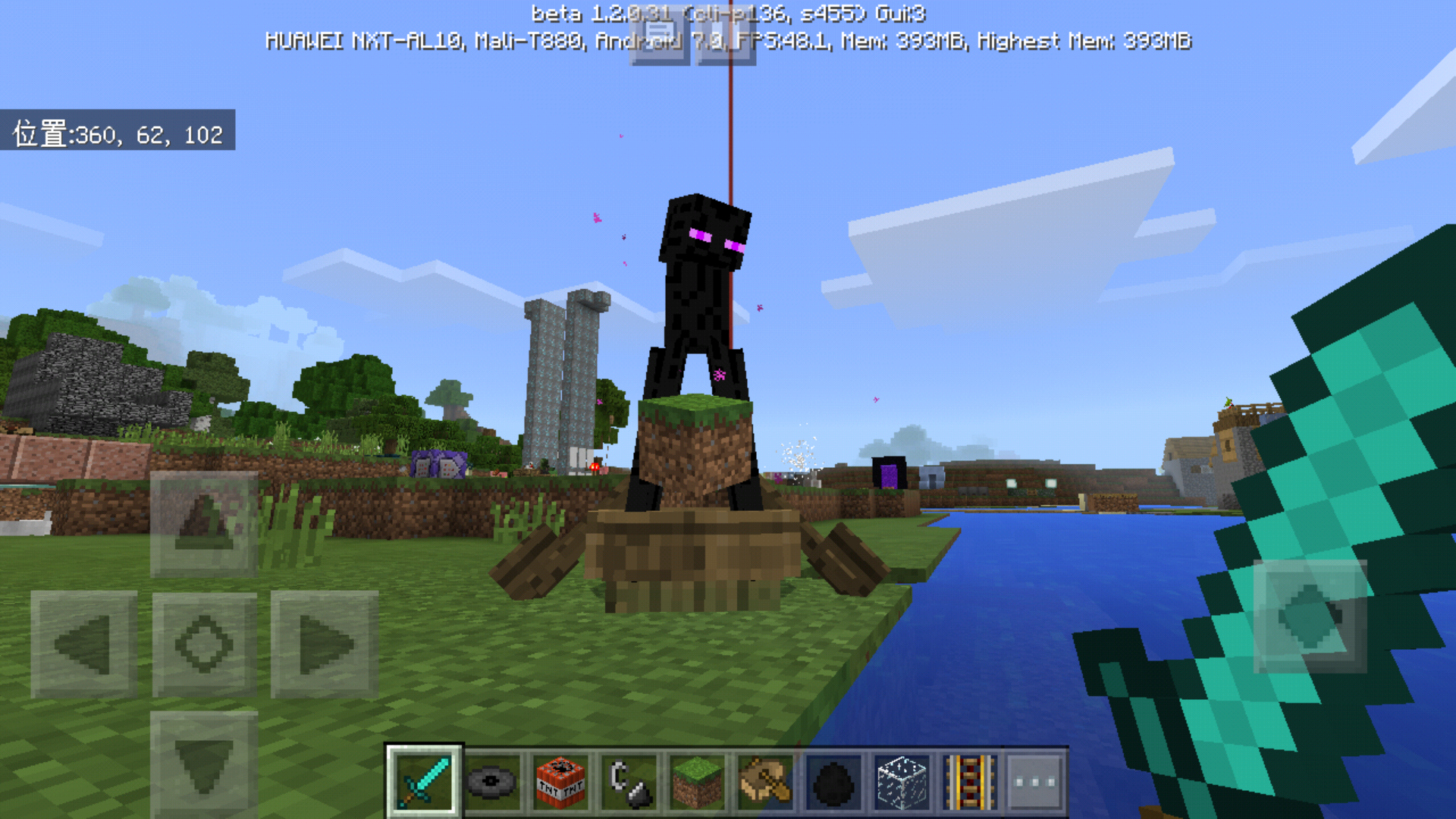



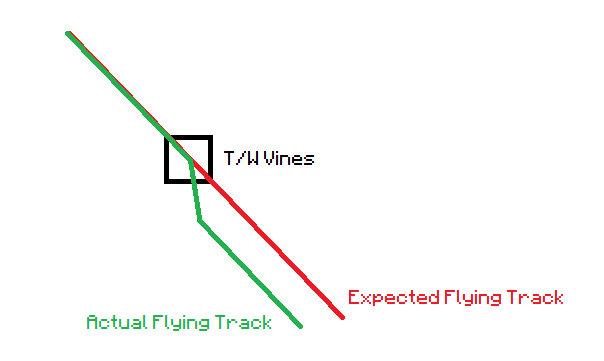
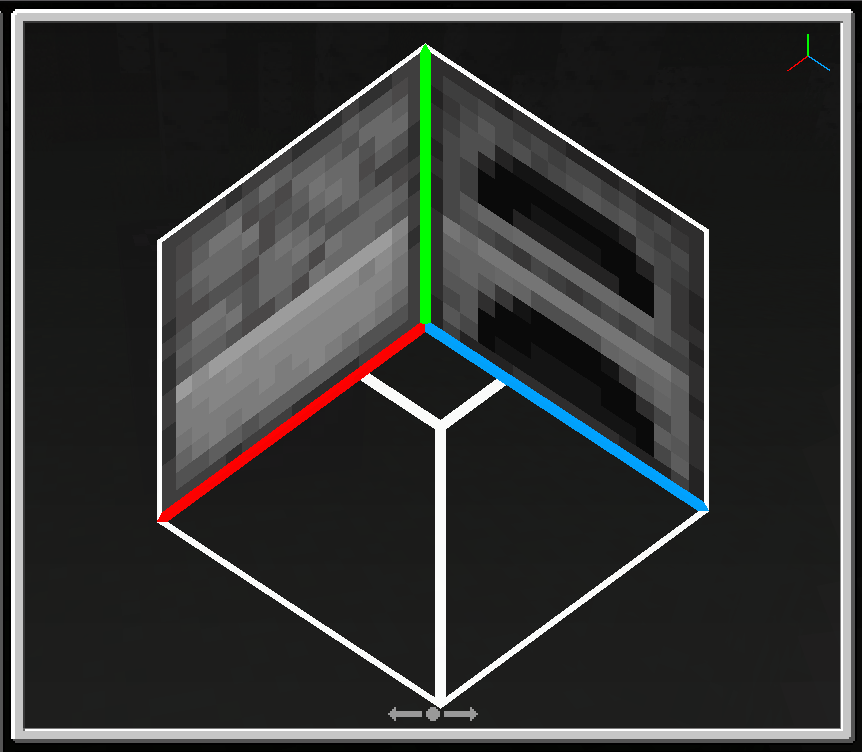



Flying in creative mode becomes stiff - speed and fluency are decreased
, this do not happen in the prior versions.Flying in creative mode becomes stiff - speed and fluency are decreased. Also, flying status won't be canceled after landing like the old alpha versions. This do not happen in the prior versions.
Enderman can get away from some vehicles such as boat and minecart.
Enderman also cannot stuck in narrow space shch as a 1*1*3 space.Enderman can get away from some vehicles such as boat and minecart.
Hey Mojang, I come from China.
Since "Scute" has appeared, I used to search the translation of the new item "Scute", however a terrible situation appeared.
The result of "Scute" in a chinese search engine shows that ALMOST all of them are Blue Films (18+). That's really terrible and scary, especially for the children.
Can you use another word to replace it? I cannot imagine what will happen next time.Hey Mojang, I come from China.
Since "Scute" has appeared, I used to search the translation of the new item "Scute", however a terrible situation appeared.
The result of "Scute" in a chinese search engine shows that ALMOST all of them are Blue Films (18+). That's really terrible and scary, especially for the children.
Can you use another word to replace it? I cannot imagine what will happen next time.
Hey Mojang, I come from China.
Since "Scute" has appeared, I used to search the translation of the new item "Scute", however a terrible situation appeared.
The result of "Scute" in a chinese search engine shows that ALMOST all of them are Blue Films (18+). That's really terrible and scary, especially for the children.
Can you use another word to replace it? I cannot imagine what will happen next time.Hey Mojang, I come from China.
Since "Scute" has appeared, I used to search the translation of the new item "Scute", however a terrible situation appeared.
The result of "Scute" in a chinese search engine shows that ALMOST all of them are Blue Films (18+). That's really terrible and scary, especially for the children.
Can you use another word to replace it? I cannot imagine what will happen next time.
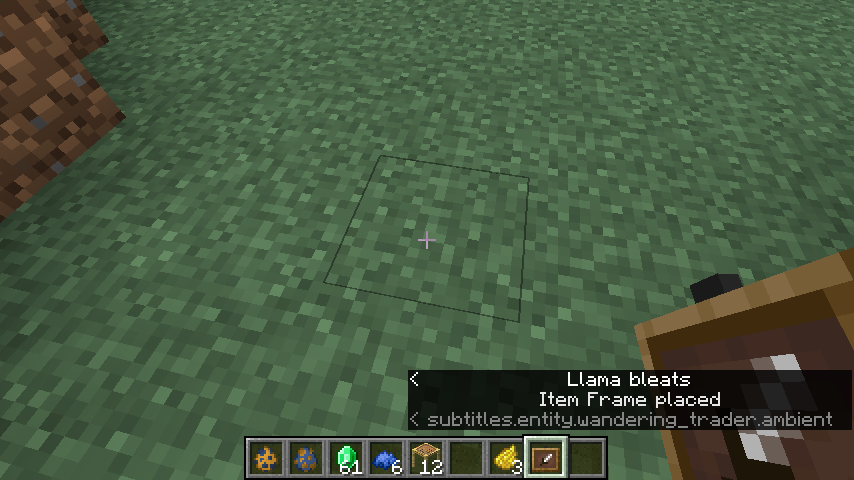
All fish buckets cannot be placed into item frame
underwater, and instead it will release the fish in the bucket. That's annoying.All fish buckets cannot be placed into item frame when the frame is put in the water, and instead it will release the fish in the bucket. That's annoying.
Fish bucket cannot be placed into item frame underwaterFish bucket can't be placed into item frame underwater
How to produce:
- Make a simple redstone pulse and active it, like following image.
- Get enough far away from the pulse, until the chunk is unloaded.
- Come back to the pulse, and you can find that the pulse is frozen and not working anymore, until you re-active it.
This bug is a serious obstacle to all map makers, I hope you can fix it as fast as possible, thanks!
Type /give @p air will now receive a message says that you have been given "Air", but there's nothing happened in your inventory. So I think this is actually a bug.
Typing /give @p air will now receive a message says that you have been given "Air", but there's nothing happened in your inventory. So I think this is actually a bug.
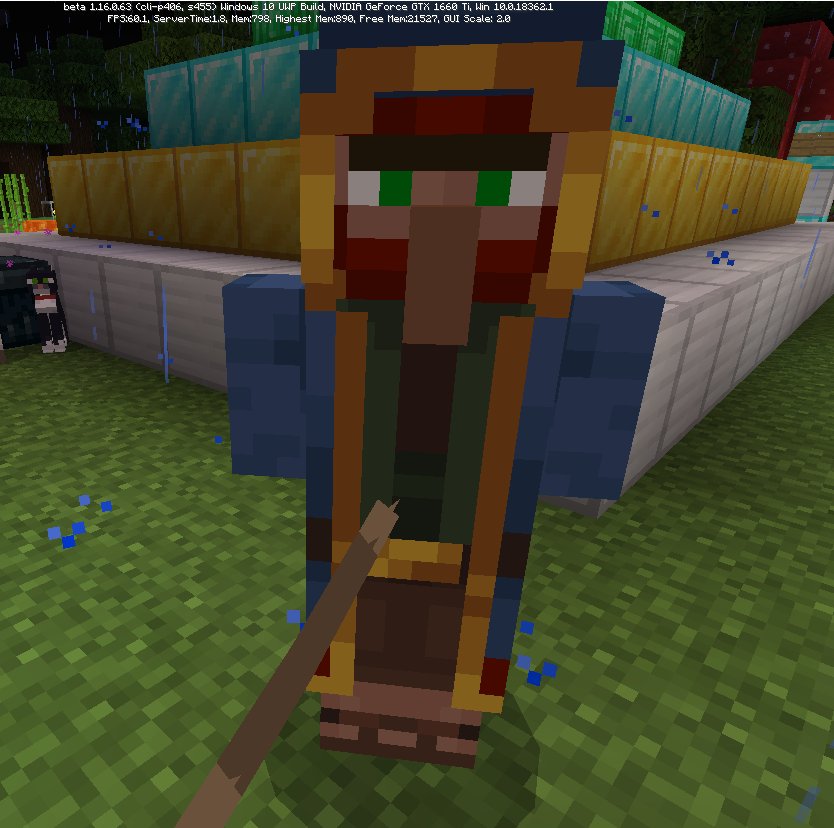
If you get close to a wandering trader (through the leash),
it seems thatthe model is broken.
Using a structure block to export some block models (like Grass Block, Dirt and Furnace etc.) won't show their bottom textures.
Edit: A world file is given, but cannot reproduce the bug in other structure blocks.
Using a structure block to export some block models (like Grass Block, Dirt and Furnace etc.) won't show their bottom textures.
Edit: A world file is given
, butcannot reproduce the bug in other structure blocks.Using a structure block to export some block models (like Grass Block, Dirt and Furnace etc.) won't show their bottom textures.
Edit: A world file is given; Sometimes I cannot reproduce the bug using other structure blocks.
sound event for pillager is unused due to typoSound event for pillager is unused due to typo
In sound_definitions.json , line 3284, a typo causes the third sound event for pillager celebrating is not played correctly. Check the image below.
Path: ..\assets\resource_packs\vanilla\sounds\sound_definitions.json
20210823163630.png
When you kill a mob near a sculk catalyst, once the mob dead, you will
gain this advancement but not need to wait until the catalyst is active and sculk matters spread.
I think this is a bug and I give two solutions:
1. Change the condition to until the catalyst is active and sculk matters spread and get this advancement
2. Change the name into "It will spread"When you kill a mob near a sculk catalyst, once the mob dead, you will immediately gain this advancement but not need to wait until the catalyst is active and sculk matters spread.
I think this is a bug and I give two solutions:
1. Change the condition to until the catalyst is active and sculk matters spread and get this advancement
2. Change the name into "It will spread"
When you kill a mob near a sculk catalyst, once the mob dead, you will immediately gain this advancement
butnot need to wait until the catalyst is active and sculk matters spread.
I think this is a bug and I give two solutions:
1. Change the condition to until the catalyst is active and sculk matters spread and get this advancement
2. Change the name into "It will spread"When you kill a mob near a sculk catalyst, once the mob dead, you will immediately gain this advancement and not need to wait until the catalyst is active and sculk matters spread.
I think this is a bug and I give two solutions:
1. Change the condition to until the catalyst is active and sculk matters spread and get this advancement
2. Change the name into "It will spread"
CPU: Ryzen 7 5800H
GPU: NVIDIA RTX 3060
Driver Version: 526.47
I have no idea what's the happening with the game.
FPS from 165 drops to 49 when flying in Creative and generating new chunks.CPU: Ryzen 7 5800H
GPU: NVIDIA RTX 3060
Driver Version: 526.47
I have no idea what's the happening with the game.
FPS from 165 drops to 49 when flying in Creative and generating new chunks.CPU: Ryzen 7 5800H
GPU: NVIDIA RTX 3060
Driver Version: 526.47
Resolution: 2560 x 1600 as Fullscreen
I have no idea what's the happening with the game.
FPS from 165 drops to 49 when flying in Creative and generating new chunks.CPU: Ryzen 7 5800H
GPU: NVIDIA RTX 3060
Driver Version: 526.47
Resolution: 2560 x 1600 as Fullscreen
Settings: 16 Chunks, Vsync enabled, Frame Rate not limited
I have no idea what's the happening with the game.
FPS from 165 drops to 49 when flying in Creative and generating new chunks.CPU: Ryzen 7 5800H
GPU: NVIDIA RTX 3060
Driver Version: 526.47
Resolution: 2560 x 1600 as Fullscreen
Settings: 16 Chunks, Vsync enabled, Frame Rate not limited, Mipmap Level to 4.
I have no idea what's the happening with the game.
FPS from 165 drops to 49 when flying in Creative and generating new chunks.CPU: Ryzen 7 5800H
GPU: NVIDIA RTX 3060 Laptop GPU
Driver Version: 526.47
Resolution: 2560 x 1600 as Fullscreen
Settings: 16 Chunks, Vsync enabled, Frame Rate not limited, Mipmap Level to 4.
I have no idea what's the happening with the game.
FPS from 165 drops to 49 when flying in Creative and generating new chunks.CPU: Ryzen 7 5800H with Radeon Graphics
GPU: NVIDIA RTX 3060 Laptop GPU (Integrated GPU disabled)
Driver Version: 526.47
Resolution: 2560 x 1600 as Fullscreen
Settings: 16 Chunks, Vsync enabled, Frame Rate not limited, Mipmap Level to 4.
Windows 11 22H2
I have no idea what's the happening with the game.
FPS from 165 drops to 49 when flying in Creative and generating new chunks.CPU: Ryzen 7 5800H with Radeon Graphics
GPU: NVIDIA RTX 3060 Laptop GPU (Integrated GPU disabled)
Driver Version: 526.47
Resolution: 2560 x 1600 as Fullscreen
Settings: 16 Chunks, Vsync enabled, Frame Rate not limited, Mipmap Level to 4.I have no idea what's the happening with the game.
FPS from 165 drops to 49 when flying in Creative and generating new chunks.CPU: Ryzen 7 5800H with Radeon Graphics
GPU: NVIDIA RTX 3060 Laptop GPU (Integrated GPU disabled)
Driver Version: 526.47
Resolution: 2560 x 1600 as Fullscreen
Settings: 16 Chunks, Vsync enabled, Frame Rate not limited, Mipmap Level to 4, Chunk Builder: Threaded
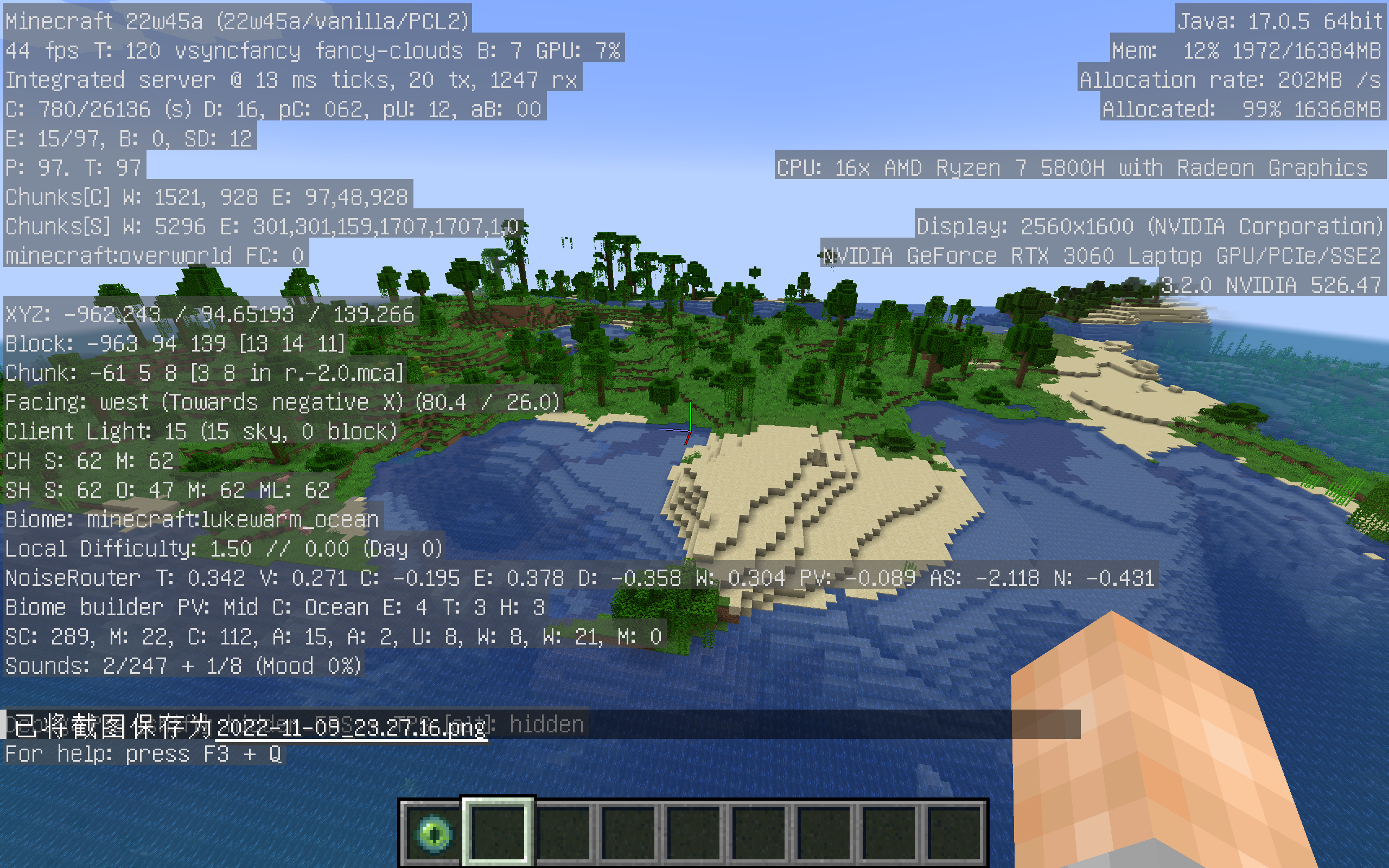
I have no idea what's the happening with the game. Every time you fly in Creative and generate new chunks, the game lagged violently for no reason. Must note that this situation won't happen in 1.19.2 as a released version.
FPS from 165 drops to 49 when flying in Creative and generating new chunks.CPU: Ryzen 7 5800H with Radeon Graphics
GPU: NVIDIA RTX 3060 Laptop GPU (Integrated GPU disabled)
Driver Version: 526.47
Resolution: 2560 x 1600 as Fullscreen
Settings: 16 Chunks, Vsync enabled, Frame Rate not limited, Mipmap Level to 4, Chunk Builder: Threaded
I have no idea what's the happening with the game. Every time you fly in Creative and generate new chunks, the game lagged violently for no reason. Must note that this situation won't happen in 1.19.2 as a released version and happens in all the 1.19.3 snapshots.
FPS from 165 drops to 49 when flying in Creative and generating new chunks.CPU: Ryzen 7 5800H with Radeon Graphics
GPU: NVIDIA RTX 3060 Laptop GPU (Integrated GPU disabled)
Driver Version: 526.47
Resolution: 2560 x 1600 as Fullscreen
Settings: 16 Chunks, Vsync enabled, Frame Rate not limited, Mipmap Level to 4, Chunk Builder: Threaded
I have no idea what's the happening with the game. Every time you fly in Creative and generate new chunks, the game lagged violently for no reason. Must note that this situation won't happen in 1.19.2 as a released version and happens in all the 1.19.3 snapshots.
FPS from 165 drops to 49 when flying in Creative and generating new chunks. When you move your mouse fast sometimes, the camera will not move in sync and cause some lags.CPU: Ryzen 7 5800H with Radeon Graphics
GPU: NVIDIA RTX 3060 Laptop GPU (Integrated GPU disabled)
Driver Version: 526.47
Resolution: 2560 x 1600 as Fullscreen
Settings: 16 Chunks, Vsync enabled, Frame Rate not limited, Mipmap Level to 4, Chunk Builder: Threaded
I have no idea what's the happening with the game. Every time you fly in Creative and generate new chunks, the game lagged violently for no reason. Must note that this situation won't happen in 1.19.2 as a released version and happens in all the 1.19.3 snapshots.
FPS from 165 drops to 49 when flying in Creative and generating new chunks. When you move your mouse fast sometimes, the camera will not move in sync and cause some lags.CPU: Ryzen 7 5800H with Radeon Graphics
GPU: NVIDIA RTX 3060 Laptop GPU (Integrated GPU disabled)
Driver Version: 526.47
Resolution: 2560 x 1600 as Fullscreen
Settings: 16 Chunks, Vsync enabled, Frame Rate not limited, Mipmap Level to 4, Chunk Builder: ThreadedI have no idea what's the happening with the game. Every time you fly in Creative and generate new chunks, the game lagged violently for no reason. Must note that this situation won't happen in 1.19.2 as a released version and happens in all the 1.19.3 snapshots.
FPS from 165 drops to 49 when flying in Creative and generating new chunks. When you move your mouse fast sometimes, the camera will not move in sync and cause some lags.CPU: Ryzen 7 5800H with Radeon Graphics
GPU: NVIDIA RTX 3060 Laptop GPU (Integrated GPU disabled)
Driver Version: 526.86
Resolution: 2560 x 1600 as Fullscreen
Settings: 16 Chunks, Vsync enabled, Frame Rate not limited, Mipmap Level to 4, Chunk Builder: Threaded
#: ..\..\apps\launcher\src\components\UpsellPDP\GameSystemRequirements\index.tsx:102
This string reads NVIDIA GTX 1060 or AMD FX-4100 Graphics, but as we all know the AMD Bulldozer FX-4100 is a CPU that contains no integrated graphics unit.
I have no idea if this is a GPU requirement, but AMD never uses a "FX" br
end to its graphics card, and the Bulldozer FX microprocessor series never contains a integrated graphics unit.Change it into the AMD Radeon RX 480 is a good solution to this issue.
#: ..\..\apps\launcher\src\components\UpsellPDP\GameSystemRequirements\index.tsx:102
This string reads NVIDIA GTX 1060 or AMD FX-4100 Graphics, but as we all know the AMD Bulldozer FX-4100 is a CPU that contains no integrated graphics unit.
I have no idea if this is a GPU requirement, but AMD never uses a "FX" brand to its graphics card, and the Bulldozer FX microprocessor series never contains a integrated graphics unit.
Change it into the AMD Radeon RX 480 is a good solution to this issue.
#: ..\..\apps\launcher\src\components\UpsellPDP\GameSystemRequirements\index.tsx:102
This string reads NVIDIA GTX 1060 or AMD FX-4100 Graphics, but as we all know the AMD Bulldozer FX-4100 is a CPU that contains no integrated graphics unit.
I have no idea if this is a GPU requirement, but AMD never uses a "FX" brand to its graphics cards, and the Bulldozer FX microprocessor series never contains a integrated graphics unit.
Change it into the AMD Radeon RX 480 is a good solution to this issue.
#: ..\..\apps\launcher\src\components\UpsellPDP\GameSystemRequirements\index.tsx:102
This string reads NVIDIA GTX 1060 or AMD FX-4100 Graphics, but as we all know the AMD Bulldozer FX-4100 is a CPU that contains no integrated graphics unit.
I have no idea if this is a GPU requirement, but AMD never uses a "FX" brand to its graphics cards, and the Bulldozer FX microprocessor series never contains a integrated graphics unit.
Change it into the AMD Radeon RX 480 is a good solution to this issue.
EDIT: NVIDIA GTX 1060 should change into NVIDIA GeForce GTX 1060
#: ..\..\apps\launcher\src\components\UpsellPDP\GameSystemRequirements\index.tsx:102
This string reads NVIDIA GTX 1060 or AMD FX-4100 Graphics, but as we all know the AMD Bulldozer FX-4100 is a CPU that contains no integrated graphics unit.
I have no idea if this is a GPU requirement, but AMD never uses a "FX" brand to its graphics cards, and the Bulldozer FX microprocessor series never contains a integrated graphics unit.
Change it into the AMD Radeon RX 480 is a good solution to this issue.
EDIT: NVIDIA GTX 1060 should change into
NVIDIAGeForceGTX 1060#: ..\..\apps\launcher\src\components\UpsellPDP\GameSystemRequirements\index.tsx:102
This string reads NVIDIA GTX 1060 or AMD FX-4100 Graphics, but as we all know the AMD Bulldozer FX-4100 is a CPU that contains no integrated graphics unit.
I have no idea if this is a GPU requirement, but AMD never uses a "FX" brand to its graphics cards, and the Bulldozer FX microprocessor series never contains a integrated graphics unit.
Change it into the AMD Radeon RX 480 is a good solution to this issue.
EDIT: NVIDIA GTX 1060 should change into NVIDIA GeForce GTX 1060 to display its brand name.
#: ..\..\apps\launcher\src\components\UpsellPDP\GameSystemRequirements\index.tsx:102
This string reads NVIDIA GTX 1060 or AMD FX-4100 Graphics, but as we all know the AMD Bulldozer FX-4100 is a CPU that contains no integrated graphics unit.
I have no idea if this is a GPU requirement, but AMD never uses a "FX" brand to its graphics cards, and the Bulldozer FX microprocessor series never contains a integrated graphics unit.
Change it into the AMD® Radeon™ RX 480 is a good solution to this issue.
EDIT: NVIDIA GTX 1060 should change into NVIDIA® GeForce™ GTX 1060 to display its brand name.
#: ..\..\apps\launcher\src\components\UpsellPDP\GameSystemRequirements\index.tsx:102
This string reads NVIDIA GTX 1060 or AMD FX-4100 Graphics, but as we all know the AMD Bulldozer FX-4100 is a CPU that contains no integrated graphics unit.
I have no idea if this is a GPU requirement, but AMD never uses a "FX" brand to its graphics cards, and the Bulldozer FX microprocessor series never contains a integrated graphics unit.
Change it into the AMD® Radeon™ RX 480 is a good solution to this issue.
EDIT: NVIDIA GTX 1060 should be changed into NVIDIA® GeForce™ GTX 1060 to display its brand name.
Example: http://www.baidu.com/
Please type in English when you reporting your problem.
This problem doesn't happen in Java Edition. I can not put any fish bucket into the item frame when it is in water or flooded by water. The bucket will release the fish into it instead.
Yes, I click the frame when it highlights.
No. Normal weather.
Affects 1.14.2-pre2
I have no idea why Bedrock Edition don't use the same translation or the same translating way to Java Edition. That's not funny to play the game with such bad machine translation.
Confirmed in 1.16.0.
This issue cannot be resolved after disabling Vsync manually.
Edit: OK, there is another solution... just run the game with IGP (Intel or AMD) can significantly decrease the delay, but the FPS could DROP.
Relates to
MCPE-98861Still affects in the latest beta!
I just limit my FPS to only 30 and certainly fix the problem. Limiting to 60 still presents the problem.
directly related to MCPE-61166
still affects in 1.16.210.57 beta
For those who uses a monitor with 60Hz refresh rate:
Change "gfx_vsync" to 0 and change "gfx_max_framerate" to 75 (value above it still gets delay and value under it gets low FPS at 30) and then you can get a FPS at 45.0-55.0 and resolve the input lag problem nearly perfectly.
Restore the settings to default and the problem gets resolved!
You can find this file in \assets\resource_packs\vanilla\sounds\sound_definitions.json
sorry for the duplicated issue
Also can confirm. It occurs some problems on crowdin translating, please fix it! (And yes, I am a proofreader)
How could this WAI? I can't understand.
I think @Brain81505 you are right, as this feels the same as
MC-166005.And yes. I vote the 200th of this issue. This bug makes the game about to be unplayable (as least in vanilla Minecraft).
Relates to:
MCPE-43402Well, it's been 2 years. What's so hard about fixing a typo, and even can be done simply by myself?
I can confirm this issue
It seem that this achievement will not completed when you finish what you did, as the achievement stucks at 6/8 for a short time and will be completed in later hours or days.