 Alberto Salazar Muñoz
- shiku
- shiku
- Europe/Stockholm
- Yes
- No
 MC-102895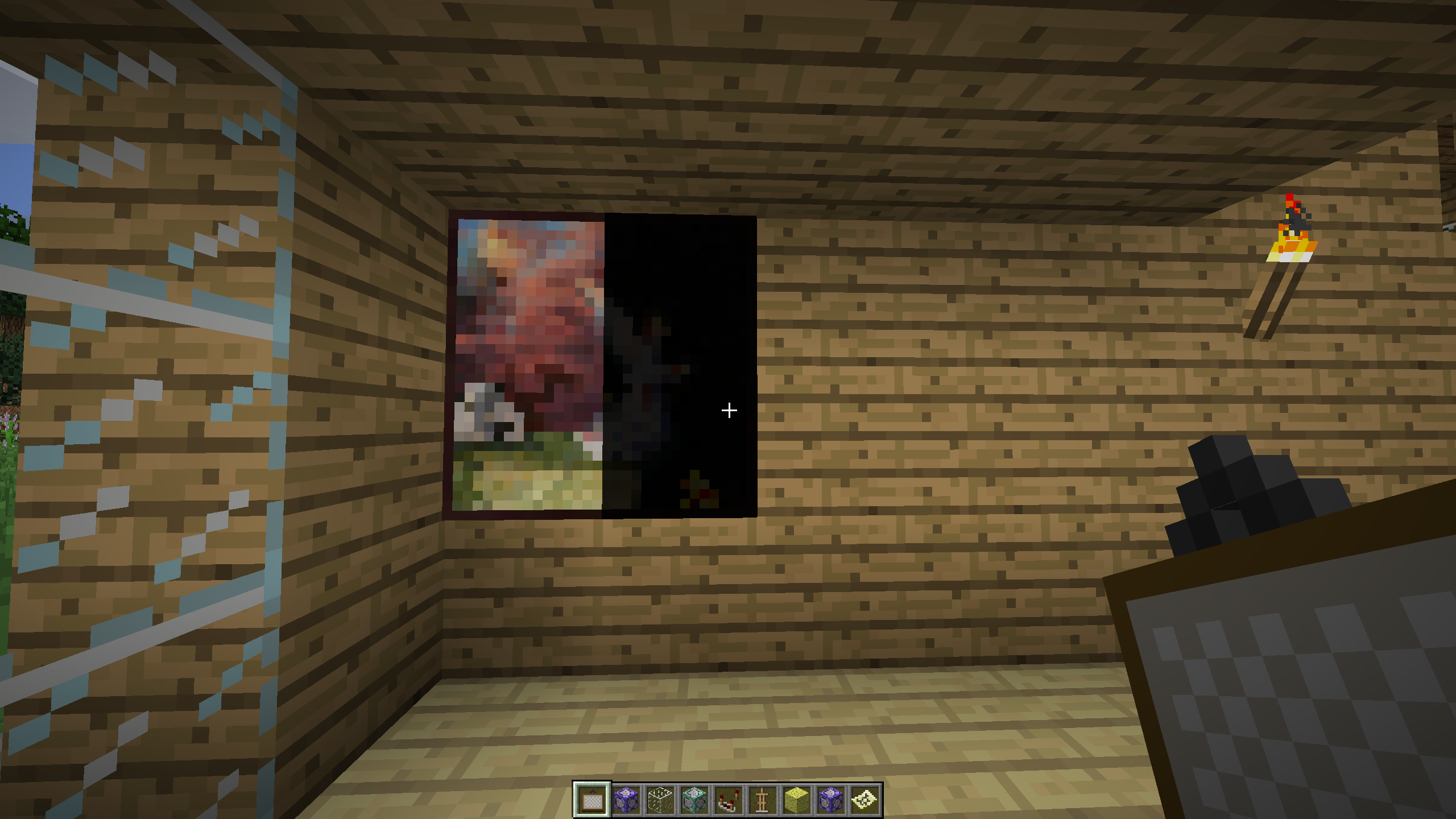


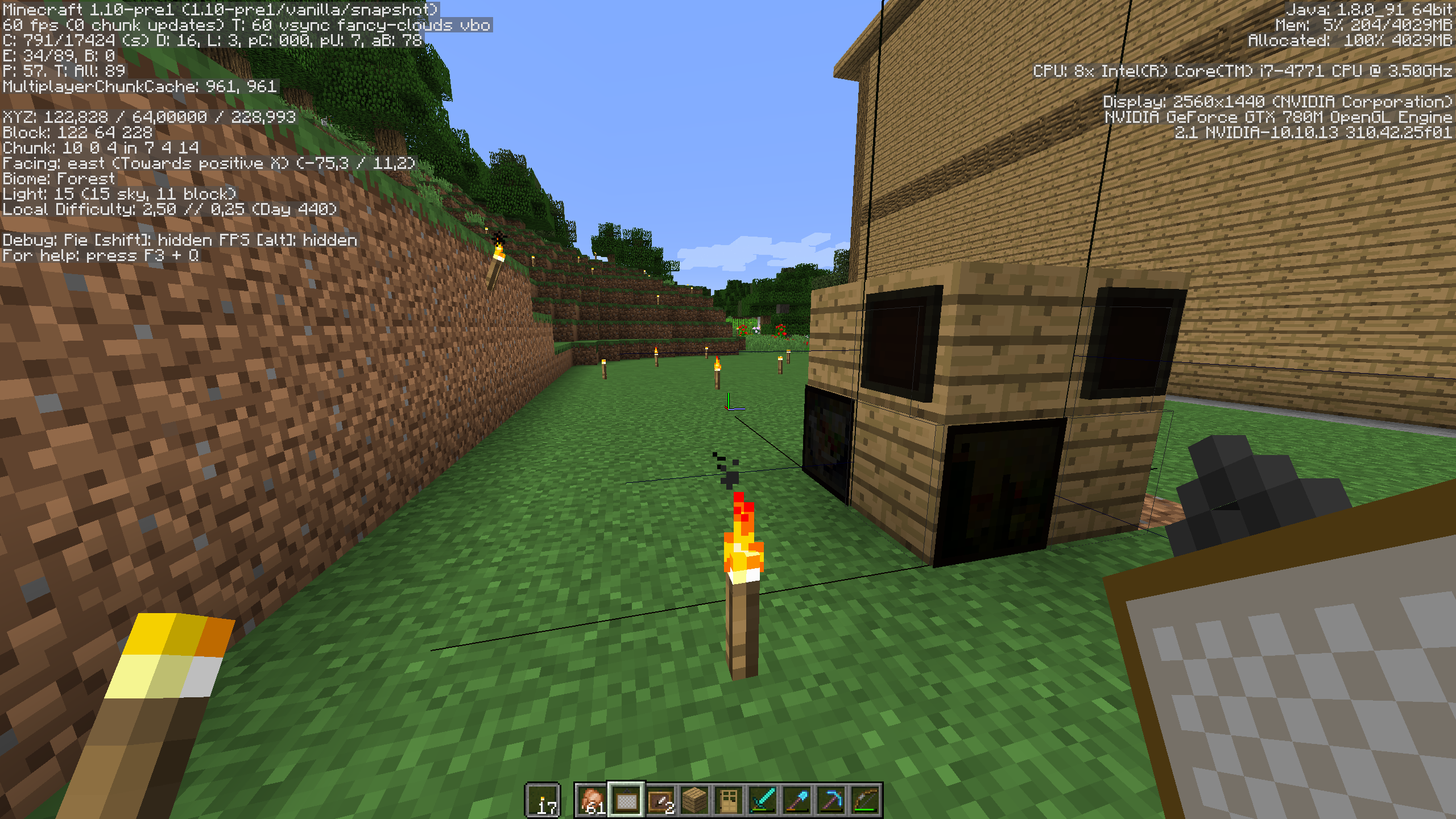
Paintings are broken. That's it. Hitboxes are wrongly placed (or the painting is wrongly displaced when rendered), they clip through blocks, and due the hitbox being wrong, it's hard to break them, and sometimes Minecraft stops rendering them, as it "thinks" is outside the FOV. Pictures attached.
Also, the first time loading a world pre-1.10 (16w21b, actually), the server output showed this:[18:32:07] [Server thread/WARN]: Wrong location! (9, 15) should be (8, 15), yc['Painting'/241, l='1.9 Snapshot World', x=144,00, y=65,00, z=250,00]
[18:32:07] [Server thread/WARN]: Tried to add entity Painting but it was marked as removed alreadyand the paintings were broken (I had two. Found one on the floor as a drop, the other one just disappeared)
Paintings are broken. That's it. Hitboxes are wrongly placed (or the painting is wrongly displaced when rendered), they clip through blocks, and due the hitbox being wrong, it's hard to break them, and sometimes Minecraft stops rendering them, as it "thinks" is outside the FOV. Pictures attached.
Also, the first time loading a world pre-1.10 (16w21b, actually), the server output showed this:[18:32:07] [Server thread/WARN]: Wrong location! (9, 15) should be (8, 15), yc['Painting'/241, l='1.9 Snapshot World', x=144,00, y=65,00, z=250,00]
[18:32:07] [Server thread/WARN]: Tried to add entity Painting but it was marked as removed alreadyand the paintings were broken (I had two. Found one on the floor as a drop, the other one just disappeared)
EDIT:
Added paintings placed facing west and east.
Paintings are broken. That's it. Hitboxes are wrongly placed (or the painting is wrongly displaced when rendered), they clip through blocks, and due the hitbox being wrong, it's hard to break them, and sometimes Minecraft stops rendering them, as it "thinks" is outside the FOV. Pictures attached.
Also, the first time loading a world pre-1.10 (16w21b, actually), the server output showed this:[18:32:07] [Server thread/WARN]: Wrong location! (9, 15) should be (8, 15), yc['Painting'/241, l='1.9 Snapshot World', x=144,00, y=65,00, z=250,00]
[18:32:07] [Server thread/WARN]: Tried to add entity Painting but it was marked as removed alreadyand the paintings were broken (I had two. Found one on the floor as a drop, the other one just disappeared)
EDIT:
Added screenshots of paintings placed facing west and east.
EDIT 2:
Added screenshot of painting clipping through blocks.
Paintings are broken. That's it. Hitboxes are wrongly placed (or the painting is wrongly displaced when rendered), they clip through blocks, and due the hitbox being wrong, it's hard to break them, and sometimes Minecraft stops rendering them, as it "thinks" is outside the FOV. Pictures attached.
Also, the first time loading a worldpre-1.10(16w21b, actually), the server output showed this:[18:32:07] [Server thread/WARN]: Wrong location! (9, 15) should be (8, 15), yc['Painting'/241, l='1.9 Snapshot World', x=144,00, y=65,00, z=250,00]
[18:32:07] [Server thread/WARN]: Tried to add entity Painting but it was marked as removed alreadyand the paintings were broken (I had two. Found one on the floor as a drop, the other one just disappeared)
EDIT:
Added screenshots of paintings placed facing west and east.
EDIT 2:
Added screenshot of painting clipping through blocks.Paintings are broken. That's it. Hitboxes are wrongly placed (or the painting is wrongly displaced when rendered), they clip through blocks, and due the hitbox being wrong, it's hard to break them, and sometimes Minecraft stops rendering them, as it "thinks" is outside the FOV. Pictures attached.
Also, the first time loading a world with paintings created on a previous version (16w21b, actually), the server output showed this:[18:32:07] [Server thread/WARN]: Wrong location! (9, 15) should be (8, 15), yc['Painting'/241, l='1.9 Snapshot World', x=144,00, y=65,00, z=250,00]
[18:32:07] [Server thread/WARN]: Tried to add entity Painting but it was marked as removed alreadyand the paintings were broken (I had two. Found one on the floor as a drop, the other one just disappeared)
EDIT:
Added screenshots of paintings placed facing west and east.
EDIT 2:
Added screenshot of painting clipping through blocks.
Sorry to bump again, but this is NOT caused by a modded server. I'm running a vanilla 1.10.1 server and a vanilla 1.10.1 client on my tests, and it crashes. Similar error to OP, but with an extended piston.
Wee, finally! Glad it has been solved ^^
Same issue, OSX 10.9, Java 7, 14w07a, Spanish keyboard, if I press Alt + Ñ it outputs nothing (it should output a ~ in an Spanish keyboard). If I press Shift + Alt + Ñ, it outputs ˜, similar to ~, but not equal, as it doesn't work to set relative coordinates. I tried both Alt + N and Shift + Alt + N, not working, anyway, as I said, with an Spanish keyboard it should be done with Alt + Ñ.
Annoying issue, given that relative coordinates are used often with command blocks.
Accented letters doesn't work neither, but I guess that I should post that on another thread.
Maybe merge them?
Actually, the paintings hitboxes are OK. But they're displaced when rendered (the paintings themselves, not their hitbox).
Are you sure this is the same issue as
MC-102895?It doesn't have to face west. Look at
MC-102895screenshots.This happens because the hitbox direction of the item frames happens to go towards west, thus colliding with the block behind. Similar case can be seen on paintings.
Added a screenshot: Paintings and Item frames get dark when facing west and north.
Can confirm this happens on 1.10.1 severs AND 1.10.1 clients. I have a redstone mechanism that crashes my client everytime I use it (a button attached to a T-FlipFlop attached to a bunch of pistons), but it works fine if I set the client to 1.10 (server still on 1.10.1). Vanilla client and vanilla server.
Can confirm Advancements and Recipes doesn't really work on servers on 17w14a, even creating a new world. Gathering a log won't unlock any recipe. You can only unlock recipes by crafting them, but there is no automatic unlocking. Also, the client sometimes crashes when entering an existing world for the first time (Invalid JSON format) while it will crash in a new or an existing world when getting the first log block you'd need to unlock the first recipes (NullPointerException).
Maybe a bit obvious, but I can confirm that this affects macOS (10.12.5) as well.
EDIT: The server runs just fine, tho. It just doesn't output anything to console.