Item Frame's and painting's hitboxes are offset and dark
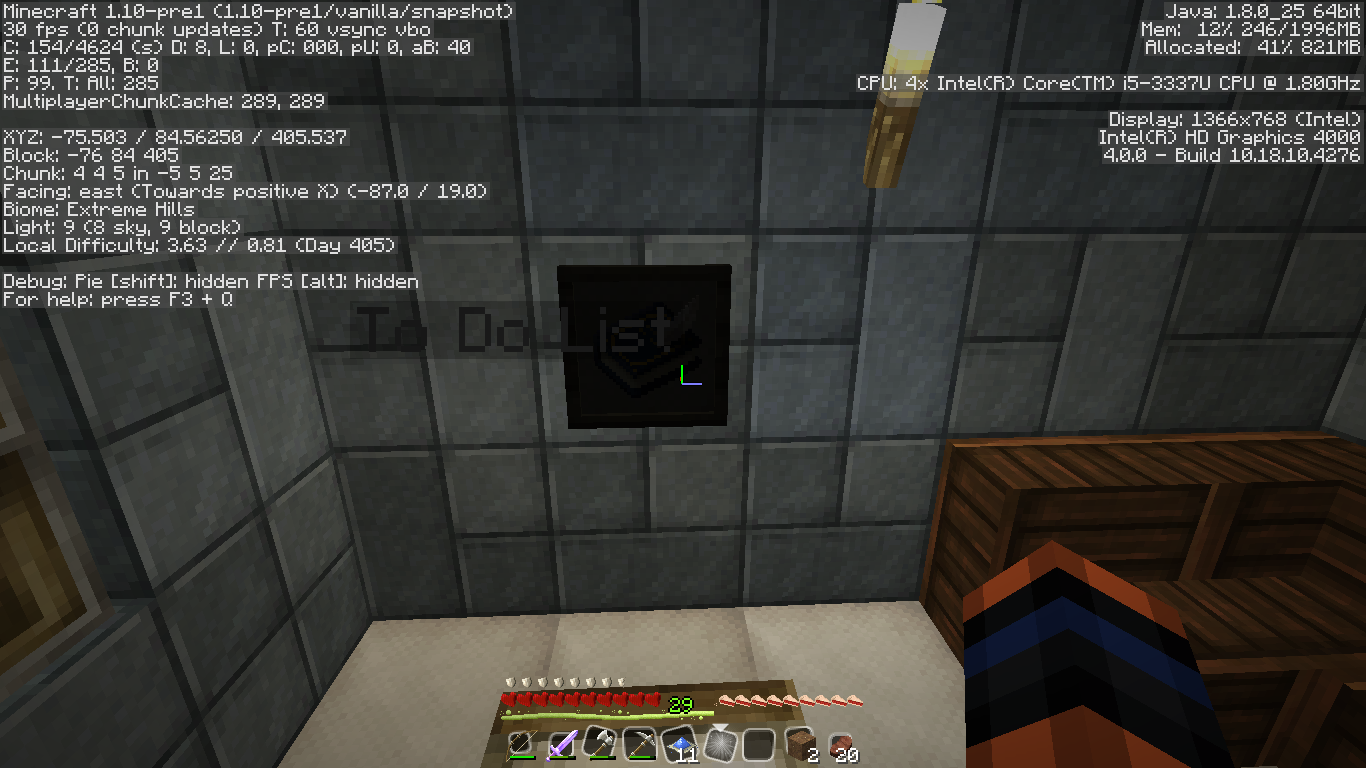
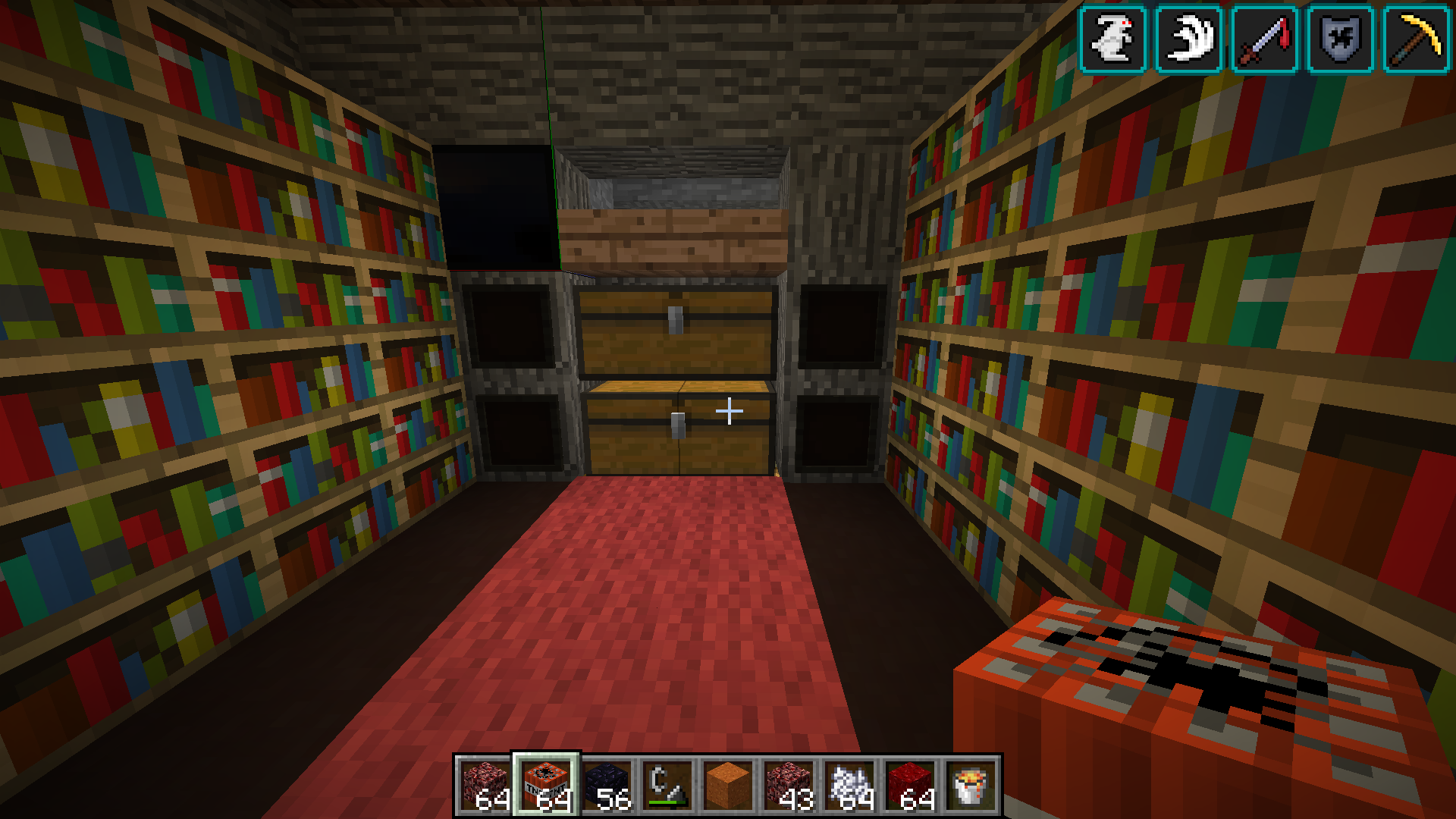
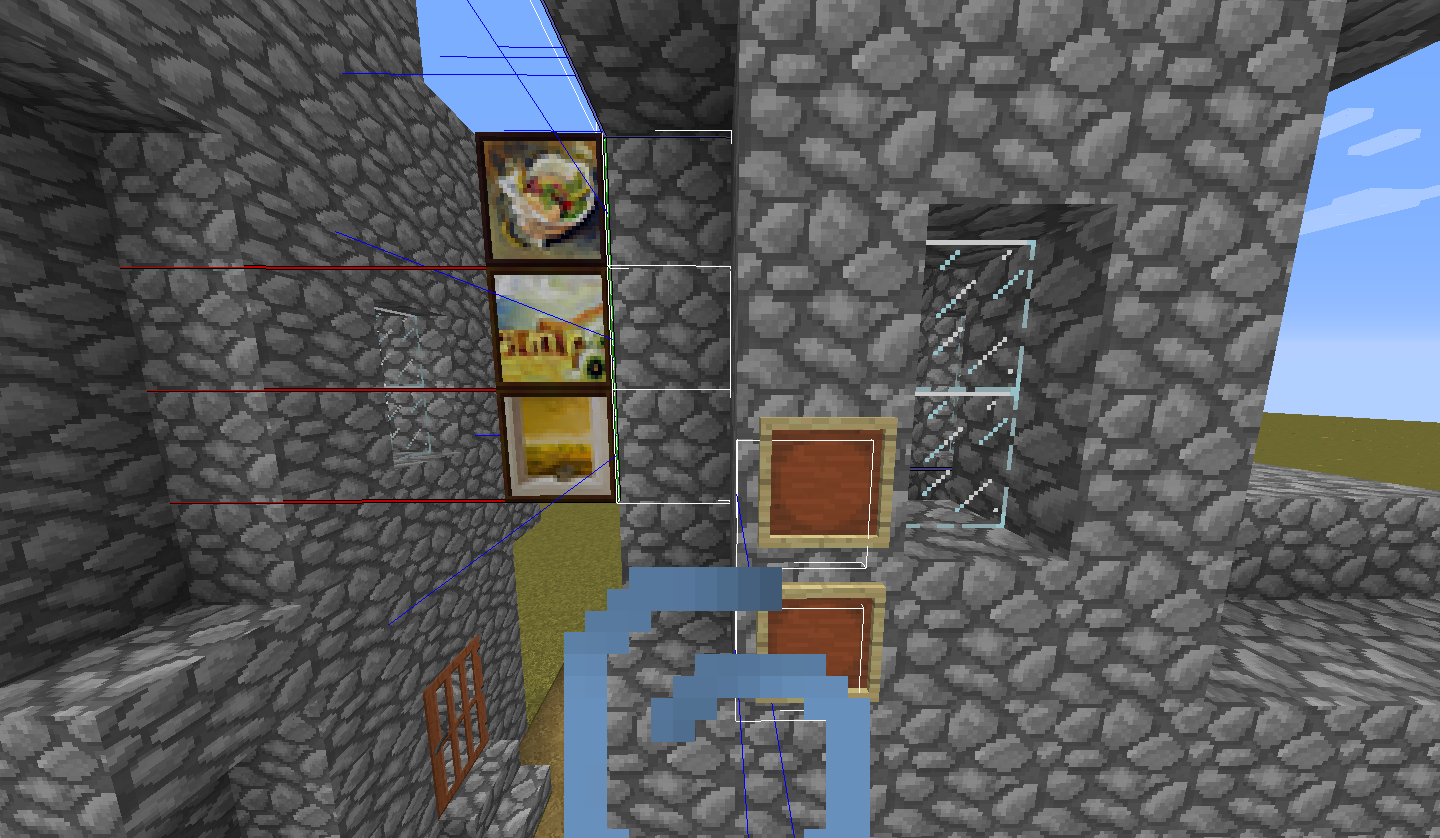
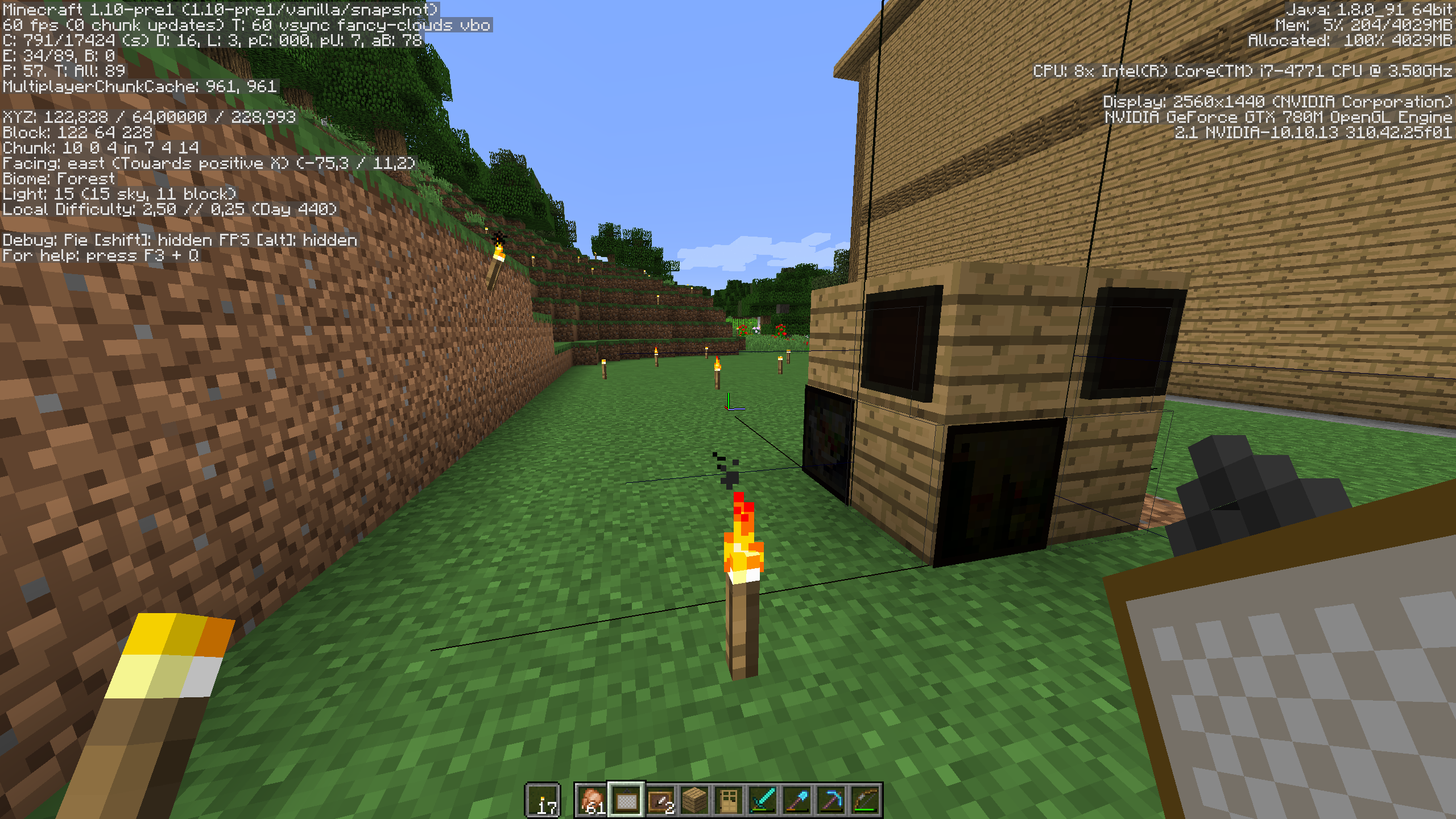
Item frame's and painting's hitboxes is not in the right location, most likely also causing the item frames to render dark in certain situations (facing west).
Linked Issues
is duplicated by26
 MC-102892Item Frames On Nether Wart BlocksDuplicateMC-102895Paintings are brokenDuplicateMC-102903Item FramesDuplicateMC-102909When facing west, item-frames appear compleatly black.DuplicateMC-102914Itemframes have become dark and item names are displayed offsetDuplicateMC-102933Item Frames are darkened or missingDuplicateMC-102942Item frames are black in 1.10-pre1DuplicateMC-102943Paintings are not in their correct spots when placed.DuplicateMC-1029451.10 Pre Release Paintings BugDuplicateMC-102947Named Items in Item Frames are offsetDuplicateMC-102958Some Item Frames in Wrong Location after update, causing them to drop/disappearDuplicateMC-102979ItemFrame of Depiction is StrangeDuplicateMC-102984Item frames are darkDuplicateMC-102990Item Frame HitboxesDuplicateMC-102999Paintings shows the F3 gui DuplicateMC-103015Item Frames turn dark when facing westDuplicateMC-103031Paintings aren't on correct blockDuplicateMC-103033Item Frames are BlackDuplicateMC-103054Placing a painting on bone blocks leads to thisDuplicateMC-103056Paintings are weirdly renderedDuplicateMC-103059Weird Red and Blue and Green LinesDuplicateMC-103083Upgrading from previous 1.9 version deletes some item framesDuplicateMC-103084Problems With PaintingsDuplicateMC-103135The hitbox of item frames is in a wrong positionDuplicateMC-103156Item frame hit box incorrect DuplicateMC-103167item frame is black and when placed on the east side, when renamed an item in the item frame is black and is buggy, painting is with lines and black when placed on the east sideDuplicate
Attachments8




Created Issue:
Item Frames wrong hitbox
Item frame's hitbox is not in the right location.
Attachments1

is duplicated by
![[Bot] Arisa](../../../data/assets/gravatar/mustek2.png)
Item Frameswrong hitboxItem Frames and paintings hitboxes are offset
Item frame's and painting's hitboxes is not in the right location.
Item Frame's and painting's hitboxes are offset
is duplicated by
is duplicated by

is duplicated by
Item Frame's and painting's hitboxes are offset and dark
Item frame's and painting's hitboxes is not in the right location, most likely also causing the item frames to render dark in certain situations.
is duplicated by
Item frame's and painting's hitboxes is not in the right location, most likely also causing the item frames to render dark in certain situations (facing west).

This bug also occurs on paintings when they are loaded in using a structure block. It appears to affect all paintings.

is duplicated by

relates to
![[Mojang] Grum (Erik Broes)](../../../data/assets/gravatar/grum.png) [Mojang] Grum (Erik Broes)
[Mojang] Grum (Erik Broes)is duplicated by
is duplicated by
is duplicated by
is duplicated by
is duplicated by
is duplicated by
is duplicated by
is duplicated by
is duplicated by
is duplicated by
relates to
![[Mod] violine1101](../../../data/avatars/users/92858.png)
relates to
relates to
![[Mod] Les3awe](../../../data/avatars/users/79847.png)
This issue duplicates MC-102894.
Caused by MC-102894.

maps are also being displayed very dark, almost black, when put in an item frame. (only with version 1.10-pre1)
Clocks in a frame are working normally.
Edit: After seeing MC-102894 I moved the frame to another location and the map was displayed correctly!
Duplicate of MC-102894.
Duplicate of MC-102894.
Duplicate of MC-102894.
Duplicate of MC-102894. Please search before reporting next time.
![[Mod] Neko](../../../data/avatars/users/92901.png)
Dupe of MC-102894
@Vinny Cappello: Look here for paintings/item frames: MC-102894. What are the other bugs and are they in any way related to this issue?
Possibly fixed in 1.10-pre1, but difficult to verify with MC-102894.
Did you see that also on 1.9.4 or only after upgrading ?
May be related to MC-102958 / MC-102894
Please force a crash by pressing F3 + C for 10 seconds while in-game and attach the crash report (minecraft/crash-reports/crash-<DATE>-client.txt) to this ticket.
Duplicate of MC-102894.
Duplicate of MC-102894. Please search before reporting next time.
Duplicate of MC-102894.
Sounds like chunk borders to me. See if the fix for MC-102894 fixes this in the next snapshot.
Not sure about the missing item frame part, but regarding the blackened part, it's a duplicate of MC-102894. Missing item frame part could be caused by MC-65040. I also found a thread that could also be a duplicate MC-102958.
I'm just going to say that this report is a duplicate of MC-102958 and MC-102894.
Duplicate of MC-102894. Please search before reporting next time.
Duplicate of MC-102894. Please search before reporting next time.
Duplicate of MC-102894.
![[Helper] gaspoweredpick](../../../data/avatars/users/80904.png)
Possible duplicate of MC-102894
How far away are you from the center of the map?/What are your coordinates?
Can confirm.
Also affect the painting.
Item Frame's hitbox is offset to the bottom left while the paintings are 1 block to the left of where and which direction it was placed at. (BTW I am very far from the spawn point.)
Actually, the paintings hitboxes are OK. But they're displaced when rendered (the paintings themselves, not their hitbox).
Are you sure this is the same issue as
MC-102895?This is apperent in my world too,close to spawn.
I have added these two pics displaying the difference of the frames from 16w21b and 1.10-pre1 In a way, i guess the item name "To Do List" shows the hitbox offset as well.
I'm getting item frames facing west going black.
It doesn't have to face west. Look at
MC-102895screenshots.This happens because the hitbox direction of the item frames happens to go towards west, thus colliding with the block behind. Similar case can be seen on paintings.
The "blacked out" painting is facing west even though the player is facing east. It would seem qmagnet is on to something. All the dark item frames and paintings I am seeing are of the ones that are facing west (the item frame is on the west side of the block)
Added a screenshot: Paintings and Item frames get dark when facing west and north.
Yes. It seems that both negative directions are affecting it. But it's not always north, while it is always west.
EDIT: Yes Alberto is correct. It will occur north if there are blocks place directed in the east direction beside the offending block. Definitely hitbox error - and not affected by transparent blocks or blocks have a light source.
I'm having this same issue. Agree with qmagnet.
The issue has already been resolved. There isn't a need for further discussion unless the fix doesn't work in the next release.
I have attached a video showing what it is about
This or something similar is happening again in 19w38a. Item frames are extremely dark again.
They don't seem to be offset to me though.