 Somebody62
- Somebody62
- somebody62
- America/Toronto
- Yes
- No
 MC-120383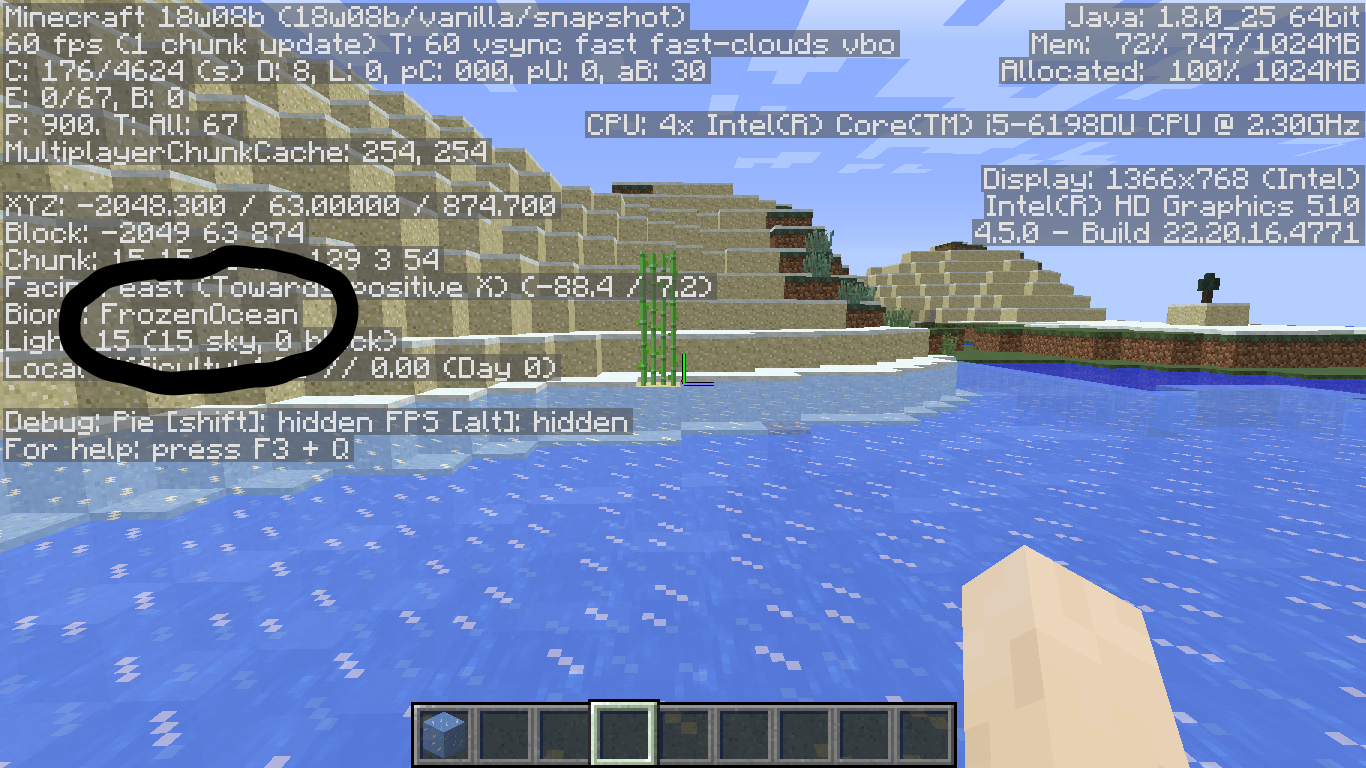
In the debug screen (f3), when you are in a frozen ocean chunk, the name is displayed as "FrozenOcean", unlike the Lukewarm Ocean. This is probably a bug (easy fix!).In the debug screen (f3), when you are in a frozen ocean chunk, the name is displayed as "FrozenOcean", unlike the Lukewarm Ocean. This is probably a bug (easy fix!).
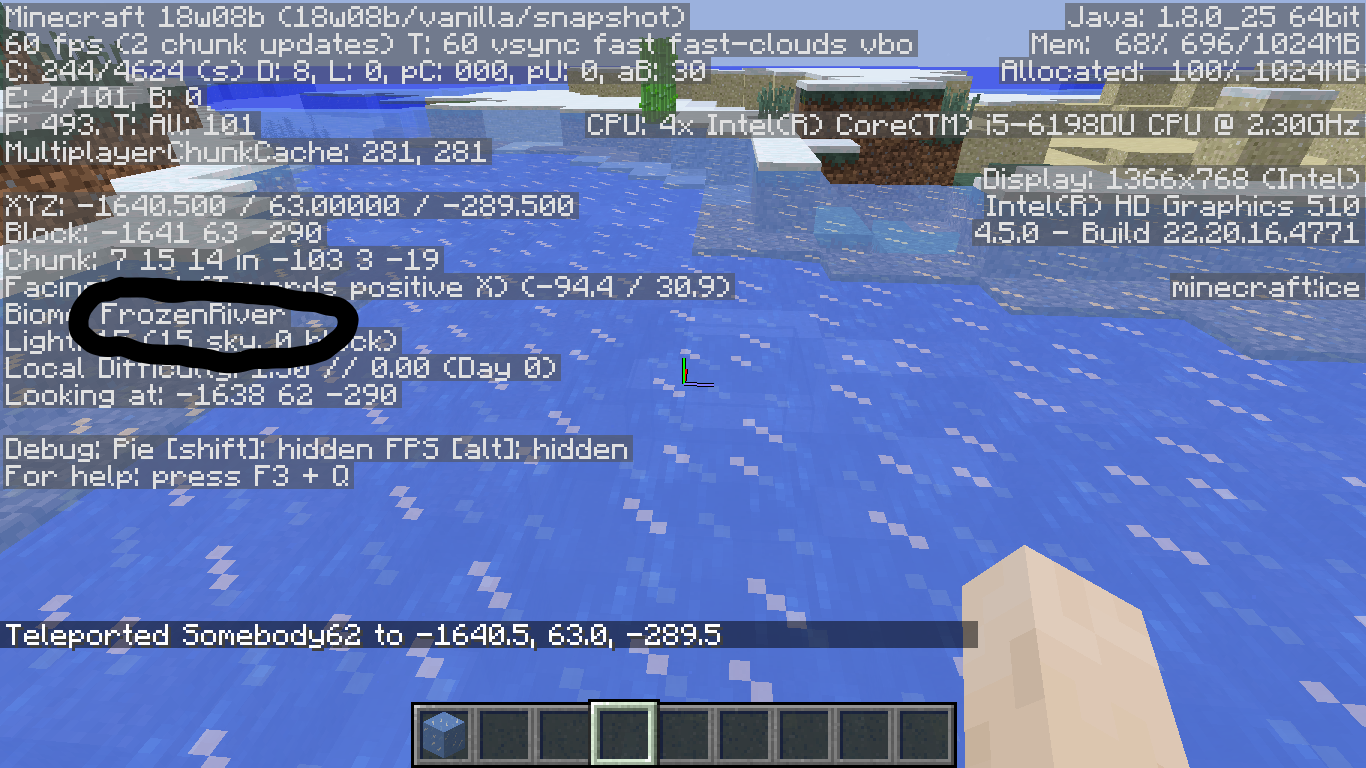
EDIT: This problem also occurs in the "FrozenRiver" (Frozen River) biome.
2018-02-22_13.04.49.png
OS: Windows 10 home
Java: The bundled version (I have Java 9 and 1.8 also)OS: Windows 10 home
Java: 1.8.0_25
In the debug screen (f3), when you are in a frozen ocean chunk, the name is displayed as "FrozenOcean", unlike the Lukewarm Ocean. This is probably a bug (easy fix!).
EDIT: This problem also occurs in the "FrozenRiver" (Frozen River) biome.Seed: 1
FrozenRiver: /tp @s -1641, 63, -290
FrozenOcean: /tp @s -2049, 63, 874Seed:
In the debug screen (f3), when you are in a frozen ocean chunk, the name is displayed as "FrozenOcean", unlike the Lukewarm Ocean. This is probably a bug (easy fix!).
EDIT: This problem also occurs in the "FrozenRiver" (Frozen River) biome.Seed: 1
FrozenRiver: /tp @s -1641, 63, -290
FrozenOcean: /tp @s -2049, 63, 874Seed:
In the debug screen (f3), when you are in a frozen ocean chunk, the name is displayed as "FrozenOcean", unlike the Lukewarm Ocean. This is probably a bug (easy fix!).
EDIT: This problem also occurs in the "FrozenRiver" (Frozen River) biome.Seed: 1
FrozenRiver: /tp @s -1641, 63, -290
FrozenOcean: /tp @s -2049, 63, 874Seed: -8300275442758179407
FrozenRiver: {{/tp @s
In the debug screen (f3), when you are in a frozen ocean chunk, the name is displayed as "FrozenOcean", unlike the Lukewarm Ocean. This is probably a bug (easy fix!).
EDIT: This problem also occurs in the "FrozenRiver" (Frozen River) biome.Seed: 1
FrozenRiver: /tp @s -1641, 63, -290
FrozenOcean: /tp @s -2049, 63, 874Seed: -8300275442758179407
FrozenRiver: {{/tp @sIn the debug screen (f3), when you are in a frozen ocean chunk, the name is displayed as "FrozenOcean", unlike the Lukewarm Ocean. This is probably a bug (easy fix!).
EDIT: This problem also occurs in the "FrozenRiver" (Frozen River) biome.Seed: 1
FrozenRiver: /tp @s -1641, 63, -290
FrozenOcean: /tp @s -2049, 63, 874Seed: -8300275442758179407
FrozenOcean: /tp @s -875, 85, 228
In the debug screen (f3), when you are in a frozen ocean chunk, the name is displayed as "FrozenOcean", unlike the Lukewarm Ocean. This is probably a bug (easy fix!).
EDIT: This problem also occurs in the "FrozenRiver" (Frozen River) biome.Seed: 1
FrozenRiver: /tp @s -1641, 63, -290
FrozenOcean: /tp @s -2049, 63, 874Seed: -8300275442758179407
FrozenOcean?: /tp @s -875, 85, 228
Java version 1.12.1, on a windows pc.
OS: Windows 10
Do you have a full inventory?

Somebody62 Alright, thank you for the information! This can be closed as Working as Intended.
Use seed "1" and teleport to -1641, 63, -290. There you will find a "FrozenRiver". Then, teleport to -2049, 63, 874. There you will find a "FrozenOcean".
I think this is a Work As Intended. Go to Minecraft.net, and you will see that the article says "You can also sometimes find them [ruins] slightly underground or slightly above sealevel (sic)". Here is the link: Minecraft Snapshot 18w09a.
What exactly were you doing when this occured? What type of world were you in? Can you reproduce the error? Did anything else out of the ordinary occur in your world? We need more details.
What exactly do you think reloading datapacks does? It refreshes the recipes for furnaces, crafting tables, and the like, among other things. Therefore, I think this should be marked as Intended Behavior, because the reloading takes a few seconds to accomplish.
Redstone ore is supposed to do this, according to Minecraft.net here. However, this may be wrong, because I doubt the author would know definitively what the desired behavior should be here.
How was this world border created?
Please specify your OS and Java version.
Can you give us more information about what was happening at the time? Were you in Creative mode? Were you at the edge of the world's currently loaded chunks? What type of world was it? What happened after you hit the invisible "barrier"?
Does this only work for ocean ruins, or other generated structures, too?
Ok, sorry.
Crashing the game causes part of the game to reset, and it should fix your lighting problem by causing the lighting to be re-calculated. But only crash it after you have done the first two things on the list.