 Austin Jenchi
- timtim917
- timtim917
- America/Los_Angeles
- Yes
- No
 MC-45115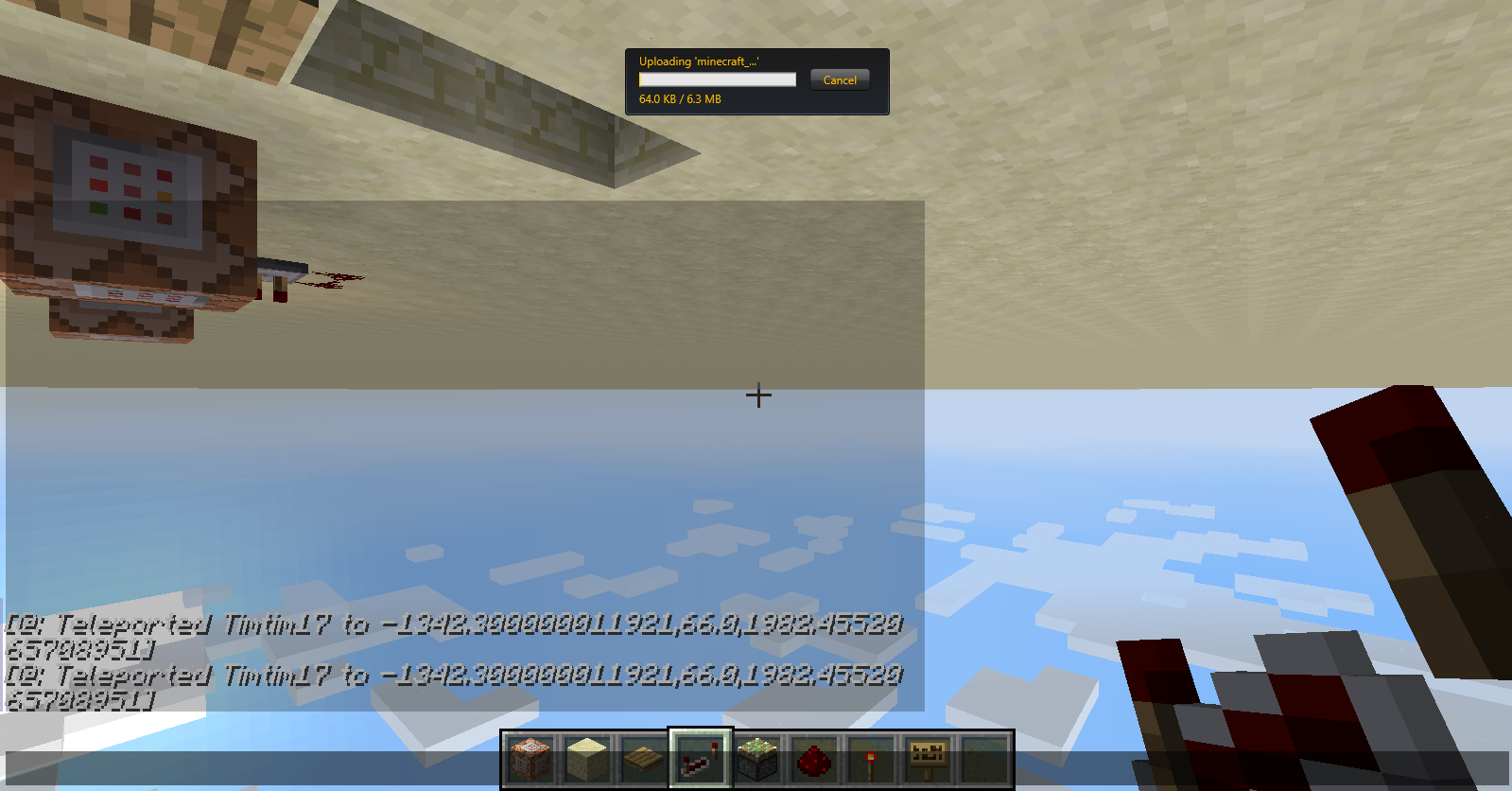



1. Placed Command Block with command "tp @p ~ ~+10 ~ ~ ~+90"
2. Placed pressure plate next to command block (to power block).
3. Flew above pressure plate.
4. Opened 't' chat interface while falling on pressure plate.Expected Effect: In background of interface, falling would occur and would land at tp coords.
Experienced Effect: Fell onto plate, teleported UPSIDE-DOWN (see attached image). Lands upside-down. Closing chat window reverses view right-side-up.
1. Placed Command Block with command
tp @p ~ ~+10 ~ ~ ~+90
2. Placed pressure plate next to command block (to power block).
3. Flew above pressure plate.
4. Opened 't' chat interface while falling on pressure plate.Expected Effect: In background of interface, falling would occur and would land at tp coords.
Experienced Effect: Fell onto plate, teleported UPSIDE-DOWN (see attached image). Lands upside-down. Closing chat window reverses view right-side-up.
1. Placed Command Block with command
tp @p ~ ~+10 ~ ~ ~+90
2. Placed pressure plate next to command block (to power block).
3. Flew above pressure plate.
4. Opened 't' chat interface or 'e' inventory interface while falling on pressure plate.Expected Effect: In background of interface, falling would occur and would land at tp coords.
Experienced Effect: Fell onto plate, teleported UPSIDE-DOWN (see attached image). Lands upside-down. Closing chat window (or inventory) reverses view right-side-up.
1. Placed Command Block with command
tp @p ~ ~+10 ~ ~ ~+90
2. Placed pressure plate next to command block (to power block).
3. Flew above pressure plate.
4. Opened 't' chat interface or 'e' inventory interface while falling on pressure plate.Expected Effect: In background of interface, falling would occur and would land at tp coords.
Experienced Effect: Fell onto plate, teleported UPSIDE-DOWN (see attached image). Lands upside-down. Closing chat window (or inventory) reverses view right-side-up.
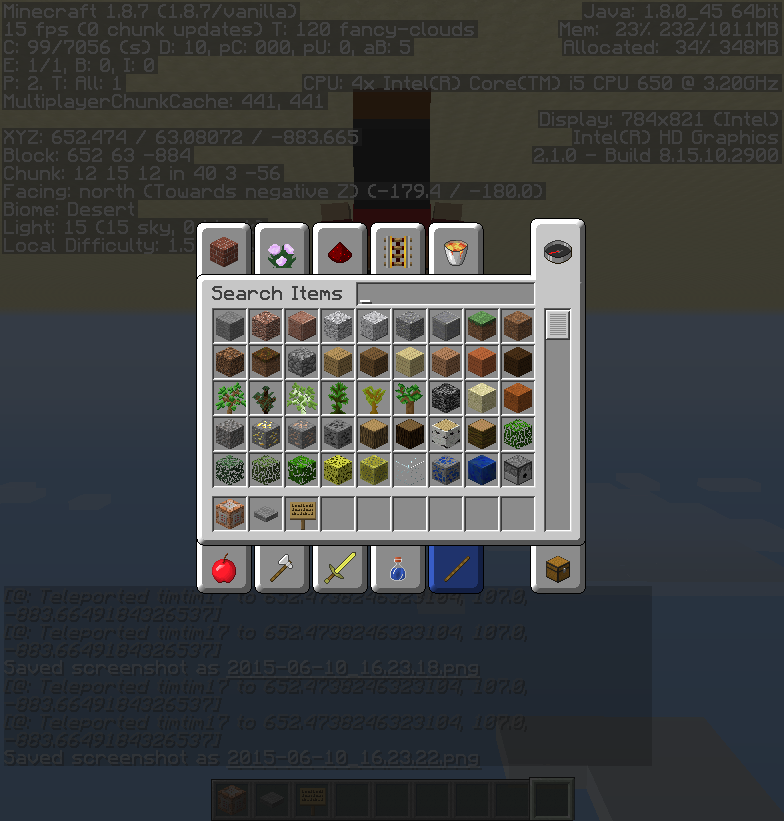
Update: In essence, this issue occurs when a window, such as the inventory or chat, is open. This issue causes a teleport with a vertical head rotation to cause the head to rotate beyond the normal limit. When the window is closed the head returns to normal rotation.
Windows 8 Pro x64
Java7Update 45(build 1.7.0_45-b18)
SingleplayerWindows 8.1 Pro x64
Java 8 Update 45
Singleplayer
Intel HD Graphics
Upside down View on Open Chat after TPHead rotates beyond normal rotation with tp command when window is open
1. Placed Command Block with command
tp @p ~ ~+10 ~ ~ ~+90
2. Placed pressure plate next to command block (to power block).
3. Flew above pressure plate.
4. Opened 't' chat interface or 'e' inventory interface while falling on pressure plate.Expected Effect: In background of interface, falling would occur and would land at tp coords.
Experienced Effect: Fell onto plate, teleported UPSIDE-DOWN (see attached image). Lands upside-down. Closing chat window (or inventory) reverses view right-side-up.
Update: In essence, this issue occurs when a window, such as the inventory or chat, is open. This issue causes a teleport with a vertical head rotation to cause the head to rotate beyond the normal limit. When the window is closed the head returns to normal rotation.
Animated GIF of issue in 15w34d: http://imgur.com/aGHwBVJ
Head rotates beyond normal rotation with tp command when a window is open
(sorry if this is a duplicate, I tried searching and couldn't find it)
When I run any of these commands:
/give
Unknown macro: {player}minecraft:
Unknown macro: {item}/give
minecraft:
Unknown macro: {item}Unknown macro: {quantity}/give
Unknown macro: {player}minecraft:
Unknown macro: {quantity}
Unknown macro: {data value}I receive the following strange message:
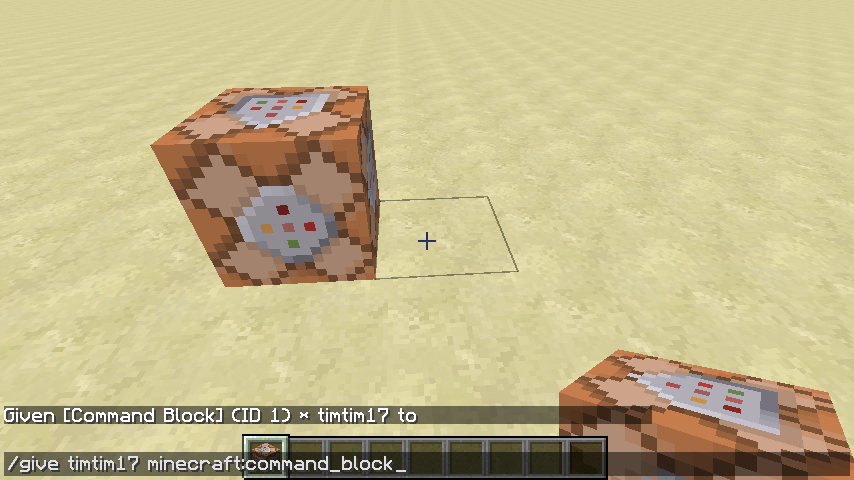
Given [{item}] (ID 1) * {player} to
Specifically, the strange part is the multiplied by {player} part and the given to blank part.
(sorry if this is a duplicate, I tried searching and couldn't find it)
When I run any of these commands:
/give
Unknown macro: {player}minecraft:
Unknown macro: {item}/give
minecraft:
Unknown macro: {item}Unknown macro: {quantity}/give
Unknown macro: {player}minecraft:
Unknown macro: {quantity}
Unknown macro: {data value}I receive the following strange message:
Given [{item}] (ID 1) * {player} to
Specifically, the strange part is the multiplied by {player} part and the given to blank part.(sorry if this is a duplicate, I tried searching and couldn't find it)
When I run any of these commands:
/give
Unknown macro: {player}minecraft:
Unknown macro: {item}/give
minecraft:
Unknown macro: {item}Unknown macro: {quantity}/give
Unknown macro: {player}minecraft:
Unknown macro: {quantity}
Unknown macro: {data value}I receive the following strange message:
Given [
Unknown macro: {item}] (ID 1) *
Unknown macro: {player}to
Specifically, the strange part is the multiplied by
{player}part and the given to blank part.
(sorry if this is a duplicate, I tried searching and couldn't find it)
When I run any of these commands:
/give
Unknown macro: {player}minecraft:
Unknown macro: {item}/give
minecraft:
Unknown macro: {item}Unknown macro: {quantity}/give
Unknown macro: {player}minecraft:
Unknown macro: {data value}I receive the following strange message:
Given [
Unknown macro: {item}] (ID 1) *
Unknown macro: {player}to
Specifically, the strange part is the multiplied by
{player}part and the given to blank part.
(sorry if this is a duplicate, I tried searching and couldn't find it)
When I run any of these commands:
/give [player] minecraft:[item]
/give [player] minecraft:[item] [quantity]
/give [player] minecraft:[item] [quantity] [data value]I receive the following strange message:
Given [item] (ID 1) * [player] to
Specifically, the strange part is the multiplied by [player] part and the given to blank part.
It also seems to happen with any value where 90 is, essentially:
and the view will rotate while the chat is open.
Duplicate of
MC-48577?confirmed 14w31a
Still in 1.8.7.
Added 1.8.7 F5 screenshot and inventory screenshot.
Issue still reproducible in 15w34d.
Nope, looks like it's been resolved - can anyone close this issue?