 Ryan Smith
- Winter_Snake
- winter_snake
- Europe/Stockholm
- Yes
- No
 MC-52422
![[Mojang] Grum (Erik Broes)](../../../data/assets/gravatar/grum.png)
![[Mojang] Nathan Adams](../../../data/assets/gravatar/dinnerbone.png)
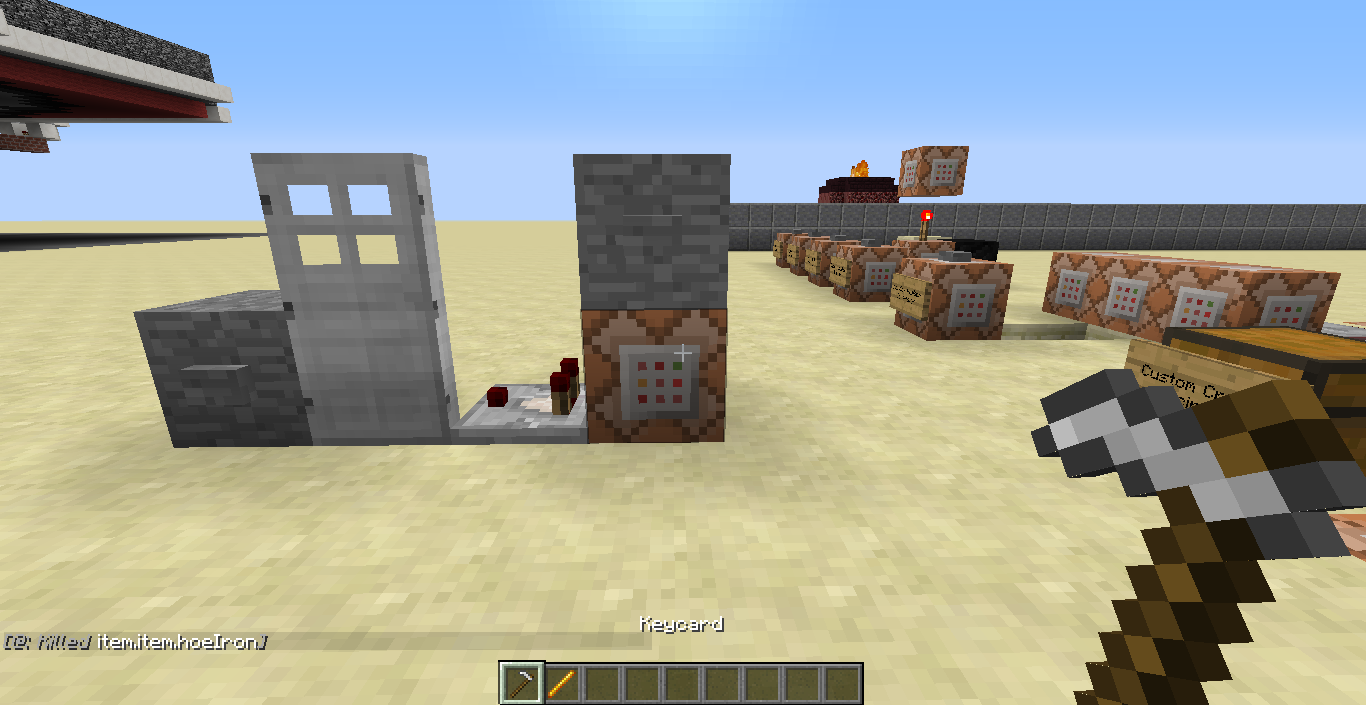

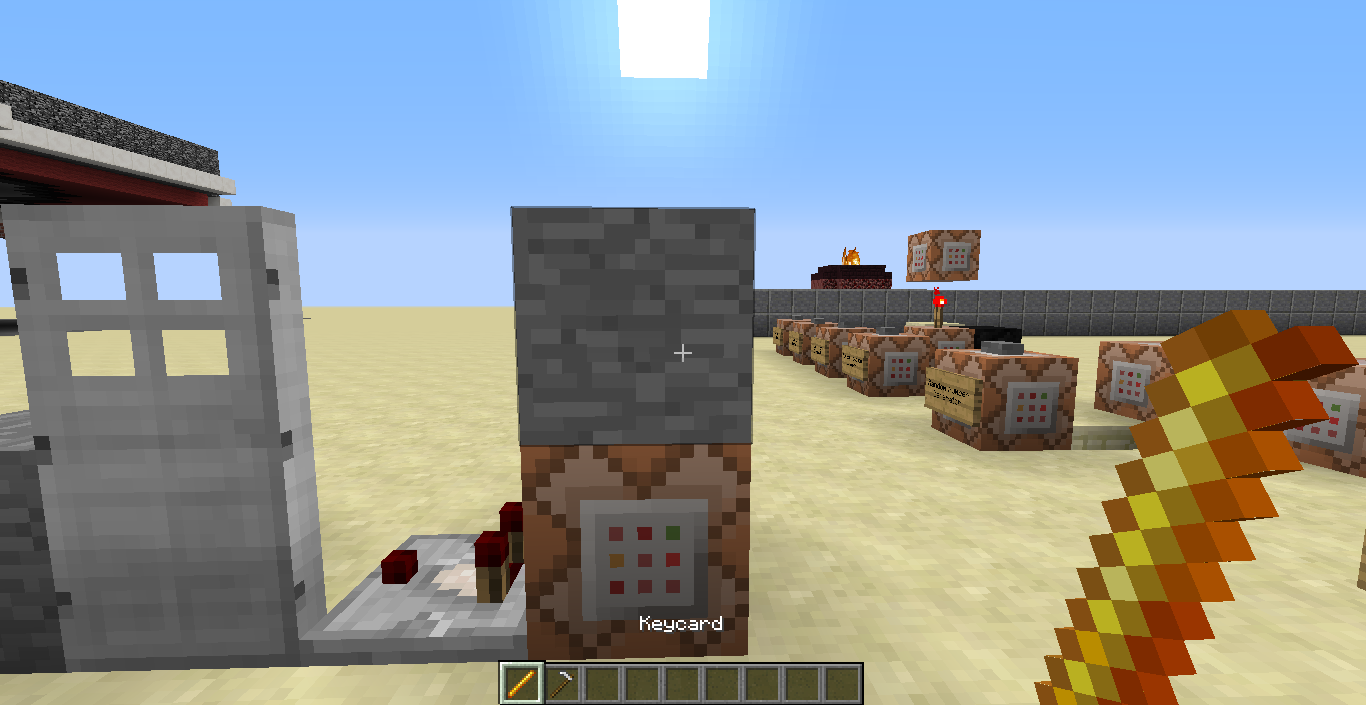











What happened was, I have two named items called "Keycard," and when I used the tesfor command, one item turned into the other.
Steps to Replicate:
1) Get an iron hoe and a blaze rod and name them "Keycard."
2) Place down a command block and enter the command,testfor @p {SelectedItemSlot:0,Inventory:[{Slot:0b,tag:{display:{Name:"Keycard"}}}]}and attach a button to it.
3) Drag one of the "Keycard" items into the first slot and click the button.
4) Scroll away from the item and click the button again to reset it.
5) Drag the second "Keycard" Item into the first slot and click the button again
6) ???What happened was, I have two named items called "Keycard," and when I used the tesfor command, one item turned into the other.
Steps to Replicate:
1) Get an iron hoe and a blaze rod and name them "Keycard."
2) Place down a command block and enter the command,testfor @p {SelectedItemSlot:0,Inventory:[{Slot:0b,tag:{display:{Name:"Keycard"}}}]}and attach a button to it.
3) Drag one of the "Keycard" items into the first slot and click the button.
4) Scroll away from the item and click the button again to reset it.
5) Drag the second "Keycard" Item into the first slot and click the button again
6) The second item will turn into the first item, still named "Keycard".
Spawn Pad itself.
The piston for the contraption. With and without world border.
Teleporting (teleport NOT tp) an entity to another entity uses the relative co-ords of the executer, but the rotation is relative to the target. This is not the expected result.
execute @a ~ ~ ~ /teleport @e[type=Armore_Stand,c=1] ~ ~ ~ ~ ~teleports the armor stand to the player, but not the player's rotation. Flipping the selectors around teleports the player to the armor stand, but the player maintains their rotation rather than that of the armor stand's.
Example: Thanks to OSX
Teleporting (teleport NOT tp) an entity to another entity uses the relative co-ords of the executer, but the rotation is relative to the target. This is not the expected result.
execute @a ~ ~ ~ /teleport @e[type=Armore_Stand,c=1] ~ ~ ~ ~ ~teleports the armor stand to the player, but not the player's rotation. Flipping the selectors around teleports the player to the armor stand, but the player maintains their rotation rather than that of the armor stand's.
Example: Thanks to OSX
Teleporting (teleport NOT tp) an entity to another entity uses the relative co-ords of the executer, but the rotation is relative to the target. This is not the expected result.
execute @a ~ ~ ~ /teleport @e[type=Armor_Stand,c=1] ~ ~ ~ ~ ~teleports the armor stand to the player, but
notthe player's rotation. Flipping the selectors around teleports the player to the armor stand, but the player maintains their rotation rather than that of the armor stand's.
Example: Thanks to OSXTeleporting (teleport NOT tp) an entity to another entity uses the relative co-ords of the executer, but the rotation is relative to the target. This is not the expected result.
execute @a ~ ~ ~ /teleport @e[type=Armor_Stand,c=1] ~ ~ ~ ~ ~teleports the armor stand to the player, but does not match the player's rotation. Flipping the selectors around teleports the player to the armor stand, but the player maintains their rotation rather than that of the armor stand's.
Example: Thanks to OSX
Teleport rotation is relative totargetrather than executer.Teleport rotation is relative to initial executer rather than selected executer.
Teleporting (teleport NOT tp) an entity to another entity uses the relative co-ords of the executer, but the rotation is relative to the target. This is not the expected result.
execute @a ~ ~ ~ /teleport @e[type=Armor_Stand,c=1] ~ ~ ~ ~ ~teleports the armor stand to the player, but does not match the player's rotation. Flipping the selectors around teleports the player to the armor stand, but the player maintains their rotation rather than that of the armor stand's.
Example: Thanks to OSX
Teleporting (teleport NOT tp) an entity to another entity uses the relative co-ords of the executer, but the rotation is relative to the target. This is not the expected result.
execute @a ~ ~ ~ /teleport @e[type=Armor_Stand,c=1] ~ ~ ~ ~ ~teleports the armor stand to the player,
butdoesnotmatch the player's rotation. Flipping the selectors around teleports the player to the armor stand, but the player maintains their rotation rather than that of the armor stand's.
Example: Thanks to OSXTeleporting (teleport NOT tp) an entity to another entity uses the relative co-ords of the executer, but the rotation is relative to the target. This is not the expected result.
execute @a ~ ~ ~ /teleport @e[type=Armor_Stand,c=1] ~ ~ ~ ~ ~teleports the armor stand to the player, and does match the player's rotation. Flipping the selectors around teleports the player to the armor stand, but the player maintains their rotation rather than that of the armor stand's.
Example: Thanks to OSX
Teleporting (teleport NOT tp) an entity to another entity uses the relative co-ords of the executer, but the rotation is relative to the target. This is not the expected result.
execute @a ~ ~ ~ /teleport @e[type=Armor_Stand,c=1] ~ ~ ~ ~ ~teleports the armor stand to the player, and does match the player's rotation
. Flipping the selectors around teleports the player to the armor stand, but the player maintains their rotation rather than that of the armor stand's.
Example: Thanks to OSXTeleporting (teleport NOT tp) an entity to another entity uses the relative co-ords of the executer, but the rotation is relative to the target. This is not the expected result.
execute @a ~ ~ ~ /teleport @e[type=Armor_Stand,c=1] ~ ~ ~ ~ ~teleports the armor stand to the player, and does match the player's rotation when typed in chat. However, when in a command block, the armor stand's rotation does not change. Also, flipping the selectors around teleports the player to the armor stand, but the player maintains their rotation rather than that of the armor stand's.
Example: Thanks to OSX
Teleporting (teleport NOT tp) an entity to another entity uses the relative co-ords of the executer, but the rotation is relative to the target. This is not the expected result.
execute @a ~ ~ ~ /teleport @e[type=Armor_Stand,c=1] ~ ~ ~ ~ ~teleports the armor stand to the player, and does match the player's rotation when typed in chat. However, when in a command block, the armor stand's rotation does not change. Also, flipping the selectors around teleports the player to the armor stand, but the player maintains their rotation rather than that of the armor stand's.
Example: Thanks to OSXFurther not, thanks to SirBenet:
execute @e[type=armor_stand,c=1] ~ ~ ~ teleport @e[type=pig,c=1] ~ ~ ~ ~ ~teleports the pig to the armor stand with correct rotation, so it seems to be more of a player thing.
Teleporting (teleport NOT tp) an entity to another entity uses the relative co-ords of the executer, but the rotation is relative to the target. This is not the expected result.
execute @a ~ ~ ~ /teleport @e[type=Armor_Stand,c=1] ~ ~ ~ ~ ~teleports the armor stand to the player, and does match the player's rotation when typed in chat. However, when in a command block, the armor stand's rotation does not change. Also, flipping the selectors around teleports the player to the armor stand, but the player maintains their rotation rather than that of the armor stand's.
Example: Thanks to OSXFurther note, thanks to SirBenet:
execute @e[type=armor_stand,c=1] ~ ~ ~ teleport @e[type=pig,c=1] ~ ~ ~ ~ ~teleports the pig to the armor stand with correct rotation, so it seems to be more of a player thing.
Teleport rotation is relative to initial executerrather thanselectedexecuter.Relative directions in teleport are relative to player targets rather than executer.
Teleporting (teleport NOT tp) an entity to another entity uses the relative co-ords of the executer, but the rotation is relative to the target. This is not the expected result.
execute@a ~ ~ ~ /teleport@e[type=Armor_Stand,c=1] ~ ~ ~ ~ ~teleports the
armor stand to the player, and does match the player's rotation when typed in chat. However, when in a command block, the armor stand's rotation does not change.Also, flipping the selectors around teleports the player to the armor stand, but the player maintains their rotation rather than that of the armor stand's.
Example: Thanks to OSXFurther note, thanks to SirBenet:
execute @e[type=armor_stand,c=1] ~ ~ ~ teleport @e[type=pig,c=1] ~ ~ ~ ~ ~teleports the pig to the armor stand with correct rotation, so it seems to be more of a player thing.
Teleporting (teleport NOT tp) an entity to another entity uses the relative co-ords of the executer, but the rotation is relative to the target. This is not the expected result.
execute @e[type=armor_stand,c=1] ~ ~ ~ teleport @p ~ ~ ~ ~ ~teleports the player to the armor stand, and does match the player's rotation when typed in chat. However, when in a command block, the armor stand's rotation does not change.
Example: Thanks to OSXFurther note, thanks to SirBenet:
execute @e[type=armor_stand,c=1] ~ ~ ~ teleport @e[type=pig,c=1] ~ ~ ~ ~ ~teleports the pig to the armor stand with correct rotation, so it seems to be more of a player thing.
Teleporting (teleport NOT tp) an entity to another entity uses the relative co-ords of the executer, but the rotation is relative to the target. This is not the expected result.
execute @e[type=armor_stand,c=1] ~ ~ ~ teleport @p ~ ~ ~ ~ ~teleports the player to the armor stand, and does match the player's rotation when typed in chat. However, when in a command block, the armor stand's rotation does not change.
Example: Thanks to OSXFurther note, thanks to SirBenet:
execute @e[type=armor_stand,c=1] ~ ~ ~ teleport @e[type=pig,c=1] ~ ~ ~ ~ ~teleports the pig to the armor stand with correct rotation, so it seems to be more of a player thing.
Teleporting (teleport NOT tp) an entity to another entity uses the relative co-ords of the executer, but the rotation is relative to the target. This is not the expected result.
execute @e[type=armor_stand,c=1] ~ ~ ~ teleport @p ~ ~ ~ ~ ~teleports the player to the armor stand
,and does match the player's rotationwhen typed in chat. However, when in a command block, the armor stand's rotation does not change.
Example: Thanks to OSXFurther note, thanks to SirBenet:
execute @e[type=armor_stand,c=1] ~ ~ ~ teleport @e[type=pig,c=1] ~ ~ ~ ~ ~teleports the pig to the armor stand with correct rotation, so it seems to be more of a player thing.
Teleporting (teleport NOT tp) an entity to another entity uses the relative co-ords of the executer, but the rotation is relative to the target. This is not the expected result.
execute @e[type=armor_stand,c=1] ~ ~ ~ teleport @p ~ ~ ~ ~ ~teleports the player to the armor stand and does not match the player's rotation.
Example: Thanks to OSXFurther note, thanks to SirBenet:
execute @e[type=armor_stand,c=1] ~ ~ ~ teleport @e[type=pig,c=1] ~ ~ ~ ~ ~teleports the pig to the armor stand with correct rotation, so it seems to be more of a player thing.
Teleporting (teleport NOT tp) an entity to another entity uses the relative co-ords of the executer, but the rotation is relative to the target. This is not the expected result.
execute @e[type=armor_stand,c=1] ~ ~ ~ teleport @p ~ ~ ~ ~ ~teleports the player to the armor stand
anddoes not match theplayer's rotation.
Example: Thanks to OSXFurther note, thanks to SirBenet:
execute @e[type=armor_stand,c=1] ~ ~ ~ teleport @e[type=pig,c=1] ~ ~ ~ ~ ~teleports the pig to the armor stand with correct rotation, so it seems to be more of a player thing.
Teleporting (teleport NOT tp) an entity to another entity uses the relative co-ords of the executer, but the rotation is relative to the target. This is not the expected result.
execute @e[type=armor_stand,c=1] ~ ~ ~ teleport @p ~ ~ ~ ~ ~teleports the player to the armor stand but does not match the armor stand's rotation.
Example: Thanks to OSXFurther note, thanks to SirBenet:
execute @e[type=armor_stand,c=1] ~ ~ ~ teleport @e[type=pig,c=1] ~ ~ ~ ~ ~teleports the pig to the armor stand with correct rotation, so it seems to be more of a player thing.
Recipes.txt
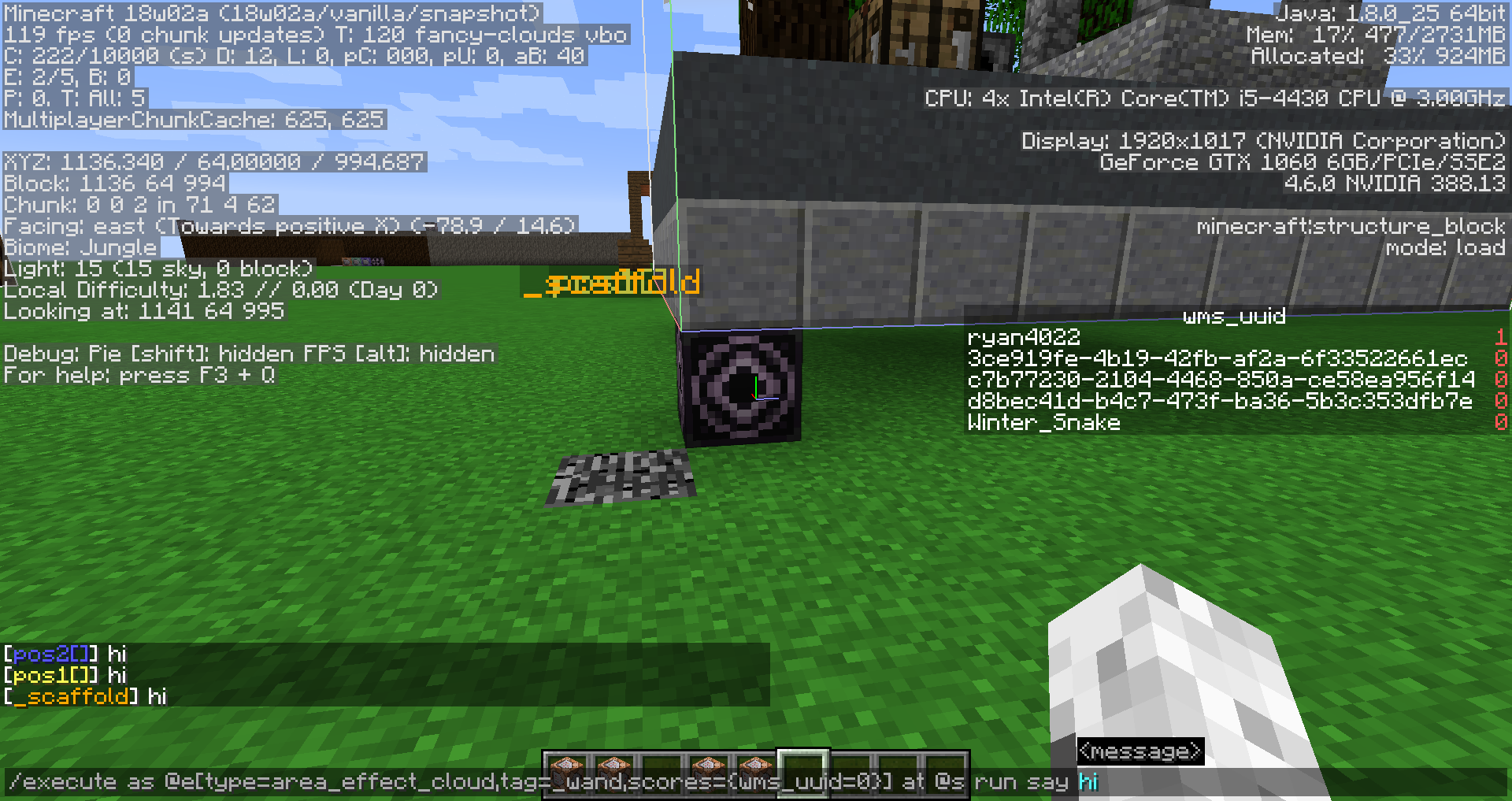
So, I have no idea if this bug is because of execute being broken, or the tag selector argument being broken, however, there is an issue with it:
The first picture (or should be) is the command:
{wms_uuid=0}] at @s run say hi`
`/execute as @e[type=area_effect_cloud,tag=_wand,scores=
- now this seems to work as intended, makes all the correct entities say "hi".
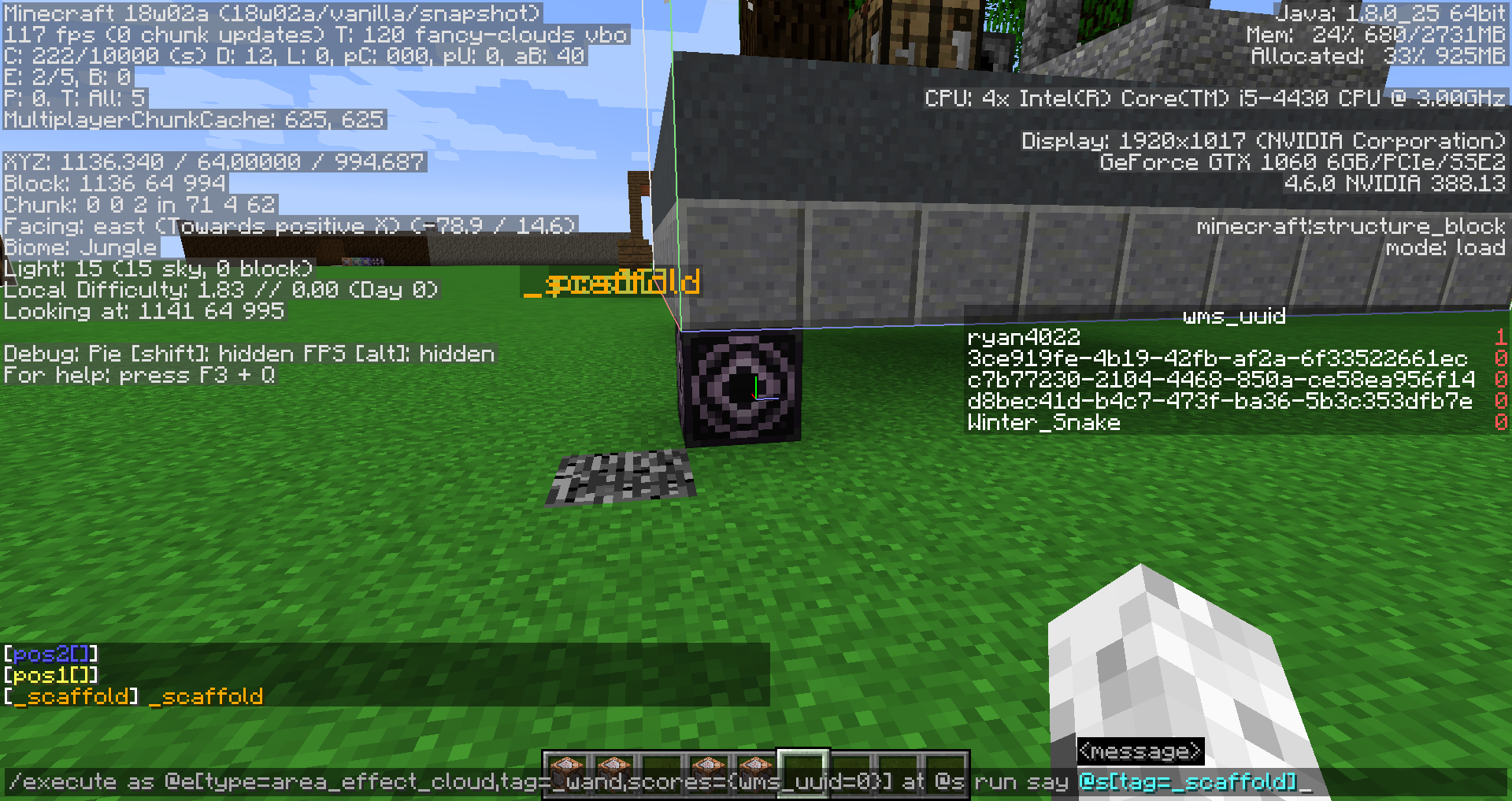
Now, this is where I'm not entirely sure if this is the execute part or the tag part that is broken, because, in the second image, I have the command:
`/execute as @e[type=area_effect_cloud,tag=_wand,scores={wms_uuid=0}] at @s run say @s[tag=_scaffold]`
- this command still highlights all entities, however, only the _scaffold AEC actually says the name of itself - Whether this is meant to be the correct choice or if all three AEC's should've said `_scaffold", I have no idea.
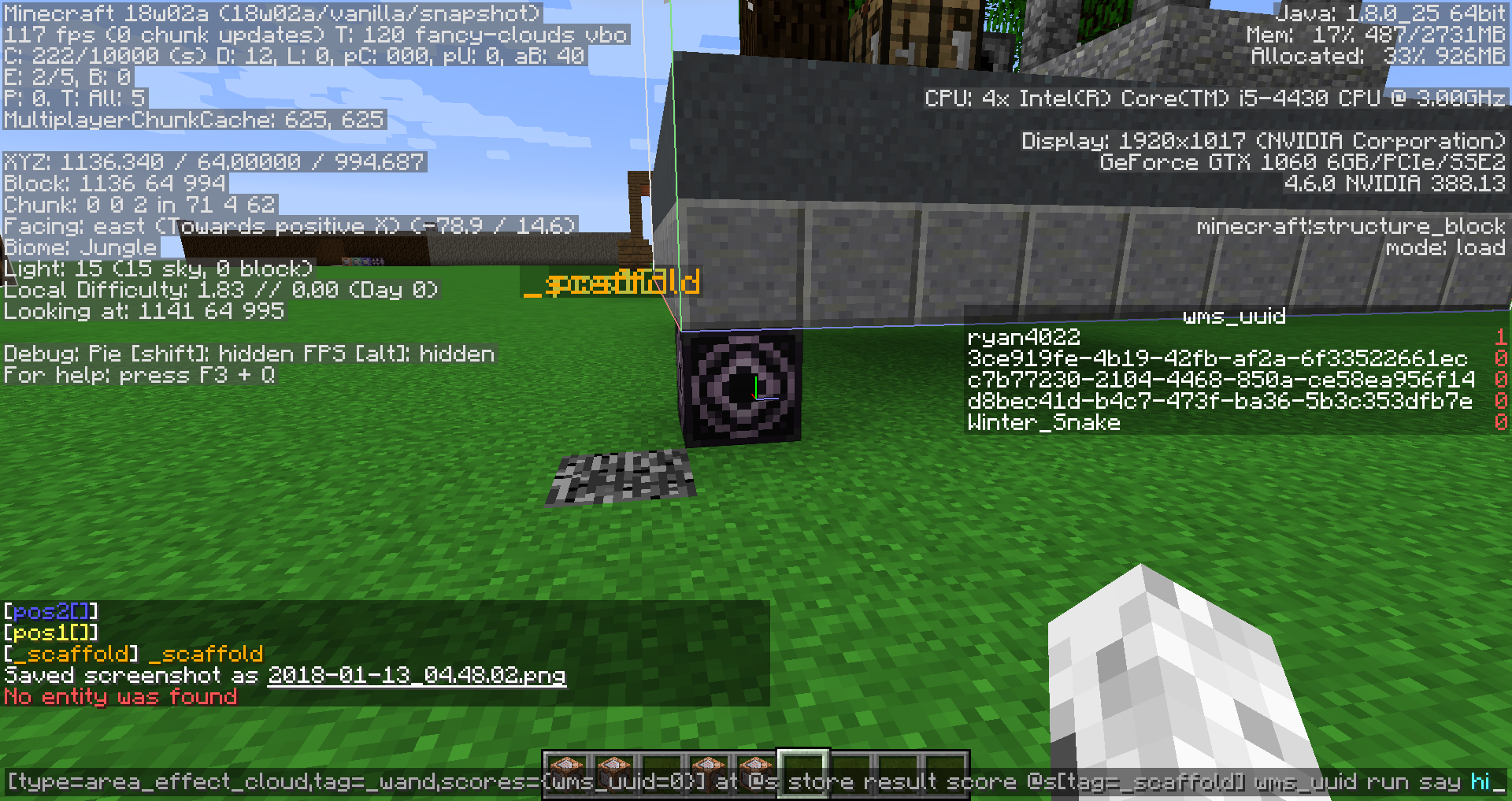
Lastly, where the system truly is broken, my last command is:
{wms_uuid=0}
`/execute as @e[type=area_effect_cloud,tag=_wand,scores=] at @s store result score @s[tag=_scaffold] wms_uuid run say hi`
- this last command registers "No entity was found" even though clearly it does exist, so again, I am not entirely sure what the deal is with it.
If any further commands are needed, or the world file or even a video, I'll gladly provide it as I need this bug fixed.
So, I have no idea if this bug is because of execute being broken, or the tag selector argument being broken, however, there is an issue with it:
The first picture (or should be) is the command:
/execute as @e[type=area_effect_cloud,tag=_wand,scores={wms_uuid=0}] at @s run say hi
- now this seems to work as intended, makes all the correct entities say "hi".
Now, this is where I'm not entirely sure if this is the execute part or the tag part that is broken, because, in the second image, I have the command:
/execute as @e[type=area_effect_cloud,tag=_wand,scores={wms_uuid=0}] at @s run say @s[tag=_scaffold]
- this command still highlights all entities, however, only the _scaffold AEC actually says the name of itself - Whether this is meant to be the correct choice or if all three AEC's should've said `_scaffold", I have no idea.
Lastly, where the system truly is broken, my last command is:
/execute as @e[type=area_effect_cloud,tag=_wand,scores={wms_uuid=0}] at @s store result score @s[tag=_scaffold] wms_uuid run say hi
- this last command registers "No entity was found" even though clearly it does exist, so again, I am not entirely sure what the deal is with it.
If any further commands are needed, or the world file or even a video, I'll gladly provide it as I need this bug fixed.
So, I have no idea if this bug is because of execute being broken, or the tag selector argument being broken, however, there is an issue with it:
The first picture (or should be) is the command:
/execute as @e[type=area_effect_cloud,tag=_wand,scores={wms_uuid=0}] at @s run say hi
- now this seems to work as intended, makes all the correct entities say "hi".
Now, this is where I'm not entirely sure if this is the execute part or the tag part that is broken, because, in the second image, I have the command:
/execute as @e[type=area_effect_cloud,tag=_wand,scores={wms_uuid=0}] at @s run say @s[tag=_scaffold]
- this command still highlights all entities, however, only the _scaffold AEC actually says the name of itself - Whether this is meant to be the correct choice or if all three AEC's should've said `_scaffold", I have no idea.
Lastly, where the system truly is broken, my
lastcommand is:/execute as @e[type=area_effect_cloud,tag=_wand,scores={wms_uuid=0}] at @s store result score @s[tag=_scaffold] wms_uuid run say hi
- this last command registers "No entity was found" even though clearly it does exist, so again, I am not entirely sure what the deal is with it.
If any further commands are needed, or the world file or even a video, I'll gladly provide it as I need this bug fixed.
So, I have no idea if this bug is because of execute being broken, or the tag selector argument being broken, however, there is an issue with it:
The first picture (or should be) is the command:
/execute as @e[type=area_effect_cloud,tag=_wand,scores={wms_uuid=0}] at @s run say hi
- now this seems to work as intended, makes all the correct entities say "hi".
Now, this is where I'm not entirely sure if this is the execute part or the tag part that is broken, because, in the second image, I have the command:
/execute as @e[type=area_effect_cloud,tag=_wand,scores={wms_uuid=0}] at @s run say @s[tag=_scaffold]
- this command still highlights all entities, however, only the _scaffold AEC actually says the name of itself - Whether this is meant to be the correct choice or if all three AEC's should've said `_scaffold", I have no idea.
Lastly, where the system truly is broken, my command is:
/execute as @e[type=area_effect_cloud,tag=_wand,scores={wms_uuid=0}] at @s store result score @s[tag=_scaffold] wms_uuid run say hi
- this last command registers "No entity was found" even though clearly
itdoes exist, so again, I am not entirely sure what the deal is with it.If any further commands are needed, or the world file or even a video, I'll gladly provide it as I need this bug fixed.
So, I have no idea if this bug is because of execute being broken, or the tag selector argument being broken, however, there is an issue with it:
The first picture (or should be) is the command:
/execute as @e[type=area_effect_cloud,tag=_wand,scores={wms_uuid=0}] at @s run say hi
- now this seems to work as intended, makes all the correct entities say "hi".
Now, this is where I'm not entirely sure if this is the execute part or the tag part that is broken, because, in the second image, I have the command:
/execute as @e[type=area_effect_cloud,tag=_wand,scores={wms_uuid=0}] at @s run say @s[tag=_scaffold]
- this command still highlights all entities, however, only the _scaffold AEC actually says the name of itself - Whether this is meant to be the correct choice or if all three AEC's should've said `_scaffold", I have no idea.
Lastly, where the system truly is broken, my command is:
/execute as @e[type=area_effect_cloud,tag=_wand,scores={wms_uuid=0}] at @s store result score @s[tag=_scaffold] wms_uuid run say hi
- this last command registers "No entity was found" even though it clearly does exist, so again, I am not entirely sure what the deal is with it.
If any further commands are needed, or the world file or even a video, I'll gladly provide it as I need this bug fixed.
So, I have no idea if this bug is because of execute being broken, or the tag selector argument being broken, however, there is an issue with it:
The first picture (or should be) is the command:
/execute as @e[type=area_effect_cloud,tag=_wand,scores={wms_uuid=0}] at @s run say hi
- now this seems to work as intended, makes all the correct entities say "hi".
Now, this is where I'm not entirely sure if this is the execute part or the tag part that is broken, because, in the second image, I have the command:
/execute as @e[type=area_effect_cloud,tag=_wand,scores={wms_uuid=0}] at @s run say @s[tag=_scaffold]
- this command still highlights all entities, however, only the _scaffold AEC actually says the name of itself - Whether this is meant to be the correct choice or if all three AEC's should've said `_scaffold", I have no idea.
Lastly, where the system truly is broken, my command is:
/execute as @e[type=area_effect_cloud,tag=_wand,scores={wms_uuid=0}] at @s store result score @s[tag=_scaffold] wms_uuid run say hi
- this last command registers "No entity was found" even though it clearly does exist
, so again, I am not entirely sure what the deal is with it.If any further commands are needed, or the world file or even a video, I'll gladly provide it as I need this bug fixed.
So, I have no idea if this bug is because of execute being broken, or the tag selector argument being broken, however, there is an issue with it:
The first picture (or should be) is the command:
/execute as @e[type=area_effect_cloud,tag=_wand,scores={wms_uuid=0}] at @s run say hi
- now this seems to work as intended, makes all the correct entities say "hi".
Now, this is where I'm not entirely sure if this is the execute part or the tag part that is broken, because, in the second image, I have the command:
/execute as @e[type=area_effect_cloud,tag=_wand,scores={wms_uuid=0}] at @s run say @s[tag=_scaffold]
- this command still highlights all entities, however, only the _scaffold AEC actually says the name of itself - Whether this is meant to be the correct choice or if all three AEC's should've said `_scaffold", I have no idea.
Lastly, where the system truly is broken, my command is:
/execute as @e[type=area_effect_cloud,tag=_wand,scores={wms_uuid=0}] at @s store result score @s[tag=_scaffold] wms_uuid run say hi
- this last command registers "No entity was found" even though it clearly does exist. So again, I am not entirely sure what the deal is with it, be it execute or the tag selector argument, but this definitely popped out to me as strange and buggy behavior.
If any further commands are needed, or the world file or even a video, I'll gladly provide it as I need this bug fixed.
EitherExecuteor Tags are brokenExecute is just utterly broken it seems
So, I have no idea if this bug is because of execute being broken, or the tag selector argument being broken, however, there is an issue with it:
The first picture (or should be) is the command:
/execute as @e[type=area_effect_cloud,tag=_wand,scores={wms_uuid=0}] at @s run say hi
- now this seems to work as intended, makes all the correct entities say "hi".
Now, this is where I'm not entirely sure if this is the execute part or the tag part that is broken, because, in the second image, I have the command:
/execute as @e[type=area_effect_cloud,tag=_wand,scores={wms_uuid=0}] at @s run say @s[tag=_scaffold]
- this command still highlights all entities,
however,only the _scaffold AEC actually says the name of itself- Whether this is meant to be the correct choice or if all three AEC's should've said `_scaffold", I have no idea.Lastly, where the system truly is broken, my command is:
/execute as @e[type=area_effect_cloud,tag=_wand,scores={wms_uuid=0}] at @s store result score @s[tag=_scaffold] wms_uuid run say hi
- this last command registers "No entity was found" even though it clearly does exist. So again, I am not entirely sure what the deal is with it, be it execute or the tag selector argument, but this definitely popped out to me as strange and buggy behavior.
If any further commands are needed, or the world file or even a video, I'll gladly provide it as I need this bug fixed.
So, I have no idea if this bug is because of execute being broken, or the tag selector argument being broken, however, there is an issue with it:
The first picture (or should be) is the command:
/execute as @e[type=area_effect_cloud,tag=_wand,scores={wms_uuid=0}] at @s run say hi
- now this seems to work as intended, makes all the correct entities say "hi".
Now, this is where I'm not entirely sure if this is the execute part or the tag part that is broken, because, in the second image, I have the command:
/execute as @e[type=area_effect_cloud,tag=_wand,scores={wms_uuid=0}] at @s run say @s[tag=_scaffold]
- this command still highlights all entities, and only the _scaffold AEC actually says the name of itself.
Lastly, where the system truly is broken, my command is:
/execute as @e[type=area_effect_cloud,tag=_wand,scores={wms_uuid=0}] at @s store result score @s[tag=_scaffold] wms_uuid run say hi
- this last command registers "No entity was found" even though it clearly does exist. So again, I am not entirely sure what the deal is with it, be it execute or the tag selector argument, but this definitely popped out to me as strange and buggy behavior.
If any further commands are needed, or the world file or even a video, I'll gladly provide it as I need this bug fixed.
So, I have no idea if this bug is because of execute being broken, or the tag selector argument being broken, however, there is an issue with it:
The first picture (or should be) is the command:
/execute as @e[type=area_effect_cloud,tag=_wand,scores={wms_uuid=0}] at @s run say hi
- now this seems to work as intended, makes all the correct entities say "hi".
Now,
this is where I'm not entirely sure if this is the execute part or the tag part that is broken, because, in the second image, I have the command:/execute as @e[type=area_effect_cloud,tag=_wand,scores={wms_uuid=0}] at @s run say @s[tag=_scaffold]
- this command still highlights all entities, and only the _scaffold AEC actually says the name of itself.
Lastly, where the system truly is broken, my command is:
/execute as @e[type=area_effect_cloud,tag=_wand,scores={wms_uuid=0}] at @s store result score @s[tag=_scaffold] wms_uuid run say hi
- this last command registers "No entity was found" even though it clearly does exist. So again, I am not entirely sure what the deal is with it, be it execute or the tag selector argument, but this definitely popped out to me as strange and buggy behavior.
If any further commands are needed, or the world file or even a video, I'll gladly provide it as I need this bug fixed.
So, I have no idea if this bug is because of execute being broken, or the tag selector argument being broken, however, there is an issue with it:
The first picture (or should be) is the command:
/execute as @e[type=area_effect_cloud,tag=_wand,scores={wms_uuid=0}] at @s run say hi
- now this seems to work as intended, makes all the correct entities say "hi".
Now, secondly, to prove that the _scaffold is working properly:
/execute as @e[type=area_effect_cloud,tag=_wand,scores={wms_uuid=0}] at @s run say @s[tag=_scaffold]
- this command still highlights all entities, and only the _scaffold AEC actually says the name of itself.
Lastly, where the system truly is broken, my command is:
/execute as @e[type=area_effect_cloud,tag=_wand,scores={wms_uuid=0}] at @s store result score @s[tag=_scaffold] wms_uuid run say hi
- this last command registers "No entity was found" even though it clearly does exist. So again, I am not entirely sure what the deal is with it, be it execute or the tag selector argument, but this definitely popped out to me as strange and buggy behavior.
If any further commands are needed, or the world file or even a video, I'll gladly provide it as I need this bug fixed.
Executeis just utterly broken it seemsExecute feels broken
Executefeels brokenExecute or @s + tag is broken.
When using /execute store or if/unless score, execute sub-commands only run (for each entity), if store entity selector finds at least one entity for each execution
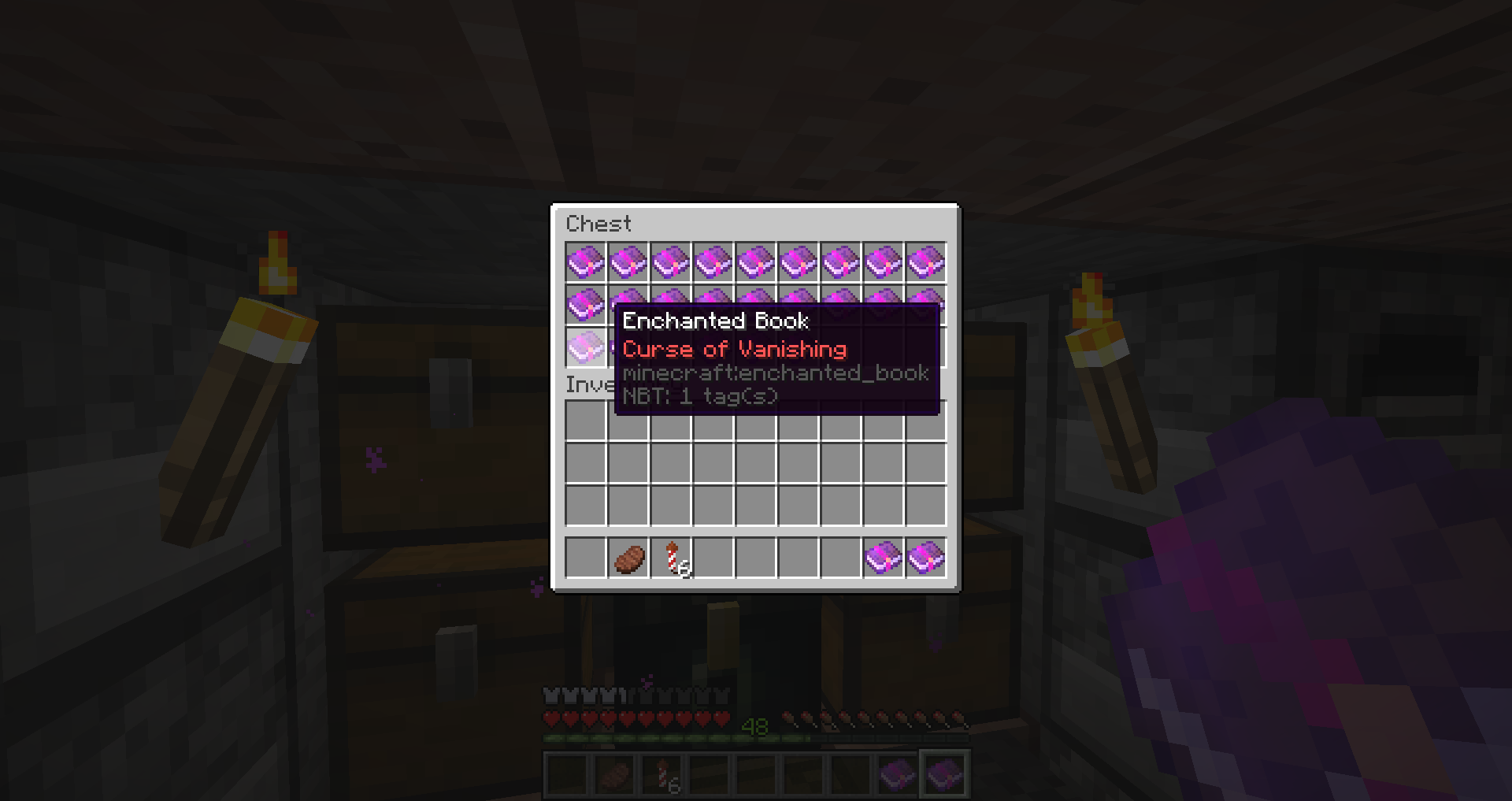
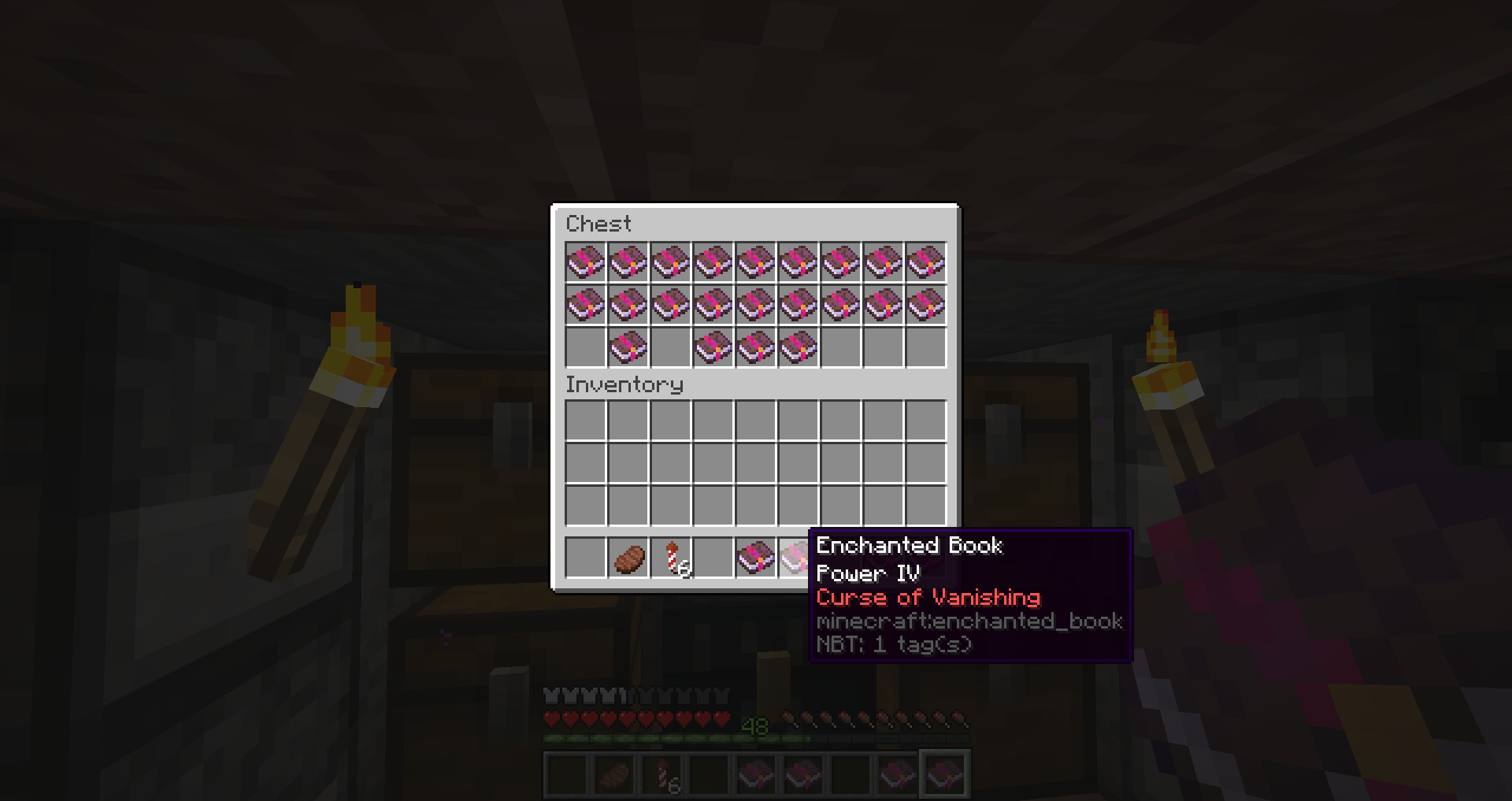
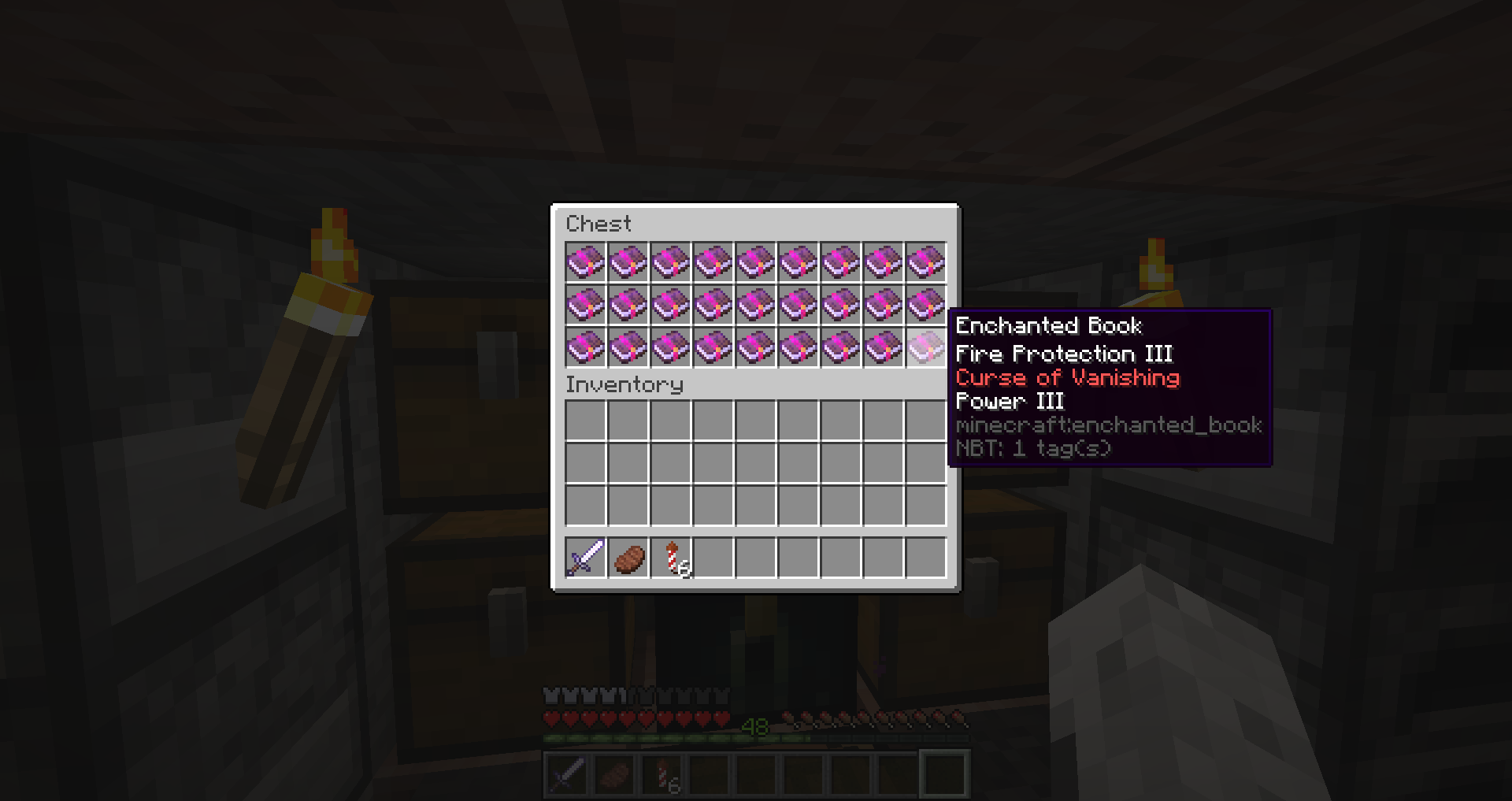
On a survival server, I have been able to enchant three books with the curse of vanishing. I was told that it was not possible to get curses while enchanting, so I have no idea if this is intended or not. So far, I have only been able to get Curse of Vanishing.
Uploading photos of the three books:
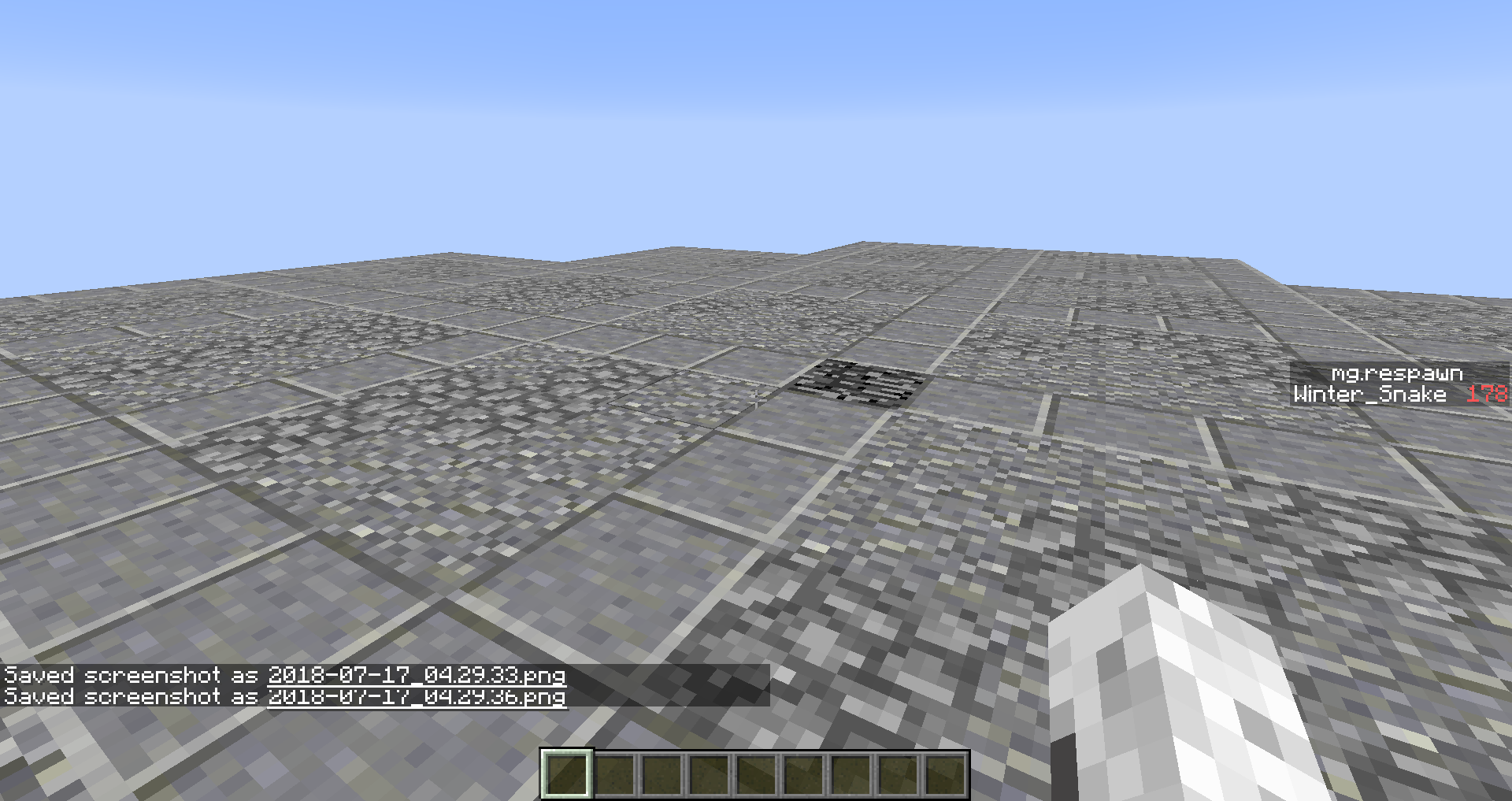
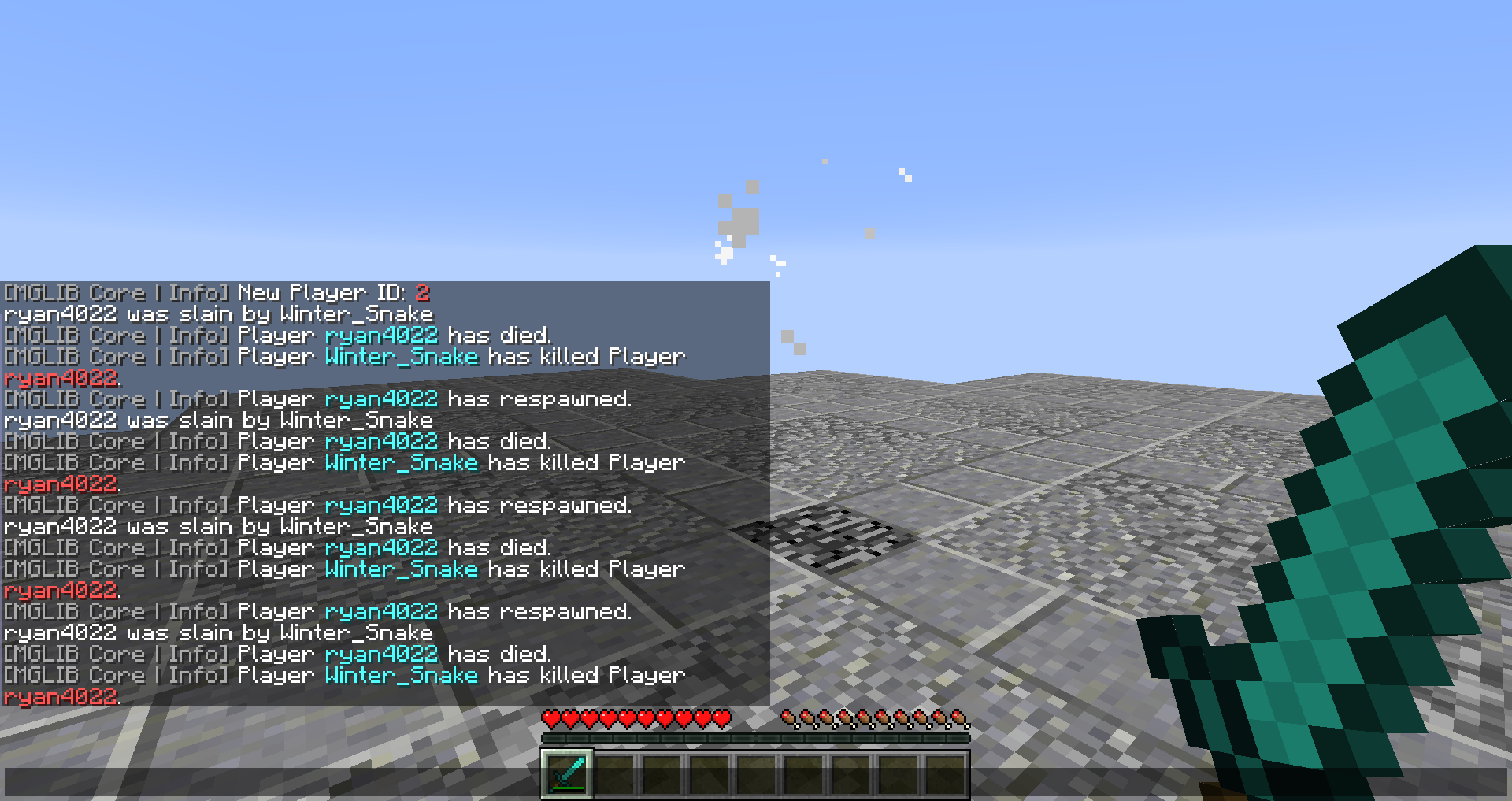
When loading/joining into a world, the `time_since_death` custom stat increments, even when the player isn't actively "alive." This makes getting events to happen as soon as they spawn in with joining/loading inaccurate and harder to perfect.
Attached are the three images of the world loading and then joining the world, and lastly showing the `time since death` timer already being at 100, even though the player was "just" created. This is known because `@a` and `@s` selectors do not find the player and cannot change anything about the player until the player has fully joined the world.
When loading/joining into a world, the `time_since_death` custom stat increments, even when the player isn't actively "alive." This makes getting events to happen as soon as they spawn in with joining/loading inaccurate and harder to perfect.
Attached are the three images of the world loading and then joining the world, and lastly showing the `time since death` timer already being at 100, even though the player was "just" created. This is known because `@a` and `@s` selectors do not find the player and cannot change anything about the player until the player has fully joined the world.
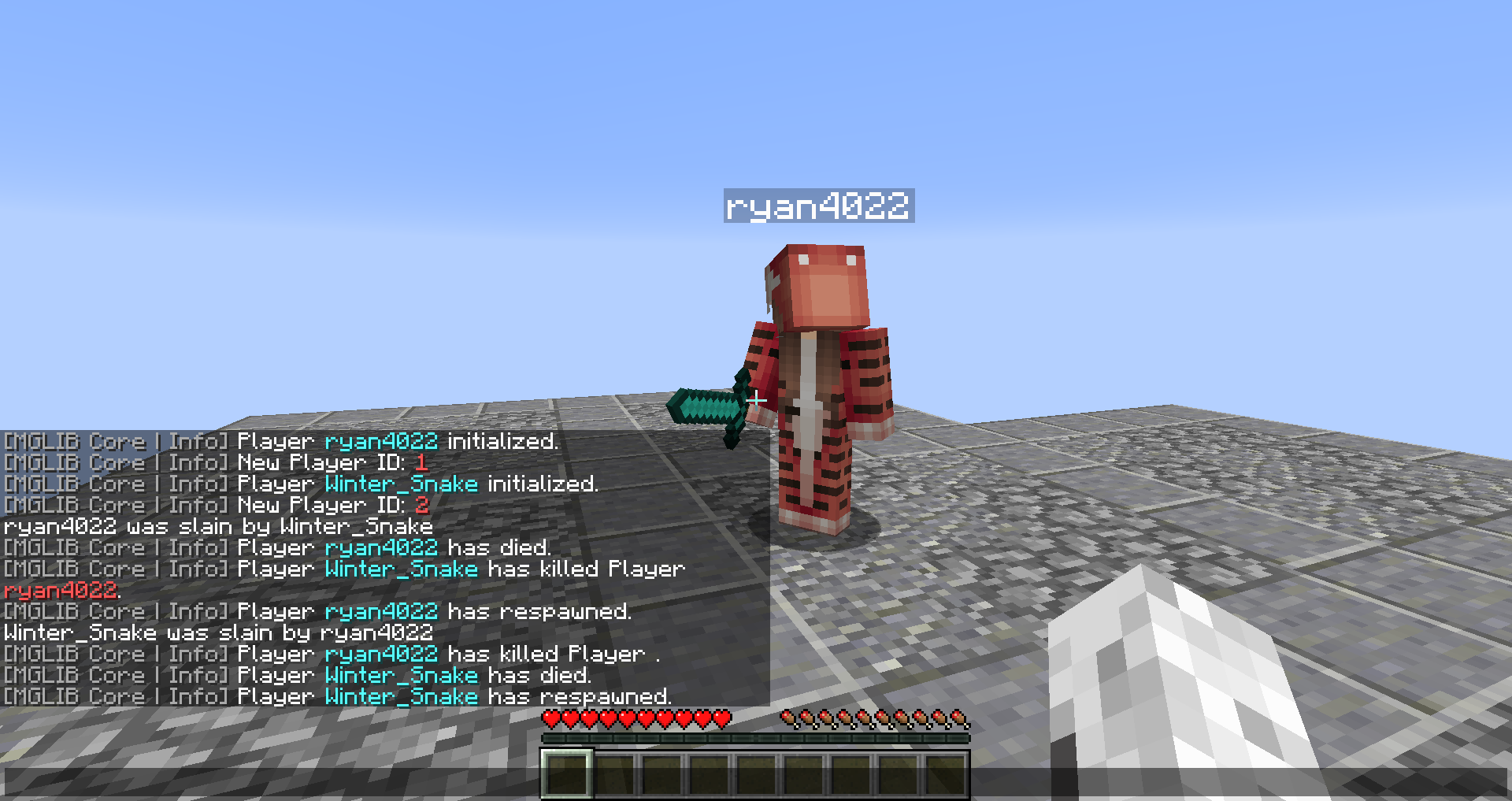
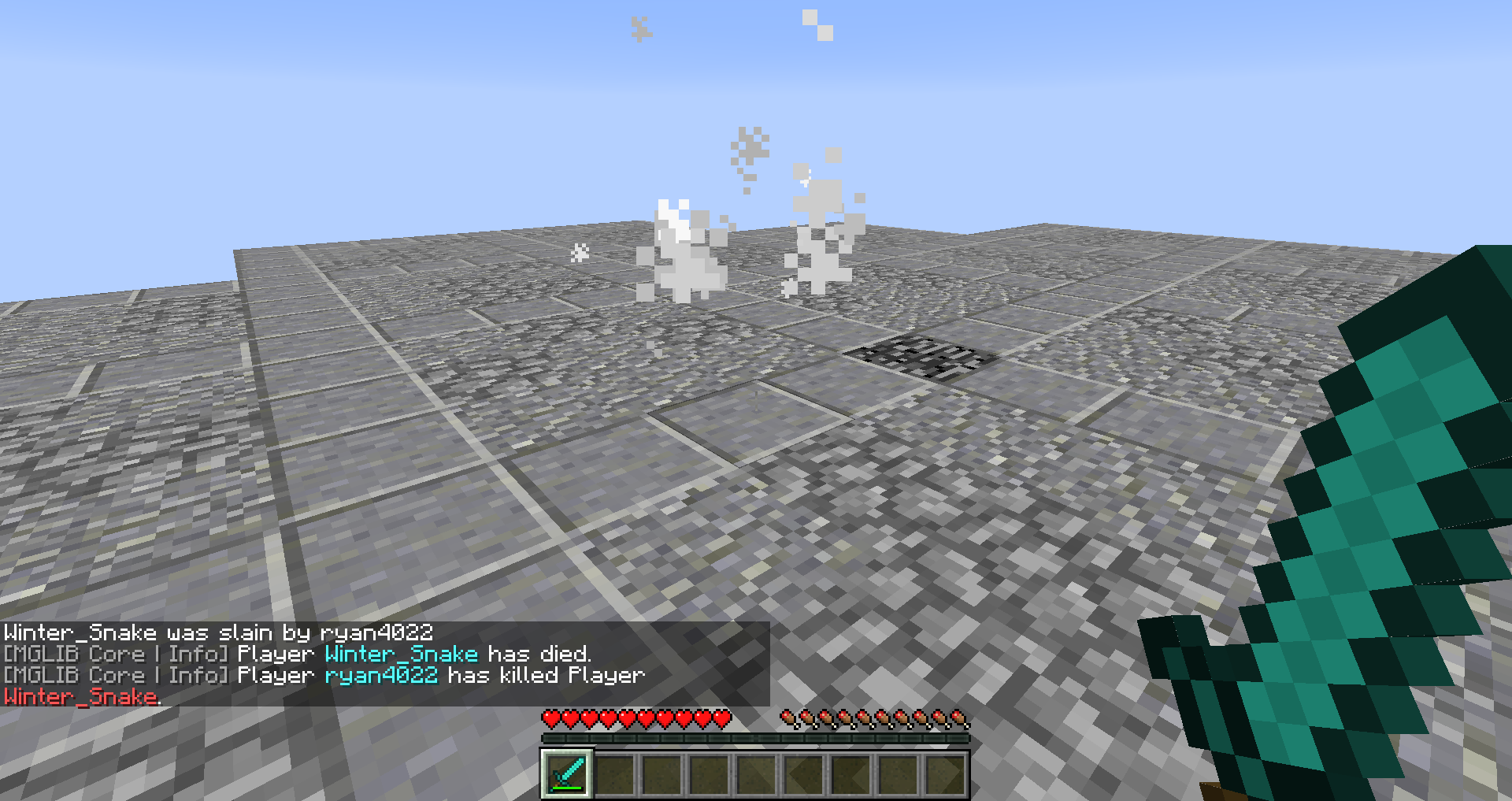
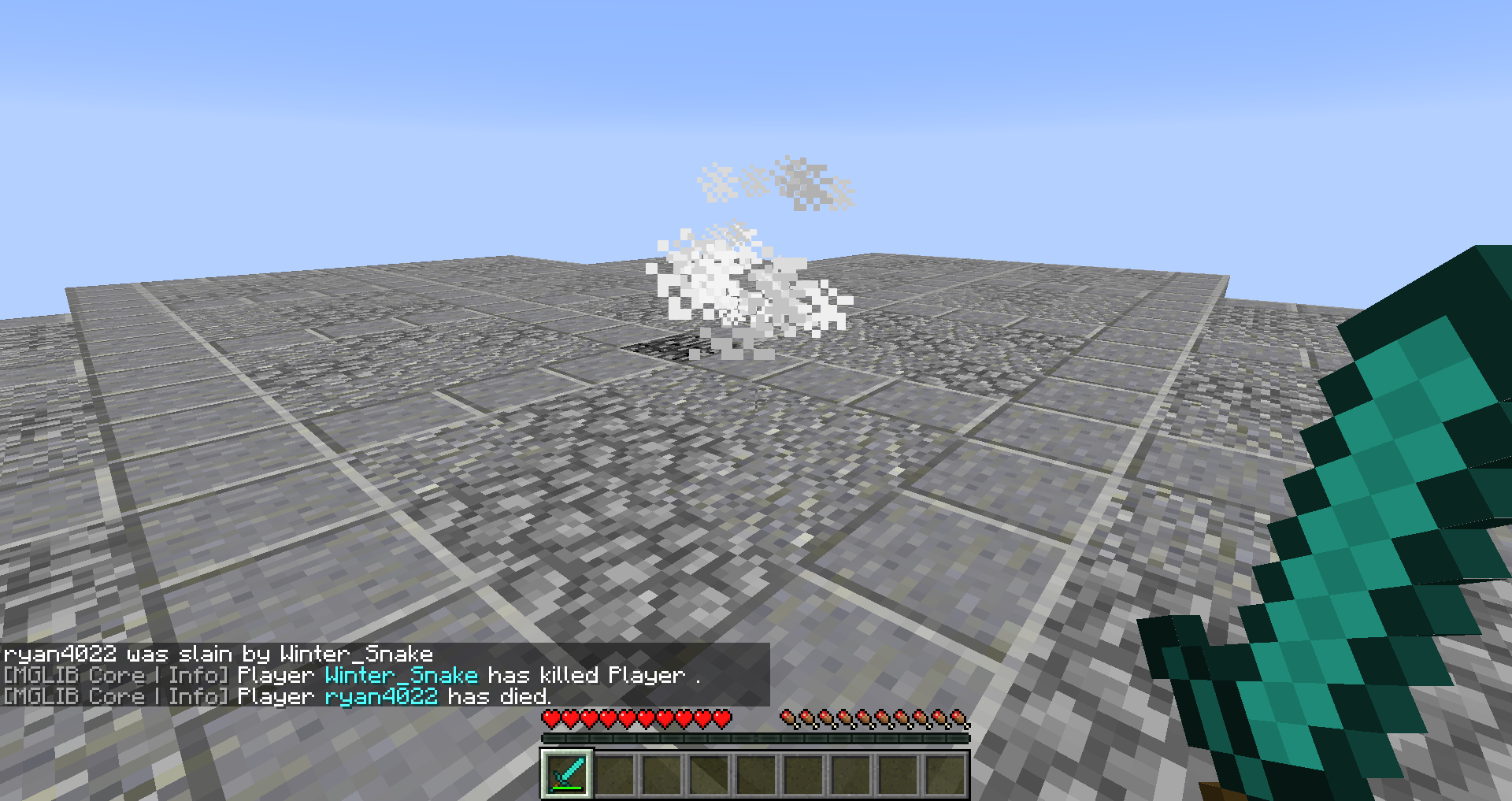
Commands do not seem to be running in the order specified in the functions and are arbitrarily ran.
Steps to reproduce:
1. Drag the datapack zip into your datapacks folder of your world2. Set up a multiplayer game (tested in LAN)
3. Have two people connect and run /reload
4. Let each player kill the other
Commands do not seem to be running in the order specified in the functions and are arbitrarily ran.
Steps to reproduce:
- Download the Commands Out Of Order datapack
- Drag the datapack zip into your datapacks folder of your world
- Set up a multiplayer game (tested in LAN)
- Have two people connect and run /reload
- Let each player kill the other
Commands do not seem to be running in the order specified in the functions and are arbitrarily ran.
Steps to reproduce:
- Download the Commands Out Of Order datapack
- Drag the datapack zip into your datapacks folder of your world
- Set up a multiplayer game (tested in LAN)
- Have two people connect and run /reload
- Let each player kill the other for a while
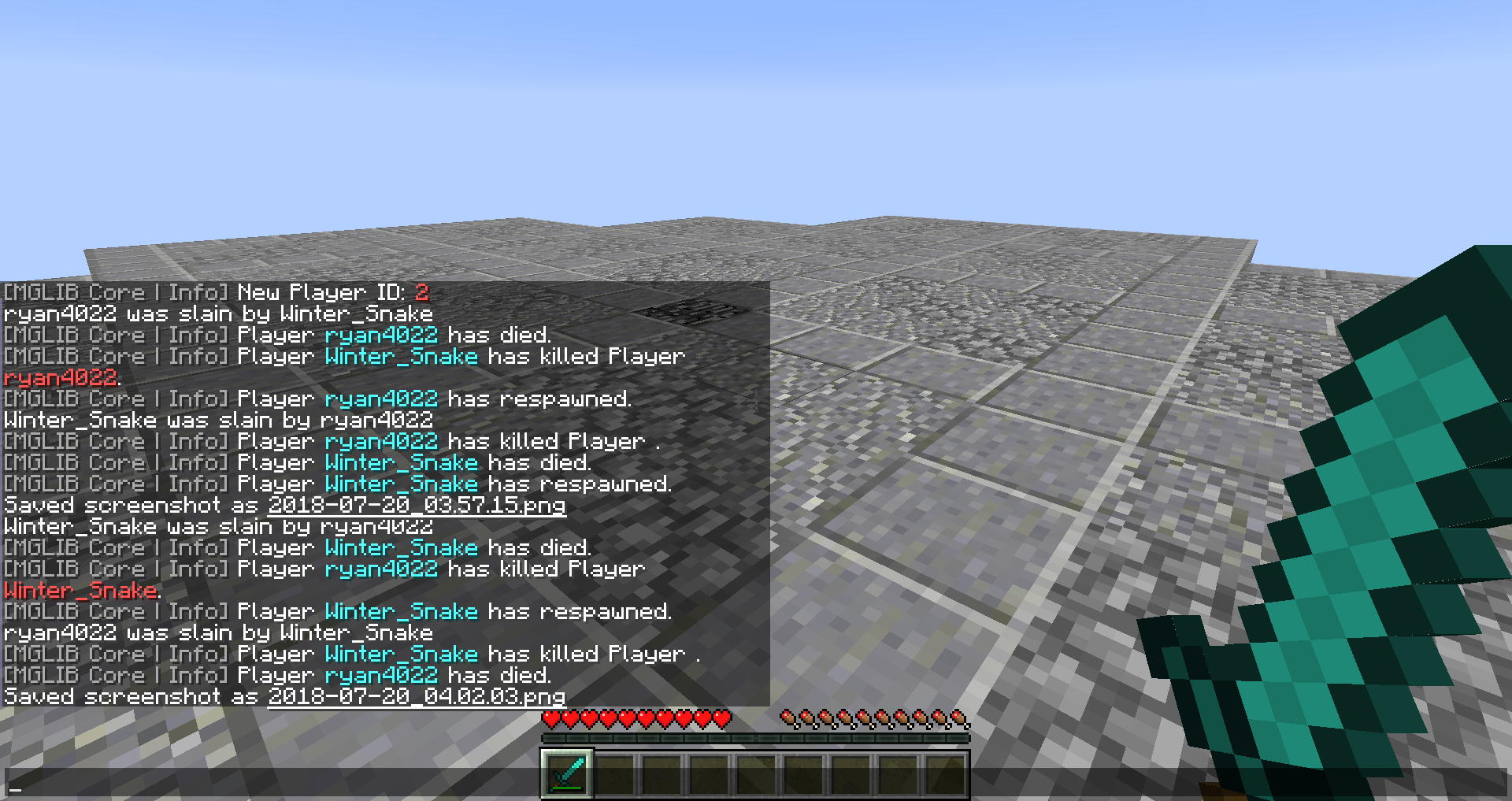
You should be able to notice how the death/kill messages are mixed and not in the same order.
Windows 8.1
Commands do not seem to be running in the order specified in the functions and are arbitrarily ran.
Steps to reproduce:
- Download the Commands Out Of Order datapack
- Drag the datapack zip into your datapacks folder of your world
- Set up a multiplayer game (tested in LAN)
- Have two people connect and run /reload
- Let each player kill the other for a while
You should be able to notice how the death/kill messages are mixed and not in the same order.
execute if score @s mg.deaths matches 1 run function mglib:entity/player/main/death execute if score @s mg.respawn matches 1.. run function mglib:entity/player/main/spawn_split_1 execute if score @s mg.mkills matches 1 run function mglib:entity/player/main/mob_kill execute if score @s mg.pkills matches 1 run function mglib:entity/player/main/player_killThis is the player tick function: the death message should appear before the kill message does.
Commands do not seem to be running in the order specified in the functions and are arbitrarily ran.
Steps to reproduce:
- Download the Commands Out Of Order datapack
- Drag the datapack zip into your datapacks folder of your world
- Set up a multiplayer game (tested in LAN)
- Have two people connect and run /reload
- Let each player kill the other for a while
You should be able to notice how the death/kill messages are mixed and not in the same order.
execute if score @s mg.deaths matches 1 run function mglib:entity/player/main/death execute if score @s mg.respawn matches 1.. run function mglib:entity/player/main/spawn_split_1 execute if score @s mg.mkills matches 1 run function mglib:entity/player/main/mob_kill execute if score @s mg.pkills matches 1 run function mglib:entity/player/main/player_killThis is the player tick function: the death message should appear before the kill message does.
EDIT: Pla
Commands do not seem to be running in the order specified in the functions and are arbitrarily ran.
Steps to reproduce:
- Download the Commands Out Of Order datapack
- Drag the datapack zip into your datapacks folder of your world
- Set up a multiplayer game (tested in LAN)
- Have two people connect and run /reload
- Let each player kill the other for a while
You should be able to notice how the death/kill messages are mixed and not in the same order.
execute if score @s mg.deaths matches 1 run function mglib:entity/player/main/death execute if score @s mg.respawn matches 1.. run function mglib:entity/player/main/spawn_split_1 execute if score @s mg.mkills matches 1 run function mglib:entity/player/main/mob_kill execute if score @s mg.pkills matches 1 run function mglib:entity/player/main/player_killThis is the player tick function: the death message should appear before the kill message does.
EDIT: Pla
Commands do not seem to be running in the order specified in the functions and are arbitrarily ran.
Steps to reproduce:
- Download the Commands Out Of Order datapack
- Drag the datapack zip into your datapacks folder of your world
- Set up a multiplayer game (tested in LAN)
- Have two people connect and run /reload
- Let each player kill the other for a while
- Be sure to have both players kill each other, not just one account killing the other.
You should be able to notice how the death/kill messages are mixed and not in the same order.
execute if score @s mg.deaths matches 1 run function mglib:entity/player/main/death execute if score @s mg.respawn matches 1.. run function mglib:entity/player/main/spawn_split_1 execute if score @s mg.mkills matches 1 run function mglib:entity/player/main/mob_kill execute if score @s mg.pkills matches 1 run function mglib:entity/player/main/player_killThis is the player tick function: the death message should appear before the kill message does.
EDIT: Plagiatus was able to reproduce on his own.
Commands do not seem to be running in the order specified in the functions and are arbitrarily ran.
Steps to reproduce:
- Download the Commands Out Of Order datapack
- Drag the datapack zip into your datapacks folder of your world
- Set up a multiplayer game (tested in LAN)
- Have two people connect and run /reload
- Let each player kill the other for a while
- Be sure to have both players kill each other, not just one account killing the other.
You should be able to notice how the death/kill messages are mixed and not in the same order.
execute if score @s mg.deaths matches 1 run function mglib:entity/player/main/death execute if score @s mg.respawn matches 1.. run function mglib:entity/player/main/spawn_split_1 execute if score @s mg.mkills matches 1 run function mglib:entity/player/main/mob_kill execute if score @s mg.pkills matches 1 run function mglib:entity/player/main/player_killThis is the player tick function: the death message should appear before the kill message does.
EDIT: Plagiatus was able to reproduce on his own.
Commands do not seem to be running in the order specified in the functions and are arbitrarily ran.
Steps to reproduce:
- Download the Commands Out Of Order datapack
- Drag the datapack
zipinto your datapacks folder of your world- Set up a multiplayer game (tested in LAN)
- Have two people connect and
run /reload- Let each player kill the other for a while
- Be sure to have both players kill each other, not just one account killing the other.
You should be able to notice how the death/kill messages are mixed and not in the same order.
execute if score @s mg.deaths matches 1 run function mglib:entity/player/main/death execute if score @s mg.respawn matches 1.. run function mglib:entity/player/main/spawn_split_1 execute if score @s mg.mkills matches 1 run function mglib:entity/player/main/mob_kill execute if score @s mg.pkills matches 1 run function mglib:entity/player/main/player_killThis is the player tick function: the death message should appear before the kill message does.
Commands do not seem to be running in the order specified in the functions and are arbitrarily ran.
Steps to reproduce:
- Download the Commands Out Of Order datapack
- Drag the zipped datapack into your datapacks folder of your world
- Set up a multiplayer game (tested in LAN)
- Have two people connect and then run the /reload command from chat
- Let each player kill the other for a while
- Be sure to have both players kill each other, not just one account killing the other.
You should be able to notice how the death/kill messages are mixed and not in the same order.
execute if score @s mg.deaths matches 1 run function mglib:entity/player/main/death execute if score @s mg.respawn matches 1.. run function mglib:entity/player/main/spawn_split_1 execute if score @s mg.mkills matches 1 run function mglib:entity/player/main/mob_kill execute if score @s mg.pkills matches 1 run function mglib:entity/player/main/player_killThis is the player tick function: the death message should appear before the kill message does.
Unsure if this is intended or not, but the given command:
execute unless score #Test test matches 1 run function test:testwill n
otever fire if the `test` scoreboard does not exist. This does not seem consistent with the fact that uninitialized scores for entities/players/fake players are treated as a success and will run the function command.so the same command above will work if you run:
scoreboard objectives add test dummywithout initializing the `#Test` score.
Further note, also unsure if intended or not:
execute store success score #Test test run scoreboard objectives add test dummyThis will fail if the scoreboard does not exist, but will return 0 if it does.
Unsure if this is intended or not, but the given command:
execute unless score #Test test matches 1 run function test:testwill never fire if the `test` scoreboard does not exist. This does not seem consistent with the fact that uninitialized scores for entities/players/fake players are treated as a success and will run the function command.
so the same command above will work if you run:
scoreboard objectives add test dummywithout initializing the `#Test` score.
Further note, also unsure if intended or not:
execute store success score #Test test run scoreboard objectives add test dummyThis will fail if the scoreboard does not exist, but will return 0 if it does.
Unsure if this is intended or not, but the given command:
execute unless score #Test test matches 1 run function test:testwill never fire if the `test` scoreboard does not exist. This does not seem consistent with the fact that uninitialized scores for entities/players/fake players are treated as a success and will run the function command.
so the same command above will work if you run:
scoreboard objectives add test dummywithout initializing the
`#Test` score.
Further note, also unsure if intended or not:
execute store success score #Test test run scoreboard objectives add test dummyThis will fail if the scoreboard does not exist, but will return 0 if it does.
Unsure if this is intended or not, but the given command:
execute unless score #Test test matches 1 run function test:testwill never fire if the test scoreboard does not exist. This does not seem consistent with the fact that uninitialized scores for entities/players/fake players are treated as a success and will run the function command.
so the same command above will work if you run:
scoreboard objectives add test dummywithout initializing the #Test score.
Further note, also unsure if intended or not:
execute store success score #Test test run scoreboard objectives add test dummyThis will fail if the scoreboard does not exist, but will return 0 if it does.
Unsure if this is intended or not, but the given command:
execute unless score #Test test matches 1 run function test:testwill never fire if the test scoreboard does not exist. This does not seem consistent with the fact that uninitialized scores for entities/players/fake players are treated as a success and will run the function command.
so the same command above will work if you run:
scoreboard objectives add test dummywithout initializing the #Test score.
Further note, also unsure if intended or not:
execute store success score #Test test run scoreboard objectives add test dummyThis will fail if the scoreboard does not exist, but will return 0 if it does.
Unsure if this is intended or not, but the given command:
execute unless score #Test test matches 1 run function test:testwill never fire if the test scoreboard does not exist. This does not seem consistent with the fact that uninitialized scores for entities/players/fake players are treated as a success and will run the function command.
so the same command above will work if you run:
scoreboard objectives add test dummywithout initializing the #Test score.
Further note, also unsure if intended or not:
execute store success score #Test test run scoreboard objectives add test dummyThis will fail completely if the scoreboard does not exist with the error code Unknown scoreboard objective 'test', but will return 0 if the scoreboard does exist.
Unsure if this is intended or not, but the given command:
execute unless score #Test test matches 1 run function test:testwill never fire if the test scoreboard does not exist. This does not seem consistent with the fact that uninitialized scores for entities/players/fake players are treated as a success and will run the function command.
so the same command above will work if you run:
scoreboard objectives add test dummywithout initializing the #Test score.
Further note, also unsure if intended or not:
execute store success score #Test test run scoreboard objectives add test dummyThis will fail completely if the scoreboard does not exist with the error code Unknown scoreboard objective 'test', but will return 0 if the scoreboard does exist.
I believe this to be inconsistent because if the scoreboard doesn't exist, neither does the score.
if A doesn't have a score of X in B.... B doesn't exist -> it doesn't have the score, should succeed -FVbico
Unsure if this is intended or not, but the given command:
execute unless score #Test test matches 1 run function test:testwill never fire if the test scoreboard does not exist. This does not seem consistent with the fact that uninitialized scores for entities/players/fake players are treated as a success and will run the function command.
so the same command above will work if you run:
scoreboard objectives add test dummywithout initializing the #Test score.
Further note, also unsure if intended or not:
execute store success score #Test test run scoreboard objectives add test dummyThis will fail completely if the scoreboard does not exist with the error code Unknown scoreboard objective 'test', but will return 0 if the scoreboard does exist.
I believe this to be inconsistent because if the scoreboard doesn't exist, neither does the score.
if A doesn't have a score of X in B.... B doesn't exist -> it doesn't have the score, should succeed-FVbicoUnsure if this is intended or not, but the given command:
execute unless score #Test test matches 1 run function test:testwill never fire if the test scoreboard does not exist. This does not seem consistent with the fact that uninitialized scores for entities/players/fake players are treated as a success and will run the function command.
so the same command above will work if you run:
scoreboard objectives add test dummywithout initializing the #Test score.
Further note, also unsure if intended or not:
execute store success score #Test test run scoreboard objectives add test dummyThis will fail completely if the scoreboard does not exist with the error code Unknown scoreboard objective 'test', but will return 0 if the scoreboard does exist.
I believe this to be inconsistent because if the scoreboard doesn't exist, neither does the score.
if A doesn't have a score of X in B.... B doesn't exist -> it doesn't have the score, should succeed. -FVbico
Unsure if this is intended or not, but the given command:
execute unless score #Test test matches 1 run function test:testwill never fire if the test scoreboard does not exist. This does not seem consistent with the fact that uninitialized scores for entities/players/fake players are treated as a success and will run the function command.
so the same command above will work if you run:
scoreboard objectives add test dummywithout initializing the #Test score.
Further note, also unsure if intended or not:
execute store success score #Test test run scoreboard objectives add test dummyThis will fail completely if the scoreboard does not exist with the error code Unknown scoreboard objective 'test', but will return 0 if the scoreboard does exist.
I believe this to be inconsistent because if the scoreboard doesn't exist, neither does the score.
if A doesn't have a score of X in B.... B doesn't exist -> it doesn't have the score, should succeed. -FVbicoUnsure if this is intended or not, but the given command:
execute unless score #Test test matches 1 run function test:testwill never fire if the test scoreboard does not exist. This does not seem consistent with the fact that uninitialized scores for entities/players/fake players are treated as a success and will run the function command.
so the same command above will work if you run:
scoreboard objectives add test dummywithout initializing the #Test score.
I believe this to be inconsistent because if the scoreboard doesn't exist, neither does the score.
if A doesn't have a score of X in B.... B doesn't exist -> it doesn't have the score, should succeed. -FVbicoFurther note, also unsure if intended or not:
execute store success score #Test test run scoreboard objectives add test dummyThis will fail completely if the scoreboard does not exist with the error code Unknown scoreboard objective 'test', but will return 0 if the scoreboard does exist.
Unsure if this is intended or not, but the given command:
execute unless score #Test test matches 1 run function test:testwill never fire if the test scoreboard does not exist. This does not seem consistent with the fact that uninitialized scores for entities/players/fake players are treated as a success and will run the function command.
so the same command above will work if you run:
scoreboard objectives add test dummywithout initializing the #Test score.
I believe this to be inconsistent because if the scoreboard doesn't exist, neither does the score.
if A doesn't have a score of X in B.... B doesn't exist -> it doesn't have the score, should succeed. -FVbicoFurther note, also unsure if intended or not:
execute store success score #Test test run scoreboard objectives add test dummyThis will fail completely if the scoreboard does not exist with the error code Unknown scoreboard objective 'test', but will return 0 if the scoreboard does exist.
Unsure if this is intended or not, but the given command:
execute unless score #Test test matches 1 run function test:testwill never fire if the test scoreboard does not exist. This does not seem consistent with the fact that uninitialized scores for entities/players/fake players are treated as a success and will run the function command.
so the same command above will work if you run:
scoreboard objectives add test dummywithout initializing the #Test score.
I believe this to be inconsistent because if the scoreboard doesn't exist, neither does the score.
if A doesn't have a score of X in B.... B doesn't exist -> it doesn't have the score, should succeed. -FVbicoFurther note, also unsure if intended or not:
execute store success score #Test test run scoreboard objectives add test dummyThis will fail completely if the scoreboard does not exist with the error code Unknown scoreboard objective 'test', but will return 0 if the scoreboard does exist.
Unsure if this is intended or not, but the given command:
execute unless score #Test test matches 1 run function test:testwill never fire if the test scoreboard does not exist. This does not seem consistent with the fact that uninitialized scores for entities/players/fake players are treated as a success and will run the function command.
so the same command above will work if you run:
scoreboard objectives add test dummywithout initializing the #Test score.
I believe this to be inconsistent because if the scoreboard doesn't exist, neither does the score.
if A doesn't have a score of X in B.... B doesn't exist -> it doesn't have the score, should succeed. -FVbicoFurther note, also unsure if intended or not:
execute store success score #Test test run scoreboard objectives add test dummyThis will fail completely if the scoreboard does not exist with the error code Unknown scoreboard objective 'test', but will return 0 if the scoreboard does exist.
Ohh, thanks!
If I were to name two hoes (wooden and iron, as I've tested) and name them "Keycard," they stay the same. The wood stays wood while iron stays iron, and they both open the door. What's the difference between tools and items?
The bug is that, one of the items (e.g. the blaze rod) turns into the iron hoe and vice versa after clicking the button.
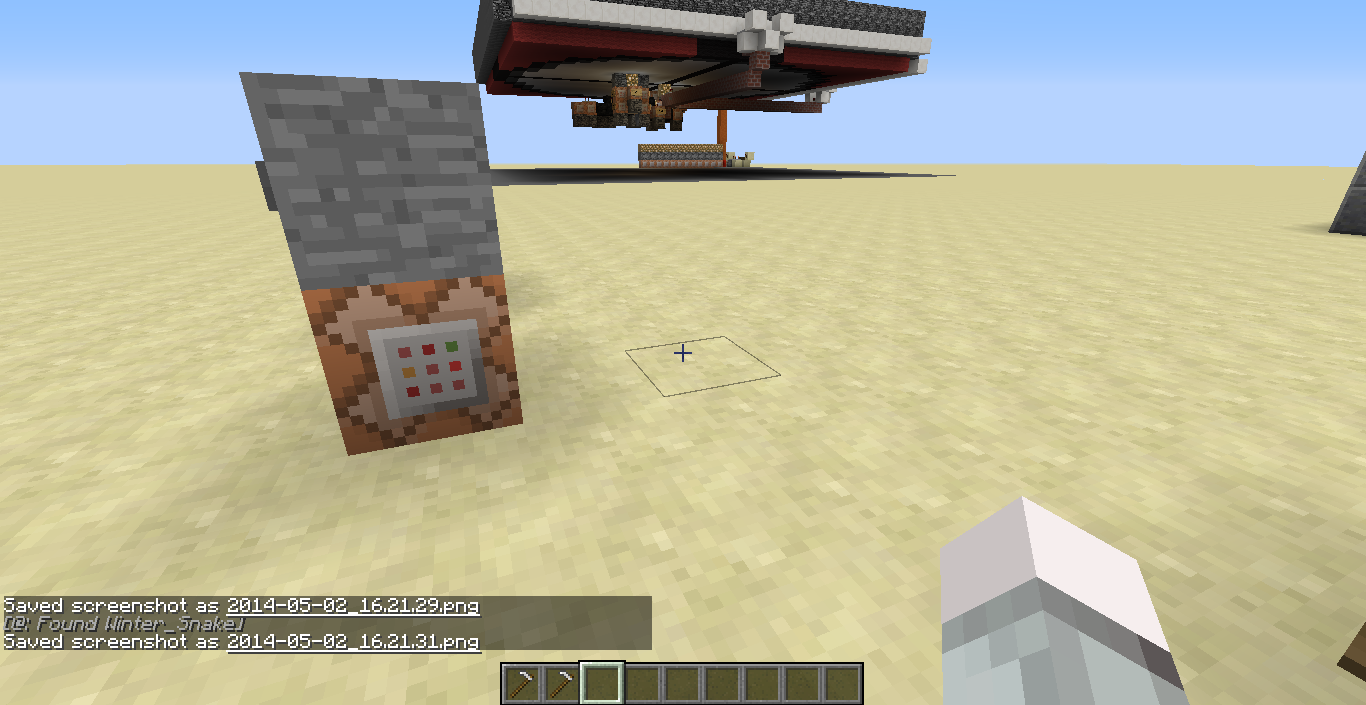
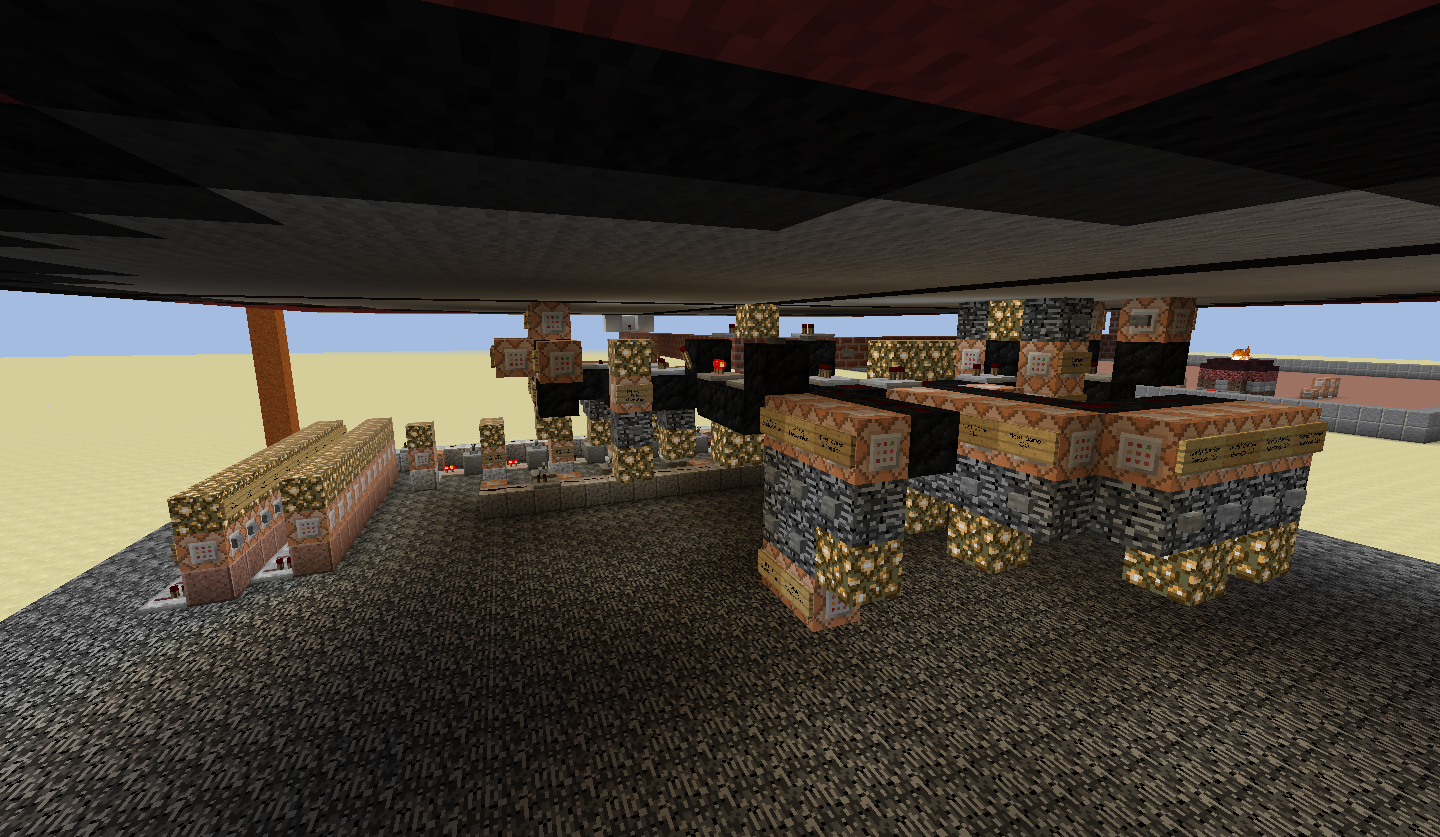
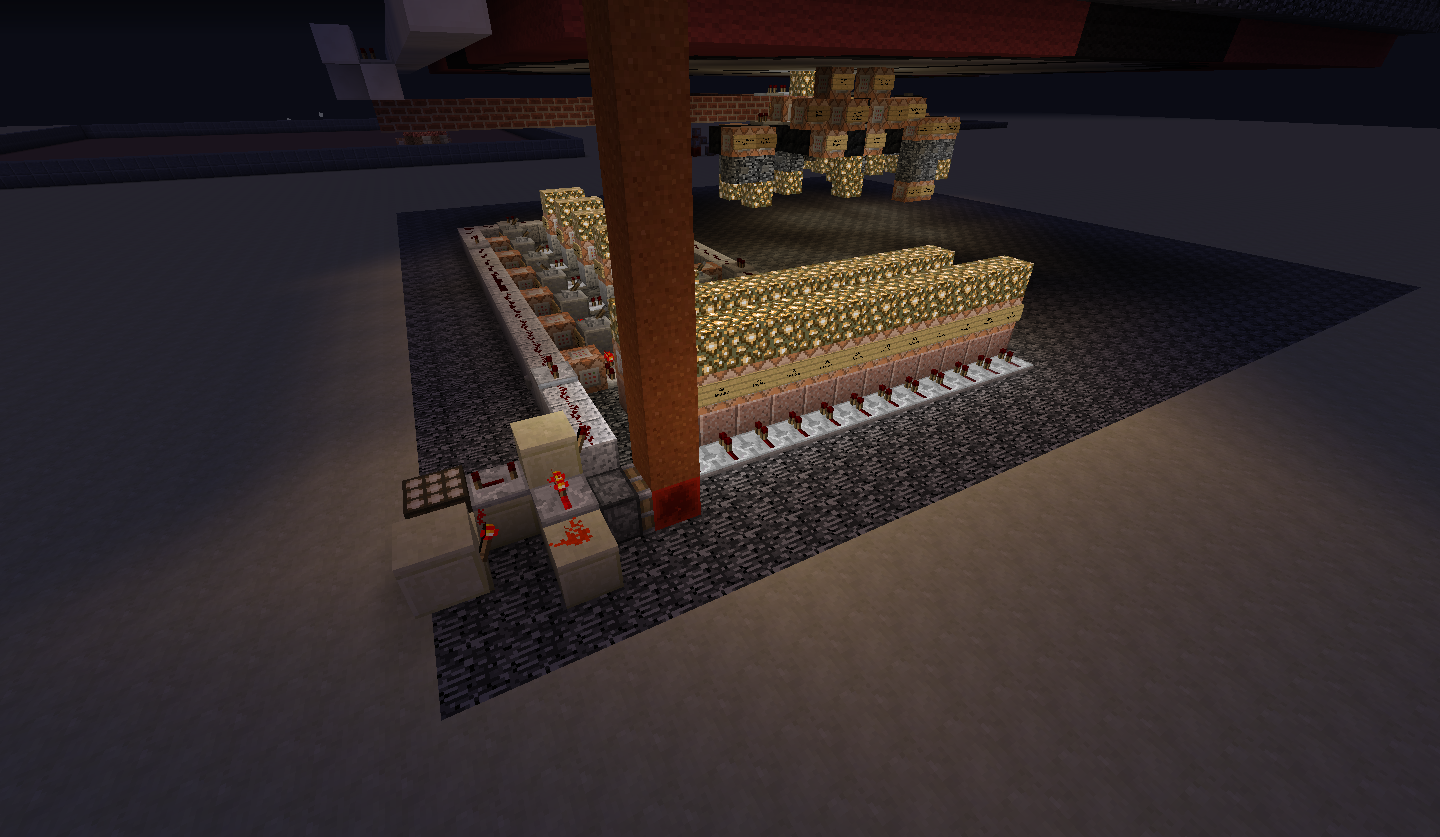
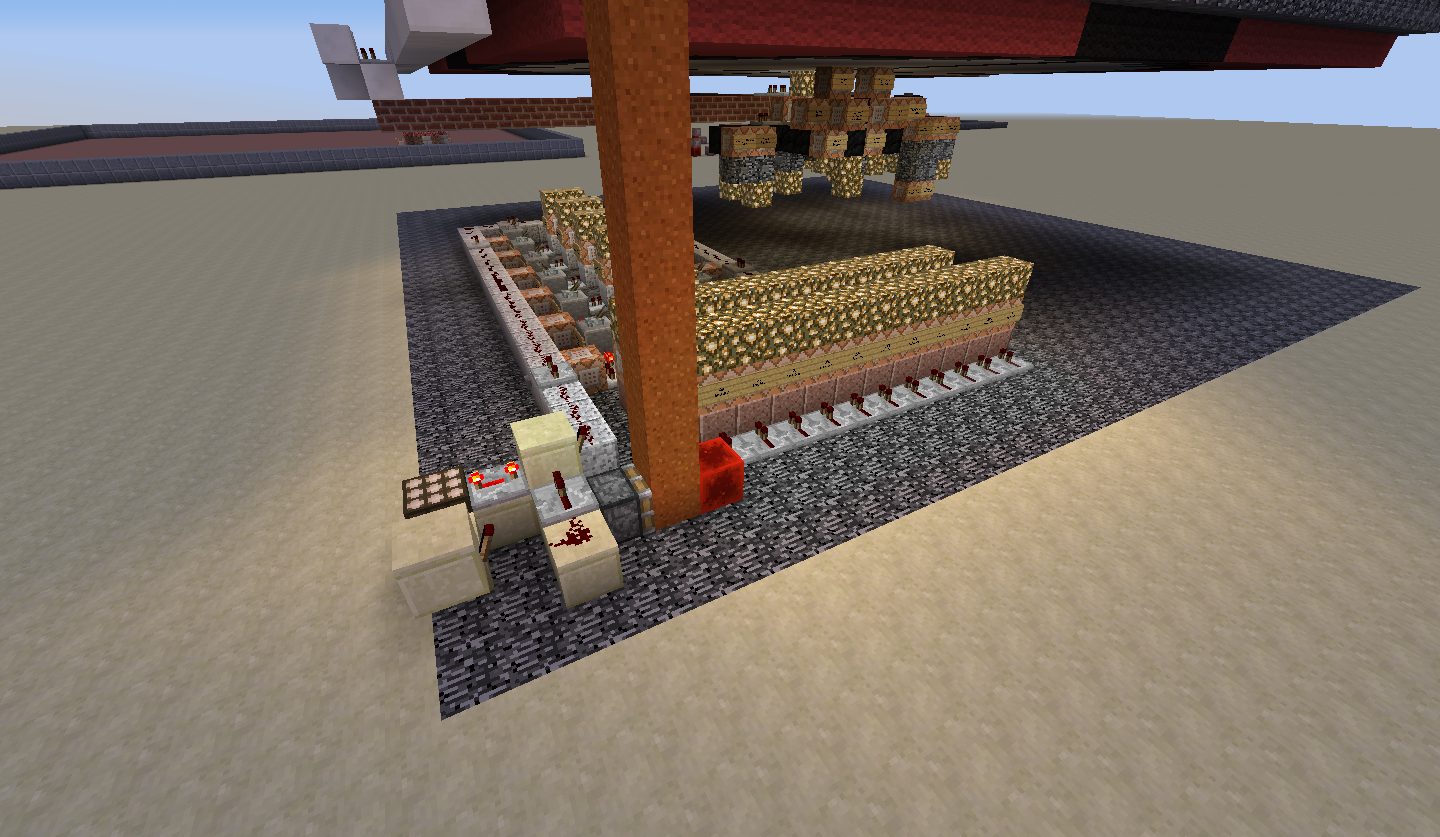
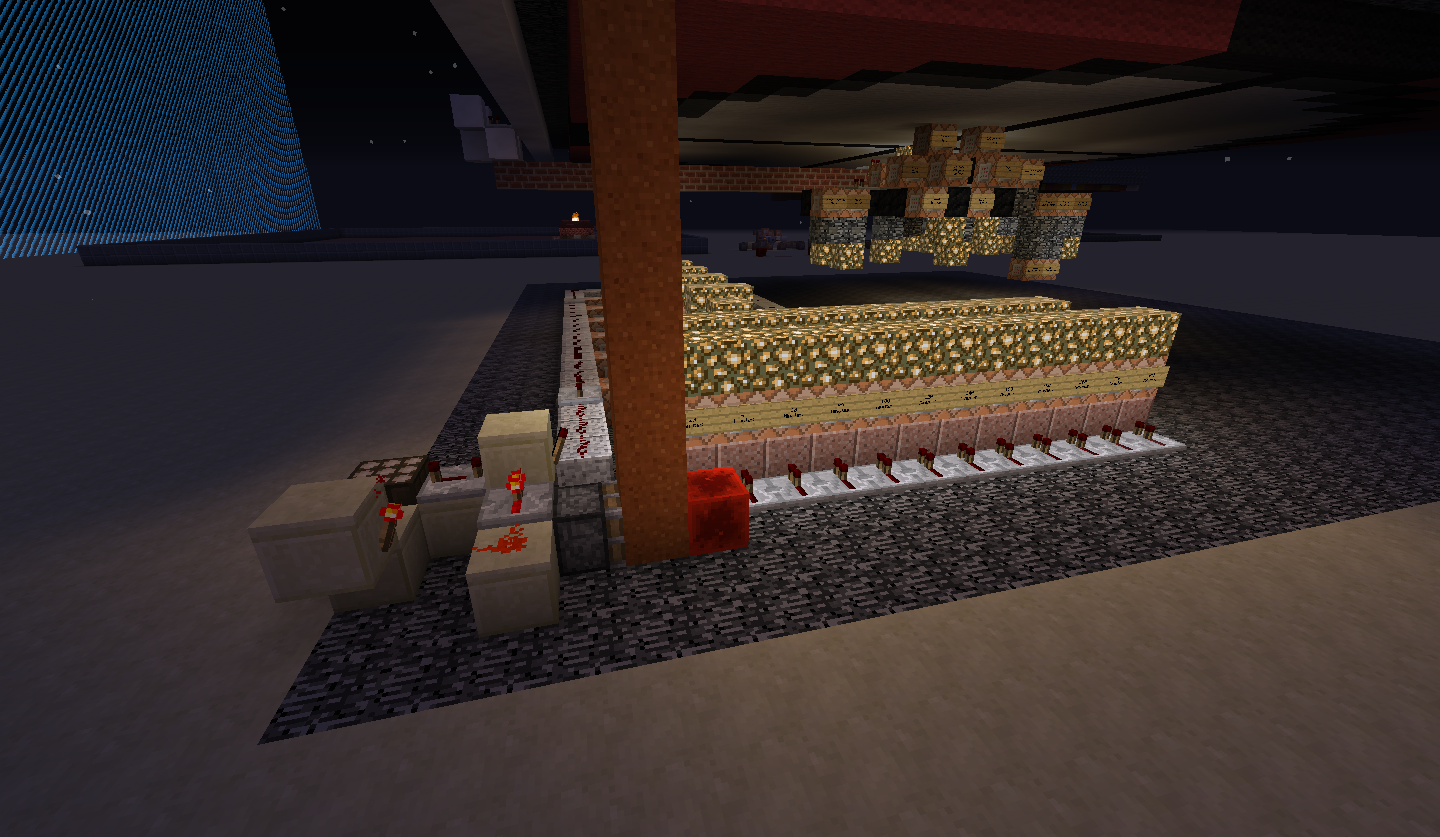
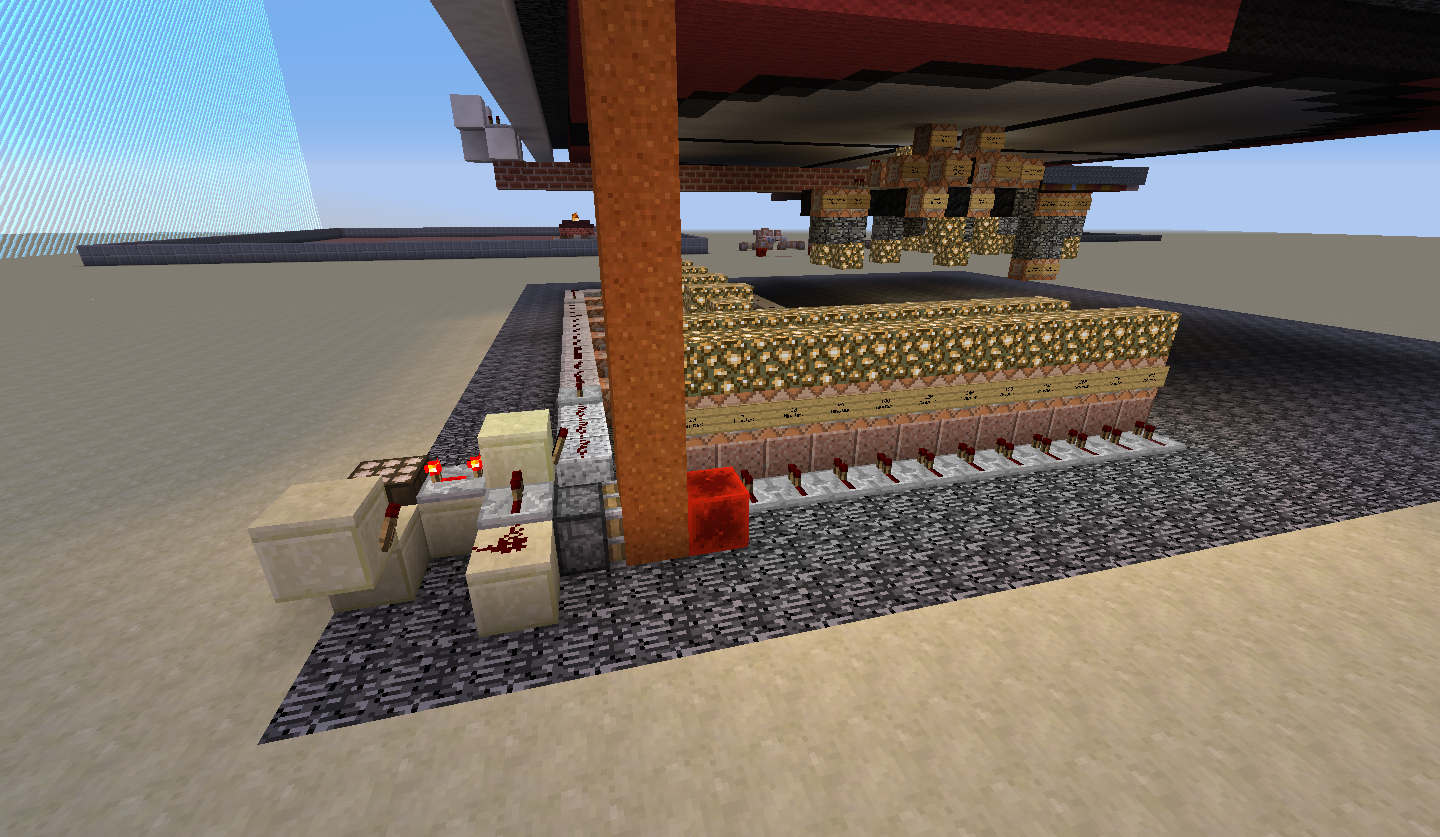
Pictures uploaded. The first three photos are of the spawn pad itself. The second three photos are the piston working when the spawn pad is within worldborder and the last three are when its outside the boundary.
EDIT: And the reason I need the spawn pad outside the world border is because I am using this for a P.v.P. setup were the players are free to roam around the world, restricted by the world boundary. If the spawn pad was within the "playable world," the players could easily exploit the system and stay safe from mobs, etc.
MC-54366is saying that the piston can push blocks outside the boundary, but the piston is still inside the boundary itself. My problem is that, my piston is outside the boundary completely and doesn't activate at all.Adding a colon ( : ) after a non-valid character seems to not crash the game.
Error given when adding the "?:"
Couldn't execute command for Winter_Snake: give Winter_Snake minecraft:acacia_boat?: com.mojang.brigadier.exceptions.CommandSyntaxException: Expected whitespace to end one argument, but found trailing data at position 39: ...cacia_boat<--[HERE]vs error given with ":"
Asked to test by Tryashstar: "aca?cia::"
This error seems to stop caring after an invalid character is found and ignores the trailing colons, but my guess would be that the colon causes a crash because it's a special case regarding namespaces.
I have added the logs that I got while testing the different scenarios for recipes.
@Nathan Adams
This should not be the case, lava should maintain it's lava texture regardless of the tag existing. Behavior should be removed (as well as it's ability to damage/hurt players and it's particles - the jumping particles) but the texture should remain intact. Otherwise, why is water still the water texture when the Vanilla data pack is removed? I understand "lava" doesn't exist - but neither does water if Vanilla is disabled - so why are the textures still water? Unless data packs incorporate resource packs, this just seems inconsistent with server's not meant to control client's resources. Either disabling the Vanilla pack should result in an error texture or lava should keep its own textures with just a loss of behavior. (Same for water). It's especially inconsistent considering the fact that the item for lava bucket maintains the lava texture when the fluid itself does not.