 MC-137408
Game Crash on Launch
Bug fixed in anapshot 18w44a.
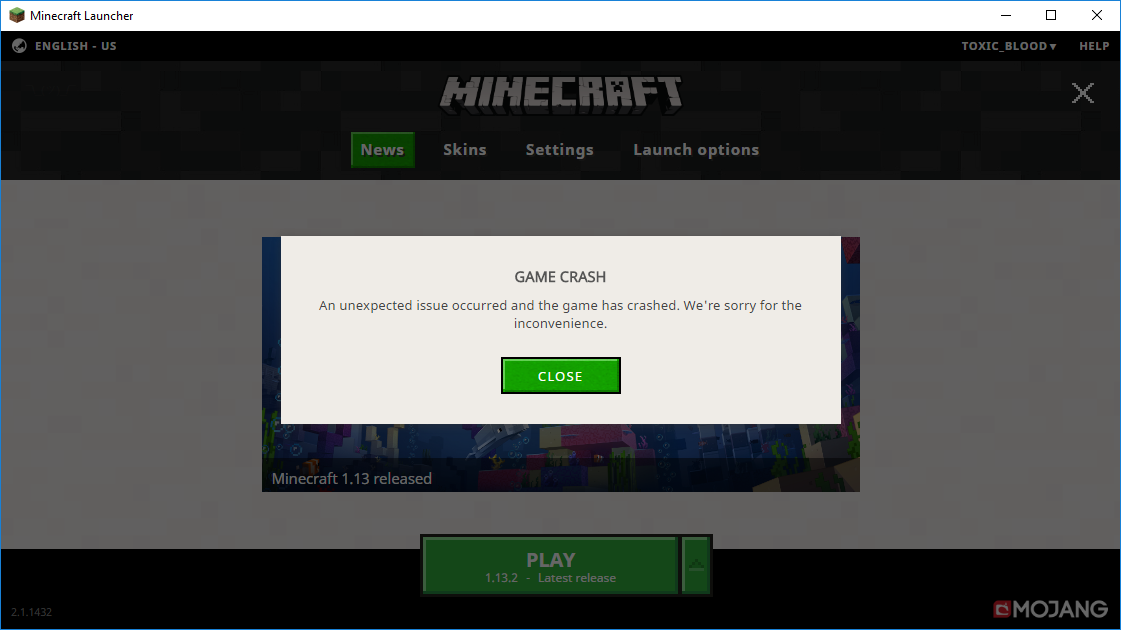
Minecraft 1.13.2 and 1.13.2 Pre 2 crashes after clicking the Play button in the launcher. It does not generate a crash report. However I am including the Game output log.
Minecraft 1.13.2 Pre 1 and older load w/o any issues.
I have tried a 100% fresh install of Minecraft , Updating java and video card drivers. And get same result. Any result of searching google for the exit code comes up to a dead end.
Bug Confirmed!!!! Temporray Fix has been found!
Anyone getting this issue can fix this by downloading and installing the latest version of optifine for 1.13.2. 1.13.2 should now launch w/o any issues.
Environment
Windows 10 , 8 GB ram
Java version 8 Update 191 Build 1.8.0_191-b12
Video card AMD Radeon R9 270x
Linked Issues


Created Issue:
Game Crash on Launch
Minecraft 1.13.2 and 1.13.2 Pre 2 crashes after clicking the Play button in the launcher. It does not generate a crash report. However I am including the Game output log.
Minecraft 1.13.2 Pre 1 and older load w/o any issues.
I have tried a 100% fresh install of Minecraft , Updating java and video card drivers. And get same result. Any result of searching google for the exit code comes up to a dead end.
Environment
Windows 10 , 8 GB ram
Java version 8 Update 191 Build 1.8.0_191-b12
Video card AMD Radeon R9 270x
Attachments2
![[Mod] Asteraoth](../../../data/avatars/users/92886.png)
duplicates
Minecraft 1.13.2 and 1.13.2 Pre 2 crashes after clicking the Play button in the launcher. It does not generate a crash report. However I am including the Game output log.
Minecraft 1.13.2 Pre 1 and older load w/o any issues.
I have tried a 100% fresh install of Minecraft , Updating java and video card drivers. And get same result. Any result of searching google for the exit code comes up to a dead end.
Bug Confirmed!!!! Temporray Fix has been found!
Anyone getting this issue can fix this by downloading and installing the latest version of optifine for 1.13.2. 1.13.2 should now launch w/o any issues/
Minecraft 1.13.2 and 1.13.2 Pre 2 crashes after clicking the Play button in the launcher. It does not generate a crash report. However I am including the Game output log.
Minecraft 1.13.2 Pre 1 and older load w/o any issues.
I have tried a 100% fresh install of Minecraft , Updating java and video card drivers. And get same result. Any result of searching google for the exit code comes up to a dead end.
Bug Confirmed!!!! Temporray Fix has been found!
Anyone getting this issue can fix this by downloading and installing the latest version of optifine for 1.13.2. 1.13.2 should now launch w/o any issues
/Minecraft 1.13.2 and 1.13.2 Pre 2 crashes after clicking the Play button in the launcher. It does not generate a crash report. However I am including the Game output log.
Minecraft 1.13.2 Pre 1 and older load w/o any issues.
I have tried a 100% fresh install of Minecraft , Updating java and video card drivers. And get same result. Any result of searching google for the exit code comes up to a dead end.
Bug Confirmed!!!! Temporray Fix has been found!
Anyone getting this issue can fix this by downloading and installing the latest version of optifine for 1.13.2. 1.13.2 should now launch w/o any issues.
This is not a tech issue it is a bug and a fix has been found and I'll post it here.
Install the latest version of optifine and now 1.13.2 will run with optifine. I have never heard a case where optifine fixes tech issues, It must be something in the 1.13.2 vanilla jar file that optifine is fixing...
Minecraft 1.13.2 and 1.13.2 Pre 2 crashes after clicking the Play button in the launcher. It does not generate a crash report. However I am including the Game output log.
Minecraft 1.13.2 Pre 1 and older load w/o any issues.
I have tried a 100% fresh install of Minecraft , Updating java and video card drivers. And get same result. Any result of searching google for the exit code comes up to a dead end.
Bug Confirmed!!!! Temporray Fix has been found!
Anyone getting this issue can fix this by downloading and installing the latest version of optifine for 1.13.2. 1.13.2 should now launch w/o any issues.
Minecraft 1.13.2 and 1.13.2 Pre 2 crashes after clicking the Play button in the launcher. It does not generate a crash report. However I am including the Game output log.
Minecraft 1.13.2 Pre 1 and older load w/o any issues.
I have tried a 100% fresh install of Minecraft , Updating java and video card drivers. And get same result. Any result of searching google for the exit code comes up to a dead end.
Bug Confirmed!!!! Temporray Fix has been found!
Anyone getting this issue can fix this by downloading and installing the latest version of optifine for 1.13.2. 1.13.2 should now launch w/o any issues.
Bug fixed in anapshot 18w44a.
Minecraft 1.13.2 and 1.13.2 Pre 2 crashes after clicking the Play button in the launcher. It does not generate a crash report. However I am including the Game output log.
Minecraft 1.13.2 Pre 1 and older load w/o any issues.
I have tried a 100% fresh install of Minecraft , Updating java and video card drivers. And get same result. Any result of searching google for the exit code comes up to a dead end.
Bug Confirmed!!!! Temporray Fix has been found!
Anyone getting this issue can fix this by downloading and installing the latest version of optifine for 1.13.2. 1.13.2 should now launch w/o any issues.
Bug fixed in anapshot 18w44a.
Bug fixed in anapshot 18w44a.
Minecraft 1.13.2 and 1.13.2 Pre 2 crashes after clicking the Play button in the launcher. It does not generate a crash report. However I am including the Game output log.
Minecraft 1.13.2 Pre 1 and older load w/o any issues.
I have tried a 100% fresh install of Minecraft , Updating java and video card drivers. And get same result. Any result of searching google for the exit code comes up to a dead end.
Bug Confirmed!!!! Temporray Fix has been found!
Anyone getting this issue can fix this by downloading and installing the latest version of optifine for 1.13.2. 1.13.2 should now launch w/o any issues.
![[Mod] Neko](../../../data/avatars/users/92901.png)
duplicates
duplicates
Duplicate of
MC-20220. See Exit Code: -1073741819.This page you linked me to. 2 items on the how to fix I have already done before i posted. I even stated that in the original posting of this bug. And the 3rd item at the top of the list is not installed on the computer. But i would like to point out that if it was the cause it would affect all versions not just 1. I can still load 1.13.1 just fine.
Resolved as duplicate of 20220. A out of date bug report. This report is NOT related to 20220 at all other than the title. This proves that people or BOTS are not reading anything. As stated multiple times java is UP TO DATE! And this bug affects 1.13.2 ONLY. With all other versions loading w/o any issues. This is a issue with 1.13.2 it's self and not the user end. If it was anything on the user end ALL VERSIONS would also crash upon loading. A java being out of date would not affect only 1 version of Minecraft this is completely impossible.
This is a technical support issue; this site is for bug reports only. We do not have the resources to provide you with technical support.
Please contact the community support, linked below.
Quick Links:
📓 Issue Guidelines – 💬 Community Support – 📧 Customer Support – 📖 Game Wiki
Installing Optifine 1.13.2 fixes this exitcode -1073741819
This supports it being a bug and not a technical issue. Added this workaround to the bug description. The game runs normally now. I did no other alterations other than installing optifine.
Added the fact that this bug is fixed as of Snapshot 18w44a released today.